
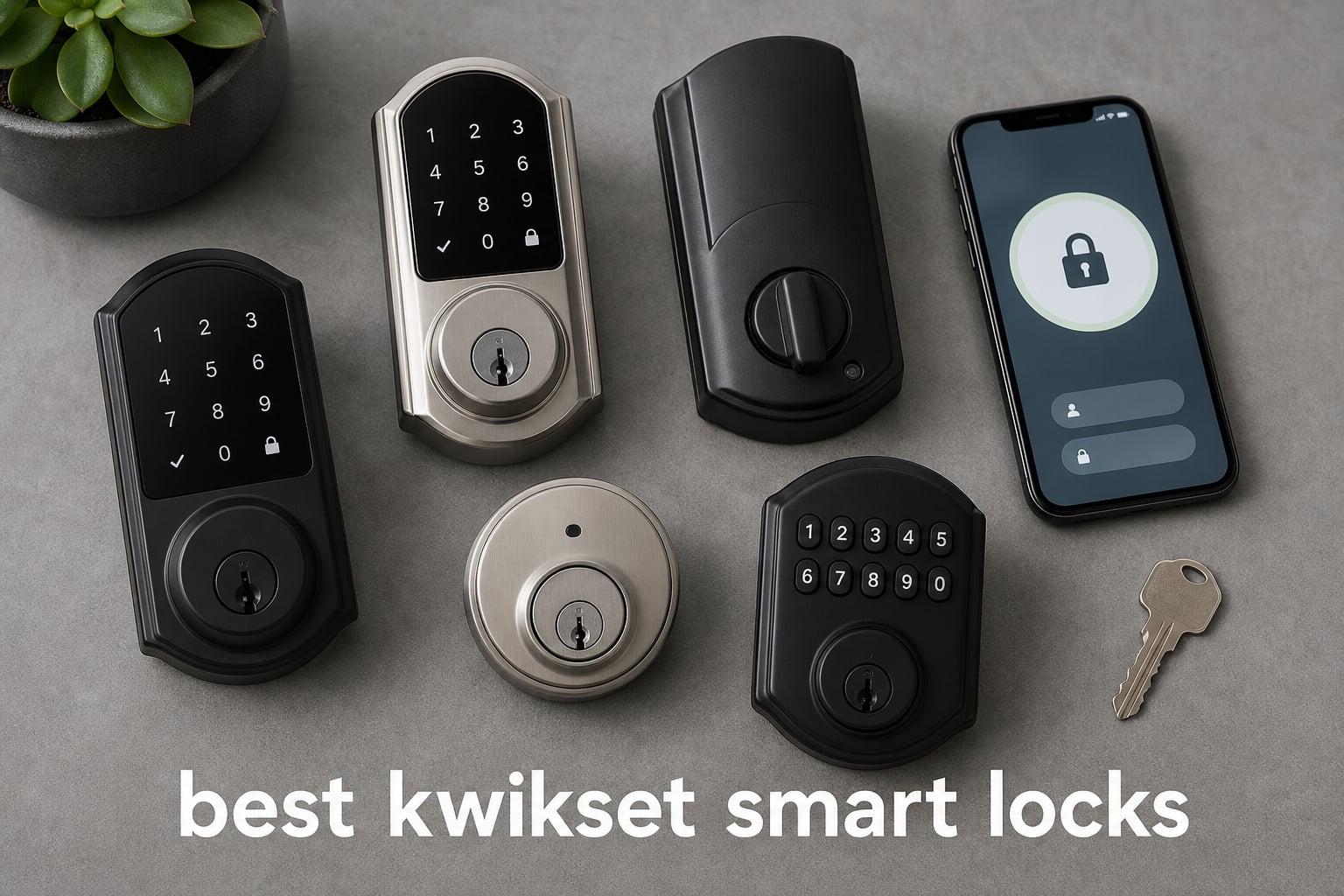
The best Kwikset smart locks make sense when you want keyless entry, a rekeyable deadbolt, and a connection method that matches your home rather than a pile of features you will never use. My short answer is that Kwikset has strong choices for straightforward keypad access, Wi-Fi control, Z-Wave systems, and newer Matter homes, but the right series depends heavily on whether you need a hub, remote control, or Apple Home support.
I compared the 10 available models by their stated connection type, access options, BHMA certification where listed, code capacity, reported ratings, and common drawbacks in the supplied product data. This is a data-led guide, not a claim of personal testing: a 4.4-star standalone keypad lock and a 4.0-star Matter model solve different problems.
Kwikset smart locks are keyless entry door locks that use a keypad, fingerprint, or phone-based authentication and can connect through Bluetooth, Wi-Fi, Z-Wave, or Matter. They suit households that want family codes, hosts who need scheduled guest access, and smart-home owners who want locking controls alongside devices they already own.
One practical warning comes up repeatedly in user discussions: connectivity and battery performance matter more than a long feature list. Some owners report Wi-Fi latency, occasional dropped connections, or unexpectedly fast battery drain, so I would confirm the lock’s wireless method and your door alignment before choosing any connected model.
Top 3 Picks Are the Simplest Fits for Most Doors
The Halo Select is the broadest recommendation for a household that wants Wi-Fi remote control plus Matter compatibility with Alexa, Apple Home, and Google Home. The SmartCode 260 is the sensible choice if your priority is a reliable electronic keypad with no app or hub to manage.
For an established Z-Wave household, the HomeConnect 620 gives you Long Range support, Ring Alarm compatibility, and up to 250 codes, provided you already plan to use a compatible hub. The cards below make those distinctions easier to see before the complete list.


The Best Kwikset Smart Locks in 2026 Cover Ten Different Needs
The key dividing line is connectivity. SmartCode 260 and 270 are electronic keypad deadbolts rather than app-first locks, Aura is Bluetooth-based, Halo models use Wi-Fi, and HomeConnect and SmartCode 916 depend on Z-Wave equipment.
Matter support appears on Halo Select, Aura Reach, and Halo Select Plus. That makes those models worth a close look for a mixed-platform smart home, although Matter setup still depends on compatible home equipment and a stable network.
| Product | Specifications | Action |
|---|---|---|
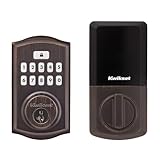 Kwikset SmartCode 260 Kwikset SmartCode 260 |
|
Check Latest Price |
 Kwikset Aura Bluetooth Kwikset Aura Bluetooth |
|
Check Latest Price |
| Kwikset HomeConnect 620 |
|
Check Latest Price |
 Kwikset SmartCode 270 Kwikset SmartCode 270 |
|
Check Latest Price |
 Kwikset HomeConnect 918 Kwikset HomeConnect 918 |
|
Check Latest Price |
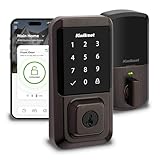 Kwikset Halo Wi-Fi Kwikset Halo Wi-Fi |
|
Check Latest Price |
| Kwikset Halo Select |
|
Check Latest Price |
 Kwikset SmartCode 916 Kwikset SmartCode 916 |
|
Check Latest Price |
 Kwikset Aura Reach Kwikset Aura Reach |
|
Check Latest Price |
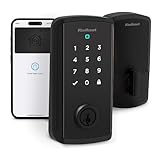 Kwikset Halo Select Plus Kwikset Halo Select Plus |
|
Check Latest Price |
1. Kwikset SmartCode 260 Is the Best Standalone Keypad Pick
Kwikset SmartCode 260 Keyless Entry Electronic Keypad Deadbolt Door Lock with Auto-Lock, Custom User Codes, Advanced Security in Venetian Bronze Traditional
Keypad
50 user codes
Grade 2 BHMA
Auto-lock
Pros
- 50 user codes
- Auto-lock timing
- SmartKey rekeying
- Grade 2 BHMA
- 12-month battery claim
Cons
- No remote app control
- Batteries not included
The SmartCode 260 is the easy recommendation for a door that needs dependable keypad access without Wi-Fi, Bluetooth, or a hub. Its 4.4 rating from 1,191 reviews is the highest in this group, and the listed feature set is unusually complete for a standalone electronic deadbolt.
You can create up to 50 ongoing user codes and 10 one-time codes, then set auto-lock from 30 seconds to 10 minutes. That is enough flexibility for a family, a cleaner, or a short-term visitor without handing out a physical key.
Security features include Grade 2 BHMA certification, an intrusion alert and keypad disable after three incorrect entries, plus vacation mode. SmartKey rekeying is useful when a key is lost or a new resident moves in, because it lets the owner rekey the lock rather than replace the hardware.
The SmartCode 260 fits homes that do not need an app
I would choose this model for a main entry where simple code access matters more than remote alerts. It has a backlit keypad, one-touch locking, and a stated 12-month battery life using four AA batteries.
The lack of a network connection can be an advantage if you want fewer setup steps and no dependence on a router. It also means you cannot review an event history or issue a code from away from home.
The SmartCode 260 works best on a properly aligned door
Like any motorized electronic deadbolt, it should lock smoothly by hand before you install it. A sticking latch can make the motor work harder and may contribute to the battery-life complaints seen in smart-lock discussions.
The product listing says it installs with a screwdriver and offers BILT interactive instructions. Plan to have four AA batteries on hand because they are not included.
2. Kwikset Aura Bluetooth Is the Best for Nearby App Control
Kwikset 99420-003 Aura Bluetooth Programmable Keypad Door Lock Deadbolt Featuring SmartKey Security, Iron Black
Bluetooth app control
250 access codes
Auto-lock
SmartKey
Pros
- Bluetooth phone control
- 250 access codes
- activity history
- Auto-lock
- SmartKey rekeying
Cons
- Remote control needs proximity
- No Wi-Fi connection
The Aura is a Bluetooth door lock for people who want phone management while standing near the door, not a lock that talks to the internet. It has a 4.3 rating from 3,918 reviews, which gives this older Bluetooth approach a much larger review base than several newer connected models.
Its app can lock or unlock the door, share guest access, show activity history, and send activity notifications. The backlit keypad supports up to 250 codes, a generous number for a household with frequent visitors or a rental schedule.
Bluetooth avoids the Wi-Fi setup and router dependence of a Halo, but it also sets a hard boundary on remote use. You should not buy Aura expecting to lock the door from another location without being in Bluetooth range.
The Aura is right for code sharing near the property
This is a practical keyless entry lock for an owner who visits the property regularly and wants to manage many codes from a phone. Auto-lock and SmartKey rekeying add useful day-to-day safeguards without requiring another smart-home device.
The product data lists a lifetime mechanical and finish warranty plus a one-year electronics warranty. That warranty split is common for electronic deadbolts, so it is wise to treat the electronic portion as the part needing closer attention.
The Aura is not the choice for remote rental management
A rental host who must create or remove codes from off site will be better served by a Wi-Fi or appropriately connected Matter lock. Bluetooth proximity control is a limitation, not a defect, and it should be part of the buying decision.
I also would not assume “smart home compatible” means it will join a particular hub. The supplied specifications identify Bluetooth, while no broad hub integration is listed for this Aura model.
3. Kwikset HomeConnect 620 Is the Best Z-Wave Long Range Choice
Kwikset HomeConnect 620 Z-Wave Long Range Enabled Keypad Smart Lock Convenient Keyless Entry, Customizable User Codes, Ring Alarm Compatible, Hub Required, Sold Separately Satin Nickel Traditional
Z-Wave Long Range
Ring Alarm
250 codes
Grade 2 BHMA
Pros
- Z-Wave Long Range
- Ring Alarm compatibility
- S2 encryption
- 250 codes
- Included batteries
Cons
- Compatible Z-Wave hub required
- Smaller review base
The HomeConnect 620 is for a home that already uses Z-Wave and wants a lock that joins that system rather than another Wi-Fi device. It is listed with Z-Wave 700 Long Range, S2 security, SmartStart, Ring Alarm compatibility, and a 4.3 rating from 241 reviews.
It supports up to 250 user codes and programmable auto-lock from 30 seconds to 10 minutes. Four included AA batteries are claimed to provide 12 months of life, though real battery life will vary with door alignment, wireless traffic, and daily use.
SmartStart can reduce the friction of adding the lock to an eligible hub, while Long Range is relevant for a larger home where ordinary device range is a concern. Ring Alarm compatibility is a clearer buying signal than a vague claim of general smart-home compatibility.
The HomeConnect 620 belongs in a Z-Wave household
Choose it if you already have a compatible Z-Wave hub or Ring Alarm system and want centralized control. A hub-based smart lock can keep automation inside an established smart-home setup instead of adding a separate Wi-Fi app.
Its Grade 2 BHMA certification, keypad entry, and SmartKey rekeying cover the essential door-lock functions even if the hub is temporarily unavailable. That is useful for a connected device that still has to work as a front-door lock first.
The HomeConnect 620 requires a hub before smart features work
The lock does not include the Z-Wave hub, and this is the critical limitation to understand before installation. Forum discussions also flag third-party hub requirements as a source of buyer frustration when people assume the lock connects directly to Wi-Fi.
Confirm compatibility with your specific hub before ordering. If you want direct app control with no hub, the Wi-Fi Halo line is the more suitable direction.
4. Kwikset SmartCode 270 Is the Best Touchpad-Only Alternative
Kwikset SmartCode 270 Keyless Entry Electronic Touchpad Deadbolt Door Lock with Auto-Lock, Custom User Codes, Advanced Security in Satin Nickel Traditional
Touchpad
50 user codes
Grade 2 BHMA
Auto-lock
Pros
- Illuminated touchpad
- 50 user codes
- Auto-lock
- Intrusion alert
- SmartKey rekeying
Cons
- No app or remote access
- Batteries not included
The SmartCode 270 takes the SmartCode 260 formula and swaps the physical keypad style for a touchpad. Its 4.2 rating from 1,030 reviews suggests it is a solid option for a buyer who prefers a smoother touch interface and bright LEDs for nighttime code entry.
Functionally, it keeps the meaningful parts: 50 user codes, 10 one-time codes, auto-lock timing from 30 seconds to 10 minutes, vacation mode, and a wrong-code intrusion alert. It is an electronic deadbolt, not a Wi-Fi smart lock, so expectations should stay focused on local code access.
The Grade 2 BHMA certification is significant because it gives this lock a documented security classification. SmartKey support also means you can rekey it in seconds when the existing key control changes.
The SmartCode 270 suits touchpad users who want local access
Pick the 270 when the main decision is touchpad versus physical buttons, not ecosystem integration. The bright LED lighting is especially helpful at an unlit side door, garage entry, or front porch.
The stated 12-month battery life uses four AA alkaline batteries. Keep a fresh set nearby and check that the bolt moves freely before blaming a low-battery warning on the lock alone.
The SmartCode 270 does not replace a remote-access lock
It cannot offer scheduled remote guest codes, phone notifications, or voice control because the supplied data does not list Wi-Fi, Bluetooth, Z-Wave, or Matter. That simpler design is appropriate when you want fewer connection points.
If your goal is a smart lock keypad that you can control while away, consider Halo Select for direct Wi-Fi or HomeConnect 620 if you use Z-Wave. Do not buy a standalone electronic lock and expect it to gain those features later.
5. Kwikset HomeConnect 918 Is the Best Z-Wave Touchscreen Upgrade
Kwikset HomeConnect 918 Traditional Z-Wave Long Range Enabled Touchscreen Lock Works with Ring Alarm, Samsung SmartThings Hub Required, Sold Seperately in Satin Nickel
Z-Wave Long Range
Touchscreen
Ring compatible
250 codes
Pros
- Touchscreen entry
- Z-Wave Long Range
- Ring and SmartThings support
- S2 encryption
- Included batteries
Cons
- Compatible hub required
- Only 38 reviews
The HomeConnect 918 is the touchscreen-oriented Z-Wave option for someone who already relies on Ring Alarm or Samsung SmartThings. Its listed 4.2 rating comes from only 38 reviews, so I would treat the score as a useful early signal rather than the same level of evidence as the higher-volume models.
It combines a touchscreen with Z-Wave 700 Long Range, S2 encryption, SmartStart, 250 codes, and configurable auto-lock. The supplied details also list Grade 2 BHMA certification and included batteries with a 12-month battery-life claim.
There is a worthwhile distinction between this model and a Wi-Fi touchscreen: the HomeConnect 918 is built around a hub-led system. That can be attractive if your automation rules, security alerts, and devices already live in Ring Alarm or SmartThings.
The HomeConnect 918 makes sense for established smart-home systems
Choose it when touchscreen entry is important and your Z-Wave system is already in place. The connection can integrate the lock into existing routines, while the keypad remains a direct fallback for family members.
With 250 codes, it can handle a busy household or a managed property where individual access matters. Scheduled and remote behavior still depends on the hub and the ecosystem’s available controls.
The HomeConnect 918 needs careful compatibility checks
A hub is required and sold separately, so the lock is not a plug-and-play Wi-Fi replacement. The product record also showed limited availability and a smaller review count, both reasons to check the listing details at the time you buy.
It is not the sensible fit for a first smart lock if you do not own Z-Wave equipment. The Halo Wi-Fi models require less ecosystem planning.
6. Kwikset Halo Wi-Fi Is the Best Established Remote-Control Model
Kwikset Halo Wi-Fi Smart Lock, Keyless Entry Front Door Touchscreen Deadbolt, App Control, Grade AAA Certified, Easy Install No Hub, Venetian Bronze Finish
Wi-Fi control
250 access codes
Alexa and Google Home
Geofencing
Pros
- No hub needed
- Remote app control
- 250 access codes
- Alexa and Google Home
- Grade AAA
Cons
- Reported Wi-Fi issues
- App may respond slowly
- 3.9 rating
The original Halo Wi-Fi is the familiar choice for homeowners who want to lock or unlock from anywhere without buying a hub. It supports 250 access codes, geofencing auto-unlock, Amazon Alexa, Google Home, activity history, and intrusion notifications.
It also has the largest review count here at 7,334, but its 3.9 rating deserves attention rather than a gloss-over. The product data specifically cites occasional connectivity problems and slow app response, matching forum reports about Halo commands taking longer than expected.
That does not make Halo a bad lock; it means the Wi-Fi feature set brings network quality into the ownership experience. A stable router signal at the door is a real purchase requirement for this model.
The Halo Wi-Fi is right for direct remote access
This is a good fit for a homeowner who wants remote locking, temporary or scheduled access codes, and voice control through Alexa or Google Home. No hub is needed, which keeps the initial setup simpler than a Z-Wave model.
The listing says it fits doors from 1-3/8 to 1-3/4 inches thick with an adjustable deadbolt backset. Check those measurements before removing your existing deadbolt.
The Halo Wi-Fi needs strong wireless coverage at the door
Wi-Fi smart locks depend on signal strength, router settings, and timely app communication. Community feedback includes reports of periodic Wi-Fi drops and slow response, so test the phone signal where the lock will sit before committing.
Use auto-lock as a backup, not as a substitute for checking whether the door latched. If connection reliability is your chief concern, a local-only SmartCode or a hub-based Z-Wave model may be less frustrating.
7. Kwikset Halo Select Is the Best Matter-Ready All-Rounder
Kwikset Halo Select Smart Lock Keyless Entry Door Lock Wi-Fi and Matter Enabled Deadbolt No Hub Needed, Geofence Auto-Unlock, Grade AAA Certified, Easy Install, Satin Nickel Lifetime Finish Warranty
Wi-Fi and Matter
250 codes
Apple Home Alexa Google Home
Grade AAA
Pros
- Wi-Fi and Matter
- Apple Home Alexa Google Home
- 250 codes
- Grade AAA
- Geofence auto-unlock
Cons
- Newer model
- 235 reviews
- Limited availability reported
The Halo Select is the most complete cross-platform option in this roundup because it pairs direct Wi-Fi control with Matter capability. It is listed as working with Amazon Alexa, Apple Home, Google Home, IFTTT, Android, and iOS, while still needing no hub for remote Wi-Fi control.
Its touchscreen supports up to 250 temporary, scheduled, or permanent codes, and it adds geofencing, intrusion alerts, event logs, and a stated BHMA Grade AAA certification with a UL 20-minute fire rating. This is why it earns the editor’s-choice role for a household that wants broad compatibility.
The rating is 4.0 from 235 reviews, so there is a smaller body of feedback than the older Halo Wi-Fi. Buyers should also recognize that Matter can simplify platform compatibility, but it cannot fix a weak home network or a poorly aligned door.
The Halo Select fits mixed Alexa Apple and Google homes
Choose this lock when different people in the household use different platforms and you want a Matter smart lock that can fit that reality. It offers the broadest stated compatibility in the product data without requiring a Z-Wave hub.
The app-guided installation and low-profile touchscreen are practical conveniences, while the 250-code capacity helps with guests and recurring access. For a rental property, remote code management is a major advantage over a local-only keypad.
The Halo Select needs patient Matter setup expectations
Matter still depends on compatible controllers and a healthy network. Forum feedback includes a Halo Select Matter setup that worked after a modem restart, which is a useful reminder to update equipment and follow setup steps carefully.
Do not read “future-ready” as a promise that every automation will work identically across every ecosystem. Confirm the specific Apple Home, Alexa, or Google Home features you expect before installation.
8. Kwikset SmartCode 916 Is the Best for Ring-Compatible Touchscreen Access
Kwikset SmartCode 916 Z-Wave Smart Lock, Keyless Entry Ring Compatible Door Lock, Touchscreen Electronic Deadbolt, SmartKey Re-Key Security, Smart Hub Required, Contemporary Satin Nickel
Z-Wave
Ring compatible
30 codes
Illuminated touchscreen
Pros
- Ring compatible
- Fast quiet motor
- Alexa and Google support
- Illuminated touchscreen
- SmartKey
Cons
- Z-Wave hub required
- 30-code limit
- Smaller review base
The SmartCode 916 is a Z-Wave touchscreen electronic deadbolt aimed at a Ring, SmartThings, Wink, Alexa, or Google Assistant setup. Its motorized deadbolt is described as fast and quiet, and its illuminated touchscreen makes it a credible option for a busy entryway.
It supports up to 30 programmable user codes and a 30-second auto-lock setting. That is far fewer codes than the 250-code HomeConnect models, so it is better for a family and regular visitors than for high-turnover rental management.
The 4.0 rating is based on 153 reviews. Its headline trade-off is straightforward: you get Z-Wave smart-home access and Ring compatibility, but a separate compatible hub is required.
The SmartCode 916 fits Ring users who need a quiet touchscreen lock
Pick this one when Ring compatibility and an illuminated touchscreen matter more than maintaining a very large guest-code list. SmartKey rekeying lets the mechanical key access change without replacing the whole deadbolt.
It also works with Alexa and Google Assistant through compatible smart-home systems. The control method described in the product record is voice, but the Z-Wave hub remains the bridge that makes those connected functions possible.
The SmartCode 916 is limited by its required hub and 30 codes
Set expectations before purchase: the lock itself does not provide direct Wi-Fi remote control. You need to verify Z-Wave compatibility and plan where the hub will sit for dependable coverage.
Thirty codes can still cover a household, a dog walker, and several trusted guests. It is simply not as roomy a code-management choice as the 250-code Aura, Halo, or HomeConnect options.
9. Kwikset Aura Reach Is the Best Matter over Thread Compact Pick
Kwikset Aura Reach Smart Lock Matter Over Thread and Bluetooth Enabled Keyless Entry Door Lock Deadbolt, BHMA Certified, Proximity Wakeup, Geofence Auto-Unlock Satin Nickel
Matter over Thread
Bluetooth
Geofence auto-unlock
BHMA certified
Pros
- Matter over Thread
- Bluetooth management
- Apple Home Alexa Google Home
- Proximity wakeup
- Geofence
Cons
- 3.6 rating
- 57 reviews
- Reported connectivity concerns
The Aura Reach combines Bluetooth with Matter over Thread for homeowners who want a newer local-network approach rather than Wi-Fi alone. It works with Apple Home, Alexa, Google Home, and SmartThings according to the supplied specifications, and adds proximity wakeup for the backlit touchpad.
It has a 3.6 rating from 57 reviews, the lower score and low volume here mean it is not a blanket recommendation over the more established picks. Its appeal is specific: Matter over Thread, Bluetooth management through the Kwikset app, and hands-free geofence auto-unlock.
The touchpad has a fingerprint-resistant matte coating and tactile feedback. Those details can be more useful than they sound when entering a code on a dark porch or with a phone in your other hand.
The Aura Reach fits people building around Matter over Thread
Consider it if your home already has compatible Matter and Thread equipment and you prefer the platform support it offers. Bluetooth also gives direct local access-code management through the Kwikset app.
BHMA certification, an alarm, auto-lock, and a battery indicator cover core lock duties. The compact feature mix makes more sense for a connected home than for someone who only needs a basic keypad.
The Aura Reach needs caution because feedback is mixed
The 3.6 rating and 57-review count are concrete reasons to read current owner feedback closely. The product data and broader forum research both point to possible connectivity frustrations with newer connected locks.
Check that your Matter controller and Thread border-router setup are ready before you install it. A buyer without that setup will likely have a simpler experience with the Bluetooth Aura or a direct Wi-Fi Halo.
10. Kwikset Halo Select Plus Is the Best for Apple Home Keys
Kwikset Halo Select Plus Wi-Fi and Matter Enabled, Touchscreen Smart Lock
Apple Home Keys
Wi-Fi and Matter
Door sensor
250 codes
Pros
- Apple Home Keys
- NFC tap to unlock
- Door status sensor
- Wi-Fi and Matter
- 250 codes
Cons
- 3.5 rating
- 72 reviews
- 28 percent one-star ratings
The Halo Select Plus stands apart with Apple Home Keys and NFC tap-to-unlock from an iPhone or Apple Watch. It also offers Wi-Fi, Matter, a door-status sensor, intrusion detection, geofencing, a touchscreen keypad, and capacity for 250 access codes.
Those features make it the specialist pick for an Apple-centered household, but its 3.5 rating from 72 reviews asks for caution. The provided rating breakdown includes 28 percent one-star reviews, so the convenience of tap-to-unlock should not outweigh questions about owner satisfaction.
The door-status sensor is a particularly useful feature if you want confirmation about whether the door is open or closed, not merely whether the deadbolt is extended. That is more informative than a typical lock-only status message.
The Halo Select Plus is for committed Apple Home users
Choose it when Apple Home Keys is a must-have and you value tapping a phone or watch to unlock. Matter and Wi-Fi broaden the lock’s stated compatibility to Alexa, Apple Home, Google Home, and SmartThings.
Its 250 codes and remote monitoring also fit families and hosts who need to manage access beyond the Apple device experience. The NFC feature is the differentiator, not a replacement for well-managed keypad codes.
The Halo Select Plus needs more buyer scrutiny than other picks
The score is the lowest in this list, and the review base is still small. Read the latest owner feedback, confirm stock status, and keep the return terms in mind before choosing this feature-heavy model.
For Apple Home support without making Apple Home Keys the entire decision, Halo Select or Aura Reach may be worth comparing. Those models also list Matter support but carry different connection designs and ratings.
The Buying Guide Starts with Your Connection Type
Choose the connection before you choose the finish or keypad style. A local SmartCode 260 or 270 is the low-complexity choice; Aura provides nearby Bluetooth app access; Wi-Fi Halo locks provide direct remote control; HomeConnect and SmartCode 916 require Z-Wave hardware; and Halo Select, Aura Reach, and Halo Select Plus add Matter support.
A hub-based lock is best when you already own the ecosystem
HomeConnect 620, HomeConnect 918, and SmartCode 916 need a compatible Z-Wave hub for their smart functions. They are logical for Ring Alarm or SmartThings households because the lock can join the system that already runs their automations.
Do not choose one of these models to avoid buying a hub. The requirement is stated in the product data, and trying to work around it is a common cause of disappointing setup experiences.
A Wi-Fi lock is best when you need direct remote control
Halo Wi-Fi, Halo Select, and Halo Select Plus can provide remote locking, guest-code sharing, and status information without a Z-Wave hub. That is useful for a vacation home or a rental property where access changes while you are away.
Wi-Fi convenience also makes router coverage and app response part of the lock experience. Before installation, use your phone at the exterior side of the door to check signal strength and address weak coverage first.
Matter is best when platform flexibility matters most
Matter is a common smart-home standard intended to help compatible devices work across major platforms. Halo Select uses Wi-Fi and Matter, Aura Reach uses Matter over Thread and Bluetooth, and Halo Select Plus pairs Matter with Wi-Fi and Apple Home Keys.
It is still important to check controller support, Thread equipment where relevant, and the exact feature set inside your preferred app. Matter compatibility is helpful, but it does not mean every advanced lock function appears in every smart-home platform.
A good installation starts with the door moving freely
All ten locks replace a deadbolt, and several listings say installation takes a screwdriver and only minutes. That estimate assumes the door, latch, and strike plate already align cleanly.
Before installing, lock and unlock the old deadbolt with the door closed and open. If the bolt binds, fix the strike alignment first; a motorized lock should not have to force the bolt into place.
For the Halo Wi-Fi, the listing specifies doors from 1-3/8 to 1-3/4 inches thick and an adjustable 2-1/8 to 2-3/4 inch backset. Measure your door and check each model’s listing because compatible dimensions can vary.
Battery planning prevents the most common avoidable problem
Several products claim roughly 12 months with four AA batteries, while community reports show some smart-lock owners seeing much shorter intervals. Radio activity, repeated lock attempts caused by a misaligned door, cold conditions, and heavy use can all reduce life.
Use fresh alkaline batteries where specified, replace all cells together, and act on low-battery warnings promptly. Keep the physical backup-key plan in mind too: SmartKey models can be rekeyed, but rekeying does not replace regular battery maintenance.
Security depends on access habits as well as the lock
Grade 2 BHMA certification is listed on SmartCode 260, SmartCode 270, HomeConnect 620, and HomeConnect 918, while Halo Select is listed as Grade AAA. Ratings are helpful product attributes, but good code hygiene is still essential.
Give each person a separate code, remove codes when access ends, avoid obvious combinations, and use one-time codes for short visits where available. SmartKey rekeying is a useful option after a lost key or occupancy change, while intrusion alerts can flag repeated wrong-code attempts on models that include them.
Frequently Asked Questions Have Straight Answers
Are Kwikset smart locks any good?
Kwikset smart locks are good choices when you match the connection method to your needs. SmartCode models provide straightforward keypad access, Halo models add Wi-Fi remote control, HomeConnect models serve Z-Wave systems, and newer Halo Select or Aura Reach models add Matter. Review ratings and forum feedback also show that network reliability and battery care deserve attention.
What is the most reliable smart lock brand?
There is no single reliable brand for every home because reliability depends on door alignment, battery maintenance, wireless coverage, and ecosystem fit. Choose a lock with the fewest unnecessary connection layers for your needs: a standalone keypad for local access, or a lock built for the hub and platform you already use.
Is Schlage or Kwikset better?
Neither brand is automatically better for every buyer. Kwikset is a strong fit if SmartKey rekeying, a specific Halo, Aura, HomeConnect, or SmartCode feature set, or your current smart-home platform matches the model. Compare the exact lock grade, connection method, owner feedback, door fit, and warranty rather than buying on brand alone.
What is better than Kwikset?
A different brand may be better when it offers the exact platform support, mechanical rating, or support experience you need. Schlage, Yale, August, Eufy, and SimpliSafe all have smart-lock options, but a better choice depends on whether you need remote access, Matter or Apple Home support, a hub connection, or simple keypad entry.
The Best Kwikset Smart Lock Is the One That Matches Your Home
For most connected households, Halo Select is the best Kwikset smart lock because it combines Wi-Fi remote control, Matter, broad platform support, 250 codes, and strong listed security credentials. SmartCode 260 is the better answer if you simply want a highly rated keypad deadbolt, while HomeConnect 620 is the targeted choice for an existing Z-Wave system.
Pick the connection method first, confirm your door fit and network or hub requirements, then choose the access features your household will actually use. That approach gives you a safer, less frustrating keyless entry upgrade in 2026.