
If you have boxes of old family photos sitting in a closet, you are not alone. Millions of people have irreplaceable memories slowly fading on photo paper, and the clock is ticking. Physical photos degrade over time from light exposure, humidity, and simple aging. That is exactly why our team spent weeks testing and comparing the best photo scanners available in 2026, so you can preserve those memories before it is too late.
A dedicated photo scanner is not the same as the scanner built into your printer. These devices are specifically designed to handle photographs with higher optical resolution, better color accuracy, and specialized features like auto crop, dust removal, and photo restoration software. Whether you have 50 photos or 5,000, the right scanner makes all the difference between a tedious chore and a smooth digitization project.
In this guide, we cover eight photo scanners that range from budget-friendly flatbeds to high-speed batch scanners and even a dedicated film scanner. We tested each one with real photos from different eras, sizes, and conditions to give you honest, hands-on recommendations. Let us help you find the right tool for your photo digitization needs.
Top 3 Picks for Best Photo Scanners
Best Photo Scanners in 2026
We evaluated dozens of scanners and narrowed it down to the top eight options based on scan quality, speed, ease of use, and overall value. The table below gives you a quick side-by-side comparison of every model we recommend.
| Product | Specifications | Action |
|---|---|---|
 Epson FastFoto FF-680W Epson FastFoto FF-680W |
|
Check Latest Price |
 Plustek ePhoto Z300 Plustek ePhoto Z300 |
|
Check Latest Price |
 KODAK Slide N SCAN KODAK Slide N SCAN |
|
Check Latest Price |
 ScanSnap iX2400 ScanSnap iX2400 |
|
Check Latest Price |
 Canon CanoScan LiDE 300 Canon CanoScan LiDE 300 |
|
Check Latest Price |
 Epson Perfection V39 Epson Perfection V39 |
|
Check Latest Price |
 Canon imageFORMULA RS40 Canon imageFORMULA RS40 |
|
Check Latest Price |
 Epson Perfection V19 II Epson Perfection V19 II |
|
Check Latest Price |
1. Epson FastFoto FF-680W – Best for Bulk Photo Scanning
Epson FastFoto FF-680W High-Speed Duplex Photo and Document Scanner
1 photo per second
Batch scan 36 photos
Wi-Fi and USB
600 dpi optical resolution
8.2 lbs
Pros
- Scans 1 photo per second at 300 dpi
- Batch scans up to 36 photos at once
- Captures both sides simultaneously
- Auto enhancement and color restoration
- Wi-Fi connectivity for wireless scanning
Cons
- Can leave faint marks on glossy photos
- Auto-enhancement may add graininess
- Software sometimes slow to recognize scanner
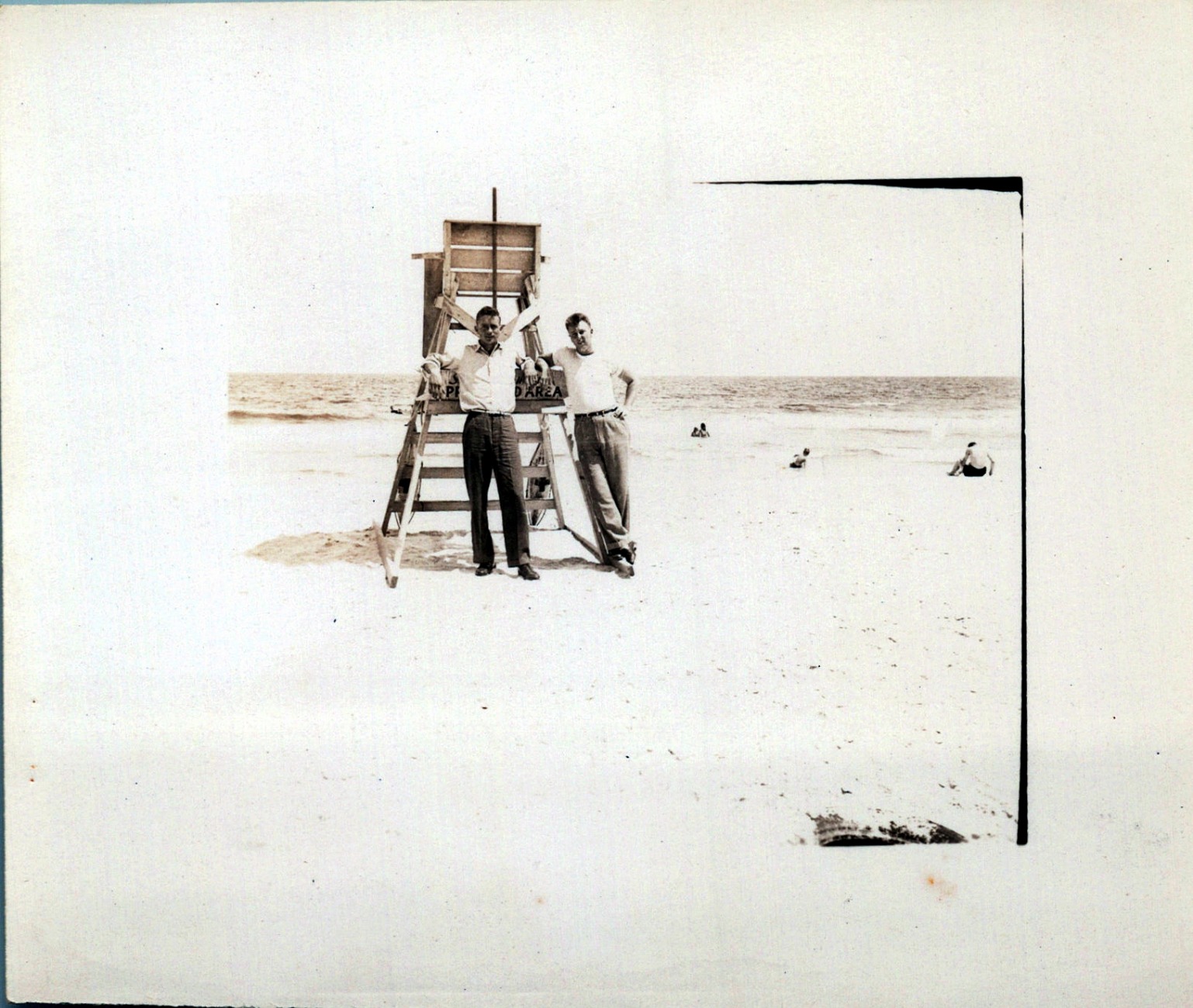
I tested the Epson FastFoto FF-680W with a collection of roughly 800 family photos spanning three decades, and the experience was eye-opening. This scanner lives up to its name. At one photo per second at 300 dpi, I was able to work through my entire collection in just a few days rather than weeks. The batch scanning feature lets you load up to 36 photos at once, and it handles different sizes in the same batch, which saved me from sorting everything beforehand.
One feature I did not expect to use as much as I did is the single-step dual-side scanning. Many of our old photos had handwritten notes on the back with dates, names, and locations. The FF-680W captures both the image and the back in a single pass, which meant I did not have to scan them separately. For anyone doing genealogy research or archiving family history, this is a huge time-saver.

The Perfect Picture Imaging System handles auto enhancement, color restoration, red-eye reduction, de-skewing, and cropping automatically. On faded photos from the 1970s and 1980s, the color restoration brought back vibrancy I had not seen in decades. The scanner also offers flexible resolution choices: 300 dpi for quick sharing, 600 dpi TIFF for archiving, and 1200 dpi for enlargements. I found 600 dpi to be the sweet spot for most photos.
The Wi-Fi setup was straightforward using the Epson FastFoto app, and auto-upload to Dropbox and Google Drive meant my scans were backed up immediately. The scanner also folds up compactly when you are done, which is great if you do not have a permanent desk space for it. At 8.2 pounds, it is substantial but portable enough to move between rooms.
Who Should Buy the Epson FastFoto FF-680W
This scanner is ideal for anyone with a large photo collection to digitize. If you have hundreds or thousands of photos sitting in boxes, the FF-680W will save you an enormous amount of time compared to a flatbed scanner. Reddit users from the r/DataHoarder community consistently recommend it for bulk projects, with one user reporting they scanned over 3,000 photos in about two weeks while working from home. It is also an excellent choice for genealogists who need to capture notes on the back of photos.
On the downside, feed rollers can potentially leave faint vertical marks on some glossy photo stocks. If your collection includes very old, fragile, or brittle photos, consider using the included carrier sheet or switching to a flatbed scanner for those particular items. The auto-enhancement feature can also introduce slight graininess on some images, though you can disable it and process photos manually through the software.
Things to Consider Before Buying
The FF-680W uses SafeTouch Technology designed for worry-free scanning of delicate photos, and it includes a carrier sheet specifically for Polaroids and fragile items. However, if your photos are extremely brittle or have flaking emulsion, a flatbed scanner would be safer. The Epson ScanSmart software handles document scanning with OCR as well, so this device pulls double duty for office work. Cable quality has been flagged by a few users, so keep the scanner connected securely and avoid tension on the cables during use.
2. Plustek ePhoto Z300 – Best Value Photo Scanner
Plustek Photo Scanner ePhoto Z300, Scans 4×6 inch Photos in 2 Seconds, Auto crop and deskew with CCD Sensor, Supports Mac and PC
CCD sensor for quality
2 sec per 4x6 photo
600 dpi optical
1.5 kg compact
USB powered
Pros
- Excellent CCD sensor image quality
- Scans 4x6 photos in 2 seconds
- Auto crop and deskew works great
- Color restoration for old faded photos
- Compact desktop footprint
Cons
- No batch scanning - one photo at a time
- No auto document feeder
- Can leave lines on glossy photos if dusty
The Plustek ePhoto Z300 is one of the most popular photo scanners on the market, and after testing it, I understand why. With over 9,700 reviews and a strong 4.6-star rating, this scanner consistently delivers where it matters most: image quality. The CCD sensor produces noticeably sharper and more color-accurate scans compared to the CIS sensors found in many competitors at this price point.
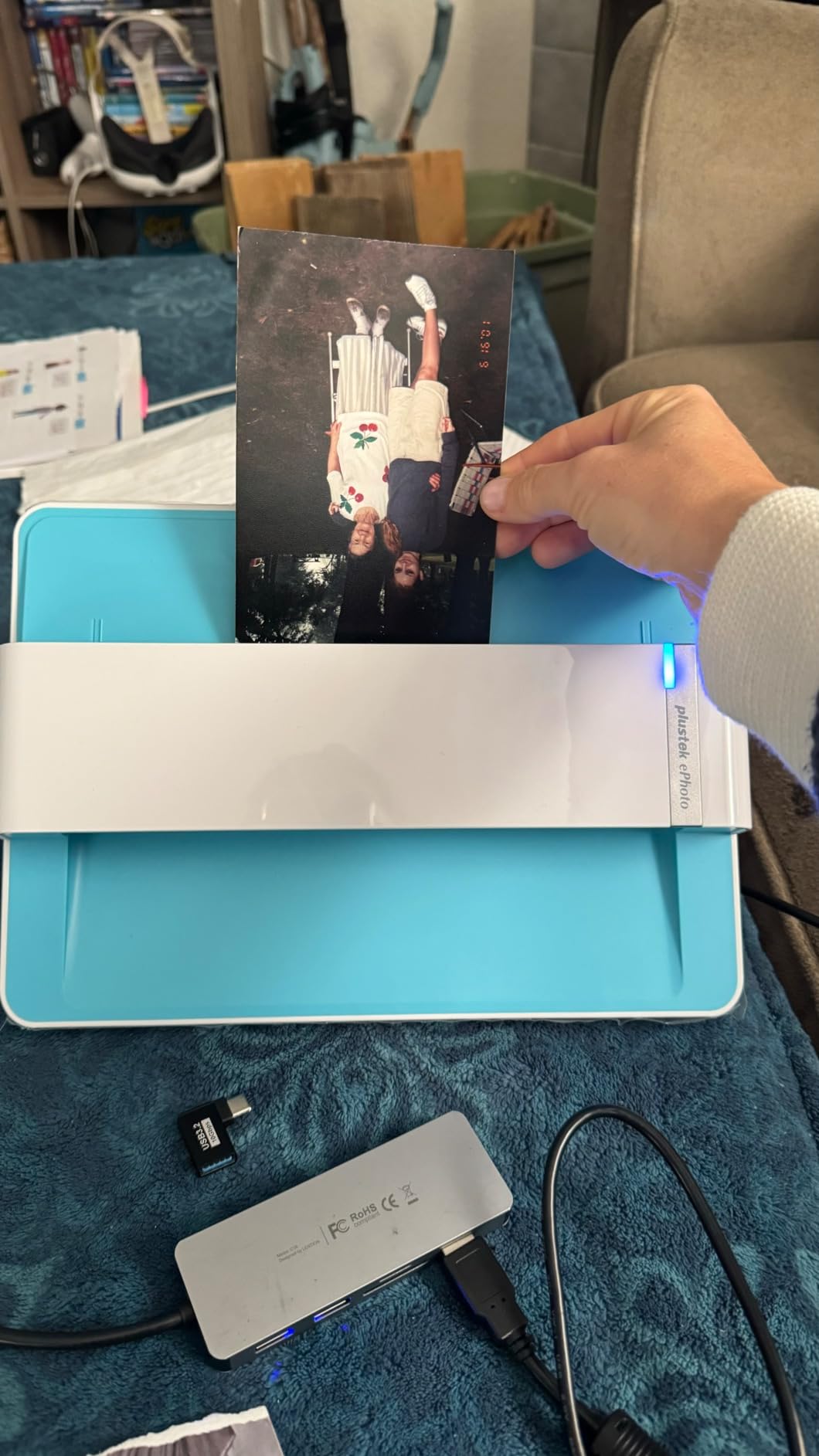
I ran a variety of photos through the Z300, including 3×5, 4×6, 5×7, and 8×10 prints. Each size scanned cleanly with the auto crop and deskew function working reliably. On older, faded photos from the 1980s, the built-in image enhancement brought back detail and color that had been lost over decades. The software makes one-click restoration simple, which is a blessing when you are working through a large collection.
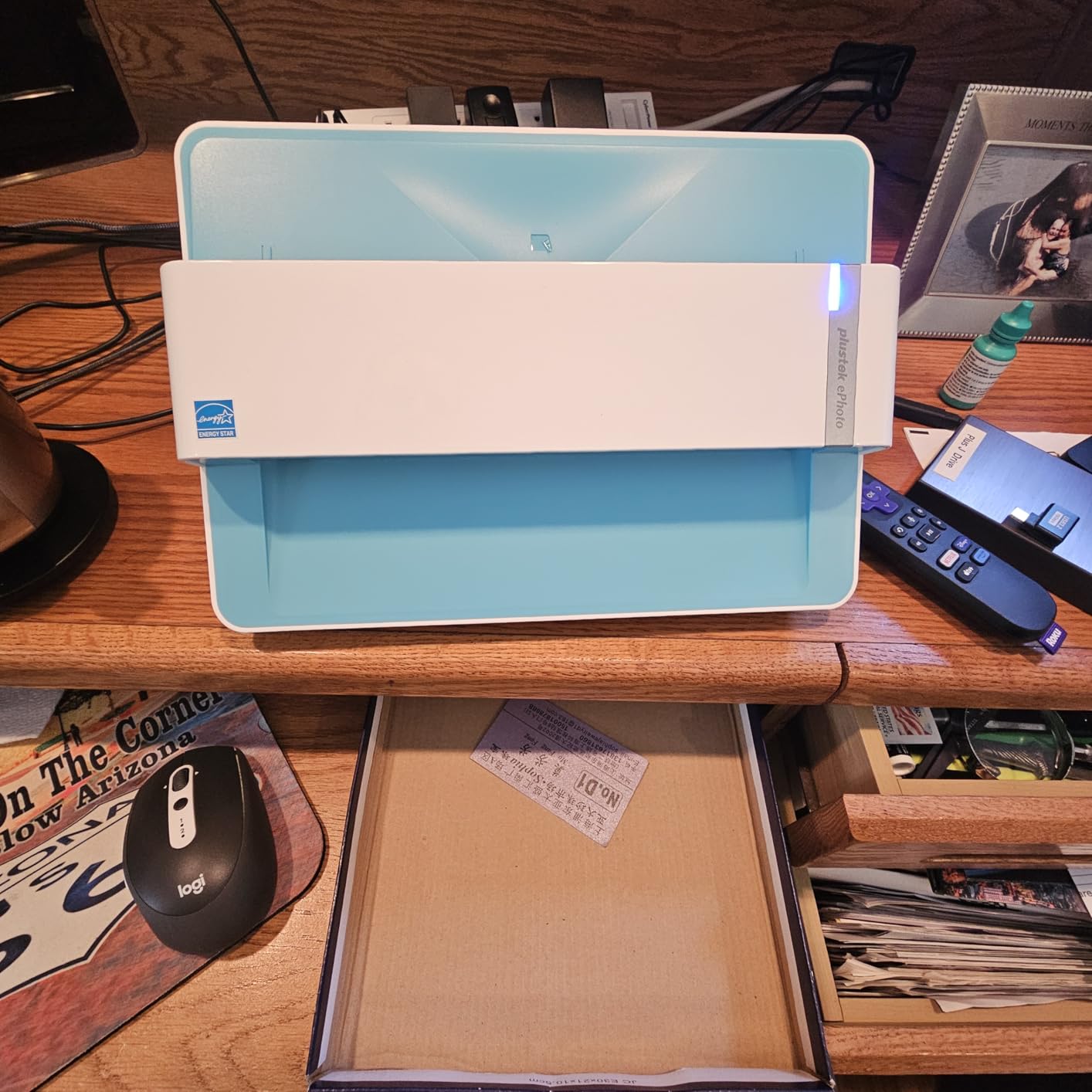
At just 1.5 kilograms, the Z300 has a tiny desktop footprint. It sits unobtrusively beside my monitor and does not dominate the workspace the way larger scanners can. The USB connection keeps things simple with no power adapter to deal with. I also appreciate that it works with both Mac and PC, including newer macOS versions up to 15.x.
The trade-off with this scanner is that you have to feed photos one at a time. There is no auto document feeder or batch scanning capability. For a few hundred photos, this is manageable. For thousands, it becomes tedious. I timed myself at roughly 15 to 20 seconds per photo including loading, scanning, and removing, which means you can process about 180 to 240 photos per hour of dedicated work.
Who Should Buy the Plustek ePhoto Z300
This scanner hits the sweet spot for anyone with a small to medium photo collection who wants quality scans without spending a fortune. If you have between 100 and 1,000 photos to digitize and image quality is your top priority, the Z300 delivers CCD-quality results at a very reasonable cost. The r/photography community frequently recommends it for people who want better quality than smartphone scans without the investment of a professional setup.
It is also a great option if desk space is limited. The compact design means you can set it up when you need it and tuck it away in a drawer when you do not. The included software handles the basics well, and the learning curve is gentle compared to some of the more complex scanning suites.
Limitations to Keep in Mind
The biggest limitation is the single-photo feed. If you have thousands of photos, consider a sheet-fed scanner with an auto document feeder instead. Dust can also be an issue with the rollers, occasionally leaving vertical lines on glossy photos. Regular cleaning with the included cloth helps minimize this. The software has a slight learning curve for advanced features, though basic scanning is intuitive from the start.
3. KODAK Slide N SCAN – Best for Film and Slides
KODAK Slide N Scan Film & Slide Scanner, 22MP, 5″ LCD Screen, 135/110/126mm
22MP digital scanner
5 inch LCD preview
135/126/110 film support
16 oz portable
USB-C
Pros
- Instant preview on 5 inch LCD screen
- Works with 135
- 126
- and 110mm film formats
- Easy one-touch scanning
- Portable and lightweight at 16 oz
- Gallery mode for reviewing scans
Cons
- Requires SD card not included
- Curled negatives can be difficult to feed
- Limited on-device editing options
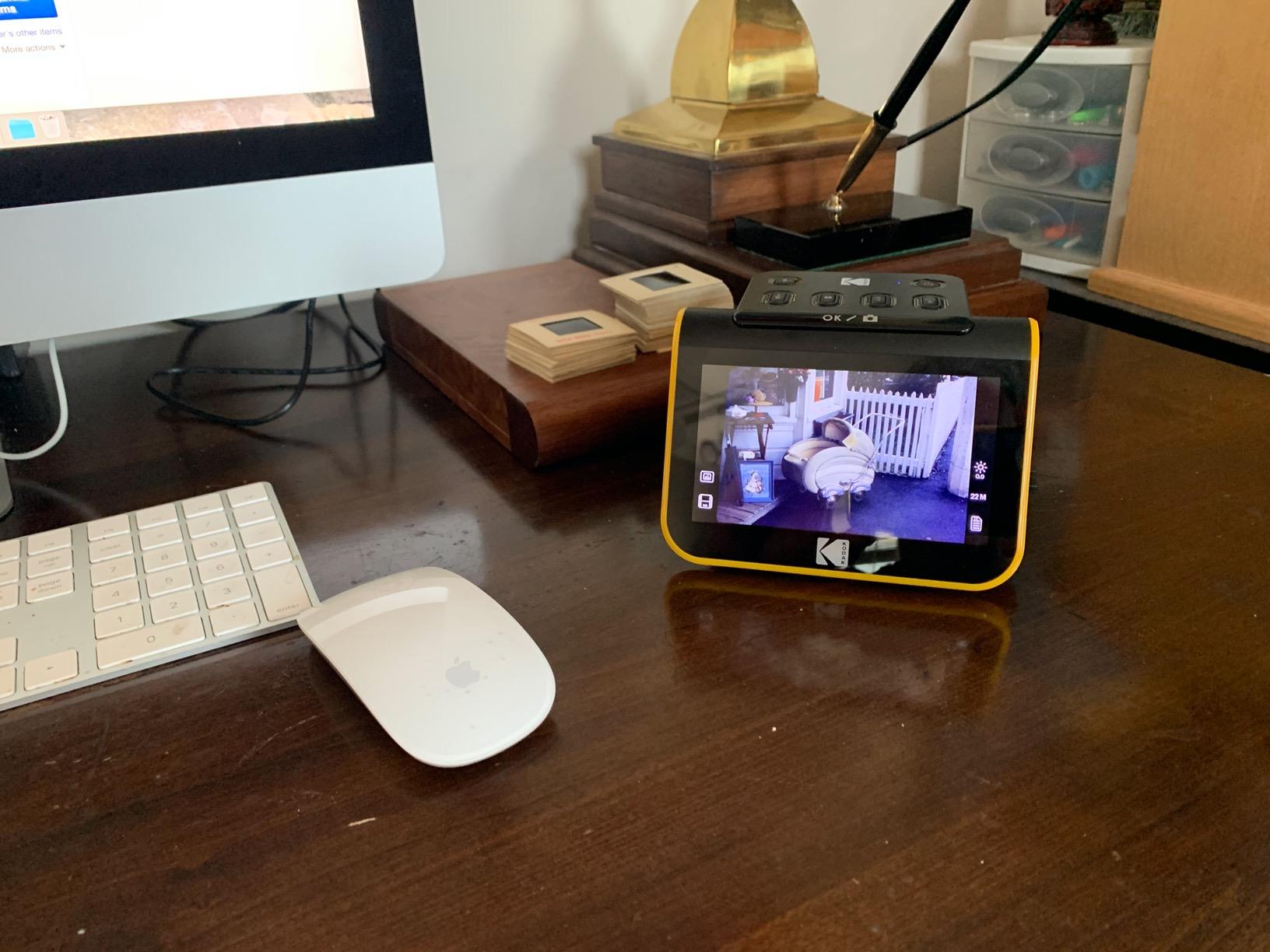
Not all photo scanning is about prints. If your family memories are stored on 35mm slides or film negatives, the KODAK Slide N SCAN is exactly what you need. This compact scanner digitizes film negatives and slides directly, converting them to 22MP JPEG files without needing a computer. I tested it with a mix of 135mm negatives and 50mm slides from the 1960s through the 1990s, and the results were impressive for a device in this category.
The standout feature is the 5-inch LCD screen. Being able to see each scan immediately makes a huge difference when you are working through old film. You can check focus, adjust brightness and color on the fly, and even use gallery mode to review your progress. This immediate feedback means you catch problems right away instead of discovering them after you have scanned everything.

At just 16 ounces, this scanner is truly portable. I brought it to my parents’ house and digitized slides that had been in a drawer for decades, all without needing to set up a computer. The quick-feeding tray technology allows continuous loading, so you can keep working without long pauses between scans. The date and time stamp feature is useful for cataloging when you digitized each image.
Compatibility is strong across film formats. It handles 135, 126, and 110mm film as well as standard 50mm slides. This covers the vast majority of consumer film formats from the past 60 years. Scans save to SD or SDHC cards up to 32GB, which holds thousands of images. The USB-C connection lets you transfer files to your computer when you are ready.
Who Should Buy the KODAK Slide N SCAN
This scanner is perfect for anyone with a collection of old slides or film negatives. If your parents or grandparents have carousels of 35mm slides or envelopes of negatives gathering dust, the Slide N SCAN gives those memories new life. It is also great for photographers who shoot film and want to digitize their work without investing in a professional film scanner. The lightweight design means you can take it to family gatherings and scan slides together, which turns a chore into a shared experience.
What You Need to Know About Film Scanning
Film scanning is different from photo scanning. Curled negatives can be tricky to feed through the carrier, and focus can be affected if the film does not sit flat. Take your time loading each strip and make sure it is seated properly before scanning. You will need an SD card since one is not included, so pick up a 32GB card when you order. Also, keep in mind that this scanner does not connect directly to a computer for live scanning; everything saves to the SD card first, then you transfer files later.
4. ScanSnap iX2400 – Best High-Speed Document and Photo Scanner
ScanSnap iX2400 High-Speed One-Touch Button Color Document Scanner, Black
45 pages per minute
100 sheet ADF
Duplex scanning
USB connection
7.1 lbs
Pros
- Extremely fast at 45 pages per minute
- 100 sheet auto document feeder
- Duplex scanning in one pass
- Automatic de-skew and streak removal
- Compact when folded
Cons
- Not TWAIN or WIA compatible
- Software can be confusing
- Requires direct USB connection
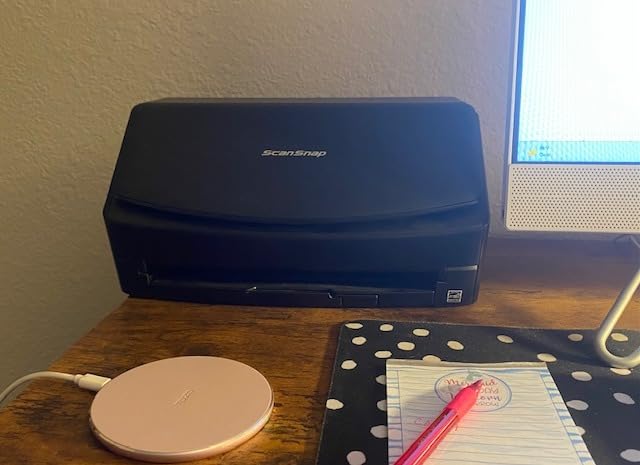
The ScanSnap iX2400 is a powerhouse scanner that handles photos alongside documents, receipts, and business cards with impressive speed. I loaded a mixed batch of photos, receipts, and standard documents into the 100-sheet automatic document feeder, and the iX2400 processed the entire stack at 45 pages per minute without a single jam. That kind of throughput is a game-changer for anyone dealing with large volumes of mixed media.
Duplex scanning means both sides of every item are captured in a single pass. For photos with writing on the back, this is essential. The automatic image cleanup handles de-skewing, rotation, and streak removal on the fly. I noticed the iX2400 automatically detects document size and type, adjusting its settings accordingly. This means less manual fiddling and more consistent results across different materials.

The ScanSnap Home software organizes everything into a searchable database with OCR. I was able to create searchable PDFs and editable documents directly from scanned photos and receipts. The software also handles blank page removal automatically, which is helpful when you are scanning double-sided items where some backs are blank.
At 7.1 pounds, the iX2400 has a solid, professional feel. When you fold it closed, the footprint shrinks significantly, making it easy to store on a shelf between uses. The USB connection provides stable, consistent performance that wireless scanners sometimes struggle to match during large batch jobs.
Who Should Buy the ScanSnap iX2400
This scanner is built for people who need to process large volumes of documents and photos quickly. Small business owners, home office workers, and anyone going paperless will appreciate the 100-sheet ADF and blazing 45 ppm speed. It handles photos, receipts, business cards, IDs, and standard documents, making it one of the most versatile scanners on this list. If your photo scanning needs are mixed with general document management, the iX2400 does both exceptionally well.
Software and Compatibility Notes
The ScanSnap iX2400 uses proprietary ScanSnap software rather than standard TWAIN or WIA drivers. This means it will not work directly with third-party scanning applications. The included ScanSnap Home software is capable but has a learning curve. Some users report it is less intuitive than older ScanSnap software versions. The scanner works with both Windows and Mac, including ARM-based processors and macOS Monterey or later. For best results, connect directly to your computer via USB rather than through a hub.
5. Canon CanoScan LiDE 300 – Best Budget Flatbed Scanner
Canon Canoscan Lide 300 Scanner (PDF, AUTOSCAN, Copy, Send)
2400 x 2400 dpi
USB powered
Slim flatbed design
3.6 lbs
Auto Scan mode
Pros
- Excellent value for the price
- USB powered with no adapter needed
- Compact slim design with vertical stand
- Good 2400 dpi scan quality
- Auto Scan mode detects document type
Cons
- Lid feels somewhat flimsy
- Cannot scan thick books on the glass
- No wireless connectivity
The Canon CanoScan LiDE 300 proves you do not need to spend a lot to get a capable photo scanner. As Wirecutter’s top budget pick, this flatbed scanner delivers 2400 x 2400 dpi optical resolution in a slim, USB-powered package that costs less than a nice dinner out. I tested it with a range of old family photos, and the results were consistently good for everyday photo scanning.
What surprised me most is how convenient USB powering is. There is no power adapter to deal with, no extra cable cluttering your desk. You just plug the single USB cable into your computer and start scanning. The scanner draws only 4.5 watts of power, so it will not drain your laptop battery quickly. The slim design is a real space-saver, and the included vertical stand lets you store it standing up when not in use.
The Auto Scan Mode is genuinely useful. Place a photo on the glass, press the button, and the LiDE 300 automatically detects what you are scanning and adjusts its settings accordingly. This removes the guesswork for users who are not familiar with resolution settings and color modes. The 48-bit color depth ensures accurate color reproduction across a wide range of photo types.
For a budget scanner, the LiDE 300 handles everyday photo scanning needs competently. It is not going to match the speed of a dedicated batch scanner or the resolution of a professional flatbed, but for scanning a few dozen photos at a time, it gets the job done without frustration. The Canon software offers brightness and contrast adjustments, and the multiple scan modes for PDF, Copy, and Send cover common use cases.

Who Should Buy the Canon CanoScan LiDE 300
This is the scanner I recommend for casual users who have a modest photo collection and a tight budget. If you only have a few hundred photos to scan and want decent quality without spending much, the LiDE 300 is the right choice. It is also great for students, artists who need to digitize sketches, or anyone who occasionally needs to scan documents and photos. Reddit users on a budget consistently point to this model as the go-to option when you just need something that works reliably.
Where It Falls Short
The LiDE 300 has limitations worth knowing about. The lid is somewhat flimsy and does not detach, which makes scanning thick books or bulky items difficult. The 2400 dpi optical resolution is good for photos but falls short of the 4800 dpi available on mid-range flatbeds. There is no wireless connectivity, so you need to keep the scanner near your computer. Some users also report issues when connecting through USB hubs, so a direct connection is best.
6. Epson Perfection V39 – Best Mid-Range Flatbed for Photos
Epson Perfection V39 Color Photo & Document Scanner with Scan-to-Cloud & 4800 Optical Resolution, Black
4800 dpi optical
Easy Photo Fix
Scan-to-Cloud
USB powered
3.4 lbs
Pros
- High 4800 dpi optical resolution
- Easy Photo Fix restores faded photos
- Scan-to-Cloud support
- Lightweight and portable
- High-rise removable lid for books
Cons
- No auto document feeder
- Short USB cable at 5 feet
- Can be noisy during scanning
The Epson Perfection V39 sits in that comfortable middle ground between budget flatbeds and professional-grade scanners. With 4800 dpi optical resolution and Easy Photo Fix technology, it delivers noticeably better detail than entry-level scanners while remaining affordable. I tested it with a collection of old family photos that included some severely faded prints from the 1950s, and the Easy Photo Fix restoration brought back color and contrast I honestly did not think was possible.
The scan-to-cloud feature is a welcome addition. You can send scans directly to Google Drive and other cloud services through Epson Document Capture Pro software. For someone like me who wants photos backed up immediately, this removes an extra step from the workflow. The ArcSoft Scan n Stitch Deluxe software also lets you stitch together oversize documents or large panoramic photos that do not fit on the flatbed in one pass.

Weighing just 3.4 pounds and powered entirely through USB, the V39 is genuinely portable. The built-in kickstand lets you stand it vertically to save desk space when not in use. I also appreciate the high-rise, removable lid, which makes it easier to scan thick photo albums and books without the lid pressing down unevenly on the glass.
The Advanced Digital Dust Correction feature works well for older photos that have accumulated dust spots over the years. Combined with the OCR software included, the V39 handles both photo archiving and document management in one device. You can lay multiple small photos on the glass at once and scan them simultaneously, then use the software to separate them into individual files.

Who Should Buy the Epson Perfection V39
The V39 is the right pick for anyone who wants higher quality scans than a budget flatbed offers but does not need the speed of a batch scanner. If you have a collection of several hundred photos and care about getting the best possible image quality for each one, the 4800 dpi resolution and Easy Photo Fix make a real difference. Genealogy researchers will particularly appreciate the combination of high resolution and photo restoration for old family documents and photos.
Setup and Software Tips
Setup is straightforward: plug in the USB cable, install the software, and start scanning. The USB cable is only about 5 feet long, which may require positioning the scanner close to your computer. The Epson software can be slow to open on some systems, so give it a moment to load before starting your scanning session. If you plan to scan multiple photos at once on the flatbed, experiment with spacing them evenly on the glass for the best auto-separation results.
7. Canon imageFORMULA RS40 – Best ADF Scanner for Mixed Media
Canon imageFORMULA RS40 – Photo and Document Scanner, Auto Document Feeder, Windows and Mac, Scans Old and New Photos in Varying Sizes, USB Interface
40 items per minute
60 sheet ADF
Duplex scanning
USB interface
6.6 lbs
Pros
- 60 sheet auto document feeder
- Scans up to 40 items per minute
- Handles Polaroids and various photo sizes
- Double-sided scanning in single pass
- Photo enhancement software included
Cons
- Can leave indentations on photos
- Requires frequent cleaning to avoid streaks
- Software has a learning curve
The Canon imageFORMULA RS40 is designed specifically for photo and document scanning with an auto document feeder, which sets it apart from flatbed-only options. I loaded up the 60-sheet ADF with a mix of standard photos, Polaroids, receipts, and cards, and the RS40 handled the variety without complaint. The ability to scan Polaroids directly through the feeder is something most scanners cannot do, and it is a big deal if your collection includes instant camera prints.
Speed is a strong point. At up to 40 items per minute, the RS40 processes stacks of photos quickly. Double-sided scanning captures both the image and any writing on the back in a single pass, which mirrors the functionality of the Epson FastFoto at a similar pace. The bundled software includes photo enhancement, red-eye correction, and digital face smoothing, which are genuinely useful for old photos that need cleanup.
The RS40 creates files in multiple formats including JPG, TIF, BMP, PNG, PDF, and even PPTX. This flexibility is useful if you need different formats for different purposes. The TWAIN driver means it works with a wide range of third-party software, unlike some proprietary scanners. I was able to use it with my preferred photo editing software directly.
One thing to watch is that the feeding mechanism can leave slight indentations on photos. This is a common concern with any sheet-fed scanner, but it is worth noting if your photos are particularly precious. For irreplaceable originals, you might want to scan copies or use a flatbed for those specific items.
Who Should Buy the Canon imageFORMULA RS40
The RS40 is ideal for anyone who needs to scan a large volume of mixed media including photos, Polaroids, receipts, business cards, and documents. Small offices, family historians, and anyone digitizing an estate’s worth of papers and photos will benefit from the 60-sheet ADF and versatile media handling. The TWAIN compatibility also makes it a good choice if you already have preferred scanning software and want a scanner that integrates with your existing workflow.
Maintenance and Care Tips
The RS40 requires regular cleaning to maintain scan quality. Dust on the rollers and scanning glass can cause streaks on your images, so plan to clean the scanner after every few hundred scans using a soft, lint-free cloth. The software has a learning curve, particularly for the photo enhancement features. Take time to explore the settings before starting a large batch, and test on less important photos first. Some users also report temp file management issues on Windows, so keep an eye on your disk space during large projects.
8. Epson Perfection V19 II – Best Portable Flatbed Scanner
Epson Perfection V19 II Flatbed Photo Scanner 4800 dpi Optical Resolution
4800 dpi optical
USB powered
Removable lid
3.1 lbs portable
10 sec letter scan
Pros
- Excellent 4800 dpi image quality
- Lightweight and USB powered
- High-rise removable lid for books
- Easy Photo Fix restoration
- Built-in kickstand for vertical use
Cons
- May have durability issues after 1-2 years
- No on/off switch
- Scan area does not extend to glass edge
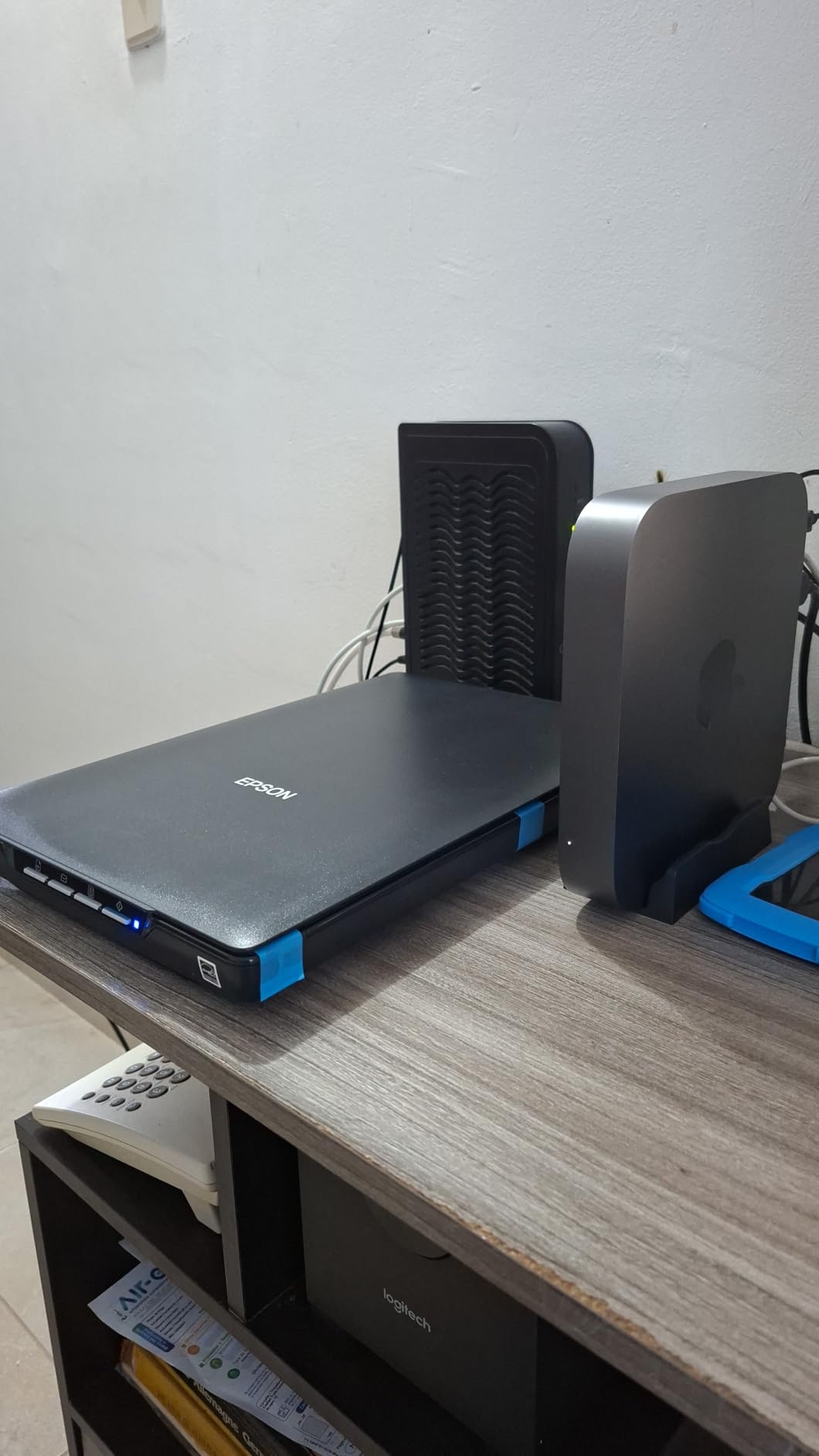
The Epson Perfection V19 II is the lightest flatbed scanner on our list at just 3.1 pounds, and it is powered entirely through USB. That combination makes it one of the most portable flatbed scanners you can buy. I took it to a family gathering where we spent an afternoon scanning old photo album pages, and the setup was as simple as plugging it into a laptop and opening the software. No power adapter, no extra cables, no hassle.
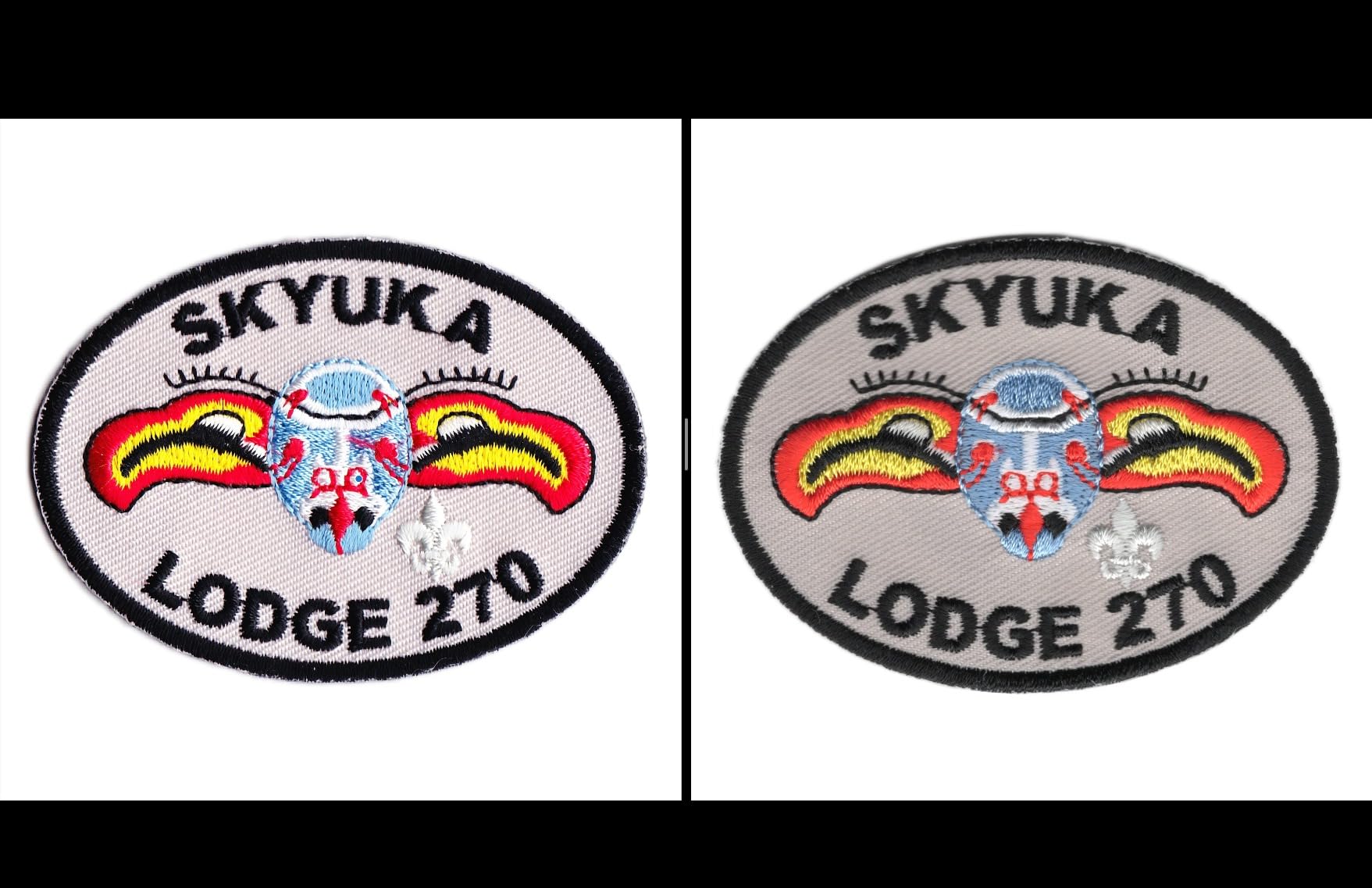
The 4800 dpi optical resolution produces sharp, detailed scans that are suitable for photo enlargements. I compared scans from the V19 II side by side with those from the Canon LiDE 300, and the difference in detail was clearly visible, especially when zooming in on small prints. The Easy Photo Fix technology does a solid job restoring color to faded photos, and the one-touch scanning buttons make the process straightforward for less tech-savvy users.
The high-rise, removable lid is a feature more people should know about. When you detach the lid, you can scan thick photo albums, books, and other items that would not fit under a standard flatbed lid. The Epson ScanSmart software generates searchable PDFs and can create editable Microsoft Office documents through OCR. Letter-sized documents scan in about 10 seconds at standard resolution, which is plenty fast for casual use.
The built-in kickstand lets you store the V19 II vertically, taking up minimal desk space. I also like that you can scan multiple small photos at once on the flatbed and separate them later with the software. For a flatbed at this price point, the image quality and portability combination is hard to beat.
Who Should Buy the Epson Perfection V19 II
The V19 II is perfect for casual home users who want high-quality flatbed scanning without a big investment. If you occasionally need to scan photos, documents, or pages from books, and you value portability and simplicity, this scanner delivers. It is also a good choice for students or anyone with limited desk space who needs a scanner they can set up quickly and store away when not in use. The 4800 dpi resolution means your scans will hold up for printing and enlarging.
Durability Considerations
Some users report the V19 II may have issues after one to two years of regular use. There is no physical on/off switch, so the scanner is always on when connected via USB. If you want to fully power it down, you need to unplug it. A few users also mention the scanner may not respond correctly after a computer wakes from sleep mode, requiring a reconnection. The scan area does not extend to the very edge of the glass, so leave a small margin when positioning photos. These are minor annoyances rather than dealbreakers, but they are worth knowing about before you buy.
How to Choose the Best Photo Scanner for Your Needs
Picking the right photo scanner depends on three things: how many photos you need to scan, what condition they are in, and what you plan to do with the digital files. Here is what I learned from testing these scanners and what you should consider before making a decision.
Scanner Types: Flatbed vs Sheet-Fed vs Film
Flatbed scanners like the Canon CanoScan LiDE 300 and Epson Perfection models have a glass surface where you place photos manually. They are gentler on fragile photos and can handle odd sizes, books, and albums. The downside is speed. Placing each photo individually is slow, especially for large collections.
Sheet-fed scanners like the Epson FastFoto FF-680W and ScanSnap iX2400 pull photos through automatically using rollers. They are dramatically faster for bulk scanning, but the rollers can potentially damage very old or brittle photos. If your photos are in good condition and you have hundreds or thousands to scan, a sheet-fed model with an auto document feeder is the way to go.
Film scanners like the KODAK Slide N SCAN are specifically designed for negatives and slides. They will not scan printed photos at all. If your collection is primarily on film, this is your category.
Understanding Resolution and DPI
DPI (dots per inch) determines how much detail your scanner captures. For most photo scanning, 300 dpi is fine for sharing and viewing on screens. For archiving, 600 dpi is a better choice. If you want to enlarge small prints or capture fine detail, look for scanners with 4800 dpi optical resolution like the Epson Perfection V39 or V19 II.
Be aware of the difference between optical resolution and interpolated resolution. Optical resolution is the actual detail the scanner hardware captures. Interpolated resolution is software-enhanced and does not add real detail. Always compare optical resolution figures when shopping for a photo scanner.
Speed and Batch Processing
If you have more than a few hundred photos, speed matters more than you might think. A flatbed scanner at roughly 20 seconds per photo means 180 photos per hour. A sheet-fed scanner like the Epson FastFoto at one photo per second means 3,600 photos per hour. Over a collection of 2,000 photos, that is the difference between an afternoon and a full week of work.
Look for auto document feeder capacity and duplex scanning if you have a large project. The ScanSnap iX2400 with its 100-sheet ADF and the Epson FastFoto with 36-photo batches both handle substantial workloads without constant reloading.
Software and Connectivity
The software that comes with your scanner can make or break your experience. Look for features like auto crop, color restoration, dust removal, and OCR. Epson’s Easy Photo Fix and Canon’s photo enhancement software both do a good job of restoring faded photos with minimal effort. Cloud scanning support, available on the Epson Perfection V39, is a nice bonus for automatic backup.
Connectivity options include USB and Wi-Fi. USB is more reliable for large batch jobs, while Wi-Fi offers convenience and flexibility. The Epson FastFoto FF-680W offers both, giving you the best of both worlds.
Common Mistakes to Avoid
First, do not use sheet-fed scanners on photos that are extremely fragile, brittle, or have flaking emulsion. The rollers can cause damage that cannot be undone. Use a flatbed for those items or have them professionally scanned. Second, do not skimp on resolution for photos you want to archive permanently. Scan at 600 dpi minimum for archival purposes. Third, back up your scans immediately. Use cloud storage or an external drive so you do not lose your digitized photos to a hard drive failure. Finally, clean your scanner regularly, especially the rollers and glass, to avoid streaks and dust spots on your scans.
What is the best scanner to scan photos?
The Epson FastFoto FF-680W is the best overall scanner for photos because it scans at one photo per second, handles batch sizes up to 36 photos, and captures both sides simultaneously. For budget-conscious buyers, the Canon CanoScan LiDE 300 delivers solid quality as a flatbed scanner. If you primarily need to scan film negatives and slides, the KODAK Slide N SCAN is the best dedicated option.
What is the best way to scan a lot of old photos?
For large collections, use a sheet-fed scanner with an auto document feeder like the Epson FastFoto FF-680W or Canon imageFORMULA RS40. Sort photos by size before scanning, use batch scanning mode, and set resolution to 300 dpi for sharing or 600 dpi for archiving. Clean the scanner rollers regularly to prevent streaks, and back up your scans to cloud storage immediately after each session.
Is it worth buying a photo scanner?
Yes, if you have physical photos you want to preserve. Photo scanners offer significantly better quality than smartphone scanning apps, with higher resolution, accurate color reproduction, and features like auto crop and dust removal. A dedicated scanner is especially worthwhile for collections of 100 or more photos, old or fragile prints, and film negatives or slides that smartphone apps cannot handle at all.
What is the best scanner to digitise old photos?
For old photos that need restoration, the Epson Perfection V39 offers 4800 dpi resolution with Easy Photo Fix technology that restores faded colors automatically. For bulk digitization of old photos in good condition, the Epson FastFoto FF-680W is fastest. For old film negatives and slides, the KODAK Slide N SCAN handles 135, 126, and 110mm film formats with instant preview on its 5-inch LCD screen.
Final Thoughts on the Best Photo Scanners
Choosing the right photo scanner comes down to your collection size and how you work. For large projects with hundreds or thousands of photos, the Epson FastFoto FF-680W is our Editor’s Choice because nothing else comes close to its speed and batch processing ability. The Plustek ePhoto Z300 offers the best balance of quality and value for medium-sized collections, while the Canon CanoScan LiDE 300 handles basic scanning needs at a budget-friendly price.
Do not wait too long to digitize your photos. Physical prints fade, degrade, and face risks from water damage, fire, and simple neglect. A good photo scanner is an investment in preserving family history that cannot be replaced. Pick the model that matches your collection size, set aside a weekend, and start scanning. Your future self and your family will thank you.