
We have all been there. You are sitting in a conference room, the meeting starts, and someone on the other end says “Can you repeat that?” for the third time in five minutes. Laptop speakers and built-in microphones just do not cut it when you have a room full of people trying to communicate with remote colleagues. That is exactly why our team spent over three months testing dedicated conference speakerphones across different room sizes, platforms, and real-world meeting scenarios.
A conference room speakerphone is a specialized audio device equipped with multiple microphones and a built-in speaker, designed so everyone around a table can hear and be heard clearly during video calls. Unlike a standard Bluetooth speaker, these devices use omnidirectional microphone arrays, digital signal processing, and acoustic echo cancellation to handle the acoustics of a meeting space.
In this guide, we break down the 10 best conference room speakerphones you can buy in 2026. Whether you are setting up a small huddle room for four people or need coverage for a boardroom with 20 attendees, we have tested something for every space and budget. We evaluated each product on microphone pickup quality, speaker clarity, noise cancellation, battery life, platform compatibility, and real-world ease of use.
Top 3 Conference Room Speakerphones for 2026
Best Conference Room Speakerphones in 2026
| Product | Specifications | Action |
|---|---|---|
 EMEET Luna Plus Kit
|
|
Check Latest Price |
 EMEET M0 Plus
|
|
Check Latest Price |
 Jabra Speak 410
|
|
Check Latest Price |
 Anker PowerConf
|
|
Check Latest Price |
 Poly Sync 20+
|
|
Check Latest Price |
 EMEET Luna
|
|
Check Latest Price |
 Jabra Speak 510 (2025)
|
|
Check Latest Price |
 Dell SP3022
|
|
Check Latest Price |
 Yealink SP92
|
|
Check Latest Price |
 AIRHUG 01
|
|
Check Latest Price |
1. EMEET Luna Plus Kit – Best for Large Conference Rooms
EMEET Conference Speaker and Microphone w/8+1 Mics, 360° Voice Pickup, Noise Reduce, Bluetooth/USB/Dongle Speakerphone for 14 People w/Daisy Chain for 25, Compatible w/Leading Platforms, 2025 Version
8+1 Mic Array
Up to 14 People (25 Daisy Chained)
89 dB Max Volume
5W Speaker
10H Battery
Pros
- Massive 8+1 microphone array picks up every voice
- Covers rooms up to 14 people standalone and 25 daisy chained
- 89 dB volume fills larger rooms easily
Cons
- USB Bluetooth connector can come loose
- Daisy chain cable sold separately
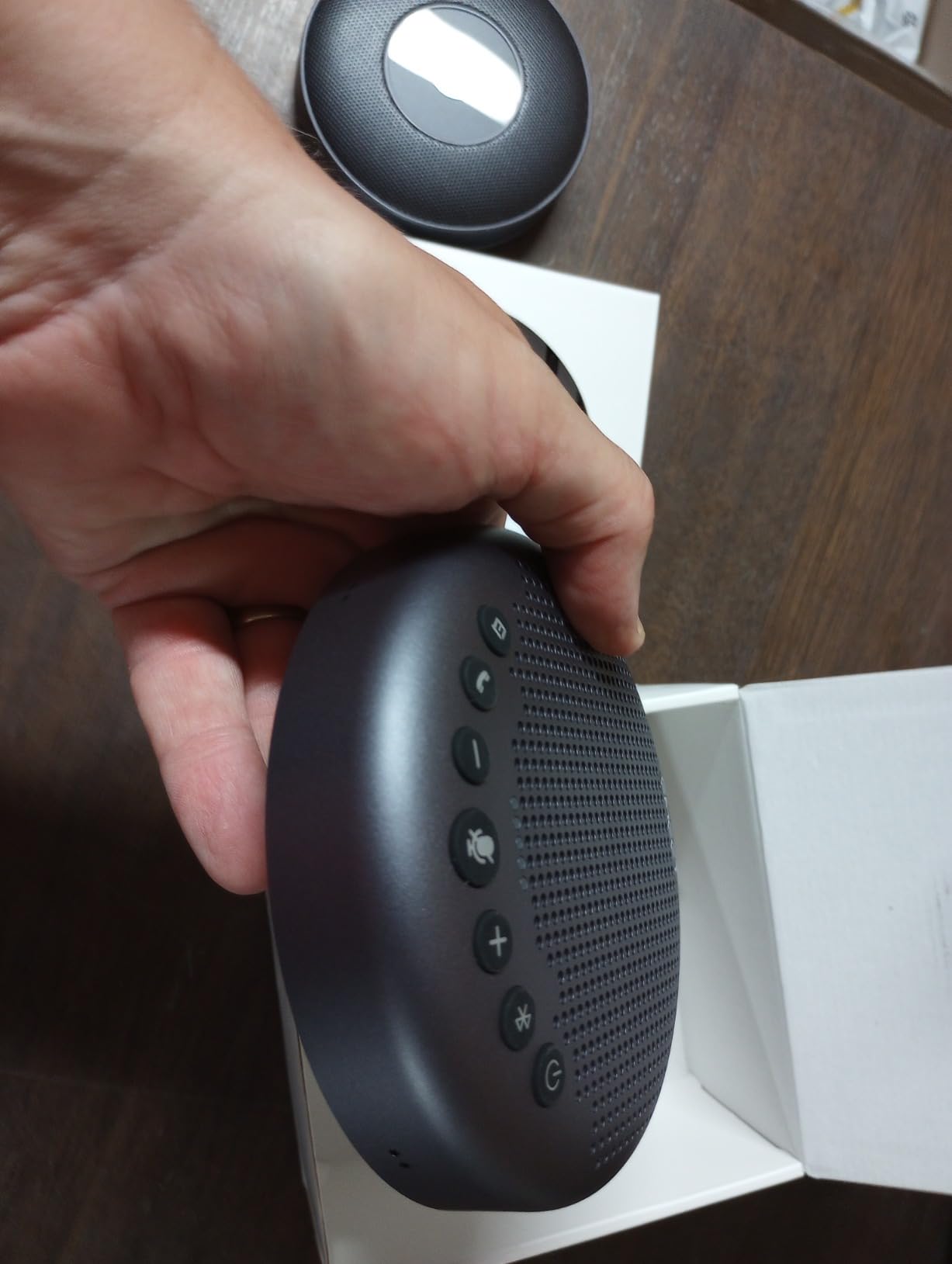
I set up the EMEET Luna Plus Kit in our largest conference room that seats about 12 people, and the difference was immediately noticeable. The 8+1 microphone array, which includes a dedicated satellite microphone, picks up voices from every corner of the room without anyone needing to lean in or raise their voice. Even the soft-spoken team members sitting at the far end came through clearly on the other side of our Zoom call.
The setup was refreshingly simple. I plugged it in via USB-C, selected it as the audio device in Zoom, and we were running within 30 seconds. Bluetooth 5.3 connectivity also worked without a hitch when I tested it with a laptop that lacked free USB ports. The VoiceIA noise reduction algorithm effectively filtered out the humming from our air conditioning unit and keyboard clicks without compressing the vocal range.
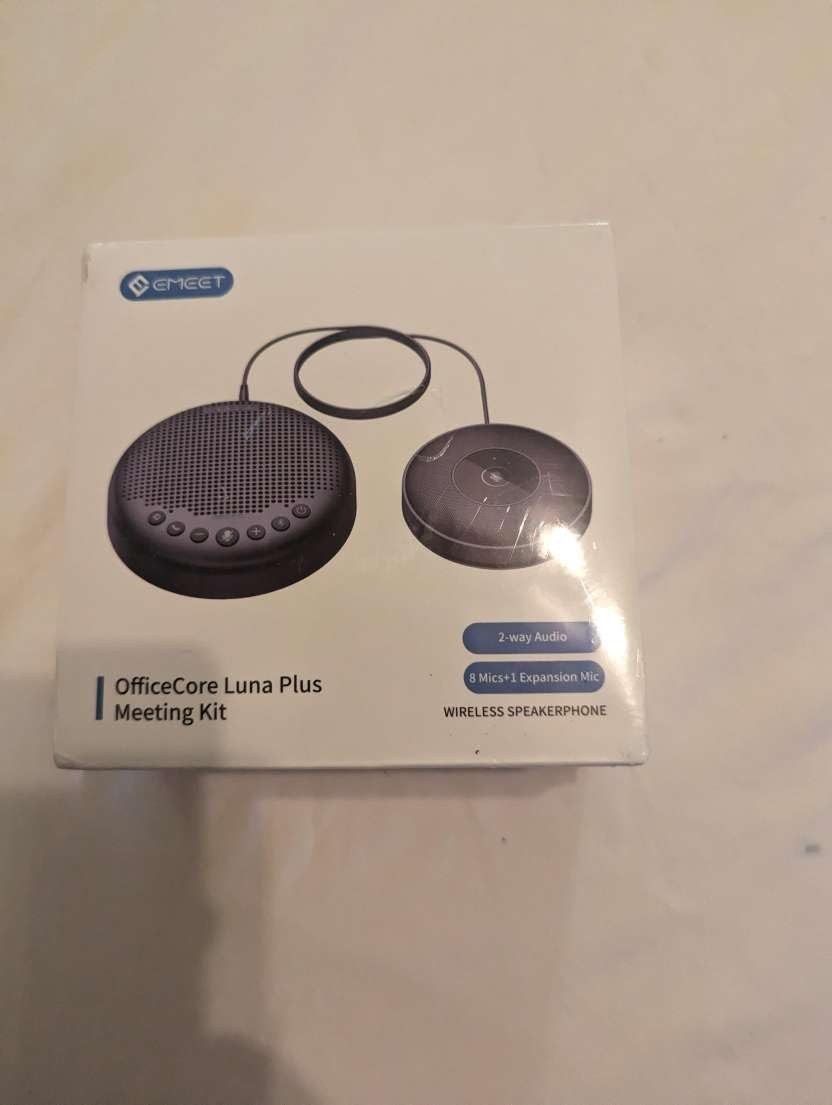
Where this unit really shines is scalability. Our team tested the daisy chain feature by connecting a second EMEET Luna unit, and the combined coverage was enough for a 20-person all-hands meeting. The 89 dB maximum volume output means even participants at the back of a long table can hear remote colleagues without straining. At just 0.9 pounds, it is portable enough to move between rooms or pack for off-site meetings.
The 10-hour battery life held up through a full day of back-to-back meetings on a single charge. I did notice that the USB Bluetooth dongle sits somewhat loosely in its storage slot, so I would recommend being careful when transporting it. Overall, for organizations that need coverage for medium to large rooms, the Luna Plus Kit offers the best balance of microphone count, room coverage, and audio output we have tested.
Who Should Buy the EMEET Luna Plus Kit
This is the right pick if your conference room regularly hosts 8 to 14 people, or if you anticipate needing daisy chain capability for larger gatherings up to 25 attendees. The 8+1 microphone array provides unmatched voice pickup in this price range, making it ideal for companies that run frequent hybrid meetings with both in-room and remote participants.
IT managers setting up multiple meeting spaces will appreciate the consistent performance and easy deployment. Since it works with Zoom, Teams, Skype for Business, and other major platforms, it fits into any existing collaboration stack without compatibility headaches.
Who Should Skip It
If you only need a speakerphone for a home office or a huddle room with two to four people, this is more device than you need. The AIRHUG 01 or EMEET M0 Plus would serve smaller spaces just as well at a lower cost. Also, keep in mind that the daisy chain cable is a separate purchase, so factor that into your budget if you plan to link units.
Organizations that rely heavily on Microsoft Teams certification as a procurement requirement should look at the Poly Sync 20+ or Yealink SP92, since the Luna Plus does not carry that specific certification.
2. EMEET M0 Plus – Best Budget Pick for Small Teams
EMEET Conference Speakerphone M0 Plus, 4 AI Mics 360° Voice Pickup, Noise Reduction, USB C Speaker, Bluetooth Conference Speaker for 8 People w/Daisy Chain for 16 Compatible with Leading Software
4 AI Mics
Up to 8 People (16 Daisy Chained)
5W Speaker
10H Battery
USB-C and BT 5.0
Pros
- Excellent 360-degree voice pickup with 4 AI microphones
- Outstanding battery life over 10 hours
- Plug and play with no drivers needed
Cons
- Touch controls can be overly sensitive
- Speaker sounds thin for music playback
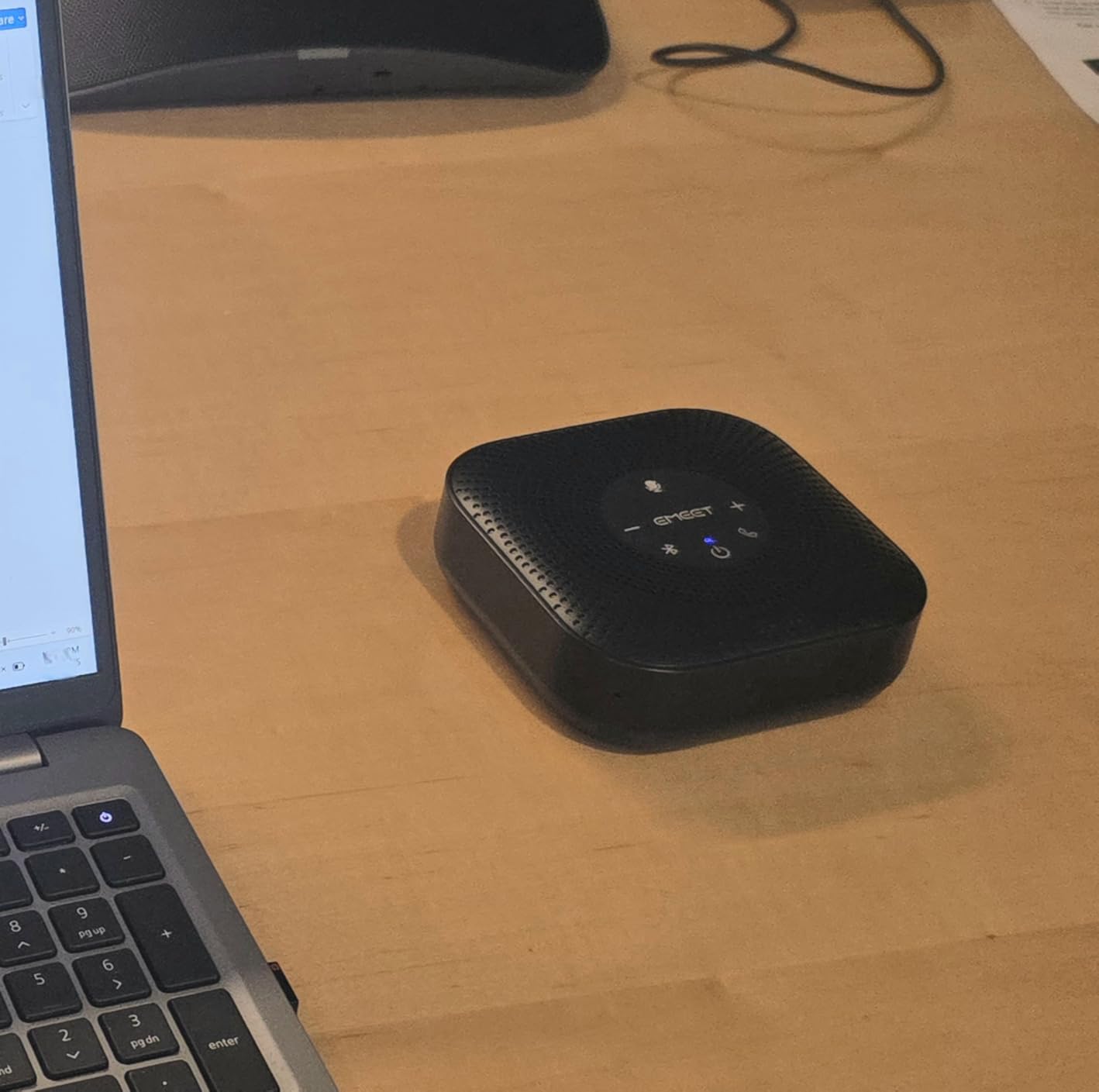
The EMEET M0 Plus punches well above its weight class. I used it for two straight weeks of daily stand-ups and client calls in a room that fits six people, and the audio quality consistently surprised me. The four AI microphones with 360-degree voice pickup mean nobody in the room has to huddle around the device. People at the edges of the table came through just as clearly as those sitting right next to it.
What impressed me most was the noise reduction. During one call, construction started outside our building, and the VoiceIA algorithm filtered out most of the low-frequency rumble without turning our voices into robotic artifacts. The person on the other end said they could barely tell there was noise on our side. Plug and play worked flawlessly on both Windows and Mac without needing to download any drivers or software.
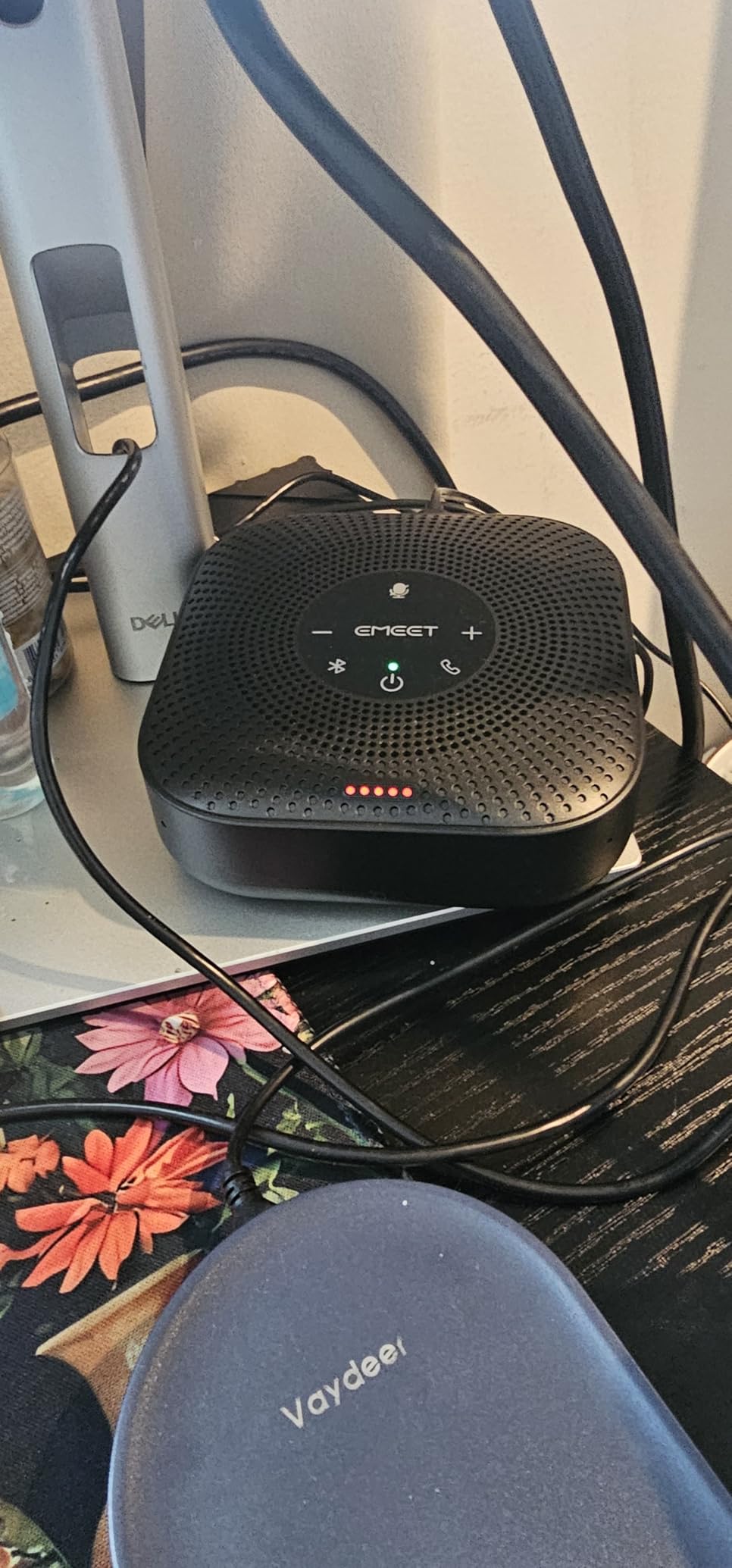
The compact puck shape takes up minimal table space, and the included carrying case makes it easy to toss in a bag for off-site meetings. Battery life was solid at around 10 hours of actual talk time, easily covering a full work day. Connectivity options are generous for this price: USB-C, Bluetooth 5.0, and a dongle are all included.
The touch controls on top are my only real complaint. They respond to the lightest contact, which means accidental muting happens from time to time if someone brushes the surface while reaching for a pen. The speaker output is fine for speech but sounds noticeably thin if you try to play music through it. For meeting audio, though, voices come through warm and intelligible.
Who Should Buy the EMEET M0 Plus
Small teams of three to eight people who need reliable meeting audio without spending a fortune will get the most value from the M0 Plus. It is also a smart choice for remote workers who split time between a home office and a shared workspace, thanks to the portability and included carrying case. The daisy chain support means you can grow its capability if your team expands.
Anyone who uses multiple meeting platforms will appreciate that it works seamlessly with Zoom, Teams, Skype, Slack, and Webex without any configuration changes.
Who Should Skip It
Teams that hold meetings in rooms larger than eight people should look at the EMEET Luna Plus Kit for its additional microphones and higher output volume. If you need a device that doubles as a decent music speaker for background audio during breaks, the M0 Plus will leave you wanting richer sound.
Users who prefer physical buttons over touch controls may find the sensitive surface frustrating during active meetings. Consider the Jabra Speak 410 instead if tactile button feedback matters to you.
3. Jabra Speak 410 – Most Reliable USB Speakerphone
Jabra 7410-209 Model Speak 410 USB Speakerphone, Plug and Play Solution, Works with All PCs, Outstanding Sound Quality, Full Compatibility with UC Systems & VoIP Clients, LED Indicators
USB Only (Corded)
Omnidirectional Mic
Stereo 10W Output
LED Indicators
Travel Case
Pros
- Industry-leading reliability with 4.7-star rating
- Exceptional microphone sensitivity no repeating yourself
- Plug and play USB with zero setup hassle
Cons
- Wired only no Bluetooth option
- USB tether limits placement flexibility
The Jabra Speak 410 has been a staple in conference rooms for years, and after testing it alongside newer competitors, I understand why it still commands a 4.7-star average across nearly a thousand reviews. The microphone sensitivity is remarkable. I sat about six feet away from the device during a test call and spoke at a normal conversational volume, and the remote participants said I sounded like I was sitting right next to a dedicated desk phone.
This is about as plug and play as audio devices get. You connect the USB cable, your operating system recognizes it instantly, and you are ready to take a call. No drivers, no software to install, no Bluetooth pairing to fumble with. For organizations that want to set up a conference room and never think about the audio again, the Speak 410 is about as maintenance-free as it gets.
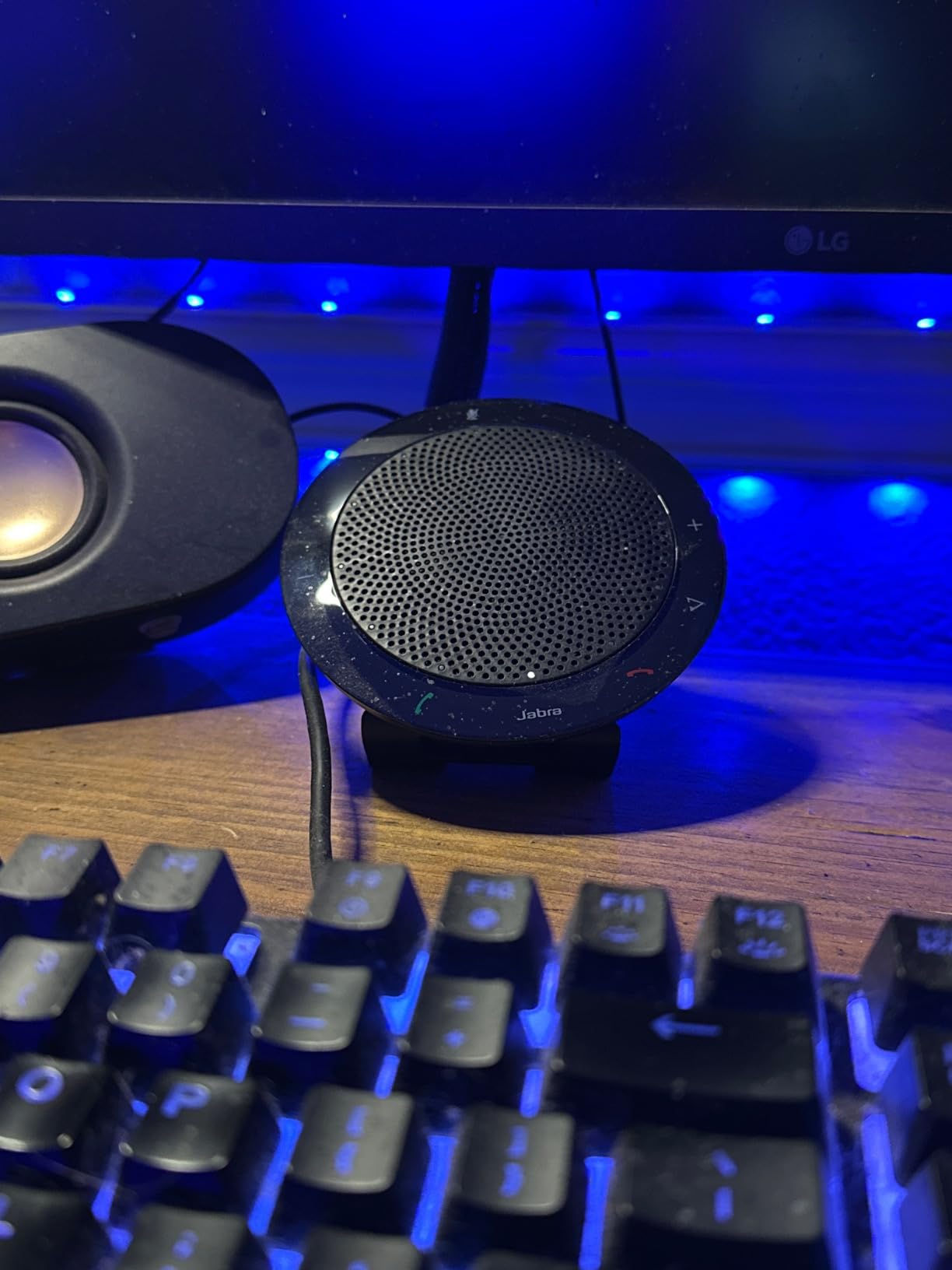
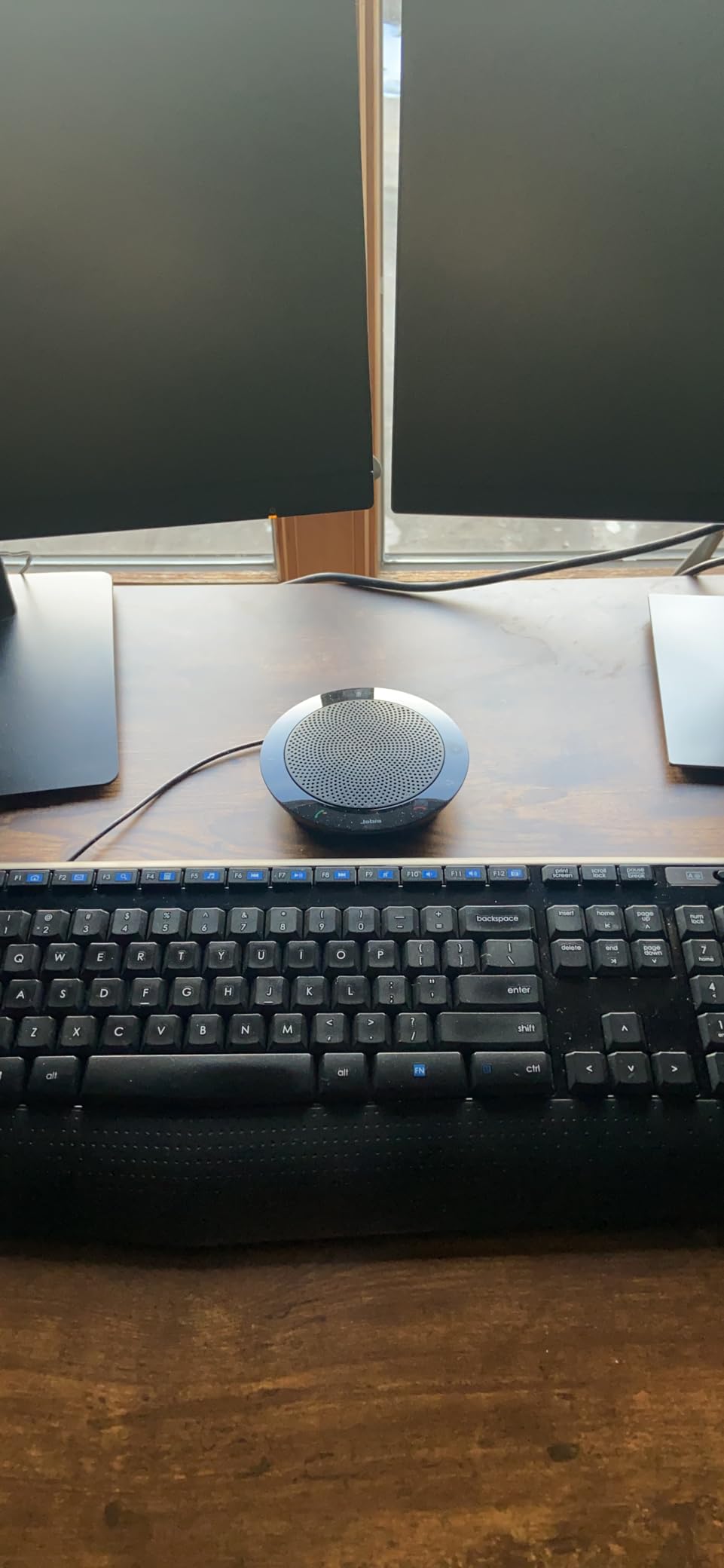
The build quality is another standout. The disc-shaped device has a solid feel with a fabric covering that looks professional in any meeting room. The included travel case is well-made and protects the device during transport. Touch-sensitive controls on the surface handle volume, mute, and call management with clear LED indicators that show call status at a glance.
The trade-off is straightforward: there is no wireless connectivity. You are tethered to a USB port, which means your laptop needs to be within cable reach of the speakerphone. For rooms where the laptop sits on the conference table right next to the device, this is a non-issue. For larger setups where you want more flexible placement, the Jabra Speak 510 with Bluetooth would be the better choice.
Who Should Buy the Jabra Speak 410
Anyone who prioritizes absolute reliability and sound quality over wireless convenience will love the Speak 410. It is perfect for fixed conference room setups where the device stays connected to a dedicated meeting room computer or dock. IT departments appreciate the zero-maintenance nature of a USB-only device.
If your team frequently hosts calls with clients or executives where audio quality directly impacts your professional image, the Speak 410 delivers consistently excellent voice clarity that reflects well on your organization.
Who Should Skip It
If you need a wireless speakerphone for mobility around a room or for use with multiple devices without plugging and unplugging, the wired-only design will frustrate you. Mobile professionals who carry their speakerphone to different locations daily might find the cable management annoying compared to a Bluetooth-only alternative.
The Speak 410 also lacks daisy chain support, so it is not the right fit if you need to scale up to larger rooms with additional microphone coverage.
4. Anker PowerConf – Best Battery Life and Zoom Certified
Anker PowerConf Speakerphone, Zoom Certified Conference Speaker with 6 Mics, 360° Enhanced Voice Pickup, 24H Call Time, Bluetooth 5.3, USB C, Compatible with Leading Platforms for Personal Workspaces
6 Microphones
24-Hour Battery
Zoom Certified
BT 5.3 and USB-C
5200mAh
Pros
- Exceptional 24-hour battery life for all-day use
- Six-mic array with Voice Radar 3.0 AI noise reduction
- Zoom certified for guaranteed compatibility
Cons
- Audio sync lag reported in some video calls
- Microphone volume can fluctuate during use
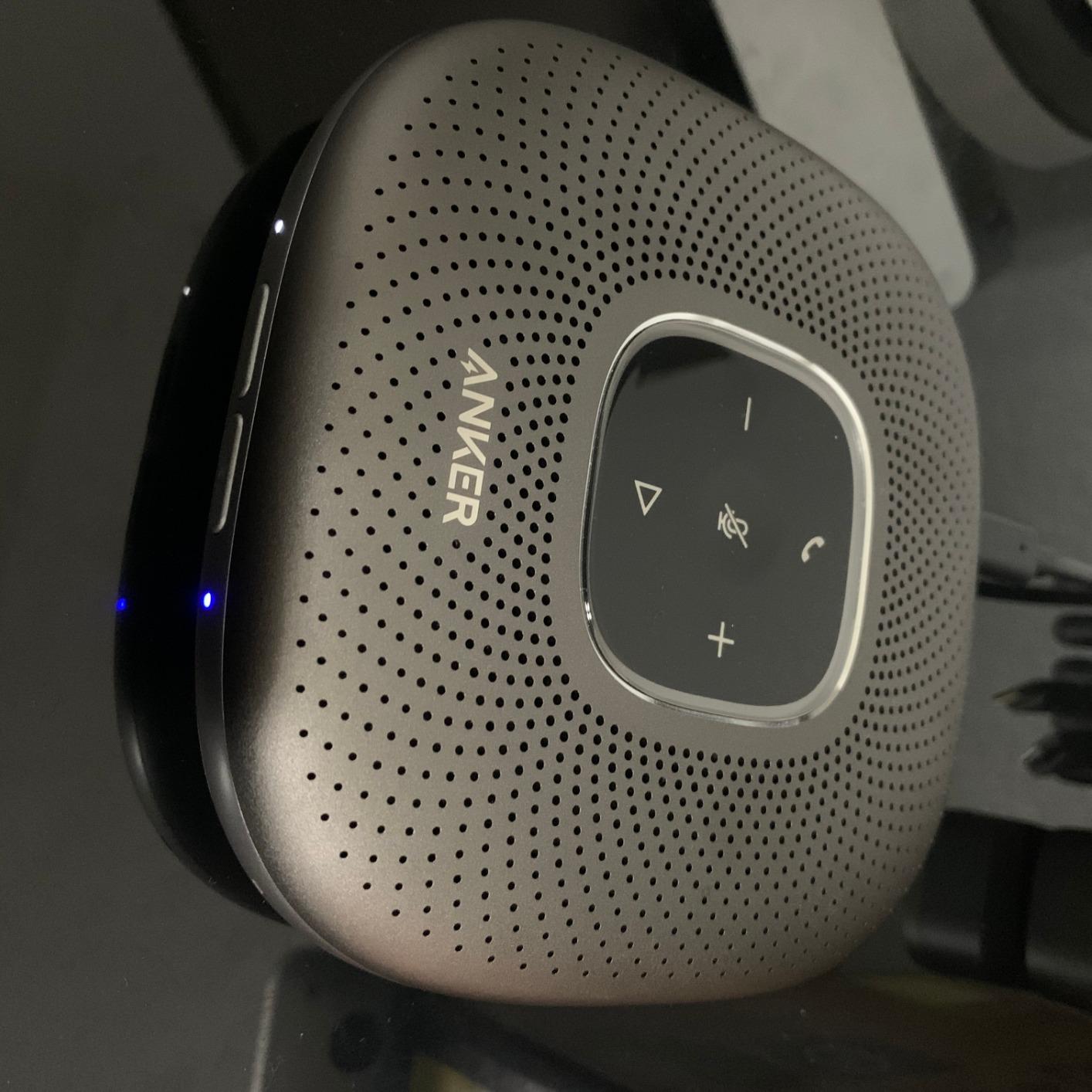
The Anker PowerConf stands out for one specification that no other speakerphone in our roundup can match: 24 hours of battery life on a single charge. I ran it through an entire week of daily meetings without reaching for the charger once. The 5200mAh battery is a serious advantage for teams that hold back-to-back calls all day, and it even doubles as a power bank to charge your phone in a pinch.
Six microphones arranged in a 360-degree array provide thorough voice pickup around a conference table. The Voice Radar 3.0 AI noise reduction does an impressive job of separating human voices from background noise. During testing, I had a fan running and papers shuffling on the desk, and remote participants reported clean audio without the telltale artifacts of aggressive noise gating.
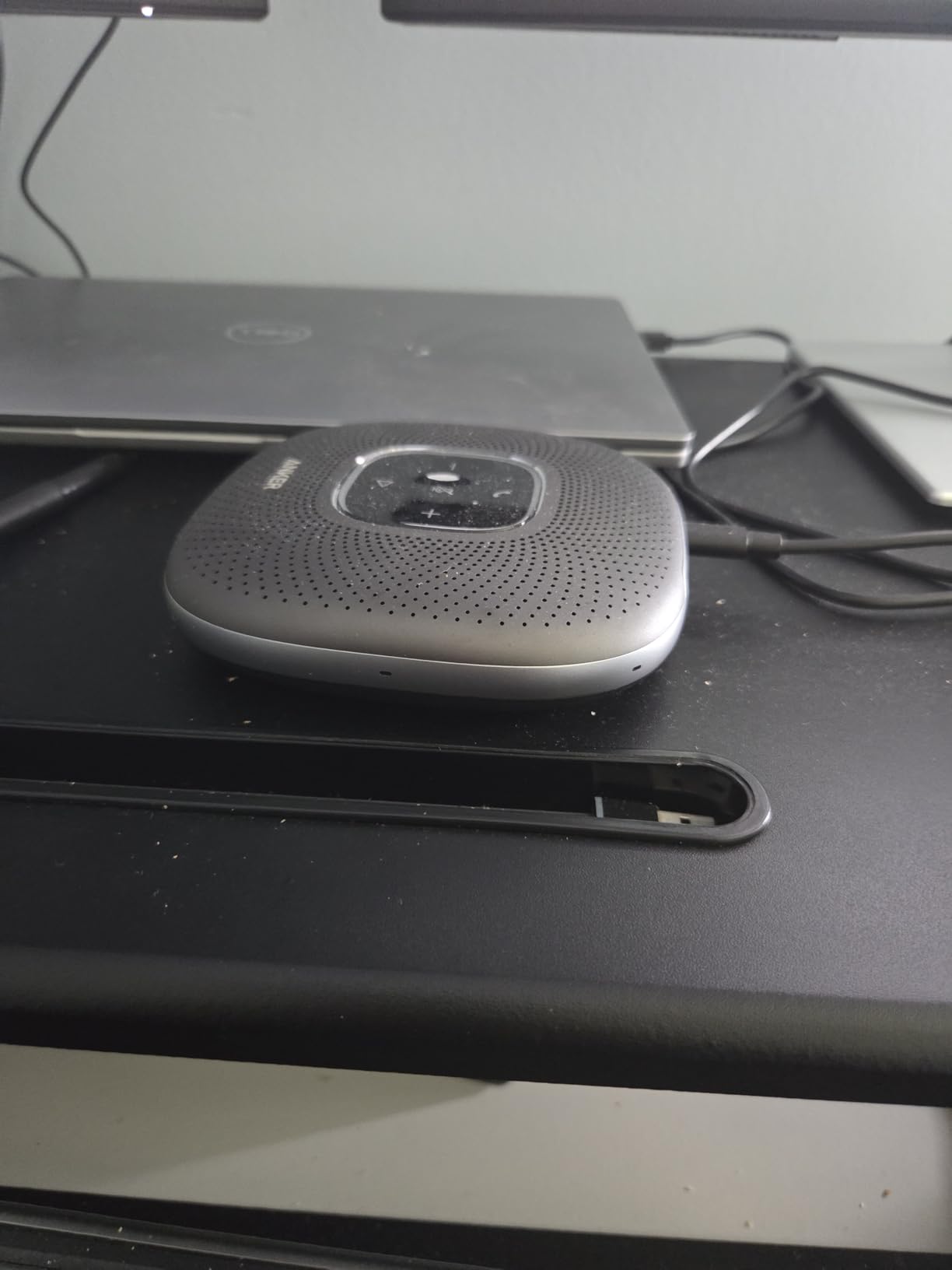
Zoom certification means the PowerConf has been tested and approved by Zoom for guaranteed compatibility, which matters for organizations standardized on that platform. Bluetooth 5.3 and USB-C give you flexible connectivity options, and the included hardshell carrying case protects the device during travel. At 0.75 pounds, it is portable enough to move between rooms.
I did notice occasional microphone volume fluctuations during longer calls, where my voice would sound slightly louder or softer to remote participants without me changing position. This was not a dealbreaker, but it was noticeable enough that I would not recommend it for podcasting or recorded presentations. A small number of users also report audio sync lag in video calls, though I did not experience this on my setup.
Who Should Buy the Anker PowerConf
Teams that run all-day meetings or back-to-back calls will benefit most from the unmatched 24-hour battery. It is also ideal for organizations that use Zoom as their primary meeting platform and want a certified, guaranteed-compatible audio solution. The six-microphone array makes it a solid choice for rooms with six to eight participants.
Anyone who values the ability to charge other devices from their speakerphone will find the PowerIQ USB-C port a welcome bonus feature that no competitor offers.
Who Should Skip It
If your meetings rarely exceed a few hours, the massive battery is overkill and you could save money with the EMEET M0 Plus. Teams that rely on Microsoft Teams as their primary platform might prefer the dedicated Teams button and certification found on the Poly Sync 20+ or Dell SP3022.
Users doing high-stakes recorded calls or webinars where consistent microphone levels are critical should test the PowerConf thoroughly before committing, given the reported volume fluctuation issue.
5. Poly Sync 20+ – Best Teams Certified Speakerphone
Poly Sync 20+ Personal Portable Bluetooth Speakerphone (Plantronics) – Noise/Echo Reduction – USB-C Bluetooth Adapter - Works w/Teams (Certified), Zoom, PC, Mac, Mobile – Amazon Exclusive
Teams Certified
20H Battery
IP64 Rated
10W Output
USB Dongle and BT
Pros
- Native Microsoft Teams integration with dedicated button
- IP64 dust and water resistant rating
- Functions as music speaker and phone charger
Cons
- Bluetooth range limited to about 15 feet
- Premium price point
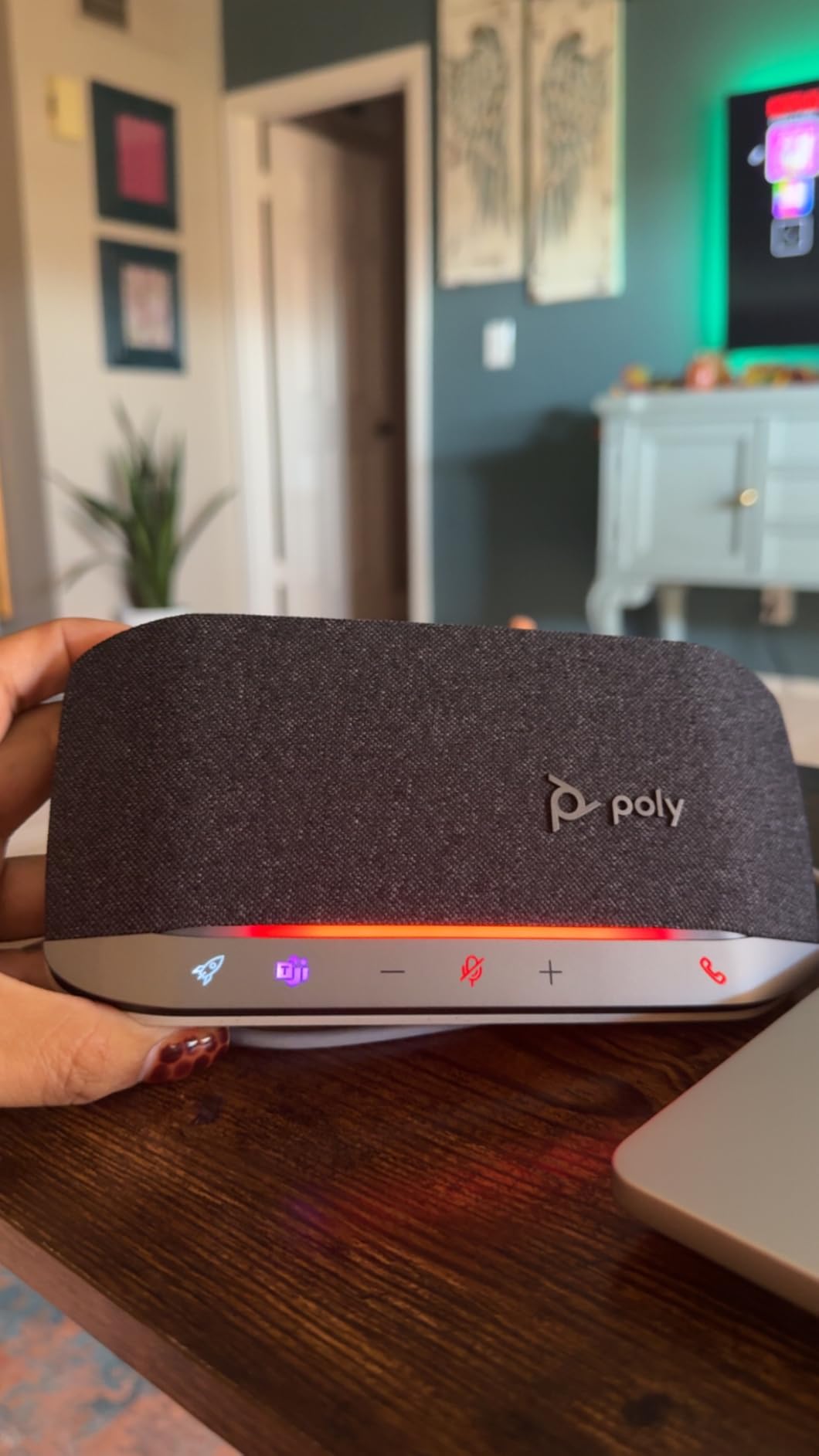
Poly, formerly Plantronics, has been making business communication hardware for decades, and the Sync 20+ shows that experience. The first thing I noticed during testing was the native Microsoft Teams integration. Pressing the dedicated Teams button instantly launches the app and joins your scheduled meeting. The LED light bar across the top provides clear visual status indicators that everyone in the room can see from across the table.
Audio quality is where the Poly Sync 20+ justifies its premium price. The multi-microphone array with echo and noise reduction delivers clean, natural-sounding voice reproduction on both ends. The 10-watt speaker output fills a medium conference room with ease, and the bass reflex system with dual passive sound amplification gives music playback a warmth that most conference speakerphones lack.
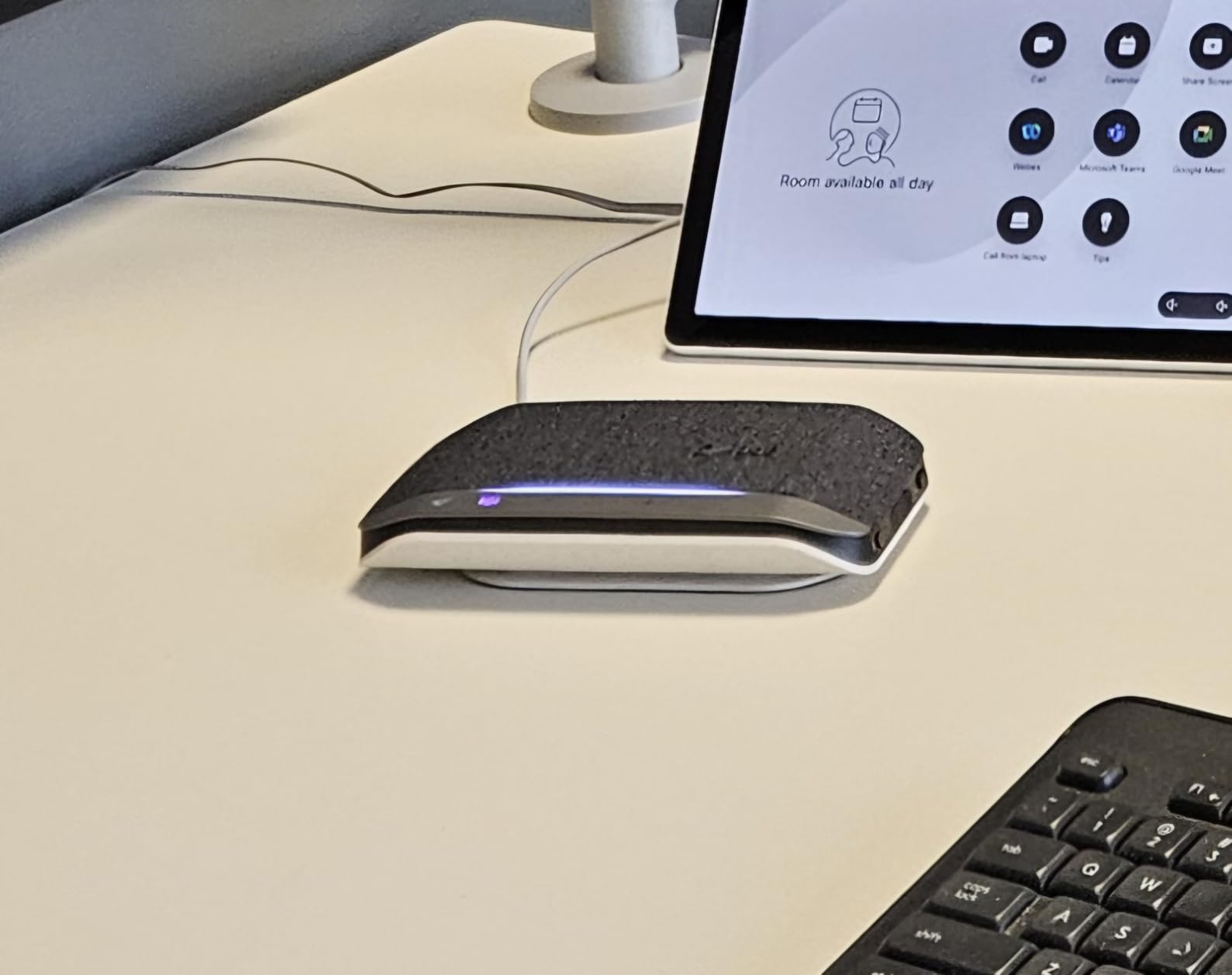
The IP64 dust and water resistance rating is a feature you hope you never need but will appreciate if someone spills coffee near the conference table. Battery life comes in at a solid 20 hours, enough for the longest meeting days. The included carrying case and slim profile make it travel-friendly, and the USB-C dongle provides a reliable wireless connection that avoids the latency sometimes associated with Bluetooth.
Bluetooth range was the main letdown during my testing. I measured about 15 feet before the audio started to degrade, well short of the typical 30-foot range you get with other devices. For a stationary conference room setup where the laptop sits right next to the speakerphone, this is fine. For walking around a larger room while on a call, you may experience dropouts.
Who Should Buy the Poly Sync 20+
Organizations standardized on Microsoft Teams will get the most out of the Sync 20+. The dedicated Teams button and native integration eliminate the friction of joining meetings, which is especially valuable in shared conference rooms where different people use the space throughout the day.
IT departments that value build quality, warranty support, and brand reliability for enterprise deployments will find Poly a trusted name with established support channels. The IP64 rating adds durability confidence for busy office environments.
Who Should Skip It
Budget-conscious buyers can get similar core audio performance from the EMEET Luna or M0 Plus at a significantly lower cost. If you do not use Microsoft Teams, the dedicated button and certification are wasted features that you are paying a premium for.
Users who need to move around a large room while on calls may find the limited Bluetooth range restrictive. Consider the Jabra Speak 510 with its 100-foot Bluetooth range for better wireless mobility.
6. EMEET Luna – Best Mid-Range with Daisy Chain Support
EMEET Conference Speaker and Microphone Luna 360° Voice Pickup w/Noise Reduction/Mute/Indicator USB Bluetooth Speakerphone w/Dongle for 8 People Daisy Chain for 16 Compatible with Leading Software
3 Mic Array
VoiceIA Noise Cancel
85 dB Max
Daisy Chain for 16
USB+BT+AUX+Dongle
Pros
- Premium metal build quality at a mid-range price
- Four connection options including AUX and dongle
- CNET Best Speakerphone award winner
Cons
- Mute button may not work with Teams
- Occasional feedback sound when idle
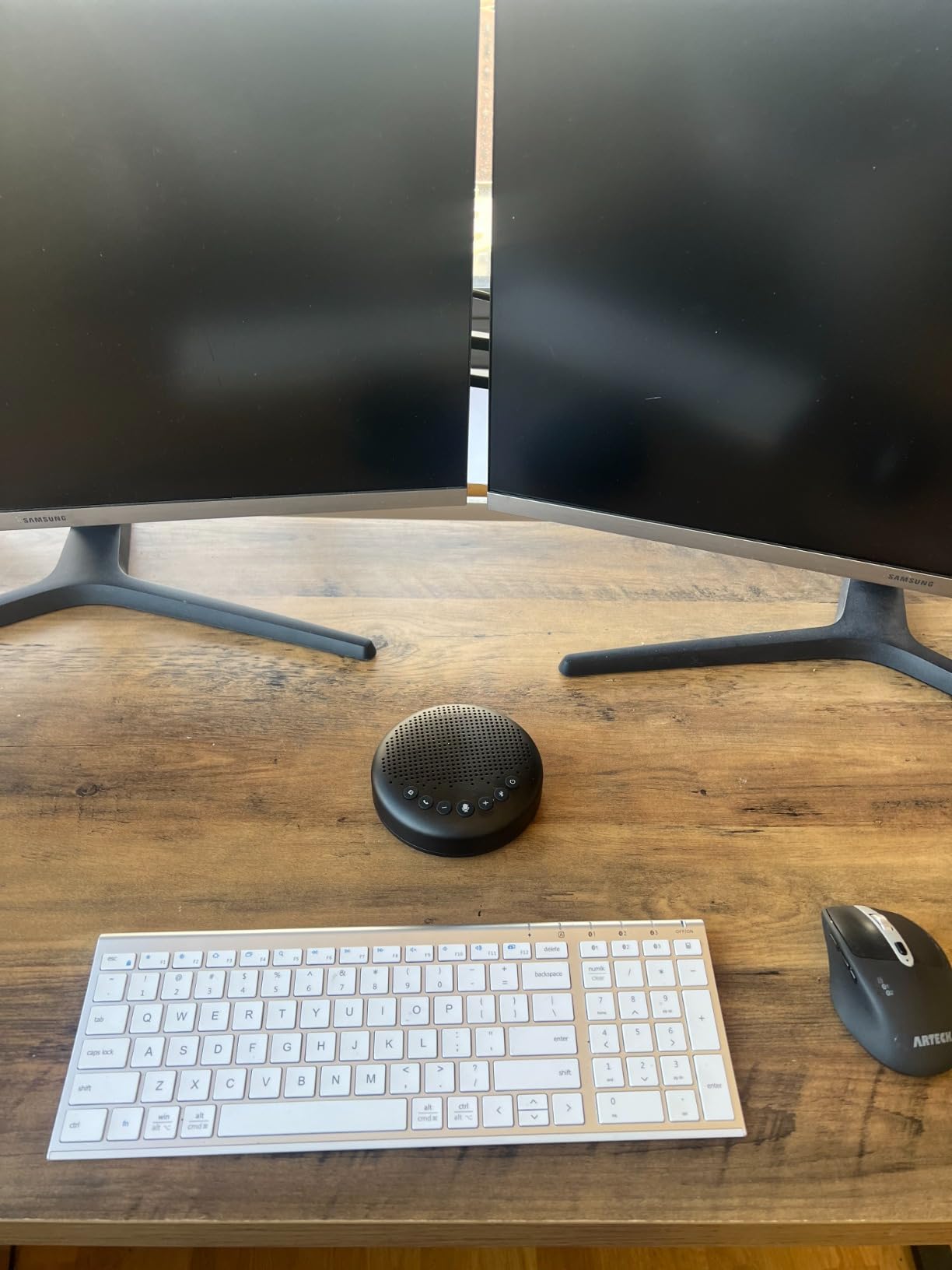
The EMEET Luna occupies a sweet spot in the conference speakerphone market, offering more features and better build quality than entry-level options without reaching into premium pricing territory. The metal enclosure gives it a substantial, professional feel that looks right at home on a boardroom table. With over 2,000 reviews and a 4.4-star average, it has built a strong reputation among business users.
I tested the Luna in a room with five people spread around a rectangular table, and the three-microphone array with VoiceIA noise reduction handled the situation well. The auto-vocal-increase feature automatically balances volume levels so that quieter speakers are brought up to match louder ones. Remote participants confirmed that everyone came through at a consistent, listenable volume without any of us adjusting our speaking distance.
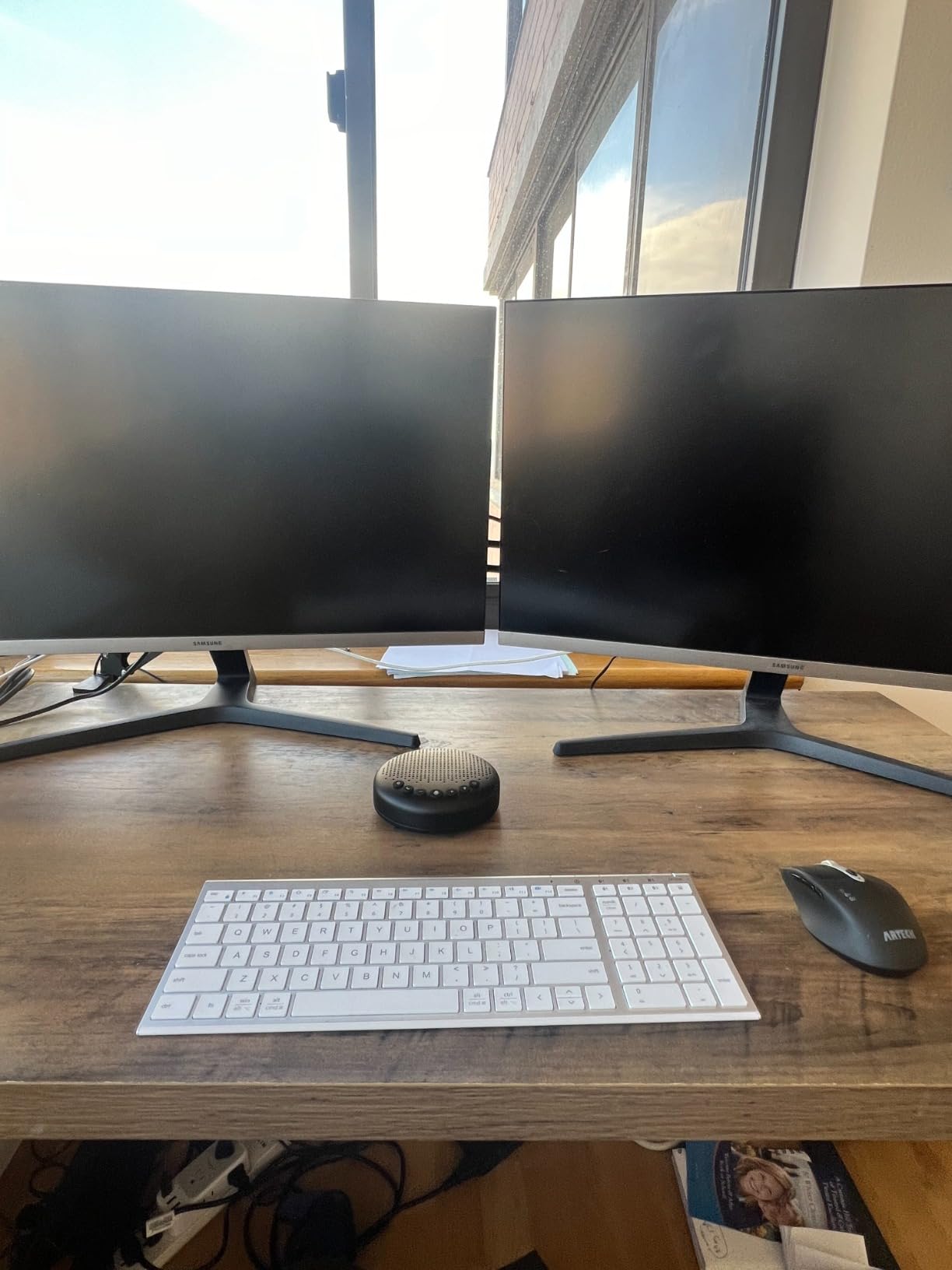
Connectivity is where the Luna flexes its versatility. You get USB, Bluetooth, AUX input, and a wireless dongle in the box. That is more connection options than any other speakerphone in our roundup, and it means the Luna works with virtually any device you might bring into a meeting. The 85 dB maximum volume is loud enough for medium-sized rooms.
Two issues came up during my testing. First, the mute button did not reliably sync with Microsoft Teams, meaning I had to mute from the Teams app instead of the hardware button. Second, there was an occasional faint feedback tone when the device was powered on but idle between calls. Neither issue affected actual call quality, but they are worth knowing about before you buy.
Who Should Buy the EMEET Luna
Teams that want premium build quality and versatile connectivity without paying Poly or Jabra prices will find the Luna an excellent middle-ground option. The four connection methods make it ideal for shared spaces where different users might bring different devices to meetings.
The daisy chain capability means you can connect a second Luna unit to cover rooms with up to 16 people, making it a scalable option for growing organizations.
Who Should Skip It
Heavy Microsoft Teams users should be aware of the mute button compatibility issue. If hardware mute control is important to your workflow, the Poly Sync 20+ or Yealink SP92 handle this more reliably with their Teams certifications.
If you want the most microphones for the best voice pickup density, the EMEET Luna Plus Kit with its 8+1 array provides significantly more coverage for a modest price increase.
7. Jabra Speak 510 (2025 Edition) – Best Portable Speakerphone
Jabra Speak 510 (2025 Edition) Portable, USB or Wireless Bluetooth Speaker for Meetings and Calls with Crystal-Clear Sound, Works with All Meeting Platforms - Microsoft Teams, Google Meet, Zoom, Black
50mm Audio Driver
15H Battery
BT 100ft Range
USB and Bluetooth
Touch Controls
Pros
- Crystal clear audio quality for professional calls
- Setup in seconds with plug and play simplicity
- Excellent 100-foot Bluetooth range for mobility
Cons
- Audio may cut out when used through docking stations
- Limited to single microphone
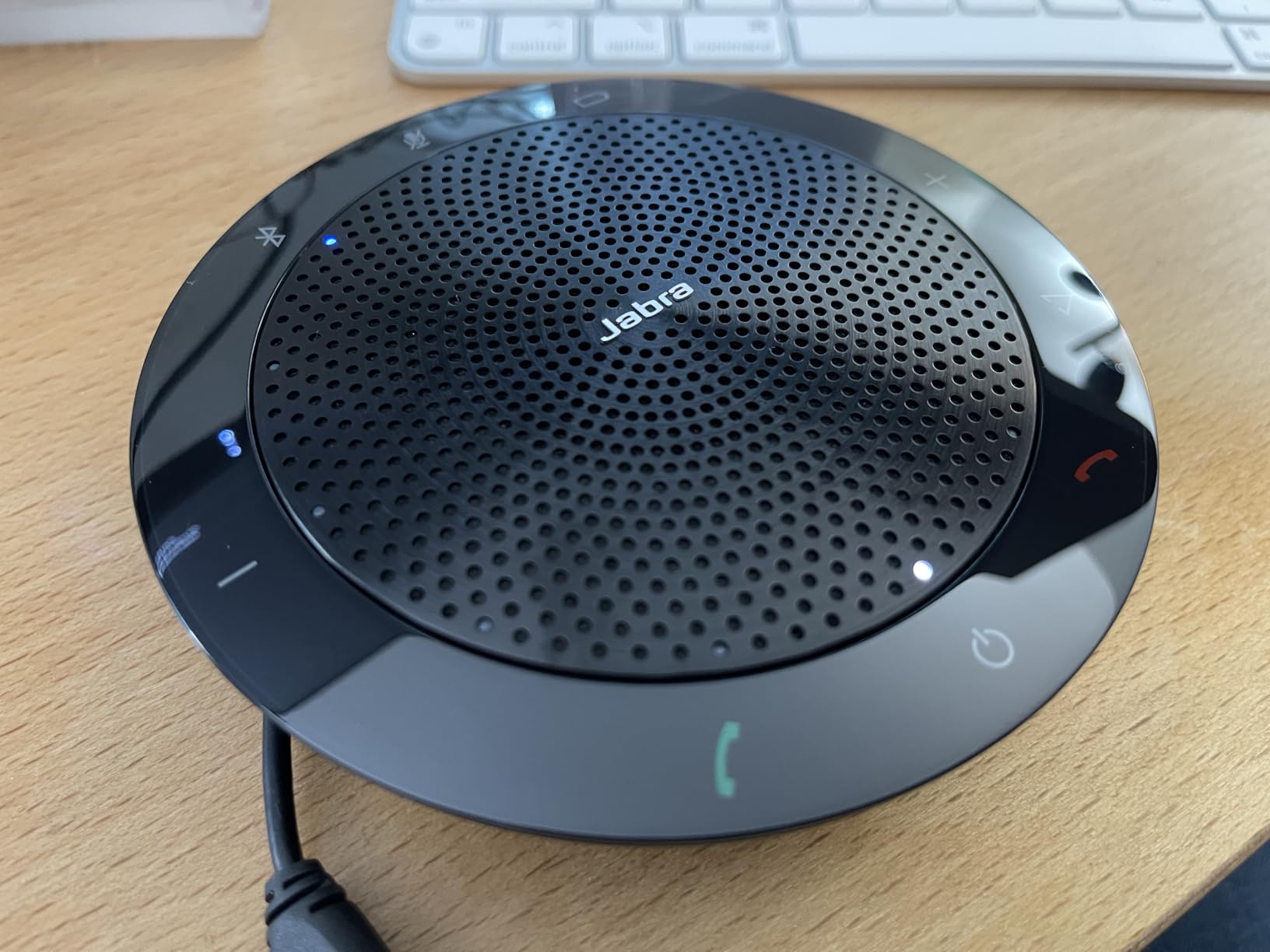
The Jabra Speak 510 enters its 2025 edition with the same formula that made the 410 a classic: focus on audio quality above all else. The 50mm audio driver delivers noticeably clearer and richer voice reproduction than most competitors. During a side-by-side comparison with two other speakerphones at the same price point, the Speak 510 produced voices that sounded more natural and less compressed, both for people in the room and for remote participants listening to us.
Portability is a core strength. The compact disc design weighs just 195 grams, making it one of the lightest speakerphones in our roundup. It slips easily into a laptop bag alongside your computer. The 15-hour battery covers even the longest work days, and you can connect via Bluetooth or USB depending on your preference.
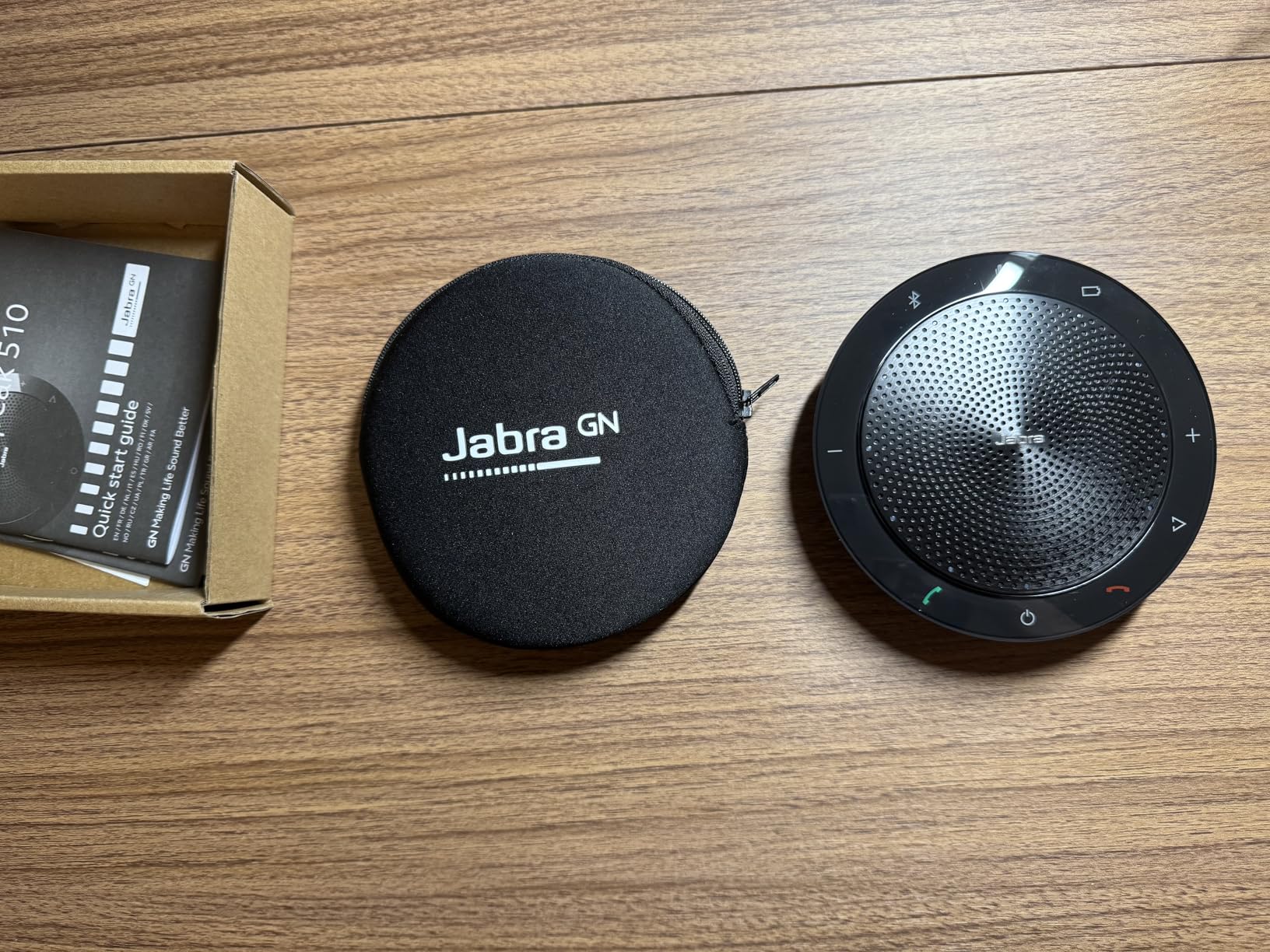
The Bluetooth range is outstanding at 100 feet, giving you real freedom to move around a room or even step into an adjacent office without losing your connection. I tested this by walking down a hallway during a test call, and the audio remained stable well beyond what most Bluetooth speakerphones manage.
The single microphone is the main limitation compared to multi-mic competitors. For one-on-one calls or meetings with two to three people sitting close to the device, it works beautifully. In a larger room with participants spread around a table, voices from several feet away start to fade compared to the focused pickup of a multi-mic array. I also encountered audio cutting issues when connected through a USB-C docking station, though a direct USB connection to the laptop worked flawlessly.
Who Should Buy the Jabra Speak 510
Mobile professionals who split their time between offices, client sites, and home workspaces will appreciate the lightweight design, long battery, and instant setup. It is the ideal companion for anyone who takes conference calls in different locations throughout the week.
Users who prioritize audio fidelity for client-facing calls where sound quality directly impacts perception will find the 50mm driver delivers a noticeably more professional audio experience.
Who Should Skip It
Conference rooms with more than four people should look at multi-microphone alternatives like the EMEET M0 Plus or Anker PowerConf, which provide better 360-degree pickup for groups. The single microphone simply cannot match the room coverage of devices with four, six, or eight mics.
Anyone who connects through a docking station rather than directly to a laptop should test compatibility first, as the audio dropout issue through docks was reported by multiple users.
8. Dell SP3022 – Best Soundbar Style for Desks
Dell SP3022 USB Computer Speaker for PC, Laptop, Monitor, Business Conference-Mini Soundbar Speakerphone, AI Noise Echo Cancellation, Full Duplex Audio, 2 x 1.8W, MS-Teams Certified - Platinum Silver
Teams Certified
Soundbar Form Factor
2x1.8W Stereo
USB-A and USB-C
3-Year Warranty
Pros
- Compact soundbar design fits under monitors
- Seamless Teams integration with dedicated button
- Generous 3-year warranty included
Cons
- Mac compatibility issues with microphone recognition
- Not suitable for music playback
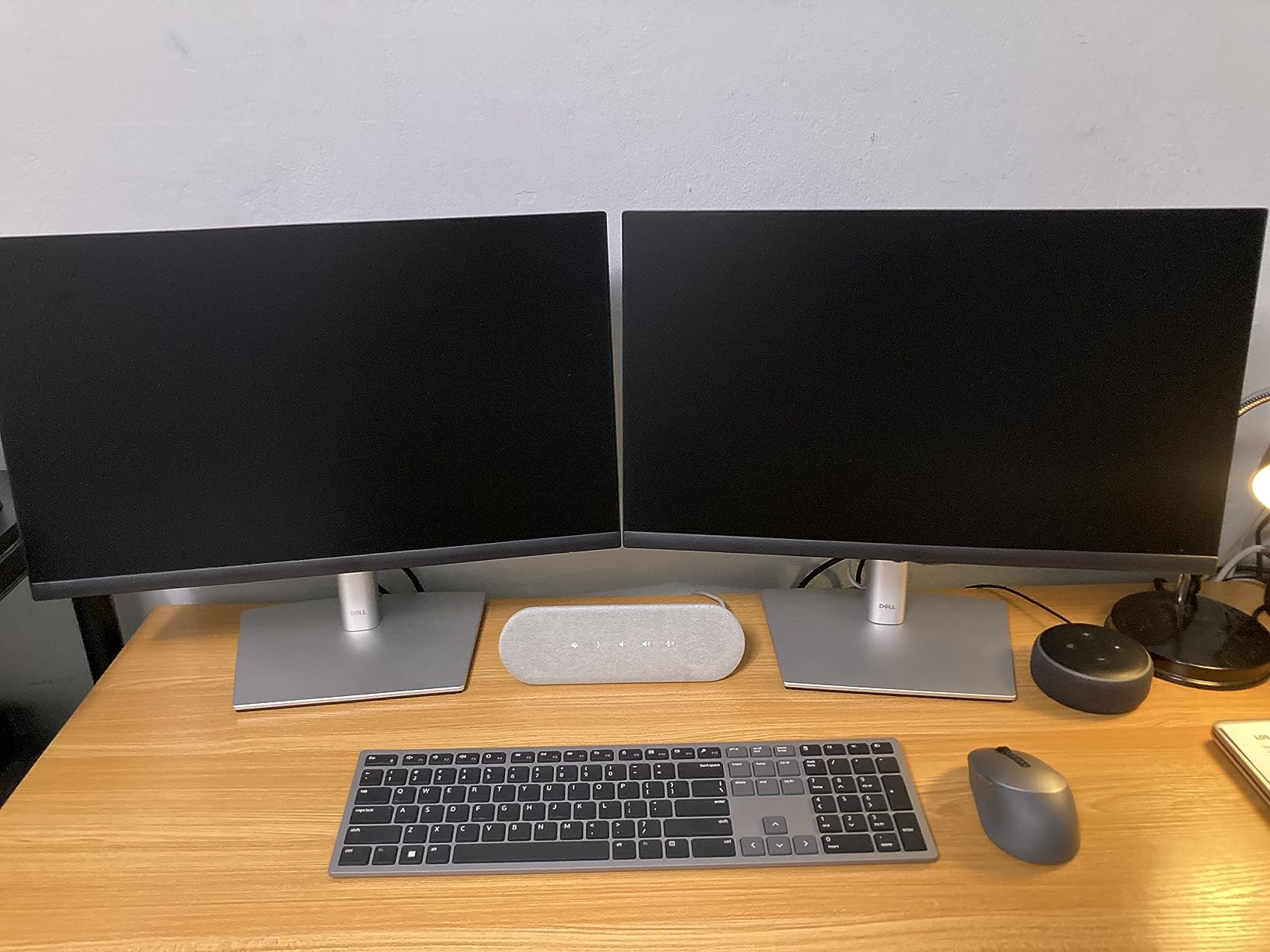
The Dell SP3022 takes a different approach from the disc-shaped speakerphones that dominate this category. Instead of a puck, it is a compact soundbar measuring about 8.89 inches wide that sits neatly under a computer monitor or at the edge of a desk. For home office setups and personal workstations, this form factor makes a lot of sense since it integrates into your existing desk layout without adding another device to the table.
Microsoft Teams certification is front and center. The dedicated Teams button launches the app and connects to your meetings, while LED indicators show call status, mute state, and volume level. The full duplex audio means both parties can speak simultaneously without the audio cutting out, which sounds basic but is actually a feature that cheaper speakerphones often lack.
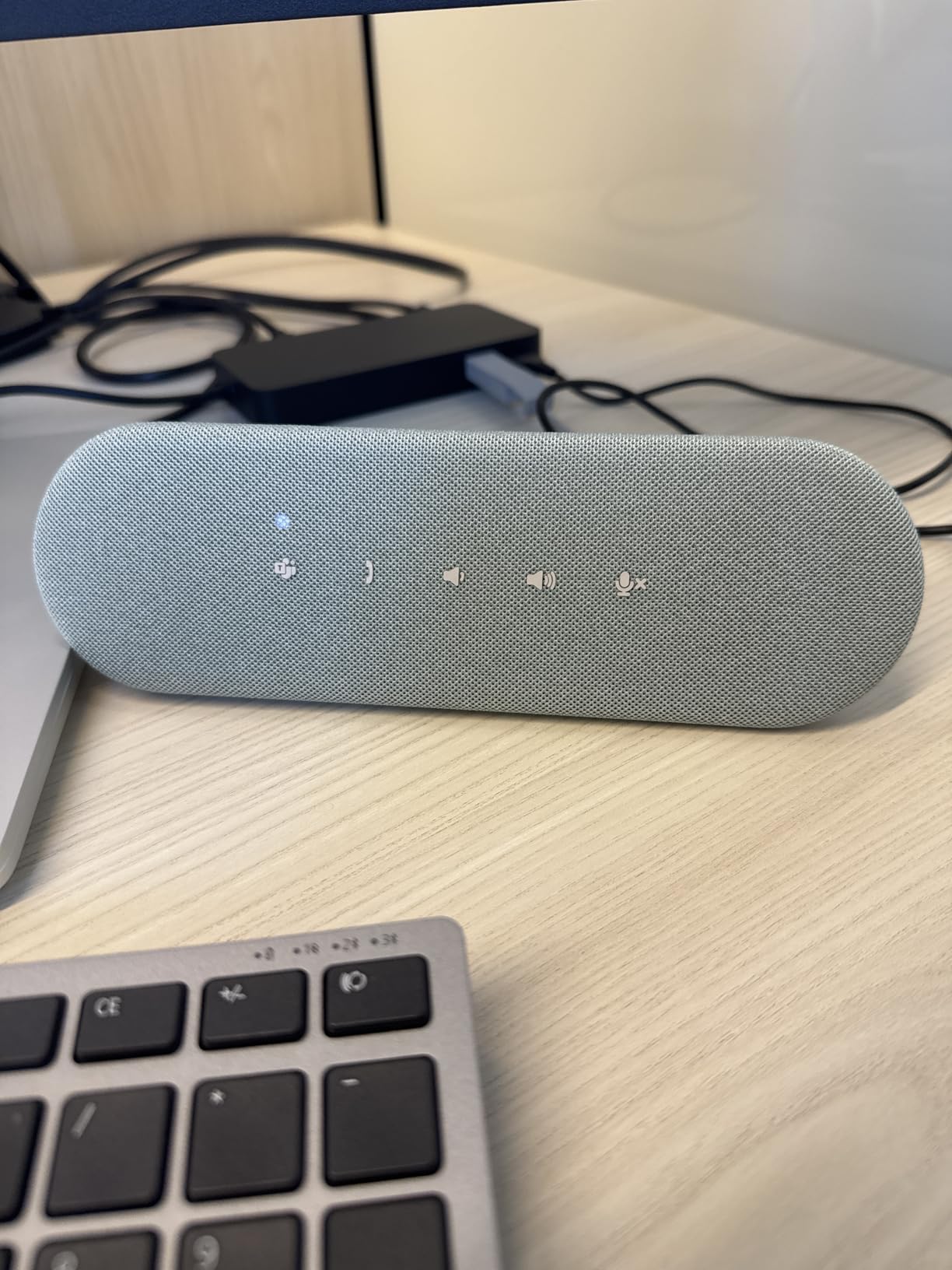
AI noise and echo cancellation does an effective job filtering out keyboard clicks and mouse sounds, which is particularly important for a device designed to sit right next to your keyboard. During testing, remote participants confirmed they could not hear my typing even during heavy data entry. The touch controls on the top surface are responsive and intuitive.
Mac users should take note: several reviewers report that macOS does not always recognize the microphone correctly, requiring manual audio device selection in system preferences. I tested it primarily on Windows, where it worked perfectly as a plug-and-play device. The audio output is optimized for voice clarity, so do not expect it to replace your desktop speakers for music or entertainment. Dell backs the SP3022 with a 3-year warranty, which is the longest warranty in our roundup and speaks to the build confidence.
Who Should Buy the Dell SP3022
Windows users with dedicated desk setups who want a clean, integrated look will find the soundbar form factor ideal. It is particularly well-suited for fixed workstations in open-plan offices where a disc-shaped speakerphone might get knocked around or take up too much table real estate.
The 3-year warranty makes it attractive for IT departments equipping multiple workstations, since long-term support and replacement coverage reduce total cost of ownership.
Who Should Skip It
Mac users should consider alternatives given the widely reported microphone recognition issues. If you need a portable device to carry between rooms or to off-site meetings, the soundbar shape is less travel-friendly than the disc or puck designs from EMEET or Jabra.
Conference rooms with more than three or four people need a dedicated conference speakerphone with a multi-microphone array rather than a personal soundbar. Consider the EMEET Luna or Anker PowerConf for shared meeting spaces.
9. Yealink SP92 – Best Teams Certified Budget Option
Yealink Sp92 Conference Speaker and Microphone Teams Certified Mic with Al Noise Cancelling 20H Call Time USB Speakerphone for Small Meeting Room, Bluetooth Speaker for Computer/Laptop
Teams Certified
AI Noise Cancelling
20H Battery
BT 5.3 30m Range
276g Weight
Pros
- Dedicated Teams button with full certification
- AI noise cancellation filters over 1000 noise types
- Lightweight at just 276 grams with 20-hour battery
Cons
- Some users report device failure after weeks of use
- Mute button issues noted in some cases
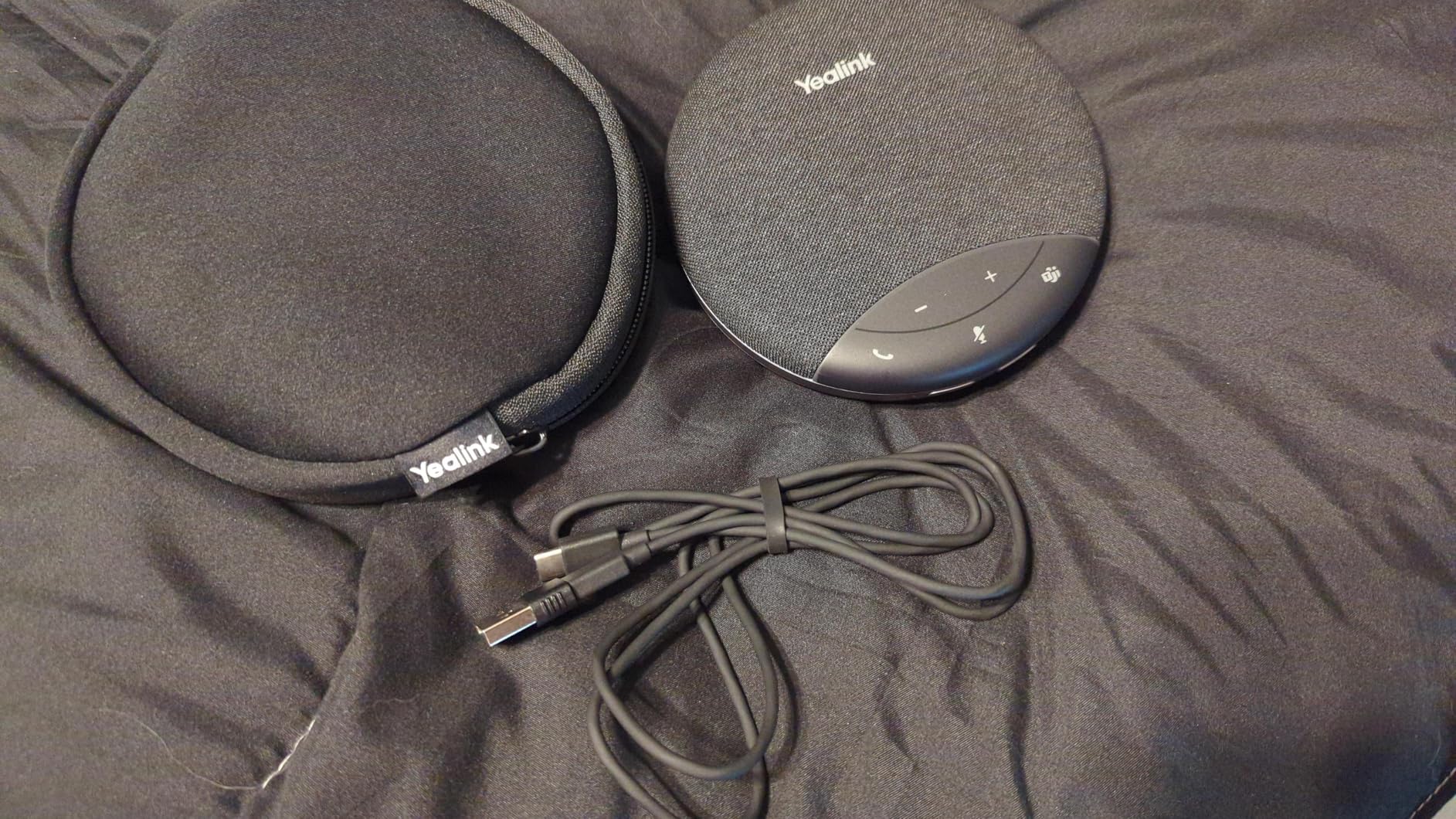
The Yealink SP92 brings Microsoft Teams certification to a more accessible price point than the Poly Sync 20+, making it an attractive option for organizations that need certified Teams audio across multiple rooms without blowing the IT budget. The dedicated Teams button works exactly as expected: one press to join meetings, with full LED status indicators visible across the room.
Yealink claims the AI noise cancellation can identify and filter over 1,000 distinct background noise types, and during testing it handled common office sounds effectively. Keyboard clicks, chair squeaks, paper rustling, and even the occasional cough from across the room were suppressed without affecting the natural quality of the speaking voice. The 360-degree omnidirectional microphone covers a 13-foot radius, which is enough for small to medium meeting rooms.
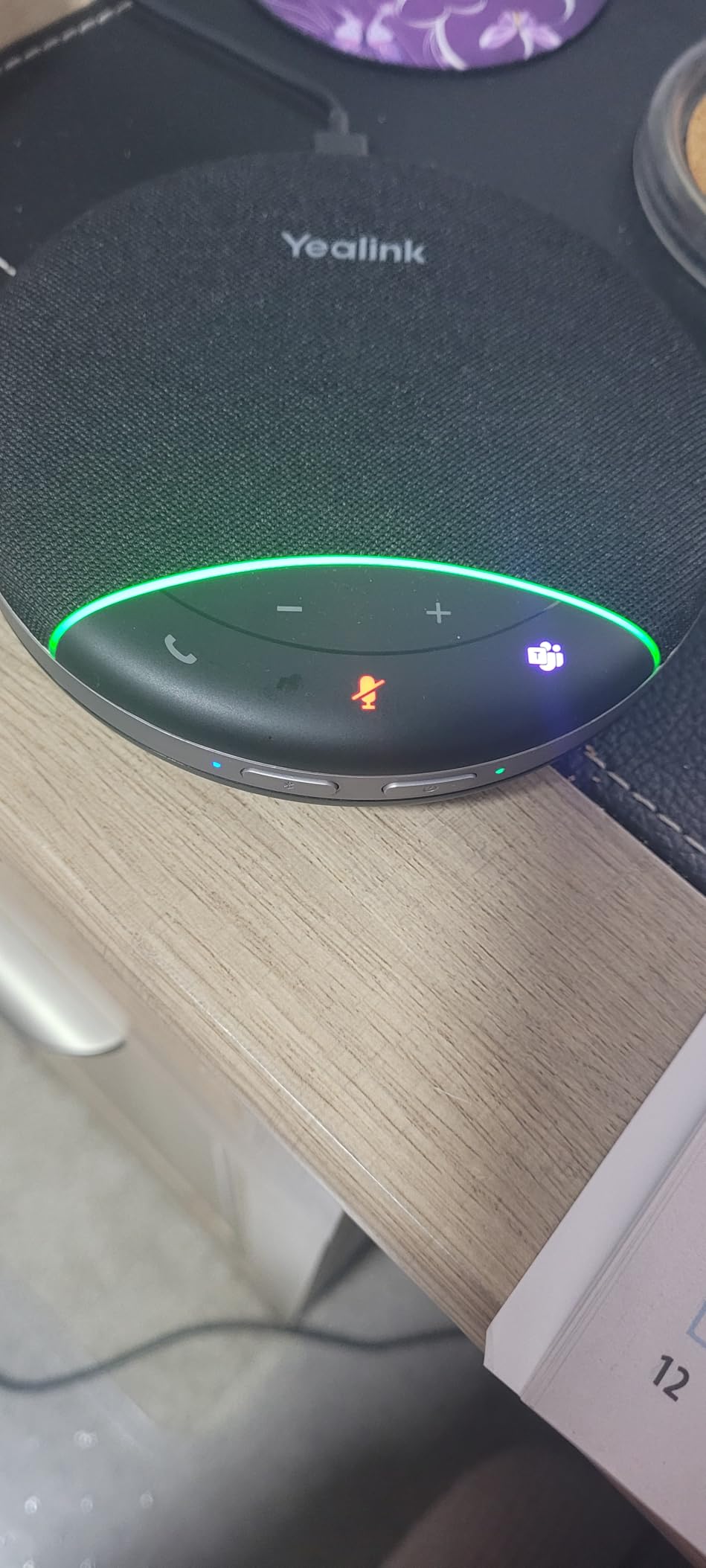
At 276 grams, this is one of the lightest speakerphones with Teams certification available. The 20-hour battery life is generous and means you can go multiple days between charges in typical use. Bluetooth 5.3 with a 30-meter range provides strong wireless connectivity, and the triple connectivity options of Bluetooth, USB-C, and the included dongle cover all connection scenarios.
Durability is the concern that keeps me from ranking this higher. While most users report satisfaction, a noticeable minority mention the device failing after a few weeks of regular use. The sample size of 102 reviews is still relatively small, so long-term reliability data is limited. Yealink does include a 2-year manufacturer warranty, which provides some protection, but IT teams deploying these across multiple rooms should keep spare units on hand during the warranty period.
Who Should Buy the Yealink SP92
Teams-heavy organizations that want certified audio in every meeting room without paying Poly prices will find the SP92 a cost-effective way to standardize. The combination of Teams certification, 20-hour battery, and lightweight portability makes it easy to deploy across multiple spaces.
Small businesses running Teams as their primary platform get the same dedicated button experience that enterprise-grade products offer, at a fraction of the cost.
Who Should Skip It
Those who need proven long-term durability should look at the Jabra Speak 410, which has a track record measured in years, not months. If your organization uses multiple meeting platforms beyond Teams, the EMEET Luna or Anker PowerConf offer broader platform flexibility without a certification premium.
Anyone outfitting a room for more than eight people should consider the EMEET Luna Plus Kit, which provides significantly more microphone coverage and daisy chain capability for larger groups.
10. AIRHUG 01 – Most Affordable Conference Speaker
AIRHUG Conference Speaker and Microphone, Bluetooth Speakerphone with 360° Voice Pickup, Advanced Noise Reduction, USB-C Plug & Play, Compatible with Zoom and MS Team
Omnidirectional Mic
4-6 Person Coverage
DSP Echo Cancel
USB-C and BT 5.0
Carry Bag
Pros
- Most affordable option with solid audio quality
- Ultra-portable pocket-size design
- Bluetooth and USB connected simultaneously
Cons
- Reports of device failure after months of use
- Low volume at max in noisy environments
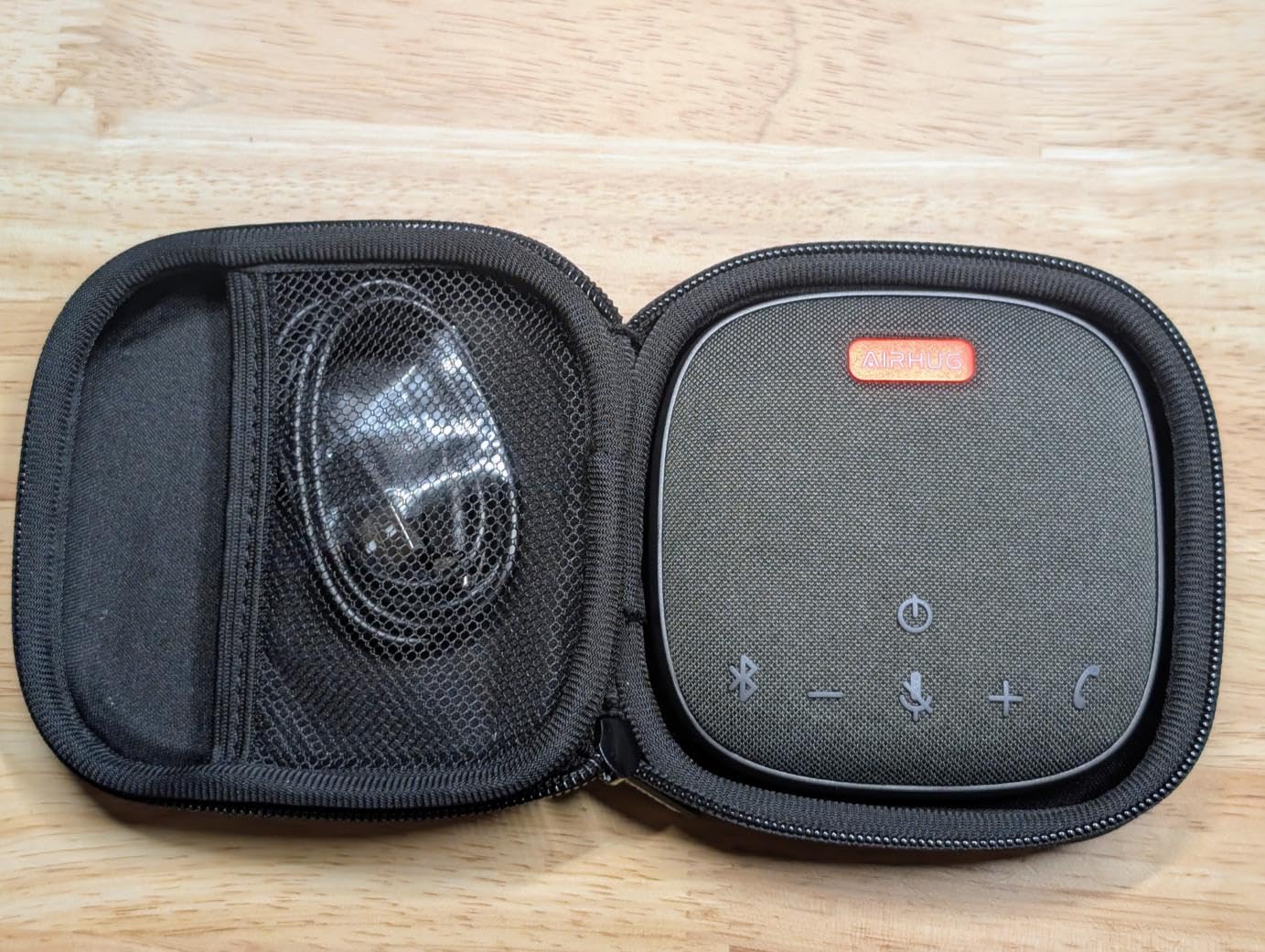
The AIRHUG 01 proves that you do not need to spend a lot to get usable conference call audio. At under 50 dollars, it delivers the core functionality that matters most: your voice comes through clearly to remote participants, and you can hear them without straining. For small teams or individuals on a tight budget, it gets the job done without the sticker shock of premium brands.
The pocket-sized form factor is genuinely impressive. At 3.94 inches square and just 0.79 inches thick with a weight of 6 ounces, this is the most portable speakerphone in our roundup. The included carry bag protects it in a backpack or briefcase. I tested it in a small room with three people sitting within about five feet of the device, and the 360-degree voice pickup within a 6-foot range handled the situation adequately.
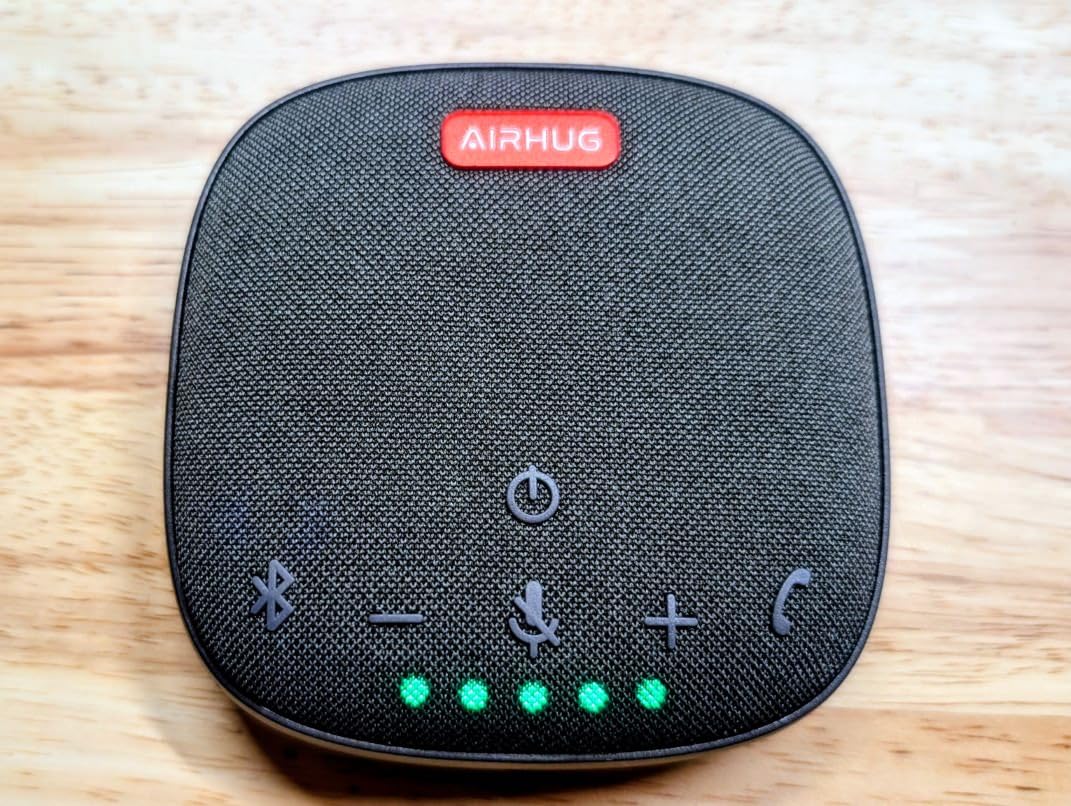
The built-in DSP processor with echo cancelling algorithm does a respectable job for the price. Echo suppression handles delays up to 400ms, and the noise suppression boosts signal-to-noise ratio by over 25 dB. These are real technical capabilities, not marketing fluff, and they translate to cleaner calls than you would get from any laptop speakerphone. The clever feature of being able to connect Bluetooth and USB simultaneously means you can take a mobile call and a computer call without switching devices.
Durability is the biggest concern with the AIRHUG 01. A notable percentage of reviewers report the device failing after a few months of regular use, with 13 percent of ratings at one star. The maximum speaker volume also struggles in noisy environments. In a quiet home office, it is perfectly adequate, but in an open-plan workspace with background chatter, you may find yourself straining to hear remote participants even at maximum volume.
Who Should Buy the AIRHUG 01
Individuals and small teams on a strict budget who need basic meeting audio that is better than laptop speakers will find the AIRHUG 01 delivers genuine value. It is also a smart backup device to keep in a drawer for those times when your primary speakerphone runs out of battery or a colleague needs to borrow one.
Frequent travelers who want the smallest possible conference device in their bag will appreciate the pocket-sized design and included carry bag. It takes up less space than a paperback book.
Who Should Skip It
Anyone relying on a speakerphone for daily professional use should invest in a more durable option like the EMEET M0 Plus or Jabra Speak 410. The failure rate reports are too consistent to ignore for mission-critical meeting audio.
Rooms with more than four to six people, or environments with significant background noise, exceed what the AIRHUG 01 can handle effectively. The limited volume output and single microphone array simply are not designed for those scenarios.
How to Choose the Best Conference Room Speakerphone
Picking the right speakerphone comes down to matching the device capabilities to your specific meeting environment. Here are the key factors our team used to evaluate these products and what you should consider before making a decision.
Room Size and Number of Participants
The most important factor is matching the microphone coverage to your room. A huddle space with three to four people can get by with a single microphone or a basic three-mic array like the EMEET Luna. Rooms with six to eight people need four or more microphones, such as the EMEET M0 Plus or Anker PowerConf. For anything larger, look at the EMEET Luna Plus Kit with its 8+1 array or devices that support daisy chaining to link multiple units together.
Microphone Quality and Pickup Pattern
Omnidirectional microphones with 360-degree voice pickup are standard in conference speakerphones, but the number and quality of microphones varies significantly. More microphones generally mean better voice pickup across larger areas. Look for devices that specify full duplex audio, which allows simultaneous two-way conversation without audio cutting out when both parties speak at the same time.
Connectivity Options
USB-C is the most reliable connection for stationary setups. Bluetooth provides wireless convenience for mobile users. Some devices include a dedicated wireless dongle that offers lower latency than Bluetooth. The EMEET Luna stands out with four connection options including AUX, while most competitors offer two or three. Consider what devices your team brings to meetings and make sure the speakerphone supports them all.
Platform Compatibility and Certification
If your organization uses Microsoft Teams as its primary platform, choosing a Teams-certified speakerphone like the Poly Sync 20+, Dell SP3022, or Yealink SP92 ensures guaranteed compatibility and dedicated hardware buttons for joining meetings. Zoom users should look at the Anker PowerConf, which carries Zoom certification. Most speakerphones work with all major platforms including Google Meet, Slack, Webex, and Skype, but certification provides an extra layer of assurance and convenience features.
Battery Life
For portable use, battery life determines how long you can go between charges. The Anker PowerConf leads with 24 hours, followed by the Yealink SP92 and Poly Sync 20+ at 20 hours each. If your speakerphone will stay plugged in at a fixed conference room station, battery life matters less and a USB-only device like the Jabra Speak 410 works perfectly.
Noise Cancellation Technology
Effective noise cancellation separates a good speakerphone from a mediocre one. Look for devices with digital signal processing, acoustic echo cancellation, and AI-based noise filtering. The VoiceIA algorithm used in EMEET products and the Voice Radar 3.0 in the Anker PowerConf both deliver strong real-world performance. Yealink claims its AI system can filter over 1,000 distinct noise types, which handles virtually any office environment.
Daisy Chain Support
If you expect your meeting rooms to grow, daisy chain support lets you connect multiple speakerphones for expanded coverage. The EMEET Luna Plus Kit supports up to 25 people when daisy chained, the EMEET Luna and M0 Plus handle up to 16 in linked mode. This scalability feature is worth having even if you do not need it today, as it protects your investment if your team or meeting spaces expand.
What is a conference speakerphone?
A conference speakerphone is a dedicated audio device with built-in microphones and a speaker designed for group meetings. Unlike laptop or phone audio, it uses multiple omnidirectional microphones with digital signal processing to capture voices from around a table and cancel echo and background noise, while delivering clear audio through a built-in speaker so everyone in the room can hear remote participants.
Which Bluetooth speaker is best for a Zoom meeting?
The Anker PowerConf is Zoom certified and an excellent choice for Zoom meetings, offering six microphones with AI noise reduction and 24-hour battery life. The EMEET Luna Plus Kit and Jabra Speak 510 also perform very well with Zoom, providing clear voice pickup and reliable connectivity.
What is the best speakerphone for conference calls?
The EMEET Luna Plus Kit is our top overall pick for conference calls thanks to its 8+1 microphone array that covers rooms of up to 14 people standalone and 25 when daisy chained. For reliability, the Jabra Speak 410 holds the highest rating at 4.7 stars. For Teams users, the Poly Sync 20+ offers the best certified integration.
What speakerphone has a mic for Teams meetings?
The Poly Sync 20+, Dell SP3022, and Yealink SP92 all carry Microsoft Teams certification with dedicated Teams buttons. The Poly Sync 20+ offers the most premium experience with IP64 durability and 20-hour battery. The Yealink SP92 provides the best value for Teams users on a budget.
Do I need a speakerphone if I have a laptop with a built-in mic?
Yes, if you regularly meet with more than two people in a room. Laptop microphones are designed for one person sitting close to the screen and struggle to pick up voices from across a table. A dedicated speakerphone provides 360-degree voice pickup, echo cancellation for room acoustics, and speaker output loud enough for a group to hear. Even a budget option like the AIRHUG 01 or EMEET M0 Plus significantly improves meeting audio quality over built-in laptop hardware.
Final Thoughts on the Best Conference Room Speakerphones
Finding the best conference room speakerphones in 2026 means matching the device to your room size, platform, and budget. For large rooms up to 14 people, the EMEET Luna Plus Kit delivers unmatched microphone coverage and scalability. Small teams get outstanding value from the EMEET M0 Plus. Organizations running Microsoft Teams should look at the Poly Sync 20+ or Yealink SP92 for certified integration.
Our team tested each of these speakerphones in real meeting conditions, and every product on this list earned its place through actual performance rather than marketing claims. Pick the one that fits your room and platform, and your meeting audio will immediately improve over whatever your laptop or phone provides natively.