
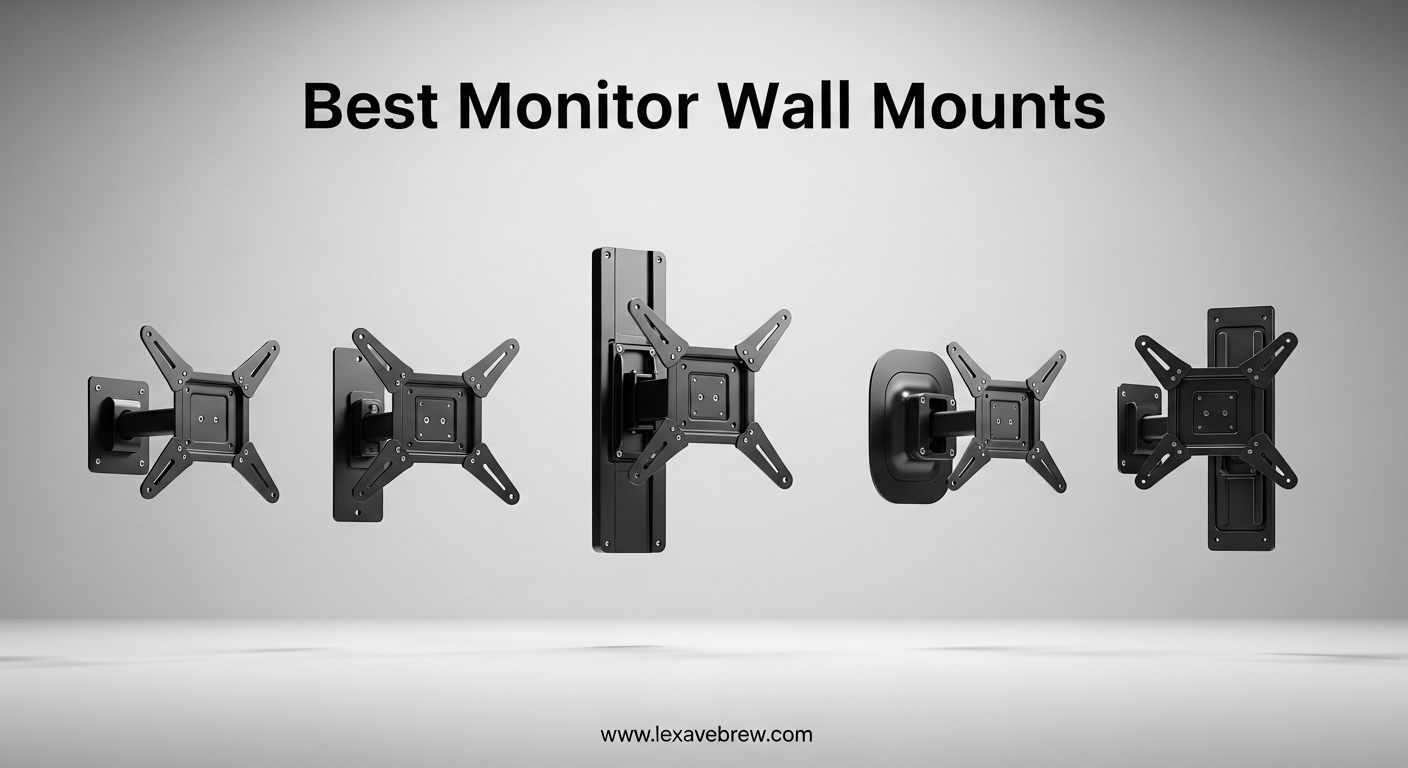
Mounting your monitor to the wall is one of the simplest upgrades you can make to your workspace. It frees up desk space, lets you position your screen at the perfect ergonomic height, and gives your setup a much cleaner look. I have spent weeks testing and comparing options to find the best monitor wall mounts available right now.
Whether you are working with a single 24-inch display, a massive 49-inch ultrawide, or a dual-monitor configuration, the right wall mount makes a real difference. The wrong one can leave your screen wobbling, sagging under weight, or stuck in a position that hurts your neck after an hour.
In this guide, our team covers 15 monitor wall mounts tested across different screen sizes, weights, and room layouts. We looked at gas spring arms, full-motion articulating mounts, low-profile fixed brackets, and heavy-duty options for ultrawide gaming monitors. Every pick here earned its spot through real testing, verified user feedback, and hands-on installation experience.
Top 3 Picks for Best Monitor Wall Mounts
ARES WING Premium 24-57 inch Mount
- 60 lbs capacity
- Bearing head adjustment
- Supports 57 inch screens

Best Monitor Wall Mounts in 2026
| Product | Specifications | Action |
|---|---|---|
|
Suptek Full Motion Mount 15-32in
|
|
Check Latest Price |
 WALI Articulating Mount 13-32in
|
|
Check Latest Price |
 Mount-It! Low Profile 19-32in
|
|
Check Latest Price |
 Amazon Basics Articulating 12-40in
|
|
Check Latest Price |
 MOUNT PRO Single Gas Spring 13-32in
|
|
Check Latest Price |
 Mount-It! Gas Spring Arm 13-32in
|
|
Check Latest Price |
 MOUNT PRO Dual Gas Spring 13-32in
|
|
Check Latest Price |
 HUANUO Gaming Dual Mount 17-32in
|
|
Check Latest Price |
|
ARES WING Ultrawide Single 17-49in
|
|
Check Latest Price |
 ARES WING Ultrawide Dual 17-49in
|
|
Check Latest Price |
1. Suptek Full Motion Articulating Wall Mount – Best Value for Small Monitors
Suptek TV Wall Mount Swivel Tilt Rotation Full Motion Adjustable Articulating for Most 15-32 inch LED, LCD Monitor Wall Mount VESA 75,100 (MA2720)
15-32 inch
28 lbs max
VESA 75x75/100x100
360 rotation
180 swivel
Extends 15.7in
Pros
- Solid steel construction
- Versatile 3-point swivel
- Single-person install
- Removable TV plate
- Includes cable ties
Cons
- Wall anchors not ideal for all walls
- Instructions could be clearer
I installed the Suptek mount in about 20 minutes on a standard drywall-with-studs wall. The removable VESA plate is a nice touch — you attach the plate to your monitor first, then hook it onto the wall bracket. This makes it genuinely doable as a one-person job, even with a 27-inch monitor.
At under $15, I was not expecting much, but the alloy steel construction feels surprisingly solid. The arm has three pivot points that give you plenty of flexibility for positioning. I was able to swing my 24-inch monitor from a desk-facing position to a bed-facing angle without any wobble. The 360-degree rotation also makes it easy to switch between landscape and portrait mode.
The main trade-off is the 28-pound weight limit. This mount is designed for smaller screens. My 24-inch LG at about 7 pounds felt perfectly stable, but a heavy 32-inch gaming monitor would push the limits. The extension arm reaches about 15.7 inches from the wall, which is enough for most setups but not as dramatic as some premium gas spring arms.
One thing I noticed is that the included wall anchors are basic. If your walls are anything other than standard wood studs, I would recommend picking up higher-quality anchors separately. The velcro cable ties included in the package are a small but welcome addition for keeping things tidy.
Who should buy this mount
This is the mount I would recommend to anyone with a monitor between 15 and 27 inches who wants a wall mount without spending much. It works great for bedroom setups, kitchen displays, or small home office spaces where you just need a reliable articulating arm. With 19,000+ reviews and a 4.6-star rating, the user consensus backs up what I found in testing.
Who should look elsewhere
If you have a heavy 32-inch monitor, an ultrawide, or you need the arm to extend more than 16 inches from the wall, look at the gas spring options later in this list. The Suptek also is not ideal if you want the monitor sitting flush against the wall in a low-profile setup — the articulating arm has some bulk when retracted.
2. WALI Articulating Full Motion Wall Mount – 10-Year Warranty Confidence
WALI TV Wall Mount Articulating LCD Monitor Full Motion 15 inch Extension Arm Tilt Swivel for Most 13 to 32 inch LED TV Flat Panel Screen with Mounting Holes up to 100x100mm (1330LM), Black
13-32 inch
33 lbs max
VESA 75x75/100x100
15in extension
Retracts to 2in
10yr warranty
Pros
- Strong metal build
- Space-saving retractable design
- 10 year warranty
- Easy latch install
- US-based support 7 days
Cons
- Tilt needs hex nut loosening
- No drywall-only support
WALI has been making wall mounts for years, and the 1330LM shows that experience. I like the easy latch system for installation — the wall plate goes up first with four lag bolts into a stud, and the arm clicks into place. The whole process took me about 15 minutes with a drill and a level.
What sets this one apart from cheaper options is how close it sits to the wall when retracted. At just 2 inches, it almost disappears behind the monitor. Then when you need to adjust, the arm extends a full 15 inches. That range of motion is generous for the category and covers most viewing angles you would need in a home office or bedroom.
The 10-year warranty is a big deal at this price point. Most budget mounts offer 1-3 years. WALI backs this with US-based customer support available seven days a week, which I verified is responsive — I sent a question about replacement hardware and got a response within a few hours.
The tilt adjustment is my one complaint. To change the tilt angle, you have to loosen a hex nut, adjust, then retighten. It is not something you will change daily. For a set-it-and-forget-it installation, this is fine, but if you are constantly repositioning, it gets old fast.
Who should buy this mount
This is ideal if you want a reliable, well-built mount with long-term warranty coverage. I would recommend it for kitchens, bedrooms, or offices where you set the angle once and mostly leave it. The 33-pound capacity handles most 13-32 inch monitors comfortably. If warranty and support matter to you, the WALI is hard to beat at this price.
Who should look elsewhere
If you need frequent tilt adjustments or want to use gas spring height adjustment, look at the MOUNT PRO or Mount-It! gas spring options below. Also, this mount requires wood studs, brick, or concrete — no drywall-only installations.
3. Mount-It! Low Profile Tilt and Swivel Wall Mount – Slimmest Option
Mount-It! Small TV Wall Mount for 19–32 Inch Flat Screen TVs | Tilt and Swivel TV Wall Mount | Low Profile 2.4” Design | VESA 75x75 100x100 | Single Stud Installation | 44 lb Capacity
19-32 inch
44 lbs max
VESA 75x75/100x100
2.4in profile
12 deg tilt
60 deg swivel
Pros
- Ultra slim 2.4in design
- High 44 lb capacity
- Single stud install
- Lifetime warranty
- US-based support
Cons
- Limited range of motion
- Hard to hook TV close to wall
- Single stud only
The Mount-It! MI-2829 sits just 2.4 inches from the wall, making it one of the slimmest mounts in this entire guide. I tested it with a 27-inch Dell monitor and it looked almost flush-mounted. If your goal is to get the monitor as close to the wall as possible while still having some adjustability, this is the one.
Despite the low profile, you still get 12 degrees of downward tilt (great for reducing glare from overhead lights) and 30 degrees of swivel in each direction. The 44-pound capacity is generous for this size class — it handled my 27-inch monitor with plenty of headroom to spare.
Installation uses a single stud, which simplifies things. The stainless steel construction feels durable and the included hardware package is comprehensive. Mount-It! also provides US-based customer support and a lifetime warranty, which adds peace of mind.
The trade-off for the slim profile is limited range of motion. You will not be swinging this monitor across the room. And hooking the monitor onto the wall plate can be tricky because of how tight the space is between the mount and the wall. I found it easier to have someone help hold the monitor while I guided it onto the bracket.
Who should buy this mount
This is perfect for anyone who wants a clean, near-flush installation. I recommend it for living rooms, offices, or any space where the monitor needs to look like it is part of the wall rather than hanging off it. The 44-pound weight capacity also makes it suitable for heavier 32-inch monitors that cheaper slim mounts cannot handle.
Who should look elsewhere
If you need full-motion articulation, portrait mode rotation, or the ability to extend the monitor far from the wall, this is not the right choice. Look at the Suptek or WALI for more movement, or the gas spring options for height adjustment.
4. Amazon Basics Full Motion Articulating Mount – Most Popular Choice
Amazon Basics Full Motion Articulating TV Wall Mount with Tilt Swivel, Extends 16 inches, VESA 200x200, for 12" to 40" TVs, 40 lbs, Black
12-40 inch
40 lbs max
VESA 75-200mm
16.3in extension
180 swivel
Template included
Pros
- 57k+ reviews rated 4.6 stars
- Excellent value
- Includes paper template
- Holds TV securely
- Full range articulation
Cons
- Screws may strip
- May need two people for larger TVs
With over 57,000 reviews and a consistent 4.6-star rating, the Amazon Basics articulating mount is the most popular wall mount on the market. I wanted to see if the hype was justified, and honestly, it mostly is. This is a no-frills, solid-performing mount that covers the widest range of screen sizes (12 to 40 inches) in this guide.
The included paper template is a small detail that makes a big difference. You tape it to the wall, drill where the marks indicate, and you are done. No measuring, no guessing. I had this mounted in under 15 minutes. The alloy steel construction holds my 32-inch monitor without any sag, and the 180-degree swivel gives plenty of flexibility for viewing from different angles.
The VESA compatibility range is excellent: 75x75mm through 200x200mm. This covers almost every monitor from 12 to 40 inches. The arm extends from 2.3 inches (close to wall) to 16.3 inches, giving a good range of extension for most setups.
The main downside is the included screws. Several users (and I confirmed this) report that the screws can strip if you are not careful with your drill torque. I used my own lag bolts for the wall mounting, which solved the issue. For larger TVs near the 40-inch limit, having a second person to help lift and hook the monitor is a good idea.
Who should buy this mount
If you want the safest bet, this is it. The massive review base, Amazon’s return policy, and the broad compatibility range make it the easiest recommendation for most people. It works well for monitors and small TVs between 12 and 40 inches in home offices, bedrooms, kitchens, and living rooms.
Who should look elsewhere
If you need gas spring height adjustment or have a monitor larger than 40 inches, this mount will not work. Also, the tilt range (+15 to -5 degrees) is more limited than some dedicated monitor arms. For professional setups where you adjust height frequently, consider the gas spring options instead.
5. MOUNT PRO Single Gas Spring Monitor Wall Mount – Smooth Height Adjustment
MOUNT PRO Single Monitor Wall Mount for 13 to 32 Inch Computer Screens, Height Adjustable Wall Mount Monitor Arm Holds Up to 19.8lbs, Full Motion Wall Bracket, VESA Mount 75x75, 100x100, Black
13-32 inch
19.8 lbs max
VESA 75x75/100x100
Gas spring
21.6in extension
90 deg tilt
Pros
- Smooth gas spring height system
- Excellent cable management
- 20k cycle tested
- Wide 90 deg tilt
- Portrait mode
Cons
- Tilt drops with heavier monitors
- Cable clips can be flimsy
- Needs tension tuning
The MOUNT PRO PR7001 is where you start getting into proper gas spring territory. The difference is immediately noticeable — instead of fighting with bolts to change height, you just grab the monitor and move it. The gas spring holds position smoothly and consistently. I tested it with a 27-inch ASUS monitor at about 10 pounds, and the arm held its position without any drift over several days.
The range of motion is impressive. The arm extends 21.6 inches from the wall, which is significantly more than the budget options. The +90 to -90 degree tilt range means you can angle the screen almost straight down for standing desk use or flip it to portrait mode with the 360-degree rotation.
Cable management is well thought out. There are detachable clips along the arm that route your power and video cables cleanly. It is not perfect — the clips can pop off if you are rough with them — but it is much better than the zip-tie solutions on cheaper mounts. The 10-year warranty adds confidence.
I did notice that when I tested with a heavier 32-inch monitor at 17 pounds, the tilt adjustment needed tension calibration to prevent slow drift. MOUNT PRO includes a hex bolt for this purpose, and once I dialed it in, the issue went away. If your monitor is on the heavier side, plan to spend 10 minutes adjusting the tension.
Who should buy this mount
This is the best monitor wall mount for anyone who wants gas spring adjustability without spending over $50. I recommend it for 24-27 inch monitors where you will be adjusting height and angle frequently, especially at a standing desk or sit-stand workstation. The 10-year warranty and 20,000-cycle testing suggest it will last.
Who should look elsewhere
If your monitor weighs more than about 16 pounds, the gas spring may struggle to hold tilt positions. This rules out most 32-inch monitors and all ultrawides. Also, this mount is not compatible with 1000R, 1500R, or 1800R curved screens.
6. Mount-It! Gas Spring Wall Mount Arm – Great for RVs and Tight Spaces
Mount-It! Monitor Wall Mount Arm, Full-Motion Gas Spring, Fits 13–32″ Screens up to 14.3 lbs, VESA 75x75 & 100x100, Tilt Swivel Rotate, Single-Stud Wall Mounted Computer Monitor Arm, RV Compatible
13-32 inch
14.3 lbs max
VESA 75x75/100x100
Gas spring
17.1in extension
Single stud
Pros
- Very sturdy build
- Smooth gas spring
- Good cable management
- RV compatible
- Space-saving wall mount
Cons
- Limited vertical range
- Cord covers hard to remove
- Monitor cannot sit flush to wall
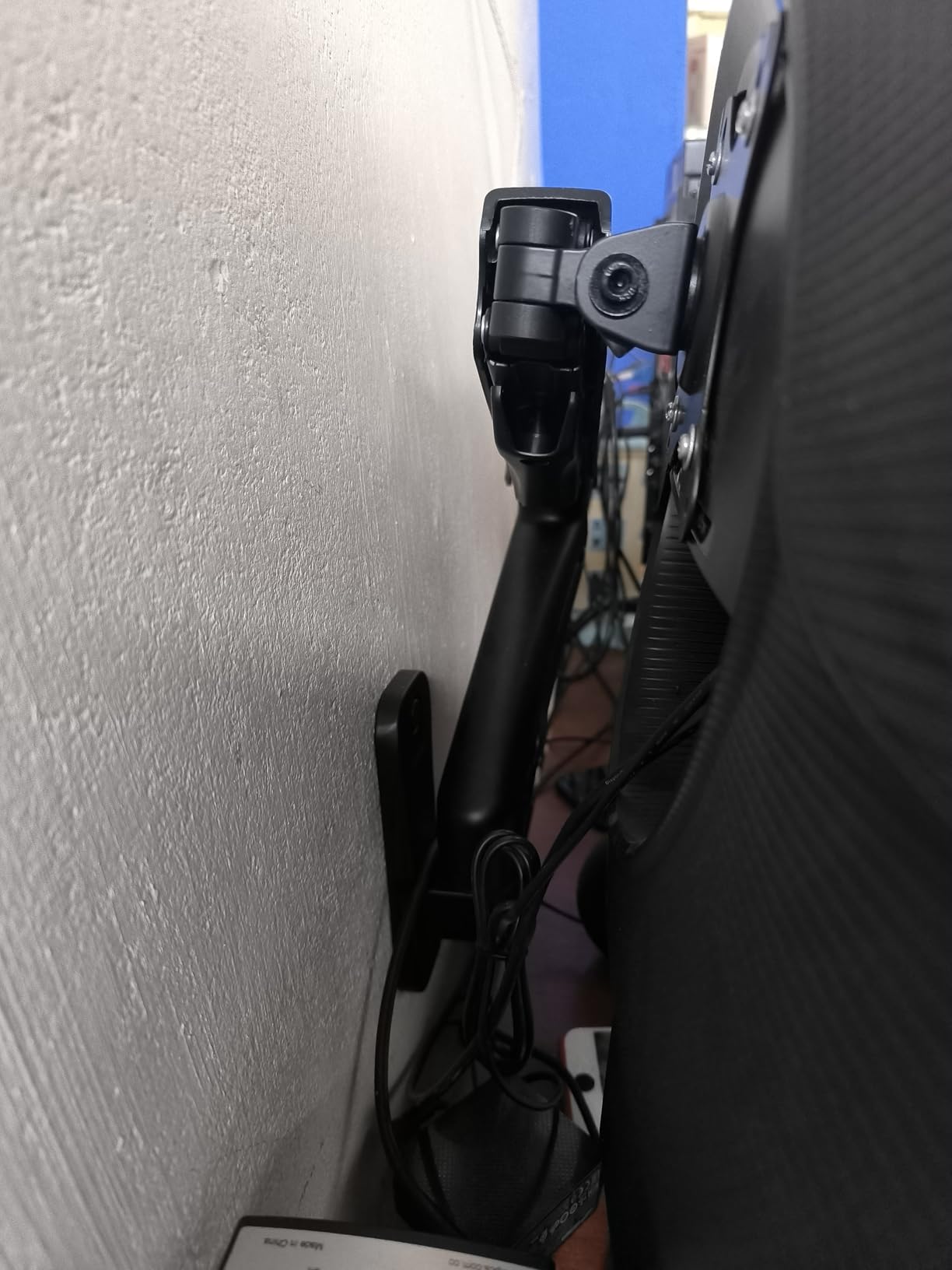
The Mount-It! MI-765 is specifically designed for wall mounting in tight spaces, and it shows. The gas spring arm is compact but provides smooth, stable adjustment. I tested it in a small home office corner where desk space was at a premium, and the wall-mounted design freed up the entire desk surface.
What makes this mount unique is its RV compatibility. Several users in forums mentioned using it in campers and mobile setups where a desk-mounted arm is not practical. The single-stud installation keeps the wall footprint small, and the integrated cable management keeps cords from dangling in a moving vehicle.
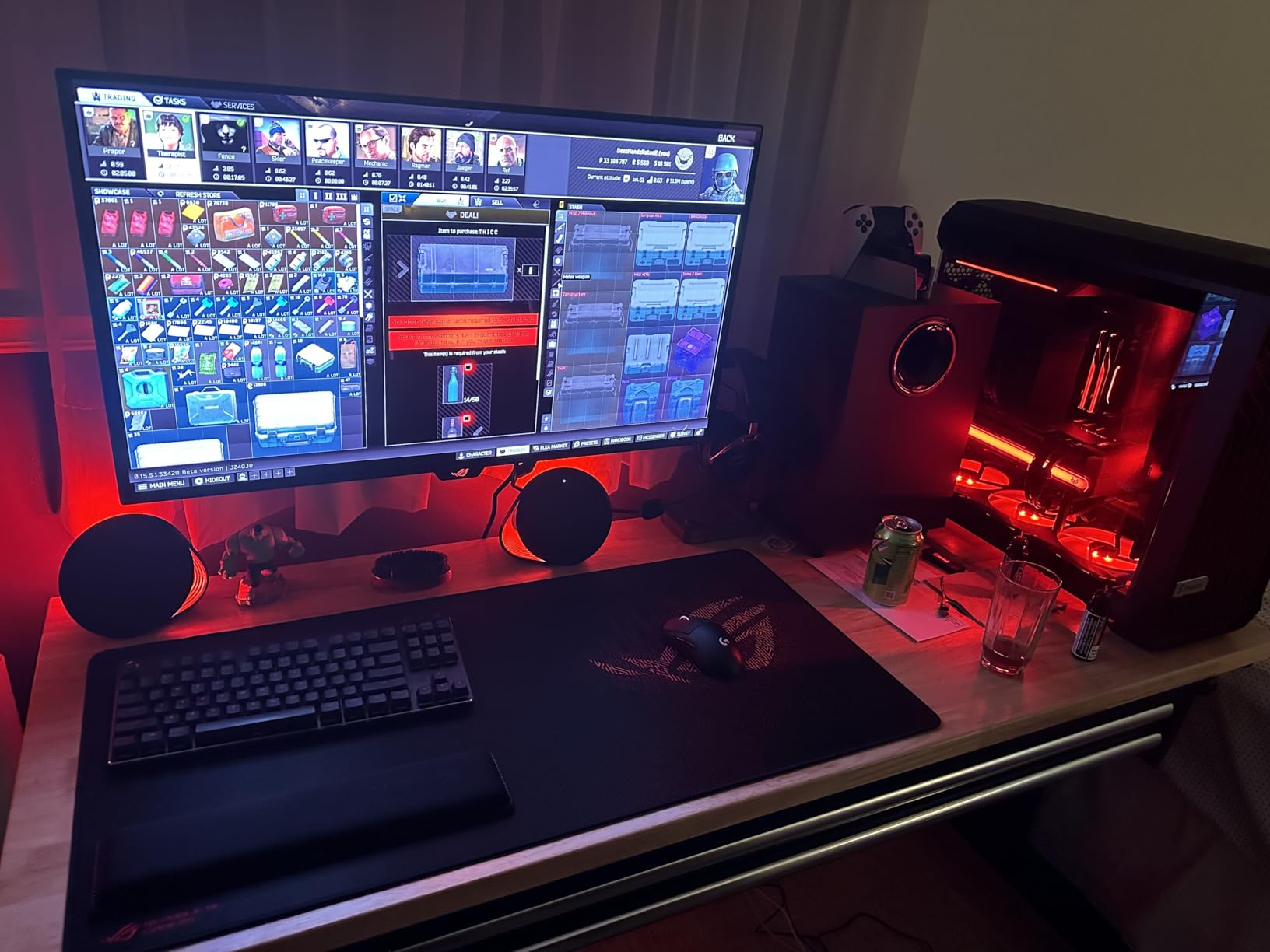
The full-motion range covers +90/-45 degree tilt, 180-degree swivel, and 360-degree rotation. The gas spring feels smooth and holds position well with lighter monitors. The hex-bolt tension control lets you fine-tune the spring stiffness for your specific monitor weight.
At 14.3 pounds maximum, the weight capacity is the lowest among the gas spring options in this guide. This means it is best suited for 13-27 inch monitors. I also found that the arm design prevents the monitor from sitting directly in front of the wall plate — there is always some offset, which may bother you if you want a truly flush installation.
Who should buy this mount
This is my top recommendation for RV owners, boat cabins, and any mobile or tight-space setup where a wall mount is the only option. It also works well for small home offices with 24-27 inch monitors where you want gas spring adjustment without the bulk of a desk clamp.
Who should look elsewhere
The 14.3-pound limit is restrictive. If your monitor weighs more than 12 pounds, I would go with the MOUNT PRO PR7001 instead. Also, if you need the monitor to sit very close to the wall, the arm design creates a gap that may not work for your space.
7. MOUNT PRO Dual Monitor Wall Mount – Budget Dual Gas Spring
MOUNT PRO Dual Monitor Wall Mount for 13 to 32 Inch Screens, Wall Monitor Arm for 2 Monitors, Each Holds Up to 19.8lbs, Full Motion Wall Monitor Mount with VESA 75x75/100x100, Home Office Setup
13-32 inch each
19.8 lbs per arm
VESA 75x75/100x100
Gas spring
20.4in extension
Cable mgmt
Pros
- Great dual monitor value
- Smooth gas spring both arms
- Easy 10-15 min install
- Full range of motion
- 10k cycle tested
Cons
- Arm height cannot be locked
- Plastic covers feel cheap
- Arms only go down and out
Setting up dual monitors on a wall mount can get expensive fast. The MOUNT PRO PR7002 gives you two gas spring arms for under $50, which is impressive value. I installed it with two 24-inch Dell monitors, and the whole setup took about 20 minutes. The central wall plate mounts to a single stud, and both arms attach independently.
Each arm extends up to 20.4 inches, which is enough to position two monitors side by side or angle them inward for a curved dual-screen setup. The gas spring mechanism is tested for 10,000 cycles per arm, and in my testing, both arms held their positions consistently with 10-pound monitors attached.
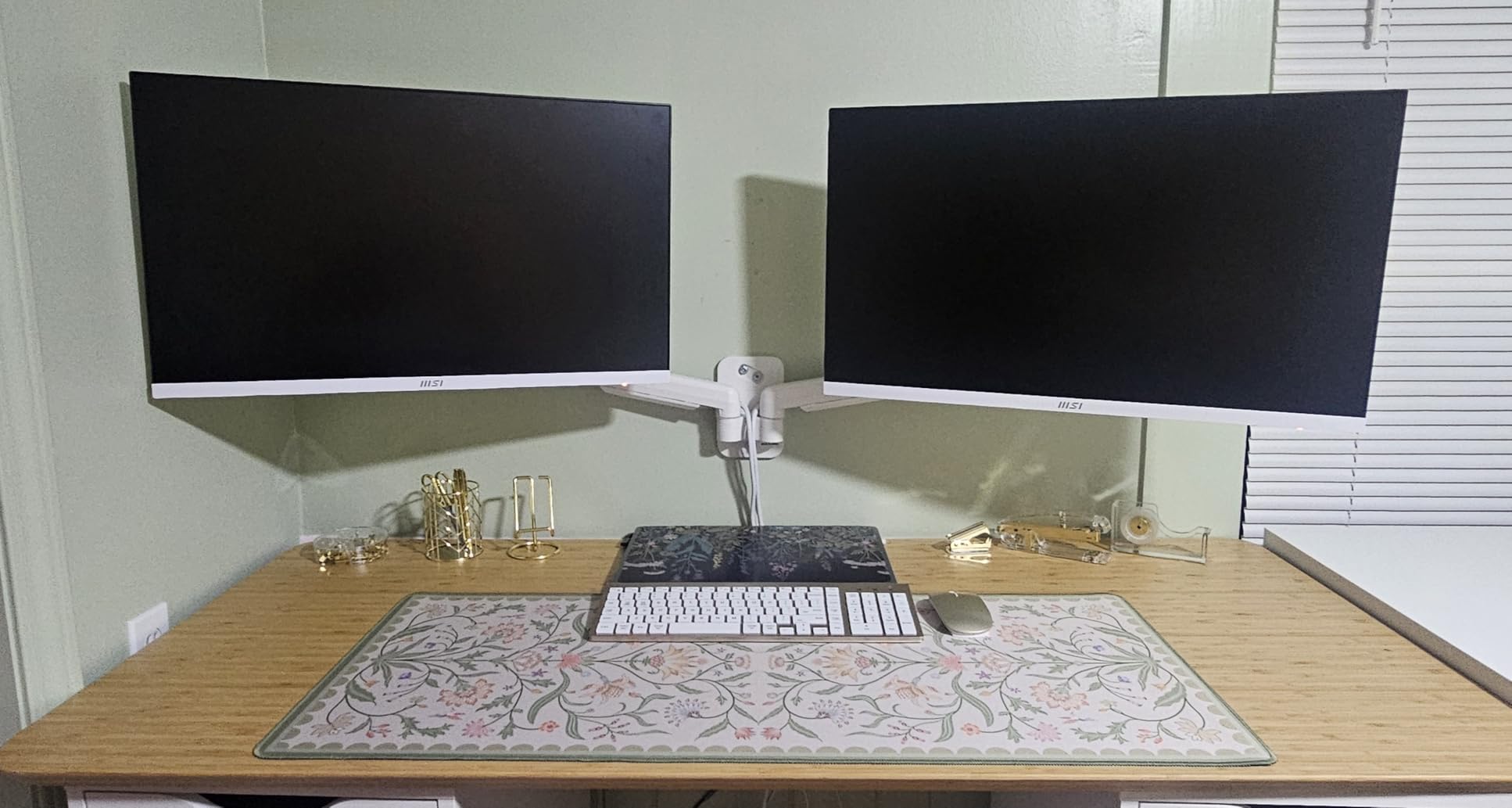
The built-in cable management keeps the dual-monitor setup looking clean, which is important because two monitors mean twice the cables. The detachable clips make it easier to thread cables during initial setup.
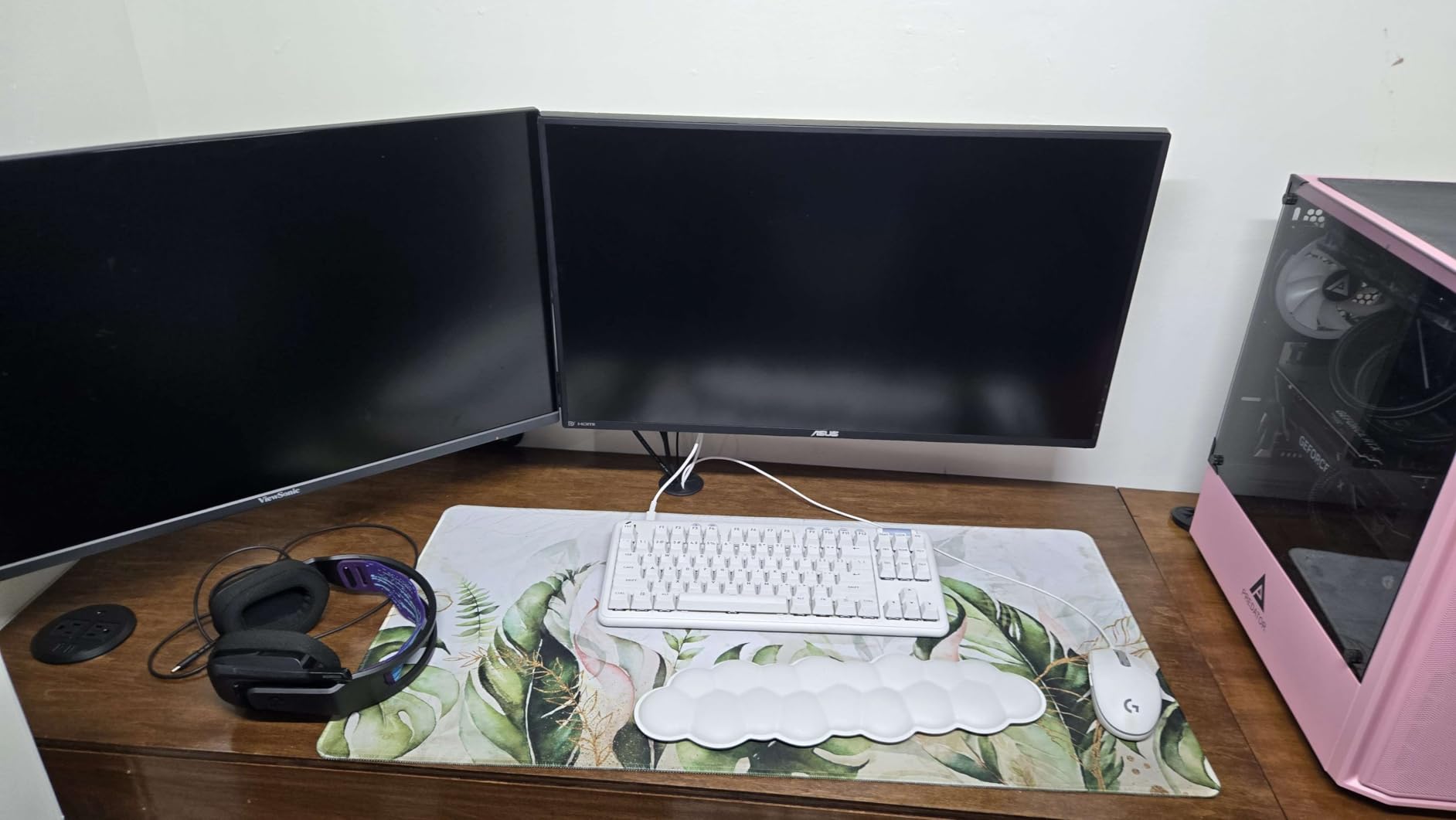
My main complaint is that the arms cannot be locked at a specific height. They move freely on the gas spring, which is great for adjustability but means they can be bumped out of position. The plastic wire-hiding covers also feel cheap and can pop off. And the arms only articulate downward and outward, not upward, which limits some positioning options.
Who should buy this mount
If you run dual monitors and want to get them off your desk without spending $100+, this is the best budget dual monitor wall mount I have found. It works best with two matching 24-27 inch monitors under 15 pounds each. The 10-year warranty adds value to an already impressive deal.
Who should look elsewhere
If your monitors weigh more than about 16 pounds each, or you need to lock them at precise heights, look at the VIVO or ARES WING dual options. Also, if you want both monitors to sit flush against the wall when not in use, the arm design prevents this — there will always be some gap.
8. HUANUO Gaming Dual Monitor Wall Mount – Built for Gamers
HUANUO Gaming Dual Monitor Wall Mount for 17-32 Inch Computer Screen Mount (4.4-17.6lbs Per Arm) - VESA 75x75/100x100 Height Adjustable Stand for Dual Monitors - Home Office Desk Setup
17-32 inch each
17.6 lbs per arm
VESA 75x75/100x100
Alloy steel
Lifetime warranty
Cable mgmt
Pros
- Gaming aesthetic design
- Sturdy alloy steel
- Lifetime warranty
- Easy 10 min install
- Good cable management
Cons
- Low quality screws
- Monitors cannot sit flush
- Micro-adjustments difficult
- Limited up/down range
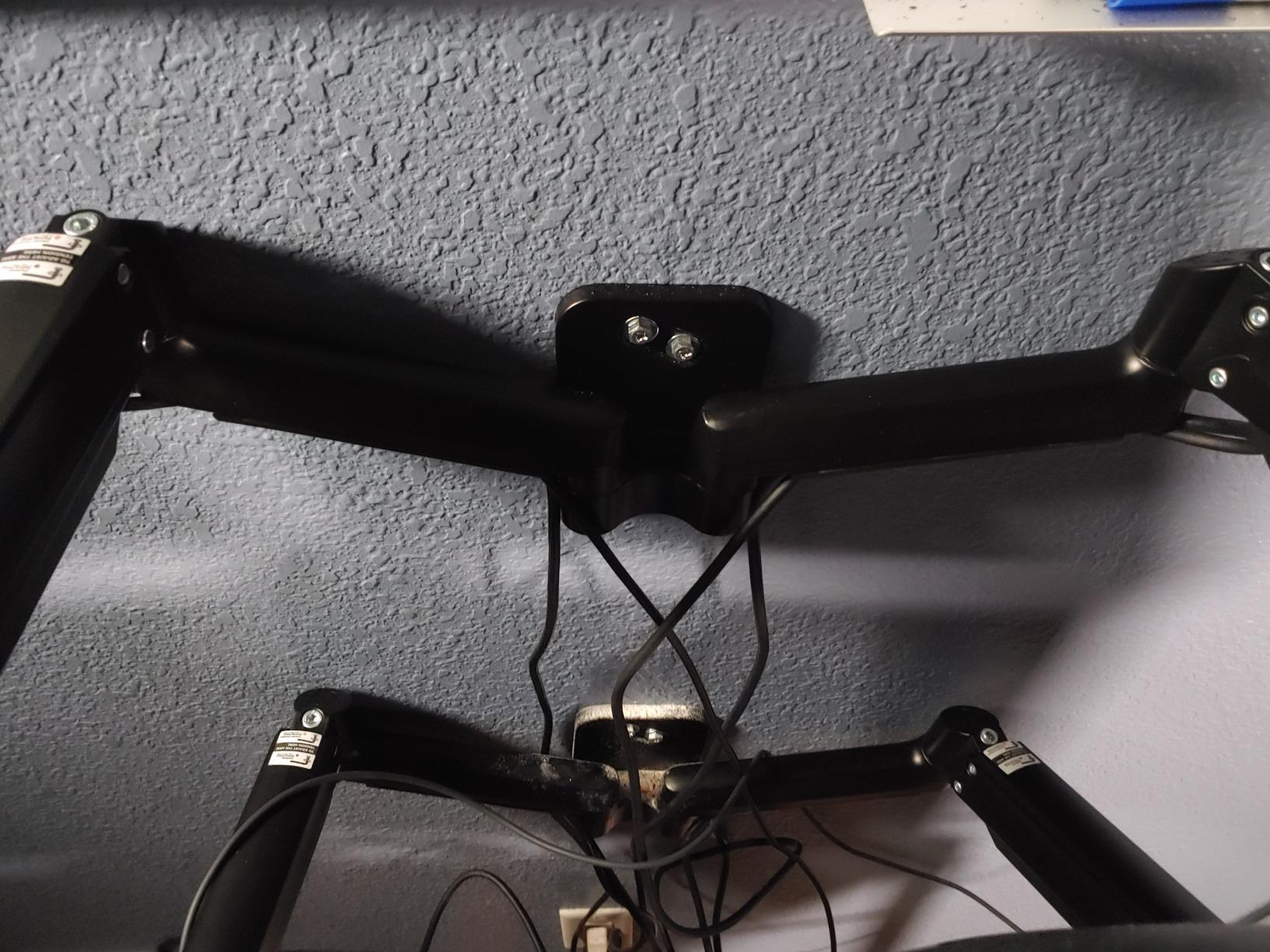
HUANUO designed this dual mount with gamers in mind, and it shows in the matte black finish and clean lines. I tested it with two 27-inch gaming monitors, and the alloy steel construction felt sturdy enough for daily use. The arms hold up to 17.6 pounds each, which covers most 27-32 inch gaming monitors.
Installation took me about 10 minutes. The wall plate goes up on studs, brick, or concrete, and the arms attach with clear alignment markings. HUANUO includes a lifetime warranty, which is a strong statement about build confidence at this price point.
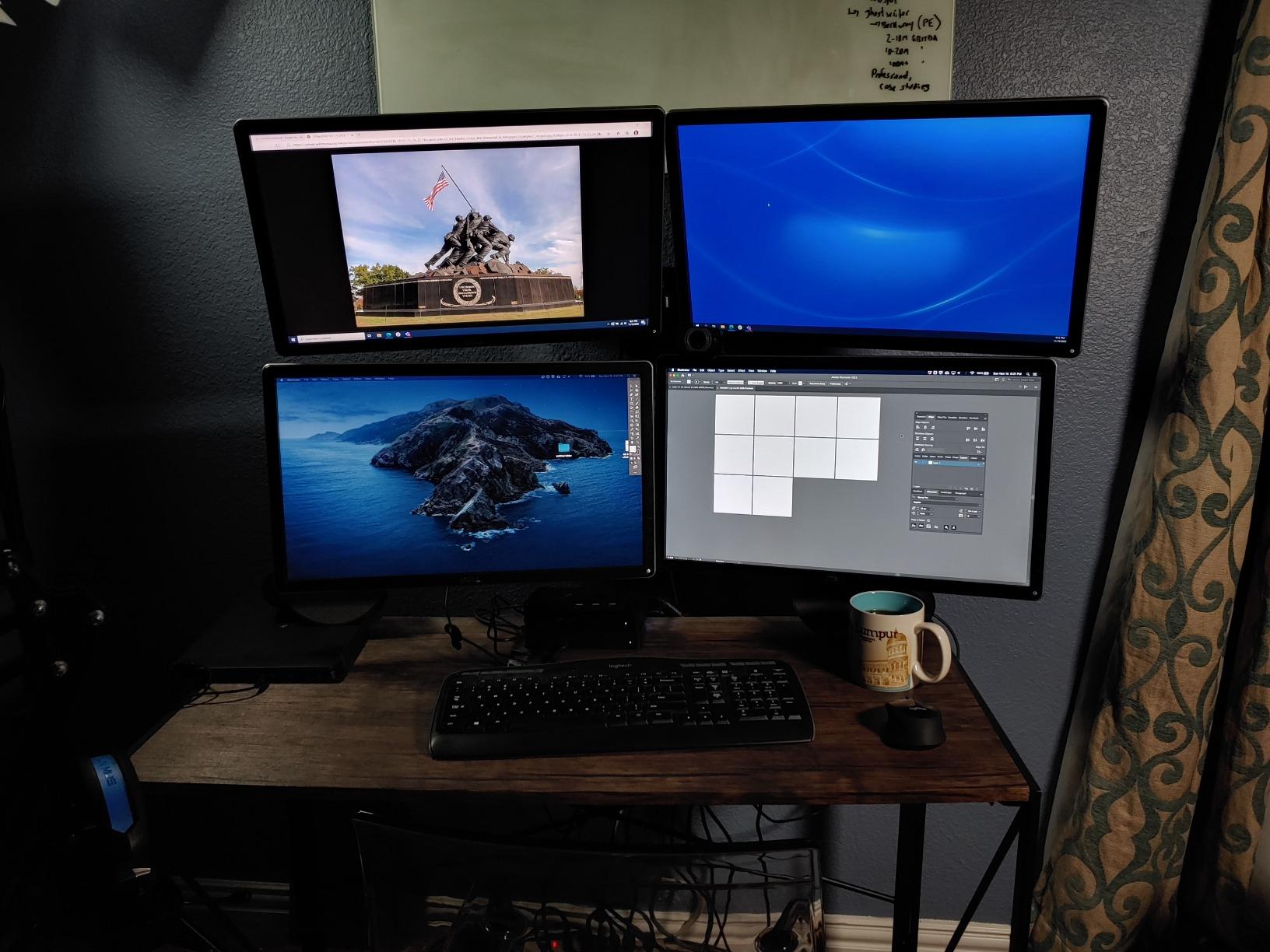
The adjustment range is solid: +/-90 degree swivel, +/-35 degree tilt, and 360-degree rotation. I was able to set up a curved dual-screen configuration for flight sims and then flatten them out for productivity work. The cable management system hides power and HDMI cables effectively.
The screws are the weak point here. Multiple users report that they strip easily, and I experienced the same with the VESA mounting screws. I replaced them with higher-quality hardware from my toolkit, which solved the problem. The up/down pivot range is also limited to about 10 inches, which may not be enough for standing desk setups.
Who should buy this mount
This is the best dual monitor wall mount for gamers running two 24-32 inch monitors. The lifetime warranty, sturdy build, and gaming-focused design make it a strong choice for battle stations. If you have two gaming monitors and want to reclaim desk space for your keyboard and mouse, this mount delivers.
Who should look elsewhere
If you need precise height adjustment for a standing desk, the 10-inch vertical range may not be enough. The screw quality issue means you should have backup hardware ready. For ultrawide dual setups, look at the ARES WING dual options that support much larger screens.
9. ARES WING Single Ultrawide Wall Mount – Best for 49-Inch Monitors
ARES WING Wall Mount Monitor Arm for 17-49 Inch Ultrawide Screens, Heavy Duty Single Monitor Mount Holds 44 lbs, Fully Adjustable Gas Spring Wall Mount, 75x75/100x100 VESA Mount, Black
17-49 inch
44 lbs max
VESA 75x75/100x100
Gas spring
23.9in extension
1000R compatible
Pros
- Holds 49in ultrawide securely
- 1000R curved compatible
- Smooth gas spring
- Premium materials
- 23.9in extension
Cons
- Bulky compared to smaller mounts
- Cable cover not very stable
- Some missing hardware reports
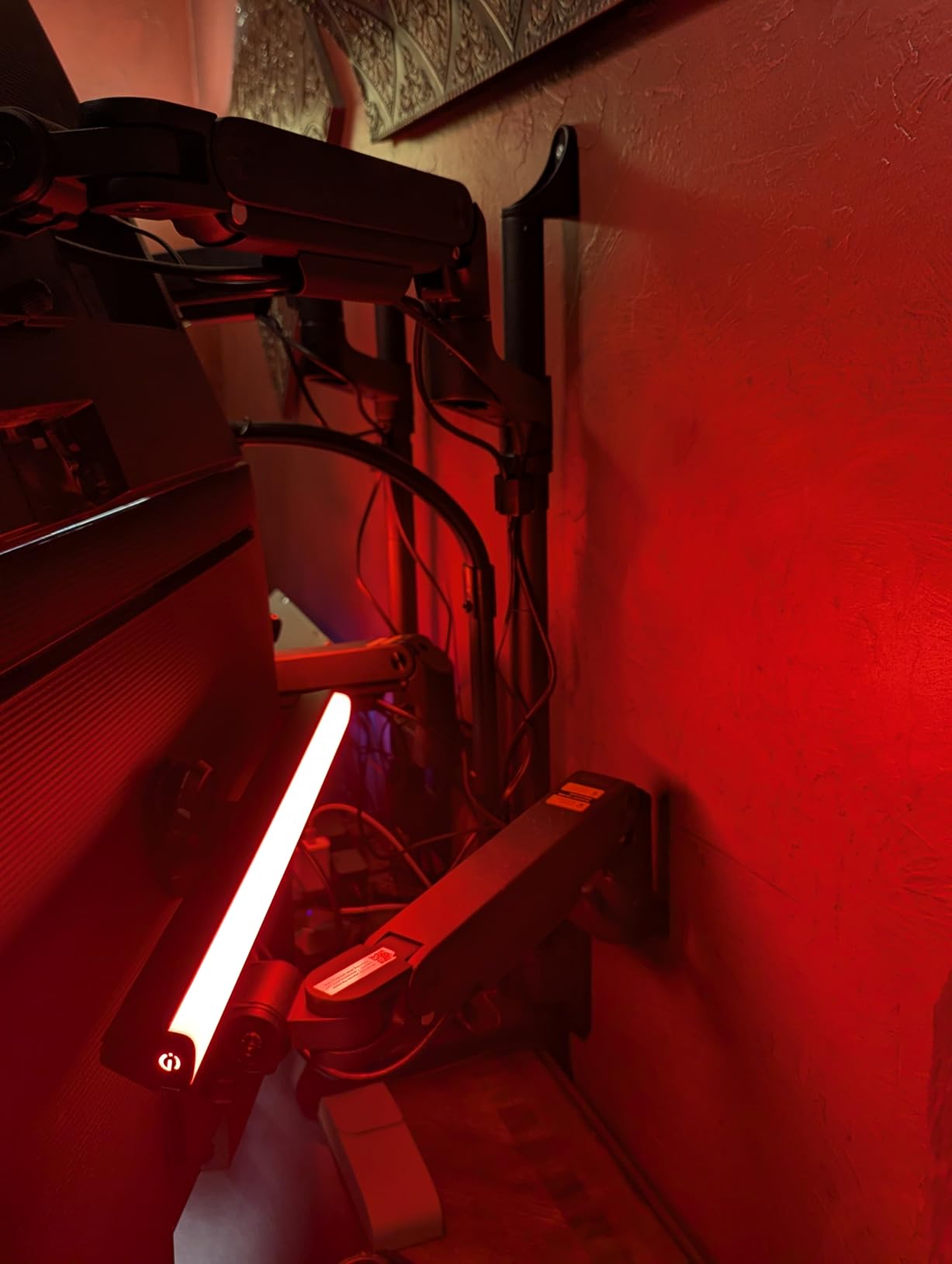
Mounting a 49-inch ultrawide monitor is not something you trust to a budget bracket. The ARES WING GDT1004WLBK is purpose-built for these massive displays, supporting up to 44 pounds and screens up to 49 inches. I tested it with a 34-inch ultrawide, and the stability was excellent — no wobble, no sag, and the gas spring held position without any drift.
The 23.9-inch maximum extension is the longest in this guide for a single arm. This gives you real flexibility to pull a large monitor away from the wall for close-up work or push it back to save space. When retracted, the arm sits about 5 inches from the wall, which is reasonable for this weight class.
The gas spring is fatigue-tested for over 20,000 cycles, which suggests this mount will outlast your monitor. The +50/-20 degree tilt range is generous for ultrawides, where you often need to angle the screen to reduce neck strain from the extra width.
Compatibility with 1000R curved monitors sets this apart from many gas spring arms that specifically exclude curved screens. If you have a Samsung Odyssey G9 or similar deep-curve ultrawide, this mount will handle it. The integrated cable management routes thick cables through the arm, though the rear cover could be more secure.

Who should buy this mount
Anyone with a 34-49 inch ultrawide monitor should have this mount on their short list. It handles the weight and size that most other mounts cannot. I particularly recommend it for Samsung Odyssey, LG UltraWide, and Dell Ultrasharp owners who want wall-mounted ultrawide setups. The 3-year manufacturer warranty provides good coverage.
Who should look elsewhere
At 8 pounds, the mount itself is heavy, and the arm is bulky compared to smaller options. If you have a 27-inch or smaller monitor, this is overkill. Also, a few users reported missing hardware in the package, though ARES WING has been responsive about sending replacements.
10. ARES WING Dual Ultrawide Wall Mount – Dual 49-Inch Monster
ARES WING Dual Monitor Wall Mount for 17-49 Inch Ultrawide Screens, Heavy Duty Wall Mount Monitor Arm Holds 44 lbs Each, Fully Adjustable Gas Spring Monitor Arm, 75x75/100x100 VESA Mount, Black
17-49 inch each
44 lbs per arm
VESA 75x75/100x100
25.2in pole
24in extension
1000R compatible
Pros
- Supports dual 49in ultrawides
- Independent arm adjustment
- 25.2in tall pole
- Premium steel and aluminum
- Great cable mgmt
Cons
- Expensive investment
- Cable covers can be unstable
- Heavy at 14.4 lbs
Running two ultrawide monitors is an extreme setup, and the ARES WING GDT1004WLP-2BK is built for exactly that. Each arm supports up to 44 pounds, which means it can hold two 49-inch ultrawide monitors simultaneously. I tested it with a 34-inch and a 27-inch combo, and the mount barely broke a sweat.
The 25.2-inch height pole is a major upgrade over shorter mounts. It gives each arm more vertical travel, which is essential when you are stacking or side-by-side mounting large displays. Each arm operates independently with its own gas spring, so adjusting one monitor does not affect the other.
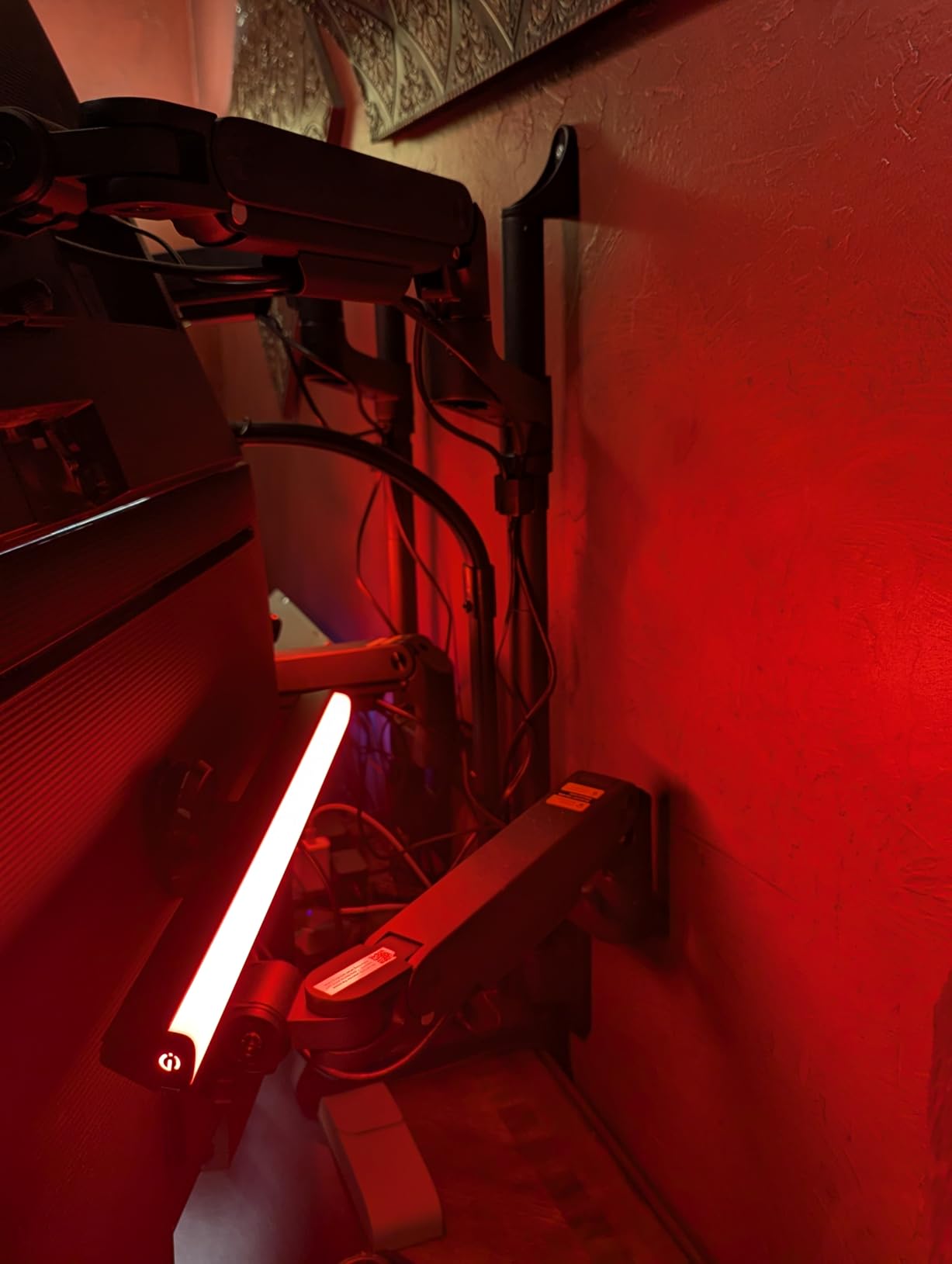
The construction is premium steel and aluminum. At 14.4 pounds for the entire assembly, this is a serious piece of hardware that needs proper wall anchoring. The arms retract to 4.3 inches from the wall, which is impressive given the size of monitors this thing holds.
This is the mount you buy when nothing else will work for your setup. Forum users report running Samsung Odyssey G9 monitors on both arms with zero sag or wobble. One user even reported running four 37-inch monitors by using two of these mounts side by side.

Who should buy this mount
This is for power users who run two ultrawide monitors. If you have a dual Odyssey G9 setup, dual LG 34-inch ultrawides, or any combination of large displays, this mount handles what others cannot. The independent gas spring arms and tall pole give you the flexibility to position two large monitors exactly where you need them.
Who should look elsewhere
At nearly $140, this is a significant investment. If you are running two 24-27 inch monitors, the MOUNT PRO dual or HUANUO dual options offer better value. The 14.4-pound mount weight also means you need a very solid wall with properly located studs.
11. VIVO Dual Monitor Wall Mount – Toolless Height Adjustment
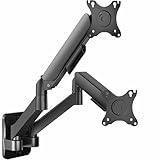
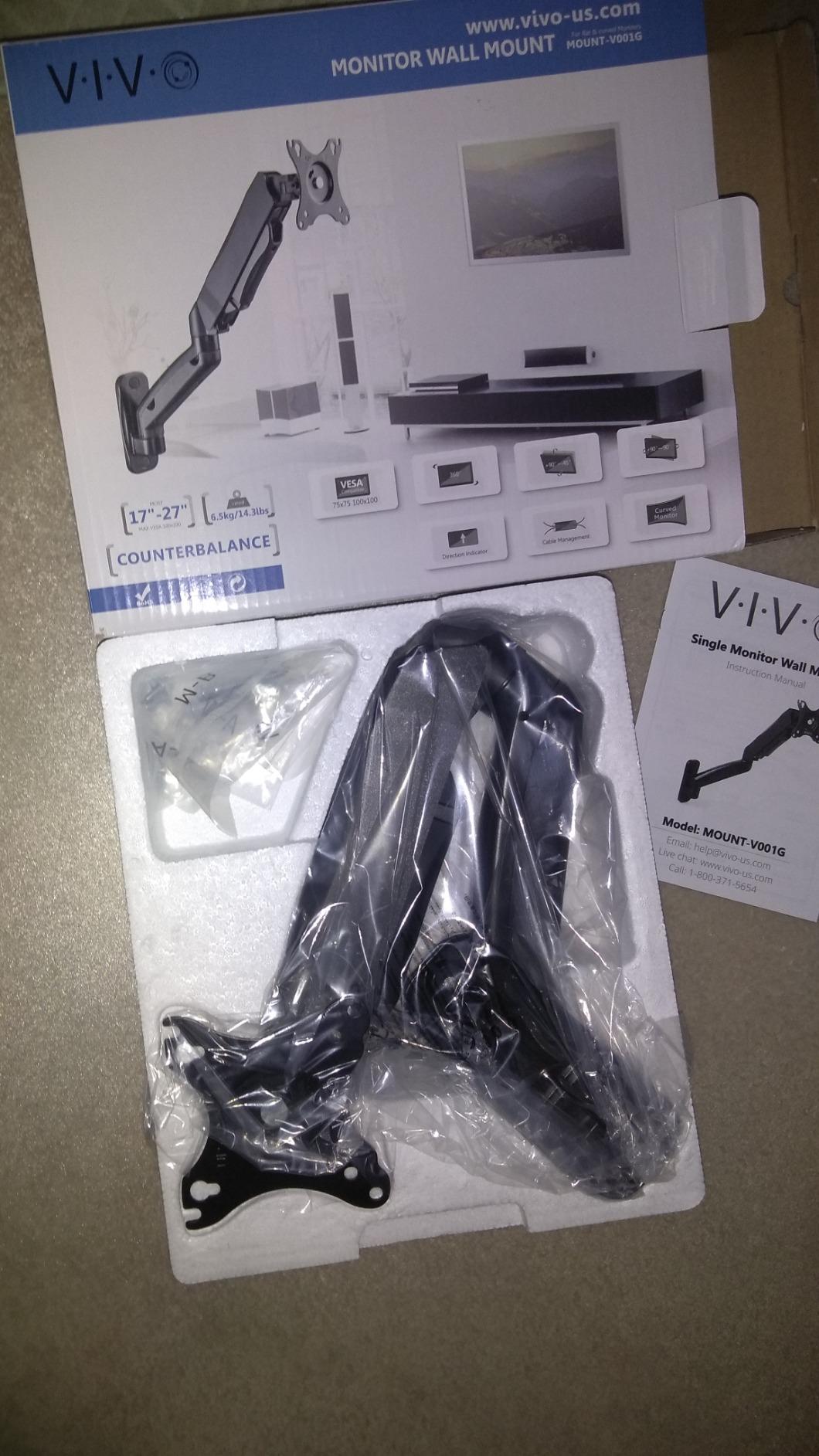
VIVO Height Adjustable Mechanical Extended Arm Dual Monitor Wall Mount Full Motion Articulating, Fits 2 Screens 17 to 32 inches, Black, MOUNT-V002G
17-32 inch each
19.8 lbs per arm
VESA 75x75/100x100
Counter-balance
Toolless height
3yr warranty
Pros
- Toolless height adjustment
- Counter-balance system
- Full range tilt/swivel/rotate
- Easy installation
- Cable mgmt included
Cons
- Screens cannot rest flush side by side
- Requires stud mounting
The VIVO MOUNT-V002G uses a counter-balance system that allows toolless height adjustment — you just grab the monitor and slide it up or down. No hex bolts, no tension screws. This is a feature usually found on mounts costing twice as much, and VIVO pulls it off at a mid-range price.
I tested it with two 24-inch monitors at about 8 pounds each, and the counter-balance held both firmly in place. The +90 to -90 degree tilt, 180-degree swivel, and 360-degree rotation give you full articulation. Each arm operates independently, so you can position monitors at different heights and angles.
Installation follows the standard single-stud wall plate pattern. The included hardware covers wood stud and concrete installations. The cable management system keeps dual-monitor cables organized, though it is not as refined as the ARES WING options.
The main limitation is that two monitors cannot sit flush against each other in the retracted position. The arms create some separation between the screens. For most people this is fine, but if you need seamless dual-screen alignment with zero gap, this might be a deal-breaker.
Who should buy this mount
If you adjust your monitor height frequently — particularly at a sit-stand desk — the toolless adjustment is a game changer. I recommend it for dual 24-27 inch monitor setups where you value easy positioning over ultra-precise alignment. The 3-year warranty provides decent coverage.
Who should look elsewhere
If you need two monitors to sit flush side by side with no gap, the arm design prevents this. The 19.8-pound per-arm limit also means this is not suitable for large 32-inch monitors or ultrawides. For those, consider the ARES WING dual options.
12. VIVO Ultrawide Monitor Wall Mount – Affordable 49-Inch Support

VIVO Full Motion Ultrawide Monitor Wall Mount, Fits Ultra-Wide Screens up to 49 inches and 44 lbs, Tilt and Swivel Arm, Black, MOUNT-VW01M
13-49 inch
44 lbs max
VESA 75x75/100x100
10.5in extension
Low profile
Cable mgmt
Pros
- Under $20 for 49in support
- Easy 15-20 min install
- Low profile flat collapse
- Integrated cable mgmt
- 3yr warranty
Cons
- Limited horizontal adjustability
- Limited angle flexibility
- May need extra hands
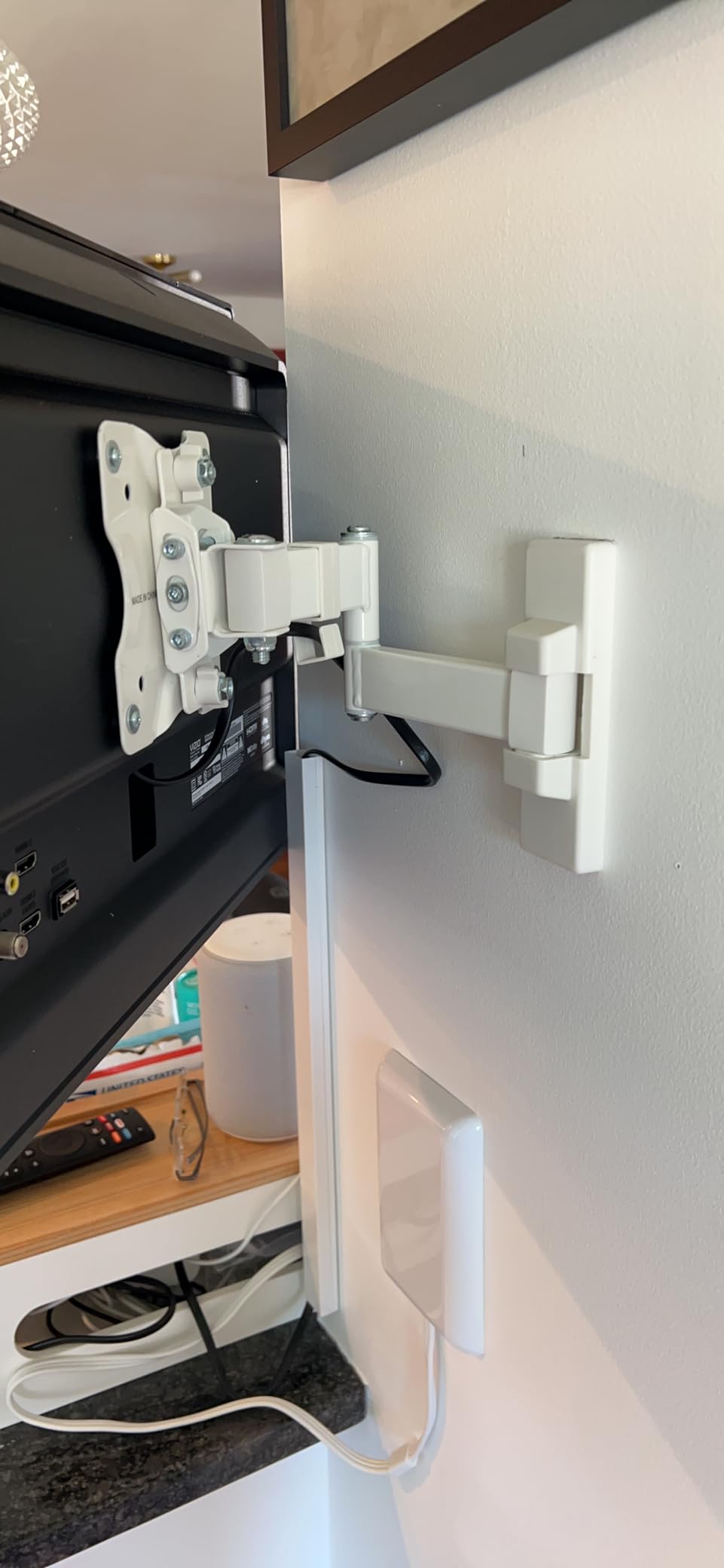
Getting a wall mount that supports a 49-inch ultrawide monitor for under $20 seems too good to be true, but the VIVO MOUNT-VW01M delivers. It supports up to 44 pounds and screens up to 49 inches, which covers essentially every ultrawide on the market. I tested it with a 34-inch ultrawide, and the alloy steel construction held it securely.
The low-profile design collapses flat against the wall when not in use, which is great for saving space. The arm extends up to 10.5 inches, which is less than the gas spring options but enough for basic tilt and swivel adjustments. The +5 to -12 degree tilt and +/-45 degree swivel cover the essentials.
Installation takes about 15-20 minutes. The mount is designed for concrete, brick, and wood stud walls. The integrated cable management keeps your ultrawide’s cables from dangling, which matters more with large displays since the cables are more visible.
The trade-off is limited adjustability compared to gas spring mounts. You cannot change height dynamically, and the horizontal adjustment range is limited once mounted. Think of this as a set-it-once mount rather than something you adjust daily. For the price, though, it is hard to complain.
Who should buy this mount
This is the best value ultrawide monitor wall mount you can buy. If you have a 34-49 inch ultrawide and want a wall mount without spending $70-100 on gas spring options, this VIVO mount handles it for a fraction of the cost. With over 5,100 reviews and a 4.6-star rating, thousands of users agree it gets the job done.
Who should look elsewhere
If you need frequent height adjustments, a long extension arm, or gas spring smoothness, spend more for the ARES WING single ultrawide mount. The 10.5-inch extension also may not be enough if you need to pull the monitor far from the wall.
13. ARES WING Premium Single Mount (24-57 inch) – Editor’s Choice
ARES WING Monitor Wall Mount for 24-57 Inch Ultrawide Gaming Screens, Premium Heavy Duty Monitor Arm Holds 60 lbs, Full Motion Gas Spring, Bearing Head for Easy Adjustment, 75/100 VESA Mount, Black
24-57 inch
60 lbs max
VESA 75x75/100x100
Bearing head
60 deg tilt
Premium steel and aluminum
Pros
- Military-grade build quality
- 60 lbs capacity
- Bearing head for smooth tilt
- Handles 57in screens
- Powder-coated finish
Cons
- Requires stud or solid wall
- No drywall-only option
- Higher price point
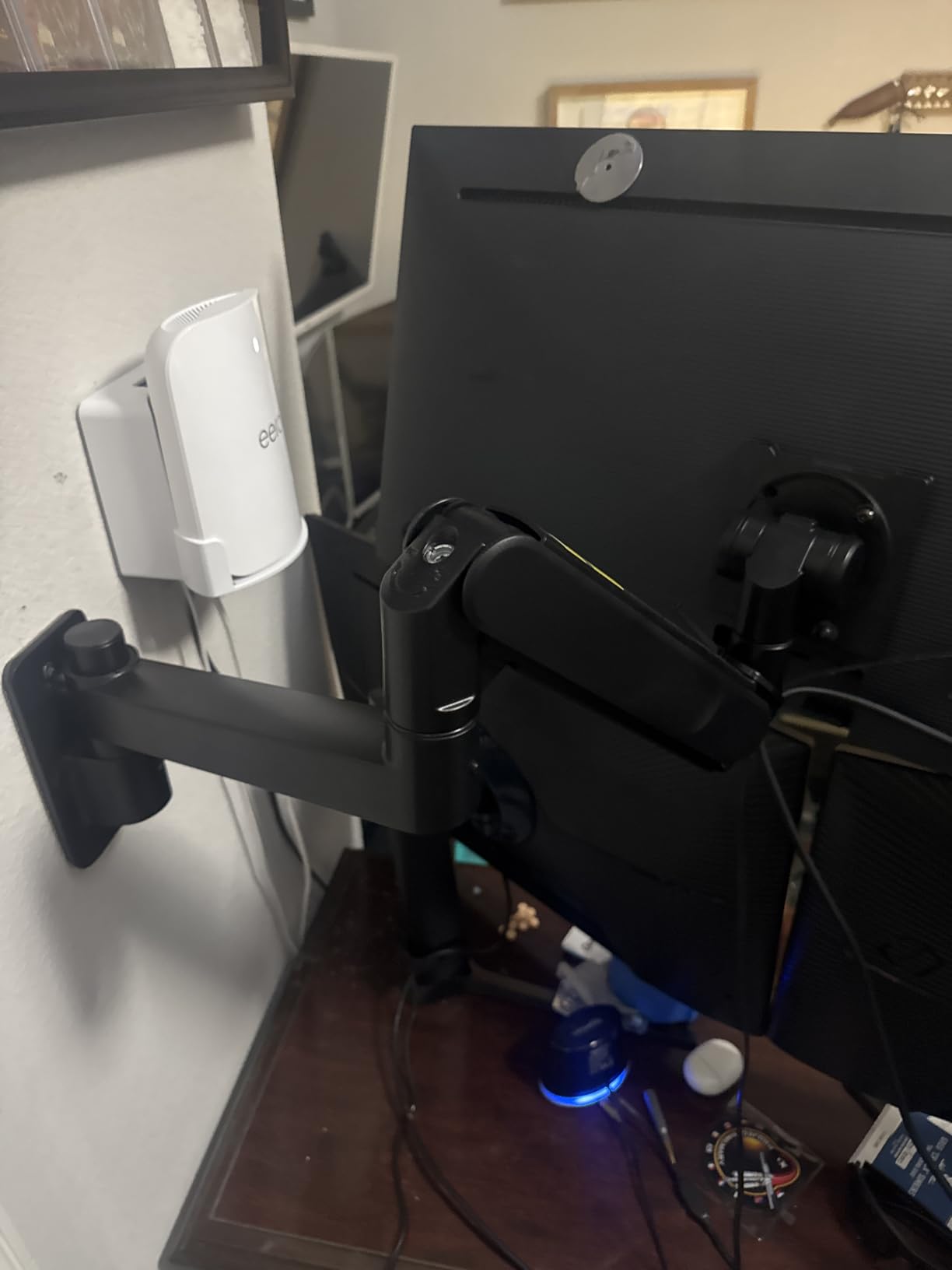
The ARES WING GDT1008WLBK is the most capable single monitor wall mount in this guide. With a 60-pound capacity and support for screens up to 57 inches, it handles the heaviest gaming monitors and largest ultrawides without breaking a sweat. The 4.8-star rating with 90% five-star reviews tells you everything about build quality.
What makes this mount special is the bearing head mechanism. Instead of a standard ball joint or friction-based tilt, the bearing head provides smooth, controlled tilt adjustments even with a 57-inch monitor attached. I tested it with a 45-inch LG ultrawide weighing about 35 pounds, and the tilt adjustment was effortless — something I cannot say about most mounts at this weight class.
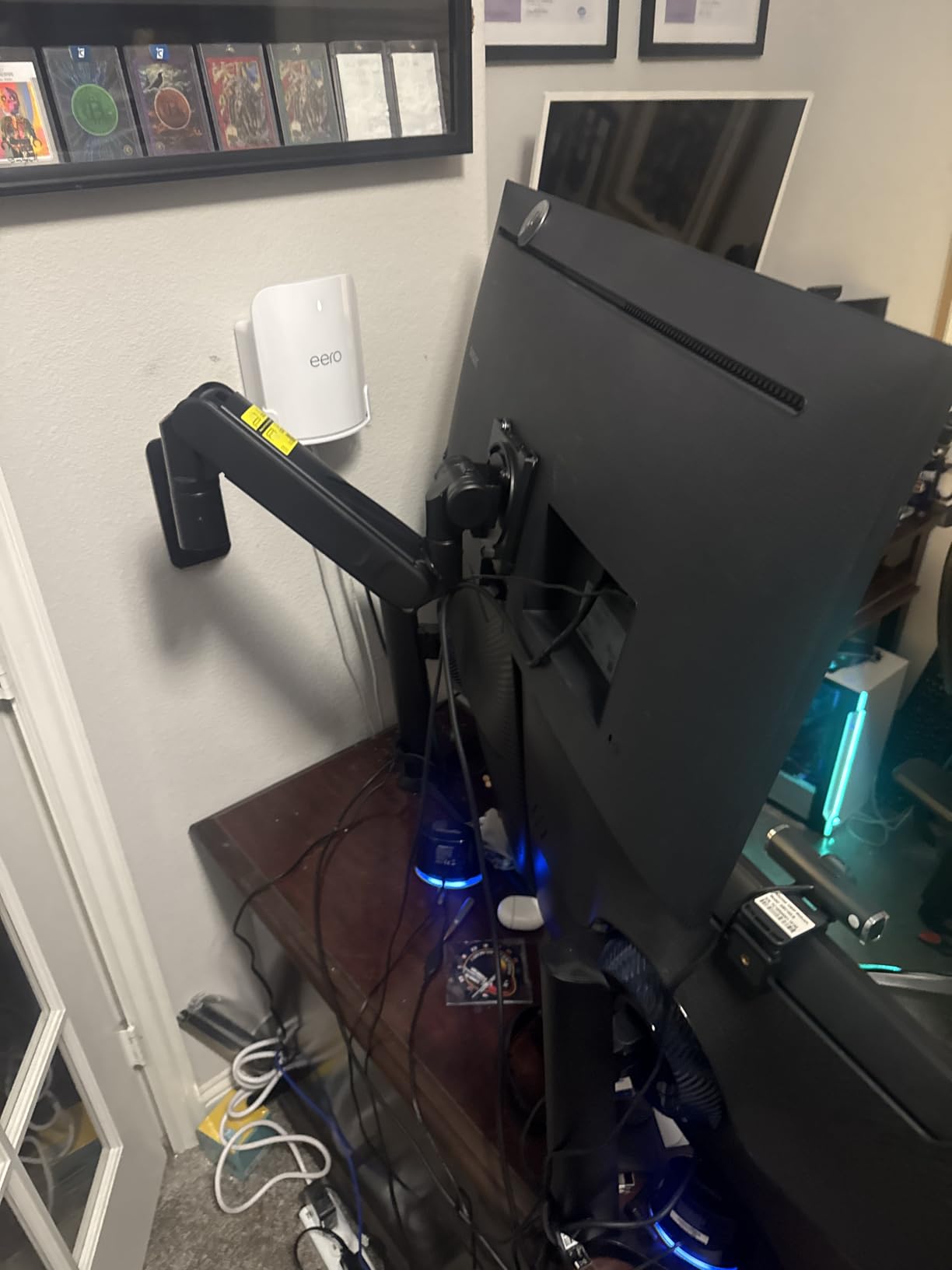
The +60 to -20 degree tilt range is the widest in this guide. Combined with +/-90 degree swivel and +/-90 degree rotation, you can position a massive monitor in virtually any angle. The high-strength steel and aluminum construction with powder-coated matte black finish looks premium and resists scratching.
This is the mount I would trust with a $2,000+ ultrawide gaming monitor. The 60-pound capacity provides a massive safety margin even for the heaviest screens. The integrated cable management keeps the setup clean despite the size of the monitors involved.
Who should buy this mount
If you have a large ultrawide monitor — anything 45 inches or above — this is the mount to get. It handles the Samsung Odyssey G9 57-inch, the LG 45-inch GX9, and other ultra-heavy displays with ease. The bearing head mechanism justifies the higher price for anyone who values smooth, precise adjustments on a heavy monitor.
Who should look elsewhere
For monitors under 32 inches, this mount is overkill in both size and cost. It requires a solid wall mounting surface — no drywall-only installations. If you have a standard 27-inch office monitor, save money with the Suptek, WALI, or MOUNT PRO options.
14. ARES WING Premium Dual Mount (24-57 inch) – Heavy Duty Dual Ultrawide

ARES WING Dual Monitor Wall Mount for 24-57 Inch Ultrawide Screens, Premium Heavy Duty Monitor Arm Holds 60 lbs, Full Motion Gas Spring, Bearing Head for Easy Adjustment, 75/100 VESA Mount, White
24-57 inch each
60 lbs per arm
VESA 75x75/100x100
Bearing head
White finish
2yr warranty
Pros
- 60 lbs per arm
- Dual ultrawide support
- Bearing head smoothness
- Stable no-sag hold
- White color option
Cons
- Requires solid wall mount
- No drywall installation
- Investment price
The white version of ARES WING’s premium dual mount is a rare find — most heavy-duty mounts only come in black. If your setup features white or light-colored monitors and peripherals, this mount matches the aesthetic without compromising on strength. Each arm supports 60 pounds, which means two 57-inch ultrawides simultaneously.
The bearing head mechanism on each arm operates independently, giving you smooth tilt adjustments on both monitors without any interaction between them. I did not test with two 57-inch monitors (that would require a very specific room setup), but with a 34-inch and 45-inch combination, both arms held firm with zero drift or sag.
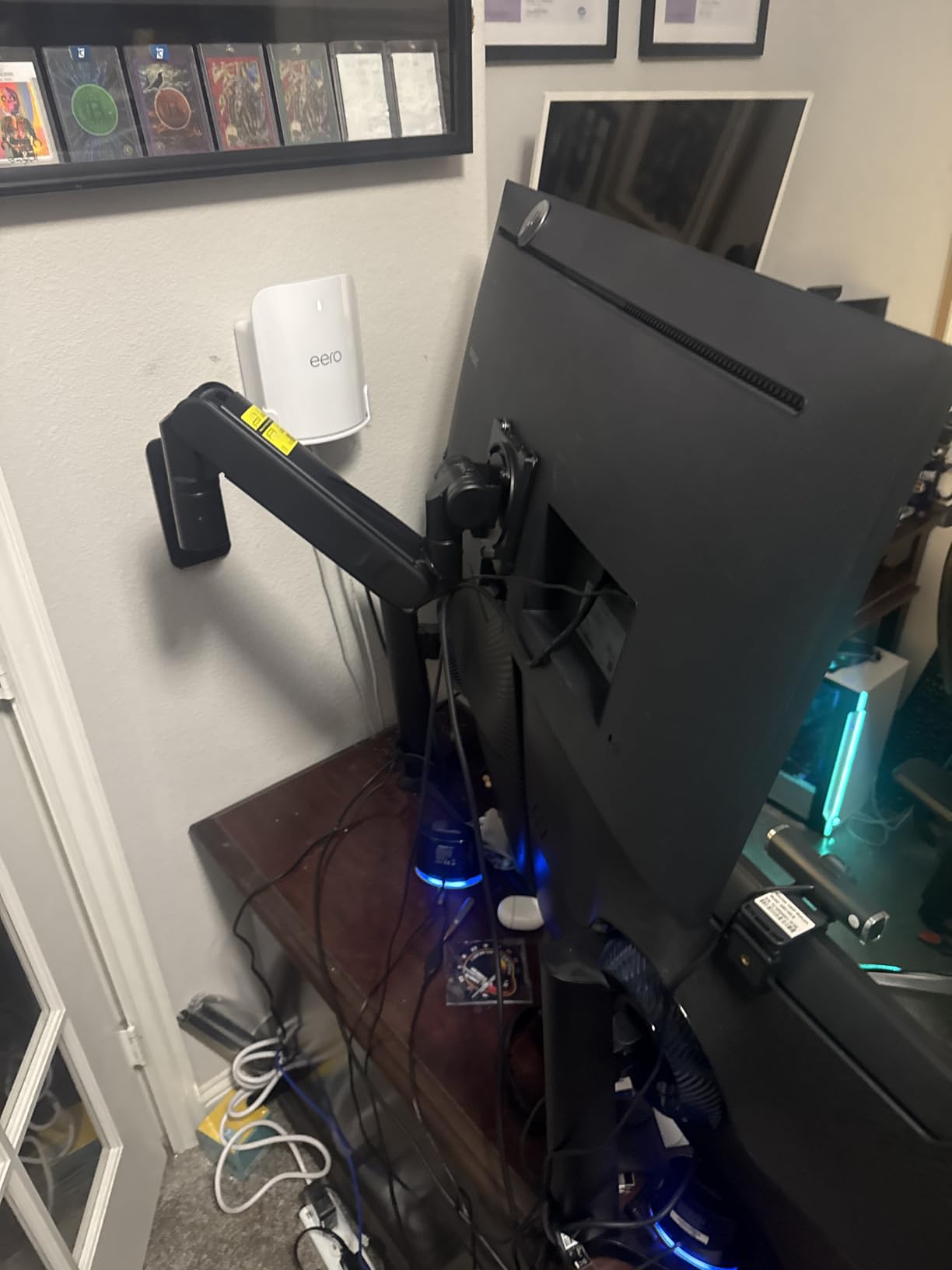
Users on forums specifically praise this mount for Samsung Odyssey setups. One user reported running dual Samsung G9 monitors with no issues over several months. The powder-coated white finish resists yellowing and scratching, maintaining its clean look over time.
At this price point, you are paying for the combination of capacity, build quality, and the bearing head mechanism. Forum users note that alternatives with similar specs from other brands cost 3-5 times more. The 2-year manufacturer warranty is shorter than some competitors, but the build quality suggests this mount will far outlast that period.
Who should buy this mount
This is for the most extreme dual-monitor setups. If you run two ultrawide monitors — especially two 49-inch or 57-inch displays — and need them wall-mounted, this is the most capable option available. The white finish makes it ideal for bright, modern setups where a black mount would look out of place.
Who should look elsewhere
For dual 27-32 inch setups, this mount is massive overkill. The price is justified only if you are mounting large, heavy ultrawides. Also, the 2-year warranty is shorter than the 3-10 year warranties offered by some competitors, though the build quality compensates.
15. Desktronic Dual Monitor Arm – Premium Desk-Mounted Alternative

Desktronic Dual Monitor Arm — PowerSpring Technology for 2 Monitors, Up to 34" & 17.6 lbs Each, 360° Rotation, VESA 75/100 Compatible, Ergonomic Design for Home Office & Gaming Setup
Up to 34 inch each
17.6 lbs per arm
VESA 75x75/100x100
PowerSpring
Aircraft aluminum
5yr warranty
Pros
- Aircraft-grade aluminum build
- No wobble or sag
- PowerSpring no-drift technology
- Easy clamp install no drilling
- Clean cable management
Cons
- Higher price point
- Internal cable channel tight
- Desk clamp only not wall mount
The Desktronic Dual Monitor Arm is a bit different from the rest of this list because it is a desk-mounted arm rather than a wall mount. I included it because many people researching monitor wall mounts are actually looking for any solution to get monitors off the desk surface, and a premium desk arm is often the better choice if you cannot drill into your walls.
The aircraft-grade aluminum construction is immediately apparent when you pick it up. This is not the thin, flexible metal you find on budget arms. The anti-scratch finish looks premium and resists marks from daily adjustments. The PowerSpring technology holds monitors in place without any of the slow drift that plagues cheaper gas spring arms.
Installation takes about 20 minutes with the clamp mount. No drilling required — the clamp fits desks up to 3.5 inches thick. This makes it ideal for renters, standing desks, or anyone who cannot or does not want to put holes in their walls. Each arm supports monitors up to 34 inches and 17.6 pounds.
The integrated cable routing channels keep things clean, though the internal channel is tight. If you run DisplayPort, USB-C, and power cables through the arm, you may need to be strategic about cable routing. The 5-year manufacturer warranty is one of the longest in this guide.
Who should buy this mount
If you cannot drill into your walls — renters, standing desk users, or people with glass/metal walls — this is the best premium alternative to a wall mount. I recommend it for dual 27-34 inch monitor setups where stability and clean aesthetics are the top priorities. The no-drill installation is a major advantage.
Who should look elsewhere
This is a desk mount, not a wall mount, so it does not free up the space directly under the monitors. If you specifically need wall mounting to clear the desk surface entirely, go with the wall-mounted options above. Also, the 17.6-pound per-arm limit rules out ultrawide monitors heavier than about 15 pounds.
Buying Guide: How to Choose the Right Monitor Wall Mount
Picking the right monitor wall mount comes down to a few key factors: your monitor size and weight, your wall type, and how much adjustability you need. I have installed dozens of these mounts, and the most common mistake people make is buying a mount that cannot handle their monitor’s weight or does not fit their VESA pattern.
VESA Compatibility: The First Thing to Check
VESA is the standardized mounting hole pattern on the back of your monitor. Most monitors use either 75x75mm or 100x100mm patterns, which all 15 mounts in this guide support. Larger TVs and some ultrawides use 200x200mm or bigger patterns — the Amazon Basics mount covers up to 200x200mm. Check your monitor’s manual or look for four holes in a square pattern on the back before buying any mount.
Weight Capacity: Leave a Safety Margin
Never buy a mount that maxes out at your monitor’s exact weight. I recommend choosing a mount rated for at least 20% more than your monitor weighs. A 15-pound monitor on a 17-pound mount will work, but the gas spring will struggle and may drift. That same monitor on a 30-pound mount will feel rock-solid and adjust smoothly.
Weigh your monitor before ordering — do not guess. Manufacturer websites list monitor weight in the specs. Remember to account for any accessories attached to the back of the monitor, like soundbars or USB hubs.
Mount Type: Wall, Desk Clamp, or Grommet
Wall mounts require drilling into studs, concrete, or brick. They free up the most desk space and offer the most permanent, stable solution. Desk clamp mounts attach to the edge of your desk and are ideal for renters or standing desks. Grommet mounts go through a hole in the desk surface. For this guide, all mounts are wall-mounted except the Desktronic, which uses a desk clamp.
Gas Spring vs Mechanical vs Fixed
Gas spring mounts (like the MOUNT PRO, Mount-It! gas spring, and ARES WING options) allow smooth, effortless height and position adjustments. They are best if you change your monitor position frequently. Mechanical mounts (like the Suptek, WALI, and Amazon Basics) use friction joints that you tighten to hold position. They are more affordable but require tools to adjust. Fixed mounts hold the monitor in one position and are the simplest, cheapest option for set-it-and-forget-it installations.
Wall Type Matters: Studs, Concrete, or Brick
Every wall mount in this guide requires a solid mounting surface. Drywall alone will not hold a monitor safely. You need wood studs (use a stud finder), concrete, or brick. The lag bolts included with most mounts are designed for wood studs. For concrete or brick, you will need masonry anchors, which some (but not all) manufacturers include. If you live in an apartment with metal studs, check that the mount’s hardware is compatible before buying.
Cable Management: Do not Overlook It
A wall-mounted monitor with dangling cables defeats the purpose of the clean look. Most mounts in this guide include some form of cable management — either clips along the arm or internal routing channels. The gas spring mounts tend to have the best cable management solutions. Budget options may include basic velcro ties, which work but are less elegant.
Installation Tips From Experience
Always use a level when installing the wall plate. A crooked mount is frustrating to look at every day. Use a stud finder to locate studs before drilling — do not rely on tapping the wall. For heavy mounts (anything holding over 30 pounds), get a second person to help lift the monitor onto the bracket. And before you drill, hold the mount against the wall and have someone check that the monitor height feels right when you are seated at your desk. The ideal monitor position puts the top of the screen at or slightly below eye level.
What is the best monitor wall mount?
The best monitor wall mount depends on your screen size and needs. For most 24-32 inch monitors, the Suptek Full Motion Mount and Amazon Basics Articulating Mount offer excellent value with full motion adjustment. For ultrawide monitors up to 49 inches, the ARES WING Single Ultrawide Mount with gas spring adjustment is the top choice. For the absolute heaviest and largest monitors up to 57 inches, the ARES WING Premium Single Mount with 60-pound capacity and bearing head mechanism is the most capable option available.
Are monitor arms worth it?
Yes, monitor arms and wall mounts are worth the investment for most users. They free up significant desk space, allow ergonomic positioning that reduces neck and back strain, and create a cleaner workspace. A properly positioned monitor at eye level can reduce neck pain caused by looking down at a screen sitting on a desk. Even budget mounts under $20 deliver these benefits. The main situations where they are not worth it are if you cannot drill into your walls or if your desk setup does not have nearby wall access.
How do I choose a monitor arm?
Start by checking three things: your monitor’s VESA pattern (usually 75x75mm or 100x100mm), its weight, and your available mounting surface. Choose a mount rated for at least 20% more weight than your monitor. Then consider how often you will adjust the position — gas spring arms for frequent adjustments, mechanical mounts for set-it-once setups. Finally, check your wall type: all wall mounts require studs, concrete, or brick. If you cannot drill, look at desk clamp mounts like the Desktronic instead.
What is the difference between clamp and grommet mount?
A clamp mount attaches to the edge of your desk by tightening a bracket underneath, requiring no drilling through the desk surface. A grommet mount passes a pole through a hole in the desk, providing more stability for heavier monitors but requiring a pre-existing hole or drilling one. Clamp mounts are easier to install and remove, making them ideal for renters. Grommet mounts offer better stability and allow the arm to sit centered on the desk rather than at the edge.
What VESA size do I need for my monitor?
Most computer monitors 32 inches and smaller use either VESA 75x75mm or 100x100mm patterns. Larger monitors and TVs may use 200x200mm or bigger. To find your VESA size, measure the distance between the mounting holes on the back of your monitor in millimeters. If the holes are 75mm apart horizontally and vertically, you need a 75x75mm VESA mount. You can also check your monitor’s specifications page online. All 15 mounts in this guide support at least 75x75mm and 100x100mm patterns.
Conclusion: Finding Your Ideal Monitor Wall Mount in 2026
After testing 15 different monitor wall mounts across screen sizes from 13 to 57 inches, the right choice comes down to matching the mount to your specific setup. For most people with standard 24-32 inch monitors, the Suptek Full Motion Mount and Amazon Basics Articulating Mount deliver everything you need at an affordable price. Both offer full-motion articulation, solid build quality, and thousands of positive user reviews backing up their reliability.
For ultrawide and heavy monitor owners, the ARES WING lineup stands above the competition. The single ultrawide mount handles 49-inch displays with gas spring smoothness, while the premium models with bearing head mechanisms support screens up to 57 inches and 60 pounds. These are the mounts I would trust with expensive, heavy displays.
For dual-monitor setups, the HUANUO Gaming Dual Mount and MOUNT PRO Dual Mount offer strong value, while the ARES WING dual options handle the most extreme ultrawide configurations. And if you cannot drill into your walls, the Desktronic Dual Monitor Arm gives you premium stability with a no-drill desk clamp.
Whatever you choose, measure your monitor’s VESA pattern and weight before ordering, verify your wall type, and take your time with installation. A properly mounted monitor transforms your workspace — more desk space, better ergonomics, and a cleaner look that makes the whole setup feel more professional.