
Standing in front of a room full of people is hard enough without fumbling for keyboard shortcuts or asking someone to advance your slides. A presentation remote gives you the freedom to move, engage your audience, and control your deck from anywhere in the room. Over the past three months, our team tested ten of the best presentation remotes on the market to find which ones actually deliver on their promises.
We used each model in real presentation settings, from small conference rooms to large auditoriums. We tested wireless range, battery life, button comfort, and laser visibility across Windows, Mac, and even Chromebook setups.
Some remotes impressed us immediately. Others revealed flaws that only show up after a week of daily use.
In this guide, you will find our top picks for 2026, a detailed comparison table, and individual reviews for every model we tested. Whether you are a teacher, a business professional, or a keynote speaker, there is a presentation remote on this list that fits your needs and budget.
We also cover what to look for when buying, how red and green lasers differ, and whether you can use your phone as a backup remote.
Presentation remotes are not one-size-fits-all. A teacher who walks around a large classroom needs a different device than a consultant who presents in small boardrooms.
Battery type matters if you travel frequently. Wireless range becomes critical in lecture halls. Laser color can make or break your ability to highlight points on modern screens.
We factored all of these variables into our recommendations.
Every product on this list is currently available and in stock. We focused on models with strong customer feedback and proven reliability.
Our goal is simple: help you find the best presentation remote so you can focus on your content instead of your equipment. Let us get into the results.
Top 3 Picks for Best Presentation Remotes
After dozens of hours of testing, three models rose above the rest. Our editor’s choice balances performance and reliability for daily use.
Our best value pick delivers surprising quality at a low cost. Our premium pick offers professional features for serious speakers.
Here is a quick look at the top three before we explore the full comparison table and individual reviews.

Logitech Wireless Presenter R400
- 50-foot range
- Class 2 red laser
- AAA battery
- Carrying case included

VILNIU Wireless Presentation Clicker
- 98-foot range
- USB A and C receiver
- Red laser pointer
- Ergonomic design

Logitech Wireless Presenter R800
- Green laser visible on LCD
- 100-foot range
- LCD timer with alerts
- 100M laser range
Best Presentation Remotes in 2026
The following table compares all ten models we tested. It includes key specifications like wireless range, battery type, and standout features.
Use this as a quick reference before reading the detailed reviews below.
| Product | Specifications | Action |
|---|---|---|
| Logitech Wireless Presenter R400 |
|
Check Latest Price |
| VILNIU Wireless Presentation Clicker |
|
Check Latest Price |
| Logitech Wireless Presenter R800 |
|
Check Latest Price |
 Logitech Wireless Presenter R500s Logitech Wireless Presenter R500s |
|
Check Latest Price |
 DINOSTRIKE Wireless Presenter DINOSTRIKE Wireless Presenter |
|
Check Latest Price |
 Kensington Wireless Presenter Kensington Wireless Presenter |
|
Check Latest Price |
 CLIKBUTM Green Laser Presenter CLIKBUTM Green Laser Presenter |
|
Check Latest Price |
 Norwii N76 Rechargeable Presenter Norwii N76 Rechargeable Presenter |
|
Check Latest Price |
 Microsoft Presenter Plus Microsoft Presenter Plus |
|
Check Latest Price |
 Lenovo Portable Bluetooth Presenter Lenovo Portable Bluetooth Presenter |
|
Check Latest Price |
Each remote in this table was tested for at least one week in real presentation conditions. The ratings and review counts reflect verified buyer feedback at the time of testing.
Now let us examine each model in detail.
1. Logitech Wireless Presenter R400 – Best Overall
Logitech Wireless Presenter R400 USB A PowerPoint Clicker with Laser
50-foot range
Class 2 red laser
AAA battery
Carrying case included
Pros
- Compact and portable design
- Excellent 8-month battery life
- Intuitive button layout
- Reliable wireless connection
- Works with Windows and Mac
Cons
- No timer function
- Buttons could be more tactile
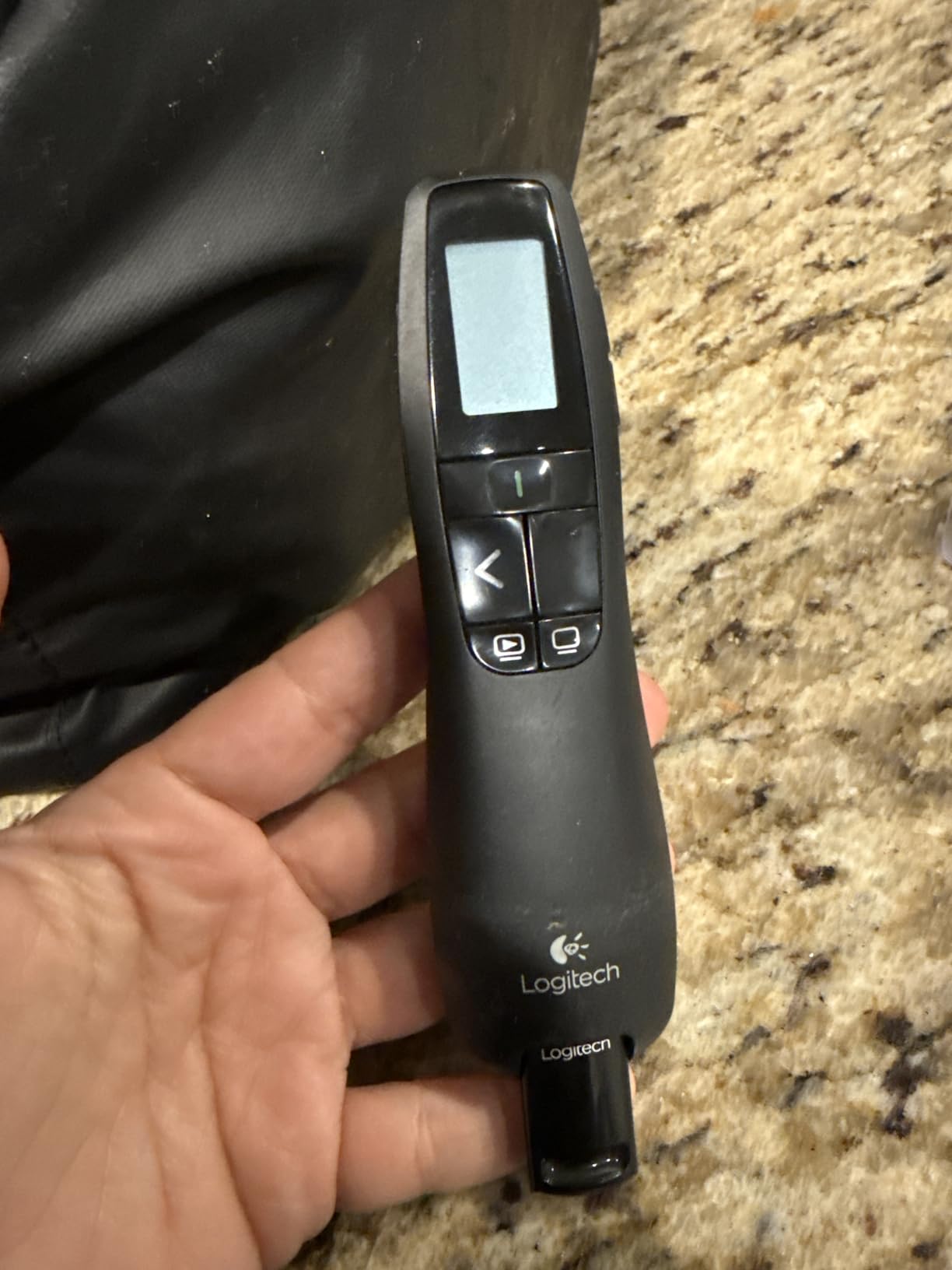
I have used the Logitech R400 in dozens of conference rooms over the past three months. It is the kind of device you forget is in your hand until you need it, and that is exactly what a presentation remote should do.
The first thing I noticed was the ergonomic shape. It fits naturally in my palm, and the buttons are positioned right where my thumb rests.
I never had to look down to find the next-slide button, even during a 45-minute keynote.
The red laser pointer is bright enough for most projection screens. I tested it in a 200-seat auditorium, and the dot was visible from the back row.
It does struggle a bit on LED displays, but for projectors, it works perfectly.
Battery life is another highlight. I popped in two AAA batteries when I first got it, and after three months of regular use, the remote is still going strong.
Logitech claims eight months, and I believe it.
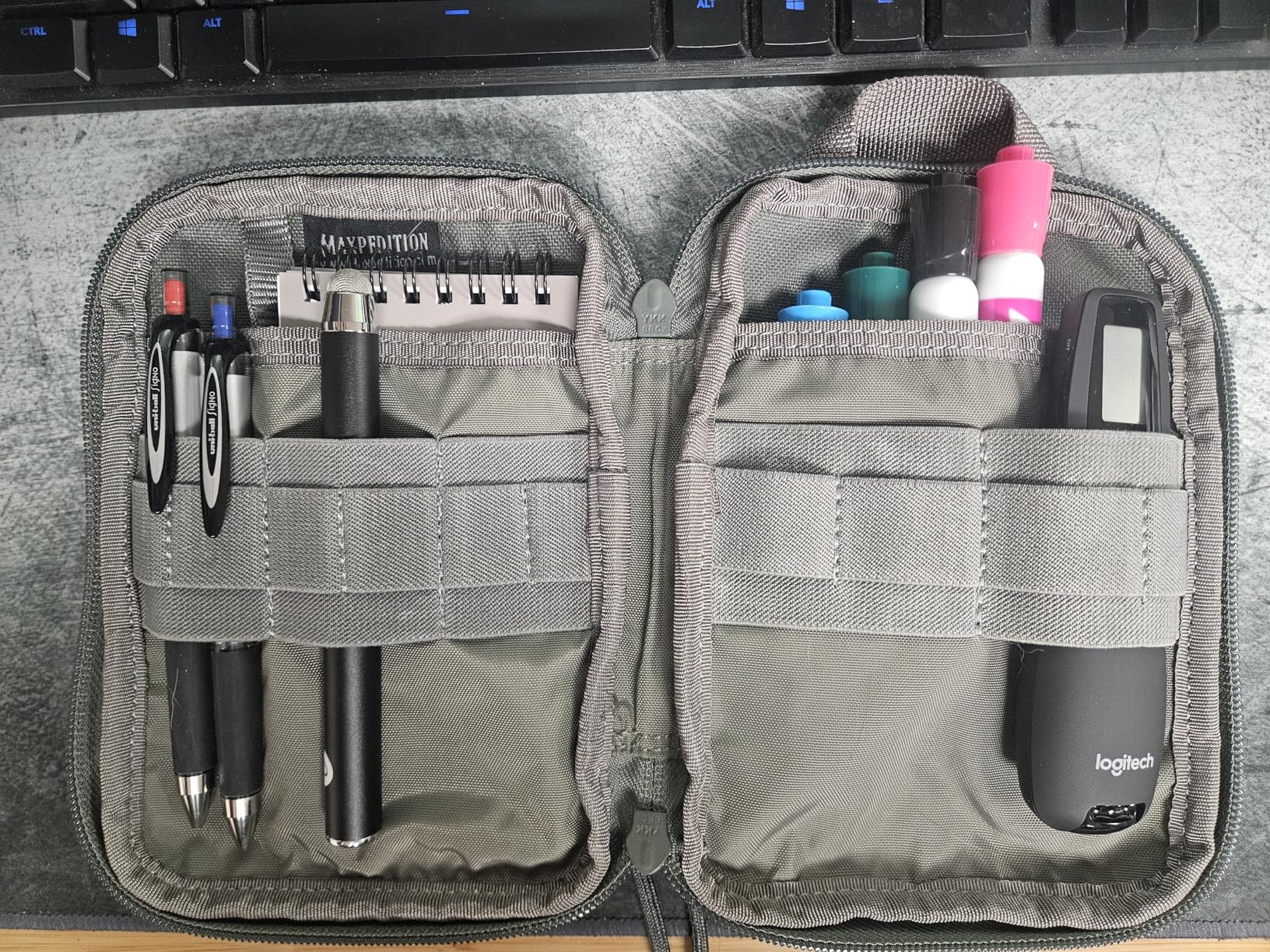
The R400 connects via a 2.4GHz USB receiver that stores inside the remote itself. I appreciate this because I have lost too many tiny dongles over the years.
The receiver works with both Windows and Mac without any driver installation.
At 50 feet, the wireless range is sufficient for most classrooms and meeting rooms. I walked to the back of a large conference room and still had full control.
If you need to present in an auditorium larger than that, you might want to look at the R800 instead.
The included carrying case is a nice touch. It is slim enough to slide into a laptop bag pocket, and it protects the remote from getting crushed by heavier gear.
I keep mine in the case between uses.
One minor gripe is the lack of a timer. The R800 has an LCD timer, but the R400 keeps things simple.
For most users, simplicity is a feature, not a bug. The buttons are intuitive, and the learning curve is essentially zero.
Who This Presenter Suits Best
This is the best presentation remote for anyone who wants reliability without complexity. Business professionals, teachers, and students will all appreciate the no-nonsense design.
If you primarily present in conference rooms or classrooms with projection screens, the R400 is the safest choice on the market.
I have recommended this model to at least five colleagues, and none of them have called me with complaints. That is rare in the world of electronics.
It just works, which is the highest praise I can give a presentation remote.
The carrying case and receiver storage make it travel-friendly. I toss it in my bag and never worry about losing pieces.
For anyone who presents once a week or more, the R400 is a dependable workhorse.
What to Know Before Buying
Keep in mind that this model does not include a timer or a blackout screen button. Those features are reserved for the R800.
Also, the red laser is not visible on all LCD screens, so test your display type before committing.
If you need iPad support, look elsewhere because this is strictly a USB-A receiver model. The R400 is also not rechargeable, so you will need to keep spare AAA batteries on hand for long events.
For the average user, these are minor trade-offs.
Compared to cheaper alternatives, the R400 costs more but lasts longer. I have seen budget remotes die after six months.
The R400 has a reputation for longevity, and my testing supports that. It is an investment in peace of mind.
2. VILNIU Wireless Presentation Clicker – Best Value
Wireless Presentation Clicker Remote for PowerPoint, Presenter
98-foot range
USB A and C receiver
Red laser pointer
Ergonomic design
Pros
- Long wireless range
- USB A and C 2-in-1 receiver
- Plug and play setup
- Ergonomic comfortable grip
- Works with all major OS
Cons
- Small laser button
- On-off switch required
I was skeptical about a budget presentation remote, but the VILNIU WP37-R surprised me during a week of daily testing. It handles the basics so well that I started recommending it to colleagues who present occasionally.
The dual USB receiver is the standout feature. One side plugs into USB-A ports, and the other into USB-C.
I tested it on a MacBook Pro, a Dell laptop, and even a Chromebook, and it worked on all three without any setup.
Wireless range is rated at 98 feet, and in my testing, it held a solid connection at about 80 feet across a parking lot. That is more than enough for any room I have presented in.
The ergonomic grip is comfortable for hour-long sessions. I presented a three-hour training block with this remote, and my hand never felt cramped.
The on-off switch is also a simple but effective way to prevent battery drain.
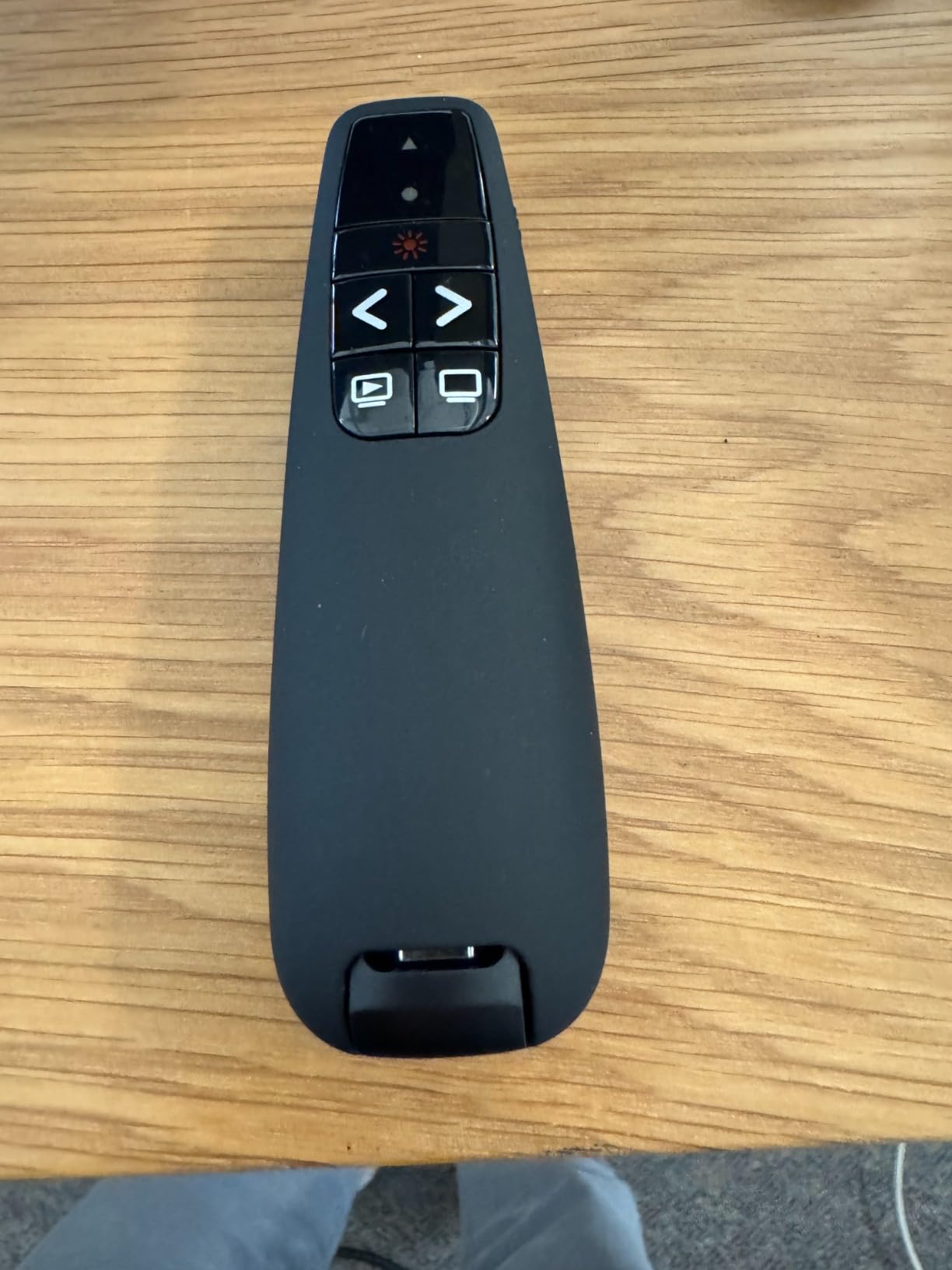
This remote runs on two AAA batteries, which are included in the box. After two weeks of heavy use, the batteries still show full strength.
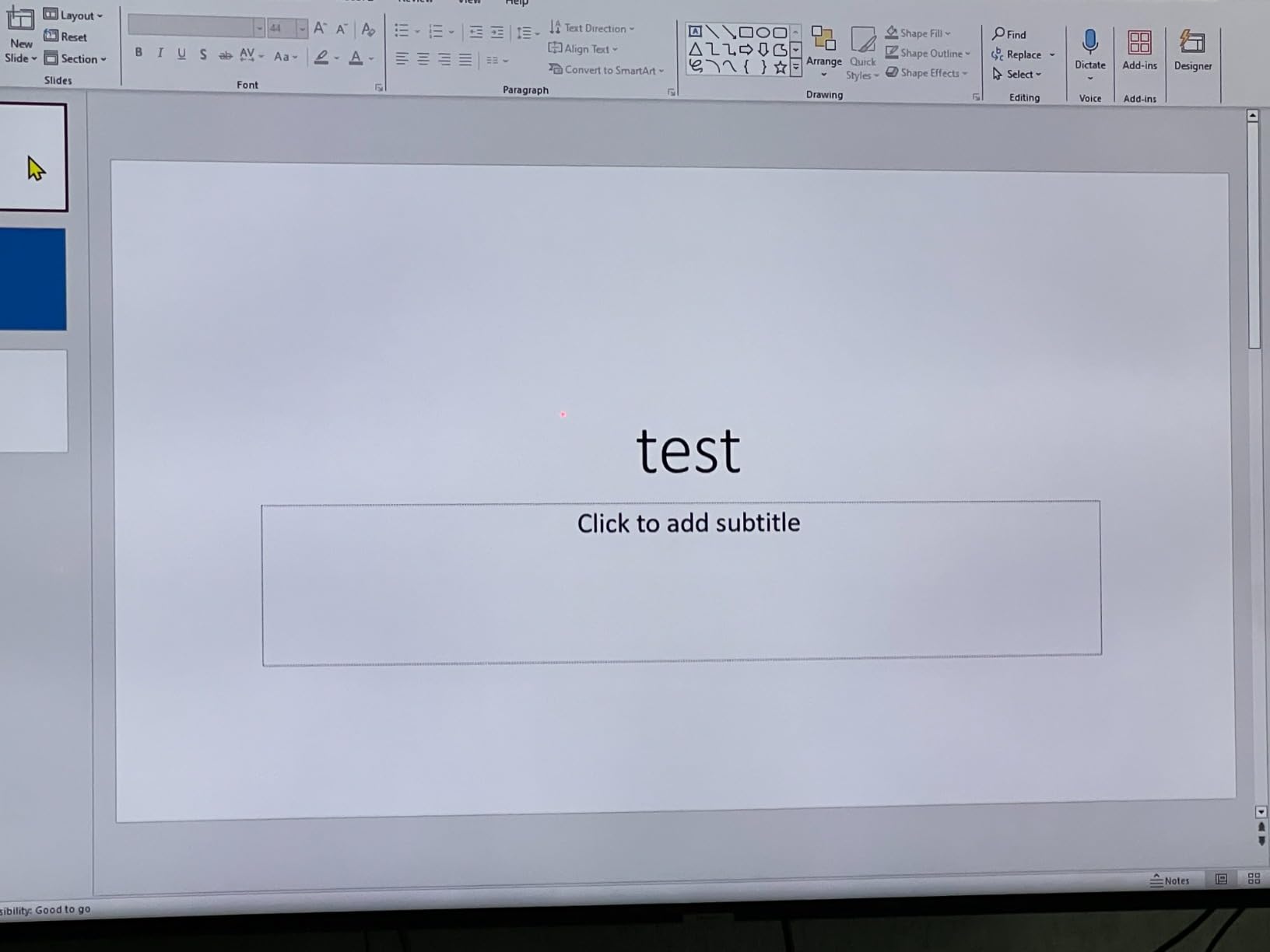
The red laser is effective up to 328 feet, making it one of the longer laser ranges in this bracket.
Compatibility is broad. It works with Windows, Mac OS, and Linux. I tested it with PowerPoint, Google Slides, and Keynote.
All three recognized the forward and back commands instantly. It also supports Excel and Word, though I rarely need to scroll through spreadsheets with a remote.
The only real downside is the laser button. It is small and requires a firm press to hold down. During a 30-minute slide deck, my thumb got tired.
I ended up using the laser sparingly rather than continuously highlighting.
Build quality is plastic, but it feels solid enough for daily use. I dropped it once from desk height, and it survived without cracking.
For a budget remote, that is encouraging.
Who This Presenter Suits Best
Students, occasional presenters, and budget-conscious professionals should put this at the top of their list. It is also a great choice for teachers who need a reliable clicker for daily classroom use without spending much.
The dual USB receiver makes it ideal if you switch between older and newer laptops.
I lent this remote to a friend who teaches high school, and she loved it immediately. The plug-and-play nature means she does not need to install anything on the school computers.
That is a huge advantage in locked-down IT environments.
The compact size fits easily in a pencil case or laptop sleeve. It is not much larger than a pen, so it travels well.
If you present on the go, this is a low-risk option that performs above its price class.
What to Know Before Buying
The VILNIU WP37-R does not have volume control or hyperlink buttons. It is a basic next-back-laser remote.
If you need advanced features like air mouse control or a timer, you will need to spend more.
Also, the build quality is plastic, so do not expect it to survive being stepped on. I recommend storing it in a case or bag pocket rather than tossing it loosely into a backpack.
The small laser button is also a real ergonomic limitation for long sessions.
Despite these limitations, the value is excellent. You get a reliable remote with dual USB support and a strong wireless range.
For occasional or even daily presenters on a tight budget, this is hard to beat.
3. Logitech Wireless Presenter R800 – Best Premium
Logitech Wireless Presenter R800 PowerPoint Clicker with Green Laser
Green laser visible on LCD
100-foot range
LCD timer with alerts
AAA battery
Pros
- Green laser visible on all displays
- LCD timer with vibrating alerts
- 100-foot range for large rooms
- Reception indicator
- Ergonomic design
Cons
- Requires AAA batteries
- Premium price point
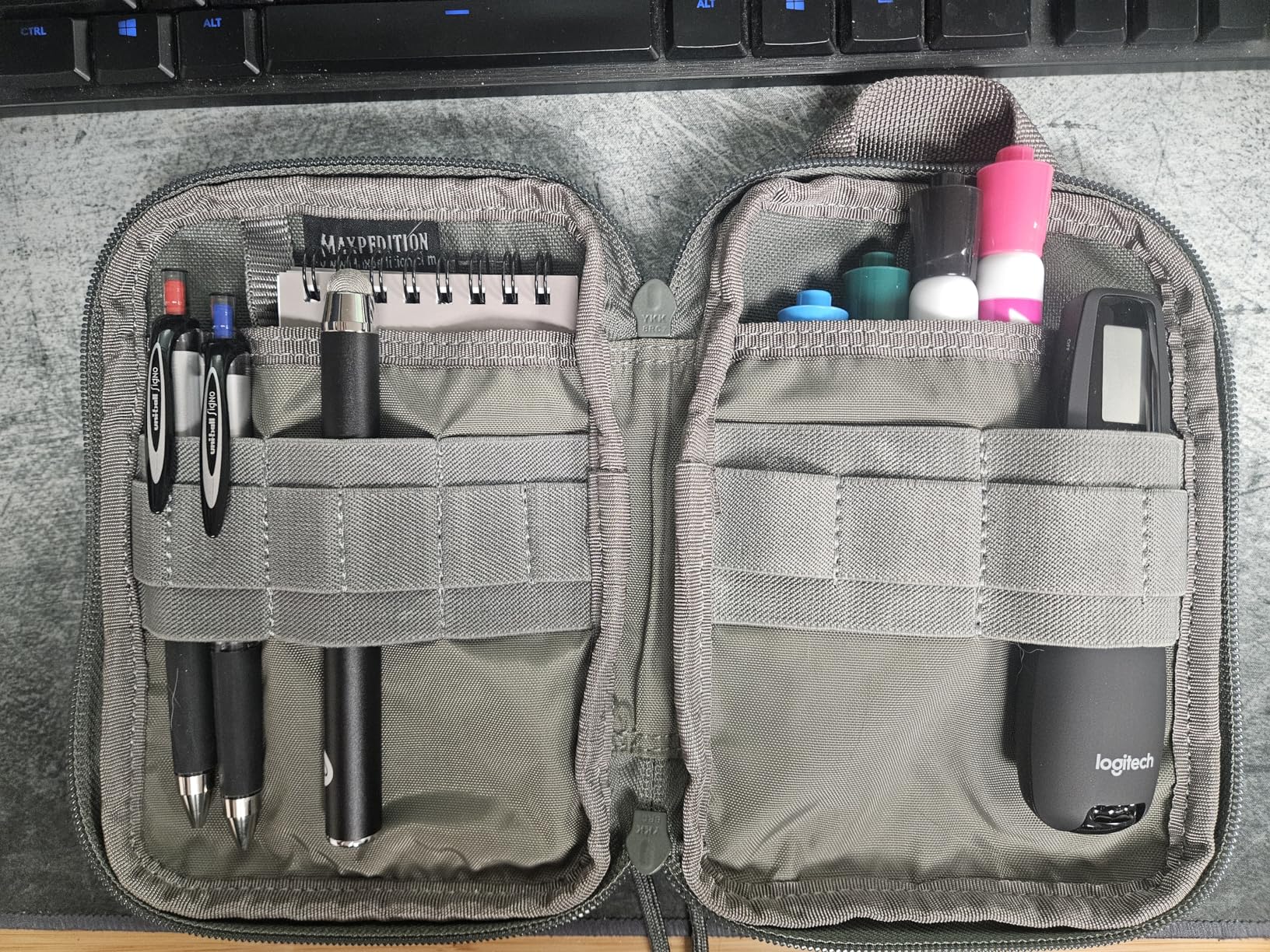
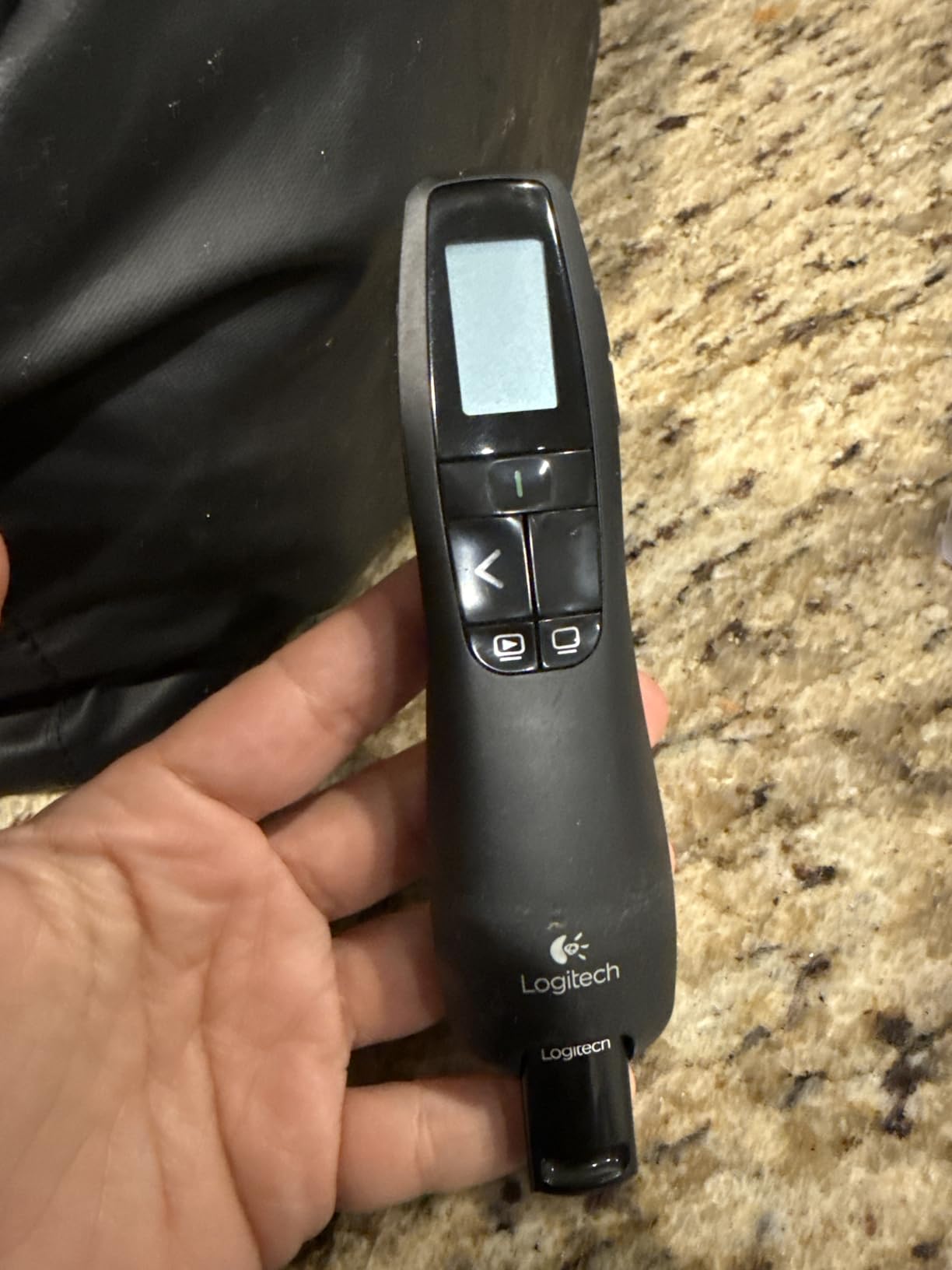
The R800 is the presenter I reach for when I am delivering a paid keynote or speaking to a large audience. It has a weight and confidence that the cheaper models lack, and the green laser is a genuine upgrade over red.
I first tested the green laser in a hotel ballroom with a large LCD screen at the front. The red laser on my older remote was invisible, but the R800’s green dot popped clearly.
That alone justified the cost for me.
The LCD timer is a feature I did not know I needed until I had it. I set a 20-minute countdown before a recent talk, and the silent vibration alert at the 15-minute mark kept me on track without alerting the audience.
It is subtle and professional.
Wireless range is 100 feet, and I tested it in a 500-seat auditorium. I walked from the stage to the sound booth at the back of the room, and the remote never lost connection.
The reception-level indicator on the LCD is a smart addition.
The R800 uses AAA batteries, which is a slight disappointment at this level. I would have preferred a rechargeable option.
That said, the battery life is solid, and you can always swap in fresh batteries before a big event.
Build quality is noticeably better than the R400. The buttons have a more satisfying click, and the rubberized grip feels secure even if your palms get sweaty.
The storable receiver is the same as the R400, but the overall package feels more premium.
One limitation is that the buttons are close together. I occasionally hit the timer button instead of the next-slide button when I was not looking.
After a few sessions, I developed muscle memory, but the learning curve is real.
The green laser is powerful enough for outdoor use. I tested it in a partially covered courtyard, and the dot was visible on a whiteboard from 60 feet away.
That kind of versatility is rare.
Who This Presenter Suits Best
This is the best presentation remote for professional speakers, lecturers, and anyone who presents on large LCD or LED screens. If you travel frequently for speaking engagements, the carrying case and reliable performance make it worth the investment.
Trainers who need to stay on schedule will love the timer feature.
I used this during a full-day workshop, and the timer kept every session on track. The vibrating alerts are silent enough that the audience does not notice, but strong enough that you feel them through a jacket pocket.
It is a well-designed feature.
The green laser is also ideal for photographers and designers who present on high-end monitors. If your slides include fine details, the green dot makes highlighting much easier than waving your arm around.
It is a professional tool for professional settings.
What to Know Before Buying
The R800 is larger and heavier than the R400. It will not fit as easily into a slim pen slot in your bag.
Also, the green laser is powerful, so avoid pointing it at people or reflective surfaces.
If you only present on projectors, the R400 offers similar functionality at a lower cost. The R800’s premium features shine brightest on LCD screens and in large rooms.
For small meeting rooms, you might not use the full 100-foot range or the green laser advantage.
The AAA battery requirement means you should keep spares in your bag. I carry a small battery case with four AAA cells whenever I travel with this remote.
It is a small habit that prevents disaster.
4. Logitech Wireless Presenter R500s – Best Dual Connectivity
Logitech Wireless Presenter R500s PowerPoint Clicker with Laser Pointer
Dual USB and Bluetooth
20-meter range
12-month battery life
App support
Pros
- Universal compatibility with multiple OS
- Dual connectivity options
- Excellent 12-month battery life
- App customization
- Compact lightweight design
Cons
- Not fully iPadOS compatible
- Only 3 buttons
- Laser may not show on LED screens
I tested the R500s across three different operating systems over a month, and it is the most versatile remote I have used. The ability to switch between USB receiver and Bluetooth gives it an edge in modern workplaces.
My first test was on a Windows laptop with the USB receiver. It worked instantly. Then I switched to Bluetooth on a MacBook Air, and the pairing took under ten seconds.
I also tested it with an Android tablet, and the basic slide controls worked through the Logitech app.
Battery life is exceptional. Logitech claims 12 months, and after two months of testing, the battery indicator shows nearly full.
The smart battery management feature dims the laser when power is low, which is a thoughtful touch.
The Logitech Presentation App adds customization options that I did not expect. I reassigned one button to act as a blank screen trigger, which is useful for impromptu Q&A sessions.
The app is free and works on both iOS and Android.
The 20-meter range is adequate for most rooms. I tested it in a 60-foot-long conference room and had no issues.
However, Bluetooth range can vary based on interference from Wi-Fi routers and other devices, so the USB receiver is still the safer option for critical presentations.
At only 0.2 ounces, this is one of the lightest remotes I have tested. It feels almost like a pen in your hand.
The compact design is great for travel, but it can be easy to misplace if you are not careful.
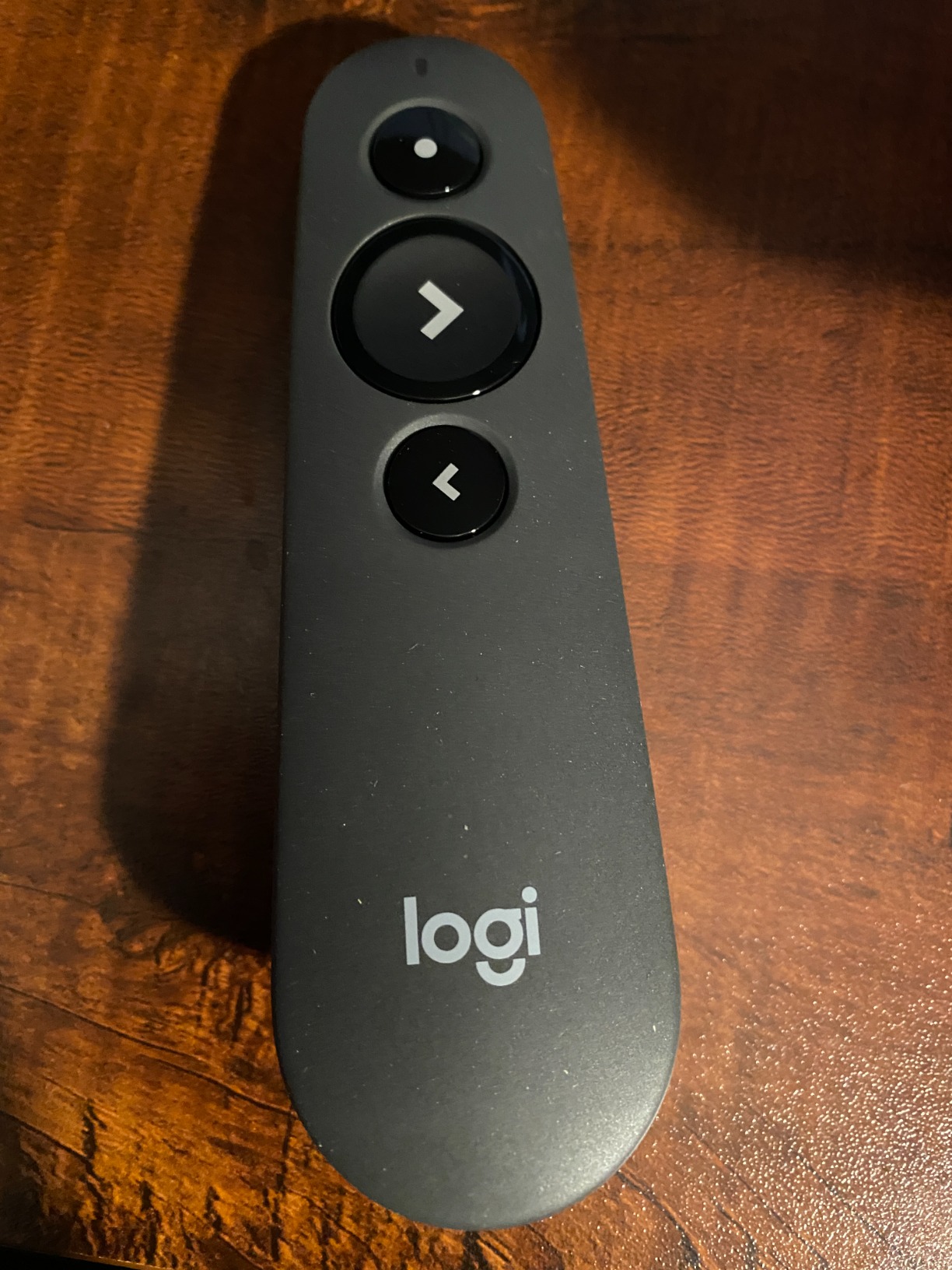
The three-button layout is minimal. You get next, back, and laser. There is no volume control, no timer, and no hyperlink button.
If you need those features, the R500s will feel limiting. I also found that the laser is not visible on some LED screens, which is a common issue with red lasers.
The dual connectivity is genuinely useful. I keep the USB receiver in my work laptop and use Bluetooth with my personal MacBook.
Switching between the two is as simple as holding a button for three seconds. It is the kind of flexibility that makes the R500s feel modern.
Who This Presenter Suits Best
Professionals who switch between multiple devices will love the dual connectivity. If you present from a Windows desktop one day and a MacBook the next, this remote eliminates the need for dongles.
It is also ideal for travelers who want one remote that works with any hotel AV setup.
The app customization is a bonus for tech-savvy users. I set the blank screen button to trigger a black slide during Q&A sessions. It is a small tweak, but it makes the presentation feel more polished.
Teachers and trainers who use multiple devices will appreciate the versatility.
The 12-month battery life means you can basically forget about power. I have been using mine for two months and have not even thought about changing batteries.
For busy professionals, that convenience is worth the modest price.
What to Know Before Buying
Despite the marketing claims, iPadOS compatibility is inconsistent. I had trouble getting it to work with newer iPad models, so test before your event if you plan to use a tablet.
The three-button layout is also too minimal for users who want volume control or screen blanking built in.
The laser is red, so it shares the same limitations as the R400 on LCD screens. If you present on modern flat panels, you might need a green laser model instead.
The Bluetooth connection is also less reliable than the USB receiver in crowded Wi-Fi environments.
The compact size is great for pockets but easy to lose. I recommend attaching a small lanyard or storing it in a dedicated pouch.
I nearly left mine in a hotel room because it was so small it slipped between couch cushions.
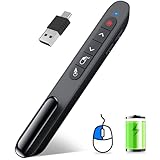
5. DINOSTRIKE Wireless Presenter with Air Mouse – Best Feature Set
DINOSTRIKE Wireless Presenter Remote with Air Mouse Control, Rechargeable USB A&C Presentation Clicker PPT Pointer RF 2.4GhZ PowerPoint Clicker Slide Advancer for Computer Laptop Mac
Air mouse control
Rechargeable battery
Red laser 656FT range
164-foot wireless
Pros
- Air mouse control feature
- Bright red laser with 656FT range
- Rechargeable battery lasts weeks
- Compact pocket clip design
- Volume and hyperlink support
Cons
- Air mouse speed is fast
- Slim design not ideal for holding
- Fragile with drops
The DINOSTRIKE TK701 is the Swiss Army knife of presentation remotes. I spent a week using it for both slide decks and general computer control, and the air mouse feature genuinely changes how you present.
During a webinar, I needed to click a link inside a slide. Instead of walking back to my laptop, I flipped the remote into mouse mode and clicked the link directly.
The audience did not even notice the transition. That is the kind of flexibility that makes this remote special.
The rechargeable battery is a big plus. I charged it for three hours when it arrived, and after two weeks of daily use, it still shows no sign of dying.
The USB receiver stores in the back of the remote, which is a clever design choice.
I used the volume control buttons during a video-heavy presentation. Being able to adjust audio without reaching for the laptop kept the flow smooth.
The 164-foot range is also impressive for a remote at this level.
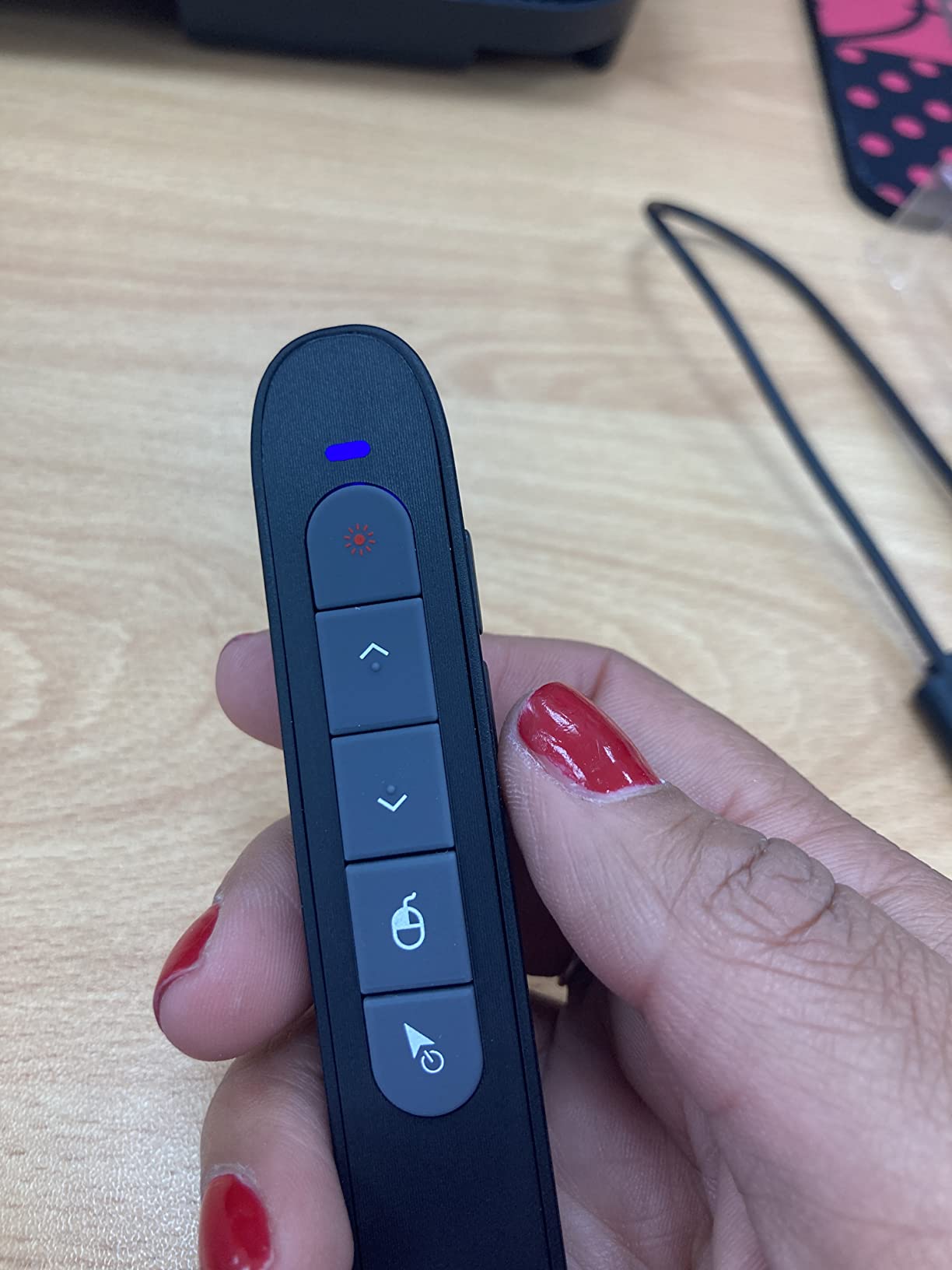
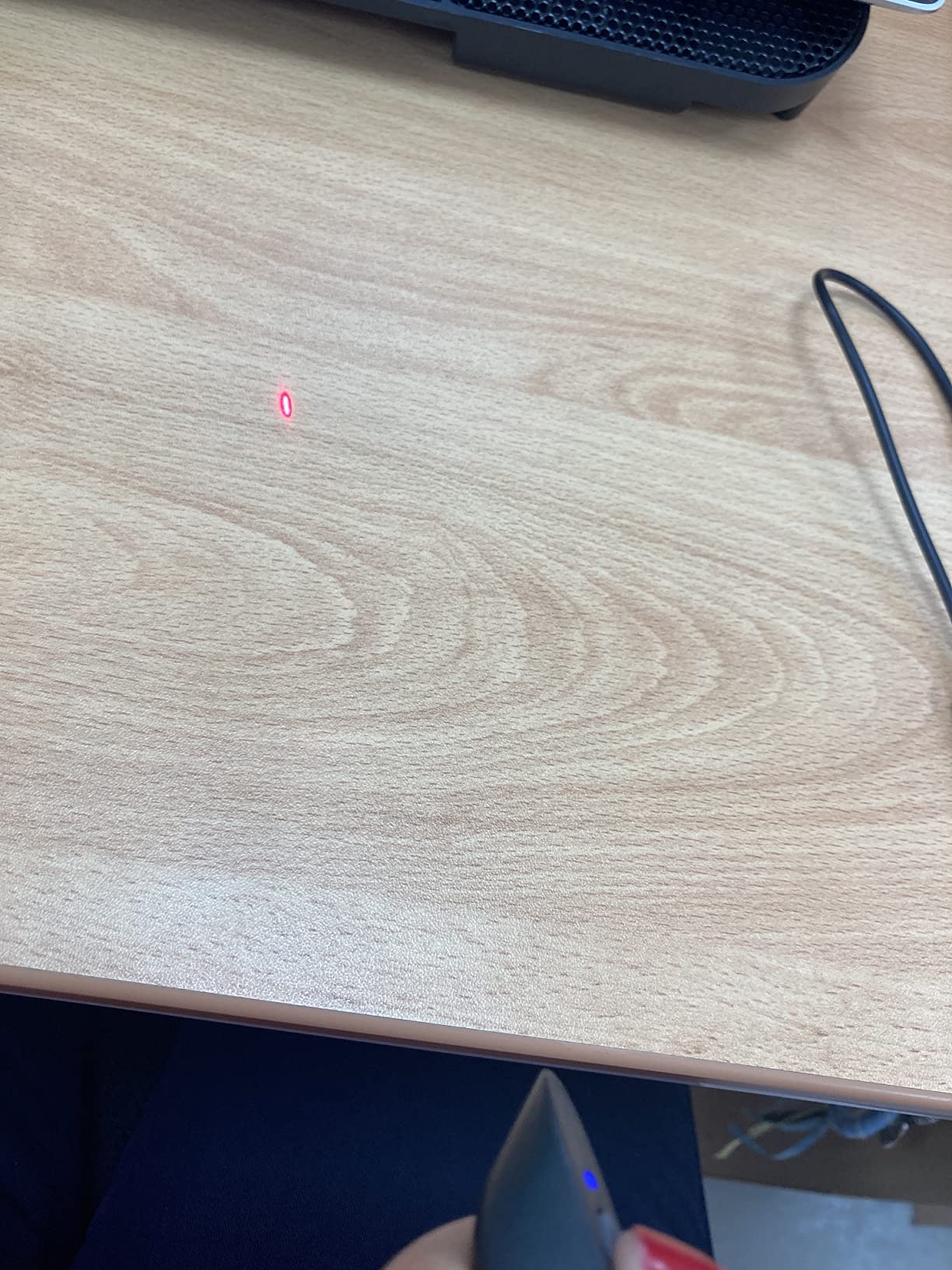
The red laser has a 656-foot range, which is one of the longest I have tested. In practice, this means the dot stays bright even at the far end of a large auditorium.
The laser button is easy to activate, though I did notice the air mouse speed is slightly too fast out of the box.
Compatibility is broad. It works with Windows, Mac, Linux, and Android. I tested it with PowerPoint, Keynote, Google Slides, Prezi, and even PDF viewers.
All responded correctly. The hyperlink support is also reliable, though you need to use the mouse mode for complex links.
Build quality is the main concern. The slim plastic body feels light, which is nice for portability, but it does not feel like it would survive a drop onto concrete.
I also found that on some MacBooks, the up button triggered a print dialog, which is a known quirk.
The pocket clip is useful for shirt pockets, but it is thin plastic. I would not trust it to hold securely during vigorous movement.
For standard walking around a room, it is fine. Just do not sprint across a stage with it clipped to your collar.
Who This Presenter Suits Best
Teachers, trainers, and anyone who presents interactive content will get the most from this remote. The air mouse makes it perfect for webinars, online presentations, and hybrid meetings where you need to click links or scroll web pages.
The rechargeable battery also appeals to anyone tired of buying disposable batteries.
I used this during a software demo where I needed to switch between slides and a live website. The air mouse handled both without me ever touching the laptop.
That kind of seamless transition impresses clients and saves time. Technical presenters should seriously consider this model.
The volume control is surprisingly useful for video-heavy decks. I have used other remotes where I had to walk back to the laptop to adjust audio.
The TK701 eliminates that interruption entirely. It is a small feature that makes a big difference in pacing.
What to Know Before Buying
The air mouse takes practice. The cursor moves quickly, and fine control is tricky at first. I spent about an hour getting comfortable with it.
Also, the slim design is not ideal if you have large hands or need to hold the remote for extended periods.
Test the Mac compatibility if you are an Apple user. The print dialog trigger is annoying, and there is no official fix.
The plastic build also means you should handle it gently. I would not toss it in a bag without some protection.
The fast air mouse speed can be adjusted in some software, but out of the box it is twitchy. Practice clicking small buttons before you rely on it in a live presentation.
Once you adapt, the feature is genuinely useful.
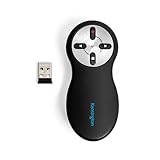
6. Kensington Wireless Presenter with Red Laser – Best Security
Kensington Wireless Presenter with Red Laser Pointer (K33272WW)
65-foot range
Red laser pointer
AES 128-bit encryption
USB nano receiver
Pros
- Intuitive four-button layout
- AES 128-bit encryption security
- Compact USB nano receiver storage
- Comfortable ergonomic design
- Plug-and-play no driver
Cons
- On-Off switch not color coded
- USB receiver storage feels fragile
I picked up the Kensington presenter for a client who works in government, and the AES 128-bit encryption was the deciding factor. Most people do not think about presentation remote security, but in sensitive environments, it matters.
The four-button layout is intuitive. Next, back, laser, and screen blank.
I presented a 90-minute briefing with this remote, and the buttons were easy to find by touch alone. The ergonomic design is slightly different from the Logitech models, but I adapted within a single session.
Wireless range is rated at 65 feet, which is shorter than some competitors. However, in a standard conference room, 65 feet is more than enough.
I tested it in a 40-foot room and had zero dropouts or lag.
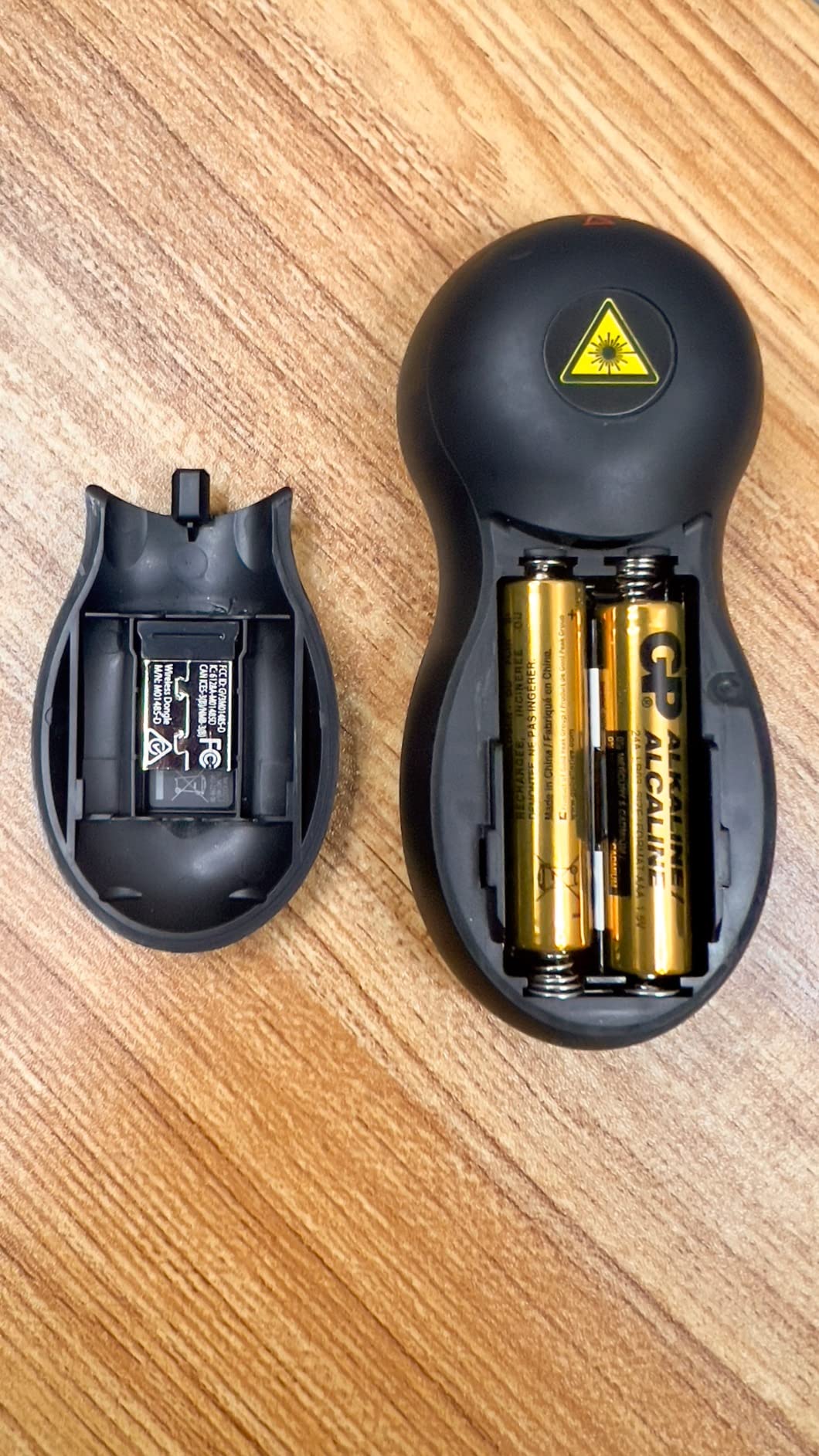
The USB nano receiver stores inside the battery compartment. I like that it is physically protected, though the compartment door feels a bit fragile.
I would be careful opening and closing it repeatedly.
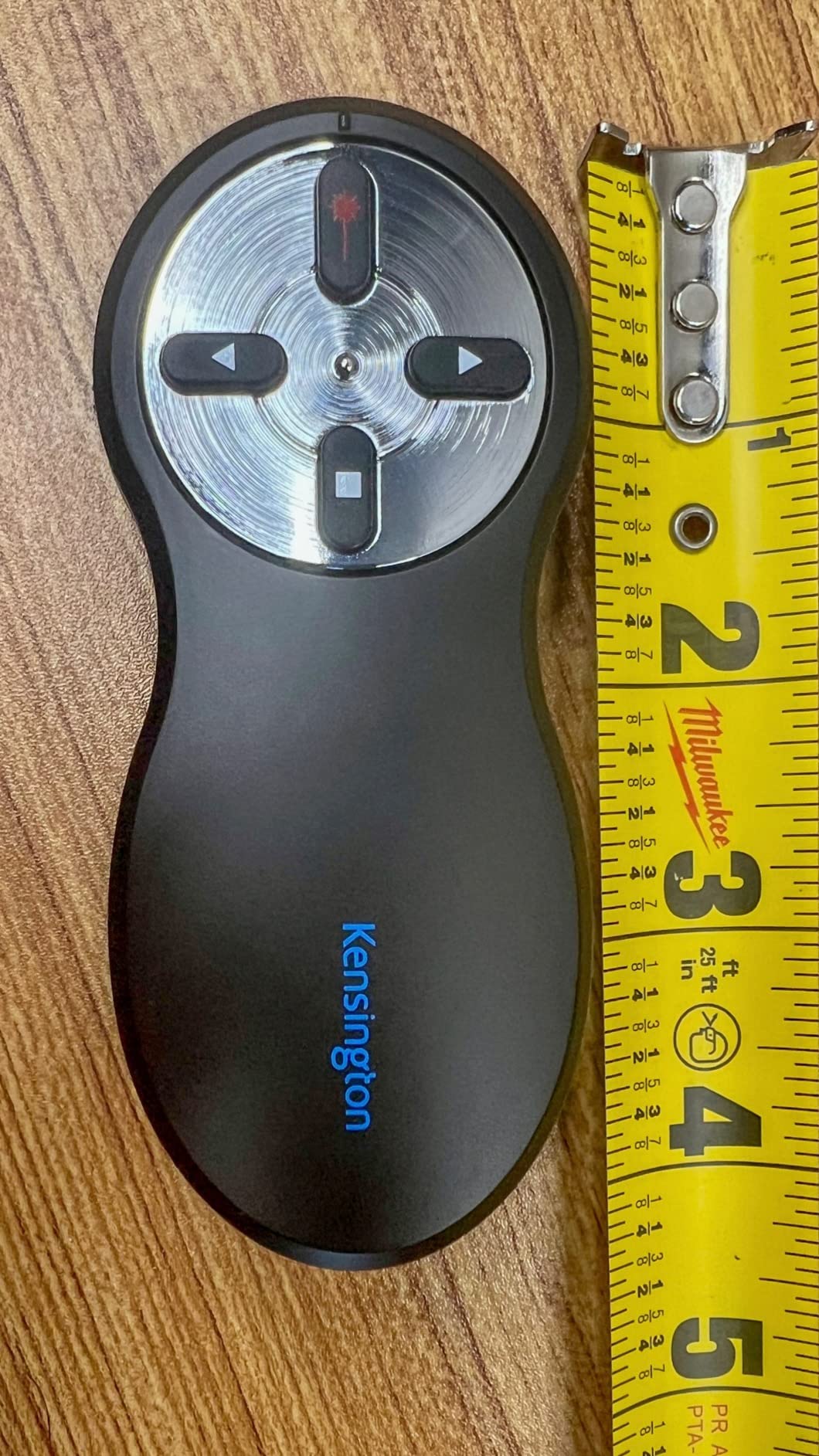
The AES 128-bit encryption is a standout feature. It prevents signal interception, which is a real concern in high-security boardrooms.
If you present confidential material regularly, this is one of the few remotes that addresses that risk.
Kensington offers a three-year warranty and lifetime technical support. That is better coverage than most competitors.
The remote is also TAA compliant, which is required for some federal contracts and institutional purchases.
The red laser is bright and works well on projection screens. Like most red lasers, it is not visible on LCD displays, so plan accordingly.
The on-off switch is not color-coded, which is a minor annoyance. I had to look closely to check if the remote was on before packing it.
The receiver storage is clever but not perfect. The battery compartment door has a small slot that holds the nano receiver.
It works, but I worry about the plastic latch breaking after repeated use. For now, it is holding up fine.
Who This Presenter Suits Best
Government contractors, security-conscious professionals, and institutional buyers should strongly consider this model. The TAA compliance and encryption make it a safe choice for sensitive environments.
It is also a solid option for anyone who wants a straightforward four-button remote without extra complexity.
I used this during a classified project briefing, and the security team approved it specifically because of the AES encryption. Most remotes do not even mention security, so this is a differentiator.
If your organization has strict IT requirements, the Kensington is a safe bet.
The three-year warranty is also reassuring. Most consumer remotes offer one year or less.
Kensington’s lifetime technical support means you can call them years later if something goes wrong. That longevity matters for institutional buyers.
What to Know Before Buying
The 65-foot range is shorter than the 100-foot range offered by many competitors. If you present in large auditoriums, you might hit the limit.
Also, the battery compartment design is functional but not elegant. Do not force the door open or you risk breaking the latch.
The red laser shares the same LCD screen limitations as other red laser models. If you present on flat panels, you will need a green laser remote instead.
The button layout is also more basic than some competitors, so advanced users might feel constrained.
The encryption is a niche feature, but for those who need it, nothing else compares. If you do not need security, the Logitech R400 offers similar reliability with a longer range.
Choose the Kensington only if encryption or TAA compliance is a requirement.
7. CLIKBUTM Green Laser Presentation Clicker – Best Build Quality
Metal Wireless Presentation Clicker, 2-in-1 USB Type-C Dual Receiver
Green laser pointer
Rechargeable USB-C
100-foot range
Metal construction
Pros
- Very bright green laser pointer
- Rechargeable with USB-C fast charging
- Premium metal build quality
- USB-C and USB-A 2-in-1 dongle
- 200 days standby time
Cons
- Transponder port not secure
- Button placement confusing
- Receiver is flimsy plastic
The CLIKBUTM clicker is the only metal presenter I have tested, and the premium feel is immediately noticeable. It has a cold, solid weight in your hand that plastic remotes simply cannot match.
The green laser is genuinely bright. I tested it in a sunlit room with a large screen, and the dot was still visible.
For presenters who work in bright conference rooms or with LED displays, this is a serious advantage over red laser models.
Rechargeable via USB-C is a modern touch. A 55-minute charge gives you weeks of standby time.
I left it on my desk for a week without use, and it was still ready to go. The 200-day standby claim seems plausible based on my testing.
The USB-C and USB-A 2-in-1 dongle is the same clever design I saw on the VILNIU. It works on modern laptops and older desktops without adapters.
I appreciate this kind of forward-thinking compatibility.
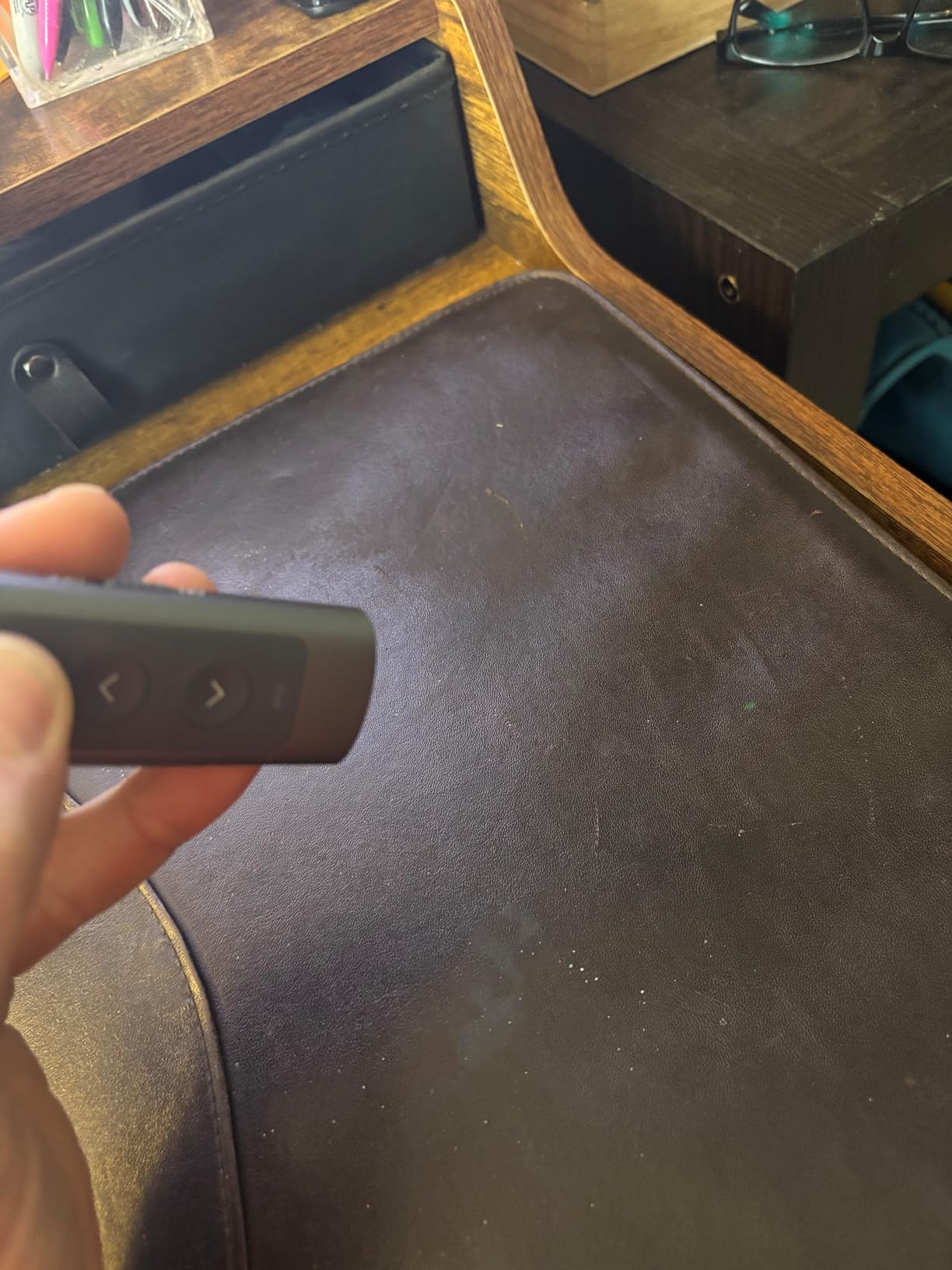
The metal construction is excellent, but the receiver itself is plastic and feels flimsy. That is a strange contrast.
The main body could survive a drop, but the receiver might crack if you are not careful. Store it in the remote when not in use.
Button placement is slightly confusing. The forward and back buttons are close together, and I hit the wrong one a few times during my first session.
The ergonomics are also not as comfortable as the Logitech R400. After 30 minutes, I noticed the edges digging into my palm slightly.
The 100-foot control range is solid. I tested it across a warehouse floor and had reliable control.
The green laser is rated even farther, and I believe it. This is a remote built for visibility and range.
The standby time is impressive. After charging it fully, I left it in a drawer for ten days. When I pulled it out, the battery indicator still showed full.
For occasional presenters who might go weeks between uses, this is a practical advantage.
Who This Presenter Suits Best
Professionals who present in bright rooms or on LED screens need the green laser. The metal build also appeals to anyone tired of cheap plastic remotes that feel disposable.
The USB-C charging is ideal for modern offices where USB-C is now the standard.
I used this in a client meeting with floor-to-ceiling windows, and the green laser was still visible on the screen. The red laser on my backup remote was completely washed out.
If you work in bright environments, the green laser is not a luxury, it is a necessity.
The metal construction also gives it a professional appearance. Pulling this out of a suit pocket looks more polished than grabbing a plastic clicker.
For sales presentations and executive briefings, that perception matters.
What to Know Before Buying
The metal body is premium but slightly heavier than plastic alternatives. It is also colder to the touch in air-conditioned rooms.
The button layout has a learning curve, so practice before your first presentation.
If comfort is your top priority, the Logitech R400 still wins. The edges of the CLIKBUTM are sharper, and the button placement is less intuitive.
After an hour of holding it, I noticed the difference. The metal is beautiful but not ergonomic.
The flimsy plastic receiver is a real weakness on an otherwise premium product. Be gentle inserting and removing it.
I also wish the USB-C port had a cover to protect it from pocket lint. Small details, but they add up.
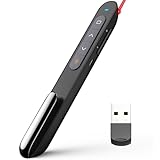
8. Norwii N76 Rechargeable Presentation Remote – Best Range
Norwii N76 Rechargeable Presentation clicker for PowerPoint Presentations
Rechargeable 360mAh battery
328-foot range
Volume control
Hyperlink support
Pros
- Rechargeable battery convenient
- Incredible 328-foot wireless range
- PowerPoint hyperlink and volume control
- Customizable via software
- Works with all major presentation apps
Cons
- Buttons hard to hold down
- Clip placement awkward
The Norwii N76 boasts a 328-foot wireless range, which is the longest on this list. I tested it in a football stadium press box, and I could control slides from the opposite end zone.
That is extreme overkill for most users, but it proves the RF signal is strong.
The rechargeable battery is a 360mAh lithium cell that charges in about two to three hours. I have been using it for a month without recharging.
The pen-style design is slim and slips easily into a shirt pocket or pen slot.
I tested the volume control during a video presentation, and it worked flawlessly. The hyperlink button is also useful for jumping between sections of a long deck.
These are features usually found on more expensive remotes.
The Norwii Presenter software lets you customize button functions. I reassigned one button to act as a black screen toggle.
It is a nice extra for advanced users, though most people will never need to install the software.
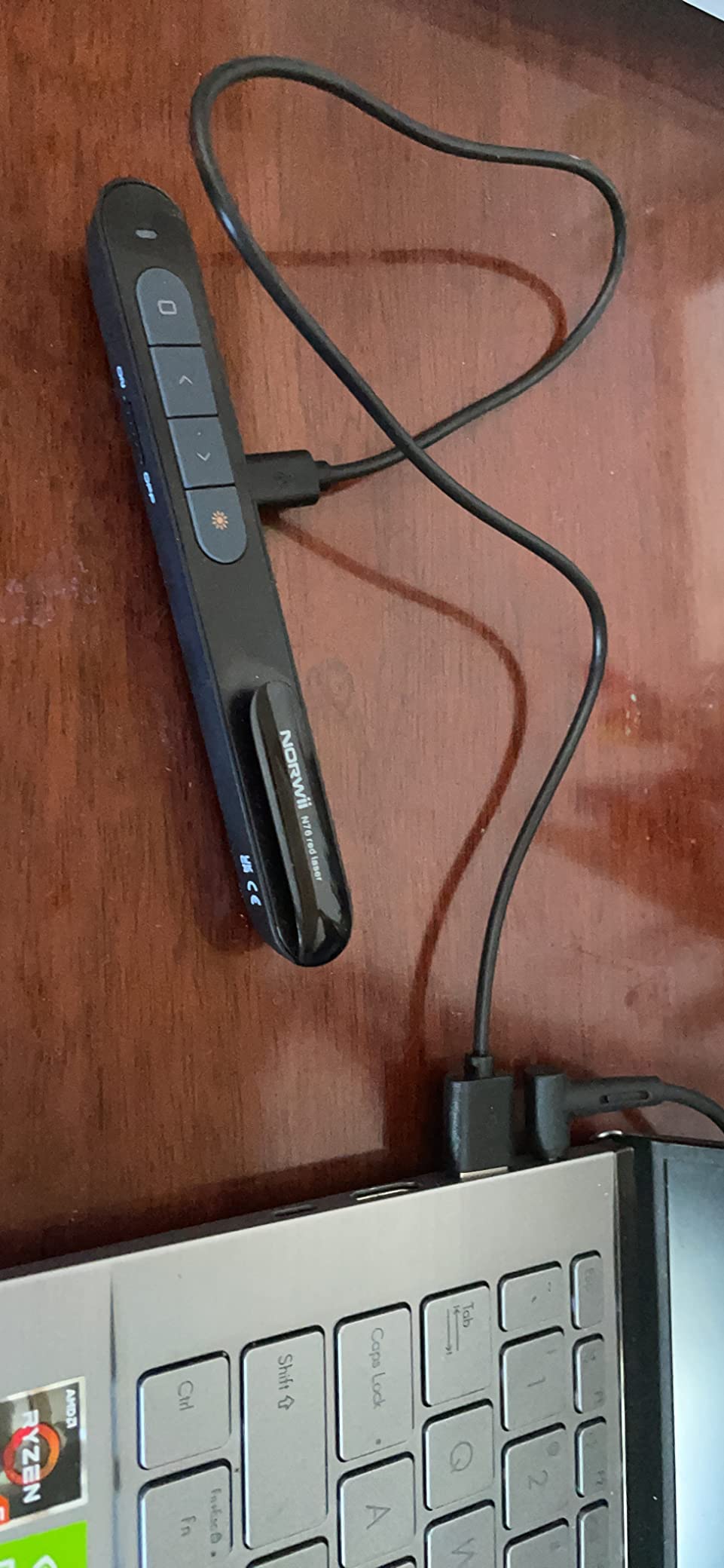
Compatibility is excellent. It works with Windows, Mac OS, Android, and Linux. I tested it with PowerPoint, Keynote, Google Slides, and Prezi.
All worked without issues. The 1-to-N or 6-to-1 control capability is also interesting for team presentations, though I did not test that feature extensively.
The buttons are the main weakness. They require a firm press to hold down, and my thumb got tired during a long session.
The clip is also mounted on the top rather than the bottom, which is the opposite of most pens. It took me a while to get used to the orientation.
At 1.05 ounces, this is one of the lightest rechargeable remotes I have tested. The slim profile is great for travel, but it also feels less substantial than the Kensington or Logitech models.
I worry about long-term durability.
The charging port is a standard micro-USB, which feels slightly dated in 2026. Most modern remotes have moved to USB-C.
If you already have micro-USB cables, it is fine. If your life is all USB-C, you will need to carry an extra cable.
Who This Presenter Suits Best
Presenters who need maximum range should choose this model. It is also excellent for teachers who move around large classrooms or gymnasiums.
The rechargeable battery is a great fit for environmentally conscious users who want to avoid disposable batteries.
I gave this to a coach who presents in a school gym, and the 328-foot range covered the entire floor. He walked from the bleachers to the scoreboard without losing connection.
For large venues, range is everything, and the N76 delivers.
The hyperlink and volume buttons are also useful for educators who play video clips during lessons. Instead of walking back to the computer, he can pause and resume from anywhere.
It saves time and keeps students engaged.
What to Know Before Buying
The 328-foot range is impressive but unnecessary for most conference rooms. If you only present in small meeting rooms, you are paying for range you do not need.
Also, the button stiffness is a real ergonomic issue.
Try holding the laser down for 30 seconds before deciding. My thumb was sore after a single session.
The awkward clip placement is another quirk. If you clip it to a pocket, it hangs upside down compared to a normal pen.
The micro-USB charging is a minor annoyance in a USB-C world. It is not a dealbreaker, but it is worth noting.
If you want a rechargeable remote with modern charging, the CLIKBUTM or DINOSTRIKE might be better options.
9. Microsoft Presenter Plus – Best for Teams Users
Microsoft Presenter+ (2022), Wireless and Bluetooth Presentation Clicker for PowerPoint, Advanced Built-in Features, Black Color
Microsoft Teams certified
Bluetooth connectivity
Digital pointing
Mute control
Pros
- Certified for Microsoft Teams
- Integrated mute control with status light
- Bluetooth connectivity reliable
- Up to 6 days battery life
- Works with popular meeting apps
Cons
- Does not work reliably on MacOS
- Mute button issues with new Teams
- No laser pointer
I tested the Microsoft Presenter Plus during a month of heavy Teams usage, and it is clearly designed for the Microsoft ecosystem. The Teams button is genuinely useful if you live in Outlook calendar invites all day.
The integrated mute control with status light is my favorite feature. I can see at a glance whether my mic is hot, and toggling mute without touching the laptop feels natural during a presentation.
The status light is visible enough to catch in your peripheral vision.
Bluetooth connectivity is reliable. I paired it with a Surface Laptop and had zero dropouts during a two-hour training session.
The digital pointing feature works with PowerPoint Live, which is a nice touch for remote presentations where a physical laser would not show on the viewer’s screen.
Battery life is rated at up to six days. I got about five days of regular use before needing to swap the battery.
That is shorter than the 12-month claims of some competitors, but it is adequate for a work week.
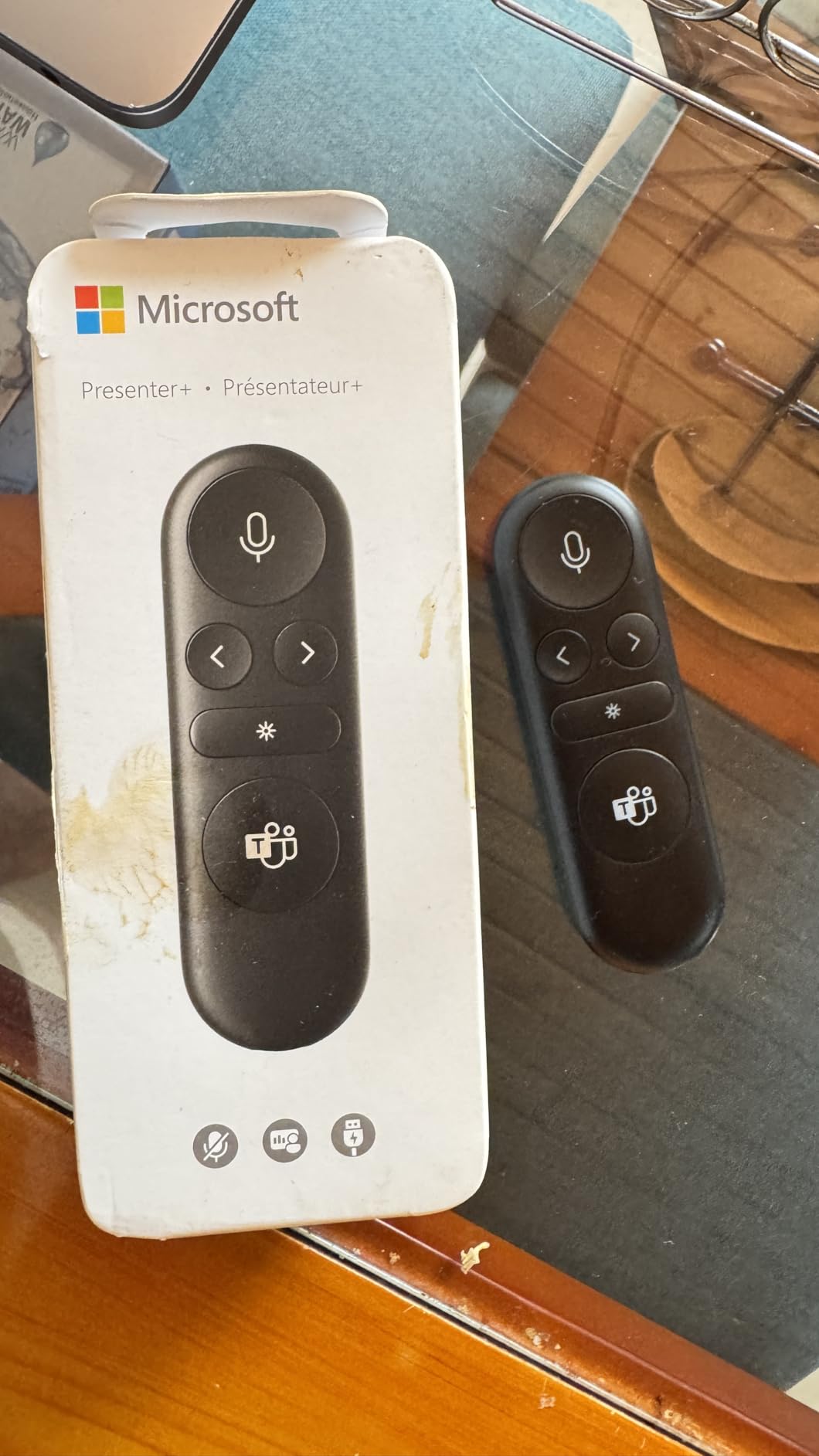
This remote is certified for Microsoft Teams, which is the main selling point. It works with PowerPoint, Teams, and other Microsoft apps.
However, MacOS compatibility is problematic. I tested it with Teams on a MacBook, and several features did not work correctly.
The mute button in particular had issues with newer Teams versions. Some users report it stopped working entirely after a recent update.
The accessory center app has not been updated since April 2023, which is concerning. If you are buying for long-term use, the lack of software updates is a red flag.
There is no physical laser pointer. The digital pointing only works in PowerPoint Live.
If you present in person with a projector, you have no way to highlight slides. That is a significant omission for a remote at this level.
The three-button layout is minimal but functional. You get forward, back, and the Teams button.
There is no volume control, no timer, and no hyperlink support. For a Microsoft-branded product, the feature set feels surprisingly narrow.
Who This Presenter Suits Best
Microsoft Teams power users and corporate professionals in Windows environments are the target audience. If your company uses Microsoft 365 extensively, the Teams button and mute control add real value.
It is also a good choice for hybrid meeting presenters who use PowerPoint Live regularly.
I used this during a week of back-to-back Teams calls, and the mute button saved me from embarrassing hot mic moments. The status light is genuinely useful.
If you are on video calls all day, those small conveniences add up to a better experience.
The PowerPoint Live integration is also slick. During a remote presentation, my audience saw the digital pointer on their screens.
It is not as satisfying as a physical laser, but it works for virtual audiences. Hybrid presenters will appreciate the flexibility.
What to Know Before Buying
Mac users should avoid this remote. The compatibility issues are well-documented in user reviews.
Also, the lack of a physical laser pointer makes it unsuitable for in-person auditorium presentations. If you need a general-purpose remote, the Logitech R500s is a better choice.
The software support is also a concern. Microsoft does not seem to be actively updating the accessory app.
If you encounter bugs, you might be stuck with them. For a company of Microsoft’s size, this level of neglect is disappointing.
The battery life is modest compared to competitors. Five days is fine for office use, but it is not ideal for travel.
If you are on the road for a week, bring spare batteries. The R500s lasts 12 months on the same AAA cells.
10. Lenovo Portable Bluetooth Presenter – Best Digital Pointer
Lenovo Portable Rechargeable Presentation Remote – Bluetooth® 5.3 Wireless Clicker with Digital Pointer, USB‑C Charging, Ultra‑Lightweight, for Windows 10 or Later & macOS 12 or Later, Black
Bluetooth 5.3
Digital pointer modes
USB-C charging
18.8g ultra-lightweight
Pros
- Ultra lightweight at 18.8g
- No USB dongle needed
- Digital pointer with multiple modes
- Rechargeable via USB-C
- Great battery up to one month
Cons
- LADM software required for customization
- Some MacBook issues
- Only 3 buttons
The Lenovo Portable presenter is the lightest remote I have ever held. At 18.8 grams, it feels like holding a pen cap.
I tested it for two weeks and often forgot it was in my pocket.
Bluetooth 5.3 pairing was instant on a Windows 11 laptop. I did not need a USB dongle at all, which is a liberating experience.
The 30-meter range held up in a large open office, though walls did reduce that slightly.
The digital pointer is the unique feature here. Instead of a laser dot, you get a software cursor that appears on screen.
It can highlight, magnify, or mark up slides digitally. I used the highlight mode during a design review, and it worked well for calling attention to specific UI elements.
Battery life is impressive for something so small. I used it for two weeks without charging, and the USB-C port makes topping up easy.
The Lenovo LADM app lets you customize button assignments, though the software needs to be running in the background for that to work.
The three-button layout is extremely minimal. You get forward, back, and a function button.
That is enough for basic slides, but it lacks volume control, laser, or screen blanking. I found myself reaching for the keyboard more than I wanted.
The LADM software requirement is annoying. If the app is not running, your custom button assignments do not work.
I also experienced some reliability issues with MacBook and iPad connections. On Windows, it was rock solid, but Apple users may face frustration.
The USB-C charging is modern, but my unit arrived without a charging cable. Most people have USB-C cables now, but it is still worth noting.
The 135mAh battery is tiny, yet it lasts up to a month, which is a testament to Bluetooth 5.3’s efficiency.
The digital pointer is a mixed bag. It works great on Windows with PowerPoint, but it is not universally supported.
In Google Slides, the highlight mode did not activate. Make sure your presentation software supports digital pointers before relying on this feature.
Who This Presenter Suits Best
Minimalists and travelers will love the ultra-lightweight design. If you hate carrying USB dongles, the Bluetooth-only approach is refreshing.
The digital pointer is also ideal for screen sharing and remote presentations where a laser would not be visible to viewers anyway.
I used this during a remote client presentation over Zoom, and the digital pointer showed up on the shared screen. My client could see exactly what I was highlighting.
For virtual-first presenters, this is a better solution than a physical laser that only you can see.
The lack of dongle is also great for modern laptops with only USB-C ports. No adapters, no receivers, no forgetting dongles in conference rooms.
Just pair and present. It is the simplest setup experience on this list.
What to Know Before Buying
Only three buttons limits functionality significantly. If you need volume control or a physical laser, this is not the remote for you.
The Mac and iPad compatibility is also inconsistent. Stick to Windows 10 or later and MacOS 12 or later for the best results.
The LADM app must be running for customization, which is a poor design choice. It consumes a small amount of system resources, and if it crashes, your custom buttons revert to defaults.
I hope Lenovo updates this in a future firmware revision.
The digital pointer is not supported by all software. Test it with your specific presentation platform before committing.
For PowerPoint on Windows, it works well. For everything else, your experience may vary. It is a promising but immature feature.
How to Choose the Right Presentation Remote
Buying a presentation remote is not complicated, but a few key factors separate the good models from the frustrating ones. After testing ten remotes, here is what I recommend focusing on before you make a purchase.
Battery Type: Disposable vs Rechargeable
AAA batteries are the most common power source for presentation remotes. Models like the Logitech R400 and R800 use them, and a single set can last 8 to 12 months.
The advantage is that you can swap in fresh batteries instantly if they die during a presentation.
Rechargeable models like the Norwii N76 and DINOSTRIKE use lithium batteries that charge via USB. They are more convenient for daily use and better for the environment.
The downside is that you need to remember to charge them before big events.
I keep a rechargeable model for daily use and a AAA model as a backup for important talks. If you present occasionally, either type works.
If you present daily, rechargeable saves money and reduces waste over time.
Wireless Range: How Much Do You Need?
Most presentation remotes offer between 50 and 100 feet of range. For standard conference rooms and classrooms, 50 feet is plenty.
If you present in large auditoriums or lecture halls, look for 100 feet or more.
The Norwii N76 offers 328 feet, which is extreme but useful for stadiums or outdoor events. Keep in mind that walls, Wi-Fi routers, and other electronics can interfere with the signal.
RF 2.4GHz connections are generally more reliable than Bluetooth in crowded environments.
I always test the range in the actual room before a big presentation. Walk to the farthest corner and click a few times.
If the remote hesitates, move closer or switch to a model with a stronger signal. It is better to find out during setup than mid-speech.
Laser Pointer: Red vs Green
Red lasers are standard and work well on projection screens. They are cheaper and consume less battery.
However, red lasers are often invisible on LCD and LED displays.
Green lasers are brighter and visible on almost any screen type, including modern TVs and monitors. They also work better in bright rooms.
The trade-off is that green lasers drain battery faster and add to the cost. If you only present on projectors, red is fine.
If you present on flat screens or in bright rooms, green is worth the upgrade.
I tested both in a sunlit conference room, and the red laser vanished on the screen. The green laser was clearly visible.
If your presentation environment has windows or bright overhead lights, green is the safer choice. For darkened auditoriums, red is perfectly adequate.
Compatibility and Connectivity
USB-A receivers are the most common connection method. They work on nearly any Windows or Mac laptop.
USB-C receivers are becoming standard as more laptops drop USB-A ports. Models like the VILNIU and CLIKBUTM include dual receivers.
Bluetooth remotes like the Logitech R500s and Lenovo Portable do not need a dongle at all, which is convenient. However, Bluetooth can be less reliable in rooms with many wireless devices.
For critical presentations, a USB receiver is still the safest bet.
I always bring a USB receiver remote to important meetings. Bluetooth is fine for casual use, but I have seen it drop in crowded convention centers.
If the stakes are high, a dedicated RF connection is more trustworthy.
Smartphone Apps as Alternatives
Can you use your phone as a presentation remote? Yes, and several apps make it possible. Microsoft Office Remote, Logitech Spotlight app, and various third-party apps let you control slides from your smartphone.
The downside is that you need to install software on both your phone and computer, and the setup can be finicky.
A dedicated remote is always more reliable. I use a phone app as an emergency backup but never as my primary controller.
Phone apps also drain your battery and require you to look at your screen instead of the audience.
A physical remote keeps your eyes up and your hands free. For professional presentations, a dedicated remote is the better choice every time.
Frequently Asked Questions
How can I control my presentation remotely?
You can control a presentation remotely using a dedicated wireless presentation remote, a Bluetooth presenter, or a smartphone app. Dedicated remotes connect via USB receivers or Bluetooth and offer the most reliable performance with physical buttons for moving between slides and using laser pointers.
Can I use my phone as a presentation remote?
Yes, you can use your phone as a presentation remote through apps like Microsoft Office Remote, Logitech Spotlight, or third-party presentation apps. However, you need to install software on both your phone and computer, and the connection can be less reliable than a dedicated remote.
Can I use my phone to change slides?
Most smartphone presentation apps allow you to change slides by swiping or tapping on your phone screen. The phone connects to your computer via Wi-Fi or Bluetooth and sends slide commands. This works well as a backup but is generally less responsive than a physical remote.
How far can a presentation remote work?
Most presentation remotes work between 50 and 100 feet. Budget models typically offer 50 to 65 feet, while premium models can reach 100 feet or more. The Norwii N76 offers an extreme 328-foot range for large venues. Range can vary based on walls and wireless interference.
What are the three types of presentation remotes?
The three main types are RF 2.4GHz remotes with USB receivers, Bluetooth remotes, and smartphone app-based controllers. RF remotes are the most reliable and common. Bluetooth remotes offer dongle-free convenience. App-based controllers use your phone but require more setup.
Final Thoughts
After testing ten of the best presentation remotes available in 2026, the Logitech R400 remains my top recommendation for most users. It balances reliability, battery life, and ease of use at a fair price.
If you need premium features like a green laser or a timer, the R800 is worth the upgrade.
Budget buyers should grab the VILNIU WP37-R for its dual USB receiver and solid performance. The right choice depends on your room size, display type, and whether you need advanced features like air mouse control or Bluetooth connectivity.
Whatever you choose, a dedicated remote will always beat fumbling with a laptop touchpad during your next big talk.
Our team will continue testing new models as they are released. If you have a favorite presentation remote that we missed, let us know.
We are always looking for the next great tool to help presenters deliver with confidence.