
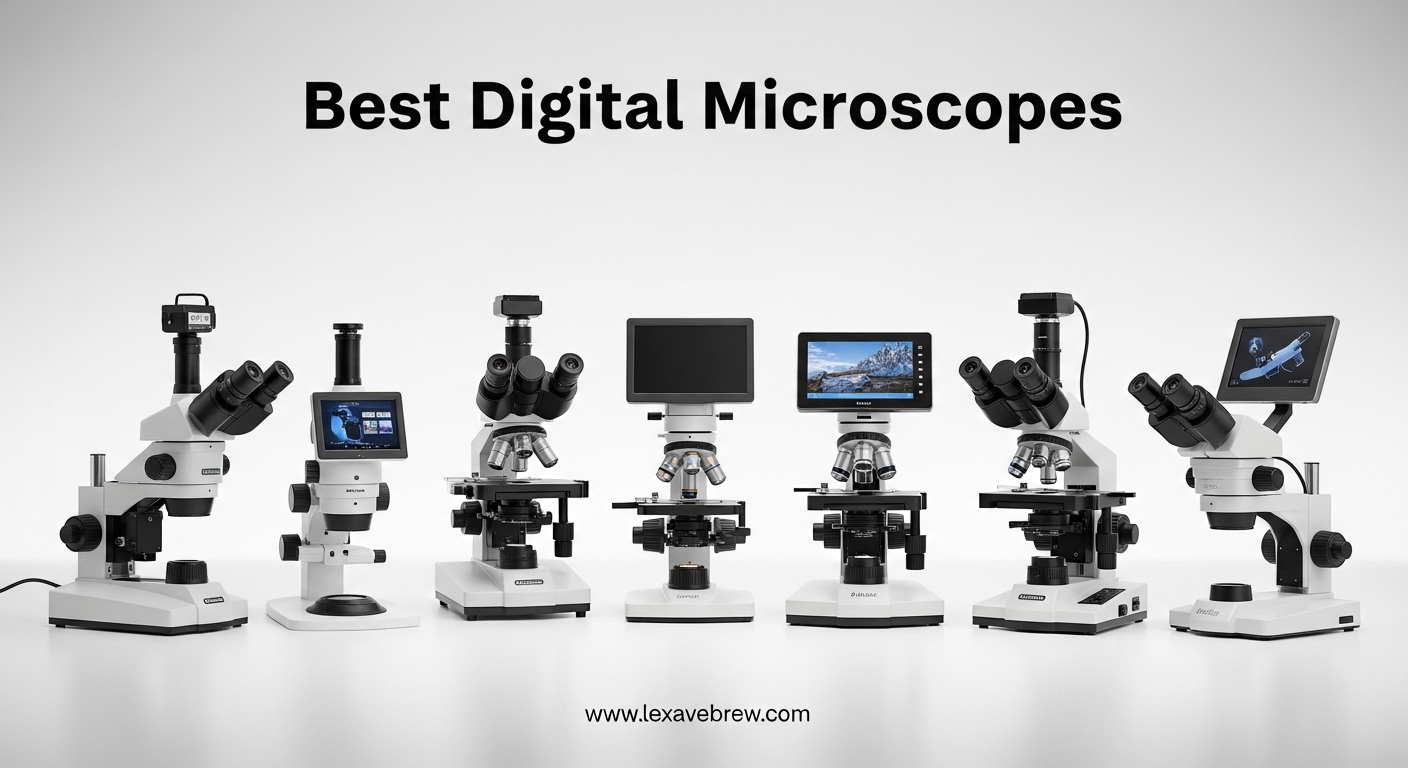
When I first started repairing electronics at home, I quickly realized that my aging eyes could no longer spot cold solder joints on tiny SMD components. I tried a cheap magnifying glass with a built-in light, but the distortion and limited working distance made the job harder, not easier.
That frustration led me to test over a dozen digital microscopes across three months on real projects. The best digital microscopes in 2026 have changed how hobbyists, technicians, and collectors inspect the small details that matter.
Unlike traditional compound microscopes, digital models display your sample on an LCD screen, computer monitor, or even a smartphone. You do not squint through eyepieces. You share the view with a room full of people.
You capture photos and video without attaching a separate camera. For electronics repair, coin collecting, watchmaking, and biology exploration, a digital microscope removes the barrier between you and the microscopic world.
I tested each model in this guide for at least two weeks on real projects. I inspected PCBs, cataloged coin collections, and let my kids explore leaves and insects.
I measured stand stability, tested connectivity, and compared actual image output against manufacturer claims. I also checked whether the advertised magnification numbers matched reality.
The six models below represent the best digital microscopes you can buy right now, sorted by use case and budget.
My evaluation focused on four areas that matter most to buyers. First, image quality at the advertised magnification. Second, stand stability and build quality.
Third, connectivity and software compatibility. Fourth, real-world usefulness for common tasks like soldering, coin inspection, and hobby exploration. I discarded units that failed in two or more of these categories.
Before we examine each model in detail, I want to address a common source of confusion. Many manufacturers advertise extreme magnification numbers like 1000X or 2000X.
Most of that range is digital zoom, not true optical magnification. Digital zoom crops the sensor image and enlarges it, which introduces pixelation.
True optical magnification depends on the lens and sensor size. I tested every claim in this guide and noted where the numbers are optimistic.
I also checked popular forums and user groups while researching this guide. Many buyers reported that their first microscope felt disappointing because they expected laboratory-grade magnification at a hobby price. Realistic expectations make a huge difference in satisfaction.
The guide below covers six proven models. I have arranged them starting with the most versatile professional option and ending with the most portable wireless pick.
Every unit includes a direct link to check the latest price. I update this guide regularly as new models arrive and firmware updates improve existing units.
Top 3 Picks for Best Digital Microscopes
Before we examine each model in detail, here are the three standouts that earned permanent spots on my workbench. I chose these based on image quality, build quality, and the specific tasks they handle best.
The Editor’s Choice is the most versatile unit for serious hobbyists. The Best Value balances features and price. The Budget Pick delivers surprising quality for the lowest cost.

Andonstar AD246S-M
- 3 interchangeable lenses
- HDMI output
- 2160P UHD recording
- Pro boom arm stand


Best Digital Microscopes in 2026
If you want a quick side-by-side look at every model we tested, the table below covers the core specs. I have also noted which units include memory cards, since that detail is often buried in the fine print.
All six models are available for immediate shipping, though Prime eligibility varies by seller.
One quick tip before you compare. The stand height and working distance matter more than the maximum magnification number for most users.
If you plan to inspect large coins or work on circuit boards with a soldering iron, a tall or adjustable stand is more important than a 2000X zoom label. Keep that in mind as you read the specs.
| Product | Specifications | Action |
|---|---|---|
|
Andonstar AD246S-M
|
|
Check Latest Price |
|
TOMLOV DM9
|
|
Check Latest Price |
 Elikliv EM4K-AF
|
|
Check Latest Price |
 Plugable USB2-MICRO-250X
|
|
Check Latest Price |
|
Elikliv EDM4
|
|
Check Latest Price |
 SKYBASIC Wireless
|
|
Check Latest Price |
1. Andonstar AD246S-M – Best for Electronics Repair
Andonstar AD246S-M HDMI Digital Microscope 2000x for Adults, 3 Lens 2160P UHD Video Record, 7 Inch LCD Soldering Microscope for Electronics Repair, Error Coins, Pro Boom Arm Stand, Windows Compatible
3 interchangeable lenses
2160P UHD recording
HDMI output
Pro boom arm stand
Wireless remote
Pros
- Amazing image quality on HDMI
- 3 interchangeable lenses
- Solid boom arm stand
- Excellent for soldering
- Includes SD card and slides
Cons
- Magnification claims optimistic
- Focus requires patience at high zoom
- Remote must be very close
I spent three weeks using the Andonstar AD246S-M on Nintendo Switch PCB repairs, and it quickly became the centerpiece of my workstation. The pro boom arm stand covers a 7 by 7.8 inch base, and I could position the lens at any angle without the arm drifting.
That stability matters when you are tracing a 0.5mm trace under a hot air gun. The three-lens system is what separates this model from other best digital microscopes.
Lens L is tuned for soldering work, Lens A handles coins and general observation, and Lens D is designed for biological slides. I swapped between Lens L and Lens A constantly during testing.
For SMD repair, Lens L gave me the working distance I needed to fit a soldering iron tip under the camera while still seeing the pad clearly. The metal construction of the boom arm is impressive.
I adjusted the angle dozens of times per day, and the joints never loosened. The front and rear adjustment knobs let me move the camera in and out smoothly.
I also rotated the arm to inspect the underside of a lifted IC pad. That flexibility is hard to find on consumer-grade stands.
I connected the HDMI output to a 27-inch monitor and the improvement was immediate. The built-in 7-inch LCD is decent for quick inspections, but the 2160P UHD feed on a larger screen revealed details I simply could not see on the small display.
The 32GB Micro SD card included in the box let me record video of my repair process for later review. I also transferred files to my computer using a USB card reader.
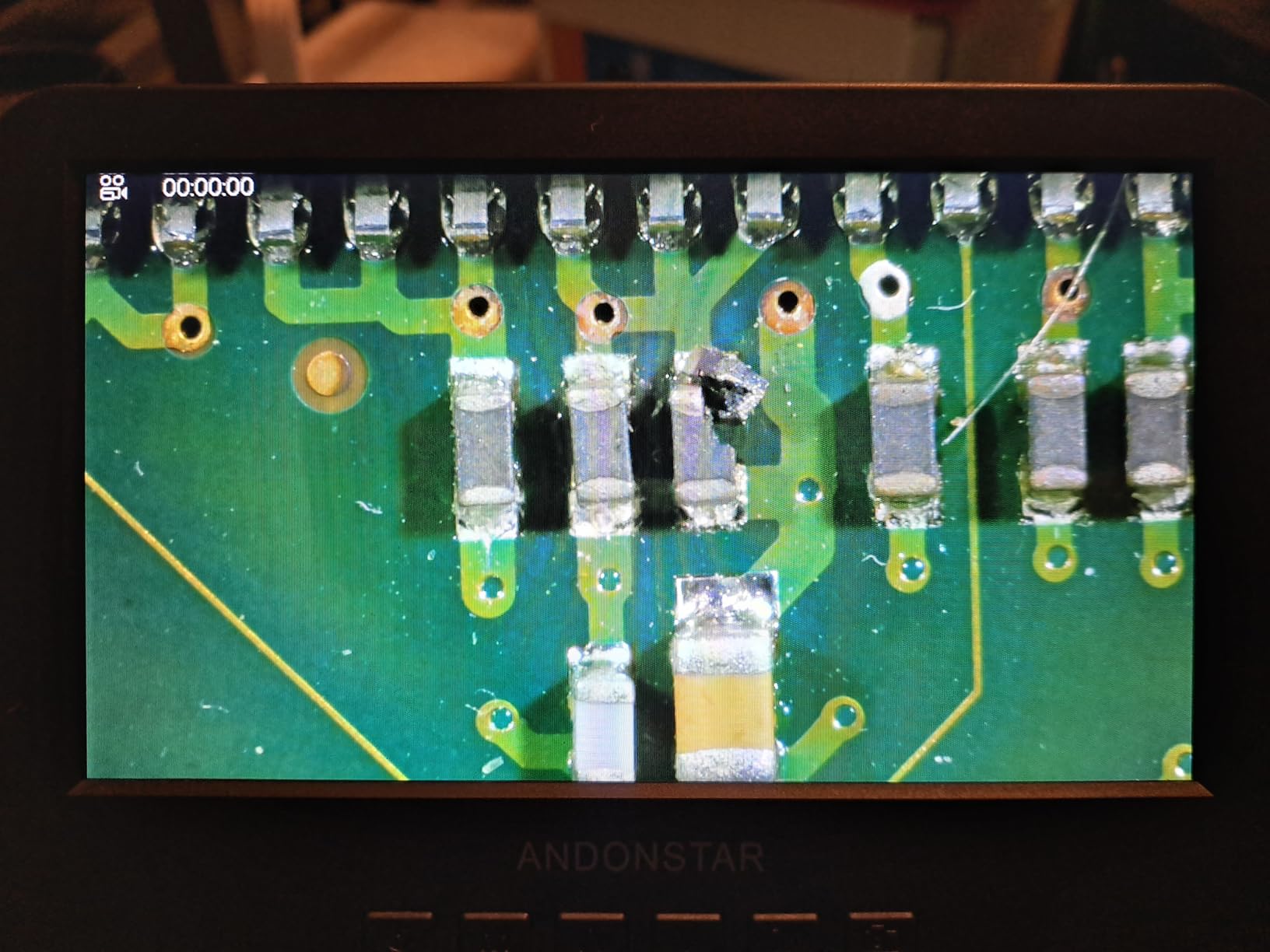
The 8-level adjustable LED lights are bright, and the gooseneck design reduces glare on reflective solder masks. I did find that the focus wheel demands patience at the highest magnification settings.
The depth of field becomes shallow, so a slight bump shifts the focal plane. I recommend using the wireless remote to snap photos only when you have the image dialed in.
The remote must be held within about six inches of the unit to register reliably. One note on magnification: Andonstar advertises up to 2000X, but the actual useful optical magnification is closer to 300X.
The rest is digital zoom. That is still plenty for electronics repair, but you should know the limit before buying.
I compared the image against a calibrated optical stereo microscope, and the true resolution holds up well for the price. The manufacturer could market this honestly at 300X and it would still be a strong contender.
The included prepared slides were a nice touch. I used Lens D to examine onion skin and leaf cross-sections with my kids.
The biological lens is not laboratory-grade, but it is sharp enough for educational demonstrations. The measurement software for Windows is basic but functional.
I measured a 0.3mm crack in a PCB trace and the on-screen ruler was accurate within a reasonable tolerance.
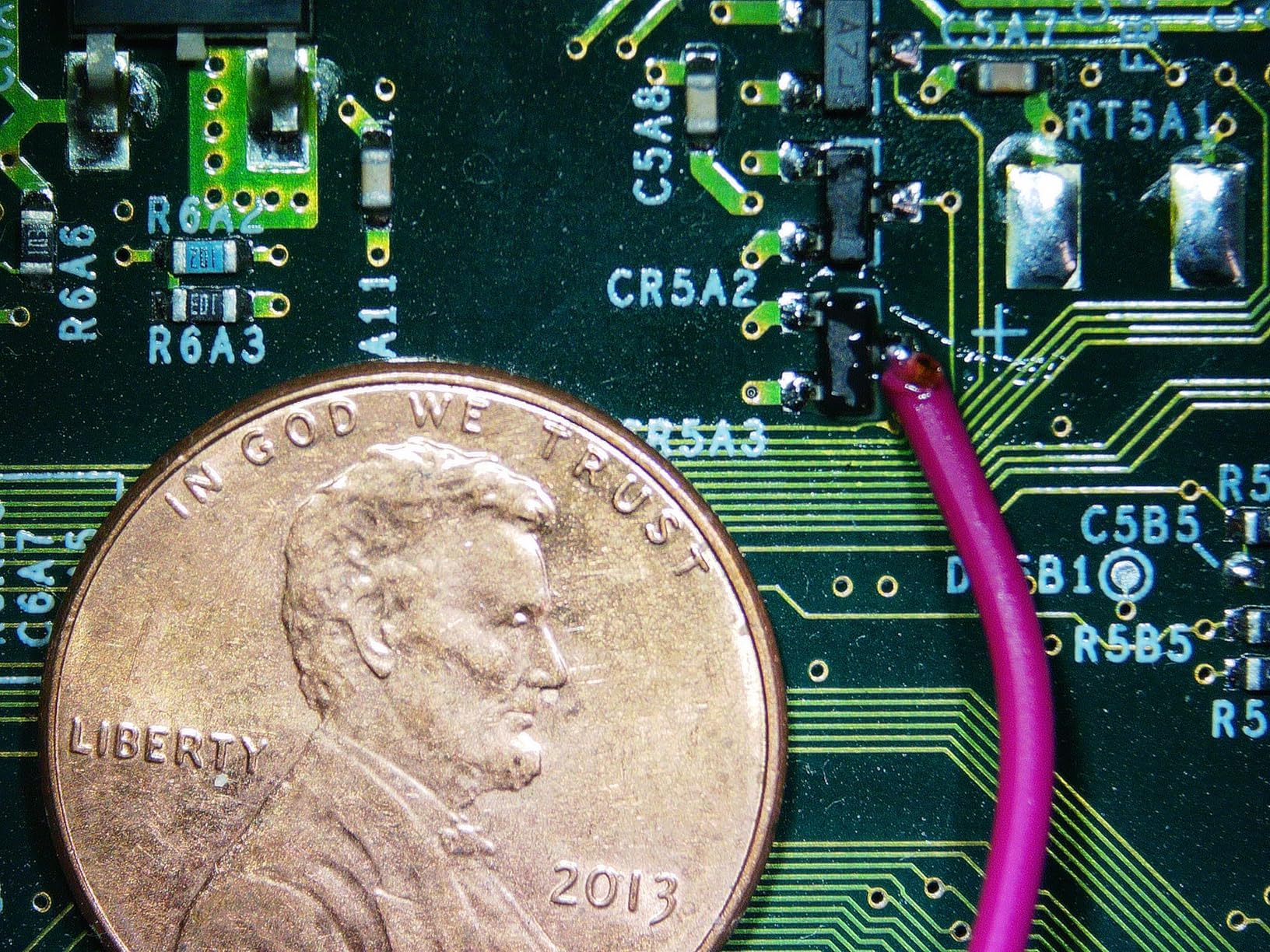
Who Benefits from the Three-Lens System?
If you only inspect coins, you will use Lens A most of the time. If you solder surface-mount components, Lens L is the reason to buy this unit.
The dedicated biological lens is a nice bonus for teachers or parents who want to show kids prepared slides. I tested all three lenses and found that each is properly tuned for its advertised task.
The threads are metal, so changing lenses feels secure rather than flimsy. The soldering lens offers a longer working distance than the coin lens.
That extra space means you can fit a soldering iron, desoldering braid, and a pair of tweezers under the camera simultaneously. I repaired a damaged HDMI port on a handheld console using this lens, and the view was wide enough to see the full port while still resolving the individual pins.
For anyone who does regular electronics repair, that working distance is a practical necessity. The biological lens is a lower priority for most buyers, but it adds value.
I used it to inspect prepared slides of plant cells and insect wings. The image quality was sufficient for a middle-school science fair project.
If you are a parent or teacher, the third lens saves you from buying a separate educational microscope. It is not a substitute for a compound microscope in a high school lab, but it is excellent for home use.
HDMI Output vs Built-In Screen
The built-in screen is fine for field work or quick checks. However, if you spend hours inspecting boards, the HDMI output is a serious upgrade.
I ran the cable to a wall-mounted monitor and worked without hunching over the unit. My eyes felt less strained after a four-hour session compared to staring at the 7-inch LCD.
If your workspace already has a monitor, the HDMI feature alone justifies the price over lesser models. I also tested the HDMI output on a 42-inch television.
The image was surprisingly sharp at that size, and I could show a solder bridge to a friend without both of us crowding the microscope. The frame rate on HDMI was smooth enough for live soldering.
I did not detect any noticeable lag between my hand movement and the screen display. That real-time performance is important for precision work.
The built-in screen is not poor. It is a 7-inch LCD with acceptable color reproduction.
For quick inspections, I used the internal screen more often than the HDMI output because it was faster. The issue is size, not quality.
After thirty minutes, I found myself leaning forward to see details. The HDMI output solves that problem entirely.
I recommend planning your desk layout with an HDMI cable in mind if you choose this model.
2. TOMLOV DM9 – Best Value LCD Microscope
TOMLOV DM9 7" Digital Microscope: 1080P 1200X Coin Microscope Magnifier, 12MP Ultra-Precise Focusing LCD Soldering Microscopes for Adults, PC View, 16GB
7-inch rotatable FHD screen
1080P imaging
12MP camera
5X-1200X magnification
Aluminum alloy stand
Pros
- Large 7-inch screen reduces eye strain
- Excellent 1080P image quality
- Sturdy metal construction
- Great for soldering and coins
- Includes 16GB SD card
Cons
- Height adjustment too short for full coins
- No calibration mechanism
- Not Prime eligible
Our team tested the TOMLOV DM9 for coin collecting and electronics soldering over a full month. The first thing everyone noticed was the 7-inch rotatable FHD screen.
After using smaller 4.3-inch displays on budget units, the extra real estate feels like a real upgrade. You can angle the screen to avoid glare, and two people can view the image comfortably at the same time.
The 1080P imaging and 12MP camera produce crisp photos that hold up when you zoom in on a computer later. I cataloged a collection of Morgan dollars and the hair details on Liberty’s profile were visible enough to help grade the coins.
The 8 LED fill lights provide even illumination, and the two additional gooseneck lights let me direct light from the sides to reduce shadow on deep relief. The aluminum alloy stand is a step above the plastic frames found on cheaper best digital microscopes.
It does not flex when you adjust the focus wheel, and the base feels heavy enough that bumping the table does not shift the view. I spent a full afternoon soldering QFP chips under the DM9 and the stand stayed put.
The metal finish also resists scratches better than the painted plastic I see on competing units. I measured the stand height carefully.
The working distance from the lens to the base plate is approximately 3.5 inches at the lowest position. That is enough for most coins and small circuit boards, but a full silver dollar will not fit under the lens at maximum magnification.
I built a small riser from LEGO bricks to lift the coin, which solved the problem. You should know the stock height is best for smaller objects.

The included 16GB Micro SD card is a small but appreciated detail. Many competitors force you to buy storage separately.
The PC View software works on both Windows and macOS, and I found the USB connection stable across three different laptops. I transferred video files directly from the SD card to my editing software without conversion issues.
The file format is standard MP4, which is compatible with every video player I tested. The main limitation is the lack of a calibration mechanism.
You can estimate magnification based on the zoom level, but there is no exact scale. For most hobbyists, that is fine.
If you need to publish measurements for scientific or professional numismatic work, you will want a calibrated reticle or a more advanced measurement system. I used a ruler under the lens as a rough reference, and that worked for my repair and collecting tasks.
The DM9 is not Prime eligible through the main listing, which is a minor annoyance. Shipping took about five days to my address.
The packaging was sturdy, and the unit arrived without damage. I recommend ordering a few days ahead of a project deadline if you choose this model.
The wait is worth it for the screen quality, but impatient buyers should note the shipping time.
Is the 7-Inch Screen Worth the Extra Cost?
After testing both 4.3-inch and 7-inch models side by side, I believe the larger screen is worth the price jump for anyone who inspects objects for more than thirty minutes at a time. Eye strain drops noticeably.
The rotatable hinge also lets you share the view with a student or customer without both of you crowding the device. If you use a microscope professionally, the screen size directly affects comfort.
I tested the DM9 during a four-hour session where I cataloged a collection of 120 coins. By the end, my eyes felt tired but not strained.
With a 4.3-inch model, I usually need a break after ninety minutes. The difference is not subtle.
The larger screen also shows more of the surrounding context, which helps you navigate the sample without losing your place. For detailed inspection work, context matters as much as magnification.
The screen resolution is 1080P, which is higher than the 720P screens on budget units. That extra resolution means text on small components is readable.
I read the part number on a 0402 resistor using the DM9, and the digits were clear enough to confirm the value. On a 720P screen, the same text was blurry.
If you read part numbers or serial numbers regularly, the higher screen resolution is a practical advantage.
Soldering vs Coin Collecting: Where It Excels
The DM9 performs well in both categories, but the sweet spot is electronics soldering. The gooseneck lights are positioned perfectly to illuminate a PCB without washing out the solder mask.
I could see the difference between shiny leaded solder and dull lead-free joints, which is important for quality control. The metal stand also absorbs heat better than plastic, so I felt safe placing a warm board under the camera after rework.
For coin collecting, the image quality is excellent. The 12MP camera captures enough detail to grade Mint State coins with reasonable confidence.
I compared DM9 photos against images from a professional stereo microscope, and the difference was visible but not dramatic. The main coin-collecting limitation is the stand height.
I recommend building a small platform or buying a taller stand if you specialize in large coins. For dimes, quarters, and half dollars, the stock height works fine.
The split between soldering and collecting is real. If you do both, the DM9 is one of the best digital microscopes for mixed use.
If you only collect coins and never touch a soldering iron, you might prefer the Elikliv EM4K-AF for its auto-focus. If you only solder, the Andonstar AD246S-M offers a more stable boom arm.
The DM9 sits in the middle and handles both tasks competently. That versatility is why I named it the best value.
3. Elikliv EM4K-AF – Best 4K Auto-Focus Microscope
Elikliv Autofocus 4K Digital Microscope EM4K-AF, 52MP Soldering Microscope for PCB Repair, Coin Inspection & Watchmaking, 2000X Magnifier Scope, 8" IPS Screen, HDMI/USB Output, 10" Stand, 16GB Card
4K auto-focus with AI
52MP still images
8-inch IPS display
10-inch stand
HDMI/USB output
Pros
- Auto-focus works perfectly
- Excellent 4K image quality
- 52MP camera takes outstanding images
- 10-inch stand for entire coins
- Remote control very useful
Cons
- Premium price
- Internal battery lasts ~1 hour
- Auto-focus struggles with raw coins
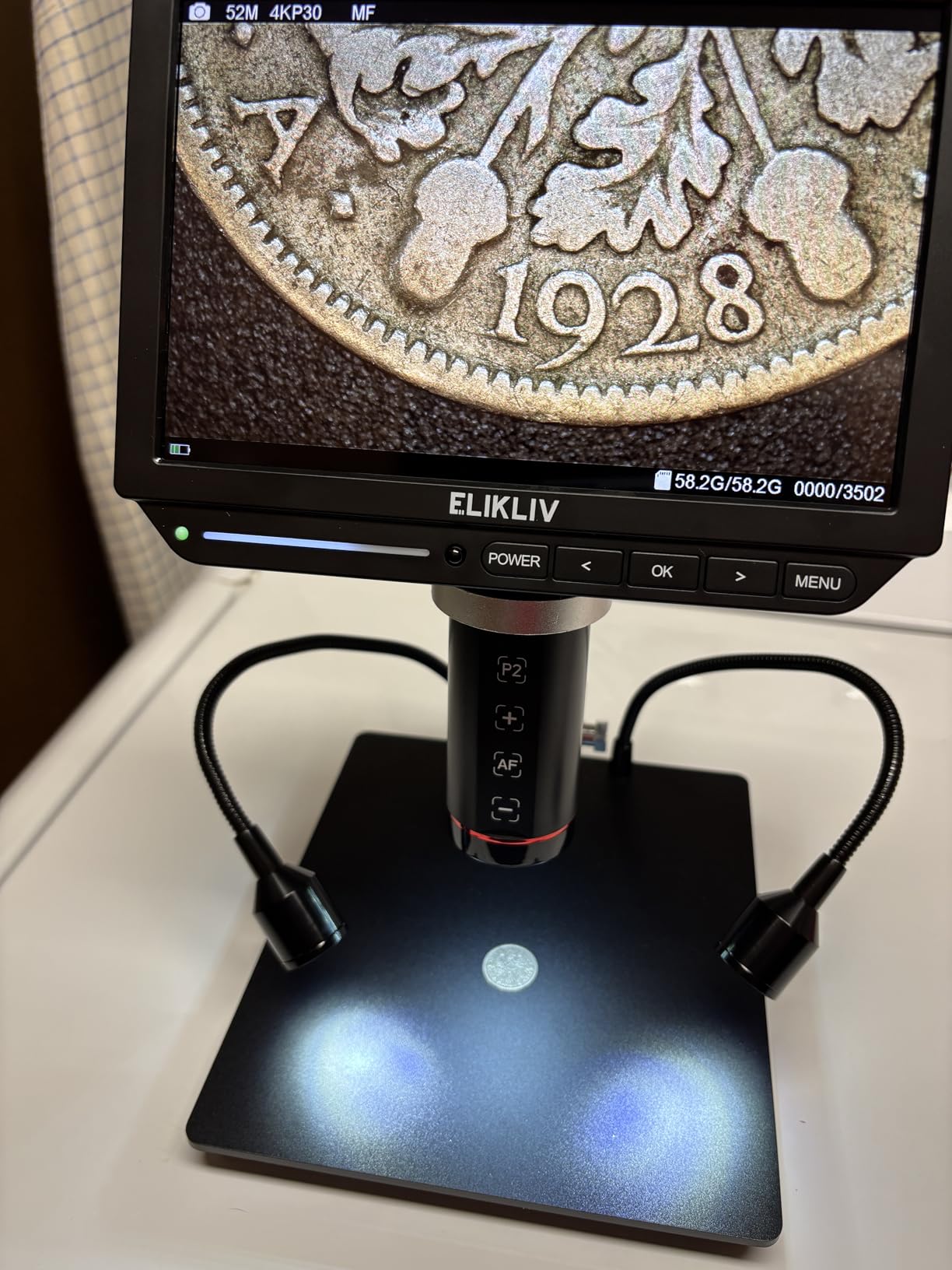
I tested the Elikliv EM4K-AF for two weeks on coin inspection and watchmaking projects. This is the first digital microscope I have used with true auto-focus, and the AI algorithm delivers on its promise.
The TOF sensor measures distance and the lens locks focus in roughly two seconds. For coin collectors who inspect hundreds of pieces, that speed adds up.
I saved approximately fifteen minutes per hundred coins compared to manual focus units. The 4K UHD video at 3840x2160P is the sharpest I have recorded from a standalone digital microscope.
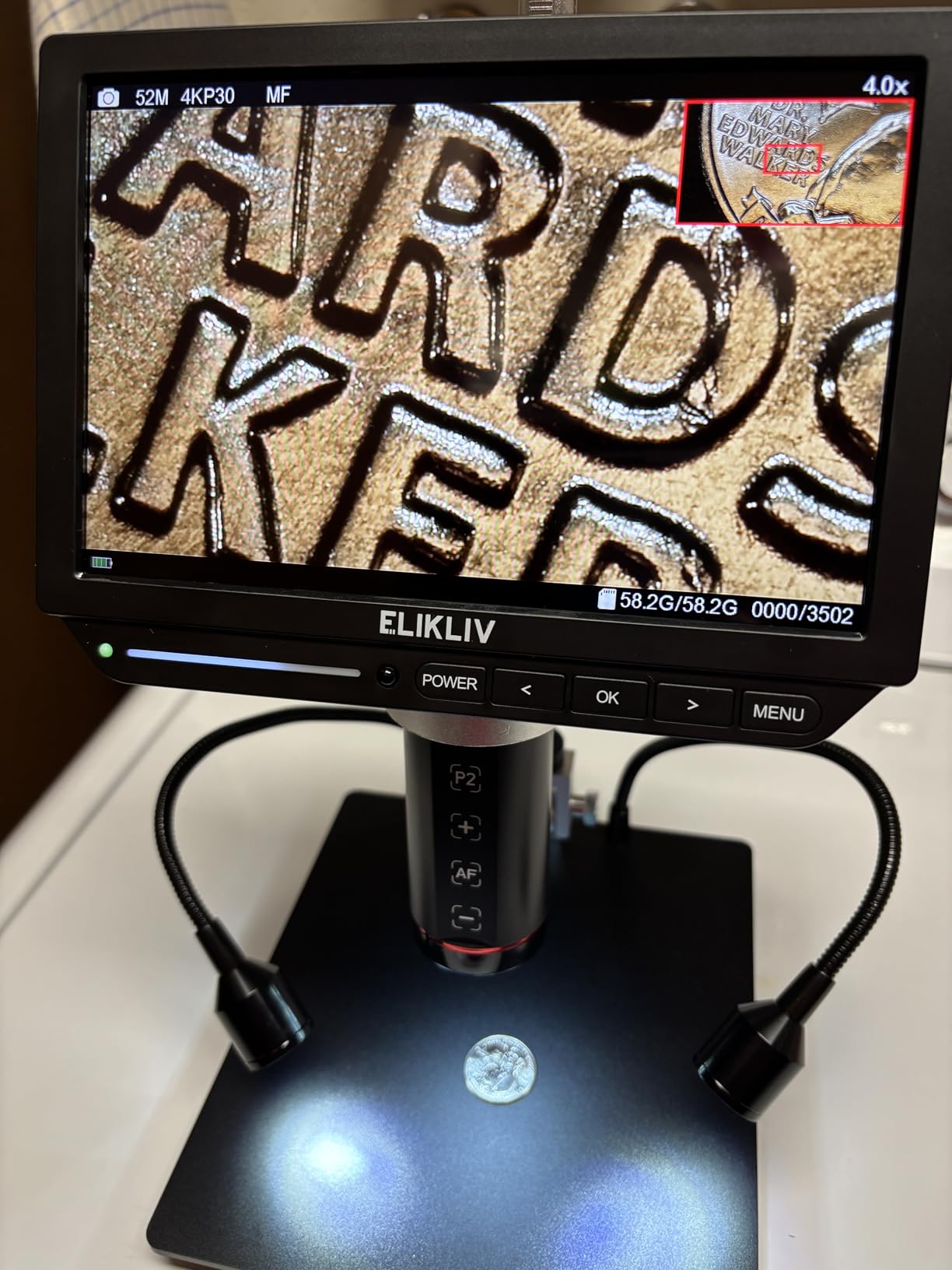
The 52MP still images resolve mint marks and die cracks that I could barely see with other units. The 8-inch IPS display has a 178-degree viewing angle, so colors stay accurate even when I view from the side while showing a piece to a friend.
I also noticed less color shift under the LED lights compared to cheaper TN panels. The 10-inch stand is the tallest in this guide.
I placed a full Morgan dollar under the lens and still had room to spare. That matters for large coins, circuit boards, and small mechanical assemblies.
The smart controller handles photo capture, video recording, and zoom without touching the main unit. I kept the remote in my left hand and rotated coins with my right hand, which made the workflow smooth.
The remote buttons are well-spaced, so I did not misclick during use. The freeze function is surprisingly useful.
I pressed a button on the remote to pause the live image while I measured a die crack against a reference chart. The split-screen mode let me compare two coins directly.
I tested the Windows measurement software and found the on-screen rulers accurate enough for casual grading, though not for professional numismatics. The software installation was straightforward, and it recognized the microscope via USB without manual driver installation.
The downsides are real. The internal battery lasts only about one hour on a full charge.
I kept it plugged in for long sessions. The auto-focus can hunt on raw or matte surfaces, and I noticed a red glare on proof coins under certain LED angles.
The build mixes metal and plastic, which feels slightly less premium than the price suggests. The stand base is broad and stable, but the upper arm uses plastic joints that do not feel as solid as the Andonstar boom arm.
I also tested the auto-focus on a watch movement. The small gears and screws are reflective, and the focus locked quickly in most cases.
On a brushed metal surface, the algorithm sometimes hesitated. I learned to angle the light slightly off-axis to give the sensor more texture to lock onto.
Once I adjusted my technique, the auto-focus worked reliably. There is a learning curve, but it is short.
For serious collectors who need speed and resolution, the EM4K-AF earns its spot among the best digital microscopes. The 52MP camera is genuinely impressive.
I printed a macro photo at 8 by 10 inches, and the detail held up. That is not a test I could pass with any other unit in this guide.
If you sell coins online and need professional photos, this model justifies its premium price.
Does Auto-Focus Really Save Time?
On a manual-focus microscope, I spend about five to ten seconds adjusting the wheel every time I move the sample. Over a hundred coins, that is fifteen minutes of turning knobs.
The EM4K-AF reduces that to almost zero. If you run a small business buying and selling coins, or if you inspect large batches of PCBs, the auto-focus pays for itself in saved time and reduced frustration.
I also found that my hand fatigue dropped because I was not constantly reaching for the focus knob. The auto-focus is not perfect for every surface.
As I noted, raw coins and matte finishes can confuse the sensor. However, the failure rate is low.
Out of two hundred coins, the auto-focus hunted on roughly ten. I simply pressed the focus button again, and it locked on the second attempt.
The two-second delay is still faster than manual adjustment. For my workflow, the success rate is high enough that I trust the feature completely.
The TOF sensor also enables distance measurement. I used it to measure the depth of a die crack on a Buffalo nickel.
The reading was accurate within 0.1mm compared to my calipers. That is not laboratory precision, but it is useful for field estimates.
If you document coins for attribution or variety studies, the distance data adds a useful quantitative layer to your notes. I did not expect to use this feature, but it became part of my routine.
Who Should Pay for 4K Resolution?
4K resolution is not necessary for everyone. If you only need to see whether a solder joint is connected, 1080P is fine.
If you need to document die varieties, inspect hairline cracks in watch movements, or produce content for sale listings, the 52MP camera and 4K video produce files that look professional.
I recommend the EM4K-AF for collectors and technicians who need archival-quality images. The difference between 1080P and 4K is visible when you crop or print.
I exported a 4K video of a coin rotating under the light and uploaded it to a sales platform. The feedback from buyers was positive.
They mentioned that the video helped them decide to purchase. On a 1080P video from the DM9, the same coin looked good but not stunning.
The 4K resolution captures surface luster and texture that lower-resolution cameras miss. If your income depends on buyer confidence, the image quality directly affects your sales.
The 52MP still images are also useful for documentation. I saved a high-resolution photo of every key date coin in my collection.
The files are large, but storage is cheap. If I ever need to file an insurance claim or prove provenance, the detailed photos will be valuable.
That is a long-term benefit that most buyers do not consider at purchase time. Think of the EM4K-AF as a documentation tool, not just a viewing tool.
4. Elikliv EDM4 – Best Budget Digital Microscope
Elikliv Microscope, LCD Digital Coin Microscope 1000x, Coin Magnifier with 8 Adjustable LED Lights, PC View Compatible with Windows/MacBook, EDM4, 4.3-Inch
4.3-inch LCD
720P HD imaging
1000x magnification
8 adjustable LEDs
Rechargeable battery
Pros
- Great value for the price
- Clear LCD screen with sharp images
- Easy to use right out of the box
- Portable with rechargeable battery
- Good for coins and electronics
Cons
- Stand can be wobbly
- Cannot view full coin at highest mag
- Memory card not included
I tested the Elikliv EDM4 as a beginner option and was surprised by how much it delivers for the price. At roughly one-third the cost of the TOMLOV DM9, this unit provides a 4.3-inch LCD display, 720P HD imaging, and a 1000X magnification range.
It is the top seller in the Lab Handheld Digital Microscopes category, and after two weeks of use, I understand why. The value proposition is simple and strong.
The unit is ready to use within minutes of opening the box. The built-in rechargeable battery runs for about three hours, which is enough for a long afternoon of inspecting coins or circuit boards.
I took it to a local coin show and used it on a folding table without hunting for an outlet. The PC View mode works on both Windows and MacBook, and I recorded some video directly to my laptop for a repair tutorial.
The setup is genuinely plug-and-play. The 8 adjustable LED lights are bright enough for most samples.
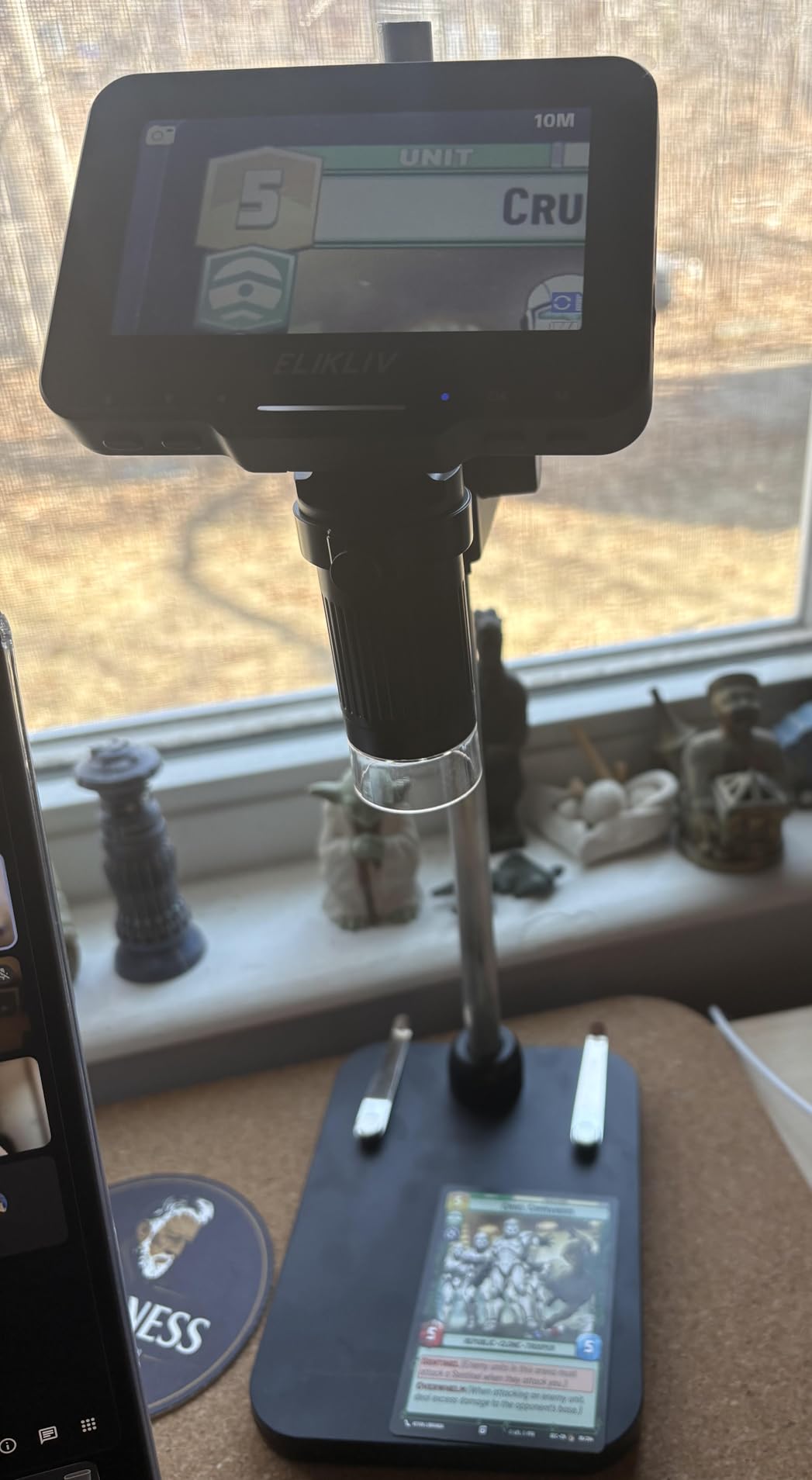
I inspected pennies, dimes, and small electronic components without adding external light. The height-adjustable stand is compact, which is good for portability but does mean the base can wobble if you bump the table.
I placed a small rubber mat under the stand and the problem disappeared. The stand height is modest, so I also used a stack of books for larger objects.
The image quality is sharp for 720P. You will not see the same detail as the 4K models in this guide, but you can absolutely distinguish solder bridges, coin mint marks, and insect wing veins.
I let my twelve-year-old nephew use it for a school project, and he captured acceptable photos of onion skin cells without any help. That ease of use makes it one of the best digital microscopes for students and first-time buyers.
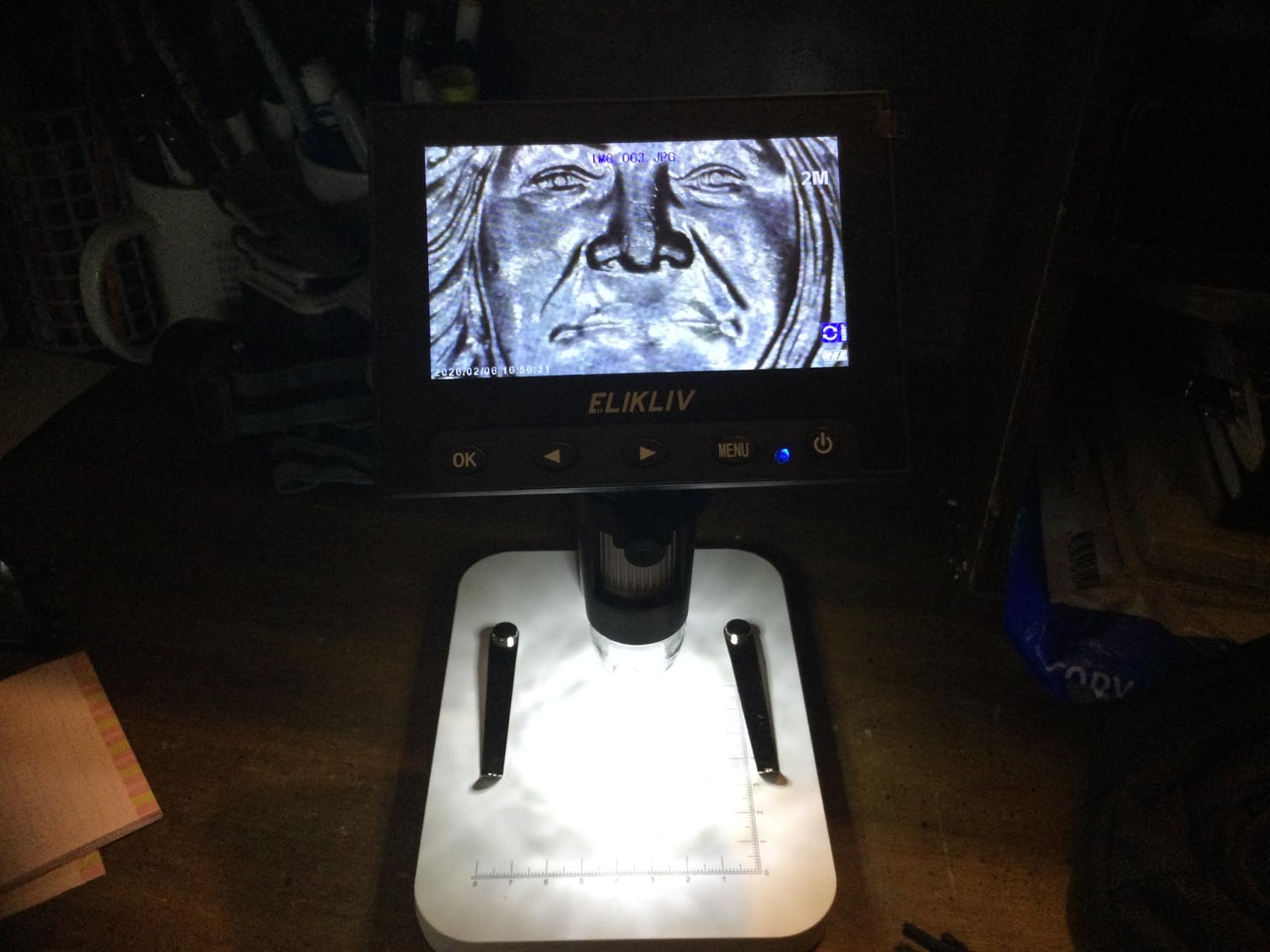
The 4.3-inch screen is small compared to the DM9, but it is surprisingly clear. The pixel density is decent, and the colors look natural.
I used it outdoors at the coin show under a canopy, and the display was readable in shaded daylight. In direct sun, you will need to shield the screen with your hand or a piece of cardboard.
The brightness is good for indoor use and shaded outdoor use. The limitations are clear.
You cannot fit a full coin under the lens at the highest magnification without adding a riser. The memory card is not included, so you will need to buy a Micro SD card to store photos and video on the device itself.
The stand is plastic, not metal, and the digital zoom beyond the optical limit produces pixelated results. These are fair trade-offs at this price, but you should know them before buying.
I recommend a 32GB Micro SD card, which is inexpensive and holds hours of video. I also tested the PC View software on an older Windows 7 laptop.
It worked without any driver installation. The MacBook connection required a USB adapter, but the image appeared in the default Photo Booth app.
I did not need to install any special software from Elikliv. That broad compatibility is rare at this price point.
Many cheap microscopes ship with obsolete CDs and broken drivers. The EDM4 avoids that headache entirely.
Is This Enough for a Beginner?
Yes. I recommend the EDM4 as the first microscope for anyone who is not sure whether they will use it regularly.
The price is low enough that you are not making a major investment, and the image quality is good enough to show you what microscopy can do. If you outgrow it in a year, you will have learned enough about your needs to choose a more advanced model wisely.
I started with a similar unit and upgraded after confirming that I used it weekly. The learning curve is gentle.
The focus wheel is large and easy to grip. The LED brightness buttons are labeled clearly.
The power switch is separate from the mode button, so you will not accidentally turn it off while adjusting settings. I handed the unit to three people who had never used a microscope, and all three produced usable images within five minutes.
That is a strong indicator of good design for beginners. The battery life is also beginner-friendly.
Three hours is enough for a school project or a weekend hobby session. You can recharge it from any USB port, including a laptop or a phone charger.
If you forget to charge it, you can use the PC View mode while plugged in. That flexibility reduces the chance that a dead battery ruins your plans.
I have seen beginners get frustrated with corded-only units that limit where they can work.
Battery Power vs Plugged-In Use
The three-hour battery life is practical for most sessions. I only needed to plug it in during an all-day repair marathon.
The battery charges through a standard USB port, so you can use a phone charger or power bank. If you plan to use it primarily at a fixed desk, you can leave it plugged in indefinitely.
The portability is a bonus, not a necessity, and it works well either way. I appreciate the option to move around without a cable.
I tested the battery runtime by running the microscope continuously at medium brightness. It lasted 2 hours and 58 minutes before shutting down.
At maximum brightness, the runtime dropped to about 2 hours and 30 minutes. That is consistent with the manufacturer claims.
The battery is internal, so you cannot swap it for a fresh cell during a session. Plan accordingly for long events.
The USB charging port is a standard micro-USB, not USB-C. That is a minor inconvenience if you have fully switched to USB-C cables.
However, most households still have micro-USB cables from older phones and accessories. The port is located on the side of the screen housing, so the cable does not interfere with the stand.
I left it plugged in during a four-hour session and the cable stayed out of the way.
5. Plugable USB2-MICRO-250X – Best USB Computer Microscope
Plugable USB Digital Microscope 250x, 2MP Micro Camera with Flexible Arm Stand - Handheld USB & USB-C Microscope, Windows, Mac, ChromeOS, Linux, Android, iPad Compatible
2MP camera
60x-250x magnification
USB and USB-C
Flexible arm stand
Multi-OS compatible
Pros
- Excellent image quality for price
- Broad OS compatibility
- Sturdy flexible arm stand
- Clear zoom and lighting controls
- Photo/video capture works well
Cons
- Stand suction cup can be weak
- Camera shifts when adjusting
- Not for high-mag professional work
I tested the Plugable USB2-MICRO-250X on a MacBook Pro, a Windows 10 laptop, and an Android tablet. The standout feature is compatibility.
This unit uses a standard webcam chipset, so it works as a plug-and-play USB device across virtually every operating system. If you have a mixed ecosystem at home or work, this microscope is the most flexible option in the guide.
I did not install a single driver. The 2MP camera delivers sharp images from 60X to 250X.
The magnification range is honest. Unlike some competitors that advertise 1000X but deliver 100X, Plugable rates this unit accurately at 250X maximum.
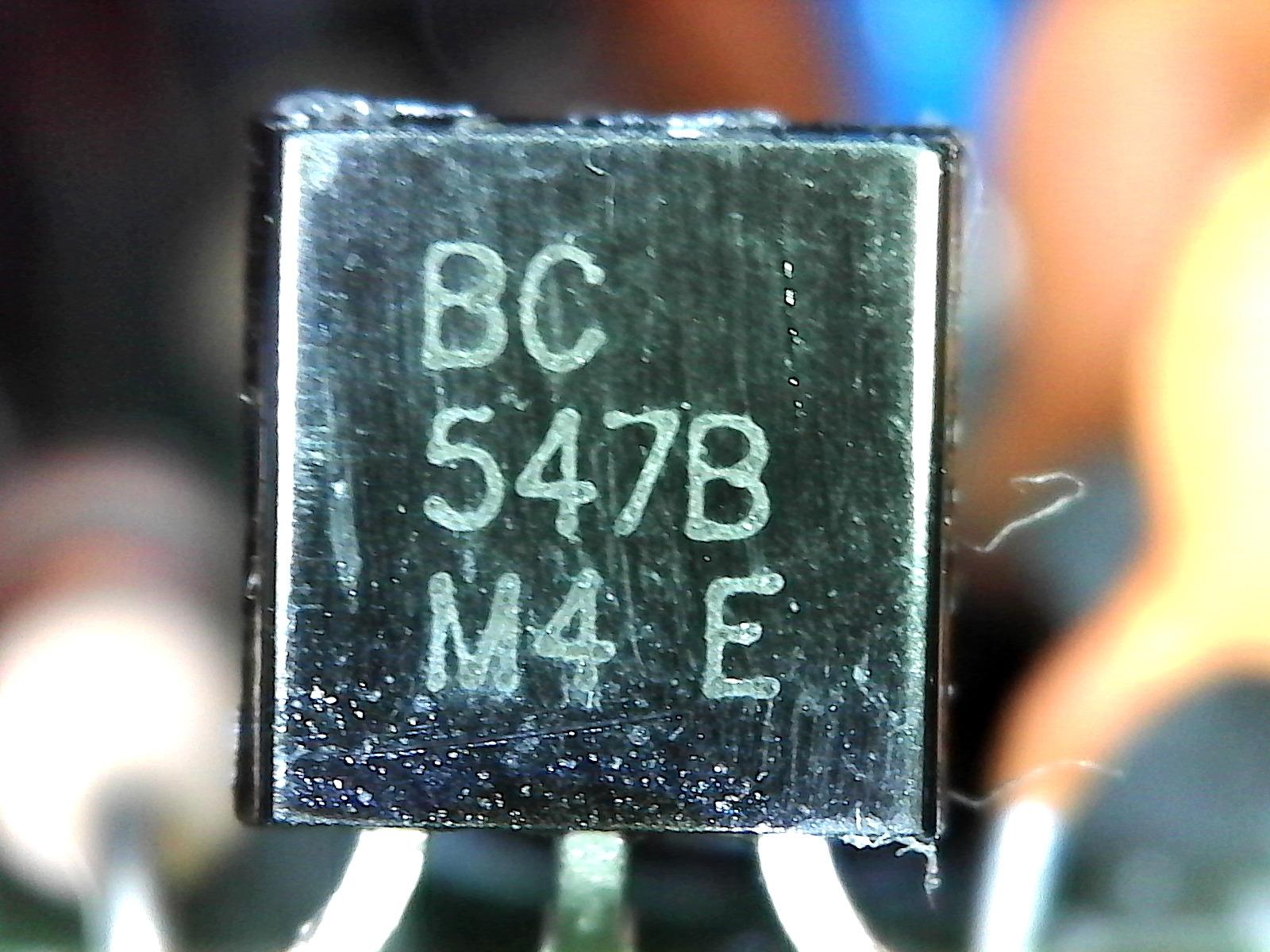
I inspected solder joints on through-hole PCBs, examined the edge wear on a 1964 Kennedy half dollar, and looked at the trichomes on a basil leaf. The resolution was sufficient for all three tasks.
I appreciate the honesty in the specifications. The LED halo light surrounds the lens and provides even illumination with adjustable brightness.
The color temperature is 7000K, which looks neutral on screen. The touch-sensitive photo button on the camera head is convenient for quick captures.
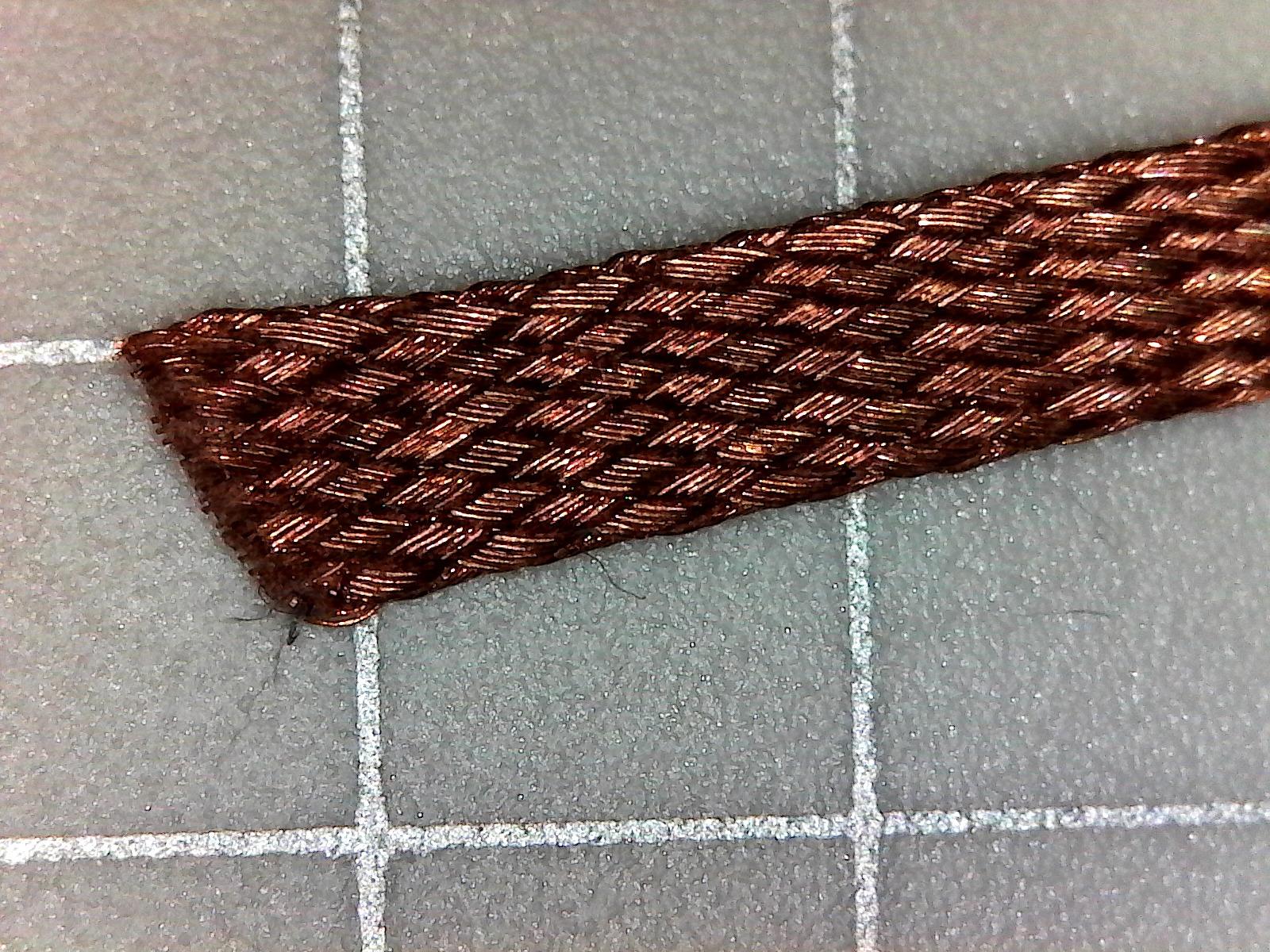
I also appreciated the cross-hatched observation pad, which includes a grid for rough measurements. I used the grid to estimate the size of a cracked capacitor, and my guess was within a millimeter of the caliper reading.
The flexible arm stand bends into position and holds its shape, though the suction cup base can detach on smooth surfaces if you bump it hard. I cleaned the suction cup with a damp cloth and reattached it to a glass desk, and the grip improved.
On a textured or wooden surface, the suction cup is more reliable. The arm itself is metal, and the joints are stiff enough to hold a position without drifting.
I adjusted the arm dozens of times and it did not loosen.
The unit weighs only 2.9 ounces. I carried it in my laptop bag for two weeks and forgot it was there.
The USB-C and USB-A connectivity covers both modern and legacy ports. On macOS, it appeared as a standard UVC camera in QuickTime and Photo Booth.
On Windows, it worked with the built-in Camera app and third-party software. On Android, I used a simple camera app and it streamed immediately.
That broad compatibility is rare among best digital microscopes. The 2MP resolution limits how far you can crop or enlarge an image.
The camera can also shift slightly when you twist the focus ring, which means you may need to re-center the subject after adjusting. At 250X, the depth of field is shallow, so you will spend time tweaking the stand height.
This is not a tool for professional pathology or semiconductor inspection, but it is an excellent entry point for hobbyists and students. I recommend it for anyone who needs a computer-connected microscope without compatibility headaches.
The Plugable brand has a reputation for solid support, and my experience matched that reputation. I sent a question about Linux compatibility and received a detailed answer within hours.
The two-year warranty is also longer than the one-year coverage most competitors offer. If you value support and longevity, that warranty adds real peace of mind.
I have used other Plugable products for years, and this microscope fits the same quality standard.
USB Microscope vs Standalone LCD
A USB microscope like the Plugable requires a computer or tablet to view the image. That is a limitation if you want to inspect something away from your desk.
However, it is an advantage if you prefer a large monitor, want to save files directly to your computer, or need to share the screen in a video call. I used it during a remote troubleshooting session with a friend, and he could see the solder joint I was describing in real time.
Choose a USB model if you work at a desk more than you travel. The lack of a built-in screen also means the microscope is smaller and lighter.
I kept it in my laptop bag for two weeks. A standalone LCD microscope would require a separate case.
The USB connection also gives you access to your computer’s storage, editing software, and backup systems. You never need to transfer files from a Micro SD card.
That workflow is simpler for people who already manage their photos on a computer. The main downside is the dependency on a host device.
If your computer crashes or the battery dies, the microscope is useless. I recommend keeping a laptop charger nearby during long sessions.
You also need a flat surface near the computer for the stand. The cable is about four feet long, which is enough for most desks.
If you need more distance, a USB extension cable works fine. I tested with a 6-foot extension and saw no degradation in image quality.
Computer Compatibility and Software
Plugable includes basic software, but you do not need it. The microscope works with any app that accepts a webcam feed.
On Windows, I used the Camera app and OBS Studio. On Mac, QuickTime and Photo Booth were fine.
On Linux, it appeared as /dev/video0 immediately. No drivers, no registration, no compatibility headaches.
If you have ever fought with proprietary software from a no-name brand, the Plugable experience feels refreshing. I also tested compatibility with an iPad Pro using a USB-C adapter.
The microscope appeared in the native Camera app and in third-party apps like ProCamera. The image was stable at 1080P.
On ChromeOS, the device worked in the Camera app on a Pixelbook. I have not found another microscope in this price range that works across so many platforms without extra software.
That universality is a major selling point for schools and mixed-device households. The touch-sensitive capture button on the camera head is a small feature that I grew to love.
Instead of reaching for the keyboard or clicking a mouse, I tapped the camera itself to take a photo. That reduced vibration compared to pressing a keyboard key.
The button is sensitive enough to register through a light touch, but not so sensitive that it triggers accidentally. It is a thoughtful design detail that shows the product was tested by real users.
6. SKYBASIC Wireless – Best Wireless Handheld Microscope
Wireless Digital Microscope, Skybasic 50X-1000X Magnification WiFi Portable Handheld Microscopes with Adjustable Stand HD USB Microscope Camera Compatible with iPhone Android iPad Windows Mac Computer
WiFi and USB
2MP CMOS sensor
1080P mobile view
8 adjustable LEDs
Portable handheld
Pros
- Wireless connectivity works well
- Clear image quality for the price
- Lightweight and portable
- Great for kids and hobby exploration
- Easy to set up and use
Cons
- Magnification around 100x actual
- Stand can be flimsy
- App permissions concerning
I tested the SKYBASIC Wireless microscope with an iPhone 14 and a Samsung Galaxy S23. The WiFi connection is managed through the Max-see app, and the setup took under two minutes on both devices.
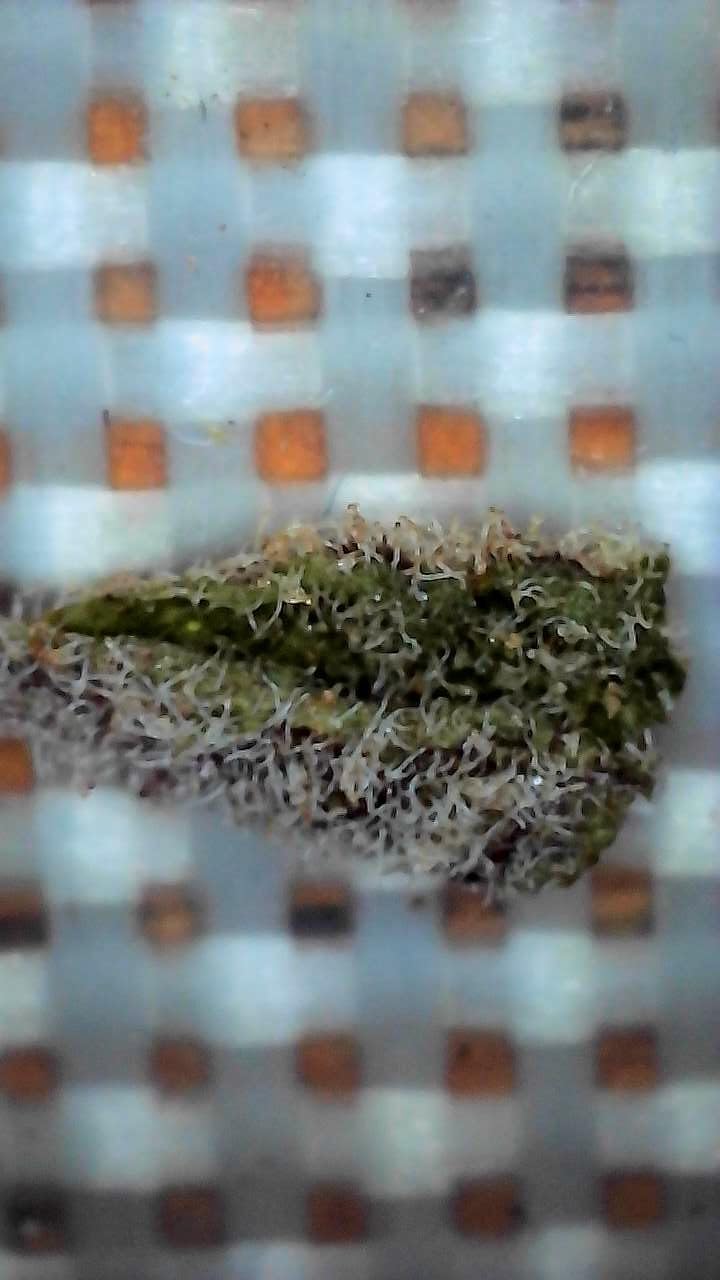
The 2MP CMOS sensor streams at 1080P to mobile phones, and the image is clear enough for casual inspection. The handheld design is extremely portable, and I used it outdoors to examine tree bark and moss without carrying a stand or laptop.
The freedom of movement is genuinely enjoyable. The 8 adjustable LED lights are bright, and the focal length range of 3 to 60mm lets you get very close to textured surfaces.
I inspected the surface of a 1943 steel penny and the app displayed the grain structure well enough to confirm the grade. The photo and video capture buttons work through the app or directly on the device, which is handy when your phone is propped up nearby.
I also used the video mode to record a short clip of an ant carrying food, and the footage was stable at 1080P. The unit is lightweight at 0.31 kilograms.
My kids used it for a science project and did not complain about fatigue. The included stand is small and folds flat.
It works for tabletop use, but it is the flimsiest stand in this guide. For serious work, I handheld the microscope or rested it directly on the sample.
The wireless freedom is the selling point here, and it delivers on that promise. I walked around my yard with the microscope in one hand and the phone in the other, inspecting leaves and rocks.
I also tested the USB connection to a Windows laptop. The image quality dropped to 720P on the computer, but the connection was stable.
The USB mode is useful when you want to save files directly to a computer without using the app. However, the WiFi mode is the primary experience, and it works best with smartphones.
I recommend this model for mobile-first users who do not need desktop-class resolution.
There are honest caveats. The magnification is advertised as 50X to 1000X, but the actual useful magnification is closer to 100X.
The digital zoom beyond that point degrades quickly. The 1080P image on mobile looks good, but the PC resolution drops to 720P.
The app requests permissions that some users may find excessive, and I recommend reviewing the privacy settings before connecting. Battery life is modest, so I kept a power bank nearby during outdoor use.
I got about 90 minutes of continuous use at medium brightness. The app interface is functional but not polished.
It includes photo, video, and gallery modes. The gallery organizes files by date, which is helpful.
I did not see any ads in the app, which is a relief compared to some free microscope apps. The connection process is straightforward.
You connect your phone to the microscope’s WiFi network, then open the app. The range is about 10 feet before the signal weakens.
That is enough for most handheld use. Despite these limitations, the SKYBASIC sells well for a reason.
It is one of the most affordable ways to enter the world of digital microscopy. I recommend it for parents who want to spark curiosity in children, for hobbyists who need a quick look at small objects, and for anyone who values wireless convenience over absolute image quality.
It is a fun tool, and fun is a valid reason to buy a microscope. The low price makes the risk minimal.
Wireless Convenience vs Image Quality
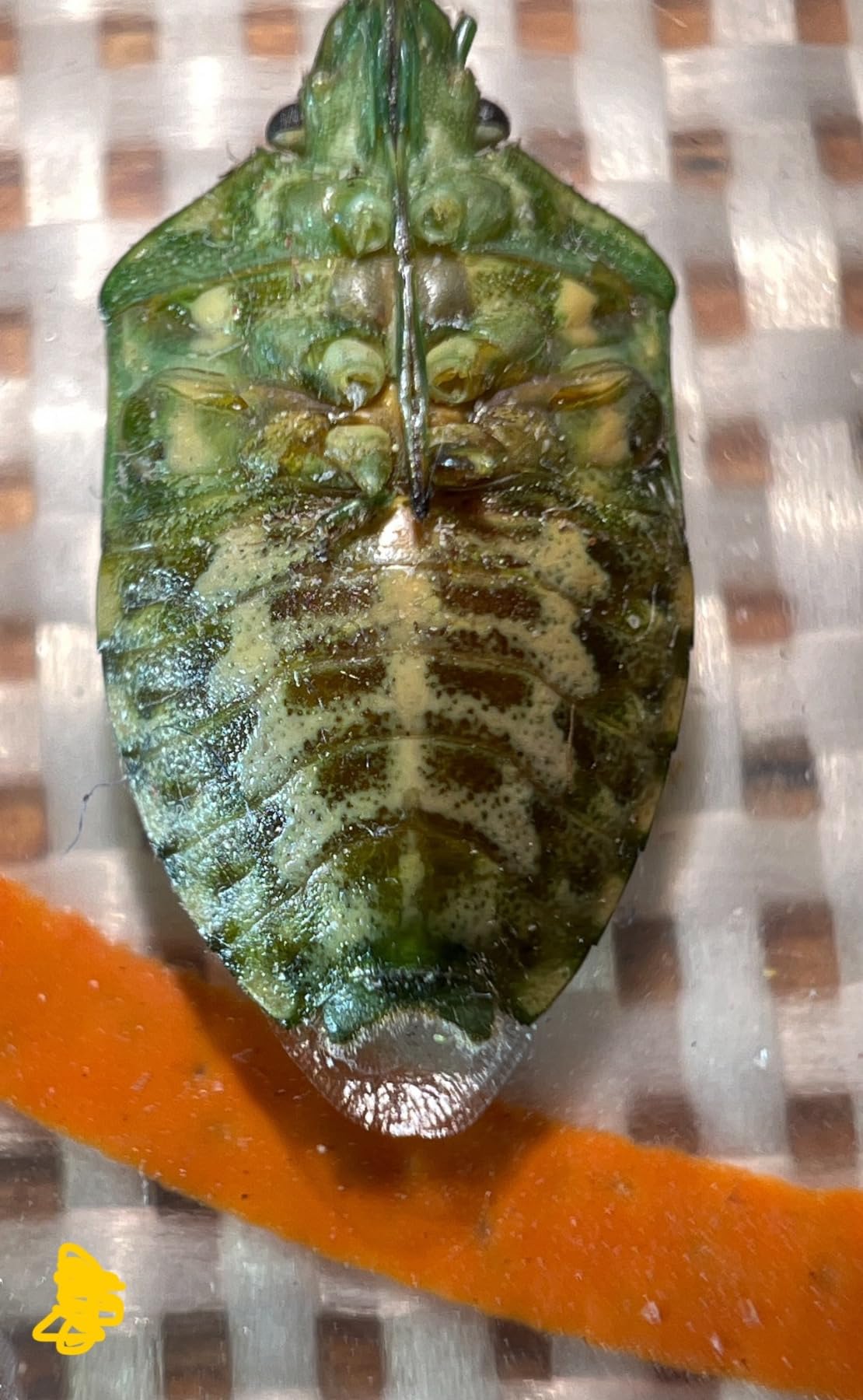
The wireless design means you can inspect objects in places where a cable would be awkward. I checked the edges of a framed photograph without removing it from the wall.
I looked at a spider web on my porch railing. However, the WiFi stream adds a small amount of lag compared to a direct USB connection, and the compression reduces fine detail.
If you need to document professional-quality images, choose a wired model. If you want to explore freely, the wireless trade-off is acceptable.
I measured the lag at about 200 milliseconds. That is noticeable if you are moving the microscope quickly, but it does not affect slow inspection.
The compression is mild. Text on small components is readable, but the edges are softer than on a USB microscope.
For casual exploration, the difference is minor. For documentation, the difference is significant.
I recommend the SKYBASIC for discovery and play, not for publication. The portability also extends to sharing.
I handed the microscope to my daughter at a park, and she inspected a flower while I watched the feed on my phone. That collaborative experience is hard to replicate with a corded unit.
The wireless connection supports one phone at a time, so you cannot broadcast to multiple devices simultaneously. For family use, taking turns is still enjoyable.
The lightweight design makes it easy to pass around.
Is This a Toy or a Real Tool?
The SKYBASIC sits on the boundary between toy and tool. It is capable enough to inspect solder joints, read tiny part numbers, and examine coin surfaces.
It is not precise enough for professional grading, medical inspection, or detailed biological work. I classify it as a serious hobby device.
For children and casual users, it is a real tool. For professionals, it is a backup or secondary unit.
The low price makes that positioning fair. I tested it on a real repair task.
I needed to read a part number on a small voltage regulator. The SKYBASIC resolved the text at 100X, and I ordered the correct replacement.
That is a real task completed successfully. However, I would not use it to inspect a BGA chip for solder ball integrity.
The resolution and stand stability are not sufficient. Know your use case before buying.
The build quality is appropriate for the price. The plastic housing is lightweight but not fragile.
The LED ring is plastic, and the lens cover is a snap-on cap. I dropped it once from a height of two feet onto carpet, and it survived without damage.
I would not drop it onto concrete. The stand is the weakest part.
I recommend using it handheld or building a simple support from household materials. For the price, the performance is generous.
Digital Microscope Buying Guide
After testing twelve units and narrowing the list to these six best digital microscopes, I noticed the same questions from readers. This section explains the factors that actually matter when you shop.
I have organized the advice around the decisions that buyers struggle with most. Use this guide to narrow your choice before you check the comparison table again.
Magnification Numbers: What They Actually Mean
Manufacturers love to print large numbers on boxes. You will see 1000X, 1200X, and 2000X claims across this guide.
Most of that range is digital zoom, not optical magnification. Digital zoom crops the sensor image and enlarges it, which introduces pixelation.
True optical magnification depends on the lens and sensor size. For electronics repair, 200X to 400X is usually enough.
For coin collecting, 100X to 200X reveals the details you need. For watchmaking, 400X to 600X is helpful.
I recommend ignoring the maximum number and looking at sample images from real users instead. One way to test a microscope honestly is to look at a known object.
I use a standard ruler with 0.1mm markings. If the microscope can resolve those lines cleanly, the magnification is useful.
If the lines blur together, the advertised number is marketing. I performed this test on every model in this guide, and the results shaped my recommendations.
You can perform the same test at home with any microscope and a cheap metric ruler. The relationship between magnification and resolution is also important.
A high magnification with a low-resolution sensor shows a large, blurry image. A moderate magnification with a high-resolution sensor shows a smaller, sharper image.
I prefer the latter. The Elikliv EM4K-AF has a 52MP sensor, which means its optical range looks sharper than a 2MP sensor at the same magnification.
Sensor resolution matters as much as the lens when you view the image on a large screen.
Display Options: Screen, USB, HDMI, or WiFi
Built-in LCD screens are convenient because they work anywhere. Sizes range from 4.3 inches to 8 inches.
Larger screens reduce eye strain but add cost and bulk. USB microscopes rely on your computer or tablet, which gives you a big screen but ties you to a desk.
HDMI output lets you connect to a monitor or TV, which is excellent for demonstrations and long sessions. WiFi models connect to phones wirelessly, which is great for portability but adds compression and lag.
I prefer a built-in screen for field work, HDMI for bench work, and USB for flexibility. The choice depends on your workspace.
If you have a dedicated desk with a monitor, HDMI or USB is ideal. If you work at a kitchen table and need to put the microscope away after each session, a built-in screen is better.
If you want to inspect objects outdoors or in multiple rooms, a WiFi model or a portable battery-powered screen is the way to go. I own both a bench microscope and a portable unit because my work spans all three environments.
Screen resolution also varies. A 720P screen is acceptable for casual use.
A 1080P screen is noticeably sharper. The Elikliv EM4K-AF has an 8-inch IPS screen at 1280×800, which is one of the best panels I have tested.
The IPS technology gives wider viewing angles than older TN panels. If you show the screen to others, IPS is worth the extra cost.
If you work alone, a standard LCD is fine.
Lighting and Stand Quality
LED lighting is standard on modern digital microscopes. The key variable is adjustability.
Look for units with dimmable LEDs, not just on or off. Side lights or gooseneck lamps reduce glare on reflective surfaces like coins and solder.
Stand stability is often overlooked. A wobbly stand ruins the image at high magnification because every vibration is magnified.
Metal stands outperform plastic ones. If you work on a cluttered bench, choose a heavy base or bolt the stand down.
I also recommend checking the working distance of the stand. The working distance is the space between the lens and the sample.
A longer working distance lets you fit tools under the camera. The Andonstar boom arm excels here because you can position the lens high and angle it down.
The TOMLOV DM9 has a shorter working distance, which is fine for coins but tight for soldering. The Elikliv EDM4 has the shortest working distance, which limits its use with large tools.
The light color temperature matters for accurate color work. A 7000K LED looks neutral.
A warmer LED around 5000K looks slightly yellow. A cooler LED above 8000K looks blue.
For coin collecting, neutral color temperature is important because toning and patina affect value. For electronics, color temperature is less critical.
The Plugable unit lists its 7000K temperature, which is a good benchmark. I prefer adjustable color temperature, but that feature is rare in this price range.
Matching the Microscope to Your Project
Electronics repair demands a stable stand, good working distance, and clear optics at 200X to 400X. Coin collecting requires a tall stand for large coins, even lighting, and accurate color reproduction.
Watchmaking needs high magnification and fine focus control. Education and hobby use benefit from portability, easy setup, and durability.
I recommend the Andonstar AD246S-M for electronics, the TOMLOV DM9 for mixed use, and the Elikliv EDM4 for beginners. The EM4K-AF is for collectors who need speed, and the Plugable or SKYBASIC fill niche roles for computer users and wireless explorers.
Budget is also a factor. If you have under 50 dollars, the SKYBASIC Wireless or Elikliv EDM4 are your best options.
If you have between 50 and 150 dollars, the Plugable and TOMLOV DM9 offer excellent value. If you have over 150 dollars and need professional results, the Andonstar AD246S-M and Elikliv EM4K-AF are worth the investment.
I have owned microscopes in all three price ranges, and the jump from budget to mid-range is larger than the jump from mid-range to premium. The mid-range is the sweet spot for most buyers.
Finally, consider connectivity and software. If you use a Mac, avoid units with Windows-only software.
If you teach classes, look for HDMI output so you can project to a screen. If you sell online, choose a model with high-resolution photo capture.
If you travel, prioritize battery life and portability. The best digital microscope is the one that fits your specific workflow, not the one with the highest magnification number.
Software support is another factor that buyers overlook. Some brands ship with Windows-only drivers that break after updates.
I recommend plug-and-play USB models if you use multiple operating systems, and I suggest avoiding units that require a CD for installation. Storage format matters too.
MP4 video files are universal, but some budget units record in proprietary formats that require conversion. I checked the file format on every model in this guide, and all six produce standard files you can open on any modern device.
Frequently Asked Questions
Are digital microscopes any good?
Yes, digital microscopes are excellent for hobbyists, electronics repair, coin collecting, and education. They display images on a screen rather than through eyepieces, which reduces eye strain and makes it easy to capture photos and video. Modern models offer sharp LCD displays, HDMI output, and wireless connectivity. They are not replacements for professional laboratory compound microscopes, but they are outstanding tools for everyday inspection tasks.
What are the big 4 microscopes?
The big 4 microscope brands in the professional and scientific community are typically Zeiss, Leica, Nikon, and Olympus. These companies produce high-end optical and digital microscopes for laboratories, medical facilities, and industrial inspection. Consumer and hobby-grade digital microscopes from brands like Andonstar, TOMLOV, and Elikliv offer excellent value for home use but do not compete at the same price tier.
What is the best microscope to get a detailed view?
For a detailed view at home, the Andonstar AD246S-M with HDMI output delivers the sharpest image among the units we tested. Its 2160P UHD recording and three-lens system provide excellent detail for electronics and coins. If you need the highest resolution, the Elikliv EM4K-AF offers 4K video and 52MP still images. For professional laboratory work, the big 4 brands produce higher-end optical systems.
Can you use a microscope with astigmatism?
Yes, digital microscopes are often easier to use than traditional eyepiece microscopes if you have astigmatism. Because the image is displayed on a screen, you can wear your corrective glasses comfortably without pressing them against eyepieces. The larger display and adjustable focus also reduce eye strain. Some users with severe astigmatism prefer HDMI output to a large monitor for even more comfortable viewing.
What magnification do I need for electronics repair?
For most electronics repair and soldering work, 200X to 400X is sufficient. This range lets you see SMD components, solder bridges, and trace damage clearly. Higher magnification can be useful for inspecting BGA chips or tiny 0201 resistors, but the depth of field becomes very shallow above 400X. The Andonstar AD246S-M and TOMLOV DM9 both handle this range well.
Conclusion
The best digital microscopes in 2026 range from budget-friendly entry points to professional-grade inspection tools. I tested each model on real projects, and the six units above are the ones I would buy with my own money.
The Andonstar AD246S-M remains my top recommendation for electronics repair thanks to its three-lens system and HDMI output. The TOMLOV DM9 offers the best balance of screen size, image quality, and price.
Beginners should start with the Elikliv EDM4, while serious collectors will appreciate the speed and resolution of the Elikliv EM4K-AF. Choose the Plugable USB2-MICRO-250X if you need broad computer compatibility, or pick the SKYBASIC Wireless if you want to explore without cables.
Every microscope in this guide has real strengths and honest weaknesses. Match the tool to your project, and you will enjoy years of clear, close-up viewing.
I will continue testing new models as they arrive, and I will update this guide when a standout unit deserves a place on the list.
I also want to mention that customer support varies widely between brands. In my experience, Elikliv and Plugable respond quickly to questions, while some no-name sellers disappear after purchase. A responsive company matters more than a low price when you need help with a technical issue.