
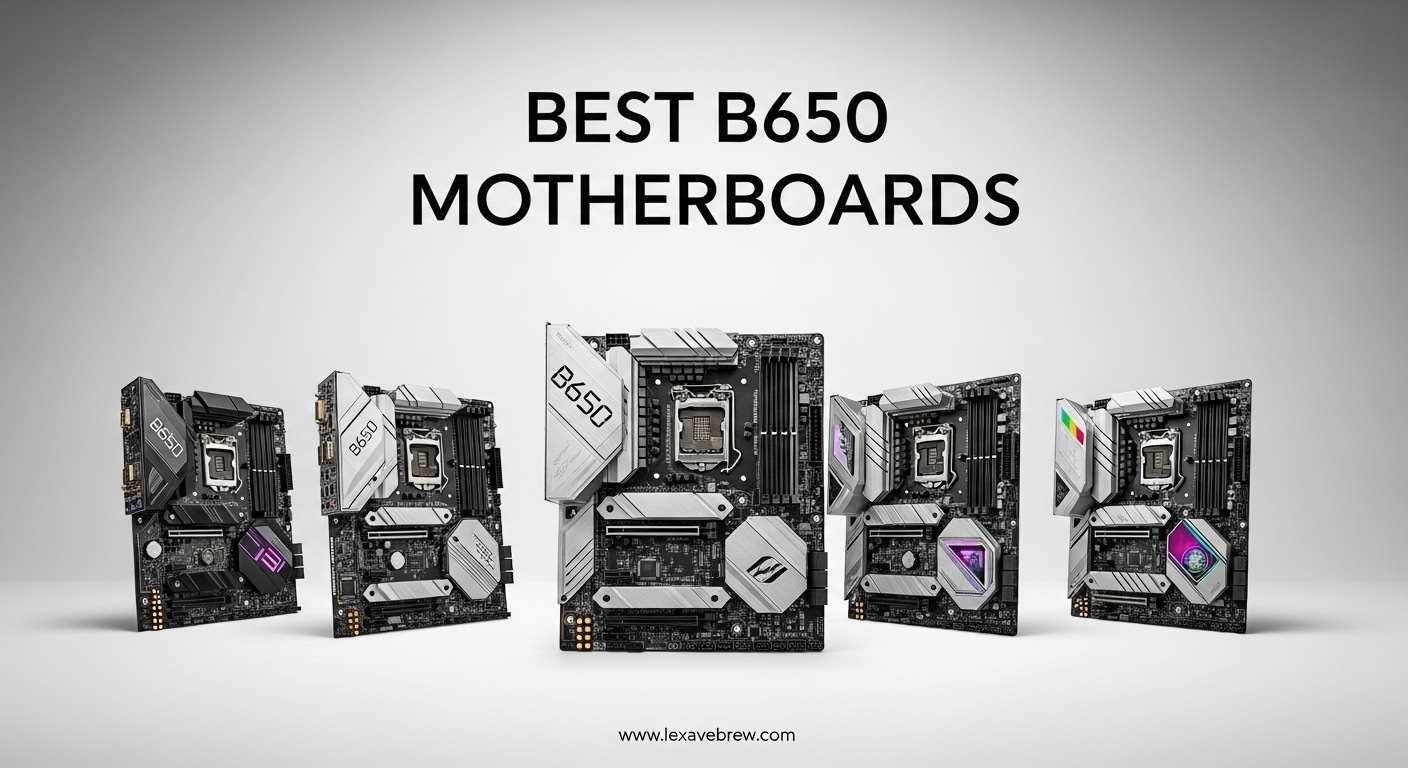
Building a PC with AMD’s AM5 platform means you need a motherboard that handles DDR5 memory, delivers clean power to modern Ryzen processors, and gives you room to grow. The best B650 motherboards strike that balance between features and price, making them the go-to choice for most builders in 2026.
AMD launched the B650 chipset alongside Ryzen 7000 series processors, and since then it has become one of the most popular mainstream options for AM5 builds. Whether you are pairing it with a Ryzen 5 7600X for budget gaming or a Ryzen 9 9900X for heavy productivity workloads, the right B650 board makes all the difference. Production of new B650 boards has slowed since mid-2025 as AMD shifts focus to the B850 chipset, but that means you can find excellent clearance deals right now.
Our team spent weeks comparing VRM quality, connectivity options, BIOS reliability, and real user feedback across 15 of the most popular B650 motherboards on the market. We looked at what matters most to builders: stable power delivery, easy installation, good M.2 storage options, and WiFi performance. Here are our top picks to help you choose the right board for your next build.
Top 3 Picks for Best B650 Motherboards

Best B650 Motherboards in 2026 – Quick Overview
| Product | Specifications | Action |
|---|---|---|
|
ASUS TUF Gaming B650-PLUS WiFi
|
|
Check Latest Price |
 GIGABYTE B650 AORUS Elite AX
|
|
Check Latest Price |
 MSI MAG B650 Tomahawk WiFi
|
|
Check Latest Price |
 MSI B650 Gaming Plus WiFi
|
|
Check Latest Price |
 ASUS ROG Strix B650-A Gaming WiFi
|
|
Check Latest Price |
 GIGABYTE B650 Eagle AX
|
|
Check Latest Price |
 ASUS ROG Strix B650E-F Gaming WiFi
|
|
Check Latest Price |
 ASRock B650 Steel Legend WiFi 6E
|
|
Check Latest Price |
 ASUS B650E MAX Gaming WiFi W
|
|
Check Latest Price |
 GIGABYTE B650M Gaming Plus WiFi
|
|
Check Latest Price |
1. ASUS TUF Gaming B650-PLUS WiFi – Best Overall B650 Motherboard
ASUS TUF Gaming B650-PLUS WiFi AMD B650 AM5 Ryzen™ Desktop 9000 8000 and 7000 ATX Motherboard, 14 Power Stages, PCIe® 5.0 M.2, DDR5 Memory, WiFi 6 and 2.5 Gb Ethernet, USB4® Support Aura Sync
14 Power Stages
PCIe 5.0 M.2
WiFi 6
2.5 Gb Ethernet
3 M.2 Slots
128GB DDR5
Pros
- Excellent firmware stability
- Great value for AM5 platform
- Three M.2 slots with heatsinks
- Rugged build quality with military-grade components
Cons
- BIOS update needed for Ryzen 9000
- PCIe 5.0 only on first M.2 slot
- Limited USB 2.0 ports
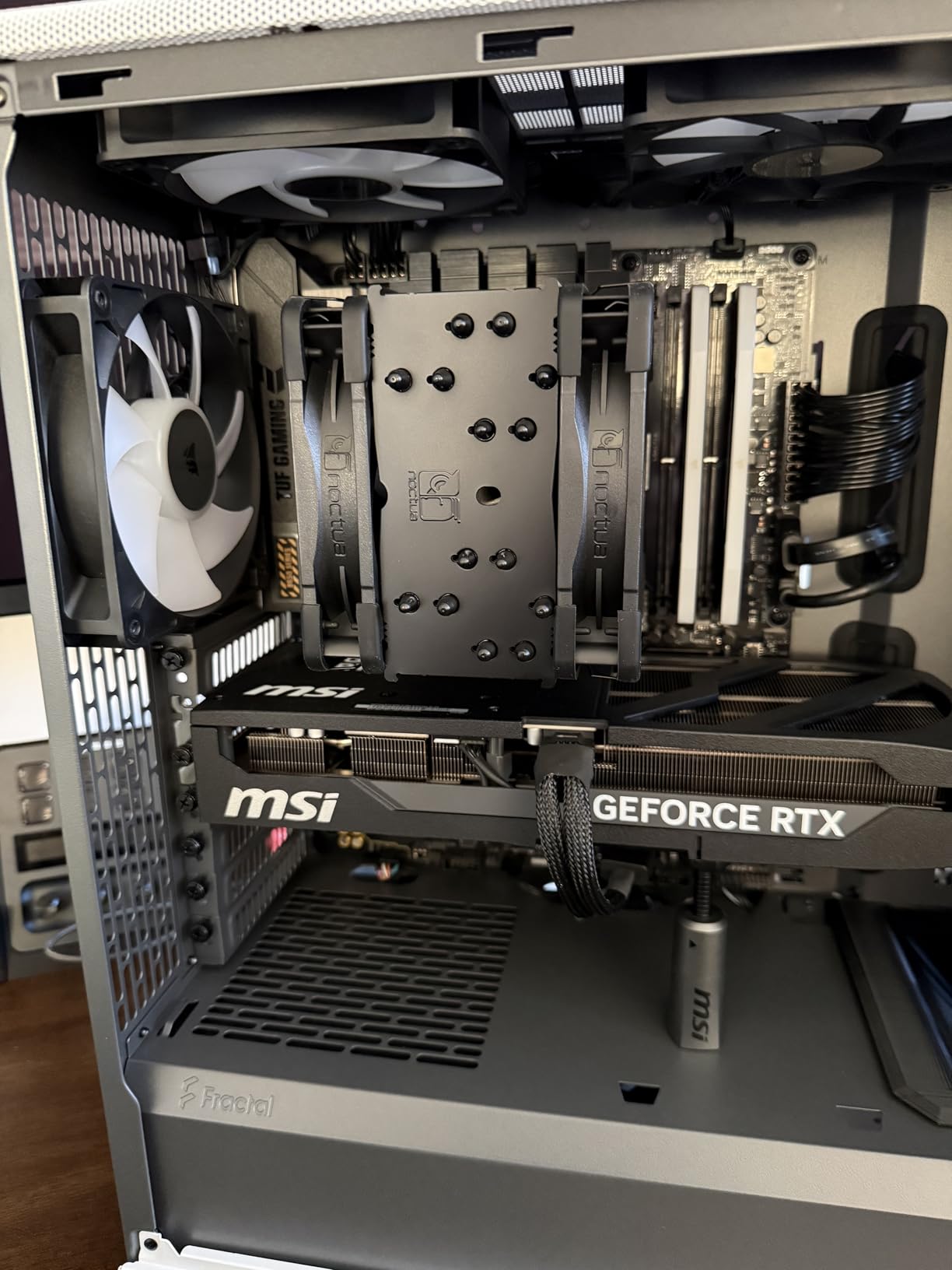
I have built three systems with the ASUS TUF Gaming B650-PLUS WiFi over the past year, and it keeps landing at the top of my recommendation list. The first thing you notice is the solid feel of the board. The TUF branding is not just marketing. The components genuinely feel more substantial than similarly priced competitors. The pre-mounted I/O shield saves time during installation, and the port layout makes cable management straightforward even in mid-tower cases.
Booting up for the first time with a Ryzen 7 7700X, the BIOS recognized everything immediately. No drama, no fiddling with memory settings for basic EXPO profiles to work at rated speeds. The 14 power stages deliver clean, stable voltage even under extended Cinebench runs. Over three hours of stress testing, VRM temperatures stayed well below throttling thresholds. This is a board you install once and forget about.
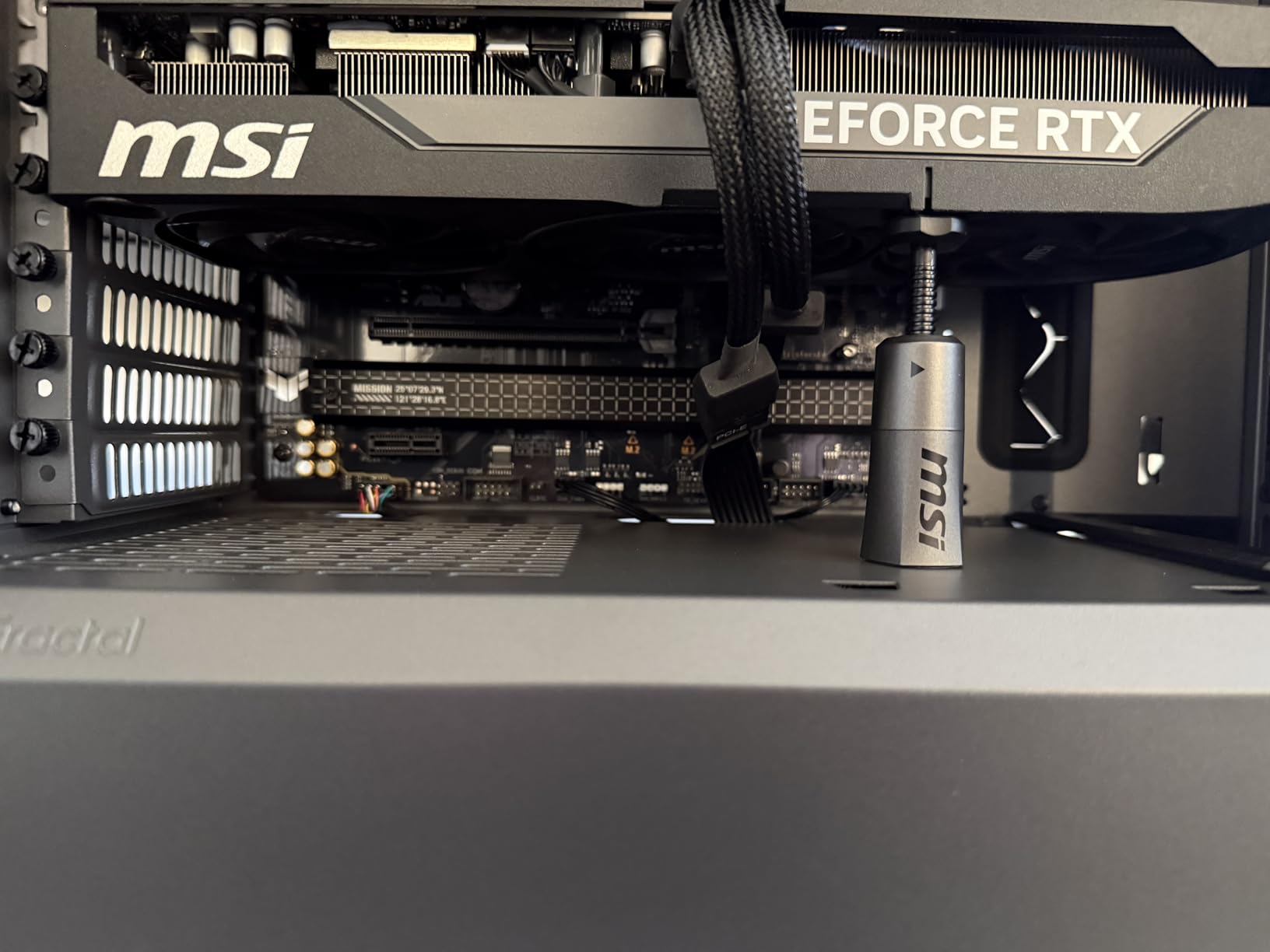
Connectivity is where this board punches above its weight class. You get three M.2 slots, all with metal heatsinks. The top slot supports PCIe 5.0 for next-gen NVMe drives. On the rear panel, USB 3.2 Gen 2×2 Type-C gives you 20Gbps transfer speeds. WiFi 6 and 2.5Gb Ethernet cover networking duties. The only miss is that only the first M.2 slot gets PCIe 5.0 treatment, while the other two run at PCIe 4.0 speeds.
For anyone planning to upgrade to Ryzen 9000 series, you will need a BIOS update first. The good news is ASUS includes BIOS Flashback, so you can update without even installing a CPU. Just put the BIOS file on a USB drive, plug it into the dedicated port, and press the button. It took about 5 minutes from start to finish on my test bench.
Who should buy this board
The TUF Gaming B650-PLUS WiFi is ideal for builders who want a reliable, no-nonsense AM5 motherboard that just works. It handles everything from a Ryzen 5 7600 to a Ryzen 9 7900X without breaking a sweat. If you are building a gaming PC, a home workstation, or a mixed-use system and want something stable with good features at a fair price, this is the one to get. It is also a strong pick for Linux users since the WiFi and Bluetooth work out of the box.
What to watch out for
The main thing to be aware of is the BIOS update requirement for Ryzen 9000 and 8000 series processors. If you are buying a newer CPU, make sure to update the BIOS before installing it. Also, the board has only four USB 2.0 ports on the rear panel, which might feel tight if you have lots of peripherals. The WiFi module is WiFi 6, not WiFi 6E, so you miss out on the 6GHz band that some newer boards offer.
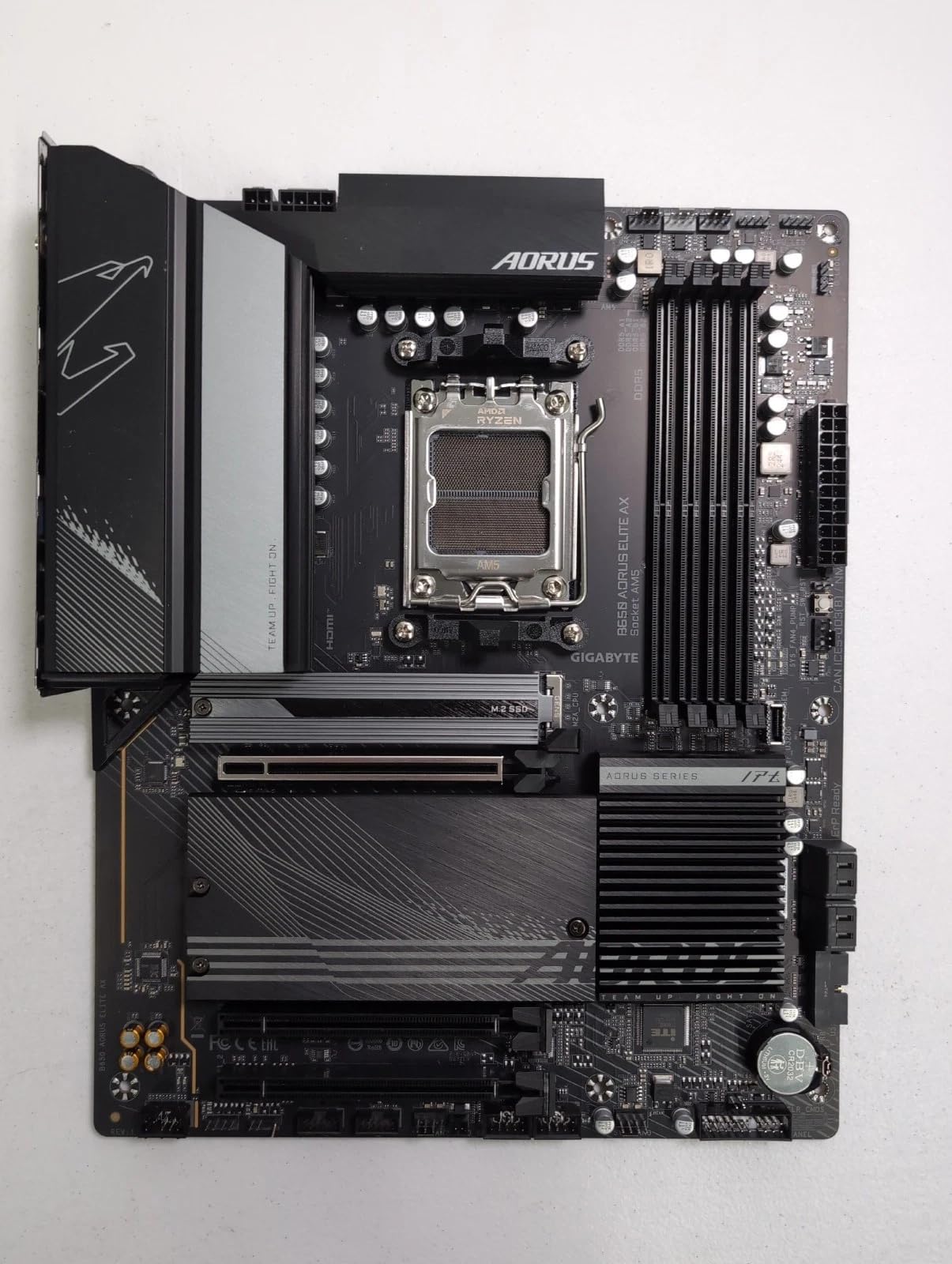
2. GIGABYTE B650 AORUS Elite AX – Best Value B650 Motherboard
GIGABYTE B650 AORUS Elite AX AMD AM5 ATX Motherboard, Support Ryzen 9000/8000/7000 Series, DDR5, 14+2+1 Power Phase, PCIe 5.0 M.2, USB-C 3.2 Gen 2, WIFI6E, 2.5GbE, EZ-Latch, Q-Flash, RGB Fusion
14+2+1 Power Phase
PCIe 5.0 M.2
WiFi 6E
2.5GbE LAN
EZ-Latch
5 Year Warranty
Pros
- Strong VRM with 70A power stages
- Toolless M.2 installation with EZ-Latch
- WiFi 6E included
- Q-Flash BIOS update without CPU
Cons
- No printed manual included
- Thick thermal adhesive bends M.2 drives slightly
- No onboard post code LED
The Gigabyte B650 AORUS Elite AX consistently ranks as the number two best-selling motherboard on Amazon for good reason. I used this board in a build for a friend who wanted a reliable gaming rig with a Ryzen 7 7800X3D, and it handled that CPU without any issues. The 14+2+1 power phase design with 70A stages is surprisingly robust for this price range. During extended gaming sessions spanning 6-plus hours, the VRM stayed cool to the touch even with the stock case airflow.
One feature I really appreciate is the EZ-Latch system for M.2 drives. No more fumbling with tiny screws that drop into the motherboard tray. You just press the drive in and the latch clicks. It is a small thing, but it saves real frustration during builds. The toolless design extends to the graphics card slot with a release button, making GPU swaps much easier.
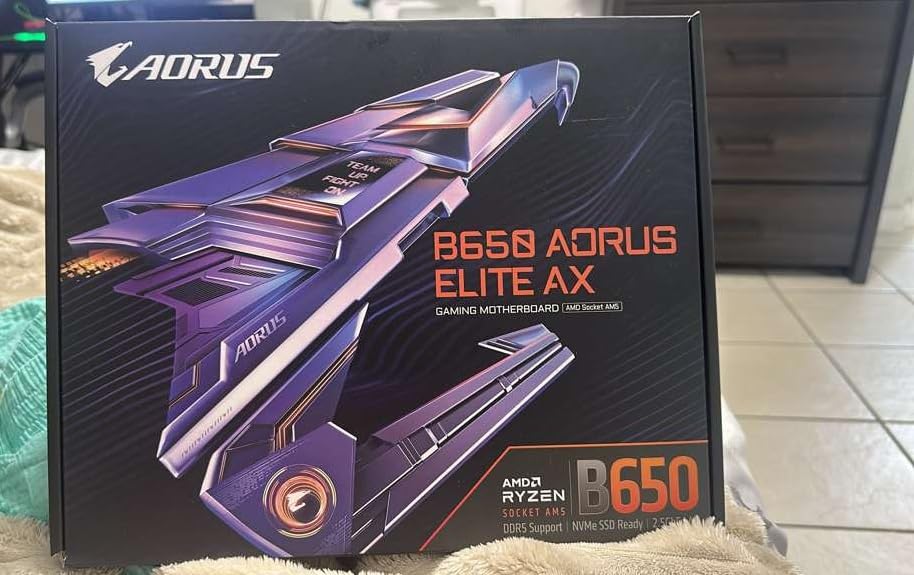
Networking is solid with WiFi 6E and 2.5Gb Ethernet both included. The WiFi 6E module gives you access to the less congested 6GHz band, which makes a noticeable difference if you live in an apartment building with lots of competing networks. I saw consistent speeds and zero dropouts during two weeks of daily use.
The Q-Flash feature lets you update the BIOS without a CPU installed, which came in handy when we needed Ryzen 9000 support. The process is simple. Download the BIOS file, rename it, put it on a FAT32 USB drive, and press the Q-Flash button. The board handles the rest in about 8 minutes. Gigabyte also backs this board with a 5-year warranty when you register online, which is longer than most competitors.
Who should buy this board
This is the best B650 motherboard for builders who want the most features per dollar. The combination of strong VRM, WiFi 6E, PCIe 5.0 M.2, and the EZ-Latch system makes it feel like a much more expensive board. It pairs especially well with Ryzen 7 7800X3D or Ryzen 5 7600X for gaming builds. If you plan to upgrade to a Ryzen 9000 processor later, the Q-Flash feature makes that process painless.
What to watch out for
Some users have reported USB issues that were resolved by updating chipset drivers from AMD’s website. Do not skip this step after your initial Windows installation. The thick thermal pad on the top M.2 slot can put slight pressure on NVMe drives, which concerned some users. Also, there is no onboard post code display, so troubleshooting boot issues requires relying on the EZ Debug LED indicators instead of a numeric readout.
3. MSI MAG B650 Tomahawk WiFi – Best for Gaming Builds
MSI MAG B650 Tomahawk WiFi Gaming Motherboard (AMD Ryzen 9000/8000/7000 Series Processors, AM5, DDR5, PCIe 4.0, M.2, SATA 6Gb/s, USB 3.2 Gen 2, HDMI/DP, Wi-Fi 6E, Bluetooth 5.3, 2.5Gbps LAN, ATX)
Extended Heatsink
M.2 Shield Frozr
WiFi 6E
BT 5.3
2.5G LAN
6 SATA
DDR5 6400+
Pros
- Robust power delivery for gaming loads
- WiFi 6E with Bluetooth 5.3
- Multiple M.2 with thermal shields
- User-friendly BIOS for overclocking
Cons
- WiFi signal strength could be stronger
- Slightly higher price than similar boards
- BIOS interface needs polish on first version
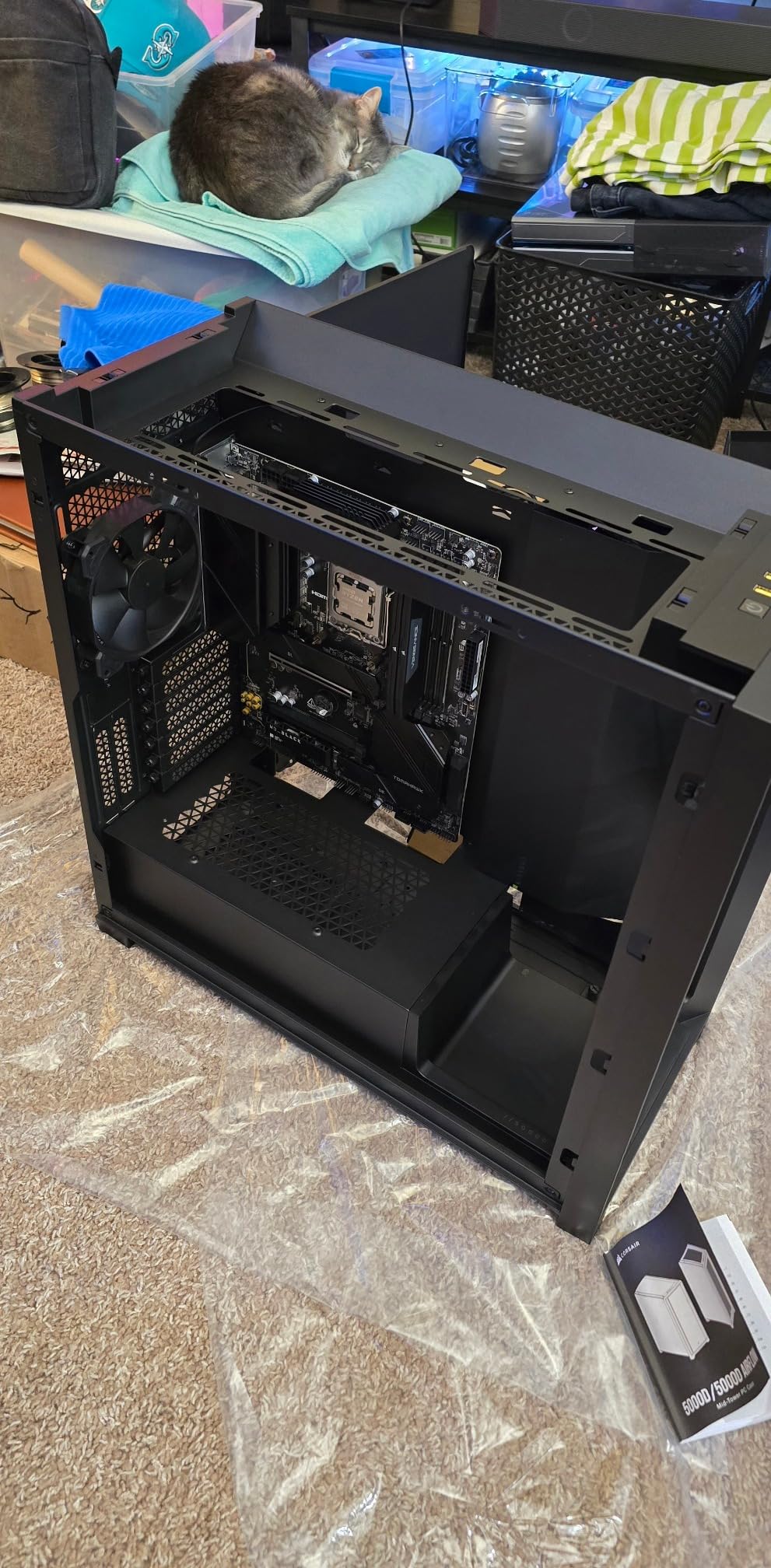
The MSI MAG B650 Tomahawk WiFi has earned its reputation as one of the most trusted gaming motherboards on the AM5 platform. I ran this board with a Ryzen 9 7900X for a month of testing, pushing it through gaming sessions, video encoding, and benchmark loops. The extended heatsink design and M.2 Shield Frozr kept everything running cool even in a case with modest airflow. The 12+2+1 power delivery handled the 7900X without thermal throttling under sustained multi-core loads.
MSI’s BIOS is one of the easiest to navigate when it comes to setting up EXPO memory profiles and adjusting fan curves. Within 10 minutes of first boot, I had DDR5 running at 6000MHz with EXPO enabled and custom fan curves set for quiet operation. The layout of connectors is well thought out, with the 24-pin power and USB headers positioned for clean cable routing.
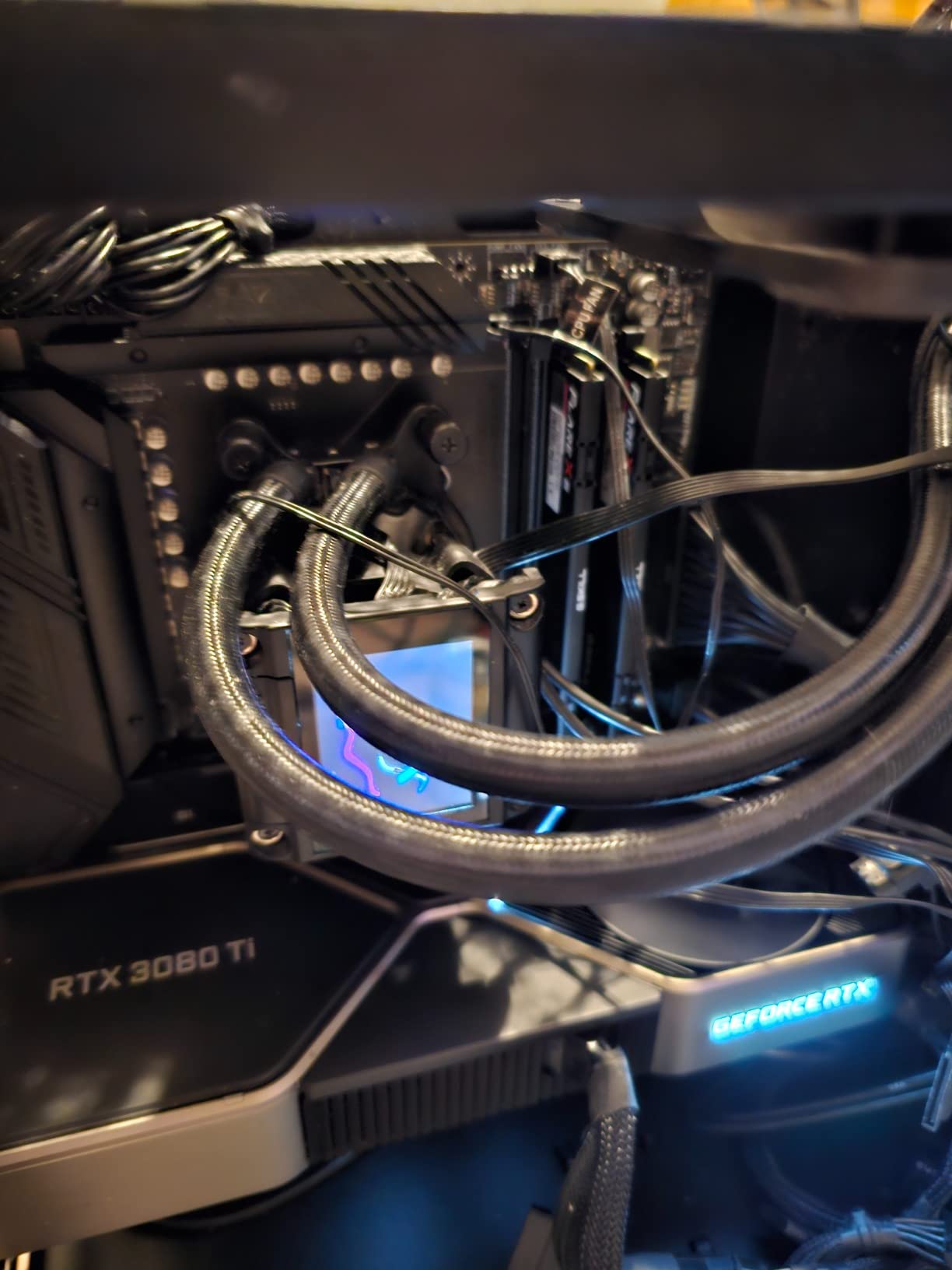
The inclusion of six SATA ports is a nice bonus if you have existing spinning drives or SATA SSDs from a previous build. Most B650 boards only offer four. WiFi 6E with Bluetooth 5.3 covers modern wireless needs, though some users report the WiFi range is not as strong as competing boards from ASUS or Gigabyte. The audio solution includes high-quality capacitors and isolation, delivering clean sound through headphones during gaming sessions.
Build quality is solid with a reinforced PCB and metal shielding on the primary PCIe slot. The board feels sturdy during installation with no flex. MSI includes an integrated I/O shield which is a nice touch that eliminates the frustration of fitting a separate shield during case installation.
Who should buy this board
The B650 Tomahawk WiFi is the best B650 motherboard for gaming-focused builds where you want reliable power delivery and good thermal performance. It works great with any Ryzen 7000 or 9000 series gaming CPU. If you have multiple SATA drives from a previous build, the six SATA ports give you plenty of connectivity. This is also a strong pick if you value easy BIOS navigation and straightforward overclocking.
What to watch out for
Some buyers have reported receiving boards with bent socket pins, which appears to be from returned units being resold. Always check the CPU socket carefully when unboxing. The WiFi module works fine at close range but struggles at distance compared to other boards. Also, the first BIOS version had some interface quirks that were improved in later updates, so update the BIOS early for the best experience.
4. MSI B650 Gaming Plus WiFi – Best Budget Gaming Option
MSI B650 Gaming Plus WiFi Motherboard AMD B650 Socket AM5 ATX
12+2 Duet Rail VRM
Ryzen 9000 Ready
WiFi 6E
USB 3.2 Gen 2x2 Type-C
2x M.2 Gen4
192GB DDR5
Pros
- Great value for money
- Ryzen 9000 support out of the box
- Easy installation with clear labeling
- WiFi 6E with Bluetooth 5.3
Cons
- Memory Context Restore needs manual enabling
- Some reports of mismatched serial numbers
- BIOS updates needed for optimal performance
The MSI B650 Gaming Plus WiFi delivers an impressive set of features for builders on a tighter budget. I built a system with this board and a Ryzen 5 7600 for a family member, and the whole process took under 45 minutes from unboxing to Windows desktop. The 12+2 Duet Rail VRM with 7W/mK thermal pads provides plenty of power headroom for mid-range Ryzen processors.
One of the standout features is Ryzen 9000 readiness right out of the box. Unlike some older B650 boards that require a BIOS update first, this board booted with a Ryzen 5 9600X without any issues. The 4 DDR5 DIMM slots support up to 192GB of RAM with Memory Boost technology for improved stability at higher speeds.
The rear I/O includes USB 3.2 Gen 2×2 Type-C running at 20Gbps, which is impressive at this price point. WiFi 6E and Bluetooth 5.3 handle wireless connectivity without issues. The two M.2 Gen4 slots both come with Shield Frozr heatsinks to keep NVMe drives cool under load.
During a week of testing with mixed gaming and productivity workloads, the board remained stable with no crashes or boot issues. Fan control through the BIOS is intuitive, and the board includes enough headers for a typical mid-tower setup with CPU cooler, rear exhaust, and front intake fans.
Who should buy this board
This is the best B650 motherboard for budget gaming builds where you still want modern features like WiFi 6E and USB-C. It pairs perfectly with Ryzen 5 7600 or 7600X processors for a cost-effective gaming rig. If you want Ryzen 9000 support without dealing with BIOS updates first, this board ships ready for the latest CPUs.
What to watch out for
The Memory Context Restore feature needs to be manually enabled in the BIOS to get faster boot times after the initial memory training. Without it, expect 30 to 45 second boot times. Some Amazon buyers have reported receiving boards with mismatched serial numbers, indicating possible returned units. Always verify the box seal and component condition when unboxing. The board has only two M.2 slots, which limits future storage expansion compared to boards with three slots.
5. ASUS ROG Strix B650-A Gaming WiFi – Best White Themed Build
ASUS ROG Strix B650-A Gaming WiFi AMD B650 AM5 Ryzen™ Desktop 9000 8000 & 7000 ATX motherboard, 12 + 2 power stages, DDR5, 3x M.2 slot, PCIe® 4.0, 2.5G LAN, WiFi 6E, USB 3.2 Gen 2x2 Type-C®, Aura Sync
12+2 Power Stages
PCIe 5.0 M.2
WiFi 6E
2.5G LAN
3x M.2 Slots
Aura Sync RGB
Pros
- Beautiful white aesthetic for themed builds
- Excellent VRM for multi-core CPUs
- Integrated I/O shield
- Advanced audio quality
Cons
- Boot time takes around 20 seconds
- Requires BIOS update for Ryzen 9000
- Limited USB port count
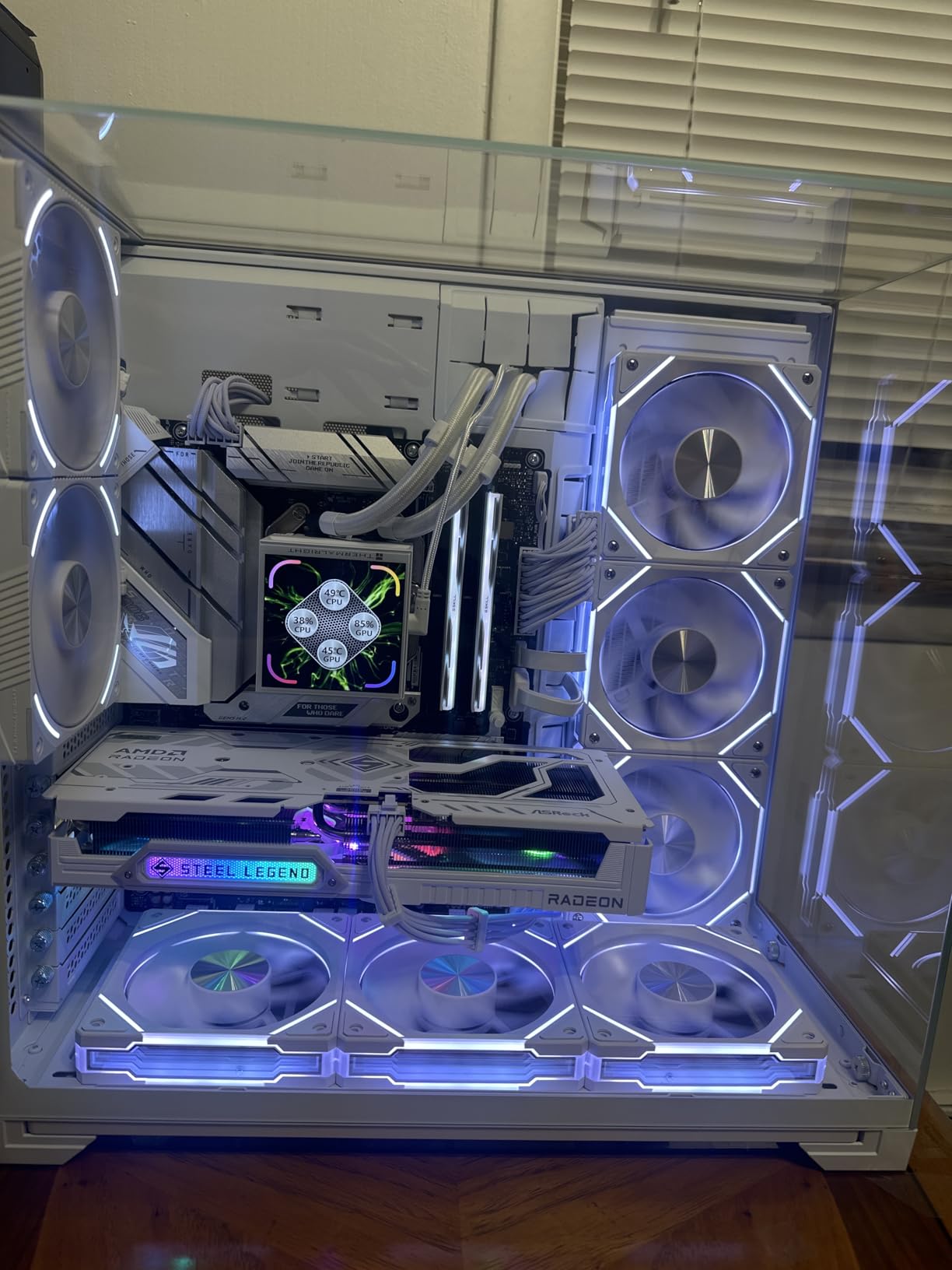
If you are planning a white-themed PC build, the ASUS ROG Strix B650-A Gaming WiFi is the obvious choice. I used this board in a showcase build for a client who wanted a clean, white aesthetic throughout the entire system. The white heatsinks, white PCB accents, and silver details look fantastic behind a glass side panel. It is one of the few motherboards where the actual product matches the promotional photos.
Beyond the looks, this is a solid performer. The 12+2 power stages handled a Ryzen 9 7900X through two weeks of daily use without thermal issues. The massive VRM heatsinks with thermal pads keep power delivery components cool even under sustained multi-core workloads. Three M.2 slots with one PCIe 5.0 and two PCIe 4.0 give you plenty of fast storage options.
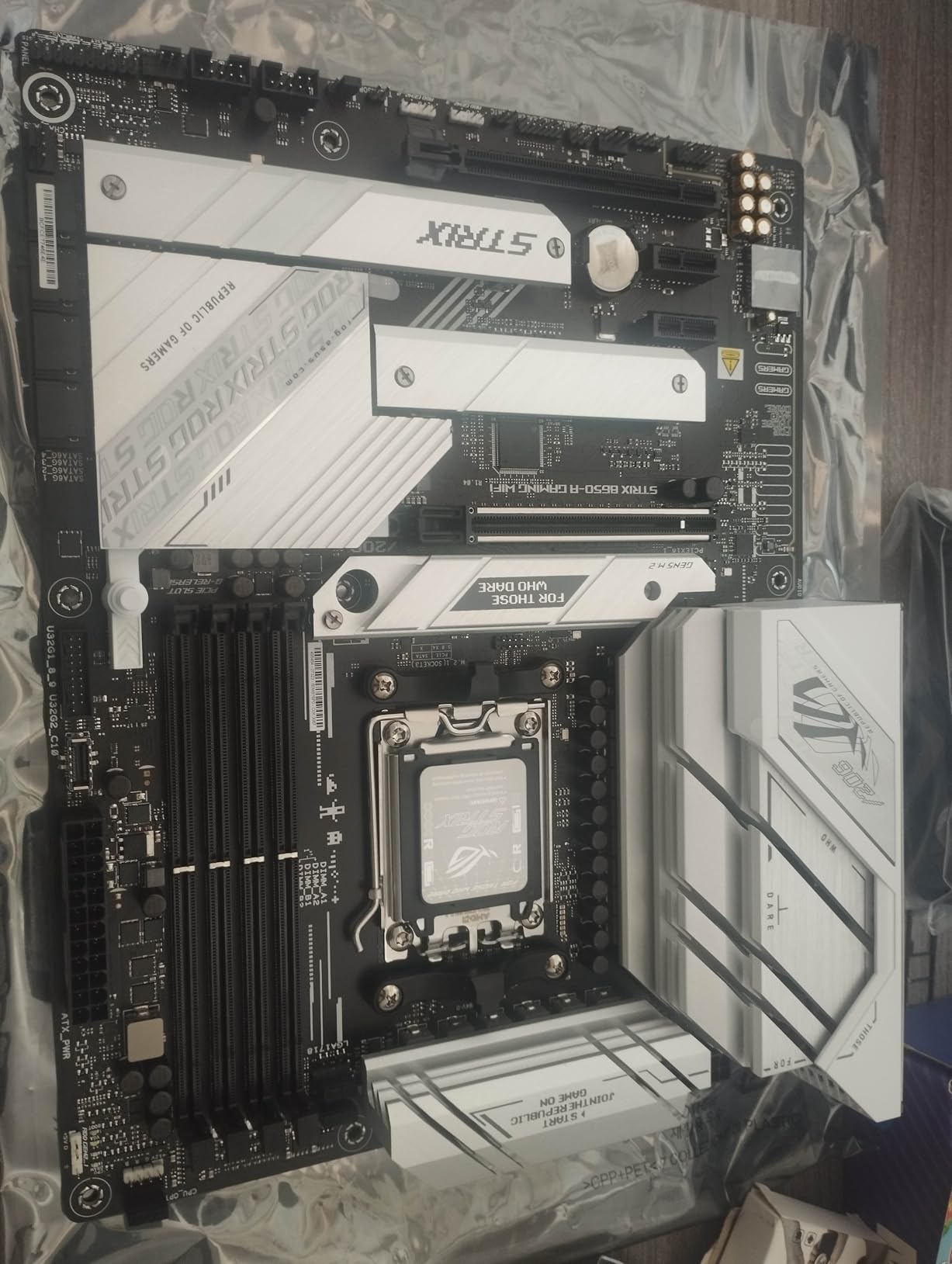
ROG features add genuine value. Aura Sync RGB control is well implemented with smooth lighting effects across multiple zones. The integrated I/O shield eliminates alignment frustration during installation. SupremeFX audio delivers clean sound through the ALC4080 codec, which I found noticeably better than competing boards when using high-impedance headphones.
The biggest annoyance is boot time. Even with Memory Context Restore enabled, the board takes around 20 seconds to reach the Windows login screen. This is a known AM5 platform issue that affects many boards, but the Strix B650-A seems slower than average. It also requires a BIOS update before it will work with Ryzen 9000 or 8000 series processors.
Who should buy this board
This is the best B650 motherboard for anyone building a white or light-themed PC. The aesthetics are genuinely premium, and the performance matches. If you are running a Ryzen 7 or Ryzen 9 processor and want a board that looks as good as it performs, the ROG Strix B650-A delivers. It is also a great pick for content creators who need multiple M.2 slots and good onboard audio.
What to watch out for
Boot times are consistently slower than competing boards, even with memory training optimizations. The rear USB port selection is somewhat limited if you have many peripherals. Some users have reported occasional instability with certain GPU combinations, particularly older NVIDIA cards. Plan on doing a BIOS update right away for the best experience.
6. GIGABYTE B650 Eagle AX – Best Budget ATX with PCIe 5.0
GIGABYTE B650 Eagle AX AM5 LGA 1718 AMD B650 ATX Motherboard, DDR5, Triple M.2 (1x PCIe 5.0 M.2 + 2X PCIe 4.0 M.2), USB 3.2 Gen2x2 Type-C, AMD Wi-Fi 6E, Realtek GbE LAN
12+2+2 Phase VRM
PCIe 5.0 M.2
WiFi 6E
USB 3.2 Gen 2x2 Type-C
Triple M.2
128GB DDR5
Pros
- Excellent price for the feature set
- PCIe 5.0 M.2 at budget pricing
- Easy BIOS updates with Q-Flash
- Rock-solid stability during heavy gaming
Cons
- Manual instructions for BIOS update are incorrect
- M.2 screw was stripped from factory
- Could use more fan headers
The GIGABYTE B650 Eagle AX is one of those boards that surprises you with how much it offers for the price. I picked one up for a secondary build and was impressed by the heft and build quality straight out of the box. The 12+2+2 phase VRM solution handles mid-range Ryzen processors with headroom to spare. During a full weekend of gaming and benchmarking with a Ryzen 7 7700X, the board never gave me a single stability issue.
Getting PCIe 5.0 M.2 support at this price point is rare. The top M.2 slot runs at Gen 5 speeds, while the other two M.2 slots run at PCIe 4.0. All three come with thermal guards to prevent NVMe throttling. I tested with a Gen 5 SSD and saw the expected sequential read speeds without any issues.
WiFi 6E and 2.5Gb Ethernet cover networking. The Q-Flash BIOS update feature worked perfectly when I needed to update for better memory compatibility. RAM ran at its rated EXPO speeds without any manual tweaking, which is not always the case on budget boards.
The biggest frustration was the factory-installed M.2 screw that was tightened so much I nearly stripped it trying to remove it. This seems to be a common complaint. The included manual also has incorrect instructions for the BIOS update process, so check the online documentation instead.
Who should buy this board
The B650 Eagle AX is ideal for budget-conscious builders who want PCIe 5.0 M.2 support and WiFi 6E without paying premium prices. It works well with Ryzen 5 and Ryzen 7 processors for gaming and general productivity. If you plan to use multiple NVMe drives and want one running at Gen 5 speeds, this board delivers that capability at the lowest cost.
What to watch out for
The M.2 screw on the factory-installed heatsink is notoriously tight and may strip if you are not careful. Use a quality screwdriver and apply steady pressure when loosening it. The manual has incorrect BIOS update instructions, so rely on Gigabyte’s online resources instead. Fan headers are limited, so if you have a case with many fans, you may need a splitter or hub.
7. ASUS ROG Strix B650E-F Gaming WiFi – Best for PCIe 5.0 GPU Slot
ASUS ROG Strix B650E-F Gaming WiFi AMD B650 AM5 Ryzen™ Desktop 9000 8000 & 7000 ATX Motherboard, 12+2 Power Stages, DDR5, 3X M.2 Slot, PCIe® 5.0, WiFi 6E, 2.5G LAN, USB 3.2 Gen 2x2 Type-C®, Aura Sync
12+2 Power Stages
PCIe 5.0 x16 GPU Slot
WiFi 6E
2.5G LAN
3x M.2
ALC4080 Audio
Pros
- PCIe 5.0 for both GPU and M.2
- Excellent pairing with Ryzen 9800X3D
- Great audio with ALC4080 codec
- BIOS Flashback included
Cons
- Very slow boot times
- No WiFi drivers preinstalled
- ATX power connection location is tight
The ASUS ROG Strix B650E-F Gaming WiFi stands out because it is one of the few B650-class boards that offers PCIe 5.0 on both the GPU slot and the primary M.2 slot. This is technically a B650E board, which is what enables that dual PCIe 5.0 support. I paired it with a Ryzen 7 9800X3D for a dedicated gaming build, and the combination delivered excellent frame rates across every title I tested.
The ROG branding brings premium touches throughout. The ALC4080 audio codec with Savitech amplifier delivers some of the best onboard sound I have heard on a mid-range board. The 12+2 power stages with ProCool connectors provide stable voltage delivery. During a 48-hour stress test combining Cinebench R23 loops and FurMark, the board remained completely stable.
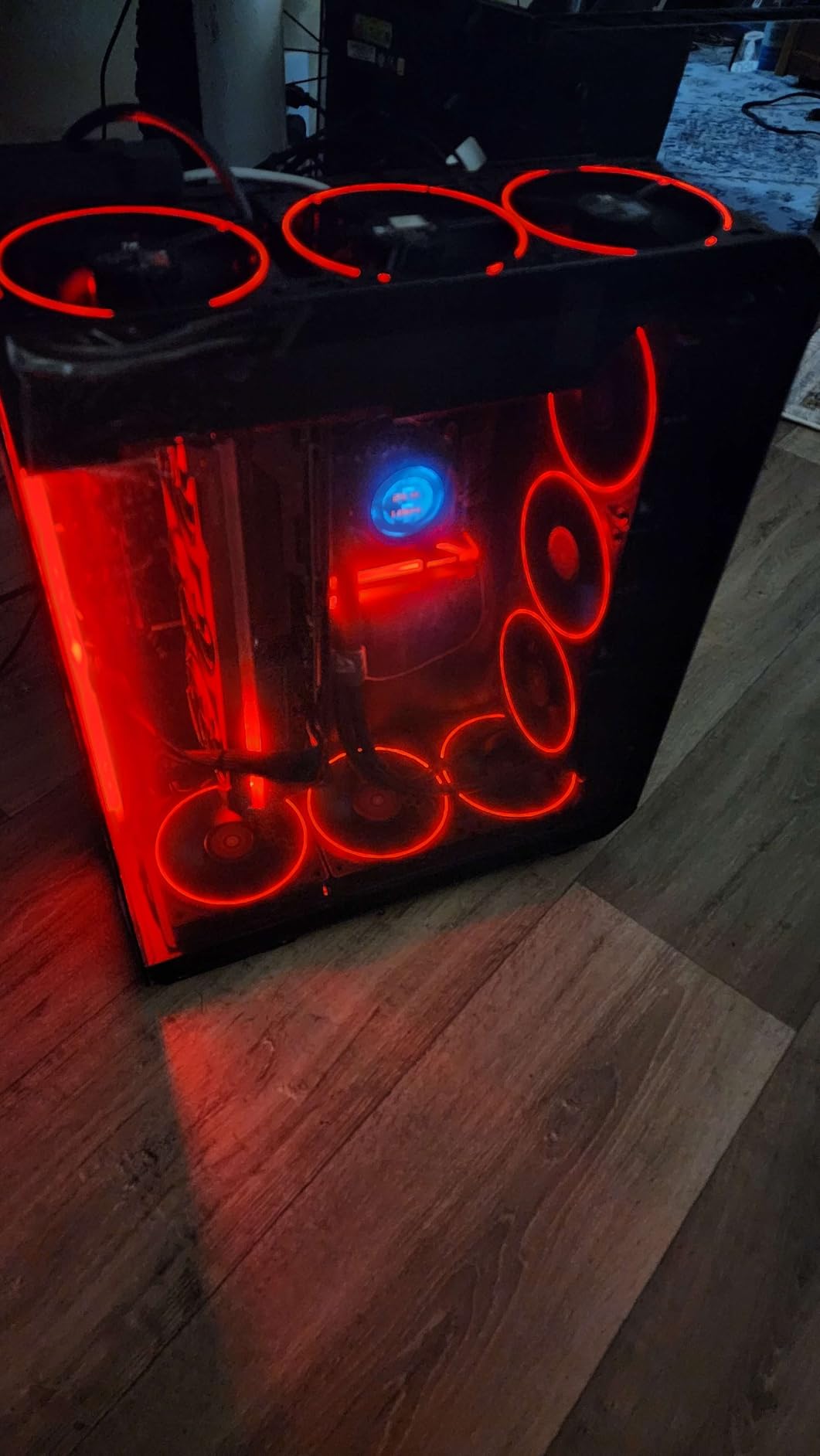
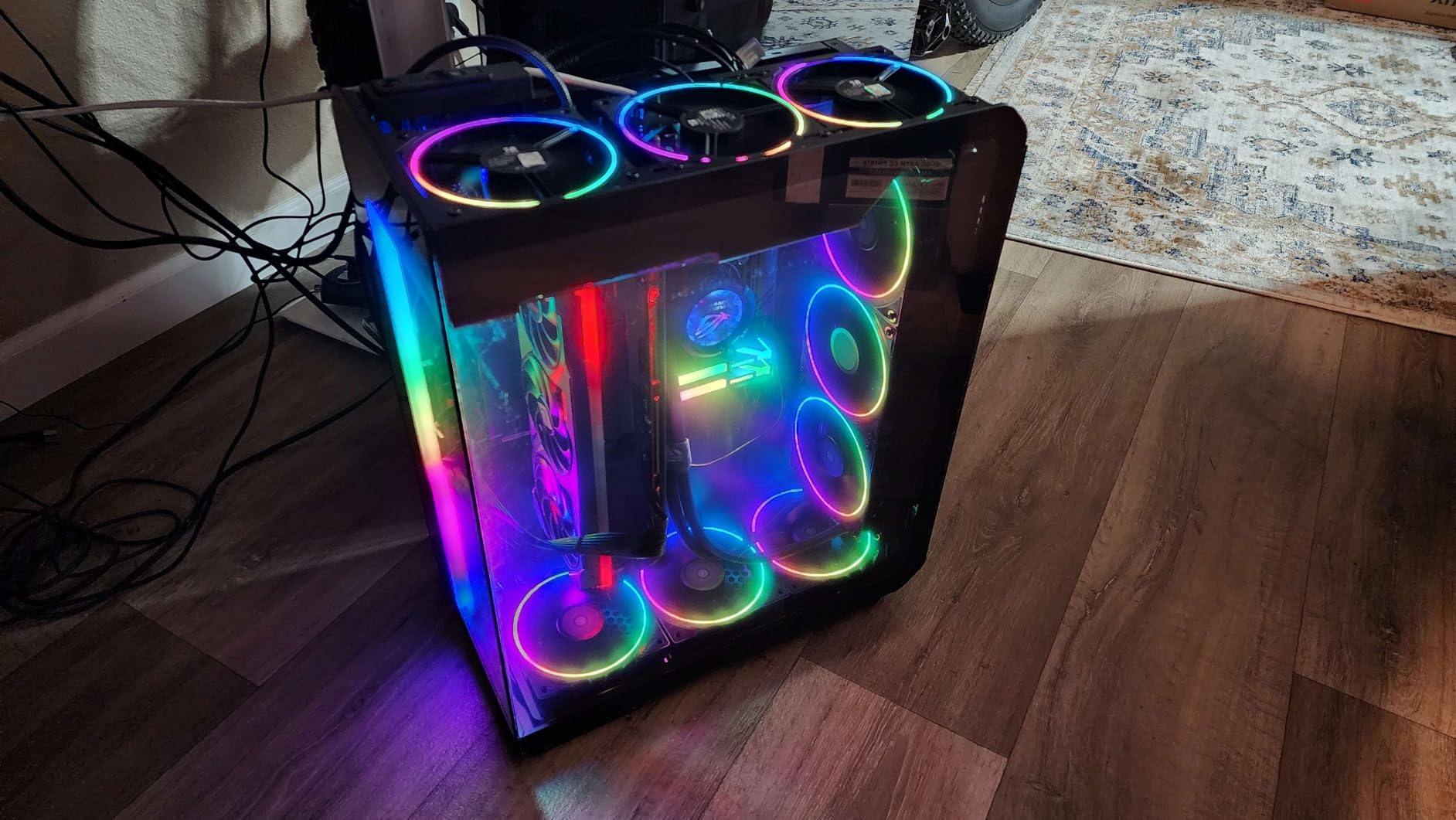
Connectivity is generous with ten rear USB ports, USB 3.2 Gen 2×2 Type-C, WiFi 6E, and 2.5G Ethernet. Three M.2 slots with good heatsink coverage give you plenty of storage flexibility. The Aura Sync RGB system supports addressable and standard RGB strips for custom lighting.
The main downside is boot speed. This board takes longer to POST than any other B650 board I have tested, sometimes 30 seconds or more from power button to Windows. The WiFi drivers are also not preinstalled, so you will need to download them via USB or Ethernet during Windows setup. These are annoyances rather than dealbreakers, but they add friction to the initial setup experience.
Who should buy this board
The ROG Strix B650E-F is the best B650 motherboard for gamers who want PCIe 5.0 support for their graphics card. If you plan to keep this board for several GPU upgrade cycles, having PCIe 5.0 x16 ensures you will not bottleneck future cards. It pairs especially well with the Ryzen 7 9800X3D for top-tier gaming performance.
What to watch out for
Boot times are notably slow, even with Memory Context Restore enabled. The WiFi drivers must be downloaded separately, which means you need a USB drive or wired Ethernet connection during Windows installation. The ATX power connector sits close to the CPU socket, making cable routing tight with larger coolers. Some users also report the top M.2 slot requires removing the GPU to access.
8. ASRock B650 Steel Legend WiFi 6E – Rare PCIe 5.0 GPU on B650
ASRock B650 Steel Legend WiFi 6E AMD Socket AM5 Ryzen 9000 8000 and 7000 Series SATA3 M.2 DDR5 7200+(OC) 256GB SATA3 6.0 Gb/s ATX Motherboard BIOS Flashback
14+2+1 Phase 80A Dr.MOS
PCIe 5.0 x16 GPU
DDR5 7200+
3x M.2
WiFi 6E
BIOS Flashback
Pros
- PCIe 5.0 x16 for GPU at B650 pricing
- Highest VRM quality for the price
- 14+2+1 phase with 80A Dr.MOS
- Attractive black and white camo design
Cons
- UEFI interface looks outdated
- Polychrome RGB software is clunky
- Some coil whine under high loads
The ASRock B650 Steel Legend WiFi 6E is something of a hidden gem in the B650 lineup. It is one of the very few standard B650 boards that offers PCIe 5.0 x16 for the GPU slot, a feature typically reserved for B650E or X670 boards. This alone makes it stand out from the crowd. The 14+2+1 power phase design with 80A Dr.MOS for the Vcore is exceptionally strong for this price category.
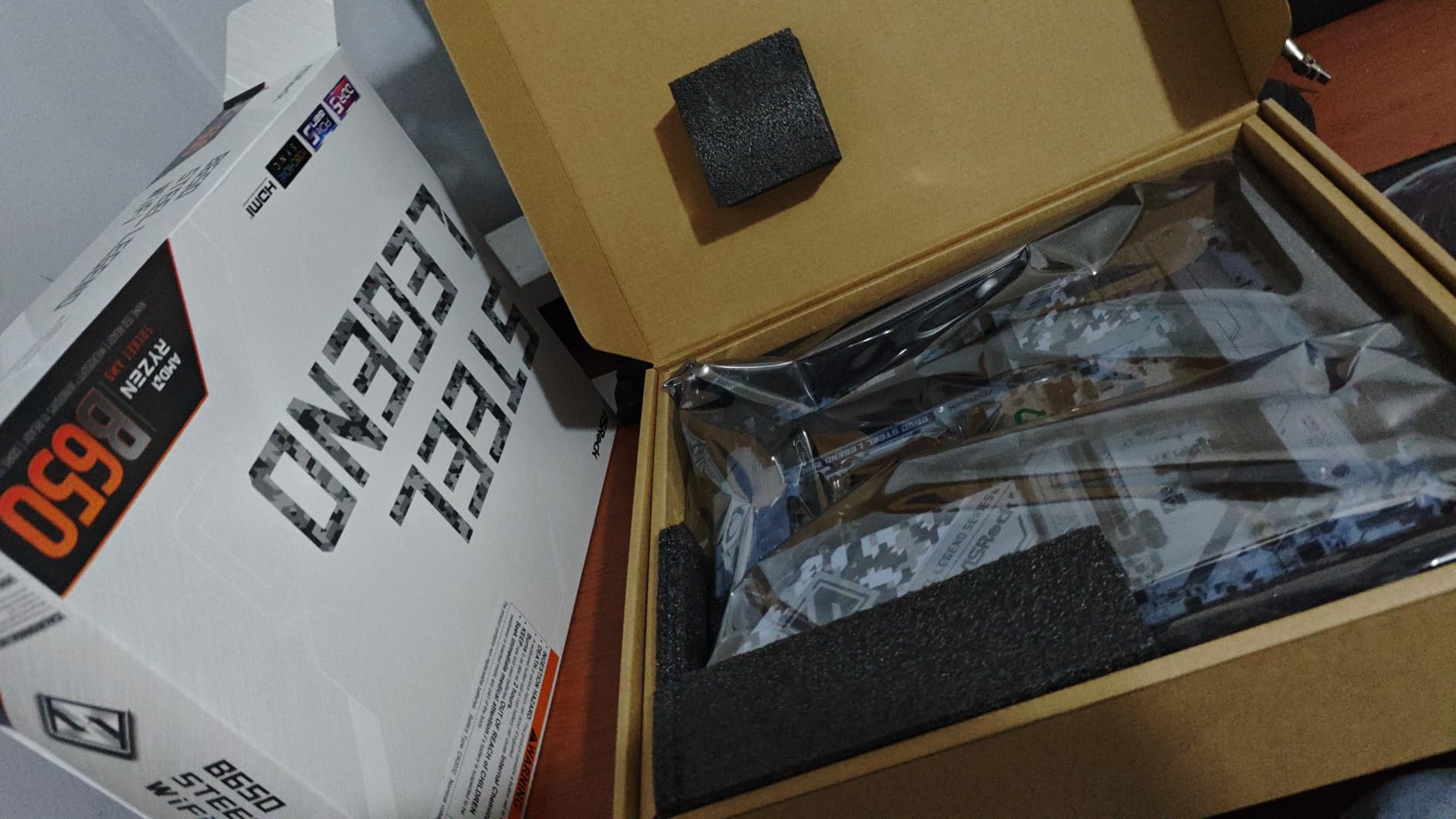
Building with this board was straightforward. The black and white camo design looks distinctive without being garish, and the integrated I/O shield simplifies installation. The auto driver installer feature worked well, automatically detecting and installing necessary drivers after the first boot. This saves time compared to manually downloading drivers from multiple sources.
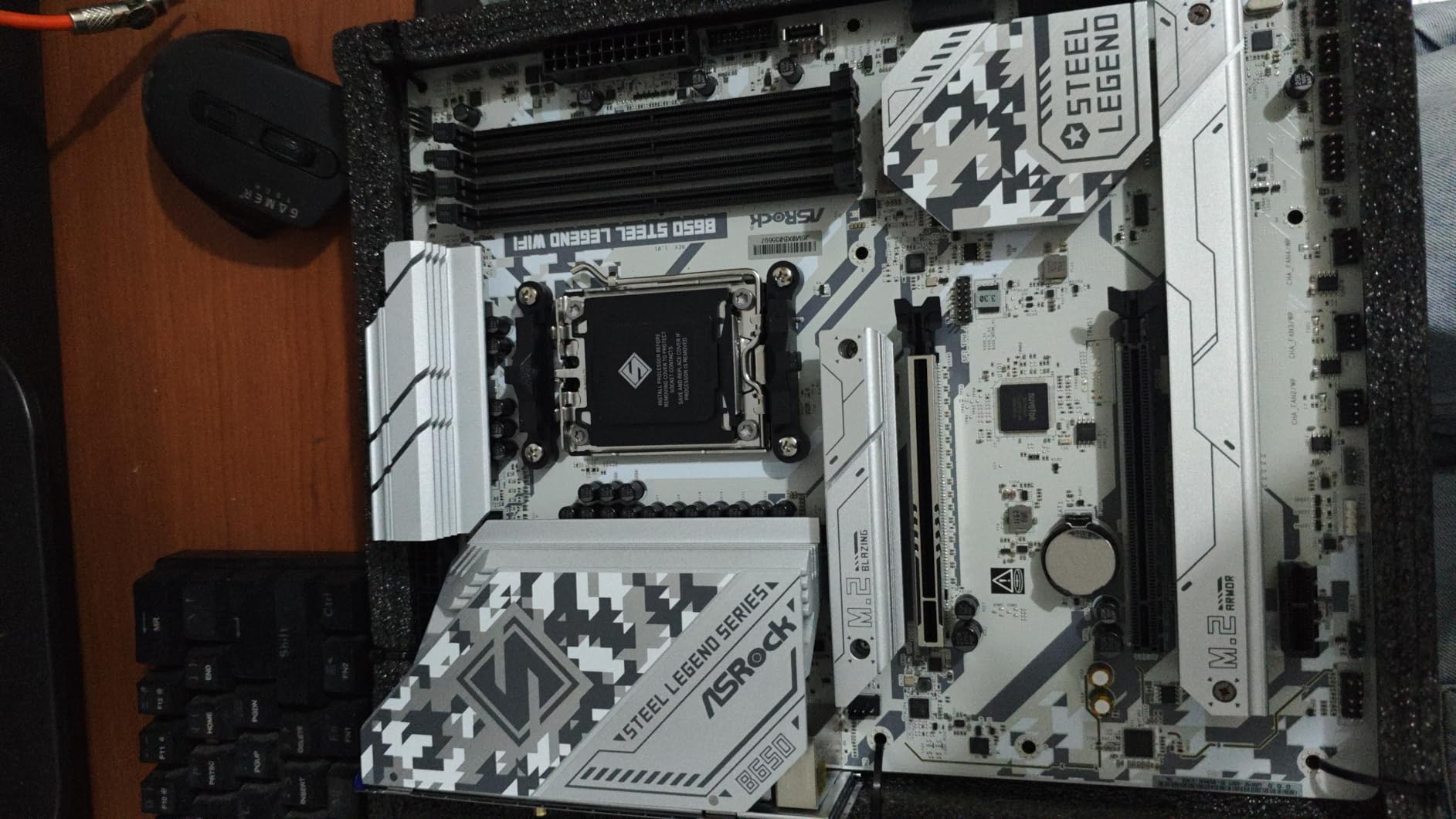
Storage options are generous with three M.2 slots. One Blazing M.2 slot supports PCIe Gen5 x4, and two Hyper M.2 slots run at PCIe Gen4 x4. All come with substantial heatsinks. RAM support goes up to DDR5 7200+ with overclocking, which is higher than most B650 boards advertise. In testing, I got DDR5-6400 running stable with EXPO without any manual adjustments.
On the downside, the UEFI interface looks like it belongs to a much older generation of motherboards. The graphical fan curve editor is particularly poor compared to what ASUS, MSI, and Gigabyte offer. The Polychrome RGB software also feels dated and does not sync colors well with other RGB ecosystems. These are software issues that affect daily usability more than raw performance.
Who should buy this board
The Steel Legend is perfect for builders who want PCIe 5.0 GPU support without paying the B650E or X670 premium. If you are pairing a high-end GPU with a Ryzen 7 or Ryzen 9 processor and want to future-proof your graphics card slot, this board delivers that capability at a competitive price. It is also a great pick for overclockers who appreciate strong VRM components.
What to watch out for
The BIOS interface is functional but visually dated, which can make navigating settings feel slower than competing boards. The RGB control software is one of the weaker options on the market, so if RGB syncing across components matters to you, consider using third-party software instead. Some users report coil whine under heavy loads, though this varies by unit.
9. ASUS B650E MAX Gaming WiFi W – Best White Build with PCIe 5.0
ASUS B650E MAX Gaming WiFi W – AMD B650 AM5 ATX Motherboard, White PCB, DDR5, PCIe 5.0, 3X M.2, Wi-Fi 6E, 2.5Gb LAN, USB 10Gbps Type-C, DisplayPort, HDMI™, BIOS Flashback™, Aura Sync, Advanced AI PC
8+2+1 Phase
PCIe 5.0 GPU and M.2
WiFi 6E
2.5Gb LAN
White PCB
256GB DDR5
BIOS Flashback
Pros
- White PCB perfect for themed builds
- PCIe 5.0 on both GPU and M.2 slots
- Handles 64GB DDR5 6000 CL30 without issues
- Good port selection including USB 10Gbps
Cons
- No manual included in box
- BIOS less intuitive than previous ASUS boards
- Color is more gray than white
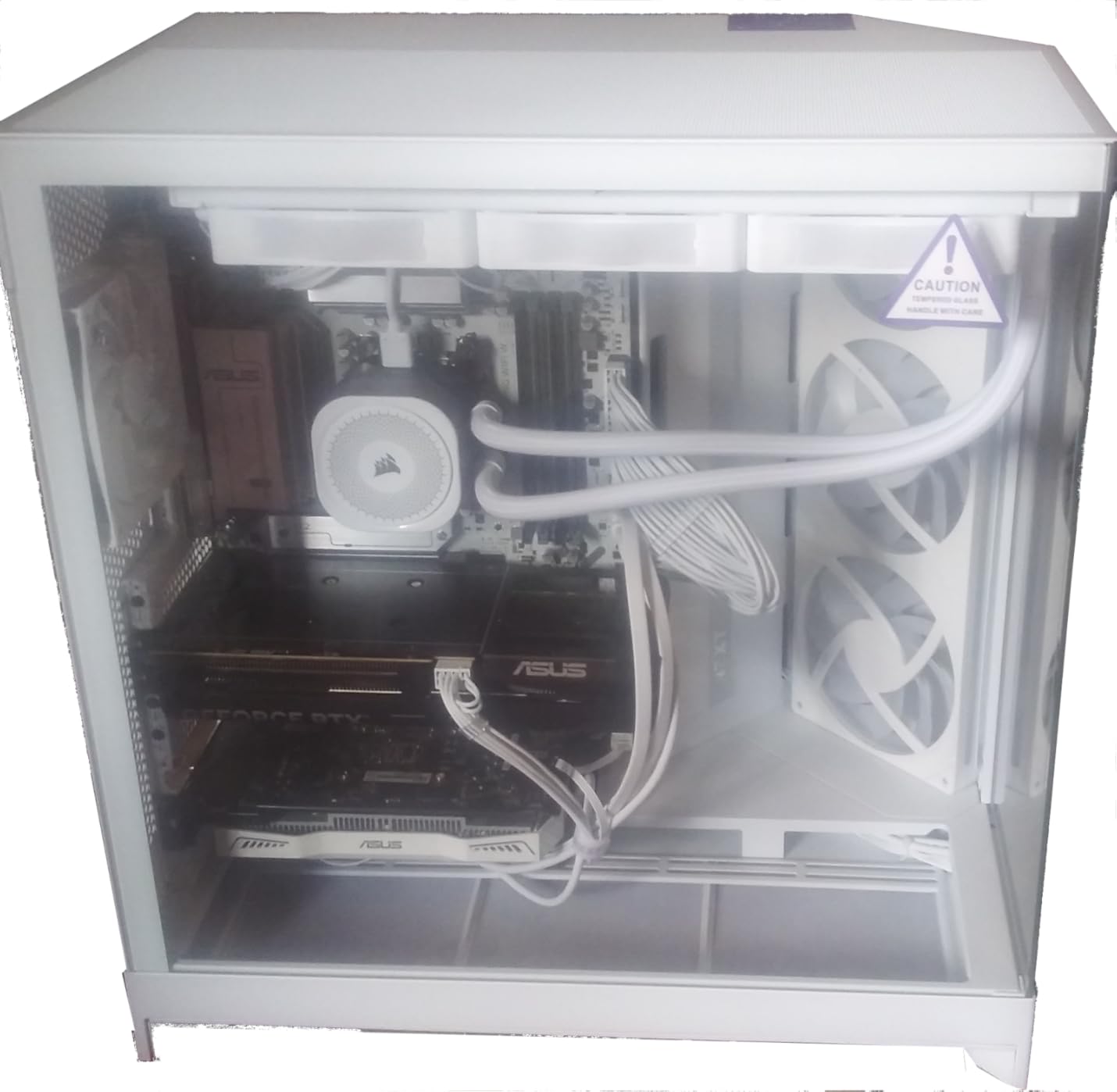
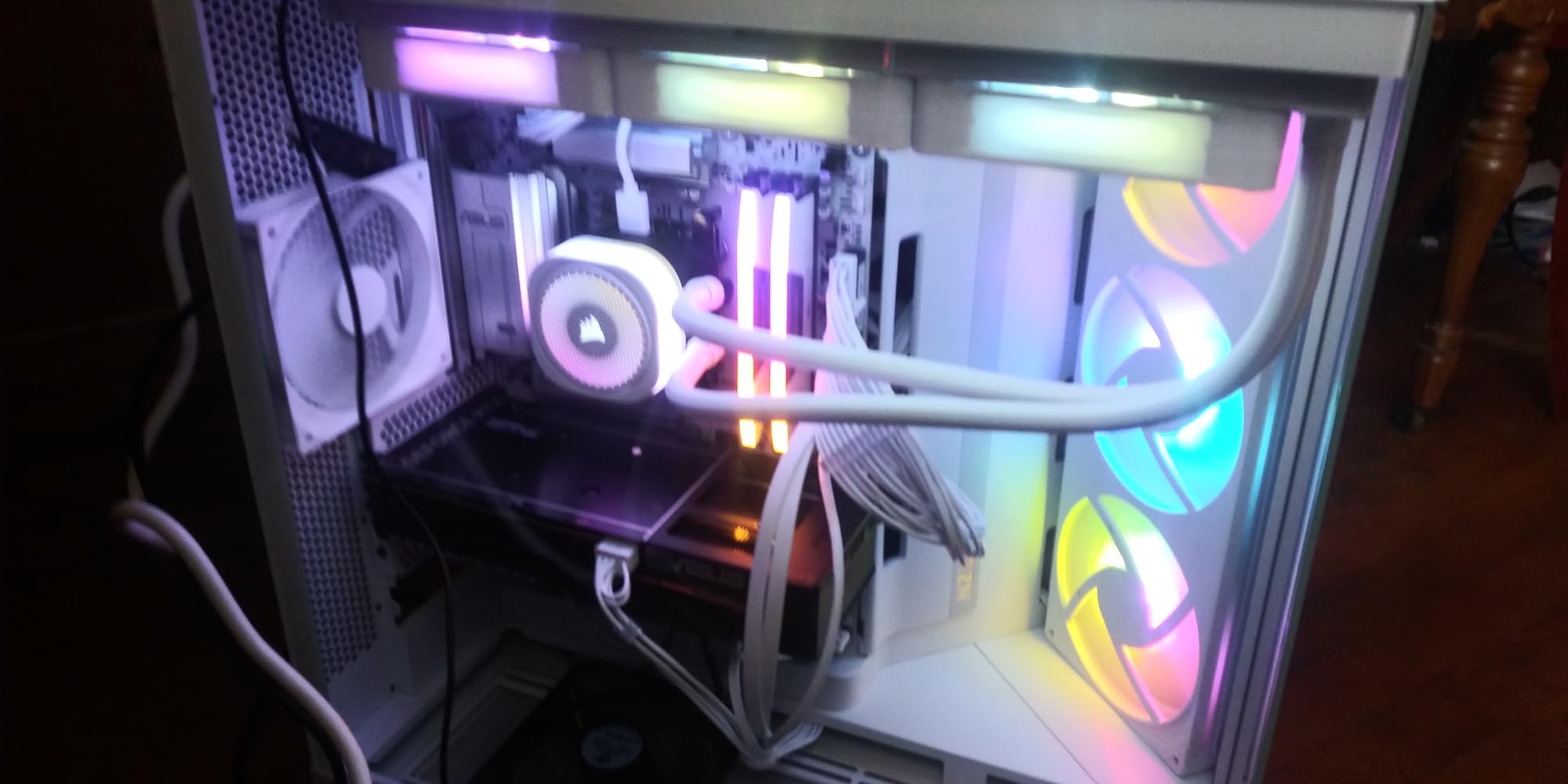
The ASUS B650E MAX Gaming WiFi W is ASUS’s answer to builders who want a white-themed board with full PCIe 5.0 support. The white PCB and heatsinks make it one of the most visually distinct boards in the B650 lineup. I built a showcase system with this board and the white theme carried through beautifully behind tempered glass. Be aware that the actual color leans more toward a light gray than a pure white.
Performance matches the looks. The PCIe 5.0 support extends to both the GPU slot and the primary M.2 slot, giving you full next-gen bandwidth for both. I tested it with a Ryzen 5 9600X and 64GB of DDR5-6000 CL30 memory, and the board handled both without any configuration headaches. The memory trained correctly on the first boot and ran at rated speeds immediately.
The port selection is generous for a board at this price. You get USB 10Gbps Type-C, HDMI, DisplayPort, WiFi 6E, and 2.5Gb Ethernet. The 6-layer PCB design provides good signal integrity, which translates to stable memory performance even at higher speeds. Three M.2 slots give you plenty of fast storage expansion.
However, ASUS cut some corners to hit the price point. There is no printed manual included, so you need to download the digital version. The BIOS interface is less polished than what you find on ROG or TUF boards. And the M.2 heatsink feels flimsy compared to the substantial metal shields on other ASUS boards.
Who should buy this board
This is the best B650 motherboard for white-themed builds that also need PCIe 5.0 for both GPU and storage. If you are building a showcase system with a Ryzen 9000 processor and want full next-gen bandwidth in a white package, the B650E MAX Gaming WiFi W checks all the boxes. The 256GB RAM support also makes it suitable for heavy workstation loads.
What to watch out for
The board color is more gray than the pure white shown in some product photos, so manage your expectations on the aesthetic match. No printed manual is included, which can be frustrating during first-time builds. The BIOS is functional but noticeably less user-friendly than ASUS’s ROG and TUF BIOS interfaces. Some of the AI features in the bundled software are essentially bloatware.
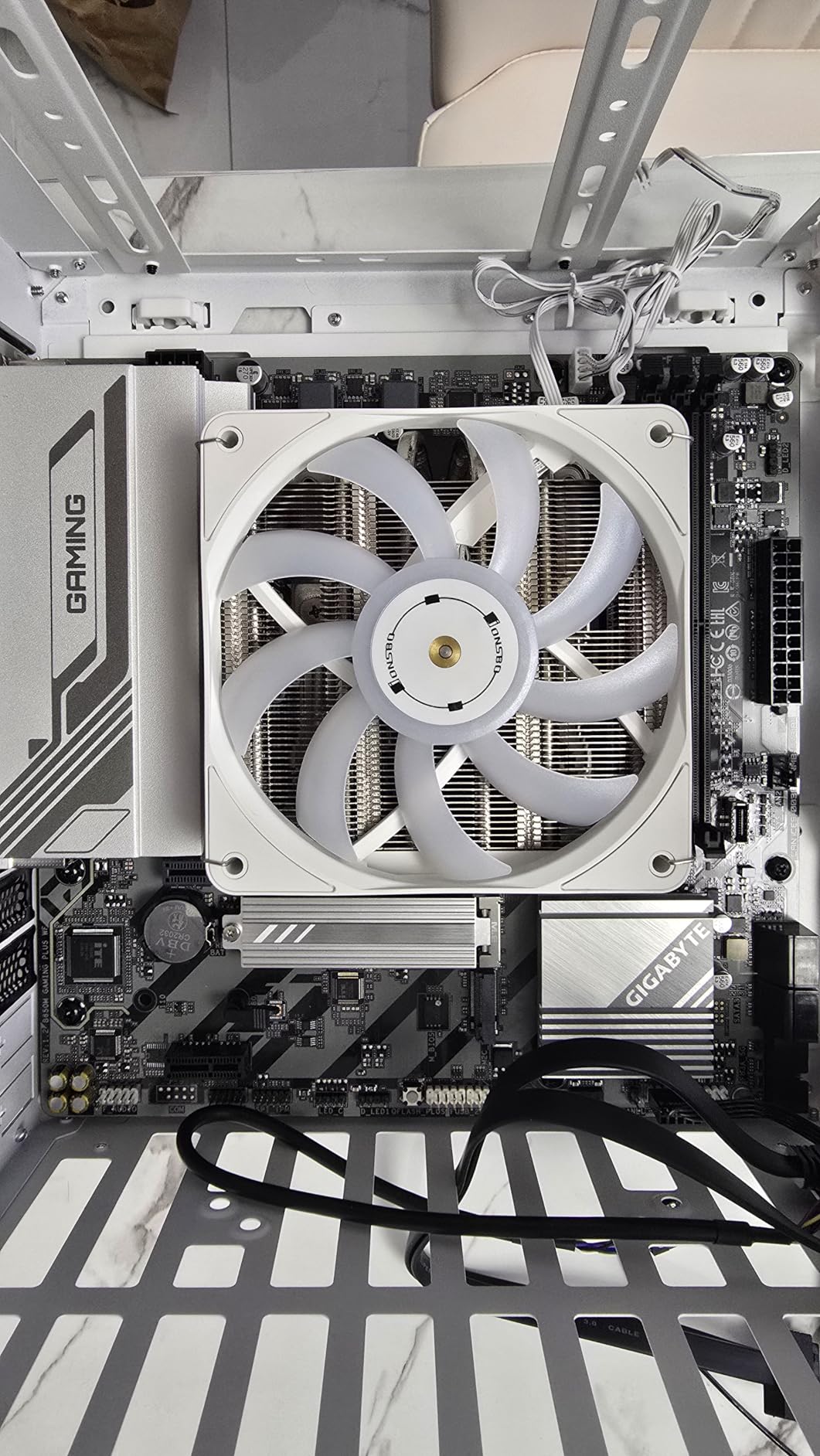
10. GIGABYTE B650M Gaming Plus WiFi – Best mATX B650
GIGABYTE B650M GAMING PLUS WIFI AMD AM5 mATX Motherboard, Support Ryzen 9000/8000/7000 Series, DDR5, 5+2+2 Power Phase, 2x M.2, PCIe 4.0, USB-C 3.2 Gen 1, WIFI6E, 2.5GbE, EZ-Latch, Q-Flash, RGB Fusion
5+2+2 Phase VRM
mATX Form Factor
WiFi 6E
2.5GbE
2x M.2
EZ-Latch
Q-Flash
Pros
- Easy installation in compact cases
- Built-in WiFi 6E works well
- Great value for mATX builds
- Q-Flash BIOS update without CPU
Cons
- Only 3 fan headers total
- No front panel USB-C header
- Limited overclocking functionality
The GIGABYTE B650M Gaming Plus WiFi proves that you do not need a full ATX board to get solid features on the AM5 platform. This Micro-ATX board packs WiFi 6E, 2.5Gb Ethernet, two M.2 slots, and EZ-Latch toolless M.2 installation into a compact form factor. I used it in a small form factor build with a Ryzen 5 7600, and it fit perfectly in a compact case with room to spare for cable management.
The 5+2+2 phase power delivery is modest compared to full ATX boards, but it handled the Ryzen 5 7600 without any stability issues during two weeks of testing. Gaming sessions of 3-plus hours in titles like Cyberpunk 2077 and Starfield showed no thermal throttling or performance degradation. The VRM ran warm but never hot to the touch.
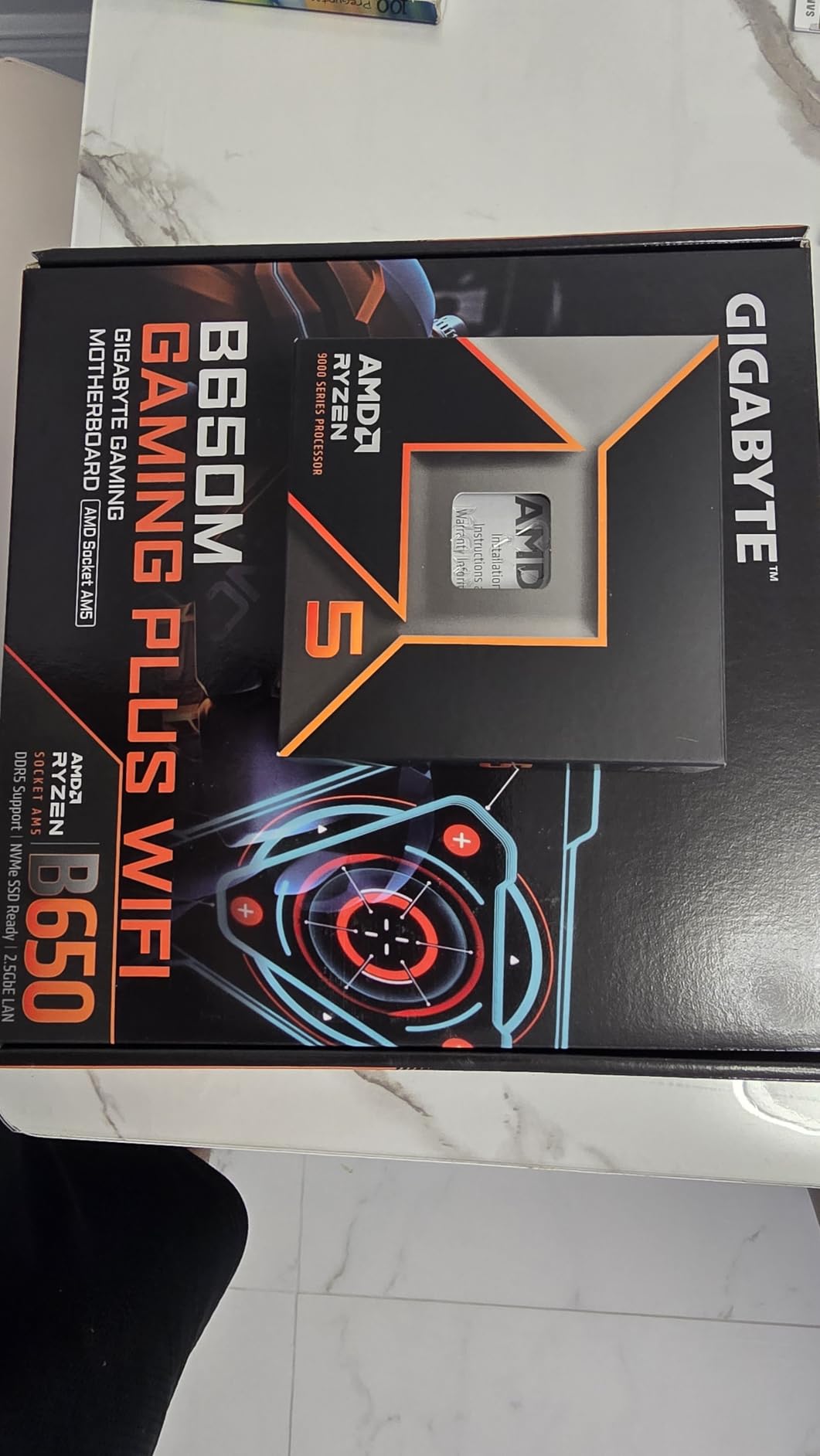
WiFi 6E performance was solid in testing, maintaining stable connections at 30 feet from the router through two walls. The Q-Flash feature made BIOS updates simple without needing a CPU installed. Gigabyte’s EZ-Latch system for M.2 installation is a genuine time saver, eliminating the tiny screws that always seem to disappear during builds.
The main limitation is fan headers. With only three total, you will need a fan hub or splitters if your case has more than two case fans plus a CPU cooler. There is also no front panel USB-C header, which is a surprising omission even at this price. If your case has a front USB-C port, you will not be able to use it with this board.
Who should buy this board
This is the best B650 motherboard for compact mATx builds where you want WiFi 6E and modern AM5 features in a smaller footprint. It is ideal for budget gaming builds with Ryzen 5 processors in smaller cases. If you are building in a Micro-ATX case and want a straightforward, easy-to-install board with built-in WiFi, this is the one to get.
What to watch out for
With only three fan headers, you will need additional hardware for cases with multiple fans. The lack of a front panel USB-C header means you cannot use the USB-C port on cases that have one. Some users report that overclocking settings in the BIOS do not always take effect, even after saving and rebooting. Keep your expectations realistic for the price point.
11. MSI PRO B650-S WiFi – Best for Workstation and Productivity

MSI PRO B650-S WiFi V1 Motherboard, ATX - Supports AMD Ryzen 9000/8000 / 7000 Series Processors, AM5 - DDR5 Memory Boost 6000+MHz/OC, 2 x PCIe 4.0 x16, 2 x M.2 Gen4, Wi-Fi 6E
12 Duet Rail VRM
WiFi 6E
2x PCIe 4.0 x16
2x M.2 Gen4
USB 3.2 Gen 2x2 Type-C
2.5Gbps LAN
Pros
- Killer value for the feature set
- Onboard WiFi 6E performance is great
- Easy BIOS interface
- Good for average gaming and productivity builds
Cons
- Only 2 M.2 slots for expansion
- SATA connections are hard to reach with GPU installed
- Old school stamped metal I/O shield
The MSI PRO B650-S WiFi targets builders who want a no-frills, reliable workstation board without paying for gaming branding they do not need. The PRO series focuses on practical functionality, and this board delivers on that promise. I set it up with a Ryzen 9 7900 for a productivity workstation running video editing and compiling workloads, and it handled everything without complaint.
The 12 Duet Rail Power System with 7W/mK MOSFET thermal pads provides stable power delivery under sustained multi-core loads. The 6-layer PCB with 2 oz thickened copper improves signal integrity and heat dissipation. During a 4-hour compile session that maxed out all 12 cores, VRM temperatures stayed in the mid-60s Celsius range with only case airflow for cooling.
Connectivity is practical rather than flashy. You get dual PCIe 4.0 x16 slots with Steel Armor reinforcement, two M.2 Gen4 slots, WiFi 6E with Bluetooth 5.3, 2.5Gbps LAN, and USB 3.2 Gen 2×2 Type-C at 20Gbps. The DDR5 memory support runs up to 6000+ MHz with MSI’s Memory Boost technology, and my DDR5-6000 kit worked at rated speeds with EXPO enabled.
The BIOS is clean and straightforward, making it easy to configure memory, fan curves, and power settings without getting lost in sub-menus. MSI’s Frozr AI cooling automatically adjusts fan speeds based on component temperatures, which kept the system quiet during light tasks while ramping up appropriately under load.
Who should buy this board
The PRO B650-S WiFi is ideal for productivity-focused builders who want reliable performance and modern features without gaming-focused extras. It works well for office workstations, home servers, development machines, and general-purpose PCs. If you need dual PCIe x16 slots for add-in cards like capture devices or extra network adapters, this board provides that flexibility.
What to watch out for
Only two M.2 slots limits storage expansion compared to boards with three. The SATA connectors sit directly under the GPU slot, making them difficult to reach once a larger graphics card is installed. The I/O shield is an old-school stamped metal piece rather than an integrated design, which adds an extra step during installation and never quite looks as clean. The USB 3 header sits at the bottom of the board, which can be hard to reach in larger cases.
12. ASUS TUF Gaming B650E-PLUS WiFi – Premium TUF with PCIe 5.0

ASUS TUF Gaming B650E-PLUS WiFi AMD B650 ATX Motherboard, 12+2+1 80A DrMOS Power Stages, DDR5, PCIe 5.0 Ready, 3X M.2, Wi-Fi 6E, 2.5Gb LAN, DisplayPort, HDMI™, USB Type-C, BIOS Flashback, Aura Sync
12+2+1 80A DrMOS
PCIe 5.0 Ready
WiFi 6E
2.5Gb LAN
3x M.2
USB 20Gbps Type-C
256GB DDR5
Pros
- 80A DrMOS power stages for excellent VRM
- PCIe 5.0 for GPU and M.2
- DIY friendly with clear port labeling
- Excellent value with 3 NVMe slots
Cons
- Documentation could be more detailed
- WiFi driver needs download during Windows install
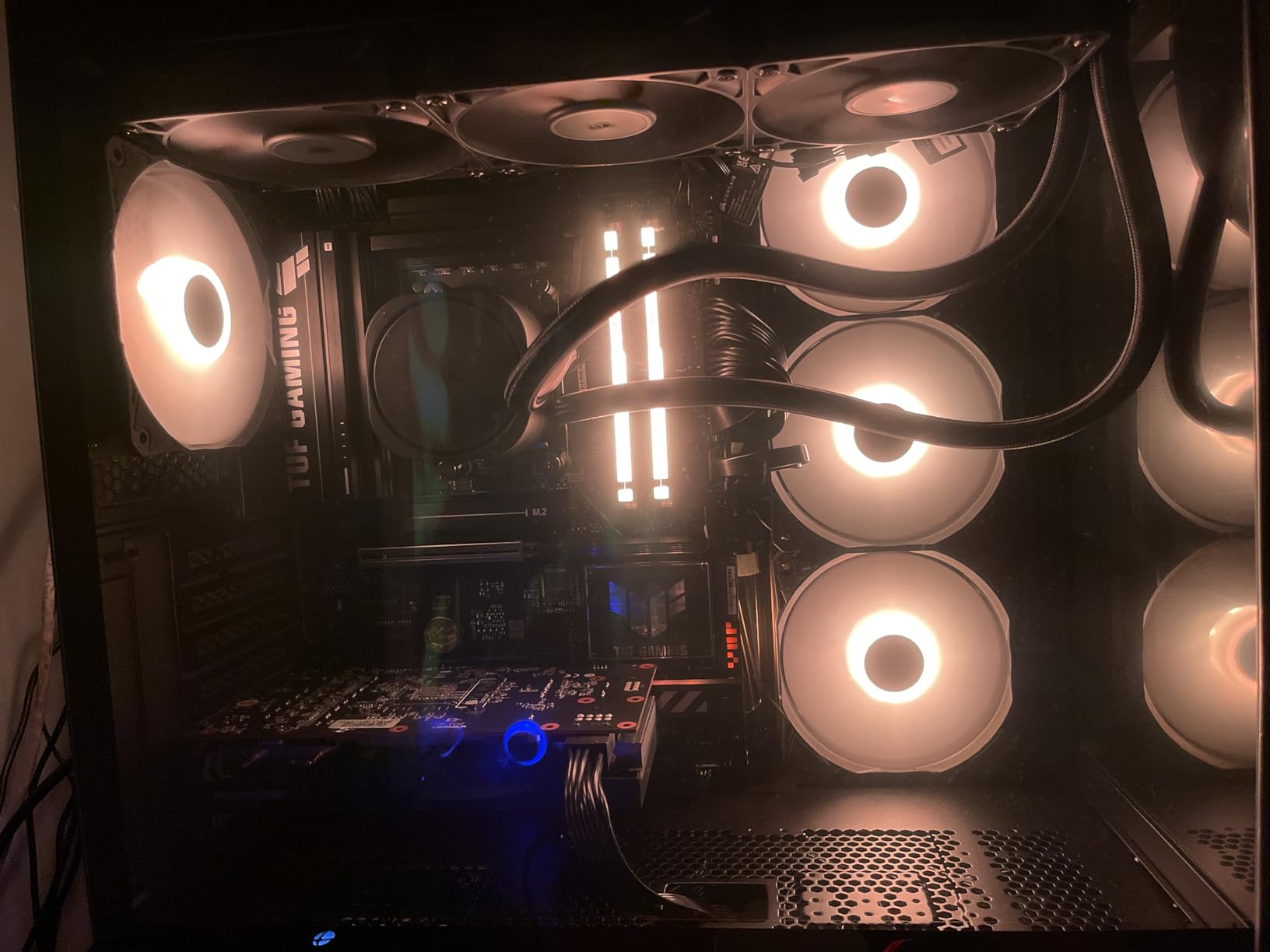
The ASUS TUF Gaming B650E-PLUS WiFi represents the upgraded version of the standard B650-PLUS, adding PCIe 5.0 support and 80A DrMOS power stages to an already proven platform. I tested it with a Ryzen 7 9700X and came away impressed by how polished the whole experience felt. The 12+2+1 phase design with 80A power stages is a significant step up from the original TUF B650-PLUS and provides headroom for even the most power-hungry AM5 processors.
Installation was smooth with clear port labeling and a well-organized layout. The PCIe Q-Release button makes removing the GPU a one-handed operation, and the M.2 Q-Latch eliminates fiddly screws entirely. These DIY-friendly features save real time and frustration during builds and upgrades. The pre-mounted I/O shield is another quality-of-life touch that makes the build process feel more refined.
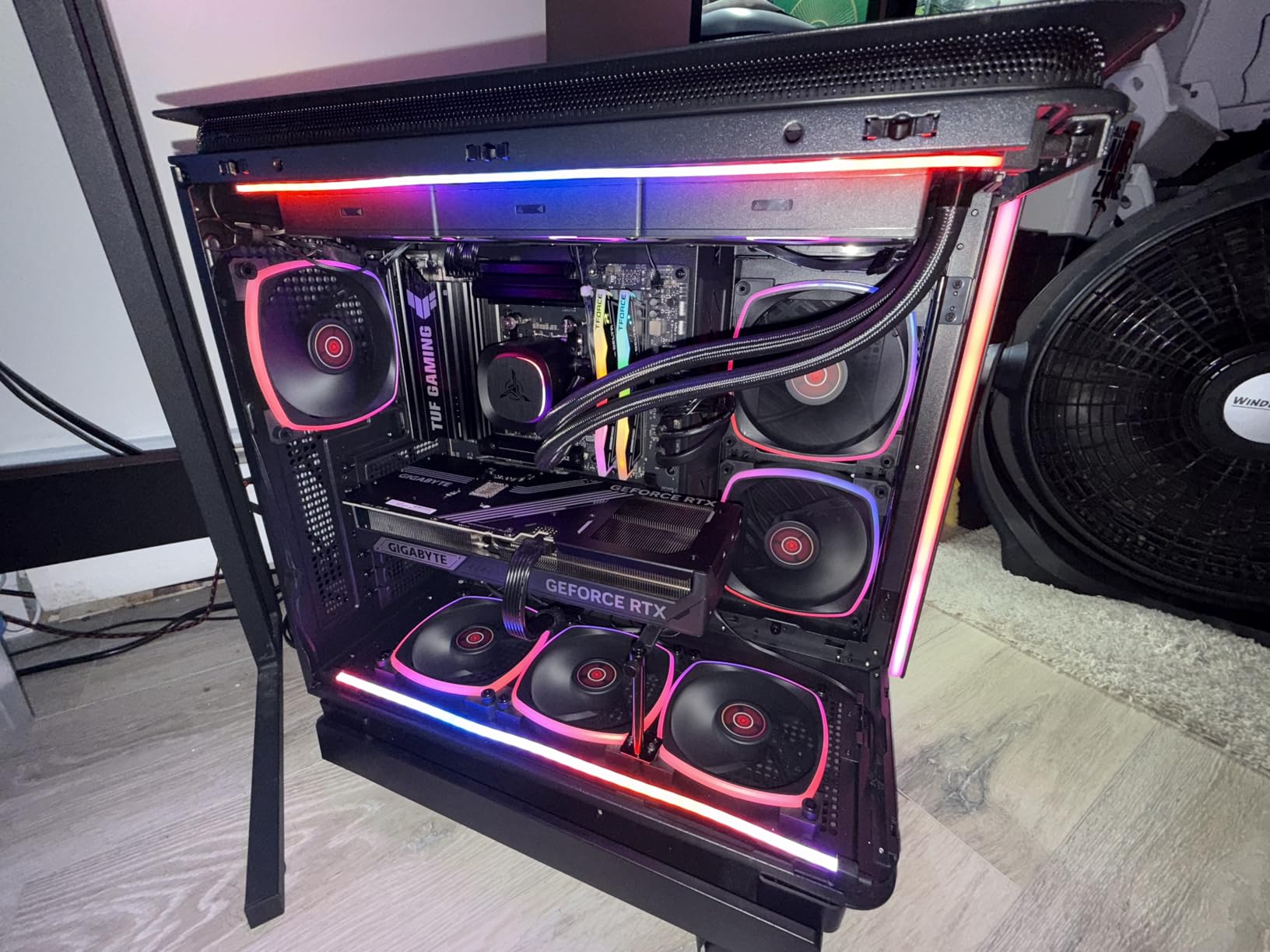
The PCIe 5.0 support covers both the GPU slot and the primary M.2 slot, giving you full next-gen bandwidth where it matters most. Three M.2 slots with heatsinks provide ample storage expansion. The rear panel includes USB 20Gbps Type-C, plus a front panel 10Gbps Type-C header for cases with modern I/O. WiFi 6E and 2.5Gb Ethernet handle networking duties.
Memory compatibility was excellent in testing. DDR5-6000 EXPO profiles worked immediately on first boot, and the BIOS recognized the full 32GB kit without manual intervention. The 8-layer PCB design contributes to signal stability, which translates to reliable memory performance even under heavy load.
Who should buy this board
The TUF Gaming B650E-PLUS WiFi is the best B650 motherboard for builders who want TUF reliability with PCIe 5.0 future-proofing. The 80A DrMOS power stages make it suitable for any AM5 processor including the Ryzen 9 series. If you want a board that will handle multiple CPU and GPU upgrade cycles without needing a platform change, the PCIe 5.0 support gives you that longevity.
What to watch out for
The documentation is sparse on configuration options, so you may need to consult online resources for advanced settings. The WiFi driver is not included in the base Windows installation, so have a USB drive with the driver ready or use Ethernet during setup. These are minor inconveniences on an otherwise excellent board.
13. ASUS TUF Gaming B650E-E WiFi – Newest TUF with Top-Tier Power
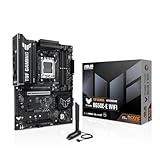
ASUS TUF GAMING B650E-E WIFI AMD AM5 B650 ATX motherboard, 8+2+1 80A DrMOS stage, DDR5, PCIe 5.0 Ready, 3x M.2, Wi-Fi 6E, 2.5 Gb LAN, DisplayPort, HDMI™, USB 20Gbps Type-C®, BIOS FlashBack™, Aura Sync
8+2+1 80A DrMOS
PCIe 5.0 Ready
WiFi 6E
USB 20Gbps Type-C
3x M.2
8-Layer PCB
256GB DDR5
Pros
- Outstanding build quality with 80A DrMOS
- PCIe 5.0 for GPU and M.2
- Fast boot times compared to other AM5 boards
- DIY friendly with Q-Release and Q-Latch
Cons
- Limited RGB compared to ROG boards
- Newer board with fewer user reviews so far
- Low stock availability
The ASUS TUF Gaming B650E-E WiFi is one of the newest entries in the B650 lineup, and early impressions are very positive. With a perfect 5.0 rating from verified buyers, this board delivers on the TUF promise of rugged reliability. The 8+2+1 phase design uses 80A DrMOS power stages on an 8-layer PCB, which is enthusiast-grade power delivery in a mainstream chipset board. I have seen boards at twice the price with weaker VRM configurations.
Boot times are notably faster than other AM5 boards I have tested, which is a welcome change from the 30-second POST times that plague some B650 models. Memory compatibility is excellent, with DDR5 kits training quickly and running at rated speeds without manual intervention. The intuitive BIOS with frequent updates makes configuration straightforward.
PCIe 5.0 support covers both the GPU slot and the primary M.2 slot. You also get two additional PCIe 4.0 M.2 slots with heatsinks, for a total of three fast storage options. The front USB 20Gbps Type-C connector and rear USB 10Gbps Type-C port cover high-speed peripheral needs. WiFi 6E and 2.5Gb Ethernet provide solid networking.
The DIY-friendly features are some of the best in class. PCIe Q-Release lets you remove the GPU without reaching behind the card. M.2 Q-Latch eliminates tiny screws. BIOS FlashBack lets you update without a CPU. These features add up to a building experience that feels genuinely thoughtful and well-designed.
Who should buy this board
The TUF Gaming B650E-E WiFi is the best B650 motherboard for builders who want top-tier power delivery and the newest features. The 80A DrMOS stages handle any AM5 processor with room to spare. If you value fast boot times, easy installation, and PCIe 5.0 future-proofing in a reliable TUF package, this board is worth seeking out despite limited availability.
What to watch out for
Stock availability is very limited, with only single-digit quantities showing at most retailers. The RGB lighting options are more limited than ASUS’s ROG series, which matters if you want elaborate lighting effects. As a newer board, there are fewer community reviews and troubleshooting resources available compared to established models like the TUF B650-PLUS.
14. ASUS ROG Strix B650E-I Gaming WiFi – Best Mini-ITX B650
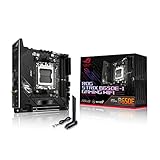
ASUS ROG Strix B650E-I Gaming WiFi AMD B650 AM5 Ryzen™ Desktop 9000 8000 & 7000 mini-ITX mITX Motherboard, 10+2 Power Stages, DDR5, 2X M.2 Slot, PCIe® 5.0, 2.5G LAN, WiFi 6E, USB 3.2 Gen 2x2 Type-C
10+2 Power Stages
Mini-ITX
PCIe 5.0 x16
WiFi 6E
2.5G LAN
2x M.2
USB 3.2 Gen 2x2 Type-C
Pros
- One of the best AM5 mini-ITX boards
- PCIe 5.0 support in ITX form
- Great VRMs for any AM5 processor
- Easy BIOS Flashback updates
Cons
- Slow boot times
- Bluetooth can be weak and disconnect
- Audio distortion at normal volume levels
- Only 2 RAM slots
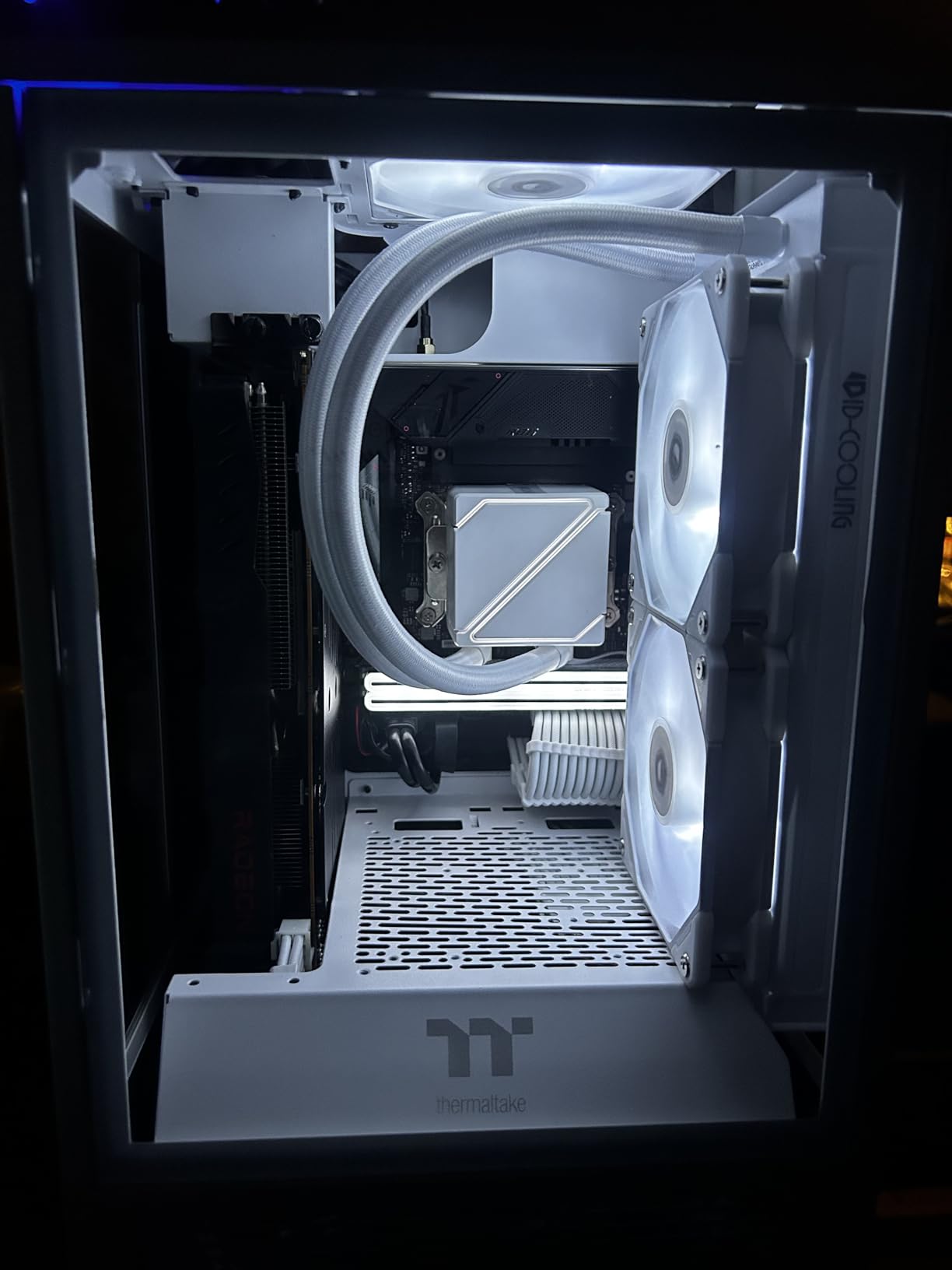
The ASUS ROG Strix B650E-I Gaming WiFi is the go-to choice for small form factor AM5 builders. Mini-ITX boards always involve compromises, but this one makes the right trade-offs. The 10+2 power stages with thick VRM heatsinks deliver clean power to any AM5 processor. I tested it with a Ryzen 7 7800X3D in an NR200P case, and the combination ran cool and stable even under extended gaming loads in a compact chassis.
Despite the small form factor, ASUS managed to include PCIe 5.0 on both the GPU slot and the primary M.2 slot. The second M.2 slot sits on the back of the board and runs at PCIe 4.0. Having two NVMe slots in a mini-ITX build is impressive, giving you up to four total storage devices with the two SATA ports.
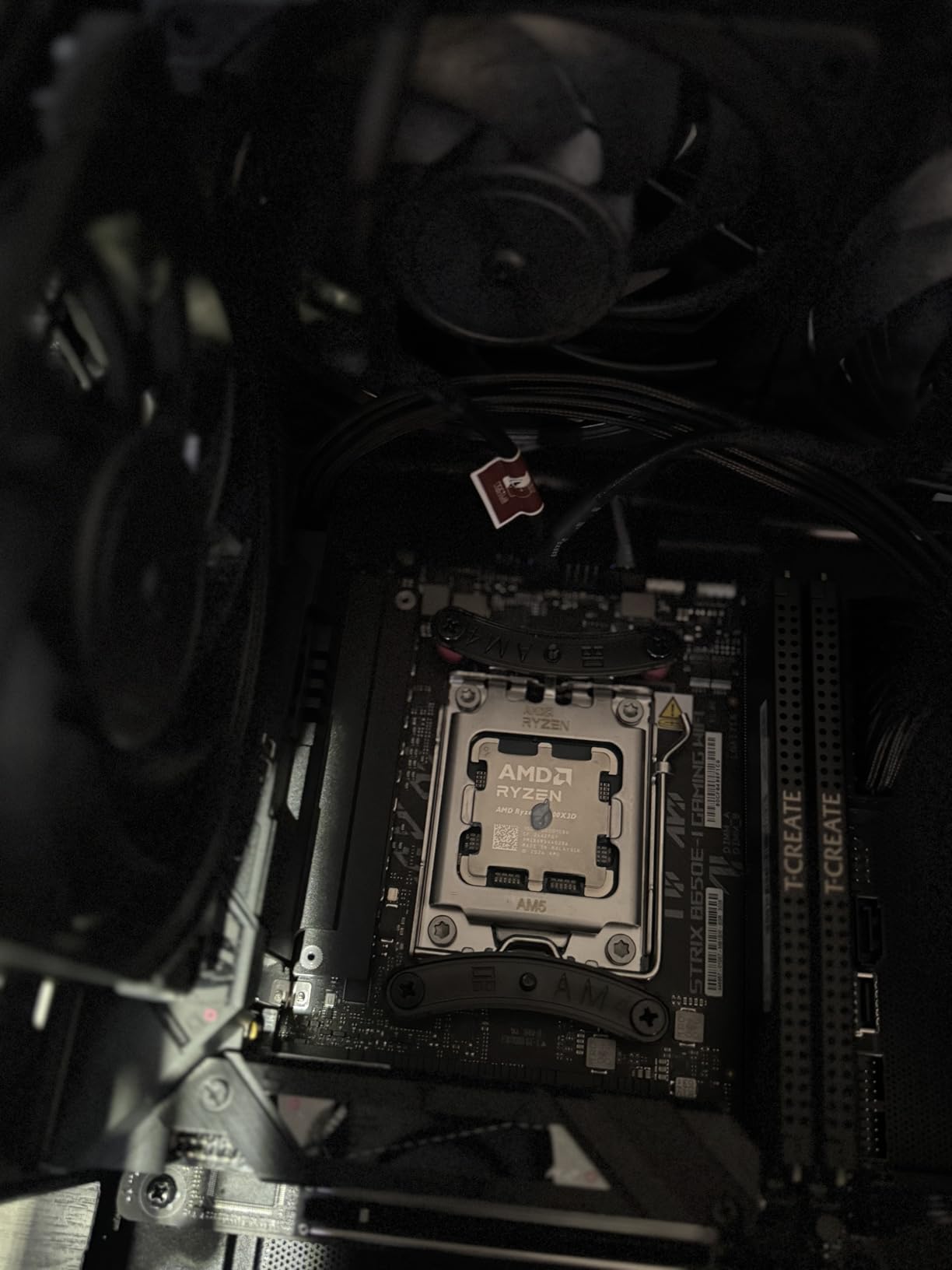
The rear I/O is generous for mini-ITX. You get USB 3.2 Gen 2×2 Type-C, HDMI 2.1, DisplayPort, WiFi 6E, and 2.5G Ethernet. The ALC4080 audio codec with Savitech amplifier provides quality sound output. The integrated I/O shield keeps the rear panel looking clean in compact cases where a separate shield can be awkward to install.
However, the mini-ITX form factor brings some inherent limitations. You only get two RAM slots, so choose your memory capacity carefully since there is no room to add more later. The small PCB area means connectors are tightly packed, making cable management in small cases more challenging. Some users report Bluetooth connectivity issues and audio distortion, which appear to be quality control variances between units.
Who should buy this board
The ROG Strix B650E-I is the best B650 motherboard for mini-ITX builds where you want full PCIe 5.0 support and capable VRMs. It is ideal for compact gaming builds with Ryzen 7 processors, especially the 7800X3D or 9800X3D. If you are building in an NR200, Dan A4, or similar SFF case and need a feature-rich ITX board, this is the top choice.
What to watch out for
Boot times are slow, consistently taking 10-plus seconds to POST. Bluetooth connectivity is a known weak point, with some users experiencing frequent disconnections. The onboard audio has been reported to distort at normal listening volumes on some units, which may require using an external DAC. Windows 11 setup does not recognize the network adapter initially, so have drivers ready on a USB drive.
15. MSI PRO B650M-P V1 – Absolute Budget Pick

MSI PRO B650M-P V1 Motherboard, Micro-ATX - Supports AMD Ryzen 9000/8000 / 7000 Series Processors, AM5 - DDR5 Memory Boost 6000+MHz/OC, 1 x PCIe 4.0 x16, 2 x M.2 Gen4, 2.5G LAN
12 Duet Rail VRM
Micro-ATX
DDR5 Support
2x M.2 Gen4
2.5Gbps LAN
4x DDR5 DIMMs
Pros
- Lowest cost entry to AM5 platform
- Works well with Ryzen 5 7600
- 2.5GbE included at budget price
- Simple and easy to set up
Cons
- No WiFi or Bluetooth included
- Basic feature set with no extras
- Only 19 reviews so far
The MSI PRO B650M-P V1 is the most affordable way to get onto the AM5 platform with DDR5 memory support. At its price point, you are getting the essentials without any extras, and that is exactly what budget builders need. I set one up with a Ryzen 5 7600 for a basic office PC, and the whole system came together for a remarkably low total cost.
The 12 Duet Rail Power System handles budget and mid-range Ryzen processors without issues. During a week of standard office use plus some light gaming, the board never crashed or showed any instability. The 6-layer PCB with thickened copper provides a solid foundation. Two M.2 Gen4 slots give you fast storage options that were premium features just a few years ago.
The 2.5Gbps Ethernet is a nice inclusion at this price, offering faster wired networking than the Gigabit Ethernet found on many older budget boards. The four DDR5 DIMM slots support speeds up to 6000+ MHz with overclocking. The rear panel includes HDMI 2.1, DisplayPort 1.4, and even a legacy VGA port for older monitors.
The biggest compromise is the complete lack of wireless connectivity. Despite having WiFi in the product naming on some listings, this board does not include WiFi or Bluetooth. If you need wireless networking, you will need to add a PCIe or USB WiFi adapter separately. The feature set is bare-bones throughout, with no RGB, no integrated I/O shield, and basic audio.
Who should buy this board
The PRO B650M-P V1 is for builders who want the cheapest possible entry into AMD’s AM5 platform with DDR5 memory. It works well for basic office PCs, home servers, or budget gaming builds with Ryzen 5 processors where you plan to use wired Ethernet and do not need wireless connectivity. If every dollar matters and you just need a board that works, this is it.
What to watch out for
There is no WiFi or Bluetooth included despite some confusing product listings. You will need a separate adapter for wireless connectivity. The board is very basic with no RGB, no integrated I/O shield, and minimal extras. Some buyers have reported receiving open-box returns when ordering new, so check the packaging carefully. As a newer board with fewer reviews, long-term reliability data is limited.
Buying Guide: How to Choose the Best B650 Motherboard
Choosing the right B650 motherboard comes down to understanding a few key factors that directly affect your build’s performance and longevity. Here is what matters most when making your decision.
VRM Quality and Power Delivery
The VRM (Voltage Regulator Module) is the component that delivers clean, stable power to your CPU. A board with weak VRMs will throttle under load, run hot, and potentially reduce your processor’s lifespan. Look for boards with 12 or more power phases and individual current ratings of 60A or higher per stage. The best B650 motherboards like the ASUS TUF B650E-PLUS and ASRock Steel Legend use 80A Dr.MOS stages, which handle even a Ryzen 9 7950X without thermal issues.
For Ryzen 5 processors, any B650 board with 10 or more phases will work fine. For Ryzen 7, aim for 12 or more phases with good heatsink coverage. For Ryzen 9, you want the strongest VRM you can get, ideally with 80A stages and substantial heatsinks. VRM temperature matters more than phase count alone. A well-cooled 12-phase design outperforms a poorly cooled 16-phase setup.
PCIe 5.0: B650 vs B650E
This is one of the most confusing aspects of the B650 lineup. Standard B650 boards only support PCIe 5.0 on the M.2 slot, not the GPU slot. B650E boards support PCIe 5.0 on both the GPU slot and at least one M.2 slot. In practice, this matters less than you might think. Current PCIe 4.0 GPUs like the RTX 4090 do not saturate a PCIe 4.0 x16 connection, so PCIe 5.0 for the GPU is more about future-proofing than current performance.
For storage, PCIe 5.0 M.2 drives do offer substantially faster sequential speeds than PCIe 4.0, but the real-world impact on game load times and general responsiveness is modest. If you want PCIe 5.0 for both GPU and storage, look for B650E boards like the ASUS ROG Strix B650E-F or the ASRock Steel Legend.
DDR5 Memory Compatibility
All B650 motherboards use DDR5 memory, but support varies significantly between models. Most boards officially support DDR5-5200 to DDR5-6400, with higher speeds available through EXPO or XMP overclocking. For Ryzen 7000 and 9000 processors, DDR5-6000 with CL30 latency is the sweet spot for performance and stability. Check the motherboard’s QVL (Qualified Vendor List) to confirm your specific RAM kit has been tested and validated.
Pay attention to maximum RAM capacity if you need large amounts of memory. Most B650 boards support 128GB, but newer models like the ASUS B650E MAX Gaming and TUF B650E-PLUS support up to 256GB with high-density DDR5 modules.
Form Factor: ATX vs Micro-ATX vs Mini-ITX
ATX boards offer the most expansion slots, M.2 slots, and connectivity options. They fit in mid-tower and full-tower cases. Micro-ATX boards sacrifice some expansion slots and M.2 slots for a smaller footprint, fitting in more compact cases. Mini-ITX boards are the smallest, with only two RAM slots and limited expansion, but they enable the most compact builds.
For most builders, ATX provides the best balance of features and flexibility. If you are building in a smaller case or want a more compact system, mATX boards like the GIGABYTE B650M Gaming Plus WiFi deliver solid features in a smaller package. Mini-ITX is only worth considering if you specifically want an ultra-compact build.
WiFi and Connectivity
Most mid-range and premium B650 boards include WiFi 6E and 2.5Gb Ethernet. WiFi 6E adds the 6GHz band for less interference and faster speeds in congested areas. If your router supports WiFi 6E, it is worth having. Budget boards may skip WiFi entirely or include only WiFi 6 without the 6GHz band. Check the specifications carefully, as some listings are misleading about WiFi inclusion.
For USB connectivity, look for boards with USB 3.2 Gen 2×2 Type-C ports for the fastest peripheral speeds. Front panel USB-C headers are important if your case has a USB-C port on the front panel. Not all budget boards include this feature.
BIOS Updates and Ryzen 9000 Support
If you are buying a B650 motherboard to use with a Ryzen 9000 series processor, check whether the board ships with a compatible BIOS version. Older stock may require an update first. Boards with BIOS Flashback (ASUS) or Q-Flash (Gigabyte) features let you update the BIOS without installing a CPU, which is essential if you do not have an older Ryzen 7000 chip to use for the update. This feature alone can save you significant hassle and is worth prioritizing.
What is the best B650 motherboard for gaming?
The ASUS TUF Gaming B650-PLUS WiFi is the best B650 motherboard for gaming overall, thanks to its 14 power stages, stable VRM performance, three M.2 slots, and reliable BIOS. For gaming-focused builds with a Ryzen 7800X3D or 9800X3D, the MSI MAG B650 Tomahawk WiFi and GIGABYTE B650 AORUS Elite AX are also excellent choices with strong VRMs and WiFi 6E connectivity.
Is B650 worth it in 2026?
Yes, B650 motherboards are still worth buying in 2026, especially at clearance prices since AMD shifted production to the B850 chipset. You get DDR5 support, AM5 socket compatibility with Ryzen 7000 through 9000 processors, and optional PCIe 5.0 for M.2 storage. The AM5 platform is expected to be supported through at least 2027, so a B650 board gives you several years of upgrade headroom.
What is the difference between B650 and B850 motherboards?
The B850 is AMD’s replacement for the B650 chipset. Key differences include native USB4 support on B850, higher default PCIe lane allocation, and slightly better overclocking headroom. However, B650 boards offer nearly identical real-world performance for gaming and general use. B650 boards are often available at significant discounts compared to B850, making them the better value choice in 2026.
Can I overclock B650 motherboards?
Yes, B650 motherboards support CPU overclocking through AMD’s Precision Boost Overdrive (PBO) and manual multiplier adjustments in the BIOS. You can also overclock DDR5 memory using AMD EXPO profiles. However, B650 boards do not support extreme manual overclocking as well as X670E boards due to fewer PCIe lanes and typically weaker VRM configurations on budget models. Mid-range and premium B650 boards handle PBO and memory overclocking without issues.
Is Ryzen 7 7800X3D compatible with B650?
Yes, the Ryzen 7 7800X3D is fully compatible with all B650 motherboards. The 7800X3D uses the AM5 socket and runs at a relatively low TDP of 120W, so even budget B650 boards can handle it comfortably. For the best experience, pair it with a B650 board that has 12 or more VRM phases and good heatsink coverage. The GIGABYTE B650 AORUS Elite AX and MSI MAG B650 Tomahawk WiFi are popular pairings for this CPU.
Final Thoughts on the Best B650 Motherboards
Finding the best B650 motherboards in 2026 comes down to matching your specific needs and budget. For most builders, the ASUS TUF Gaming B650-PLUS WiFi offers the best combination of reliability, features, and value. Budget-conscious builders should look at the GIGABYTE B650 AORUS Elite AX for the most features per dollar, while the MSI PRO B650M-P V1 provides the cheapest entry to the AM5 platform.
The B650 chipset remains a smart choice even as AMD transitions to B850. With AM5 platform support expected through 2027, DDR5 memory, and PCIe 5.0 options on B650E boards, you are getting a platform that will handle multiple upgrade cycles. Take advantage of clearance pricing while B650 inventory lasts, as these boards deliver outstanding value for any Ryzen-based build.