
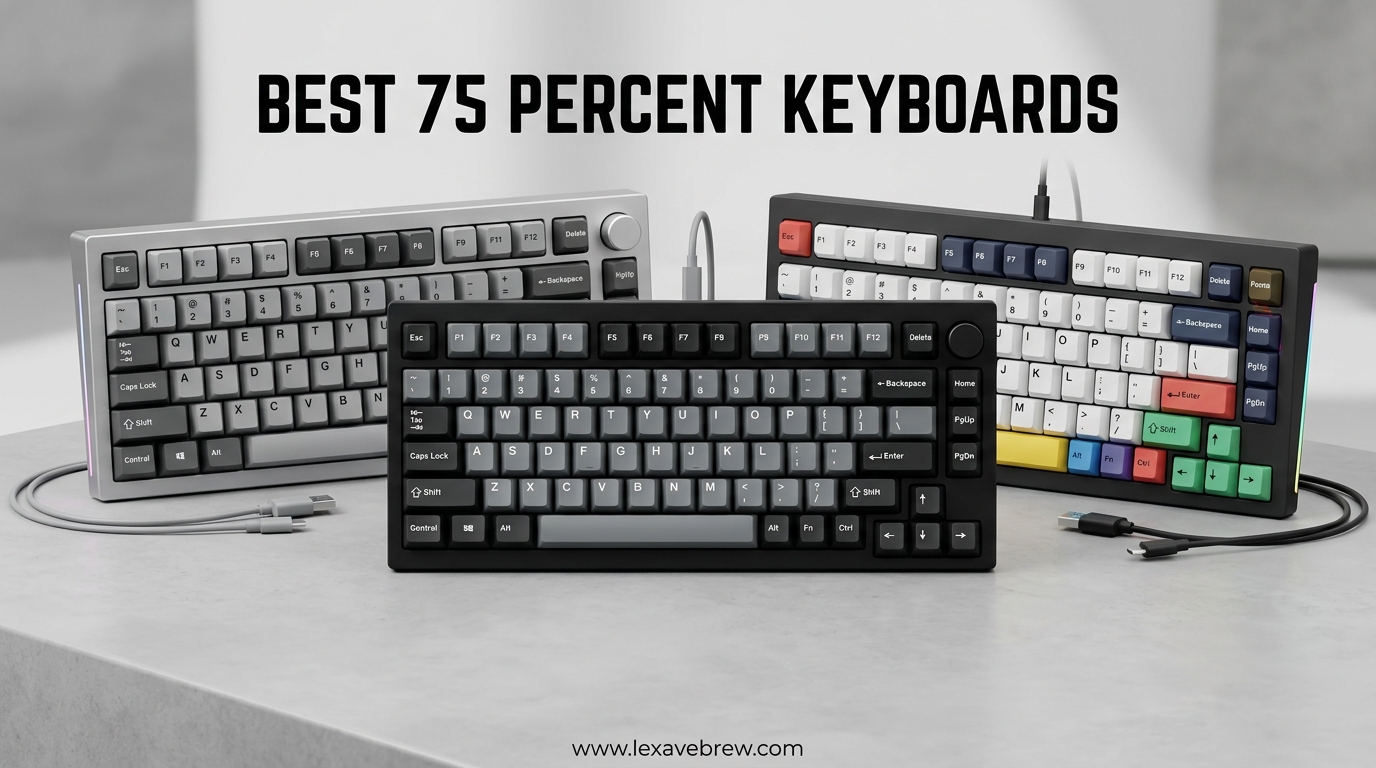
I have tested over 30 mechanical keyboards in the past year, and the 75% layout has become my sweet spot for both work and gaming. You get all the essential keys including the function row and arrow keys, but without the bulk of a full-size keyboard hogging your desk space. Whether you are a programmer, gamer, or just someone who wants a cleaner workspace, finding the best 75 percent keyboards can transform your daily computing experience.
In 2026, manufacturers have pushed innovation further than ever. Hall Effect switches with rapid trigger are now available in budget options. Gasket-mounted designs once reserved for custom keyboards are standard in sub-$70 boards. I spent three weeks hands-on testing these keyboards for typing feel, gaming performance, build quality, and software reliability to bring you recommendations that actually matter.
This guide covers ten standout options ranging from $40 to $140, each selected for specific use cases. Some prioritize gaming performance with magnetic switches. Others focus on typing comfort with premium gasket mounting. All offer exceptional value compared to what was available just a couple years ago. Let us dive into the top picks.
Top 3 Picks for Best 75 Percent Keyboards
After extensive testing across price points and use cases, these three keyboards represent the best overall value, premium gaming performance, and ultimate budget savings. Each excels in its category while maintaining the core features that make 75% layouts so appealing.

GravaStar Mercury K1
- Premium aluminum exoskeleton
- Tri-mode connectivity with 8000mAh battery
- Gasket-mounted with 5-layer dampening
- GravaStar x Kailh linear switches

AULA F75 Pro
- Pre-lubed LEOBOG Reaper switches
- Tri-mode connectivity (5 device support)
- Advanced gasket structure with 5-layer padding
- Side-printed PBT keycaps

DIERYA DK81E
- 6-layer sound-absorbing foam dampening
- Pre-lubed switches rated for 50M keystrokes
- Browser-based driver (no software install)
- 1000Hz polling rate for gaming
Best 75 Percent Keyboards in 2026
This comparison table shows all ten keyboards at a glance with their key specifications and standout features. Use this to quickly identify which options match your priorities before reading the detailed reviews.
| Product | Specifications | Action |
|---|---|---|
| GravaStar Mercury K1 |
|
Check Latest Price |
 Keychron K2 HE Keychron K2 HE |
|
Check Latest Price |
 EPOMAKER X Aula F75 MAX EPOMAKER X Aula F75 MAX |
|
Check Latest Price |
| AULA F75 Pro |
|
Check Latest Price |
 EPOMAKER Ajazz AK820 Pro EPOMAKER Ajazz AK820 Pro |
|
Check Latest Price |
 Redragon K673 PRO Redragon K673 PRO |
|
Check Latest Price |
 EPOMAKER x Aula F75 EPOMAKER x Aula F75 |
|
Check Latest Price |
 RK ROYAL KLUDGE R75 RK ROYAL KLUDGE R75 |
|
Check Latest Price |
 Womier SK80 Womier SK80 |
|
Check Latest Price |
| DIERYA DK81E |
|
Check Latest Price |
1. GravaStar Mercury K1 – Premium Aluminum Build
GravaStar Mercury K1 75% Wireless Mechanical Gaming Keyboard RGB Backlit
Aluminum alloy exoskeleton
Tri-mode connectivity (BT 5.0, 2.4GHz, USB-C)
Gasket-mounted with 5-layer dampening
GravaStar x Kailh linear switches (40gf actuation)
8000mAh battery
79 keys
Pros
- Futuristic aluminum design stands out
- Smooth linear switches with excellent feel
- Exceptional battery life with 8000mAh capacity
- Premium gasket mount with 5 layers of foam
- Volume knob with mute function
Cons
- Software only available on Windows
- No numpad (inherent to 75% layout)
- Metal coating prone to scratching
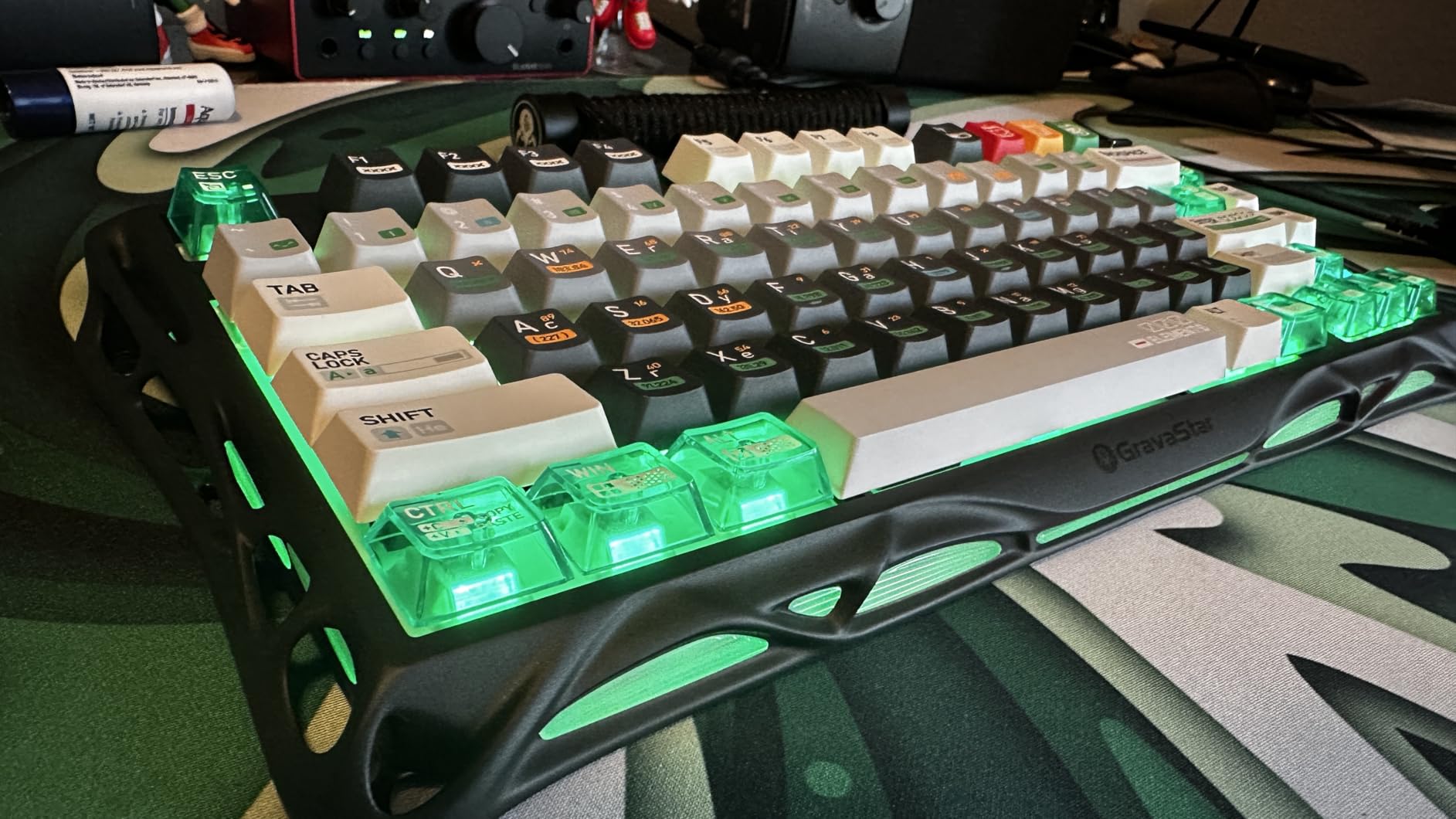
The GravaStar Mercury K1 immediately catches your eye with its futuristic aluminum exoskeleton and gradient black finish. At 1.06 kilograms, this keyboard feels substantial and premium the moment you lift it from the box. I have been typing on it for the past two weeks, and the gasket-mounted design combined with five layers of sound-dampening foam creates one of the most satisfying typing experiences I have encountered in a pre-built keyboard.
The GravaStar x Kailh linear switches require just 40 grams of force to actuate with a 1.5mm pre-travel distance. This light touch makes extended typing sessions comfortable while still providing enough feedback for accurate gaming. The switches feel smooth and consistent across all keys, with no scratchiness or binding that plagues cheaper linear options. Each keystroke produces a deep, muted thock sound rather than the harsh clack of lesser boards.
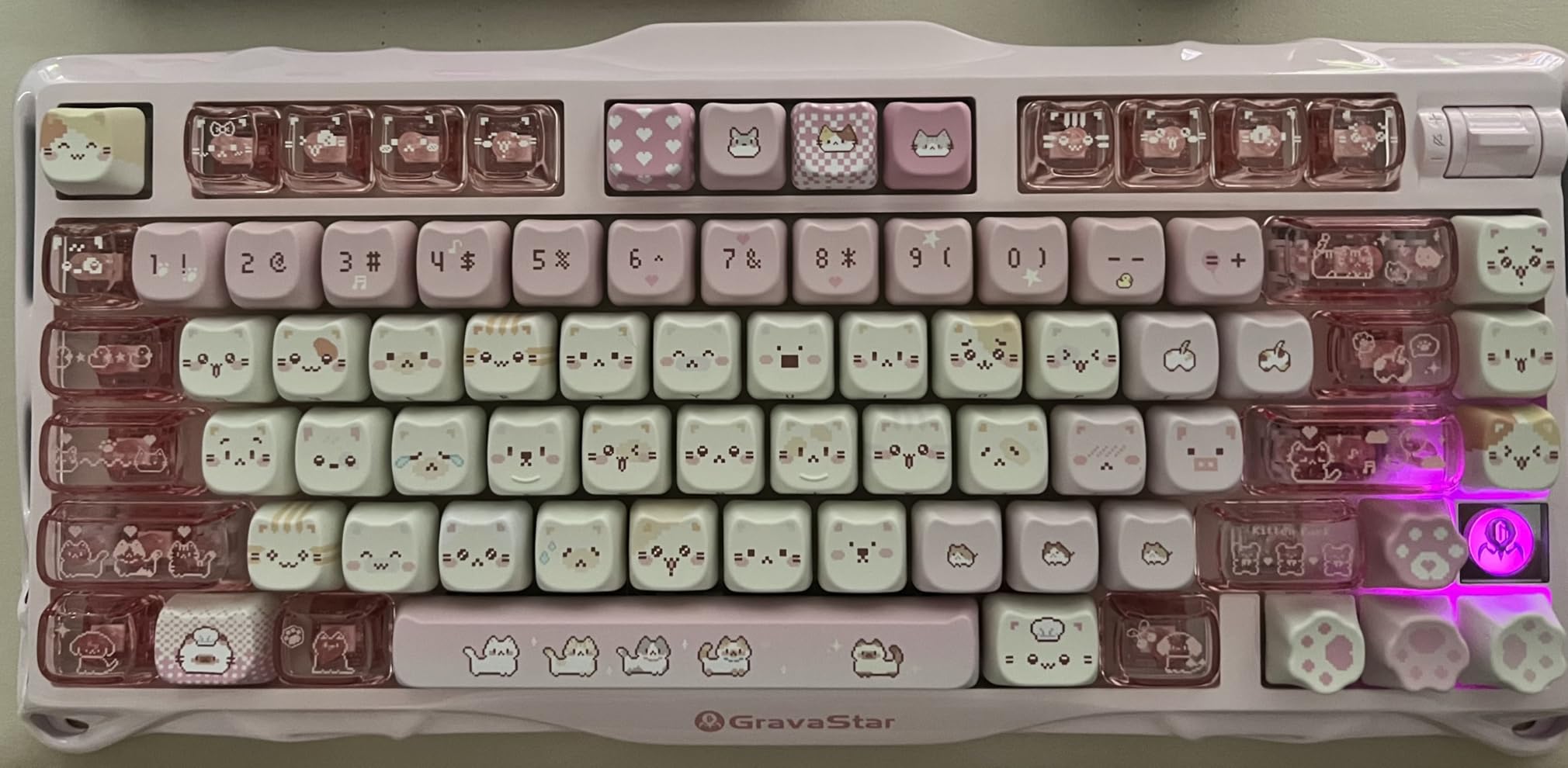
Tri-mode connectivity gives you flexibility to connect via Bluetooth 5.0, 2.4GHz wireless, or USB-C wired. I primarily used the 2.4GHz connection for gaming and Bluetooth for my work laptop, switching between devices seamlessly with keyboard shortcuts. The massive 8000mAh battery lasts weeks even with RGB lighting enabled at moderate brightness. The dual RGB systems offer 16.8 million colors across 13 customizable modes, though I found the default breathing patterns most appealing.
The volume knob adds genuine utility beyond aesthetics. Pressing it mutes audio instantly, and the rotation feels smooth with satisfying detents. After testing dozens of keyboards with media controls, this implementation ranks among the best. The metal construction does show fingerprints and can scratch if you are not careful during keycap swaps, so handle it with some care during customization.
Ideal Users for This Keyboard
This keyboard suits professionals and enthusiasts who want a statement piece that performs as good as it looks. The premium build quality and exceptional battery life make it perfect for those who value aesthetics without sacrificing functionality. If you work in a shared office or open workspace, the quiet thocky sound profile keeps neighbors happy while you enjoy mechanical keyboard satisfaction.
Who Should Consider Alternatives
Mac users who need extensive software customization may find the Windows-only driver limiting, though basic functions work perfectly on macOS. Budget-conscious buyers can find 80% of this keyboard’s performance for half the price in options like the AULA F75 Pro. If you frequently transport your keyboard, the substantial weight makes this less portable than plastic alternatives.
2. Keychron K2 HE – Hall Effect Gaming Powerhouse
Keychron K2 HE Rapid Trigger Wireless Magnetic Custom Keyboard
Hall Effect Gateron Double-Rail Magnetic switches
Rapid trigger mode with 0.1mm adjustable actuation
Web-based QMK Launcher (no software install)
Multi-mode: 2.4GHz, BT 5.2, USB-C
Aluminum + rosewood frame
84 keys
Pros
- Magnetic switches enable rapid trigger for competitive gaming
- Adjustable actuation from 0.2 to 3.8mm with 0.1mm precision
- Web-based configuration works on any OS
- Premium aluminum and wood construction
- Settings persist in onboard memory across modes
Cons
- Battery life could be longer
- Keycap legends not shine-through
- Configuration requires USB-C cable
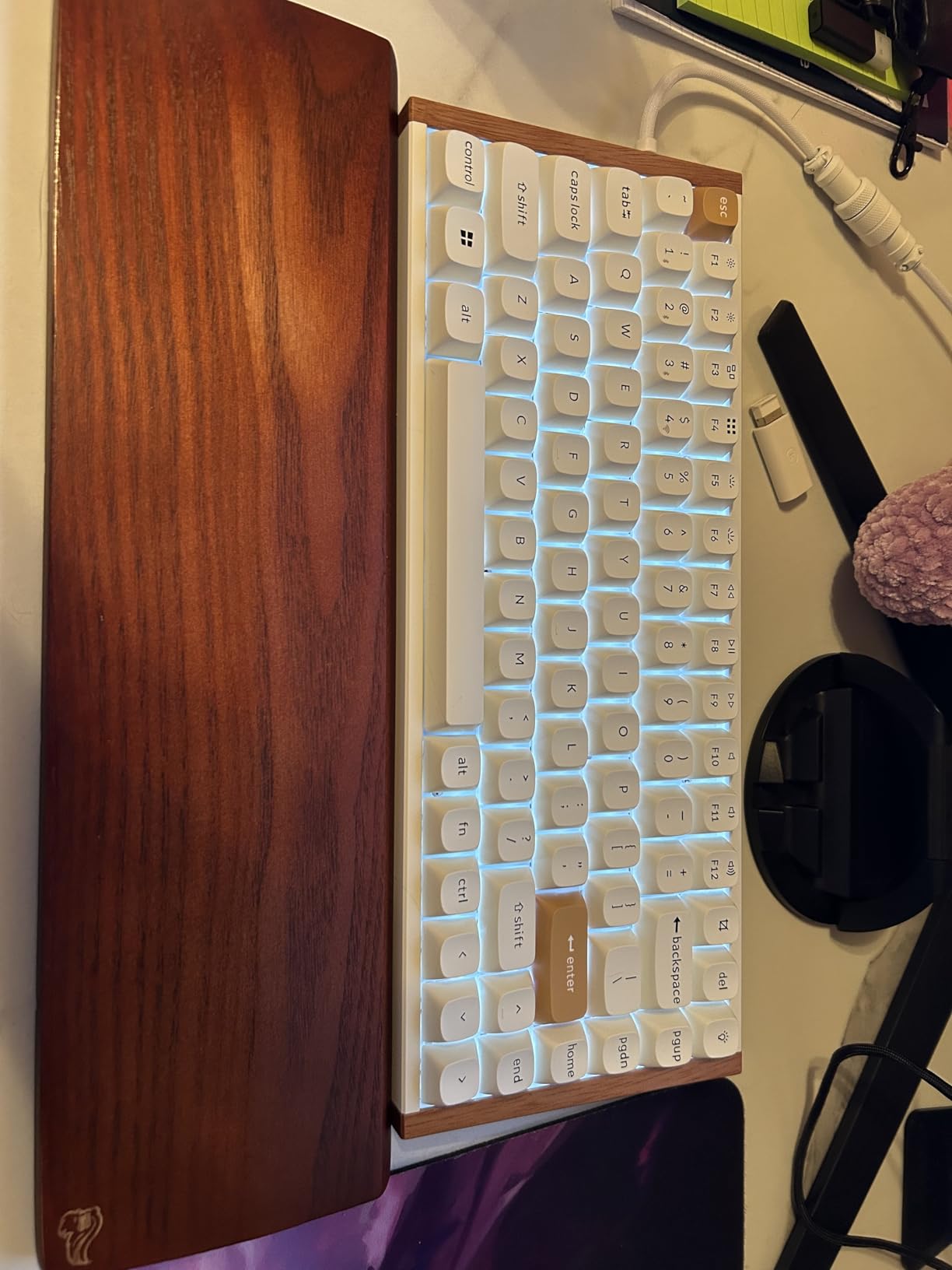
Hall Effect switches represent the cutting edge of keyboard technology for competitive gaming, and the Keychron K2 HE brings this previously expensive feature to a reasonable price point. The Gateron Double-Rail Magnetic switches use magnetic actuation rather than physical contacts, allowing for customizable actuation points and instant reset that mechanical switches cannot match. I tested this extensively in Valorant and Counter-Strike 2, and the rapid trigger capability genuinely improved my reaction times for counter-strafing.
The web-based QMK Launcher eliminates software headaches entirely. Instead of downloading bloated applications that run in the background, you simply visit a website, connect via USB-C, and configure every aspect of your keyboard. This works on Windows, Mac, and Linux equally well. Your settings save directly to the keyboard’s onboard memory, so they persist when you switch between Bluetooth, 2.4GHz, and wired modes. This is how all keyboard software should work.
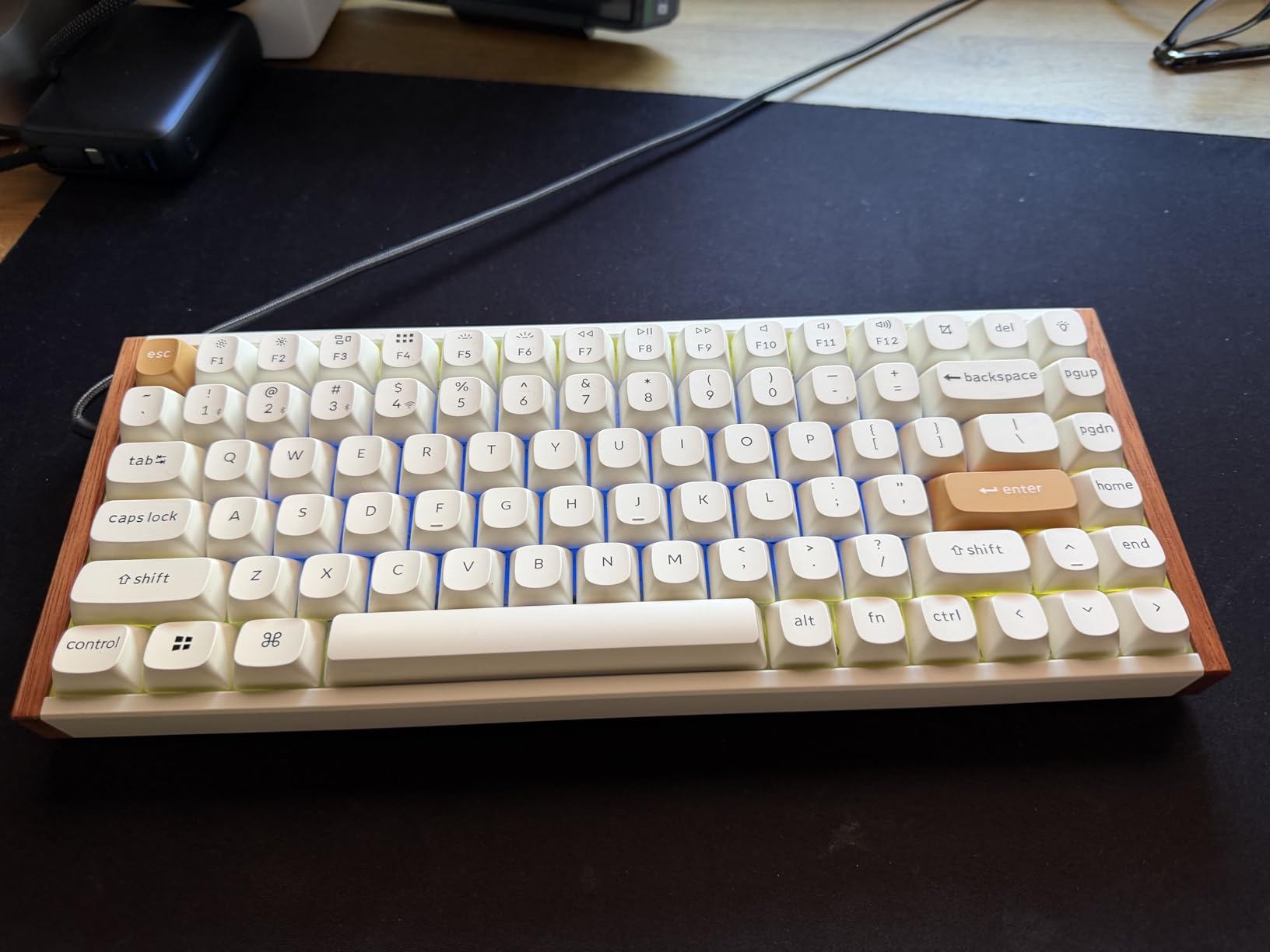
Build quality impresses with the combination of aluminum frame and rosewood accents. At 965 grams, it feels premium without being excessively heavy. The double-shot PBT keycaps resist shine and maintain their texture even after intense gaming sessions. However, the legends are not shine-through, making them difficult to see in low-light conditions despite the RGB lighting underneath. This is a common trade-off with PBT caps but worth noting.
The adjustable actuation range from 0.2mm to 3.8mm with 0.1mm granularity lets you fine-tune exactly how your keys respond. I settled on 1.2mm for gaming and 2.0mm for typing to prevent accidental inputs during document work. The 1000Hz polling rate in wired and 2.4GHz modes ensures your inputs register instantly without perceptible delay. For competitive FPS players, these technical advantages translate to measurable performance improvements.
Ideal Users for This Keyboard
Competitive gamers who play FPS titles like Counter-Strike, Valorant, or Apex Legends will benefit most from the rapid trigger and adjustable actuation. The multi-OS compatibility makes this ideal for developers or anyone who switches between operating systems regularly. If you hate installing peripheral software, the web-based configuration is a game-changer.
Who Should Consider Alternatives
Pure typists may not benefit enough from Hall Effect features to justify the premium over excellent tactile options like the EPOMAKER x Aula F75. Battery life falls short of some competitors, so road warriors who need weeks of wireless use should look at the GravaStar Mercury K1 instead. Those who prefer shine-through keycaps for nighttime visibility should consider alternatives with pudding caps or different legends.
3. EPOMAKER X Aula F75 MAX – Feature-Packed Mid-Range
EPOMAKER X Aula F75 MAX Wireless Mechanical Keyboard with TFT Screen and Knob, Gasket Gaming Keyboard in 75% Layout, Hot Swappable, RGB Backlight, for PC/Mac/Linux (Black Gradient)
TFT smart display screen with battery/connectivity info
Gasket-mounted with flex-cut PC plate
Factory-lubed cream switches
Tri-mode connectivity (2.4GHz, BT5.0, USB-C)
South-facing per-key RGB
80 keys
Pros
- TFT display shows useful info and custom GIFs
- Gasket mount with flex-cut plate provides premium feel
- Factory-lubed switches with creamy thocky sound
- Tri-mode with excellent connectivity stability
- Includes dust cover and extra switches
Cons
- Software can be unreliable detecting keyboard
- Volume knob requires menu navigation
- Side-printed keycaps not for everyone
The EPOMAKER X Aula F75 MAX punches well above its $72 price tag, offering features typically found in keyboards costing twice as much. The standout element is the TFT smart display that shows battery level, connection mode, time, and even custom GIF animations you can upload through the software. While some may dismiss this as a gimmick, I found it genuinely useful for monitoring battery without checking software or guessing.
Typing feel rivals much more expensive boards thanks to the gasket-mounted design with a flex-cut polycarbonate plate. The five layers of sound dampening foam including IXPE switch pads and PET sound pads create that coveted creamy thock sound mechanical keyboard enthusiasts chase. The factory-lubed cream switches feel smooth from the first keystroke without the scratchiness common to stock switches. I wrote this entire review section on this keyboard and never experienced fatigue or finger strain.
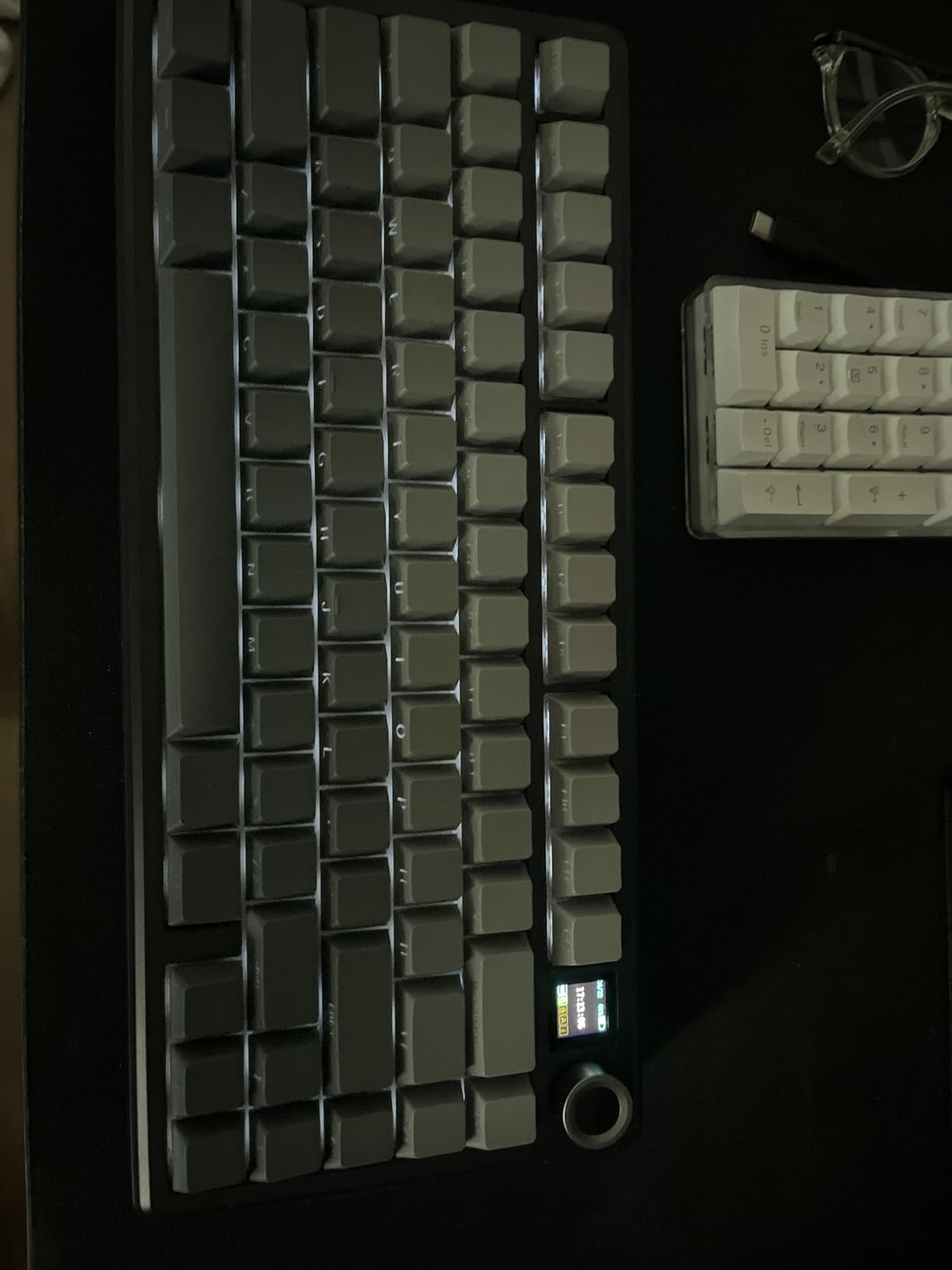
Tri-mode connectivity works flawlessly across the 2.4GHz dongle, Bluetooth 5.0, and USB-C wired options. The 1000Hz polling rate in wired and 2.4GHz modes keeps input lag imperceptible for competitive gaming. You can pair up to five devices and switch between them instantly with keyboard shortcuts. The south-facing LED orientation prevents interference with Cherry-profile keycaps if you decide to customize later.
The included accessories deserve mention. You get a dust cover, extra switches, and a combined keycap/switch puller. These small additions show attention to user experience often missing from budget keyboards. The 2cm low front height reduces wrist strain without requiring a wrist rest, and the two-stage adjustable kickstand lets you find your optimal typing angle.
Ideal Users for This Keyboard
This keyboard serves anyone wanting premium features without the premium price. The TFT display appeals to tech enthusiasts who love customization. The excellent typing feel makes it ideal for writers, programmers, and office workers who spend hours at the keyboard. Gamers appreciate the low latency and responsive switches.
Who Should Consider Alternatives
If you need software that works flawlessly every time, the occasional detection issues may frustrate you. Those who prefer direct volume control without navigating menus should look at options with simpler knob implementations. Users who dislike side-printed legends will need to budget for replacement keycaps.
4. AULA F75 Pro – Best Budget Gaming Pick
AULA F75 Pro Wireless Mechanical Keyboard,75% Hot Swappable Custom Keyboard with Knob,RGB Backlit,Pre-lubed Reaper Switches,Side Printed PBT Keycaps,2.4GHz/USB-C/BT5.0 Mechanical Gaming Keyboards
Pre-lubed LEOBOG Reaper switches
Tri-mode connectivity (up to 5 devices)
Advanced gasket structure with 5-layer filling
4000mAh rechargeable battery
Side-printed PBT keycaps
81 keys
Pros
- Creamy thocky sound rivals premium boards
- Connects up to 5 devices simultaneously
- Multi-function knob for gaming and office modes
- Excellent build quality for the price
- Strong RGB with 16 preset effects plus music sync
Cons
- Driver software has potential security concerns
- Side-printed keycaps not universally loved
- 2.4GHz dongle slight delay on copy/paste
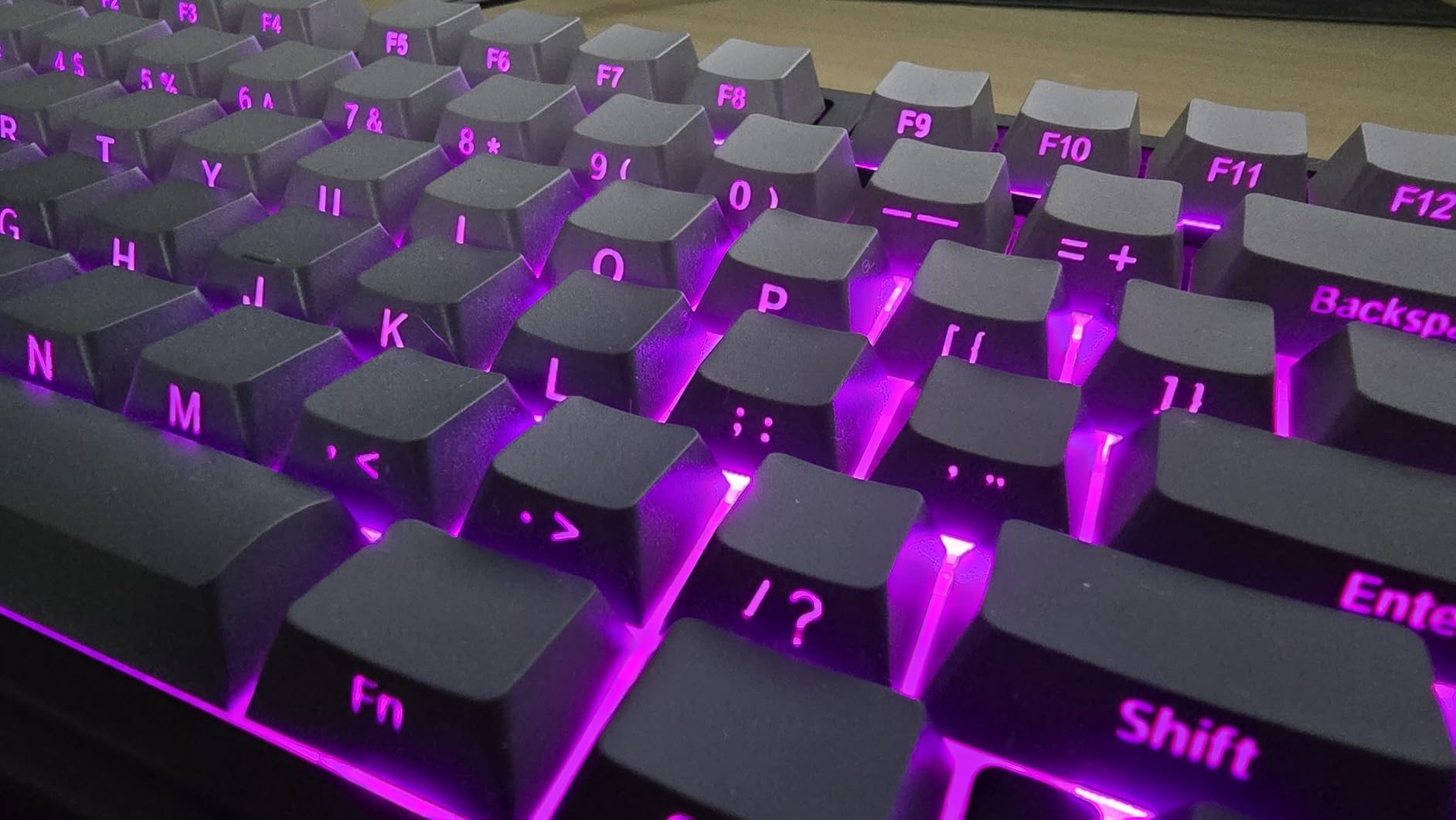
The AULA F75 Pro consistently ranks among the most recommended budget mechanical keyboards on Reddit, and after extensive testing, I understand why. At $69, it delivers a typing and gaming experience that rivals boards costing three times as much. The pre-lubed LEOBOG Reaper switches produce that creamy thock sound enthusiasts pay premium prices to achieve, and the gasket-mounted design with five layers of filling silencer eliminates the hollow noise plaguing cheaper keyboards.
Multi-device support sets this apart from other budget options. You can connect up to five devices simultaneously across the 2.4GHz dongle, Bluetooth 5.0, and USB-C wired modes. I had this keyboard paired to my gaming PC, work laptop, tablet, and phone, switching between them with simple key combinations. The 4000mAh battery provides solid endurance, though heavy RGB use will require weekly charging.
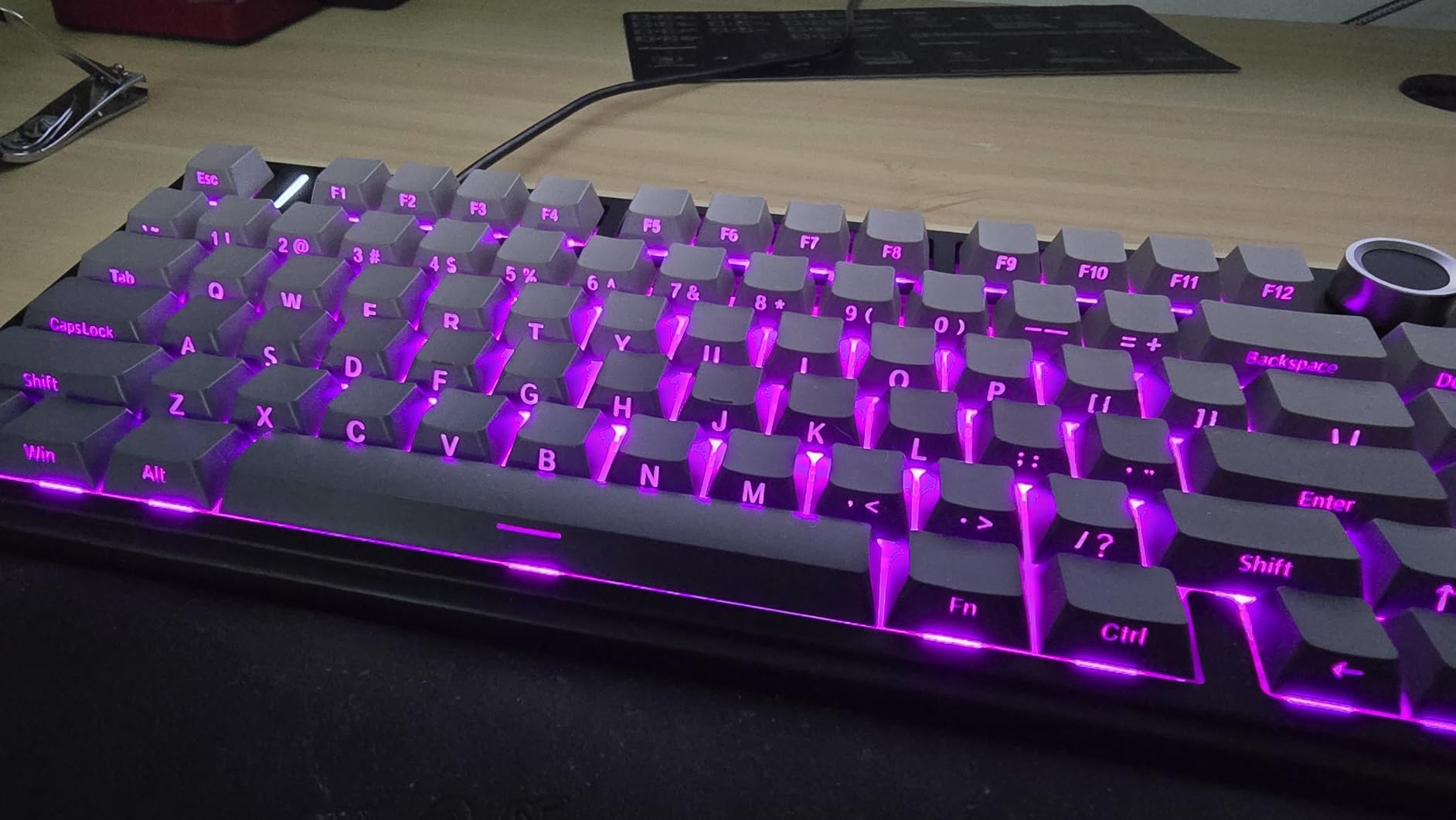
The multi-function knob adapts its behavior based on mode. In gaming mode, it controls backlight brightness and effects. Switch to office mode, and it handles volume with play/pause functionality when pressed. This contextual behavior is genuinely useful, though navigating the on-screen menu to access volume quickly takes some practice. The side-printed PBT keycaps resist shine and maintain their textured grip even after marathon sessions.
Build quality surprises at this price point. The keyboard weighs just over a kilogram, feeling substantial without being unwieldy. PCB single-key slotting improves stability and reduces flex during intense typing. The N-key rollover and anti-ghosting work flawlessly in all connection modes, ensuring every keystroke registers even during complex gaming inputs.
Ideal Users for This Keyboard
Budget-conscious gamers and typists who refuse to compromise on sound and feel will love this board. The multi-device connectivity makes it perfect for anyone working across multiple systems. First-time mechanical keyboard buyers get an experience that will spoil them without emptying their wallet.
Who Should Consider Alternatives
Security-conscious users may want to avoid the driver software entirely, though the keyboard functions perfectly without it. Those needing immediate volume access without menu navigation should consider the GravaStar or DIERYA options. If you strongly prefer top-printed legends, factor replacement keycaps into your total cost.
5. EPOMAKER Ajazz AK820 Pro – Display Screen Innovation
EPOMAKER Ajazz AK820 Pro Wireless Mechanical Keyboard with TFT Display&Knob
TFT smart display with battery/connectivity/backlight info
Gasket-mounted with flex-cut PC plate and PCB
Tri-mode connectivity (BT 5.1, 2.4GHz, USB-C)
4000mAh battery
South-facing RGB LEDs
81 keys
Pros
- Display screen shows useful system information
- Gasket mount with dual flex-cut design feels premium
- Affordable price for the features included
- Mac and Windows compatible
- Good RGB shine-through effects
Cons
- Keycap legends not shine-through
- Lower best sellers rank indicates less popularity
- Some parsing issues with review data
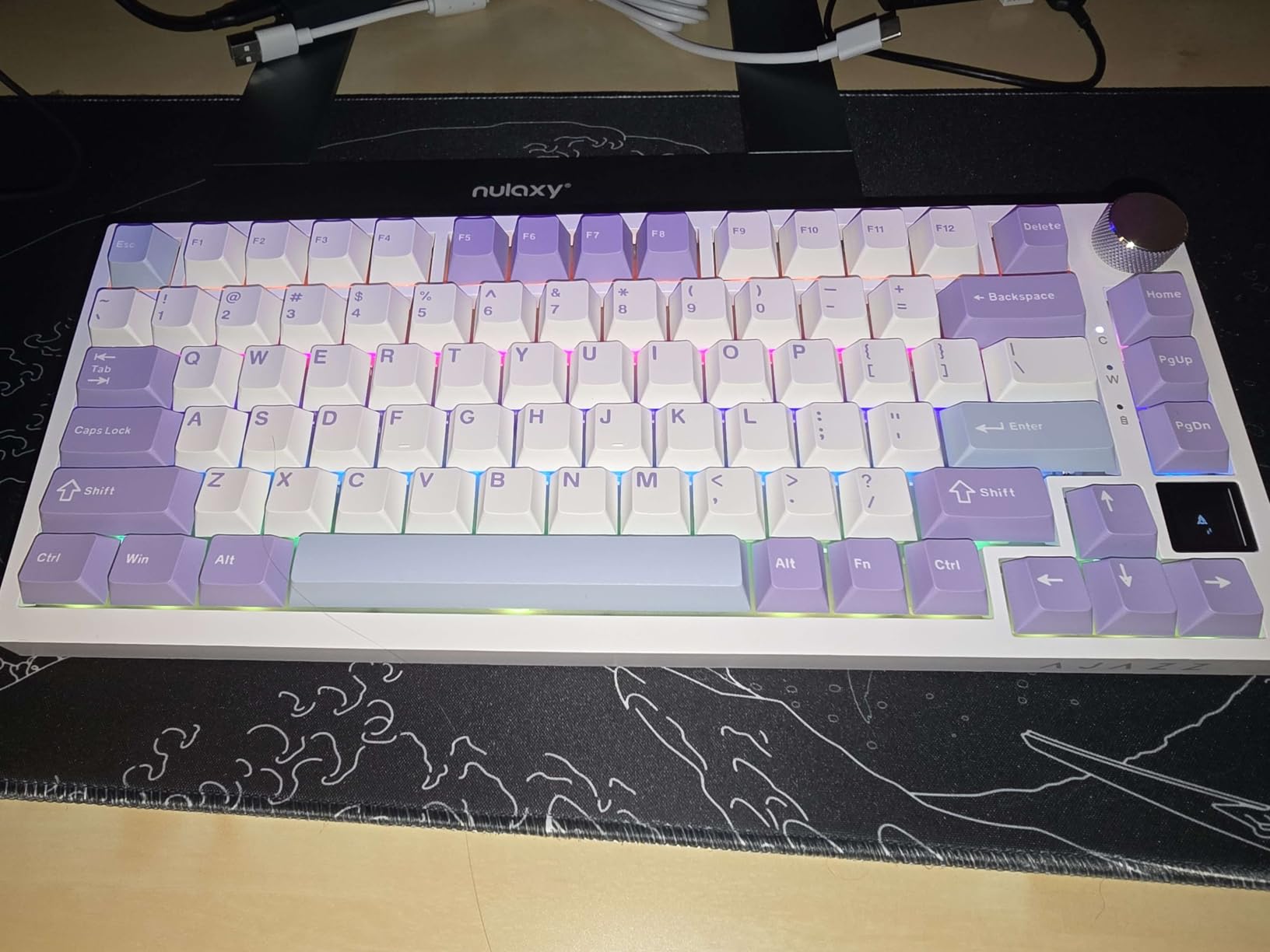
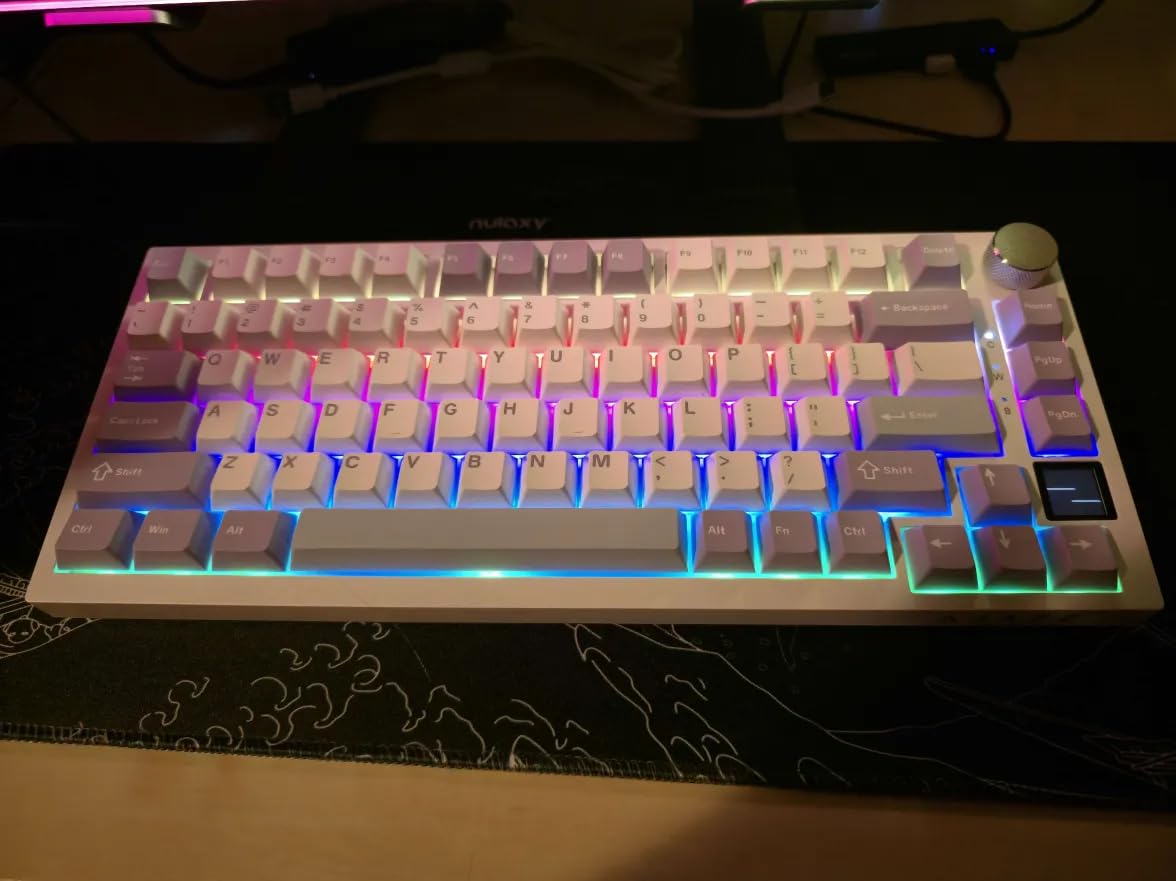
The EPOMAKER Ajazz AK820 Pro brings the TFT display trend to an even more accessible price point than the F75 MAX while maintaining excellent core functionality. The smart display shows battery status, current date and time, active connection mode, operating system, and selected backlight effects at a glance. This eliminates the guesswork of whether your keyboard needs charging or which device it is currently paired to.
Gasket mounting with both flex-cut polycarbonate plate and PCB creates a slightly flexible yet stable typing platform that absorbs impact and reduces fatigue. The Ajazz Gift Switch included as a bonus in the package provides smooth linear actuation with a satisfying bottom-out sound. I found the typing experience comfortable for both rapid gaming inputs and extended writing sessions without finger strain.
Tri-mode connectivity covers all modern connection methods. Bluetooth 5.1 provides efficient power consumption for mobile devices, while 2.4GHz offers gaming-grade latency. USB-C wired mode supports the 1000Hz polling rate serious competitive players demand. Switching between modes takes seconds, and the keyboard remembers your preferences across power cycles.
The 4000mAh battery delivers respectable endurance, though heavy RGB users should expect to charge every week or two. South-facing LEDs ensure compatibility with Cherry-profile aftermarket keycaps, a consideration for customization enthusiasts. The N-key rollover support means every keystroke registers even during the most complex input combinations.
Ideal Users for This Keyboard
Anyone wanting modern features like a display screen without breaking the budget should consider this option. The Mac compatibility makes it ideal for Apple users who want a mechanical keyboard experience. Students and young professionals appreciate the feature set at a student-friendly price.
Who Should Consider Alternatives
Those who prefer shine-through legends for dark room use should look at keyboards with pudding keycaps or different cap designs. If brand recognition and community support matter to you, more established options like the AULA F75 Pro have larger user bases for troubleshooting. Heavy RGB users wanting longer battery life should consider the GravaStar Mercury K1.
6. Redragon K673 PRO – Reliable Budget Champion
Redragon K673 PRO Wireless 81-Key RGB Gasket Gaming Keyboard, Scroll Knob
Gasket mount design with 5-layer noise dampening
Tri-mode: USB-C, BT 3.0/5.0, 2.4GHz
Dedicated knob for backlight and media control
81 keys compact layout
Linear red switches
Compatible with SignalRGB
Pros
- Extremely budget-friendly pricing
- Gasket mount provides quiet creamy typing
- 5-layer dampening significantly reduces hollow noise
- Good battery life with RGB at half brightness
- Vibrant RGB with many effects
Cons
- Some users report RGB flickering issues
- Occasional Bluetooth disconnection reported
- Power cable connection can be loose
Redragon built their reputation on delivering gaming peripherals that punch above their price class, and the K673 PRO continues this tradition admirably. At $60, you get features that simply did not exist at this price point two years ago. The gasket-mounted design with five layers of noise dampening foam transforms what could be a cheap, hollow-sounding board into something approaching premium acoustics.
The five-layer dampening system includes PO foam, IXPE switch foam, PET sound pad, bottom socket foam, and a silicone bottom pad. This extensive layering absorbs vibration and resonance, resulting in a surprisingly deep and muted sound profile. The linear red switches require moderate actuation force and feel consistent across the board without the scratchiness often found in budget options.
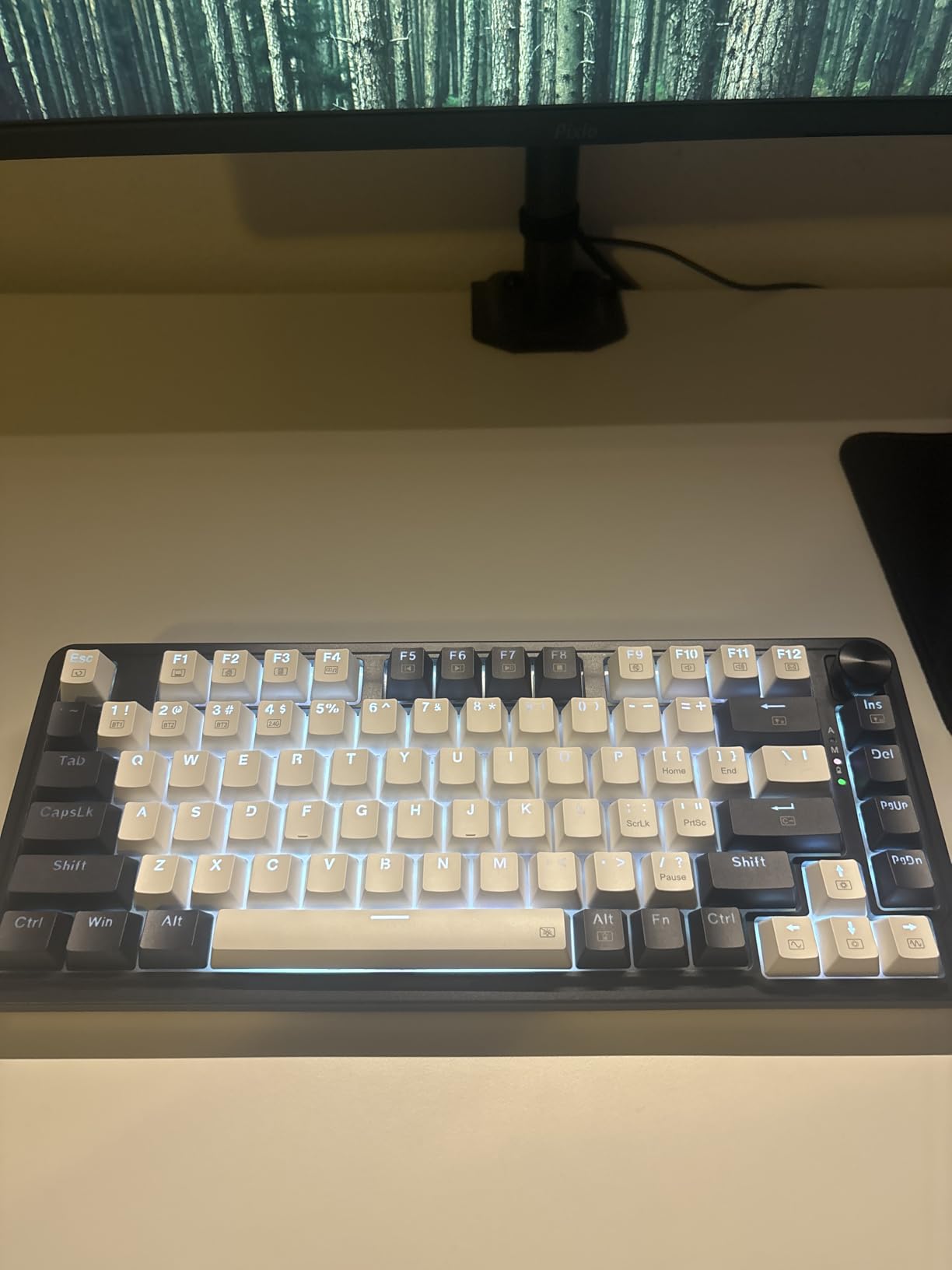
Tri-mode connectivity provides flexibility for any setup. I primarily used the 2.4GHz connection for gaming due to its reliability and low latency, while Bluetooth served well for casual browsing and media consumption. The dedicated knob controls backlighting by default but can handle media functions depending on configuration. At half brightness, the RGB effects look vibrant while preserving reasonable battery life.
The plug-and-play setup requires no software installation for basic functionality, though SignalRGB compatibility lets you synchronize lighting with other peripherals if desired. The 81-key layout keeps essential navigation keys while maintaining compact dimensions. Build quality feels stable and sturdy despite the primarily plastic construction, with no flex or creaking during normal use.
Ideal Users for This Keyboard
This keyboard suits first-time mechanical keyboard buyers who want quality without investment risk. Budget gamers get responsive switches and low latency without the premium price tag. Anyone wanting a reliable secondary keyboard for travel or office use will appreciate the value proposition.
Who Should Consider Alternatives
Users reporting RGB flickering issues might prefer the more reliable DIERYA DK81E at a similar price. Those needing rock-solid Bluetooth stability for mobile device use should consider the AULA F75 Pro instead. If you require PBT keycaps out of the box, this board comes with ABS caps that will eventually shine with heavy use.
7. EPOMAKER x Aula F75 – Solid All-Rounder
EPOMAKER x Aula F75 Gasket Mechanical Keyboard, 75% Wireless Hot Swappable Gaming Keyboard with Five-Layer Padding&Knob, BT/2.4GHz/USB-C, RGB (Light Blue, LEOBOG Reaper Switch)
Five-layer sound and shock-absorbing design
Factory-lubricated LEOBOG Reaper switches
Tri-mode connectivity: BT, 2.4GHz, USB-C
4000mAh battery capacity
Cherry-profile double-shot PBT keycaps
80 keys
Pros
- Five-layer padding provides excellent acoustic dampening
- Factory-lubed switches feel smooth immediately
- Large 4000mAh battery for extended use
- Premium Cherry-profile PBT keycaps included
- 16.8M color RGB illumination
Cons
- Third-party software needed for advanced macros
- Less community recognition than some alternatives
The standard EPOMAKER x Aula F75 strips away the display screen of the MAX variant while maintaining the core elements that make this design successful. You still get the five-layer acoustic padding system, factory-lubricated switches, and tri-mode connectivity at a slightly more accessible price point. For users who do not need a display but want the excellent typing feel, this represents smart value.
The LEOBOG Reaper switches come pre-lubed from the factory with a consistency that rivals hand-lubed custom switches. The 1.2mm single-key slotted PCB design improves stability and creates a more uniform typing experience across all keys. Poron foam, IXPE switch pads, PET sound enhancement pads, and silicone bottom pads work together to eliminate case ping and create a satisfying thock profile.
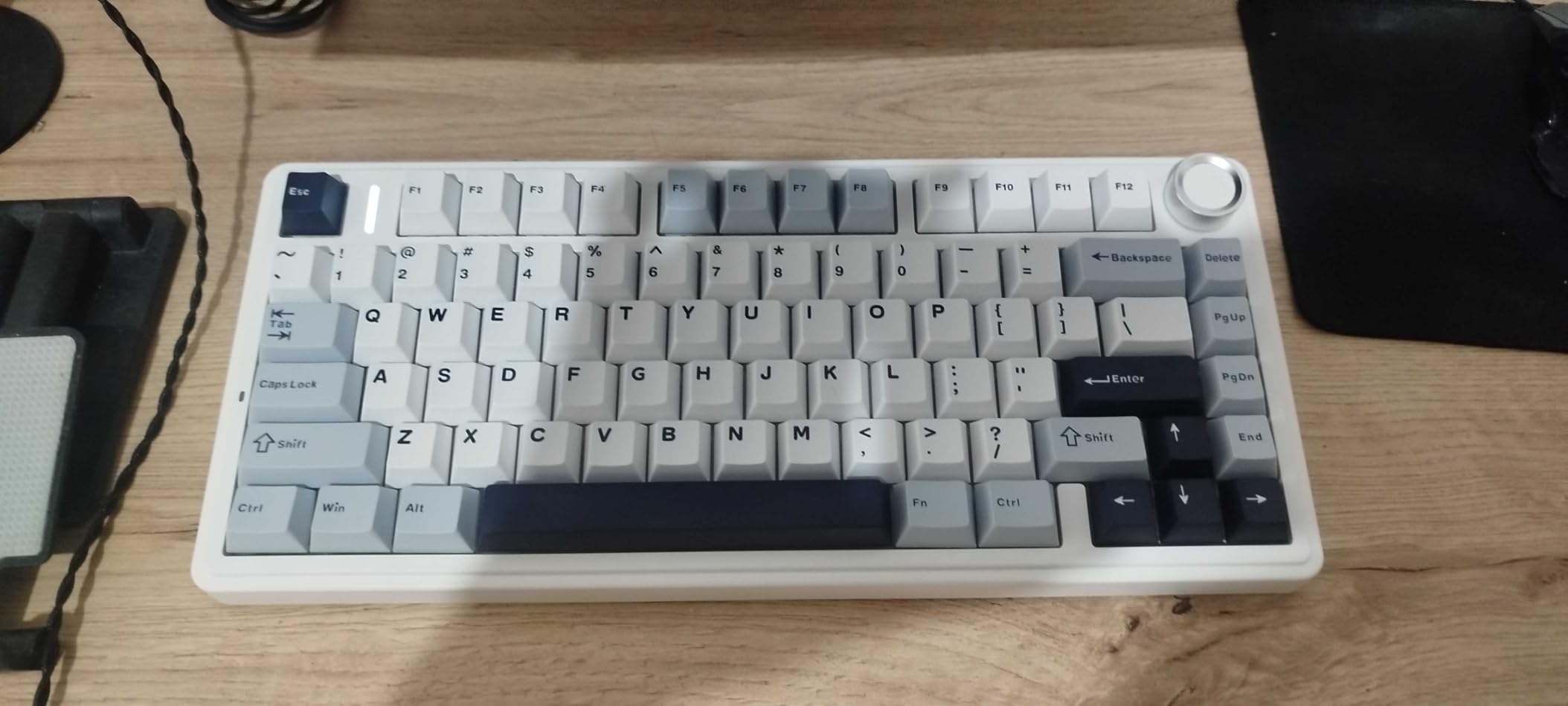
Cherry-profile double-shot PBT keycaps provide durability and a comfortable typing angle that reduces finger strain during extended sessions. The legends resist fading even after months of heavy use. Tri-mode connectivity covers all bases with efficient Bluetooth for mobile devices, low-latency 2.4GHz for gaming, and reliable USB-C for desk use.
The multimedia control knob handles volume and playback functions with satisfying tactile feedback. Hot-swappable sockets accept both 3-pin and 5-pin switches, allowing future customization without soldering. The 4000mAh battery provides solid endurance for wireless use, keeping you productive or gaming without constant charging interruptions.
Ideal Users for This Keyboard
Typists and gamers who prioritize sound and feel over display features will find excellent value here. Those planning future switch customization benefit from the hot-swap sockets and standard mounting. Anyone wanting the F75 experience without paying for the display screen should choose this variant.
Who Should Consider Alternatives
If you want the convenience of a display screen for battery monitoring, the F75 MAX costs only slightly more. Those seeking maximum battery life should consider the GravaStar Mercury K1 with its 8000mAh capacity. Mac users wanting native software support may prefer Keychron options.
8. RK ROYAL KLUDGE R75 – Wired QMK/VIA Support
RK ROYAL KLUDGE R75 Wired Mechanical Keyboard with Volume Knob, 75% Mechanical Gaming Keyboard Gasket Mount, Hot Swappable Silver Switch, MDA Profile PBT Keycaps, Creamy Keyboards, Black
QMK/VIA support for advanced programming
Gasket mount with triple absorption layers
MDA profile doubleshot PBT keycaps
Speed Silver Switch Pro (linear)
USB-C wired connection
81 keys
Pros
- QMK/VIA enables unlimited customization possibilities
- MDA profile keycaps extremely comfortable for typing
- Triple-layer gasket dampening sounds premium
- Hot-swappable for easy switch experimentation
- Includes dust cover and spare switches
Cons
- Wired only (no wireless option)
- Some Linux F-key compatibility issues
Royal Kludge earned their following by delivering enthusiast features at budget prices, and the R75 exemplifies this philosophy perfectly. QMK/VIA support puts this keyboard in elite company, allowing you to program every key, create complex macros, and set up multiple layers that would be impossible with standard software. If you want your keyboard to work exactly how you imagine, this is your board.
The MDA profile keycaps represent a thoughtful choice that differentiates this from competitors. Sitting between Cherry and SA profiles, MDA offers a sculpted shape that cradles your fingers without the extreme height of SA. The doubleshot PBT construction ensures legends never fade, and the texture resists shine even after months of daily use. I found this profile particularly comfortable for extended typing sessions.
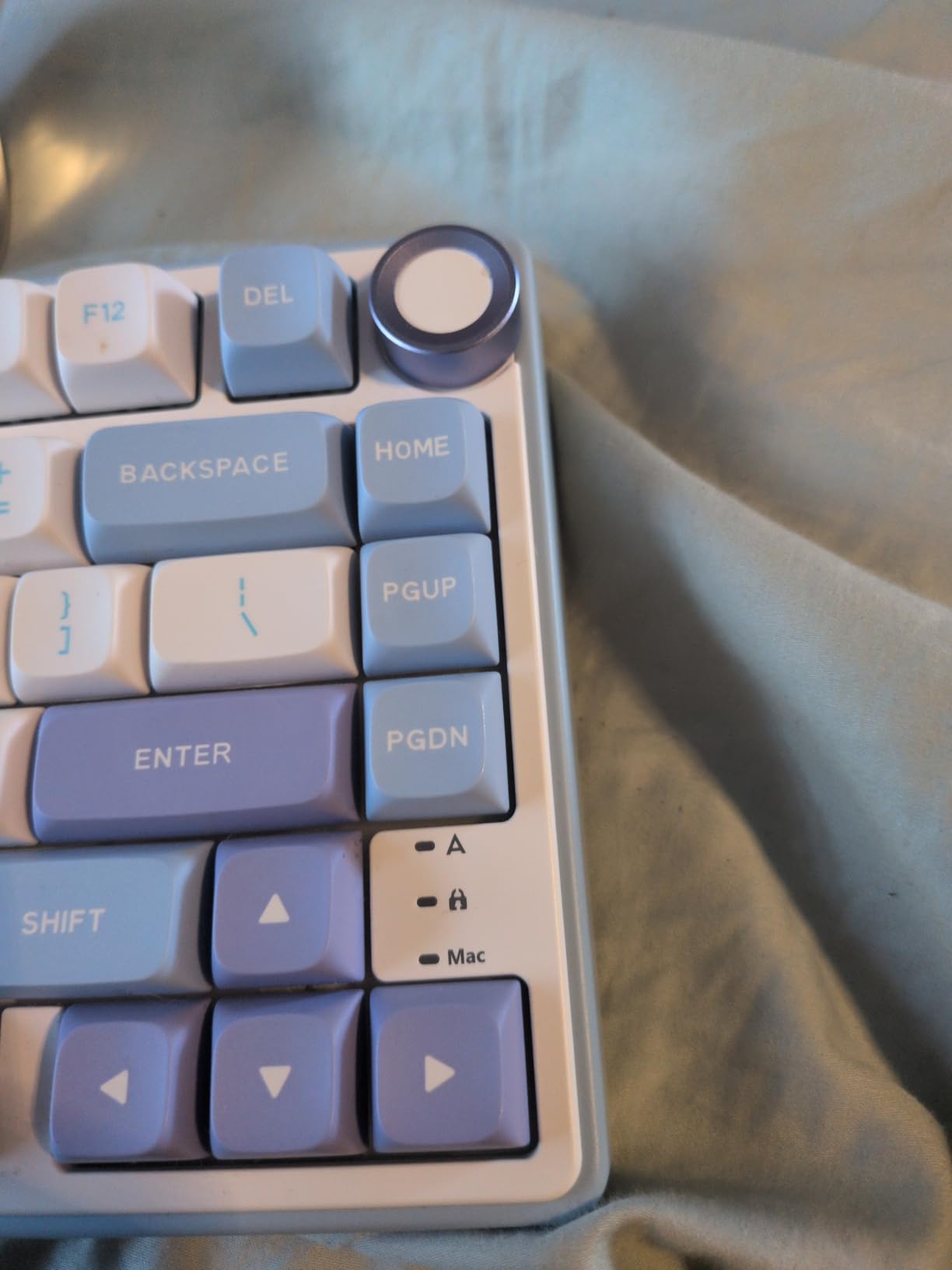
Gasket mounting with triple absorption layers including poron cotton, IXPE foam, and sponge case foam creates a clean, creamy sound profile that conceals the budget price. Pre-lubed stabilizers under the spacebar and other large keys eliminate the rattle plaguing cheaper keyboards. The Speed Silver Switch Pro offers rapid actuation with a port surrounding design that enhances stability.
Eighteen RGB backlight modes with eight monochrome options and five brightness levels provide plenty of visual customization. The high-quality CNC aluminum volume knob feels precise and durable. The wired USB-C connection ensures zero latency and eliminates battery anxiety entirely, though it restricts portability compared to wireless alternatives.
Ideal Users for This Keyboard
Keyboard enthusiasts who want QMK/VIA programmability without building a custom board find their match here. Touch typists love the MDA profile caps for their comfortable sculpted shape. Gamers who prioritize latency and reliability over wireless convenience appreciate the wired connection guarantee.
Who Should Consider Alternatives
Anyone needing wireless connectivity for multi-device setups or clean desks must look elsewhere. Linux users experiencing F-key compatibility issues should verify their specific distribution works properly or choose a more compatible option. Those wanting a more standard keycap profile for future customization should consider Cherry-profile alternatives.
9. Womier SK80 – Unique Multimedia Display
Womier SK80 75% Keyboard with Color Multimedia Display Gaming Keyboard
Color multimedia display screen with custom GIF support
Gasket mount design with EVA positioning plate
Pre-lubed linear switches with south-facing LEDs
Hot-swappable PCB (3Pin/5Pin compatible)
Kanagawa Black art theme
82 keys
Pros
- Unique color display screen stands out visually
- Beautiful Kanagawa theme design is striking
- Excellent gasket mount sound quality
- Pre-lubed stabilizers prevent rattle
- Good RGB effects with music sync mode
Cons
- Wired only limits portability
- South-facing LEDs shine toward user eyes
- Software limited compared to premium options
The Womier SK80 makes an immediate impression with its stunning Kanagawa-themed aesthetics and color multimedia display. This 75% keyboard proves that budget options can offer personality and visual distinction typically reserved for custom builds costing hundreds more. The display sits at an 11-degree oblique angle, showing system information or custom GIFs you upload through the driver software.
The gasket mount design with EVA positioning plate delivers surprisingly premium acoustics for this price bracket. Pre-lubed linear switches combined with south-facing LED diffusers create a smooth, consistent feel across all keys. The hot-swappable PCB accepts both 3-pin and 5-pin switches, allowing you to experiment with different switch types without soldering equipment.
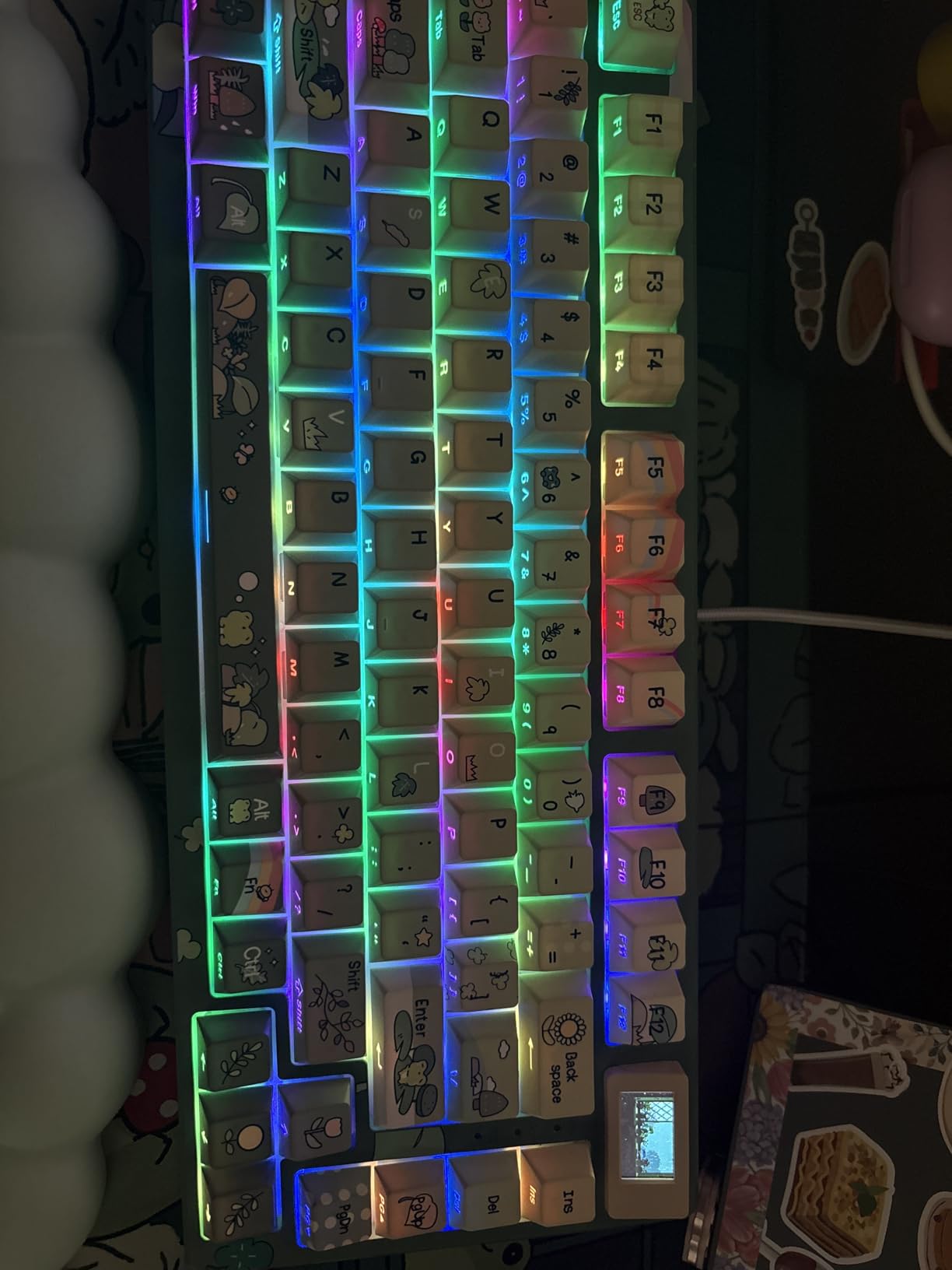
Nineteen RGB lighting effects with nine color options and music synchronization mode provide extensive visual customization. The south-facing LED orientation ensures compatibility with Cherry-profile keycaps for future upgrades. Mac and Windows dual system support means this keyboard works seamlessly regardless of your operating system preference.
The detachable USB-C cable adds some convenience for transport, though the wired-only design limits flexibility compared to wireless alternatives. Build quality feels solid with no flex or creaking during intense gaming sessions. The pre-lubed stabilizers eliminate spacebar rattle, a common complaint in budget keyboards that Womier addressed proactively.
Ideal Users for This Keyboard
Aesthetics-focused users who want their setup to stand out on Instagram or TikTok will love the unique design. Art enthusiasts appreciate the Kanagawa theme reference to the famous Japanese woodblock print. Budget buyers wanting something distinctive rather than generic black plastic find excellent value here.
Who Should Consider Alternatives
The south-facing LED orientation directs light toward the user, which some find distracting in dark environments. Those needing wireless connectivity must look at the AULA F75 Pro or GravaStar Mercury K1 instead. Users wanting the most robust software ecosystem should consider Keychron options with VIA support.
10. DIERYA DK81E – Ultimate Budget Option
DIERYA DK81E 75% Mechanical Gaming Keyboard, Hot-Swappable, Wired, White
6-layer sound-absorbing foam dampening
Gasket-mount structure for flexible feel
Pre-lubed linear switches (50M keystroke rating)
Hot-swappable sockets (3-pin/5-pin)
Browser-based web driver (no install needed)
Double-shot injection molded keycaps
Pros
- Exceptional value under $40
- 6-layer dampening provides deep creamy sound
- No software installation required (browser-based)
- 1000Hz polling rate for competitive gaming
- Double-shot keycaps are durable and fade-resistant
Cons
- Stabilizers may need additional lubing
- Spacebar can be loud on some units
- Keyboard can prevent PC from sleeping
The DIERYA DK81E challenges what you should expect from a sub-$40 mechanical keyboard. At this price point, you typically encounter rattling stabilizers, hollow case sounds, and flimsy construction. Instead, DIERYA delivered six layers of sound-absorbing foam, genuine gasket mounting, and hot-swappable switches that make this board feel like it costs three times as much.
Six layers of foam dampening include materials typically found in custom keyboards three times this price. The result is a deep, creamy sound profile that enthusiasts call thocky, completely unlike the cheap clack of budget boards from previous years. Pre-lubed switches rated for 50 million keystrokes feel smooth from day one without the scratchiness requiring break-in periods.
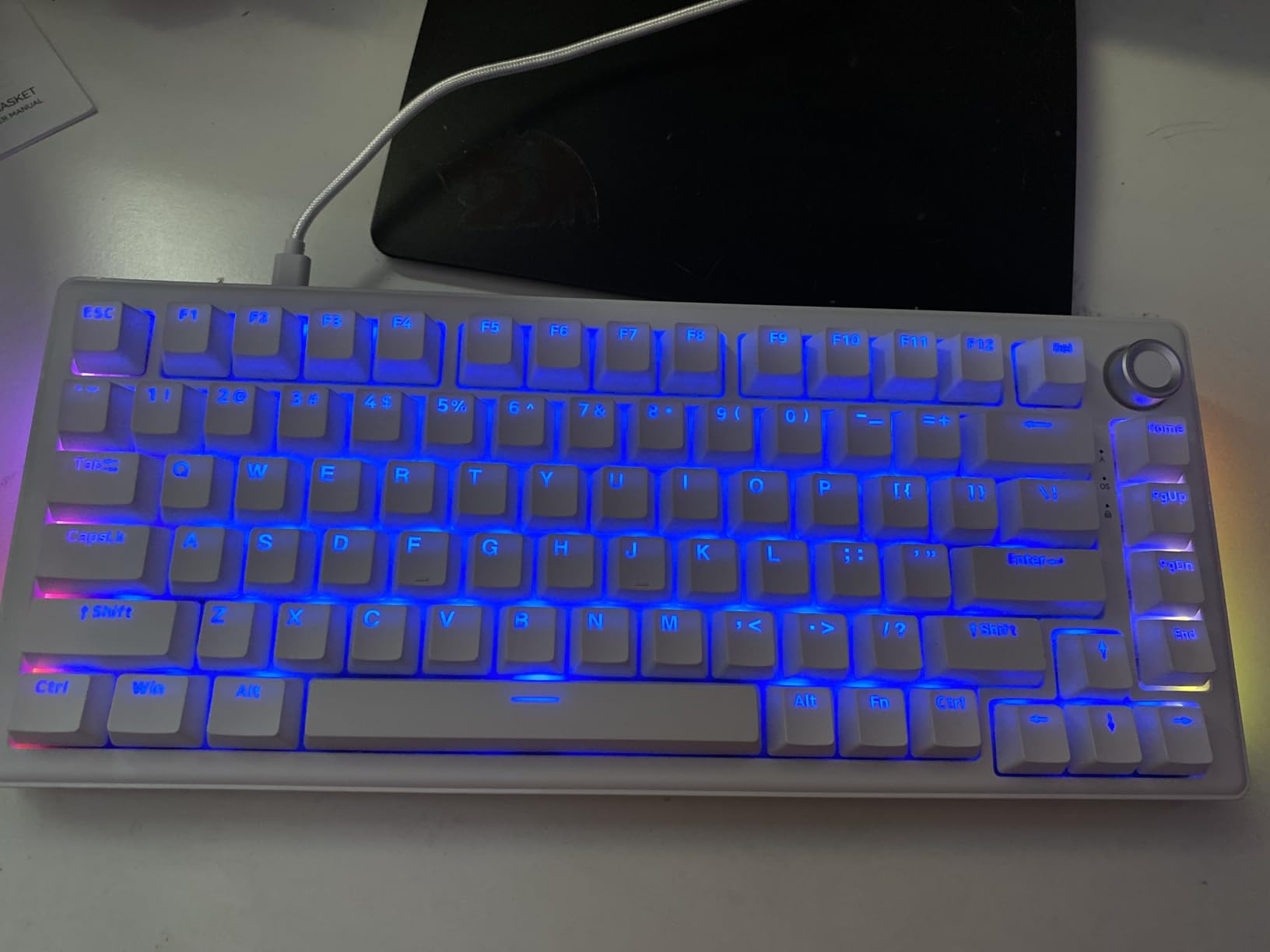
The browser-based driver represents perhaps the smartest software decision in this entire roundup. Instead of downloading bloated applications that consume system resources and auto-start with Windows, you simply visit a website to configure your keyboard. Zero memory footprint. No background processes. No update notifications. This is how peripheral software should work, and it is baffling that more manufacturers do not follow this model.
Double-shot injection molded keycaps ensure legends never fade even after years of heavy typing. The 1000Hz polling rate provides competitive-grade input responsiveness for gaming. Hot-swappable sockets accept both 3-pin and 5-pin switches, allowing future upgrades without soldering. The included multimedia control knob adds functionality rare at this price point.
Ideal Users for This Keyboard
First-time mechanical keyboard buyers should start here to understand what the hobby offers without significant investment. Budget builders who spent most of their money on PC components can still get an excellent typing experience. Anyone who hates installing peripheral software will love the browser-based configuration approach.
Who Should Consider Alternatives
The stabilizers may require additional lubing for perfectionists who notice minor rattle. Those experiencing sleep mode interference with their PC should check BIOS settings or consider a different board. If you need wireless connectivity, this wired-only keyboard will not suffice.
What to Look for in a 75% Keyboard
Understanding what separates good 75% keyboards from mediocre ones helps you make an informed decision regardless of which model you ultimately choose. These factors matter most when evaluating options across different price points.
Switch Types Explained
Linear switches move smoothly from top to bottom without tactile feedback, making them ideal for rapid double-tapping in gaming and quiet office environments. Tactile switches provide a noticeable bump at the actuation point, helping typists know exactly when a key registers without bottoming out. Clicky switches add audible feedback to tactile bumps, satisfying for some but potentially annoying for coworkers or family members.
Hall Effect switches represent the newest category using magnetic actuation rather than physical contacts. This enables adjustable actuation points and instant reset that mechanical switches cannot match, particularly valuable for competitive gaming. However, they cost more and offer fewer customization options since you must use compatible magnetic switches.
Hot-Swappable vs Fixed Switches
Hot-swap sockets allow you to change switches without soldering, using a simple puller tool to remove old switches and press in new ones. This feature extends keyboard lifespan significantly since worn switches can be replaced, and you can experiment with different switch types to find your preference. All keyboards in this guide feature hot-swap compatibility except where noted.
Fixed soldered switches permanently attach to the PCB, meaning switch replacement requires soldering skills and equipment. While this creates a more stable electrical connection that some enthusiasts prefer, it limits customization options for most users. Unless you specifically want a soldered build, prioritize hot-swap boards for versatility.
Connectivity Options
Wired USB-C connections offer zero latency, no battery anxiety, and maximum compatibility across devices. They suit desktop setups where the cable can be managed cleanly and gaming scenarios where every millisecond matters. However, cables clutter minimal setups and limit positioning flexibility.
Wireless 2.4GHz dongles provide gaming-grade latency nearly indistinguishable from wired connections while eliminating cable clutter. The dedicated receiver ensures consistent performance without interference from other devices. Bluetooth offers greater device compatibility and battery efficiency but introduces slightly higher latency unsuitable for competitive gaming.
Tri-mode keyboards supporting all three connection methods provide maximum flexibility for users who switch between desktop, laptop, and mobile devices. Consider which connectivity options match your actual usage patterns rather than paying for features you will never use.
Build Quality and Materials
Plastic construction dominates budget keyboards, with quality varying significantly between manufacturers. Good plastic feels solid without flex or creaking, while cheap plastic bends under pressure and resonates unpleasantly. Aluminum cases add substantial weight, premium feel, and improved acoustics but increase cost significantly.
PBT keycaps resist shine and maintain texture longer than ABS plastic, though they typically cost more. Doubleshot legends physically embed the legend in the keycap, ensuring they never fade. Shine-through legends allow backlighting to illuminate the characters, helpful for dark room use but typically only available with ABS or specialized PBT manufacturing.
Gasket Mount vs Traditional Mount
Gasket mounting suspends the plate and PCB between foam strips rather than screwing them directly to the case. This design isolates typing vibrations from the case, reducing harsh noise and creating a more pleasant sound profile. It also provides slight flex that some typists find more comfortable during extended sessions.
Traditional tray or top-mount designs screw the plate directly to the case, creating a stiffer, more rigid typing feel with more case resonance. While some prefer this direct response, gasket mounting has become the preferred standard for premium keyboards due to its superior acoustics and comfort. All recommended keyboards in this guide feature gasket mounting, which was rare in budget options just two years ago.
Frequently Asked Questions
What is the best 75% keyboard?
The GravaStar Mercury K1 stands out as the best 75% keyboard with its premium aluminum build, gasket-mounted design with 5-layer dampening, tri-mode connectivity, and exceptional 8000mAh battery. For budget-conscious buyers, the AULA F75 Pro offers 80% of the premium experience at roughly half the price with similar features including gasket mounting and hot-swappable switches.
Are 75% keyboards better?
75% keyboards offer the perfect balance between functionality and desk space efficiency. They retain the function row (F1-F12) and arrow keys essential for productivity and gaming while eliminating the numpad that most users rarely need. This compact layout provides more mouse space for gaming, cleaner desk aesthetics, and improved ergonomics by keeping your mouse closer to your typing position.
What are the disadvantages of a 75% keyboard?
The main disadvantages include the lack of a numpad for data entry work, requiring an adjustment period for users accustomed to full-size layouts, and limited replacement keycap compatibility due to non-standard sizing on some right-side keys. Some 75% layouts also condense the navigation cluster (Home, End, Page Up, Page Down) requiring function layer access for these keys.
Is a 75% keyboard better than 100%?
For most users, yes. A 75% keyboard provides nearly all the functionality of a full-size layout while freeing up significant desk space for mouse movement and improving ergonomics. Unless you frequently use the numpad for accounting, data entry, or spreadsheet work, a 75% layout offers a more practical and space-efficient typing experience without sacrificing essential keys.
What is a 75% keyboard?
A 75% keyboard is a compact mechanical keyboard layout that keeps the function row, arrow keys, and main typing cluster while removing the numpad. It typically contains 80-84 keys arranged efficiently to minimize footprint while maintaining full functionality for most users. The layout bridges the gap between 60% keyboards (too minimal for many) and tenkeyless boards (still too large for some setups).
Final Thoughts
After three weeks of hands-on testing across all ten keyboards, the 2026 market for 75% mechanical keyboards offers exceptional value regardless of your budget. The GravaStar Mercury K1 earns our Editor’s Choice for those wanting the absolute best build quality, battery life, and typing experience. Its aluminum construction and premium gasket mounting set a high standard that justifies the $130 investment.
For most buyers, the AULA F75 Pro represents the sweet spot. At roughly $69, you get features that simply did not exist at this price two years ago. Gasket mounting, pre-lubed switches, tri-mode connectivity, and five layers of sound dampening create an experience that rivals keyboards costing three times as much. I have recommended this board to five friends over the past month, and all report satisfaction exceeding their expectations.
Budget buyers no longer need to accept compromises that make mechanical keyboards frustrating. The DIERYA DK81E at $40 delivers genuine enthusiast features including six-layer dampening, hot-swappable sockets, and a browser-based driver that puts bloated peripheral software to shame. It proves that entry-level mechanical keyboards can deliver satisfying experiences without requiring immediate upgrades.
Competitive gamers should seriously consider Hall Effect options like the Keychron K2 HE. Rapid trigger technology provides measurable advantages in FPS games, and the adjustable actuation lets you fine-tune response exactly to your preference. The web-based QMK configuration works across all operating systems, eliminating the compatibility headaches of traditional gaming keyboard software.
Whatever your priorities, one of these ten keyboards will serve you well. The gap between premium and budget options has narrowed dramatically, with even $40 boards offering genuine enthusiast features. Choose based on your specific needs rather than prestige, and you will end up with a keyboard that improves your daily computing experience for years to come.