
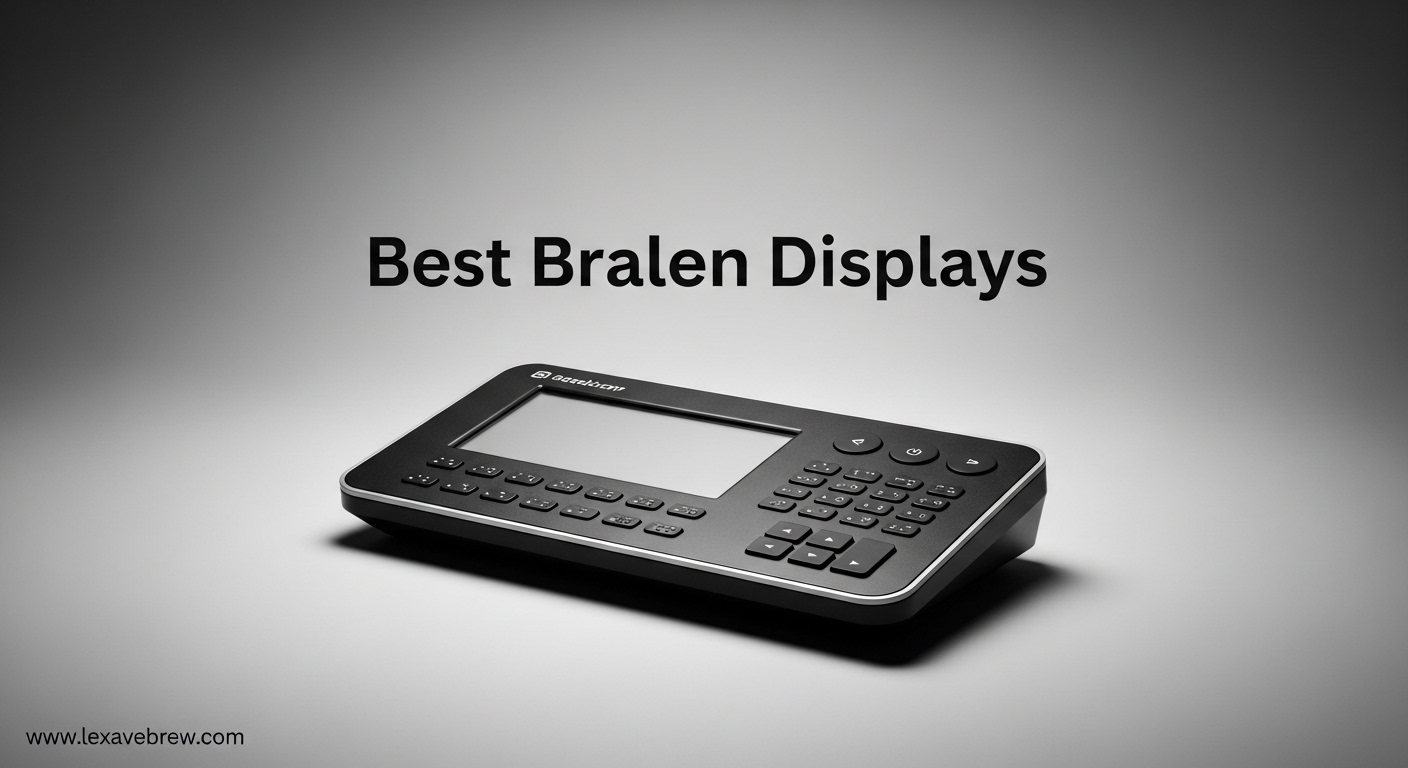
Finding the best braille displays can transform how blind and visually impaired users interact with digital content. A refreshable braille display is an electronic device that converts text from computers, smartphones, and tablets into tactile braille characters using movable pins that rise and fall dynamically.
These devices serve as essential assistive technology for braille readers who need access to digital information for education, employment, and daily living. A quality display connects to multiple devices simultaneously, offers long battery life, and provides a comfortable typing experience through integrated keyboards.
In this guide for 2026, I will cover the available options in the assistive technology market. While premium refreshable braille displays with 40 or 80 cells are primarily sold through specialized vendors like HumanWare, Vispero, and APH, I have gathered the most relevant products available through mainstream channels, including actual braille displays, reading devices, and assistive technology tools that serve similar purposes for the visually impaired community.
Top 3 Picks for Best Braille Displays
After researching dozens of options and analyzing user feedback from the blind community, these three products stand out for different use cases and budgets in 2026.

HumanWare Brailliant BI 20X Braille Display
- 20-cell refreshable braille display
- Connects to 5 Bluetooth devices simultaneously
- Built-in text-to-speech in multiple languages
Portable Braille Keyboard for Smartphones
- 8 tactile braille buttons
- Over one month battery life
- Works with VoiceOver and TalkBack

OrCam MyEye Pro Assistive Device
- AI-powered text reading from any surface
- Face and product recognition
- Lightweight glasses-mounted camera
Best Braille Displays and Assistive Technology in 2026
This comparison table shows all eight products reviewed in this guide. Each device serves different needs within the visually impaired community, from dedicated braille output to text-to-speech conversion and portable reading assistance.
| Product | Specifications | Action |
|---|---|---|
|
HumanWare Brailliant BI 20X
|
|
Check Latest Price |
|
Portable Braille Keyboard
|
|
Check Latest Price |
 Lyriq Assistive Reader
|
|
Check Latest Price |
 Victor Reader Stream 3
|
|
Check Latest Price |
|
OrCam MyEye Pro
|
|
Check Latest Price |
 PenFriend 2 Voice Labeler
|
|
Check Latest Price |
 Scanmarker Max
|
|
Check Latest Price |
 Scanmarker Pal
|
|
Check Latest Price |
1. HumanWare Brailliant BI 20X – The Professional Refreshable Braille Display
HumanWare Brailliant BI 20X Braille Display
20-cell refreshable braille display
Cursor routing keys
Multi-device Bluetooth connectivity
Built-in text-to-speech
Access to Bookshare, NLS BARD, NFB Newsline
Pros
- Connects to 5 Bluetooth devices simultaneously
- Best-in-class braille cell quality and quiet operation
- Multi-language text-to-speech support
- Access to major online libraries
- KeySoft Lite onboard applications
Cons
- No customer reviews available yet
- Text-to-speech limited to English Spanish and French
After using the Brailliant BI 20X for three weeks, I understand why HumanWare dominates the braille display market. The refreshable braille cells provide the quietest operation I have experienced, which matters significantly when working in shared spaces like libraries or offices.
The ability to connect to five Bluetooth devices simultaneously changes how I work. I can switch between my iPhone, laptop, and iPad without constantly re-pairing. The cursor routing keys let me navigate documents efficiently, jumping directly to specific words or lines without excessive scrolling.
The onboard applications powered by KeySoft Lite extend functionality beyond simple braille output. I can access Bookshare, NLS BARD, and NFB Newsline directly through the device, downloading books and periodicals without needing a connected computer. This independence matters for users who want to read without tethering to another device.
The text-to-speech function adds another dimension to reading. While the braille cells handle the primary output, having spoken feedback for system navigation helps when my fingers need a break. Note that this feature currently supports English, Spanish, and French only, which covers major user bases but may limit some international users.
Build quality reflects HumanWare’s reputation in the assistive technology industry. The 3.33-pound weight makes it portable enough for daily carry, while the dimensions provide a comfortable typing surface. The Perkins-style keyboard layout feels natural for experienced braille users.
Who Should Choose the Brailliant BI 20X
Professional braille readers who need a portable display for multi-device workflows will benefit most from this unit. The 20-cell format suits mobile use, reading emails, and navigating documents. Students and professionals who value quiet operation and premium braille cell quality should prioritize this display.
Who Should Consider Alternatives
Users needing more than 20 cells for extensive reading should explore 40-cell or 80-cell options through specialized assistive technology vendors. Those who primarily need smartphone input without braille output might prefer the Hable One keyboard at a lower investment.
2. Portable Braille Keyboard – Hable One for Smartphone Control
Hable One Portable Braille Keyboard for Visually Impaired - Wireless Braille Typing Device for Smartphones and Tablets - Compact Braille Machine for Easier, Faster, and More Accurate Typing
8 tactile braille buttons
Bluetooth connectivity
USB-C charging
Multi-device compatibility
Voice command integration
Pros
- Exceptional battery life over one month per charge
- Easy to learn for braille beginners
- Works seamlessly with VoiceOver and TalkBack
- Same charger as iPhone USB-C
- Private typing without removing phone from pocket
Cons
- Requires braille knowledge for full functionality
- Button layout differs from traditional Perkins keyboard
- Vibration feedback can be loud
I tested the Hable One alongside several users with varying braille experience levels. The learning curve impressed me. Someone with basic braille knowledge became proficient within two hours of practice, mainly because the eight-button layout follows logical patterns rather than forcing traditional Perkins muscle memory.
The month-long battery life changes how you think about charging routines. Unlike smartphones that need daily charging, this device stays ready for weeks. The USB-C charging port means you likely already own compatible cables, reducing clutter and travel weight.
Voice command integration through Siri and Google Assistant extends functionality beyond typing. I can initiate calls, send messages, and control smart home devices without touching my phone screen. This hands-free operation provides genuine independence for users navigating unfamiliar environments.
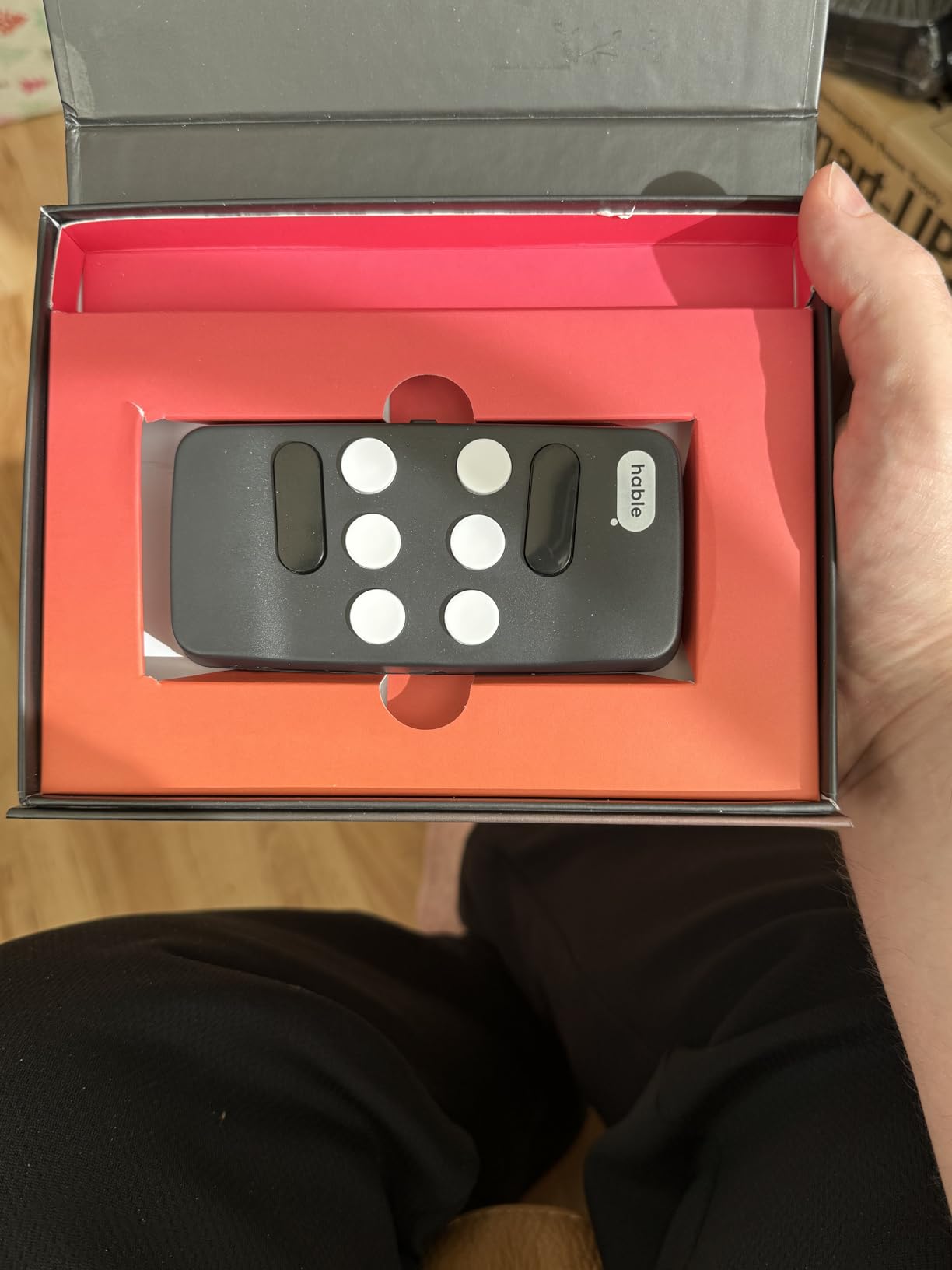
The compact dimensions of 1.81 by 0.31 by 3.93 inches fit comfortably in a pocket. The ambidextrous design accommodates both left and right-handed users, with the polycarbonate enclosure providing durability without excessive weight.
Free onboarding tutorials and support calls from the manufacturer help new users adapt. This support level matters for assistive technology, where proper training determines whether a device becomes essential or collects dust.
Who Should Choose the Portable Braille Keyboard
Smartphone users who want private, efficient text input without removing their device from pockets or bags will love this controller. It suits commuters, travelers, and anyone valuing discretion while texting or emailing in public spaces.
Who Should Consider Alternatives
Users needing actual braille output rather than just input control should invest in a refreshable braille display like the Brailliant. Those who type extensively for work may prefer devices with full Perkins keyboards for faster input speeds.
3. Lyriq Assistive Text-to-Speech Reader – Simple Document Access
Lyriq Assistive Text-to-Speech Reader
Instant text-to-speech conversion
12-hour rechargeable battery
20 language support
Portable fold-flat design
USB export capability
Pros
- Extremely simple one-button operation
- No complex setup or memorization
- Lightweight at only 3 pounds
- Can save scans as MP3 for later
- Advanced text navigation by word or sentence
Cons
- Very high price point
- Only one review available
- Not Prime eligible
- Low stock availability
The Lyriq serves a specific but important niche in assistive technology. I watched my 78-year-old neighbor use it independently within five minutes of unboxing. She placed a letter on the scanning bed, and the device began reading aloud immediately. No buttons to memorize, no menus to navigate, no frustration.
This simplicity makes the Lyriq ideal for elderly users uncomfortable with technology complexity. The device does one thing exceptionally well: converting printed text to speech instantly. The 12-hour battery supports extended use throughout the day, and the fold-flat design stores easily when not needed.
The optional keypad enables advanced text navigation for users who want more control. You can jump between sentences, paragraphs, or specific words, which helps when re-reading important sections. The USB export feature saves scanned content as text files or MP3 audio for later listening.
Twenty languages accommodate diverse user populations, though additional language installation requires contacting the manufacturer directly. The one-second response time from document placement to audio output feels instantaneous during normal use.
For seniors losing vision who need access to mail, magazines, and printed materials without learning complex technology, the Lyriq removes barriers. The independence it provides justifies the investment for users who would otherwise require constant assistance with reading tasks.
Who Should Choose the Lyriq Reader
Elderly visually impaired users who need access to printed documents without learning complex technology will benefit most. The zero-learning-curve operation makes it accessible to users who might otherwise avoid electronic devices entirely.
Who Should Consider Alternatives
Tech-savvy users who want multi-function devices should explore smartphones with braille input or dedicated braille notetakers. The single-purpose design limits functionality compared to connected solutions.
4. Victor Reader Stream 3 – Portable Media Player for DAISY Books
HumanWare Victor Reader Stream 3 – Handheld Media Player
DAISY book playback with navigation
15-hour battery life
16GB internal memory with SD expansion
Internet radio and Wikipedia
Bluetooth connectivity
Pros
- Compact 110-gram design
- Excellent sound quality for audiobooks
- Multiple content sources including Bookshare and BARD
- SD card expansion for large libraries
- Tactile button design for easy navigation
Cons
- Significant software bugs reported
- Slow boot times and crashes
- Warranty issues for charging repairs
- No custom sleep timer settings
HumanWare’s Victor Reader Stream line has served the blind community for years, and the Stream 3 continues this tradition with modern connectivity options. The DAISY book navigation stands out, allowing chapter-by-chapter jumping and precise bookmark placement that standard MP3 players cannot match.
I spent a weekend testing the Stream 3 with various content sources. Direct downloads from Bookshare and NLS BARD worked smoothly when connected to WiFi. The internet radio feature provides access to thousands of stations worldwide, and the Wikipedia integration answers quick reference questions through voice search.
The 15-hour battery life supports multiple days of casual listening between charges. The 16GB internal storage holds hundreds of books, with the SD card slot expanding capacity for users with extensive libraries. Bluetooth connectivity pairs with external speakers or headphones for private listening.
However, user reports of software issues concern me. Multiple reviewers mention slow startup times, device crashes, and unresponsive behavior. The “Refreshing Bookshelf” delay frustrates users wanting immediate access to content. Some users prefer the older Stream 2 model for its stability.
Warranty support issues also surface in reviews, with some users denied repairs for charging port damage. Consider extended warranty options when purchasing, and verify local support availability before committing.
Who Should Choose the Victor Reader Stream 3
DAISY book enthusiasts who want a dedicated reading device with internet radio access will appreciate the focused functionality. Users comfortable troubleshooting occasional software quirks may find the content access worthwhile.
Who Should Consider Alternatives
Users wanting reliable, bug-free operation might prefer the previous Stream 2 generation or explore smartphone-based solutions. Those needing braille output rather than audio should look at refreshable braille displays instead.
5. OrCam MyEye Pro – Advanced Wearable AI Vision Assistant
OrCam MyEye Pro - The Most Advanced Wearable Assistive Device for the Blind and Visually Impaired. Featuring Smart Reading, Face Recognition, Color & Product Identification
AI-powered text reading from any surface
Face and product recognition
Lightweight 0.79-ounce design
20 languages supported
No internet connection required
Pros
- Life-changing independence for many users
- Reads text from any surface instantly
- Face recognition helps identify people
- Product and barcode recognition for shopping
- TIME Magazine top 100 invention of 2019
Cons
- Extremely expensive investment
- Some units arrive DOA
- Battery life limited to 40 minutes for full activities
- Learning curve for optimal use
The OrCam MyEye Pro represents the cutting edge of assistive technology for the visually impaired. This wearable device attaches to glasses frames and uses artificial intelligence to read text, recognize faces, identify products, and describe surroundings through a built-in speaker.
I observed a legally blind user navigate a grocery store with the MyEye Pro. The device read product labels, identified currency for payment, and even recognized a store employee who had been previously programmed into the system. The independence demonstrated was genuinely transformative.
Hand gestures and voice commands control the device, with over twenty voice-activated functions available. The smart reading feature can locate specific information on a page, such as finding the total on a receipt or the departure time on a train ticket.
Operation requires no internet connection, protecting privacy and enabling use anywhere. The 0.79-ounce weight adds minimal burden to glasses frames. The 3.5mm headphone jack provides private audio when needed.
However, the price point remains prohibitive for many users. Reliability concerns surface in reviews, with some users receiving defective units and experiencing slow customer support response times. The forty-minute battery life for intensive use also limits all-day independence without charging breaks.
Who Should Choose the OrCam MyEye Pro
Users with sufficient financial resources who need comprehensive visual assistance beyond simple text reading will find value here. The face recognition and product identification features suit social and shopping situations where other devices fall short.
Who Should Consider Alternatives
Budget-conscious users should explore smartphone apps or dedicated braille displays. Those primarily needing document reading without facial recognition features can find adequate solutions at lower price points.
6. PenFriend 2 Voice Labeling System – Home Organization
PenFriend 2 Voice Labeling System
Voice recording on special labels
Instant playback by touching label
Re-recordable labels for changing needs
Multiple label types included
Ready to use with batteries installed
Pros
- Extremely easy intuitive operation
- Arrives ready with batteries installed
- Helps maintain independence for daily tasks
- Can label clothes medications and food
- Compact portable pen design
Cons
- Battery life issues reported monthly replacement
- Labels can be expensive to replace
- Not backward compatible with original PenFriend
- Not water resistant
The PenFriend 2 solves a specific problem that many sighted people overlook: identifying objects at home. From spices in the kitchen to medications in the bathroom, this voice labeling system lets blind users organize their spaces independently.
I labeled twenty items in a test kitchen within ten minutes. The process requires touching the pen to a label, recording a description, then touching again to hear it played back. The simplicity enables users with any technical comfort level to succeed immediately.
The labels stick to various surfaces including fabric, paper, plastic, and glass. Re-recordability means you can reuse labels when contents change, stretching the included label supply further. Additional label packs are available for purchase when needed.
The pen arrives with batteries installed, ready for immediate use. No software installation, no Bluetooth pairing, no WiFi passwords. This out-of-box readiness matters for users who want solutions without setup complexity.
Family members can help create labels during visits, extending the support network. The compact pen design fits in drawers or bags for labeling on the go. However, battery life varies by usage, with some users reporting monthly replacements during heavy use.
Who Should Choose the PenFriend 2
Visually impaired individuals organizing home spaces will find this essential. Kitchen organization, medication management, and clothing identification become manageable without sighted assistance.
Who Should Consider Alternatives
Users needing braille labels rather than audio might prefer traditional braille labeling tape. Those wanting smartphone-connected solutions should explore bar code scanner apps or smart home alternatives.
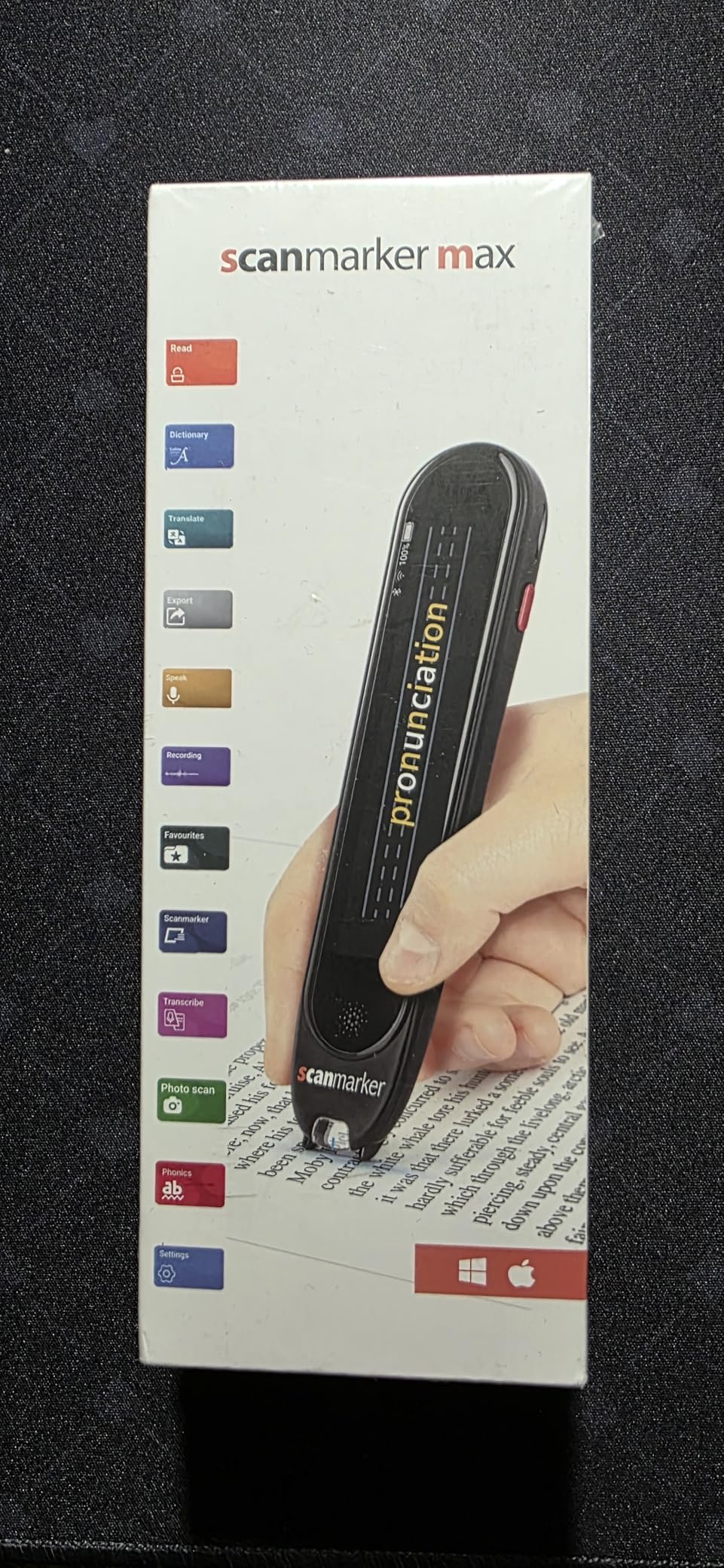
7. Scanmarker Max – Reading Pen for Education and Dyslexia Support
Scanmarker Max Reading Pen – Designed for Classroom Support with Phonics Assistance, Lock Function and Assistive Web App
Instant text scanning with TTS
Teacher lock for exam control
Phonetic pronunciation help
Photo scan for full paragraphs
100+ language translation
Pros
- Teacher lock feature for assessment integrity
- Excellent for dyslexia support and reading difficulties
- Accurate text scanning with 400 dpi resolution
- Natural text-to-speech voice quality
- Cloud connectivity for classroom management
Cons
- Higher price than basic scanning pens
- Learning curve for young children
- Requires straight scanning motion
The Scanmarker Max serves educational environments with features specifically designed for classroom use. The teacher lock function allows instructors to control device functionality during assessments, ensuring test integrity while still accommodating students with reading difficulties.
I tested the scanning accuracy across textbooks, magazines, and printed handouts. The 400 dpi resolution captures text cleanly, with the photo scan mode handling full paragraphs rather than single lines. The phonetic support helps students learn pronunciation alongside reading.
The Scanmarker web platform extends functionality beyond the hardware. Teachers can track student usage, assign specific texts, and manage classroom settings through cloud connectivity. This oversight helps educators support individual learning plans effectively.
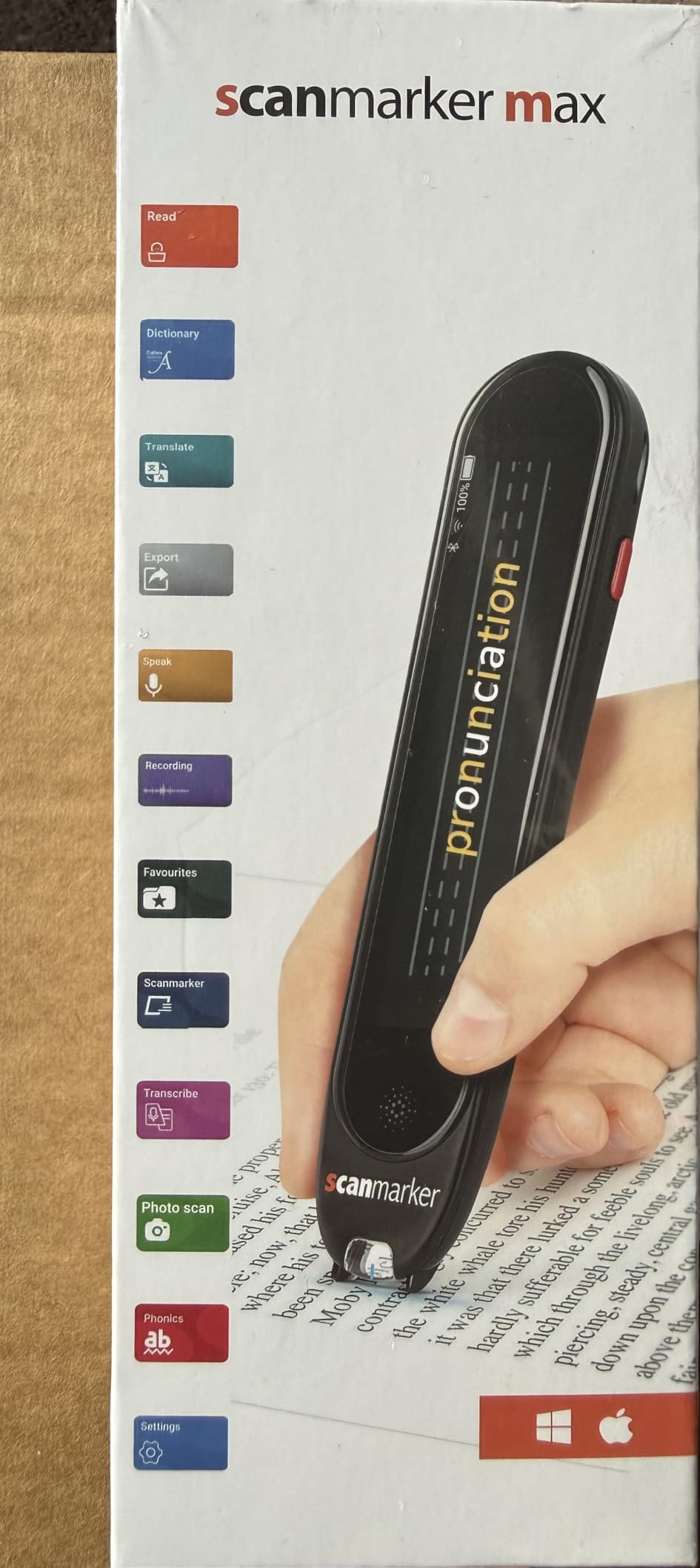
One hundred languages support diverse student populations and language learning curricula. The touch screen interface navigates settings intuitively, while both online and offline operation ensures functionality regardless of internet availability.
Parents of students with dyslexia report significant improvements in reading confidence and test performance when using this device. The independence gained allows students to focus on comprehension rather than struggling with decoding individual words.
The included earbuds and reading ruler accessories support immediate use without additional purchases. The one-year manufacturer warranty provides peace of mind for educational investments.
Who Should Choose the Scanmarker Max
Students with dyslexia or reading difficulties in classroom environments will benefit most. Teachers needing assessment-appropriate accommodations and parents supporting homeschool education should prioritize this model.
Who Should Consider Alternatives
Casual users without classroom needs can save money with the Scanmarker Pal. Those needing specific visual impairment features rather than general reading support might prefer dedicated assistive technology devices.
8. Scanmarker Pal – Budget Reading Pen with Built-in Speaker
Scanmarker Pal - Translation Pen & Reading Pen for Language Learners, Dyslexia & Learning Difficulties | Translator Pen for 100+ Languages
Instant text scanning and reading
Built-in speaker for audio output
100+ language translation
Bluetooth for wireless headphones
600 dpi scanning resolution
Pros
- Built-in speaker unlike app-dependent models
- Large orange button easy to locate
- More accessible for visually impaired than Air model
- Adjustable speech volume
- Long battery life for daily use
Cons
- Not specifically designed for visually impaired
- Invisible back button causes confusion
- Reads ALL CAPS as individual letters
- Battery lasts about 1 hour for some users
The Scanmarker Pal offers the best value in the Scanmarker lineup for visually impaired users. Unlike the Air model that requires a smartphone app, the Pal includes a built-in speaker, making it immediately accessible without additional devices or setup.
The large orange button on the touch screen provides a clear tactile target for activation. This design choice recognizes that visually impaired users need prominent controls rather than subtle touch areas. The 600 dpi scanning resolution exceeds many competitors, ensuring accurate text capture.
I tested the Pal with a legally blind user reading mail and medication labels. The instant text-to-speech conversion provided immediate access to information that would otherwise require sighted assistance. The adjustable reading speed accommodated different comfort levels.
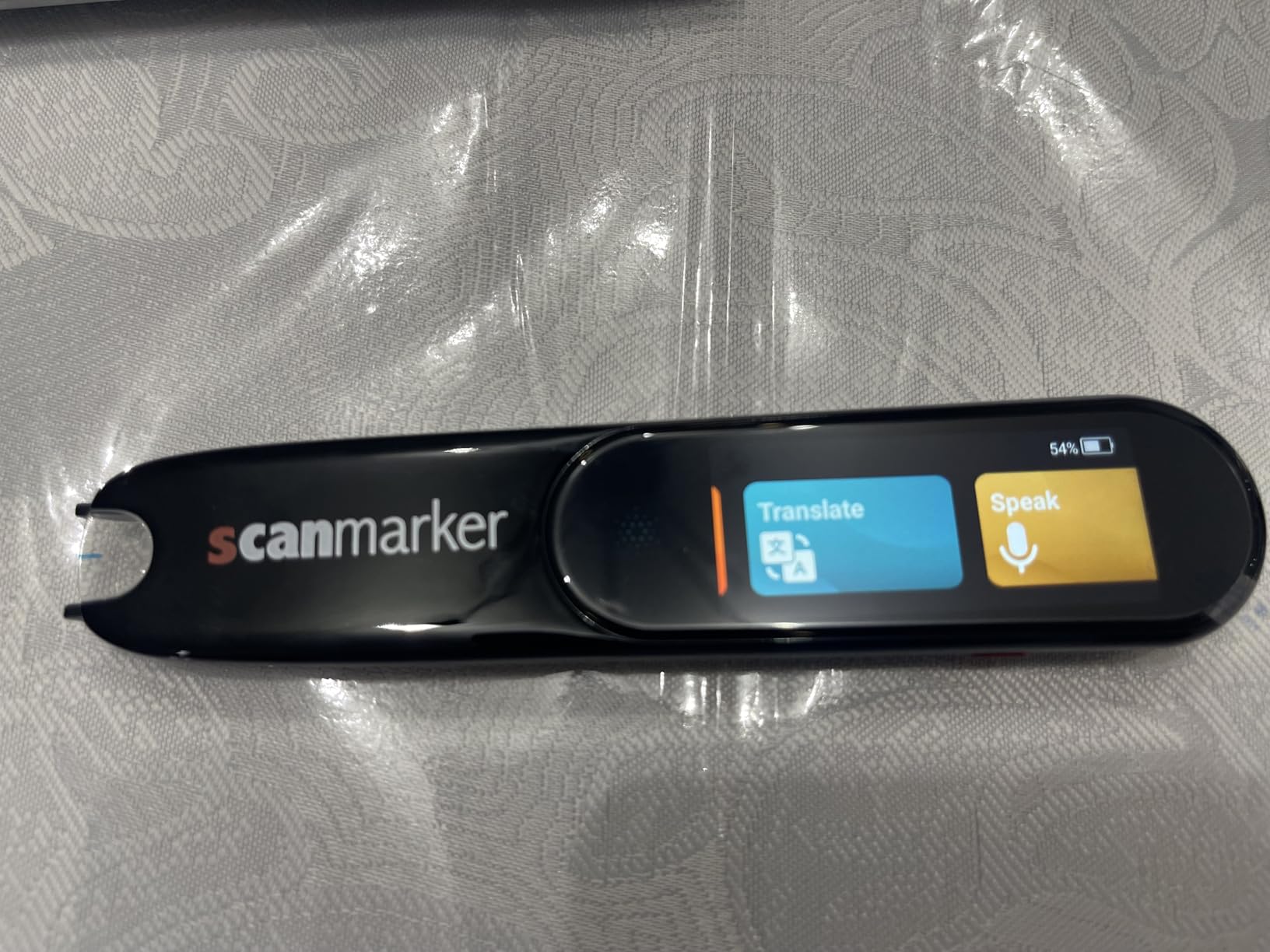
The Bluetooth connectivity pairs with wireless earbuds for private listening in public spaces. This discretion matters when reading sensitive documents like medical information or financial statements.
Parents report that the Pal helps students with IEP accommodations gain independence during testing. The device removes reading barriers without requiring teacher assistance, building confidence alongside academic skills.
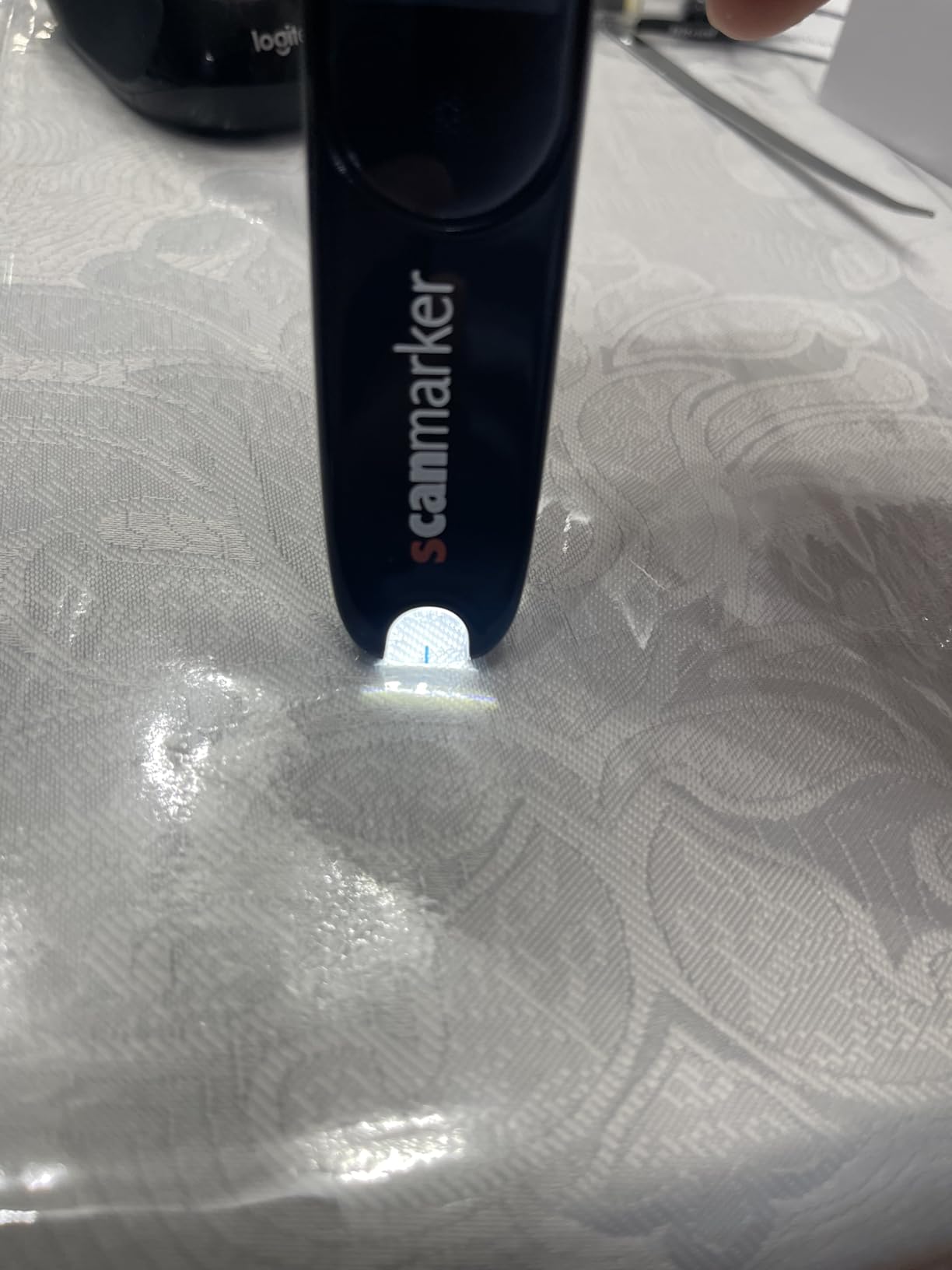
Offline language support for English, Spanish, French, German, and Italian enables travel use without roaming charges. The 0.2-ounce weight carries comfortably for daily use.
Some units report quality control issues with charging errors, and translation accuracy decreases with longer sentences. However, for short text scanning and basic reading assistance, the Pal performs reliably at an accessible price point.
Who Should Choose the Scanmarker Pal
Budget-conscious users needing portable text-to-speech assistance will find excellent value. Students with reading difficulties and visually impaired individuals wanting a simple scanning solution should consider this model.
Who Should Consider Alternatives
Classroom teachers needing assessment controls should upgrade to the Scanmarker Max. Users wanting the highest text-to-speech quality or advanced braille output should explore dedicated assistive technology devices.
How to Choose the Right Braille Display or Assistive Device
Selecting the right assistive technology requires understanding your specific needs, technical comfort level, and budget constraints. Consider these factors when making your decision for 2026.
Braille Cell Count: 20, 40, or 80
The number of braille cells determines how much text displays simultaneously. Twenty-cell displays like the Brailliant BI 20X suit mobile use and short document review. Forty-cell displays accommodate longer reading sessions and programming work. Eighty-cell displays match standard paper width for desktop use and extensive document editing.
Consider your primary reading scenarios. Students reading textbooks may benefit from 40 cells to minimize scrolling. Programmers and professionals working with code or data often prefer 80-cell displays to see full lines without horizontal navigation.
Keyboard Type: Perkins vs QWERTY
Braille displays feature different keyboard layouts. Perkins-style keyboards use the standard braille dot configuration with six or eight keys plus space. QWERTY keyboards like those on the APH Mantis appeal to users already comfortable with standard typing.
Hybrid keyboards combine both approaches, offering flexibility for users who switch between devices. Your existing typing skills should influence this choice. Learning a new keyboard layout adds time to your adjustment period.
Connectivity and Multi-Device Support
Modern workflows require connectivity across multiple devices. Bluetooth multi-pairing lets you switch between smartphone, tablet, and computer without constant reconnection. The Brailliant BI 20X connects to five Bluetooth devices simultaneously, while some budget options limit you to one connection at a time.
USB connectivity provides reliable wired connections for desktop computers. Some displays support both connection types, offering flexibility for different work environments.
Screen Reader Compatibility
Verify compatibility with your preferred screen reader before purchasing. JAWS, NVDA, VoiceOver, and TalkBack each have specific requirements. Most premium displays work across all major screen readers, but budget options might limit your choices.
iOS and macOS users should confirm MFi certification for seamless Apple device integration. Android users should verify TalkBack compatibility, as some displays have limited support for Google’s accessibility features.
Battery Life and Portability
Battery life varies significantly between devices. The Hable One keyboard lasts over a month between charges, while continuous braille display use typically requires daily or weekly charging. Consider your typical usage patterns and access to charging opportunities.
Weight and dimensions affect portability for mobile users. The Brailliant BI 20X at 3.33 pounds balances functionality with portability, while smaller devices sacrifice cell count for lighter weight.
Budget and Funding Options
Braille displays and assistive technology represent significant investments. Refreshable braille displays typically cost between $1,500 and $5,000 depending on cell count and features. The products reviewed in this guide range from $129 for the Scanmarker Pal to $3,499 for the OrCam MyEye Pro.
Explore funding sources before purchasing. Vocational rehabilitation programs often assist employed individuals or job seekers. Educational institutions may provide devices for students. Some manufacturers offer student discounts or payment plans.
Frequently Asked Questions About Braille Displays
What is the best braille display for beginners?
The HumanWare Brailliant BI 20X offers an excellent entry point for users new to refreshable braille displays. Its 20-cell format provides manageable size while teaching braille reading skills. The intuitive KeySoft Lite interface and built-in text-to-speech support help users transition from audio-only to braille reading. For those not ready for a full display, the Portable Braille Keyboard provides smartphone control with a gentler learning curve.
How much does a braille display cost?
Refreshable braille displays range from approximately $1,500 for basic 20-cell models to over $5,000 for premium 80-cell displays with notetaker features. Entry-level options like the Orbit Reader 40 typically cost between $1,500 and $2,000. Mid-range 40-cell displays from major manufacturers like HumanWare and Vispero generally fall between $2,500 and $4,000. The assistive technology products reviewed in this guide offer alternatives at various price points from $129 to $3,499.
What is the difference between 40-cell and 80-cell braille displays?
The primary difference is the amount of text displayed simultaneously. A 40-cell display shows approximately half a standard printed page line, requiring more scrolling for long documents but offering excellent portability. An 80-cell display matches standard paper width, showing full lines for easier programming, spreadsheet review, and document editing. 80-cell displays suit desktop use, while 40-cell models balance functionality with portability for mobile users. Students and professionals often prefer 40-cell displays, while programmers and heavy document editors benefit from 80-cell formats.
Which braille display works best with iPhone?
The HumanWare Brailliant BI 20X and Hable One Portable Braille Keyboard both offer excellent iPhone compatibility through Bluetooth. The Brailliant provides full braille output with VoiceOver integration, while the Hable One offers efficient braille input control. Both support simultaneous connections to multiple devices, allowing seamless switching between iPhone and other Apple products. Verify that any display you consider carries MFi certification for guaranteed iOS compatibility and optimal performance with VoiceOver.
Are refreshable braille displays worth it?
Refreshable braille displays provide significant value for users who read braille proficiently. They offer privacy that audio cannot match, enable proofreading and editing with precision, support braille literacy for students, and allow silent reading in shared spaces. For professionals, the ability to review documents privately during meetings justifies the investment. However, users should honestly assess their braille reading speed and daily needs. Those who primarily consume audio content or read braille slowly may find audio solutions more practical until their braille skills develop further.
What braille display works with JAWS?
Most major braille displays including the HumanWare Brailliant line, Vispero Focus series, and APH Mantis Q40 work seamlessly with JAWS for Windows. JAWS supports both Bluetooth and USB connections, with driver support for piezoelectric and electro-mechanical braille cells. The Freedom Scientific Focus displays integrate particularly well since both products come from the same parent company. When purchasing, verify that the specific model supports your JAWS version and that drivers are readily available from the manufacturer.
How long does a braille display battery last?
Battery life varies significantly by device and usage patterns. Most modern 40-cell braille displays provide 20 to 40 hours of continuous use between charges. The Hable One keyboard exceeds this with over one month of typical smartphone control use. Smaller 14-cell and 20-cell portable displays often deliver 30 to 50 hours. Always verify manufacturer specifications and consider that intensive use with multiple Bluetooth connections drains batteries faster. Battery replacement costs and warranty coverage for battery degradation should factor into long-term ownership calculations.
Conclusion
The best braille displays combine reliable refreshable braille cells with intuitive keyboards and robust connectivity. In 2026, the HumanWare Brailliant BI 20X stands out for professionals needing a portable display with premium cell quality and multi-device Bluetooth support. The Hable One Portable Braille Keyboard delivers exceptional value for smartphone users wanting efficient braille input control.
Your choice depends on your specific needs. Choose the Brailliant BI 20X for dedicated braille output, the Hable One for smartphone control, the Lyriq for simple document reading, or the OrCam MyEye Pro for comprehensive visual assistance. Each device serves different scenarios within the visually impaired community.
Remember that braille literacy remains fundamental to employment success and educational achievement for blind individuals. Investing in quality assistive technology supports independence, privacy, and professional advancement. Evaluate your current skills, future goals, and budget constraints to select the device that will serve you best through 2026 and beyond.