
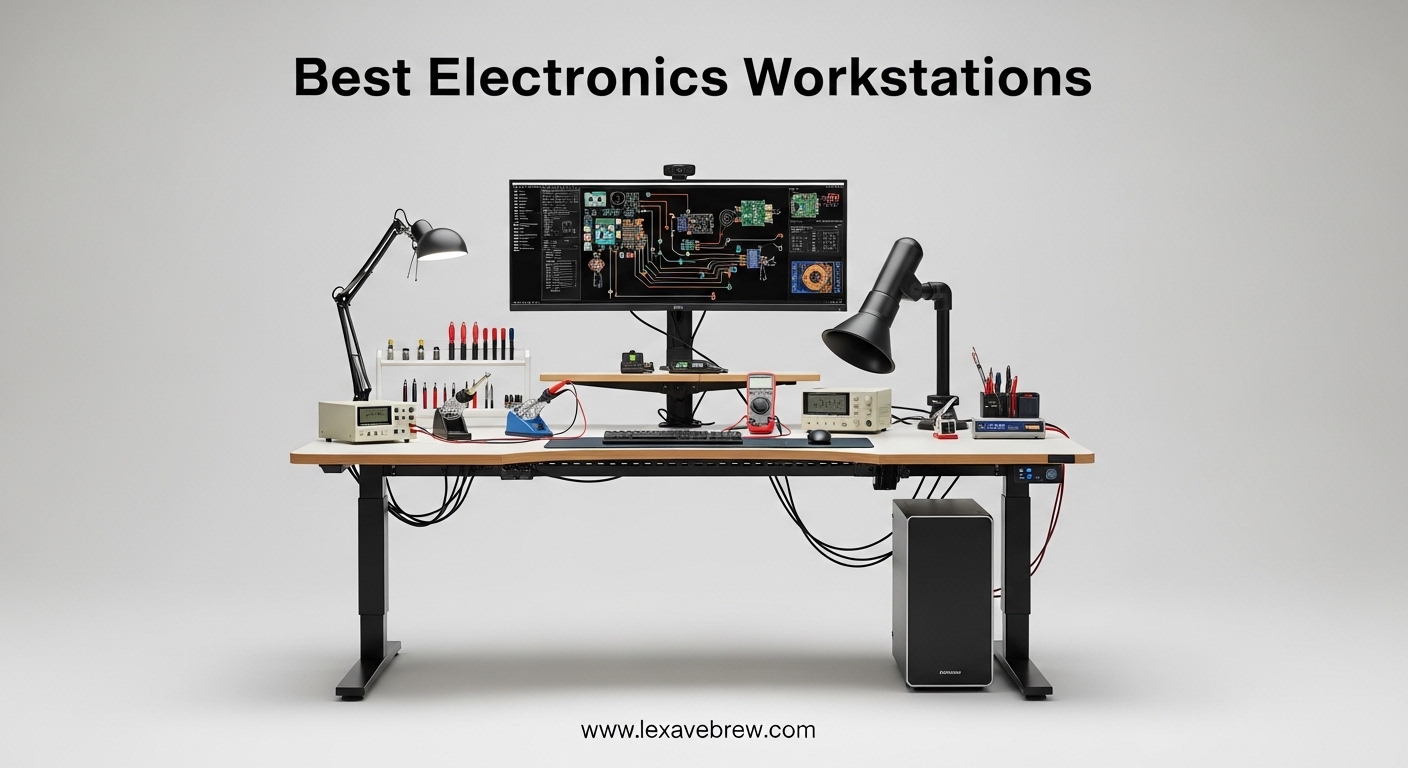
Have you ever ruined a perfectly good circuit board because of a sudden static discharge? If you have, you know the frustration of watching expensive components die before your eyes. For anyone working with electronics—whether you are repairing smartphones, soldering circuit boards, or building custom projects—static electricity is the silent enemy that can destroy your work in milliseconds. That is why investing in a proper electronics workstation is not just convenient; it is essential for protecting your equipment and ensuring quality results.
An electronics workstation is a dedicated workspace configured to handle sensitive electronic components safely and efficiently. These specialized setups typically include ESD-safe mats, proper grounding, adequate lighting, magnification tools, and organized storage for small parts. Whether you are a professional technician or a hobbyist building your first projects, the right workstation can dramatically improve your workflow and protect your investments.
In this comprehensive guide, we have researched and analyzed the best electronics workstations available in 2026. We cover everything from budget-friendly options to professional-grade equipment, helping you find the perfect setup for your specific needs. If you are looking to enhance your workspace lighting as well, check out our guide to the best desk lamps for studying for complementary lighting solutions.
Top 3 Picks for Best Electronics Workstations
After extensive research and analysis, here are our top three recommendations:

SainSmart Magnetic Helping Hands with 5X…
- 5X Magnification
- LED Light
- Magnetic Base
- 4 Flexible Arms

Weller WE1010NA 70W Digital Soldering Station
- 70W Power
- PID Control
- ESD Safe
- Professional Grade
Kaisi Heat Insulation Silicone Repair Mat
- 932°F Heat Resistant
- 124 Screw Holes
- Organizational Compartments
Best Electronics Workstations in 2026 – Complete Comparison
Here is our comprehensive comparison table featuring all 15 recommended products:
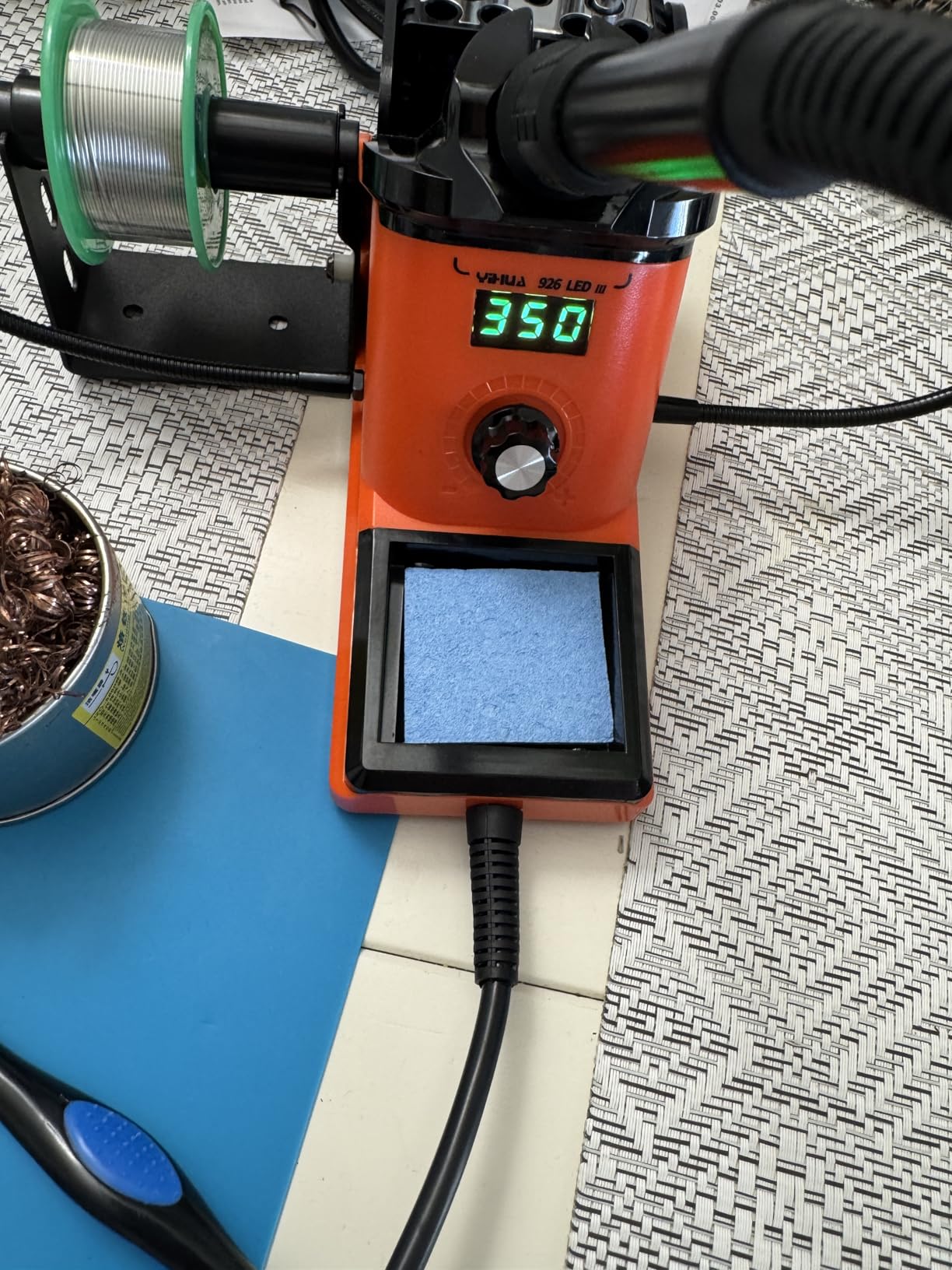
1. YIHUA 926 III 60W Digital Soldering Station – Best Beginner Soldering Kit

YIHUA 926 III 60W Digital Display Soldering Iron Station Kit w 2 Helping Hands, 6 Extra Iron Tips, Lead-Free Solder, Solder Sucker, S/S Tweezers, °C/ºF Conversion, Auto Sleep & Calibration Support
60W Power Output
LED Digital Display
PID Temperature Stabilization
Auto Sleep Mode
12-in-1 Kit Included
Pros
- Fast heating and adjustable temperature control
- Comes with 12-in-1 comprehensive kit
- PID temperature stabilization ensures consistent heat
- Auto sleep mode extends tip life
- Excellent value for beginners
Cons
- Helping hands included are somewhat flimsy
- Temperature sensor may not reflect exact tip temperature
The YIHUA 926 III 60W Digital Soldering Station stands out as an exceptional choice for beginners entering the world of electronics soldering. This comprehensive kit includes everything you need to start soldering right away, making it one of the best value propositions in its category. With over 6,900 reviews and a solid 4.4-star rating, it has proven itself as a reliable workhorse for countless hobbyists and professionals alike.
At 60 watts, this station provides sufficient power for most hobbyist-level projects, heating up quickly to reach temperatures between 194°F and 896°F. The digital LED display allows for precise temperature monitoring, while the PID temperature stabilization technology ensures consistent heat throughout your work session. This means fewer temperature fluctuations that could affect delicate solder joints.
One of the standout features is the 12-in-1 kit inclusion. The package comes with helping hands, six extra iron tips, lead-free solder, a solder sucker, and stainless steel tweezers. This comprehensive accessory set saves you money and time hunting down compatible parts. The auto-sleep mode is a thoughtful addition that conserves energy and extends tip life when the station is not in active use.
For those just starting in electronics repair, the YIHUA 926 III provides an excellent foundation. The straightforward controls and reliable performance mean you can focus on learning proper soldering techniques rather than fighting with your equipment. Combined with the comprehensive kit contents, this station represents exceptional value for anyone beginning their electronics journey.
For Whom It’s Good
This soldering station is ideal for beginners and hobbyists who want a complete, ready-to-use kit without additional purchases. It is also well-suited for students learning electronics in classroom environments where durability and ease of use are priorities over advanced professional features.
For Whom It’s Not Ideal
Professional technicians requiring precise temperature control and faster heat-up times may find the 60W output limiting for heavy-duty daily use. Additionally, those working on large-scale production or industrial soldering applications should consider higher-wattage professional stations.
The station connects to a standard grounded outlet, and the included grounded tip maintains safety during extended use. The iron rests securely in its holder when not in operation, and the compact footprint means it will not dominate your workbench space. For most hobbyist projects, the YIHUA 926 III delivers reliable performance that rivals stations costing significantly more.
Temperature calibration is available for those who need precise control, though the factory settings work well for most standard electronics work. The included tips cover a range of sizes suitable for everything from delicate SMD work to larger through-hole components. With proper care and occasional tip cleaning, this station will serve you reliably for years of projects.
2. Weller WE1010NA 70W Digital Soldering Station – Best Professional Soldering Station
Weller 70 Watt Digital Soldering Station | WE1010NA
70W Power Output
LCD Digital Display
+/- 4°F Temperature Stability
ESD Safe Design
WEP70 Soldering Iron Included
Pros
- Excellent build quality and exceptional durability
- Precise temperature control with LCD display
- Fast heat up time (under 20 seconds)
- Lightweight and comfortable WEP70 iron for extended use
- Temperature calibration function for accuracy
Cons
- LCD display is not backlit
- No rotary knob for temperature adjustment
- No built-in storage case
When it comes to professional-grade soldering equipment, Weller is a name that has earned legendary status in the electronics industry. The Weller WE1010NA 70W Digital Soldering Station carries that prestigious heritage, delivering exceptional build quality and precise temperature control that professionals demand. With an impressive 4.7-star rating from over 4,600 reviews, this station has clearly satisfied even the most demanding technicians.
The 70-watt output provides 40% more power than previous Weller models, ensuring rapid heat-up times—typically under 20 seconds to reach working temperature. The digital LCD display shows temperature clearly, though it is worth noting that the display is not backlit, which may require good ambient lighting for optimal visibility. The temperature stability of +/- 4°F ensures consistent results throughout your work session.
What sets this station apart is its professional-grade WEP70 soldering iron. It is lightweight and ergonomically designed for comfortable extended use, reducing fatigue during long projects. The station includes temperature lock features to prevent accidental adjustments, plus standby and auto setback modes that conserve energy and extend iron life when not in active use.
The build quality is immediately apparent when you handle the station and iron. The components feel substantial and well-engineered, with no plastic housings or flimsy connections. Weller has clearly designed this station for daily professional use, with maintenance and support easily accessible through their extensive dealer network.
For Whom It’s Good
This station is perfect for professional electronics technicians who require reliable, consistent performance day after day. It is also an excellent choice for small repair shops where multiple technicians may use the same equipment and need intuitive operation with minimal learning curve.
For Whom It’s Not Ideal
Casual hobbyists who solder only occasionally may find the professional price point difficult to justify. Additionally, those who prefer backlit displays or tactile rotary temperature controls may want to consider alternative options that better match their preferences.
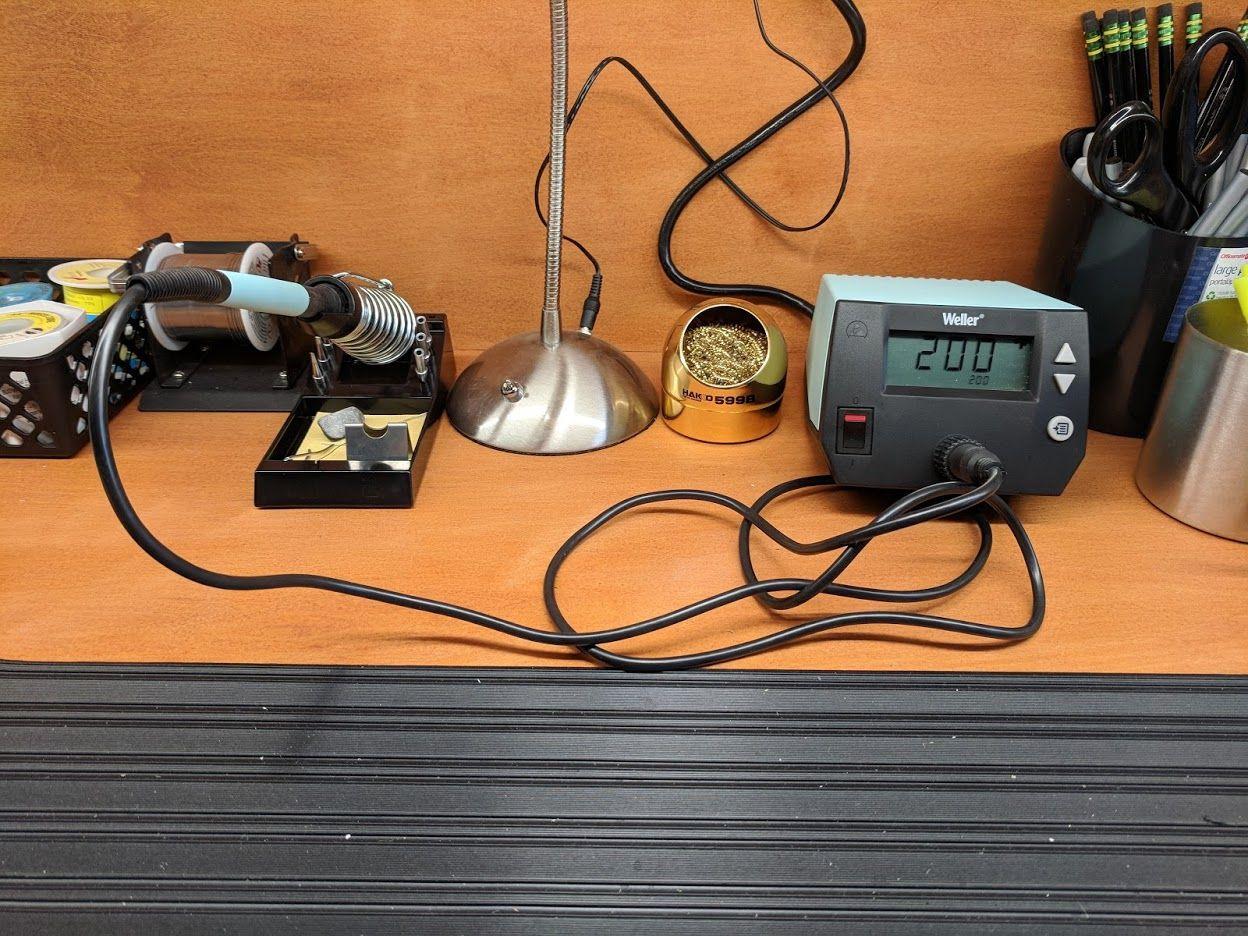
The ESD-safe design protects sensitive components from static discharge damage, making this station suitable for working with modern electronics where static sensitivity is a genuine concern. The grounded iron tip and grounded work surface connection point ensure comprehensive protection when used with appropriate ESD mats and wrist straps.
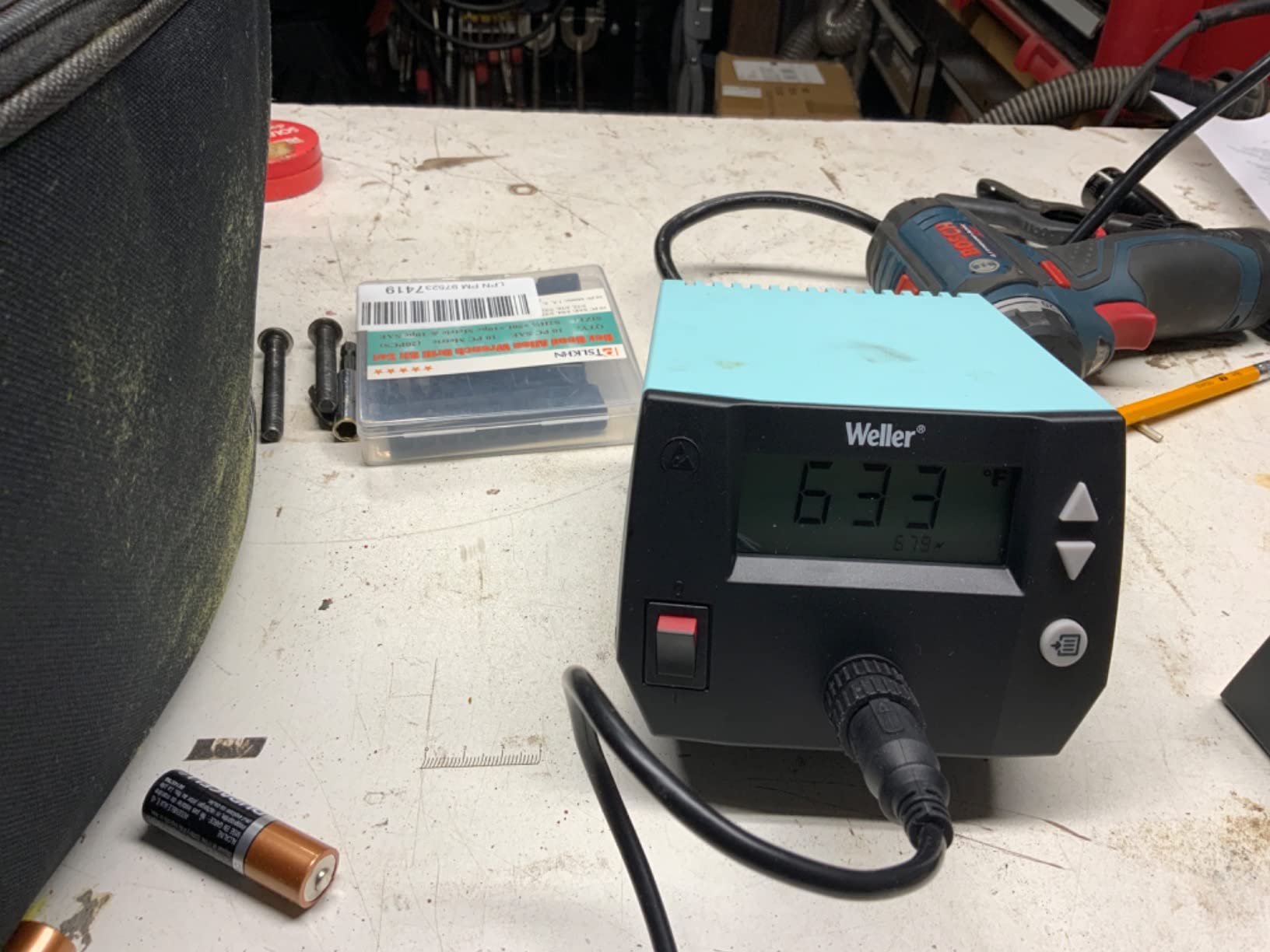
Temperature calibration functions allow you to fine-tune the station against a reference thermometer, ensuring the displayed temperature matches actual tip temperature for critical applications. This feature is particularly valuable in production environments where consistent joint quality matters, and in repair situations where temperature-sensitive components require precise control.
3. WEP 882D 2-in-1 Hot Air Rework Station – Best Dual-Function Station

WEP 882D Soldering Iron Station 2-IN-1 SMD Hot Air Rework Station with 2 Spools of Solder Wire, 5 Soldering Tips, 3 Hot Air Nozzles, Brass Wool Tip Cleaner, Tweezers, Desoldering pump
750W Hot Air Power
Dual LED Displays
PID Temperature Control
2-in-1 Soldering and Hot Air
Comprehensive Accessory Kit
Pros
- Excellent value – both soldering and hot air in one compact unit
- Fast heat up on both iron and hot air gun
- Comes with comprehensive accessory kit
- Good temperature stability
Cons
- Included tips could be better quality
- Vacuum desoldering tool not very effective
The WEP 882D represents an excellent value proposition for anyone who needs both soldering and hot air rework capabilities without purchasing separate equipment. This compact 2-in-1 station combines both functions in a single unit, saving valuable workspace while providing the versatility that modern electronics work demands. With a 4.5-star rating from nearly 1,500 reviews, it has proven itself as a capable tool for SMD (surface mount device) work and general electronics repair.
The station features dual LED displays showing temperature for both the soldering iron and hot air gun simultaneously. The 750-watt hot air gun reaches temperatures between 212°F and 896°F, making it suitable for all common SMD rework tasks including chip removal, solder paste reflow, and component replacement. The soldering iron covers a range from 392°F to 896°F, providing flexibility for various solder types and component sensitivities.
Built-in PID temperature control technology ensures stable temperatures on both functions, reducing the risk of thermal damage to sensitive components. The sleep mode for the soldering iron and standby mode for the hot air gun help conserve energy and extend equipment life. The comprehensive accessory kit includes two spools of solder wire, five soldering tips, three hot air nozzles, brass wool tip cleaner, tweezers, and a desoldering pump.
The dual-function design is particularly valuable for technicians who work on a variety of board types and need both traditional soldering and SMD rework capabilities. Rather than maintaining two separate stations, the WEP 882D consolidates everything into one compact footprint while delivering solid performance on both functions.
For Whom It’s Good
This station is ideal for technicians who frequently work with both through-hole and surface mount components. It provides the versatility needed for general repair work without requiring separate equipment investments or valuable bench space for multiple stations.
For Whom It’s Not Ideal
Those who primarily work with one technique—either exclusively soldering or exclusively SMD rework—may prefer dedicated equipment that offers higher performance in their primary function. The 2-in-1 design necessarily involves some compromises compared to specialized stations.
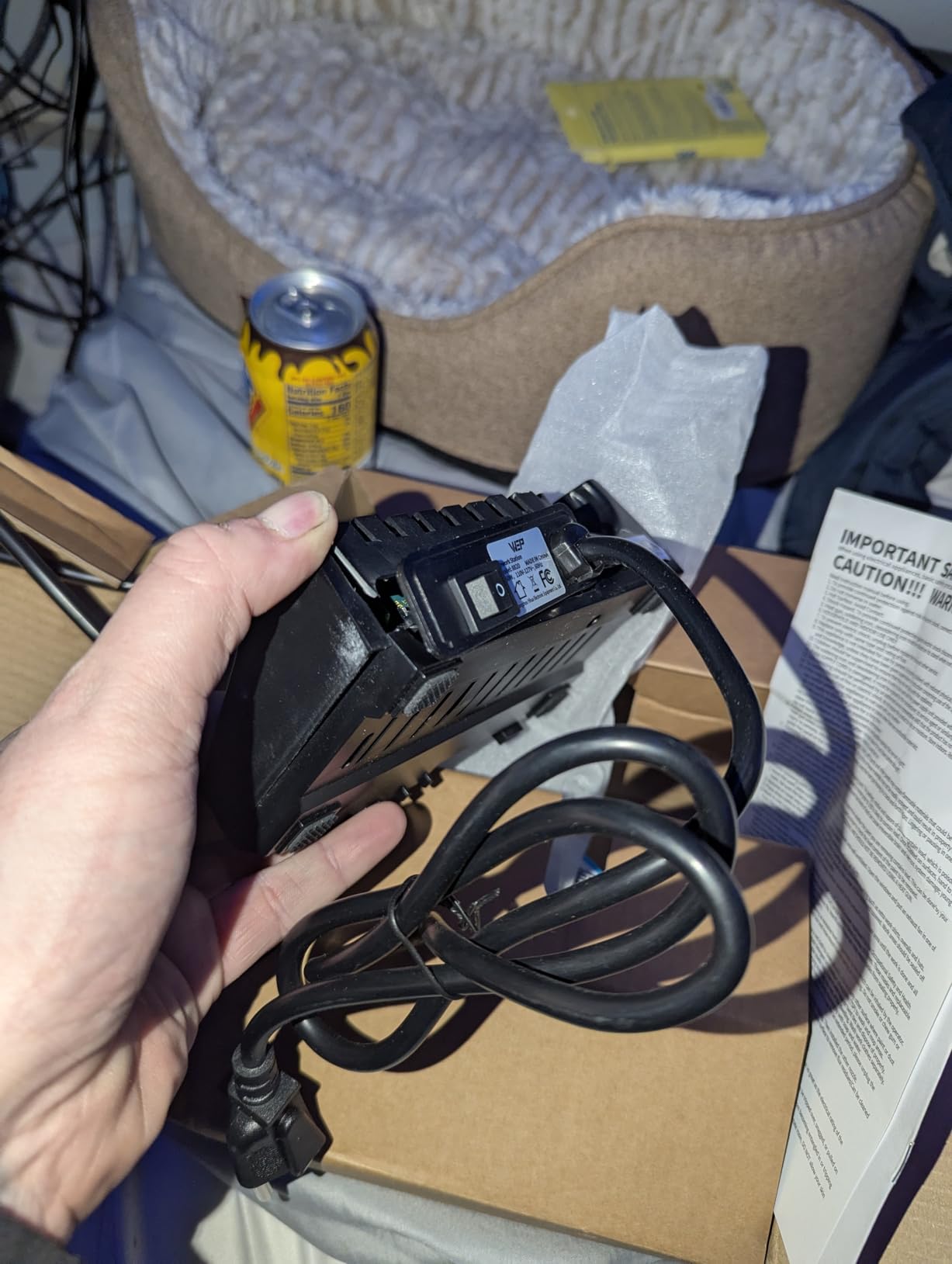
The hot air gun handles most common SMD tasks adequately, though professionals doing high-volume work may eventually want to upgrade to a dedicated rework station with more precise air volume control and faster recovery times. For occasional SMD work, however, the WEP 882D performs reliably and represents excellent value.
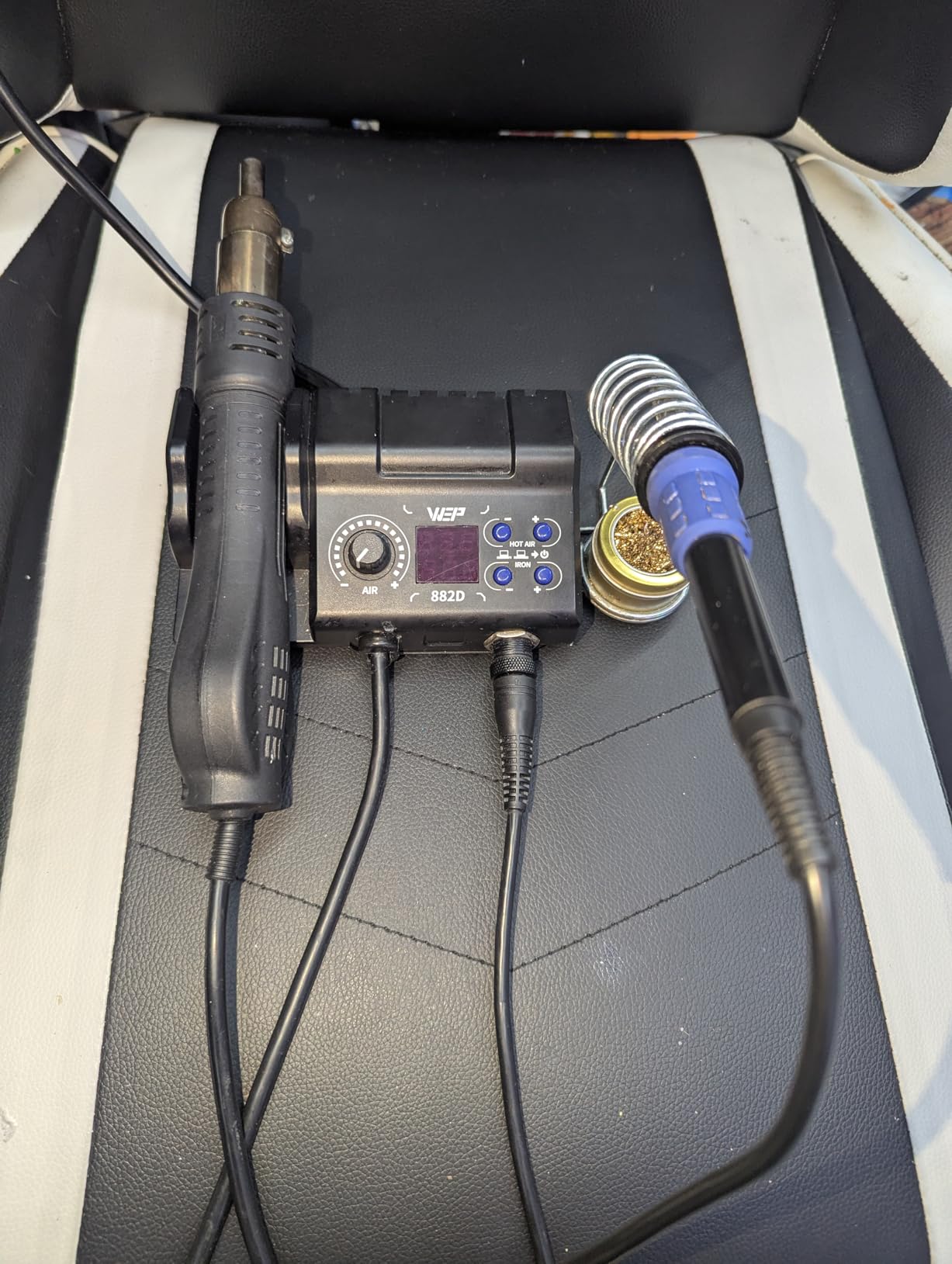
The soldering iron function is more than adequate for through-hole work and standard PCB repair. Tips are included for various applications, and the station works well with standard solder types. The auto-sleep function helps conserve energy and extends tip life during periods of inactivity.
4. YIHUA 862BD+ ESD Safe 2-in-1 Rework Station – Best ESD-Safe Rework Station
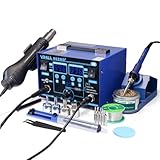
YIHUA 862BD+ SMD ESD Safe 2 in 1 Soldering Iron Hot Air Rework Station °F /°C with Multiple Functions
ETL Certified
ESD Safe Design
75W Soldering Iron
PID Temperature Control
Triple Digital Display
Pros
- Professional quality at reasonable price
- Excellent temperature stability with PID control
- Fast heat up times
- ESD safe for sensitive components
Cons
- Hot air gun attachment issues reported in some units
- Some quality control concerns
For professionals working with sensitive electronic components, ESD (electrostatic discharge) protection is non-negotiable. The YIHUA 862BD+ ESD Safe 2-in-1 Rework Station delivers professional-grade capabilities with the critical ESD-safe design that protects your valuable components from static damage. ETL-certified and featuring advanced PID temperature control, this station has earned a 4.6-star rating from over 2,200 reviews.
The dual-core microprocessor and PID temperature control technology work together to maintain temperature stability within 3.6°F, ensuring consistent results during critical rework procedures. The 75-watt soldering iron covers a temperature range from 392°F to 896°F, while the hot air function spans 212°F to 896°F with variable air volume control.
Three digital displays provide clear monitoring of all parameters, and the ESD-safe design ensures that sensitive components remain protected throughout your work. The comprehensive kit includes solder, tips, nozzles, tweezers, and an IC extractor, giving you everything needed for professional-level SMD rework and repair.
The ETL certification provides peace of mind regarding safety standards, while the ESD-safe design protects your components from invisible static damage that could cause failures weeks or months after repair. For anyone working with modern electronics where integrated circuits and SMD components are prevalent, this protection is essential rather than optional.
For Whom It’s Good
This station is ideal for professionals who regularly work with sensitive electronics where static discharge poses a genuine risk to component viability. It is particularly valuable for those repairing smartphones, computers, and other modern devices where ESD-sensitive components are prevalent.
For Whom It’s Not Ideal
Those working primarily with robust through-hole components and simpler projects may not need the full ESD protection features. Additionally, users who have experienced quality control issues with YIHUA products in the past may prefer alternative brands with more consistent manufacturing.
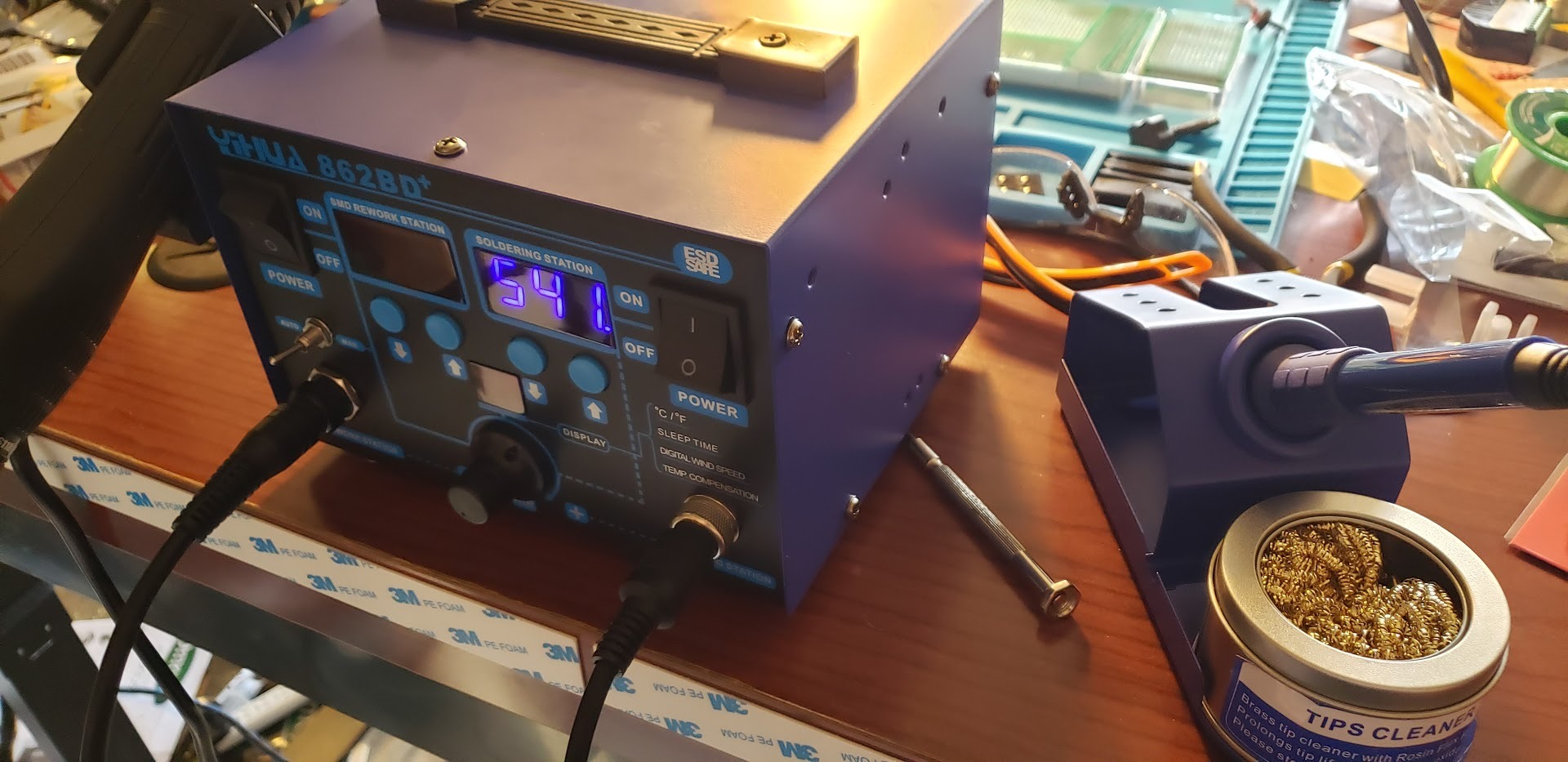
The hot air function provides adequate performance for most common SMD rework tasks, though some users have reported issues with the hot air gun attachment mechanism. Regular inspection and maintenance can help address these concerns, and the station overall delivers reliable performance for professional use.
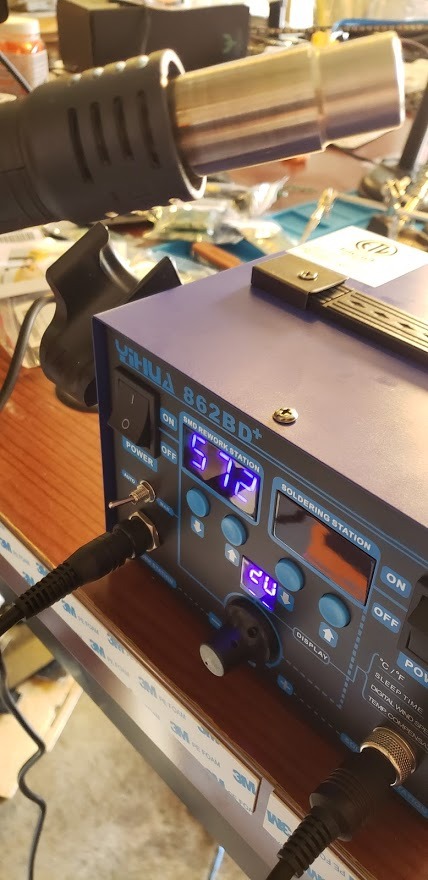
The PID temperature control is particularly impressive at this price point, maintaining stable temperatures that rival much more expensive professional equipment. This stability is crucial for successful rework on temperature-sensitive components where thermal fluctuations can cause damage or poor solder joints.
5. Kaisi Heat Insulation Silicone Repair Mat – Best Soldering Mat Overall
Kaisi Heat Insulation Silicone Repair Mat with Scale Ruler and Screw Position for Soldering Iron, Phone and Computer Repair Size:17.7 x 11.8 Inches
932°F Heat Resistance (500°C)
17.7 x 11.8 Inch Surface
124 Screw Storage Holes
3 Covered Storage Areas
4 Magnetic Storage Areas
Pros
- Excellent heat resistance up to 932°F
- Keeps workbench protected from hot tools
- 124 screw holes and multiple compartments for organization
- Magnetic areas prevent small parts from rolling away
Cons
- Magnetic strength could be stronger
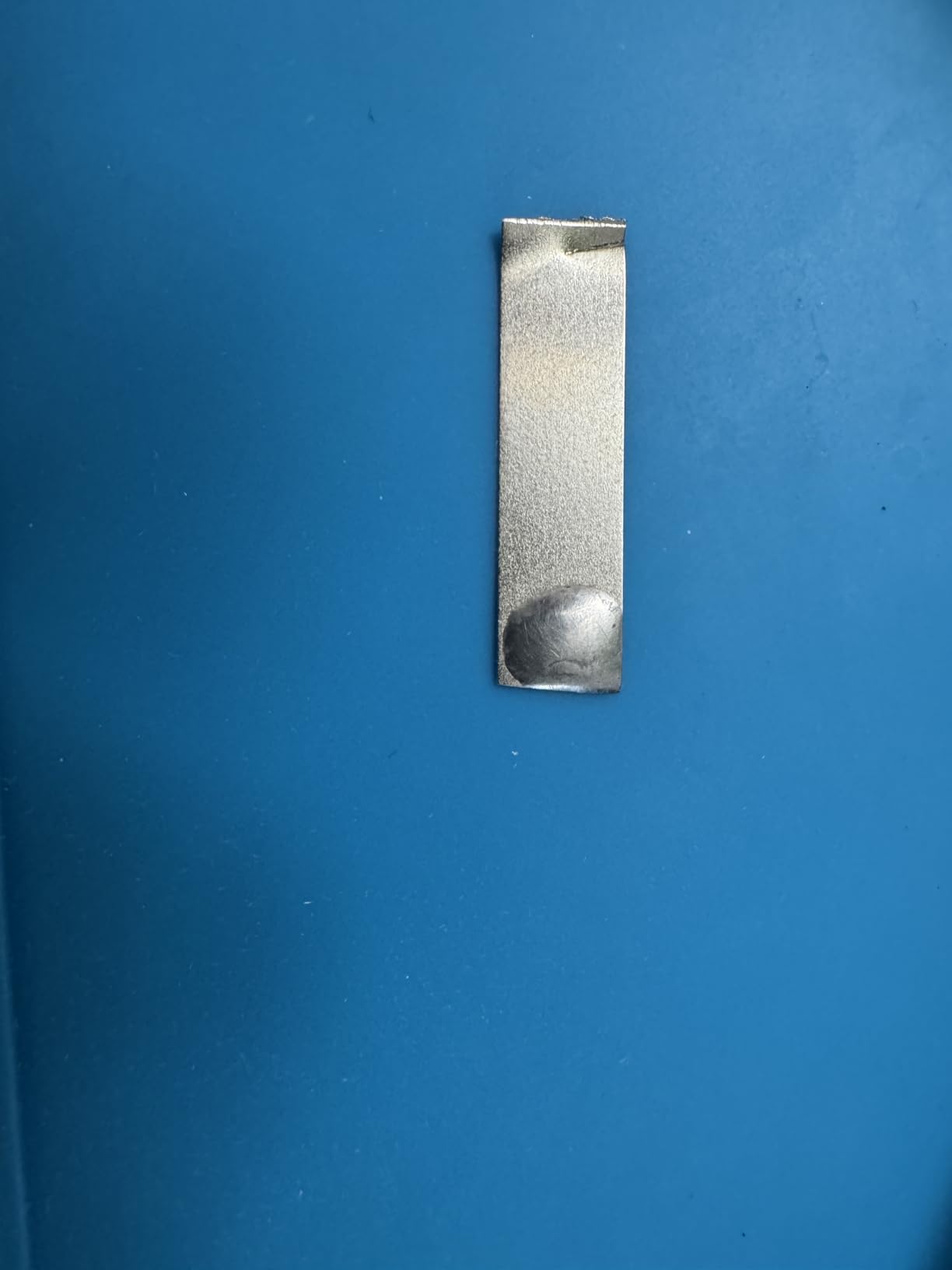
- Silicone may have slight off-gassing initially
The Kaisi Heat Insulation Silicone Repair Mat is our top pick for the best soldering mat overall, and it is easy to see why with an impressive 4.8-star rating from over 6,200 reviews. This mat provides essential protection for your work surface while offering excellent organization features that keep small components and tools within reach during complex repairs.
Constructed from high-quality silicone, this mat can withstand temperatures up to 932°F (500°C), providing ample protection against hot soldering irons, hot air guns, and other heated tools. The 17.7 x 11.8 inch work surface provides generous space for most electronics repair projects without overwhelming your workspace.
What truly sets this mat apart is its organizational capabilities. It features 124 screw storage holes that keep tiny screws organized during disassembly, preventing the common nightmare of mixed-up or lost fasteners. Three covered storage areas and four magnetic storage areas help keep components and tools organized, while the built-in 36cm scale ruler assists with precise component placement.
The combination of heat protection and organization makes this mat an essential foundation for any electronics workstation. The investment is modest compared to the cost of damaged work surfaces or lost fasteners during complex repairs. For anyone regularly working on disassembled electronics, this mat transforms your workflow efficiency.
For Whom It’s Good
This mat is essential for anyone performing electronics repair, particularly smartphone and laptop work where numerous small screws must be carefully organized. It is also valuable for those working with hot tools who need to protect their work surfaces from heat damage.
For Whom It’s Not Ideal
Those working primarily with larger projects or on surfaces where mat placement is impractical may prefer smaller or alternative solutions. Additionally, those sensitive to silicone odors should allow the mat to air out thoroughly before first use.
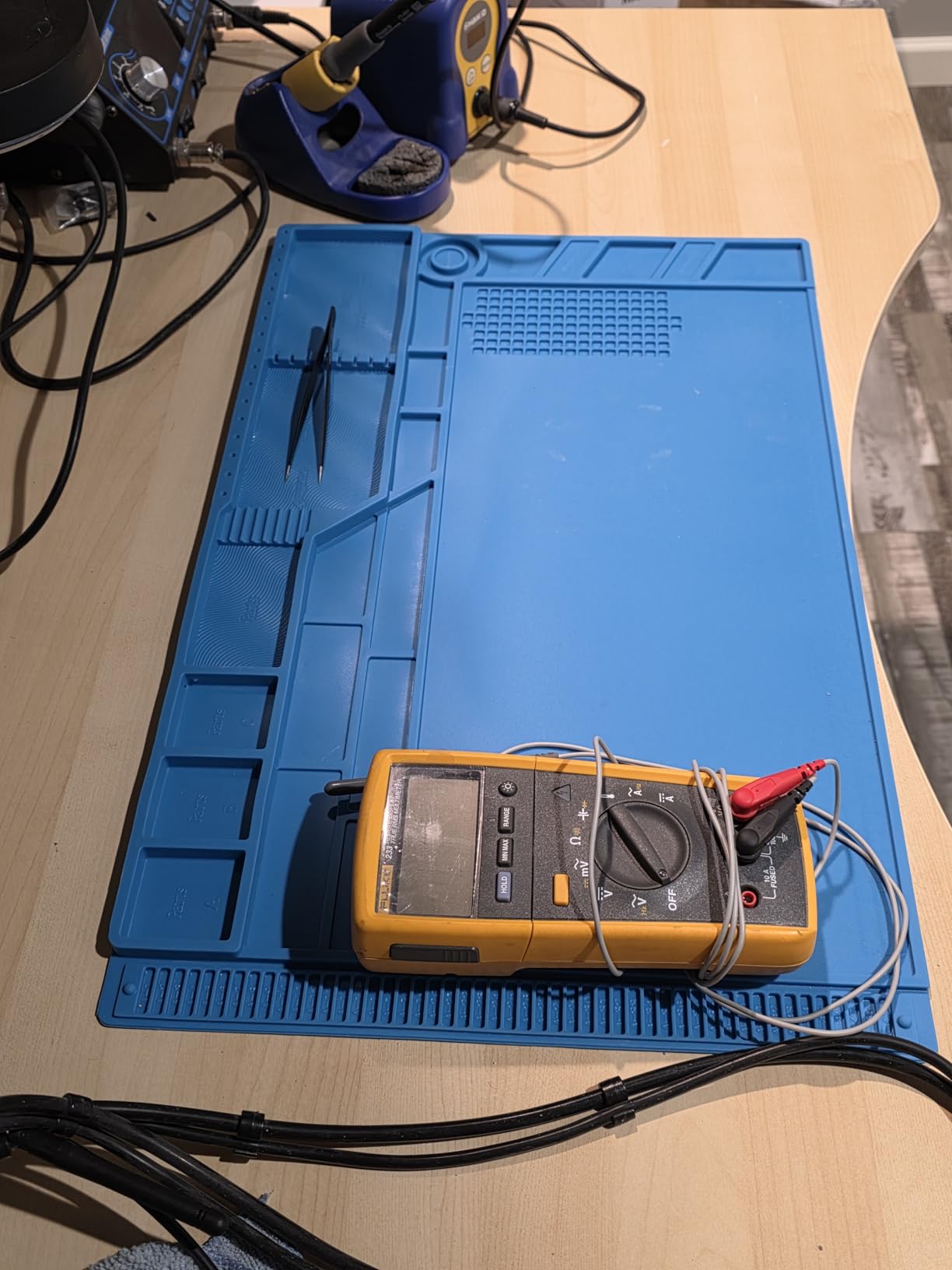
The compartments and screw holes genuinely transform how you approach complex disassembly projects. Instead of frantically searching for dropped screws or trying to remember which screw went where, you can systematically organize everything as you work, dramatically reducing reassembly frustration and errors.
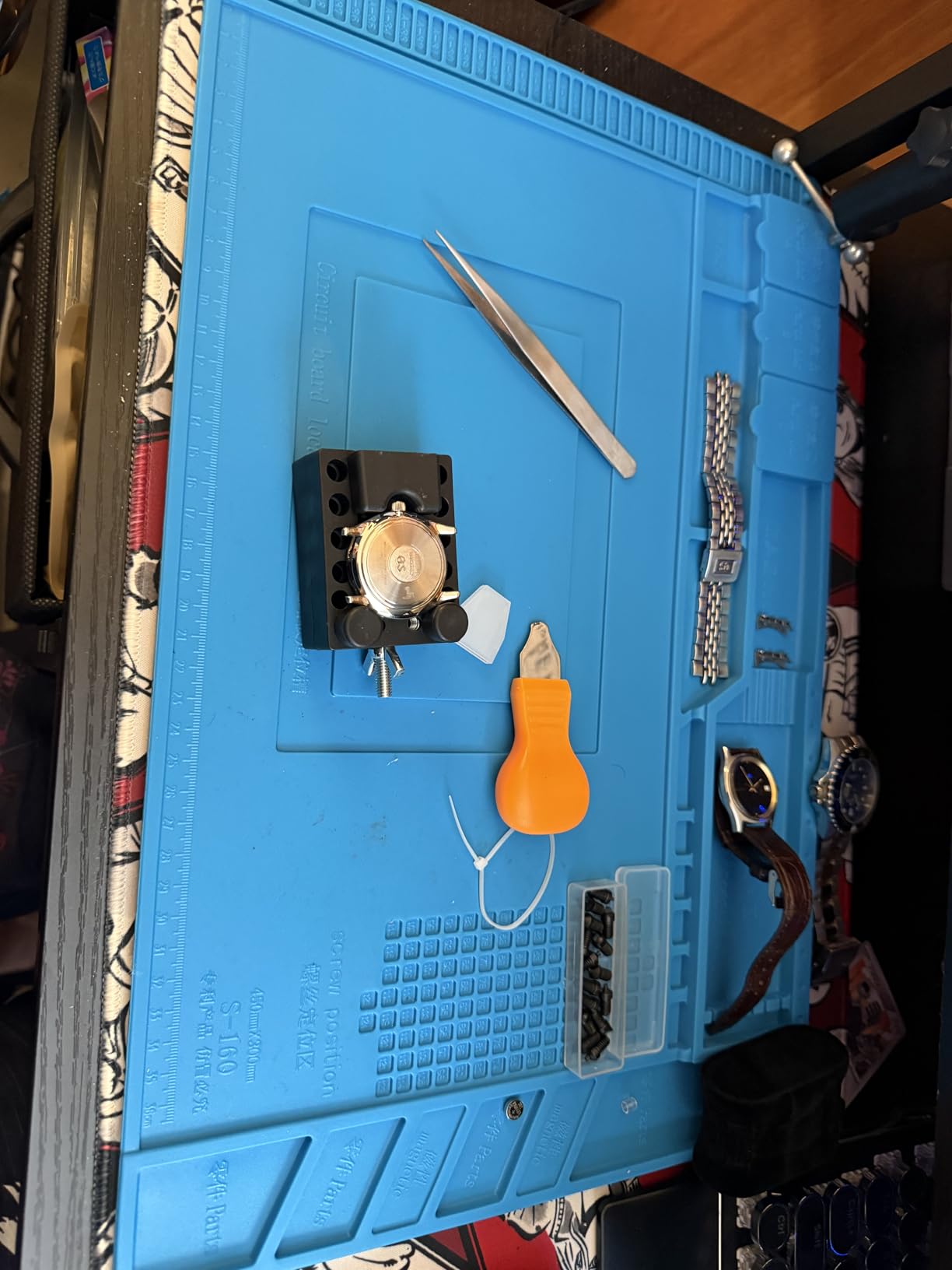
The magnetic areas are particularly clever for holding tiny metal components and tools. Small tweezers,螺丝刀tips, and metal brackets stay securely in place rather than rolling away into unreachable corners of your workbench. This feature alone saves significant time and prevents lost components.
6. Kaisi Extra Large Soldering Mat – Best Large-Format Soldering Mat

Kaisi Extra Large Soldering Mat, 932°F Heat Resistant Silicone Solder Mat
27.6 x 15.7 Inch Surface
932°F Heat Resistance
94 Screw Positions
32 Small Parts Slots
Non-Slip Surface
Pros
- Extra large size perfect for working on larger electronics
- Compartments help keep track of screws and small parts
- Heat resistant up to 932°F
- Non-slip surface stays in place
Cons
- Not an anti-static mat
- Semi-tacky surface cannot be simply wiped clean
When you need more workspace, the Kaisi Extra Large Soldering Mat delivers with its generous 27.6 x 15.7 inch surface—nearly double the size of standard mats. This makes it ideal for working on larger projects like video game consoles, laptops, and other substantial electronics where smaller mats simply do not provide adequate coverage.
The heat-resistant silicone construction withstands temperatures up to 932°F (500°C), providing excellent protection for your work surface against hot tools and accidental spills. The non-slip surface on both top and bottom ensures the mat stays firmly in place during intensive work sessions, eliminating frustrating shifting that can disrupt your workflow.
Organizational features include 94 screw positions and 32 small parts slots, providing ample storage for components during complex repairs. The mat comes with an 180-day money-back guarantee and lifetime warranty, demonstrating the manufacturer’s confidence in product quality. With a 4.7-star rating, users consistently praise its generous size and practical organization features.
The extra-large format genuinely changes how you approach larger repair projects. Instead of juggling components on a too-small surface, you have room to spread out systematically, keeping different sections of a device in separate areas to avoid confusion during reassembly.
For Whom It’s Good
This mat is perfect for those working on larger devices such as gaming consoles, laptops, desktop computers, and other substantial electronics. It is also ideal for anyone who prefers having maximum workspace available for organizing their repair projects.
For Whom It’s Not Ideal
Those with limited workspace or primarily working on small devices may find the large size unwieldy. Additionally, the mat is not ESD-safe, so professionals working with highly sensitive components should look for dedicated ESD mats instead.
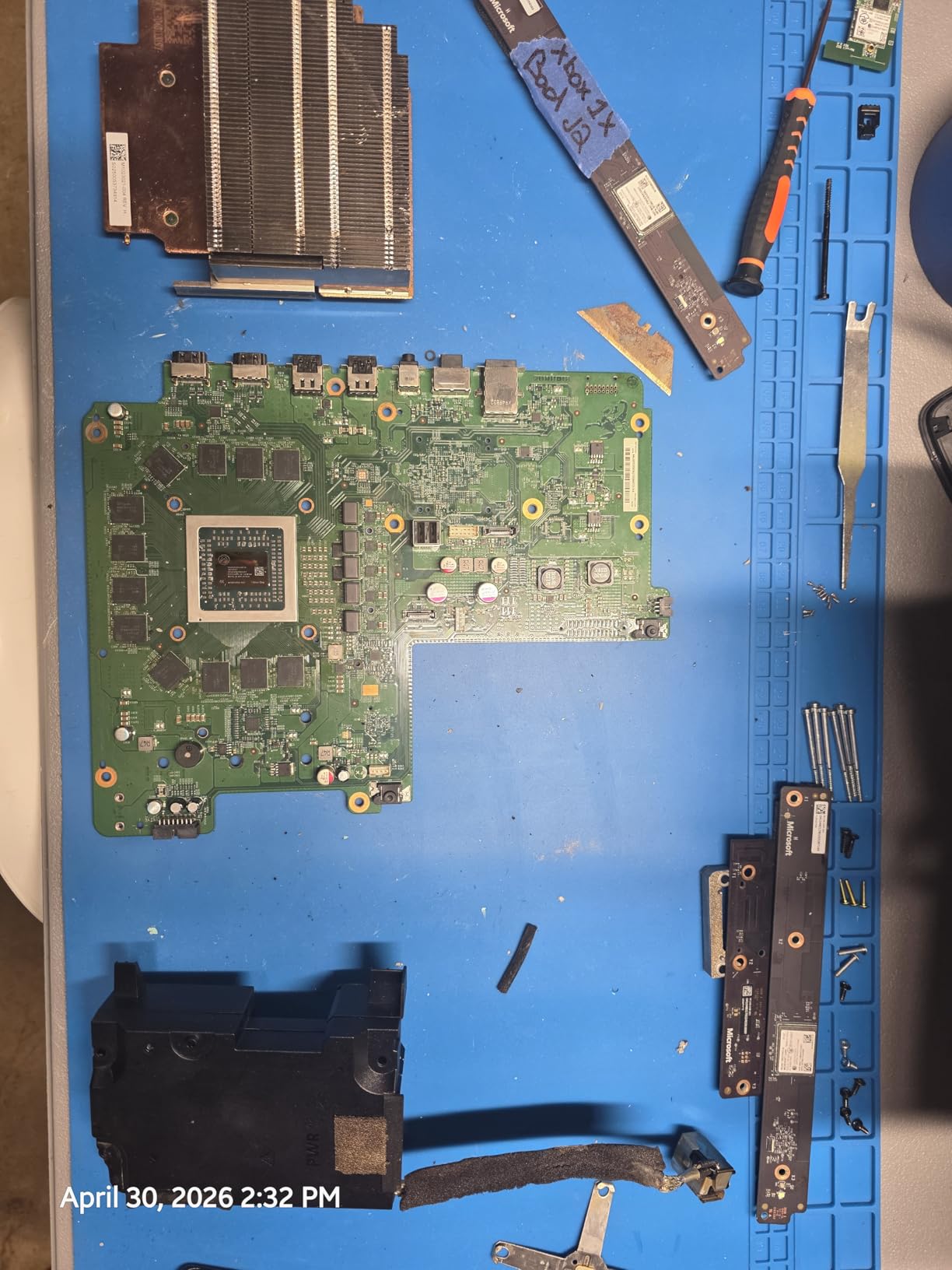
The non-slip surface performs admirably even during intensive work sessions. The mat stays exactly where you place it, which is particularly valuable when you are working quickly and do not want to interrupt your flow to re-position a slipping mat.
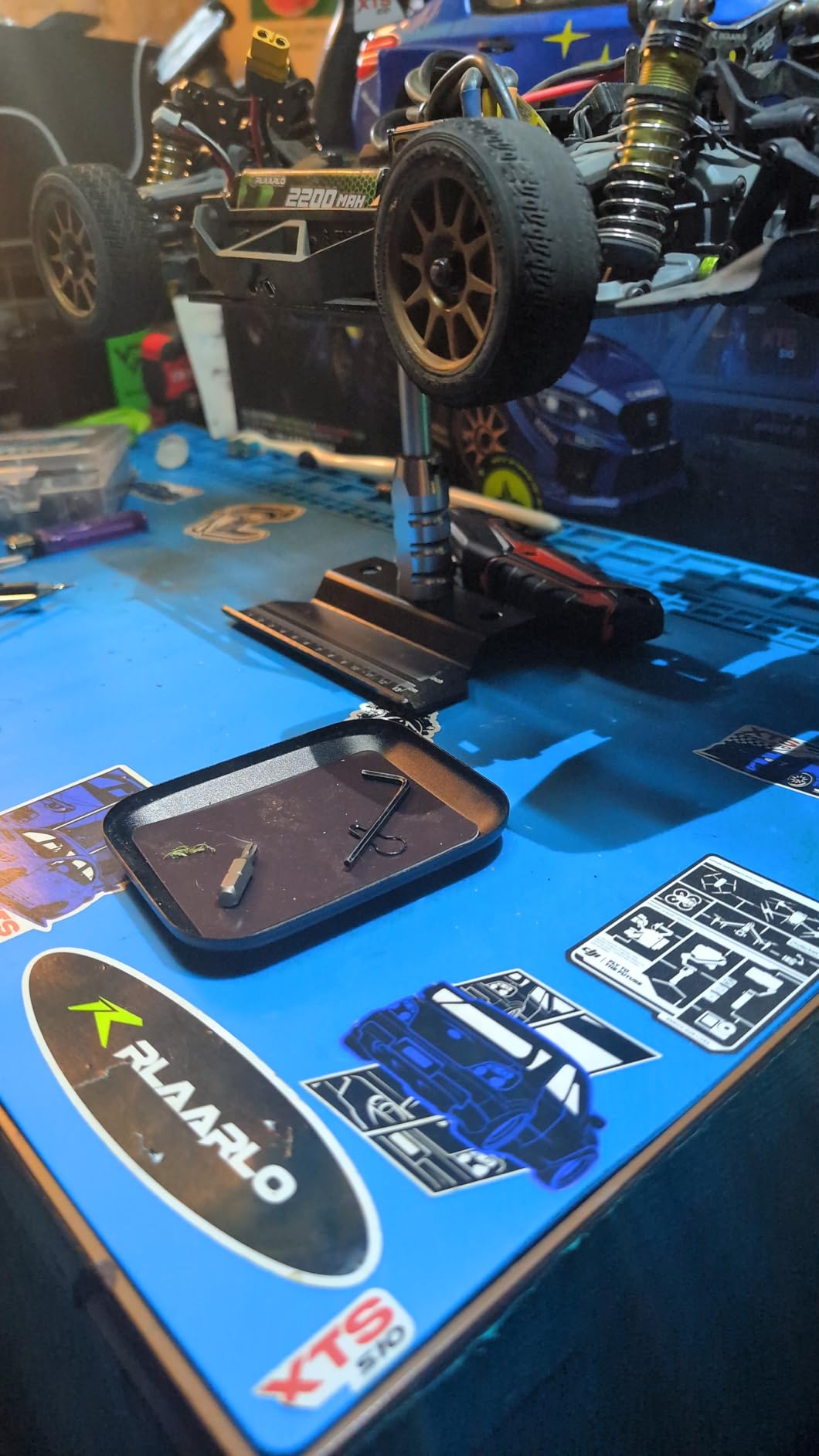
The semi-tacky surface does attract some dust and debris over time, and cleaning requires more effort than a simple wipe-down. However, this is a minor inconvenience compared to the organizational benefits the mat provides during active use.
7. iFixit Magnetic Project Mat – Best Magnetic Parts Organizer

iFixit Magnetic Project Mat – Rewritable Surface for Electronics Repair
Magnetic Surface for Parts
20 Sorting Areas
Rewritable Work Surface
Non-Slip Foam Backing
Includes Washable Pen
Pros
- Essential for organizing screws and small parts during complex repairs
- Writing surface allows taking notes and tracking screw placement
- Reduces reassembly time by up to 40%
- Magnetic surface holds tiny screws and metal parts securely
Cons
- Smaller than expected – slightly bigger than typing paper
- Not suitable for larger devices like laptops
The iFixit Magnetic Project Mat is an essential tool for anyone performing complex electronics repairs where organization is critical. With a 4.7-star rating from over 2,500 reviews, this mat has become a go-to solution for professional repair technicians and serious hobbyists who understand the value of systematic component management.
What makes this mat special is its rewritable surface that allows you to take notes during repairs. You can write component positions, screw locations, and step-by-step instructions directly on the mat surface, then wipe clean for the next project. This feature alone can reduce reassembly time by up to 40% by ensuring you always know where every component belongs.
The magnetic surface securely holds tiny screws and metal parts in place, while 20 provided sorting areas help categorize and organize components during disassembly. The non-slip foam backing keeps the mat stable on your work surface, and the included non-permanent pen (washable) completes the package. iFixit backs this mat with their lifetime warranty, reflecting their confidence in product durability.
The ability to write directly on the mat surface fundamentally changes how you approach complex repairs. Instead of trying to remember or photograph your disassembly process, you can write notes directly on the mat, creating a permanent record that persists throughout the repair and guides your reassembly.
For Whom It’s Good
This mat is essential for professional repair technicians and serious hobbyists who regularly work on complex devices with many screws and components. It is particularly valuable for repairs that span multiple sessions or when interruptions require you to pause and resume later.
For Whom It’s Not Ideal
Those working primarily on simple repairs with few components may not need the organizational features. Additionally, the smaller size means it is not suitable for larger devices where a full-device disassembly requires more surface area.
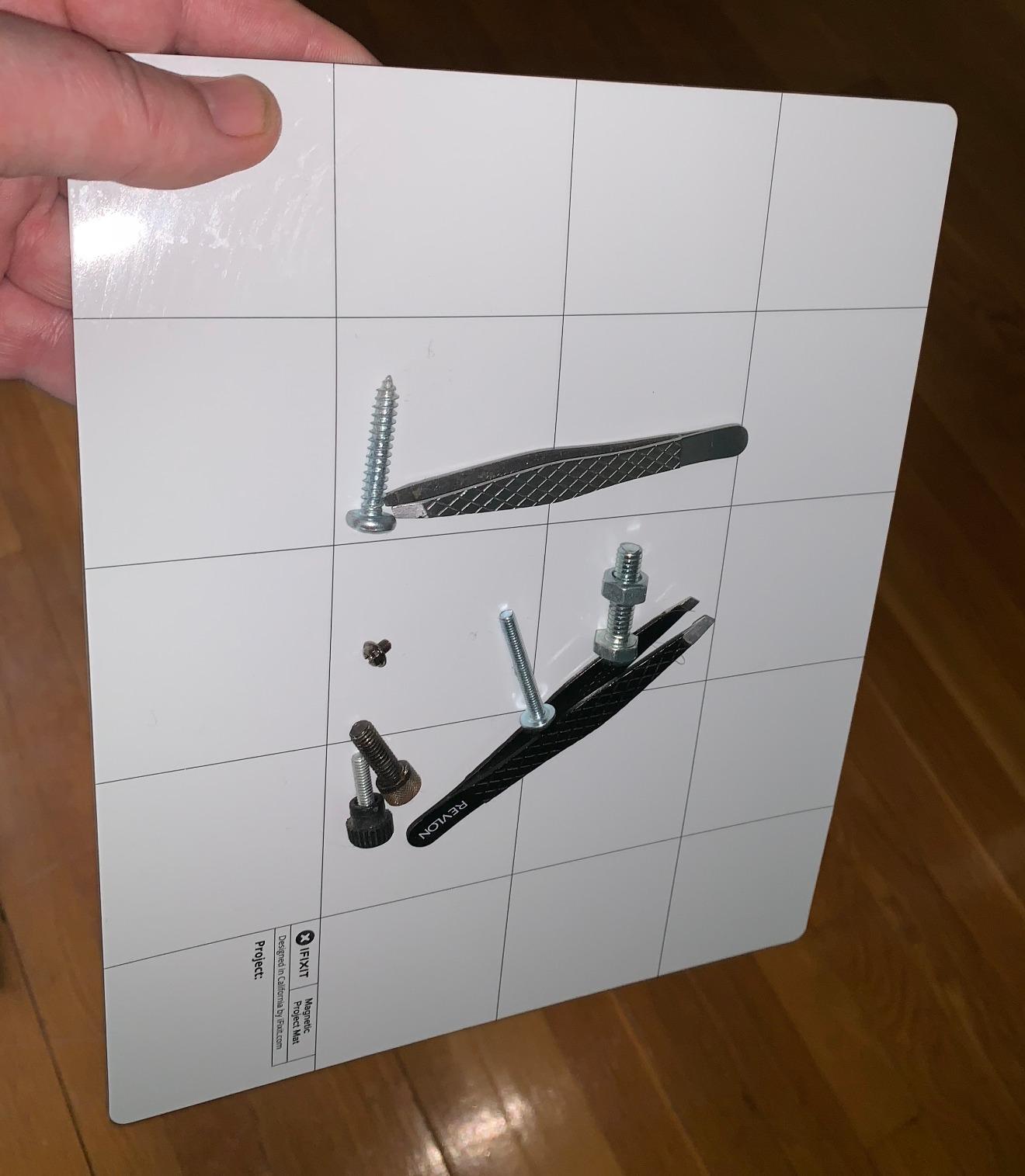
The washable pen works well for creating clear, readable notes that wipe clean without leaving residue. The notes remain legible throughout typical repair sessions, though prolonged exposure to certain conditions may begin to fade the marks.
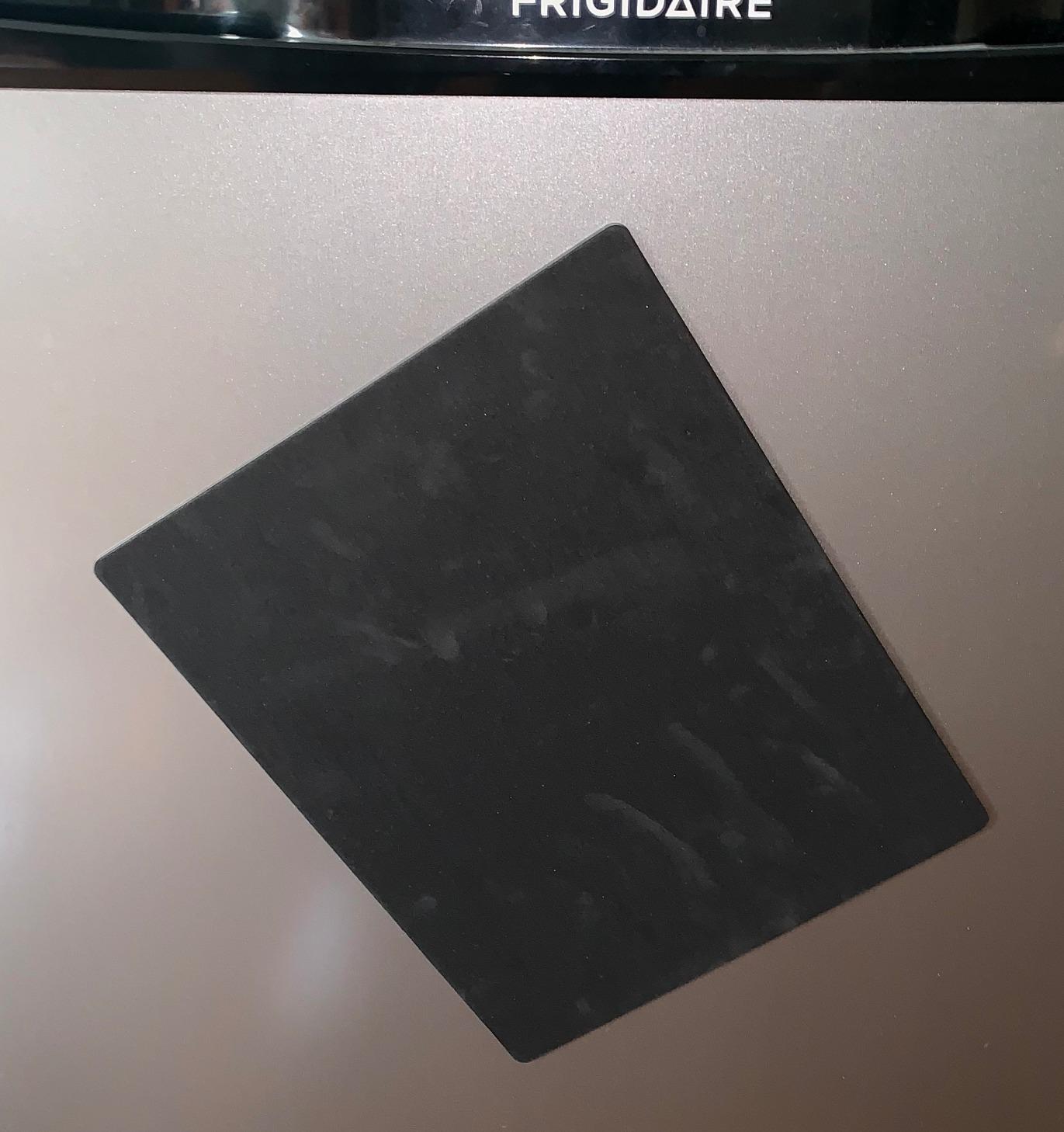
The magnetic holding power is strong enough to keep even tiny screws from migrating during normal work, though very lightweight components may require additional securing. The 20 sorting areas provide logical groupings that work well for most repair scenarios.
8. KooMall 24×16 Inch Anti Static Mat Kit – Best ESD Mat Kit

KooMall 24×16 Inch Anti Static Rubber Mat Kit for ESD Sensitive Electronic Device Repair, Soldering, PC Building, Assembly, Table Work, With Grounding Plug Cord, Antistatic Wrist Strap, Heat Resistant
24x16 Inch ESD Surface
Surface Resistance 10^3-10^5 Ohms
Includes Grounding Plug and Cord
Includes ESD Wrist Strap
Heat Resistant Construction
Pros
- Great size for PC building and electronics work
- Easy to set up and connect to grounding
- Quality construction and durability
- Includes all necessary ESD accessories
Cons
- Grounding plug may be too large for some US outlets
- Wrist strap quality could be better
For comprehensive ESD protection, the KooMall 24×16 Inch Anti Static Mat Kit delivers everything you need to create a safe electronics workspace. This complete kit includes the ESD mat itself along with essential grounding accessories, making it an excellent choice for anyone serious about protecting sensitive components from electrostatic discharge.
The 24×16 inch mat features surface resistance of 10^3 to 10^5 ohms, providing effective static dissipation without being overly conductive. Both sides are conductive with an anti-slip dotted texture that prevents components from sliding during work. The non-toxic rubber material ensures safe use in any environment.
The comprehensive kit includes a US grounding plug cord and an ESD wrist strap, providing multiple layers of protection. The professional ESD knowledge printing on the mat surface serves as a helpful reminder of proper procedures, making this an excellent choice for training new technicians or maintaining safety protocols in professional settings.
ESD protection is not optional when working with modern electronics. Integrated circuits and surface-mount components can be damaged by static discharges as low as 10 volts—discharges you cannot even feel. This kit provides comprehensive protection for your components and your peace of mind.
For Whom It’s Good
This kit is essential for anyone building or repairing computers, smartphones, or any modern electronics where ESD-sensitive components are prevalent. It is also excellent for professional settings where multiple technicians need consistent ESD protection.
For Whom It’s Not Ideal
Those working primarily with vintage electronics or robust through-hole components may not need full ESD protection. Additionally, the wrist strap included in the kit has received mixed reviews regarding durability.
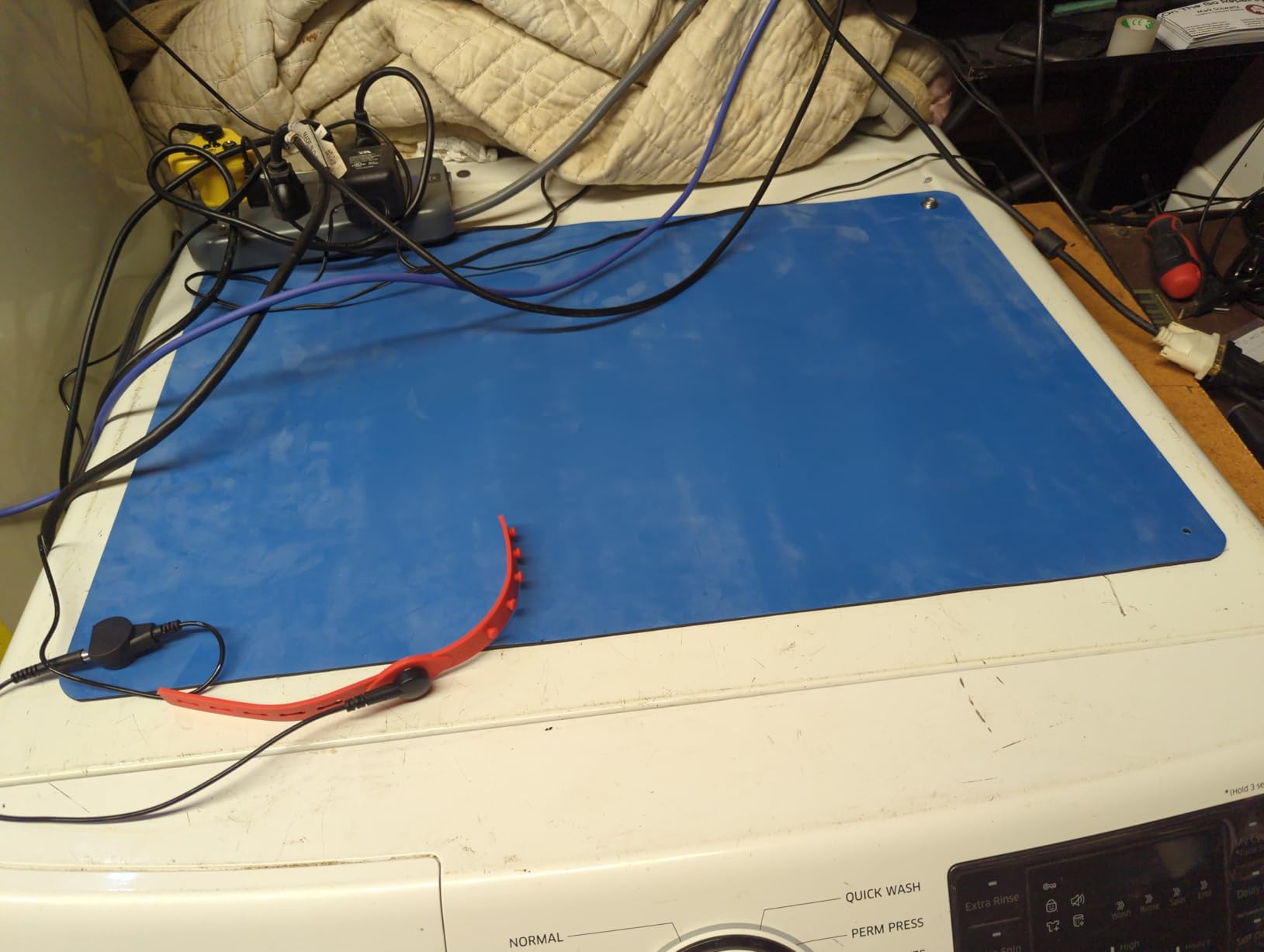
The grounding connection is straightforward and ensures static charges safely dissipate rather than building up on your body or work surface. The mat stays firmly in place during work, and the anti-slip texture prevents components from sliding during critical procedures.
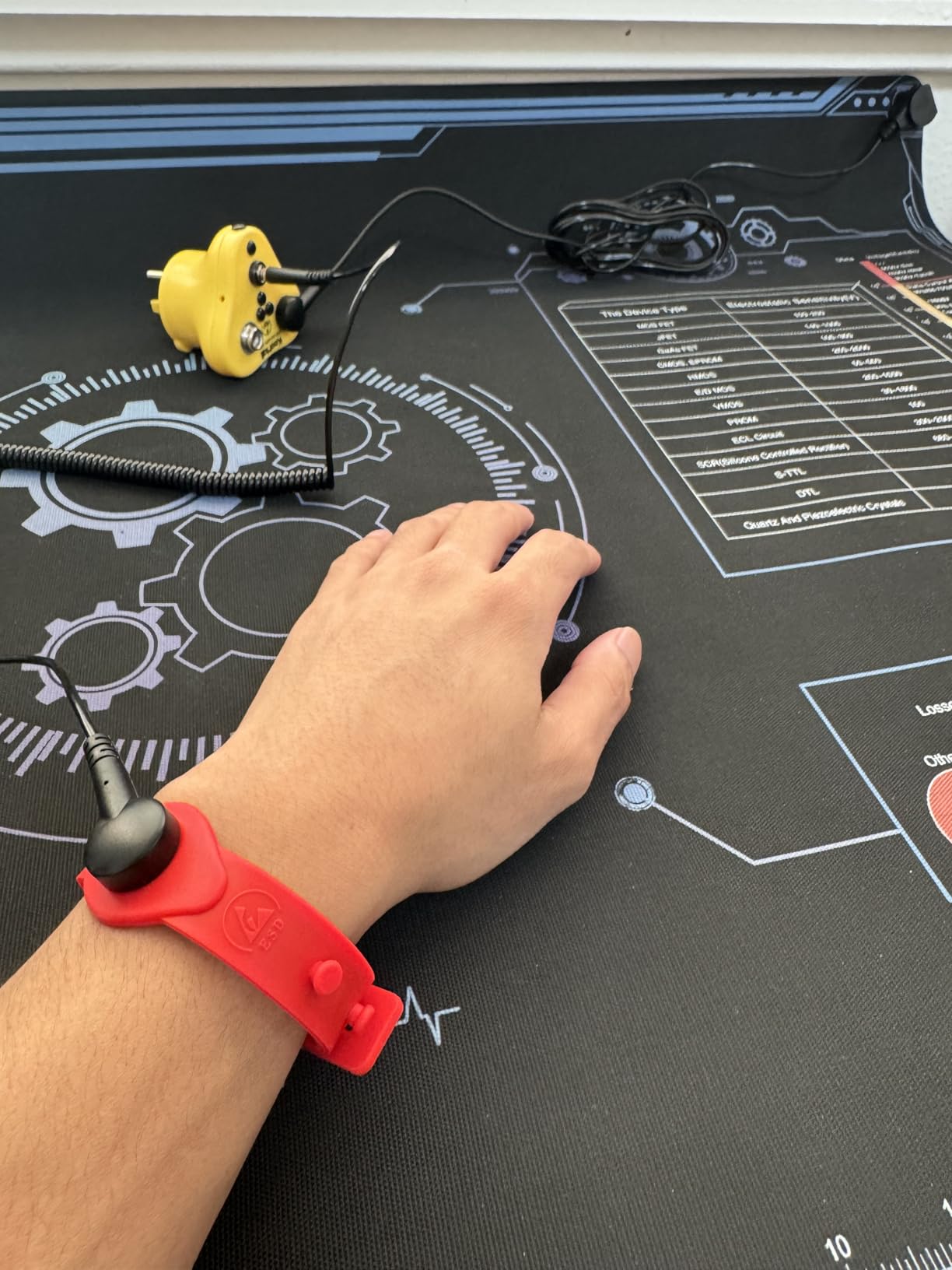
Both sides of the mat can be used, effectively doubling the working life of the mat. When one side shows wear, simply flip it over for fresh conductive properties. This is a thoughtful design choice that extends the value of your investment.
9. NOEVSBIG Magnetic Helping Hands with 3X Magnifier – Best Heavy-Duty Helping Hands
Magnetic Helping Hands Soldering Third Hand, PCB Circuit Board Holder with 3X LED Magnifying Lamp, 360 Hot Air Gun Holder, Extra Large & Heavy Duty Base Plate | Flexible Arms for Soldering Station
7.6 lb Powder Coated Steel Base
4 Magnetic Flexible Arms
360° Hot Air Gun Holder
3X LED Magnifying Lamp
10 Brightness Levels, 3 Color Temps
Pros
- Extremely strong magnets hold everything in place
- Heavy base prevents tipping or moving
- Flexible gooseneck arms for positioning
- 3X magnifying lamp with adjustable LED light
Cons
- Arm for hot air gun may need tightening to stay upright
- Light may be slightly dimmer than expected
The NOEVSBIG Magnetic Helping Hands with 3X Magnifier represents the heavy-duty option in our lineup, featuring an impressive 7.6-pound powder-coated steel base that ensures complete stability during detailed work. With a 4.7-star rating and 500+ reviews, this station has proven itself as a reliable tool for professionals who need steadfast component holding during soldering and repair work.
Four magnetic-based flexible metal arms provide versatile positioning options, and their magnetic bases allow quick repositioning on the large work surface. The 11.4 x 7.1 inch powder-coated steel base provides ample room for positioning multiple components or larger circuit boards. A 360-degree rotation hot air gun holder keeps your rework station organized and within reach.
The integrated 3X LED magnifying lamp with optical glass provides illumination and magnification for detailed work, with 10 brightness levels and three color temperatures to match any lighting condition. The USB-powered LED lamp is an energy-efficient addition that works well in various environments.
The heavy-duty base is the standout feature. Unlike lighter stations that tip or shift during use, the NOEVSBIG stays exactly where you position it, providing reliable holding power for the most demanding repair scenarios. This stability translates directly into better work quality.
For Whom It’s Good
This helping hands station is ideal for professionals and serious hobbyists who need reliable stability during detailed electronics work. It is particularly valuable for those working with larger boards or performing tasks that require significant lamp magnification.
For Whom It’s Not Ideal
Those with limited workspace or primarily working on smaller projects may find the heavy base and multiple components excessive. Additionally, the hot air gun holder arm may require occasional tightening to maintain its position.
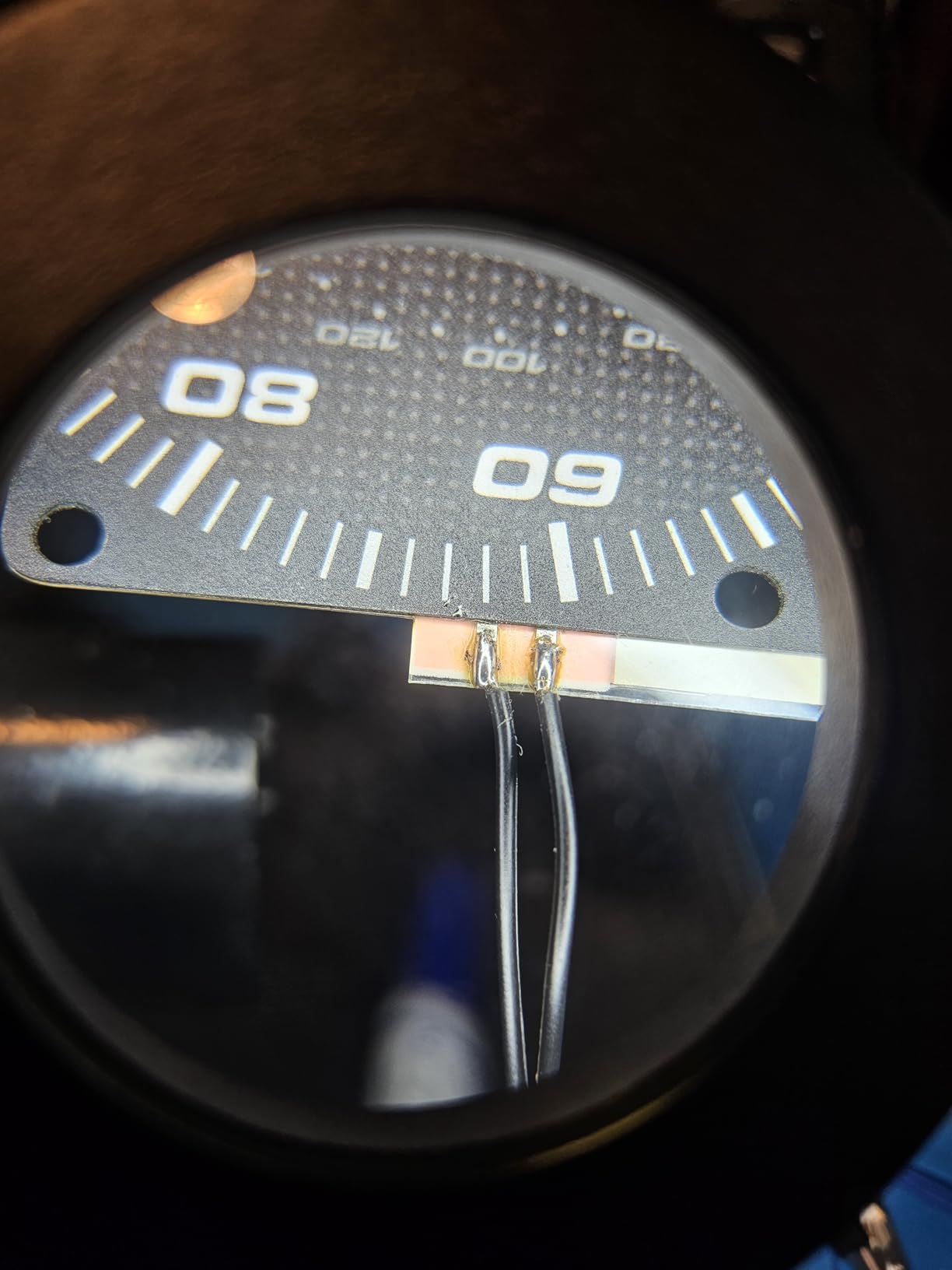
The magnetic bases on the arms allow easy repositioning without removing components from their hold. You can rearrange your setup between different phases of a repair without losing your place, which is a significant workflow advantage during complex procedures.
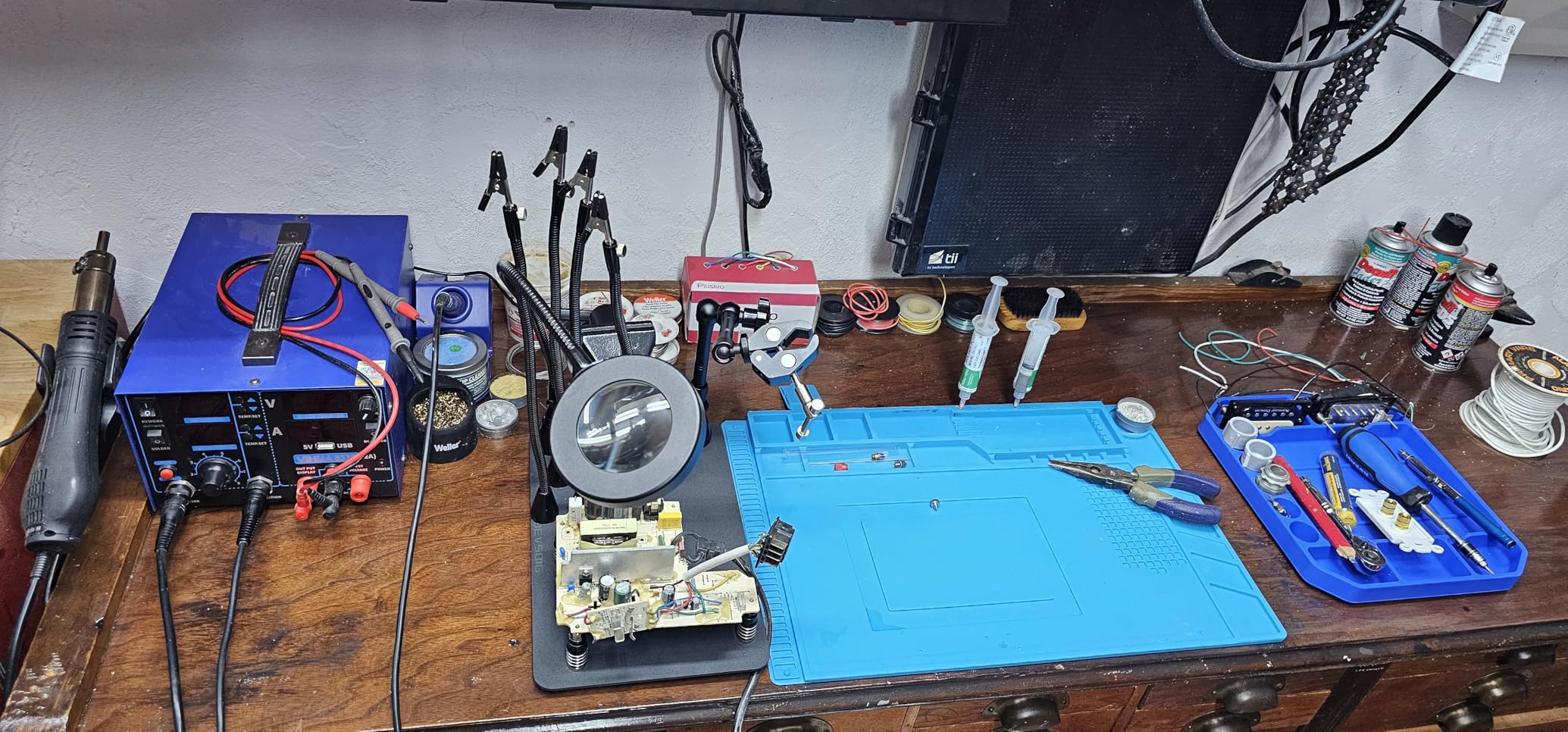
The 3X magnification provides adequate detail for most electronics work, though those requiring extreme precision may want to consider the 5X option available on other models. The adjustable LED lighting compensates well for lower magnification by providing excellent illumination.
10. SainSmart Magnetic Helping Hands with 5X Magnifier – Best Rated Helping Hands
SainSmart Magnetic Helping Hands Soldering Station with an 11.1 x 7.1 Inch Larger Base, 5X LED Magnifying Lamp, 4 PCB Circuit Board Holder & 4 Flexible Magnetic Helping Hands
11.1 x 7.1 Inch Larger Base
4 Flexible Magnetic Gooseneck Arms
4 PCB Circuit Board Holders
5X LED Magnifying Lamp
Lifetime Customer Service
Pros
- Larger base provides more working space than competitors
- Very strong magnets secure all components
- 4 flexible arms with magnetic bases for positioning
- 5X magnifying glass with adjustable LED light
Cons
- Alligator clips can be hard to tighten to prevent twisting
- Gooseneck arms are stiff
Our Editor’s Choice pick, the SainSmart Magnetic Helping Hands with 5X Magnifier, earns top marks with an outstanding 4.8-star rating from 735 reviews. This station combines a larger base with more powerful magnification to deliver exceptional versatility for detailed electronics work, making it our top recommendation for anyone serious about precision soldering and repair.
The 11.1 x 7.1 inch base provides more working space than many competitors, accommodating larger circuit boards and multi-component assemblies. Four gooseneck arms (two 7.5 inch and two 14 inch lengths) offer flexible positioning for various project requirements, while four PCB circuit board holders add stability and organization to your workspace.
The 5X LED magnifying lamp with adjustable LED light provides exceptional detail visibility for intricate work. Three color temperatures and 10 brightness levels allow customization for any lighting condition. The rubber-coated alligator clips provide secure gripping without damaging delicate components, and lifetime customer service from SainSmart provides peace of mind with your purchase.
The 5X magnification genuinely transforms detailed work, revealing solder joint defects and component markings that would otherwise require significant eye strain to identify. Combined with the adjustable LED lighting, this magnification capability makes the SainSmart an essential tool for precision electronics work.
For Whom It’s Good
This station is perfect for professionals and serious hobbyists who require high magnification for detailed SMD work and precision soldering. It is particularly valuable for those working on microelectronics where detail visibility is critical to work quality.
For Whom It’s Not Ideal
Those working primarily with larger through-hole components may not need the 5X magnification, making the additional cost difficult to justify. The stiff gooseneck arms also require some patience to position precisely.
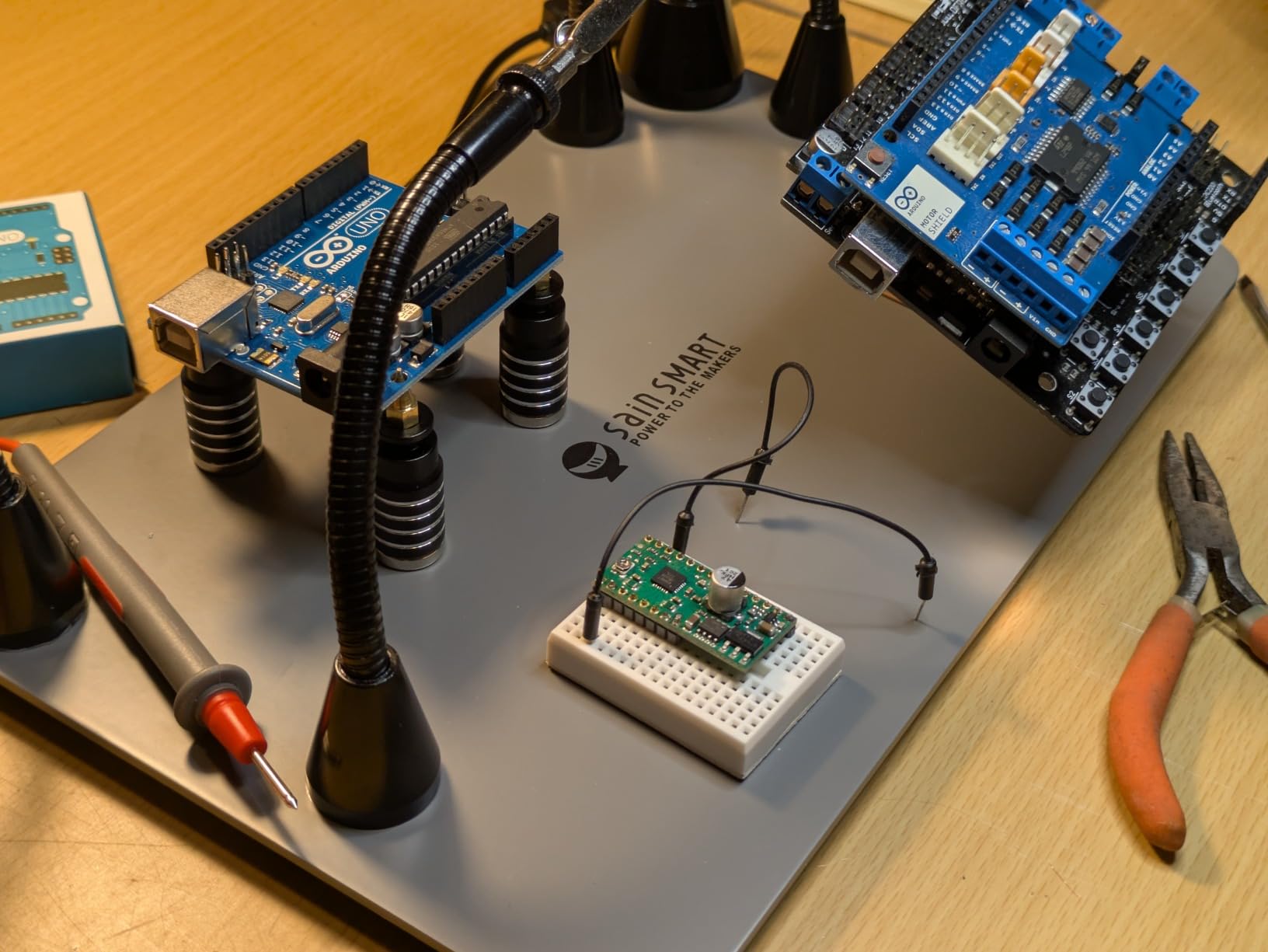
The larger base provides genuine advantages for working with bigger boards. You can position multiple components and still have room to maneuver, whereas smaller bases may limit your ability to work efficiently on larger projects.
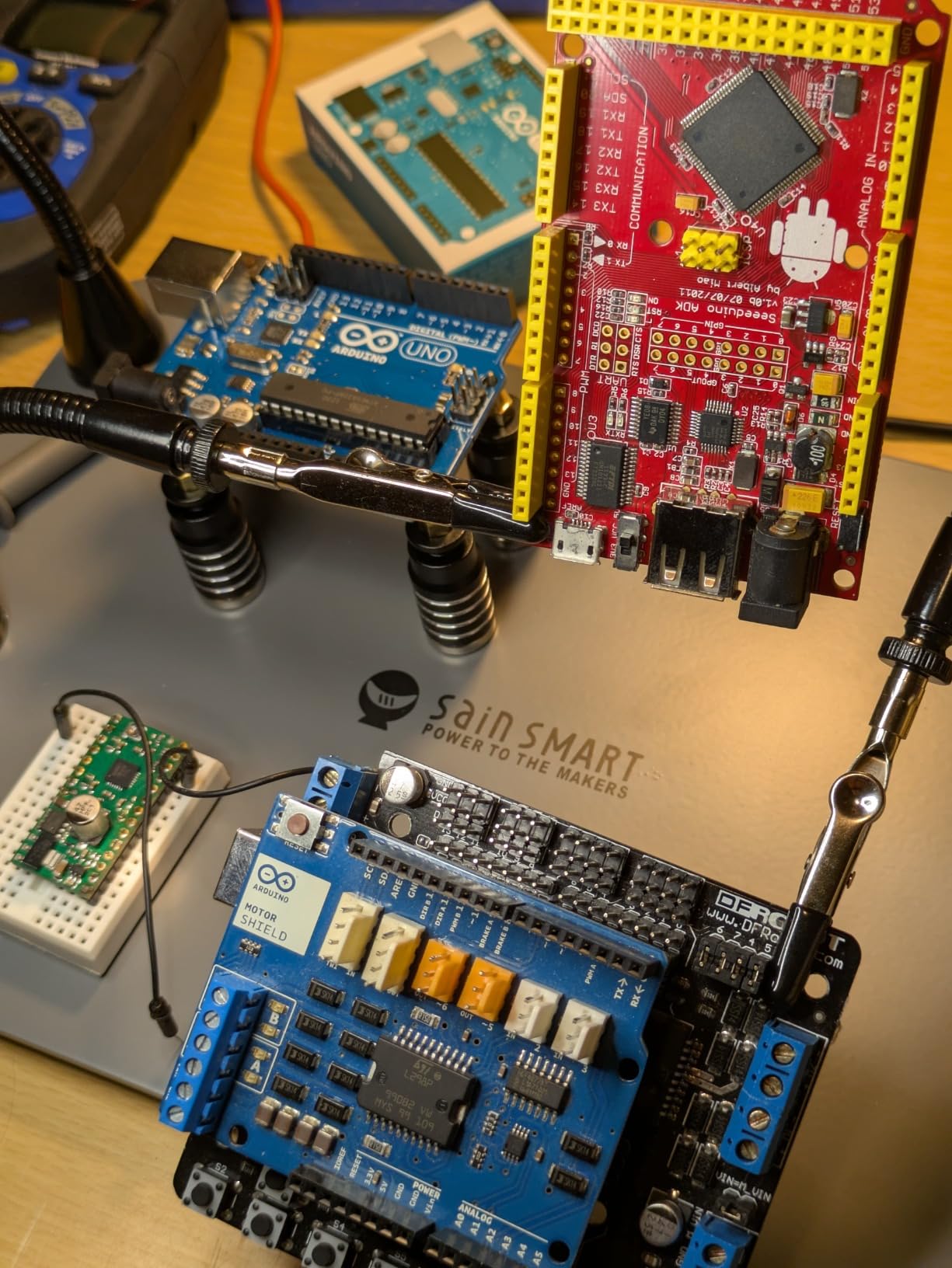
The rubber-coated alligator clips grip securely without damaging component leads or PCB traces. This is particularly important when working with delicate SMD components where traditional clips might cause damage during positioning or removal.
11. XYK Helping Hands Soldering Station – Best Budget Helping Hands
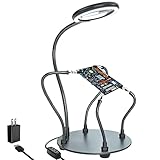
XYK Helping Hands Soldering Station with 3X Magnifying Glass with light, 4 Flexible Helping Hand Arms Magnifier and Third Hand Soldering Tool for Electronic Repair Soldering Jewelry Crafts
3X Dimmable Magnifying Glass
28 LED Lamp Beads (500 Lumens)
4 Flexible Gooseneck Arms
7-inch Powder Coated Steel Base
USB Powered
Pros
- Adjustable arms hold parts securely
- Bright dimmable LED light with 6 levels
- Heavy-duty base prevents tipping
- 3X magnification helpful for electronics work
Cons
- Magnification only 3X (some users want 5X)
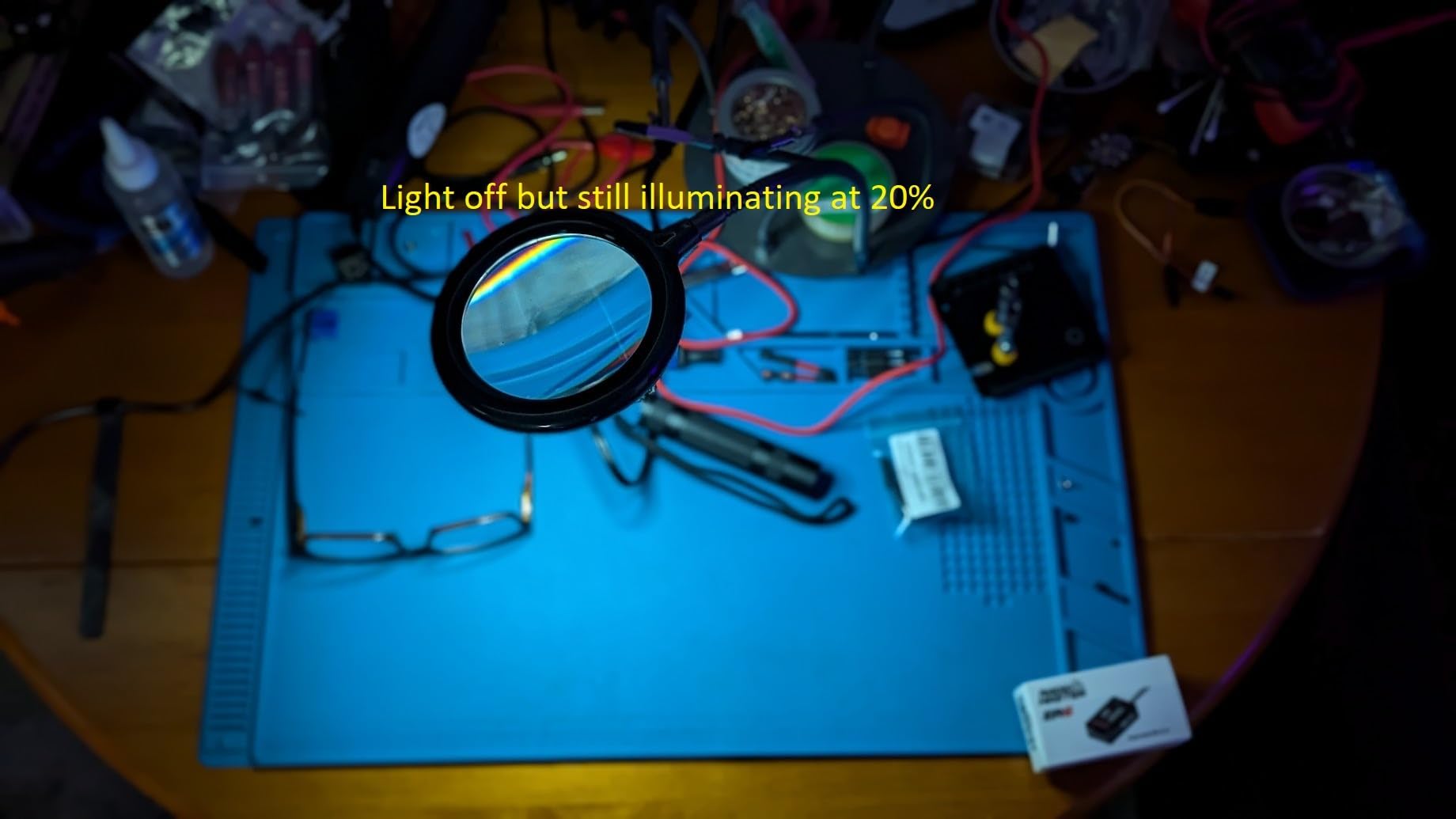
- LED does not fully shut off
The XYK Helping Hands Soldering Station delivers excellent value as our best budget pick, offering solid functionality at a price that makes it accessible for hobbyists and beginners. With a respectable 4.5-star rating from over 1,000 reviews, this station proves that budget options can still deliver meaningful quality and utility.
The 3X dimmable magnifying glass features 28 LED lamp beads providing 500 lumens of illumination—impressive specifications for an affordable station. Six brightness levels allow adjustment for any ambient lighting condition, while the 3X magnification strikes a good balance between detail visibility and field of view for most electronics work.
Four flexible gooseneck arms (two 7.5 inch and two 5 inch) provide positioning flexibility, with 360-degree rotatable alligator clips featuring rubber sleeves that protect delicate components during holding. The heavy-duty 7-inch powder-coated steel base provides stability without excessive weight, and USB power makes it easy to integrate into any workspace setup.
The budget price point does introduce some compromises, but the core functionality remains solid. For beginners building their first electronics workstation, the XYK provides an affordable entry point that does not sacrifice the essential features that make helping hands valuable.
For Whom It’s Good
This station is ideal for beginners and hobbyists on a budget who want to experience the benefits of helping hands without significant investment. It is also suitable as a secondary station for simple tasks where reserving higher-end equipment is unnecessary.
For Whom It’s Not Ideal
Professionals requiring consistent high magnification and durable equipment should consider upgrading to higher-tier options. The 3X magnification may also disappoint those accustomed to 5X or higher magnification for detailed SMD work.
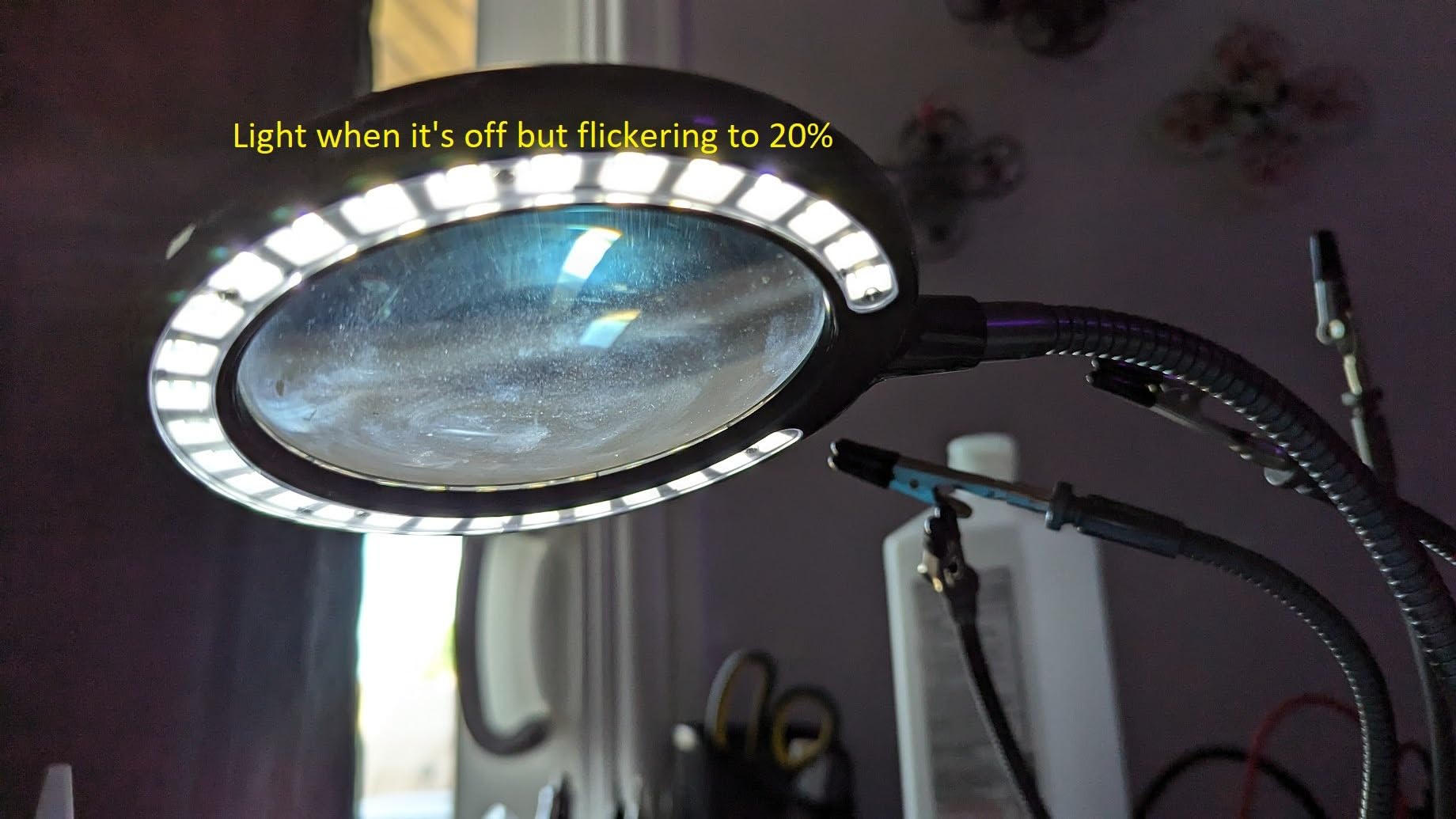
USB power is genuinely convenient, allowing you to power the station from any USB power source including power banks for mobile work scenarios. The 500 lumens of LED light is impressive for the price, though the light does not fully shut off when dimmed to minimum.
The heavy base provides adequate stability for typical hobbyist work, though professionals handling heavier components may notice some tipping tendency. For standard circuit boards and typical components, the base performs adequately.
12. WEN WB4723T 48-Inch Workbench – Best Full-Size Electronics Workbench
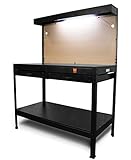
WEN WB4723T 48-Inch Workbench with Power Outlets and Light, Black
48x25 Inch Work Surface
220 lb Capacity
Alloy Steel Frame
3 Built-in Power Outlets
Overhead Fluorescent Light
Pegboard Organization
Pros
- Excellent value for price
- Sturdy and solid construction when properly assembled
- Includes LED light and 3 integrated power outlets
- Spacious upper shelf recessed design
Cons
- Light is cheap fluorescent (not LED)
- Very tedious assembly (4-5 hours
- ~100 screws)
- Instructions are vague with poor diagrams
For those who need a complete workbench solution, the WEN WB4723T 48-Inch Workbench delivers an impressive feature set at a competitive price point. With over 3,700 reviews and a 4.2-star rating, this workbench has become a popular choice for hobbyists and home workshop enthusiasts who need substantial workspace without breaking the bank.
The 48-inch by 25-inch enamel-coated work surface provides generous room for electronics projects, with a 220-pound load capacity that accommodates most workstation equipment and projects. The alloy steel frame ensures durability and stability, while the non-marring surface protects your workpieces from scratches and damage.
Built-in features include two drawers for storage, upper and lower storage shelves, and a pegboard for tool organization. Three built-in 13-amp power outlets provide convenient power access, eliminating the need for extension cords across your workspace. The overhead fluorescent light illuminates your work surface effectively, though some users note it is not LED as might be expected in modern products.
The value proposition is compelling: substantial workspace, integrated storage, included lighting, and built-in power outlets all at a price significantly below dedicated electronics workbenches. The trade-off is assembly time and complexity, with users reporting 4-5 hours and approximately 100 screws required for complete assembly.
For Whom It’s Good
This workbench is ideal for hobbyists and home workshop enthusiasts who have the time and patience for assembly and want maximum workspace and features at a reasonable price point. It is also suitable for those who need integrated power outlets and storage for a complete workshop solution.
For Whom It’s Not Ideal
Professionals requiring quick assembly and industrial-grade build quality should look to higher-end options. Additionally, those who lack space for a 48-inch workbench may need to consider more compact solutions.
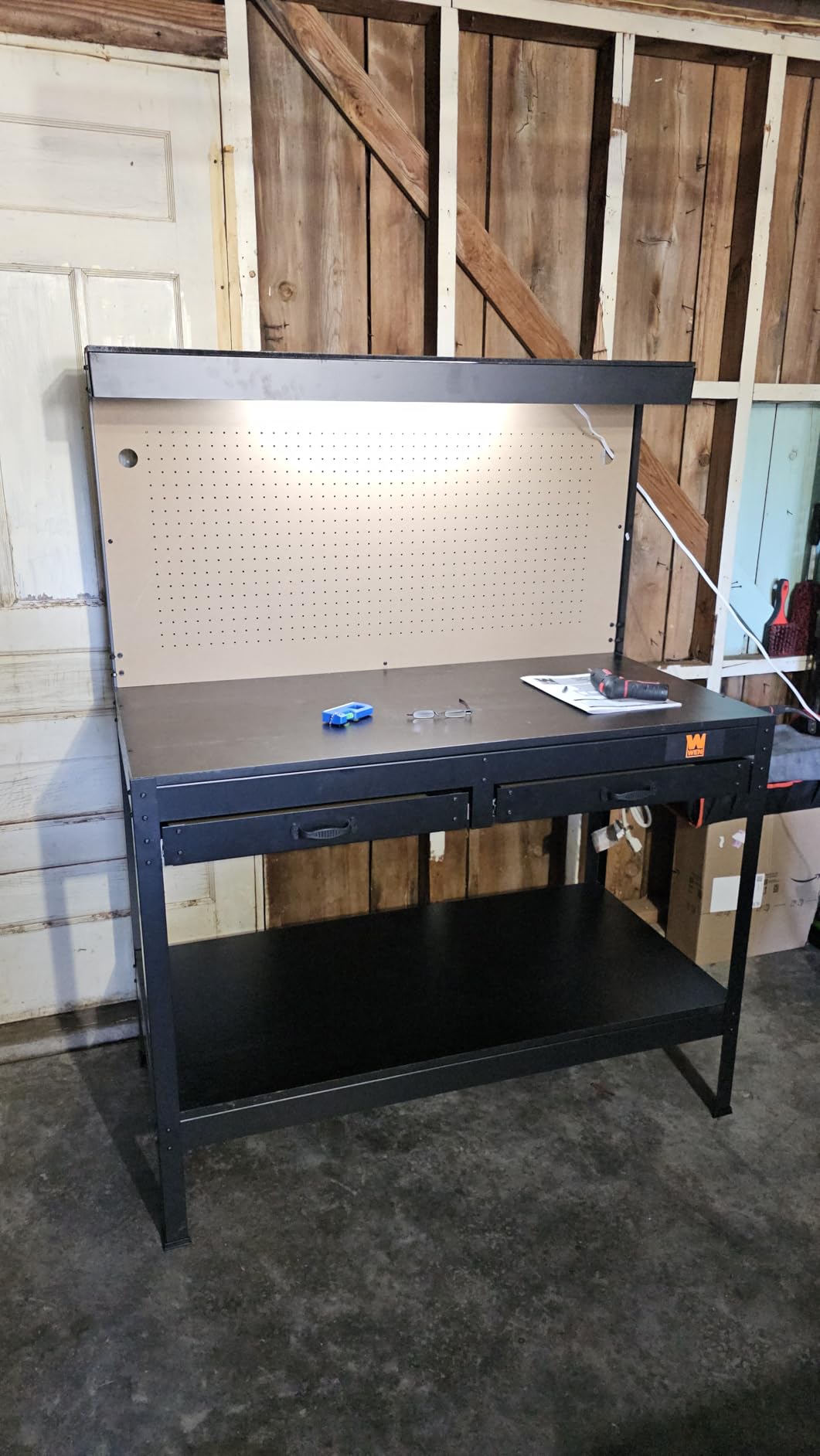
The integrated power outlets are genuinely convenient, reducing cable clutter and eliminating the need for power strips or extension cords across your work surface. The fluorescent light, while not modern LED, provides adequate illumination for most electronics work.
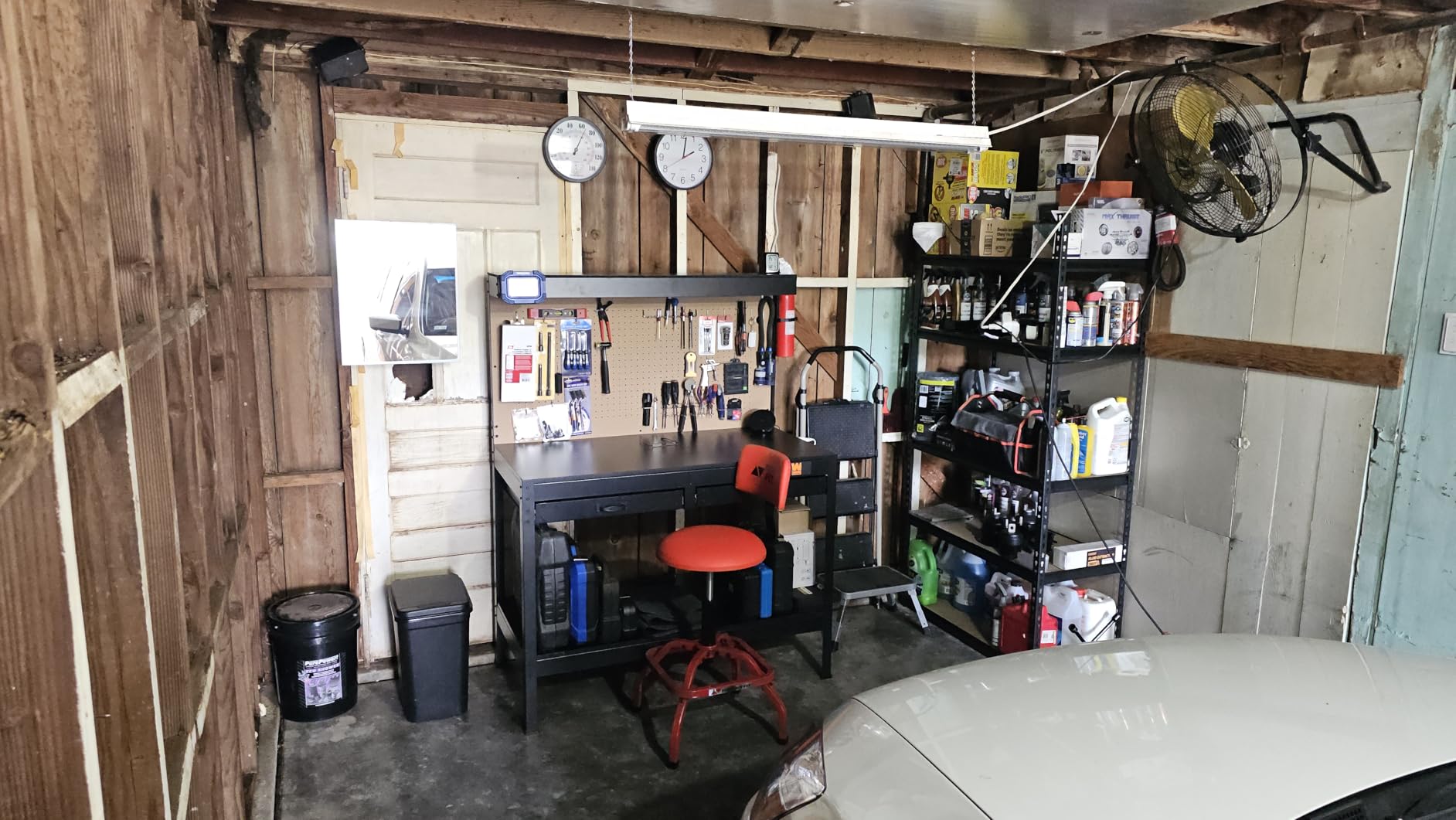
The assembly challenge is real—users consistently report that the instructions are difficult to follow and the assembly process takes significantly longer than expected. However, once assembled, the workbench provides reliable service for years of projects.
13. CAMMOO 48 Inch Heavy Duty Work Bench – Best Heavy-Duty Workbench

CAMMOO 48×24 Inch Garage Work Bench with Storage, Pegboard & Power Strip
2000 lb Maximum Load Capacity
10-Level Height Adjustment
Rubberwood Tabletop
Adjustable Metal Shelf
Metal Pegboard with LED
4 AC Outlets + 2 USB-A Ports
Pros
- Impressive 2000 lb load capacity
- Easy and fast assembly (under 1 hour solo)
- Solid rubberwood work surface
- Fully adjustable height and shelf positions
- ETL-certified power strip with USB ports
Cons
- LED light may arrive broken (QC issue)
- Tabletop finish may be inconsistent
- Lower metal shelf has slight flex
When load capacity is your primary concern, the CAMMOO 48 Inch Heavy Duty Work Bench delivers with an extraordinary 2,000-pound maximum load rating. This makes it ideal for heavy equipment installations, automotive electronics work, or any application where lesser workbenches would flex or fail. With a 4.6-star rating from 329 reviews, it has proven itself as a serious workstation for demanding environments.
The 10-level height adjustment system allows fine-tuning between 36.5 and 38.7 inches, with 1.34-inch increments providing precise positioning. The H-shaped frame with upper and lower crossbar supports contributes to its exceptional rigidity, while the rubberwood tabletop provides a durable work surface that handles heavy use gracefully.
Storage solutions include an adjustable metal shelf with 13.4-inch adjustable spacing, and a no-drill pegboard that can be moved as needed. The ETL-certified power strip with four AC outlets and two USB-A ports provides modern connectivity, and the LED light fixed on the pegboard provides effective illumination for detailed work.
The 2,000-pound capacity is genuinely exceptional and opens up possibilities for heavy equipment placement that no other workbench in this price range can match. Whether you are installing heavy test equipment or working with automotive electronics, this workbench handles loads that would compromise lesser units.
For Whom It’s Good
This workbench is perfect for those who need to accommodate heavy equipment or require the exceptional load capacity for industrial electronics work. It is also ideal for environments where adjustable height is valuable for ergonomics or different task requirements.
For Whom It’s Not Ideal
Those with lighter loads who do not need the extreme capacity may find the CAMMOO overkill for their needs. Additionally, quality control issues with the LED light and tabletop finish may disappoint some users.
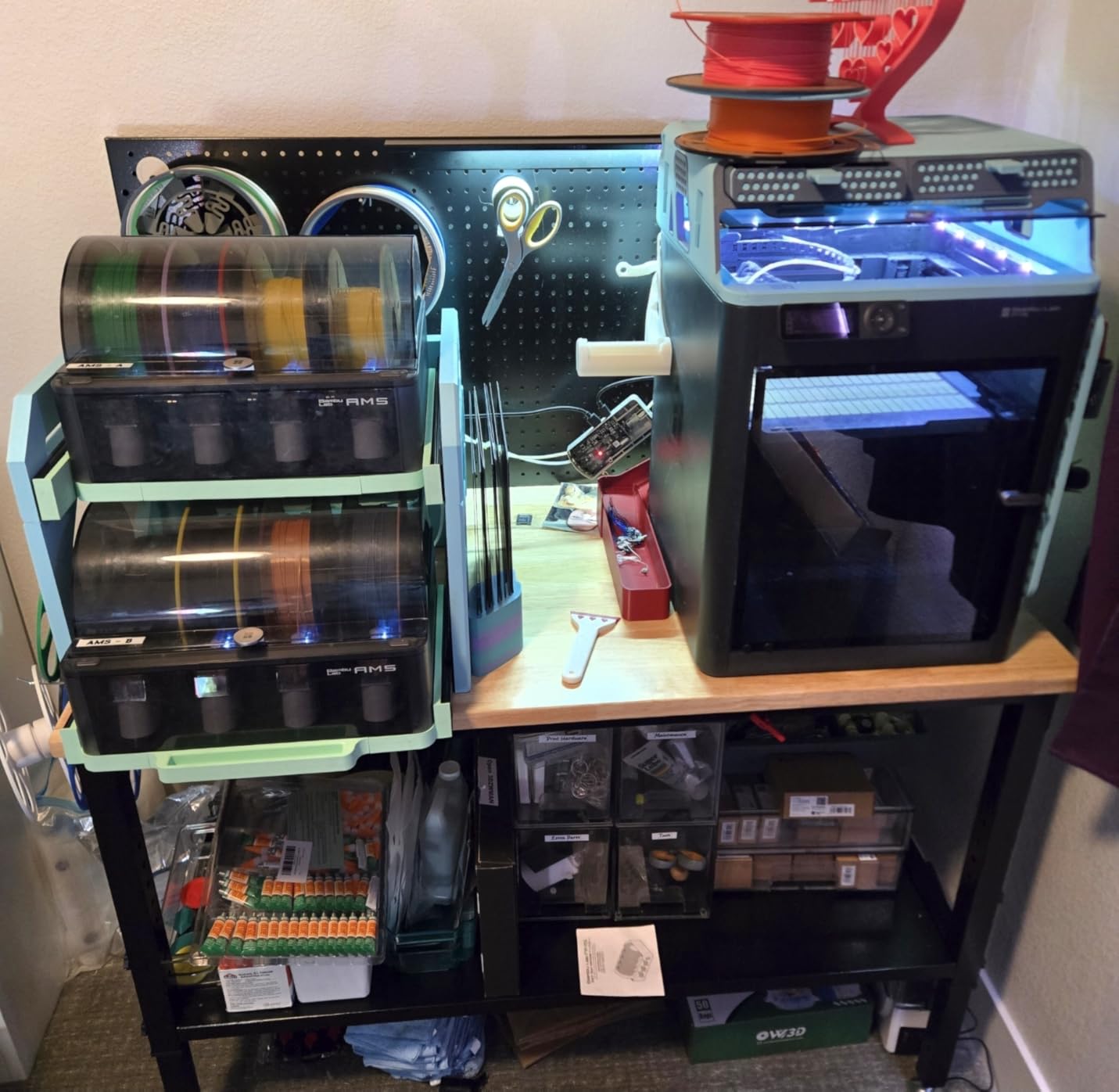
The height adjustment mechanism is smooth and intuitive, allowing easy fine-tuning for different users or different tasks. The H-shaped frame provides exceptional rigidity that genuinely supports heavy loads without flex or wobble.
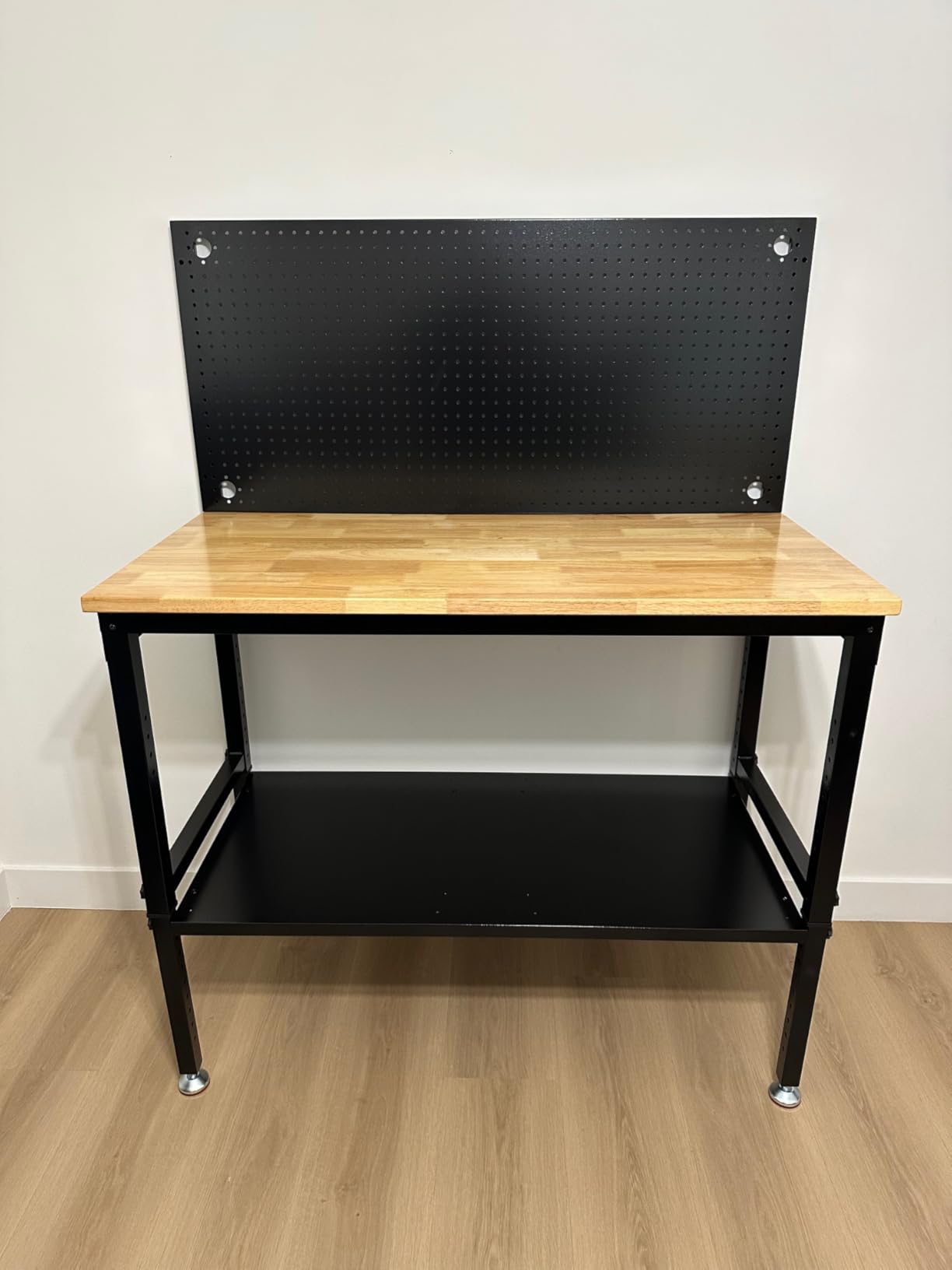
Assembly is remarkably easy compared to competitors, with most users completing the process in under an hour solo. The pre-drilled holes and clear instructions make the process straightforward, though two people make certain steps easier.
14. On-Stage WS7500 Wood Studio Workstation – Best Compact Studio Workstation
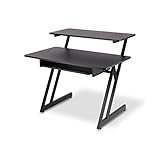
On-Stage WS7500 Series Wood Studio Workstation – Black
Two-Tiered Design with Z-Style Steel Frame
30x43 Inch Footprint
Main Surface 29 inches High
175 lb Capacity
Sliding Keyboard Tray
Upper Tier for Monitors
Pros
- Stable and sturdy steel Z-frame
- Great for small studio spaces
- Keyboard tray keeps keyboard/mouse within reach
- Upper tier elevates monitors for ergonomics
The On-Stage WS7500 Wood Studio Workstation occupies a unique niche as a compact studio solution designed for audio equipment, gaming setups, and home studio environments. With an impressive 4.5-star rating from 860 reviews, it has found favor among musicians, streamers, and anyone needing an elevated workstation for electronic equipment.
The two-tiered design places your main work surface at 29 inches with an upper tier for monitors and speakers, creating an ergonomic setup that reduces neck strain during extended sessions. The heavy-duty steel Z-style frame provides stability without excessive weight, with the entire workstation weighing just 21 pounds despite its robust construction.
A sliding keyboard tray pulls out from under the desk, providing convenient keyboard and mouse access without consuming primary workspace. The 30 x 43 inch footprint fits comfortably in most rooms while providing adequate surface area for essential equipment. The 1.5-inch thick wooden top handles normal use well, though some users note the veneer scratches relatively easily.
The studio-focused design makes this workstation uniquely suited for audio equipment, gaming setups, and streaming configurations where monitor elevation and keyboard accessibility matter. The Z-frame design provides stability while maintaining a lightweight footprint that fits easily in most rooms.
For Whom It’s Good
This workstation is ideal for musicians, streamers, and content creators who need a dedicated station for audio equipment, gaming, or video production. It is also excellent for small spaces where a two-tiered design maximizes functionality within a limited footprint.
For Whom It’s Not Ideal
Tall users over 6 feet may find the keyboard tray position uncomfortable, and those requiring a more robust work surface for heavy electronics should consider industrial-grade workbenches instead.
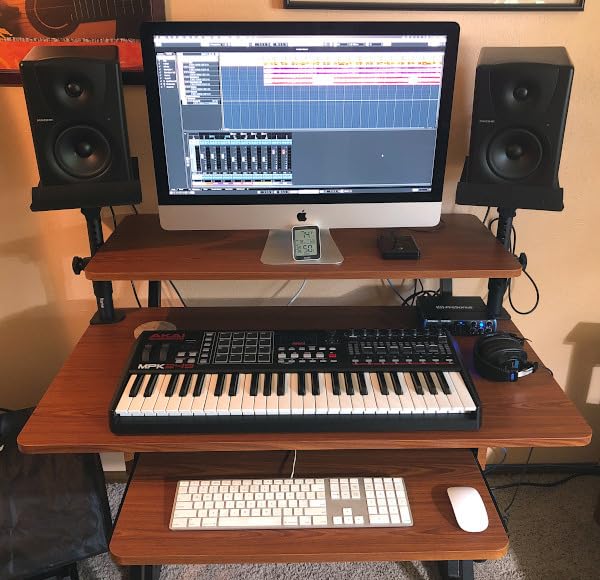
The Z-frame design is surprisingly stable despite its lightweight construction. The steel frame provides rigid support while the wood top adds warmth and aesthetics that plastic or metal alternatives lack. The workstation assembles quickly and moves easily if you need to reconfigure your space.
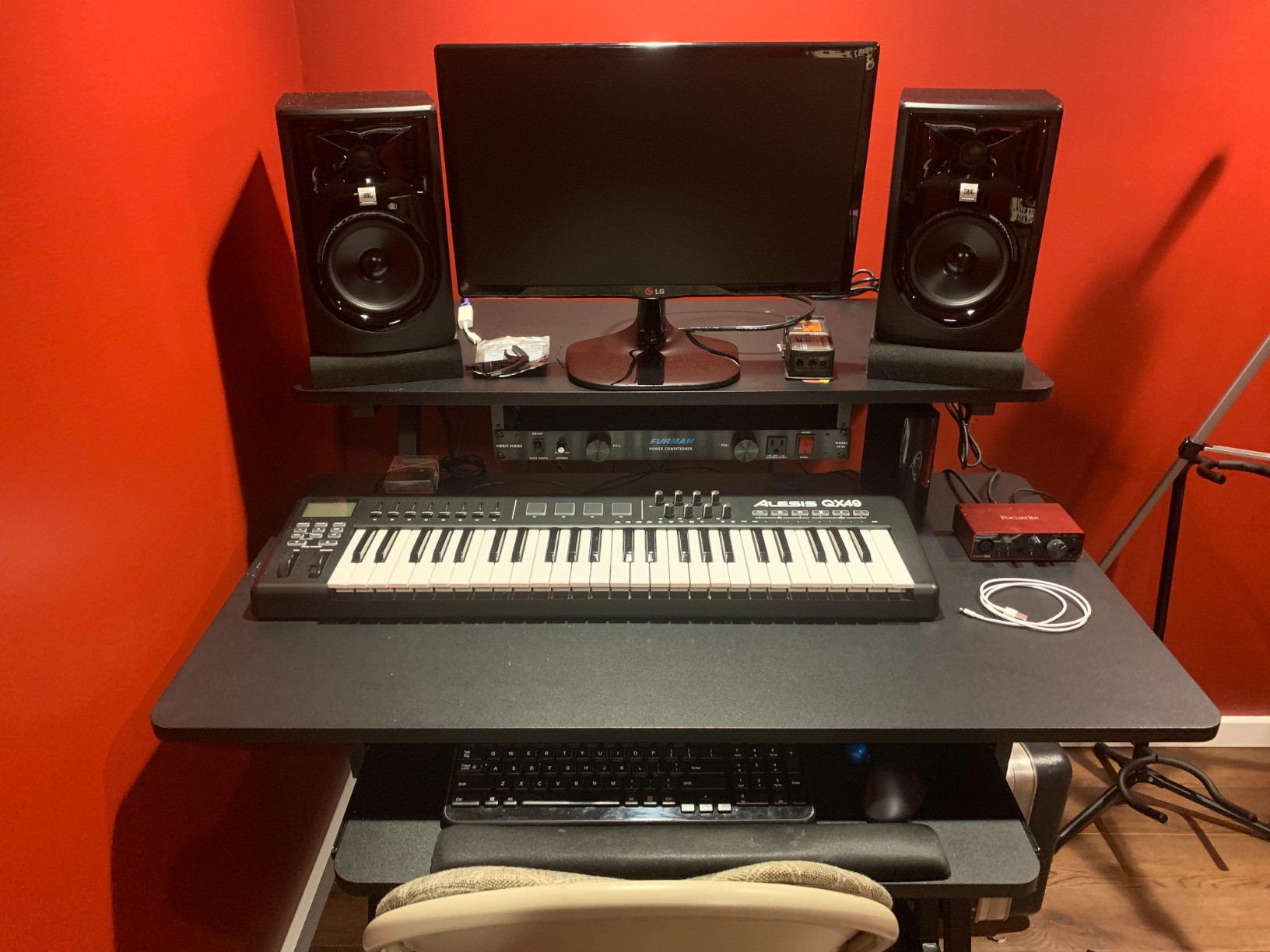
The keyboard tray is genuinely useful for maintaining a clean primary workspace, though taller users report needing to stoop slightly for comfortable typing. The narrow width also means keyboard plus mouse may be cramped for some users.
15. Andonstar AD249S-M Plus Digital Microscope – Best Soldering Microscope

Andonstar AD249S-M Plus 3 Lens 2160P 10.1” HDMI Digital Microscope 2000x
10.1 Inch HDMI Display
3 Interchangeable Lenses (60-240x, 18-720x, 1560-2040x)
UHD 2160P HDMI Output
8-Level LED Lighting
32GB SD Card Included
Metal Boom Arm Stand
Pros
- Three interchangeable lenses for versatile use
- Sharp 2160P HDMI output to large screens
- Stable boom arm stand with extension base
- Integrated soldering helping hands and component trays
Cons
- Not a stereoscopic microscope (no depth perception)
- Lens change system can be clunky
- Focus is sensitive and requires fine adjustment
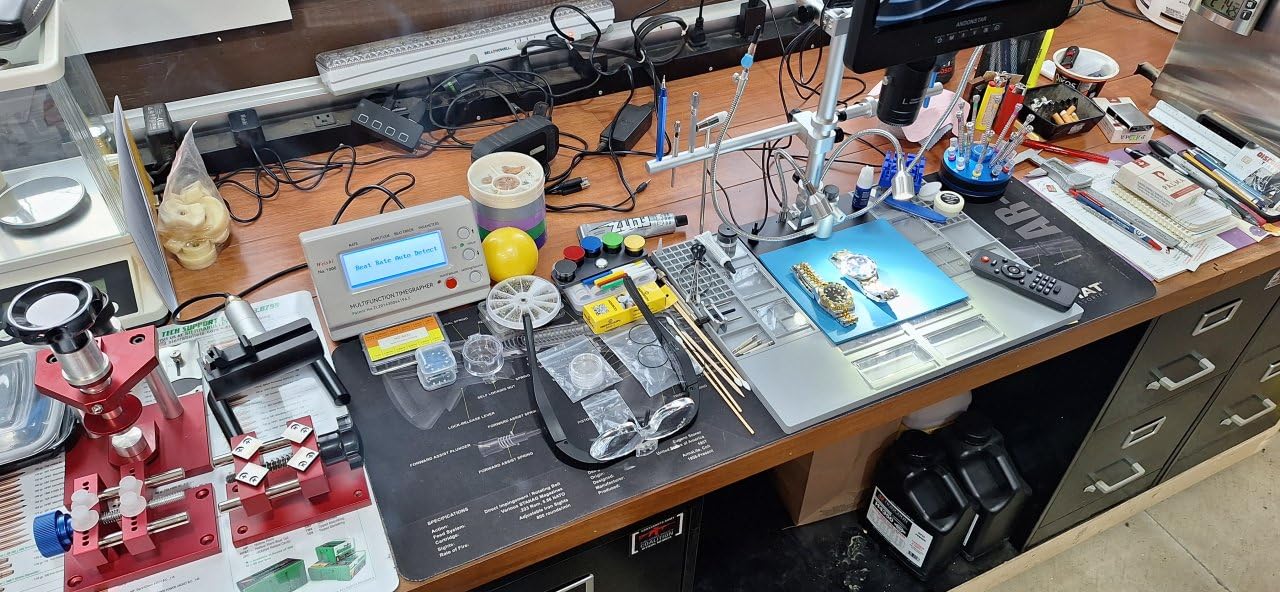
The Andonstar AD249S-M Plus Digital Microscope rounds out our list as our best soldering microscope pick, offering significant magnification capabilities that transform how you approach detailed electronics work. With a 4.7-star rating from 214 reviews, this digital microscope has proven its value for SMD work and detailed inspection tasks.
The 10.1-inch HDMI display provides large, clear visuals that reduce eye strain during extended work sessions. Three interchangeable lenses cover different magnification needs: Lens L (60-240x) for soldering and repairing, Lens A (18-720x) for coins, plants, and general inspection, and Lens D (1560-2040x) for biological slides and extreme detail work.
The UHD 2160P HDMI output connects to large screens for collaborative work or documentation, while 8 intensity levels of LED lighting provide adjustable illumination for any task. The metal boom arm stand with extension base provides stable positioning, and integrated soldering helping hands with component trays keep your work organized. A 32GB SD card is included for recording your work, and the 2-year manufacturer warranty provides peace of mind.
The magnification capabilities genuinely transform detailed work, revealing solder joint defects and component issues that would be invisible to the naked eye. For SMD work and detailed inspection, having a microscope available elevates your capability significantly beyond what magnifying glasses can provide.
For Whom It’s Good
This microscope is essential for professionals performing SMD rework, detailed inspection, and quality control work. It is also valuable for documenting repairs and for collaborative work where multiple people need to view the same magnified image simultaneously.
For Whom It’s Not Ideal
Those working primarily with through-hole components and less detailed work may not need microscope-level magnification. Additionally, the lack of stereoscopic vision means no true depth perception, which some users find challenging for hand-eye coordination tasks.
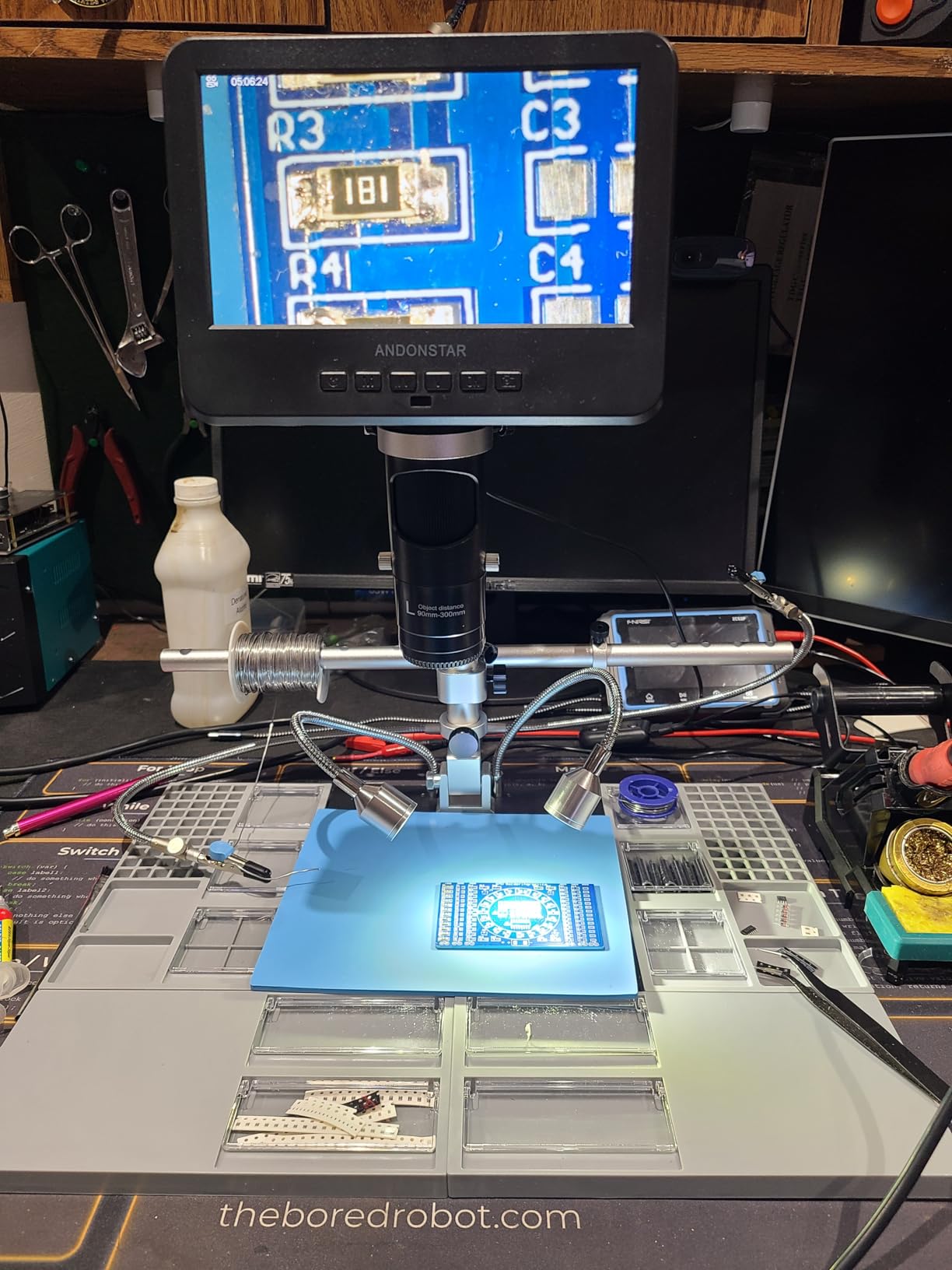
The HDMI output to large screens is genuinely impressive for documentation and collaboration. Being able to show customers exactly what you see on a large monitor builds confidence and allows for clearer communication about repair requirements.
The lens change system works but feels clunky compared to more refined designs. With practice, the process becomes manageable, though professionals doing frequent lens changes may find this a minor irritation over time.
How to Choose the Right Electronics Workstation
Selecting the best electronics workstation for your needs requires careful consideration of several factors. This buying guide will help you understand what matters most for your specific situation, ensuring your investment delivers maximum value.
ESD Protection and Why It Matters
Electrostatic discharge (ESD) is the silent killer of electronic components. A discharge of just 10 volts can damage sensitive semiconductor devices, while you may not even feel discharges above 3,000 volts. For anyone working with modern electronics—particularly sensitive integrated circuits and SMD components—ESD protection is not optional; it is essential.
ESD-safe workstations include grounded mats, wrist straps, and proper grounding connections that safely dissipate static charges before they can damage components. If you work with computers, smartphones, or any modern electronics, prioritize ESD protection in your setup. The investment is modest compared to the cost of replacing fried components.
Work Surface Materials and Size
Your work surface must handle heat from soldering irons, resist damage from tools and components, and provide adequate space for your projects. Silicone mats like the Kaisi options offer excellent heat resistance up to 932°F and include organizational features like screw holes and compartments.
Consider the typical size of projects you work on. If you primarily handle smartphones and small gadgets, a standard 17-24 inch mat suffices. For laptop repair, gaming consoles, or larger projects, consider the extra-large formats like the 27.6-inch Kaisi mat. Workbenches like the WEN and CAMMOO options provide the most workspace but require dedicated floor space.
Soldering Station Power and Temperature Control
Wattage determines how quickly your station reaches working temperature and maintains it during use. Entry-level 60W stations like the YIHUA 926 III work well for hobbyist use, while professional work often benefits from the 70-75W output of stations like the Weller WE1010NA.
Temperature stabilization is equally important for consistent results. PID (Proportional-Integral-Derivative) control technology, found in quality stations like the YIHUA 862BD+, maintains stable temperatures throughout your work session, reducing the risk of cold solder joints or thermal damage to heat-sensitive components.
Organization and Storage Features
Electronics repair involves countless tiny screws, springs, and components that can quickly become lost or mixed up. Magnetic mats like the iFixit option help by holding ferromagnetic parts securely while providing a surface for noting component positions. Mats with screw holes and compartments, like those from Kaisi, provide systematic organization for disassembly projects.
Helping hands stations serve dual purposes: they hold components steady for soldering while the magnifier aids visibility. Consider whether you want 3X, 5X, or variable magnification based on the detail level of your typical work. Stations like the SainSmart with stronger magnets and more flexible arms provide better utility for complex projects.
Lighting and Magnification Needs
Proper lighting reduces eye strain and improves work quality. Many helping hands stations now include integrated LED lighting with adjustable brightness and color temperature, like the XYK and NOEVSBIG options. For the highest magnification needs, digital microscopes like the Andonstar AD249S-M Plus provide magnification beyond what traditional magnifying glasses can offer.
If your workspace lacks adequate overhead lighting, consider pairing your workstation with a dedicated task light. Our guide to the best desk lamps for studying offers options that work well for detailed electronics work while complementing your workstation setup.
Frequently Asked Questions
What is an electronic workbench used for?
An electronic workbench provides a dedicated workspace for electronics repair, prototyping, and assembly. It typically includes a heat-resistant work surface, ESD protection through grounded mats and wrist straps, organized storage for components and tools, and adequate lighting and magnification for detailed work. Professional workbenches may also include built-in power outlets, storage drawers, and tool holders that keep everything within reach during complex repairs.
What makes an ESD workbench different?
ESD (electrostatic discharge) workbenches include specific features designed to safely dissipate static electricity before it can damage sensitive electronic components. These features include conductive or dissipative work surfaces with ground connections, grounding plugs that connect to properly grounded electrical systems, wrist straps for personal grounding, and materials that prevent static buildup. Using non-ESD equipment with sensitive components risks destroying expensive parts with undetectable static discharges.
What features should an electronics workbench include?
A well-equipped electronics workbench should include a heat-resistant work surface that protects against hot soldering irons and accidental spills, ESD protection through grounded mats and wrist straps, adequate storage for tools and components, proper lighting that reduces eye strain during detailed work, magnification for inspecting small components and solder joints, and sufficient workspace for your typical projects. Additional helpful features include built-in power outlets, component organization systems, and adequate ventilation for working with solders and fluxes.
Do electronics technicians really need an ESD workbench?
For professional electronics repair and any work with sensitive components, an ESD workbench is essential. Modern integrated circuits and surface-mount devices are increasingly sensitive to static discharge, with some components damaged by discharges as low as 10 volts. Without proper ESD protection, you risk destroying components during handling, potentially causing failures that appear weeks or months later. For hobbyists working with more robust through-hole components, basic precautions may suffice, but even then, ESD protection is good practice that prevents costly mistakes.
Final Thoughts
Building the perfect electronics workstation requires balancing multiple factors: your budget, the types of projects you typically work on, the level of ESD protection you need, and the available space in your workspace. Whether you are a professional technician requiring the precision of the Weller WE1010NA or a hobbyist seeking excellent value from the YIHUA 926 III, there is a perfect workstation for every need and budget.
Our top recommendations remain the same: the SainSmart Magnetic Helping Hands for best overall helping hands station, the Weller WE1010NA for professional-grade soldering, and the Kaisi Heat Insulation Mat for exceptional value in soldering mats. For full workstation solutions, the CAMMOO delivers extraordinary load capacity while the WEN WB4723T provides excellent value for hobbyists willing to invest assembly time.
Remember that a well-configured electronics workstation is an investment in both your work quality and your component safety. The protection provided by ESD-safe equipment and quality tools far outweighs their cost when you consider the value of the components you will be working with. Start with the essentials—good ESD protection, adequate lighting, and quality soldering equipment—and expand your setup as your needs grow.