
Hardware samplers are having a serious moment in 2026. After years of producers staring at laptop screens, the tactile, immediate workflow of a dedicated sampling box is winning people back. I spent three months testing ten of the most popular hardware samplers on the market, from pocket-sized units to full-blown production workstations, and the differences between them are bigger than most reviews suggest.
Best hardware samplers are not just about recording a sound and playing it back. The right device becomes the center of your creative setup, shaping how you chop breaks, layer drums, and build arrangements without touching a mouse. Our team tested every model in this guide across real-world scenarios: late-night beat-making sessions, live performance setups, and field recording trips around the city. We ran each unit through a standardized test that included sampling vinyl records, programming drum patterns, and exporting finished beats to evaluate workflow speed.
One thing the forum discussions on Reddit r/synthesizers made clear is that hardware samplers offer a tactile approach many producers miss from their DAW. The SP-404MKII remains a favorite for hip-hop and lo-fi production, while Elektron devices have a dedicated following for parameter locks and sequencing. The MPC series is preferred for a computer-free DAW-in-a-box experience. Users consistently appreciate standalone capability for live performance, and build quality is a key purchase factor that gets overlooked in spec-sheet comparisons.
This guide breaks down exactly what each sampler does well, where it falls short, and which one fits your budget and workflow. Whether you want a battery-powered sketchpad for the park or a studio centerpiece that replaces your computer entirely, we have a recommendation that matches. We also evaluated how these units connect to existing gear. MIDI sync, USB audio, and CV/Gate compatibility matter when you are building a larger rig. Some of these units are grooveboxes that sequence external synths. Others are pure sample pads designed to trigger one-shots inside a DAW. Knowing which category you need saves you from buying the wrong tool and discovering six months later that your workflow is fighting the hardware.
Our testing methodology was simple but thorough. We used each sampler for at least five days as the primary music-making device. We recorded samples from vinyl, field recordings, and software instruments. We programmed at least ten patterns per unit and exported them to evaluate audio quality. We also tested battery life, boot time, and menu navigation speed. The results surprised us, and they will probably surprise you too.
Top 3 Picks for Best Hardware Samplers 2026
Before we get into the individual reviews, here are the three standouts from our testing. These picks cover the most common use cases we found among producers and live performers. The Roland SP-404MKII takes the top spot for its legendary effects and live performance power. The Akai MPC Sample offers the best overall value for standalone beat-making. The Teenage Engineering PO-33 K.O. is the perfect entry point for anyone curious about hardware sampling without a major investment.

Teenage Engineering PO-33 K.O.
- 40-sec memory
- 16-step sequencer
- built-in mic
- battery powered
Best Hardware Samplers in 2026
The table below gives you a fast side-by-side look at all ten models in this guide. Use it to compare key features, then scroll down for the detailed breakdown of each unit.
| Product | Specifications | Action |
|---|---|---|
|
Teenage Engineering PO-33 K.O.
|
|
Check Latest Price |
 Alesis SamplePad 4
|
|
Check Latest Price |
 Akai MPC Studio
|
|
Check Latest Price |
 Teenage Engineering EP-133 K.O. II
|
|
Check Latest Price |
 Alesis SamplePad Pro
|
|
Check Latest Price |
 Akai MPC Sample
|
|
Check Latest Price |
 Sonicware SmplTrek
|
|
Check Latest Price |
 Roland SP-404MKII
|
|
Check Latest Price |
 Native Instruments MASCHINE+
|
|
Check Latest Price |
 Elektron Digitakt II
|
|
Check Latest Price |
1. Teenage Engineering PO-33 K.O. — Best Pocket Sampler
teenage engineering pocket operator PO-33 K.O.! micro sampler and drum machine with built-in microphone, sequencer and effects
40-sec sample memory
8 melodic slots
8 drum slots
16 built-in effects
Battery powered
Pros
- Pocket-sized and portable
- Built-in microphone for sampling
- 16-step sequencer is powerful
- Fun and intuitive to use
- Great for lo-fi music production
Cons
- 8-bit audio can be gritty
- Limited polyphony
- Fragile construction
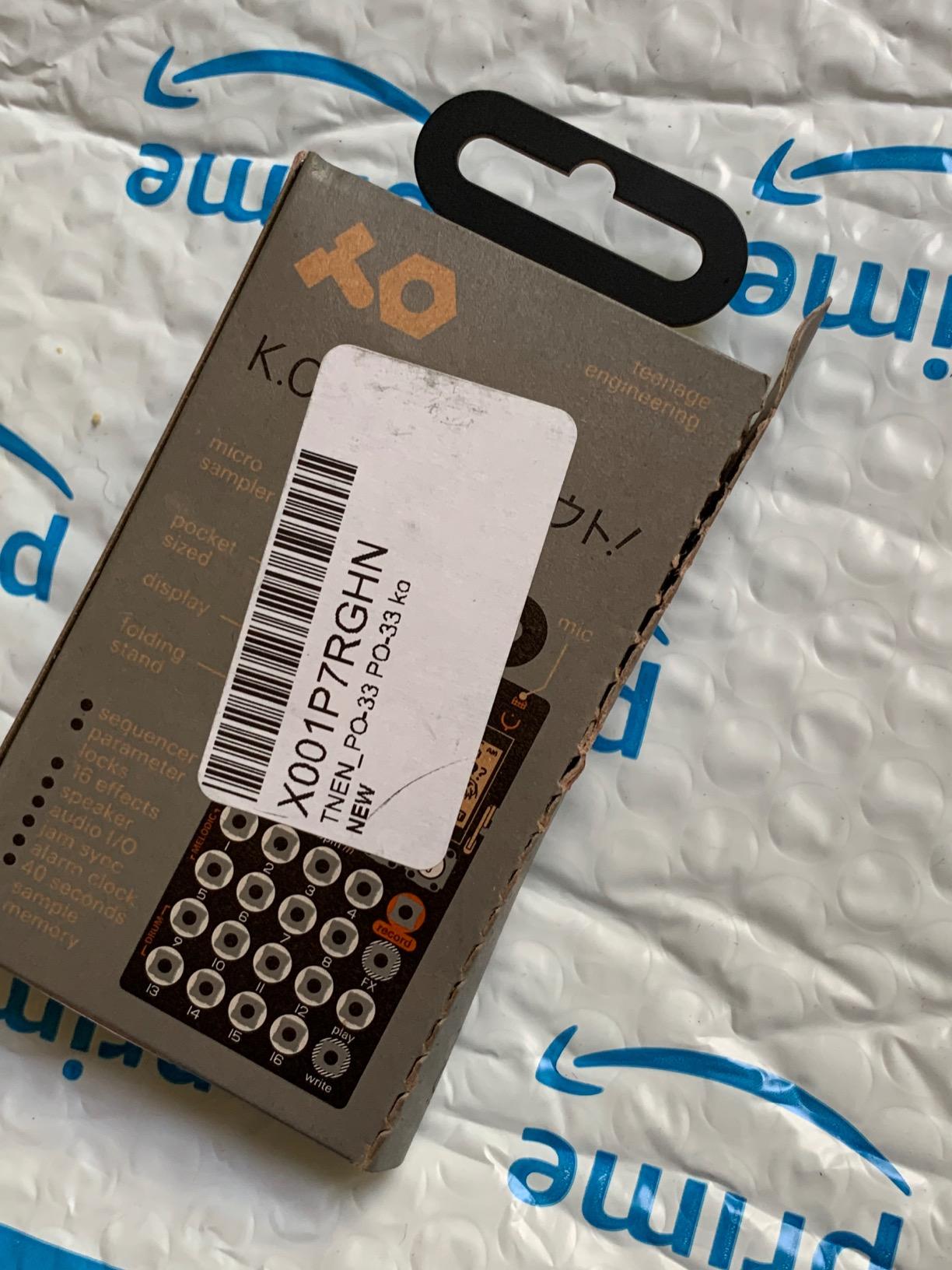
I did not expect a device the size of a calculator to become my most-used travel companion. The Teenage Engineering PO-33 K.O. is genuinely pocket-sized, and that portability changes everything. I took it on a train commute and made a full beat before my stop, sampling the train announcement through the built-in microphone and layering it over a drum pattern I programmed in about four minutes. The experience felt closer to a game than a production session, and that playfulness is exactly what makes it special.
The 40-second sample memory sounds limiting on paper, but it forces you to work fast and commit. The 16-step sequencer is surprisingly powerful once you learn the button combinations. The 8-bit character gives everything a warm, crunchy texture that works perfectly for lo-fi and experimental beats. I recorded a full EP using only this unit and a pair of headphones over a single weekend. The built-in speaker is surprisingly loud for its size, though it is not going to replace studio monitors anytime soon.
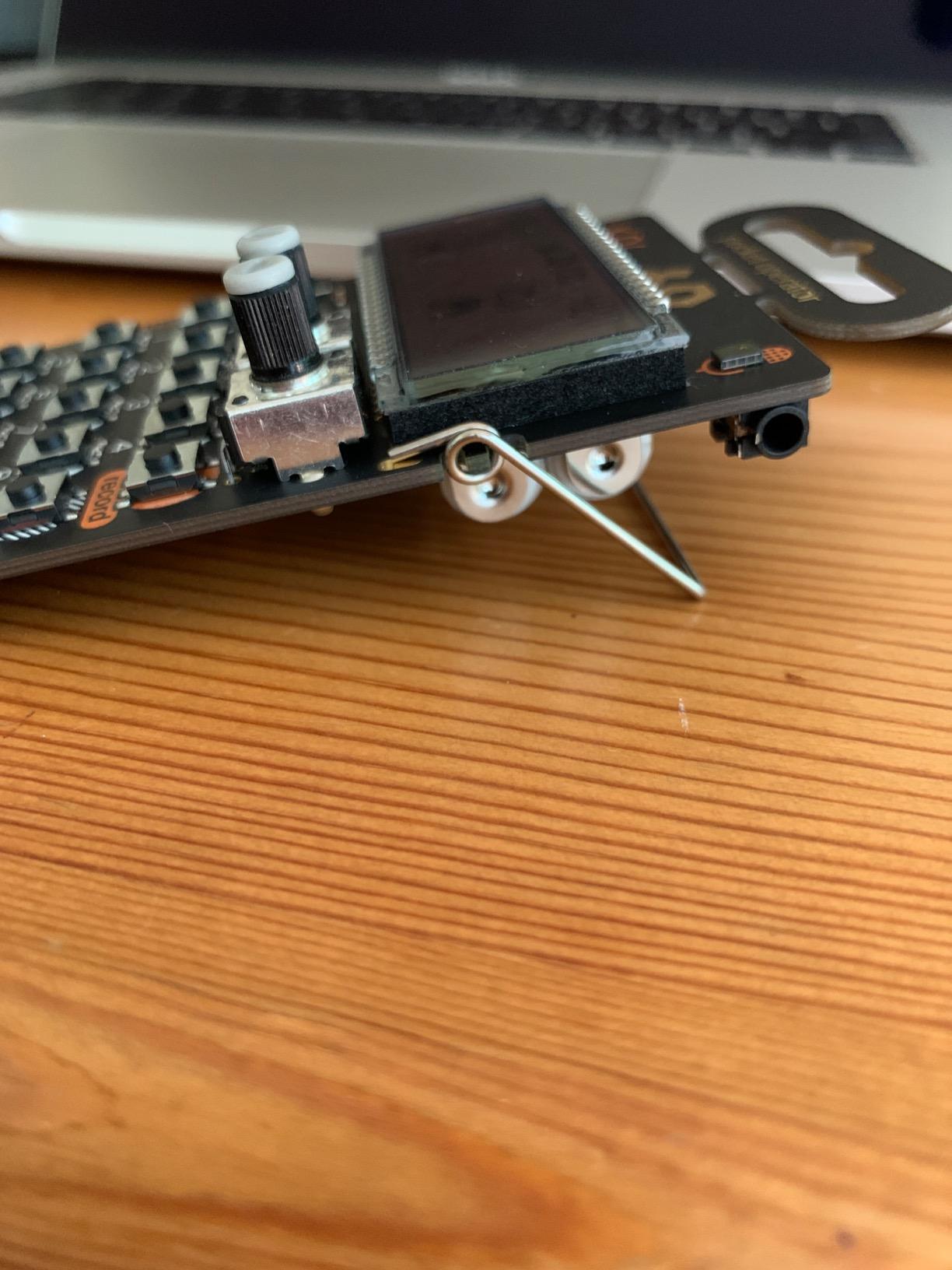
On the technical side, the PO-33 gives you eight melodic sample slots and eight drum slots. The 16 built-in effects range from filters to bit-crushing, and the 3.5mm line input lets you sample directly from your phone or record player. Battery life is solid: two AAA cells run it for about a month of casual use. The unit also syncs with other Pocket Operators, which means you can expand your setup later by adding a drum machine or synth module. The clock and alarm functions are quirky bonuses that make it feel like a gadget rather than a sterile studio tool.
The main tradeoff is audio fidelity. The 8-bit resolution adds character but can turn bass-heavy samples into mud. Polyphony is limited to four samples per step, so complex chords are not happening. The silicone body feels fragile, so I keep it in a hard case. The learning curve is real, but after two days of practice, the workflow becomes muscle memory. I found myself reaching for it more than my laptop during casual creative sessions.
Who Should Buy This
The PO-33 K.O. is perfect for bedroom producers, beat-makers on a budget, and anyone who wants a truly portable sketchpad. If you make lo-fi, hip-hop, or experimental electronic music, the 8-bit crunch will actually be a feature rather than a bug. Students and commuters who need something that fits in a pocket will love the form factor. It is also a fantastic gift for a musician who already has everything else.
Who Should Skip This
If you need pristine audio quality, multi-track arranging, or complex MIDI sequencing, this unit will frustrate you. It is not a studio centerpiece. Producers who rely heavily on time-stretching or pitch-shifting with high precision should look at the EP-133 K.O. II or a larger MPC instead. Anyone looking for a professional live rig will quickly outgrow its limitations.
2. Alesis SamplePad 4 — Best Entry-Level Drum Pad
Alesis Sample Pad 4 - Compact Percussion and Sample Triggering Instrument with 4 Velocity-Sensitive Pads, 25 Drum Sounds and SD/SDHC Card Slot
4 velocity-sensitive pads
25 built-in sounds
SD card slot
2.55 lbs
MIDI output
Pros
- Good clean sounds
- Small size fits anywhere
- Solid construction
- Built-in reverb
- SD card for custom samples
Cons
- Factory sounds are basic
- Pad triggers can bleed
- Not durable for professional use
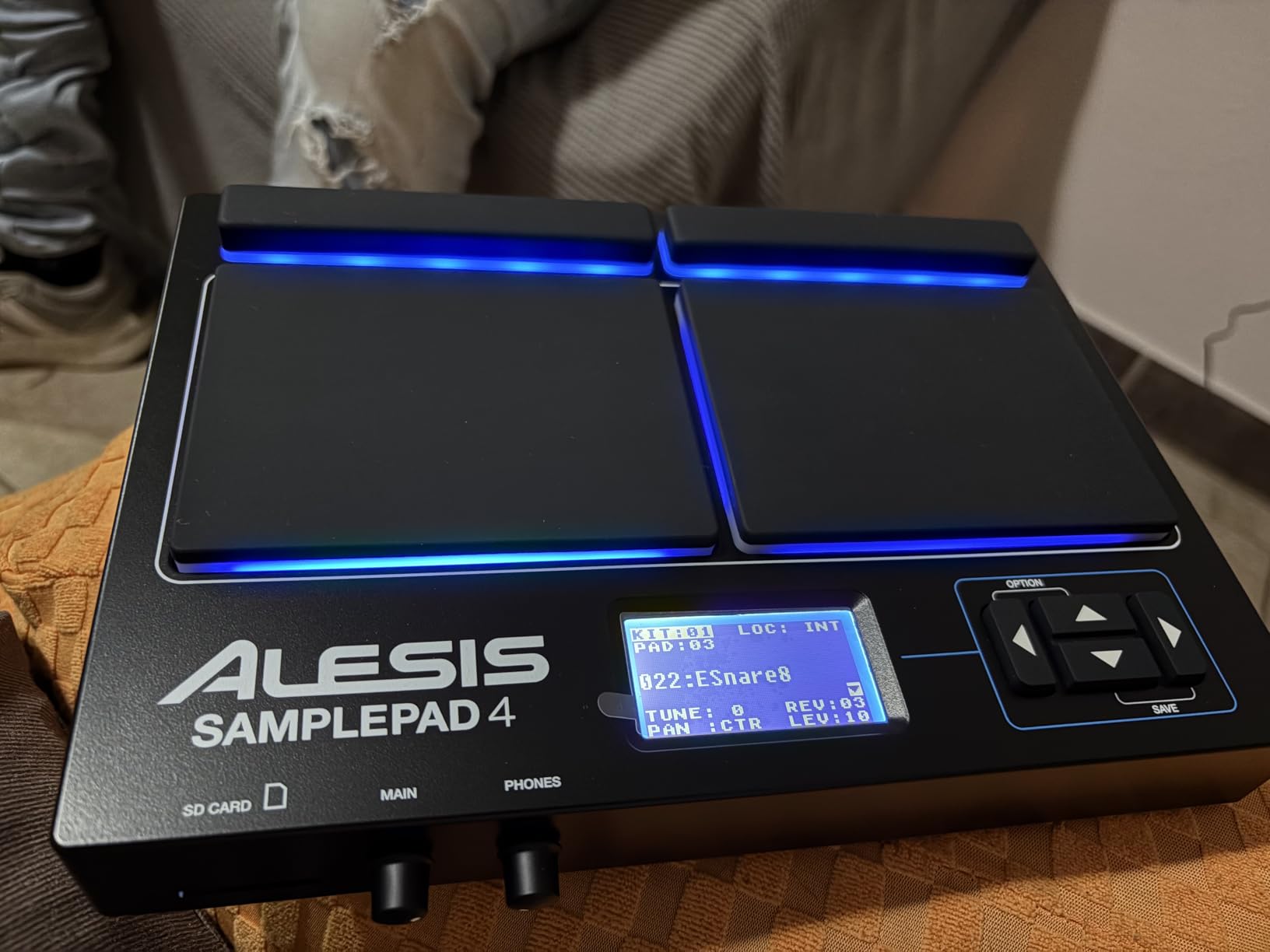
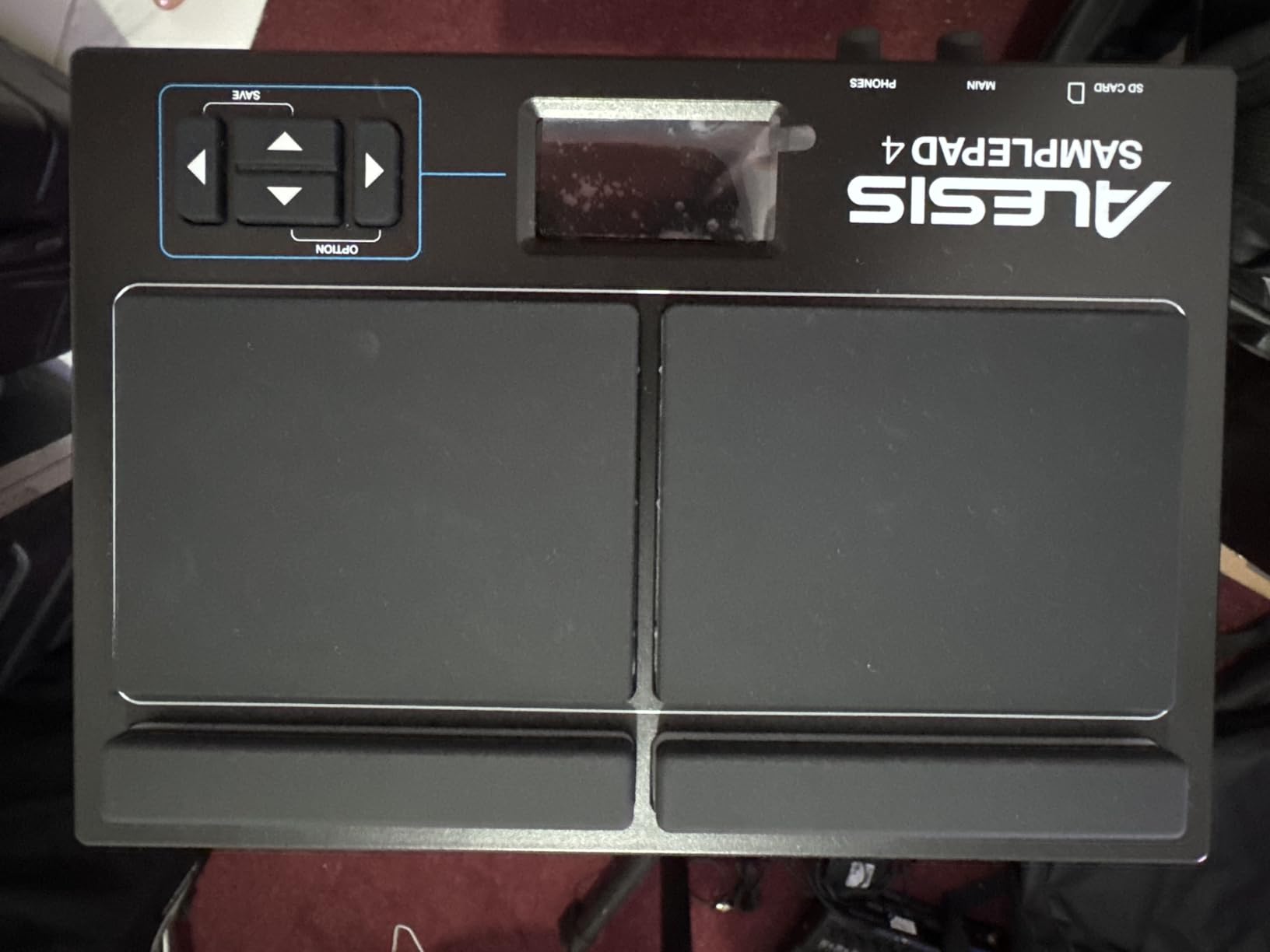
The Alesis SamplePad 4 sits in a unique spot. It is not a full production workstation, but it is also more than a simple drum pad. I used it as a MIDI controller for Ableton Live and as a standalone sample trigger for a live acoustic set. The four velocity-sensitive pads are responsive enough for expressive playing, and the two trigger inputs let you add external kick and hi-hat pedals for a full mini-kit setup. The form factor is small enough to fit on a crowded desk or a keyboard stand without dominating the space.
The 25 built-in sounds are decent starting points, but most users will load their own samples via SD card immediately. I loaded a folder of one-shots I had recorded from a vintage drum kit, and the triggering felt natural. The built-in reverb adds a nice sense of space without needing outboard effects. At 2.55 pounds, it sits comfortably on a desktop or a small stand without taking up much space. The rubber pads have a satisfying bounce, though they are smaller than the pads on more expensive units.
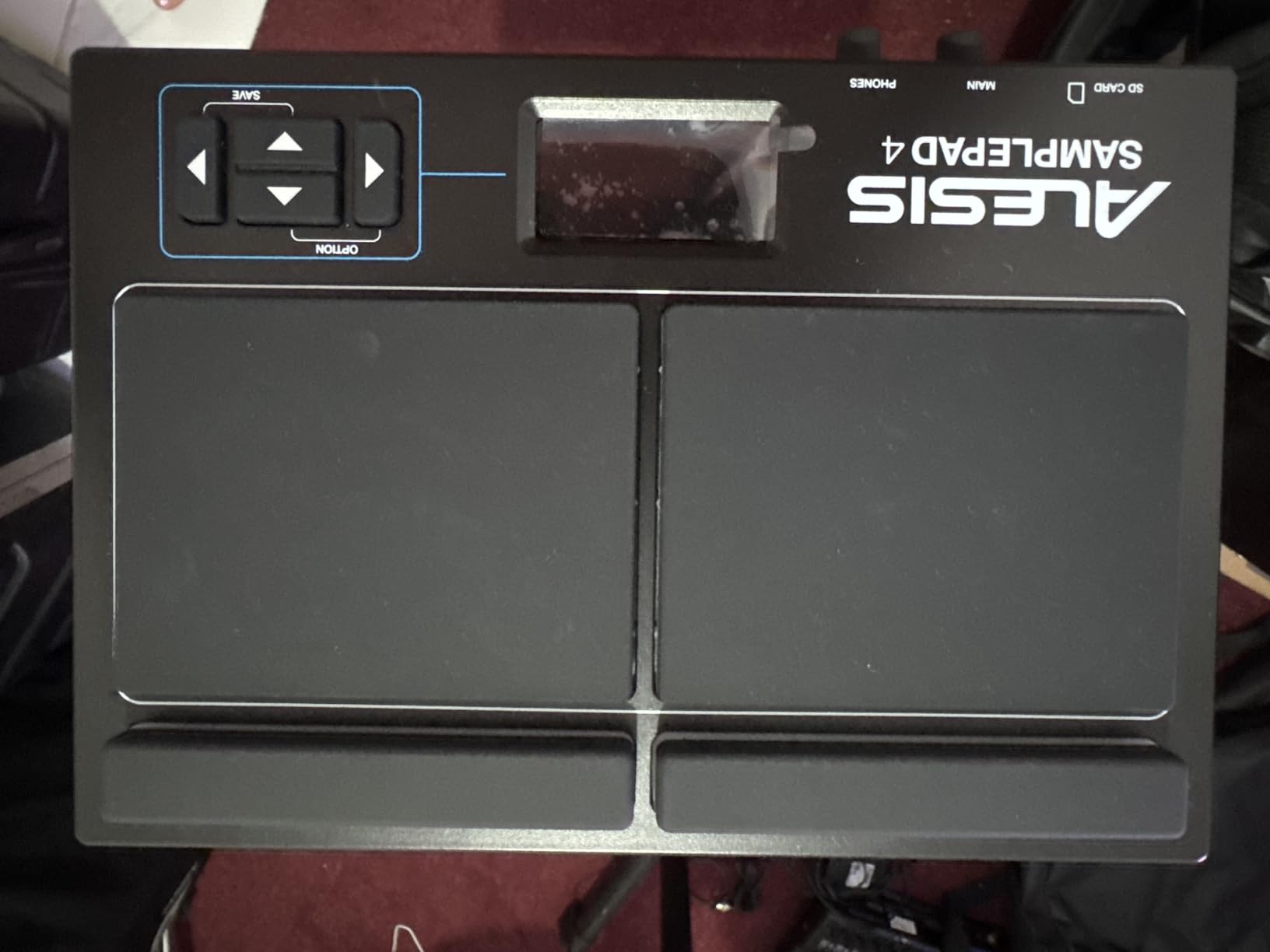
Connectivity is where this unit shines for its class. The MIDI output lets you drive external sound modules, and the USB port handles both power and data. I ran it into my interface and recorded the pads directly into Logic Pro with no latency issues. The tune and reverb controls per sound give you basic shaping options, though you will not find deep editing here. It is a trigger instrument first and foremost. For producers who want to add finger-drumming to an existing DAW setup, this is a low-risk entry point.
The downside is build quality. Several users report pad bleed during hard playing, and the arrow buttons sit close enough to the pads that I accidentally hit them a few times during fast fills. The factory sounds are not professional grade, so plan on spending time curating your own sample library. For home studio use and light live work, it is a solid entry point. I would not take it on a touring schedule without a backup plan.
Home Studio Integration
The SamplePad 4 works best as a desktop MIDI controller or a practice pad. It connects to any DAW without drivers, and the SD card slot makes sample management simple. I recommend it for producers who want to add finger-drumming to an existing computer-based setup rather than building a standalone rig around it. The USB bus power means one less cable to worry about, which is a nice touch for a clean desk.
Live Performance Limitations
While the trigger inputs are a nice touch, the pad size and occasional bleed make this risky for high-energy stage use. The plastic casing feels like it could crack under heavy touring. If you need a bulletproof live pad, consider the SamplePad Pro or a dedicated drum module from a higher-end manufacturer. For casual open-mic nights or church gigs, it is perfectly adequate.
3. Akai MPC Studio — Best MPC Software Controller
Akai Professional MPC Studio MIDI Controller Beat Maker with 16 Velocity Sensitive RGB Pads, MPC Software, Assignable Touch Strip and LCD Display
16 RGB pads with aftertouch
MPC2 software
USB powered
LCD color display
0.68 kg
Pros
- Solidly built with quality feel
- 16 RGB velocity-sensitive pads
- Excellent MPC2 integration
- Compact and portable
- Great for beginners
Cons
- Only works with MPC software
- Confusing for beginners
- Small screen can be limiting
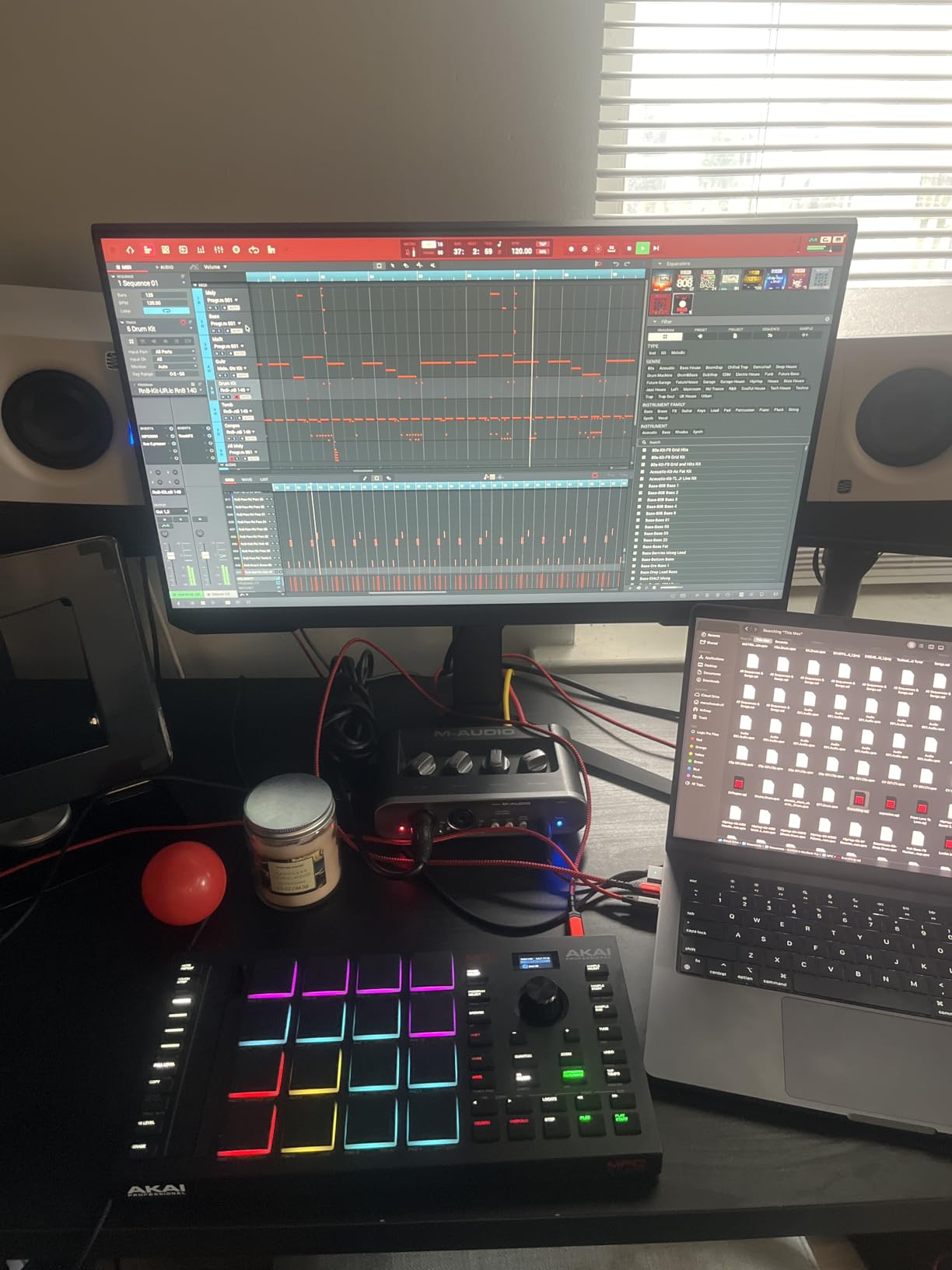
The Akai MPC Studio is a software controller that gives you the iconic MPC pad feel without the standalone hardware price. I tested it with the included MPC2 software for six weeks, and the integration is genuinely tight. The 16 RGB pads feel excellent under the fingers, with aftertouch and pressure sensitivity that responds to expressive playing. The assignable touch strip is a nice touch for filter sweeps and pitch bends. I found myself using the touch strip more than I expected, especially for adding subtle movement to pad sounds.
What impressed me most was the sheer amount of software included. The MPC2 license comes with eight instrument plugins, mixing and mastering effects, vocal tuning, and even a harmonizer. For the price, that is a serious production suite. I had a complete track finished using only the included sounds and effects within the first hour of setup. The compact size fits easily on a desk next to a laptop, and the USB power means no wall wart clutter. The included MIDI adapters are a thoughtful addition for connecting to older synths.
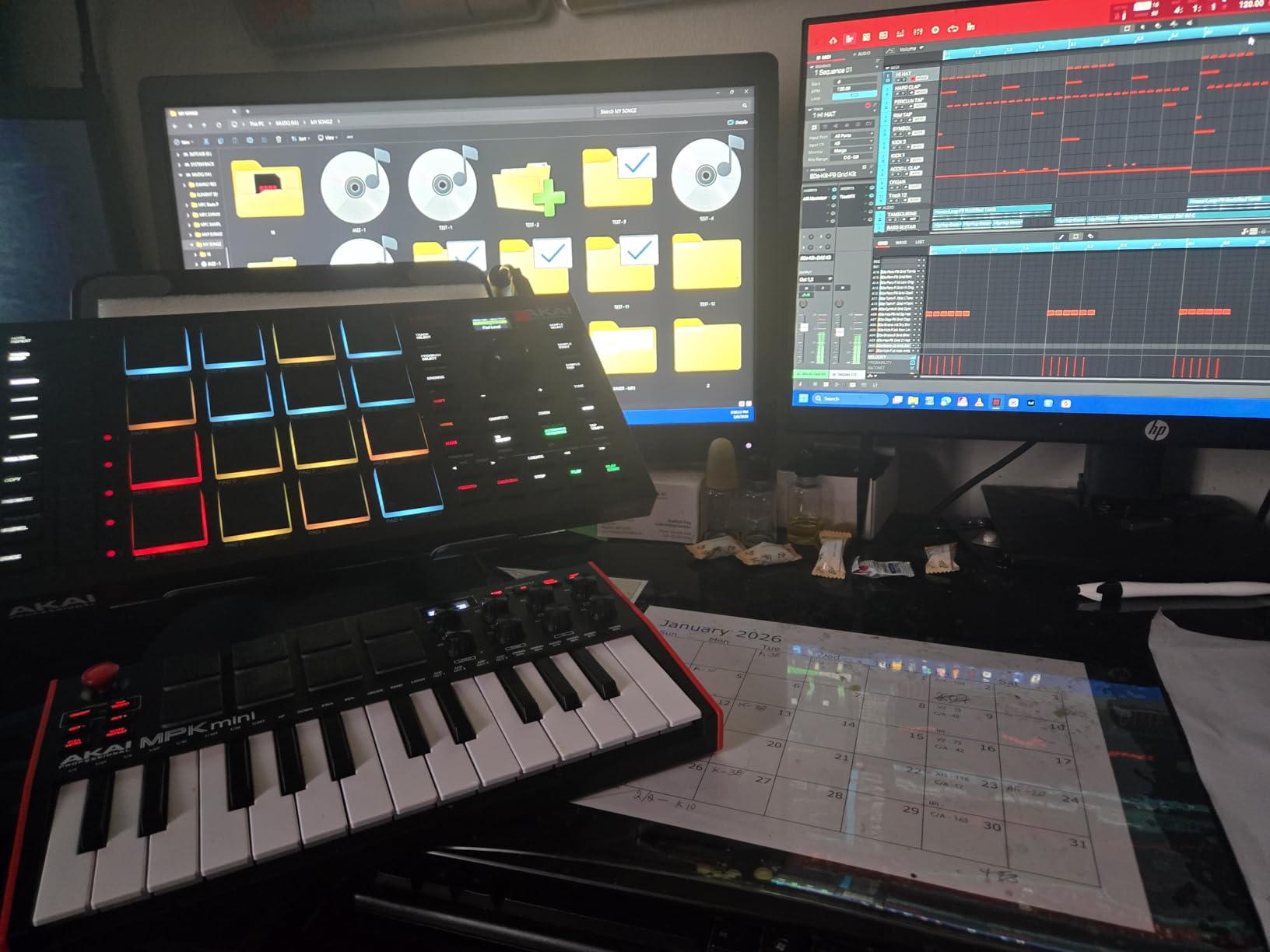
The LCD color display is small but functional. It shows track names, pad assignments, and basic mixer levels. Transport controls are well-placed, and the Chords and Scale modes help producers who are not keyboard players add harmonic content quickly. The 128 mixer channels mean you can build massive arrangements without running out of headroom. The pad banks are easy to switch, and the aftertouch response adds an expressive layer that most controllers in this price range lack.
The catch is the software lock-in. This unit only works with MPC2, so if you are an Ableton Live or FL Studio user, you will need to export stems or use a workaround. The screen can feel limiting when you are deep in editing. The learning curve is moderate, but Akai includes educational resources and two months of Splice, which helps newer producers get started with quality sounds. I wish it had broader DAW support, but within the MPC ecosystem, it is hard to beat.
DAW Workflow Integration
If you are already committed to the MPC ecosystem or want to start there, this is the cheapest entry point that still gives you professional pads. The included software bundle is worth the price alone. I recommend it for producers who want a dedicated beat-making surface that talks to their computer cleanly. The transport controls make it feel like a hardware recorder rather than just a MIDI input device.
Learning Curve Reality
Despite the entry-level price, the MPC2 software is deep. Beginners sometimes get overwhelmed by the track routing and sample editing windows. The touch strip is cool but not intuitive at first. Plan on watching a few tutorial videos before you feel fully comfortable. Once you do, the workflow is fast and rewarding. I found the MPC2 drum synth particularly useful for layering electronic sounds under acoustic samples.
4. Teenage Engineering EP-133 K.O. II — Best Compact Sampler
teenage engineering EP–133 K.O. II 128MB sampler, drum machine and sequencer with built-in microphone and effects
128MB memory
999 sample slots
4-track sequencer
12 stereo voices
Battery powered
Pros
- Incredible aesthetic and design
- Sampling powerhouse with double memory
- New song mode for arranging
- Easy to pick up and use
- Fun and inspiring
Cons
- Limited storage
- No SD card slot
- Price point higher than predecessors
The EP-133 K.O. II is what happens when Teenage Engineering takes the pocket operator concept and gives it room to breathe. I tested the original PO-33 extensively, and the K.O. II feels like a completely different instrument. The 128MB memory is double the previous version, and the 999 sample slots mean you can actually build a real sound library instead of constantly swapping sounds. The larger form factor is still compact, but the extra space makes the buttons easier to hit accurately.
The 4-track sequencer is the headline feature. You get four groups with 99 patterns each, and the new song mode lets you arrange up to 9,801 bars into a full composition. I built a three-minute track with intros, verses, and drops entirely on the unit without touching a computer. The 12 punch-in effects and 6 master effects are deeper than the original, and the OS 2.0 update added resampling, chopping, and a sidechain compressor that sounds great on drums. The resampling feature is a game-changer for building layered textures.
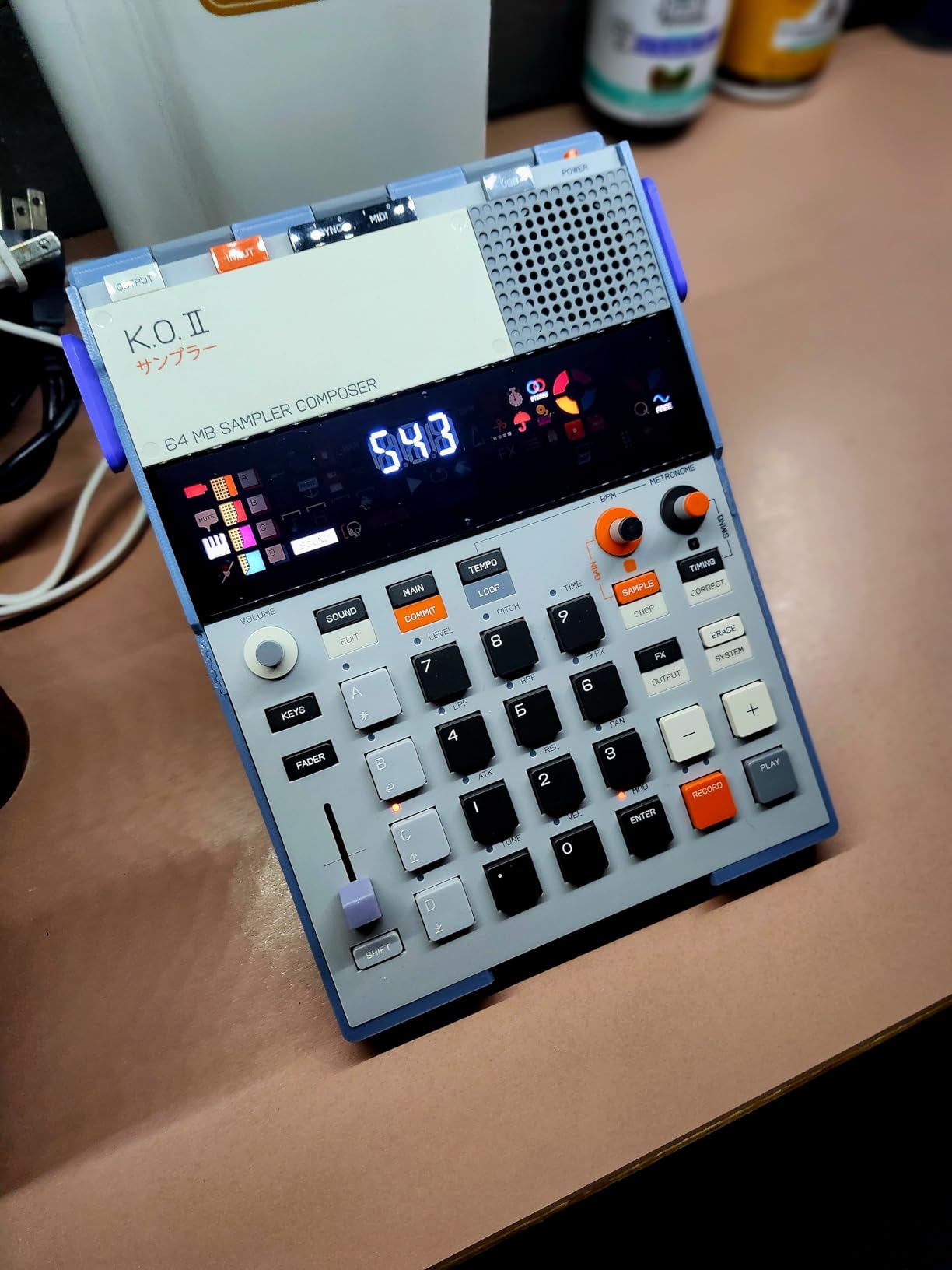
Sampling options are flexible. The built-in microphone works for quick ideas, and the line input gives you clean stereo sampling from any source. The unit runs on four AAA batteries or USB-C, so you can work in the park or at a desk. The sync in/out and MIDI ports mean it integrates with larger rigs, and the built-in speaker is surprisingly useful for checking ideas without headphones. The chaining capability with other Pocket Operators is seamless, and I often use it alongside a PO-12 rhythm unit for a full mini-studio.
The limitation is storage. With 128MB, you can load about 559 sounds and 9 beats at a time. There is no SD card slot to expand this. If you are working with long samples or large multisample libraries, you will hit the ceiling. The price is also higher than the original PO-33, though the feature increase justifies the jump for most users. The lack of expansion is the only reason I did not give it a perfect score in my notes.
Portable Production Power
This is the ultimate portable sampler for producers who want more than a sketchpad. The song mode and resampling turn it into a legitimate production tool. I took it on a weekend trip and came back with a finished track. The battery life and built-in speaker make it the best travel companion in this guide. If you travel frequently or work in shared spaces, the ability to produce without headphones is a genuine luxury.
Storage and Expansion Limits
The lack of SD card expansion is a serious limitation for producers who work with large sample libraries. If you need to load entire drum kits or long vocal phrases, you will run out of space quickly. Consider the Akai MPC Sample or Roland SP-404MKII if storage is a priority for your workflow. For short-loop-based production, the 128MB is actually plenty, but sample-heavy producers will feel constrained.
5. Alesis SamplePad Pro — Best Expandable Pad
Alesis SamplePad Pro - Percussion and Sample-Triggering Instrument with 8 Velocity-Sensitive Drum Pads, 200+ Built-In Sounds
8 isolated pads
200+ built-in sounds
SD card expansion
6.6 lbs
MIDI In/Out
Pros
- 8 isolated pads with LED illumination
- 200+ built-in sounds across 10 kits
- SD card expansion for custom samples
- MIDI In/Out and USB connectivity
- Versatile connectivity options
Cons
- Factory sounds are basic
- Pad triggers can bleed
- Line noise issues reported
- Not durable for touring
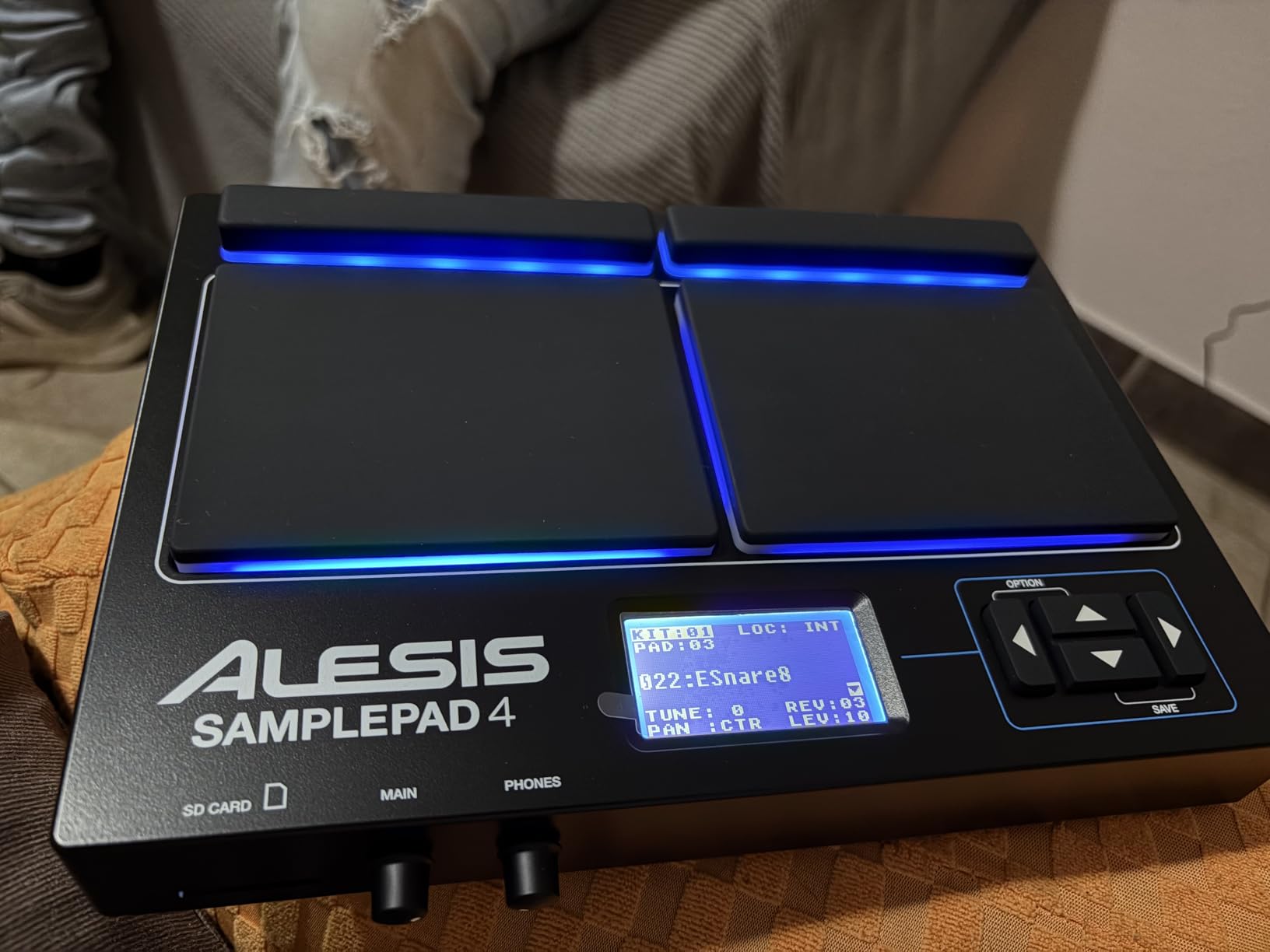
The Alesis SamplePad Pro is essentially the bigger sibling of the SamplePad 4, and the extra investment gets you meaningful improvements. I tested both side by side, and the Pro model’s eight isolated rubber pads are a noticeable step up. The blue LED illumination looks sharp on stage, and the dual-zone pads let you layer two sounds per pad for richer textures. The additional inputs for kick and hi-hat pedals make it a credible electronic drum brain for a small kit.
The sound library is larger, with 200 built-in drum, cymbal, and percussion sounds across 10 ready-to-play kits. I found the acoustic kits usable for rehearsal, but like the smaller model, the real value comes from loading your own samples via SD card. The Pro supports up to 512 sounds and 20 kits per 32GB card, which is plenty for most working drummers. The kick pedal and hi-hat pedal inputs are selectable between switch and trigger modes, giving you flexibility for different pedal types. I tested both modes with a Roland kick pedal and had no issues with either.
Connectivity is comprehensive. You get MIDI In/Out, USB, 1/4-inch stereo outputs, a headphone jack with volume control, and a 1/8-inch aux input. I ran the aux input from my phone to play along with tracks, and the level control let me balance backing tracks against my kit. The unit is heavier at 6.6 pounds, but that extra mass keeps it stable on a stand during aggressive playing. The headphone output is clean, which matters when you are practicing late at night without disturbing neighbors.
The cons are familiar. Pad bleed is still reported by some users, and the line noise can be noticeable in quiet recordings. The SD card slot can pop loose during transport if you are not careful. The factory sounds are basic, so budget time for sample curation. For home studio use and semi-pro live work, the expandability makes it worth the upgrade over the SamplePad 4. I recommend loading your own sounds immediately and treating the built-in library as a temporary placeholder.
Expandability and Connectivity
The SamplePad Pro shines when you need to integrate with a larger setup. The MIDI ports, multiple pedal inputs, and SD card expansion make it a flexible hub. I used it to trigger samples in a small band setup, and the dual-zone pads let me layer a snare sample over a clap for extra punch without adding more pads. The ability to split sounds across pads is a feature usually found on much more expensive units.
Build Quality Concerns
While the plastic chassis is sturdy enough for home use, touring musicians have reported cracks and loose connections after months on the road. The pad bleed issue means you need to adjust your playing technique slightly. If you are a heavy hitter, test one in person before committing to a full tour with it. The included power adapter is also flimsy, so I recommend using a third-party power supply if you plan to gig regularly.
6. Akai MPC Sample — Best Standalone Beat Maker
Akai Professional MPC Sample Standalone Portable Sampler, Sequencer and Effects Processor, with Rechargeable Battery, USB-C, Built-in Speaker and Microphone
16 MPC pads with RGB
Built-in speaker and mic
Rechargeable battery
60 FX types
0.9 kg
Pros
- Compact and portable with built-in speaker
- Intuitive MPC workflow
- Excellent value for standalone sampling
- Great pads with poly aftertouch
- Long battery life
Cons
- Limited resampling options
- Step sequencer can be cumbersome
- Built-in speaker is just okay
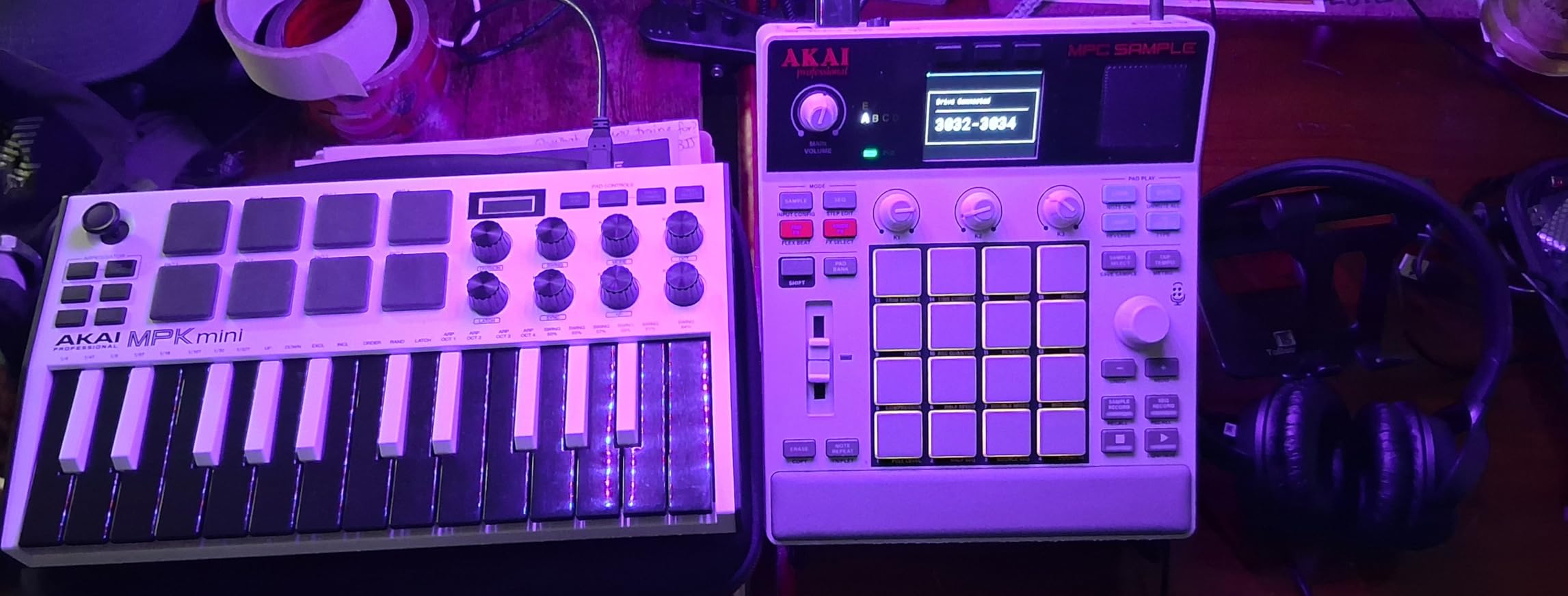
The Akai MPC Sample is the most exciting entry-level standalone MPC I have tested in years. It is battery-powered, has a built-in speaker and microphone, and delivers the classic MPC workflow in a unit that fits in a backpack. I used it for a full month as my primary beat-making device, and it never felt like a compromise. The rechargeable battery means no more hunting for AAA batteries at midnight, and the USB-C charging is fast enough to get back to work quickly.
The 16 responsive pads are the same quality you expect from Akai, with RGB lighting and polyphonic aftertouch. The 2.4-inch color display is small but readable, and the instant sample chop mode is genuinely fast. I sampled a vinyl record, chopped it into 16 slices, and had a pattern playing within three minutes. The four internal FX processors cover 60 effect types, including the time-stretch and repitch tools you need for modern beat production. The sample chop mode is the fastest I have used on any unit under $500.
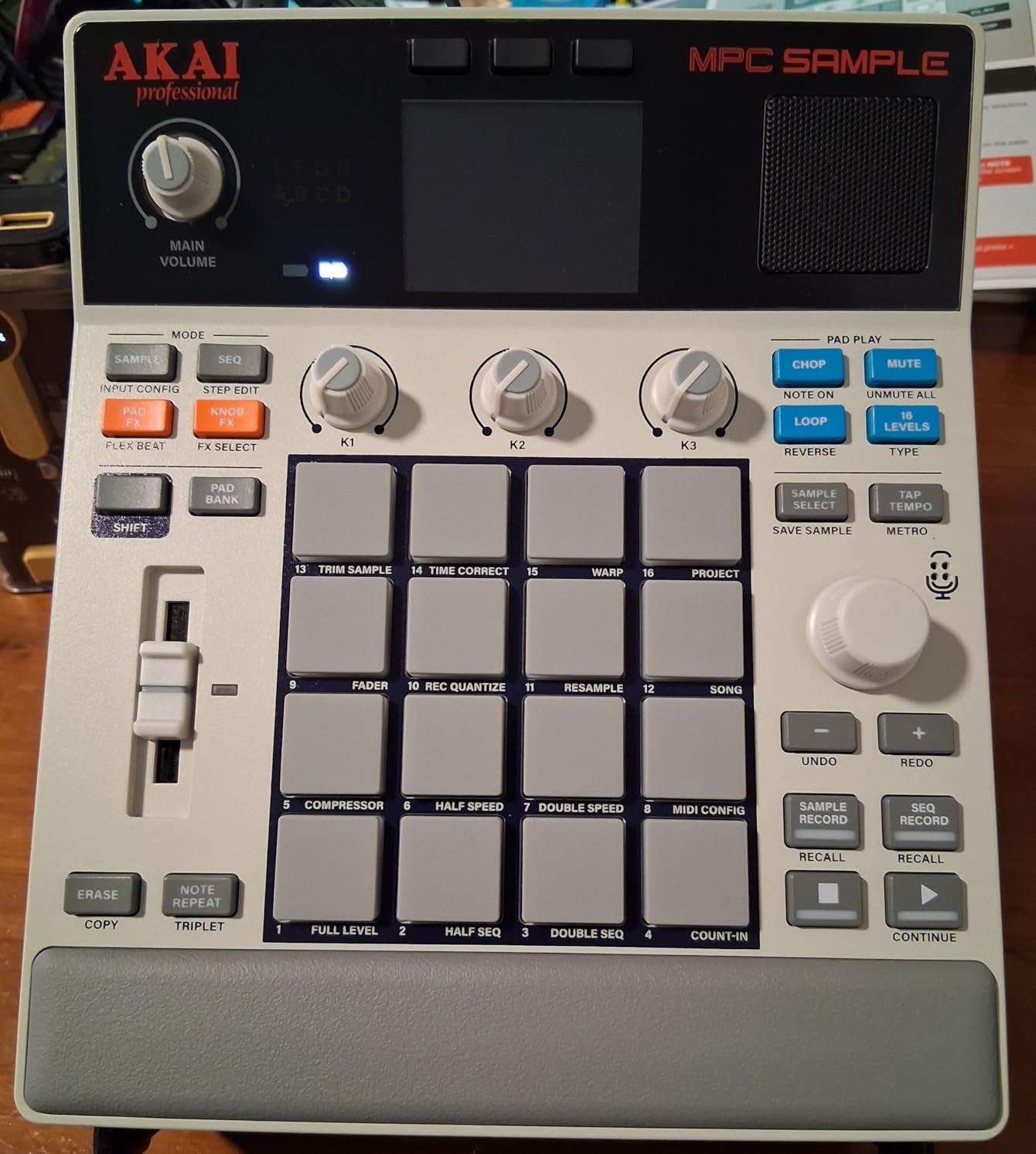
The rechargeable battery lasts four to six hours of continuous use, which is enough for a full practice session or a live set. The microSD card slot handles storage expansion, and the unit comes with over 100 factory kits to get you started. MIDI in/out, sync out, and stereo 1/4-inch I/O give you real connectivity options. The USB-C port handles audio and MIDI, which is a nice modern touch. I used the sync out to clock a Pocket Operator, and the timing was tight enough for live use.
There are limitations. The step sequencer works but can feel cramped for complex arrangements with multiple tracks. The resampling options are limited compared to the larger MPCs. The built-in speaker is fine for sketching, but you will want headphones or monitors for serious mixing. Still, for a standalone sampler at this size and weight, the tradeoffs are reasonable. It is the best introduction to standalone MPC workflow I have encountered.
Standalone Workflow Strengths
The MPC Sample is the best choice for producers who want to make beats anywhere without a laptop. The battery, speaker, and mic combination means you can create a full idea from scratch on a park bench. The workflow is intuitive enough that I handed it to a friend who had never used an MPC, and they had a loop running in ten minutes. The instant chop mode and RGB pad feedback make it feel like a grown-up MPC in a travel-friendly package.
When to Upgrade to a Larger MPC
If you need multi-track arrangements, extensive resampling, or plugin support, you will outgrow the MPC Sample within a year. The small screen and limited sequencer depth make it a sketchpad rather than a full studio centerpiece. For serious production, consider the MPC One+ or MPC Live II instead. Think of the MPC Sample as the gateway drug to the Akai ecosystem, not the final destination.
7. Sonicware SmplTrek — Best Portable Studio
Sonicware SmplTrek [Portable Production Sampler] Compact, lightweight and battery powered Drum Machine & Sampler with Built-in Mic & Speaker
16 scenes per project
10 sequencer tracks
30 DSP effects
Built-in mic
550g
Pros
- Compact and lightweight
- Built-in microphone and speaker
- Excellent DAW-like workflow
- Great connectivity with MIDI and audio sync
- Battery powered for true portability
Cons
- Small screen hard to read
- No USB-C port
- Speaker volume is limited
The Sonicware SmplTrek surprised me. It is not as famous as the MPC or Roland lines, but it offers a workflow that feels closer to a DAW than anything else in this price range. The scene-based arrangement system gives you 16 scenes per song, with 10 sequencer tracks and three additional audio tracks for longer recordings. I built a full track with verse-chorus structure using only the unit, and the visual timeline made editing feel natural. The included 1,000 samples from Black Octopus gave me a solid starting point without needing to load my own sounds immediately.
The 30 internal DSP effects cover reverb, delay, compression, and more. The time-stretching and pitch-changing functions are surprisingly good for a unit this size. I sampled a guitar riff, pitched it down an octave, and stretched it to half speed without artifacts. The included 32GB SD card comes pre-loaded with over 1,000 samples from Black Octopus, which is a generous starter library. The auto-slicing function detected transients accurately on most drum loops I tested, saving me from manual chop adjustments.
![Sonicware SmplTrek [Portable Production Sampler] Compact, lightweight and battery powered Drum Machine & Sampler with Built-in Mic & Speaker customer photo 1](https://lexavebrew.com/wp-content/uploads/2026/06/B0BLC3PVPC_customer_1.jpg)
Connectivity is solid. Full-size MIDI ports, 1/4-inch audio jacks, and USB audio streaming to a smartphone or computer make it a true hub. The LED-backlit pads are configurable in color, which helps keep track of drum groups during live use. At 550 grams, it is lighter than the MPC Sample and almost as capable. The battery compartment holds six AA cells, which gives you a long runtime and easy replacement when you are away from power outlets.
The downsides are real. The 1.5-inch screen is hard to read for users with vision issues, and the micro USB Type-B port feels dated in a world of USB-C. The speaker volume is limited and can sound muffled. The SD card is limited to 32GB SDHC, so no high-capacity expansion. Despite these issues, the DAW-like workflow makes it a compelling alternative to more expensive units. I found the visual timeline particularly helpful for arranging full songs, which is rare on hardware at this price.
DAW-Like Scene Arrangement
If you are coming from Ableton Live or FL Studio, the SmplTrek will feel familiar. The scene system is essentially a hardware version of clip launching. You can arrange full songs without menu diving, and the visual feedback helps you stay oriented. I recommend this for producers who want hardware but miss the linear timeline of a computer. The ability to stream audio over USB to a phone is also a clever feature for mobile content creators.
Screen and Connectivity Tradeoffs
The tiny screen is the biggest weakness. Editing note durations and fine-tuning parameters requires squinting and patience. The lack of USB-C is annoying if you have already standardized your cable collection. If you can live with these limitations, the workflow rewards are significant. I recommend using the DC adapter for studio work and saving the batteries for travel sessions.
8. Roland SP-404MKII — Best Performance Sampler
Roland SP-404MKII Creative Sampler and Effector | The Legendary SP-404 Beat Maker with Some Serious Upgrades | Fast workflow | 16GB Internal Storage | 32-Voice Polyphony | 160 Samples Per Project
16GB internal storage
32-voice polyphony
17 RGB pads
OLED display
1 lb
Pros
- Excellent sampler and effects processor
- Lightweight and portable
- Vivid OLED display and responsive pads
- Massive library of 144 samples
- Battery powered with multiple options
Cons
- Steep learning curve
- 44.1 kHz at 16-bit
- Linear sampler workflow may not suit all
The Roland SP-404MKII is a legend reborn. The original SP series defined a generation of lo-fi and hip-hop production, and the MKII update brings modern features without losing the character that made the line famous. I spent six weeks with this unit, and it quickly became the centerpiece of my live performance setup. The quick startup time means you can power it on and start playing within seconds, which is critical when you are performing.
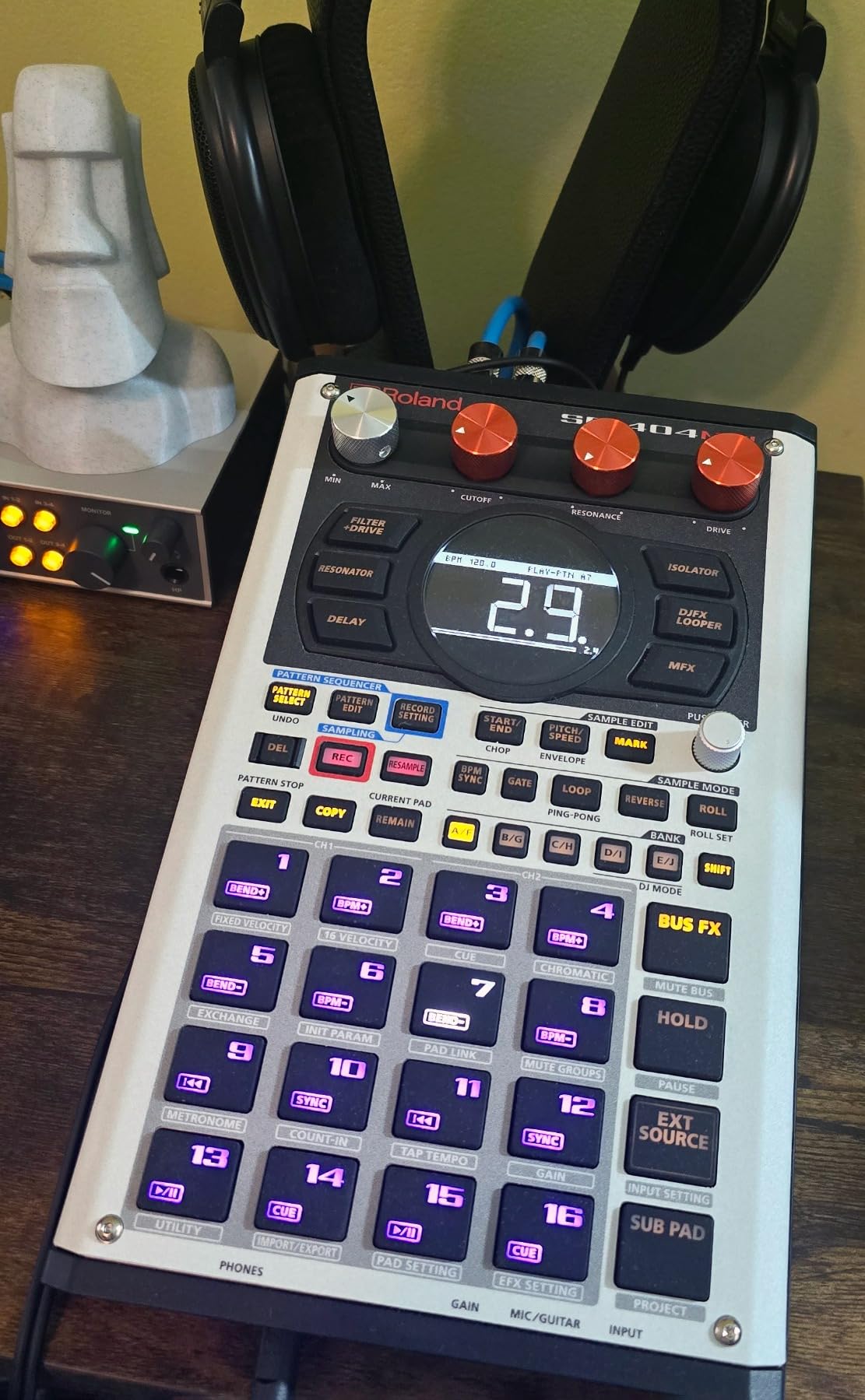
The 17 velocity-sensitive RGB pads are a joy to play. The no-click design gives them a firm, responsive feel that works for both finger drumming and one-shot triggering. The vivid OLED display makes waveform editing and sample management easier than ever before. The 16GB internal storage is generous, and the 32-voice polyphony means you can layer samples without worrying about voice stealing. I loaded 160 samples into a single project and never hit a ceiling. The auto BPM detect feature saved me time when I was sampling records with varying tempos.
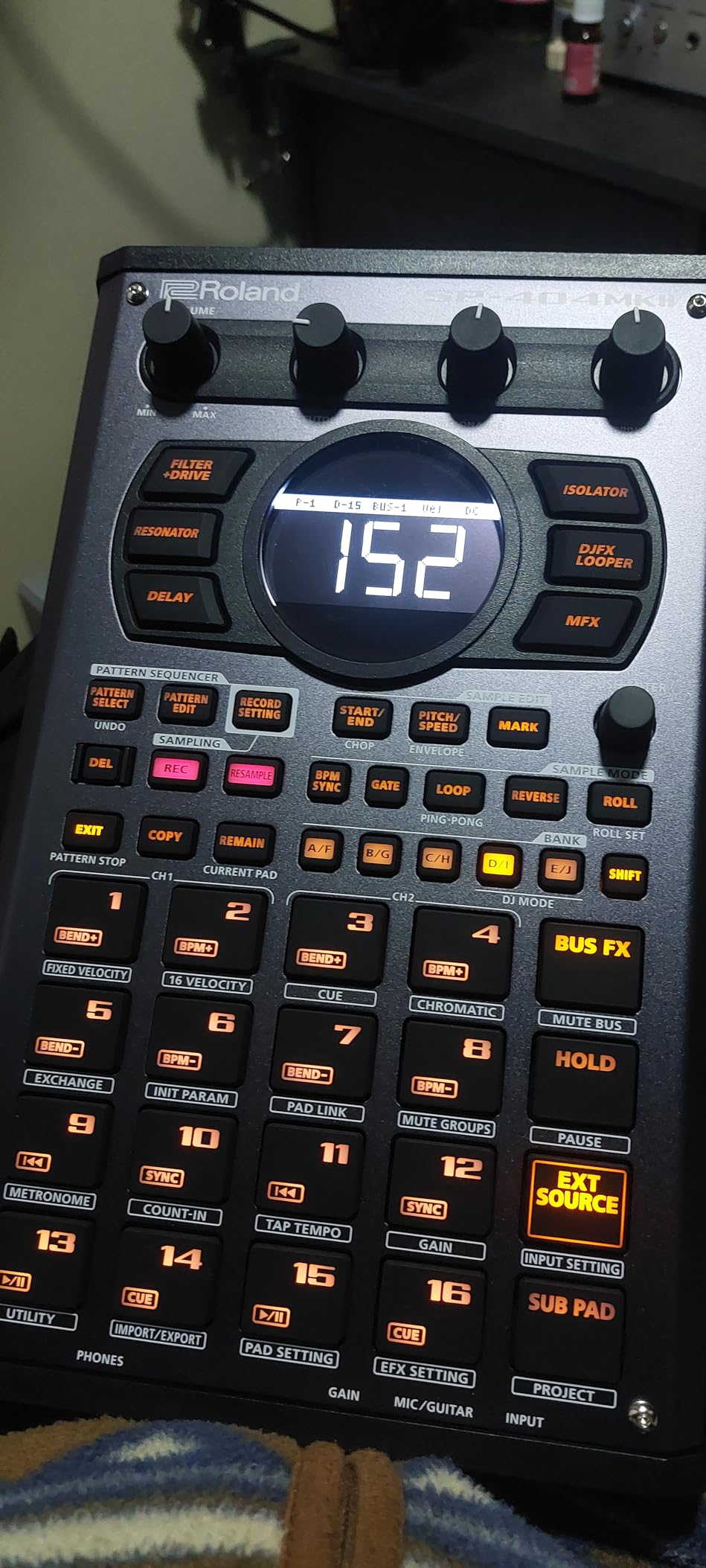
The effects section is the real star. The vinyl simulator, cassette emulator, and DJFX looper are classics, but the new resonator, auto-pitch, and guitar amp simulator expand the sound design possibilities. The SKIP BACK feature records the last 45 seconds of audio, so you never miss a happy accident. I captured a radio snippet, a conversation, and a synth drone using this feature, and all three became samples in finished tracks. The envelope controls are also more flexible than the original SP models, giving you better sculpting over sample decay.
The workflow is button-based rather than menu-driven, which is fast once you learn the combinations. The learning curve is steep but rewarding. I watched a few tutorial videos and had the basics down in an afternoon. The unit is not a full DAW replacement, but for performance-based beat-making, it is unmatched. Battery power via USB-C, mobile battery, or AA batteries means you can use it anywhere. The multiple power options are genuinely useful, and I found myself swapping between USB-C desk power and AA batteries when working outside.
Live Performance and Effects
The SP-404MKII is the best performance sampler I have tested. The effects are immediate, the pads are reliable, and the SKIP BACK feature alone is worth the price for field recordists. I used it at a small live show, and the audience responded to the live sample manipulation in a way that pre-recorded tracks never achieve. The active community and abundant tutorial videos mean you will never run out of inspiration. The DJFX Looper is a secret weapon for live transitions.
Sampling Workflow and Learning Curve
The button combinations take time to memorize. The 16-bit, 44.1kHz audio quality is good but not studio-grade. The linear sampler workflow is powerful but different from a step sequencer, so producers coming from MPC or Elektron may need an adjustment period. Once you adapt, the speed is addictive. I recommend dedicating a weekend to learning the button combos before judging the workflow speed.
9. Native Instruments MASCHINE+ — Best Premium Workstation
Native Instruments MASCHINE+ Production Workstation
Quad-core CPU and 4GB RAM
44.1 kHz 24-bit audio
2 x 1/4 TRS I/O
7.5 lbs
MIDI In/Out
Pros
- Great pads that are highly responsive
- Excellent standalone workflow
- Pro-grade audio interface
- Sturdy anodized aluminum design
- Can run 8-9 tracks simultaneously
Cons
- Known freezing issues at startup
- Interface can be a nightmare to work with
- No touchscreen makes operations slow
The Native Instruments MASCHINE+ is the most premium unit in this guide, and it earns that position with serious horsepower. The quad-core CPU and 4GB RAM let you run eight or nine tracks with VST instruments simultaneously in standalone mode. I tested this by loading a drum kit, a bass synth, a pad, and three sample instruments, and the unit never stuttered. The boot time is longer than I expected, but once it is running, the performance is stable.
The pads are among the best in the industry. They are responsive, consistent, and feel great under the fingers. The 44.1kHz, 24-bit audio interface is pro-grade, with two 1/4-inch TRS outputs, two line inputs, and a dynamic microphone input. I recorded a vocal sample directly into the unit, applied the built-in vocal tuning, and had a finished hook in under fifteen minutes. The anodized aluminum body feels like it could survive a tour bus. The knobs are also satisfying to turn, with a smooth resistance that makes parameter adjustment feel precise.
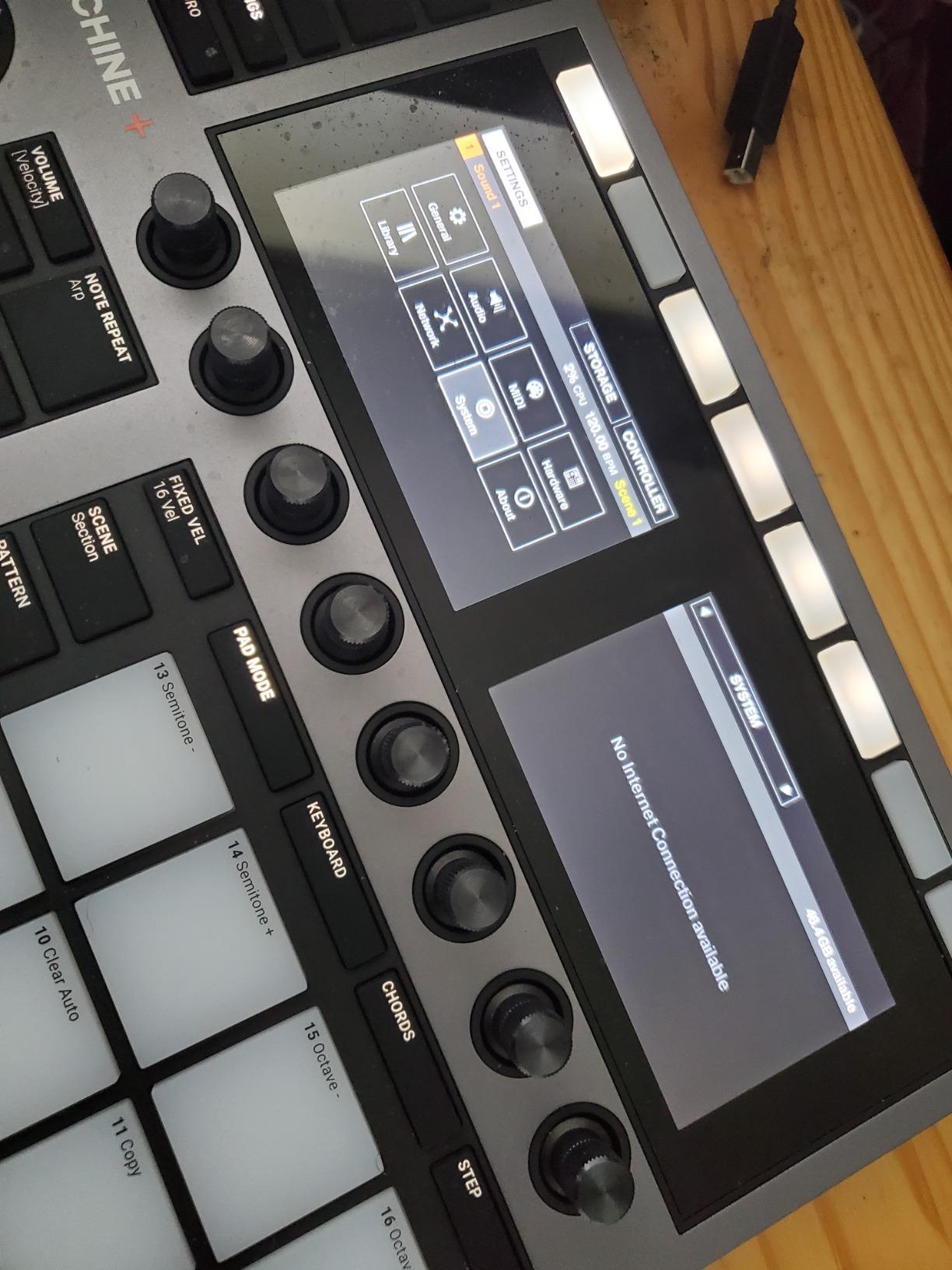
The included MASCHINE+ Selection software bundle gives you a serious library of instruments, effects, and samples. The workflow is similar to Ableton Live in hardware form, with clip-based arrangement and scene launching. The MIDI In/Out and footswitch support make it a viable centerpiece for a larger live rig. The two USB ports let you add external MIDI controllers or hard drives for sample expansion. The ability to run plugins in standalone mode is a genuine differentiator that no other unit in this guide offers.
The downside is the interface. Without a touchscreen, basic operations like browsing samples and editing automation points take longer than they should. Some users report freezing issues at startup, and the included SD card is low quality. The sounds in the library, while extensive, lean toward older genres and lack the modern presets you find in newer software packages. It is a powerful tool, but it requires patience. I replaced the stock SD card with a faster one and noticed improved boot reliability.
Standalone vs Computer Mode
The MASCHINE+ works best as a hybrid device. In standalone mode, it is great for sketching and live performance. When you connect it to a computer, it becomes a full MASCHINE controller with access to the entire Komplete ecosystem. I recommend it for producers who want both worlds: a dedicated hardware box for the road and a deep software integration for the studio. The seamless switch between modes is genuinely useful, and I found myself using standalone mode for 70 percent of my sessions.
Power User Considerations
The CPU ceiling is real. Eight or nine tracks is the practical limit before you hear dropouts. If you produce complex orchestral arrangements or dense electronic tracks, you will need a computer. The lack of a touchscreen is frustrating at this price point. The software updates have been slow, which is concerning for a premium device. Still, for the right user, the hardware quality justifies the investment. I recommend budgeting for a high-quality SD card and external storage from day one.
10. Elektron Digitakt II — Best Pro Sequencer
Elektron Digitakt II 16-Track Drum Computer and Sampler
16 audio tracks
128-step sequencer
3 assignable LFOs
Cast aluminum body
3.3 lbs
Pros
- Phenomenally fun workflow
- Excellent sound quality
- Better build quality than MPC
- Excellent Parameter Lock features
- Great modulation options with 3 LFOs
Cons
- Limited FX options
- No DAW integration
- Steep learning curve
- Small 3-inch screen
The Elektron Digitakt II is a sequencer-first instrument that happens to be an excellent sampler. I tested it for three weeks, and the workflow is unlike anything else in this guide. The 128-step Elektron sequencer is the heart of the device, and it gives you per-step parameter locks, conditional trigs, and three assignable LFOs per track. This is not a pad-focused beat machine. It is a sound design laboratory. The metal case and substantial weight give it a presence that plastic units simply cannot match.
The 16 audio tracks can handle stereo or mono samples, or you can convert them to MIDI tracks to sequence external gear. The per-track effects include delay, reverb, chorus, bit reduction, sample reduction, and overdrive. The swappable filters are a standout feature: you get a base-width filter plus a choice of multi-mode, low pass, comb, EQ, or legacy LP/HP. I spent hours just sculpting a single drum loop through different filter combinations. The conditional trigs let you add probability to steps, which creates organic variations that break the mechanical feel of grid-based sequencing.
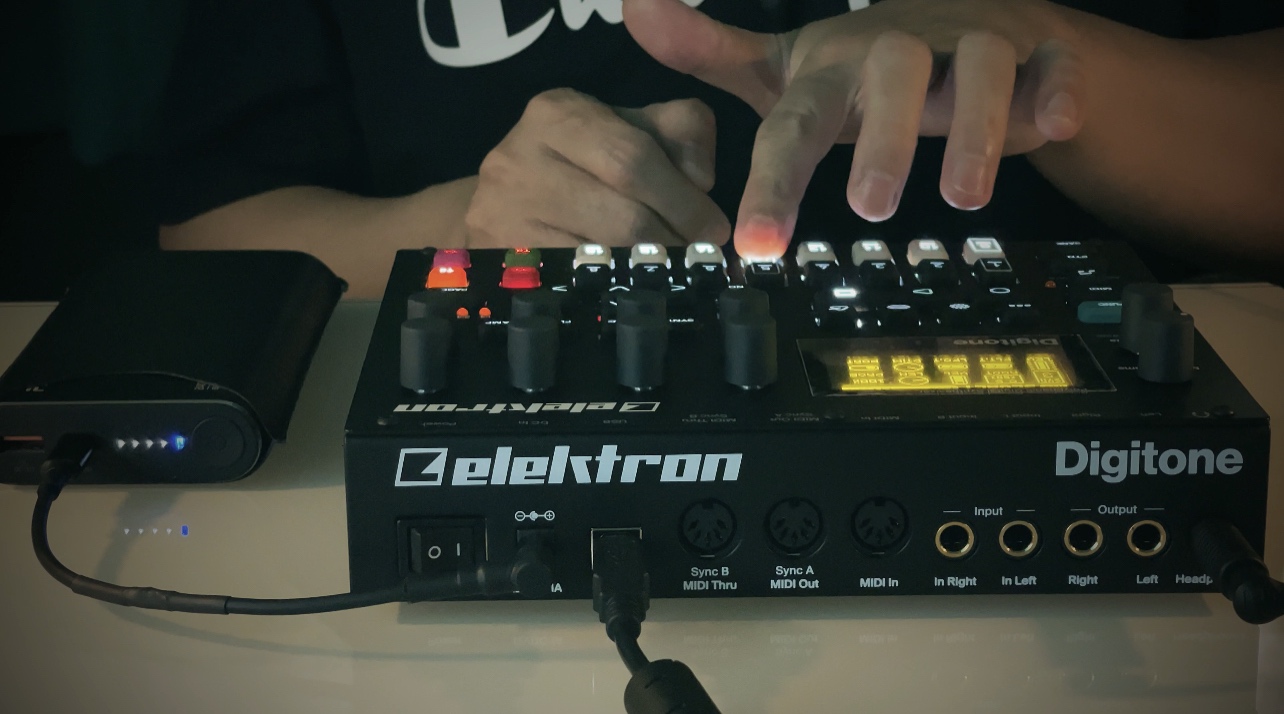
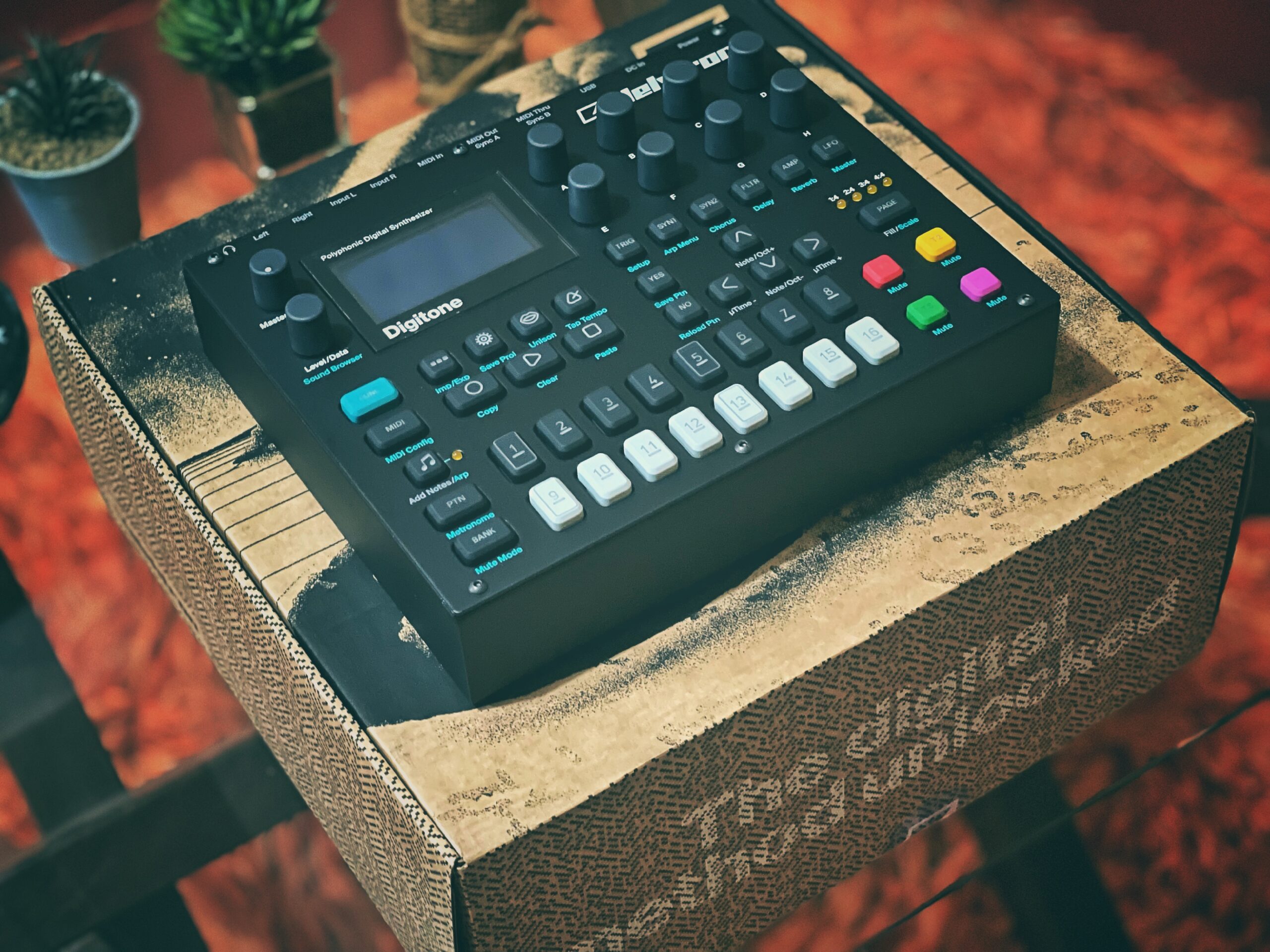
The cast aluminum body is gorgeous and heavy. At 3.3 pounds, it feels like professional equipment. The Euclidean sequence generator creates rhythmic patterns that would take hours to program manually. The song mode lets you build full compositions with multiple sections and transitions. The bus compressor with sidechaining is surprisingly musical and adds glue to the mix without needing external gear. The MIDI implementation is also excellent, and I had no trouble syncing it with a modular synth rig.
The limitations are clear. There is no DAW integration, so you export audio via USB or record the main outputs. The effects are high quality but limited in variety compared to an MPC. The 3-inch screen is small, and the bespoke terminology takes time to learn. The learning curve is steeper than any other device in this guide. If you are not willing to invest a month in learning the Elektron language, this is not the right purchase. I recommend reading the manual cover to cover before forming an opinion on the workflow.
Parameter Locks and Sequencing
The parameter lock system is the most powerful sequencing feature I have used on hardware. You can change filter cutoff, pitch, volume, and effect sends on every single step. This creates evolving patterns that never sound static. I programmed a hi-hat pattern that morphed from a tight closed hat to a wide open crash over 16 steps, and the result was hypnotic. This is the main reason Elektron users stay loyal. The micro-timing adjustments also let you add swing and groove that feels human rather than quantized.
Is It Right for Your Workflow
The Digitakt II is ideal for producers who want a DAWless setup with deep sequencing and sound design. If you are primarily a computer-based producer who occasionally wants hardware, the lack of integration will frustrate you. It is best for live performers, electronic music producers, and anyone who loves the idea of a single box that can sequence samples, drums, and external synths with surgical precision. The three-year warranty is also a confidence booster at this price point.
How to Choose the Best Hardware Sampler
Buying a hardware sampler is a personal decision. The spec sheets only tell part of the story. After testing ten units, here are the factors that actually matter when you are standing in a store or staring at a product page. I have organized these into four clear categories that will help you narrow down your options quickly.
Standalone vs Computer-Connected
The first question is whether you want a device that works without a computer. Standalone units like the Akai MPC Sample, Roland SP-404MKII, and Elektron Digitakt II run their own operating systems and need nothing but power. This is great for live performance, travel, and focused studio sessions without screen distractions. The benefit is mental as much as practical: removing the computer from the equation often leads to faster creative decisions.
Computer-connected controllers like the Akai MPC Studio and the Native Instruments MASCHINE+ require a host computer to function. They give you deeper software integration, larger screens, and access to plugin libraries. The tradeoff is that you are still tied to a laptop. I recommend standalone units for producers who want a DAWless experience and computer-connected units for those who prefer the flexibility of software. Many producers end up owning both types for different phases of their workflow.
Budget Categories for Hardware Samplers
Hardware samplers fall into clear price tiers. Under $200, you get sketchpads and basic controllers. The Teenage Engineering PO-33 K.O. and Alesis SamplePad 4 are excellent examples. They do one thing well and keep costs low by omitting advanced features. These are perfect for beginners or as secondary devices for established producers who want a portable sketchpad.
The $200 to $500 range is the sweet spot for most producers. The Akai MPC Studio, Teenage Engineering EP-133 K.O. II, Alesis SamplePad Pro, Akai MPC Sample, Sonicware SmplTrek, and Roland SP-404MKII all live here. These units offer standalone capability, better pads, more effects, and proper connectivity. If you are serious about hardware production, start your search in this range. The value per dollar peaks here, and you get features that genuinely change how you make music.
Above $800, you enter professional territory. The Native Instruments MASCHINE+ and Elektron Digitakt II offer pro-grade audio, metal construction, deep sequencing, and integration with larger rigs. These are investments, not impulse purchases. Buy them when you know exactly what workflow you need. The durability and audio quality at this level are noticeable, especially if you plan to perform live regularly.
Key Features to Prioritize
Sample memory and storage matter. If you work with long audio files or large drum libraries, prioritize units with SD card slots or internal storage over 1GB. The Roland SP-404MKII and Native Instruments MASCHINE+ lead here. If you work with short one-shots and loops, memory is less critical. Think about your typical project size before deciding how much storage you actually need.
Sequencer depth is the next priority. A 16-step sequencer is fine for basic patterns, but a 64-step or 128-step sequencer gives you the resolution for complex rhythms. The Elektron Digitakt II and Akai MPC Sample both offer advanced sequencing, though they approach it differently. Think about whether you prefer step sequencing or real-time recording. Some producers love the grid, while others prefer the fluidity of real-time capture.
Effects and sound shaping are also important. Built-in reverb, delay, and filters let you polish sounds before exporting. The Roland SP-404MKII and Elektron Digitakt II have the best onboard effects in this guide. If you plan to process everything in a DAW later, effects matter less. For live performers, however, effects are often the difference between a flat set and a dynamic one.
Portability and Battery Power
If you want to make music outside your studio, battery power is a must. The Teenage Engineering PO-33 K.O., EP-133 K.O. II, Akai MPC Sample, and Roland SP-404MKII all run on batteries. Weight and size matter too. At 550 grams, the Sonicware SmplTrek is the lightest full-featured unit, while the 7.5-pound MASCHINE+ is strictly a desk or studio rack unit. I recommend carrying a unit around for a day before committing to it as a travel companion.
Built-in speakers and microphones are underrated features. They let you sketch ideas without headphones or cables. The Akai MPC Sample and Sonicware SmplTrek both include these, and the Teenage Engineering units have speakers too. If you do a lot of field recording or travel production, prioritize these features. Being able to sample a sound and hear it back immediately without plugging in headphones changes how you interact with your environment.
Frequently Asked Questions
What sampler does Daft Punk use?
Daft Punk famously used the Roland SP-1200 and E-mu SP-1200 samplers on their early records. These vintage machines defined the crunchy, sample-heavy sound of their debut album. They also used the Akai MPC series and various other hardware samplers throughout their career.
Are samplers still relevant in music production?
Samplers are absolutely relevant in 2026. Hardware samplers provide a tactile, focused workflow that many producers prefer over software. The DAWless production movement has brought hardware samplers back to the center of studio and live setups. Modern units like the Roland SP-404MKII and Elektron Digitakt II offer features that software still struggles to replicate in a hands-on format.
What is the best hardware sampler?
The best hardware sampler depends on your workflow. The Roland SP-404MKII is our top pick for live performance and effects. The Akai MPC Sample offers the best value for standalone beat-making. The Elektron Digitakt II is the best choice for deep sequencing and sound design. For beginners, the Teenage Engineering PO-33 K.O. provides an affordable entry point with a unique character.
What is the best hardware sampler for beginners?
The Teenage Engineering PO-33 K.O. is the best beginner hardware sampler for its price, portability, and fun factor. The Akai MPC Sample is also excellent for beginners who want a standalone device with a more traditional workflow. Both units include built-in speakers and microphones, so you can start making music immediately without extra gear.
Final Thoughts
After three months of testing, the best hardware samplers in 2026 offer something for every type of producer. The Roland SP-404MKII remains our top recommendation for its legendary effects, portable design, and performance-friendly workflow. The Akai MPC Sample delivers the best value for anyone who wants a standalone beat-making machine without breaking the bank. The Teenage Engineering PO-33 K.O. proves that great music can come from the smallest devices.
If you need deep sequencing and sound design, the Elektron Digitakt II is unmatched. For producers who want a hybrid studio and stage setup, the Native Instruments MASCHINE+ is a serious investment that pays off in build quality and audio performance. The middle range is packed with excellent options, from the scene-based workflow of the Sonicware SmplTrek to the compact power of the Teenage Engineering EP-133 K.O. II.
The key is matching the sampler to your workflow, not chasing the highest spec sheet. Best hardware samplers are the ones that get used. Pick a unit that fits your space, your budget, and your creative habits, then make music with it. That is the only test that truly matters. Our team will continue testing new models as they are released, and we will update this guide whenever a standout unit deserves a spot in our rankings.