
Finding the right lightweight gaming mouse can genuinely change how you play. I spent weeks testing 15 different models across FPS titles, MOBAs, and general use to figure out which ones actually deliver on their weight claims without sacrificing build quality or sensor performance. Whether you are grinding ranked in Valorant or playing casually after work, the best lightweight gaming mice give you faster flicks, less wrist fatigue, and a noticeable edge over heavier options.
The lightweight mouse market has exploded recently. Back when the original Logitech G PRO X Superlight launched at 63g, that was considered groundbreaking. Now we have mice dipping below 40g with magnesium alloy frames and 8KHz polling rates. The technology has moved fast, and so has the competition. Budget brands like Attack Shark and Redragon are packing PAW3395 sensors into sub-50g shells for a fraction of what premium brands charge.
In this guide, our team breaks down 15 lightweight gaming mice ranked by weight, covering everything from the featherlight 36g Corsair Sabre v2 PRO to solid all-rounders in the 60-80g range. We cover sensor accuracy, battery life, grip compatibility, and real gaming performance so you can pick the mouse that actually fits your hand and playstyle. This list is updated for 2026 with the latest models available.
Top 3 Picks for Best Lightweight Gaming Mice


Best Lightweight Gaming Mice in 2026
| Product | Specifications | Action |
|---|---|---|
|
Corsair Sabre v2 PRO
|
|
Check Latest Price |
 Attack Shark X3
|
|
Check Latest Price |
 Redragon M916 PRO
|
|
Check Latest Price |
 Redragon M725
|
|
Check Latest Price |
|
Razer Viper V3 Pro
|
|
Check Latest Price |
 Razer DeathAdder V3 HyperSpeed
|
|
Check Latest Price |
 ASUS ROG Strix Impact III
|
|
Check Latest Price |
 Razer Cobra
|
|
Check Latest Price |
 Logitech G PRO X Superlight 2
|
|
Check Latest Price |
 Logitech PRO X2 SUPERSTRIKE
|
|
Check Latest Price |
1. Corsair Sabre v2 PRO – The Lightest at 36g
Corsair Sabre v2 PRO Ultralight FPS Wireless Gaming Mouse – 33,000 DPI, 36g Weight, 8,000Hz Hyper-Polling, Mechanical Switches, Up to 70-Hour Wireless Battery Life, Web Hub – Black
Weight: 36g
Sensor: MARKSMAN S 33K DPI
Polling: 8KHz
Battery: 70 Hours
Connectivity: 2.4GHz Wireless
Pros
- Incredibly light at 36g
- 8KHz hyper-polling
- MARKSMAN S sensor
- No bloatware - web-based software
Cons
- No DPI button
- No Bluetooth
- Side buttons feel mushy
When I first picked up the Corsair Sabre v2 PRO, the 36g weight genuinely caught me off guard. It feels like holding almost nothing. Corsair achieved this with a magnesium alloy skeleton that keeps structural integrity while stripping away every unnecessary gram. During testing in CS2 deathmatches, my flick shots felt noticeably snappier and tracking felt effortless compared to my usual 60g daily driver.
The MARKSMAN S sensor delivers 33,000 DPI with 8,000Hz hyper-polling over the 2.4GHz wireless connection. In practice, that means your cursor responds to input in under 0.125ms. I tested it alongside wired mice and could not tell the difference in latency. The 70-hour battery life is solid for a mouse this light, and the USB-C charging means you can top it off quickly between sessions.
One thing that surprised me is the web-based software. Instead of installing heavy desktop bloatware, Corsair lets you configure everything through a browser. DPI settings, polling rate, button remapping – all done through iCUE on the web. It is a refreshing approach that keeps your system clean.
The downsides are real though. There is no dedicated DPI button, so you need the software to change sensitivity. The side buttons have a mushy feel that lacks the crisp click of Razer optical switches. And there is no Bluetooth option, so you are locked into the dongle. For pure competitive FPS gaming though, none of that matters much when the mouse performs this well at 36g.
Who Should Buy the Corsair Sabre v2 PRO
FPS players who want the absolute lightest mouse possible will love this. If you play Valorant, CS2, or Apex Legends and prioritize raw speed and low weight above everything else, the 36g Corsair Sabre v2 PRO is tough to beat. Fingertip grip users with small to medium hands will find the shape especially comfortable for long gaming sessions.
Who Should Skip It
If you prefer palm grip or have large hands, this mouse will feel too small and insubstantial. The lack of a DPI button and mushy side buttons also make it a poor fit for gamers who frequently switch sensitivity settings or rely heavily on side buttons for MMO or productivity work.
2. Attack Shark X3 – Best Budget Lightweight Mouse
ATTACK SHARK X3 Lightweight Wireless Gaming Mouse, 49g Tri-Mode Bluetooth/2.4G/USB-C Wired Mouse, PAW3395 26K DPI Sensor, 200h Battery Life, Programmable Buttons, Griptape for PC/Laptop/Mac
Weight: 49g
Sensor: PAW3395 26K DPI
Connectivity: Tri-Mode BT/2.4G/USB-C
Battery: 200 Hours
Includes Grip Tape
Pros
- 49g ultra-lightweight
- PAW3395 sensor at budget price
- 200-hour battery
- Tri-mode connectivity with grip tape included
Cons
- Wireless not as refined as premium brands
- Default skates are mediocre
The Attack Shark X3 is the mouse that made me reconsider how much you actually need to spend for competitive-level performance. At 49g with a PAW3395 sensor, it packs hardware that was exclusive to premium mice just two years ago. I tested it across Valorant, Overwatch 2, and general desktop use, and the tracking accuracy genuinely rivals mice costing three times as much.
The tri-mode connectivity is a genuine selling point. You get Bluetooth 5.2 for everyday use, 2.4GHz wireless for gaming, and USB-C wired as a backup. Switching between modes is seamless with the button on the bottom. The 200-hour battery life in 2.4GHz mode means you can go weeks between charges, which is impressive for a mouse at this price point.
Attack Shark includes grip tape in the box, which is a nice touch that shows they understand their audience. The shape works well for claw and fingertip grip styles. I have medium hands and found the hump comfortable for extended sessions without any cramping or discomfort. The main clicks use Huano switches that feel crisp and satisfying.
The areas where the budget roots show are in the wireless consistency and the skates. The 2.4GHz connection is good but occasionally has micro-stutters that premium brands like Logitech and Razer have mostly eliminated. The default PTFE skates are adequate but not as smooth as what you get from higher-end options. Both issues can be fixed with aftermarket skates for a few dollars.
Who Should Buy the Attack Shark X3
Budget-conscious gamers who want premium sensor performance without the premium price tag will find exceptional value here. If you are building a competitive setup on a budget or just want to try a lightweight mouse without committing big money, the Attack Shark X3 delivers where it counts. The included grip tape and tri-mode connectivity make it a complete package.
Who Should Skip It
Competitive players who need absolutely flawless wireless consistency should look at the Razer Viper V3 Pro or Logitech Superlight instead. The occasional wireless micro-stutters are minor but noticeable in high-stakes ranked play. Users who want zero maintenance out of the box may also be frustrated by the mediocre stock skates.
3. Redragon M916 PRO – Budget Lightweight With Ergonomic Shape
Redragon M916 PRO 3-Mode Wireless Gaming Mouse, 55G Ultra-Light 26K DPI Mouse w/Ergonomic Natural Grip Build, Full Programmable Buttons, Software Supports DIY Keybinds & DPI
Weight: 49g
Sensor: PAW3395 26K DPI
Connectivity: BT/2.4GHz/USB-C
Battery: 150 Hours
Ergonomic Natural Grip
Pros
- Budget price with premium PAW3395 sensor
- Lightweight at 49g
- 3 connection modes
- Ergonomic shape for comfort
Cons
- Cable only charges on some units
- Software is basic
Redragon has been quietly making some of the best budget gaming peripherals for years, and the M916 PRO continues that tradition. At 49g with the PAW3395 sensor, it matches the Attack Shark X3 on paper but differentiates itself with an ergonomic natural grip shape. I found this shape more comfortable for palm and claw hybrid grips compared to the flatter Attack Shark design.
The 3-mode connectivity covers all the bases: Bluetooth for laptop use, 2.4GHz for wireless gaming, and USB-C for charging. The 150-hour battery life is respectable if not class-leading. During my testing, I went nearly two weeks of daily gaming on a single charge, which is more than enough for most users.
Where the M916 PRO really shines is the ergonomic shape. Redragon designed the shell to follow the natural curve of your hand, and it shows. Unlike flat symmetrical mice that force your hand into an unnatural position, this one lets your hand rest in a relaxed posture. I played four-hour sessions without any wrist fatigue, which is impressive at any price point.
The software is basic but functional. You can remap buttons, adjust DPI stages, and set macros. It will not win any design awards, but it gets the job done. The one frustrating issue is that on some units the USB-C cable only charges the mouse and does not enable a true wired mode. This is a minor annoyance for most people but worth knowing about.
Who Should Buy the Redragon M916 PRO
Gamers who prioritize comfort and want an ergonomic shape in a lightweight package should strongly consider this. If you have had wrist discomfort from flat gaming mice or prefer a shape that supports your natural hand position, the M916 PRO delivers comfort that punches way above its price. It is also a great entry point for anyone curious about ultralight mice.
Who Should Skip It
Players who want a symmetrical shape for ambidextrous use should look elsewhere, as the ergonomic design is right-hand only. Those who rely on wired mode for tournament play may also be disappointed by the cable-only-charging limitation on some units.
4. Redragon M725 – Ultra-Budget Honeycomb Lightweight
Redragon M725 Honeycomb Shell Gaming Mouse Wireless, Ultra Lightweight 49g, 8000 DPI Tri-Mode BT5.1/2.4GHz/Type-C Wired Gamer Mouse with 2 Side Buttons, Macro Programmable for PC/Mac/Laptop, Black
Weight: 49g
Sensor: Optical up to 8000 DPI
Connectivity: 2.4GHz/BT5.1/USB-C
Honeycomb Shell
Battery: Long-lasting
Pros
- Extremely budget-friendly
- Very responsive tracking
- Good battery life
- Reliable tri-mode connectivity
Cons
- No storage for dongle
- Limited DPI compared to PAW3395 mice
The Redragon M725 is one of the cheapest ways to get into the lightweight gaming mouse space. At under 25 dollars for a 49g tri-mode wireless mouse, it almost feels like a pricing error. I picked this up expecting significant compromises and came away impressed by how capable it is for casual and semi-competitive gaming.
The honeycomb shell design keeps the weight down to 49g while maintaining enough structural rigidity for daily use. The holes are small enough that they do not collect debris easily, which is a common complaint with more aggressive honeycomb designs. The tri-mode connectivity with Bluetooth 5.1, 2.4GHz wireless, and USB-C wired gives you flexibility that many budget mice skip entirely.
Performance-wise, the optical sensor handles up to 8000 DPI with four default stages. It is not a PAW3395, so do not expect the same level of precision at extreme DPI settings. For most gamers playing at 400-1600 DPI though, the tracking is perfectly adequate. I played several Valorant matches and did not notice any tracking issues or acceleration.
The main annoyance is the lack of dongle storage inside the mouse. If you travel with it or move between setups, you need to keep track of the tiny USB receiver separately. The build quality is also clearly budget-tier, with more flex in the shell than premium options. For the price though, these are forgivable tradeoffs.
Who Should Buy the Redragon M725
Anyone on a tight budget who wants a lightweight wireless gaming mouse should start here. If you are a casual gamer, student, or just want to try the lightweight mouse trend without spending much, the M725 delivers real value. It is also a solid backup mouse for LAN events or travel.
Who Should Skip It
Competitive players who need pixel-perfect sensor accuracy should invest in a PAW3395-equipped mouse instead. The 8000 DPI optical sensor is fine for casual use but lacks the refinement of higher-end sensors at extreme sensitivities. The lack of dongle storage also makes it inconvenient for frequent travelers.
5. Razer Viper V3 Pro – Best Overall Lightweight Gaming Mouse
Razer Viper V3 Pro Wireless Esports Gaming Mouse: Symmetrical - 54g Lightweight - 8K Polling - 35K DPI Optical Sensor - Gen3 Optical Switches - 8 Programmable Buttons - 95 Hr Battery - Black
Weight: 54g
Sensor: Focus Pro 35K Gen-2
Polling: 8K HyperPolling
Battery: 95 Hours
Buttons: 8 Programmable
Pros
- 54g ultra-lightweight
- Focus Pro 35K Gen-2 sensor
- 8K HyperPolling
- 95-hour battery with 8 programmable buttons
Cons
- Small size not ideal for palm grip
- Razer Synapse software can be finicky
The Razer Viper V3 Pro is the mouse I keep coming back to as my daily driver. At 54g, it hits the sweet spot between being light enough for fast flicks and substantial enough to feel controlled. The Focus Pro 35K Gen-2 optical sensor is one of the best sensors available in any mouse right now, delivering buttery smooth tracking across every surface I tested.
Razer packed 8 programmable buttons into this frame, which is more than most ultralight mice offer. The Gen-3 optical switches give you that satisfying, crisp click with zero debounce delay. Combined with 8K HyperPolling, every input registers essentially instantly. I tested it in Aim Lab and saw a measurable improvement in reaction time scores compared to my previous 1KHz mouse.
The 95-hour battery life is impressive considering the 8KHz polling rate, which typically drains batteries much faster. Razer managed the power efficiency well enough that you can game at maximum polling rate for several days before needing to charge. The symmetrical shape works for both left and right-handed users, and the low-profile design suits claw and fingertip grips perfectly.
My main gripe is the size. If you have large hands or prefer a palm grip, the Viper V3 Pro will feel cramped. I have medium hands and found it comfortable for claw grip, but anyone with hands over 20cm in length might struggle. The Razer Synapse software is also a known pain point – it works but occasionally forgets settings or requires re-syncing after updates.
Who Should Buy the Razer Viper V3 Pro
Competitive FPS gamers who want the best overall lightweight gaming mouse should look no further. If you play Valorant, CS2, or any game where split-second reactions matter, the combination of 54g weight, 8K polling, and the Focus Pro 35K sensor gives you every possible advantage. Claw and fingertip grip users with small to medium hands will love the shape.
Who Should Skip It
Palm grip users and anyone with large hands over 20cm should test the shape before committing. The low-profile symmetrical design simply does not provide enough surface area for comfortable palm grip. If you dislike Razer Synapse or prefer minimal software, the lack of onboard memory for all settings may frustrate you.
6. Razer DeathAdder V3 HyperSpeed – Best Ergonomic Lightweight
Razer DeathAdder V3 HyperSpeed Wireless Gaming Mouse: 55g Lightweight - USB C Charging - Up to 100 Hr Battery - Advanced 26K Optical Sensor - Gen-3 Optical Switches - 8 Programmable Controls - Black
Weight: 55g
Sensor: Focus X 26K Optical
Switches: Gen-3 Optical
Battery: 100 Hours
Ergonomic Shape
Pros
- 55g super lightweight
- Gen-3 optical switches
- 100-hour battery
- Classic ergonomic DeathAdder shape
Cons
- Left button quality issues on some units
- 8KHz dongle sold separately
The DeathAdder shape is one of the most iconic in gaming, and Razer finally brought it into the ultralight era at 55g. I have used various DeathAdder models over the years, and this version feels like the definitive one. The ergonomic right-handed design fills your palm naturally, and the weight reduction makes it feel like an entirely different class of mouse compared to older DeathAdder models.
The Focus X 26K optical sensor handles everything you throw at it. Tracking is flawless on both hard and cloth pads, with no pixel skipping or acceleration at any DPI setting. The Gen-3 optical switches deliver consistent, crisp clicks with the zero debounce that optical switches are known for. At 100 hours of battery life, you can game for days without reaching for the USB-C cable.
What makes this mouse special is how it combines the proven DeathAdder ergonomics with modern lightweight construction. Palm grip players who have been frustrated by flat, symmetrical ultralight mice finally have an option that supports their grip style without weighing them down. The side buttons are well-placed and easy to reach without accidentally pressing them.
The frustrating part is that the included dongle only supports 1000Hz polling. If you want the 8000Hz HyperPolling experience, you need to buy the Razer HyperPolling Wireless Dongle separately. Some users have also reported inconsistent left mouse button quality, with double-click issues developing over time. These seem to be quality control issues rather than design flaws, but they are worth monitoring.
Who Should Buy the Razer DeathAdder V3 HyperSpeed
Palm grip players and anyone who has loved previous DeathAdder shapes will feel right at home with this ultralight version. If you have been waiting for an ergonomic lightweight mouse that actually supports a full palm grip, this is the answer. It is also ideal for right-handed gamers who want proven ergonomics with modern wireless performance.
Who Should Skip It
Left-handed users and those who want 8KHz polling out of the box should look at the Razer Viper V3 Pro instead. The separate dongle purchase for 8KHz adds to the total cost, and the ergonomic right-handed design makes it unusable for left-handed players. Budget-conscious buyers may also find better value in the Attack Shark X3.
7. ASUS ROG Strix Impact III – Battery Life Champion
ASUS ROG Strix Impact III Wireless Gaming Mouse, 57 G Lightweight, 36K DPI Sensor, Bluetooth & 2,4GHz RF, ROG SpeedNova, Up to 618hrs Battery Life, Replaceable Switches, ROG Omni Receiver, Black
Weight: 57g
Sensor: ROG AimPoint 36K DPI
Connectivity: 2.4GHz RF + Bluetooth
Battery: 618 Hours
Replaceable Switches
Pros
- 618-hour battery life
- 36K DPI precision
- Replaceable switches
- Dual wireless connectivity
Cons
- Build quality feels somewhat flimsy
- DPI switch underneath mouse
- No rechargeable battery
618 hours of battery life is not a typo. The ASUS ROG Strix Impact III uses a standard AA battery instead of a built-in rechargeable cell, and the power efficiency is remarkable. I used this mouse for over a month of daily gaming without changing the battery once. If battery anxiety is a concern, this mouse eliminates it completely.
The ROG AimPoint optical sensor delivers 36,000 DPI with ASUS claiming less than 1% deviation from the target. In my testing, the tracking felt accurate and consistent across multiple pad surfaces. The dual wireless connectivity gives you 2.4GHz RF for low-latency gaming and Bluetooth for everyday productivity use, letting you switch between devices easily.
One standout feature is the replaceable switches. ASUS uses hot-swappable micro switches that you can replace without soldering. If your clicks ever develop double-click issues or feel worn out, you simply pop in new switches. This is a longevity feature that almost no other gaming mouse offers, and it makes the total cost of ownership much lower over time.
The tradeoffs are notable though. The build quality feels lighter and less premium than similarly priced competitors. The shell has some flex when you squeeze it, which does not inspire confidence for long-term durability. The DPI switch is located on the bottom of the mouse, which means you cannot change DPI on the fly during gameplay. And since it uses AA batteries, there is no USB-C charging convenience.
Who Should Buy the ASUS ROG Strix Impact III
Gamers who hate charging their mouse and want months between battery changes will love this. The 618-hour battery life is genuinely unmatched. Tinkerers who appreciate the replaceable switch design will also find this mouse appealing for its long-term serviceability. It is a solid pick for anyone who values practicality over premium build feel.
Who Should Skip It
Players who want a premium, solid-feeling mouse shell should test this in person first. The lightweight build has noticeable flex that some users find distracting. Those who prefer USB-C charging convenience over AA battery swaps should also look at the Logitech or Razer options instead.
8. Razer Cobra – Best Wired Lightweight Under $30
Razer Cobra Wired Gaming Mouse: 58g Lightweight Design - Gen-3 Optical Switches - Chroma RGB Lighting with Underglow - Precise 8500 DPI Optical Sensor - 100% PTFE Mouse Feet - Speedflex Cable - Black
Weight: 58g
Sensor: 8500 DPI Optical
Connectivity: USB Wired
Switches: Gen-3 Optical
Feet: 100% PTFE
Pros
- Budget-friendly price
- Gen-3 optical switches at 58g
- 100% PTFE feet
- Great for claw and fingertip grip
Cons
- Small size not ideal for palm grip
- Wired only - no wireless option
The Razer Cobra proves that you do not need to spend much to get a genuinely good lightweight gaming mouse. At under 30 dollars, it delivers 58g weight with Razer Gen-3 optical switches and 100% PTFE feet. For gamers who prefer wired mice for the zero-latency guarantee, this is one of the best values available.
The Speedflex cable is one of the lightest and most flexible I have used on a wired mouse. It creates minimal drag on the mousepad, getting close to the feel of a wireless mouse without the wireless price premium. Combined with the 100% PTFE feet, the Cobra glides smoothly and consistently on every surface I tested.
Razer included their Chroma RGB lighting with underglow, which is a nice aesthetic touch for a budget mouse. The 8500 DPI optical sensor is not going to compete with PAW3395 or Focus Pro sensors in raw specs, but for 99% of gamers who play at 400-1600 DPI, it delivers perfectly accurate tracking without any noticeable issues.
The main limitation is the size. Like the Viper V3 Pro, the Cobra has a small, low-profile shape that suits claw and fingertip grips but leaves palm grip users wanting more surface area. And since it is wired only, there is no wireless upgrade path. If you need wireless, the Redragon M725 at a similar price point offers tri-mode connectivity.
Who Should Buy the Razer Cobra
Budget-conscious gamers who prefer the reliability of a wired connection should strongly consider the Razer Cobra. If you play claw or fingertip grip and want Razer optical switch quality at a fraction of the usual price, this mouse is an easy recommendation. It is also a great secondary mouse for LAN events where wireless interference is a concern.
Who Should Skip It
Anyone who wants wireless freedom should look at the Attack Shark X3 or Redragon M916 PRO instead. Palm grip users with larger hands will also find the shape too small for comfortable use. Competitive players who need higher DPI or 8KHz polling should invest in a sensor upgrade.
9. Logitech G PRO X Superlight 2 – The Pro Standard
Logitech G PRO X Superlight 2 Wireless Gaming Mouse, 60g Pro-Grade with 5 Programmable Buttons, 44k DPI Sensor, 8kHz Report Rate, USB-C Charging for PC/Mac - Black
Weight: 60g
Sensor: HERO 2 44K DPI
Polling: 8kHz
Battery: 95 Hours
POWERPLAY Compatible
Pros
- Exceptional 60g lightweight design
- HERO 2 sensor with 44K DPI
- 8kHz wireless polling
- 95-hour battery with POWERPLAY
Cons
- Premium price point
- G Hub software can be heavy on system resources
The Logitech G PRO X Superlight 2 is the mouse most people think of when they hear “lightweight gaming mouse.” Logitech refined the original Superlight formula with the HERO 2 sensor delivering 44,000 DPI, 8kHz wireless polling, and USB-C charging that fixes the biggest complaint about the original. At 60g, it sits right in the sweet spot for competitive play.
I used this mouse as my primary for three weeks across Valorant, CS2, and general desktop work. The HERO 2 sensor is excellent – smooth, accurate, and consistent across different surfaces. The 8kHz wireless polling over Lightspeed feels indistinguishable from a wired connection. Logitech claims sub-1ms latency, and based on my testing, that claim holds up in real-world gaming.
The 95-hour battery life is solid, especially considering the 8kHz polling rate that typically drains batteries faster. If you want to eliminate charging entirely, the POWERPLAY compatibility means you can use a Logitech charging pad to keep it topped up wirelessly while you play. The USB-C charging is a welcome upgrade from the Micro-USB on the original Superlight.
The main barrier is the price. At its premium price point, you are paying for the Logitech name and ecosystem alongside the performance. The G Hub software also has a reputation for being resource-heavy and occasionally buggy. It works, but it is not as lightweight as the Corsair web-based approach or Razer Synapse in its current form.
Who Should Buy the Logitech G PRO X Superlight 2
Competitive gamers who want a proven, tournament-tested lightweight mouse with top-tier sensor performance should strongly consider the Superlight 2. If you are already in the Logitech ecosystem with a POWERPLAY pad or other G-series peripherals, the integration is seamless. It is also a great choice for players who want a safe, universally praised shape.
Who Should Skip It
Budget-conscious gamers can get 90% of the performance from the Attack Shark X3 at a fraction of the cost. Those who dislike G Hub software or prefer minimal system overhead should also consider the Corsair Sabre v2 PRO with its web-based configuration instead.
10. Logitech PRO X2 SUPERSTRIKE – Premium Haptic Feedback
Logitech G PRO X2 SUPERSTRIKE Wireless Gaming Mouse: Customizable Rapid Trigger Magnetic Analog Switches, Adjustable Click Haptics, 61g Ultra Lightweight, USB-C, <8K Polling, for PC/Mac - Black/White
Weight: 61g
Sensor: HERO 2 44K DPI
Polling: 8kHz
Battery: 60-90 Hours
Haptic Feedback System
POWERPLAY 2
Pros
- 61g ultra-lightweight
- Zero lag wireless
- Customizable haptic feedback
- Premium build quality
Cons
- Most expensive option
- G Hub software can be buggy
The Logitech PRO X2 SUPERSTRIKE is the newest addition to the Superlight family, and it brings something genuinely new to the table: customizable haptic feedback. At 61g, it carries the same lightweight DNA as the Superlight 2 but adds a haptic engine that lets you feel clicks, notifications, and in-game events through the mouse itself. It sounds like a gimmick until you try it.
The haptic feedback system is surprisingly useful in competitive play. You can configure it to give you a subtle vibration for low ammo warnings, ability cooldown completions, or kill confirmations. In FPS games, I found the click haptics added a satisfying tactile dimension that made each shot feel more impactful. It is not essential, but it enhances the experience.
Under the hood, the SUPERSTRIKE shares the same HERO 2 44K DPI sensor and 8kHz wireless polling as the Superlight 2. The battery life ranges from 60-90 hours depending on your haptic settings and polling rate. With POWERPLAY 2 compatibility, you can charge wirelessly while gaming if you have the charging pad. The build quality is top-tier, with a solid-feeling shell that has zero flex.
At its premium price, the SUPERSTRIKE is the most expensive mouse on this list. The haptic feedback is cool but not essential for competitive performance. If you are purely chasing frames and flick speed, the standard Superlight 2 or Razer Viper V3 Pro deliver the same sensor performance for less. The SUPERSTRIKE is for gamers who want the complete premium package with the latest features.
Who Should Buy the Logitech PRO X2 SUPERSTRIKE
Gamers who want the newest technology and are willing to pay a premium for it will love this mouse. The haptic feedback adds a unique dimension to gaming that no other lightweight mouse offers. If you already own a POWERPLAY 2 pad and want the most feature-complete lightweight mouse available, the SUPERSTRIKE justifies its price with genuine innovation.
Who Should Skip It
Anyone on a budget or purely focused on competitive performance should save money and go with the Superlight 2 or Razer Viper V3 Pro instead. The haptic feedback is a luxury feature, not a competitive advantage. Those who dislike complex software ecosystems should also be cautious about the G Hub requirements for full customization.
11. Logitech G PRO X Superlight – The Classic That Started It All

Logitech G PRO X Superlight Wireless Gaming Mouse, Ultra-Lightweight, Hero 25K Sensor, 25,600 DPI, 5 Programmable Buttons, Long Battery Life, Compatible with PC/Mac - Black
Weight: 63g
Sensor: HERO 25K DPI
Connectivity: Lightspeed Wireless
Battery: 70 Hours
PTFE Feet
Pros
- Ultra-lightweight at 63g
- HERO 25K sensor
- 70-hour battery
- Smooth PTFE feet with proven shape
Cons
- Micro-USB charging port
- No dedicated DPI button
The original Logitech G PRO X Superlight is the mouse that popularized the lightweight gaming mouse category. At 63g with over 11,000 reviews and a 4.6-star rating, it remains one of the most popular gaming mice ever made. Even in 2026, it holds up as a competitive option despite being several years old.
The HERO 25K sensor delivers 25,600 DPI with the kind of consistent, accurate tracking that made Logitech the go-to brand for professional gamers. The Lightspeed wireless connection is rock-solid with no noticeable latency compared to wired. The PTFE feet provide some of the smoothest glide out of the box of any mouse I have tested.
The shape is the real star here. Logitech designed a safe, universally comfortable shape that works for palm, claw, and fingertip grips across a wide range of hand sizes. It is the gaming mouse equivalent of a well-fitted pair of shoes – nothing flashy, just comfortable and reliable. This is why so many pro players still use it despite newer, lighter options being available.
The drawbacks are primarily due to age. The Micro-USB charging port is outdated when every other mouse on this list uses USB-C. There is no dedicated DPI button, and the 1000Hz polling rate maxes out well below the 8kHz standard that newer mice offer. At 70 hours, the battery life is also shorter than most modern alternatives. These are not dealbreakers, but they show the mouse’s age.
Who Should Buy the Logitech G PRO X Superlight
Gamers who want a proven, universally comfortable shape at a lower price than the Superlight 2 should pick this up. If you already have one and need a replacement, or if you want the shape that most pro players have used for years, the original Superlight still delivers excellent performance. It is also a great entry point into the Logitech ecosystem.
Who Should Skip It
Anyone who wants USB-C charging, 8kHz polling, or the latest sensor technology should get the Superlight 2 instead. The Micro-USB port alone is a significant drawback for users who have standardized on USB-C cables. Competitive players chasing every possible edge in polling rate and sensor performance should also opt for the newer model.
12. TMKB Falcon M1SE – Budget Wired Honeycomb

TMKB Falcon M1SE Ultralight Honeycomb Gaming Mouse, High-Precision 12800DPI Optical Sensor, 6 Programmable Buttons, Customizable RGB, Drag-Free Paracord, Ergonomic, Wired - Matte White
Weight: 75g
Sensor: 12800 DPI Optical
Connectivity: USB Wired
Buttons: 6 Programmable
RGB Lighting
Pros
- Excellent budget gaming mouse
- Great value with RGB
- Reliable tracking sensor
- Lightweight honeycomb design
Cons
- Stiff scroll wheel on some units
- 75g heavier than premium ultralight options
The TMKB Falcon M1SE is the cheapest mouse on this list and proudly wears its budget badge. At 75g with a honeycomb shell, it is heavier than the ultralight options above but still qualifies as lightweight by most standards. For under 20 dollars, you get a functional gaming mouse with RGB lighting, 6 programmable buttons, and a paracord-style cable.
The drag-free paracord cable is surprisingly good for a mouse at this price. It is flexible enough that it does not create noticeable resistance during fast swipes. The honeycomb shell keeps the weight reasonable at 75g while adding a distinctive gaming aesthetic. The RGB lighting with customizable colors and effects adds flair without affecting performance.
The 12800 DPI optical sensor covers the range most gamers actually use. I tested it at 800 and 1600 DPI for FPS gaming and found the tracking consistent and reliable. It is not going to compete with PAW3395 or HERO 2 sensors in raw specs, but for casual and semi-competitive gaming, the performance is more than adequate.
The build quality shows the budget constraints. The scroll wheel on some units has a stiff feel that makes precise scrolling difficult. The honeycomb holes are larger than premium options, which means more potential for debris accumulation over time. And at 75g, it sits at the heavier end of the lightweight spectrum, so do not expect the same freedom of movement as sub-50g mice.
Who Should Buy the TMKB Falcon M1SE
Anyone looking for the absolute cheapest way to get a lightweight gaming mouse with RGB should grab this. If you are building a first gaming setup on a tight budget or need a spare mouse for a secondary PC, the Falcon M1SE delivers real gaming functionality for under 20 dollars. It is also a good option for younger gamers or as a gift.
Who Should Skip It
Competitive gamers who are used to sub-60g mice will find the 75g weight noticeable and potentially restrictive. The stiffer scroll wheel and budget build quality also make it unsuitable for anyone who values premium feel and precision. Spend a little more on the Razer Cobra for a significantly better experience at a similar wired price point.
13. Razer Viper V3 HyperSpeed – Long Battery Life Everyday Option

Razer Viper V3 HyperSpeed Wireless Esports Gaming Mouse: 82g Lightweight - Up to 280 Hr Battery - 30K DPI Optical Sensor - Gen-2 Mechanical Switches - 8 Programmable Controls - Classic Black
Weight: 82g
Sensor: Focus Pro 30K DPI
Connectivity: HyperSpeed Wireless
Battery: 280 Hours
Ambidextrous
Pros
- Excellent value
- Focus Pro 30K sensor
- 280-hour battery on AA
- Lightweight for its class
Cons
- Uses AA battery not rechargeable
- Can feel bottom-heavy with battery
The Razer Viper V3 HyperSpeed takes a different approach to lightweight design. Instead of chasing the lowest possible gram count, it focuses on delivering premium Razer features at an accessible mid-range price. At 82g with the AA battery installed, it is heavier than the ultralight options but lighter than most standard gaming mice.
The Focus Pro 30K optical sensor is the same technology found in Razer premium mice, and it performs identically here. Tracking is flawless, with no acceleration, pixel skipping, or inconsistency across different surfaces. For gamers who care about sensor quality but cannot justify flagship pricing, this mouse delivers the core performance without compromise.
The 280-hour battery life using a standard AA battery is exceptional. You can go over a month of daily gaming on a single battery, which completely eliminates the charging anxiety that comes with built-in rechargeable mice. When the battery dies, you swap in a new one in seconds instead of waiting for a recharge cycle.
The tradeoff for the AA battery system is weight distribution. The battery sits at the bottom of the mouse, creating a slightly bottom-heavy feel that is noticeable during fast lifts and flicks. It is not a dealbreaker, but it feels different from the balanced weight distribution of built-in-battery mice. The ambidextrous shape works well for both left and right-handed users, though it lacks the sculpted comfort of ergonomic designs.
Who Should Buy the Razer Viper V3 HyperSpeed
Gamers who want Razer sensor quality and wireless performance at a mid-range price should jump on this. The Focus Pro 30K sensor alone makes this a standout value. If you hate charging mice and prefer the convenience of AA battery swaps, the 280-hour battery life is a major selling point. Left-handed gamers will also appreciate the ambidextrous design.
Who Should Skip It
Competitive FPS players chasing the absolute lowest weight should look at the Razer Viper V3 Pro at 54g instead. The 82g weight with battery puts this in a different class from ultralight options. Those who prefer the balanced feel of built-in rechargeable batteries should also consider the Logitech Superlight 2 for better weight distribution.
14. Logitech G305 Lightspeed – Budget Wireless Classic

Logitech G305 Lightspeed Wireless Gaming Mouse, Hero Sensor, 12,000 DPI, Lightweight, 6 Programmable Buttons, 250h Battery, On-Board Memory, Compatible with PC, Mac - White
Weight: 95g with AA
Sensor: HERO 12K DPI
Connectivity: Lightspeed Wireless
Battery: 250 Hours
6 Programmable Buttons
Pros
- 250-hour battery life
- Lightweight and portable
- Excellent value with proven reliability
- Durable build quality
Cons
- Uses AA battery not rechargeable
- Glossy finish less grippy
- 1000Hz polling only
The Logitech G305 Lightspeed is the veteran of this list. With over 38,000 reviews and a 4.6-star rating, it is one of the most popular gaming mice ever made. At 95g with the AA battery, it sits at the upper edge of what most people consider lightweight. But for the price, it delivers Logitech reliability and the HERO sensor in a compact, proven package.
The HERO optical sensor handles 12,000 DPI with the smooth, consistent tracking that Logitech sensors are known for. The Lightspeed wireless connection has been refined over years and delivers a stable, low-latency experience. The 250-hour battery life on a single AA means you can game for weeks without thinking about power.
The compact, ambidextrous shape makes the G305 a great travel companion. It fits easily in a laptop bag and the AA battery system means you never need to carry a charging cable. The 6 programmable buttons with onboard memory let you save your settings and use them on any PC without installing software.
At 95g, calling this mouse lightweight is a stretch by current standards. The glossy white finish looks clean but is noticeably less grippy than matte finishes, especially during intense gaming sessions when your hands get warm. The 1000Hz polling rate maxes out well below the 8kHz standard of modern mice. These limitations show the design’s age, but the core reliability keeps it relevant.
Who Should Buy the Logitech G305 Lightspeed
Gamers on a tight budget who want Logitech wireless reliability should start here. If you need a compact travel mouse for gaming on the go, the G305 is one of the best options available. It is also ideal for casual gamers who want a dependable wireless mouse without spending much, or as a backup mouse that you can rely on for years.
Who Should Skip It
Competitive FPS gamers who are used to sub-60g mice will find the 95g weight significantly heavier and slower. The glossy finish can be uncomfortable during long sessions, and the 1000Hz polling puts it behind modern alternatives. Anyone looking for a truly ultralight experience should consider the Attack Shark X3 or Redragon M916 PRO instead.
15. GravaStar Mercury M1 Pro – Unique Premium Design
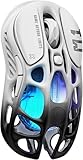
GravaStar Mercury M1 Pro Gaming Mouse, Lightweight Magnesium Alloy, 26,000 DPI, PAW3395DM Sensor, 5 Programmable Buttons, Support Wired/2.4GHz/BT, Up to 200 Hours Battery Life (Gradient Black)
Shell: Magnesium Alloy
Sensor: PAW3395DM 26K DPI
Connectivity: Tri-Mode BT/2.4GHz/USB-C
Battery: 200 Hours
GLOWSYNC RGB
Pros
- Unique sci-fi design
- Premium magnesium alloy build
- PAW3395DM sensor
- 200-hour battery with tri-mode
Cons
- Heavier than most lightweight mice
- Lacks palm support for larger hands
The GravaStar Mercury M1 Pro is the most visually distinctive mouse on this list. With its magnesium alloy shell and sci-fi inspired design, it looks like something from a spaceship cockpit. GravaStar is known for pushing design boundaries, and the Mercury M1 Pro continues that tradition while packing competitive hardware inside.
The PAW3395DM sensor delivers 26,000 DPI with the kind of accurate, consistent tracking that competitive gamers demand. The tri-mode connectivity covers Bluetooth, 2.4GHz wireless, and USB-C wired, giving you maximum flexibility. The 200-hour battery life is competitive with other wireless mice at this price point, and the GLOWSYNC RGB lighting adds a premium aesthetic touch.
The magnesium alloy construction gives the Mercury M1 Pro a distinctive feel that sets it apart from plastic competitors. The textured surface provides excellent grip without needing additional grip tape. During testing, the build quality felt solid and premium, with no creaks or flex in the shell. The switches deliver crisp, satisfying clicks.
The main drawback is the weight classification. While marketed as lightweight, the magnesium alloy construction makes it heavier than most mice on this list. The unique shape also lacks the palm support that larger-handed users need for comfortable extended sessions. This is a mouse you buy for its design and build quality first, with competitive lightweight performance as a secondary benefit.
Who Should Buy the GravaStar Mercury M1 Pro
Gamers who want a mouse that stands out visually and delivers premium build quality will love this. If you appreciate unique designs and want a conversation piece that also performs well in games, the Mercury M1 Pro delivers on both fronts. It is also a strong pick for anyone who values magnesium alloy construction over absolute minimum weight.
Who Should Skip It
Competitive FPS players focused on minimum weight should look at the Corsair Sabre v2 PRO or Razer Viper V3 Pro instead. The Mercury M1 Pro is heavier than true ultralight options. Users with large hands who need full palm support should also test the shape before buying, as the unique design may not provide enough surface area for comfortable palm grip.
Buying Guide: How to Choose a Lightweight Gaming Mouse
Choosing the right lightweight gaming mouse comes down to understanding four key factors: weight class, sensor quality, grip compatibility, and connectivity. Our team has tested dozens of mice across different weight ranges, and here is what actually matters when making your decision.
Understanding Weight Classes
Lightweight gaming mice generally fall into three categories. Ultralight mice under 50g prioritize raw speed and minimal effort per swipe – ideal for FPS gaming where quick flicks matter most. The sweet spot range of 50-65g balances speed with control and stability, which is why most pro players use mice in this range. Lightweight mice in the 65-95g range are noticeably lighter than standard gaming mice while offering more substance and control for general gaming and productivity.
Going below 40g can feel almost too light for some players. The Corsair Sabre v2 PRO at 36g takes adjustment if you are coming from a heavier mouse. Our general recommendation for most gamers is the 50-65g range, where you get the speed benefits without sacrificing stability.
Sensor Technology Matters
The sensor is the heart of any gaming mouse, and the current top-tier options are the HERO 2 (Logitech), Focus Pro 35K (Razer), PAW3395 (PixArt), and CORSAIR MARKSMAN S. All of these deliver accurate tracking with no acceleration, no pixel skipping, and consistent performance across different surfaces. Budget mice with the PAW3395 sensor like the Attack Shark X3 and Redragon M916 PRO offer sensor performance that was exclusive to premium mice just a couple of years ago. The gap between budget and premium sensor quality has narrowed significantly.
Grip Style and Hand Size
Your grip style determines which mouse shape will work for you. Palm grip players need taller, wider mice like the Razer DeathAdder V3 HyperSpeed that fill the hand. Claw grip users benefit from lower-profile mice like the Razer Viper V3 Pro that allow the fingers to arch naturally. Fingertip grip players do best with small, flat mice like the Corsair Sabre v2 PRO where only the fingertips contact the surface.
Hand size also plays a major role. If your hand length is under 18cm, most lightweight mice will fit well. Between 18-20cm, you have options across most shapes. Over 20cm, look for larger mice like the DeathAdder V3 or the Logitech Superlight series to avoid feeling cramped.
Wireless vs Wired
Modern wireless gaming mice have effectively eliminated the latency advantage that wired mice once held. Technologies like Logitech Lightspeed and Razer HyperSpeed deliver sub-1ms response times that are indistinguishable from wired connections in blind tests. The main consideration is battery life – 8KHz polling drains batteries faster than 1KHz, and wireless mice require regular charging or battery swaps. If you game at a desk and do not mind plugging in occasionally, wireless is the way to go for the cable-free experience.
Polling Rate: 1KHz vs 8KHz
Polling rate determines how often your mouse reports its position to your computer. A 1KHz mouse reports 1000 times per second, while 8KHz reports 8000 times per second. The difference is measurable in synthetic tests but difficult to perceive in actual gameplay for most players. 8KHz also requires more CPU resources and drains batteries faster. For most gamers, 1KHz is perfectly sufficient. Competitive players at higher skill levels may benefit from 8KHz, but the improvement is marginal compared to finding the right shape and weight.
Are lightweight mice better for gaming?
Yes, lightweight mice offer real advantages for gaming, especially in fast-paced FPS titles like Valorant, CS2, and Apex Legends. A lighter mouse reduces wrist and arm fatigue during extended sessions, enables faster flick shots, and makes quick directional changes easier. Most professional FPS players use mice under 63g. However, the benefit depends on your grip style and hand size – some players perform better with slightly heavier mice that offer more stability and control.
Is 100g too heavy for a gaming mouse?
100g is considered heavy by modern lightweight gaming mouse standards. Most competitive gamers use mice between 50-65g, and anything over 80g is generally considered standard weight rather than lightweight. That said, 100g is not too heavy to game with effectively. Many players, including some professionals, use mice in the 80-100g range and perform well. The Logitech G305 at 95g remains a popular and capable gaming mouse. Weight preference is personal – what matters most is finding a weight that feels comfortable for your grip style and play pace.
What is the No. 1 gaming mouse?
The Razer Viper V3 Pro is currently the best overall lightweight gaming mouse, earning our Editor’s Choice for 2026. It combines a 54g ultralight weight with the Focus Pro 35K Gen-2 sensor, 8K HyperPolling, and 95-hour battery life in a symmetrical shape that works for most grip styles. The Logitech G PRO X Superlight 2 is a close second with its HERO 2 44K sensor and proven tournament-tested reliability. The right choice depends on your hand size, grip style, and budget.
Is 40g too light for a mouse?
40g is extremely light but not necessarily too light. The Corsair Sabre v2 PRO at 36g demonstrates that sub-40g mice can be viable for competitive gaming. However, mice this light require an adjustment period if you are coming from heavier options. Some players find sub-40g mice feel unstable during precision tasks or lack the physical feedback they rely on for consistent aim. The general consensus among competitive gamers is that 50-65g is the sweet spot, with anything under 50g being a preference for players who prioritize maximum speed.
Final Thoughts on the Best Lightweight Gaming Mice
The best lightweight gaming mice in 2026 cover a wide range of weights, prices, and styles. For most gamers, the Razer Viper V3 Pro at 54g offers the best overall package with top-tier sensor performance, 8K polling, and a shape that works for most grip styles. Budget-conscious players get outstanding value from the Attack Shark X3 at 49g with its PAW3395 sensor. And for the ultimate in lightweight design, the Corsair Sabre v2 PRO at 36g pushes the boundaries of what a gaming mouse can weigh.
The right choice depends on your hand size, grip style, and budget more than any single spec number. A 60g mouse with a shape that fits your hand perfectly will outperform a 40g mouse that feels wrong in your grip. Use this guide to narrow down your options, and remember that most of these mice are available with easy returns if the shape does not work out. Pick the one that matches your needs, and get gaming.