
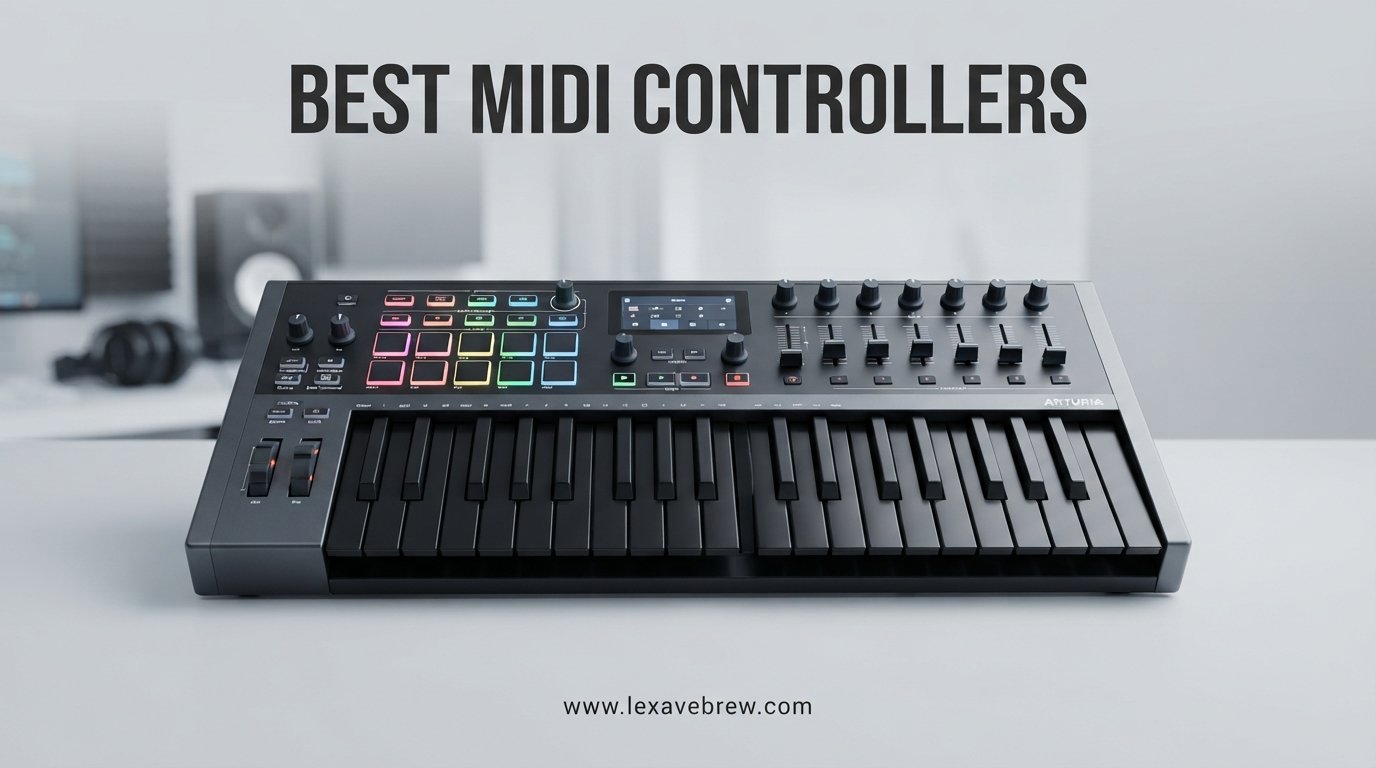
I have spent the better part of a decade producing music in cramped bedrooms, professional studios, and everywhere in between. Through all of that, one piece of gear has remained central to my workflow: the MIDI controller. Whether I am sketching a melody at 2 AM or finishing a mix for a client, the right controller makes everything faster and more expressive. That is why I put together this guide to the best MIDI controllers available in 2026, covering every key count, budget, and DAW workflow I could think of.
A MIDI controller is a device that sends Musical Instrument Digital Interface data to your computer, tablet, or hardware synthesizer. When you press a key, hit a pad, or twist a knob, the controller translates that physical action into digital instructions. Your DAW, whether that is Ableton Live, FL Studio, Logic Pro, or GarageBand, receives those instructions and uses them to trigger virtual instruments, adjust plugin parameters, or control mixing functions. The controller itself produces no sound. It is the bridge between your hands and your software.
Finding the best midi controllers for your specific needs comes down to a few core questions. How many keys do you need? Do you want pads, faders, and knobs? Which DAW do you use? Our team tested 12 controllers across every category, from ultra-portable 25-key units to full 61-key workstations, plus dedicated pad and grid controllers for beat makers and live performers. We evaluated key feel, build quality, DAW integration, software bundles, and real-world reliability. Below you will find our hands-on findings for each model.
Top 3 MIDI Controllers for 2026

These three controllers represent the best midi controllers across different categories. The Novation Launchkey Mini 25 MK4 wins our editor’s choice for its best-in-class 4.8-star rating, 16 responsive FSR pads with polyphonic aftertouch, and seamless Ableton Live integration. The Akai MPK Mini MK3 remains the undisputed value king with over 30,000 reviews and a software bundle that rivals controllers twice its price. The Akai APC Mini MK2 takes the budget pick with 64 RGB pads and 9 faders purpose-built for Ableton Live clip launching.
Best MIDI Controllers in 2026: Quick Comparison
| Product | Specifications | Action |
|---|---|---|
 Akai MPK Mini MK3 Akai MPK Mini MK3 |
|
Check Latest Price |
 Arturia MiniLab 3 Arturia MiniLab 3 |
|
Check Latest Price |
 M-Audio Keystation 49 MK3 M-Audio Keystation 49 MK3 |
|
Check Latest Price |
| Novation Launchkey Mini 25 MK4 |
|
Check Latest Price |
 Akai MPK Mini Plus Akai MPK Mini Plus |
|
Check Latest Price |
 Arturia KeyLab Essential 49 mk3 Arturia KeyLab Essential 49 mk3 |
|
Check Latest Price |
 M-Audio Oxygen Pro 61 M-Audio Oxygen Pro 61 |
|
Check Latest Price |
 NI Komplete Kontrol M32 NI Komplete Kontrol M32 |
|
Check Latest Price |
 Akai APC Mini MK2 Akai APC Mini MK2 |
|
Check Latest Price |
 Akai MPD218 Akai MPD218 |
|
Check Latest Price |
 Novation Launchpad Mini MK3 Novation Launchpad Mini MK3 |
|
Check Latest Price |
 Arturia KeyStep 37 Arturia KeyStep 37 |
|
Check Latest Price |
This comparison table covers all 12 controllers we tested for this guide. Use it as a quick reference, then dive into the individual reviews below for detailed hands-on impressions, pros and cons, and specific recommendations based on your DAW and production style.
1. Akai Professional MPK Mini MK3 – The Best Budget MIDI Controller
Akai Professional MPK Mini MK3 25-Key USB MIDI Keyboard Controller
25 Mini Keys
8 MPC Drum Pads
8 Assignable Knobs
Built-in Arpeggiator
USB Bus-Powered
Pros
- Excellent value with extensive bundled software including MPC Beats and 3 virtual instruments
- Responsive velocity-sensitive mini keys with 4-way thumbstick for pitch and modulation
- 8 backlit MPC-style drum pads with Note Repeat and Full Level
- NKS integration with Native Instruments
- Highly portable at under 1 kg
Cons
- Mini key size feels cramped for players used to full-size keys
- Limited to 25 keys for two-handed playing
- Software activation process can be cumbersome
The Akai MPK Mini MK3 is the best-selling MIDI controller on the market, and after using one for several months, I understand why. It is the controller I recommend to every beginner who asks me where to start. The value proposition here is staggering. You get 25 velocity-sensitive mini keys, 8 MPC-style backlit drum pads, 8 assignable knobs, a 4-way thumbstick for pitch and modulation, and a built-in arpeggiator. All of that in a package that weighs under a kilogram and fits on even the most cluttered desk.
What really sets the MPK Mini MK3 apart from other budget options is the software bundle. Akai includes MPC Beats, three virtual instruments, and 1500-plus sounds. You also get NKS integration with Native Instruments, which means it works seamlessly with Komplete instruments. For someone just starting out, this bundle alone could keep you busy for months without needing to buy anything else.
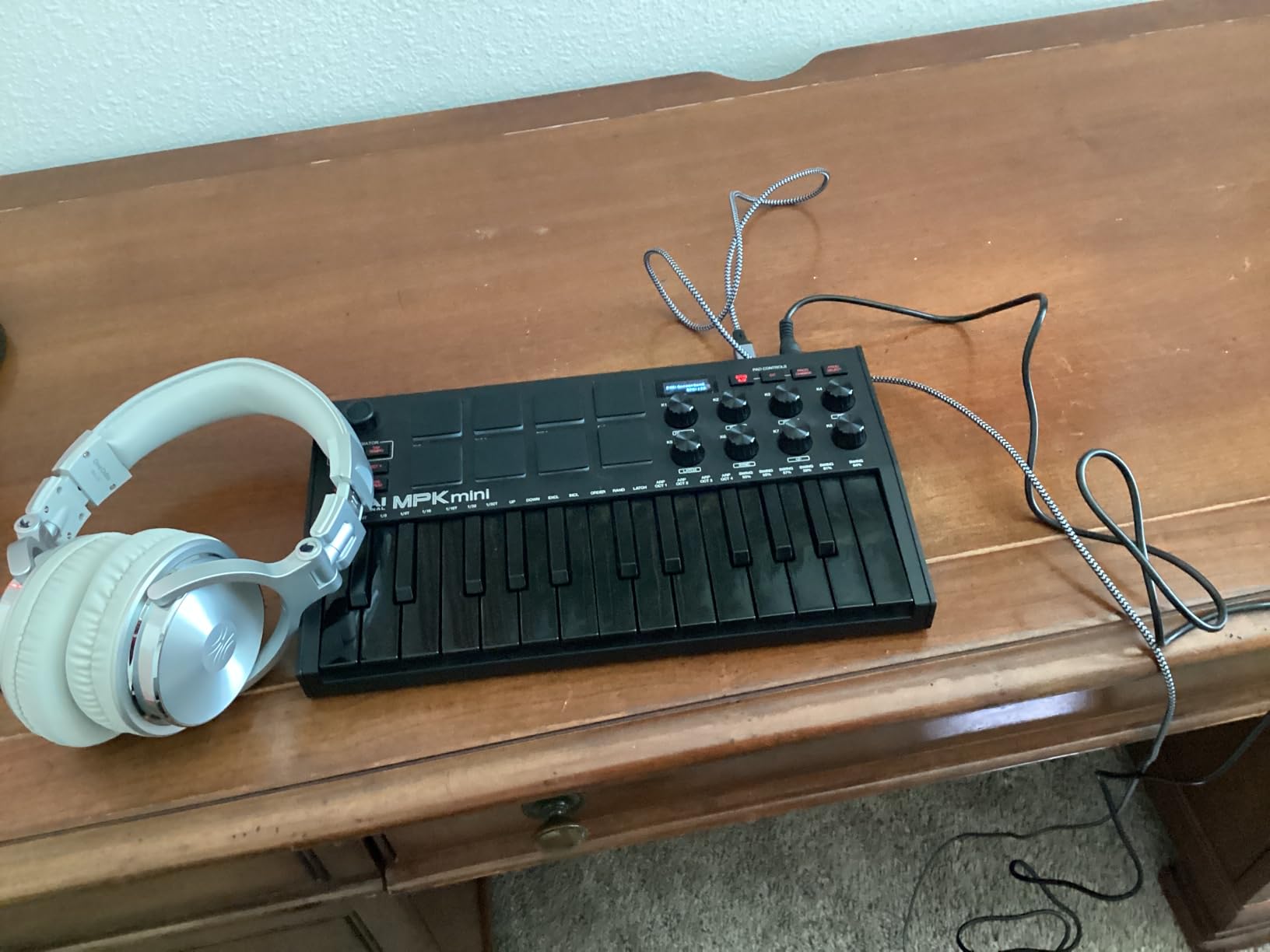
In daily use, the MPC-style pads are a highlight. They have that classic Akai feel with Note Repeat and Full Level features that make beat programming genuinely fun. The 4-way thumbstick takes some getting used to if you are accustomed to traditional pitch and mod wheels, but it works well once you develop muscle memory. The arpeggiator with adjustable resolution, range, and modes adds creative possibilities that most controllers at this price point simply do not offer.
The main trade-off is the mini key size. If you have larger hands or are used to playing full-size piano keys, the MPK Mini will feel cramped. Two-handed playing across multiple octaves is not practical with 25 keys. Some users also report that the software activation process can be cumbersome, requiring multiple account signups and download managers.
Ideal Setup and Workflow
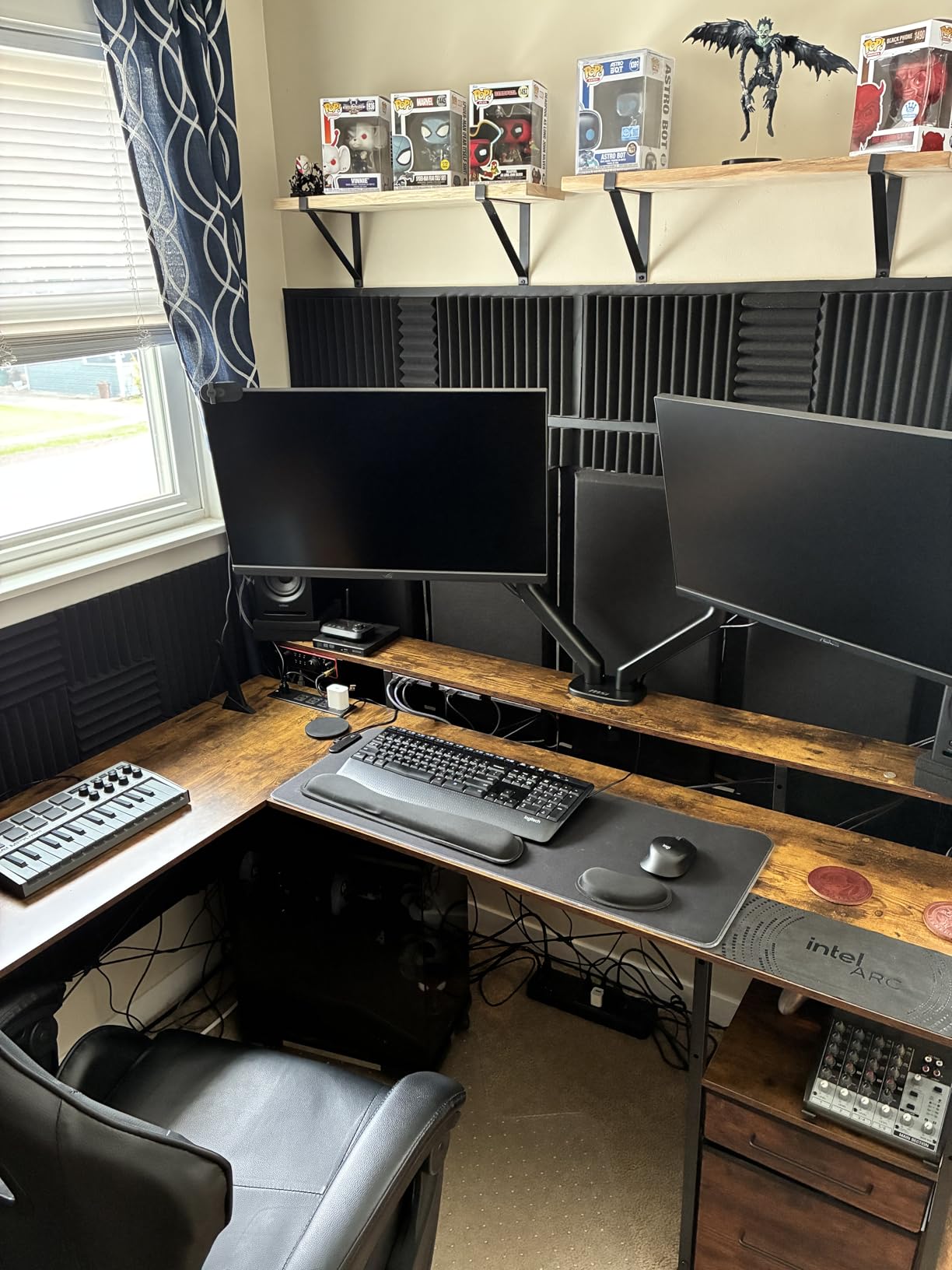
This controller shines brightest when paired with Akai MPC Beats or Ableton Live. The pads map naturally to drum rack pads, and the knobs are perfect for filter sweeps and macro control. I found the MPK Mini particularly effective for sketching ideas on a laptop while traveling, where its tiny footprint and USB bus power mean you can produce anywhere.
Software Bundle Value
The included software is worth more than the controller itself. MPC Beats is a full DAW based on the legendary MPC workflow, and the bundled virtual instruments cover drums, synths, and pianos. Combined with NKS integration, you have access to a massive ecosystem of sounds without spending another dollar.
2. Arturia MiniLab 3 – Best Premium Compact Controller
Arturia MiniLab 3 Universal MIDI Controller, White
25 Slim Keys
8 RGB Pads
8 Encoders
4 Faders
MIDI Out
USB-C
5-Year Warranty
Pros
- Best-in-class key feel among compact controllers with responsive synth-action keys
- Excellent build quality with premium feel and faux wood panel accents
- 8 rotary encoders and 4 faders for comprehensive DAW control
- Real 5-pin MIDI out not a dongle adapter
- RGB pads with velocity and pressure sensitivity
- 5-year warranty
Cons
- Pads can feel wobbly at edges leading to accidental double-taps
- Only 25 keys limits two-handed playing
- Touch sensors instead of traditional pitch/mod wheels take adjustment
The Arturia MiniLab 3 is the compact controller I keep reaching for, even when I have larger options on my desk. Arturia nailed the key feel here. The 25 slim synth-action keys have a responsiveness and consistency that I have not found on any other compact controller, including the MPK Mini. They track velocity accurately and feel musical under your fingers. This is the controller I would hand to someone who cares about playability in a small footprint.
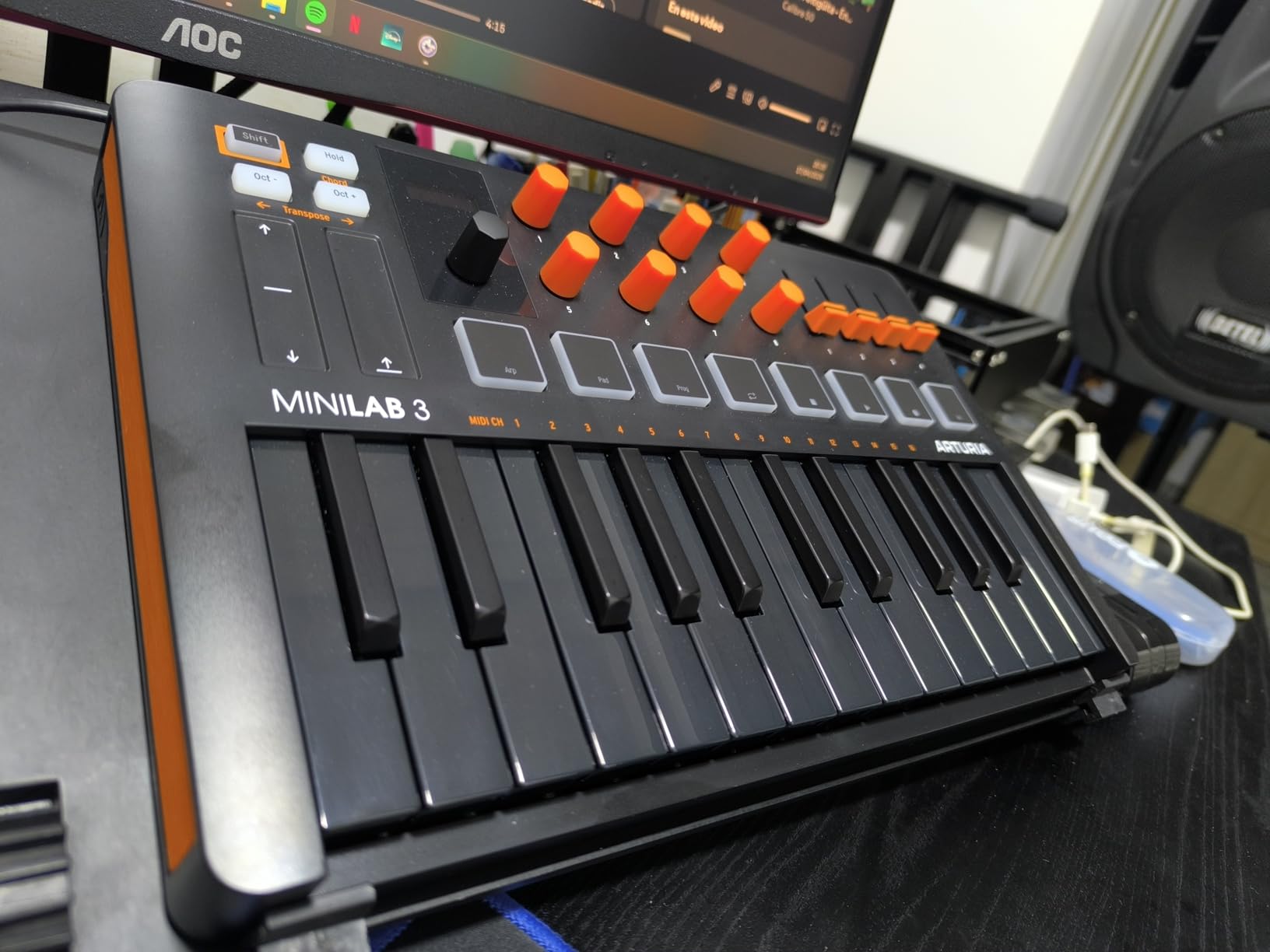
Beyond the keys, the MiniLab 3 packs an impressive control surface. You get 8 rotary encoders, 4 faders, 8 velocity and pressure-sensitive RGB pads across 2 banks, capacitive touch strips for pitch bend and modulation, and a small but useful mini display with a clickable browsing knob. The built-in arpeggiator with chord memory rounds out the creative tools. All of this connects via USB-C, and Arturia includes a real 5-pin MIDI out port, which is remarkably rare at this size.
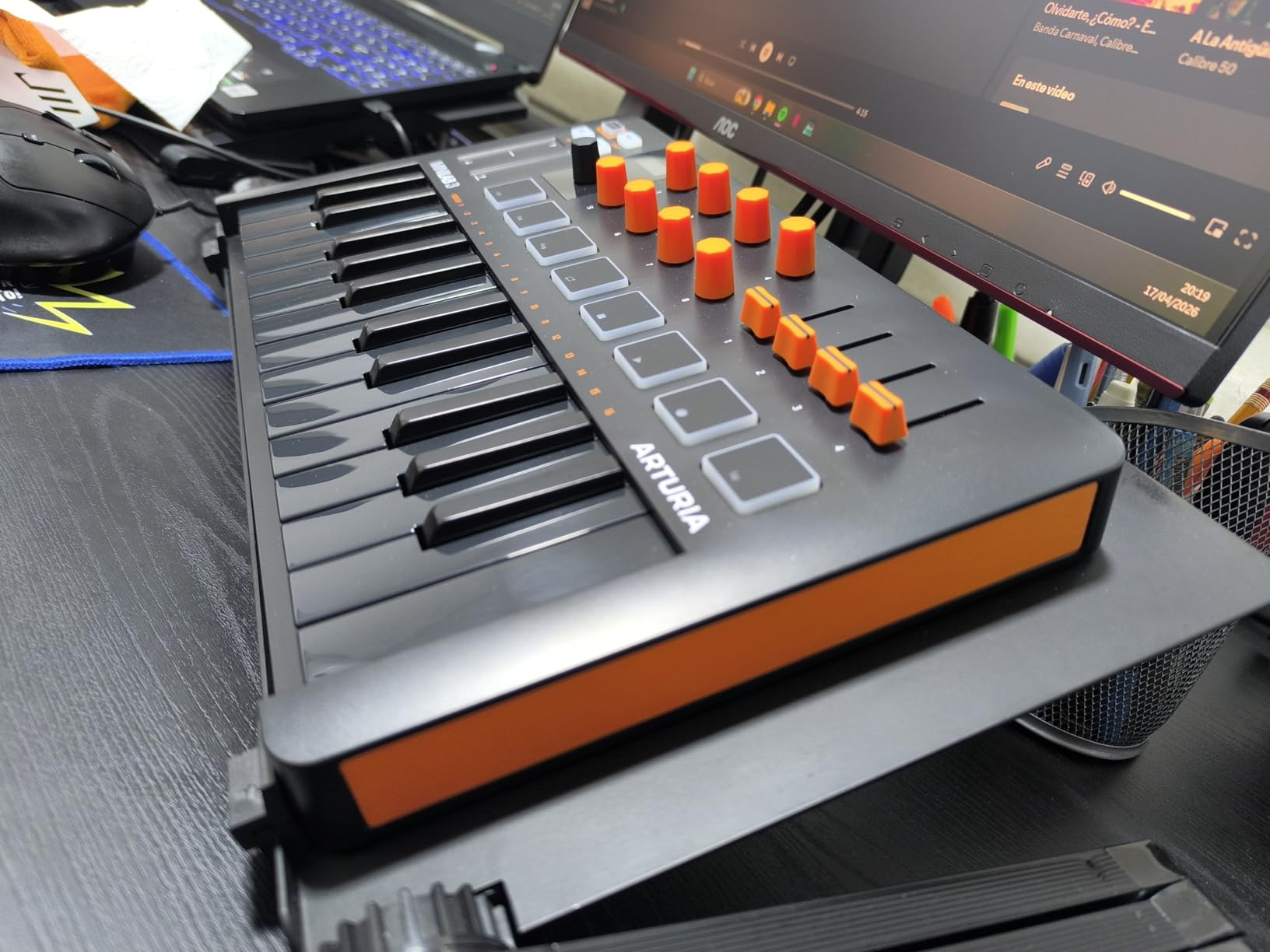
The Analog Lab Intro software that comes bundled is genuinely excellent. It gives you access to hundreds of presets from Arturia’s acclaimed virtual instrument collection, and the MiniLab 3 maps automatically to the most important parameters. The MiniLab also integrates with Ableton Live Lite, which is included. The 5-year warranty gives me confidence in the build quality, and the faux wood side panels add a touch of class that makes it feel like a premium instrument.
The pads are the weakest link. Several users, including myself, have noticed that the pads can feel slightly wobbly or sloppy, especially toward the edges. The minimal labeling on the faceplate means you will need to memorize control locations or keep the manual handy. The capacitive touch strips for pitch and modulation are a departure from traditional wheels and take getting used to.
Analog Lab Integration
The deep integration with Analog Lab is a genuine selling point. The MiniLab display and clickable knob let you browse presets without touching your mouse, and the encoders automatically map to the most relevant synth parameters. For sound design workflows, this is hard to beat at this price.
MIDI Connectivity Advantage
The inclusion of a real 5-pin MIDI output sets the MiniLab 3 apart from nearly every other compact controller. You can connect it directly to a hardware synth or drum machine without needing a separate MIDI interface. This makes it a viable hub for a compact hardware rig.
3. M-Audio Keystation 49 MK3 – Best Budget 49-Key Controller
M-AUDIO Keystation 49 MK3 USB MIDI Controller
49 Full-Size Keys
Pitch/Mod Wheels
Volume Fader
Transport Controls
Sustain Pedal Input
USB Class-Compliant
Pros
- 49 full-size velocity-sensitive keys at an unbeatable price
- Plug-and-play USB works with Mac Windows and iOS
- Full-size keys provide comfortable two-handed playing feel
- Pitch and modulation wheels work flawlessly
- Includes MPC Beats and Ableton Live Lite
Cons
- Synth-action plastic keys do not feel like real piano
- Windows setup can be challenging for some users
- No drum pads or encoders for beat making
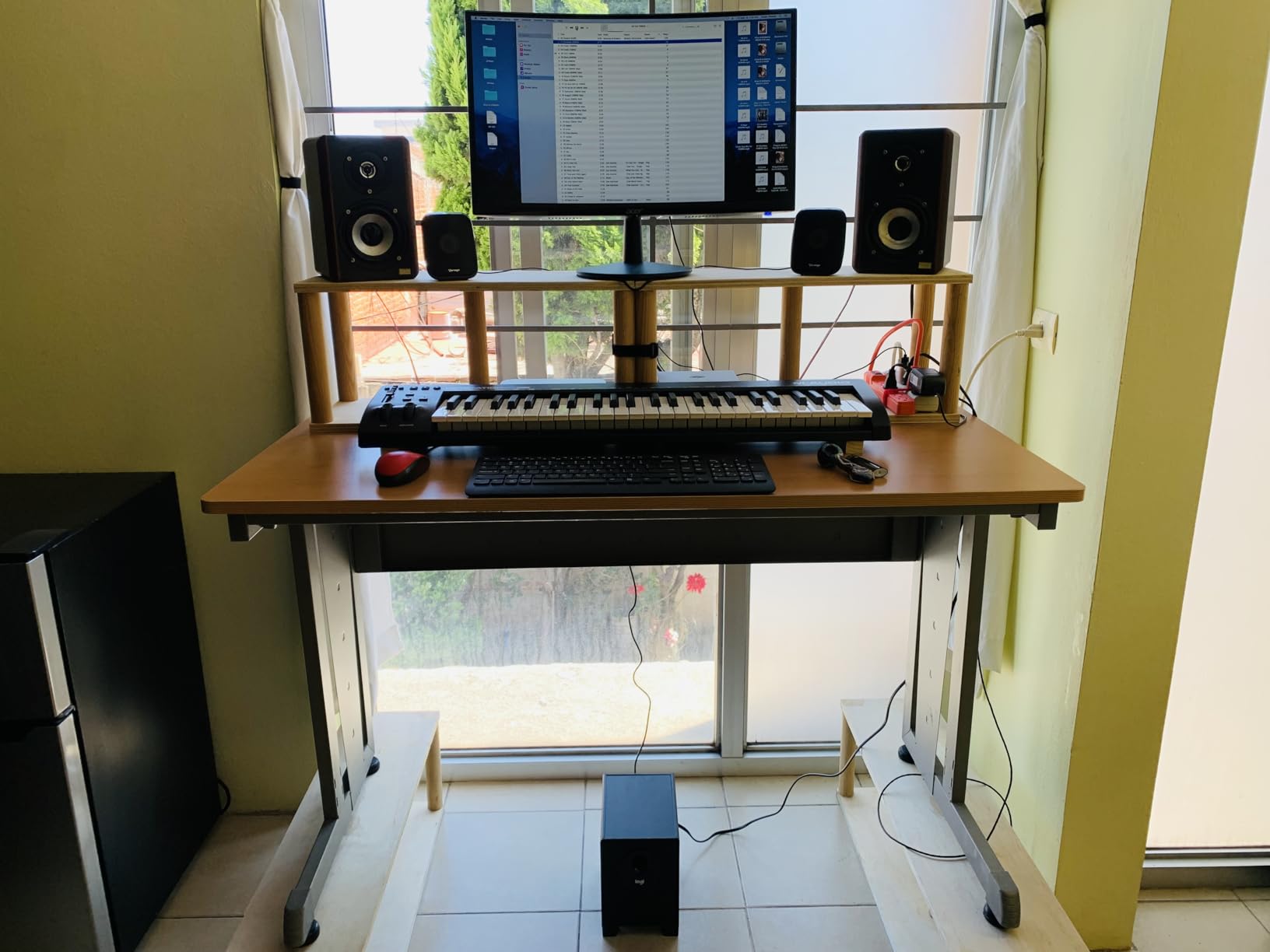
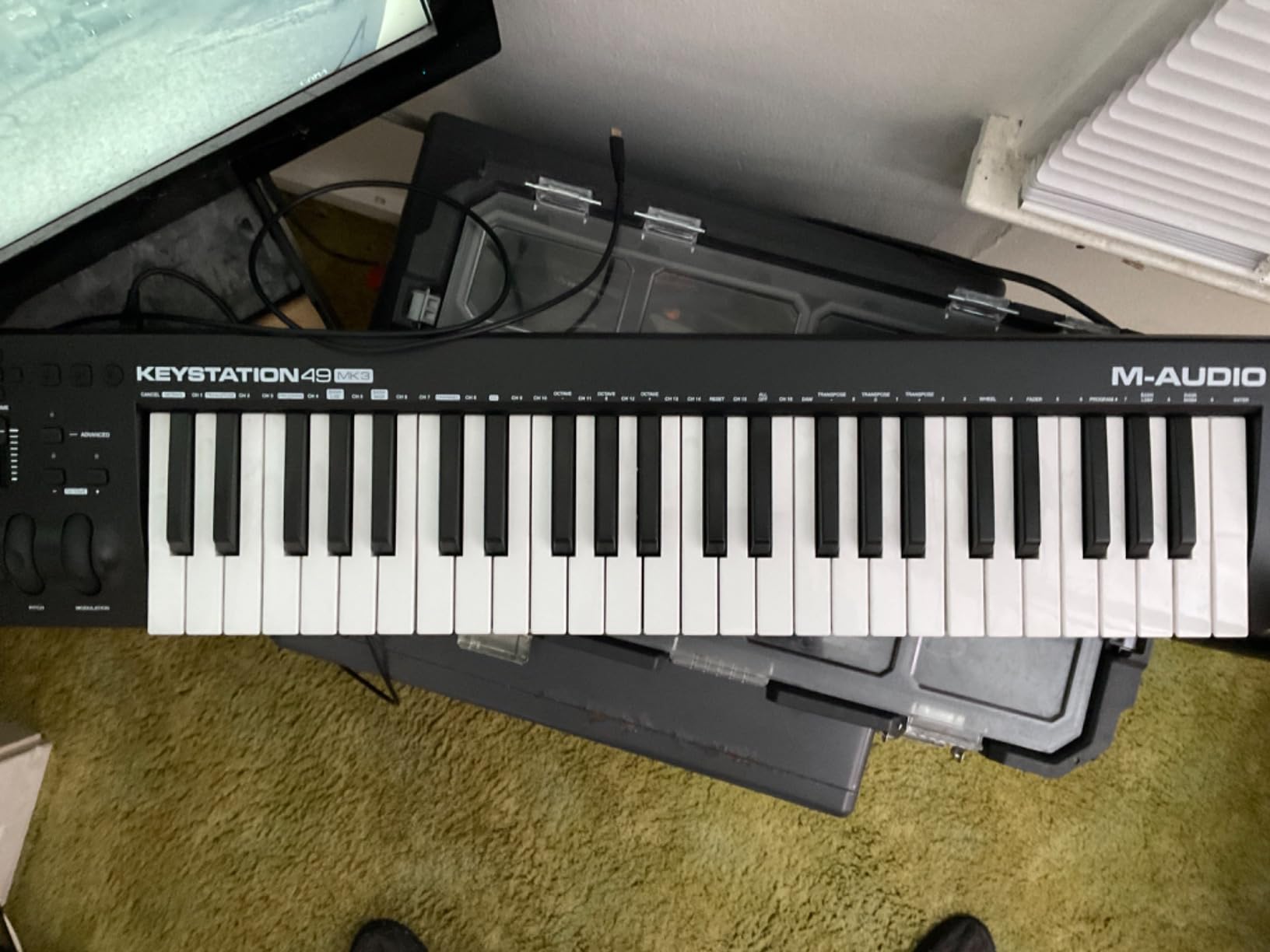
The M-Audio Keystation 49 MK3 is the controller I recommend when someone wants full-size keys without spending a fortune. It is a proven workhorse that has earned its place as one of the best midi controllers for budget-conscious producers. After testing it across Reaper, Logic Pro, GarageBand, and Ableton Live, I can confirm the plug-and-play experience is genuinely effortless on Mac. The 49 full-size synth-action keys give you enough range for two-handed melodic work, and the pitch and modulation wheels have a smooth, predictable feel.
The feature set is intentionally minimal, which I actually appreciate. You get a volume fader, transport controls, octave up and down buttons, and a sustain pedal input. That is it. No drum pads, no encoders, no displays. This simplicity makes the Keystation 49 MK3 perfect as a dedicated keyboard for playing virtual instruments, leaving beat making and parameter control to other devices or your mouse. The class-compliant USB connection means it works on Mac, Windows, and iOS without drivers.
The bundled software is better than expected at this price. M-Audio includes MPC Beats, Ableton Live Lite, and a suite of AIR virtual instruments including Velvet, Xpand!2, and Mini Grand. Many users report owning the Keystation for years with zero issues, which speaks to its long-term reliability. The ergonomic pitch and modulation wheels are a specific highlight, with a smooth resistance that feels natural.
The main complaint I have is the Windows experience. While Mac and iOS users enjoy true plug-and-play, some Windows users report needing to troubleshoot MIDI connectivity. The synth-action keys are fine for production work but will not satisfy anyone looking for a piano-like feel. The plastic construction is functional but feels basic compared to more premium controllers.
Best DAW Pairings
The Keystation 49 MK3 works effortlessly with GarageBand, Logic Pro, and Ableton Live on Mac. The transport controls and volume fader map automatically in most DAWs. For Reaper and FL Studio users, minimal manual mapping may be required for transport functions, but the keyboard itself is recognized instantly.
Who Benefits Most
Producers who already own a pad controller and just need a reliable, full-size keyboard will love this. It is also the top choice for GarageBand and Logic users on Mac who want something that works the moment you plug it in, with zero driver installs or software configuration.
4. Novation Launchkey Mini 25 MK4 – Best Portable Controller for Ableton
Novation Launchkey Mini 25 MK4 USB MIDI Keyboard Controller
25 Mini Keys
16 FSR Pads
Scale Mode
Chord Mode
Arpeggiator
NKS-Ready
Ableton Integration
Pros
- Excellent DAW integration especially with Ableton Live
- 16 responsive FSR pads with polyphonic aftertouch
- Scale Mode prevents wrong notes
- Chord Mode allows triggering lush chords from single key
- Lightweight and portable at only 1.7 pounds
Cons
- Bundled software requires multiple account signups
- Only 25 mini keys limits two-handed playing
- No dedicated MIDI program switch button unlike MK3
The Novation Launchkey Mini 25 MK4 is the highest-rated controller in our entire test pool at 4.8 stars, and after using it extensively with Ableton Live, I can see why. This is the most well-rounded portable MIDI controller I have tested in this price range. The 25 mini keys have excellent velocity sensitivity, and the control surface is remarkably comprehensive for such a compact device. Novation clearly listened to user feedback from the MK3 and refined everything that mattered.
The standout feature is the 16 Force-Sensitive Resistor drum pads with polyphonic aftertouch. These pads serve triple duty as drum pads, step sequencer triggers, and clip launchers depending on your DAW. In Ableton Live, the integration is so deep that you can control nearly every aspect of the software without touching your mouse. The pads also work across Logic, Cubase, Reason, Reaper, and FL Studio.

The Scale Mode and Chord Mode features are genuine workflow enhancers. Scale Mode locks the keyboard to a selected scale, making it impossible to play wrong notes. Chord Mode lets you trigger full chords from single keys or pads. I found myself writing melodies and chord progressions faster than ever because I was not second-guessing my note choices. The built-in arpeggiator adds another layer of creative potential.
The Launchkey Mini 25 MK4 comes with a solid software bundle including Ableton Live Lite, Cubase LE, and sounds from GForce and Klevgrand. The main drawback is that the bundled software requires creating multiple accounts and granting various permissions, which is tedious. Some Linux users report occasional compatibility issues requiring a replug. The removal of the dedicated MIDI program switch button from the MK3 has also frustrated some users.

Ableton Live Integration Depth
The Ableton integration goes beyond basic clip launching. The pads reflect your session view in real time, showing clip states with color-coded feedback. Device mode lets you control macro parameters on Ableton instruments. The transport controls and track navigation work right out of the box with zero mapping required.
Scale Mode for Beginners
If you are new to music theory, Scale Mode is transformative. Select your key and scale, and every pad and key only plays notes within that scale. You can focus on rhythm and melody without worrying about hitting a wrong note. This feature alone makes the Launchkey Mini one of the best midi controllers for beginners.
5. Akai Professional MPK Mini Plus – Best 37-Key Controller with Sequencer
Akai Professional MPK Mini Plus 37-Key USB MIDI Keyboard Controller
37 Mini Keys
8 MPC RGB Pads
64-Step Sequencer
CV/Gate and MIDI I/O
8 Assignable Knobs
Transport Section
Pros
- Best pads among compact controllers solid and not wobbly
- 37 keys provides good balance of portability and playability
- 64-step sequencer is a unique feature at this price point
- CV/Gate and MIDI I/O provides extensive connectivity
- Chords and Scales modes included
Cons
- Key feel not as good as Arturia MiniLab 3
- No faders for mixing control
- Keys are thinner and feel less like real keys
The Akai MPK Mini Plus is the step-up model from the standard MPK Mini MK3, and it addresses the biggest complaint about its smaller sibling: not enough keys. With 37 mini keys giving you three full octaves, two-handed playing becomes practical. But the real story here is the feature set that goes well beyond what you would expect at this price. The built-in 64-step sequencer is a genuine standout that no other compact controller offers.
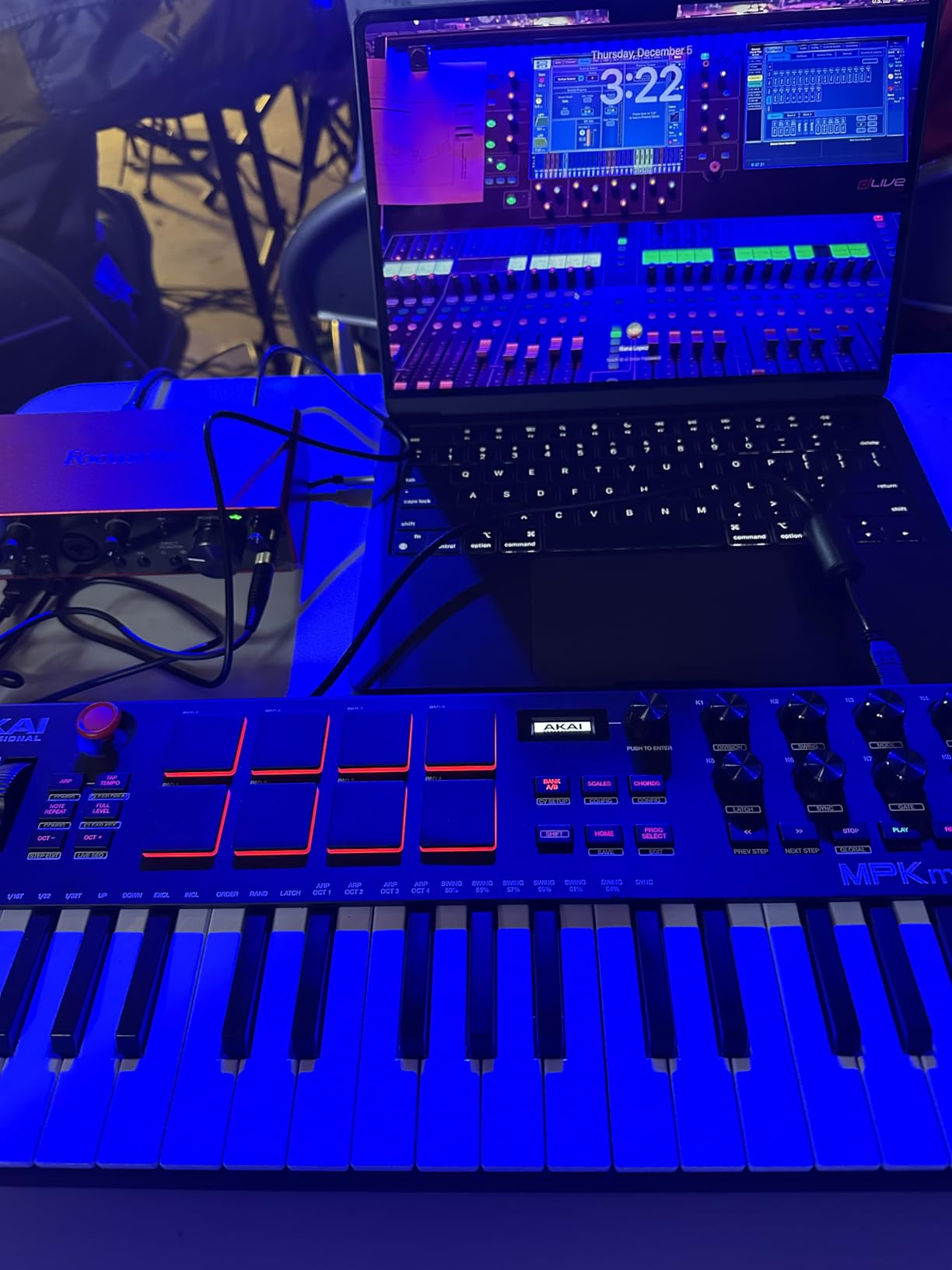
The 8 premium RGB MPC pads on the MPK Mini Plus are the best-feeling pads among any compact controller I have tested. They are solid, responsive, and not wobbly or sloppy like some competitors. Aftertouch adds expressive control. The CV/Gate and MIDI I/O on the back panel means you can connect directly to modular gear, hardware synths, and drum machines without a computer interface. This is a serious connectivity upgrade over the standard MPK Mini.
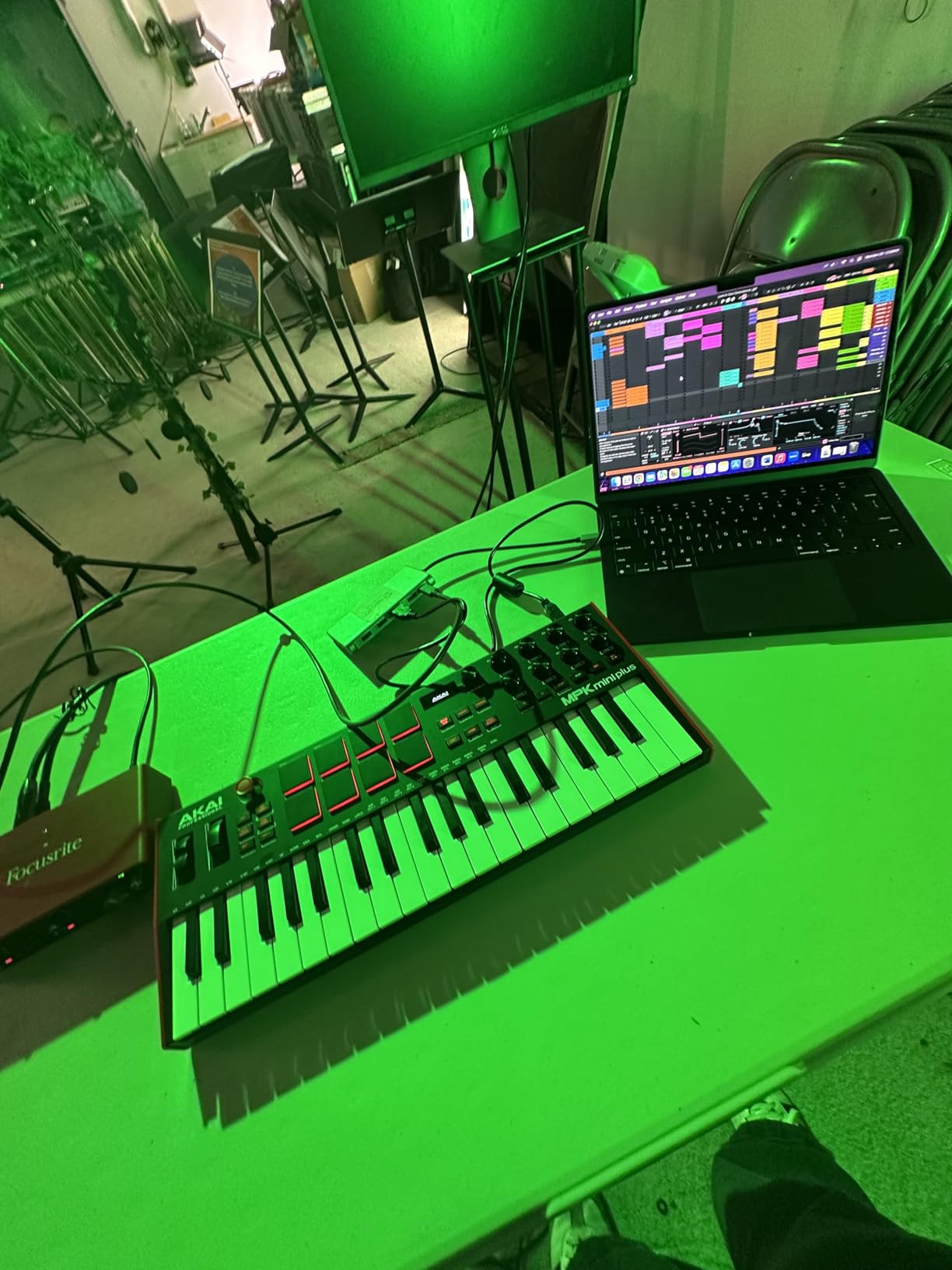
The 64-step sequencer lets you record and compose without even opening your DAW. You can create drum patterns and melodic sequences, chain them together, and play them back independently. This makes the MPK Mini Plus a viable standalone production tool for hardware setups. The transport section gives you dedicated play, stop, and record buttons for DAW control, and the 8 assignable knobs cover your parameter tweaking needs.
The trade-off is in the key feel. While the pads are excellent, the mini keys themselves are thinner and feel less substantial than the keys on the Arturia MiniLab 3. There are no faders, which limits mixing control. Some users report that the GarageBand preset does not map completely on iPad, requiring manual configuration. But if pads and sequencing are your priorities, the MPK Mini Plus is in a class of its own.
Standalone Sequencing Power
The 64-step sequencer transforms this from a simple MIDI controller into a standalone production tool. You can create patterns on the go without booting up your computer, then transfer them to your DAW when ready. For producers who also work with hardware synths, this is a game-changer.
CV and MIDI Connectivity
The CV/Gate outputs let you control modular synthesizers directly from the keyboard, sending pitch, gate, and modulation signals. Combined with standard MIDI I/O, the MPK Mini Plus can serve as the brain of a hardware-based studio. Few controllers at any price offer this level of connectivity.
6. Arturia KeyLab Essential 49 mk3 – Best 49-Key for Sound Design
Arturia KeyLab Essential mk3 — 49 Key USB MIDI Keyboard Controller with Analog Lab V Software Included
49 Synth-Action Keys
9 Faders
9 Encoders
8 Pads
2.5-inch LCD
Analog Lab V
USB-C and MIDI Out
Pros
- Excellent software bundle worth over 400 dollars including Analog Lab V
- RGB-backlit pads with velocity and pressure sensitivity
- Bright 2.5-inch LCD screen for real-time feedback
- Custom DAW integration scripts for Ableton Logic and FL Studio
- Pitch and mod wheels feel excellent
Cons
- No polyphonic aftertouch
- Software setup can be daunting for beginners
- Fake wooden side panels are an acquired taste
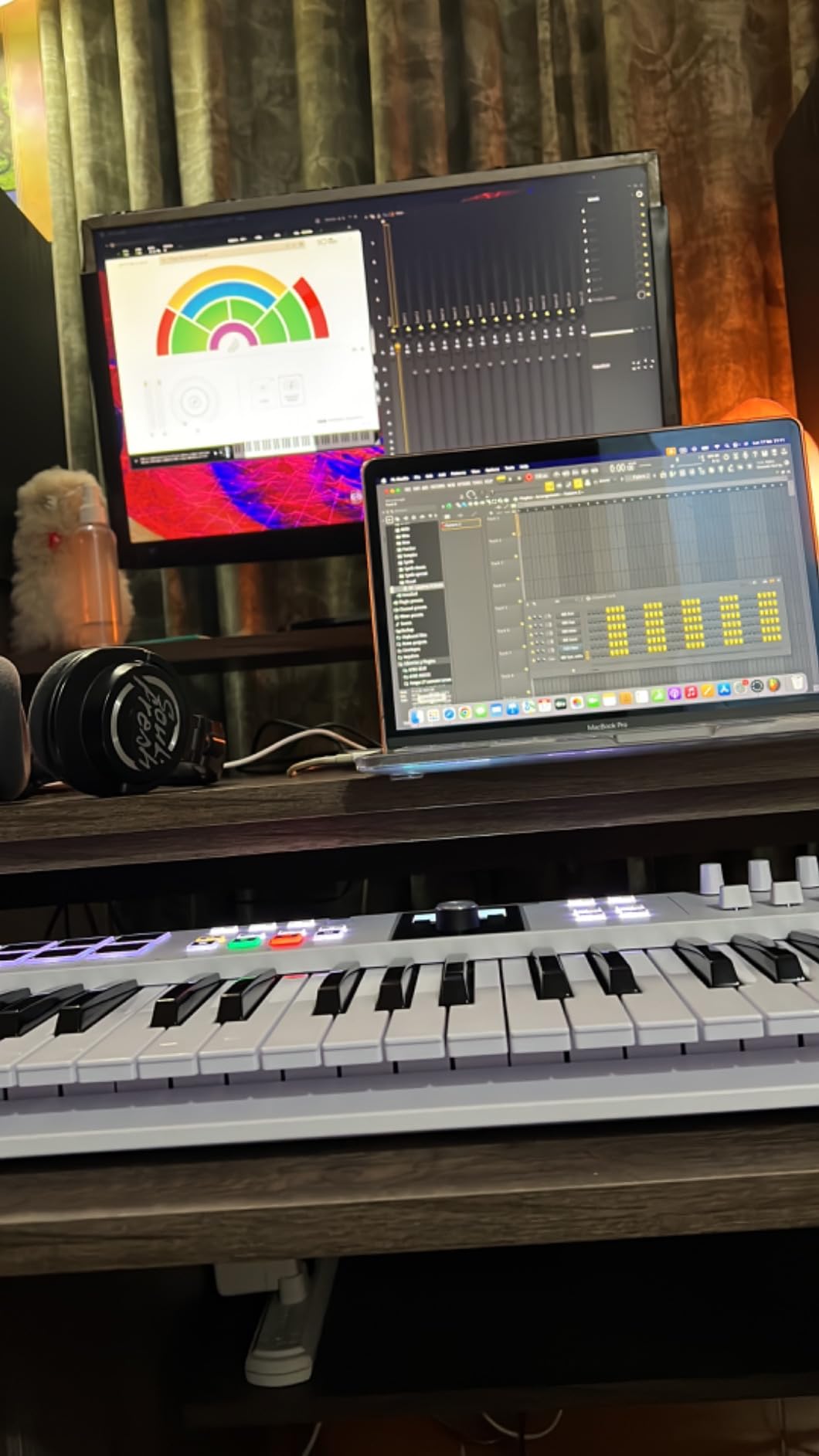
The Arturia KeyLab Essential 49 mk3 is the controller I reach for when sound design is the priority. The deep integration with Analog Lab V, which is included in the bundle, gives you hands-on control over thousands of presets from Arturia’s legendary virtual instrument collection. The bright 2.5-inch LCD screen shows parameter names and values in real time, so you can browse and tweak sounds without looking at your computer screen.
The control surface is comprehensive. You get 9 faders, 9 encoders, 8 velocity and pressure-sensitive RGB pads, pitch and modulation wheels, transport controls, and dedicated DAW integration buttons. The Scale Mode, Chord Mode, and multi-mode arpeggiator add creative tools that keep you inspired. Custom DAW integration scripts are provided for Ableton Live, Logic Pro X, FL Studio, Cubase, and Bitwig Studio.
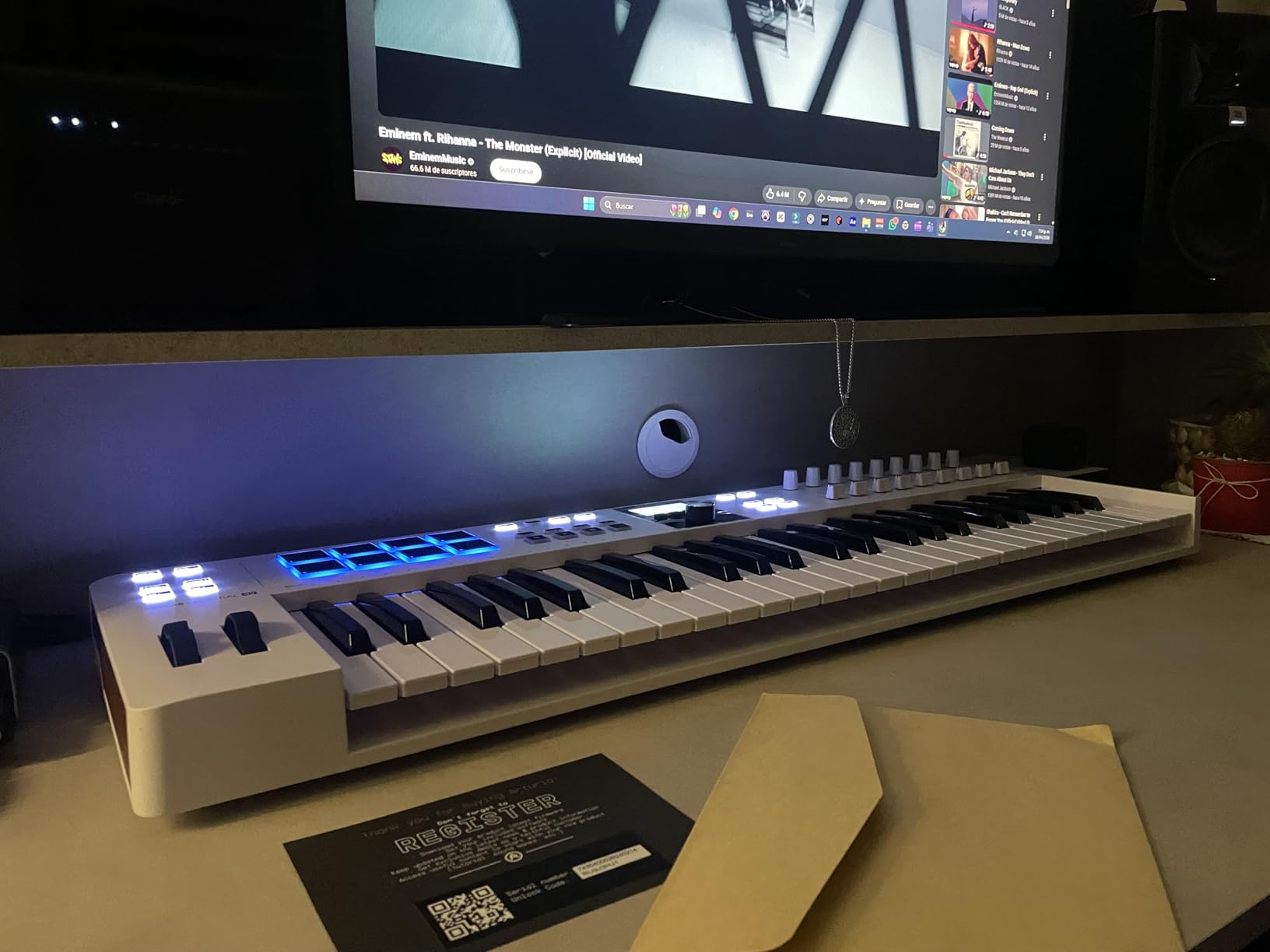
The build quality is a step up from the MiniLab 3, with a more substantial feel and better knob resistance. The USB-C connectivity and 5-pin MIDI output give you modern and legacy connection options. The sustain pedal input is standard. The included software bundle is where the KeyLab Essential truly shines, with Analog Lab V providing over 2000 presets covering synths, pianos, organs, and more.
The main drawbacks are the lack of polyphonic aftertouch and the initial software setup complexity. The fake wooden side panels divide opinion aesthetically. The software authorization process requires creating multiple accounts and can be confusing for first-time users. But once everything is set up, the KeyLab Essential 49 mk3 is one of the best midi controllers for producers who prioritize sound design and preset exploration.
Analog Lab V Value
The included Analog Lab V software is worth more than the controller itself. It provides access to meticulously modeled versions of legendary synths like the Moog Modular, Prophet, and Jupiter-8, plus acoustic pianos and organs. The KeyLab maps automatically to the most important parameters of each preset.
DAW Script Integration
Arturia provides custom integration scripts for major DAWs that map the faders, encoders, and transport controls to your software’s mixer and transport. The Ableton Live and Logic Pro integrations are particularly polished, with the faders controlling track volumes and the encoders mapping to pan and sends.
7. M-Audio Oxygen Pro 61 – Best Feature-Packed 61-Key Controller
M-AUDIO Oxygen Pro 61 USB MIDI Keyboard Controller
61 Semi-Weighted Keys
16 RGB Pads
8 Knobs
9 Faders
Smart Scale/Chord
Aftertouch
MIDI Out
NKS
Pros
- 61 semi-weighted keys with aftertouch feel professional
- 16 RGB backlit drum pads with Note Repeat
- 8 knobs and 9 faders provide extensive tactile control
- Smart Chord and Smart Scale modes enhance creativity
- NKS integration for Native Instruments compatibility
Cons
- Software setup can be complex and not fully plug-and-play
- Pitch and modulation wheels are basic
- Arpeggiator is limited compared to competitors
The M-Audio Oxygen Pro 61 is the most feature-dense controller in this guide, and arguably the best value when you calculate features per dollar in the 61-key category. When I unboxed it, I was immediately struck by the key feel. The 61 semi-weighted keys with aftertouch have a professional, responsive feel that punches well above the price point. Aftertouch adds an entirely new dimension of expressiveness, letting you add vibrato, filter sweeps, or volume changes by pressing harder on a held key.
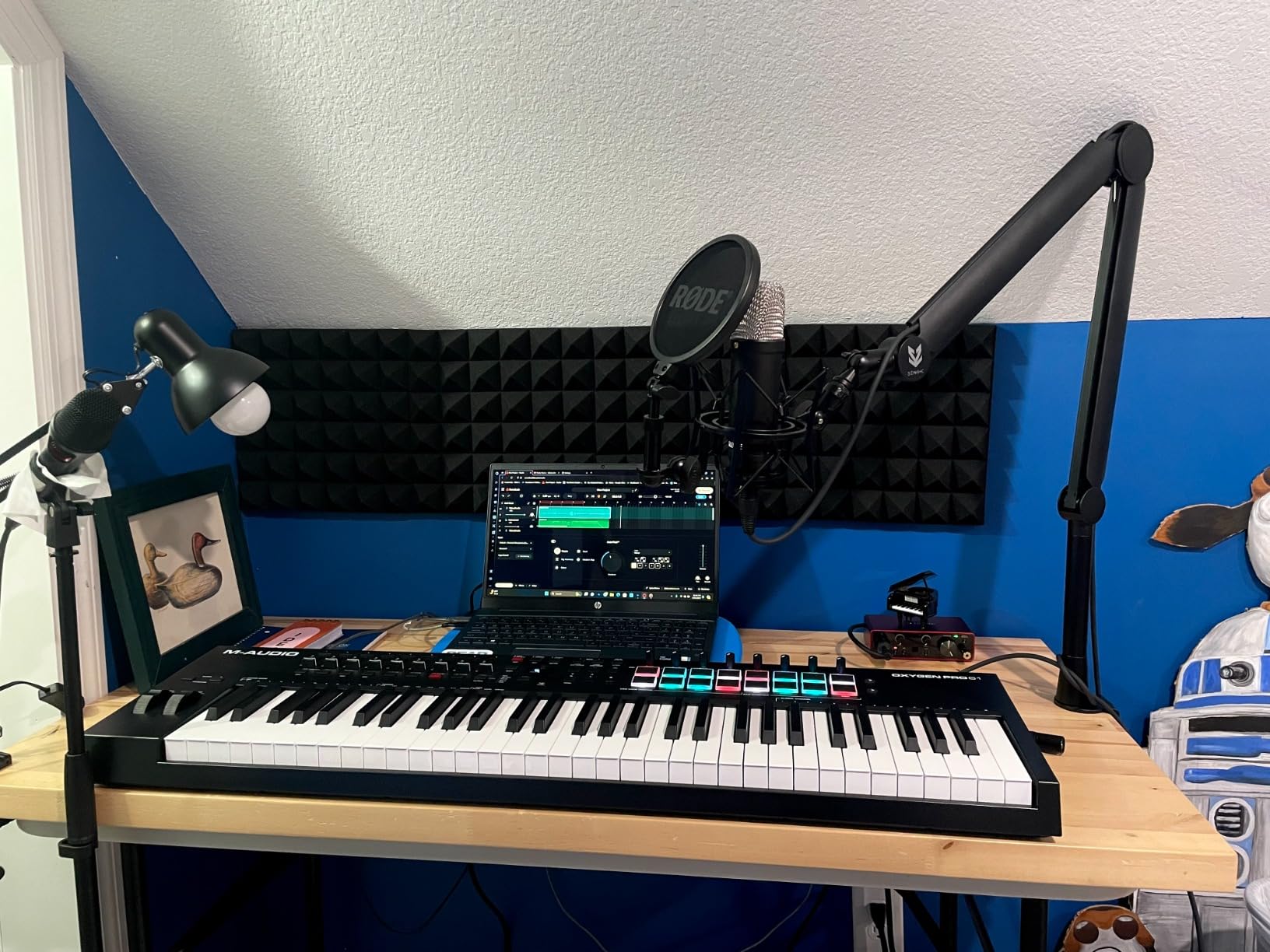
The control surface is extensive. You get 16 RGB backlit MIDI-assignable velocity-sensitive drum pads with Note Repeat, 8 assignable knobs, 9 assignable faders, pitch and modulation wheels, and dedicated transport controls. The Smart Chord and Smart Scale modes work similarly to the Novation Launchkey’s system, keeping your playing in key and generating full chords from single-key presses. An arpeggiator rounds out the creative tools.
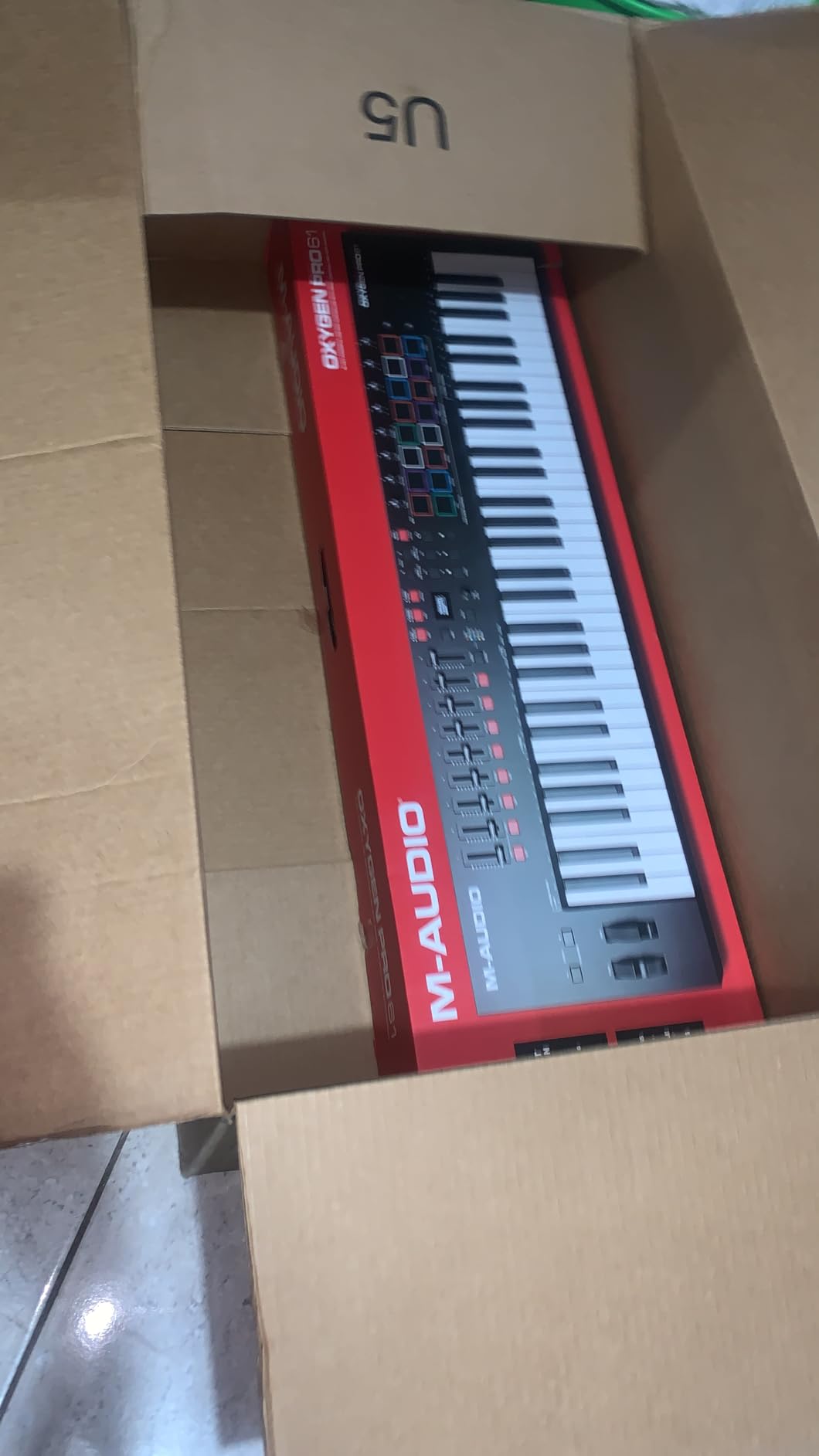
DAW integration covers Ableton Live, Logic Pro, FL Studio, Pro Tools, MPC Beats, and Cubase. I tested it primarily with Ableton and FL Studio, and both integrations worked smoothly after the initial setup. The NKS integration means it also plays nicely with Native Instruments Komplete instruments. The 5-pin MIDI output lets you connect to external hardware synths.
The bundled software is comprehensive but can be a headache to set up. You get MPC Beats, Ableton Live Lite, and a collection of AIR Music Tech virtual instruments. However, the software authorization process is not as smooth as it should be. The pitch and modulation wheels feel basic compared to the rest of the build quality. The arpeggiator is quite limited compared to what Novation and Arturia offer.
All-in-One Production Hub
The Oxygen Pro 61 is designed to be the only controller you need. With 61 keys for playing, 16 pads for beat making, 9 faders for mixing, and 8 knobs for plugin control, it covers every production task. If desk space allows for only one controller, this is the one to get.
Smart Chord and Scale Modes
The Smart Chord feature generates full chords from single-key presses, with customizable chord types. Smart Scale locks the keyboard to a selected scale so you never hit a wrong note. These features are particularly valuable for producers who are still learning music theory.
8. Native Instruments Komplete Kontrol M32 – Best for NI Ecosystem Users
Native Instruments Komplete Kontrol M32 Controller Keyboard (26154)
32 Compact Keys
8 Touch Knobs
OLED Display
Smart Play
NKS Integration
USB Bus-Powered
Komplete Start Bundle
Pros
- Seamless NKS integration with Native Instruments ecosystem
- 32 keys hits a sweet spot for portability and playability
- 8 touch-sensitive knobs with OLED parameter display
- Smart Play features with scales chords and arpeggios
- Compact and lightweight at just 1 kg
Cons
- No drum pads requires separate purchase for beat making
- Velocity sensitivity can be inconsistent
- Buttons are stiff and clicky
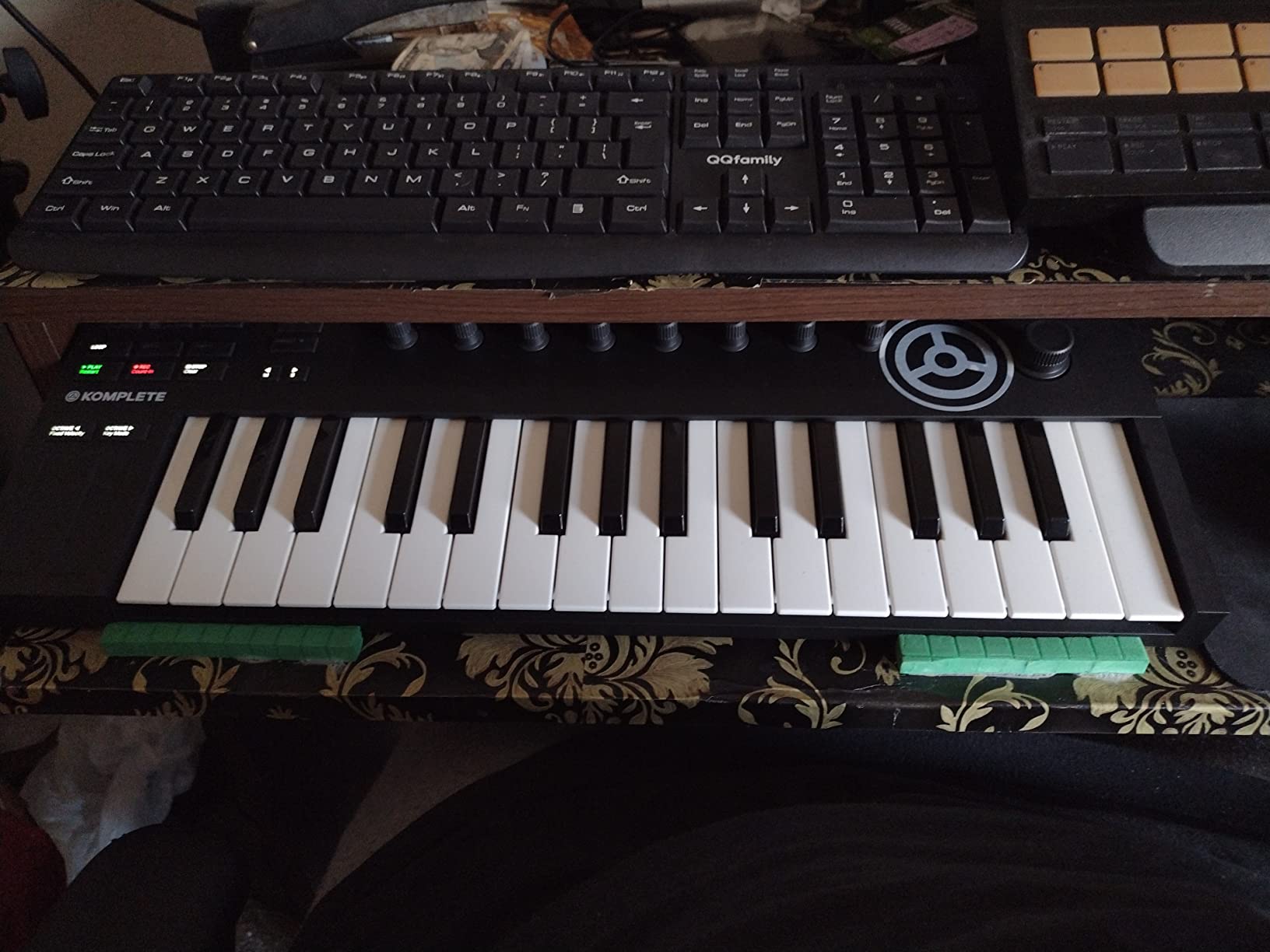
The Native Instruments Komplete Kontrol M32 occupies a unique niche. It is the controller I recommend to anyone already invested in the NI software ecosystem, because the NKS integration is simply unmatched. The moment you plug it in, the 8 touch-sensitive knobs and OLED display connect to your Komplete instruments and effects with zero manual mapping. You browse sounds using the 4-directional push encoder, see parameter names on the OLED display, and adjust everything with the touch knobs.
The 32-key count is a genuine sweet spot. It gives you enough range for two-handed melodic work that 25 keys simply cannot provide, while remaining compact enough to fit in a backpack. At just 1 kilogram with stainless steel construction, it is one of the lightest yet most solid-feeling controllers in this guide. The Smart Play features include over 100 scales and chord modes that are genuinely useful for staying in key during improvisation.
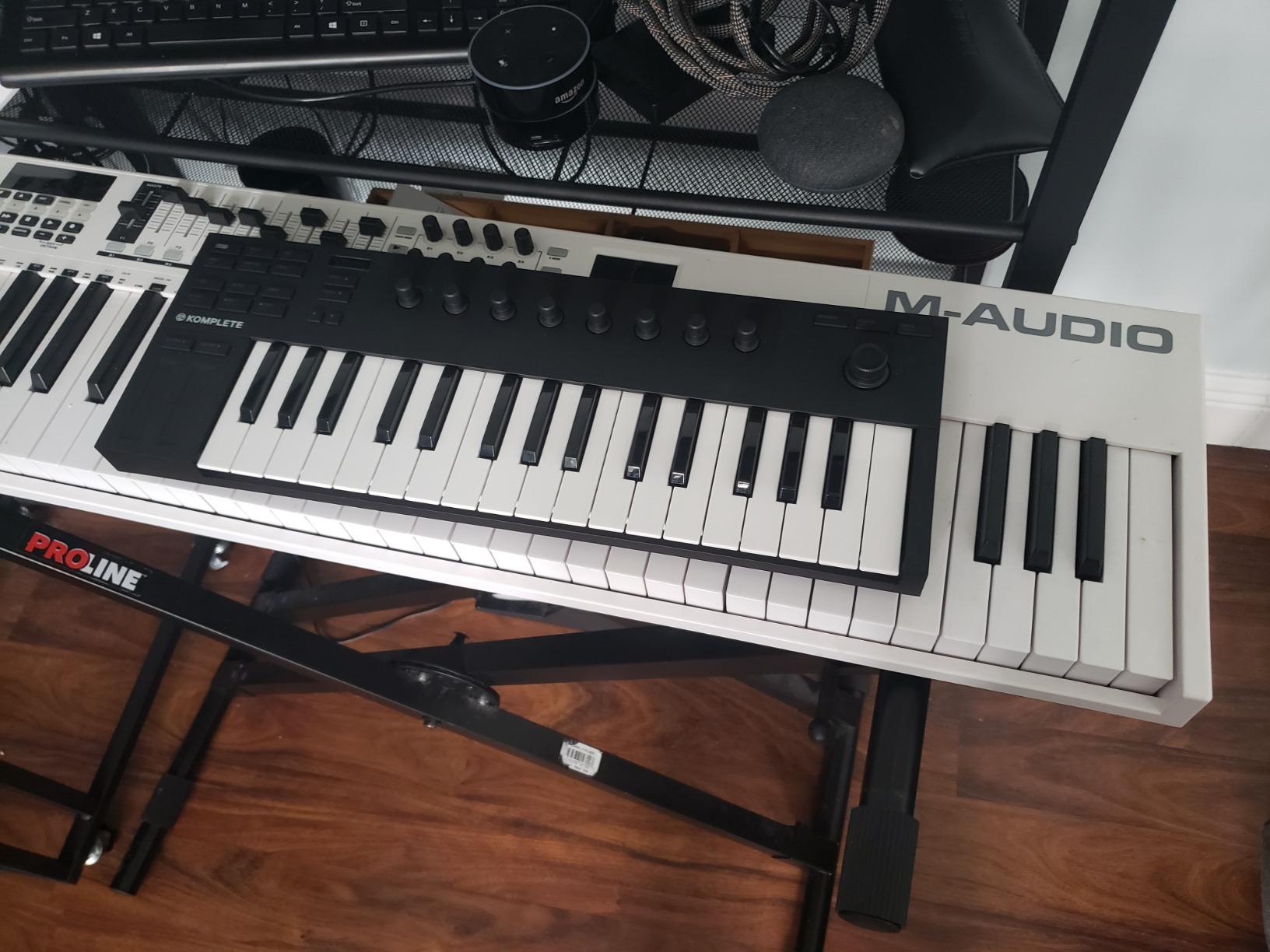
The M32 comes with the Komplete Start software bundle, which includes a trimmed-down version of Native Instruments’ flagship instrument collection along with Ableton Live 10 Lite. For producers who already own or plan to buy Komplete Select or Komplete Standard, the M32 becomes even more powerful as a control surface for the entire NI universe.
The main drawback is the complete absence of drum pads. If you produce beats, you will need a separate pad controller like the Maschine Mikro or the Akai MPD218. Some users report that the velocity sensitivity is inconsistent, requiring a harder hit than expected to trigger maximum velocity. The buttons are also noticeably clicky and stiff compared to competitors.
NKS Ecosystem Advantage
If you produce with Kontakt, Massive, Reaktor, or any other NKS-compatible instruments, the M32 gives you hands-on control that no other controller matches at this price. Tag-based preset browsing, automatic parameter mapping, and deep integration with the Komplete ecosystem make this feel like a purpose-built instrument rather than a generic controller.
Smart Play for Non-Keyboardists
The Smart Play feature set is designed for producers who are not trained pianists. Scale mode maps the keyboard to a selected scale, chord mode generates harmonies from single keys, and the arpeggiator creates patterns automatically. These features lower the barrier to entry for musical expression.
9. Akai Professional APC Mini MK2 – Best Pad Controller for Ableton Live
Akai Professional APC Mini MK2 USB MIDI Pad Controller
64 RGB Pads (8x8 Matrix)
9 Assignable Faders
Drum and Note Modes
Smart Scale View
USB Bus-Powered
Pre-Mapped for Ableton Live
Pros
- 64 RGB pads with excellent visual feedback
- Pre-mapped for Ableton Live works out of the box
- Highly portable and lightweight at 810 grams
- Multiple modes including Drum Note and Mixer
- 9 faders for hands-on mixer control
Cons
- Limited to Ableton Live for native functionality
- Documentation for custom MIDI mapping is incomplete
- USB connector may be prone to failure with heavy use
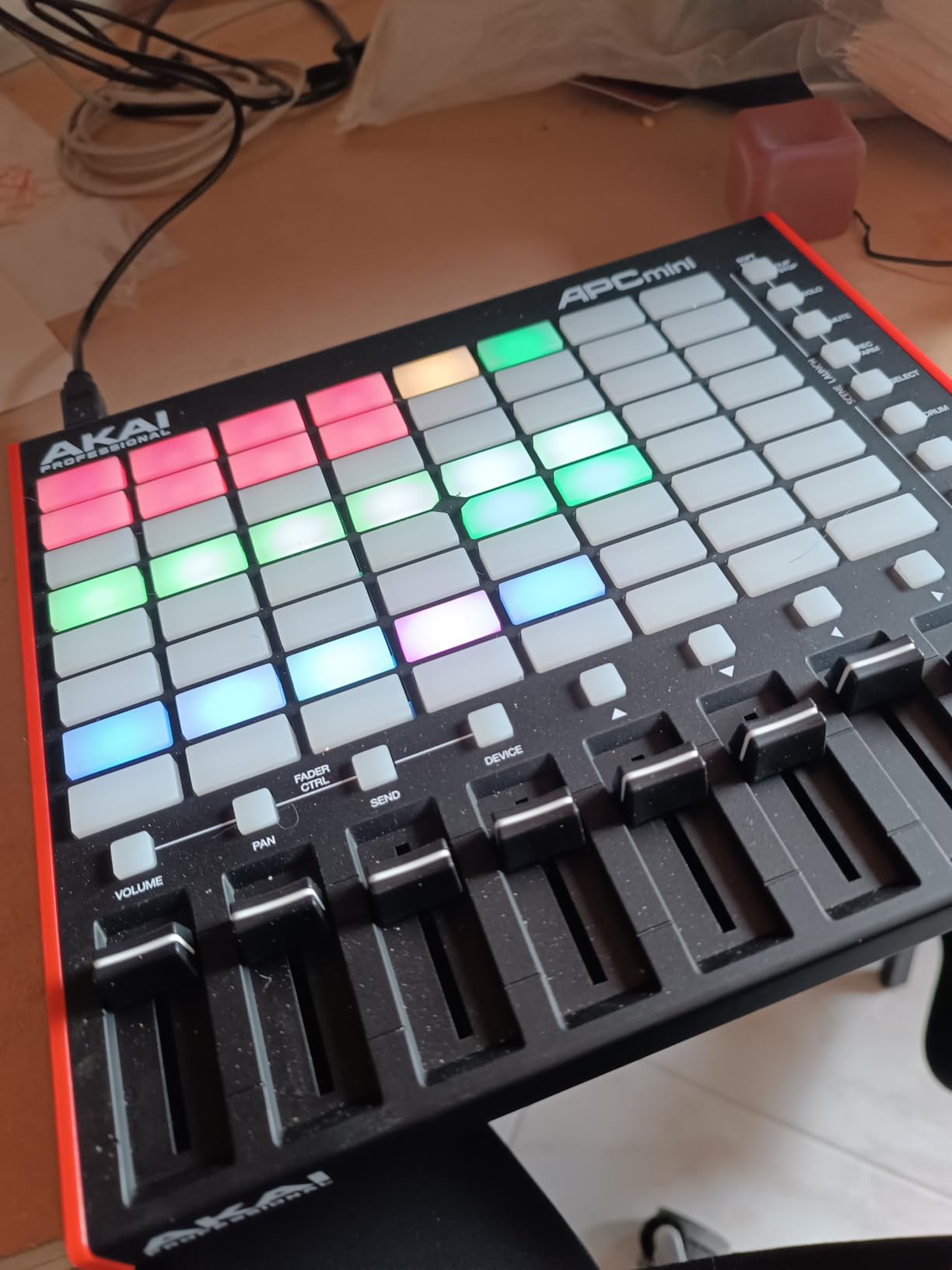
The Akai APC Mini MK2 is a purpose-built clip launching controller designed specifically for Ableton Live users. If your workflow revolves around Ableton’s Session View, this is the most cost-effective way to get hands-on control over your clips, tracks, and mixer. The 64 RGB pads in an 8×8 matrix mirror your Ableton session grid, with color-coded feedback showing clip states in real time. The moment I plugged it in and opened Ableton Live, everything just worked.
Beyond clip launching, the APC Mini MK2 offers impressive versatility. The pads switch between Drum Mode for finger drumming, Note Mode for melodic playing, and Smart Scale View for in-key performance. The 9 assignable faders (8 channel plus 1 master) give you hands-on mixer control. Device mode lets you control Ableton macros and device parameters directly from the pads. All of this in a package that weighs just 810 grams.
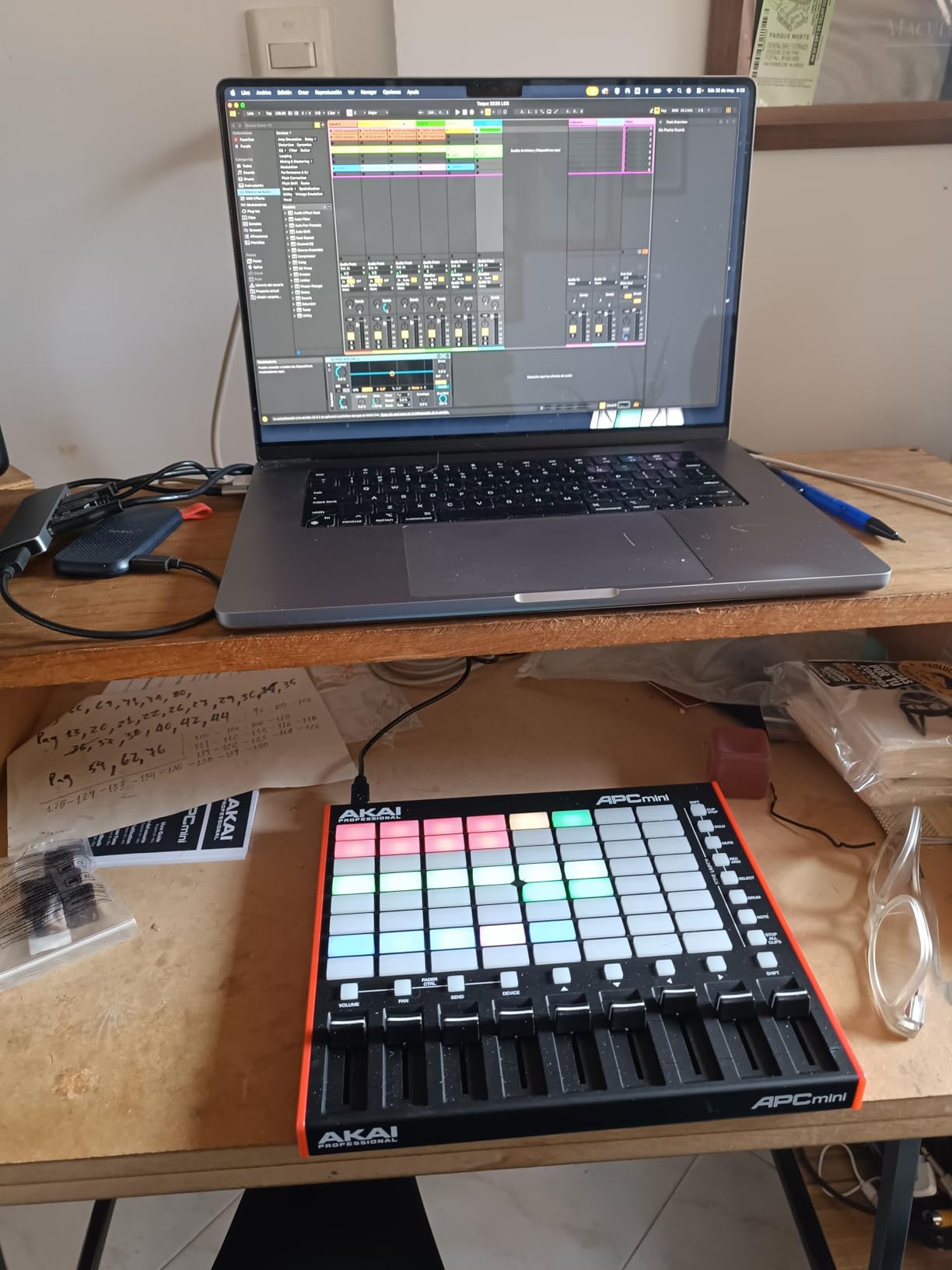
The pre-mapped Ableton Live integration covers versions 11.2.7 and later. You do not need to configure anything. Plug it in, and the pads reflect your session, the faders control your track volumes, and the transport buttons handle play, stop, and record. For live performance, this level of plug-and-play reliability is invaluable.
The main limitation is that the APC Mini MK2 is deeply tied to Ableton Live for its native functionality. While it can work with other DAWs and DJ software like TRAKTOR and Virtual DJ through custom MIDI mapping, the documentation for custom mapping is incomplete. Some users have reported USB connector reliability issues with heavy use, and the build quality is not rugged enough for heavy touring.
Live Performance Setup
For live performance, the APC Mini MK2 pairs perfectly with Ableton Live as a clip launching and mixer control surface. The RGB pad feedback gives you instant visual confirmation of clip states, and the compact size means it fits on any stage surface alongside your other gear.
Expanding Beyond Ableton
While designed for Ableton, the APC Mini MK2 can be custom-mapped to work with FL Studio, Logic Pro, and DJ software through standard MIDI CC messages. Novation Components and other MIDI mapping tools can help you create custom layouts for non-Ableton workflows.
10. Akai Professional MPD218 – Best Budget Pad Controller
Akai Professional MPD218 USB MIDI Pad Controller
16 Thick MPC Pads
3 Pad Banks (48 Total)
18 Assignable Knobs
Note Repeat
Full Level
iOS Compatible
USB Bus-Powered
Pros
- Thick fat MPC pads feel great for finger drumming
- 18 assignable knobs accessible via 3 banks
- MPC note repeat and full level features
- Works with any DAW and iOS compatible
- USB powered with no external power needed
Cons
- Pad sensitivity issues can register double strikes
- Adjacent pads may trigger unintentionally
- Bank switching with single button not ideal for live use
- No MIDI DIN outputs
The Akai MPD218 is a dedicated pad controller that has been a staple in home studios for years. It is the controller I recommend when someone already has a keyboard but needs proper MPC-style pads for beat making. The 16 thick MPC pads have that legendary Akai feel that keyboard-mounted pads simply cannot replicate. Three pad banks give you access to 48 assignable pads total, which is enough for even the most complex drum kits.
The 18 fully assignable 360-degree potentiometers (6 per bank) provide extensive parameter control for your virtual instruments and effects. MPC Note Repeat is a standout feature that automatically repeats notes at a selectable rate, perfect for hi-hat patterns and rapid percussion. Full Level ensures every pad hit registers at maximum velocity, which is useful for consistent drum programming.
The MPD218 works with virtually any DAW including Ableton Live, FL Studio, Logic Pro, and MPC Beats. The included software bundle features Ableton Live Lite, MPC Beats, and AIR Music Tech Drum Synth 500. iOS compatibility via the Camera Connection Kit (sold separately) makes it a great companion for iPad music production with apps like BeatMaker and GrooveRider.
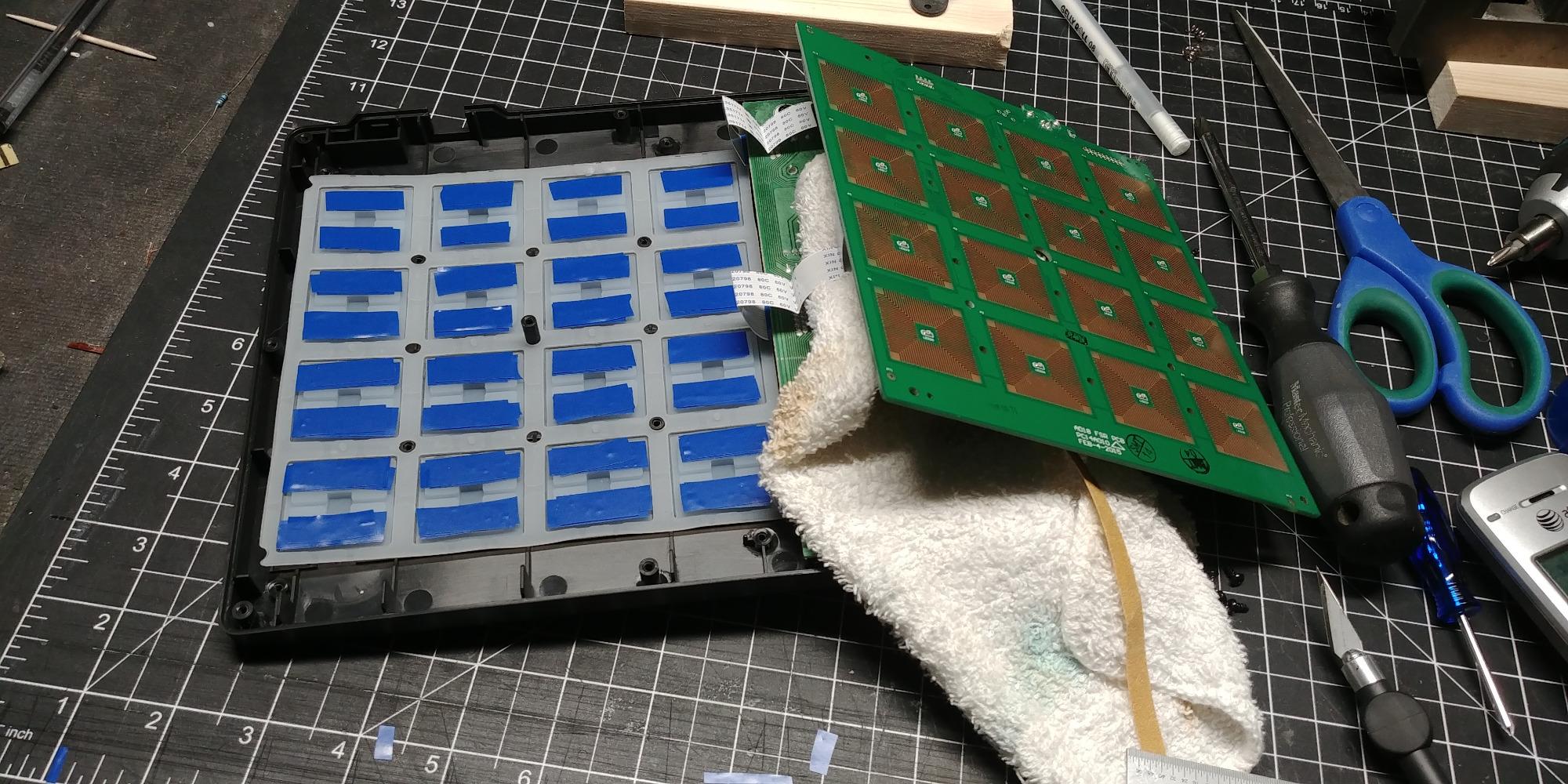
The known issues are worth noting. Some users report pad sensitivity problems where a single hit can register as a double strike. Adjacent pads may trigger unintentionally if your technique is not precise. Bank switching uses a single button, which is not ideal for live performance where you need to switch banks instantly. There are no MIDI DIN outputs, so you are limited to USB connectivity.
Finger Drumming Experience
The thick MPC pads on the MPD218 are designed specifically for finger drumming, with a responsive, satisfying feel that translates dynamics accurately. The pads are larger and thicker than the pads found on keyboard controllers, giving you more surface area for complex rhythmic patterns.
iOS Music Production
With the Apple Camera Connection Kit, the MPD218 becomes a powerful beat-making tool for iPad. It works seamlessly with iOS apps like BeatMaker 3, GrooveRider 2, and GarageBand for iOS. The USB bus power means no external power supply is needed, making it truly portable.
11. Novation Launchpad Mini MK3 – Best Grid Controller for Clip Launching
Novation Launchpad Mini MK3 MIDI USB Grid Controller
64 RGB Pads
Scale Mode with 20 Scales
3 Custom Modes
USB-C
Bus-Powered
Ableton Live Integration
Stop Solo Mute Controls
Pros
- 64 vibrant RGB pads with excellent session reflection
- Seamless Ableton Live integration with stop solo and mute controls
- Customizable with Novation Components browser app
- Slim lightweight and portable at 14 ounces
- Bus-powered via USB-C with no external power needed
- Scale Mode with 20 scales and root note highlighting
Cons
- Scale Mode missing some common scales like Pentatonic Major
- No chord mode
- No visual feedback from non-Ableton DAWs
- Pad firmness different from MPC style pads
The Novation Launchpad Mini MK3 is the grid controller I recommend for Ableton Live users who want clip launching in the most portable form factor possible. At just 14 ounces and 7.1 inches square, it is the most compact controller in this guide. The 64 RGB pads accurately reflect your Ableton Live session, showing clip states, playback position, and track colors in real time.
The Ableton Live integration includes dedicated Stop, Solo, and Mute controls that work automatically without any mapping. The pads switch between Session Mode for clip launching, Note Mode for melodic playing, and Custom Mode for user-defined MIDI mappings. Scale Mode offers 20 different scales with root note highlighting, making it easy to stay in key while improvising melodies on the grid.
![Novation Launchpad Mini [MK3] - Portable MIDI 64-Pad, USB Grid Controller for Ableton Live and Logic Pro Performances customer photo 1](https://lexavebrew.com/wp-content/uploads/2026/06/B07WNSHR3V_customer_1.jpg)
The Launchpad Mini MK3 is customizable through the Novation Components web app, which lets you create custom pad layouts and MIDI mappings without installing any software. You can define up to 8 custom modes, each with its own pad assignments and color schemes. This makes the Launchpad surprisingly versatile beyond its Ableton Live roots.
The limitations are worth knowing. Scale Mode is missing some common scales like Pentatonic Major, which frustrated me during testing. There is no chord mode, unlike the Novation Launchkey series. Visual feedback from non-Ableton DAWs is nonexistent, so FL Studio and Logic Pro users will not see session reflection on the pads. The pad firmness is different from MPC-style pads and may take adjustment if you are used to Akai pads.
![Novation Launchpad Mini [MK3] - Portable MIDI 64-Pad, USB Grid Controller for Ableton Live and Logic Pro Performances customer photo 2](https://lexavebrew.com/wp-content/uploads/2026/06/B07WNSHR3V_customer_2.jpg)
Custom Modes for Non-Ableton DAWs
Through the Novation Components browser app, you can create custom MIDI mappings that work with any DAW. Assign pads to trigger MIDI notes, CC messages, or program changes. This allows you to use the Launchpad as a drum controller, mixer, or performance tool with FL Studio, Logic Pro, and other software.
Portability for Mobile Producers
Weighing just 14 ounces and measuring 7.1 inches square, the Launchpad Mini is the ultimate portable controller. It slips into any backpack alongside a laptop, and the USB-C bus power means no power adapter to carry. For producers who make music on the go, it pairs perfectly with a laptop and headphones.
12. Arturia KeyStep 37 – Best Compact Controller for Modular Synths
Arturia KeyStep Controller & Sequencer, 37 Key
37 Slimkey Keys with Aftertouch
Polyphonic 64-Step Sequencer
16-Mode Arpeggiator
4 CV Outputs
MIDI DIN
USB-C
Chord and Scale Modes
Pros
- 37 keys with aftertouch for expressive control in a compact footprint
- Built-in polyphonic 64-step sequencer with pattern chaining
- Versatile connectivity with USB-C MIDI DIN and 4 CV outputs for modular synths
- Chord and scale modes for effortless composition
- 16-mode generative arpeggiator with mutation feature
- Compact 2.4 pound design
Cons
- Keys described as lower quality by some users
- Compact touch strips can be accidentally triggered
- Slimkey action not for traditional keyboard players
The Arturia KeyStep 37 is not like the other controllers in this guide. It is a specialist tool designed for producers who work with hardware synthesizers, modular rigs, and vintage gear. I tested it primarily with a Eurorack modular system and a couple of desktop synths, and it performed brilliantly as the central sequencing hub. The 37 Slimkey keys with aftertouch give you expressive control that most compact controllers lack entirely.
What makes the KeyStep 37 special is its connectivity. You get USB-C for computer connection, standard MIDI DIN in and out for hardware synths, and 4 configurable CV outputs for modular gear. There is also a pedal input and Sync I/O for hardware clock synchronization. This is the only controller in this guide that can simultaneously control a computer DAW, a hardware synth via MIDI, and a modular system via CV, all from one unit.
The built-in polyphonic 64-step sequencer is a creative powerhouse. You can chain patterns, mutate sequences for generative compositions, and use the 16-mode arpeggiator for evolving melodic content. The chord and scale play modes keep everything musical. For live performance, having a sequencer that runs independently of your computer is a genuine advantage that opens up performance possibilities.
CV and Modular Integration
The 4 configurable CV outputs can be assigned to pitch, gate, and two modulation signals. This means you can sequence a modular oscillator’s pitch while simultaneously modulating its filter and VCA, all from the KeyStep’s built-in sequencer. For modular synth owners, this eliminates the need for a dedicated MIDI-to-CV converter.
Standalone Sequencing Without a Computer
The polyphonic 64-step sequencer runs entirely on the hardware, meaning you can create patterns without a computer connected. Pattern chaining lets you arrange full songs, and the mutate feature introduces generative variations that keep your sequences evolving. This makes the KeyStep 37 a live performance instrument in its own right.
How to Choose the Best MIDI Controller
Choosing from the dozens of available options can feel overwhelming. I have broken down the decision into the factors that actually matter in day-to-day use. Whether you are looking for the best midi controllers for beginners or a professional upgrade, these guidelines will help you narrow down your choice.
Key Count: How Many Keys Do You Really Need?
This is the first and most important decision. The number of keys determines what you can play and how much desk space you need.
25 keys is ideal for beat makers, mobile producers, and anyone who primarily writes melodies one hand at a time. You will use octave buttons frequently to access different registers. The Akai MPK Mini MK3 and Novation Launchkey Mini 25 MK4 are the standout choices here.
32 to 37 keys gives you more breathing room for two-handed work. The NI Komplete Kontrol M32 and Arturia KeyStep 37 are excellent in this range. The KeyStep 37 adds aftertouch and sequencing capabilities that make it uniquely powerful for hardware synth users.
49 keys is the sweet spot for most home studio producers. You get enough range for comfortable two-handed playing without a massive footprint. The M-Audio Keystation 49 MK3 and Arturia KeyLab Essential 49 mk3 cover both ends of the budget spectrum.
61 keys gives you five full octaves, enough for most piano pieces and complex sound design. The M-Audio Oxygen Pro 61 is the top pick, offering semi-weighted keys with aftertouch, 16 pads, and 9 faders in a single comprehensive unit.
Pad and grid controllers are a separate category for producers who already have a keyboard. The Akai APC Mini MK2, Akai MPD218, and Novation Launchpad Mini MK3 are all excellent dedicated pad controllers that complement a keyboard rather than replacing one.
Key Action: Synth, Semi-Weighted, or Aftertouch?
The feel of the keys is deeply personal and affects your playing experience more than any other factor.
Synth-action keys are spring-loaded and require less force to press. They are fast, responsive, and ideal for synthesizer and organ work. Most budget and portable controllers use synth-action keys. The M-Audio Keystation 49 and NI Komplete Kontrol M32 both use quality synth-action keybeds.
Semi-weighted keys add resistance for a more substantial feel without the full weight of a piano. The M-Audio Oxygen Pro 61 uses quality semi-weighted keys with aftertouch, which is a significant upgrade in expressiveness.
Aftertouch is a feature worth seeking out. When you press harder on a held key, aftertouch sends additional MIDI data that you can map to vibrato, filter cutoff, volume, or any other parameter. The M-Audio Oxygen Pro 61, Arturia KeyStep 37, and Novation Launchkey Mini 25 MK4 all offer aftertouch, which adds a significant expressive dimension.
DAW Compatibility and Integration
Your DAW should heavily influence your controller choice. Deep DAW integration means the controller’s knobs, faders, pads, and transport controls automatically map to your software’s functions without manual configuration.
For Ableton Live: The Novation Launchkey Mini 25 MK4 is the clear winner in the compact category. Novation’s Ableton integration is the deepest in the industry, with automatic clip launching, device control, and mixer mapping. The Akai APC Mini MK2 is the best dedicated pad controller for Ableton, with 64 pads and 9 faders pre-mapped for Session View.
For FL Studio: The M-Audio Oxygen Pro 61 offers excellent FL Studio integration along with pads, faders, and Smart Scale features. The Arturia KeyLab Essential 49 mk3 also provides custom FL Studio integration scripts for deep workflow control.
For Logic Pro: Most class-compliant USB MIDI controllers work with Logic Pro out of the box. The NI Komplete Kontrol M32 offers particularly smooth integration. The Arturia KeyLab Essential 49 mk3 provides custom Logic Pro X scripts for deep integration.
For GarageBand: Any class-compliant USB controller will work with GarageBand via direct USB connection on Mac or through a USB adapter on iOS. The M-Audio Keystation 49 MK3 is a popular GarageBand pairing due to its simplicity and plug-and-play reliability.
Pads, Knobs, and Faders: Control Surface Features
The control surface is what separates a basic keyboard from a full production controller. Here is what to look for.
Drum pads should be velocity-sensitive at minimum. Pressure sensitivity (aftertouch) adds expressive control for drum rolls and parameter changes. RGB backlighting helps you identify pad functions at a glance. The Akai MPK Mini Plus has the best-feeling pads among compact keyboard controllers, while the dedicated Akai MPD218 offers the thickest, most responsive MPC pads for serious finger drumming.
Encoders and knobs let you control plugin parameters, filter sweeps, and synth controls. Endless rotary encoders (like on the Arturia MiniLab 3 and KeyLab Essential) are preferable to fixed-range potentiometers because they do not jump when you switch between parameters.
Faders are essential for mixing workflows. The M-Audio Oxygen Pro 61 offers 9 assignable faders for track volume control, while the Akai APC Mini MK2 provides 9 faders pre-mapped to Ableton Live’s mixer.
Connectivity: USB, MIDI DIN, and CV/Gate
USB is the standard connection, but there are important additional options to consider.
USB bus power means the controller draws power from your computer, eliminating the need for an external adapter. Every controller in this guide is USB bus-powered. USB-C connectors on the Arturia MiniLab 3 and KeyStep 37 offer reversible plugs and broader compatibility.
5-pin MIDI DIN output lets you connect directly to hardware synthesizers without going through a computer. This is essential for hardware-based setups. The Arturia MiniLab 3, M-Audio Oxygen Pro 61, Arturia KeyLab Essential 49 mk3, and Arturia KeyStep 37 all include MIDI DIN output.
CV/Gate outputs are for modular synthesizer users. The Arturia KeyStep 37 and Akai MPK Mini Plus both offer CV/Gate connectivity for controlling Eurorack and modular systems directly from the keyboard.
Software Bundles: Hidden Value
The included software can significantly affect the overall value of a controller. Some bundles are worth more than the controller itself. The Akai MPK Mini MK3 includes MPC Beats and multiple virtual instruments that give beginners everything they need to start producing. The Arturia KeyLab Essential 49 mk3 includes Analog Lab V with over 2000 presets worth well over $400. The NI Komplete Kontrol M32 includes Komplete Start, an excellent entry point into the NI ecosystem.
MIDI 2.0: What It Means
MIDI 2.0 is the first major update to the MIDI specification since 1983. It adds bi-directional communication, higher resolution data, and per-note expression through MIDI Polyphonic Expression (MPE). In practice, MIDI 2.0 adoption is still in early stages as of 2026. Most DAWs and virtual instruments do not yet fully support it. All current USB MIDI controllers are backward compatible with MIDI 1.0, so you will not lose anything by purchasing a current model.
Frequently Asked Questions
What is the best MIDI controller?
The Novation Launchkey Mini 25 MK4 is our top-rated MIDI controller with a 4.8-star rating. It offers 25 mini keys, 16 FSR pads with polyphonic aftertouch, Scale Mode, Chord Mode, and seamless Ableton Live integration. For keyboard-focused producers, the M-Audio Oxygen Pro 61 provides the most comprehensive feature set with 61 semi-weighted keys.
What is the best MIDI controller for beginners?
The Akai Professional MPK Mini MK3 is the best MIDI controller for beginners. It offers 25 velocity-sensitive keys, 8 MPC-style drum pads, 8 assignable knobs, a built-in arpeggiator, and an extensive software bundle including MPC Beats and 1500-plus sounds. It delivers everything a new producer needs at an accessible price.
What is the best MIDI controller for Ableton Live?
The Novation Launchkey Mini 25 MK4 is the best compact MIDI controller for Ableton Live, with automatic clip launching, device control, and mixer mapping. For a dedicated pad controller, the Akai APC Mini MK2 offers 64 RGB pads and 9 faders pre-mapped for Ableton Session View.
What is the best MIDI controller for FL Studio?
The M-Audio Oxygen Pro 61 is the best MIDI controller for FL Studio, offering Smart Scale, Smart Chord, 16 RGB pads, and 9 assignable faders. The Arturia KeyLab Essential 49 mk3 also provides custom FL Studio integration scripts for deep workflow control.
Can I use a MIDI controller without a computer?
Yes, if the controller has a 5-pin MIDI DIN output, you can connect it directly to a hardware synthesizer without a computer. Controllers like the Arturia MiniLab 3, M-Audio Oxygen Pro 61, and Arturia KeyStep 37 all feature MIDI DIN output. The KeyStep 37 and Akai MPK Mini Plus also offer CV/Gate outputs for modular synthesizers.
Wrapping Up: Choosing Your Ideal MIDI Controller
Finding the best midi controllers for your setup does not have to be complicated. Start with the Novation Launchkey Mini 25 MK4 if you want the best overall compact controller, the Akai MPK Mini MK3 if you want the best value, or the M-Audio Oxygen Pro 61 if you want the most features in a full-size keyboard. For Ableton Live users, the Akai APC Mini MK2 and Novation Launchpad Mini MK3 are purpose-built grid and pad controllers that integrate flawlessly with Session View.
The most important thing is to choose a controller that fits your DAW, your desk space, and your production style. A controller that you use every day is worth more than an expensive one that sits in a closet. Pick the one that matches your workflow, and start making music in 2026.