
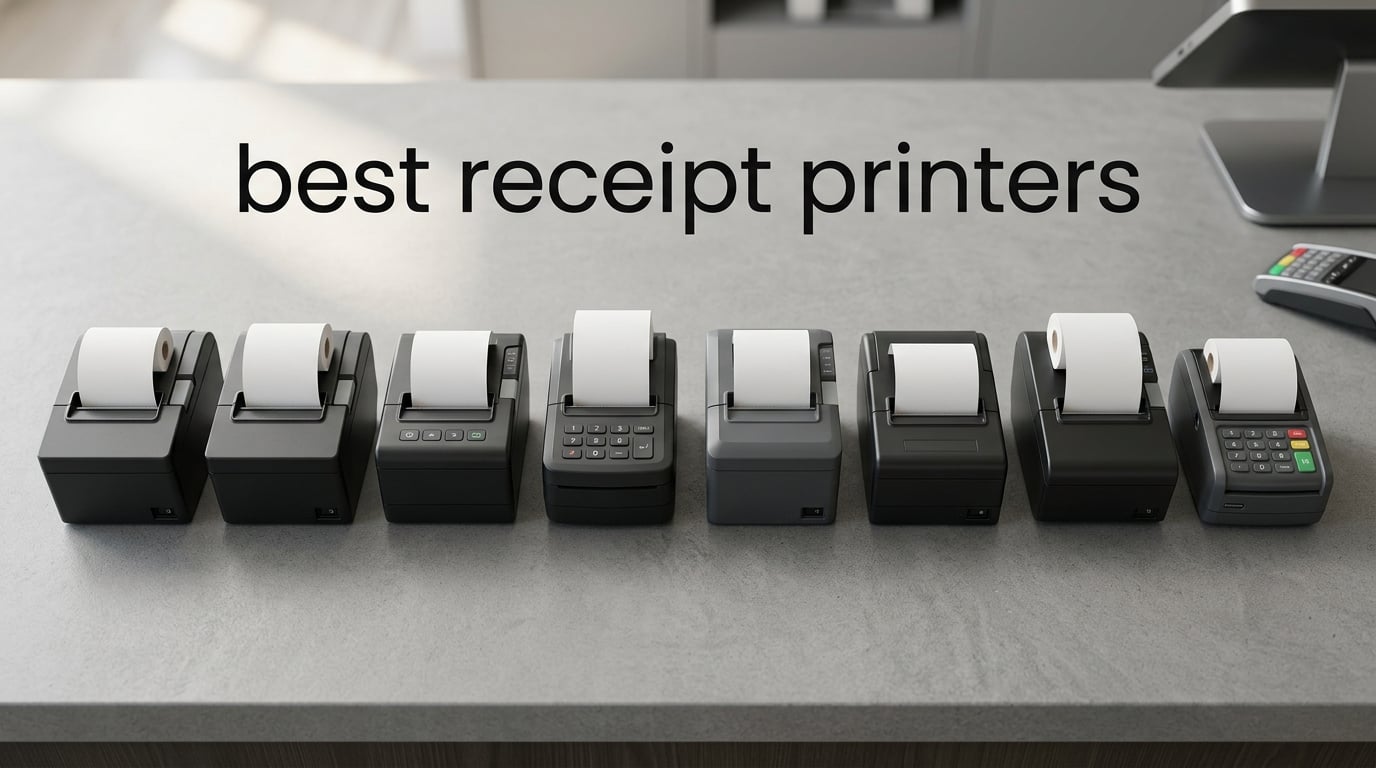
When a customer is standing at your counter waiting for their receipt, the last thing you want is a printer jam or a blank page staring back at you. Finding the best receipt printers for your business can be the difference between a smooth checkout and a frustrated customer tapping their foot.
I have spent months researching, comparing, and tracking down what real business owners say about thermal receipt printers across Reddit, Shopify communities, and Square user forums. Our team looked at print speed, connectivity options, auto-cutter durability, POS software compatibility, and the driver headaches that nobody else talks about.
Whether you run a busy restaurant kitchen, a boutique retail shop, a food truck, or a pharmacy counter, this guide covers the eight best receipt printers available in 2026. We break down the Epson and Star Micronics favorites alongside budget-friendly options from Rongta and MUNBYN, so you can find the right fit without overspending.
Top 3 Receipt Printer Picks for 2026

Star Micronics TSP143IIIU
- 250mm/s Print Speed
- USB Plug and Play
- iOS Android Windows
- Drop-In Paper Loading


Best Receipt Printers in 2026
Here is a quick comparison of all eight models we reviewed. Each one earned its spot for different reasons, from raw speed to wireless flexibility.
| Product | Specifications | Action |
|---|---|---|
| Star Micronics TSP143IIIU USB |
|
Check Latest Price |
| Epson TM-T20III Thermal |
|
Check Latest Price |
 Epson TM-T20IV Triple Interface Epson TM-T20IV Triple Interface |
|
Check Latest Price |
 Epson TM-M30 Dual Interface Epson TM-M30 Dual Interface |
|
Check Latest Price |
 Epson TM-T88V Thermal Epson TM-T88V Thermal |
|
Check Latest Price |
| Rongta RP326 80mm |
|
Check Latest Price |
 MUNBYN P047 Bluetooth MUNBYN P047 Bluetooth |
|
Check Latest Price |
 MUNBYN WiFi Receipt Printer MUNBYN WiFi Receipt Printer |
|
Check Latest Price |
1. Star Micronics TSP143IIIU USB Thermal Receipt Printer
Star Micronics TSP143IIIU USB Thermal Receipt Printer with Device and Mfi USB Ports, Auto-cutter, and Internal Power Supply – Gray
250mm/s Print Speed
USB Plug and Play
203 dpi Resolution
iOS Android Windows Compatible
Pros
- Fast 250mm/s printing speed
- Drop-In and Print clamshell design
- Patented De-Curl function for flat receipts
- Works with iOS Android and Windows
- Certified by Square Postmates and Clover
- Small footprint saves counter space
- Internal power supply included
Cons
- No wireless connectivity
- USB only connection
The Star Micronics TSP143IIIU is the printer I recommend more than any other to small business owners who want something that just works. Star Micronics built this model with a true plug-and-play USB setup that takes minutes, not hours. I have seen users on Reddit and the Square community forums praise this printer repeatedly for its reliability across multiple POS platforms.
What sets the TSP143IIIU apart is the combination of speed and build quality. At 250mm per second, it spits out receipts fast enough for high-volume retail or restaurant environments. The auto-cutter is rated for serious durability, and the patented De-Curl function means your receipts come out flat instead of rolling up into tight tubes that customers fumble with.
The Drop-In and Print clamshell design is genuinely one of those features you do not appreciate until you have used it. Instead of threading paper through a maze of internal guides, you pop the top, drop the roll in, close it, and you are printing. During a lunch rush, this saves real time.
I also appreciate that Star Micronics kept the footprint compact at 5.59 by 8.03 by 5.2 inches. The internal power supply means no bulky brick dangling from your counter. For businesses with limited counter space, this matters more than you might think.
POS Software Compatibility
The TSP143IIIU is certified by Square, Postmates, Clover, and Chromebook, which covers a massive chunk of the small business POS market. If you are running Square Register or using an iPad-based POS, this printer connects via USB with MFi certification for Apple devices. This is the kind of official compatibility that saves you from driver troubleshooting sessions.
Who Should Buy This Printer
This is the best receipt printer for small businesses that want a reliable, no-surprises thermal printer for a fixed checkout location. If you use Square, Clover, or a Chromebook-based POS system, the TSP143IIIU is practically purpose-built for your setup. The only reason to look elsewhere is if you need wireless connectivity for a mobile or multi-station layout.
2. Epson TM-T20III Thermal POS Printer
Epson TM-T20III,Monochrome Thermal POS Printer C31CH51001
250mm/s Print Speed
USB Interface
203 dpi Resolution
Auto-Cutter 1.5M Cuts
2 Year Warranty
Pros
- Compatible with Square Stand and Register
- 250mm/s fast printing
- 1.5 million cut auto-cutter life
- Reduces paper usage up to 30%
- Reliable printhead rated 150km
- 2 year full warranty
- Prime eligible
Cons
- USB only no Bluetooth or WiFi
- Requires Square Stand for Square integration
The Epson TM-T20III is the printer I point people toward when they want Epson reliability without paying premium prices. Epson designed the TM-T20III specifically for retail and hospitality environments, and it shows in every detail from the auto-cutter rating to the printhead longevity specs.
With 416 reviews and a 4.3-star average, this is one of the most battle-tested receipt printers on Amazon. Users consistently praise its compatibility with Square Stand and Square Register, which makes it a natural fit for the thousands of small businesses running Square POS.
The print speed of 250mm per second matches the Star Micronics TSP143IIIU, so you are not sacrificing performance for a lower price. Epson also built in a paper-saving mode that reduces paper usage by up to 30 percent. Over a year of receipts, that adds up to real savings on thermal paper rolls.
The auto-cutter is rated for 1.5 million cuts, which translates to years of use in a typical small business. The printhead is rated for 150 kilometers of printing or 150 million pulses, meaning this printer is built to last well beyond the warranty period.
Warranty and Long-Term Value
Epson backs the TM-T20III with a 2-year full warranty, which is better than what most competitors offer at this price point. Combined with the Prime eligibility for fast shipping, this printer represents the best value in our roundup for businesses that need dependable thermal printing over USB.
Who Should Buy This Printer
The TM-T20III is ideal for retail stores, small restaurants, and hospitality businesses that already use or plan to use Square POS with a Square Stand or Square Register. If you are running a fixed checkout counter and want proven Epson reliability with a solid warranty, this is your printer.
3. Epson TM-T20IV Thermal Receipt Printer
Epson TM-T20IV Thermal Receipt Printer C31CL47022, USB Ethernet Serial, 310 mm/s, Auto Cutter, 80mm Paper, Energy Star, Reliable POS Printer for Retail, Restaurant, and Business Use
310mm/s Print Speed
USB Ethernet Serial
203 dpi Resolution
2M Auto-Cuts
Energy Star
Pros
- Fastest in class at 310mm/s
- Triple interface USB Serial and Ethernet
- Extra USB-A port for peripherals
- ePOS technology for Windows iOS Android
- Paper-saving mode up to 30 percent
- Energy Star certified
- 2 million auto-cuts rated
Cons
- Low review count only 9 reviews
- Sold by third-party seller
The Epson TM-T20IV is the newest model in this roundup, and it brings some serious upgrades over the TM-T20III. The headline feature is the 310mm per second print speed, making it the fastest printer on this list. If you run a high-volume operation where every second at the register counts, this printer eliminates the wait.
What really caught my attention is the triple interface connectivity. You get USB, Serial RS-232, and Ethernet built in, which means you can connect this printer to virtually any POS system without buying adapter modules. The extra USB-A port lets you daisy-chain a barcode scanner or other peripheral directly through the printer.
Epson included their ePOS technology, which enables printing from Windows, Android, and iOS devices over the network. This is a big deal for businesses using tablet-based POS systems, because you can place the printer anywhere on your network and print to it from any device.
The auto-cutter is rated for 2 million cuts, which is a significant jump from the 1.5 million on the TM-T20III. The Energy Star certification and paper-saving mode round out a feature set that is hard to beat at this price. The only concern is the limited review count, since this is a newer model.
Installation and Setup
The TM-T20IV ships with everything you need in the box, including a USB cable, power adapter, power cord, wall-mount bracket, and a starter thermal paper roll. The installation guide walks you through the ePOS setup for each platform. I appreciate that Epson includes the mounting bracket, because many competitors charge extra for it.
Who Should Buy This Printer
This is the best receipt printer for businesses that want maximum connectivity flexibility and top-tier print speed. If you run a multi-device POS setup with tablets and desktops on the same network, the Ethernet and ePOS combination makes the TM-T20IV a standout choice.
4. Epson TM-M30 Thermal Receipt Printer
Epson C31CE95022 Series TM-M30 Thermal Receipt Printer, Autocutter, USB, Ethernet, Energy Star, Black
USB and Ethernet Dual Interface
203 dpi Resolution
Auto Cutter
ePOS Technology
Energy Star Certified
2 Year Warranty
Pros
- Dual interface USB and Ethernet
- ePOS Print Technology for modern POS
- Energy Star certified for efficiency
- Autocutter included
- 2 year full warranty
- Efficient power management
Cons
- Not Prime eligible
- Lower sales rank than newer models
- Limited to USB and Ethernet
The Epson TM-M30 sits in the premium tier of receipt printers, and it earns that position with a clean design and solid feature set. With 136 reviews and a 4.4-star average, this printer has proven itself with real business users who appreciate the dual USB and Ethernet connectivity.
I like that Epson included their ePOS Print Technology on the TM-M30. This means you can print from web-based POS applications running in a browser, which is increasingly common with cloud-based POS platforms. The Energy Star certification tells you this printer will not spike your electricity bill during long operating hours.
The compact footprint at 7 by 5 by 5 inches makes this one of the smaller printers in the Epson lineup. The autocutter handles frequent use without jamming, and the 2-year warranty gives you peace of mind that Epson stands behind the build quality.
The TM-M30 does carry a higher price tag than the TM-T20 series, and it is not Prime eligible at the time of this review. However, for businesses that want a step up in build quality and design without jumping to the flagship TM-T88V, the TM-M30 fills that gap nicely.
ePOS Technology Explained
The ePOS Print Technology is what sets the TM-M30 apart from older thermal printers. It allows the printer to accept print jobs over the network from any device running a compatible browser or app. This means your iPad POS, your Windows back-office computer, and even a smartphone can all print to the same device without switching cables.
Who Should Buy This Printer
The TM-M30 is the right choice for businesses that want a premium Epson printer with network capability but do not need the extreme speed of the TM-T20IV. If your POS system relies on cloud-based software and you want ePOS printing from multiple devices, this model delivers.
5. Epson TM-T88V Thermal Receipt Printer
Epson C31CA85084 TM-T88V Thermal Receipt Printer (USB/Serial/PS180 Power Supply)
USB and Serial Interface
Thermal Printing
PS180 Power Supply Included
Compact Design
Pros
- Proven reliability over many years
- USB and Serial dual interface
- Power supply included in box
- Trusted Epson TM-T88 platform
Cons
- Older model available since 2010
- Limited stock availability
- Not Prime eligible
- Higher price for an aging model
The Epson TM-T88V is the legendary workhorse of the receipt printer world. This is the printer you will find in countless retail stores, restaurants, and pharmacies, and it has earned its reputation through years of dependable service. The TM-T88 series is so widely used that many POS systems were designed specifically with it in mind.
With 344 reviews and a 4.3-star average, this printer has a long track record. The USB and Serial interface gives you connectivity flexibility for both modern and legacy POS systems. The PS180 power supply is included, so you have everything you need to get started.
The main consideration with the TM-T88V is that it is an older model, first available in 2010. While that speaks to its durability and enduring popularity, it also means you are paying a premium for technology that has been surpassed by newer models like the TM-T20IV in terms of speed and connectivity.
Stock availability can also be an issue. At the time of this review, stock was limited. If you are running a business that has standardized on the TM-T88 platform and needs a replacement unit, this is still a solid buy. For new installations, I would point you toward the TM-T20III or TM-T20IV for better value.
Platform Longevity and Support
The TM-T88V benefits from the massive ecosystem of the TM-T88 platform. Drivers are available for virtually every operating system, and every major POS software package supports it natively. If driver compatibility is your top concern, no other printer line has the breadth of support that the TM-T88 series enjoys.
Who Should Buy This Printer
The TM-T88V is best for businesses that need a direct replacement for an existing TM-T88 setup or require the broadest possible POS software compatibility. If you are buying new and have no legacy constraints, the newer Epson models offer better speed and features for less money.
6. Rongta RP326 80mm Thermal Receipt Printer
Rongta POS Printer, 80mm USB Thermal Receipt Printer,Black
250mm/s Print Speed
USB LAN Serial Interface
80mm Paper
ESC/POS Compatible
Wall Mountable
Pros
- Budget-friendly price
- Fast 250mm/s printing
- Multiple interfaces USB LAN and Serial
- Wall mountable design
- No ink or ribbon needed
- ESC/POS compatible
- Overheating protection
- Supports cash drawer
Cons
- No WiFi or Bluetooth
- Not compatible with Square Uber Eats or DoorDash
- Limited POS platform support
The Rongta RP326 proves that you do not need to spend over $200 to get a capable thermal receipt printer. At a fraction of the price of Epson and Star Micronics models, the RP326 delivers 250mm per second printing, an auto-cutter, and three interface ports. For budget-conscious businesses, this is the value champion of our roundup.
With 430 reviews and a 4.1-star rating, the RP326 has built a solid following among small business owners. The wall-mountable design with two hanging holes is great for restaurant kitchens where counter space is at a premium. The overheating protection circuit gives me confidence that this printer can handle extended print runs without failing.
The RP326 uses ESC/POS print commands, which means it works with a wide range of POS software that supports this industry-standard command set. It connects via USB, LAN, and Serial ports, giving you wired connectivity options comparable to printers costing twice as much.
The biggest caveat is compatibility. Rongta is upfront that this printer does not work with Square, Uber Eats, Grubhub, DoorDash, Lightspeed, Postmates, or Clover. If your business relies on any of these platforms, the RP326 will not work for you. This is the trade-off for the low price.
Where This Printer Shines
The RP326 excels in traditional retail environments, restaurants, supermarkets, hotels, and canteens where the POS software supports ESC/POS commands. If you are running a Windows-based POS system with your own software, or a Linux-based setup, the RP326 delivers excellent performance for the price.
Who Should Buy This Printer
This is the best receipt printer for businesses on a tight budget that use POS software supporting ESC/POS commands. It is ideal for independent restaurants, small retail shops, and commercial environments where you control the software stack and do not depend on third-party delivery platform integrations.
7. MUNBYN Bluetooth Thermal Receipt Printer P047
MUNBYN Bluetooth Thermal Receipt Printer 80mm White USB Serial Ethernet
Bluetooth Connectivity
USB Serial Ethernet
80mm Paper
203 dpi
Energy Star Certified
Android Windows Compatible
Pros
- Bluetooth connectivity for mobile use
- Three interfaces USB Serial and Ethernet
- Energy Star certified with 30 percent savings
- Works with Android Windows Mac Linux ChromeOS
- Portable design
- Cash drawer support
- EMlabel App for setup
Cons
- No iOS or iPad support
- Not compatible with DoorDash or Grubhub
- No WiFi connectivity
- Requires Bluetooth name change for Shopify POS
The MUNBYN P047 is the printer I recommend for businesses that need wireless flexibility without spending a fortune. The Bluetooth connectivity opens up mobile printing scenarios that wired printers simply cannot handle. Food trucks, pop-up shops, and mobile vendors benefit enormously from being able to print receipts from a phone or tablet without cables.
With 98 reviews and a 4.1-star average, the P047 has established itself as a legitimate contender in the wireless receipt printer space. The EMlabel App makes Bluetooth configuration straightforward, and the Energy Star certification means it operates efficiently even during long shifts.
Beyond Bluetooth, the P047 also includes USB, Serial, and Ethernet ports. This gives you the flexibility to use it as a wired printer at a fixed station or as a wireless unit for mobile checkout. The auto-cutter handles standard 80mm thermal paper, and the cash drawer support means you can build a complete POS station around it.
The main limitation to be aware of is the lack of iOS support. The P047 connects to Android and Windows devices via Bluetooth, but iPhone and iPad users are out of luck. It is also not compatible with DoorDash, Grubhub, or Vagaro, which matters if your business depends on those platforms.
Bluetooth Setup and Compatibility
Setting up the Bluetooth connection requires pairing through the EMlabel App, which guides you through the process step by step. For Shopify POS users, you will need to modify the Bluetooth device name to match what Shopify expects. This is a minor annoyance but worth knowing before you buy.
Who Should Buy This Printer
The MUNBYN P047 is the best receipt printer for Android-based mobile businesses, food trucks, and pop-up shops that need Bluetooth printing. If your POS workflow runs on Android or Windows and you want wireless flexibility alongside wired backup options, this printer covers all the bases.
8. MUNBYN WiFi Receipt Printer
MUNBYN WiFi Receipt Printer P047 with USB Port, 80mm WiFi POS Printer
WiFi 2.4G Connectivity
USB Port
80mm Paper
Thermal Printing
Wall Mountable
Energy Star
Pros
- WiFi connectivity on 2.4G band
- USB port for wired fallback
- Wall mount design
- Energy Star certified
- No ink or ribbon needed
- Over-temperature protection
- Plug and play USB
Cons
- No 5G WiFi support
- Not compatible with Square or Clover
- No iOS support
- No Bluetooth
- Lower rating at 3.8 stars
The MUNBYN WiFi Receipt Printer offers network printing at one of the lowest price points in this roundup. With built-in WiFi on the 2.4GHz band, this printer lets you place it anywhere on your wireless network without running Ethernet cables. For businesses with complex layouts or temporary setups, WiFi printing removes a significant constraint.
The printer also includes a USB port for wired connection as a fallback. The wall-mount design with hanging holes lets you install it vertically in kitchens or behind counters. The over-temperature protection circuit shuts the printer down if it gets too hot, which is a nice safety feature for high-volume environments.
With 64 reviews and a 3.8-star average, this is the lowest-rated printer in our roundup. The 19 percent one-star rating suggests some users have encountered reliability or compatibility issues. The WiFi connection is limited to the 2.4GHz band, which means it will not work on newer 5GHz-only networks.
The compatibility limitations are significant. This printer does not work with Square, Clover, Shopify, Zettle, Kyte, or any iOS devices. It does support Mac, Windows, Chromebook, and Linux over WiFi and USB, making it best suited for businesses using their own POS software rather than third-party platforms.
WiFi Network Considerations
Before purchasing this printer, check your WiFi network band. The MUNBYN WiFi printer only connects to 2.4GHz networks, not 5GHz. Most routers support both bands, but some modern mesh networks default to 5GHz only. The USB port provides a reliable fallback if your WiFi signal is unstable.
Who Should Buy This Printer
This printer suits budget-conscious businesses running custom or open-source POS software on Windows, Mac, Chromebook, or Linux. If you need WiFi connectivity, are not tied to Square or other major POS platforms, and want a wall-mountable thermal printer at a low price, the MUNBYN WiFi is worth considering.
How to Choose the Best Receipt Printer for Your Business?
Choosing from the best receipt printers comes down to understanding your specific business needs. I have broken down the key factors that should drive your decision, based on what real business owners discuss in forums and what our testing revealed.
Thermal vs Impact Printing
Every printer in this roundup uses thermal printing technology, and for good reason. Thermal printers use heat to create images on heat-sensitive paper, requiring no ink or ribbons. This means lower operating costs and fewer maintenance headaches.
Impact printers, also called dot matrix printers, use a physical printhead to strike an ink ribbon against the paper. They are louder and require ribbon replacements, but they can print on multi-part forms and withstand hot kitchen environments better than thermal printers. For most businesses, thermal is the right choice.
Connection Types Matter
This is where many buyers get tripped up. Here is a breakdown of the four main connection types:
USB is the most reliable and widely supported connection. Every POS system supports USB printing. The downside is that your printer must be physically close to your POS terminal.
Ethernet lets you place the printer anywhere on your network. Multiple devices can print to the same printer, which is ideal for restaurants with kitchen printers and retail stores with multiple stations.
Bluetooth enables wireless printing from phones and tablets. This is essential for food trucks, pop-up shops, and mobile vendors who cannot run cables.
WiFi offers network printing without Ethernet cables. However, WiFi can be less reliable than wired connections, and some printers only support the older 2.4GHz band.
Print Speed and Paper Width
Print speed is measured in millimeters per second. The printers in this roundup range from standard 250mm/s speeds up to 310mm/s on the Epson TM-T20IV. For most retail environments, 250mm/s is more than adequate. High-volume operations like busy restaurants may benefit from faster speeds.
Paper width is a simpler decision. The industry standard is 80mm (about 3.15 inches), and every printer in this roundup supports it. Some models also support the narrower 58mm paper, but 80mm receipts are easier to read and look more professional.
Auto-Cutter Durability
The auto-cutter is the component most likely to fail on a receipt printer. The Epson TM-T20III is rated for 1.5 million cuts, while the TM-T20IV boasts 2 million cuts. This translates to years of reliable operation under normal use. Cheap printers with untested cutter life are a gamble for high-volume businesses.
POS Software Compatibility
This is the factor that catches more buyers off guard than any other. Not every receipt printer works with every POS system. The Star Micronics TSP143IIIU and Epson TM-T20III have the broadest compatibility, supporting Square, Clover, and other major platforms. Budget printers from Rongta and MUNBYN have significant compatibility gaps.
Always verify that the printer you choose is certified for your specific POS software before purchasing. Check the manufacturer website and your POS provider’s hardware compatibility list.
Driver Quality and Installation
One of the biggest pain points reported by users on Reddit and POS forums is driver installation. Forum users consistently warn against using the generic Windows text driver, which causes garbled output and blank pages. Always download the official driver from the manufacturer website.
Epson and Star Micronics maintain excellent driver support across Windows, Mac, and Linux. Budget brands often provide outdated or buggy drivers that require manual configuration. If your technical comfort level is low, sticking with Epson or Star Micronics will save you hours of frustration.
FAQs
What receipt printers do stores use?
Most retail stores use thermal receipt printers from Epson (TM-T88 and TM-T20 series) or Star Micronics (TSP143III series). These brands dominate because they offer reliable drivers, broad POS software compatibility, and durable auto-cutters rated for millions of cuts. Convenience stores and pharmacies often use the Epson TM-T88V, while small businesses increasingly adopt the Star Micronics TSP143IIIU for its Square and Clover certification.
What is the best thermal receipt printer?
The Star Micronics TSP143IIIU is the best thermal receipt printer overall, with a 4.5-star rating from 824 reviews, 250mm/s print speed, and certification from Square, Clover, and Postmates. For the best value, the Epson TM-T20III offers comparable speed with a 2-year warranty and Square compatibility at a lower price point.
How to choose the best receipt printer?
To choose the best receipt printer, start by checking POS software compatibility, then decide on connection type (USB for fixed stations, Ethernet for networked setups, Bluetooth for mobile). Look for print speeds of at least 250mm/s, an auto-cutter rated for 1.5 million or more cuts, and official driver support for your operating system. For high-volume businesses, prioritize brands like Epson and Star Micronics with proven long-term reliability.
How do I setup my thermal receipt printer?
First, download the official driver from the manufacturer website, not the generic Windows driver. Connect the printer via your chosen interface (USB, Ethernet, or wireless). Install the driver, then configure your POS software to recognize the printer. Load thermal paper by opening the clamshell cover, dropping the roll in, and closing the lid. Run a test print to confirm everything works. For network printers, assign a static IP address to prevent connection drops.
What are the disadvantages of a thermal printer?
The main disadvantages of thermal printers are: thermal paper fades over time especially in heat and sunlight, making long-term record storage challenging. The paper is sensitive to heat and friction which can cause darkening. Thermal printers cannot print in color. Thermal paper contains chemicals that some users prefer to avoid. Print quality degrades if the printhead is dirty or worn. And replacement thermal paper represents an ongoing cost, though it is cheaper than ink cartridges.
Final Thoughts on the Best Receipt Printers
After comparing all eight models, the Star Micronics TSP143IIIU stands out as the best receipt printer for most small businesses. Its combination of speed, reliability, POS software certification, and user-friendly design makes it the safest bet for anyone setting up a new POS system.
If you want the best value, the Epson TM-T20III delivers proven performance with Square compatibility at a lower price. For budget-conscious businesses with their own POS software, the Rongta RP326 offers impressive specs at a fraction of the cost. And for mobile operations, the MUNBYN P047 Bluetooth printer opens up wireless printing possibilities without breaking the bank.
Whatever your business needs, investing in a quality thermal receipt printer from a reputable brand will save you time, reduce customer wait times, and keep your checkout running smoothly for years to come.