
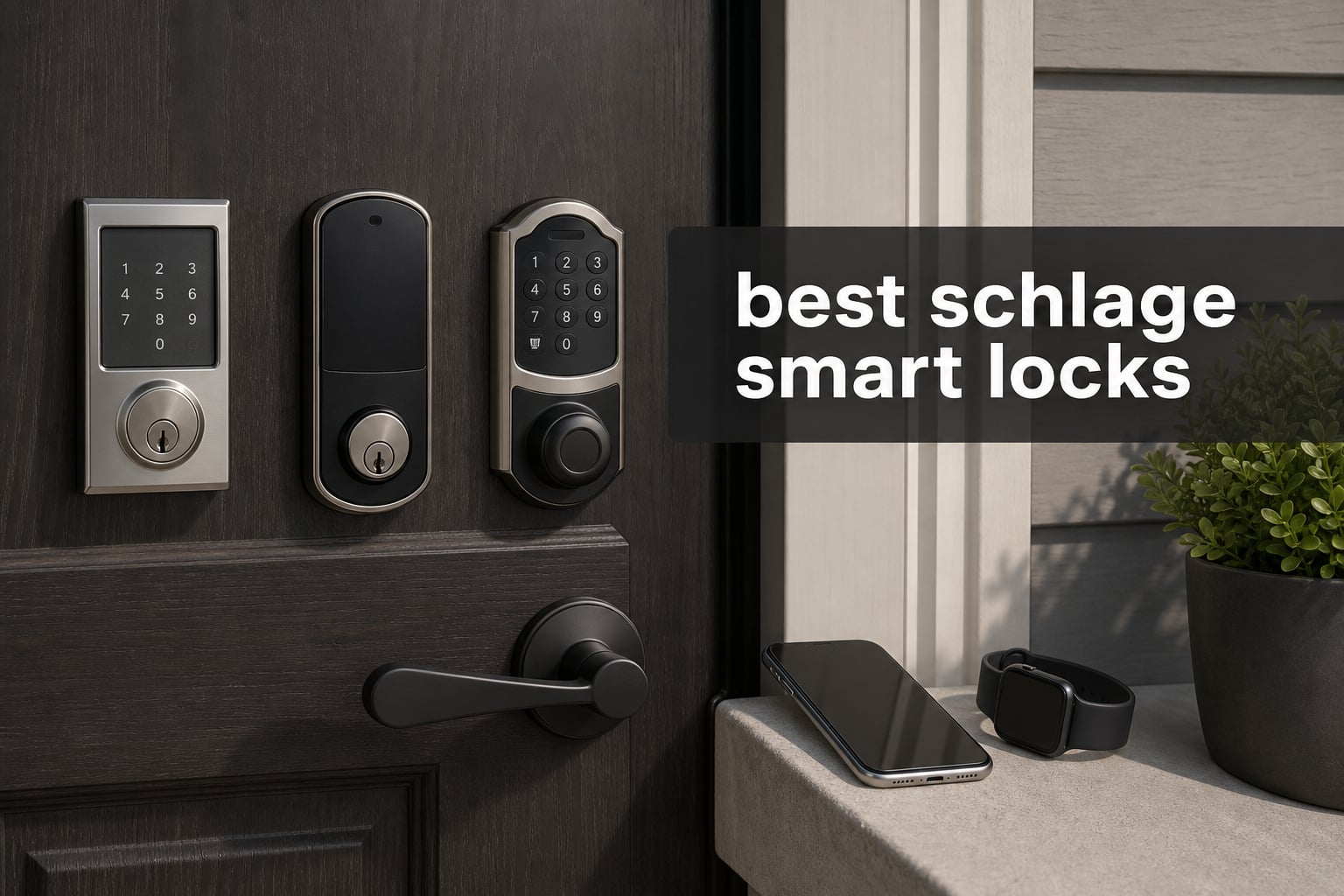
The best Schlage smart locks make a familiar front door easier to share, monitor, and use without making the lock feel like a gadget first and a deadbolt second. They combine keyless entry with built-in WiFi, a keypad, app control, and hardware that carries Schlage’s highest residential security, durability, and finish certification.
I think the first decision is less about adding an app and more about matching the lock to how people enter your home. A family that comes and goes with phones, a host who issues guest codes, and an Apple household that wants to tap an iPhone or Apple Watch at the door each need something slightly different.
This guide compares every distinct connected Schlage model supplied for this article: the Encode WiFi lever lock, the Arrive WiFi deadbolt, and the Encode Plus Wi-Fi deadbolt. All three offer built-in WiFi and the Schlage Home app, but their hardware, keypad type, code capacity, and smart-home fit are meaningfully different.
There are only three products here because the available catalog contained three distinct models rather than a set of finish or trim duplicates. That is more useful than padding a list with the same lock in several colors, and it lets us focus on the questions that matter at the door: Who needs a lever, who needs lots of codes, and who will actually use Apple Home Key?
A smart lock still needs a practical backup plan. Keep the included physical key somewhere accessible, read the low-battery notifications, and check that the door closes without rubbing before deciding a lock has an app problem.
The top 3 Schlage smart locks answer three different front-door needs
Pick the Encode lever when you are replacing both a keyed lever and a deadbolt, pick the Arrive when high code capacity and tactile buttons appeal, and pick Encode Plus when Apple Home Key is part of daily life. The cards below give the shortest path to that decision.


The Encode lever earned the editor’s-choice spot because it solves a structural problem that a deadbolt-only lock cannot solve: it replaces the handle and adds smart access in the same coordinated set. Its reversible lever also works on either door handing, a useful detail when a front door is not configured like the product photo.
The Arrive is the straightforward pick for a household, rental, or guest-heavy door that needs more code slots and buttons you can feel. Encode Plus is the specialized choice; its Apple Home Key support is a daily convenience for iPhone and Apple Watch users, not a feature that every buyer needs.
The best Schlage smart locks in 2026 are easy to compare by access method
All three locks connect through built-in WiFi and work through the Schlage Home app, so remote lock control is not the dividing line. Look instead at whether you need a lever, prefer a touchscreen or physical buttons, want 100 or 250 codes, or use Apple HomeKit and Apple Home Key.
| Product | Specifications | Action |
|---|---|---|
| Schlage Encode WiFi Lever Lock |
|
View Details |
 Schlage Arrive WiFi Deadbolt Schlage Arrive WiFi Deadbolt |
|
View Details |
| Schlage Encode Plus Wi-Fi Lock |
|
View Details |
Each lock has a fingerprint-resistant entry surface, configurable auto-lock, and a low-battery indication in its listed features or specifications. Each also comes from the same hardware family with a limited lifetime mechanical and finish warranty plus a limited three-year electronics warranty.
Ratings are one signal rather than a verdict. The Encode lever lists a 4.6 average from 381 reviews, Arrive lists 4.4 from 174 reviews, and Encode Plus lists 4.0 from 2.4k+ reviews; the larger count behind Encode Plus also brings more reports about varied home-network experiences.
1. The Schlage Encode WiFi Lever Lock is best when your door needs a handle and smart deadbolt together
Schlage Encode Smart WiFi Lock, Lever Handle, Camelot Trim, Aged Bronze
WiFi
Touchscreen
100 codes
Reversible lever
Pros
- Built-in WiFi
- 100 access codes
- Reversible lever
- BHMA certified
- Auto-lock
Cons
- Uses AA batteries
- Needs both lever and deadbolt replacement
The Schlage Encode Smart WiFi Lock with the Camelot Accent Lever is the most complete hardware change in this group. Instead of adding only a smart deadbolt above an existing handle, it gives the door a coordinated lever and touchscreen entry point, which is why I would start here for a front door with a tired keyed lever.
Its built-in WiFi connects the lock to the Schlage Home app for away-from-home control and access-code management, while Bluetooth is also listed in its connectivity details. That means you do not need to add a separate hub just to manage basic remote functions, although your home’s WiFi coverage at the door still matters.
The 100-code capacity is enough for most homes with family members, recurring helpers, and occasional visitors. It supports auto-lock with different delay choices, and its external touchscreen is described as fingerprint resistant, so it does not advertise the last digits used as easily as a plain mechanical keypad can.
This model is listed as working with Alexa, Google Assistant, Ring, and Airbnb. For a host, that combination makes it possible to give a guest a dedicated code instead of passing around a key, while a family can keep separate codes without asking everyone to remember one shared number.
The hardware facts are especially good here: it has a customizable alarm for door movement and forced-entry attempts, a physical backup key, and Schlage’s highest residential security, durability, and finish certification. The lever is reversible for left- and right-handed doors, which prevents a surprisingly common ordering mistake.
Installation is listed as screwdriver-only with no hardwiring, and it fits standard doors from 1-3/8 inch to 1-3/4 inch thick. Before ordering, I would still inspect the old door prep, the alignment of the strike plate, and whether the latch moves freely when the door is fully closed.
That last check is important because an incorrectly aligned door can look like a motor or connectivity failure. A deadbolt that has to push against a swollen door frame uses more battery power and is less likely to lock smoothly, no matter how capable the app is.
The Encode lever is the right fit when a single purchase needs to replace both the handle and the deadbolt
Choose this version if the current lower handle is part of the security and convenience problem, not just the existing deadbolt. A matching lever-and-deadbolt set gives you one exterior keypad location and avoids pairing a new electronic deadbolt with an old, separate keyed lever.
The touchscreen is a good fit for people who want a clean exterior and who are comfortable entering codes on a flat panel. It also makes sense for a main entrance where several trusted people need different codes but you do not need the Arrive’s larger 250-code ceiling.
The Encode lever needs careful door preparation before you commit to a full-hardware replacement
This is not the best match if your door already has a lever you love and you only want to replace the deadbolt. You are changing more hardware than with the other two choices, so confirm the existing bore holes, door thickness, and lever handing before installation day.
Plan for AA battery changes and keep the mechanical backup key available rather than treating it as an afterthought. The low-battery indicator helps, but it is still wiser to replace cells promptly than wait until someone is standing outside with a phone and a fading lock.
2. The Schlage Arrive Smart WiFi Deadbolt is best for tactile buttons and up to 250 access codes
Schlage Arrive Smart WiFi Deadbolt Lock with Camelot Trim, Satin Nickel
WiFi
Push buttons
250 codes
Backlit keypad
Pros
- 250 access codes
- All-weather buttons
- Built-in WiFi
- Alexa and Google Home
- DIY install
Cons
- No Apple Home Key
- Uses batteries
- Push buttons feel less sleek
The Schlage Arrive Smart WiFi Deadbolt is the cleanest choice for a buyer who wants a traditional deadbolt format and an exterior keypad with real buttons. Its silicone push-button keypad is designed for all-weather use and has backlighting for low-light entry, so there is a physical reference under a fingertip instead of a smooth touchscreen.
That keypad distinction matters more than marketing language suggests. Some people find physical buttons easier when carrying groceries, wearing gloves, or coming home in poor light, while others prefer the flush look of a touchscreen; neither is universally better.
Arrive’s standout number is its capacity for up to 250 access codes. I see that as a practical advantage for a busy household, a property with recurring service access, or a rental operation that needs to keep codes organized instead of repeatedly deleting a small list.
Like the other models, Arrive has built-in WiFi and Schlage Home app control, allowing remote locking, unlocking, and code management. It also works with Alexa, Google Home, and Ring, bringing it into common voice-assistant and home-monitoring routines without calling for an added WiFi bridge.
The exterior control supports one-touch locking, and auto-lock can be set with a chosen delay. Those two features reduce the familiar double-back question of whether the door was locked after a rushed departure, but auto-lock is only helpful if everyone in the home understands the selected timing.
Schlage lists this deadbolt with its highest residential security certification, and the product data confirms a screwdriver-only DIY installation. It is lighter than the lever set at 2.4 pounds and uses a deadbolt-only form, which is often simpler to consider when the existing door lever is staying in place.
User feedback in the supplied research is encouraging on WiFi connectivity, button durability, and ease of use, with a 4.4 average from 174 reviews. At the same time, people discussing Schlage locks online sometimes call the app slow or report WiFi drops, so install it where the front door gets dependable 2.4 GHz WiFi rather than assuming every corner of a house has equal coverage.
The Arrive is the best match for code-heavy households, hosts, and button-first users
Choose Arrive if you want more room for unique access codes than the two 100-code products provide. That extra capacity is useful when codes belong to relatives, dog walkers, cleaners, contractors, or rotating guests and you want a simple record of who has access.
It is also a good answer for people who simply prefer a keypad that feels like buttons. Backlit silicone keys can be easier to locate by touch, and the deadbolt-only design leaves a compatible existing passage handle or lever in place.
The Arrive is less suitable when Apple Home Key is your main reason for buying a smart lock
Arrive works with Alexa, Google Home, and Ring according to its listed specifications, but Apple HomeKit and Apple Home Key are not listed for this model. If tapping an iPhone or Apple Watch at the door is a must-have behavior, the Encode Plus is the purposeful choice.
It also uses batteries, so a remote-control lock still needs basic maintenance. Set a calendar reminder after installation, heed low-battery notices, and test the included physical-key path before a real battery emergency makes that backup feel unfamiliar.
3. The Schlage Encode Plus Wi-Fi Lock is best for Apple Home Key and Apple Watch entry
Schlage Encode Plus Smart WiFi Deadbolt Lock, Tap to Unlock, Matte Black
Apple Home Key
WiFi
Touchscreen
100 codes
Pros
- Apple Home Key support
- Apple Watch entry
- Built-in WiFi
- Touchscreen
- BHMA certified
Cons
- 4.0 average rating
- Reported WiFi issues
- Uses batteries
The Schlage Encode Plus Smart Wi-Fi Lock is the one to choose when Apple Home Key is not a novelty but the way your household wants to enter. It supports Apple HomeKit and lets you tap an iPhone or Apple Watch to unlock, while retaining a touchscreen keypad, built-in WiFi, app control, and a physical key backup.
That tap-to-unlock experience is what separates it from the other two locks. Rather than opening the Schlage app or entering a code every time, a compatible Apple device can act as the credential at the door, which can be very convenient when a watch is already on a wrist or a phone is in a pocket.
Encode Plus also lists compatibility with Alexa and Google Assistant, so choosing it does not lock an Apple household out of other voice-control options. It has up to 100 access codes, a fingerprint-resistant touchscreen, customizable auto-lock, one-touch exterior locking, and an alarm for door movement or forced-entry attempts.
Its Snap n Stay design is intended to make installation less awkward by holding the exterior piece in place while you work from inside. The listed installation still requires a screwdriver and sensible door preparation, but this feature addresses the part where a person normally tries to hold an exterior lock body and turn screws at the same time.
For security, the product has Schlage’s highest residential security, durability, and finish certification. For daily resilience, it has both low-battery awareness and a physical key backup, two basics that deserve as much attention as wireless features when this will be the household’s primary entry point.
There is a candid tradeoff in the feedback. Encode Plus has a 4.0 average across 2.4k+ reviews, lower than the other two products here, and the supplied review insights flag some WiFi or reliability complaints despite strong praise for Apple HomeKit integration and solid build quality.
Forum discussion adds useful context rather than a reason to dismiss the lock outright: several users say Apple Home Key works very well when their setup is stable, while others describe connectivity issues or unexpected lock behavior. I would treat that as a reason to update the app, confirm WiFi strength at the door, and run several normal lock and unlock cycles before relying on automations.
The Encode Plus is the clear choice when iPhone and Apple Watch entry will be used every day
Buy Encode Plus when the people who use the door carry compatible Apple devices and want tap-to-unlock convenience. Apple Home Key is a distinct access method, not merely a different app screen, so it can remove a repeated step from the arrival routine.
The lock still serves mixed households well because it has a keypad, physical key, Schlage Home app, and voice-assistant support in addition to Apple features. That range gives visitors and family members several ways to get in without forcing everyone to use the same phone platform.
The Encode Plus requires more tolerance for network troubleshooting than a basic keypad lock
Do not select it only because it is the most feature-rich option if nobody in your household will use Home Key. The standard Encode lever or Arrive can provide built-in WiFi, remote app control, codes, auto-lock, and Schlage’s high residential certification with a simpler feature set.
If setup feels unreliable, first separate door-alignment trouble from WiFi trouble, then check that the phone, app, home network, and lock software are current. Heavy use can also shorten battery life, so keep spare batteries and the backup key ready while you learn the lock’s real pattern at your door.
The right Schlage smart lock depends on your door hardware, ecosystem, and access routine
The three locks share a strong core: built-in WiFi, Schlage Home app support, keyless entry, auto-lock options, a backup key, and Schlage’s highest residential security certification. The correct choice comes from narrowing the differences instead of trying to buy every feature at once.
A lever or a deadbolt-only lock should match the hardware you are replacing
Choose the Encode lever when both the lower lever and the upper deadbolt are due for replacement or when you want one coordinated exterior set. Its reversible lever makes it suitable for left- and right-handed door configurations, provided the existing door preparation matches the installation requirements.
Choose Arrive or Encode Plus when you are replacing only a deadbolt and intend to keep the existing lower handle. This approach may make installation planning simpler because you are working with one bore position, but you should still check the latch, strike, and door thickness before ordering.
Built-in WiFi is convenient, but signal quality still decides how remote control feels
Built-in WiFi means these locks can connect for remote app control without an additional WiFi hub. That is convenient for checking status, changing codes, or locking and unlocking away from home, but the lock cannot overcome weak signal at the front door.
Before installing, stand near the door with the phone you normally use and see whether your home network is stable there. If the signal is weak, moving a router, adding suitable coverage, or simplifying a crowded network can solve more than repeatedly removing and re-adding the lock.
The product data lists Bluetooth and WiFi for the Encode lever and Arrive, while Encode Plus lists Bluetooth and WiFi plus its Apple HomeKit capability. In practice, app speed and cloud-connected controls can feel different from immediate local keypad entry, so the keypad and physical key remain important day-to-day fallback methods.
A touchscreen and push buttons make different kinds of entry easier
A touchscreen gives the Encode lever and Encode Plus a smooth exterior and a fingerprint-resistant surface. It is a natural fit for someone who likes a minimal look and wants numbered code entry without raised keys.
Arrive uses a durable, all-weather silicone push-button keypad with backlighting. Pick it if tactile feedback matters, if a person at the door often wears gloves, or if pressing a real button feels more comfortable than waking a touchscreen.
Neither style removes the need for good code habits. Use unique codes for each trusted person when possible, delete codes that are no longer needed, and do not make a house number or simple birthday the code merely because it is easy to remember.
Apple Home Key makes Encode Plus the ecosystem-specific selection
Encode Plus is the only model in this comparison with listed Apple HomeKit and Apple Home Key support. That is the direct answer for an Apple-centered home: tap an iPhone or Apple Watch to unlock while keeping keypad, app, and physical-key paths available.
The Encode lever and Arrive are both listed for Alexa, Google Assistant, and Ring, and Encode Plus also lists Alexa and Google Assistant support. If the main goal is voice control or Ring compatibility rather than Apple Home Key, do not pay attention to the Apple-focused distinction more than your actual habits justify.
It is wise to set up one access method at a time and test it at the door. Start with a code and physical key, confirm the app and remote status, then add voice routines or Apple Home features after the basic lock operation is dependable.
Access-code capacity matters most for rentals and homes with recurring visitors
The Encode lever and Encode Plus support up to 100 access codes, which is generous for most owner-occupied homes. It gives a family room to create individual codes for residents and a limited group of recurring visitors rather than relying on one universal number.
Arrive supports up to 250 access codes, making it the better fit when guest turnover or service access is routine. A host can create a new code for each stay and remove it later, while a busy household can separate household, cleaner, caregiver, and contractor access without running into a small limit.
Code capacity is not a substitute for a process. Keep a simple private list of active codes, remove temporary access promptly, and decide in advance who is permitted to create new codes in the Schlage Home app.
Battery planning and a mechanical backup are part of smart-lock ownership
All three products use battery power, and the listed features include low-battery notification or indication. Battery life changes with the number of lock cycles, door resistance, signal conditions, and how often people use connected functions, so a single universal timeline is not realistic.
Users in the supplied forum research frequently mention battery drain and value the physical key backup. That is practical advice: keep the included key in a safe but reachable place, not inside the house behind the very door it is meant to help you open.
A lock should throw its deadbolt without straining. If it drags against the strike plate, adjust the door or strike before blaming the batteries; smoother mechanical operation is kinder to the motor and makes auto-lock more dependable.
BHMA certification explains why these locks begin with solid mechanical hardware
All three analyzed products are listed with Schlage’s highest residential security, durability, and finish certification. In the product descriptions, that is the strongest residential designation Schlage reports, and it is a meaningful starting point for a front door that needs more than convenience.
Lock grades distinguish levels of tested performance rather than promising that any lock makes a home invulnerable. Door material, frame condition, strike installation, long screws in the frame, lighting, alarms, and sensible access-code rules all contribute to the result.
Schlage locks are sold in different grades across the wider catalog, so read the exact model’s listing rather than assuming every Schlage-branded lock carries the same grade. For the three choices in this guide, the product information specifically reports the highest residential rating.
Installation goes smoothly when the old door is measured and aligned first
Schlage lists screwdriver-only DIY installation for the products here, and Encode Plus adds its Snap n Stay installation design. That does not mean every door is automatically ready; old paint buildup, a loose strike, a warped slab, or incorrect bore sizing can add friction.
Measure door thickness, inspect existing holes, and confirm whether you are replacing only the deadbolt or both deadbolt and lever. The Encode lever specifically lists compatibility with standard 1-3/8 inch to 1-3/4 inch doors, and its handedness can be reversed.
After installation, test locking and unlocking while the door is open, then while it is closed, using the keypad, thumbturn, app, and physical key. This short checklist identifies mechanical binding before you invite a family member or guest to depend on remote access.
Schlage Home app reports deserve a practical, not alarmist, response
The Schlage Home app is the common control layer for these three locks, providing remote operation and access-code management. Forum research included praise for standard Encode reliability alongside reports that the app can feel slow, WiFi can drop, and Encode Plus experiences can vary by setup.
Take those reports seriously without treating them as a prediction for every home. Use a strong 2.4 GHz network at the door, keep the app updated, give the lock time to complete its setup, and retain a code and mechanical key as independent entry methods.
If a lock appears not to work, first check batteries and door alignment before resetting the network. A lock that cannot throw the bolt against a tight frame has a mechanical issue, while a lock that works by keypad but not from away home points more strongly toward app or network setup.
FAQs
What is the best smart door lock on the market?
The best choice depends on the door and smart-home system, but among the three Schlage models compared here, the Encode WiFi Lever Lock is the broadest pick when you need both a lever and a smart deadbolt. Choose Arrive for up to 250 codes and physical buttons, or Encode Plus when Apple Home Key is the deciding feature.
Is Schlage higher quality than Kwikset?
Schlage and Kwikset both sell locks across different performance levels, so compare the exact model rather than the name alone. The three Schlage locks in this guide are listed with Schlage’s highest residential security, durability, and finish certification, a strong reason to consider them for a primary exterior door.
Is a Schlage smart lock good?
A Schlage smart lock is a good fit when you want built-in WiFi, keypad access, app-managed codes, auto-lock, and a physical key backup on a lock with high residential certification. Buyers should still verify WiFi strength at the door and keep up with battery changes, because connected features depend on a stable setup.
Are there different grades of Schlage locks?
Yes. Schlage sells different lock grades across its catalog, and a grade describes tested security, durability, and finish performance for a particular model. The three smart locks reviewed here are specifically listed with Schlage’s highest residential rating; check the exact listing of any other Schlage model before assuming it has the same designation.
The best final choice is Encode lever for integrated hardware, Arrive for codes, and Encode Plus for Apple entry
For most buyers replacing both pieces of a front-door lockset, I would choose the Schlage Encode WiFi Lever Lock because it combines a reversible handle, touchscreen, WiFi, 100 codes, and strong residential certification in one set. It is the most complete physical update among these three models.
Choose Schlage Arrive when tactile backlit buttons and up to 250 access codes are more useful than Apple Home Key. Choose Encode Plus when tapping an iPhone or Apple Watch at the door is a real everyday benefit and you are prepared to verify app, WiFi, battery, and mechanical operation after installation.
The best Schlage smart locks in 2026 do not eliminate basic door care; they add convenient ways to enter and manage access around dependable mechanical hardware. Pick the format that fits your door, set up distinct codes, save the backup key, and test every entry method before the lock becomes part of a busy day.