
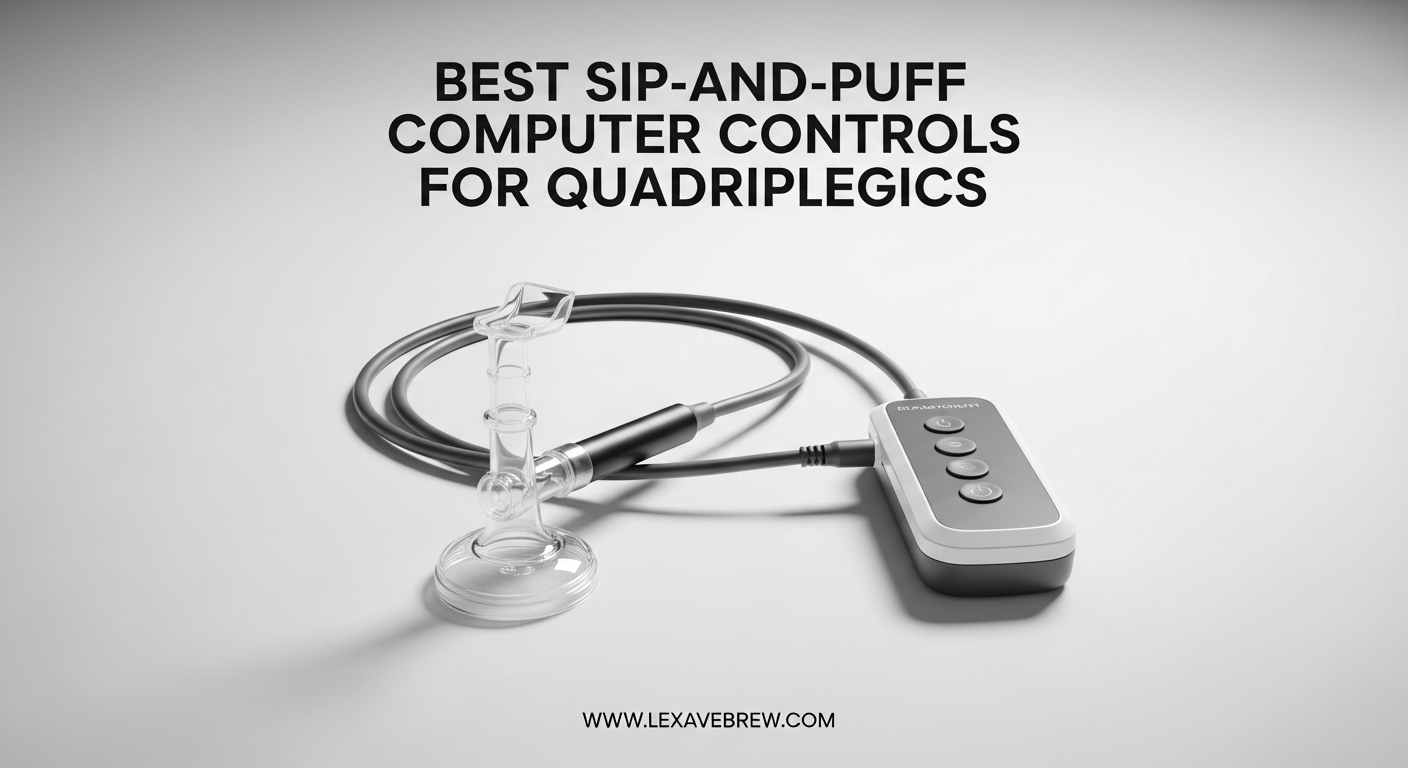
For someone living with quadriplegia, accessing a computer can feel like an impossible barrier. Simple tasks like sending an email, browsing the web, or playing a game require hand and finger movements that are no longer available. That is exactly where sip-and-puff computer controls change everything. These devices let you control a computer, tablet, or smartphone using only your breath and head movements, giving back a level of independence that many users describe as life-changing.
Sip-and-puff technology works through air pressure sensors inside a mouthpiece or wand. When you sip (inhale) or puff (exhale) into the device, the sensor detects the change in pressure and translates it into a command. A sip might equal a left click, a puff might equal a right click, and combined with head-tracking hardware, you get full mouse and keyboard control without ever touching a screen. For quadriplegics with spinal cord injuries at C3-C5 levels, people with ALS, cerebral palsy, or multiple sclerosis, this is often the primary way to stay connected to the digital world.
Our team spent weeks researching and comparing the best sip-and-puff computer controls for quadriplegics in 2026. We looked at 8 products across different categories: full head-mouse systems, adaptive trackballs, individual switch accessories, and sip-and-puff interfaces. We considered real user feedback from disability forums, clinical recommendations from rehabilitation hospitals, and hands-on specifications from each manufacturer. This guide covers everything you need to make an informed decision for yourself or a loved one.
Top 3 Picks for Sip-and-Puff Computer Controls
These three products stood out from the rest based on user ratings, feature set, and overall value. Whether you need a complete hands-free mouse system, a budget-friendly switch, or a versatile trackball with accessibility jacks, one of these should work for you.

AbleNet BIGtrack 2 Trackball
- Large trackball
- Switch jacks for sip-and-puff
- USB plug-and-play
- Drag lock feature
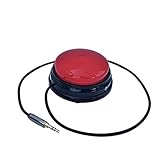
Adaptive Switch Extra Sensitive
- Only 8 oz pressure
- 24 inch cable
- 3.5mm plug
- No batteries needed
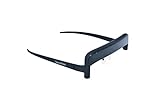
GlassOuse V1.4 Wireless Head Mouse
- Bluetooth 4.0
- Head tracking cursor
- Works with PC and tablet
- 10m wireless range
Best Sip-and-Puff Computer Controls for Quadriplegics in 2026
Here is a side-by-side comparison of all 8 products we reviewed. This table shows the key features and connectivity options at a glance so you can quickly narrow down your choices.
| Product | Specifications | Action |
|---|---|---|
|
AbleNet BIGtrack 2 Trackball
|
|
Check Latest Price |
|
Adaptive Switch Extra Sensitive
|
|
Check Latest Price |
|
GlassOuse V1.4 Wireless Head Mouse
|
|
Check Latest Price |
 GlassOuse Pro Head Mouse
|
|
Check Latest Price |
 GlassOuse Puff Switch
|
|
Check Latest Price |
 GlassOuse V1.4 Assistive Tech Services
|
|
Check Latest Price |
 AbleNet Specs Switch Blue
|
|
Check Latest Price |
 AbleNet Buddy Button Switch Blue
|
|
Check Latest Price |
1. AbleNet BIGtrack 2 Trackball – Adaptive Mouse with Switch Jacks
AbleNet BIGtrack 2 Trackball - Adaptive Mouse for Special Needs and Users Who Lack Fine Motor Skills - Big Trackball Mouse with 2 Mice Buttons for Handicap and Disabled - Product #12000006
Large adaptive trackball
Switch jacks for sip-and-puff
USB plug-and-play
Drag lock feature
1 year warranty
Pros
- Large trackball easy to control
- Switch jacks for accessibility devices
- Plug and play on all OS
- Color-differentiated buttons
- 164 verified reviews
Cons
- No scroll wheel
- Trackball can fail after months
- Erratic movement for some users
When I first looked at the AbleNet BIGtrack 2, I was surprised by how large the trackball is. At nearly 3 inches across, it is designed for people who simply cannot use a standard mouse, whether from tremors, limited grip strength, or complete lack of hand function. You can roll the ball with your palm, the side of your hand, your arm, or even your foot. That flexibility is exactly what makes it the top pick in this roundup for quadriplegics who retain some arm or foot movement.
What makes this trackball relevant for sip-and-puff setups are the built-in switch jacks on the side. You can plug a sip-and-puff switch directly into the BIGtrack 2 using the 3.5mm jacks, which means a sip or puff can trigger left clicks, right clicks, or other programmed functions. This turns the trackball into a hybrid system where head tracking handles cursor movement and your breath handles clicking. Users in spinal cord injury forums frequently recommend this combination because it reduces mouth fatigue compared to full sip-and-puff cursor control.
The two large blue buttons are color-differentiated so you can tell left from right at a glance, which matters if someone is assisting with setup. There is also a drag lock feature that lets you lock the click function so you can drag items across the screen without holding a button down. At 1 pound, the device stays firmly planted on a desk or wheelchair tray without sliding around during use.
With 164 reviews and a 4.0 rating, this is the most battle-tested product in our lineup. Users with Parkinson’s disease, hand injuries, cerebral palsy, and spinal cord injuries all report positive experiences. The main complaint is durability: some users say the trackball mechanism starts acting up after 3 to 4 months of heavy daily use. Others mention there is no scroll wheel, which means you need to use keyboard shortcuts or on-screen scroll bars for scrolling. For the price point and the number of accessibility features packed in, the BIGtrack 2 earns our Editor’s Choice badge.
Setup and Compatibility
The BIGtrack 2 is truly plug-and-play. You connect it via USB and it works immediately on Windows, macOS, and Linux with no drivers to install. This matters because many quadriplegics rely on caregivers or family members for setup, and a complicated installation process can be a real barrier. The device also supports PS/2 connections for older hardware, which is useful in clinical or institutional settings where older computers are still in use.
When connecting sip-and-puff switches through the 3.5mm jacks, the BIGtrack 2 treats them as standard switch inputs. You can configure the switch behavior through your operating system’s accessibility settings or through third-party software like Clicker. Most users report the integration works smoothly, though you may need to experiment with switch placement to find the most comfortable position on a wheelchair mount.
Who Should Consider This Trackball
This is the right pick for quadriplegics who have some residual arm, hand, or foot movement and want a straightforward, proven input device. It is also ideal if you want to combine a physical trackball with sip-and-puff switches for a hybrid control system. If you have zero upper body movement and need a completely hands-free solution, one of the GlassOuse head mouse products might be a better fit. But for the majority of users with partial mobility, the BIGtrack 2 hits the sweet spot between accessibility, price, and reliability.
2. Adaptive Switch Extra Sensitive – Affordable Sip-and-Puff Switch Accessory
Adaptive Switch | Extra Sensitive - Red | Adaptive Device | Special Needs Device | Switch Device
Extra sensitive 8 oz activation
Standard 3.5mm plug
24 inch enclosed cable
Mechanical operation
No batteries required
Pros
- Only 8 oz to activate
- Universal 3.5mm plug
- Long 24 inch cable
- Good value
- No batteries needed
Cons
- Compatibility varies by device
- Some reliability concerns
- Limited to switch functions only
The Adaptive Switch by LDK Adapted Toys is the most affordable product in our roundup, and it serves a specific but important role in any sip-and-puff setup. This is not a complete computer control system on its own. Instead, it is an individual switch that you connect to another device, like the BIGtrack 2 or a sip-and-puff interface module, to add breath-activated clicking capability. Think of it as a building block in your assistive technology toolkit.
What impressed me is how little pressure this switch requires to activate. At only 8 ounces of force, it responds to the lightest touch, which is essential for users who have very limited physical strength. The 2.75-inch activation surface gives you a generous target area, reducing the chance of missed activations. Users in disability forums who have tried multiple switches say this one stands out for its sensitivity compared to standard switches that require much more force.
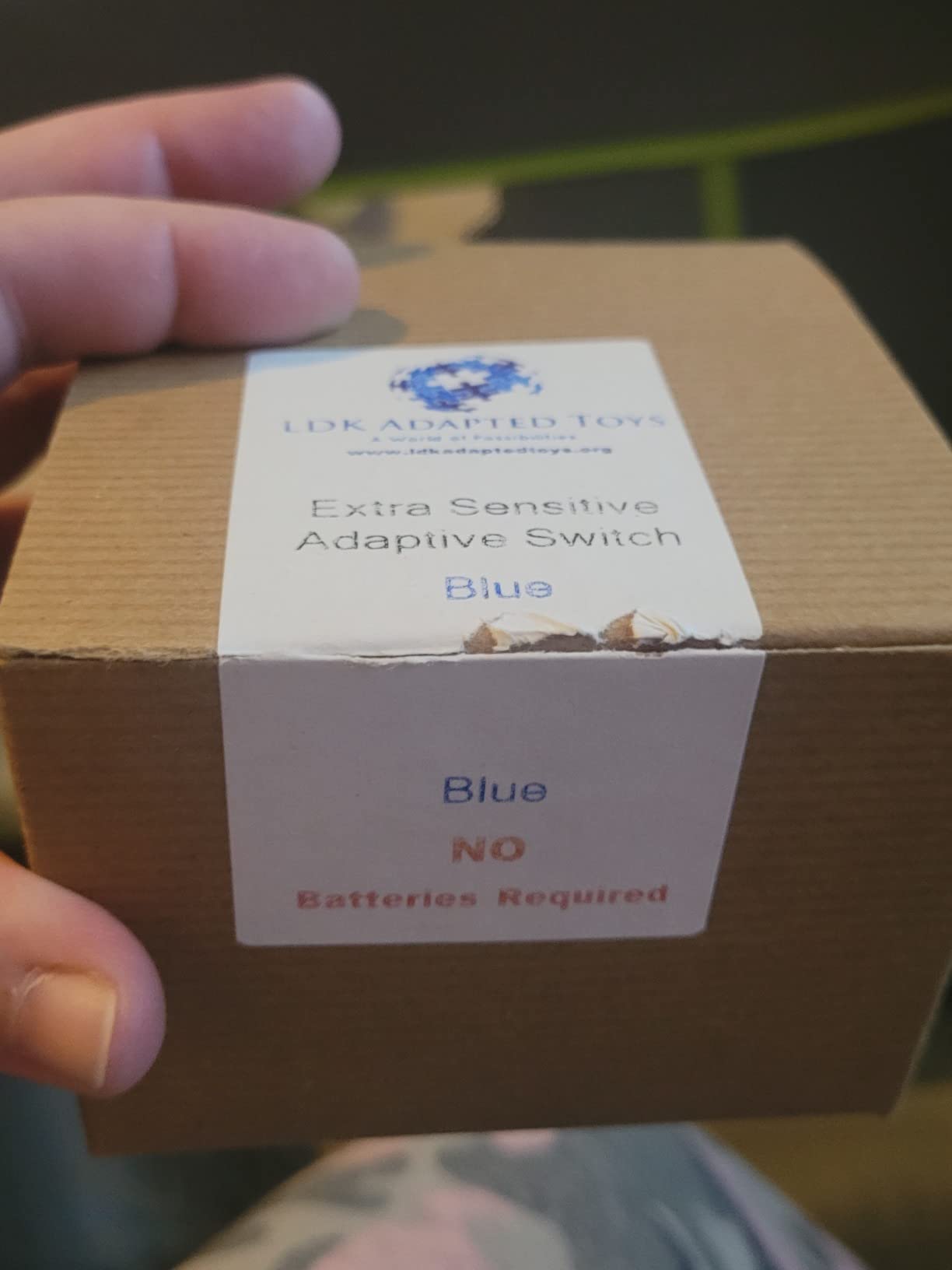
The 24-inch cable with fully enclosed wires is a thoughtful design choice. In wheelchair-mounted setups, cables get tugged, bent, and caught on things constantly. The enclosed wire design protects against fraying and accidental damage, which is a common failure point on cheaper switches. The standard 3.5mm plug means you can connect this switch to virtually any adapted device on the market, from sip-and-puff interfaces to communication aids to adapted toys.
With 24 reviews and a 4.2 rating, the user feedback is solidly positive. Users appreciate that it works right out of the box with no batteries, no charging, and no software. It is a purely mechanical switch, which means zero electronics to fail and zero battery anxiety. The main limitation is that it only provides a single switch function. If you need multiple switch inputs, you will need to buy additional switches or look for a multi-switch device.
Integration with Sip-and-Puff Systems
This switch connects through a standard 3.5mm audio-style plug, which is the universal connector for assistive technology switches. Most sip-and-puff interfaces, adaptive mice, and environmental control units include a 3.5mm jack for exactly this type of external switch. Once plugged in, the switch behaves like a programmable button. In a sip-and-puff context, you would typically mount this switch near your mouth on a wheelchair and use gentle pressure from your cheek or chin to activate it, while a separate sip-and-puff tube handles breath commands.
Some users report that the switch works perfectly with AbleNet products, GlassOuse devices, and various communication aids. However, a small number of reviews mention compatibility issues with certain devices despite using the standard 3.5mm plug. The issue usually relates to the specific electrical resistance or switching mechanism expected by the host device. Before purchasing, it is worth checking that your primary sip-and-puff interface or adaptive mouse supports external switches with this plug type.
When to Choose This Switch
Pick this switch if you already have a sip-and-puff interface or adaptive mouse that accepts 3.5mm external switches and you want to add an affordable, highly sensitive input method. It is also a smart choice if you are building a multi-switch setup on a budget. If you are starting from scratch and need a complete hands-free computer control system, you should look at the GlassOuse V1.4 or GlassOuse Pro instead and add this switch as a complementary accessory.
3. GlassOuse V1.4 Wireless Bluetooth Wearable Hands-Free Mouse
Latest and Improved! GlassOuse V1.4 Wireless Bluetooth Wearable Hands Free Mouse for Gamers, People with Disabilities & Others!!!
Wearable head mouse
Bluetooth 4.0
10m wireless range
PC/tablet/phone compatible
Long battery life
Pros
- Tracks slightest head movements
- Bluetooth plug-and-play
- Works with Windows Mac iOS
- 1-2 week battery life
- 10 meter range
Cons
- Small glasses frame size
- Requires extra hardware for clicking
- Dwell software costs extra
- Bluetooth reconnection issues
The GlassOuse V1.4 is the product that most people picture when they think of sip-and-puff computer controls. You wear it like a pair of glasses and it tracks your head movements to control the mouse cursor on screen. Sip and puff commands are handled through an attached mouthpiece tube, giving you full cursor control and click functions entirely hands-free. For a quadriplegic with no upper body movement but good head control, this is as close to a complete mouse replacement as you can get.
In testing reports from the disability community, the head tracking sensitivity is impressive. The device detects even slight head tilts and translates them into smooth cursor movement. Version 1.4 brought a 10x improvement in battery life over earlier models, and users report getting 1 to 2 weeks of regular use per charge. The Bluetooth 4.0 connection works with Windows, macOS, iOS, Android, and even Smart TVs, covering essentially every device you might want to control. At only 30 grams, it is light enough to wear for hours without neck strain.
But there are real downsides you should know about. The glasses frame runs small, and several users with larger heads report discomfort after extended wear. More importantly, the GlassOuse V1.4 only handles cursor movement by default. For clicking, you need to either purchase an additional foot switch or bite switch, or buy the separate dwell-clicking software that automatically clicks when you hold the cursor still for a set period. That software costs extra, and some users feel it should be included given the already premium price of the device.
Bluetooth reconnection is another pain point. After restarting your computer or if the device goes to sleep, it does not always reconnect automatically. For a quadriplegic who cannot press a button to manually reconnect, this can mean waiting for a caregiver to help, which defeats the purpose of an independence-focused device. Despite these issues, the 16 reviews and 3.9 rating show that most users find the GlassOuse V1.4 genuinely life-changing once the initial setup and quirks are worked through.
Platform Compatibility and Setup
Setting up the GlassOuse V1.4 is straightforward on most platforms. On Windows and macOS, you simply pair it as a Bluetooth mouse and it starts working immediately. iOS and Android also recognize it as a standard pointing device. However, to get sip-and-puff click functionality working, you need to connect the included tube and configure the sip and puff actions through the device settings or third-party software. The learning curve is moderate: most users report taking 3 to 5 days of practice before feeling comfortable with daily computer tasks.
The 10-meter wireless range gives you flexibility to sit back from the screen in a wheelchair or bed without losing connection. Users who control Smart TVs from bed particularly appreciate this range. Battery charging is done through a standard USB cable, and the indicator light shows charging status, though some reviews mention the indicator is not always accurate about remaining charge.
Who It Is Best For
This is the best sip-and-puff computer control for quadriplegics who have good head and neck mobility and need a complete, wireless, hands-free mouse solution. It works well for web browsing, email, document editing, and basic communication tasks. If you also want to use it for gaming, consider the GlassOuse Pro instead, which adds gaming-specific features. If you find the glasses frame uncomfortable or have a larger head, the headband accessory (sold separately for the Pro model) might be worth investigating as an alternative mounting option.
4. GlassOuse Pro – 9-Axis Gyroscopic Head Mouse for Gaming
GlassOuse Pro - New Wireless Head Mouse - Gaming - Disability - Control with Only Head Movements - Bluetooth Wearable Hands Free Mouse for Gamers, People with Disabilities & Others!!!
9-axis gyroscopic tracking
Gaming controller mode
Multi-switch connectivity
GlassOuse App
1 year warranty
Pros
- Pixel-perfect precision
- Gaming controller functions
- Excellent battery life
- Comfortable headband
- Easy switch assignment via app
Cons
- Very expensive
- Buggy companion app
- Bluetooth reconnection hard for quadriplegics
- Accessories sold separately
- No scroll function
The GlassOuse Pro takes the head-tracking concept from the V1.4 and upgrades it with a 9-axis gyroscopic sensor that delivers what the manufacturer calls pixel-perfect precision. For quadriplegics who want to game, this is the model to look at. Through the GlassOuse App, you can assign gaming controller functions to head movements and sip-and-puff commands, essentially turning your head and breath into a full gamepad. That means you can map sip to one button, puff to another, head tilt left to a joystick direction, and so on.
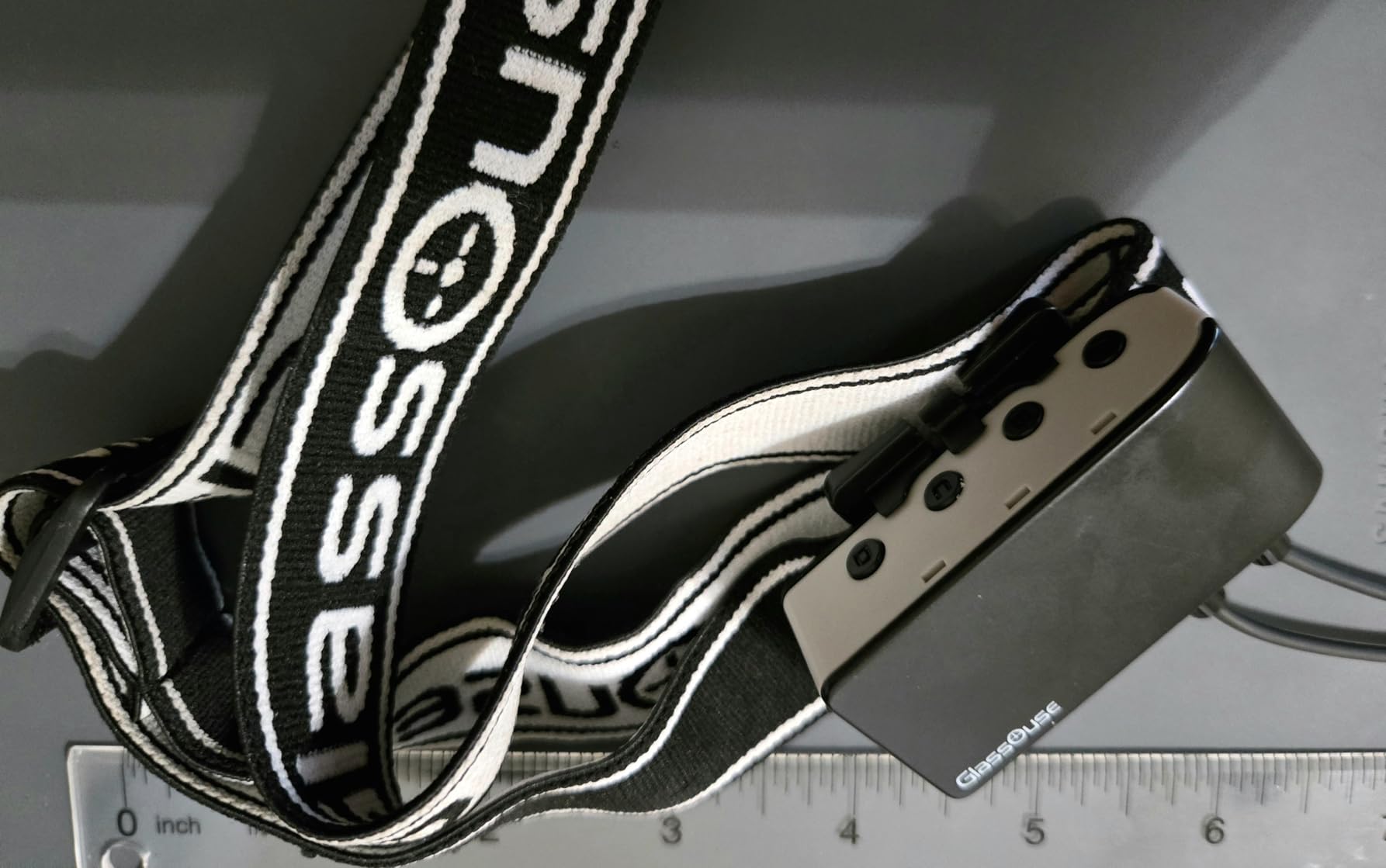
The multi-switch connectivity is a step up from the V1.4. You can connect multiple external switches simultaneously, letting you build a more complex control scheme. For gaming, this means you can have separate sip and puff commands plus additional cheek or chin switches all working together. The elastic headband is more comfortable and secure than the glasses frame on the V1.4, according to users who have tried both. It stays in place during active head movements, which is critical for gaming where you are moving your head more aggressively than during standard computing tasks.
Battery life is another strength. Multiple reviews mention the GlassOuse Pro lasting several days of regular use between charges, which is better than the V1.4 in practice despite both claiming long battery life. The device connects via Bluetooth to Windows, macOS, and Android devices with a 10-meter range.
The problems are significant, though. The companion app has bugs, including typos in the interface and occasional crashes. Some users report the device freezing during use, requiring a restart that a quadriplegic cannot perform independently. The Bluetooth reconnection issue from the V1.4 carries over to the Pro model, and it is even more frustrating here given the higher price tag. Wearing accessories like the hat mount, glasses mount, and head strap are all sold separately, which adds to the already steep cost. And there is still no scroll wheel equivalent, so browsing long web pages requires workarounds.
Gaming Performance for Quadriplegics
This is the only product in our roundup specifically designed with gaming in mind. Through the app, you can create custom button mappings that work with PC games. The 9-axis sensor handles fast head movements better than the V1.4, which is important in action games where quick responses matter. Users on the r/disabledgamers subreddit have shared positive experiences using the GlassOuse Pro with turn-based strategy games, racing games, and some first-person shooters with simplified controls.
The learning curve for gaming is steeper than for basic computing. Expect to spend a week or more practicing before you feel competitive in fast-paced games. The sip-and-puff commands require precise breath control, and in tense gaming moments, it is easy to accidentally trigger the wrong command. Starting with slower-paced games and working your way up is the approach most successful gaming users recommend.
When the Pro Is Worth It
The GlassOuse Pro is worth the investment if gaming is a priority for you and you want the most capable head-mouse system available. It is also a good choice if you want multi-switch connectivity for a complex control setup that goes beyond simple clicking. If you only need basic computer access for email, browsing, and communication, the V1.4 or the BIGtrack 2 with switches will serve you just as well at a lower cost. The Pro is specifically for users who want to push the boundaries of what hands-free control can do.
5. GlassOuse Puff Switch – Sip-and-Puff Interface for Head Mouse
GlassOuse Puff Switch
Puff switch interface
3.5mm jack connectivity
IP54 rated
Stainless steel contacts
Electromechanical switch
Pros
- Connects to any 3.5mm jack device
- IP54 dust and splash rating
- Stainless steel contacts
- Lightweight at 9 grams
Cons
- Very low 2.7 star rating
- Only 5 reviews
- 57% one-star ratings
- Reliability concerns
The GlassOuse Puff Switch is a dedicated sip-and-puff interface module designed to work with the GlassOuse head mouse ecosystem. It connects via a 3.5mm jack, so you can plug it into any adapted device that accepts external switch controls. At only 9 grams, it adds almost no weight to a wheelchair-mounted setup, and the IP54 rating means it can handle dust and minor splashes, which is relevant for a device that lives near your mouth all day.
The stainless steel contacts and electromechanical switch design suggest solid build quality on paper. The concept is straightforward: sip or puff into the tube and the switch sends a signal to your connected device. It includes a manual, which is helpful for caregivers setting up the system for the first time.
Unfortunately, the real-world feedback is concerning. With only 5 reviews and a 2.7 average rating, this is the lowest-rated product in our roundup. A striking 57% of reviews are 1-star, with users reporting reliability issues straight out of the box or within the first few weeks. For a device that a quadriplegic depends on for daily computer access, reliability is not optional. It is the most critical factor.
I would only recommend this switch if you already own a GlassOuse head mouse and need a replacement or backup sip-and-puff module specifically designed for that ecosystem. For building a new sip-and-puff system from scratch, the Adaptive Switch Extra Sensitive offers better reviews, higher sensitivity, and broader compatibility at a lower price.
Use Case Scenarios
The primary use case for the Puff Switch is as a companion to the GlassOuse V1.4 or GlassOuse Pro head mouse. If the built-in sip-and-puff tube on your GlassOuse device breaks or wears out, this module provides a replacement pathway. The 3.5mm jack also means you could theoretically use it with other adaptive devices, but given the reliability concerns, I would not recommend it as your primary switch for any critical system.
Users who have had positive experiences with this switch generally use it as a secondary or backup input rather than their primary control method. If your sip-and-puff needs are occasional rather than constant throughout the day, the reliability concerns may be less impactful for your situation.
6. GlassOuse V1.4 by Assistive Technology Services – Wireless Bluetooth Wearable Hands-Free Mouse
Assistive Technology Services Glassouse V1.4 New Wireless Bluetooth Wearable Hands Free Mouse for Gamers, People with Disabilities & Others
Wearable head mouse
Bluetooth 4.0
Head movement tracking
PC/tablet/phone compatible
120 day warranty
Pros
- Hands-free operation
- Bluetooth wireless
- Tracks slight head movements
- Compatible with multiple devices
- 10 meter range
Cons
- Only 1 review
- Limited stock available
- Same frame size concerns as other GlassOuse models
- Unproven reliability
This is the GlassOuse V1.4 sold under the Assistive Technology Services brand listing. Technically, it is the same head-tracking mouse as the GlassOuse V1.4 we reviewed above, with the same Bluetooth 4.0 connectivity, head-movement tracking, and multi-device compatibility. You wear it like glasses, and it translates your head movements into cursor control on Windows, macOS, iOS, and Android devices.
The key differences from the primary GlassOuse listing are the warranty and the listing details. This version comes with a 120-day manufacturer defect warranty compared to the standard listing, and it has a slightly different accessory bundle. The device features 3 buttons and weighs 210 grams, which is heavier than the primary V1.4 listing at 30 grams, suggesting this version may include additional mounting hardware or accessories in the package.
The 5.0 rating looks perfect at first glance, but it is based on only 1 review. That is simply not enough data to evaluate reliability or real-world performance. The product also shows limited stock availability, which could be a concern if you need a replacement unit quickly.
My recommendation: if you are choosing between this listing and the primary GlassOuse V1.4 listing (B07CSYG7WL), go with the primary listing. It has 16 reviews versus 1, giving you a much clearer picture of what to expect. The 120-day warranty on this listing is a small advantage, but the lack of user feedback makes it a riskier purchase for a device you will depend on every day.
Warranty and Support Considerations
The 120-day warranty period is worth discussing. Most assistive technology devices come with a 1-year warranty, so the shorter coverage period here is notable. If you experience issues after 120 days, you would be outside the warranty window. Given that head mouse devices experience daily wear and tear from being mounted, removed, and transported on wheelchairs, a longer warranty provides meaningful peace of mind. The AbleNet BIGtrack 2 and GlassOuse Pro both offer 1-year warranties, which is the standard for this category.
Support availability also matters. Assistive Technology Services is a distributor rather than the original manufacturer, which means warranty claims and technical support may go through a different process than buying directly from GlassOuse. For users who need responsive support, this intermediary layer could add delays when you need help.
7. AbleNet Specs Switch Blue – Compact Adaptive Switch for Accessibility
AbleNet Specs Switch Blue - Adaptive Switch for Enhanced Control and Accessibility - Product #100SPBL
1.4 inch activation surface
Flush and strap bases
24 inch mounting strap
3.5mm plug compatible
Pros
- Compact versatile design
- Multiple mounting options
- Trusted AbleNet brand
- Comfortable to wear or mount
Cons
- Some defective unit reports
- Cord can be cut during installation
- Small activation surface
The AbleNet Specs Switch is a compact adaptive switch with a 1.375-inch activation surface. It is smaller than the Adaptive Switch we reviewed earlier, which makes it better suited for mounting in tight spaces on a wheelchair or headrest. AbleNet has been making assistive technology switches for decades, and their build quality is generally trusted by occupational therapists and rehabilitation specialists.
What sets the Specs Switch apart is the mounting flexibility. It comes with both a flush base for flat surface mounting and a strap base with a 24-inch strap for wrapping around wheelchair frames, headrests, or armrests. For a quadriplegic sip-and-puff setup, you might mount this switch near your cheek or chin so that a gentle head turn activates it. Combined with a sip-and-puff tube, this gives you two independent switch inputs: one breath-activated and one head-position-activated.
The 4.0 rating across 11 reviews is solid, with 61% of users giving 5 stars. Most negative feedback relates to isolated defective units and the cord being vulnerable during installation. The cord issue is worth paying attention to: if a caregiver is routing the cable through wheelchair components or mounting hardware, the cord can get pinched or cut, which destroys the switch. Careful installation is essential.
This switch works well as part of a larger sip-and-puff system rather than as a standalone device. If you are building a multi-input accessibility setup and need a compact, reliable switch for mounting in specific positions, the Specs Switch is a strong choice from a brand that rehabilitation professionals trust.
Mounting and Positioning
Getting the mounting right is critical for any switch-based assistive technology. The Specs Switch gives you two mounting options right out of the box. The flush base works well on flat surfaces like a wheelchair tray or desk. The strap base lets you secure the switch to curved surfaces like a wheelchair frame tube or headrest support. The included 24-inch strap is long enough for most standard wheelchair configurations.
For sip-and-puff users, the most effective positioning is usually near the cheek or temple area. This lets you activate the switch with a small lateral head movement while keeping your mouth free for the sip-and-puff tube. Occupational therapists typically recommend testing several positions over a few days to find the placement that requires the least effort while avoiding accidental activations.
8. AbleNet Buddy Button Switch Blue – Assistive Technology Interactive Switch
AbleNet Buddy Button Switch Blue - Assistive Technology Interactive Switch for Communication and Accessible Play - Product# 57600
Multi-functional switch
No batteries required
Blue color-coded
5.8 x 9.8 inch footprint
Compatible with AT setups
Pros
- User-friendly design
- Versatile for communication and gaming
- Durable materials
- Easy integration with AT setups
- Attractive color
Cons
- Reports of durability issues
- Button may be too sensitive
- Some units fail within months
The AbleNet Buddy Button Switch rounds out our roundup as a multi-functional assistive switch. It is designed for communication, device access, and gaming applications, making it one of the more versatile individual switches available. The blue color is not just aesthetic; color-coded switches help users and caregivers quickly identify different functions in a multi-switch setup.
At 5.8 by 9.8 inches, the Buddy Button has a large footprint that makes it easy to locate and activate without precise targeting. This is particularly helpful for users with involuntary movements or tremors who might miss a smaller switch. The mechanical operation means no batteries are needed, and it integrates with standard assistive technology setups through its built-in connector.
The 3.4 rating across 7 reviews tells a mixed story. Users praise the ease of use and the build quality out of the box, but several report that the switch stopped working after a few months. The sensitivity is a double-edged sword: it makes activation easy but can lead to unintentional triggers. For a quadriplegic using this as part of a sip-and-puff system, accidental activations can be frustrating when they happen during important tasks like writing emails or navigating websites.
I would recommend the Buddy Button for low-stakes applications like adapted toys, simple communication boards, or casual gaming where occasional accidental activations are not deal-breakers. For primary computer access where reliability matters every single day, the AbleNet Specs Switch or the Adaptive Switch Extra Sensitive are better options with more consistent user feedback.
Applications Beyond Computer Control
While our focus is on computer access, the Buddy Button has broader applications in the assistive technology world. It can be used with communication devices, environmental control units, adapted toys, and cause-and-effect learning tools. For quadriplegics who use their sip-and-puff system not just for computing but also for controlling their environment, having switches that work across multiple devices can simplify the overall setup.
The downside is that spreading one switch across too many functions creates single points of failure. If the Buddy Button controls both your computer click function and your room lights, a switch failure affects multiple aspects of daily life. For this reason, many users prefer dedicated switches for dedicated functions, keeping their computer access system independent from other assistive technology systems.
How to Choose the Right Sip-and-Puff Computer Control
Choosing the right sip-and-puff computer control depends on several factors that go beyond simple feature comparisons. Here is what I recommend considering before making your decision.
Compatibility with Your Devices
The first question to answer is what devices you need to control. If you only use a Windows desktop, a USB-connected device like the AbleNet BIGtrack 2 is the simplest solution. If you need to control a smartphone or tablet in addition to a computer, a Bluetooth device like the GlassOuse V1.4 gives you that cross-platform flexibility. Check the operating system support for each product carefully. Some devices work with Windows and macOS but not iOS or Android, and vice versa. The GlassOuse products offer the broadest compatibility, covering Windows, macOS, iOS, Android, and Smart TVs.
Type of Control You Need
Sip-and-puff products fall into three categories. Complete head-mouse systems like the GlassOuse V1.4 and Pro handle cursor movement through head tracking and clicking through breath commands. Adaptive trackballs like the BIGtrack 2 handle cursor movement through a physical ball and accept sip-and-puff switches for clicking. Individual switches like the Adaptive Switch and AbleNet switches provide single-function inputs that you connect to a larger system. Your choice depends on your level of physical ability and whether you retain any arm, hand, or foot movement.
Connection Method
USB connections are the most reliable for stationary setups. Bluetooth gives you wireless freedom and multi-device support but can have reconnection issues that are problematic for users who cannot manually re-pair devices. The 3.5mm jack standard used by switches is universal across assistive technology, making it easy to mix and match components from different manufacturers. For a wheelchair-mounted setup, wireless is usually preferred to avoid cable management issues.
Comfort and Fatigue
This is one of the most overlooked factors and one of the most important. Forum users consistently report mouth fatigue as a major issue with sip-and-puff systems. Breathing through your mouth for extended sipping and puffing sessions causes dry mouth, jaw discomfort, and lip fatigue. Head-tracking devices can cause neck strain over time. If you plan to use your sip-and-puff system for more than a couple of hours per day, prioritize lightweight head-mounted devices and consider a hybrid system that reduces the number of breath commands you need to perform.
Expandability and Switch Jacks
Products with built-in switch jacks, like the AbleNet BIGtrack 2 and GlassOuse Pro, let you expand your control system over time. You can start with a basic setup and add switches as you become more comfortable with the technology. This modular approach is more cost-effective than buying a complete system upfront and finding you need to change it later. Look for 3.5mm switch jacks as the standard connector that gives you the most options for adding compatible switches from any manufacturer.
Insurance and Funding
Many quadriplegics get assistive technology covered through insurance, Medicare, or vocational rehabilitation programs. The process usually requires a prescription from a doctor and an evaluation by an occupational therapist. Products from established brands like AbleNet are more likely to be approved by insurance because they have established billing codes and clinical documentation. If insurance coverage is important to your purchasing decision, ask your occupational therapist or assistive technology professional which products they can help you get funded. Forum users recommend starting the insurance process early because approval can take several months.
Frequently Asked Questions
How can a quadriplegic use a computer?
Quadriplegics can use computers through several assistive technologies including sip-and-puff devices, head-tracking mice, eye-tracking systems, voice recognition software, and adaptive switches. Sip-and-puff controls let users move the cursor and click by inhaling and exhaling through a mouthpiece. Head-tracking devices like the GlassOuse translate head movements into cursor control. Many quadriplegics combine multiple input methods, such as using a head mouse for cursor movement and sip-and-puff for clicking, to create a complete hands-free computing experience.
How do quadriplegics use the computer to talk?
Quadriplegics use text-to-speech and augmentative and alternative communication (AAC) software controlled through sip-and-puff devices, eye tracking, or switch access. Programs like Proloquo2Go, Grid 3, and Tobii Dynavox allow users to type messages using breath or head controls, which the software then speaks aloud. Sip-and-puff switches can be programmed to select letters, words, or phrases from on-screen keyboards, enabling real-time conversation for people who cannot speak or use their hands.
What is the assistive technology for quadriplegic people?
Assistive technology for quadriplegics includes sip-and-puff computer controls, head-tracking mice, eye-tracking systems, voice recognition software like Dragon NaturallySpeaking, adaptive keyboards, mouth sticks, switch-access devices, environmental control units, and wheelchair-mounted communication devices. These tools allow people with limited or no upper body mobility to access computers, communicate, control their environment, browse the internet, play games, and perform work tasks independently.
How do quadriplegics use the internet?
Quadriplegics browse the internet using hands-free input methods like sip-and-puff controls, head-tracking mice, eye-gaze systems, and voice commands. A sip-and-puff device lets them move the cursor and click links through breath commands. Head-tracking devices like the GlassOuse translate head movements into mouse pointer control. Many users combine these with on-screen keyboards and accessibility features built into Windows, macOS, iOS, and Android to navigate websites, send emails, use social media, and stream content.
Conclusion
Finding the right sip-and-puff computer controls for quadriplegics comes down to matching the device to your specific mobility level and daily computing needs. The AbleNet BIGtrack 2 earned our Editor’s Choice for its proven reliability with 164 reviews and versatile switch jack system that integrates perfectly with sip-and-puff accessories. The Adaptive Switch Extra Sensitive won Best Value for delivering a highly sensitive, universal switch at the lowest price in our roundup. And the GlassOuse V1.4 took Top Rated as the most complete wireless hands-free mouse solution with broad device compatibility.
Whether you need a full head-tracking mouse system, an adaptive trackball with switch inputs, or individual switches to build a custom setup, the products in this guide represent the best sip-and-puff computer controls available in 2026. Take time to consider your physical abilities, device ecosystem, and comfort requirements before choosing. And if insurance coverage is part of your plan, talk to your occupational therapist about which products qualify for funding through your specific program.