
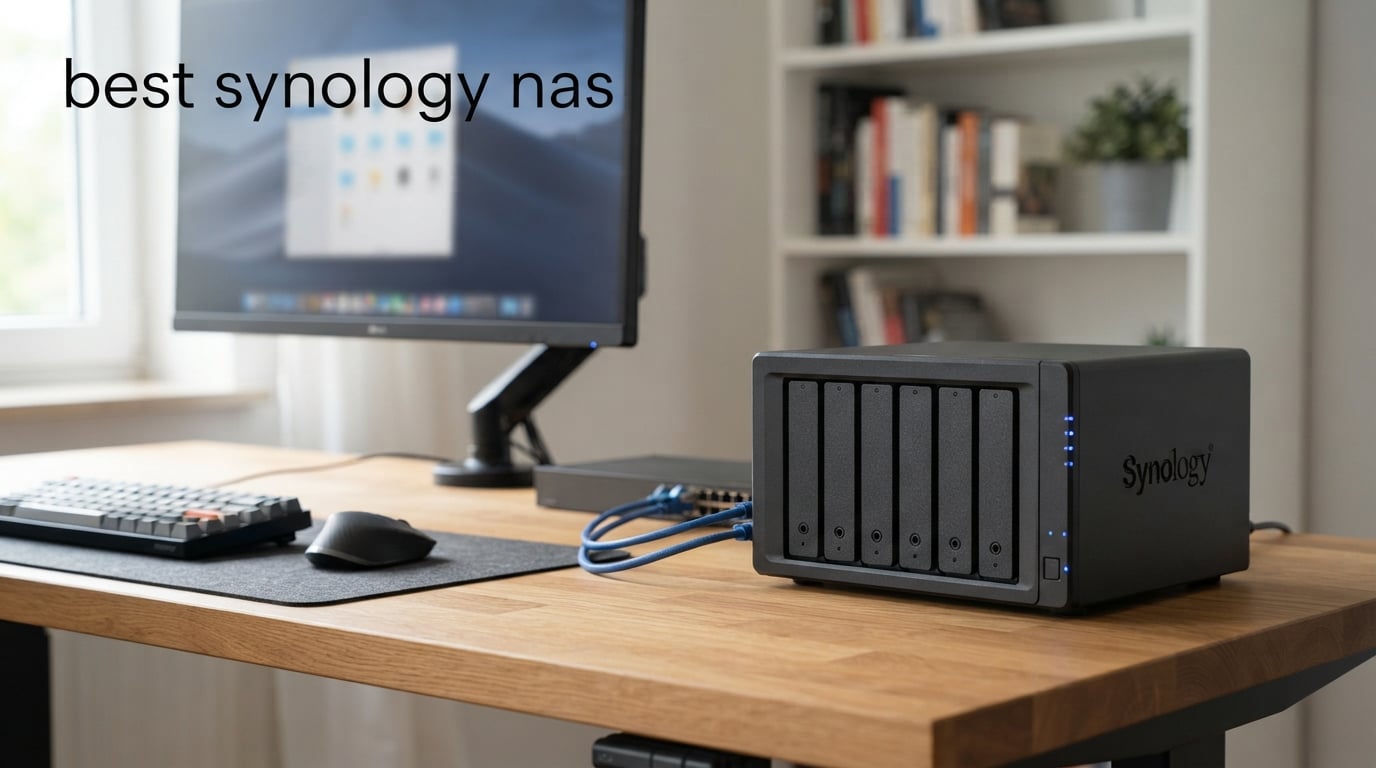
Choosing the best Synology NAS is less about finding the largest box and more about matching bays, network speed, and software tools to the files you actually keep. A two-bay unit can make a very capable private cloud for a household, while a creative team handling shared video needs room to grow and a faster network path.
For this guide, we compared all eight currently selected Synology DiskStation models using the supplied product specifications, stated features, and customer-rating data. We did not treat a high theoretical capability as a promise for every home network; drives, RAID layout, router or switch hardware, and client devices all shape the result.
Our short answer for 2026 is straightforward: choose the DS925+ for a balanced four-bay setup, the DS225+ when hardware media transcoding matters in a compact system, and the DS1525+ when a growing creative workflow needs an upgrade route. The rest of this guide explains where that simple answer changes, including the important differences between 2.5GbE, 10GbE-ready systems, and larger expansion-focused models.
The top three picks cover most home, media, and growing-team needs.
These three models separate cleanly by use case rather than pretending there is one right NAS for every reader. The DS925+ is our broad four-bay choice because its product data combines dual 2.5GbE ports with stated sequential throughput of up to 522 MB/s read and 565 MB/s write; the DS1525+ is the scale-up choice; and the DS225+ brings Intel hardware transcoding to a two-bay design.
The DS925+ is not automatically the best pick for Plex, and the DS1525+ is not automatically the best pick for a small photo library. A good NAS purchase starts with the bottleneck you have now, then reserves enough bays or expansion capability for the next few years.
These eight Synology NAS models cover compact backup through high-capacity production storage in 2026.
The quick comparison below includes every model in this roundup. Read its feature labels as decision signals, not a substitute for checking the current compatibility list and the specifications of the drives, network cards, and expansion hardware you plan to use.
| Product | Specifications | Action |
|---|---|---|
 Synology DS925+ Synology DS925+ |
|
Check Latest Price |
 Synology DS1525+ Synology DS1525+ |
|
Check Latest Price |
 Synology DS225+ Synology DS225+ |
|
Check Latest Price |
 Synology DS425+ Synology DS425+ |
|
Check Latest Price |
 Synology DS223 Synology DS223 |
|
Check Latest Price |
 Synology DS725+ Synology DS725+ |
|
Check Latest Price |
 Synology DS1825+ Synology DS1825+ |
|
Check Latest Price |
 Synology DS2422+ Synology DS2422+ |
|
Check Latest Price |
The ordering below favors a clear use case, supported specifications, and the review data available for each listing. That is why the popular DS223 remains here despite its simpler design, while the DS2422+ is reserved for readers who can genuinely use a 12-bay platform.
The DS925+ is the best all-round four-bay Synology NAS for fast network storage.
Synology 4-Bay DiskStation DS925+ (Diskless)
4 bays
dual 2.5GbE
522/565 MB/s
Pros
- Fast stated throughput
- Dual 2.5GbE ports
- File and photo tools
- Virtualization support
- 3-year warranty
Cons
- 4.1 rating
- Diskless setup
- Official drive list
The DS925+ is the best Synology NAS for readers who want four drive bays, dual 2.5GbE networking, and a single appliance for files, photos, backups, virtualization, and surveillance. Synology lists up to 522 MB/s sequential read and 565 MB/s sequential write, which makes this a sensible center point between entry-level household storage and a much larger production server.
Four bays are meaningful because they give you more choices than a two-drive mirror. You can begin with a redundancy-focused configuration and still have more capacity planning room, rather than needing to replace both drives when a two-bay system fills.
The dual 2.5GbE ports are its clearest hardware advantage in this roundup. They can improve transfer headroom and offer network redundancy in an appropriate setup, although a computer connected over ordinary gigabit Ethernet will not see the full benefit by itself.
We would read the 4.1 average from 123 reviews with some care: 69% are five-star, but the supplied distribution also shows 14% one-star. That does not erase the strong stated throughput, but it is a reason to verify the drive list and planned workflow before committing.
The DS925+ is right for a home or small office that needs four bays and 2.5GbE.
Choose it when several people need a shared file server, when photo and document collections are outgrowing USB drives, or when backups, file access, and surveillance need to live on one device. Its built-in file and photo management, data protection, virtualization, and surveillance positioning makes the scope broader than simple archive storage.
It also suits a buyer who already has, or plans to add, 2.5GbE equipment. A fast NAS without compatible network gear simply operates at the slower link in the chain.
The DS925+ is not the right choice when a 10GbE expansion path is mandatory.
Forum discussions repeatedly flag the missing 10GbE expansion slot compared with the older DS923+ upgrade path. The supplied product record identifies dual 2.5GbE ports, not a 10GbE upgrade module, so teams that require 10GbE should look at a model explicitly described as 10GbE-ready or offering 10/25GbE options.
It is also a diskless NAS that supports drives on its official compatibility list. Plan the complete system around compatible drives and a backup destination, not only the enclosure.
The DS1525+ is the best Synology NAS for an expanding creative-team workflow.
Synology DS1525+ Video Editing & Production Server – Scale to 300TB, 10GbE Ready & Multi-User Workflows (5-Bay Diskless NAS)
5 bays
10GbE ready
1,181 MB/s
Pros
- 5-bay starting point
- 10GbE ready
- Up to 300TB stated scale
- Multi-editor support
- AI media tagging
Cons
- 4.1 rating
- Diskless setup
- No Prime shipping
The DS1525+ is the clearest choice here for video editors and production teams that expect their media library to grow. Its listing states up to 1,181 MB/s, support for multiple editors, a 10GbE upgrade path, and scaling from 100TB to 300TB with DX525 units.
The fifth internal bay makes a practical difference for shared storage planning. It gives a team more starting flexibility than a four-bay system before external expansion enters the picture, which matters when high-resolution footage, RAW photos, and audio projects accumulate quickly.
The stated 10GbE readiness is more important than the headline speed alone. Editing directly over a network depends on the complete chain: the NAS, upgrade hardware, switch, cabling, workstations, storage pool, and the actual codec or file behavior.
The rating is 4.1 from 73 reviews, with 66% five-star and 12% one-star ratings in the supplied distribution. We would treat this as a specialized workstation-storage candidate rather than a default household purchase, particularly because the setup is diskless and needs network planning.
The DS1525+ is right for multi-user media work that will outgrow a four-bay unit.
Select this model when the workload is shared editing, large client assets, or a growing business media library that needs a stated 10GbE path. Its listing also calls out project version control and AI tagging for organizing large media collections, which aligns with a production-oriented use case.
DX525 expansion is part of the appeal, not an afterthought. The product data says the system can scale to 300TB with those units, so it is suited to buyers who can name a plausible future capacity need.
The DS1525+ is not the right choice for a basic two-device backup routine.
A smaller system will be easier to justify if your main job is backing up laptops, phones, and a modest photo library. The DS1525+ makes sense when its extra bay, expansion direction, and 10GbE-ready positioning address a real workload rather than an imagined one.
Its product listing is diskless, and the performance figures should be treated as stated specifications rather than a guarantee of an editing experience on every network. Build a storage and network plan before buying any NAS aimed at collaborative media.
The DS225+ is the best compact Synology NAS for hardware-transcoded personal media.
Synology DS225+ Private Cloud Media Server – Stream, Back Up Photos & Share Files, Intel CPU for Hardware Transcoding (2-Bay Diskless NAS)
2 bays
Intel transcoding
282 MB/s
Pros
- Intel hardware transcoding
- Private media server
- 282 MB/s stated speed
- 30 camera support
- 3-year warranty
Cons
- Two bays only
- Diskless setup
- Assembly required
The DS225+ is the strongest compact choice for a personal media server because the product listing explicitly names an Intel CPU for hardware transcoding. That matters for a Synology NAS for Plex-style media use, where the ability to transcode can be more relevant than adding more bays.
Synology states transfer speeds of 282 MB/s and positions the unit as a private streaming server for 4K movies, shows, and photos. The listing also covers automated backup to cloud services, external drives, and a remote NAS, so the device is not restricted to streaming.
This is one of the most positively rated entries in the selection, at 4.6 from 173 reviews with 86% five-star ratings. Reader feedback summarized in the product data praises streaming, transfer speed, and backup features, which supports its role as an approachable media-and-backup appliance.
The limitation is bay count, not software ambition. Two bays can protect data with redundancy, but they give less capacity flexibility than a four-bay enclosure once a media library starts expanding.
The DS225+ is right for a household that streams media and wants private-cloud backup.
Pick it if the main target is a personal library of films, shows, music, and photos that should be available across devices. The Intel hardware-transcoding statement is the most concrete reason it ranks above more general two-bay alternatives for media duties.
It is also appropriate for a home that wants automated backups and optional surveillance in a small footprint. The listing says it can support up to 30 IP cameras with AI detection, although camera licenses and the rest of the surveillance design still need separate consideration.
The DS225+ is not the right choice for long-term high-capacity growth without drive replacement.
With two bays, expansion means replacing drives with larger ones or moving to a different platform rather than simply adding several internal drives. Buyers who already know they need a large library or multiple independent storage roles should start with four bays.
It arrives diskless and requires assembly, so it is not a plug-in external hard drive. Factor in compatible drives, redundancy, and a second backup location before trusting any NAS with irreplaceable media.
The DS425+ is the best four-bay Synology NAS for a small team sharing files and media.
Synology DS425+ Private Cloud Media Server – Stream, Back Up & Share Files (4-Bay Diskless NAS)
4 bays
278 MB/s
10+ users
Pros
- Four bays
- 10+ concurrent users
- Granular controls and logs
- 30 camera support
- 3-year warranty
Cons
- Diskless setup
- Assembly required
- No Prime shipping
The DS425+ is built around shared access rather than a single power-user workflow. Its product data states 278 MB/s speed, support for more than 10 concurrent users, granular access controls, audit logs, and a centralized repository for documents, client files, and media assets.
That focus makes the DS425+ appealing for a small office that needs a central place for working files but does not have the stated high-speed media-editing requirements of the DS1525+. Four bays also offer a better starting point for a shared storage pool than a two-bay device.
The 4.5 rating from 81 reviews is encouraging, with 78% five-star ratings. The record also says it supports up to 80TB and offers a three-year warranty, both useful signals for an office that expects the NAS to remain in service for several years.
We would not confuse concurrent access with a promise that every user can edit demanding 4K material simultaneously. Network bandwidth, disk configuration, and the type of files being accessed set the practical ceiling.
The DS425+ is right for a team that needs shared files, permissions, and audit visibility.
Choose it for a central small-business file server where access controls and an audit trail matter alongside capacity. The supplied description specifically calls out company documents, client files, and media assets, which is a more precise fit than generic backup-only use.
It can also fit a home office with several users because its stated support for more than 10 simultaneous users leaves useful headroom for everyday collaboration. Its surveillance positioning goes up to 30 IP cameras, adding another possible role for a business or property owner.
The DS425+ is not the right choice when you need a stated 10GbE upgrade route.
The product record names 278 MB/s and team access, but it does not describe 10GbE readiness. If shared high-resolution editing or another bandwidth-heavy workflow is the core job, the DS1525+ explicitly names a 10GbE upgrade path.
This is also a diskless system that requires assembly. The NAS can centralize work, but a proper plan still includes separate backups, account permissions, and drive selection.
The DS223 is the best simple Synology NAS for dependable home and office backup.
Synology DS223 Home & Office Backup Hub – Centralize Files, Protect Data & Monitor Property (2-Bay Diskless NAS)
2 bays
automated backups
file collaboration
Pros
- 4.5 rating from 916 reviews
- Two-bay redundancy
- Version control
- Multi-destination backup
- DIY surveillance
Cons
- Two bays only
- Diskless setup
- Assembly required
The DS223 is the sensible entry point when backup, file sharing, and basic collaboration are more important than advanced media performance. It is the most reviewed product in this group, with a 4.5 average from 916 reviews and a supplied five-star share of 77%.
Its feature set is practical: consolidate files from computers, phones, and external drives; share projects with clients; keep version control; and automate backups to multiple destinations. That is the core promise many first-time NAS buyers actually need, without adding a larger chassis before it is necessary.
The two bays allow a redundancy-oriented setup, but capacity planning remains important. Redundancy is not backup, so a drive failure can be covered while accidental deletion, fire, theft, ransomware, or a major hardware issue still requires another copy elsewhere.
The listing also presents the DS223 as a DIY surveillance platform with alerts, recording schedules, and remote viewing. Its two-year warranty is shorter than the three-year coverage listed for several Plus models, another fair distinction when comparing the range.
The DS223 is right for first-time NAS buyers focused on files and backups.
Choose the DS223 when you want one place for household files or a small office’s documents, with automated backup routines and version-aware sharing. Its popularity in the available review data makes it a reassuring choice for a buyer who values a widely used, straightforward two-bay model.
Synology’s broader DSM environment matters here. DiskStation Manager is the web-based operating system that turns the box into shared storage with app-based features such as backup, remote access, and collaboration rather than a bare network disk.
The DS223 is not the right choice when hardware transcoding or four-bay flexibility is required.
The product record does not claim the Intel hardware-transcoding feature that distinguishes the DS225+. Readers prioritizing media conversion should select the model whose listing explicitly supports that workload instead of assuming every two-bay DiskStation behaves the same way.
Likewise, a household that expects rapid storage growth should consider a four-bay system from the start. Community discussions often favor four bays for flexibility, and that advice is sensible when drive replacements would otherwise arrive sooner than expected.
The DS725+ is the best two-bay Synology NAS for buyers planning external capacity expansion.
Synology DS725+ Expandable NAS Storage – Private Cloud for Home and Small Business (2-Bay Diskless NAS)
2 bays
140TB expansion
30 cameras
Pros
- DX525 expansion path
- Up to 140TB stated capacity
- RAID and snapshots
- 30 camera support
- 3-year warranty
Cons
- 4.0 rating
- 18% one-star reviews
- Assembly required
The DS725+ gives buyers a different answer to the two-bay-versus-four-bay question: start compact, then add a DX525 expansion unit if capacity grows. Synology states that this path can reach 140TB total capacity and adds five extra drive bays through one DX525 unit.
That expandability makes the DS725+ more interesting than a simple fixed two-bay backup appliance. Its listing also includes RAID redundancy, automated backups, snapshots, multi-site surveillance, and support for up to 30 IP cameras.
Its review data needs a more cautious reading than the DS223 or DS225+. The average is 4.0 from 50 reviews, and the supplied distribution includes 18% one-star ratings, so we would investigate current compatibility notes and user-specific needs before making it a default recommendation.
The three-year warranty matches the longer coverage seen on higher models. Still, the main reason to choose this unit is its expansion design, not the idea that two bays alone are always enough.
The DS725+ is right for a buyer who needs a compact start and a named expansion route.
Select it if desk space is limited now but a future collection of media, backups, or surveillance recordings may justify an added five-bay expansion chassis. The stated 140TB ceiling gives this model a more deliberate growth story than a standard two-bay device.
It also makes sense where centralized surveillance is part of the plan. The listing describes multi-site camera management and unlimited retention periods, though actual retention depends on installed capacity and recording settings.
The DS725+ is not the right choice when you need maximum internal bays on day one.
External expansion adds equipment, space, and planning. If you know from the beginning that several drives are needed, a four-, five-, eight-, or twelve-bay model offers a simpler physical layout.
The rating distribution is another reason to avoid buying solely from a specifications list. Read the current compatibility information and assess the full workflow, especially because the enclosure requires assembly and is sold without drives.
The DS1825+ is the best Synology NAS for high-capacity multi-user production storage.
Synology DS1825+ Enterprise Video Production & Storage – Scale to 360TB, 25GbE Speed & Mission-Critical Reliability (8-Bay Diskless NAS)
8 bays
10/25GbE options
2,239 MB/s
Pros
- Eight bays
- 10/25GbE options
- 50+ user support
- 360TB stated scale
- High-availability clustering
Cons
- 4.0 rating
- 12% one-star reviews
- Large chassis
The DS1825+ is the right Synology DiskStation when the storage problem is already big: many users, large media, or a business that needs capacity and network-upgrade options together. Its listing states 2,239 MB/s, support for more than 50 concurrent users, expansion from 160TB to 360TB, and a choice of 10GbE or 25GbE network upgrade cards.
Eight bays change how a team can plan a storage pool. There is more room for capacity and redundancy choices without immediately reaching for an expansion enclosure, which is useful for sizable video archives and databases.
The listing also calls out high-availability clustering with automated failover. That is an enterprise-oriented capability, but it should not be mistaken for a complete disaster-recovery plan; resilient design still needs backup copies and documented recovery procedures.
Customer data shows a 4.0 rating from 40 reviews, with 59% five-star and 12% one-star ratings. This limited review count and mixed distribution reinforce that this is a needs-based purchase, not a casual upgrade from a basic home NAS.
The DS1825+ is right for a team with heavy storage, many users, and high-speed network plans.
Choose it when the workload includes shared 4K or 8K projects, databases, virtual machines, or media services, all of which appear in the supplied feature description. The stated 10GbE and 25GbE options give demanding teams a clear network direction that the DS925+ does not claim.
It is also a strong fit when 160TB to 360TB of stated expansion capacity reflects a documented growth forecast. In that setting, the eight-bay starting point can reduce the disruption of frequent drive changes.
The DS1825+ is not the right choice for a typical household photo backup.
For phones, a few computers, and personal files, its size and enterprise-leaning feature set will be more than most households need. A DS223, DS225+, or four-bay model offers a more proportionate starting point depending on media and growth needs.
As with the other diskless models, performance depends on the whole environment. A 25GbE-capable plan requires matching infrastructure rather than a faster NAS connected to a standard gigabit switch.
The DS2422+ is the best Synology NAS for a twelve-bay deployment with room to double.
Synology DiskStation 12 Bay DS2422+ Quad Core CPU with 4GB Memory (Diskless), Black
12 bays
24-bay expansion
10/25GbE
Pros
- Twelve bays
- Expands to 24 bays
- Up to 32GB memory
- NVMe cache support
- 10/25GbE options
Cons
- 3.9 rating
- 17% one-star reviews
- Large rack mount form
The DS2422+ is for organizations that have moved past desktop-scale storage planning and need a twelve-bay base platform. Synology states up to 2,201 MB/s read and 1,383 MB/s sequential write, with the ability to expand to 24 drive bays using one 12-bay DX1222 expansion unit.
The supplied configuration identifies a quad-core CPU with 4GB memory, support for up to 32GB of memory, NVMe SSD cache support, and 10/25GbE networking options. Those specifications make this a server-room-style tool for a defined workload, not a one-size-fits-all cloud substitute.
It is physically substantial at 18.5 by 17 by 16.5 inches and uses a rack-mount form factor according to the product record. Placement, cooling, noise expectations, power protection, and network switching deserve as much attention as the drive-bay count.
The 3.9 rating from 30 reviews and a 17% one-star share are important context. A capable specification sheet does not settle whether the device is appropriate for your support capacity, rack environment, or recovery plan.
The DS2422+ is right for a server environment that needs twelve bays and a planned expansion path.
Choose it when a business needs large local capacity today and can plausibly grow to 24 bays. Its stated support for memory upgrades, NVMe cache, and 10/25GbE options gives an administrator several knobs to match to the workload.
This is the model for deliberate deployment, including documented backup, a suitable rack, and compatible network equipment. Its three-year warranty supports that longer-horizon role.
The DS2422+ is not the right choice for beginners or a quiet desktop location.
A twelve-bay rack-mount platform introduces more operational decisions than a compact DiskStation. Users wanting a simple private photo archive or occasional laptop backup will get a more manageable experience from a two- or four-bay system.
It also arrives as a diskless NAS even though the record says assembly is not required. Storage drives, RAID planning, off-device backups, and network hardware remain separate deployment decisions.
The right Synology NAS starts with bay count, network needs, and a backup plan.
A NAS is centralized network attached storage, not a magic replacement for planning. Synology’s DiskStation Manager, usually called DSM, provides the browser-based interface and software ecosystem for file sharing, automated backup, remote access, media services, and business applications, but the enclosure still needs correctly chosen drives and a second copy of important data.
Two bays are right when you need straightforward backup or a compact personal cloud.
Choose two bays for a household file archive, phone photo backup, a small media collection, or a basic home-office repository. The DS223 emphasizes automated backup and collaboration, while the DS225+ is the more specific pick when the stated Intel hardware transcoding feature matters for media streaming.
Use the capacity calculator mindset before buying: estimate current data, annual growth, and the usable space after redundancy. A two-bay NAS can be excellent, but it offers less flexibility once both drive slots are occupied.
Four or five bays are right when capacity flexibility matters more than the smallest footprint.
Four bays suit many households with extensive photos and video, as well as small offices needing a shared file server. This is why the DS925+ and DS425+ are central recommendations: each gives more storage-layout flexibility than two bays, but they target different network and collaboration needs.
Five bays and expansion readiness make more sense for active creative work. The DS1525+ is designed around that step up, with stated multi-editor support, 10GbE readiness, and DX525 expansion to 300TB.
Eight or twelve bays are right when capacity and concurrent access are already business requirements.
The DS1825+ is aimed at multi-user production storage with 10/25GbE options and stated support for more than 50 users. The DS2422+ begins at twelve bays and can expand to 24, which is a substantially different deployment category.
Do not buy a larger chassis solely because it sounds more capable. Buy it when the number of drives, data growth, user load, and network requirements make it the simpler long-term answer.
2.5GbE is right for many fast local transfers, while 10GbE needs matching infrastructure.
The DS925+ has dual 2.5GbE ports, a meaningful upgrade over ordinary gigabit networking for compatible clients and switches. Link aggregation and redundancy are separate concepts from making one computer automatically faster, so check how your router or switch and computer are connected.
For shared high-resolution media work, look for the models whose listings explicitly state a 10GbE path: the DS1525+ is 10GbE-ready, while the DS1825+ and DS2422+ list 10/25GbE options. The DS925+ product information does not state 10GbE expansion, a point that deserves a clear answer rather than an assumption.
SHR is right for many new owners because it simplifies mixed-drive capacity planning.
Synology Hybrid RAID, or SHR, is Synology’s RAID approach that can make capacity planning easier when drive sizes differ. It still provides redundancy rather than a separate backup, so keep another copy through an external drive, a remote NAS, or cloud backup according to the importance of the data.
Traditional RAID 5, RAID 6, and RAID 10 have their own tradeoffs, especially on larger systems. For a first NAS, the decisive question is usually not the label but whether the setup tolerates a drive failure and leaves enough usable space for the next few years.
DSM backup tools are right for users who need more than a shared folder.
DSM is a major reason people choose Synology over hardware-first alternatives such as UGREEN or QNAP. Community feedback in the supplied research consistently values the mature software ecosystem, long-term updates, QuickConnect remote access, and tools such as Synology Drive, Hyper Backup, Snapshot Replication, and Surveillance Station.
For a small business, Active Backup is especially relevant because the research identifies Active Backup for Microsoft 365 as a standout tool without a per-user license. Check the current application documentation and your Microsoft 365 permissions before treating any backup task as complete.
Drive compatibility is right to verify before ordering, especially on Plus models.
Third-party-drive restrictions have been a major buyer concern, and the research notes a partial reversal in DSM 7.3. Still, the DS925+ listing specifically says it supports drives on that model’s official compatibility list, so the safe decision is to check the current list for the exact NAS, drive, and intended feature set.
M.2 NVMe compatibility also remains a point raised by users. Never assume an SSD can be used for every cache or storage-pool role; check Synology’s current compatibility documentation before designing around it.
Security is right to set up before exposing remote storage to the internet.
Start with unique administrator credentials, multi-factor authentication where available, current DSM updates, restricted user permissions, and backups that are not always writable from the same account. QuickConnect can simplify remote access, but simple access does not remove the need for account hygiene.
For an office, document who can access shared folders, test restoration, and review camera or backup retention settings. A NAS is most useful when recovery has been tested, not when the dashboard merely shows that a job ran.
The answers below address the most common Synology NAS buying questions.
Which Synology NAS should I get in 2026?
Get the DS925+ for a balanced four-bay system with dual 2.5GbE and stated 522/565 MB/s throughput. Get the DS225+ for compact media use with stated Intel hardware transcoding, the DS1525+ for a 10GbE-ready creative workflow, and the DS1825+ or DS2422+ only when high capacity and advanced networking are real requirements.
What is the best Synology NAS for home use?
The DS223 is the straightforward home backup and file-sharing choice, with two bays, automated backups, collaboration tools, and a 4.5 rating from 916 reviews. The DS225+ is the better home-media choice when its stated Intel hardware transcoding and private streaming-server features match your needs. Choose a four-bay model if future capacity flexibility matters more than the smallest enclosure.
Does Synology still restrict third-party hard drives in 2026?
Compatibility rules have changed over DSM releases, and the research notes a partial reversal in DSM 7.3. However, the DS925+ product listing says it supports drives on its official compatibility list. Check Synology’s current compatibility page for your exact NAS and drives before purchase, especially if a feature depends on a particular storage configuration.
Does the Synology DS925+ support 10GbE networking?
The supplied DS925+ listing identifies dual 2.5GbE ports and does not state 10GbE expansion support. If a 10GbE path is mandatory, choose a model whose supplied listing explicitly names it, such as the DS1525+ with 10GbE readiness or the DS1825+ and DS2422+ with 10/25GbE options.
What is Synology Hybrid RAID and should I use it?
Synology Hybrid RAID, or SHR, is Synology’s RAID approach that can simplify capacity planning, including with different-sized drives. It is a practical starting point for many new NAS owners, but it is not a backup. Keep another copy of important files on an external drive, a remote NAS, or cloud storage.
The DS925+ is the best Synology NAS for most buyers who need four bays and faster local networking.
Choose the DS225+ if media transcoding is the deciding feature, choose the DS223 for simpler backup and shared files, and move to the DS1525+, DS1825+, or DS2422+ only when scaling and network requirements justify them. The best Synology NAS in 2026 is the model that leaves room for data growth without making your backup and network setup needlessly complicated.
Before you decide, write down your required capacity, the number of users, the maximum network speed available, and where the second copy of your data will live. Then check the current drive compatibility information for the exact model and build the system around the complete workflow.