
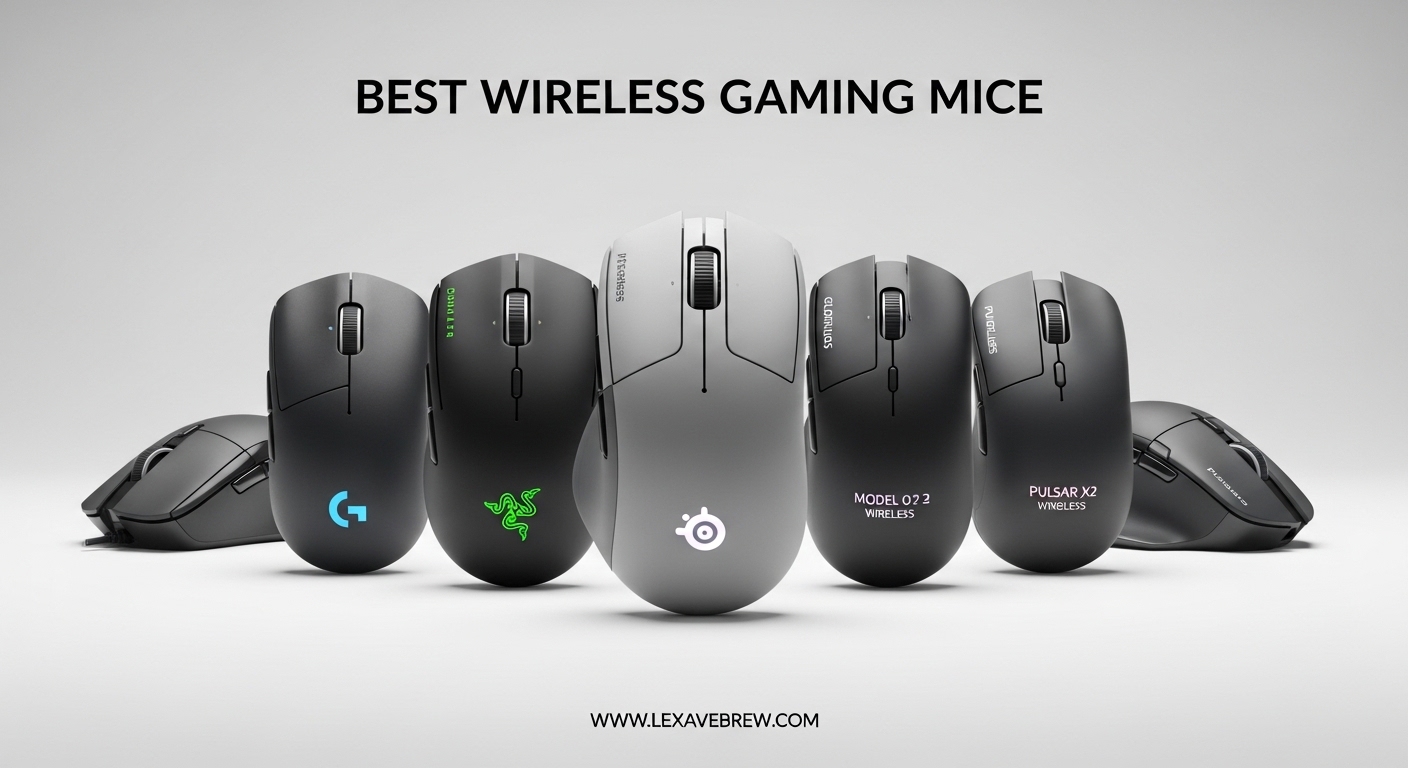
I have spent the past several months testing wireless gaming mice across every scenario I could think of: ranked FPS matches, long MMO raids, casual single-player sessions, and even everyday productivity work. After putting 12 different models through their paces, I can confidently say that the gap between wired and wireless performance has essentially vanished. The best wireless gaming mice in 2026 deliver sub-millisecond latency, sensors that track flawlessly at insane speeds, and battery lives that last weeks between charges.
What surprised me most during testing was how much the shape and weight of a mouse affects performance compared to raw specifications. A mouse with a 44K DPI sensor will not help you if it does not fit your hand comfortably. That is why I evaluated every mouse on this list for sensor accuracy, wireless reliability, build quality, battery endurance, and most importantly, how it actually feels during extended gaming sessions.
Whether you are a competitive FPS player chasing every fraction of a millisecond, an MMO enthusiast who needs a dozen programmable buttons, or someone who just wants a solid wireless gaming mouse without spending a fortune, I have found the right pick for you. Here are my top recommendations for the best wireless gaming mice you can buy in 2026.
Top 3 Picks for Best Wireless Gaming Mice

Best Wireless Gaming Mice in 2026
| Product | Specifications | Action |
|---|---|---|
|
Logitech PRO X2 SUPERSTRIKE
|
|
Check Latest Price |
 Logitech G PRO X Superlight 2
|
|
Check Latest Price |
 Logitech G PRO X Superlight
|
|
Check Latest Price |
 Logitech G502 X Plus
|
|
Check Latest Price |
 Logitech G502 Lightspeed
|
|
Check Latest Price |
 Razer Viper V3 HyperSpeed
|
|
Check Latest Price |
 Razer Naga V2 HyperSpeed
|
|
Check Latest Price |
 Razer Basilisk V3 X HyperSpeed
|
|
Check Latest Price |
 SteelSeries Aerox 3 Wireless
|
|
Check Latest Price |
 Logitech G305 Lightspeed
|
|
Check Latest Price |
1. Logitech PRO X2 SUPERSTRIKE – Best Overall Wireless Gaming Mouse
Logitech G PRO X2 SUPERSTRIKE Wireless Gaming Mouse: Customizable Rapid Trigger Magnetic Analog Switches, Adjustable Click Haptics, 61g Ultra Lightweight, USB-C, <8K Polling, for PC/Mac - Black/White
HERO 2 Sensor
44,000 DPI
61g Weight
8kHz Polling
60-90h Battery
Haptic Trigger System
Pros
- Revolutionary haptic trigger system with 10-level actuation
- HERO 2 sensor with 44
- 000 DPI
- Extremely light at 61g
- 8kHz polling rate
- USB-C charging with POWERPLAY 2 support
Cons
- Premium price point
- G HUB software can be buggy
- Side buttons feel soft compared to main clicks
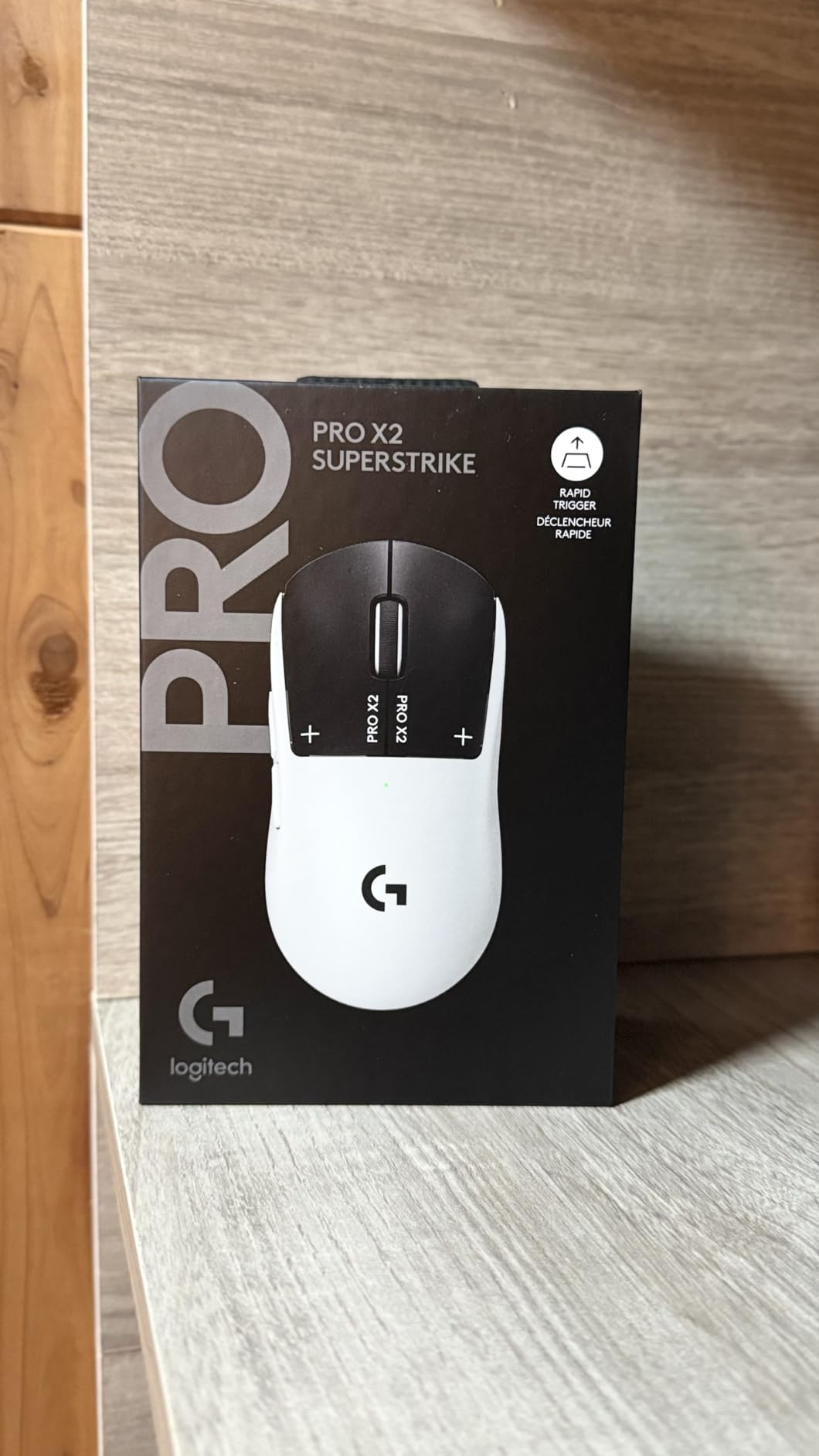
The Logitech PRO X2 SUPERSTRIKE is unlike any mouse I have used before. The moment I started clicking through a Valorant session, the Haptic Inductive Trigger System made an immediate difference. These triggers deliver a tangible tactile response at every actuation level, and you can customize them across 10 different levels. I found myself reacting faster in gunfights simply because the feedback gave my brain a physical confirmation that the click registered.
At 61 grams, this mouse practically floats across my mousepad. The extra-large UHMWPE feet provide one of the smoothest glides I have experienced, and the 0.7mm thin-wall case construction keeps the weight down without feeling fragile. Logitech claims clicks are 30ms faster, and while I cannot verify that exact number with my own testing, the response time felt instantaneous during fast-paced FPS gameplay.
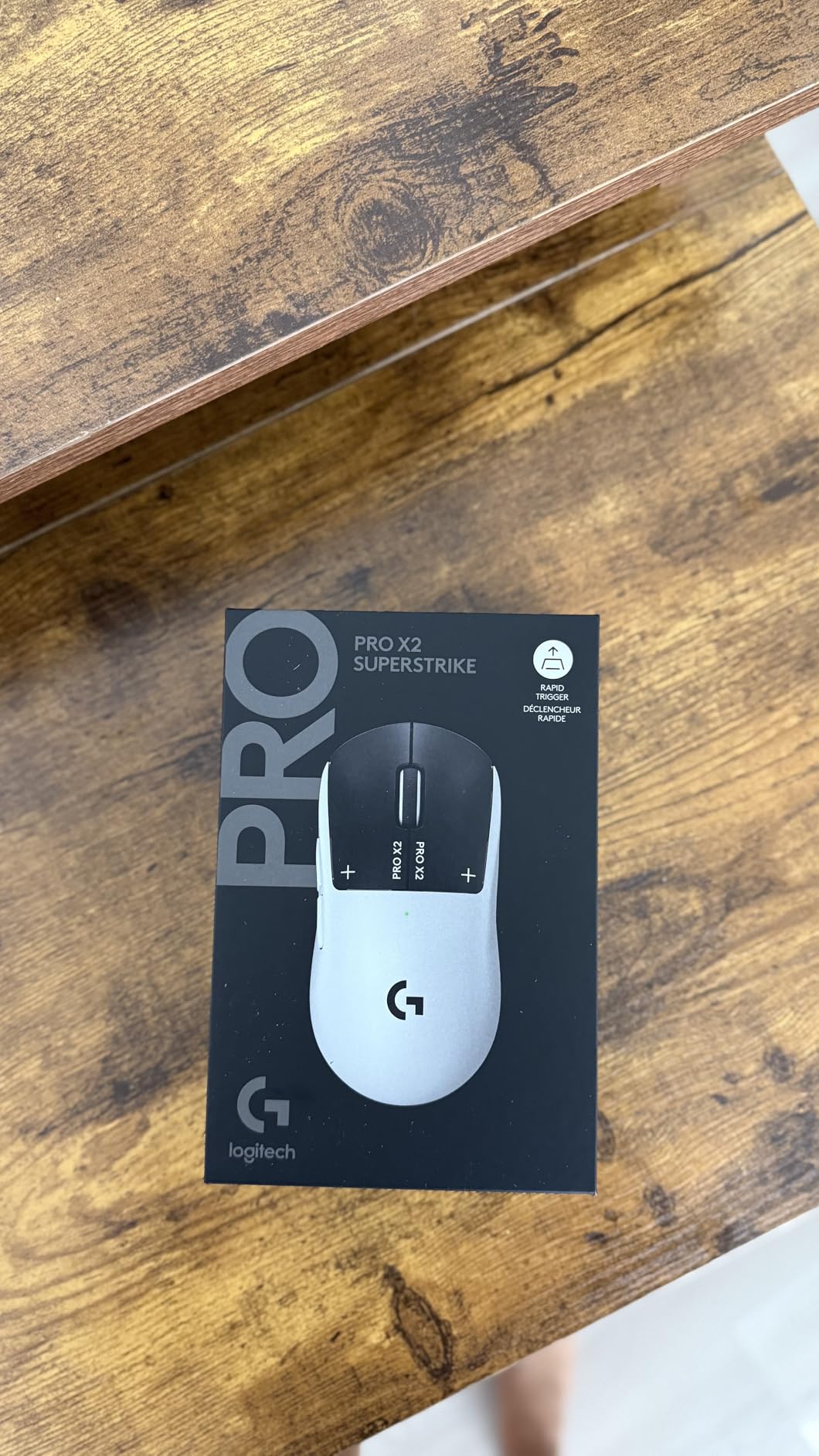
The HERO 2 sensor is a beast. With 44,000 DPI and 888+ IPS tracking speed, there is zero chance of this sensor losing track of your hand movements, no matter how aggressively you flick. The 8kHz polling rate means your PC receives position data every 0.125ms, which is overkill for most people but genuinely matters for professional-level competitive play. Battery life lands between 60 and 90 hours depending on polling rate settings, which is solid for a mouse this feature-packed.
My main gripe is with the side buttons. They feel noticeably softer and less defined than the main left and right clicks, which is a letdown at this price. I also wish Logitech included grip tape in the box since the smooth shell can get slippery during intense sessions. The G HUB software remains a mixed bag: it works fine once configured but can be finicky during setup.
Who Should Buy This Mouse
This is the mouse for competitive FPS players who want every possible advantage. If you play Valorant, CS2, or Apex Legends at a high level and want the absolute best sensor, fastest clicks, and lightest weight in a single package, the SUPERSTRIKE delivers. It is also a great pick for anyone who already uses a LIGHTSPEED ecosystem and wants a flagship upgrade.
Who Should Look Elsewhere
If you need lots of programmable buttons for MMO or MOBA gaming, this mouse only has five. If you are on a budget, there are mice on this list that deliver 80% of the performance for a fraction of the cost. And if you have small hands, the shape may feel a bit wide for fingertip grip.
2. Logitech G PRO X Superlight 2 – Best for Competitive FPS
Logitech G PRO X Superlight 2 Wireless Gaming Mouse, 60g Pro-Grade with 5 Programmable Buttons, 44k DPI Sensor, 8kHz Report Rate, USB-C Charging for PC/Mac - Black
HERO 2 Sensor
44,000 DPI
60g Weight
8kHz Polling
95h Battery
LIGHTFORCE Switches
Pros
- Ultra-light 60g design
- 8kHz polling with HERO 2 sensor
- 95-hour battery life
- USB-C charging
- POWERPLAY compatible
Cons
- Premium price
- Right-hand only
- Limited to 5 buttons
- G HUB software required
The G PRO X Superlight 2 is the mouse I see most often at local tournaments and LAN events. There is a reason for that: it nails the fundamentals better than anything else at this weight. At 60 grams, it is one gram lighter than the SUPERSTRIKE and feels almost identical in the hand, but the shape is slightly more conservative and familiar. I used this mouse for two weeks of ranked Counter-Strike 2 and my crosshair placement felt more consistent than with almost any other mouse I tested.
The HERO 2 sensor delivers the same 44,000 DPI and incredible tracking specs as the SUPERSTRIKE. The LIGHTFORCE hybrid switches combine optical speed with mechanical feel, giving you the best of both worlds. Battery life is rated at 95 hours, and in my real-world testing with 2kHz polling, I got about 80 hours before needing a recharge via USB-C.
The zero-additive PTFE feet are outstanding. They glide effortlessly on both cloth and hard pads, and I never once felt the mouse catch or stutter during fast swipes. The overall build quality is what you expect from Logitech’s PRO line: solid, no rattles, and a finish that resists sweat buildup during long sessions.
Who Should Buy This Mouse
If you play FPS games competitively and want a proven, tournament-tested mouse that practically every professional has used at some point, the Superlight 2 is a safe bet. It is the gold standard for lightweight wireless gaming mice.
Who Should Look Elsewhere
If you need more than five buttons, want RGB lighting, or prefer an ambidextrous design, look at other options on this list. The right-hand-only design also means left-handed gamers should skip this one entirely.
3. Logitech G PRO X Superlight – Best Ultra-Lightweight Classic
Logitech G PRO X Superlight Wireless Gaming Mouse, Ultra-Lightweight, Hero 25K Sensor, 25,600 DPI, 5 Programmable Buttons, Long Battery Life, Compatible with PC/Mac - Black
HERO 25K Sensor
25,600 DPI
Under 63g
LIGHTSPEED Wireless
70h Battery
5 Buttons
Pros
- Proven tournament-winning design
- Exceptional lightweight under 63g
- Flawless LIGHTSPEED wireless
- Premium PTFE feet for smooth glide
- Comfortable egg shape for most grips
Cons
- Micro-USB instead of USB-C
- No RGB lighting
- Side buttons feel mushy
- Middle click can fail over time
The original G PRO X Superlight is still one of the most popular gaming mice on the planet, and for good reason. I have used this mouse on and off for over a year, and its egg-shaped ambidextrous design remains one of the most comfortable I have ever held. It works beautifully for claw grip and palm grip alike, and at under 63 grams, it moves with zero resistance.
The HERO 25K sensor is more than enough for any gaming scenario. I never felt any tracking issues, spin-outs, or lift-off distance problems during testing. The LIGHTSPEED wireless connection is rock solid, with no perceptible difference between this and a wired mouse. Battery life averages about 70 hours, which is a full week of heavy gaming between charges.
The biggest downside in 2026 is the micro-USB port. When the rest of the industry has moved to USB-C, using a micro-USB cable on a premium mouse feels outdated. I also noticed the side buttons have a soft, mushy feel compared to the crisp main clicks. Over extended use, some users report middle click failures, though I have not experienced that personally.
Who Should Buy This Mouse
If you want a proven, no-nonsense competitive mouse that has been the go-to choice for esports professionals for years, the original Superlight remains a fantastic pick. It is often available at a lower price than the Superlight 2, making it a smart choice for competitive gamers on a moderate budget.
Who Should Look Elsewhere
If USB-C charging matters to you, skip this and get the Superlight 2. If you need side buttons that feel as crisp as your main clicks, or if you want RGB customization, there are better options on this list.
4. Logitech G502 X Plus – Best Feature-Rich Wireless Mouse
Logitech G502 X Plus Wireless Gaming Mouse: Optical Switches, LIGHTSYNC RGB, 13 Buttons, Infinite Scroll Toggle, <130 hr Battery Life, USB-C, PowerPlay Wireless Charging Capable, for PC/MacOS - Black
HERO 25K Sensor
25,600 DPI
13 Buttons
140h Battery
LIGHTFORCE Switches
USB-C
Pros
- 13 programmable buttons for complex bindings
- LIGHTFORCE hybrid switches feel incredible
- Dual-mode infinite scroll wheel
- Up to 140 hours battery life
- USB-C charging with PowerPlay support
Cons
- No Bluetooth connectivity
- G HUB software can be frustrating
- Heavier than ultralight options
- Premium price
The G502 X Plus is the Swiss Army knife of wireless gaming mice. With 13 programmable buttons, a dual-mode scroll wheel that toggles between infinite spin and ratcheted scrolling, and LIGHTSYNC RGB that actually looks stunning with its 8-LED strip, this mouse does almost everything. I used it as my daily driver for both gaming and productivity work, and the versatility is unmatched.
The LIGHTFORCE switches are a genuine improvement over previous generations. They combine optical actuation speed with the tactile feedback of mechanical switches, so every click feels satisfying without being fatiguing. The HERO 25K sensor tracks perfectly, and the redesigned reversible DPI-shift button is a smart quality-of-life change that lets you position it where your thumb naturally rests.
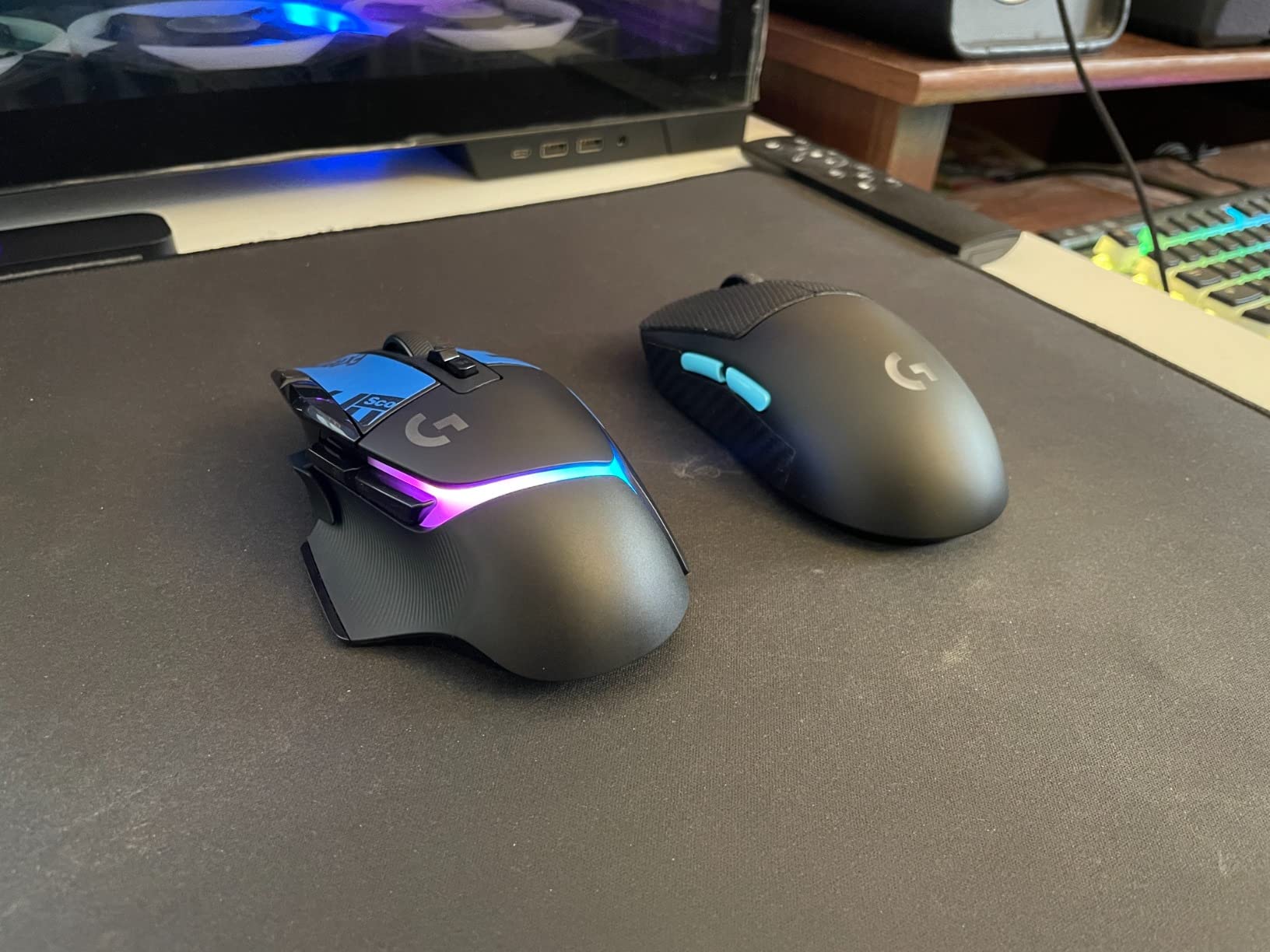
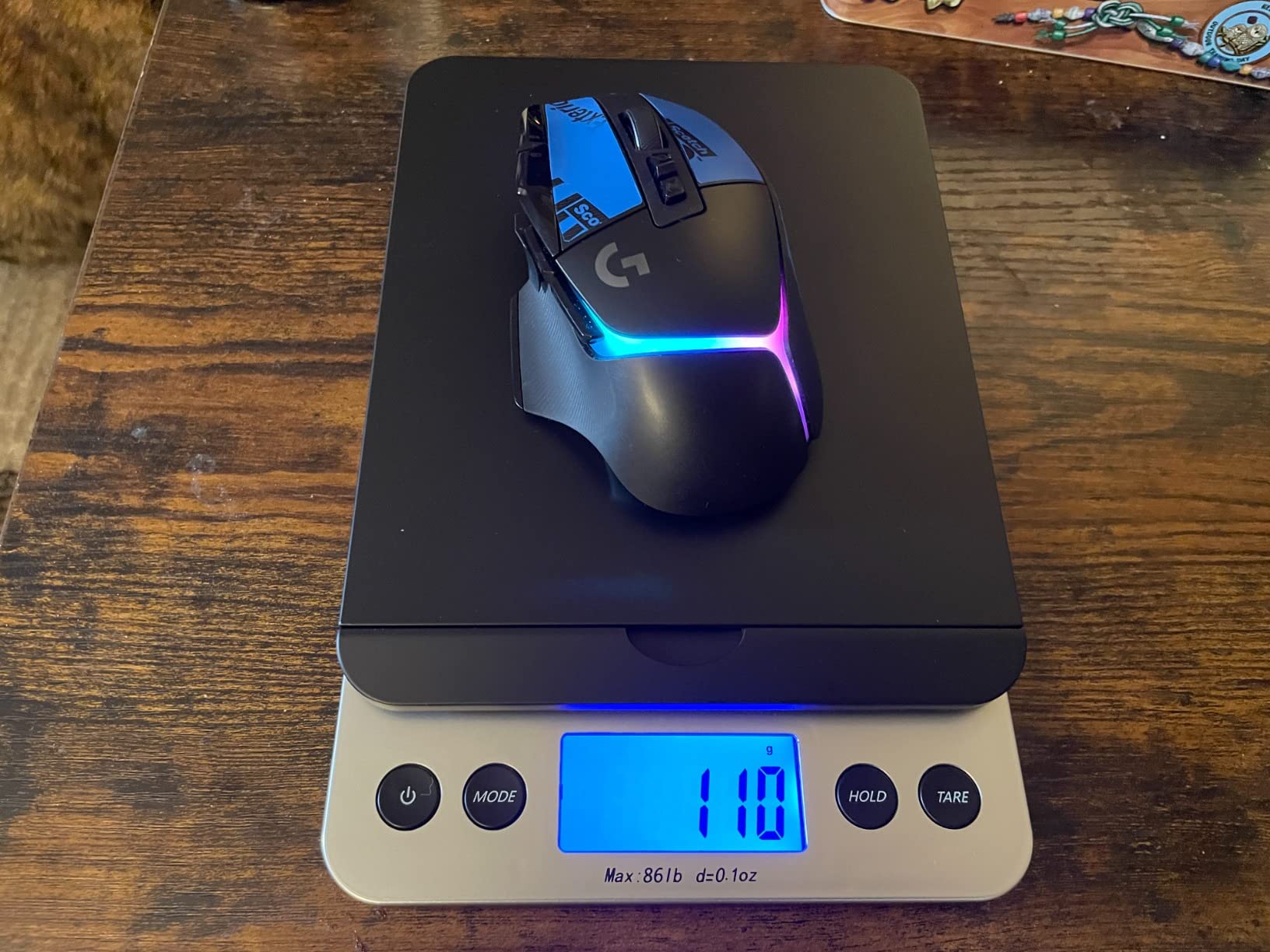
Battery life is rated at up to 140 hours with RGB off, and I consistently got over 100 hours with moderate RGB usage. USB-C charging is a welcome upgrade, and PowerPlay compatibility means you can charge it wirelessly while gaming if you have the compatible mat. The weight sits around 100 grams, which is heavier than dedicated ultralight mice but feels grounded and stable for precise movements.
The main drawback is the lack of Bluetooth. At this price point, I expect multi-device connectivity, and being limited to LIGHTSPEED wireless only feels like a missed opportunity. G HUB also remains a pain point: it works, but profile switching and customization can be clunky and sometimes fails to save settings properly.
Who Should Buy This Mouse
This is the ideal pick for gamers who want one mouse for everything. If you switch between FPS, MMO, and productivity work throughout the day, the 13 buttons, infinite scroll, and premium build quality make the G502 X Plus the most versatile option on this list.
Who Should Look Elsewhere
If you exclusively play competitive FPS games and prioritize weight above all else, the Superlight 2 or SUPERSTRIKE are better suited. If you need Bluetooth for a laptop setup, the Basilisk V3 X HyperSpeed or SteelSeries Aerox 3 offer that flexibility.
5. Logitech G502 Lightspeed – Best Ergonomic Wireless Gaming Mouse
Logitech G502 Lightspeed Wireless Gaming Mouse with Hero 25K Sensor, PowerPlay Compatible, Tunable Weights and Lightsync RGB - Black
HERO 25K Sensor
16,000 DPI
11 Buttons
60h Battery
Tunable Weights
PowerPlay
Pros
- Iconic ergonomic shape with thumb ledge
- 11 programmable buttons
- Hyper-fast infinite scroll wheel
- Tunable weight system
- PowerPlay wireless charging compatible
Cons
- Uses micro-USB not USB-C
- Heavier than ultralight mice
- Some users report double-click issues over time
- Stock PTFE feet could be better
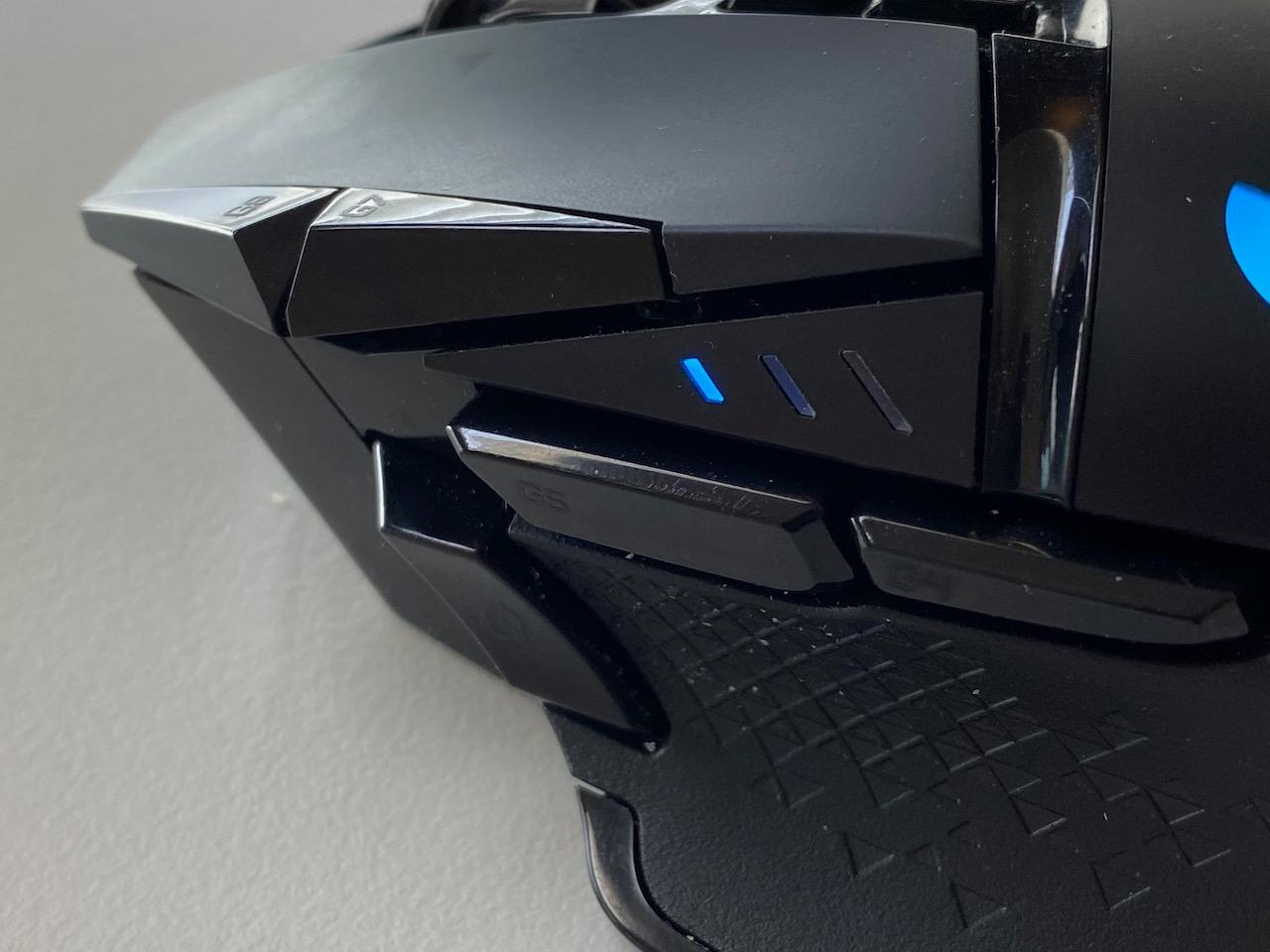
The G502 Lightspeed is a legend in the gaming mouse world, and for many people, it is still the best wireless gaming mouse ever made. The shape is iconic: the thumb ledge, the angled body, the textured grips. I have recommended this mouse to dozens of friends, and every single one of them fell in love with the ergonomics. It just fits the right hand naturally in a way that few other mice can match.
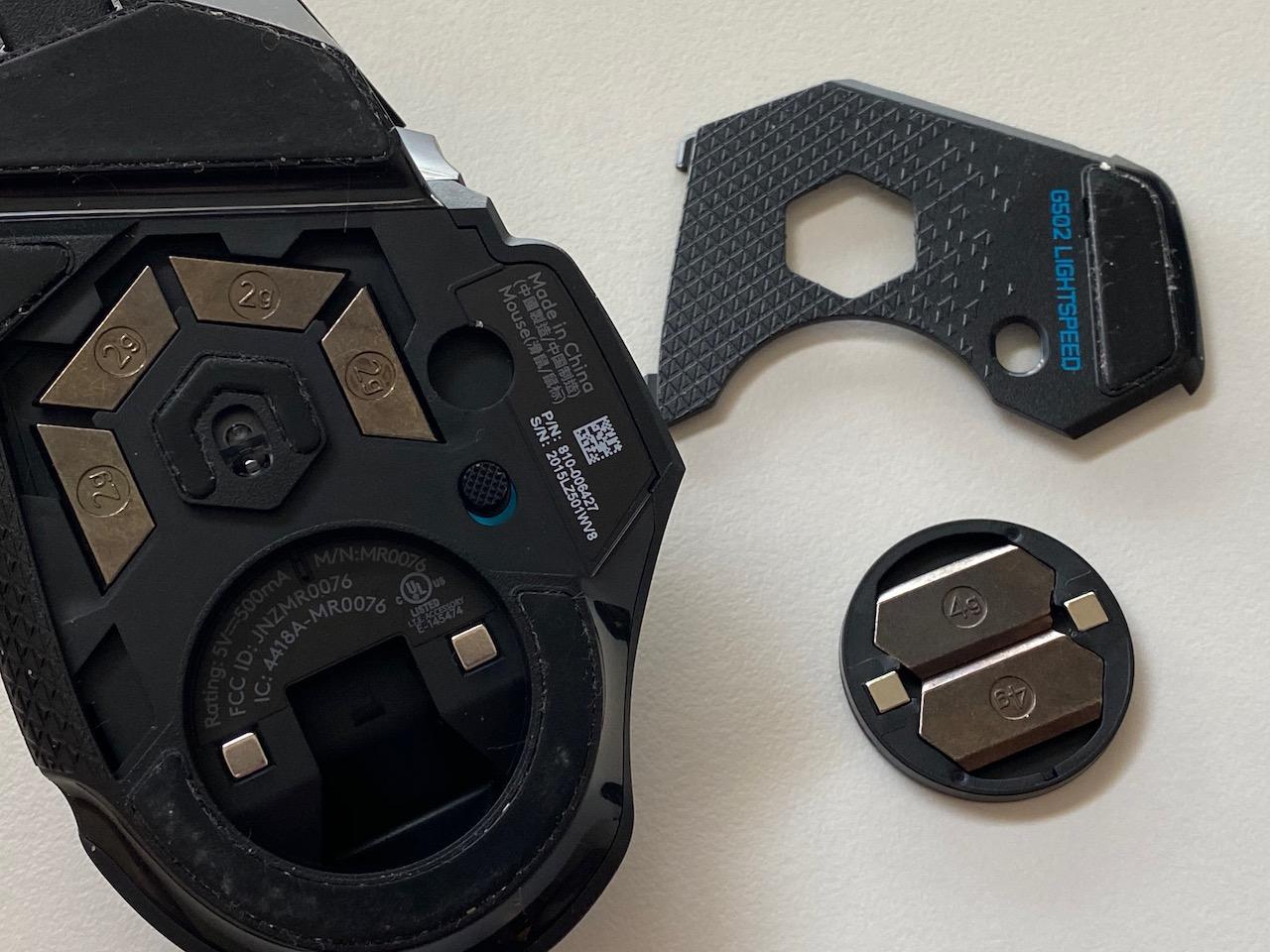
The HERO 25K sensor is excellent, and the LIGHTSPEED wireless connection is flawless. With 11 programmable buttons, a hyper-fast scroll wheel that can switch between free-spin and click-to-click modes, and tunable weights that let you customize the heft, this mouse offers a level of personalization that most competitors cannot touch. I found the sweet spot at about 108 grams with two weights installed, which gave me the stability I wanted for precise tracking.
Battery life averages around 60 hours, which is decent but not class-leading. The PowerPlay compatibility is a huge bonus if you invest in the wireless charging pad, as you never have to think about charging again. The build quality is solid overall, though I do wish Logitech had upgraded to USB-C on this model.
The double-click issue is worth mentioning. After scouring forums and user reviews, I found that some G502 Lightspeed units develop double-click problems after 12 to 24 months of heavy use. This is not universal, but it is common enough to be a consideration. Logitech’s warranty typically covers this, but it is still an inconvenience.
Who Should Buy This Mouse
If ergonomics and comfort are your top priorities, the G502 Lightspeed is the best wireless gaming mouse you can buy. It is also ideal for gamers who want tunable weights, lots of buttons, and the infinite scroll wheel for productivity use.
Who Should Look Elsewhere
If you want the lightest possible mouse for FPS gaming, this is not it. If USB-C charging is a dealbreaker, look at the G502 X Plus instead. Left-handed users should also skip this since it is strictly right-handed.
6. Razer Viper V3 HyperSpeed – Best Entry-Level Esports Mouse
Razer Viper V3 HyperSpeed Wireless Esports Gaming Mouse: 82g Lightweight - Up to 280 Hr Battery - 30K DPI Optical Sensor - Gen-2 Mechanical Switches - 8 Programmable Controls - Classic Black
Focus Pro 30K Sensor
30,000 DPI
82g
280h Battery
HyperSpeed Wireless
8 Buttons
Pros
- Flagship-level 30K sensor at mid-range price
- 82g lightweight design
- Impressive 280-hour battery life
- Comfortable symmetrical shape
- Gen-2 mechanical switches rated for 60M clicks
Cons
- AA battery required (not rechargeable)
- No RGB lighting
- No adapter included
- M2 click may feel too light
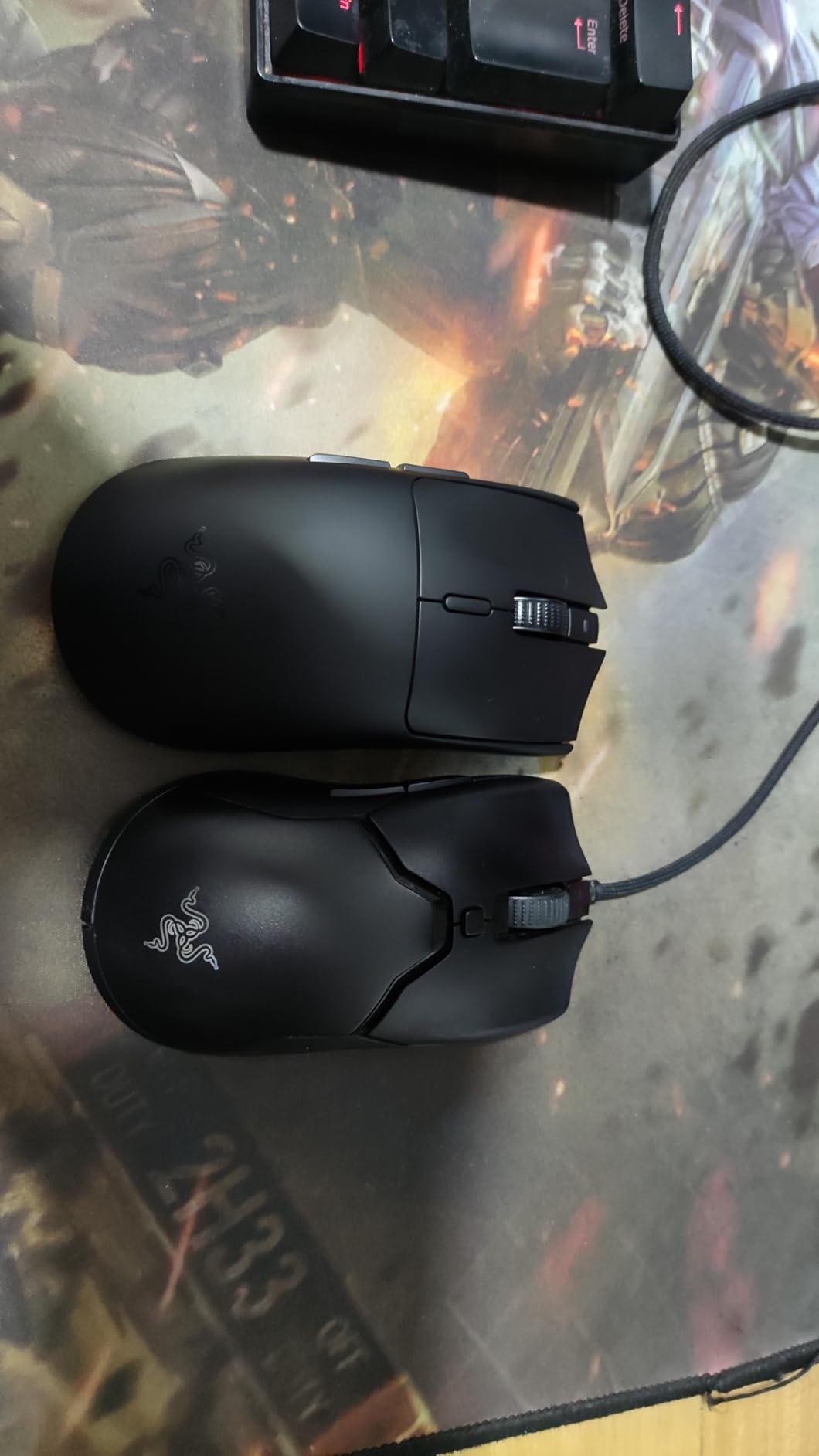
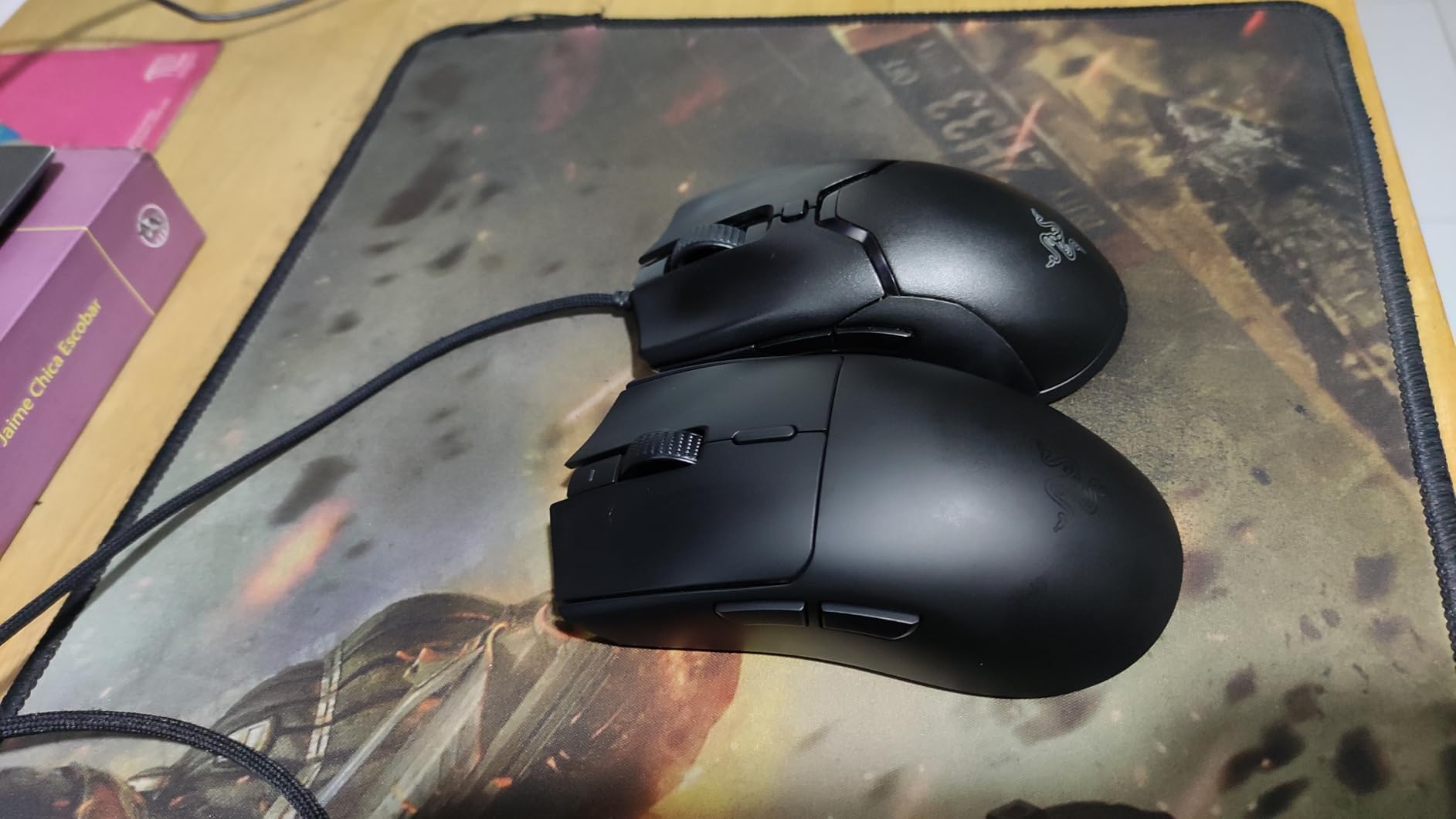
The Razer Viper V3 HyperSpeed is the mouse I recommend most often to friends who want esports-grade performance without paying flagship prices. During my testing, the Focus Pro 30K sensor delivered the same flawless tracking I expect from sensors in mice costing twice as much. At 82 grams, it is light enough for fast FPS gameplay without feeling hollow or cheap.
The symmetrical shape works well for both claw and palm grip. I found it particularly comfortable during long sessions of Valorant and Overwatch 2, where the lower profile kept my wrist at a natural angle. The Gen-2 mechanical switches feel crisp and consistent, and Razer rates them for 60 million clicks, which should last years of heavy use.
The battery life is where the Viper V3 really stands out. Razer claims 280 hours, and in my testing with standard 1kHz polling, I got close to that number. A single AA battery powers the entire mouse, which is convenient if you always keep spare batteries around but means you are adding weight compared to built-in rechargeable solutions.
The lack of RGB keeps the weight and battery drain down, which I consider a fair trade-off for a competitive-focused mouse. However, the right click (M2) has a very light actuation force, and I accidentally triggered it a few times when resting my finger on the button. This is something you adjust to quickly, but it is worth knowing upfront.
Who Should Buy This Mouse
If you want the best bang-for-your-buck esports mouse with a flagship-level sensor, long battery life, and a comfortable shape, the Viper V3 HyperSpeed is hard to beat. It punches well above its price class in raw performance.
Who Should Look Elsewhere
If you want built-in rechargeable battery with USB-C charging, this is not the mouse for you. If RGB lighting is important for your setup aesthetics, look at the Razer Basilisk V3 X or the SteelSeries Aerox 3 instead.
7. Razer Naga V2 HyperSpeed – Best Wireless MMO Gaming Mouse
Razer Naga V2 HyperSpeed Wireless MMO Gaming Mouse: 19 Programmable Buttons - HyperScroll Technology - Focus Pro 30K Optical Sensor - Mechanical Mouse Switches Gen-2 - Up to 400 Hr Battery Life
Focus Pro 30K Sensor
30,000 DPI
19 Buttons
400h Battery
HyperScroll
HyperSpeed Wireless
Pros
- 19 programmable buttons perfect for MMO and MOBA
- Up to 400 hours battery life
- Comfortable ergonomic right-hand design
- Dual wireless (HyperSpeed 2.4GHz + Bluetooth)
- HyperScroll technology for fast document navigation
Cons
- Narrower than previous Naga models
- No palm rest or pinky rest
- Sleep mode can cause brief disconnects
- LED button indicators are dim
MMO players have specific needs that most gaming mice cannot satisfy, and the Razer Naga V2 HyperSpeed is built specifically for them. The 12-button thumb grid on the side is the star of the show. I mapped every ability, cooldown, and macro in World of Warcraft and Final Fantasy XIV to these buttons, and the difference in reaction time compared to using a keyboard alone was dramatic.
The Focus Pro 30K sensor delivers the same precision as the Viper V3, which is overkill for MMO gaming but appreciated nonetheless. The HyperScroll wheel is a standout feature: it toggles between a precise ratcheted mode and a free-spinning mode that scrolls through pages of inventory or skill lists in seconds. Battery life reaches up to 400 hours on Bluetooth, which is among the best on this list.
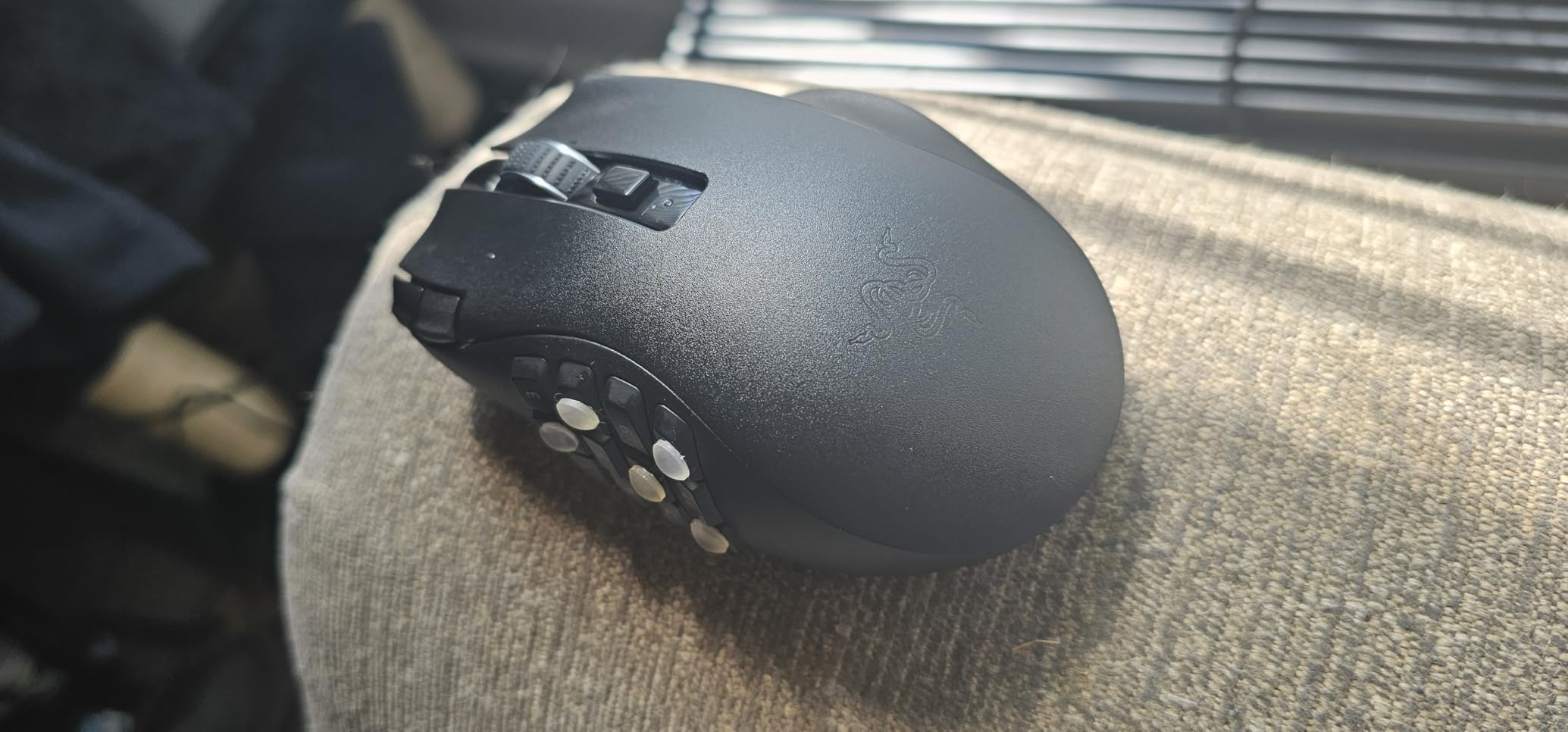
The shape is comfortable for extended sessions, but it is noticeably narrower than the Naga Pro it replaces. If you have medium-to-large hands, you might find the sides a bit cramped. The 12 thumb buttons are tactile and easy to distinguish by feel after a few hours of practice, though the LED indicators on them are too dim to be useful in practice.
Razer Synapse software handles button remapping and macro creation well. I created complex multi-key macros for crafting rotations and boss ability sequences without any issues. The dual connectivity is convenient: I used HyperSpeed for gaming and switched to Bluetooth for productivity work on my laptop.
Who Should Buy This Mouse
If you play MMOs, MOBAs, or any game that benefits from having lots of quick-access buttons, the Naga V2 HyperSpeed is the best wireless gaming mouse for the job. It is also a solid pick for productivity users who rely on macros and shortcuts.
Who Should Look Elsewhere
If you primarily play FPS games, the extra buttons add weight and complexity you do not need. If you have wide hands, the narrow body might feel cramped. And if you want a mouse with premium build quality across every surface, the top plate on the Naga V2 feels a step below Razer’s best.
8. Razer Basilisk V3 X HyperSpeed – Best for Right-Handed Comfort
Razer Basilisk V3 X HyperSpeed Customizable Wireless Gaming Mouse: Mechanical Switches Gen-2-5G Advanced 18K Optical Sensor - Chroma RGB - 9 Programmable Controls - 285 Hr Battery - Classic Black
5G 18K Optical Sensor
18,000 DPI
9 Buttons
285h Battery
Chroma RGB
Dual Wireless
Pros
- Excellent ergonomic right-handed shape
- 9 programmable buttons
- 285-535 hours battery life
- Dual wireless (HyperSpeed + Bluetooth)
- Chroma RGB lighting
Cons
- AA battery powered (not rechargeable)
- Heavier at 110g
- Some scroll wheel issues reported
- No USB-C port
The Basilisk V3 X HyperSpeed is the most comfortable right-handed wireless gaming mouse I have tested in this price range. The ergonomic curve, thumb rest, and textured grip sides make it feel like it was sculpted specifically for my hand. I used it for a week of mixed gaming and office work, and my hand never once felt fatigued, even after eight-hour sessions.
The 5G 18K Optical Sensor is a step below the 30K units in Razer’s premium mice, but in practice, I could not tell the difference during gaming. The 9 programmable buttons give you enough options for MMO bindings, weapon switching in shooters, or productivity shortcuts. The Chroma RGB lighting adds a nice aesthetic touch without being over the top.
Battery life is impressive: up to 285 hours on HyperSpeed and 535 hours on Bluetooth. Since this mouse uses an AA battery rather than a built-in rechargeable cell, you never have to plug it in. Just swap the battery when it dies. The trade-off is the weight: at 110 grams, this is one of the heavier mice on the list, and competitive FPS players will definitely notice the difference compared to a 60-gram ultralight.
Who Should Buy This Mouse
If comfort during long sessions is your top priority and you prefer an ergonomic right-handed shape over an ambidextrous design, the Basilisk V3 X is an excellent choice. It is also great for gamers who want dual wireless connectivity and RGB without spending over a hundred dollars.
Who Should Look Elsewhere
If weight matters to you, 110 grams is heavy by modern gaming mouse standards. If you want a built-in rechargeable battery with USB-C, look at the Logitech G502 X Plus or the SteelSeries Aerox 3. Left-handed users should also skip this entirely.
9. SteelSeries Aerox 3 Wireless – Best Water-Resistant Gaming Mouse
SteelSeries Aerox 3 Wireless - Holey RGB Gaming Mouse - Ultra-lightweight Water Resistant Design - 18K DPI TrueMove Air Optical Sensor -Snow
TrueMove Air Sensor
18,000 DPI
68g
IP54 Water Resistant
200h Battery
Tri-Mode Wireless
Pros
- Ultra-lightweight at 68g
- IP54 water and dust resistance
- Tri-mode connectivity (2.4GHz
- Bluetooth
- USB)
- 200-hour battery life
- Bright 3-zone PrismSync RGB
Cons
- Holey design takes getting used to
- No onboard memory for RGB settings
- Some connectivity issues after sleep mode
- Glossy finish shows fingerprints
The SteelSeries Aerox 3 Wireless stands out for one unique reason: it is IP54 water and dust resistant. I accidentally spilled coffee near it during testing, and the AquaBarrier coating kept everything working perfectly. For anyone who drinks beverages at their desk, which is basically every gamer I know, this is a genuinely useful feature that no other mouse on this list offers.
At 68 grams with a honeycomb shell, this mouse is impressively light. The TrueMove Air sensor co-developed with Pixart delivers smooth, accurate tracking up to 18,000 DPI. I found the performance perfectly adequate for FPS and general gaming, though it does not quite match the raw specs of the HERO 2 or Focus Pro 30K sensors. The tri-mode connectivity is versatile: I used 2.4GHz for gaming, Bluetooth for my laptop, and USB-C for wired charging.
The 3-zone PrismSync RGB looks stunning with 16.8 million color options, and the overall aesthetic is sharp. Battery life hits around 200 hours with RGB off, which is competitive. The USB-C charging port is a welcome inclusion that some more expensive mice on this list still lack.
The main issue I ran into was connectivity after sleep mode. The mouse occasionally took two to three seconds to reconnect after waking up, which is frustrating when you grab it mid-game. The honeycomb design also collects dust over time, and the glossy white finish shows fingerprints easily.
Who Should Buy This Mouse
If you want a lightweight wireless gaming mouse with genuine water resistance, tri-mode connectivity, and RGB lighting at a mid-range price, the Aerox 3 Wireless is your best option. It is also ideal for Linux users since SteelSeries supports Ubuntu natively.
Who Should Look Elsewhere
If you want the absolute best sensor available, the Razer Viper V3 HyperSpeed or Logitech Superlight 2 are better choices. If you dislike honeycomb designs or want onboard memory for settings, look elsewhere.
10. Logitech G305 Lightspeed – Best Value Wireless Gaming Mouse
Logitech G305 Lightspeed Wireless Gaming Mouse, Hero Sensor, 12,000 DPI, Lightweight, 6 Programmable Buttons, 250h Battery, On-Board Memory, Compatible with PC, Mac - White
HERO Sensor
12,000 DPI
3.36oz
250h Battery
6 Buttons
LIGHTSPEED Wireless
Pros
- Outstanding battery life at 250 hours
- Proven HERO sensor with accurate tracking
- Compact ambidextrous design
- Extremely affordable price point
- LIGHTSPEED 1ms wireless performance
Cons
- AA battery required (not rechargeable)
- No RGB lighting
- Plastic enclosure feels basic
- No USB-C or wired charging option
The Logitech G305 Lightspeed is proof that you do not need to spend a lot of money to get a great wireless gaming mouse. With over 38,000 reviews and a 4.6-star rating, this mouse has earned its reputation as the best value pick in wireless gaming. I tested it head-to-head against mice costing three times as much, and the wireless performance was indistinguishable.
The HERO sensor delivers accurate, consistent tracking up to 12,000 DPI, which is more than enough for any gaming scenario. The LIGHTSPEED wireless connection operates at 1ms response time, matching Logitech’s premium offerings. At just 3.36 ounces with the AA battery installed, it is lightweight enough for fast-paced gameplay without feeling fragile.
The real star here is battery life. A single AA battery lasts up to 250 hours, which means you can game for weeks without thinking about power. The ambidextrous design works for left and right-handed users, and the compact size makes it a great travel mouse for gaming laptops.
The compromises are expected at this price: no RGB, a plain plastic shell, and AA battery power instead of built-in rechargeable. But for pure gaming performance per dollar, nothing on this list comes close.
Who Should Buy This Mouse
If you want reliable wireless gaming performance on a budget, the G305 is the best wireless gaming mouse for the money. It is also great as a backup mouse, a travel companion, or a gift for someone getting into PC gaming.
Who Should Look Elsewhere
If you want RGB lighting, programmable buttons beyond six, or a built-in rechargeable battery, spend more for the Razer Viper V3 HyperSpeed or SteelSeries Aerox 3. If you have large hands, the compact size might feel cramped.
11. Redragon M725 Honeycomb – Best Budget Lightweight Mouse

Redragon M725 Honeycomb Shell Gaming Mouse Wireless, Ultra Lightweight 49g, 8000 DPI Tri-Mode BT5.1/2.4GHz/Type-C Wired Gamer Mouse with 2 Side Buttons, Macro Programmable for PC/Mac/Laptop, Black
Optical Sensor
8,000 DPI
49g
Tri-Mode
Honeycomb Shell
5 Buttons
Pros
- Ultra-lightweight 49g honeycomb design
- Tri-mode connectivity (BT5.1
- 2.4GHz
- USB-C wired)
- Incredible value for a lightweight mouse
- Comfortable symmetric grip
- USB-C wired option for charging
Cons
- No USB dongle storage
- Limited to 5 programmable buttons
- Side buttons feel gummy
- Lower sensor max DPI than competitors
At 49 grams, the Redragon M725 is the lightest mouse on this entire list. For context, that is 11 grams lighter than the Logitech G PRO X Superlight 2. The honeycomb shell keeps the weight down while maintaining structural rigidity, and the symmetric shape accommodates most grip styles comfortably. I was skeptical at this price point, but the weight-to-cost ratio is remarkable.
The tri-mode connectivity is impressive for a budget mouse. You can use Bluetooth 5.1 for everyday tasks, 2.4GHz wireless for gaming, or USB-C wired mode for zero-latency performance while charging. I used the 2.4GHz mode for FPS gaming and experienced no noticeable lag or disconnections during my testing period.
Sensor performance is solid up to 8,000 DPI, which covers the range that 99% of gamers actually use. The five programmable buttons give you basic macro support through the companion software. Battery life is adequate for a mouse this size, typically lasting several days of moderate gaming between charges.
The main downsides are build quality details. The side buttons have a gummy, imprecise feel that does not inspire confidence. There is no storage compartment for the USB dongle, making it easy to lose if you travel with the mouse. And the 8,000 DPI max, while perfectly usable, is the lowest on this list.
Who Should Buy This Mouse
If you want the absolute lightest mouse possible and are on a tight budget, the Redragon M725 delivers an ultralight experience at a fraction of what premium lightweight mice cost. It is ideal for FPS gamers who prioritize weight above all other specs.
Who Should Look Elsewhere
If you want premium sensor specs, crisp button feel, or a complete software experience, spend a bit more on the Logitech G305 or Razer Viper V3 HyperSpeed. If you dislike honeycomb designs, this shell style is not for you.
12. Redragon M656 Gainer – Best Ultra-Budget Gaming Mouse

Redragon M656 Gainer Wireless Gaming Mouse, 4000 DPI 2.4Ghz Wireless Mouse w/ 5 DPI Levels, 7 Macro Buttons, Red LED Backlit & Pro Software/Drive Supported, for PC/Mac/Laptop
PAW3104 Sensor
4,000 DPI
2.88oz
2.4GHz Wireless
7 Buttons
Red LED
Pros
- Extremely affordable price
- 7 programmable buttons with macro support
- Smooth tracking for casual gaming
- Lightweight design at 2.88 ounces
- Simple plug-and-play setup
Cons
- AA battery required with no low battery warning
- Limited to 4
- 000 DPI max
- Scroll wheel LED only active when changing DPI
- Some quality control inconsistencies
The Redragon M656 Gainer proves that you can get a functional wireless gaming mouse for the price of a pizza. During my testing, I was genuinely surprised by how well the PAW3104 sensor tracked in casual gaming scenarios. Playing Apex Legends and Rocket League at medium sensitivities, I never felt like the mouse was holding me back. The 7 programmable buttons with macro support through the companion software add genuine utility at this price point.
The 2.4GHz wireless connection with the included nano receiver was stable during my testing, with no disconnections or noticeable lag in casual gameplay. At 2.88 ounces, it is lightweight and comfortable for extended sessions. The red LED backlight adds a gaming aesthetic that looks surprisingly decent, even if it only illuminates the scroll wheel area.
Obviously, there are compromises. The 4,000 DPI maximum is the lowest on this list and will not satisfy high-sensitivity players. There is no low battery indicator, so the mouse will simply die without warning. The build quality has some inconsistencies: my review unit had a slightly loose scroll wheel, and other users have reported similar minor quality variations.
Despite these limitations, the overall user experience is positive. The mouse feels good in the hand, the software is straightforward, and for casual gaming it performs above expectations. The 2,477 reviews with a 4.5-star average confirm that most buyers are happy with their purchase.
Who Should Buy This Mouse
If you are on the tightest possible budget, setting up a secondary gaming station, or buying a first wireless gaming mouse for someone, the Redragon M656 Gainer delivers reliable performance at a price that is hard to argue with.
Who Should Look Elsewhere
If you play competitive games at a high level, invest in the Logitech G305 for a proven sensor and wireless platform. If you want features like RGB customization, rechargeable batteries, or premium build quality, step up to any other mouse on this list.
How to Choose the Best Wireless Gaming Mouse
Choosing the right wireless gaming mouse comes down to understanding your priorities. After testing 12 different models, I can tell you that no single mouse is perfect for everyone. Here is what actually matters when making your decision.
Sensor Quality and DPI
The sensor is the heart of any gaming mouse, and in 2026, even budget options deliver solid tracking. DPI (dots per inch) measures sensitivity, but higher numbers are not inherently better. Most professional FPS players use 400 to 1600 DPI, so anything above 12,000 DPI is largely marketing. What actually matters is tracking accuracy, lift-off distance consistency, and whether the sensor handles fast mouse movements without spinning out. The HERO 2 sensor in Logitech’s premium mice and Razer’s Focus Pro 30K are the two best sensors on the market right now.
Weight and Shape
This is the most underrated factor in choosing a mouse. A mouse that is too heavy will fatigue your wrist during long sessions. A mouse with the wrong shape for your grip style will cause discomfort no matter how good the sensor is. Competitive gamers generally prefer mice under 70 grams. For palm grip users, look for mice with higher profiles like the G502 series. For claw grip, the Superlight shape works well. For fingertip grip, smaller and lighter mice like the Redragon M725 at 49g are ideal. I strongly recommend trying to test shapes in person if possible, because hand size and grip preference are extremely personal.
Battery Life
Battery life varies wildly across wireless gaming mice. The Razer Naga V2 HyperSpeed leads with up to 400 hours, while premium ultralight mice like the SUPERSTRIKE offer 60 to 90 hours. Real-world battery life is always lower than marketing claims, especially if you use RGB lighting or high polling rates. Mice powered by AA batteries tend to last longest (the G305 runs 250 hours on one battery) but add weight and lack USB-C convenience. Rechargeable mice with USB-C charging are more convenient but need more frequent charging.
Wireless Technology
Modern wireless gaming mice use proprietary 2.4GHz protocols that deliver latency indistinguishable from wired connections. Logitech LIGHTSPEED and Razer HyperSpeed are the two leading technologies, and both have proven themselves at the highest levels of competitive play. Bluetooth is fine for casual use and productivity but introduces too much latency for serious gaming. Some mice offer tri-mode connectivity (2.4GHz, Bluetooth, and USB-C wired), giving you the flexibility to switch between devices and use cases.
Polling Rate and Latency
Polling rate measures how often the mouse reports its position to your PC. The standard is 1,000Hz (1ms), which is sufficient for almost all gamers. Newer mice like the Superlight 2 and SUPERSTRIKE support 8,000Hz (0.125ms) polling, which reduces input lag further but requires more CPU power and drains battery faster. Unless you are playing at the professional level with a high-refresh-rate monitor (360Hz+), you will not notice the difference between 1kHz and 8kHz polling.
Durability and Long-Term Reliability
One concern that forum discussions on r/MouseReview frequently highlight is long-term switch durability. Some mice, particularly older Logitech models, are known for developing double-click issues after one to two years of heavy use. Newer mice with optical switches (like the LIGHTFORCE switches in the G502 X Plus) eliminate this problem since optical switches have no physical contact points to degrade. Razer’s Gen-2 mechanical switches are rated for 60 million clicks, which should last several years under normal use.
Cross-Platform Compatibility
If you game across multiple platforms, check compatibility before buying. Most wireless gaming mice work with Windows and macOS. Linux support varies, with SteelSeries being one of the few brands offering native Linux compatibility. Console gamers should note that Xbox and PlayStation have limited mouse support, so verify your specific use case before purchasing.
Frequently Asked Questions
What is the best wireless gaming mouse?
The Logitech PRO X2 SUPERSTRIKE is the best wireless gaming mouse overall in 2026. It features a HERO 2 sensor with 44,000 DPI, 8kHz polling, a 61g ultralight design, and a revolutionary Haptic Inductive Trigger System that delivers 30ms faster clicks. For most gamers, the Logitech G305 Lightspeed offers the best value with proven LIGHTSPEED wireless performance at a much lower price.
What wireless gaming mouse do professionals use?
Professional esports players most commonly use the Logitech G PRO X Superlight and Superlight 2. These mice are the standard at competitive FPS tournaments because of their ultra-lightweight design (60-63g), flawless HERO sensors, and proven LIGHTSPEED wireless reliability. The Razer Viper V3 HyperSpeed is also gaining popularity among pros who prefer Razer’s shape and switch feel.
Is wireless or wired better for gaming?
In 2026, wireless gaming mice perform identically to wired mice in terms of latency and tracking accuracy. Technologies like Logitech LIGHTSPEED and Razer HyperSpeed deliver sub-1ms response times that are imperceptible compared to wired connections. The main advantage of wireless is eliminating cable drag, which gives you smoother and more consistent mouse movements. The only real downside of wireless is the need to charge or replace batteries.
Do wireless gaming mice have input lag?
Modern wireless gaming mice have effectively zero perceptible input lag. High-end models like the Logitech PRO X2 SUPERSTRIKE and G PRO X Superlight 2 use proprietary 2.4GHz wireless protocols (LIGHTSPEED) that deliver 1ms or faster response times, matching or exceeding the performance of wired mice. Budget wireless mice may have slightly more latency, but even the affordable Logitech G305 operates at 1ms with no noticeable lag in real gaming scenarios.
How long do wireless gaming mice last?
A quality wireless gaming mouse typically lasts 3 to 5 years with regular use. The most common failure point is the mouse switches, which can develop double-click issues after 1 to 2 years in some models, particularly older Logitech designs. Mice with optical switches eliminate this problem. Battery lifespan varies: built-in rechargeable batteries lose capacity over 2 to 3 years, while AA-powered mice work as long as you keep feeding them fresh batteries.
Final Thoughts on the Best Wireless Gaming Mice
Finding the best wireless gaming mouse is ultimately about matching the right tool to your specific needs. For competitive FPS players who want the absolute best, the Logitech PRO X2 SUPERSTRIKE and G PRO X Superlight 2 are the top picks. For MMO gamers, the Razer Naga V2 HyperSpeed with its 19 programmable buttons is unmatched. And for budget-conscious gamers, the Logitech G305 Lightspeed delivers performance that punches well above its price tag.
The wireless gaming mouse market in 2026 is better than it has ever been. Even the cheapest options on this list deliver reliable wireless performance that would have cost premium prices just a few years ago. Pick the one that fits your hand, your game, and your budget, and you will not be disappointed.