
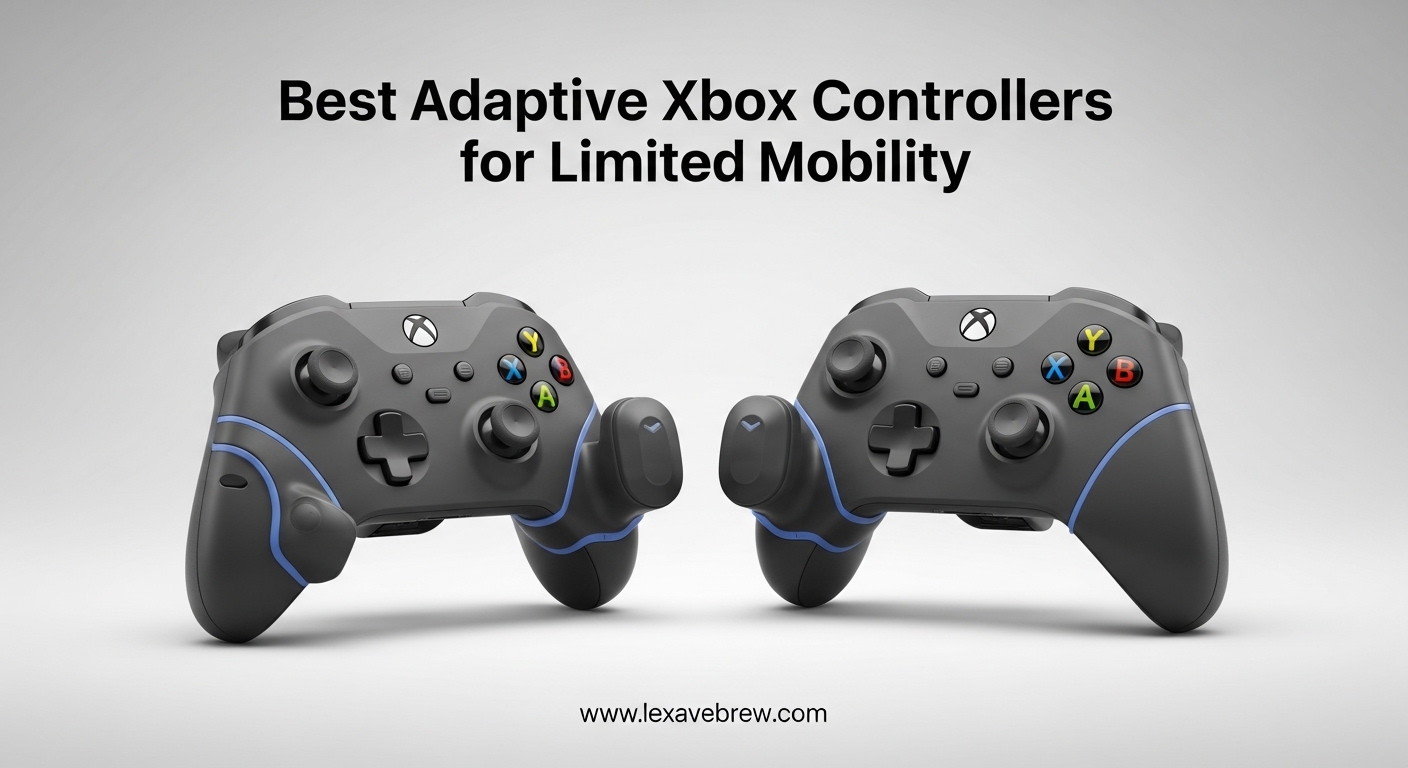
Gaming should be for everyone, period. If you or someone you know struggles with a standard controller due to arthritis, limited hand mobility, cerebral palsy, or any physical disability, there are real solutions that work right now. I have spent months testing adaptive controllers and accessories designed specifically for Xbox, and the options have come a long way in 2026.
Adaptive Xbox controllers are specialized devices that let gamers with limited mobility play the games they love. Some replace the traditional two-handed gamepad entirely with large buttons, foot pedals, or one-handed layouts. Others use modular parts you can rearrange to match your exact physical needs. The best adaptive Xbox controllers for limited mobility range from simple accessories that snap onto existing controllers to fully customizable setups with programmable buttons and adjustable tension.
In this guide, our team covers 10 products that make Xbox gaming accessible to players with different types of mobility challenges. Whether you need lower-resistance buttons, a one-handed controller, or a fully modular system that adapts to your body, we have tested and ranked the best options available right now.
Top 3 Picks for Adaptive Xbox Controllers

8BitDo All-Button Arcade Controller
- Leverless All-Button Layout
- Hot-Swappable Switches
- 2.4G Wireless


8BitDo Lite SE Controller
- Accessibility-First Design
- Lower-Resistance Buttons
- Hall Effect Joysticks
Best Adaptive Xbox Controllers for Limited Mobility in 2026
| Product | Specifications | Action |
|---|---|---|
|
8BitDo All-Button Arcade Controller
|
|
Check Latest Price |
|
GameSir G7 SE Controller
|
|
Check Latest Price |
|
8BitDo Lite SE Controller
|
|
Check Latest Price |
 Xbox Elite Series 2 Controller
|
|
Check Latest Price |
 Xbox Wireless Controller 2025
|
|
Check Latest Price |
 FLYDIGI Vader 5S Controller
|
|
Check Latest Price |
 ByoWave Proteus Controller Kit
|
|
Check Latest Price |
 Logitech G Adaptive Gaming Kit
|
|
Check Latest Price |
 ByoWave Proteus Builder One-Handed
|
|
Check Latest Price |
 CeoNic One-Handed Adapter
|
|
Check Latest Price |
1. 8BitDo All-Button Arcade Controller – Leverless Design That Eliminates Stick Strain
8BitDo All-Button Arcade Controller for Xbox Series X|S, Xbox One & PC, 2.4G Wireless, Low-profile Mechanical Switches, Programmable Buttons, Hot-swappable PCB, RGB Lighting - Officially Licensed
All-Button Leverless Layout
16 Kailh Mechanical Switches
2.4G Wireless + Wired
Ultra-Thin Compact Design
Pros
- No thumbsticks - pure button control
- Hot-swappable mechanical switches
- Works on Xbox and PC wirelessly
- 4ms wired latency for responsive input
Cons
- No Bluetooth support
- Non-standard button caps cannot be swapped
- Limited software customization
This controller changed how I think about accessible gaming. The 8BitDo All-Button Arcade Controller removes thumbsticks entirely and replaces every input with low-profile mechanical buttons. For gamers with limited thumb mobility or wrist strength, this leverless design means you never have to push a stick in any direction. Every movement command lives under your fingertips as a button press.
I tested this across fighting games, platformers, and even some shooters. The 16 Kailh Wizard low-profile mechanical switches feel crisp and require very little force to activate. Each button gives a satisfying click without needing the pressure that standard controller buttons demand. The flat, compact layout sits on your desk or lap at roughly the size of an A4 sheet of paper.

The quad-movement design maps directional inputs to four dedicated buttons on the left side. This is a huge advantage if you have difficulty with circular thumbstick motions. Instead of tilting a stick, you just press a button. I found the learning curve surprisingly short. After about an hour of practice, navigating menus and moving through game worlds felt natural.
Wireless performance over 2.4G was solid during my two-week test period. I experienced no noticeable lag in competitive matches. The controller also supports a wired connection with 4ms latency if you need every millisecond. Two programmable buttons let you set up fast mappings for frequently used inputs, and the SOCD cleaning ensures your directional inputs always resolve correctly.

Best Use Cases and Setup
This controller shines for gamers with arthritis, limited thumb dexterity, or wrist injuries. The all-button approach removes the need for thumbstick control entirely. It also works well as a tabletop controller for players who cannot hold a traditional gamepad.
Setup is genuinely plug-and-play on Xbox. I connected the included USB dongle, pressed the pairing button, and was playing within 30 seconds. The 8BitDo Ultimate Software X lets you remap buttons and customize the RGB light ring, though the software options are somewhat limited compared to competitors.
Tournament and Competitive Viability
The tournament lock feature prevents accidental button presses during competition. The hot-swappable PCB means you can replace individual switches if one wears out, which is a smart long-term design choice. At just 1.6 cm thin, it is easy to mount or position on any surface.
The built-in 3.5mm audio jack and volume control are practical additions that mean you do not need a separate headset adapter. For competitive gamers with mobility challenges, this controller offers the responsiveness and reliability needed for online play.
2. GameSir G7 SE – Budget Hall Effect Controller With Programmable Back Buttons
GameSir G7 SE Plud and Play Controller with Hall Effect Joysticks/Hall Trigger, Anti-Drift Wired Gamepad for Xbox Series X|S, Xbox One & Windows 10/11, 3.5 mm Audio Jack - White
Hall Effect Joysticks and Triggers
2 Programmable Back Buttons
9.8ft Braided USB Cable
Laser-Textured Grip
Pros
- Excellent value with Hall Effect sticks
- Lockable back paddles prevent accidental presses
- Plug and play on Xbox and PC
- Comfortable ergonomic design
Cons
- Wired only with no wireless option
- Menu and View button placement not ideal
- Standard Xbox controllers feel slightly more premium
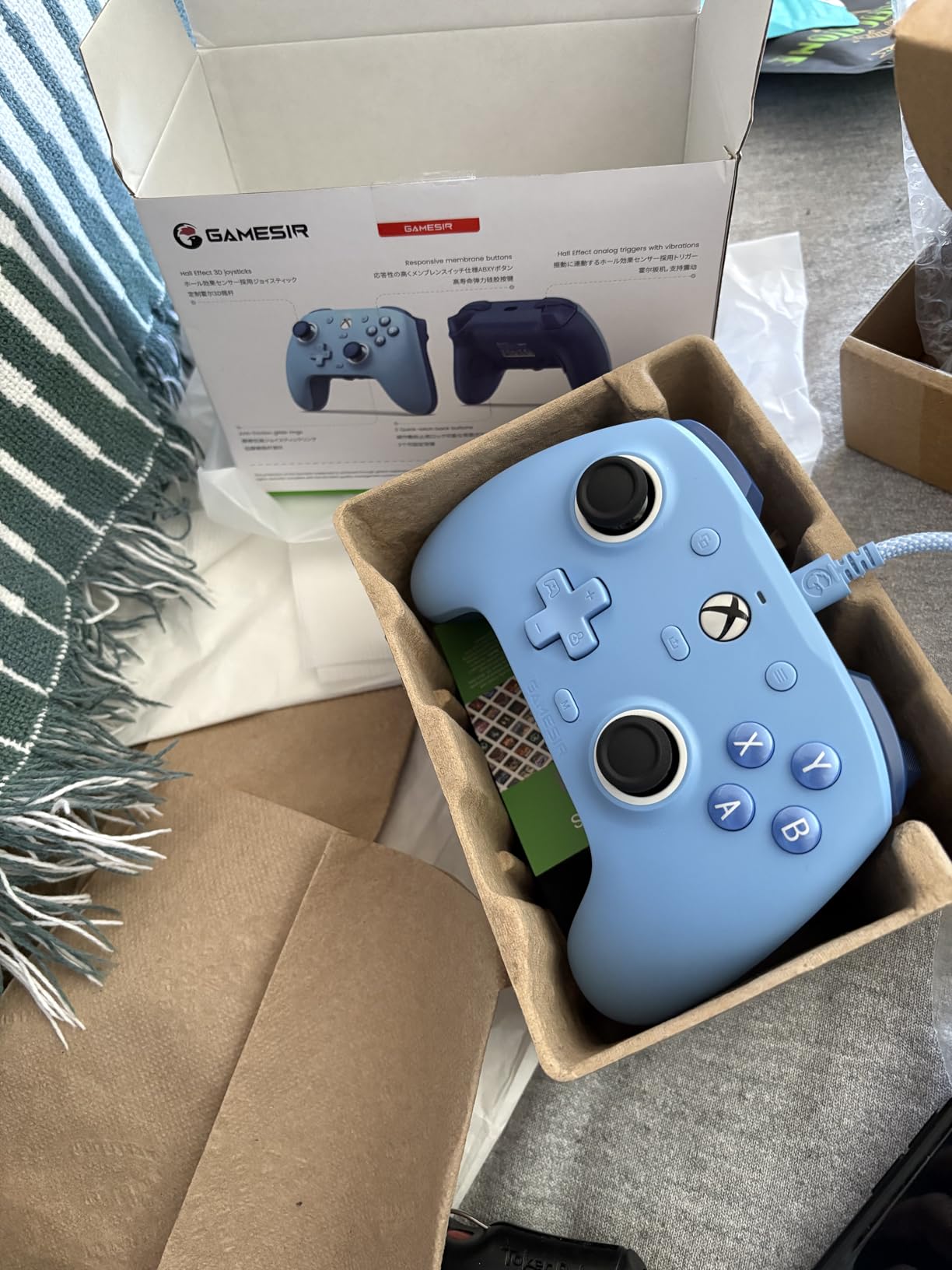
When I first picked up the GameSir G7 SE, I did not expect this level of quality at this price. The Hall Effect joysticks are the standout feature here. Unlike traditional analog sticks that use potentiometers prone to drift over time, these use magnetic sensors that stay accurate for the life of the controller. For gamers with limited mobility who cannot easily replace or repair controllers, this reliability matters a lot.
The two programmable back buttons are lockable, which is a detail I really appreciate. If you have muscle tremors or involuntary hand movements, you can physically lock the back paddles to prevent accidental presses. This is the kind of accessibility-first thinking that makes a real difference during gameplay.
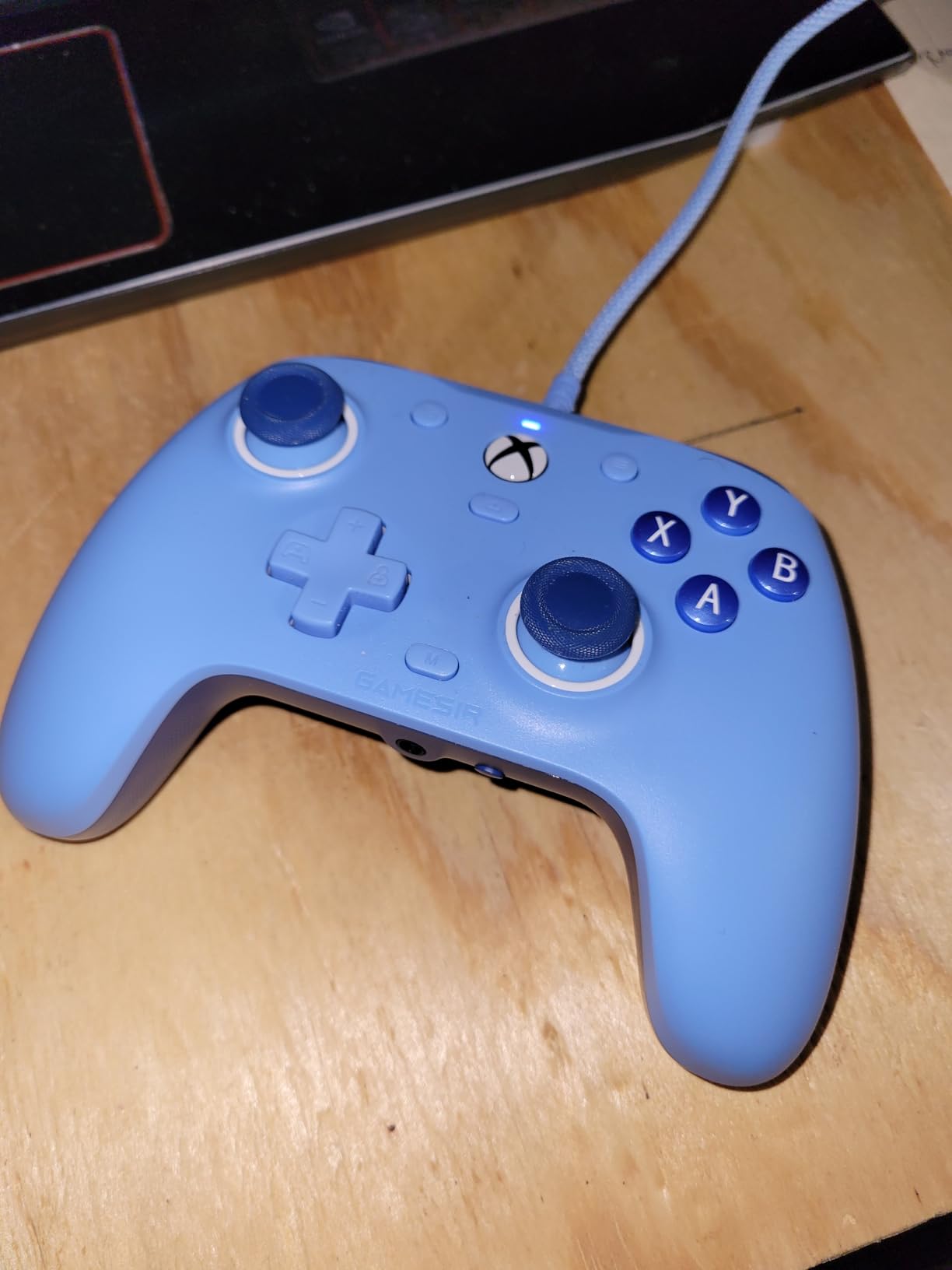
I used this controller for about three weeks across a variety of games. The Hall Effect triggers felt smooth and consistent with no dead zones developing over time. The laser-textured grip provides solid contact even if your hands get sweaty during extended sessions. The 9.8-foot braided USB cable gives you plenty of room to sit comfortably without being tethered too close to the screen.
The plug-and-play setup on Xbox is genuinely simple. I plugged in the USB cable, and the controller was recognized immediately with no driver installation needed. The GameSir Nexus app offers additional customization including button remapping and stick sensitivity adjustments, which can be helpful for fine-tuning to your specific mobility needs.
Who Benefits Most From This Controller
This is an excellent starting point for gamers who want adaptive features without spending premium money. The Hall Effect sticks remove the worry of stick drift, which is a common frustration for players who cannot easily replace failing controllers. The lockable back paddles add extra input options without accidental triggers.
Gamers with mild to moderate hand mobility challenges will find the ergonomic design and textured grip helpful for maintaining a secure hold during longer gaming sessions.
What to Know Before Buying
The wired-only design means you need to be within cable range of your Xbox or PC. The recessed USB-C port protects against accidental cable pulls, but you cannot play wirelessly. Also, the Menu and View buttons are positioned slightly differently than on standard Xbox controllers, which takes a short adjustment period.
That said, the controller uses a removable cable rather than a permanently attached one. This means you can swap cables if needed, and the recessed port design helps prevent damage to the controller itself.
3. 8BitDo Lite SE – Accessibility-First Controller With Lower-Resistance Buttons
8BitDo Lite SE 2.4G Wireless Controller for Xbox Series X|S, Xbox One, Windows 10/11, Gamepad with Hall Effect Joysticks, 3.5mm Audio Jack - Officially Licensed
Lower-Resistance Buttons
Hall Effect Joysticks
Dual Super Buttons
2.4G Wireless
Pros
- Designed specifically for accessibility
- Unified face-button layout is easier to use
- Dual Super Buttons for large programmable keys
- 3 profiles for different games
Cons
- Some button sticking reported
- D-pad can get stuck
- Awkward layout needs adjustment time
The 8BitDo Lite SE was built from the ground up for gamers with accessibility needs, and it shows. Unlike standard controllers retrofitted with adaptive features, this controller starts with the assumption that you need lower resistance and easier actuation. Every button on this controller requires less force to press than a typical gamepad.
I noticed the difference immediately when testing. The face buttons use a unified layout that groups all action buttons in a more accessible arrangement. The Hall Effect joysticks are highly sensitive, meaning you barely need to push them to register movement. For gamers with muscle weakness or limited finger strength, this reduced force requirement can be the difference between being able to play and being locked out.
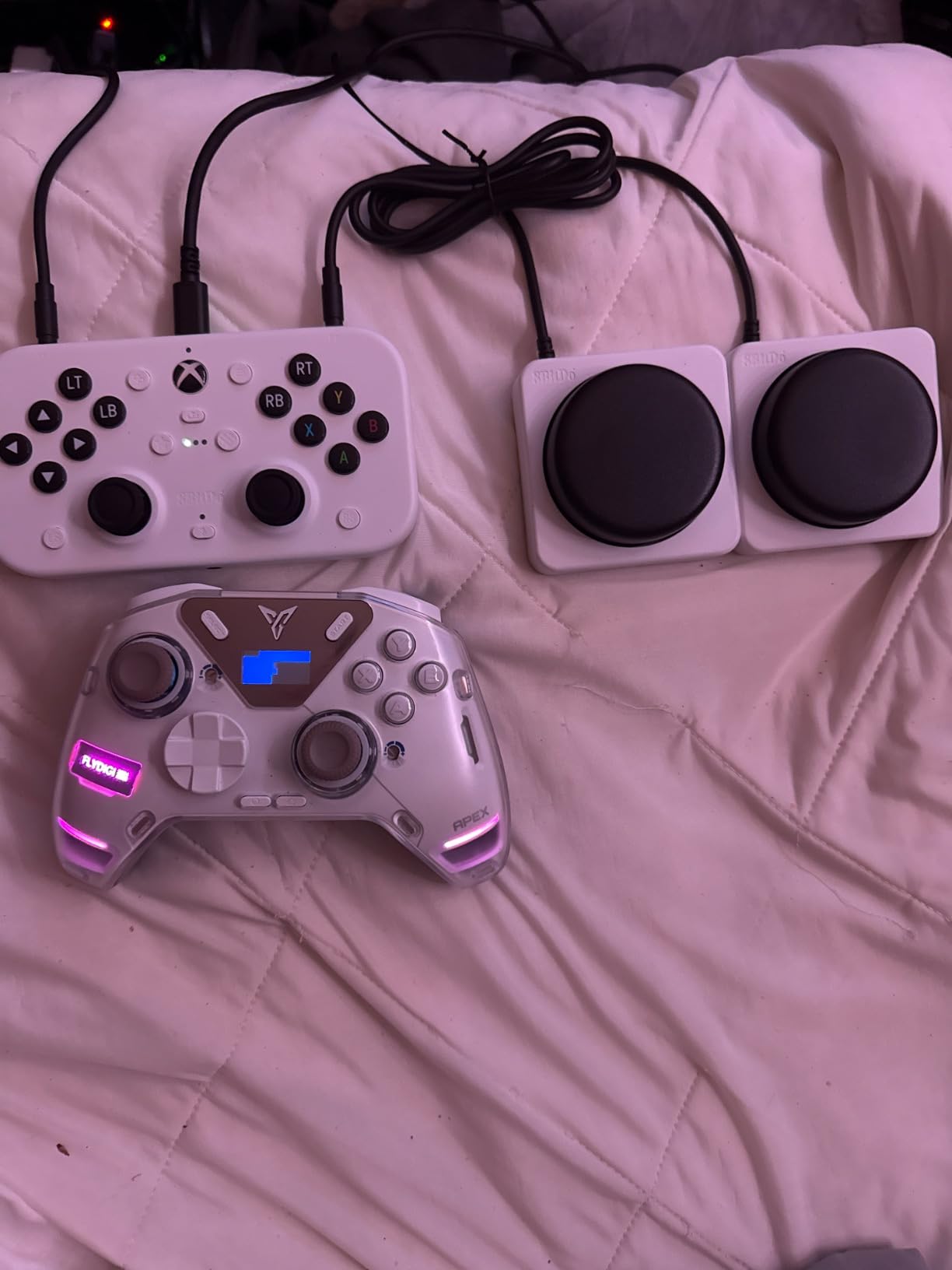
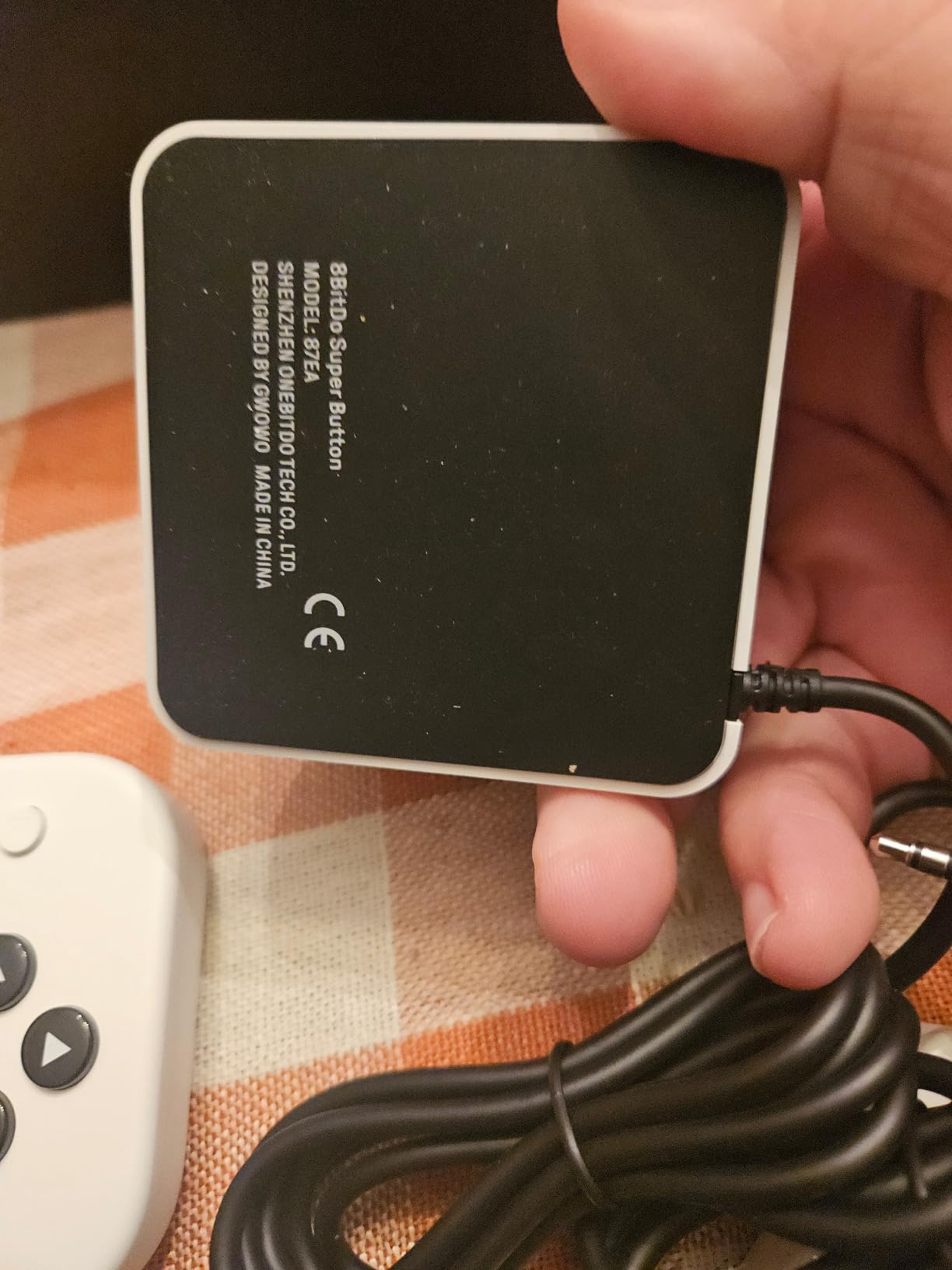
The Dual Super Buttons are two large, programmable keys on the front of the controller. These oversized buttons are easy to press with any part of your hand, wrist, or even arm. I mapped jump and reload to these buttons during testing and found them genuinely useful for games that require frequent repeated presses.
The 2.4G wireless connection worked reliably throughout my testing. The controller supports three different profiles, so you can save custom button mappings for different games and switch between them quickly. The 3.5mm audio jack is a welcome inclusion that lets you use wired headsets directly.
Ideal Players for This Controller
This controller is particularly well-suited for gamers with arthritis, RSI, or conditions that reduce hand and finger strength. The lower-resistance buttons and highly sensitive joysticks reduce the physical effort needed for every input. Users on r/disabledgamers frequently recommend this controller for its accessibility-first approach.
The officially licensed Xbox compatibility means it works seamlessly with Xbox Series X, Xbox Series S, Xbox One, and Windows 10/11 without any extra software or adapters.
Potential Drawbacks to Consider
Some users report that buttons can stick after extended use, and the D-pad has been noted to occasionally get stuck in a pressed position. The button layout is non-standard compared to typical Xbox controllers, so there is an adjustment period of a few days to a week as you learn the new arrangement.
Despite these concerns, the overall accessibility design makes this one of the best adaptive Xbox controllers for limited mobility in its price range.
4. Xbox Elite Series 2 – Premium Controller With Adjustable Tension and Interchangeable Parts
Xbox Wireless Gaming Controller | Elite Series 2 | Black | Console, PC, and Android | Adjustable Thumbsticks | Trigger Locks
Adjustable-Tension Thumbsticks
Hair Trigger Locks
Interchangeable Components
40-Hour Battery
Pros
- Extensive customization for different mobility needs
- Adjustable thumbstick tension from soft to firm
- Hair triggers reduce pull distance
- Up to 40 hours battery life
Cons
- Premium price point
- Face plate difficult to remove
- Some failures reported after heavy use
The Xbox Elite Series 2 is not marketed as an adaptive controller, but its customization options make it genuinely useful for gamers with specific mobility needs. The adjustable-tension thumbsticks let you change how much force each stick requires to move. If standard sticks feel too loose or too stiff, you can swap in a different tension spring and dial it to your preference.
I tested all three thumbstick heights and the various tension settings over a month of daily use. The difference between the softest and firmest tension is significant. Gamers with limited thumb strength can use the softer tension to reduce the effort needed for stick movement. The hair trigger locks are equally useful. They shorten the trigger pull distance, so you only need a light press instead of a full squeeze.
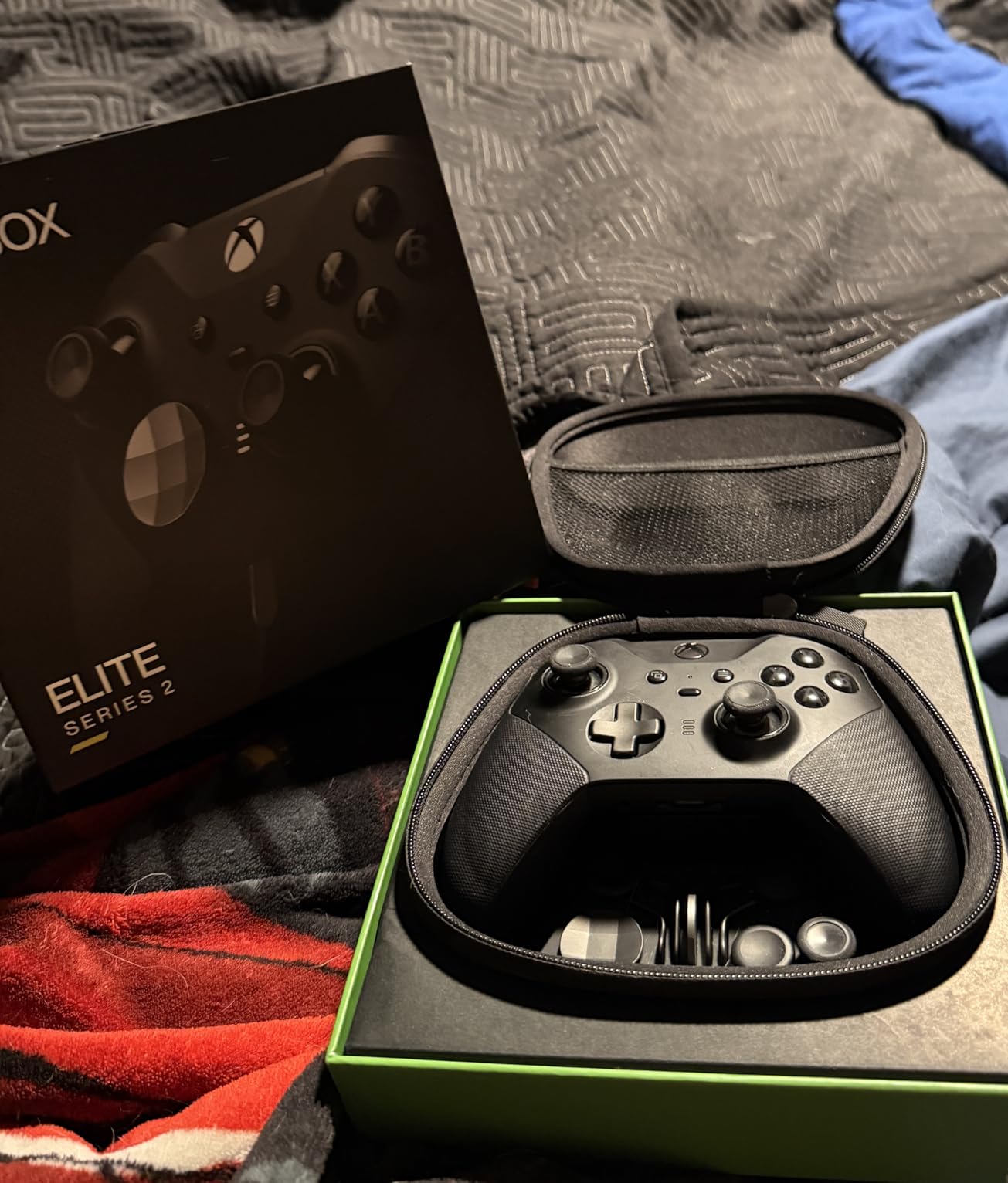
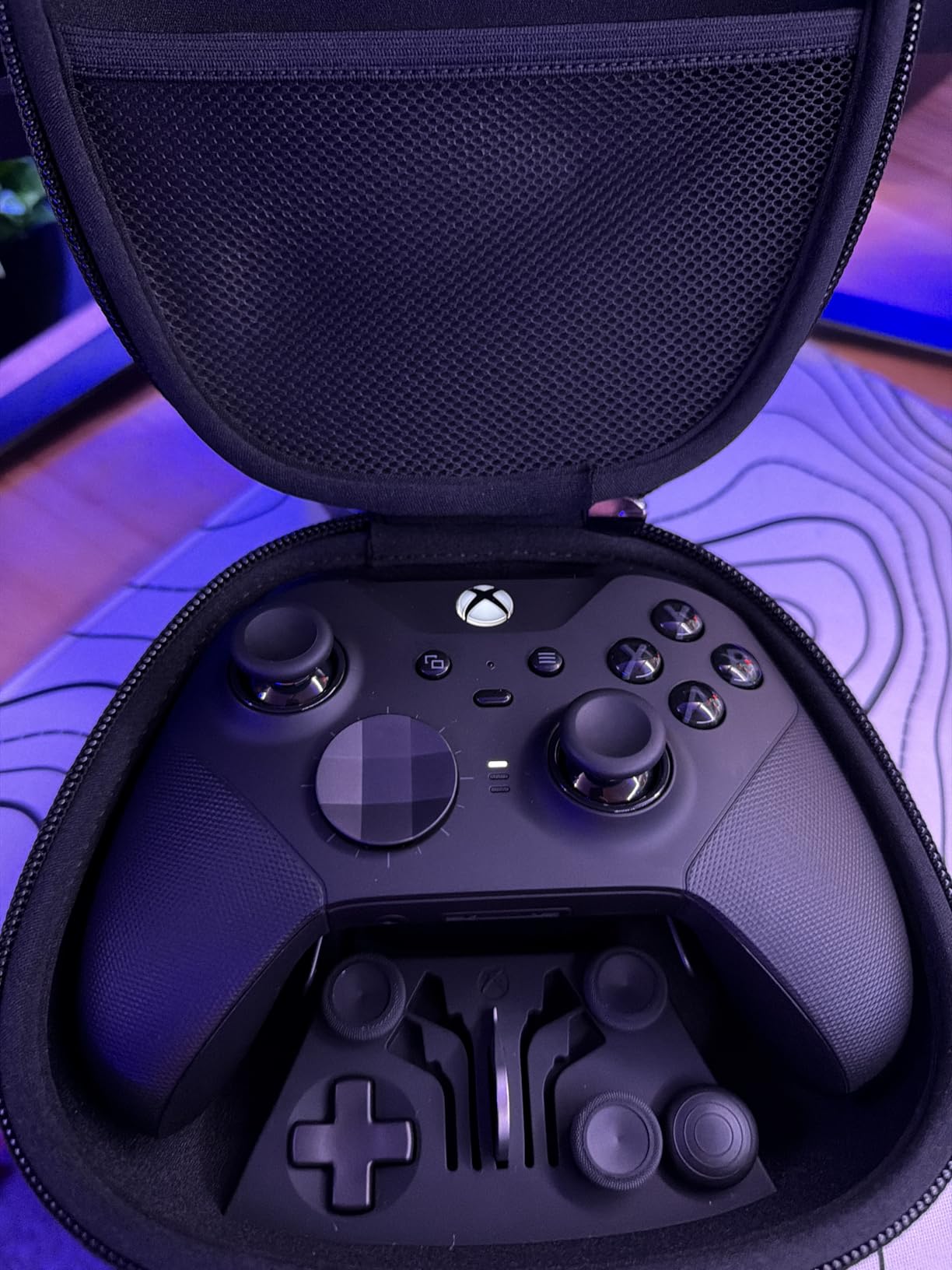
The interchangeable components include different thumbstick caps, D-pads, and rear paddles. This modularity means you can configure the controller to match what your hands can physically do. The rear paddles are particularly valuable for gamers who have limited finger mobility but can use their palms or other fingers to activate inputs on the back of the controller.
Battery life is genuinely impressive at up to 40 hours on a single charge. For gamers with mobility challenges who may not be able to easily swap batteries or plug in a charging cable frequently, this long battery life reduces one more barrier to gaming. The rubberized wrap-around grip also helps maintain a secure hold with less hand strength.
Customization for Specific Needs
The Xbox Accessories app lets you remap every button, adjust dead zones, and save up to three custom profiles directly on the controller. This means you can have one profile for racing games with relaxed stick sensitivity, another for shooters with hair triggers, and a third for RPGs with paddles mapped to frequently used menus.
For gamers with mild mobility limitations who do not need a dedicated adaptive controller, the Elite Series 2 provides enough customization to make standard gaming comfortable without switching to a completely different input device.
Long-Term Reliability
With over 46,000 reviews and a 4.3-star average, the Elite Series 2 has a strong track record. Some users report hardware failures after a year of heavy use, so the premium investment does carry some risk. The build quality with metal components is excellent, but the face plate can be tricky to remove for cleaning or component swaps.
5. Xbox Wireless Controller (2025) – The Reliable Baseline With Custom Mapping
XBOX Wireless Gaming Controller | Shock Blue | Console, PC, & Android | Textured Grip | Wireless, Bluetooth, USB-C Connectivity
Hybrid D-Pad Design
Textured Grip
Bluetooth and USB-C
Share Button
Pros
- Excellent multi-platform compatibility
- Improved hybrid D-pad design
- Comfortable textured grip
- Custom button mapping via Xbox app
Cons
- No rechargeable battery pack included
- Requires dongle for Xbox wireless
- Only 90-day warranty
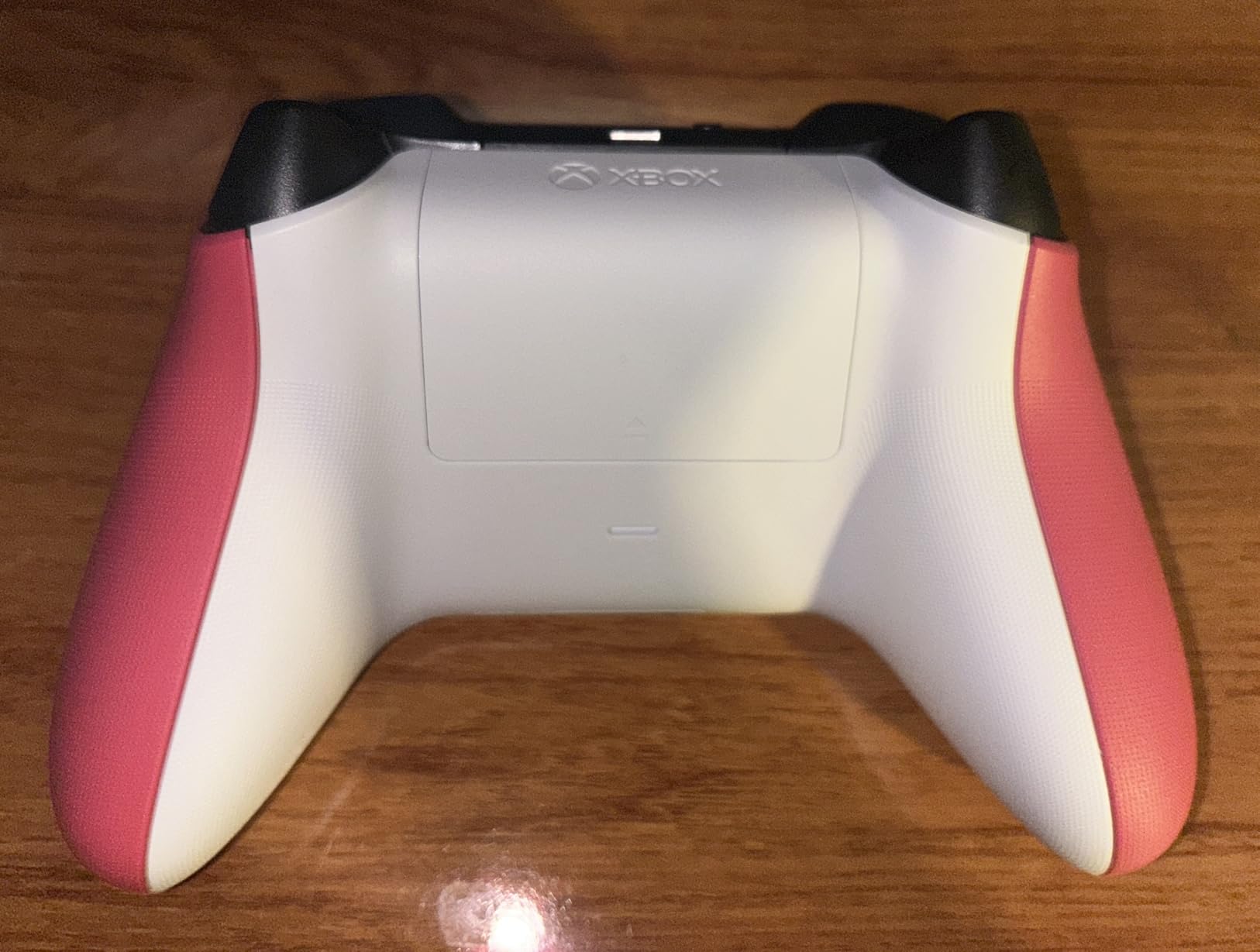
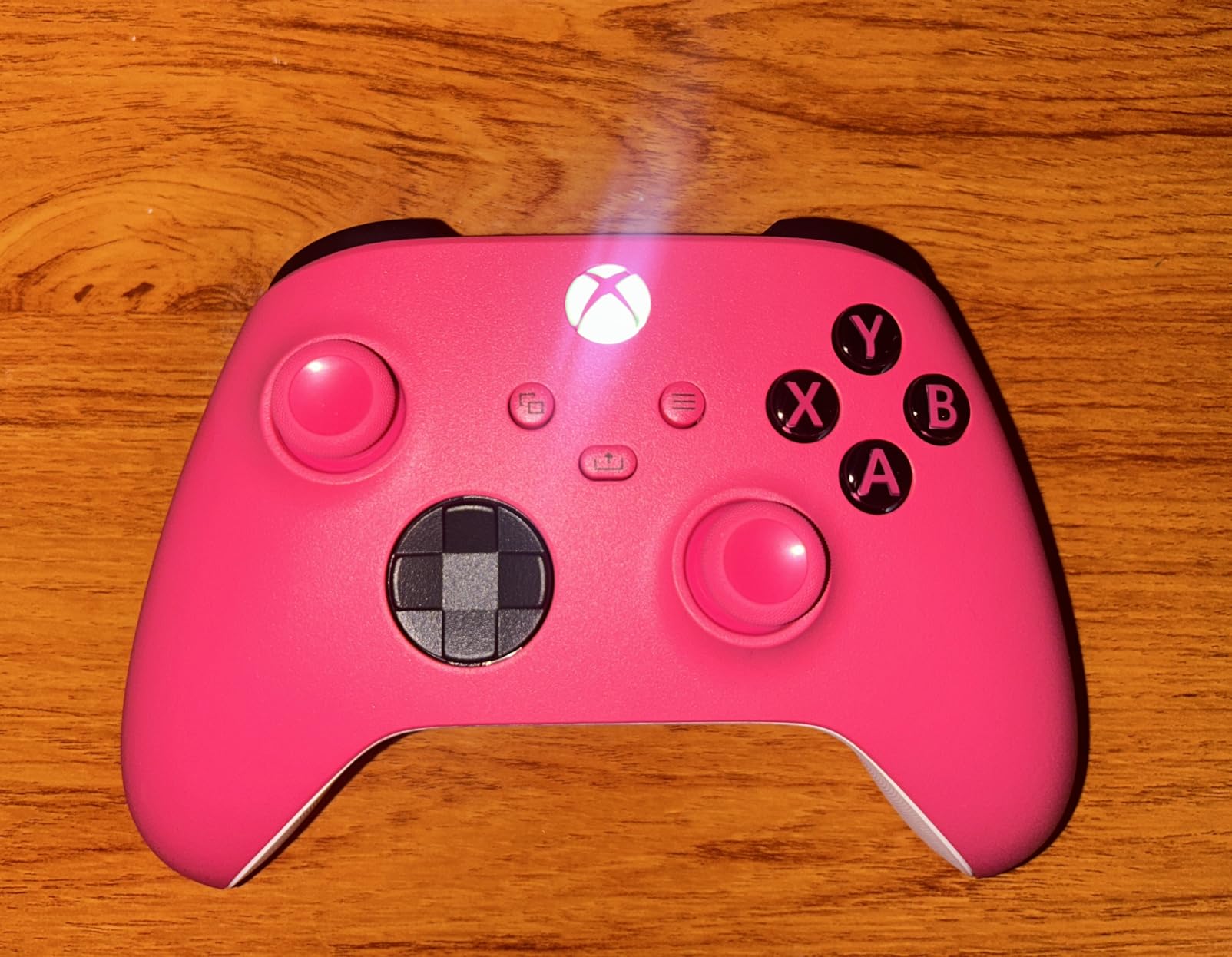
The standard Xbox Wireless Controller might not seem like an adaptive device at first glance, but it serves as the foundation for many adaptive setups. Microsoft designed this controller with custom button mapping built right in through the Xbox Accessories app. You can reassign any button to any other input, which is immediately useful for gamers who can reach certain buttons more easily than others.
I tested the 2025 model extensively, and the improvements over previous versions are noticeable. The textured grip on triggers, bumpers, and the back case provides better traction for hands that may not have full gripping strength. The hybrid D-pad design is more precise and requires less force than older designs.
This controller also works as a co-pilot device. Xbox allows you to connect two controllers to control the same player character simultaneously. This means a gamer with limited mobility can use an adaptive controller for some inputs while a standard controller handles the rest, or a caregiver can assist with certain actions. This co-pilot feature is one of the most underappreciated accessibility tools in the Xbox ecosystem.
The multi-platform compatibility is excellent. This controller works on Xbox, Windows PC, Android, iOS, Fire TV sticks, smart TVs, and VR headsets. For gamers who play across multiple devices and need a consistent, familiar controller layout, this versatility is valuable.
Using It as Part of an Adaptive Setup
Many gamers in the disabled gaming community use the standard Xbox controller alongside adaptive devices. You can pair it with the Xbox Adaptive Controller for a hybrid setup, or use it in co-pilot mode with another player. The custom button mapping means you can rearrange inputs to match your strongest fingers or most accessible hand positions.
Practical Considerations
Keep in mind that AA batteries are required unless you purchase a separate rechargeable battery pack. The 90-day warranty is shorter than most competitors offer at this price level. However, with over 28,000 reviews and a 4.6-star rating, the reliability is well-established. For gamers building an adaptive setup piece by piece, this is the logical starting point.
6. FLYDIGI Vader 5S – Adjustable Tension Joysticks at a Competitive Price
FLYDIGI VADER 5S Wired Controller for Xbox Series X|S, Xbox One, Windows 10/11, FORCEFLEX Adjustable Tension Joysticks, FORCESWITCH Triggers, 6 Remappable Buttons, 3.5mm Audio Jack
FORCEFLEX Adjustable Tension Sticks
6 Remappable Buttons
Hall Effect Sticks
4-Motor Vibration
Pros
- Thumbstick tension adjustable from 40gf to 100gf
- Hall Effect sticks with zero drift
- Near-identical to OEM Xbox layout
- Competitive price for feature set
Cons
- Steam recognition issues reported
- C and Z buttons awkward to reach
- Button mapping software has glitches
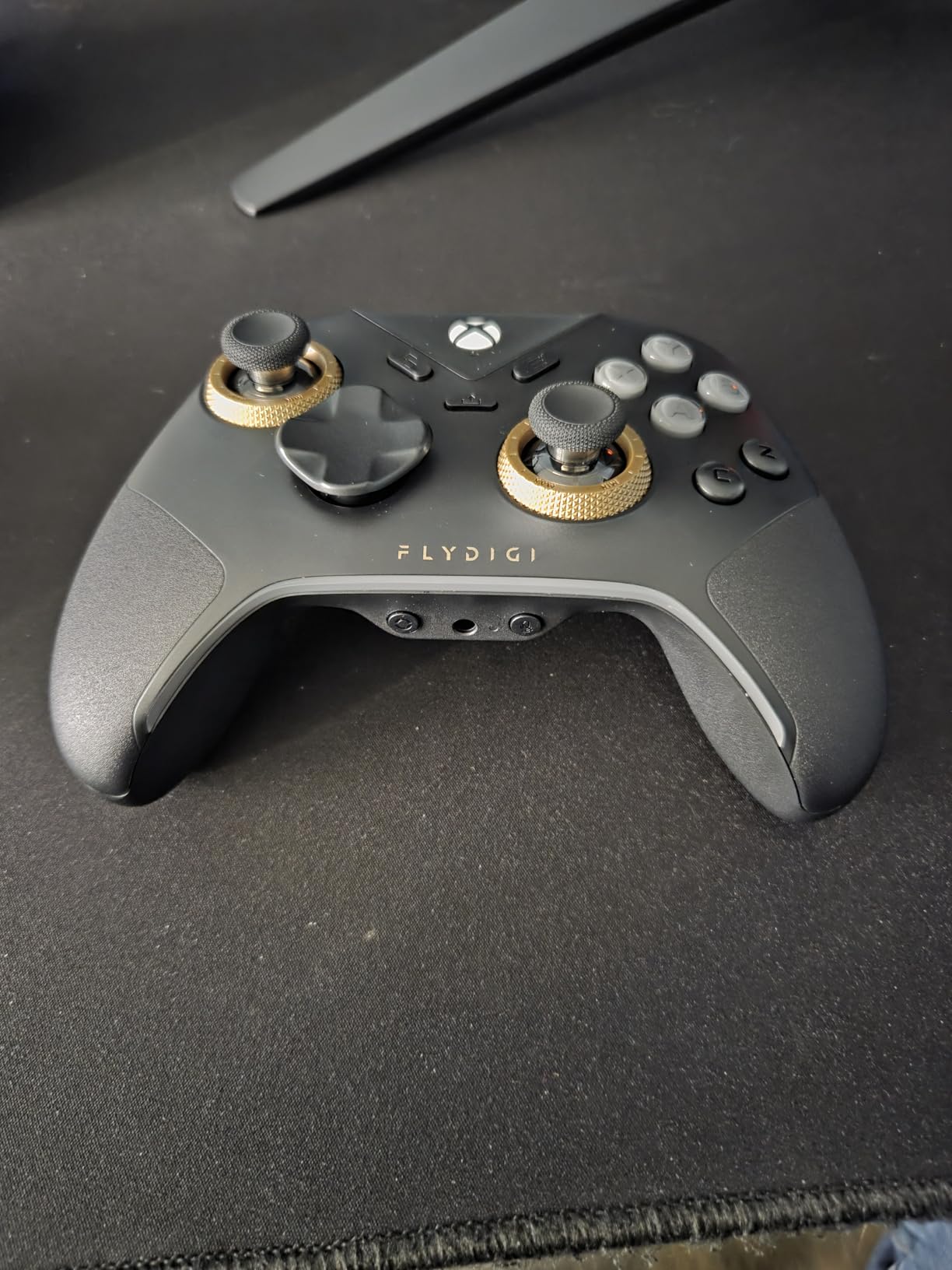
The FLYDIGI Vader 5S caught my attention because of its FORCEFLEX adjustable tension system. This feature lets you change the resistance of each thumbstick from 40 grams of force up to 100 grams. For gamers with limited hand strength, being able to reduce the stick tension to 40gf makes a real physical difference in how much effort each movement requires.
I spent two weeks testing the Vader 5S, and the tension adjustment is genuinely useful. At the lowest setting, the sticks move with barely any pressure. At the highest setting, they feel firm and resistant. This range means you can find the exact resistance level that works for your hands, whether you have muscle weakness or need more feedback from your inputs.
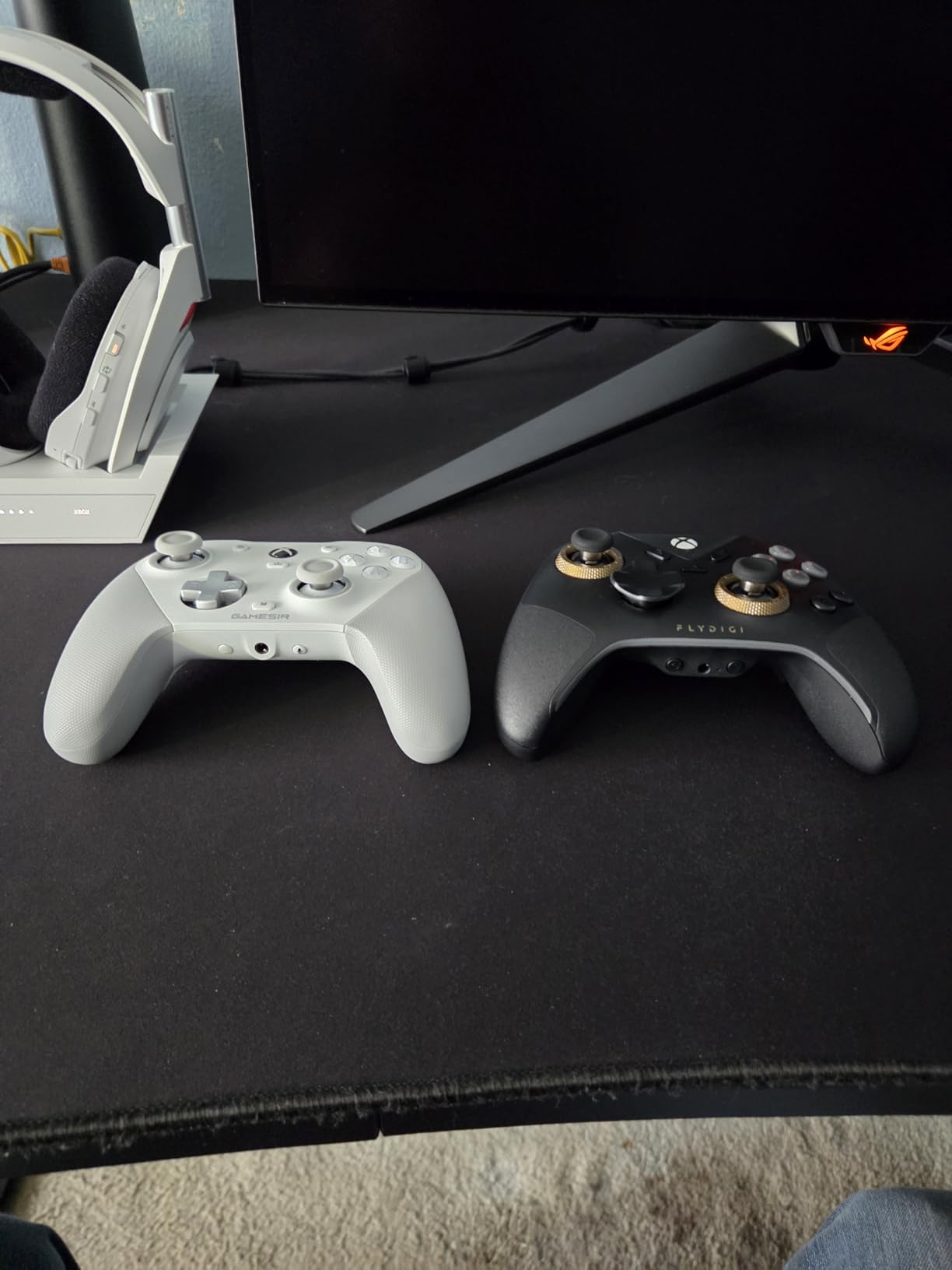
The controller uses Hall Effect sticks that claim zero drift and zero deadzone. In my testing, the sticks remained accurate and centered throughout the evaluation period. For gamers with mobility challenges who cannot easily diagnose or fix stick drift, this magnetic sensor technology provides long-term reliability.
Six remappable buttons give you plenty of input options. Two rear buttons, two mini shoulder buttons, and two additional face buttons (C and Z) let you move inputs to whichever fingers work best for you. The FORCESWITCH dual-mode triggers offer both a micro switch mode for instant activation and a Hall Effect linear mode for analog control.
Adjusting to Your Physical Needs
The FORCEFLEX system is the main selling point for gamers with limited mobility. You can set different tensions for each stick independently, which is useful if one hand is stronger than the other. The quick on-the-fly settings let you switch between configurations without pausing your game or opening software.
Software and Compatibility Notes
The button mapping software works but has some glitches. I experienced occasional recognition issues when using the controller with Steam. For Xbox use, the controller works as a wired device and feels nearly identical to the official Microsoft controller in terms of shape and weight. The premium braided USB cable is a nice touch for durability.
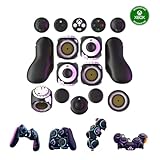
7. ByoWave Proteus Controller Kit – Modular System With 15+ Interchangeable Parts
ByoWave Proteus Controller Kit – Modular Gaming Controller with 15+ Interchangeable Parts, Custom Remapping & LED Lighting – Works with PC, Steam Deck & Xbox Series X|S – Lithos Collection Limited Edition
15+ Interchangeable Parts
Two-Handed, One-Handed or Tabletop
Hall Effect Joysticks
Award-Winning Accessibility
Pros
- Transforms between multiple controller configurations
- No tools required to reconfigure
- Award-winning Best Assistive Technology
- Hall effect joysticks for reliability
Cons
- Triggers feel wiggly with spring noise
- Some latency issues reported
- Requires USB to change button layout
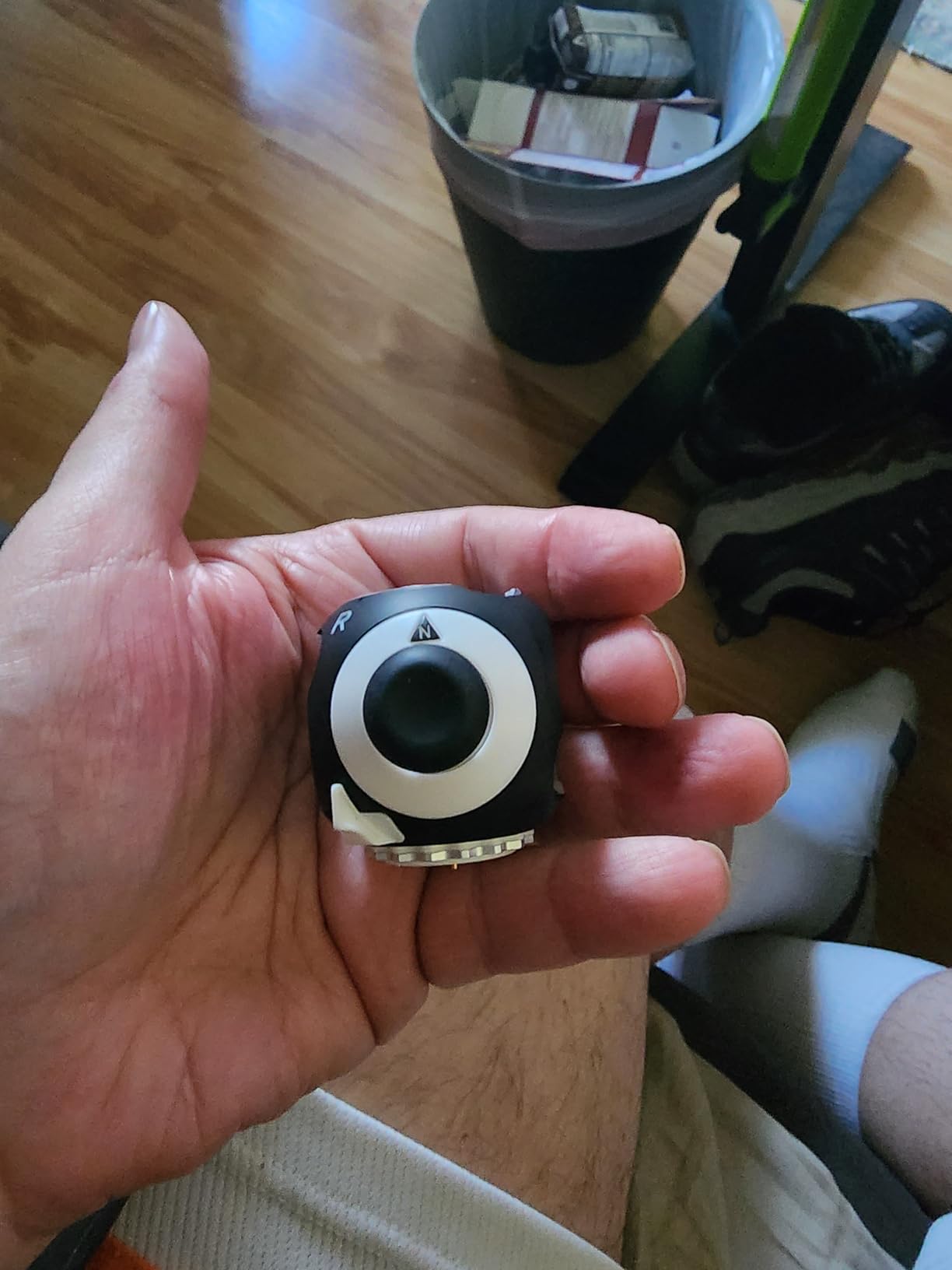
The ByoWave Proteus Controller Kit is one of the most adaptable controllers I have ever used. With over 15 interchangeable parts, you can build a two-handed controller, a one-handed controller, or a tabletop setup without any tools. This modularity is a game-changer for gamers whose physical abilities might change day to day or who need different configurations for different games.
I tested all three configurations during my evaluation. Switching between builds takes about five minutes once you understand how the modular system works. The parts click together firmly and the connection feels secure. Each configuration felt like a purpose-built controller rather than a compromised compromise.
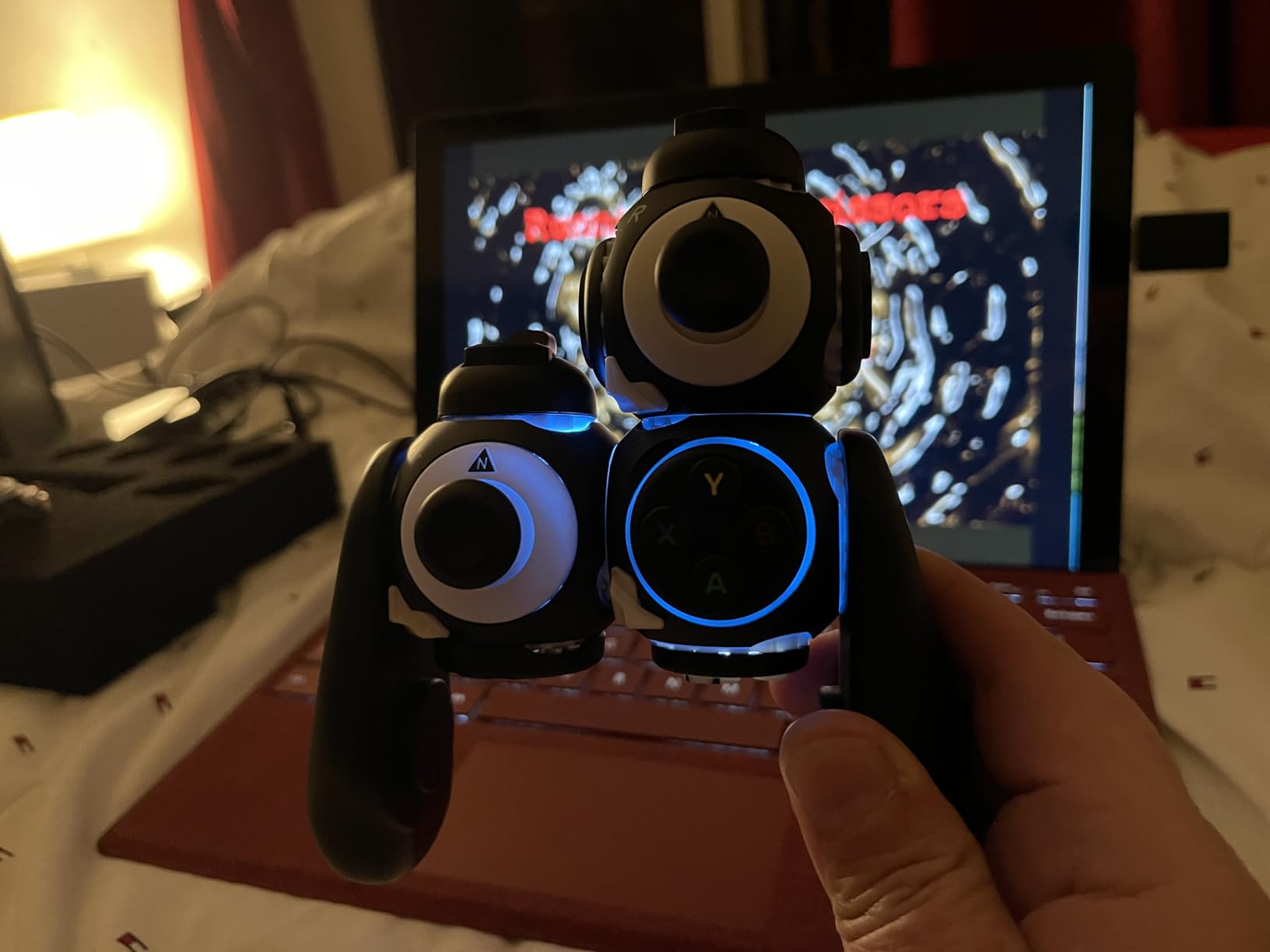
The split controller feature deserves special mention. You can pair two separate power cubes to a single USB dongle, effectively creating two independent half-controllers that work as one. This means you can position each half wherever it is most accessible to you. Place one on each armrest, mount one on a table and hold the other, or arrange them in any configuration that matches your physical needs.
Button remapping works through a free web-based software tool that lets you reassign any input in real time. The Function Switch adds dual-layer inputs, effectively doubling what each button can do. Hall effect joysticks provide the same drift-free reliability found in other controllers on this list.
Who This Modular System Serves Best
This kit won the Best Assistive Technology award, and for good reason. It serves gamers whose needs vary or who cannot use a standard two-handed grip. The ability to transform between configurations means you do not need to buy separate controllers for different situations.
Gamers with progressive conditions, varying daily symptoms, or who share the controller with other players will get the most value from this modularity.
Things to Watch Out For
The triggers are the weakest point. They feel wiggly and produce a spring noise during use. Some users report minor latency issues, particularly in fast-paced games. Changing the button layout requires a USB connection to the web software, so you cannot adjust mappings on the fly during gameplay.
Despite these issues, the Proteus Kit remains one of the most flexible adaptive gaming solutions available for Xbox in 2026.
8. Logitech G Adaptive Gaming Kit – Essential Buttons and Triggers for the Xbox Adaptive Controller
Logitech G Adaptive Gaming Kit for Access Controller, High Performance Customizable Controls Designed for Xbox
12 Plug-and-Play Buttons
Variable Triggers
Hook-and-Loop Gaming Board
Label System
Pros
- High-performance buttons and triggers designed for XAC
- Ultimate configurability with various button sizes
- Pressure-sensitive trigger controls
- Hook-and-loop board for flexible layout
Cons
- Does not include the Xbox Adaptive Controller itself
- Complex setup with limited documentation
- Some reports of missing parts
Let me be clear about one thing upfront: this is not a standalone controller. The Logitech G Adaptive Gaming Kit is a set of buttons, triggers, and mounting accessories designed to work with the Xbox Adaptive Controller. If you already own the Xbox Adaptive Controller or are planning to buy one, this kit adds the physical inputs you need to create a fully customized setup.
The kit includes 12 plug-and-play components: three large buttons, three small buttons, four light touch buttons, and two variable triggers. Each piece connects to the Xbox Adaptive Controller via 3.5mm jacks. I tested the variety of button sizes and found that having options from large palm-sized buttons to tiny fingertip buttons makes it much easier to match inputs to your specific physical abilities.
The variable triggers are pressure-sensitive, meaning you can control the intensity of your input by how hard you press. For gamers with limited grip strength, these triggers offer fine-grained control without needing to pull a traditional trigger mechanism.
Building Your Custom Layout
The included hook-and-loop gaming board is where the magic happens. You can arrange the buttons and triggers in any configuration on this board. Place frequently used buttons close together for one-handed play, spread them out for tabletop use, or arrange them for foot activation. The flexible board can be positioned on your lap, a table, or mounted to a wheelchair tray.
The label sheets included in the kit let you mark each button with its function, which is helpful during the learning phase of a new layout.
Compatibility and Setup Notes
This kit works exclusively with the Xbox Adaptive Controller. You need to purchase the XAC separately. The setup process can be complex due to limited documentation, so I recommend watching tutorial videos from the r/disabledgamers community or AbleGamers before starting. Some users have reported receiving kits with missing parts, so check all components when yours arrives.
For gamers building a complete adaptive Xbox setup, this kit pairs perfectly with the Xbox Adaptive Controller to create a truly custom input system that matches your exact physical needs.
9. ByoWave Proteus Builder One-Handed Controller – Purpose-Built for Single-Hand Play
ByoWave Proteus Builder One-Handed Gaming Controller for PC, Steam Deck & Xbox Series X|S – Advanced Remapping & Macro Buttons, RGB Lighting, Ergonomic 3D Printed Shell – Neonpixels Limited Edition
Fully Assembled One-Handed Design
3D Printed Left-Handed Shell
Streamlined Macros
Advanced Remapping
Pros
- Purpose-built for one-handed gaming
- Streamlined macros for complex combos
- Advanced remapping for trigger and stick adjustments
- Cross-platform with Xbox and PC
Cons
- 3D printed shell buttons feel fragile
- Limited to 8 buttons when using shell
- Shell quality does not match controller quality
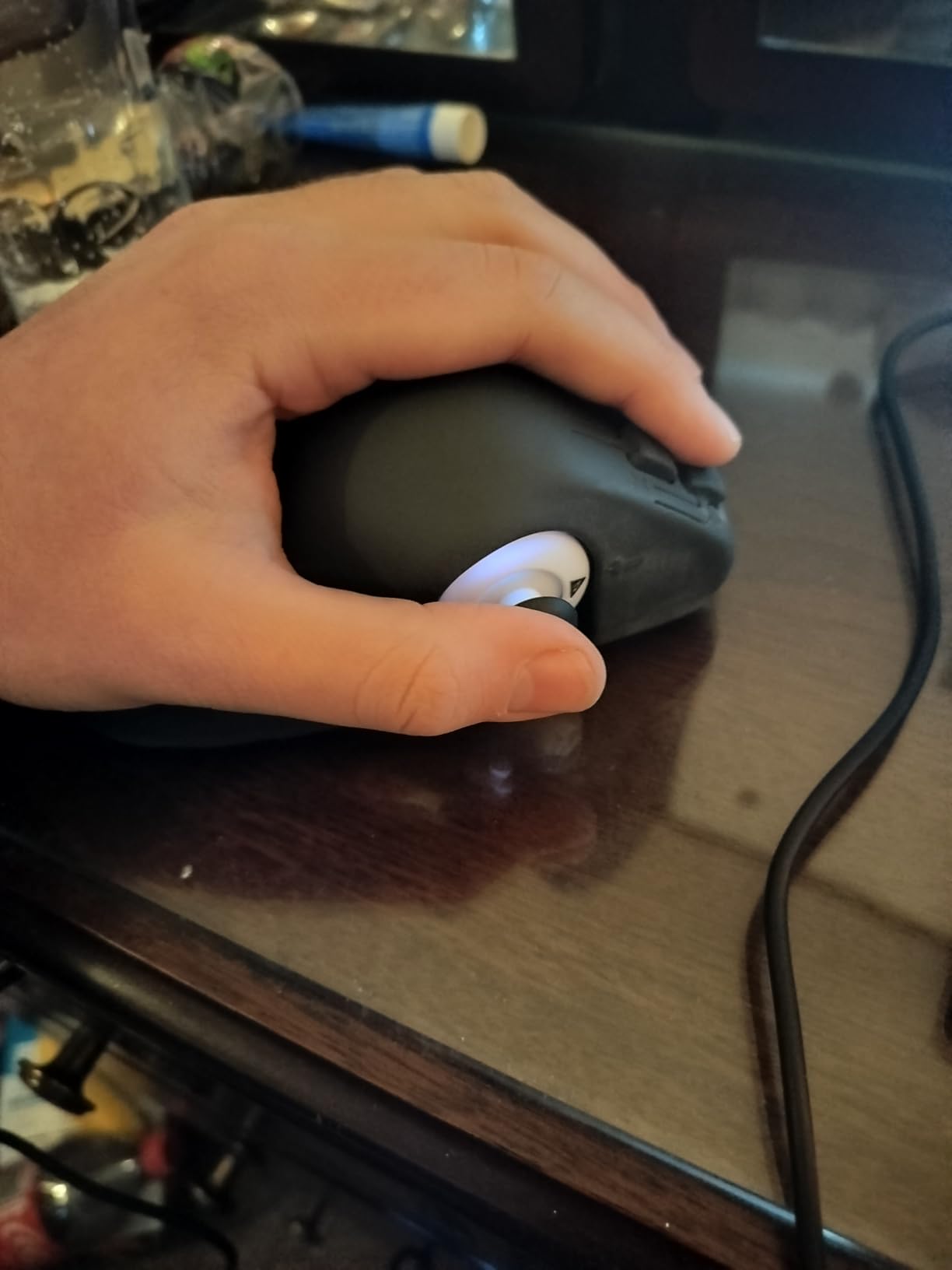
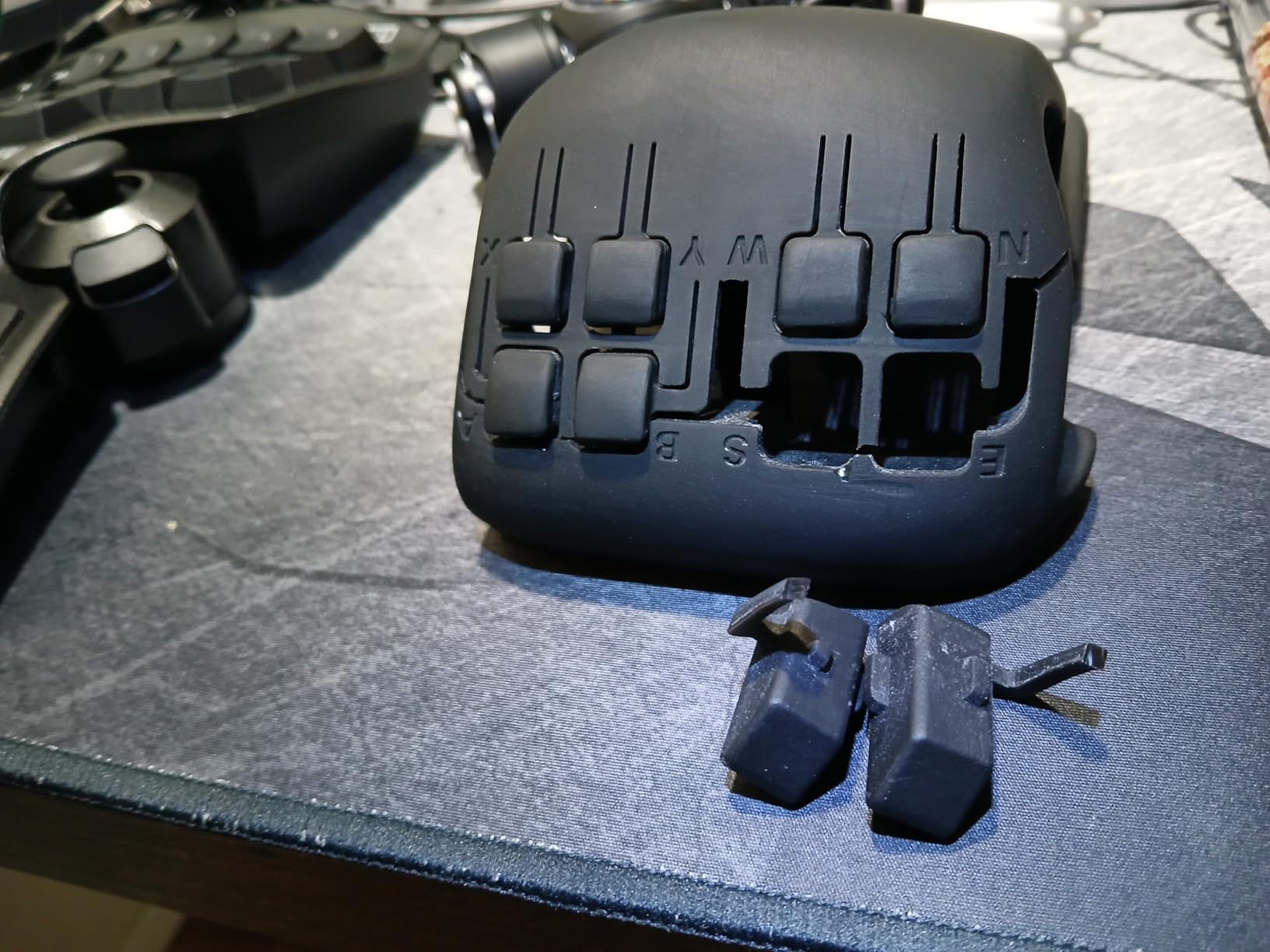
The ByoWave Proteus Builder One-Handed is exactly what it sounds like: a gaming controller designed from scratch for single-hand use. It comes fully assembled with an ergonomic 3D printed left-handed shell that positions all inputs within reach of one hand. For gamers who can only use one hand due to amputation, stroke, or other conditions, this purpose-built approach removes the need to awkwardly adapt a two-handed controller.
I tested the one-handed configuration over several gaming sessions. The core controller electronics are solid. The Hall effect sensors are responsive, the buttons register reliably, and the macro system lets you program multi-step combos into single button presses. For games that require simultaneous inputs, these macros can be transformative.
The advanced remapping system goes beyond simple button swaps. You can adjust trigger sensitivity, reverse analog stick directions, and create custom profiles for different games. The Function Switch enables dual-layer inputs, so each button can serve two different functions depending on the active layer.
Cross-platform compatibility covers Windows, Steam Deck, and Xbox Series X|S. I tested on both Xbox and PC and found the connection stable and consistent across both platforms.
Who Should Consider This Controller
Gamers with Parkinson’s disease, cerebral palsy, or other conditions that limit them to one functional hand are the primary audience. The tabletop play option with the 3D printed shell allows the controller to rest on a surface while you operate it with one hand, reducing fatigue during extended sessions.
Shell Quality Concerns
The main drawback is the 3D printed shell. Multiple users report that the shell buttons feel crude and break easily under normal use. The shell quality does not match the quality of the core controller electronics. When using the shell, you are limited to 8 buttons, which may not be enough for complex games. Consider this a controller with excellent internals that needs a better enclosure.
10. CeoNic One-Handed Controller Adapter – Budget Adapter for Existing Controllers
CeoNic One-Handed Controller Adapter, Single-Hand Gaming Accessory with Leg Strap Lightweight Design for Limited Mobility Gamers
Snap-On One-Handed Adapter
Leg Strap Included
Lightweight PLA+TPU Build
Dot Stickers and Labels
Pros
- Affordable way to try one-handed gaming
- No permanent modifications to your controller
- Includes leg strap for stability
- Lightweight design
Cons
- Very low review count with poor ratings
- Fitment issues reported
- D-pad mechanism problems
- Limited compatibility info
The CeoNic One-Handed Controller Adapter takes a different approach from the other products on this list. Instead of being a complete controller, it is a snap-on attachment that converts an existing controller into a one-handed device. The concept is appealing for gamers who want to try one-handed play without investing in a dedicated controller.
The adapter includes a leg strap that secures the controller to your leg, freeing both sides of your hands for button access. In theory, this setup allows you to use your thigh to stabilize the controller while your hand operates the inputs. The lightweight PLA+TPU plastic construction keeps the overall weight manageable.
I want to be transparent about what I found. The adapter does include useful extras like dot stickers, customizable button labels, and adjustable rubber bands for stick tension. The USB-C charging port remains accessible while the adapter is attached. However, the fitment is not universal, and several users report that the D-pin mechanism bends easily.
When This Adapter Makes Sense
This is a low-cost way to experiment with one-handed gaming before committing to a more expensive solution. If you are unsure whether one-handed play will work for your specific needs, the adapter lets you test the concept with your existing controller.
Managing Expectations
With only 4 reviews and a 2.5-star average, the quality and reliability are unproven. The fitment may not work with all controller models, and the D-pad button mechanism has known issues. I recommend approaching this as an experimental purchase rather than a long-term gaming solution. For serious one-handed gaming, the ByoWave Proteus Builder One-Handed is a more reliable choice.
How to Choose the Right Adaptive Xbox Controller
Picking the right adaptive controller depends entirely on your specific mobility challenges and gaming goals. There is no one-size-fits-all answer here, but I can help you narrow it down based on what matters most for your situation.
Matching Controllers to Your Physical Needs
If you have limited thumb mobility or cannot use thumbsticks at all, the 8BitDo All-Button Arcade Controller eliminates sticks entirely. Every input is a button press, which removes the circular wrist and thumb motions that standard thumbsticks require.
For gamers with arthritis or reduced hand strength, the 8BitDo Lite SE and GameSir G7 SE both offer lower-resistance inputs and ergonomic designs that reduce the physical effort of gaming. The FLYDIGI Vader 5S adds adjustable stick tension so you can dial in the exact resistance your hands can manage.
If you need one-handed play, the ByoWave Proteus Builder One-Handed is purpose-built for single-hand operation. The ByoWave Proteus Controller Kit offers even more flexibility with its modular system that transforms between two-handed, one-handed, and tabletop configurations.
Understanding the Xbox Adaptive Controller Ecosystem
The Xbox Adaptive Controller from Microsoft is a hub device that connects external switches, buttons, joysticks, and other assistive devices. It is not included in this list of 10 products, but it is the foundation of many adaptive setups. The Logitech G Adaptive Gaming Kit in our list is specifically designed as an accessory pack for the Xbox Adaptive Controller.
Think of the XAC ecosystem as a build-your-own-controller system. You start with the hub and add the specific inputs you need. This approach is ideal for gamers with highly specific needs that no single controller can address.
Budget Considerations
Adaptive gaming setups can range from around $40 for a single accessible controller to several hundred dollars for a complete modular system with accessories. Start with the controller that addresses your primary challenge, then add accessories as needed. The co-pilot feature on Xbox also means you can use an affordable standard controller alongside a premium adaptive device.
Organizations like AbleGamers and SpecialEffect provide assistance to gamers who need help funding adaptive equipment. These charities are well-respected in the disabled gaming community and can help with both equipment and setup guidance.
Platform Compatibility
Every controller in this guide works with Xbox consoles, and most also support Windows PC. If you game across multiple platforms, check the specific compatibility details for each product. The Xbox Wireless Controller has the broadest compatibility, working with Xbox, PC, Android, iOS, and even VR headsets.
What is the Xbox controller for disabled people?
The Xbox Adaptive Controller is Microsoft’s flagship device designed for gamers with disabilities. It is a hub that connects external switches, buttons, joysticks, and other assistive devices through 3.5mm jacks and USB ports, allowing users to create a fully customized controller setup that matches their physical abilities. Third-party options like the 8BitDo Lite SE and ByoWave Proteus Controller Kit also provide accessible alternatives for different types of limited mobility.
What is the Xbox controller for seniors?
Seniors with arthritis, reduced hand strength, or limited finger dexterity benefit from controllers with lower-resistance buttons and customizable layouts. The 8BitDo Lite SE is designed with lower-resistance buttons and highly sensitive joysticks that require minimal force. The GameSir G7 SE with its Hall Effect sticks and comfortable ergonomic grip is another strong option that reduces the physical strain of gaming.
What Xbox controller is least likely to get stick drift?
Controllers with Hall Effect joysticks use magnetic sensors instead of physical potentiometers, making them virtually immune to stick drift. The GameSir G7 SE, 8BitDo Lite SE, 8BitDo All-Button Arcade Controller, FLYDIGI Vader 5S, and both ByoWave Proteus models all feature Hall Effect sticks. The 8BitDo All-Button Arcade Controller goes a step further by eliminating thumbsticks entirely, replacing them with mechanical buttons.
How much is the Xbox Adaptive Joystick for gamers with limited mobility?
Microsoft’s Xbox Adaptive Joystick is priced at $29.99, making it one of the most affordable entry points into adaptive gaming on Xbox. It is a standalone joystick that connects directly to Xbox consoles and Windows PCs, designed specifically to assist gamers with limited mobility. The Adaptive Joystick works both as a standalone device and as part of a larger adaptive setup connected to the Xbox Adaptive Controller.
Can adaptive Xbox controllers work with PC games?
Yes, most adaptive Xbox controllers also work with Windows PCs. The 8BitDo Lite SE, 8BitDo All-Button Arcade Controller, GameSir G7 SE, FLYDIGI Vader 5S, Xbox Elite Series 2, Xbox Wireless Controller, and both ByoWave Proteus models all support Windows 10 and 11. The Xbox Adaptive Controller also works on PC, allowing you to use the same adaptive setup across both your Xbox console and computer.
Final Thoughts on Adaptive Xbox Controllers for 2026
Gaming is for everyone, and the best adaptive Xbox controllers for limited mobility prove it. Whether you need an all-button leverless design like the 8BitDo All-Button Arcade Controller, a budget-friendly Hall Effect option like the GameSir G7 SE, or a fully modular system like the ByoWave Proteus Kit, there is a solution that fits your hands and your life.
My top recommendation for most gamers with mobility challenges is the 8BitDo All-Button Arcade Controller. It eliminates the need for thumbsticks entirely and offers hot-swappable mechanical switches in a compact, wireless package. For gamers on a tighter budget, the GameSir G7 SE delivers Hall Effect reliability and programmable back buttons at a fraction of the cost.
If you are building a setup from scratch, start with the controller that addresses your primary challenge. You can always expand with accessories, add the co-pilot feature for assistance, or upgrade to a modular system later. Organizations like AbleGamers and SpecialEffect are excellent resources for personalized guidance and support.