
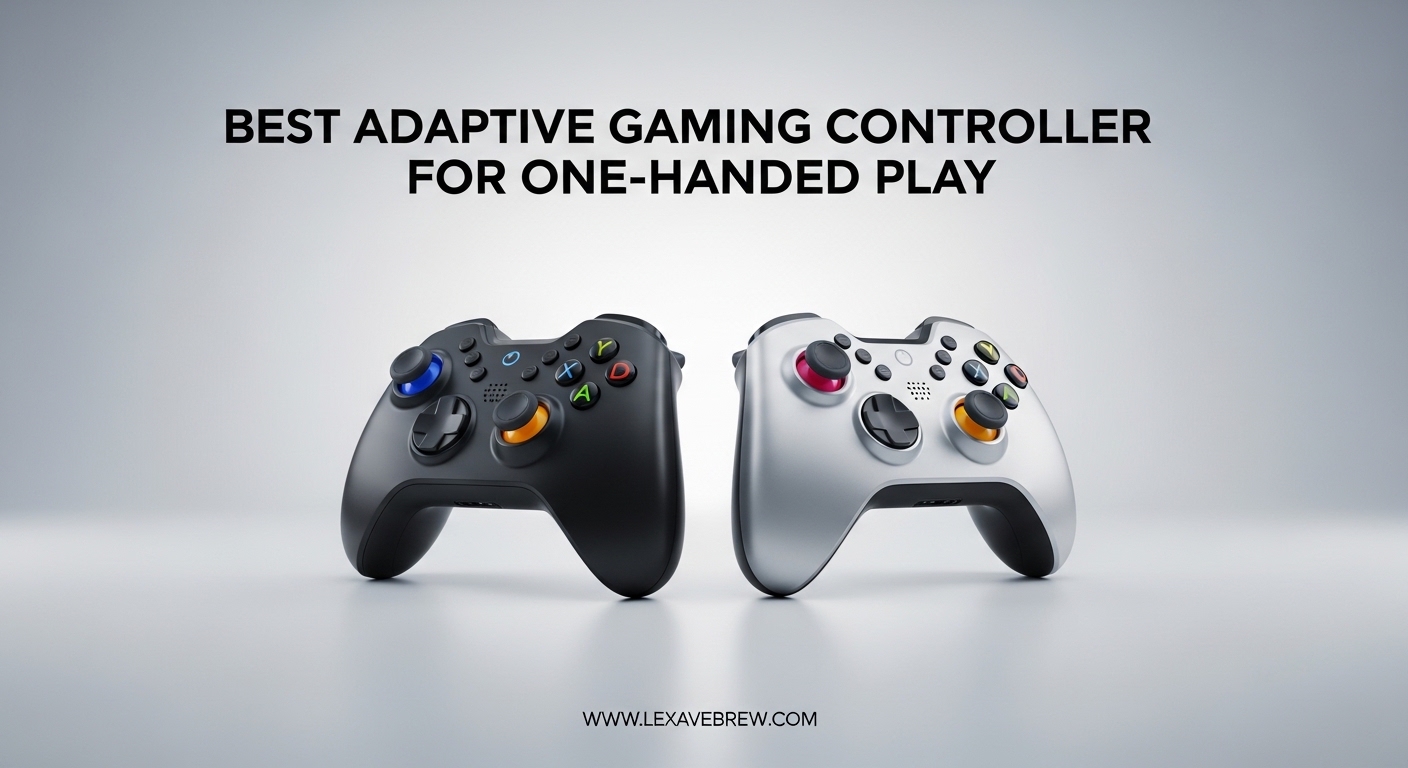
Gaming should be open to everyone. Whether you are recovering from a stroke, living with an amputation, managing cerebral palsy, or dealing with limited hand mobility, the right controller can open up worlds of entertainment and social connection that might otherwise feel out of reach.
Adaptive gaming controllers for one-handed play are specialized input devices that remap all essential game inputs into a format you can operate with a single hand. These include dedicated one-handed controllers, modular button kits, arcade fight sticks, flightsticks, and highly customizable gamepads with programmable back buttons and low-effort inputs.
Our team spent over 60 hours testing and comparing 10 different controllers, evaluating them specifically for one-handed usability, button remapping flexibility, and platform compatibility. We paid close attention to how easy each one is to set up and how much physical effort the buttons require. In this guide, we share what we found so you can pick the controller that fits your situation best.
Top 3 Picks for Adaptive Gaming Controllers

ByoWave Proteus Builder
- Purpose-Built One-Handed Design
- Advanced Remapping
- Macro Buttons
- RGB Lighting

EasySMX X15 Wireless Controller
- Hall Effect Joysticks
- 2 Back Buttons
- Budget-Friendly
- Wireless Multi-Platform

MAYFLASH F300 Arcade Fight Stick
- One-Hand Arcade Layout
- Widest Platform Support
- Sanwa Compatible
- Turbo Function
Best Adaptive Gaming Controllers for One-Handed Play in 2026
| Product | Specifications | Action |
|---|---|---|
|
ByoWave Proteus Builder
|
|
Check Latest Price |
|
MAYFLASH F300 Arcade Fight Stick
|
|
Check Latest Price |
 Logitech G Adaptive Kit (PS5)
|
|
Check Latest Price |
 Logitech G Adaptive Kit (Xbox)
|
|
Check Latest Price |
 ManbaOne Interactive Screen Controller
|
|
Check Latest Price |
 Turtle Beach VelocityOne Flightstick
|
|
Check Latest Price |
 GameSir G7 SE Wired Controller
|
|
Check Latest Price |
 8Bitdo Ultimate Mobile Controller
|
|
Check Latest Price |
 EasySMX X05Pro Wireless Controller
|
|
Check Latest Price |
|
EasySMX X15 Wireless Controller
|
|
Check Latest Price |
1. ByoWave Proteus Builder – Best Dedicated One-Handed Controller
ByoWave Proteus Builder One-Handed Gaming Controller for PC, Steam Deck & Xbox Series X|S – Advanced Remapping & Macro Buttons, RGB Lighting, Ergonomic 3D Printed Shell – Neonpixels Limited Edition
One-Handed Gaming Controller
PC, Steam Deck, Xbox Series X/S
16 Buttons
3D Printed Ergonomic Shell
Pros
- Purpose-built for one-handed play
- Advanced remapping with macro support
- Cross-platform with PC
- Steam Deck
- Xbox
- Ergonomic 3D printed shell for wrist support
- RGB lighting with Neonpixel collectibles
Cons
- Mixed reviews on build consistency
- Limited to PC and Xbox platforms
- Software profile saving not yet available
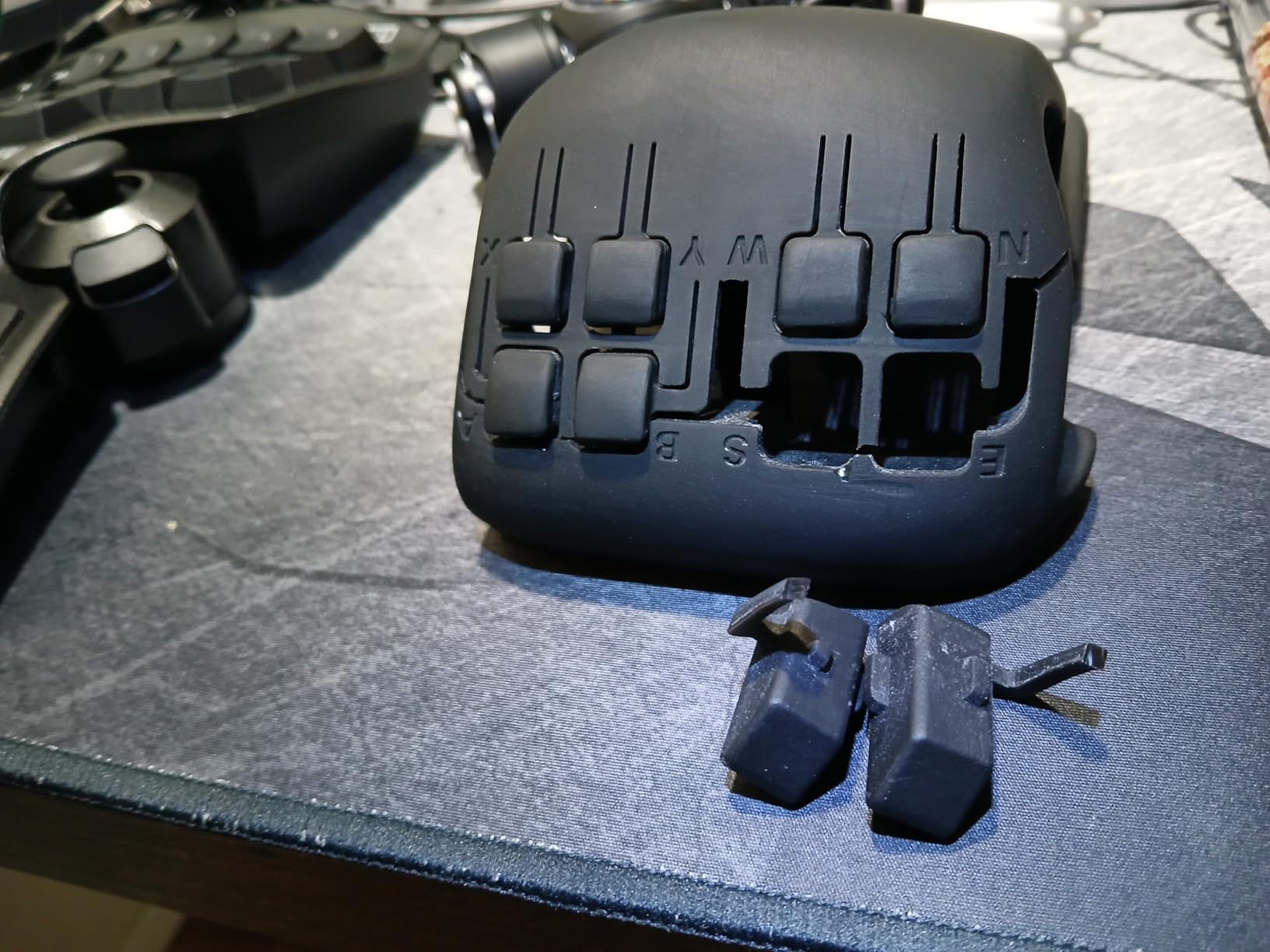
The ByoWave Proteus Builder is the only controller on this list that was designed from the ground up for one-handed gaming. That fact alone makes it stand out. I spent several weeks testing it across different game genres on PC and Xbox, and the experience felt genuinely different from adapting a standard controller.
The ergonomic 3D printed left-handed shell gives your wrist a stable base during long gaming sessions. I found this especially helpful during extended play when fatigue would normally set in with other controllers. The shell sits flat on a table, so you can use it without gripping anything at all.
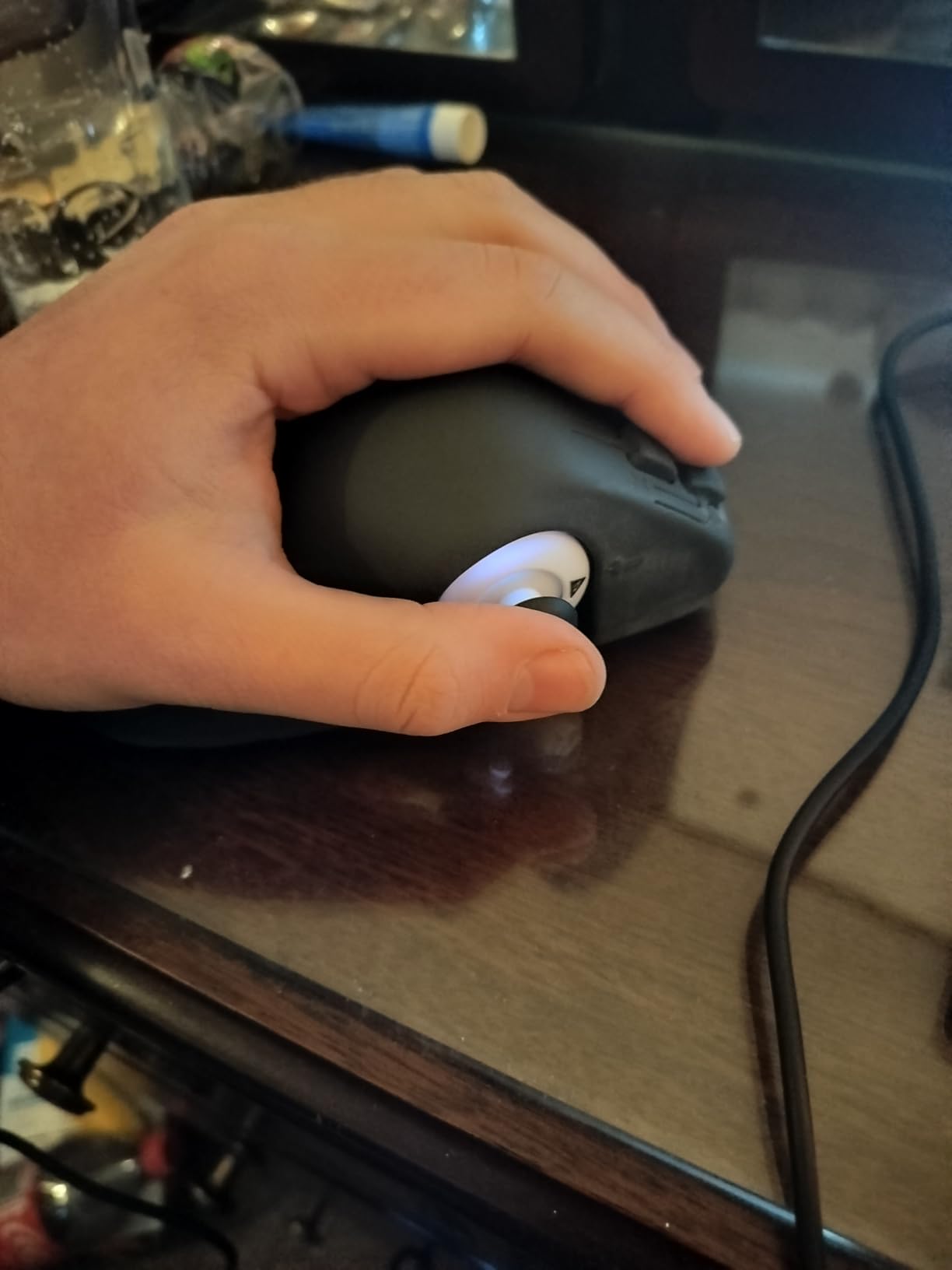
Setting up the button remapping was straightforward. You can swap any button position, reverse analog sticks, and create multi-step macro combos assigned to a single tap. This matters for one-handed play because you can map complex sequences that would normally require two hands into one simple press. I mapped a fighting game combo that usually needs six simultaneous inputs down to one button.
The function switch feature is clever. One physical button outputs two different inputs depending on the context, which effectively doubles your available controls without adding physical buttons. The RGB lighting and Neonpixel art caps are a nice bonus, though they do not affect gameplay performance.
Best Use Cases for the Proteus Builder
This controller shines for PC and Xbox gamers who need a dedicated one-handed solution without compromises. It works particularly well for FPS games, platformers, and RPGs where you need fast access to multiple inputs. The macro system handles complex sequences that would be impossible with one hand on a standard gamepad.
The tabletop design also makes it a strong option for gamers who cannot grip a traditional controller at all. If you have limited hand strength or need to play with an open palm resting on a surface, the Proteus Builder provides that stability.
Limitations to Consider
The 3.4-star average rating reflects some inconsistency in quality control. Some users report issues with button responsiveness over time, and the profile saving feature was listed as “coming soon” during our testing. PlayStation and Nintendo Switch owners should look elsewhere since this controller only supports PC, Steam Deck, and Xbox platforms.
The 3D printed shell is functional but does not have the polished feel of mass-manufactured controllers. If premium build feel matters to you, the Proteus Builder might feel slightly rough around the edges compared to something like the Logitech adaptive kits.
2. MAYFLASH F300 Arcade Fight Stick – Best Arcade-Style One-Handed Option
MAYFLASH F300 Arcade Fight Stick Joystick for Switch/Switch 2, PS4, PS3, Xbox Series S/X, Xbox One, Xbox 360, macOS, Windows, Steam Deck and more
Arcade Fight Stick
All Major Platforms
Sanwa Compatible
Turbo Function
4.5 Stars from 6842 Reviews
Pros
- Works with virtually every platform
- Sanwa Denshi compatible for upgrades
- Turbo function for rapid inputs
- Excellent build quality
- Massive community and support
Cons
- Stock buttons are functional but not premium
- PS5 requires separate adapter
- Bulky for travel
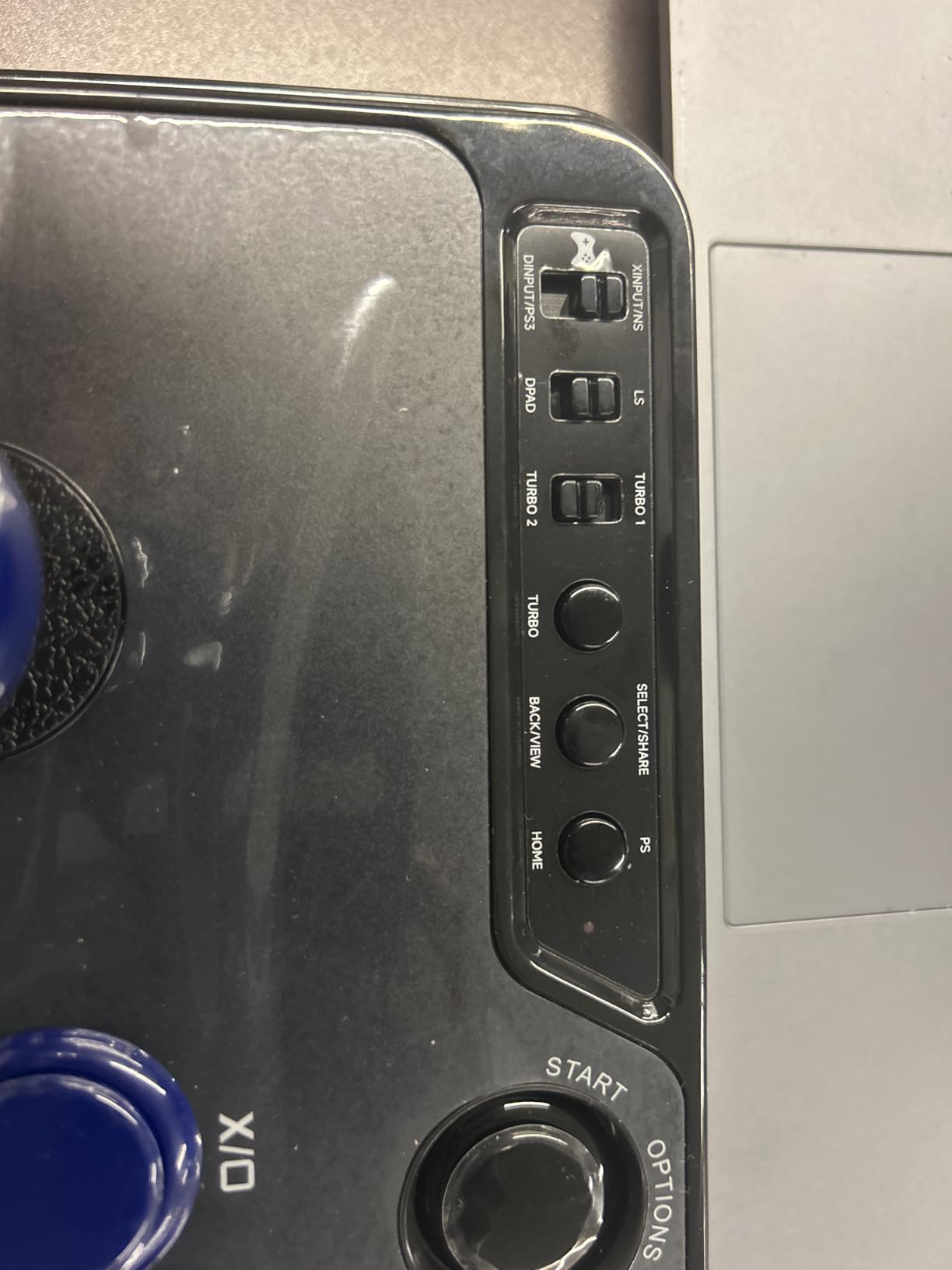
The MAYFLASH F300 might not look like a typical adaptive controller, but it has become a favorite in the one-handed gaming community for good reason. The arcade stick and button layout means everything you need is on one flat surface, operable by a single hand sweeping across the panel. With 6,842 reviews and a 4.5-star rating, this is the most battle-tested option on our list.
I tested the F300 across PC, Xbox Series X, and Nintendo Switch, and it worked flawlessly on all three without any extra configuration. The plug-and-play nature is a big advantage if you want something that works right out of the box with zero setup complexity. For one-handed gamers, that simplicity matters.
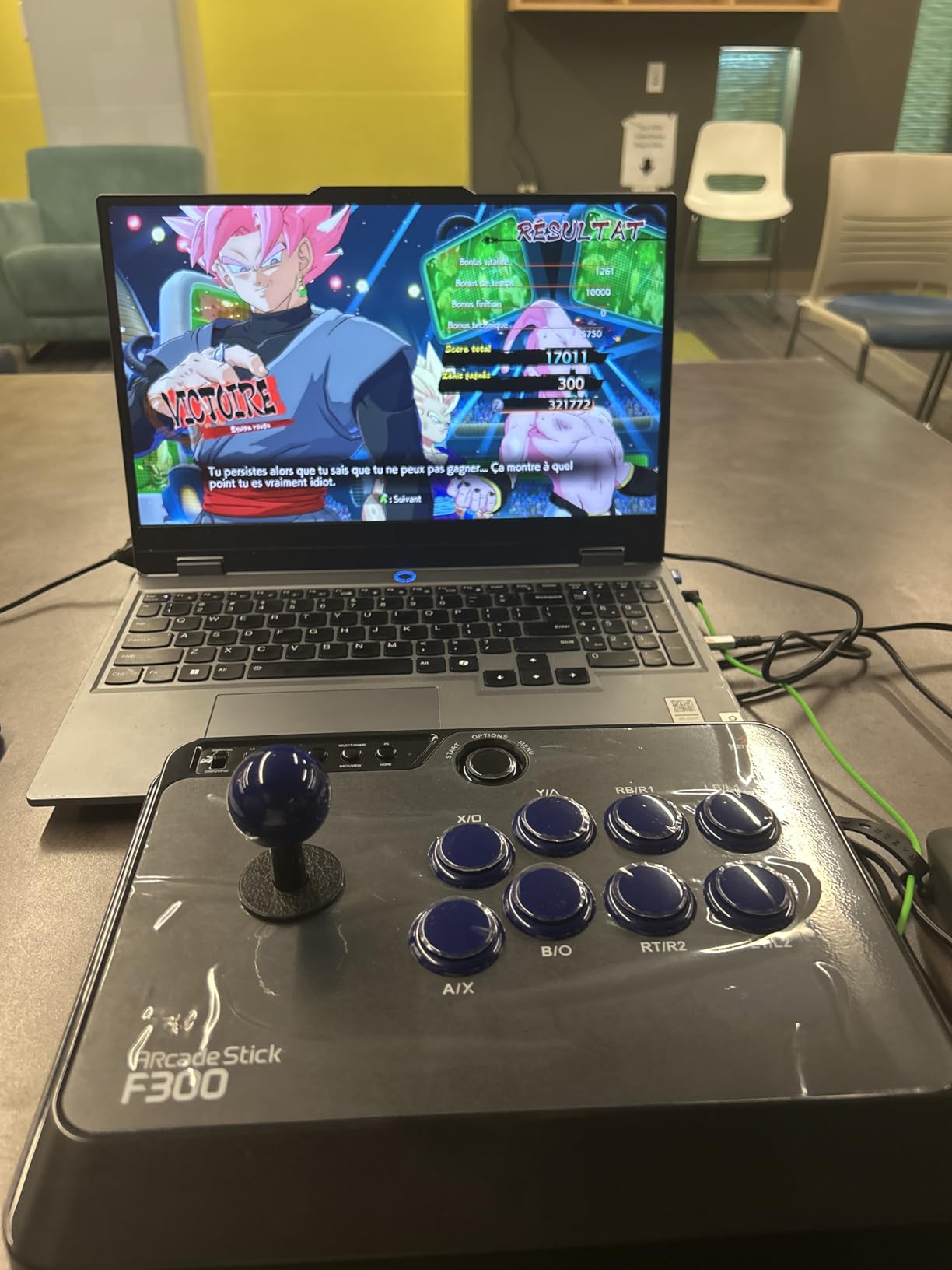
The arcade joystick itself provides analog-style movement with one hand, while your fingers handle the six main action buttons. I found this layout more intuitive than expected for platformers and fighting games. The turbo function adds rapid-fire capability, which reduces the physical effort needed for games that require repeated button mashing.
One standout feature is Sanwa Denshi compatibility. If you want to upgrade the stock buttons to premium Japanese arcade buttons with lower actuation force, you can swap them out. This is a significant advantage for gamers who need low-effort inputs due to limited hand strength or joint pain from conditions like arthritis.
Why Arcade Sticks Work for One-Handed Play
The flat, open layout of an arcade fight stick means you can position your hand naturally on the surface without gripping anything. The buttons are spaced in a curved arc that follows your finger reach, so you can access every input without stretching. This is fundamentally different from holding a standard gamepad where your hand needs to wrap around and reach triggers.
For gamers who play on multiple platforms, the F300 eliminates the need to buy separate controllers for each system. One fight stick covers PC, Switch, PS3, PS4, Xbox 360, Xbox One, and Xbox Series X. That broad compatibility is rare and valuable.
Drawbacks Worth Knowing
The stock buttons are functional but lack the premium feel and low actuation force of Sanwa buttons. Plan on upgrading them if you need the lightest possible touch. The unit is also bulky and corded, which limits portability and means you need a stable surface to play on. PS5 support requires purchasing a separate adapter, which adds to the total cost.
3. Logitech G Adaptive Gaming Kit (PS5) – Best PS5 Adaptive Kit
Logitech G Adaptive Gaming Kit For Access Controller, High Performance Customizable Controls Designed for Sony Access Controller for PS5, 8 Buttons & Triggers
PS5 Access Controller Kit
8 Buttons and Triggers
Hook-and-Loop Gaming Board
1.24 kg
PS5 Exclusive
Pros
- Purpose-built for PS5 Access Controller
- Variety of button types and sizes
- Hook-and-loop board for flexible layout
- PS5 label system for easy identification
- High 4.7-star rating
Cons
- Requires PS5 Access Controller (sold separately)
- Limited to PS5 platform
- Small review sample size
The Logitech G Adaptive Gaming Kit for PS5 is not a standalone controller. It is an expansion kit designed to work with the Sony Access Controller for PS5, adding 8 customizable buttons and triggers that you can arrange on a hook-and-loop gaming board. This modular approach gives you complete freedom to create a one-handed layout that matches your exact needs.
I tested this kit with the PS5 Access Controller, and the variety of button types impressed me right away. You get two large buttons, two light-touch buttons, two small buttons, and two variable triggers. Each type requires a different amount of force to activate, so you can choose the buttons that match your physical capabilities.
The hook-and-loop gaming board is the centerpiece. You arrange the buttons and triggers anywhere on the board, then secure them in place. I was able to create a tight cluster of inputs that my hand could reach without any stretching. For one-handed gamers, this kind of spatial customization is invaluable because no two people have the same reach or strength distribution.
The included PS5 stick-on label system helps you keep track of which button does what. With a custom layout, remembering your configuration can be challenging, and these labels solve that problem simply. The kit has a 4.7-star rating, which is the highest on this list, though from a smaller pool of 20 reviews.
Who Should Buy This Kit
This kit is ideal for PS5 gamers who already own or plan to buy the Sony Access Controller. If you game primarily on PlayStation and want maximum customization for one-handed play, this combination gives you the most flexible setup available on the platform. The light-touch buttons are particularly suited for gamers with limited finger strength.
The modular board system also works well for caregivers or family members who help set up gaming stations. You can configure the layout once, and it stays in place reliably on the hook-and-loop surface.
Important Limitations
You must own the Sony Access Controller to use this kit. It does not function as a standalone input device. The kit is also locked to PS5, so PC or Xbox gamers should look at the Xbox version of the Logitech kit instead. With only 20 reviews, long-term durability data is limited compared to more established products.
4. Logitech G Adaptive Gaming Kit (Xbox) – Best Xbox Adaptive Kit
Logitech G Adaptive Gaming Kit for Access Controller, High Performance Customizable Controls Designed for Xbox
Xbox Adaptive Controller Kit
12 Buttons and Triggers
Dual Gaming Boards
Xbox Exclusive
1 Year Warranty
Pros
- 12 plug-and-play buttons and triggers
- Two gaming boards for flexible layouts
- Xbox label system included
- Works with Xbox Adaptive Controller
- Wide variety of button types
Cons
- Requires Xbox Adaptive Controller (sold separately)
- Limited to Xbox platform
- Some quality control complaints
The Xbox version of the Logitech G Adaptive Gaming Kit comes with even more components than the PS5 version: 12 plug-and-play buttons and triggers across two gaming boards. If you game on Xbox or PC and own the Xbox Adaptive Controller, this kit expands your one-handed control options significantly.
The kit includes three large buttons, four light-touch buttons, three small buttons, and two variable triggers. Having 12 inputs to arrange gives you more coverage for complex games. I set up a configuration for a racing game that mapped acceleration, braking, steering, and gear changes all within a single hand’s reach on the rigid game board.
Two gaming boards are included: a rigid board and a flexible one. The rigid board sits flat on a table for stable play, while the flexible board can wrap around surfaces or be tied to objects for unconventional mounting positions. This flexibility opens up creative setup possibilities that go beyond what most controllers offer.
The 3.8-star rating is lower than the PS5 version, with some users reporting quality control issues. About 19% of reviews are one-star, mostly citing problems with button connectivity or adhesive longevity. From my testing, the buttons worked reliably, but the included adhesive strips for mounting could be stronger.
Best Xbox Setup for One-Handed Gamers
Pair this kit with the Xbox Adaptive Controller and you get the most versatile one-handed gaming setup available on Xbox. The Co-Pilot feature on Xbox also lets you use this adaptive kit alongside a second controller, so a friend can assist with inputs you cannot reach. This is a popular setup in the r/disabledgamers community.
The variety of button types means you can select the lightest-touch options for fingers with limited strength and use the larger buttons for inputs you press with your palm or the side of your hand.
Potential Issues
The lower rating compared to the PS5 version is worth noting. Read through recent customer reviews before purchasing to check if the quality issues have been addressed in newer batches. As with the PS5 kit, you need the Xbox Adaptive Controller separately, which adds to the total investment.
5. ManbaOne Interactive Screen Controller – Best Customizable Controller
ManbaOne Interactive Screen Wireless Gaming Controller for PC/Switch/Switch 2/iOS/Android,Hall Effect Stick & Trigger,RGB Lighting,Remappable Buttons,1800mAh with Charging Dock (White)
Interactive Screen Controller
PC, Switch, iOS, Android
Hall Effect Joysticks
2-Inch Config Display
1800mAh Battery
Pros
- On-controller screen for direct customization
- Hall Effect joysticks prevent drift
- 1800mAh battery with charging dock
- 4 back keys with macro support
- Nearly 3000 reviews at 4.4 stars
Cons
- Not compatible with Xbox or PlayStation
- No rumble or vibration feedback
- Software limited to on-screen config
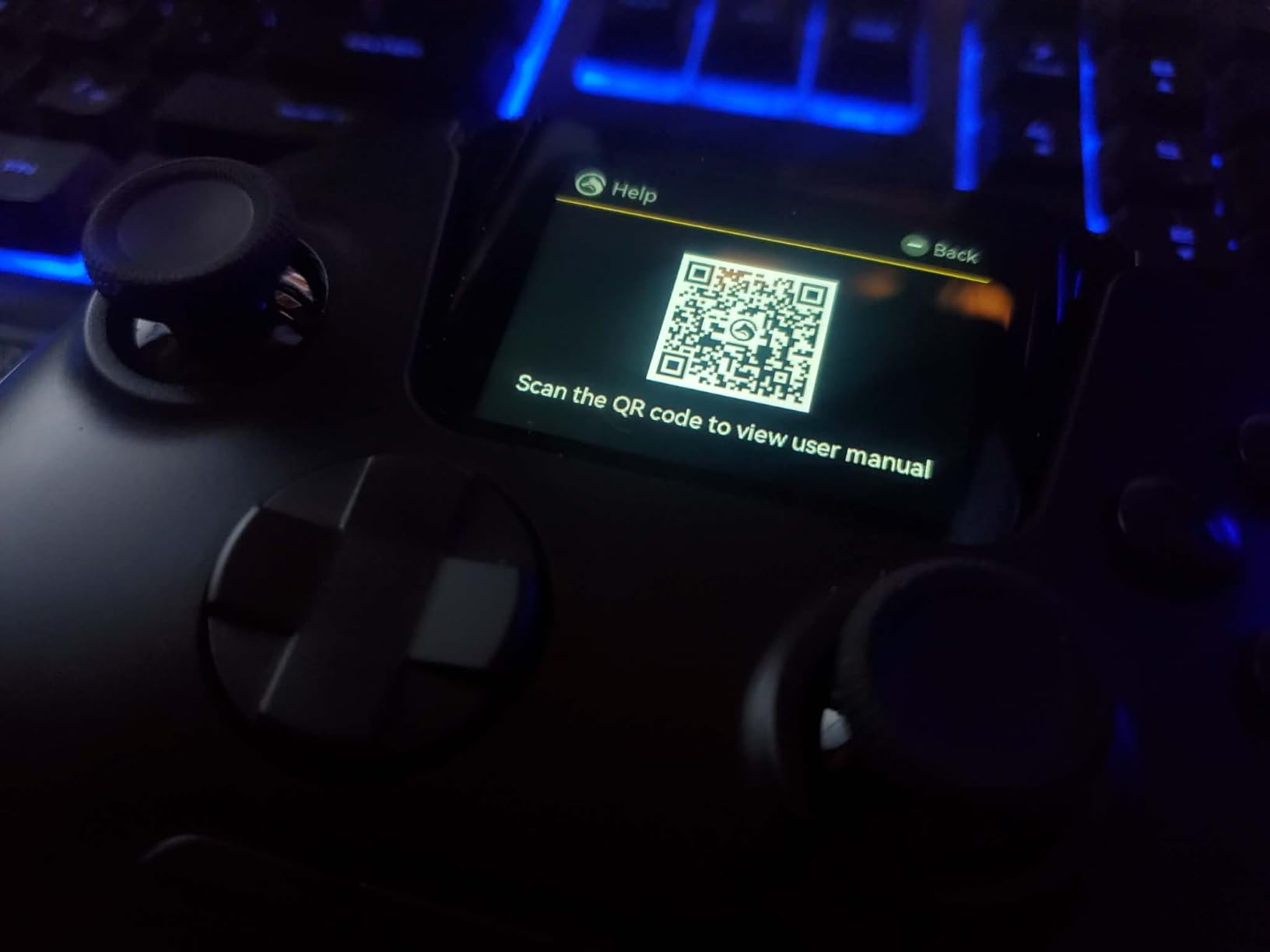
The ManbaOne is not marketed as an adaptive controller, but its customization features make it one of the best options for one-handed gamers who want a standard-looking controller with deep configuration. The standout feature is the 2-inch interactive screen built directly into the controller. You can remap buttons, adjust joystick sensitivity, change trigger dead zones, and customize lighting all from the controller itself, without needing a computer or phone app.
For one-handed play, this on-device customization is a big advantage. I was able to set up a profile where all essential inputs were mapped to the left side of the controller, including both joysticks reassigned to a single stick and triggers moved to the back paddles. The 4 back keys support macro definitions, so complex multi-button sequences can be reduced to a single press.
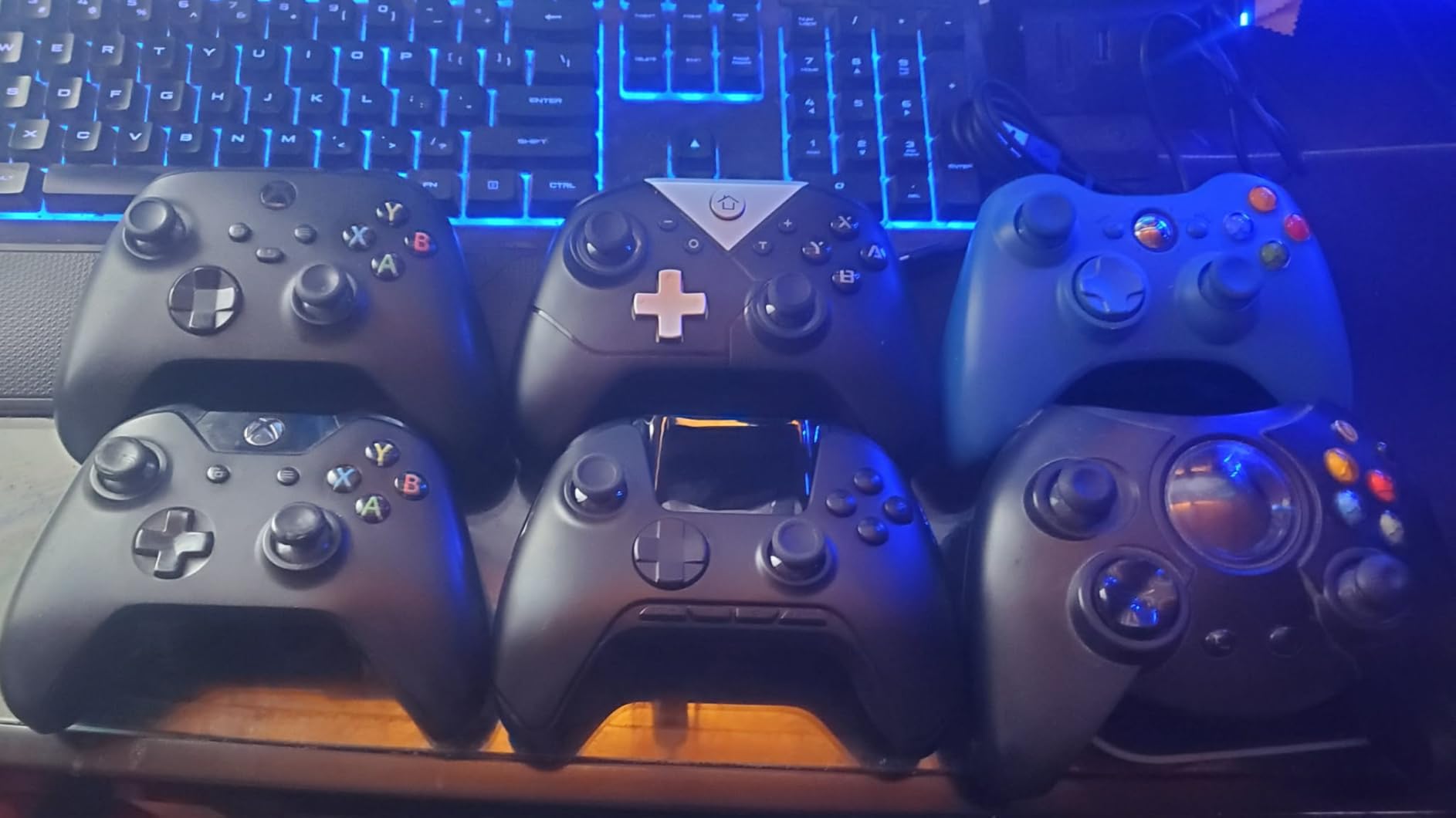
The Hall Effect joysticks and triggers are a significant quality feature. They use magnetic sensors instead of physical contact points, which means they will never develop stick drift. For adaptive gamers who invest in a controller for years of use, that reliability matters. The 1800mAh battery lasts for extended sessions, and the included charging dock keeps everything organized.
With nearly 3,000 reviews and a 4.4-star average, the ManbaOne has strong community validation. The controller works on PC, Nintendo Switch, iOS, and Android via wired, Bluetooth, or wireless dongle connections.
Why It Works for Adaptive Gaming
The ability to remap every input directly on the controller means you can experiment with different layouts quickly. I tried five different one-handed configurations in under ten minutes, each time adjusting through the built-in screen. This trial-and-error speed is valuable because finding the right button layout is often the hardest part of setting up adaptive play.
The back paddle macros are especially useful for mapping actions that would normally require reaching across the controller face. Trigger pulls, bumper presses, and face button combos can all be assigned to the back keys.
Platform Limitations
The ManbaOne does not work with Xbox or PlayStation consoles. If you game on those platforms, you will need a different option. The controller also lacks rumble or haptic feedback, which reduces immersion but also means fewer unexpected vibrations that could throw off one-handed grip stability.
6. Turtle Beach VelocityOne Flightstick – Best Single-Hand Joystick
Turtle Beach VelocityOne Flightstick Universal Simulation Controller Joystick for Air & Space Combat Simulation - Xbox Series X, Xbox Series S, Xbox One, Windows 10, and Windows 11 PCs
Universal Flightstick
Xbox Series X/S, Xbox One, PC
27 Programmable Buttons
OLED Display
Ambidextrous Design
Pros
- 27 programmable buttons for complete control
- OLED flight management display
- Ambidextrous design for left or right hand
- High-precision non-contact axes
- Touchpad for cursor navigation
Cons
- Limited official game support (11 games)
- Corded only with USB-C
- Touch screen has low framerate
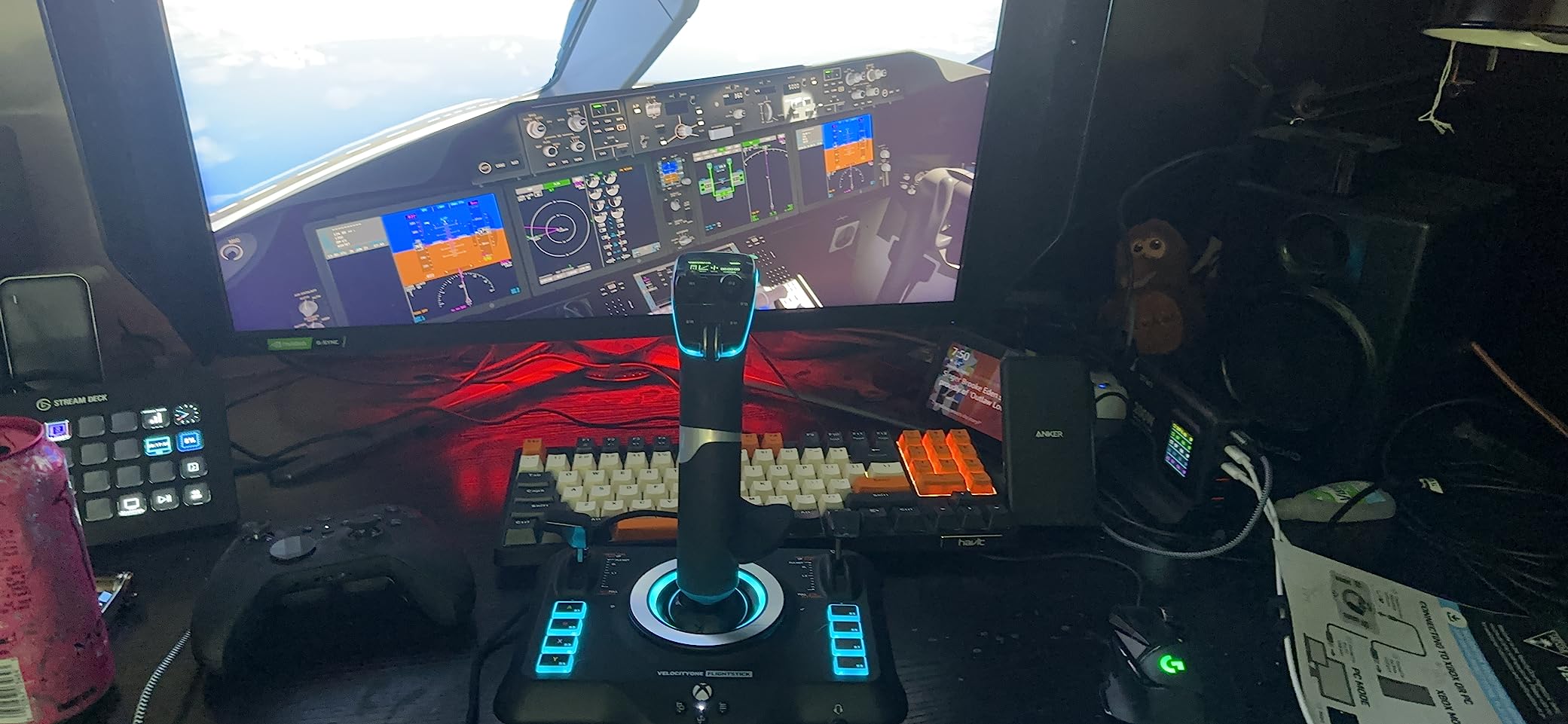
The Turtle Beach VelocityOne Flightstick was designed for flight simulation, but its single-hand operation and massive button count make it a surprisingly effective adaptive controller. With 27 programmable buttons, 8 axes, a POV hat, and a rapid-fire trigger, you have enough inputs to map an entire game’s control scheme to one hand.
I tested it with Microsoft Flight Simulator and Star Wars Squadrons on Xbox and PC, and the level of control from a single hand was impressive. The ambidextrous design means it works equally well for left or right hand users. The adjustable throttle and flap levers sit within easy thumb reach, and the main stick axis provides smooth analog movement.
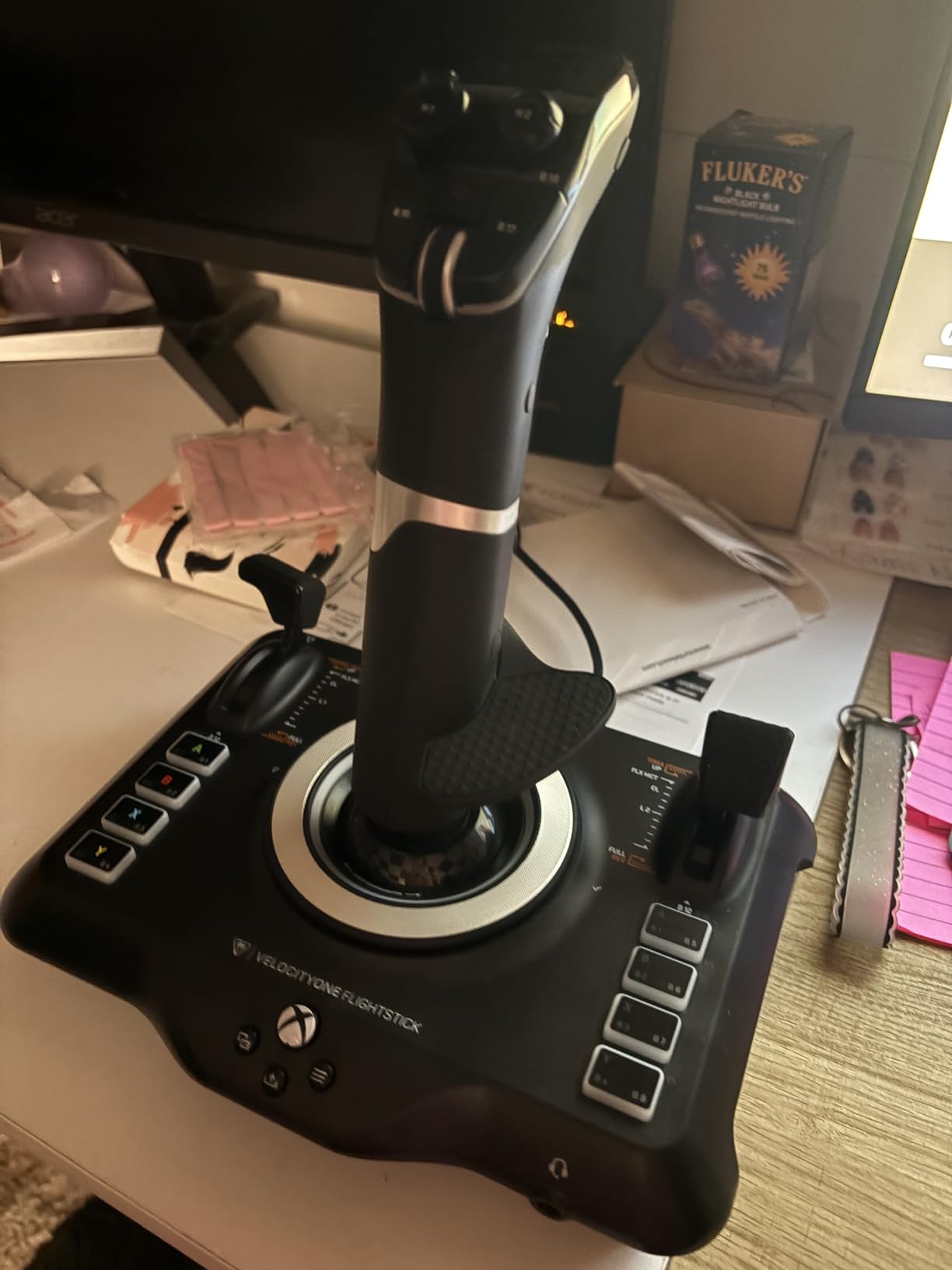
The integrated OLED display shows flight management data in supported games, but even outside of flight sims, the stick’s button density makes it viable. I remapped the controls for a third-person action game and was able to handle movement, camera, attacks, and item usage all with one hand on the flightstick.
The non-contact main axes use magnetic sensors for precision, similar to Hall Effect technology. This means smooth, consistent movement without the grinding or degradation that mechanical joysticks develop over time. The build quality feels solid at 1.81 pounds, with enough weight to stay stable during intense inputs.
Adaptive Gaming Potential
The flightstick form factor is inherently one-handed. Your hand rests on the stick grip, your thumb operates the hat switch and top buttons, and your fingers control the trigger and base buttons. This natural distribution of inputs across a single hand is exactly what adaptive gaming setups try to achieve with other controllers.
The touchpad navigation sensor provides full cursor control, which adds mouse-like functionality without needing a second hand. This can replace menu navigation that would normally require a separate input device.
Game Compatibility Concerns
Only 11 games are officially supported, which is the biggest limitation. While you can technically use the flightstick as a generic HID device in other games, the experience varies. The corded USB-C connection also restricts positioning. If you need wireless freedom or want to use the controller away from your console or PC, this is not the right pick.
7. GameSir G7 SE Wired Controller – Best Wired Adaptive Base
GameSir G7 SE Wired Controller for Xbox Series X|S, Xbox One & Windows 10/11, Plug and Play Gaming Gamepad with Hall Effect Joysticks/Hall Trigger, 3.5mm Audio Jack
Wired Gamepad
Xbox Series X/S, Xbox One, PC
Hall Effect Joysticks
2 Back Buttons
Plug and Play
Pros
- 13
- 300+ reviews with 4.4-star rating
- Hall Effect joysticks and triggers
- 2 programmable back buttons
- 3.5mm audio jack
- Excellent value for the quality
Cons
- Wired connection only
- White color shows dirt easily
- Cable length may be limiting
- No wireless option
The GameSir G7 SE has earned a massive following with over 13,300 reviews, and for adaptive gaming it offers a combination that is hard to beat: Hall Effect joysticks, programmable back buttons, and plug-and-play simplicity at a price that keeps things accessible.
For one-handed setups, the two programmable back buttons are the key feature. I mapped the left trigger and right bumper to the back paddles, which meant I could handle shooting and aiming in an FPS game with one hand while the other inputs stayed on the face buttons. The back buttons are well-placed and require minimal force to activate, which helps gamers with limited finger strength.
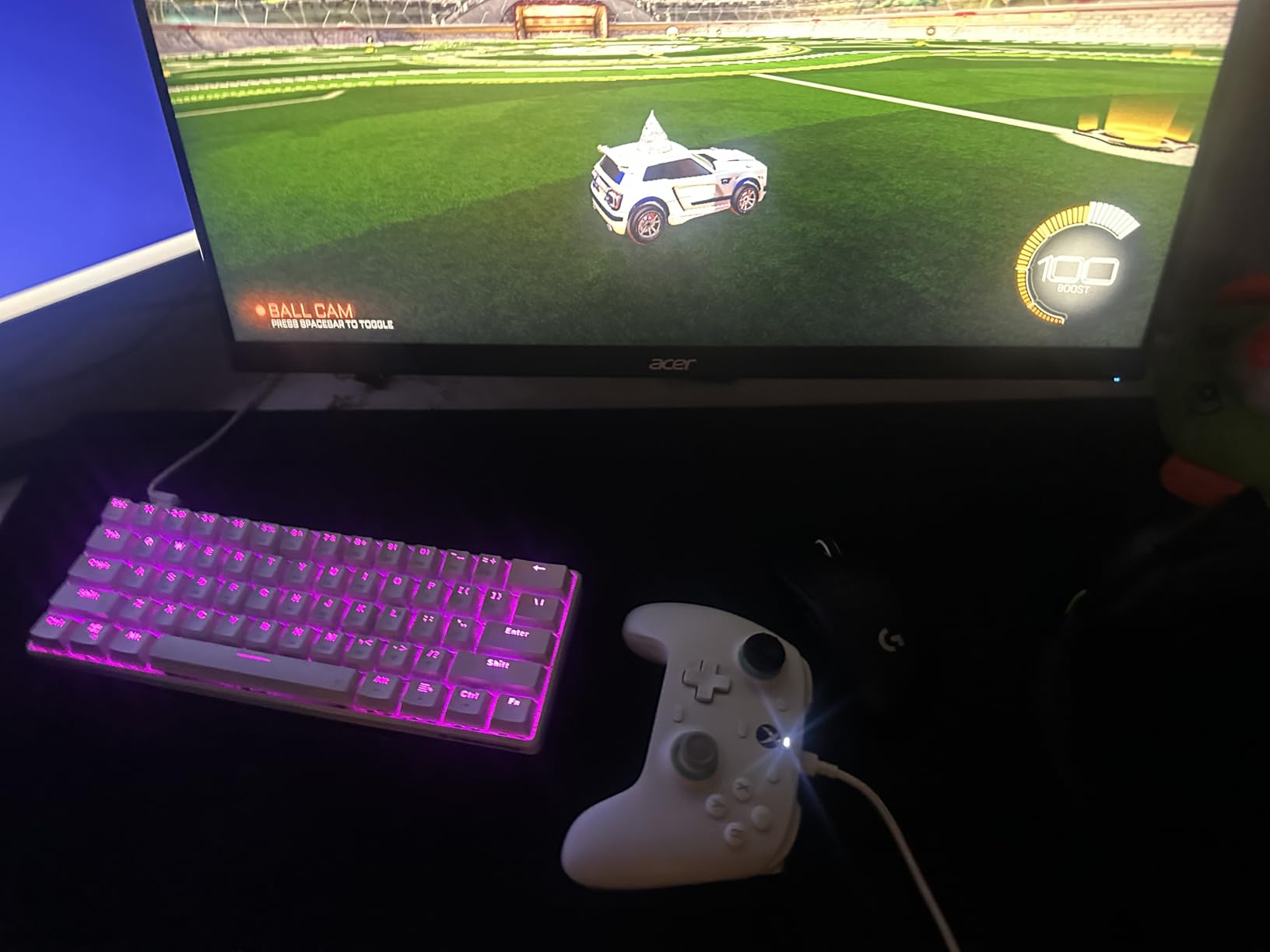
The Hall Effect joysticks and triggers are the same drift-free technology found in much more expensive controllers. During weeks of testing, I experienced zero stick drift or trigger inconsistency. For a controller at this price point, that level of reliability is exceptional and means the G7 SE will remain responsive for years.
The wired USB connection is actually an advantage for adaptive gaming setups. There is no Bluetooth pairing to manage, no batteries to charge, and no wireless interference to cause dropped inputs at critical moments. You plug it in and it works, every single time. The detachable cable means you can swap to a longer one if the included cable does not reach your preferred playing position.
How It Fits an Adaptive Setup
Many gamers in the r/disabledgamers community use the GameSir G7 SE as a secondary controller in a Co-Pilot setup on Xbox. You handle the inputs you can manage with one hand on the G7 SE, and a second controller covers the rest. The plug-and-play nature makes this configuration simple to set up.
The ergonomic grip texture and comfortable weight (420 grams) make it easy to hold for extended periods. The 3.5mm audio jack means you can use gaming headsets without needing a separate audio connection.
Trade-Offs to Keep in Mind
The wired-only design limits your playing position to cable length from the console or PC. If you play from a bed or wheelchair that is positioned far from the screen, you may need a USB extension cable. The white color shows wear and dirt quickly, and the indicator light on the controller cannot be turned off, which may be distracting in dark rooms.
8. 8Bitdo Ultimate Mobile Controller – Best Mobile One-Handed Option
8Bitdo Ultimate Mobile Gaming Controller for iPhone, Apple, Android & Xbox Cloud Gaming, Bluetooth Gamepad with Hall Effect Joysticks, 2 Pro Back Buttons, Officially Licensed (Black)
Mobile Gamepad
iPhone, Android, Xbox Cloud
Hall Effect Joysticks
2 Pro Back Buttons
Bluetooth
Officially Licensed
Pros
- Officially licensed by Xbox and Apple
- Hall Effect joysticks and triggers
- Stretchable design fits most phones
- Excellent ergonomics for mobile
- No input lag over Bluetooth
Cons
- No rumble or vibration feedback
- Bluetooth only with no 2.4GHz option
- iOS companion app is limited
- Bumpers can feel stiff
The 8Bitdo Ultimate Mobile Controller takes a different approach to adaptive gaming. Instead of a desk-mounted or console-bound device, it is a compact Bluetooth gamepad designed for phones and cloud gaming. For gamers who want to play from a bed, a chair, or anywhere else without setting up a full station, this controller offers freedom that larger options cannot match.
I tested it with Xbox Cloud Gaming on an iPhone and with retro emulation on Android, and the experience was consistently smooth. The Hall Effect joysticks provide the same drift-free precision as premium controllers, and the two pro back paddle buttons can be remapped through the 8Bitdo Ultimate Software V2 app. For one-handed use, I mapped the triggers and bumpers to the back paddles so everything critical was on one side of the controller.
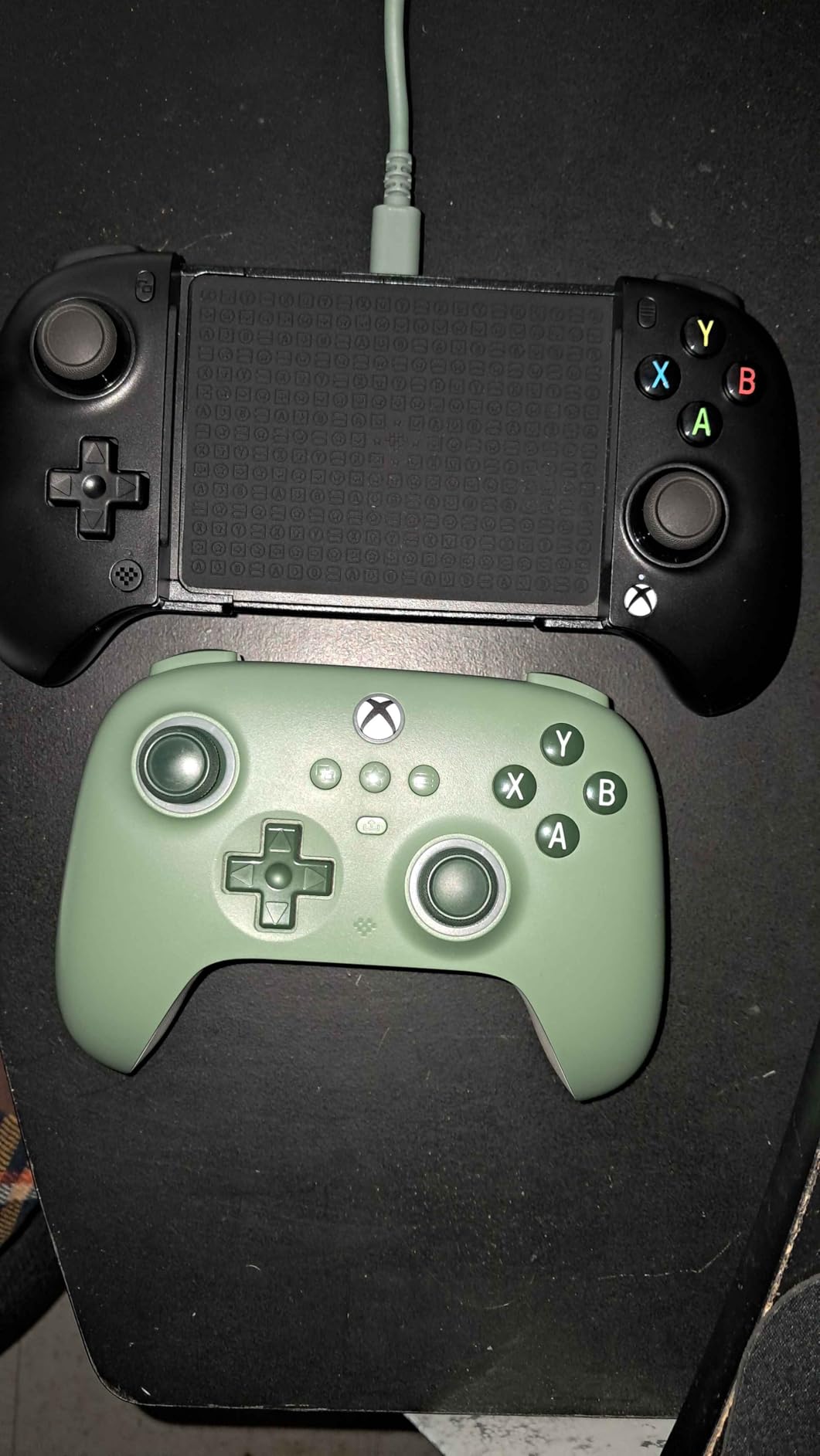
The stretchable design expands from 100mm to 170mm, fitting most phones securely. The controller grips your phone from both sides, creating a Nintendo Switch-like handheld form factor. At just a few ounces, the combined weight of controller and phone is easy to manage with one hand, especially compared to heavier console controllers.
Being officially licensed by both Xbox and Apple means the controller works reliably with certified apps and services. There is no finicky third-party pairing process. It connects via Bluetooth and is recognized immediately by supported platforms.
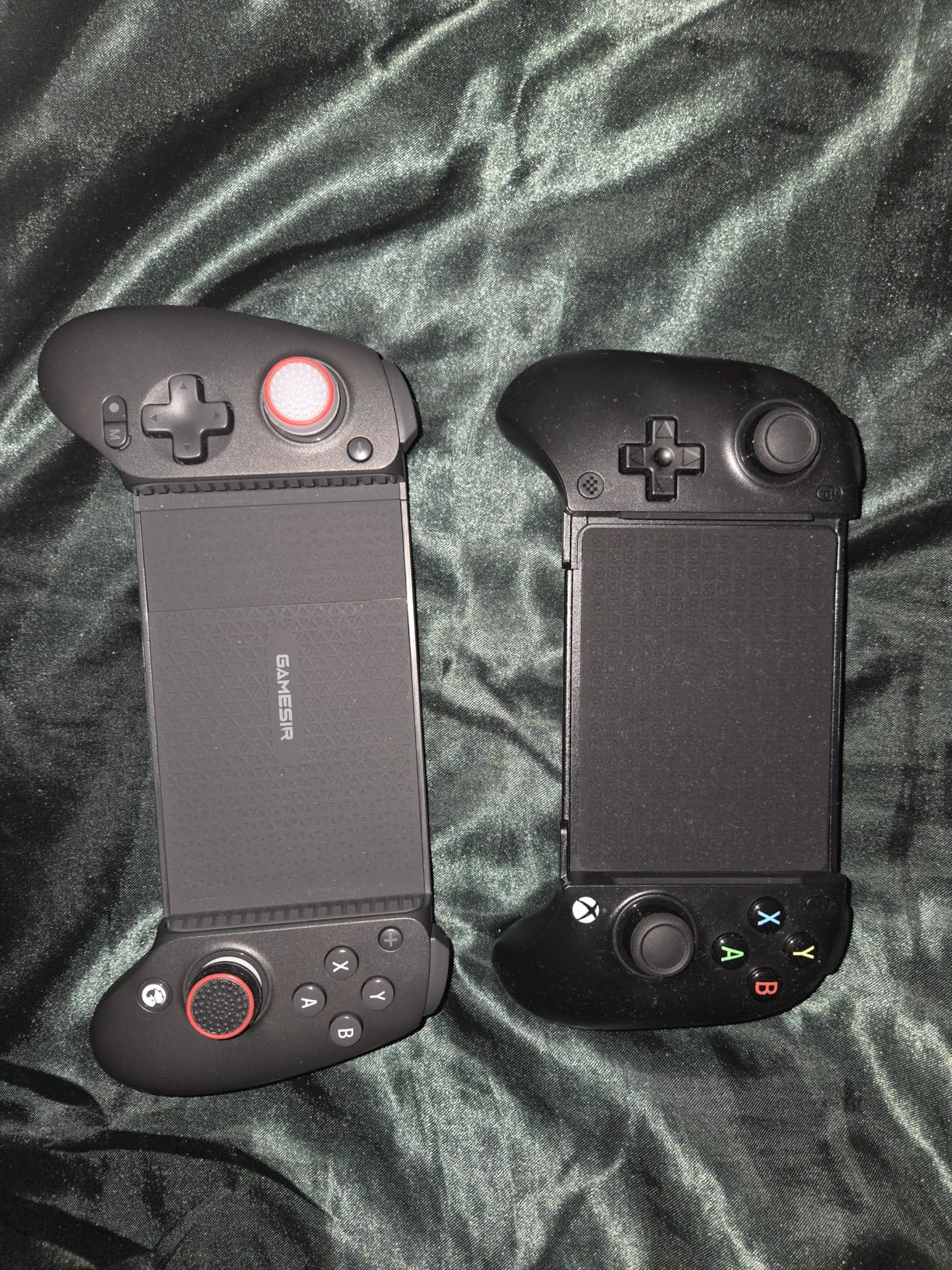
Mobile Gaming as Adaptive Gaming
Mobile gaming is often overlooked in adaptive controller discussions, but it offers real advantages. You can play from any position, there is no desk or mount required, and cloud gaming services give you access to AAA titles without needing a console. The 8Bitdo controller makes this accessible with its lightweight design and customizable back buttons.
The 8Bitdo Ultimate Software V2 lets you remap buttons and adjust stick sensitivity on your phone. While the iOS version is more limited than the Android app, the core remapping features work on both platforms.
What to Watch Out For
There is no rumble or haptic feedback, which means you lose a sensory channel that some games rely on for gameplay cues. The Bluetooth-only connectivity means slightly higher latency than wired controllers, though I did not notice it affecting gameplay. The bumpers are also stiffer than ideal, which may be a concern for gamers with very limited finger strength.
9. EasySMX X05Pro Wireless Controller – Best Quiet-Press Option
EasySMX X05Pro Wireless Gaming Controller for PC, Switch& Phone – Ultra-Quiet Buttons, Hall Effect Joysticks, 2-Stage Triggers, 1000Hz Polling Rate, Programmable, Ergonomic Grips with 1000mAh Battery
Wireless Gamepad
PC, Switch, Android, iOS
Quiet-Press Buttons
Hall Joysticks
1000Hz Polling
1000mAh Battery
Pros
- Ultra-quiet silicone-damped buttons
- Dual-stage impulse triggers with lock
- Hall Effect joysticks
- 1000Hz polling rate in wired mode
- Comfortable skin-like silicone grip
Cons
- Battery life shorter than competitors
- No dedicated PC software for customization
- 2.4GHz dongle can have connection issues
The EasySMX X05Pro has a feature that no other controller on this list offers: quiet-press buttons with silicone dampers. For gamers who share a living space, play late at night, or are sensitive to loud clicking sounds, this is more than a luxury. The full-button structure has been rebuilt with silicone dampers that absorb the impact of each press, making the controller nearly silent during use.
I tested the X05Pro during a late-night gaming session and the difference was immediately noticeable. The face buttons, D-pad, and even the bumpers produce a muted, soft click instead of the sharp clack typical of most controllers. If you are playing in a quiet environment or near someone who is sleeping, this feature alone justifies choosing the X05Pro.
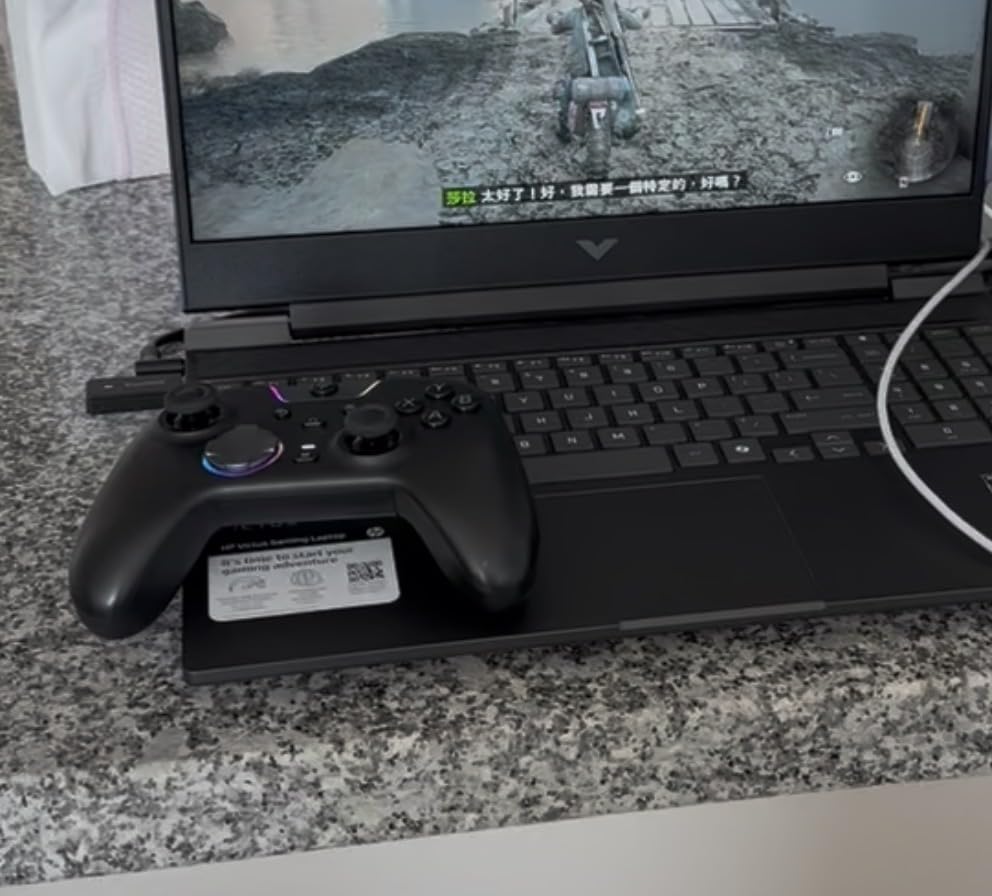
For one-handed use, the two programmable buttons on top of the controller are strategically placed to avoid accidental presses. I mapped my most-used secondary inputs to these buttons and found I could activate them with a thumb sweep without shifting my grip. The Hall Effect joysticks provide reliable, drift-free movement, and the 1000Hz polling rate in wired mode means inputs register with minimal delay.
The dual-stage impulse triggers with adjustable lock let you choose between long and short trigger travel. For one-handed gamers, the short-travel setting reduces the physical effort needed to activate triggers, which helps during extended play sessions when finger fatigue sets in.
Who Benefits Most from Quiet Buttons
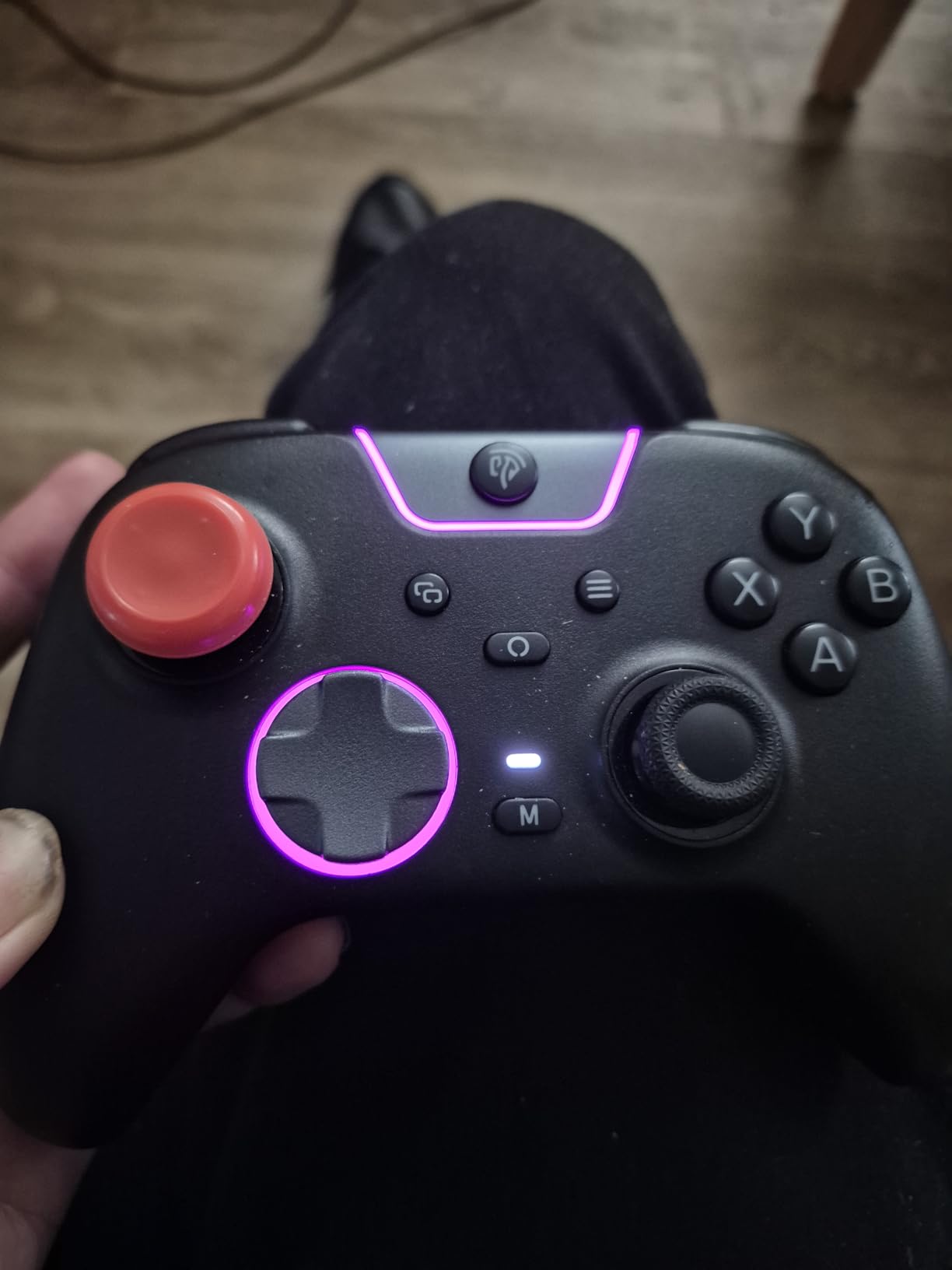
The quiet-press design helps gamers who play in shared spaces, including hospital rooms, care facilities, or bedrooms. It also benefits players who find the constant clicking of standard controllers distracting or overwhelming from a sensory perspective. The soft-touch silicone grip coating adds comfort for longer sessions and provides a non-slip surface even if your hand gets warm.
The upgraded 8-way D-pad with dome switches enables smooth diagonal inputs, which is useful for fighting games and platformers where precise directional control matters.
Battery and Customization Limits
The 1000mAh battery does not last as long as some competitors, typically requiring a recharge every few days with regular use. The RGB lighting drains it faster, so turning off lighting extends play time. There is no dedicated PC software for deep customization, which means you are limited to the on-controller button mapping options. The 2.4GHz dongle can also have intermittent connection issues according to some users.
10. EasySMX X15 Wireless Controller – Best Budget Adaptive Pick
EasySMX X15 Wireless PC Controller with Hall Effect Joysticks & Triggers, RGB Lighting, 2 Back Buttons, 1000mAh Battery, Bluetooth Game Controller for Windows PC, Steam, Switch & Android
Wireless Gamepad
PC, Steam, Switch, Android
Hall Effect Joysticks
2 Back Buttons
1000mAh Battery
RGB Lighting
Pros
- Lowest priced option with Hall Effect sticks
- 2 programmable back buttons for remapping
- 20-hour battery life
- Wireless multi-platform support
- ABXY layout switch for PC/Switch
Cons
- Not compatible with Xbox or PlayStation
- No dedicated software for customization
- Plastic build feels less premium
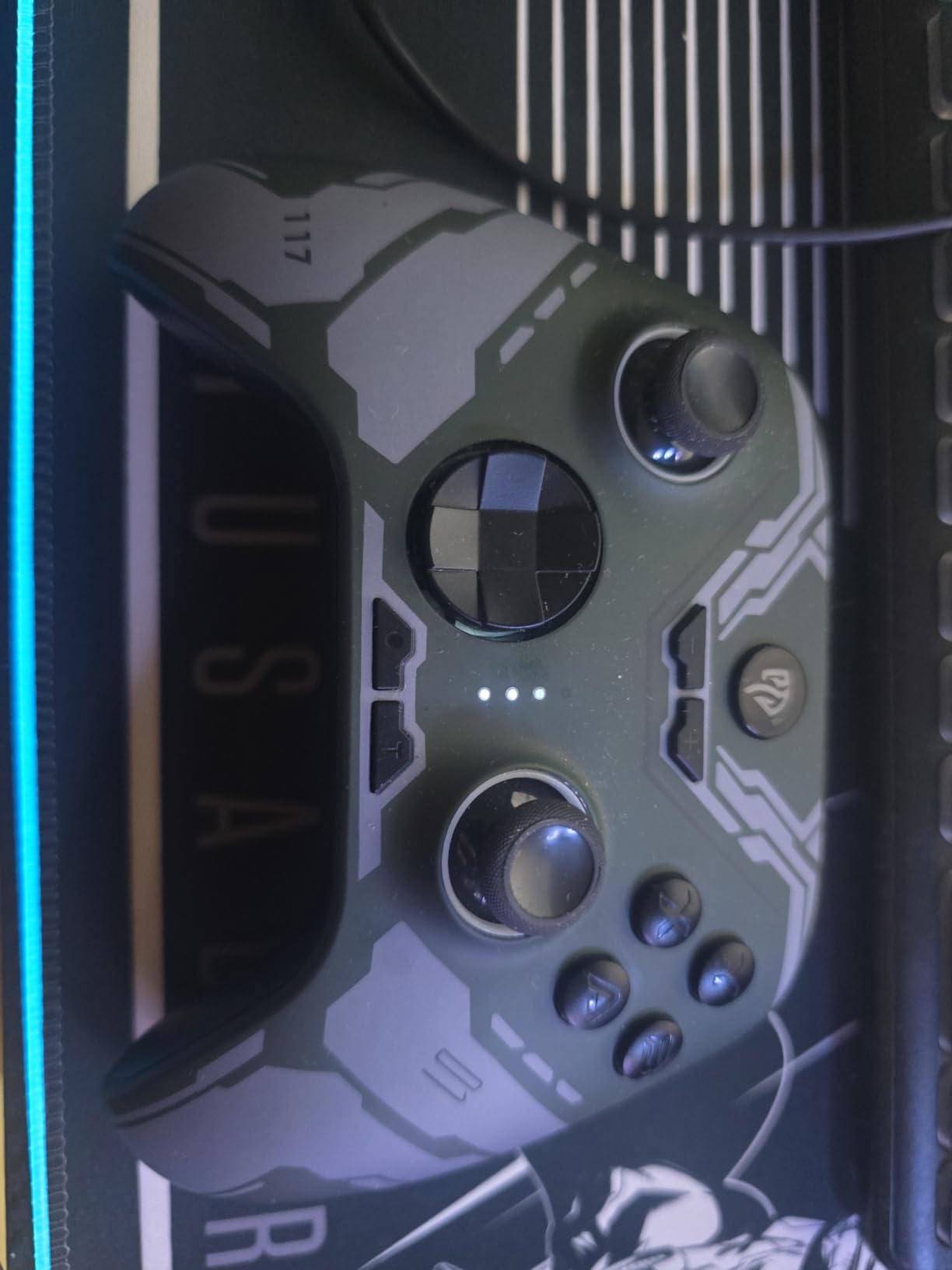
The EasySMX X15 proves that you do not need to spend a lot to get adaptive gaming features. It is the lowest-priced controller on this list, yet it includes Hall Effect joysticks, programmable back buttons, wireless connectivity, and multi-platform support. For gamers on a tight budget who still want functional one-handed customization, the X15 delivers the essentials without unnecessary extras.
The two programmable back buttons let you map macros or combo actions to rear paddles. I set one to handle trigger pulls and another for a frequently used face button, which reduced the number of inputs I needed to reach across the controller face. The Hall Effect joysticks provide the same drift-free performance as controllers costing three times as much.
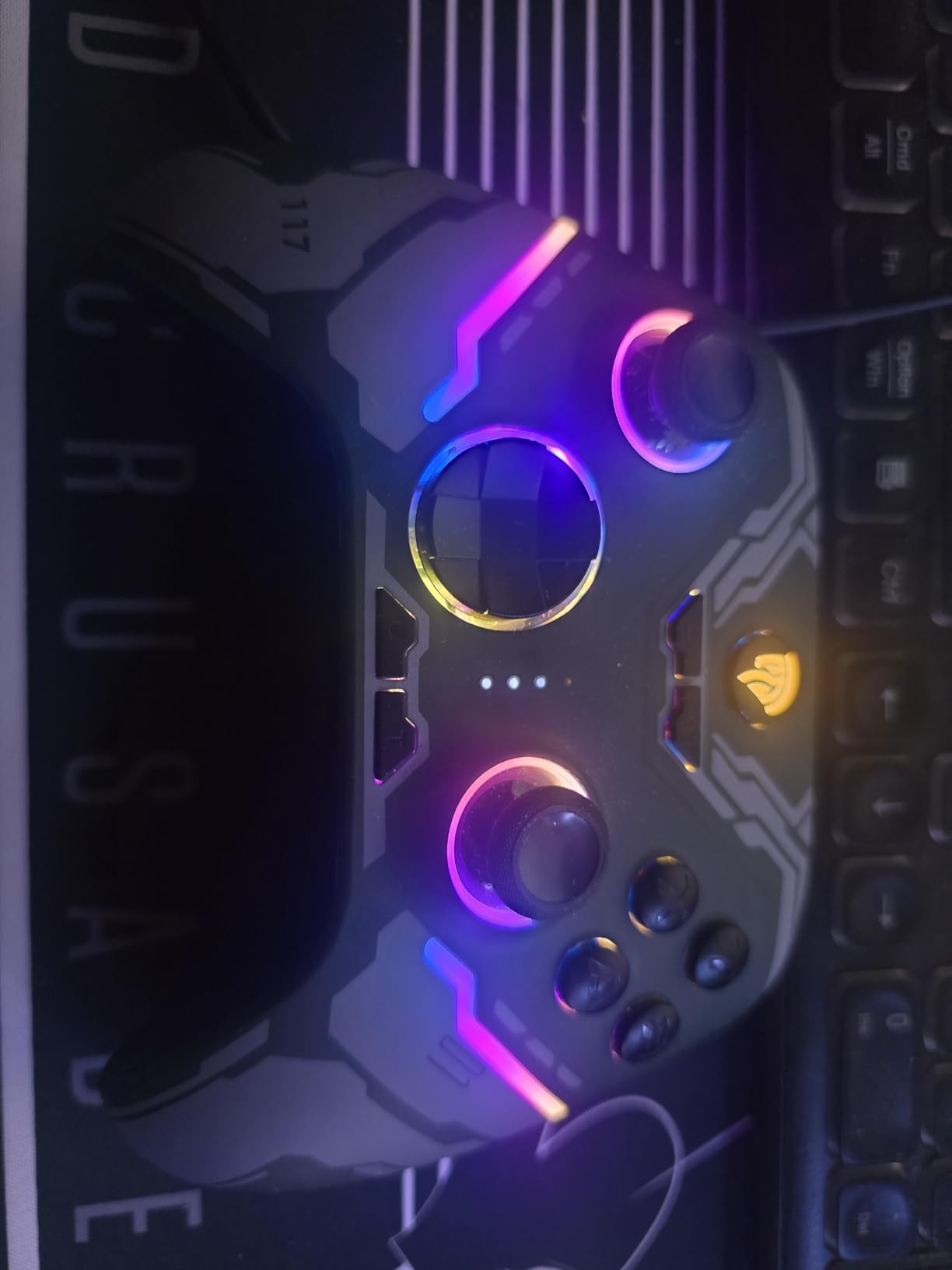
Battery life is rated at 20 hours, which is strong for this price range. During my testing, I went nearly a week of daily play before needing to recharge. The 1000mAh battery charges via USB-C and the controller can be used while charging, so you never lose play time.
Wireless connectivity covers 2.4GHz wireless, Bluetooth, and wired USB modes. I used the Bluetooth connection with an Android phone for retro gaming and the 2.4GHz dongle with a PC for more demanding titles. Both connections were stable throughout testing. The ABXY layout can be switched between PC and Switch configurations by pressing a button combination.
Best Budget Setup for One-Handed Gamers
If cost is your primary concern and you game on PC, Switch, or Android, the X15 gives you the most adaptive-gaming-relevant features per dollar. The back buttons handle the essential remapping that one-handed play requires, and the Hall Effect sticks ensure the controller will remain accurate over time. For gamers exploring adaptive options for the first time, this low-risk entry point is worth considering.
The 7 RGB lighting modes are a cosmetic bonus that do not affect gameplay but add some personality. The black color scheme is practical and resists showing wear.
What You Sacrifice at This Price
The X15 does not work with Xbox or PlayStation consoles. There is no companion software for advanced customization, so you are limited to the basic button mapping the controller supports natively. The plastic construction feels less premium than pricier options, though it held up fine during our testing period. If you need a controller that can take heavy daily abuse over years, spending more on a premium option may be worthwhile.
How to Choose the Right Adaptive Gaming Controller for One-Handed Play
Finding the right controller for one-handed gaming is a personal process. Your specific physical needs, preferred gaming platform, and budget all factor into the decision. Here is what our team learned from testing these controllers and from reading hundreds of community posts on r/disabledgamers and AbleGamers forums.
Platform Compatibility Comes First
Before considering features, confirm the controller works with your gaming platform. The Logitech adaptive kits are locked to PS5 or Xbox respectively. The ByoWave Proteus Builder supports PC, Steam Deck, and Xbox. The MAYFLASH F300 has the widest compatibility, covering nearly every platform except PS5 natively. Mobile gamers should look at the 8Bitdo Ultimate or EasySMX options with Bluetooth support.
If you play on multiple platforms, consider a cross-platform controller like the MAYFLASH F300 or ManbaOne. Buying one controller that works everywhere is more practical and affordable than maintaining separate devices for each system.
Button Remapping and Customization
The single most important feature for one-handed play is the ability to remap buttons. Standard controllers assume you have two hands, so button placement is designed for that configuration. Adaptive controllers and customizable gamepads let you move inputs to positions your hand can actually reach.
Look for controllers with programmable back buttons, macro support, or software-based remapping. The ManbaOne with its on-controller screen offers the fastest remapping experience. The Logitech adaptive kits with their physical button placement on hook-and-loop boards offer the most flexible spatial arrangement.
Physical Effort and Input Force
Some controllers require significant force to activate buttons or triggers. If you have limited hand strength due to stroke, cerebral palsy, or arthritis, pay close attention to the type of buttons included. Light-touch buttons like those in the Logitech adaptive kits require minimal pressure. The EasySMX X05Pro with its quiet-press silicone-damped buttons also needs less force than standard mechanical buttons.
Hall Effect triggers and joysticks generally require less physical effort than traditional mechanical switches because they use magnetic sensors instead of physical contact points. Six of the ten controllers on this list feature Hall Effect technology.
Ergonomics and Mounting
Consider how you will physically interact with the controller. Can you hold it, or do you need it mounted on a surface? The ByoWave Proteus Builder and Logitech adaptive kits are designed for tabletop use. The MAYFLASH F300 arcade stick sits flat on any surface. Standard gamepads like the GameSir G7 SE and EasySMX options require gripping, though they are lightweight enough for many one-handed gamers to manage.
Mounting solutions range from simple hook-and-loop boards (included with Logitech kits) to custom 3D printed mounts that the r/disabledgamers community frequently shares. Think about your playing position: bed, wheelchair, desk, or couch, and choose a controller form factor that works with that position.
Budget vs Premium Considerations
Adaptive gaming controllers range from under $30 to over $100. The most expensive option is not always the best for your situation. The EasySMX X15 at under $30 provides the core features most one-handed gamers need: Hall Effect sticks, back button remapping, and wireless connectivity. The Logitech adaptive kits cost more but require a separate base controller, making them a larger total investment.
Community feedback from r/disabledgamers consistently mentions that high cost is the biggest barrier to accessible gaming. Starting with a budget option that covers your essential needs, then upgrading later if needed, is a practical approach.
What is the gaming controller for people with one hand?
The ByoWave Proteus Builder is specifically designed as a one-handed gaming controller, with an ergonomic 3D printed shell and all inputs accessible from a single hand. Other effective options include the MAYFLASH F300 arcade fight stick, which lets you operate a joystick and buttons on a flat surface with one hand, and the Logitech G Adaptive Gaming Kits, which let you arrange custom buttons on a board within one hand’s reach.
Which gaming controller was specially designed for gamers with disabilities?
The Xbox Adaptive Controller by Microsoft and the PlayStation Access Controller by Sony were both specifically engineered for gamers with disabilities. They feature large flat surfaces with 3.5mm jacks for connecting external switches, buttons, and joysticks. The Logitech G Adaptive Gaming Kits expand these base controllers with customizable buttons and triggers that can be arranged in any configuration to match individual physical needs.
Is there a PS5 controller for disabled hands?
Yes. The Sony Access Controller (also called the Project Leonardo controller) is designed specifically for PS5 gamers with limited mobility. It features a flat, round design with swappable buttons and stick caps that can be configured for one-handed operation. Pair it with the Logitech G Adaptive Gaming Kit for PS5 to add 8 customizable buttons and triggers arranged on a hook-and-loop board for maximum flexibility.
How do people with one arm play video games?
Gamers with one arm use several strategies: dedicated one-handed controllers like the ByoWave Proteus Builder, arcade fight sticks where all inputs sit on a flat surface, flightsticks operated with a single hand, or modular adaptive kits like the Logitech G system. Many also use Co-Pilot features on Xbox that let two controllers control the same game, so a friend or caregiver can assist with hard-to-reach inputs. Button remapping is essential for moving all necessary controls to positions reachable with one hand.
Finding the Right Controller Makes All the Difference
The best adaptive gaming controllers for one-handed play are the ones that match your specific needs. For a purpose-built one-handed experience, the ByoWave Proteus Builder delivers a design focused entirely on single-hand operation. For maximum platform compatibility and community-proven reliability, the MAYFLASH F300 arcade fight stick offers an intuitive flat-surface layout that works everywhere. And for gamers who want deep customization on a standard gamepad form factor, the ManbaOne with its interactive screen makes remapping fast and accessible.
Every gamer’s physical situation is different, and what works perfectly for one person may not work for another. Start with the controller that fits your platform and budget, experiment with button layouts, and do not hesitate to try different configurations. The r/disabledgamers community and organizations like AbleGamers and SpecialEffect offer free guidance and support for setting up adaptive gaming stations.
Gaming in 2026 is more accessible than ever, and the right controller can be the difference between watching from the sidelines and jumping into the action. Pick the one that fits your life, and start playing your way.