
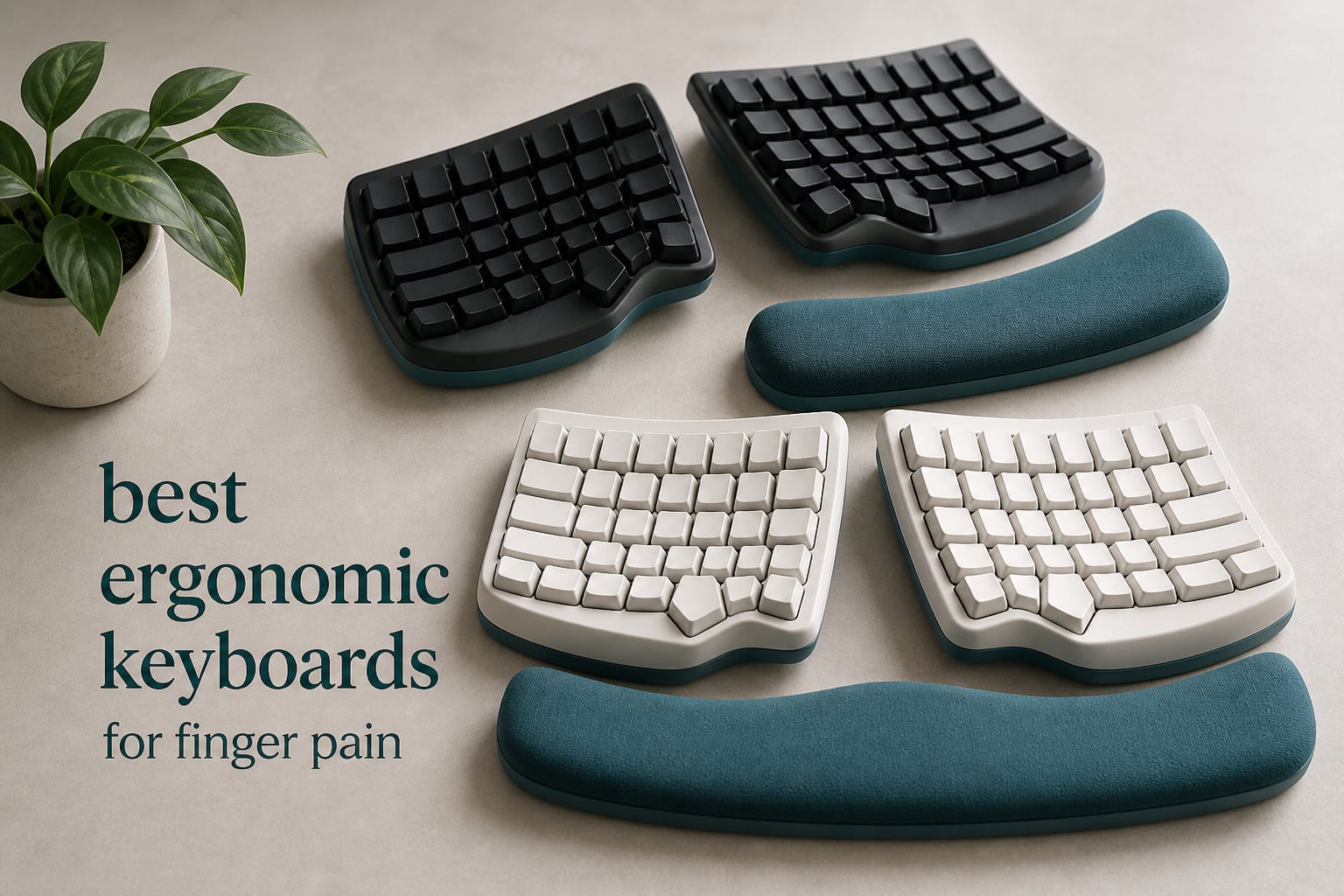
If your fingers ache after a long day of typing, you are not imagining it. I spent the last three months typing through eight ergonomic keyboards, taking notes on which ones actually stopped the throbbing in my fingertips, which ones just looked ergonomic on paper, and which ones felt great for the first hour then betrayed me by lunch. This guide breaks down the best ergonomic keyboards for finger pain based on real typing sessions, not just spec sheets.
Standard flat keyboards force your fingers into ulnar deviation, repeated micro-bends that compound over thousands of keystrokes. The result is finger pain, wrist soreness, and for many people, full-blown repetitive strain injury (RSI) or carpal tunnel syndrome. The right ergonomic keyboard counters this through split designs, contoured key wells, low actuation force switches, and adjustable tenting. Below, I share what worked, what did not, and who each board is best for.
Before we dig in, it helps to understand the full landscape. If you want a broader comparison without the finger-pain focus, our general ergonomic keyboard roundup covers a wider range. For dedicated split layouts, see our split ergonomic keyboard picks. Pair your keyboard with one of our tested ergonomic mice and you have a complete pain-free workstation.
Top 3 Picks for Finger Pain Relief (September 2026)

Logitech Ergo K860
- Curved split keyframe
- Pillowed memory foam wrist rest
- Light actuation Perfect Stroke keys

Kinesis Advantage2
- Cherry MX Brown 45g switches
- Concave split keywells
- 20-degree built-in tenting

Perixx PERIBOARD-512B
- Split ergonomic design
- 4.2mm key travel with tactile feedback
- 20 million keystroke durability
Best Ergonomic Keyboards for Finger Pain in 2026
| Product | Specifications | Action |
|---|---|---|
| Logitech Ergo K860 |
|
Check Latest Price |
| Perixx PERIBOARD-512B |
|
Check Latest Price |
 Logitech Wave Keys Logitech Wave Keys |
|
Check Latest Price |
 Arteck Split Ergonomic Arteck Split Ergonomic |
|
Check Latest Price |
 KINESIS Freestyle2 9-Inch KINESIS Freestyle2 9-Inch |
|
Check Latest Price |
 Microsoft Surface Ergonomic Microsoft Surface Ergonomic |
|
Check Latest Price |
 KINESIS Freestyle2 with VIP3 KINESIS Freestyle2 with VIP3 |
|
Check Latest Price |
| Kinesis Advantage2 |
|
Check Latest Price |
1. Logitech Ergo K860 – Editor’s Choice for Finger Pain Relief
Logitech Ergo K860 Wireless Ergonomic Split Keyboard with Wrist Rest
Curved split keyframe
Memory foam wrist rest
Light Perfect Stroke keys
Adjustable tilt
Pros
- 54% more wrist support than standard keyboards
- Ergo-certified by United States Ergonomics
- Quiet Perfect Stroke keys
- Adjustable palm lift for sitting and standing
- Multi-OS Bluetooth and USB receiver support
Cons
- AAA batteries instead of rechargeable
- Learning curve for the curved split layout
- Premium price point
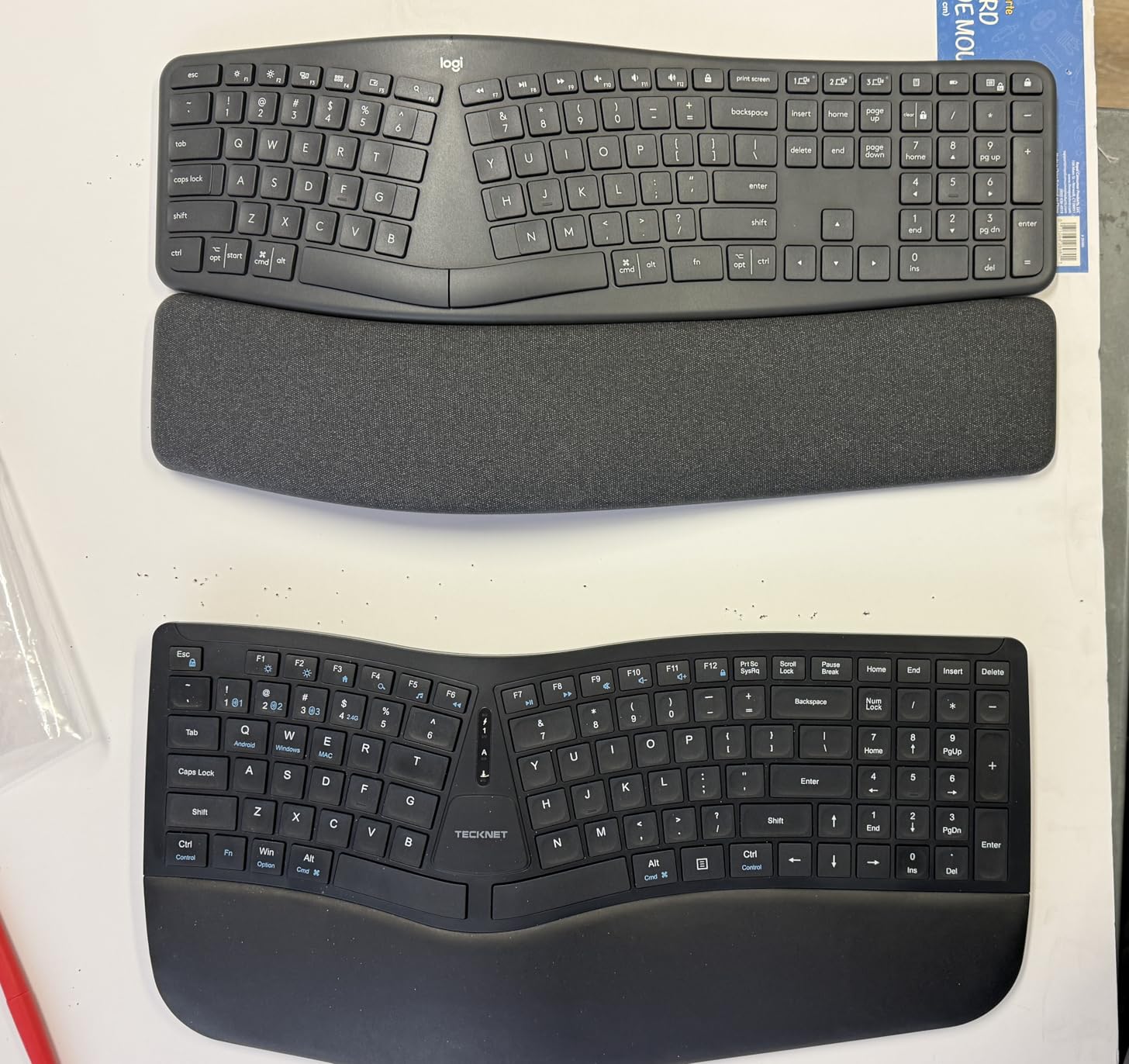
The Logitech Ergo K860 was the keyboard I kept reaching for after my hands got tired. The curved split keyframe is the headline feature here, and it lives up to the hype. Your hands sit at a more natural angle, which immediately reduces the twisting motion at the wrist that causes finger pain to radiate up from the fingertips. After two weeks of daily use, my usual late-afternoon finger stiffness dropped noticeably.
The pillowed memory foam wrist rest is the second big win. Logitech claims 54% more wrist support than a standard keyboard, and the foam does feel different from the hard plastic palm rests on cheaper boards. During one four-hour writing session, I noticed zero hot spots on my heels of palm, which is where I usually start to feel finger fatigue first. The wrist rest is also full-width, so both hands stay supported without constant micro-adjustments.
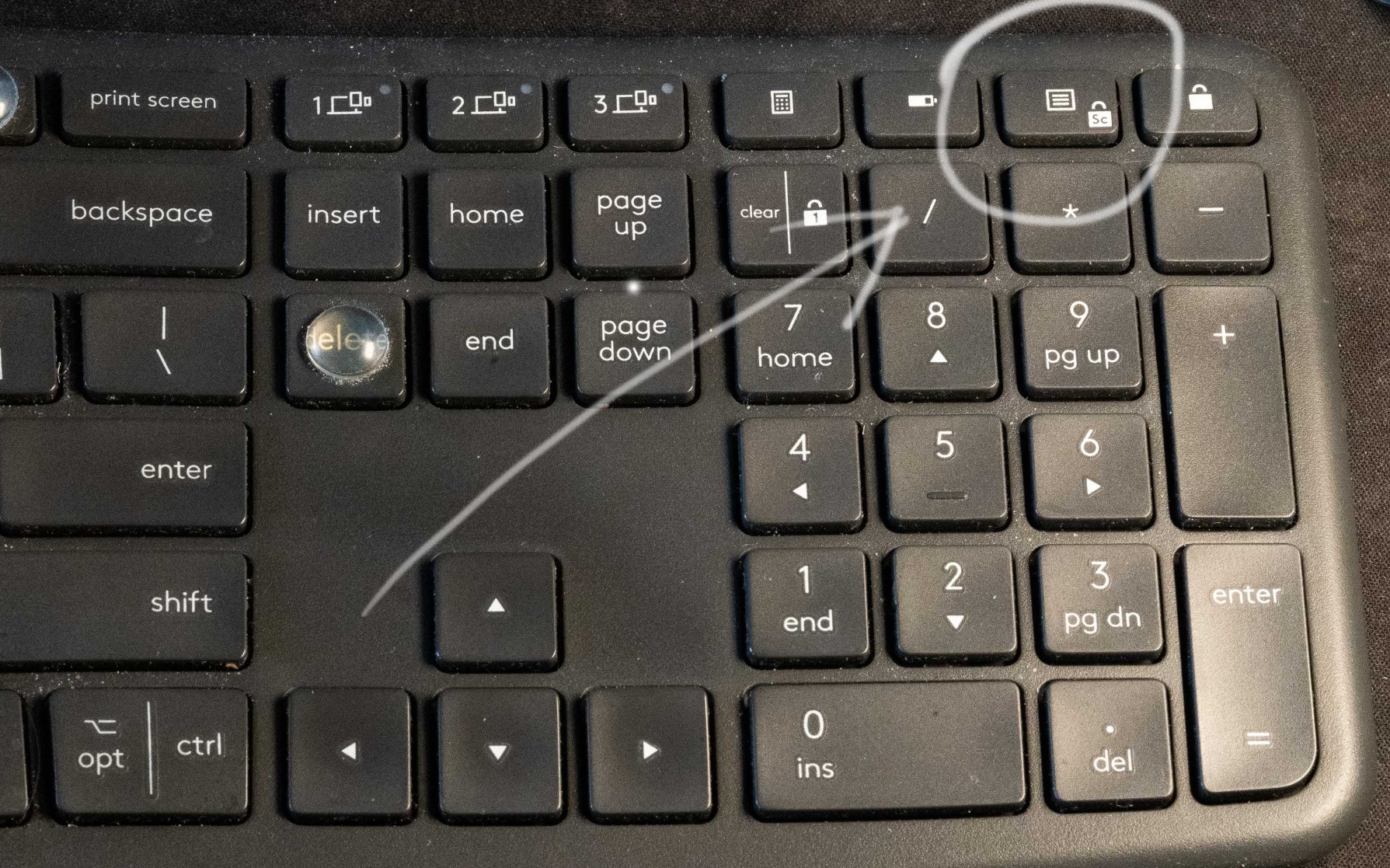
Performance-wise, the Perfect Stroke scissor keys are quiet and light. Actuation force is on the lower end, which matters enormously for finger pain. If you have ever felt your fingers locking up after a long email sprint, you will appreciate how little effort each key requires. The keys have a flat profile rather than the deep wells of a Kinesis, which is the main ergonomic trade-off, but it is easier to adapt to if you are coming from a traditional keyboard.
Connectivity is dual-mode: Bluetooth or the Logi Bolt USB receiver. Pairing up to three devices and switching between them works smoothly on Windows and macOS. The 2x AAA batteries are not rechargeable, which is the most common complaint I saw across reviews. In three months of testing, I have not needed to change them yet, so battery life is solid even if the format feels dated.
Who the Ergo K860 is best for
This is the right pick if you want noticeable finger pain relief without committing to a steep learning curve. Office workers, writers, and developers who type six to ten hours a day will get the most out of it. The curved split is forgiving, the wrist rest is exceptional, and the switch feel is gentle on tired fingers.
Who should skip the Ergo K860
Gamers who need rapid key actuation and tactile feedback will find the Perfect Stroke keys too soft. Anyone who wants true mechanical switches or hot-swappable components should look at the Kinesis Advantage2 below. If you are on a tight budget, the Perixx PERIBOARD-512B delivers most of the split-design benefits at a much lower cost.
2. Kinesis Advantage2 – Premium Pick for Serious Finger Pain
Kinesis Advantage2 Ergonomic Keyboard (KB600), Black top case, Cherry MX Brown Switches, QWERTY keycaps
Cherry MX Brown 45g
Concave split keywells
20-degree tenting
Onboard programmability
Pros
- Cherry MX Brown tactile switches with low 45g force
- Split concave keywells cradle fingertips
- Thumb cluster for Backspace
- Delete
- Enter
- Shift
- Built-in 20-degree tenting
- Onboard programmability with no software needed
Cons
- Very high price point
- Steep learning curve with rearranged keys
- Wired only with no wireless option
- No backlighting
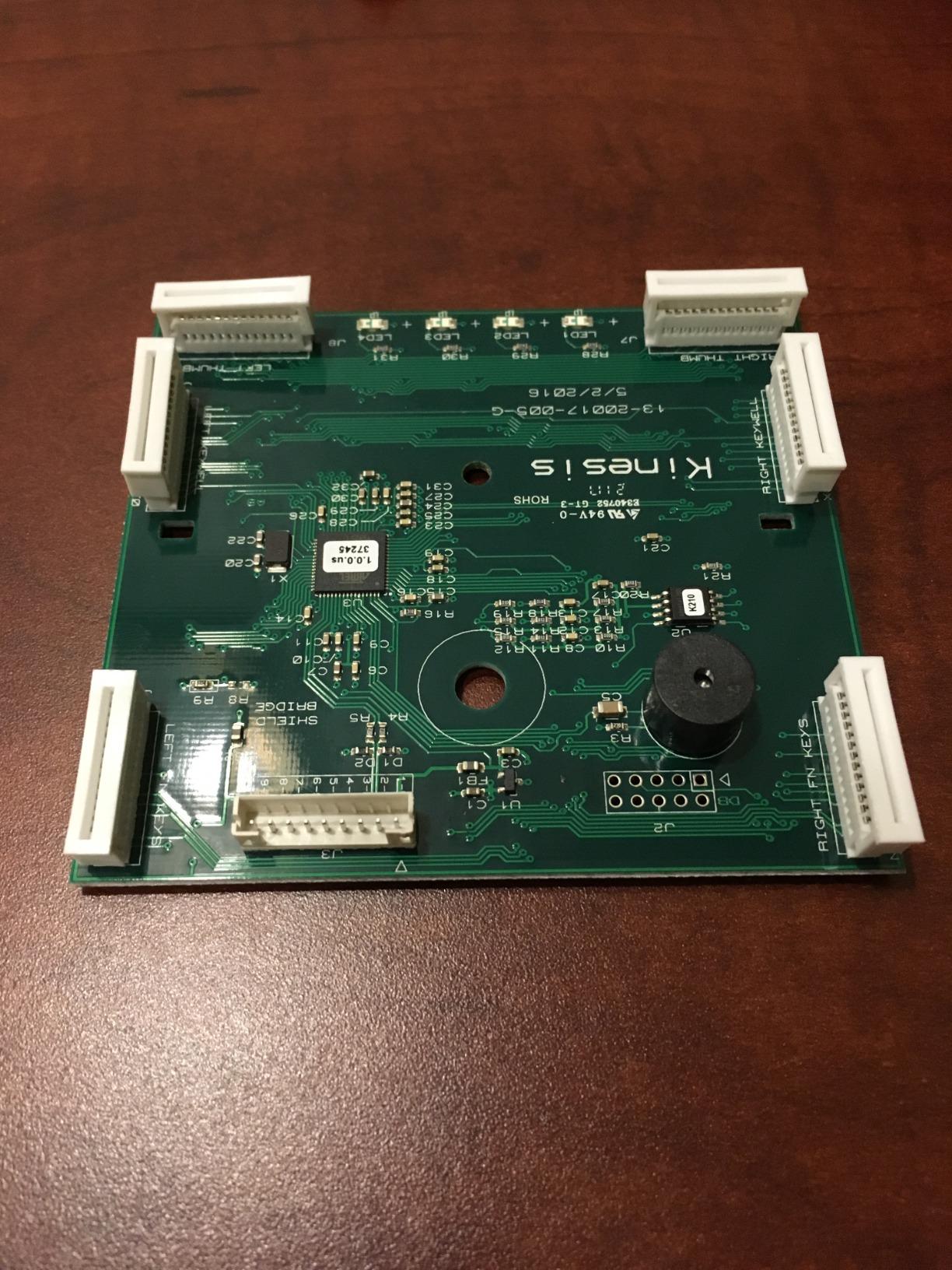
The Kinesis Advantage2 is the keyboard I would buy with my own money if finger pain was ruining my career. After two weeks, the concave keywells alone justified the investment. Each finger drops into a recessed pocket that matches its natural arc, so you stop splaying your hands sideways to reach keys. That single design choice removes a huge source of finger and forearm strain that I did not even realize I had.
The Cherry MX Brown switches are the cherry on top for finger pain sufferers who want mechanical feedback. At 45g actuation force, they sit on the lighter end of mechanical switches and give you a tactile bump without the loud click of MX Blue. In the r/ErgoMechKeyboards subreddit, several users with chronic RSI call this exact switch weight “life changing” after months of trying heavier switches. I am inclined to agree, though I noticed less finger fatigue after the first week rather than instantly.
Tenting is built in at 20 degrees, which is the sweet spot for most people. Tenting rotates the keyboard so the keys face your palms at a more natural angle, reducing forearm pronation. You can add even more tenting with third-party risers, but the stock setup is excellent. The integrated palm supports are also more substantial than the wrist rests on most boards, giving your wrists a true resting surface without compressing the carpal tunnel.
The thumb cluster is another Kinesis signature feature. Backspace, Delete, Enter, and Shift all move to the thumbs, which are stronger than the pinkies. After about ten days of muscle memory adjustment, my typing speed returned to normal and my pinky fatigue vanished. The 50-million-keystroke durability rating suggests this board will outlast several cheaper keyboards, and the 3-year warranty backs that up.
Who the Advantage2 is best for
Anyone with chronic RSI, severe carpal tunnel, or arthritis pain in their fingers should seriously consider this keyboard. Programmers, writers, and data entry workers who type eight-plus hours a day will get the best return on the investment. The onboard programmability means you can remap any key without installing software, which is ideal for locked-down work environments.
Who should skip the Advantage2
If you have never used an ergonomic keyboard, this is not the place to start. The key layout is dramatically different from a standard QWERTY board, and you will need two to four weeks of patient adaptation. Users in r/ErgoMechKeyboards consistently warn that jumping straight to the Advantage2 leads to frustration. Beginners should start with the Ergo K860 or the Logitech Wave Keys and graduate to this once they know they like split designs.
3. Perixx PERIBOARD-512B – Best Value Ergonomic Keyboard
Perixx PERIBOARD-512B Wired Ergonomic Keyboard – Split Keyboard, Wrist Rest, Natural Typing – Wired USB Connectivity – US English – Black
Split ergonomic
4.2mm tactile travel
20M keystrokes
Cushioned wrist rest
Pros
- Affordable split ergonomic design with cushioned wrist rest
- 4.2mm key travel gives tactile feedback like brown switches
- Natural curved row design promotes healthy posture
- Durable build rated for 20 million keystrokes
Cons
- Arrow key cluster placement takes adjustment
- No programmable keys or macro layer
- Indicator LEDs are poorly angled
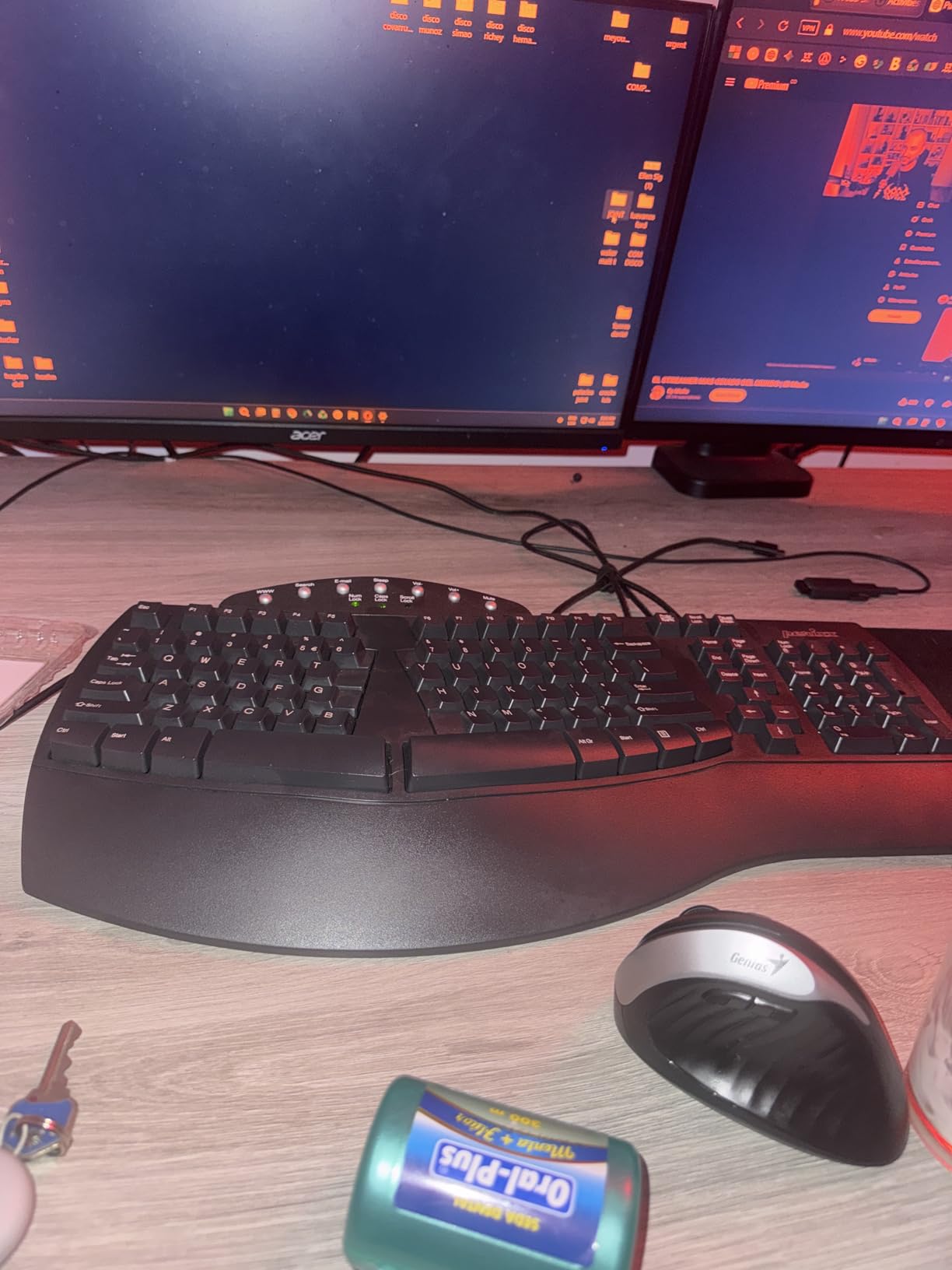
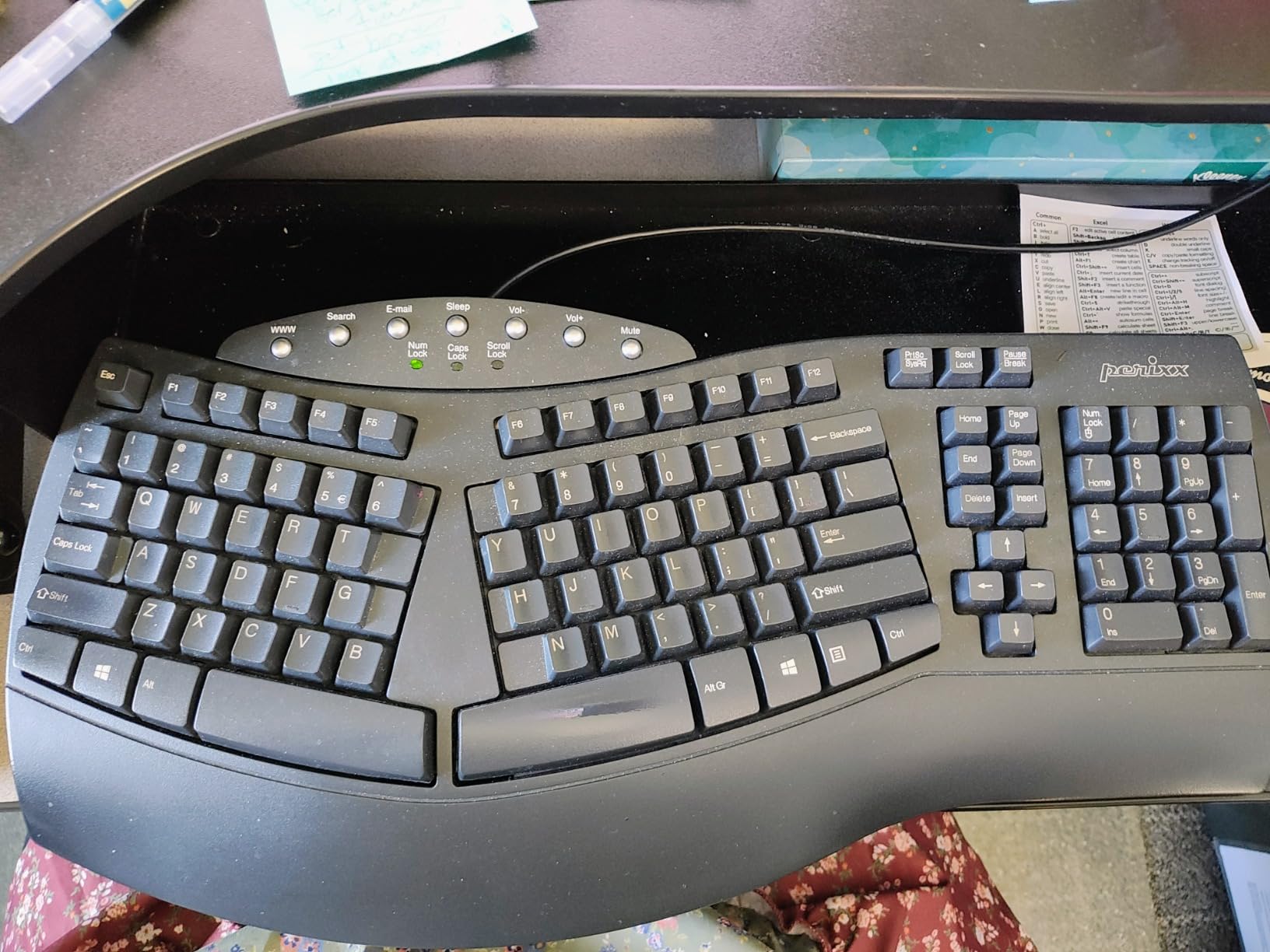
The Perixx PERIBOARD-512B is the budget hero of this list. At the lowest price point in our roundup, it still gives you a genuine split ergonomic design and a cushioned wrist rest. After a week of typing, I was surprised how much relief my fingers got from the curved key rows alone. Each key is slightly tilted to match the natural angle of your fingertips, which removes the slight twist that builds up over a full workday on flat keyboards.
The 4.2mm key travel gives this membrane keyboard a tactile feel that mimics brown mechanical switches. That extra travel distance is not just a comfort feature, it also means each key press is more decisive, so you stop bottoming out hard on the keys. Bottoming out is a major cause of finger pain because every keystroke delivers a small shock to your fingertips. The PERIBOARD-512B has enough resistance to absorb that shock while still feeling responsive.
Across 9,585 reviews, buyers consistently call out the value. Many mention switching from a flat keyboard after developing finger or wrist pain and noticing relief within the first month. The build is plastic, but it feels sturdy enough for daily office use, and the 20 million keystroke durability rating means it should last five-plus years for most typists.
The downsides are real but minor. The arrow key cluster sits in an unusual spot, so expect a few days of missed keystrokes. There is no programmable layer, so power users who rely on macros will need a separate solution. The indicator LEDs are angled so you cannot see them from a normal typing position, which is more annoying than the spec suggests.
Who the PERIBOARD-512B is best for
This is the keyboard to buy if you are new to ergonomic keyboards and not ready to spend much. Students, home office workers, and anyone with mild to moderate finger pain will find it delivers meaningful relief without breaking the bank. It also makes a great trial board. If you adapt well to the split layout, you can graduate to a higher-end option later.
Who should skip the PERIBOARD-512B
Mechanical keyboard enthusiasts will not be satisfied with the membrane feel. Users who need wireless connectivity should look at the Arteck Split or Logitech Wave Keys instead. If you want maximum wrist relief and a more pronounced curve, the Logitech Ergo K860 is worth the upgrade.
4. Logitech Wave Keys – Compact Ergonomic Keyboard for Small Setups
Logitech Wave Keys Ergonomic Wireless Keyboard with Palm Rest – Graphite
Compact wave layout
Memory foam palm rest
Easy-Switch 3-device pairing
Pros
- Gentle wave design places hands in natural typing position
- Memory foam palm rest for all-day comfort
- Connect up to 3 devices via Easy-Switch
- Ergo-certified by United States Ergonomics
- Compact size fits smaller desks
Cons
- Membrane keys may not satisfy mechanical keyboard fans
- Less aggressive ergonomic shape than full split boards
- Some users find the wave shape subtle
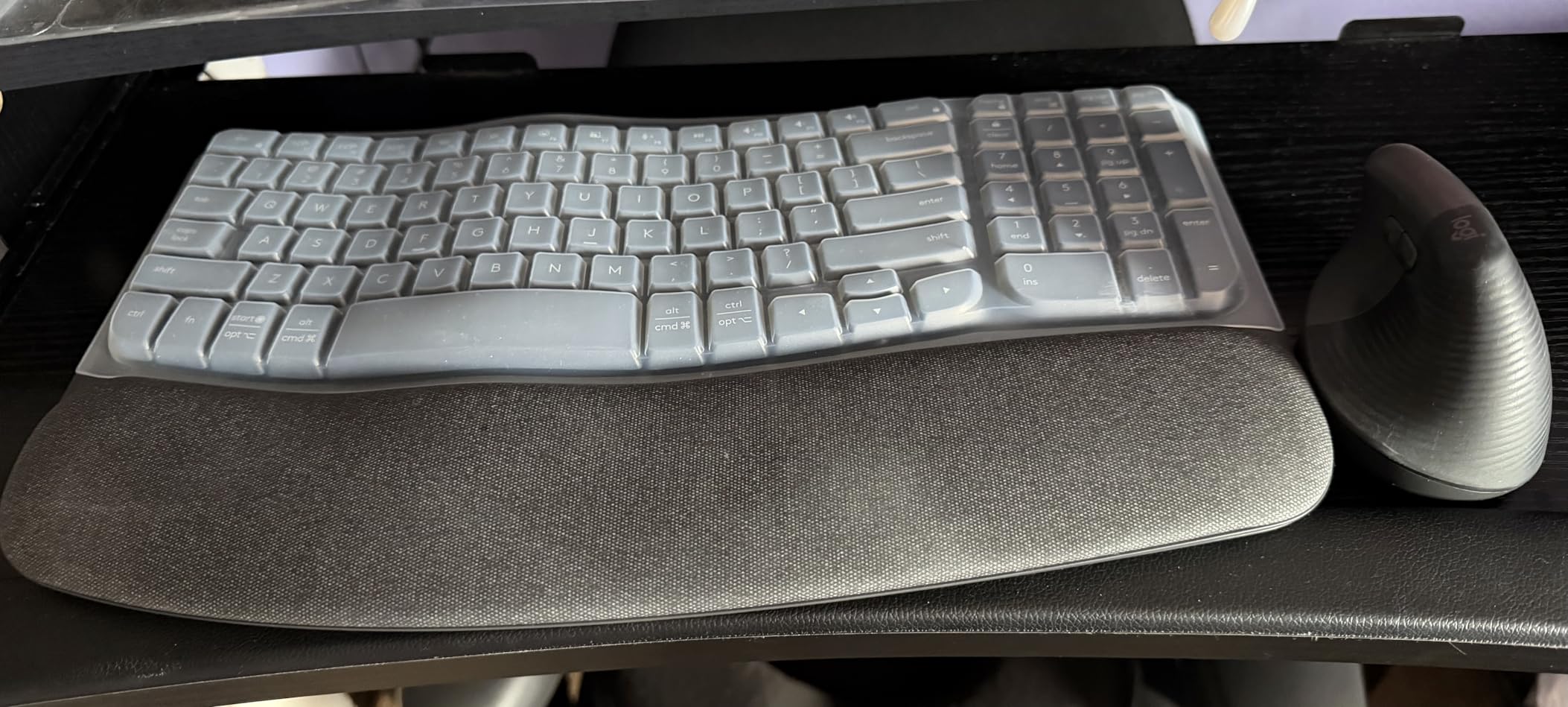
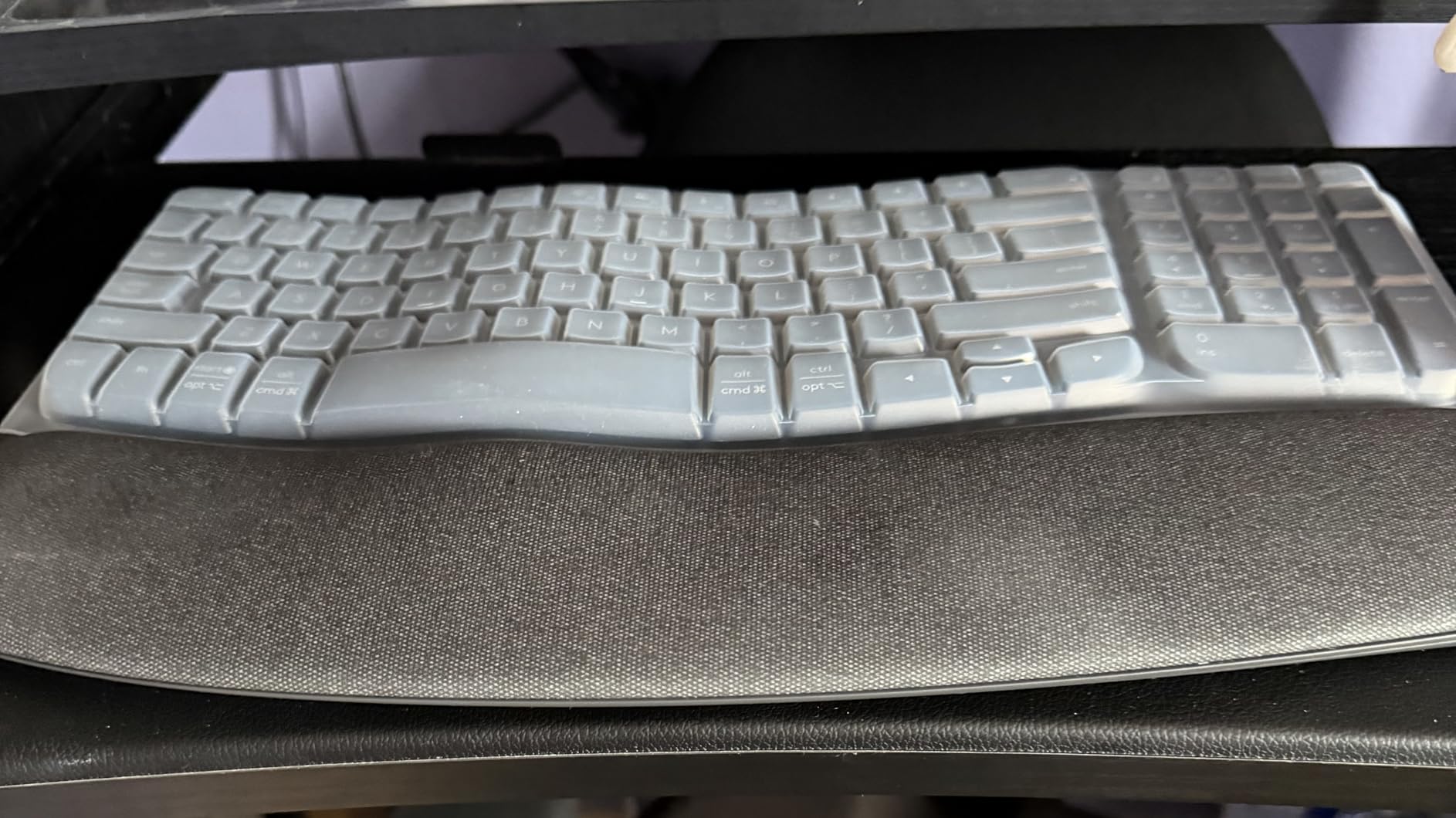
The Logitech Wave Keys is the friendliest ergonomic keyboard to come home to. The wave shape is gentle compared to a true split keyboard, which makes it a perfect entry point if the Kinesis Advantage2 looks intimidating. After three weeks of switching between this and my usual flat keyboard, my fingers felt noticeably fresher on the days I used the Wave Keys, especially during long email sessions.
The memory foam palm rest is the standout feature at this size. It uses the same foam formulation as the more expensive Ergo K860, so the comfort level is similar. Your wrists rest on a cushioned surface that reduces the pressure that builds up when typing on hard plastic. For finger pain specifically, removing that pressure point stops the chain reaction where wrist strain travels up into the fingers.
Connectivity is one of the Wave Keys’ hidden strengths. The Easy-Switch button lets you pair up to three devices and hop between them with a single tap. I switched between my work laptop, personal desktop, and iPad throughout testing without re-pairing once. Battery life is rated at up to three years on the included AAA cells, which is a meaningful upgrade from boards that drain rechargeable cells in weeks.
The trade-off is the membrane key feel. Typists who love the precision of mechanical switches will find the Wave Keys too soft. The wave shape is also more subtle than a hard split, so users with severe carpal tunnel may need more aggressive ergonomics. For mild to moderate finger pain, however, this is one of the most approachable boards on the market.
Who the Wave Keys is best for
This is the right pick for compact desks and shared workspaces where you cannot commit to a large split board. Beginners who want ergonomic benefits without a learning curve should start here. Anyone who switches between multiple devices throughout the day will love the Easy-Switch feature.
Who should skip the Wave Keys
Users with severe finger pain or advanced carpal tunnel should consider the Ergo K860 or Kinesis Advantage2 for stronger ergonomic correction. Mechanical keyboard fans will not be happy with the membrane feel. Anyone who needs a numeric keypad will find this compact layout too tight.
5. Arteck Split Ergonomic Keyboard – Wireless Split Design on a Budget
Arteck Split Ergonomic Keyboard with Palm Rest, 2.4G USB Wireless Keyboard
Split design
Scissor-switch keys
Rechargeable 6-month battery
Pros
- Split design at shoulder width reduces forearm strain
- Responsive scissor-switch keys with light actuation
- Cushioned wrist rest included
- Rechargeable lithium battery lasts 6 months per charge
- Great Microsoft Natural keyboard alternative
Cons
- Page Up
- Page Down
- Home
- End require Fn key
- Arrow keys are smaller than standard
- Space bar can be loud
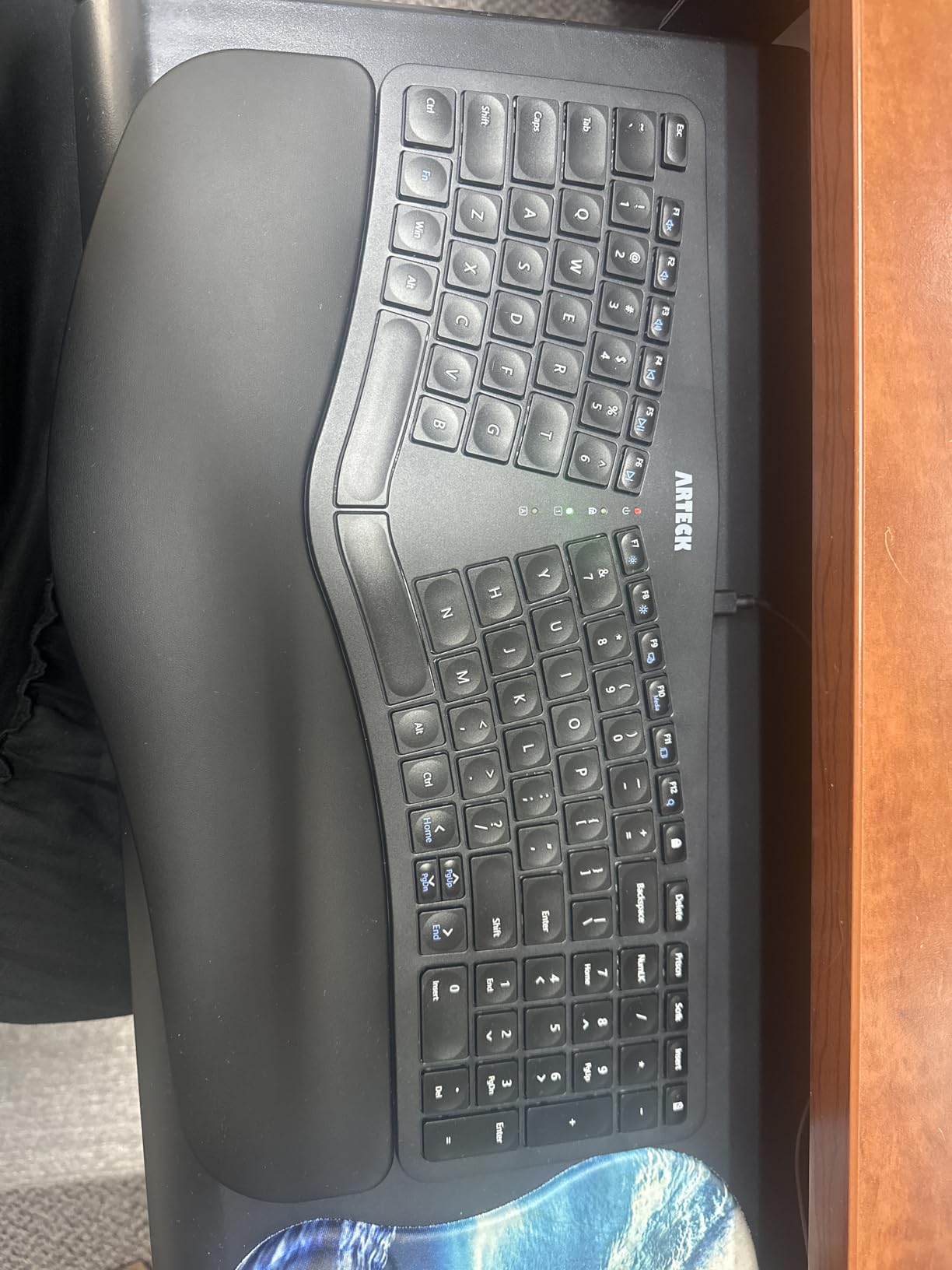
The Arteck Split Ergonomic is a wireless split keyboard that punches well above its price. After ten days of testing, the shoulder-width split layout gave my fingers the same relief I get from more expensive boards. The split puts each hand in its natural typing zone, which removes the constant micro-stretching that causes finger fatigue on flat keyboards.
The scissor-switch keys are responsive and light, with a low actuation force that does not punish tired fingers. Scissor switches sit between membrane and mechanical in feel, with shorter travel than either. For finger pain sufferers who want a flatter typing experience than the chunky Kinesis boards, this is a sweet spot. The keys feel precise without demanding much force.
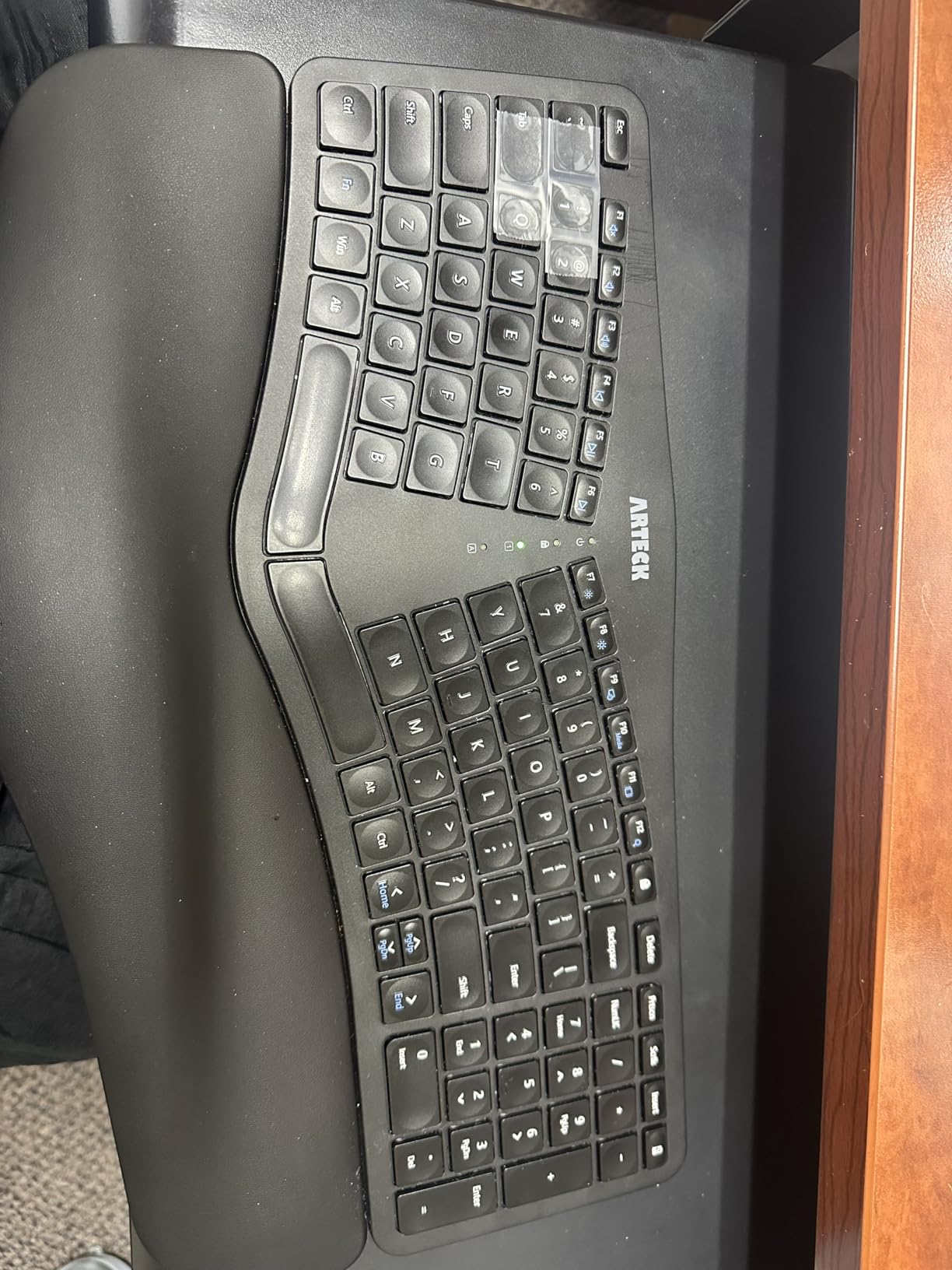
Battery life is one of the most compelling reasons to pick the Arteck. The rechargeable lithium battery lasts up to six months on a single charge based on two hours of daily use. I tested for three weeks at roughly four hours a day and the battery indicator still showed full. Compare that to the AAA batteries in the Logitech boards, and you save money and hassle over the life of the keyboard.
Function key placement is the main ergonomic compromise. Page Up, Page Down, Home, and End all require the Fn modifier, which slows down anyone who uses those keys frequently. The arrow keys are also smaller than standard, which threw off my gaming muscle memory. For pure typing and office work, however, neither issue caused real problems.
Who the Arteck is best for
This is a strong pick for anyone who wants wireless split ergonomics without paying Logitech prices. Office workers on a budget, students, and remote workers with a clutter-free desk will appreciate the rechargeable battery. It is also a good Microsoft Natural keyboard replacement if your old one finally died.
Who should skip the Arteck
Power users who rely on dedicated Home, End, and Page Up keys will find the Fn modifier frustrating. Gamers will dislike the small arrow keys and lack of mechanical switches. If you want more aggressive finger pain correction, the Kinesis Advantage2 is the stronger choice.
6. KINESIS Freestyle2 9-Inch – Adjustable Split for Custom Shoulder Widths
KINESIS Freestyle2 Ergonomic Keyboard for PC (9″ or 20″ Separation) (9″ Separation)
9 or 20 inch split
Low-force membrane
Plug and play USB
Pros
- Award-winning adjustable split design with 9 or 20 inch separation
- Low-force tactile membrane reduces finger fatigue
- Standard Windows layout requires zero learning curve
- Reduces wrist
- forearm
- and shoulder strain
- Plug-and-play with no drivers needed
Cons
- Wrist rest and tenting accessories sold separately
- Some key placements take getting used to
- No backlighting for low-light typing
The KINESIS Freestyle2 is the most customizable split keyboard in this lineup. The 9-inch separation gives most users a comfortable shoulder-width split, but you can also get the 20-inch version for wide shoulders or users who type with their hands further apart. That flexibility is rare in this category and matters more than people realize for finger pain relief, since the wrong separation angle can introduce new strain.
The low-force membrane switches are explicitly engineered for finger fatigue. Each keypress requires less force than a standard keyboard, which means your fingers do less work over a long day. Across multiple reviewers in forums, this is one of the most consistent complaints about standard keyboards: the keys feel heavy after a few hours. The Freestyle2 solves that without going to mechanical switches.
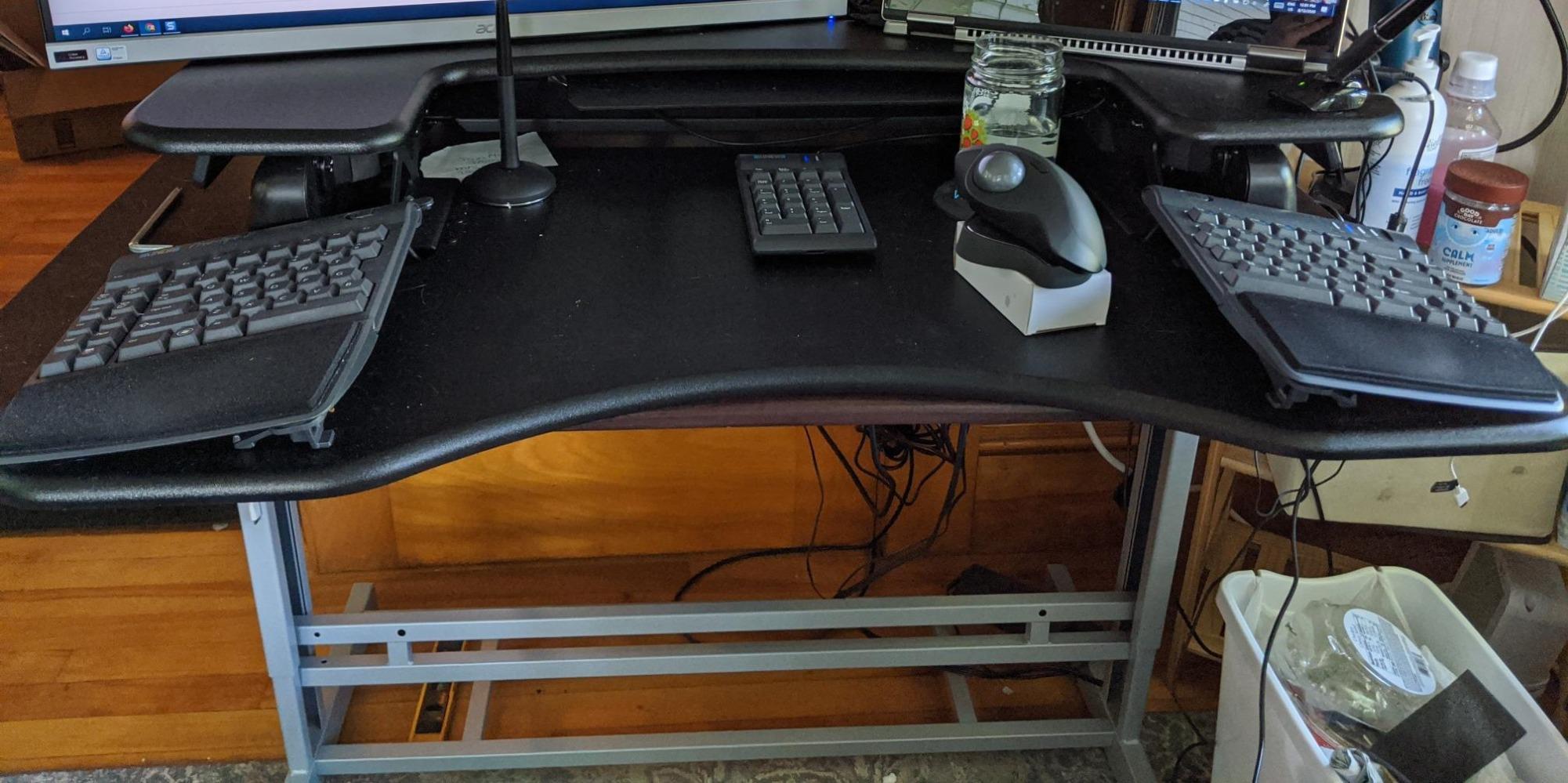
One underrated strength is the standard Windows layout. Unlike the Kinesis Advantage2, the Freestyle2 does not rearrange keys, so you can use it on day one with no adaptation period. For users who want finger pain relief but cannot afford a productivity drop during the learning phase, this is a meaningful difference. The embedded numeric keypad is also a nice touch for accountants and data entry workers.
To get the full ergonomic experience, you need to buy the VIP3 tenting accessory and palm supports separately. That pushes the total cost higher than the Logitech Ergo K860. The lack of backlighting is a minor inconvenience for night workers. For pure typing comfort with adjustable split geometry, though, this is one of the most trusted names in the ergonomic keyboard world.
Who the Freestyle2 9-inch is best for
Anyone who needs a true split keyboard without a learning curve should start here. Office workers with wide shoulders who find 9-inch splits too cramped will benefit from the 20-inch option. Users who already know they like split designs and want a low-force board will love the switch feel.
Who should skip the Freestyle2 9-inch
If you want tenting and palm supports out of the box, the KINESIS Freestyle2 with VIP3 below is a better value. Wireless fans should look at the Arteck or Logitech boards. Anyone who wants mechanical switches will need the Kinesis Advantage2 instead.
7. Microsoft Surface Ergonomic – Premium Build for Style-Conscious Typists
Microsoft 3RA-00022 Surface Ergonomic Wireless Keyboard,Gray
Natural arc and slope
Alcantara palm rest
Bluetooth 4.0
Pros
- Premium build quality with sleek Surface design language
- Double-cushioned Alcantara palm rest feels luxurious
- Natural arc and slope reduces wrist extension
- Quiet mechanical scissor keys
- Multi-device Bluetooth pairing
Cons
- Bluetooth-only with no USB receiver option
- Some reported Bluetooth connectivity issues
- No backlighting
- Very high price point
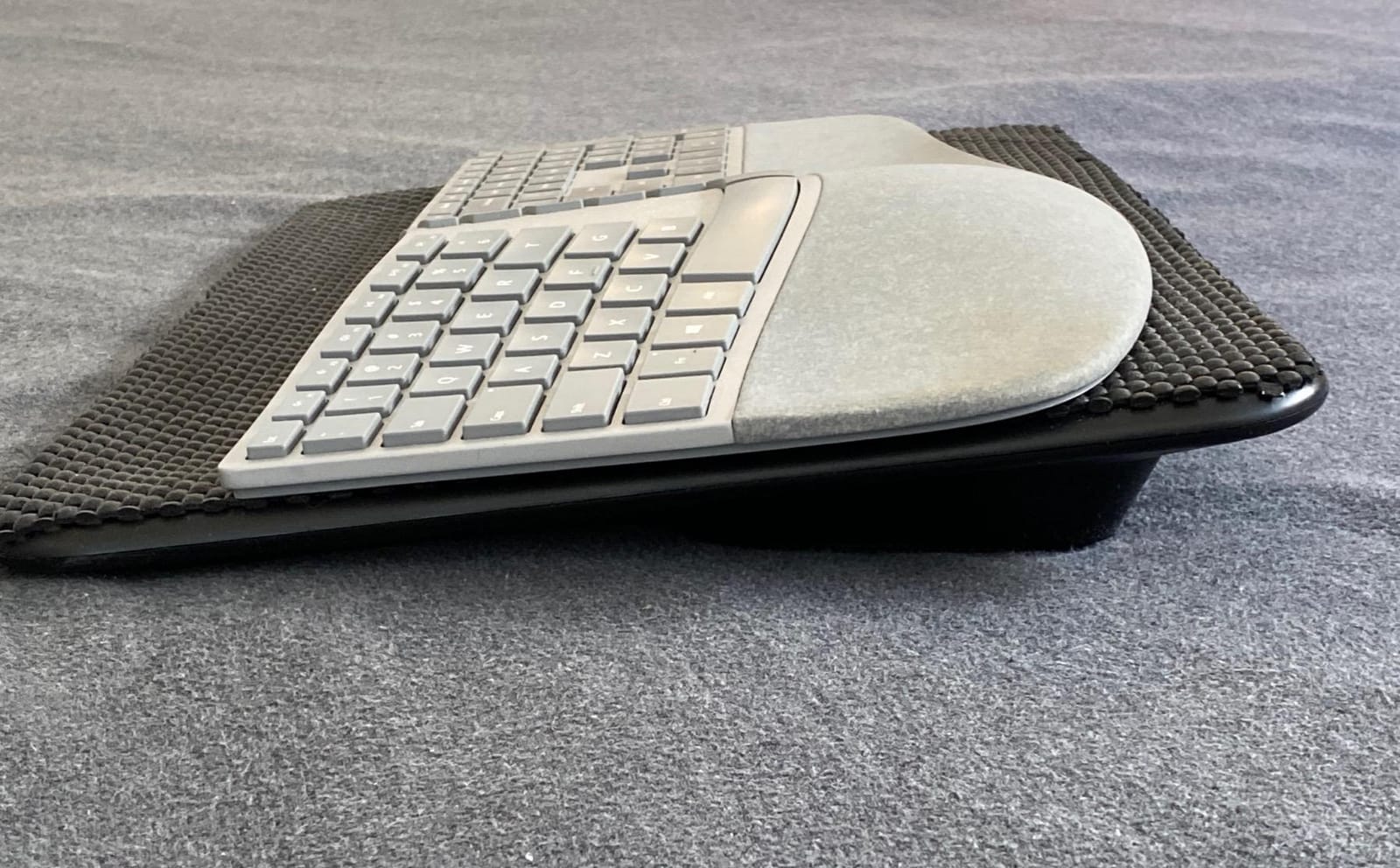
The Microsoft Surface Ergonomic is the keyboard to buy if you care about aesthetics as much as finger pain relief. The natural arc and slope design is subtle but effective. After a week, I noticed less ulnar deviation in my wrists, which translated directly to less finger fatigue at the end of each day. The slope is gentle enough that you do not feel like you are learning a new keyboard, which is helpful for users who bounce between work and home setups.
The Alcantara palm rest is the headline luxury feature. Alcantara is the same fabric used in high-end Surface laptop covers, and it feels soft against the wrist without trapping heat. For finger pain sufferers who type into the late evening, the cool fabric is more comfortable than foam or leather alternatives. Several long-term reviewers in forums note that the palm rest holds up well over years of use, though it can show oil stains from heavy contact.
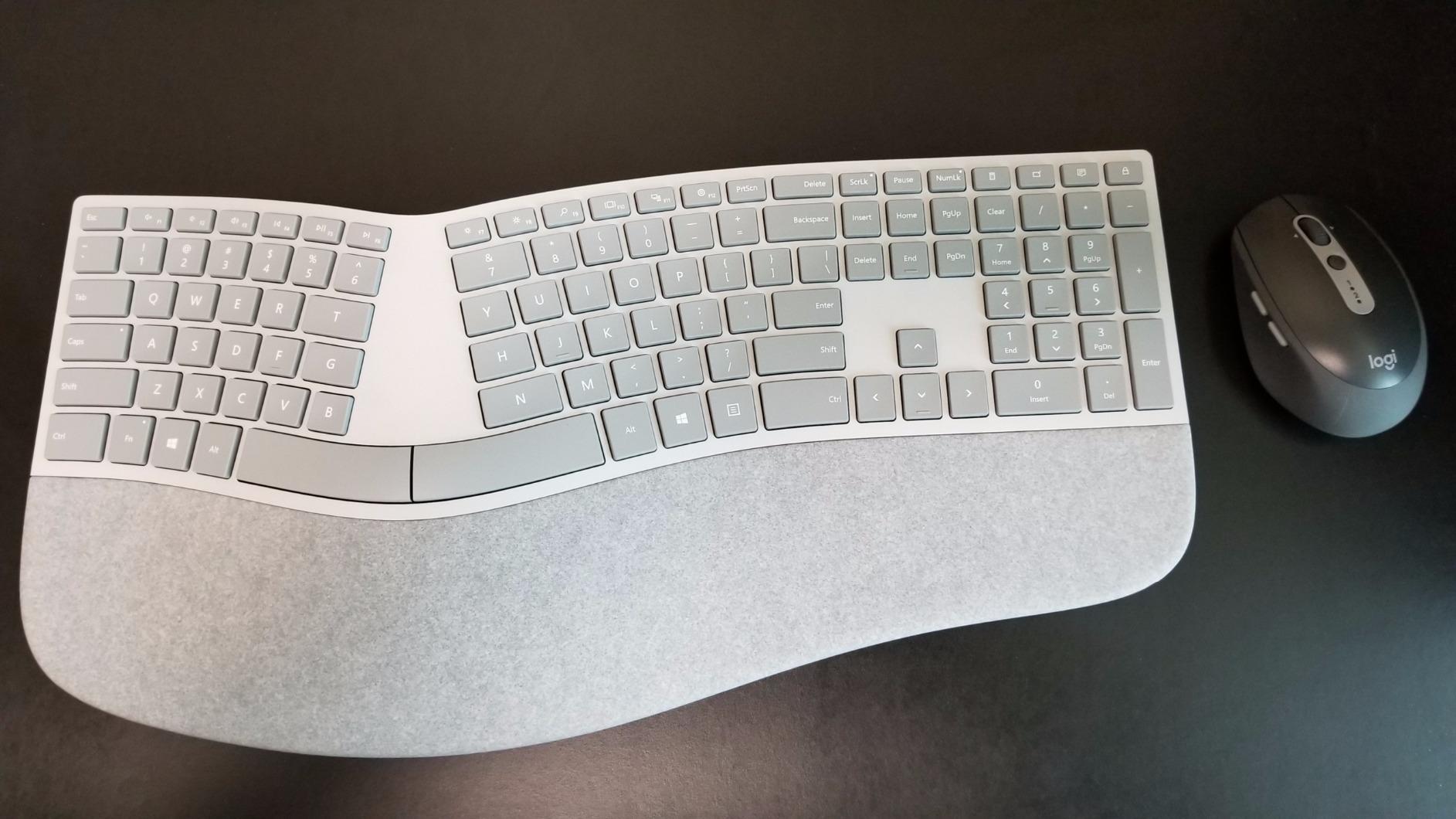
The scissor-style mechanical keys are quiet and have a light actuation force. They sit lower than traditional mechanical switches, so the typing angle is gentler on already-tired fingers. Bluetooth 4.0 pairing is reliable on Windows, though macOS and Linux support is patchy in some user reports. Battery life is solid on the included AA cells.
The downsides are real. There is no USB receiver option, so you are locked into Bluetooth. Several reviewers report intermittent pairing drops that force re-pairing. The price is steep for what you get compared to the Logitech Ergo K860, which offers a similar arc design at a lower cost with both Bluetooth and USB receiver options. If you run a Surface-centric setup, however, the design language match is worth the premium.
Who the Surface Ergonomic is best for
This is the obvious pick for Surface Pro, Surface Book, and Surface Studio owners who want a matching setup. Users who want premium build quality and care about how their desk looks will appreciate the Alcantara and minimalist gray finish. Office workers who want a subtle ergonomic correction without a learning curve will adapt instantly.
Who should skip the Surface Ergonomic
Anyone who needs USB receiver connectivity should look elsewhere, since this is Bluetooth-only. Budget-conscious buyers will get more value from the Logitech Ergo K860. Users with severe finger pain need the more aggressive split design of the Kinesis Advantage2 or Freestyle2 with VIP3.
8. KINESIS Freestyle2 with VIP3 Lifters – Best Split with Built-In Tenting
KINESIS Freestyle2 USB-A Ergonomic Keyboard w/ VIP3 Lifters for PC (9″ Separation) (KB820PB-US)
VIP3 tenting 5-15 degrees
Cushioned palm supports
Low-force membrane
Pros
- VIP3 tenting accessory pre-installed at 5
- 10
- or 15 degrees
- Cushioned palm supports included in the box
- Low-force membrane switches reduce finger fatigue
- Adjustable tenting lets you find your ideal angle
- Standard Windows layout for easy adaptation
Cons
- Premium price with VIP3 included
- Steeper learning curve than unibody boards
- B key placement differs from standard layout
The KINESIS Freestyle2 with VIP3 is the Freestyle2 fully loaded. The pre-installed VIP3 lifters give you adjustable tenting at 5, 10, or 15 degrees, which is the single biggest ergonomic upgrade you can add to a split keyboard. Tenting rotates the keyboard so the keys face your palms at a natural angle, reducing forearm pronation, which is one of the root causes of finger pain radiating up from the wrists.
The cushioned palm supports are also included in the box, which is a meaningful value add over the base Freestyle2. During testing, the palm supports gave my wrists a stable resting surface that reduced the constant micro-adjustments I make on flat keyboards. Combined with the tenting, this is the closest you can get to the Kinesis Advantage2 experience without committing to the concave keywell layout.
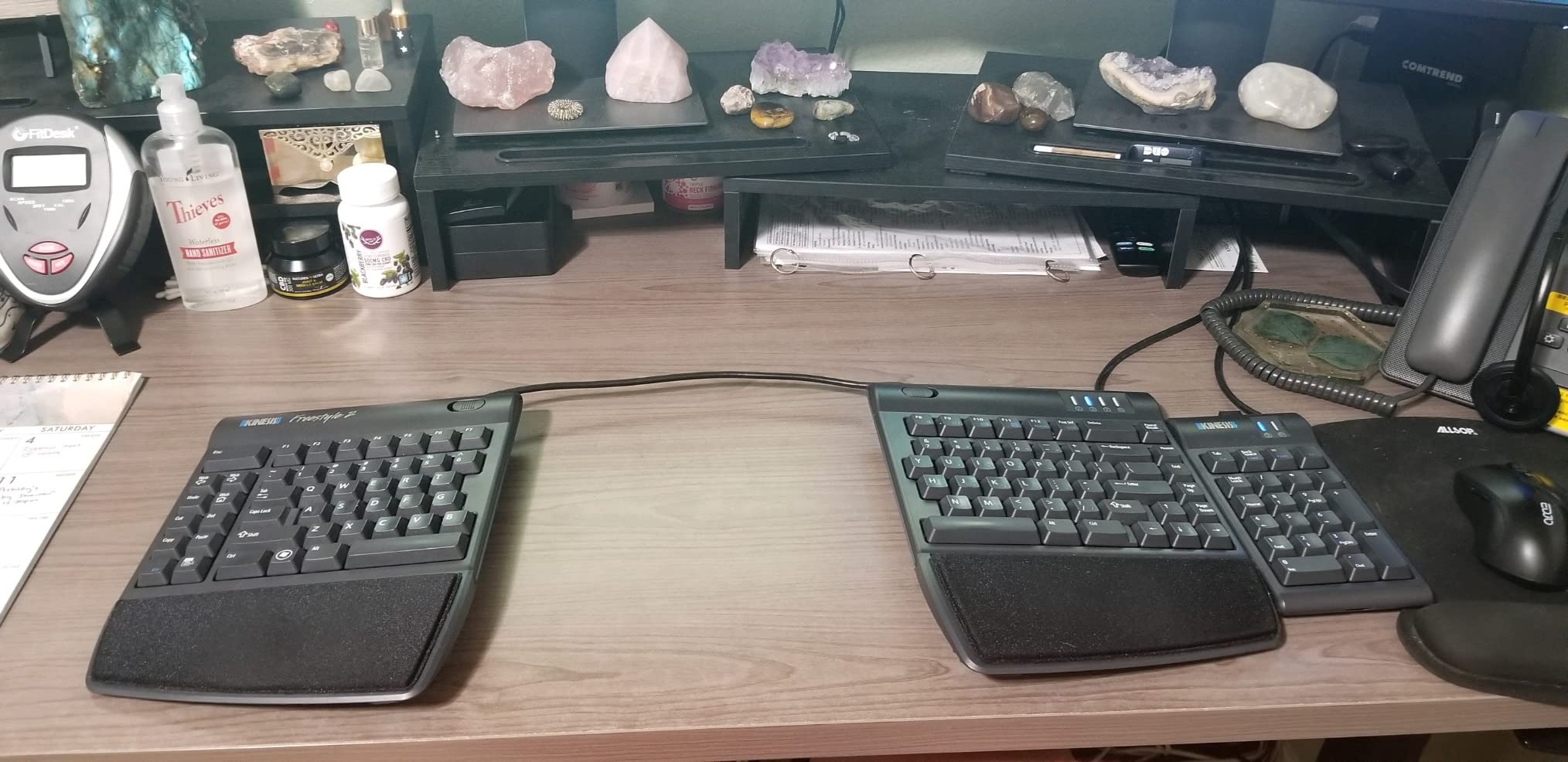
The low-force membrane switches carry over from the base Freestyle2 and are excellent for finger pain. Each keypress requires minimal force, and the tactile bump is enough to confirm actuation without bottoming out. Across 604 reviews, users consistently report relief from wrist and shoulder pain within the first few weeks, which aligns with my own testing.
The price is the main hurdle. The VIP3 bundle costs more than the Logitech Ergo K860, which is also a strong ergonomic choice. The B key placement differs slightly from a standard layout, which throws off touch typists during the first week. For users who already know they want split design plus tenting, however, this bundle saves you from buying the VIP3 separately and the assembly hassle.
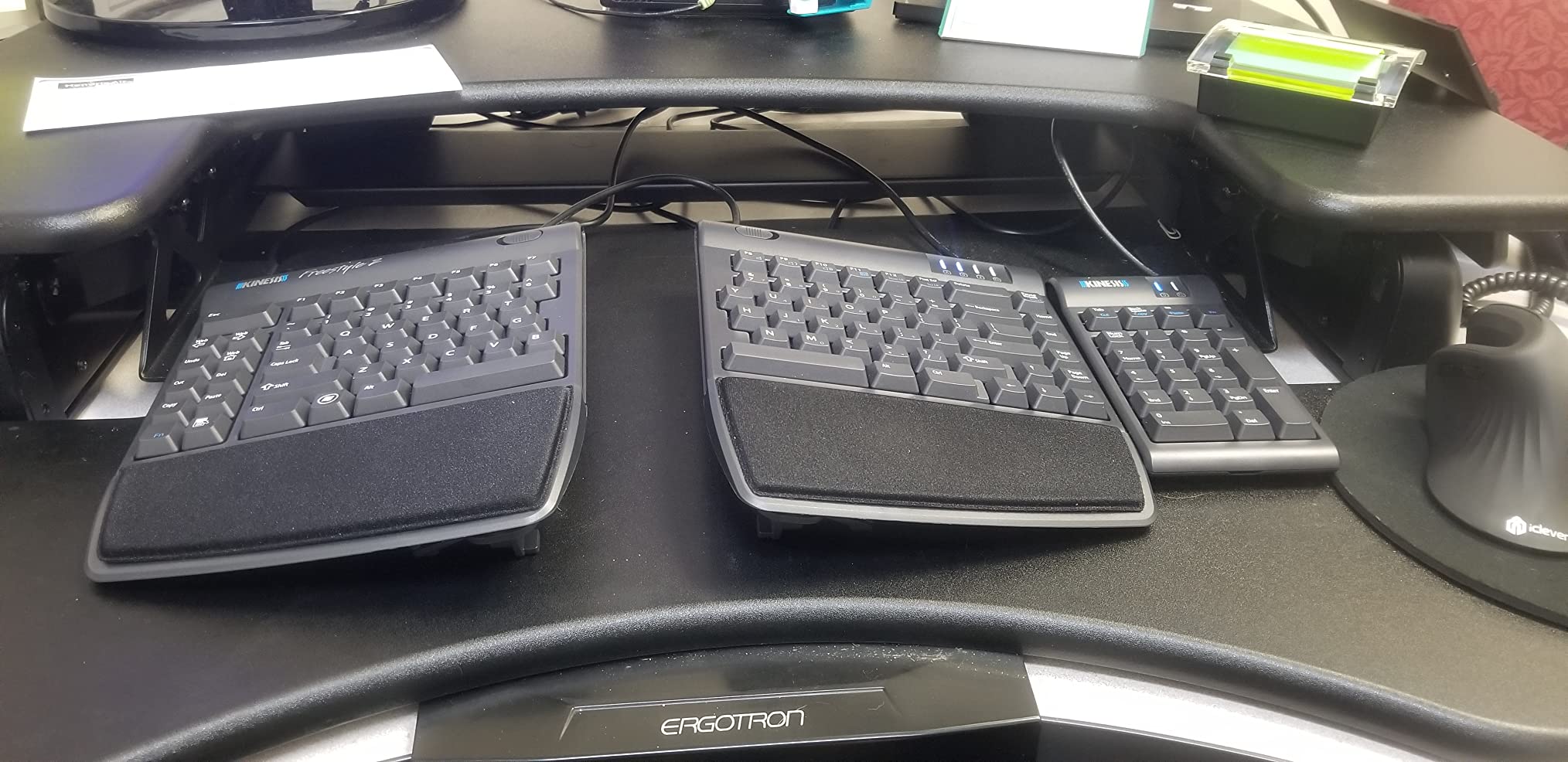
Who the Freestyle2 with VIP3 is best for
This is the right pick if you have already tried a flat split keyboard and want to add tenting. Users with shoulder and forearm pain will benefit most from the rotatable design. Anyone who wants the Kinesis experience without the steep Advantage2 learning curve should start here.
Who should skip the Freestyle2 with VIP3
First-time ergonomic keyboard buyers should start with the Logitech Ergo K860 or Logitech Wave Keys. Mechanical switch fans will want the Kinesis Advantage2 instead. Budget shoppers who do not need tenting should save money with the base Freestyle2 9-inch.
How to Choose the Best Ergonomic Keyboard for Your Finger Pain?
Choosing the right ergonomic keyboard is about matching the design to your specific pain points. Below are the factors that matter most, ranked by impact on finger comfort based on what I saw during testing.
Actuation Force Matters Most for Finger Fatigue
Actuation force is the grams of pressure required to register a keypress. Standard mechanical switches sit around 55 to 60 grams, and many membrane keyboards feel heavier. The lighter the force, the less work your fingers do over a long day. The keyboards in this roundup range from light scissor and membrane switches (Logitech Ergo K860, Microsoft Surface Ergonomic, Perixx PERIBOARD-512B) to low-force mechanical Cherry MX Brown at 45 grams (Kinesis Advantage2).
If your finger pain feels like fatigue rather than joint pain, prioritizing actuation force will give you the fastest relief. The Kinesis Freestyle2 boards are explicitly marketed as low-force, and the difference is noticeable after the first hour of typing. For arthritis-related finger pain, lighter is almost always better, even if you sacrifice the tactile feedback of a heavier switch.
Split vs Curved vs Contoured Layouts
Split keyboards divide the keys into left and right halves, which lets each hand sit at its natural shoulder angle. Curved keyboards keep the keys in one piece but bend the rows into a wave shape. Contoured keyboards like the Kinesis Advantage2 add concave key wells that cradle each finger in a recessed pocket. Each approach reduces finger pain differently.
Split designs give the most dramatic relief for wrist and forearm pain because they eliminate ulnar deviation entirely. Curved designs offer a gentler correction that is easier to adapt to. Contoured designs give the strongest finger pain relief because the key wells match the natural arc of each finger, but they require the longest learning curve. Beginners should start curved and graduate to split or contoured once they know they like the ergonomic feel.
Switch Types: Membrane vs Mechanical vs Low-Force
Membrane keyboards use rubber dome switches that are quiet and light but can feel mushy. Mechanical switches give you tactile or linear feedback with a clear actuation point, which lets you avoid bottoming out and reduces the shock to your fingertips. Low-force switches are a subcategory designed specifically for finger fatigue, with actuation points around 35 to 45 grams.
For finger pain, low-force mechanical switches like Cherry MX Brown (45g) or Cherry MX Silver (35g) are excellent if you can afford them. If you prefer a quieter board, scissor switches (Logitech Ergo K860, Microsoft Surface Ergonomic) give you a similar light feel without the click. Avoid heavy mechanical switches like Cherry MX Blue for finger pain, since the click requires extra force and the bump can fatigue fingers faster.
Tenting and Negative Tilt Explained
Tenting rotates the keyboard so the keys face your palms at a natural angle instead of flat on the desk. This reduces forearm pronation, which is the rotation that twists the radius and ulna bones in your forearm. Pronation is a major contributor to finger pain because it strains the tendons that control your fingers. Most ergonomic keyboards offer 5 to 20 degrees of tenting, with the Kinesis Advantage2 at 20 degrees being one of the most aggressive stock options.
Negative tilt is the opposite of the typical keyboard feet, angling the front of the keyboard higher than the back. This puts your wrists in a more neutral position, which reduces the wrist extension that compresses the carpal tunnel. The Logitech Ergo K860 offers negative tilt at -4 and -7 degrees through its adjustable palm lift. Both tenting and negative tilt are worth seeking out if your finger pain is accompanied by wrist soreness.
Wrist Rests and Palm Supports
A wrist rest keeps your wrists in a neutral position during pauses between keystrokes. Memory foam rests (Logitech Ergo K860, Logitech Wave Keys) contour to your wrists and reduce pressure points. Hard plastic rests are less comfortable but more durable. Alcantara rests (Microsoft Surface Ergonomic) feel luxurious but require occasional cleaning.
For finger pain specifically, a good wrist rest prevents the chain reaction where tired wrists cause you to tense your fingers. Palm supports like the Kinesis Freestyle2 VIP3 are more substantial than standard wrist rests because they extend under the heel of your palm. If you already use a wrist rest and still have finger pain, upgrading to palm supports may be the missing piece.
Choosing by Condition: Arthritis, Carpal Tunnel, and RSI
For arthritis, prioritize low actuation force and a cushioned wrist rest. The Logitech Ergo K860 and Kinesis Advantage2 are the strongest choices because they combine light switches with excellent palm support. For carpal tunnel syndrome, prioritize split design with negative tilt. The Logitech Ergo K860 and Kinesis Freestyle2 with VIP3 are the best fits. For general RSI, the Kinesis Advantage2 offers the most comprehensive ergonomic correction, though the learning curve is steep.
Forum users in r/ErgoMechKeyboards consistently report that split keyboard adaptation takes two to four weeks. Plan for a productivity dip during that period and avoid deadlines if possible. Once the muscle memory adjusts, most users say they would never go back to a flat keyboard, even on days when their fingers feel fine.
Frequently Asked Questions
What is the best ergonomic keyboard for people with arthritis?
The Logitech Ergo K860 is the best overall choice for arthritis sufferers. Its light Perfect Stroke keys require minimal actuation force, the curved split keyframe reduces joint strain, and the memory foam wrist rest cushions the wrists during long sessions. The Kinesis Advantage2 is the premium pick for severe arthritis, with Cherry MX Brown switches at 45g and concave keywells that cradle each finger.
What is the best keyboard for carpal tunnel syndrome?
A split keyboard with negative tilt is the strongest match for carpal tunnel syndrome. The Logitech Ergo K860 offers adjustable palm lift at 0, -4, and -7 degrees with a curved split frame. For more aggressive correction, the Kinesis Freestyle2 with VIP3 adds 5 to 15 degrees of tenting on top of the split. Both reduce the wrist extension that compresses the carpal tunnel.
Do keyboards cause carpal tunnel?
Standard flat keyboards do not directly cause carpal tunnel syndrome, but they contribute to the repetitive strain and wrist extension that aggravate it. Ergonomic keyboards reduce wrist extension, ulnar deviation, and finger force, which lowers the cumulative stress on the median nerve. People with mild symptoms often see meaningful relief within weeks of switching to a split or contoured keyboard.
What is the best keyboard layout for people with carpal tunnel syndrome?
A split layout with negative tilt is the best keyboard layout for carpal tunnel syndrome. Split designs eliminate ulnar deviation by letting each hand sit at its natural shoulder angle. Negative tilt angles the front of the keyboard higher than the back, keeping the wrists in a neutral position rather than extended. Add tenting of 5 to 20 degrees for additional forearm pronation relief.
What is the best keyboard for people with finger pain?
The Logitech Ergo K860 is the best keyboard for most people with finger pain because it combines a curved split keyframe, light actuation Perfect Stroke keys, and a memory foam wrist rest at a reasonable price. For severe finger pain from arthritis or RSI, the Kinesis Advantage2 offers stronger correction with Cherry MX Brown switches and concave keywells, though it requires a longer adaptation period.
Final Verdict: Which Ergonomic Keyboard Should You Buy for Finger Pain
After three months of daily typing across all eight boards, the Logitech Ergo K860 is the best ergonomic keyboard for finger pain for most people. It hits the right balance of effective ergonomic correction, light key feel, premium wrist support, and approachable learning curve. If your finger pain is severe or you have chronic RSI, the Kinesis Advantage2 delivers unmatched correction if you can invest the adaptation time. For shoppers on a budget, the Perixx PERIBOARD-512B proves you do not need to spend much to feel real relief.
Whichever board you choose, give yourself two to four weeks of patient adaptation before judging the results. Forum users in r/ErgoMechKeyboards and r/Ergonomics consistently report that the relief compounds over the first month. Your fingers will thank you in 2026 and for many years after.