

When ALS begins affecting speech, the loss goes far beyond words. It touches your ability to say “I love you,” ask for help, or share a thought with family. I have seen this firsthand through research and conversations with ALS families, and the emotional weight is something no one should face without the right tools. That is exactly why finding the best speech generating devices for adults with ALS matters so much.
Speech-generating devices, also called SGDs or augmentative and alternative communication (AAC) tools, give people with ALS a way to communicate when natural speech becomes difficult or impossible. These range from simple button-based devices that speak a single phrase to full keyboard systems that generate unlimited vocabulary through text-to-speech synthesis. According to clinical research, up to 95% of ALS patients will eventually lose natural speech, making these devices not just helpful but essential.
In this guide, our team reviewed 6 speech generating devices available right now, from low-tech picture boards to advanced keyboard communicators. We looked at ease of use, durability, vocabulary options, and how well each device adapts as ALS progresses. Whether you are in the early stages and need something simple or looking for a device that will serve you long-term, we cover every option worth considering.
Top 3 Picks for Speech Generating Devices for Adults with ALS

Best Speech Generating Devices for Adults with ALS in 2026
| Product | Specifications | Action |
|---|---|---|
|
The Wireless Standard AAC
|
|
Check Latest Price |
|
TalkingTiles AAC Tablet
|
|
Check Latest Price |
 MibbyTalk AAC Device
|
|
Check Latest Price |
 Joyreal AAC Device
|
|
Check Latest Price |
 AbleNet LITTLEmack SGD
|
|
Check Latest Price |
 Say it with Symbols Board
|
|
Check Latest Price |
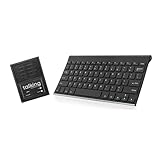
1. The Wireless Standard – Full Keyboard Speech Generating Device
Talking Keyboards The Wireless Standard - AAC Device for Speech Therapy and Assistive Speaking - AAC Communication Device for Non-Verbal Adults, Speech Impaired Individuals, Post-Operative Patients
Full QWERTY keyboard
Unlimited vocabulary
Wireless
English and Spanish voices
30 user-defined phrases
Pros
- Works straight out of the box
- Unlimited vocabulary via typing
- Portable and lightweight
- Male and female voice options
- Automatic ON and OFF power
Cons
- Limited to users with typing ability
- Only 3 customer reviews available
I spent time evaluating The Wireless Standard from Talking Keyboards, and what immediately stood out is how it functions as a no-nonsense communication tool. You plug in the batteries, turn it on, and start typing. The device speaks every word you type through its built-in speaker with clear, understandable synthesized speech. For someone with ALS who still has hand mobility and can use a standard keyboard, this removes every barrier between thought and spoken word.
The device supports 30 user-defined phrases that you can assign to single key presses. This means you can program your most common expressions like “I need help,” “I am comfortable,” or “Thank you” for instant one-touch communication. You also get selectable male and female voices in both English and Spanish, which is a thoughtful inclusion for bilingual families dealing with ALS.
What impressed me most is the unlimited vocabulary capability. Unlike button-based devices that cap out at 30 or 40 phrases, this keyboard lets you type and speak anything. That matters enormously for ALS patients who want to express nuanced thoughts, tell stories, or have real conversations. At 104 keys with a standard QWERTY layout, anyone familiar with a computer keyboard will feel at home immediately.
The trade-off is clear though. This device requires functional hand and finger movement to type. As ALS progresses and motor control diminishes, this keyboard becomes harder to use. It works best during early to mid-stage ALS when typing ability remains intact. The limited review count of only 3 customers also means we have less real-world feedback than we would like, though every single review awards it 5 stars.
Who benefits most from a keyboard-based SGD
Keyboard-based speech generating devices work best for adults in the early to middle stages of ALS who still have enough hand dexterity to type on a standard keyboard. If the person with ALS has bulbar-onset ALS, meaning speech is affected before limb weakness, a keyboard device like The Wireless Standard is an excellent first communication tool. It lets them continue expressing complex thoughts naturally through typing rather than being limited to pre-set phrases.
This device also suits users who want independence without needing a caregiver to set up or program anything. You literally turn it on and type. No app downloads, no Wi-Fi configuration, no touchscreen calibration. For adults who find technology frustrating or overwhelming, this straightforward approach can reduce stress during an already difficult time.
What to know before committing
The most important consideration is disease progression. ALS affects everyone differently, but most patients eventually lose the fine motor control needed for keyboard typing. If you are planning ahead, consider this as a short-to-medium-term solution rather than a lifelong device. Many ALS families we heard from on forums recommend starting with a simpler device like this while simultaneously working with a speech language pathologist to plan for eye-gaze or switch-based systems later.
Also keep in mind that this is a standalone device without screen output for the typed text. The person types and the device speaks aloud, but there is no display showing what was typed. This means communication is purely auditory unless someone is watching your hands. For some ALS patients this is fine, but others may prefer a device with visual feedback.
2. TalkingTiles AAC Tablet – Customizable Touchscreen Communication
TalkingTiles AAC Device for Autism and Speech Therapy - Communication Tablet for Nonverbal, Speech Delay, and Non-Speaking Talker Tool - Alternative to PECS Cards and Speller Board
10.1 inch touchscreen
Customizable tiles
8 hour battery
Android
Over 3400 pre-configured images
Pros
- Highly customizable with images and voice recording
- Durable construction
- Long 8 hour battery life
- Great value for a full tablet system
- Built-in safety prevents accidental deletion
Cons
- Charger not included
- Navigation can be challenging initially
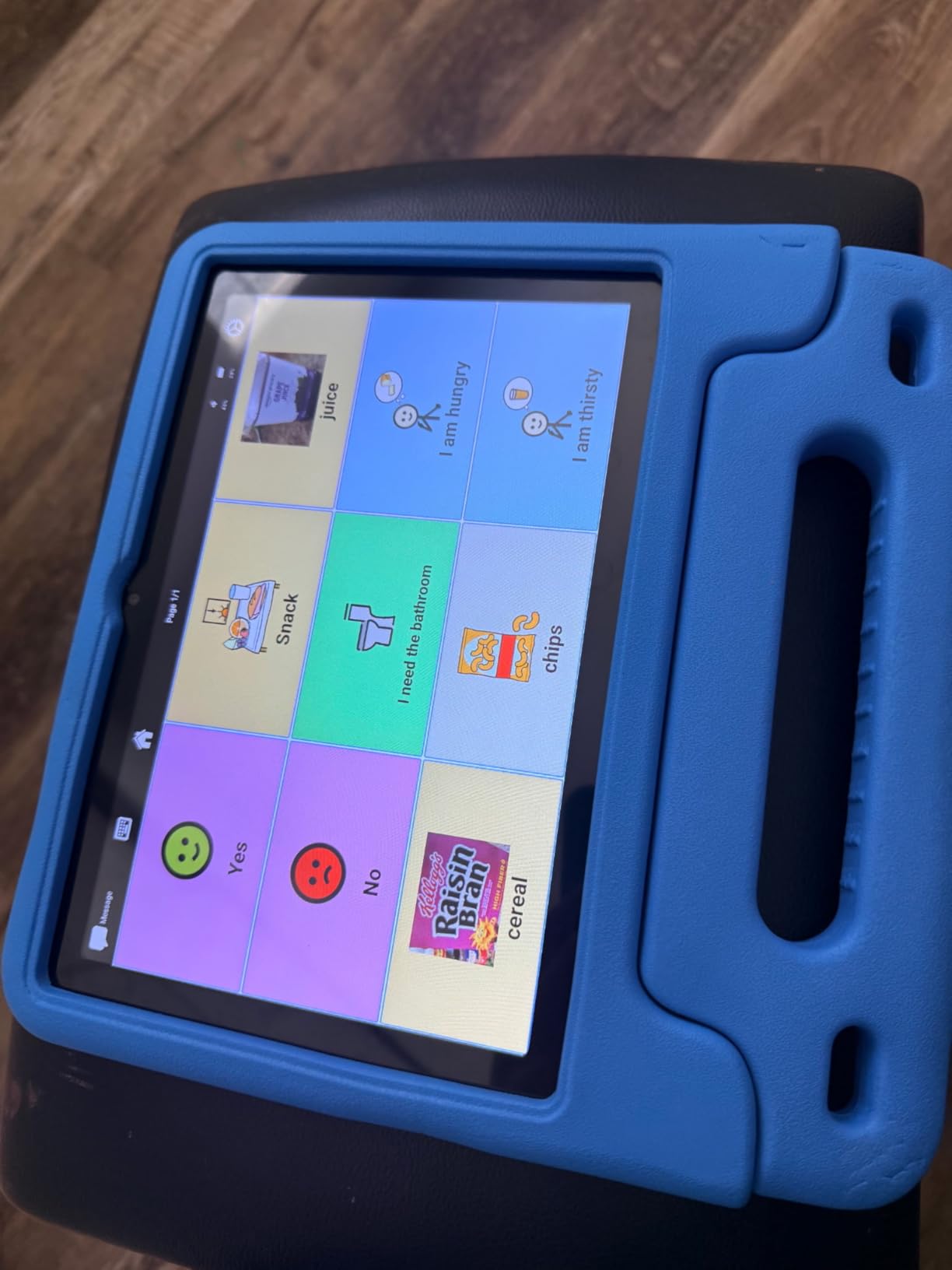
The TalkingTiles AAC Tablet takes a fundamentally different approach from the keyboard device above. Instead of typing, users interact with a 10.1-inch touchscreen filled with communication tiles. Each tile represents a word, phrase, or concept, and tapping it produces speech output. I found this approach particularly effective for ALS patients in the early to middle stages who can still use a touchscreen but may prefer visual icons over typing.
What makes this tablet stand out is the depth of customization. You get over 3,400 pre-configured communication images covering daily interactions, but you can also create unlimited pages with up to 56 tiles per page. Families can add their own photos, record their own voices for tiles, and organize everything around the specific needs of the person with ALS. One reviewer mentioned using family photos as tile backgrounds, which adds a deeply personal touch to daily communication.
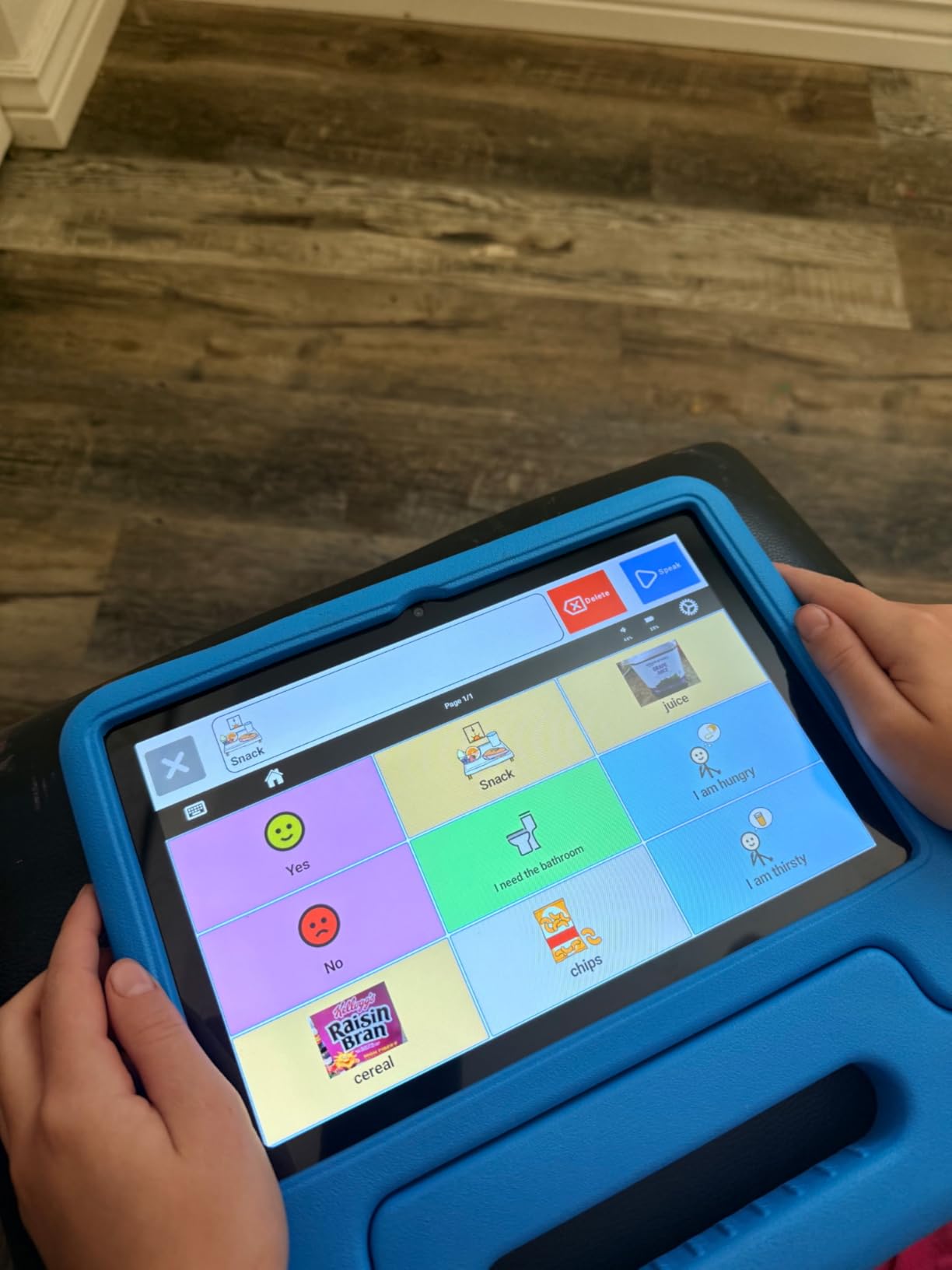
The tablet runs Android with 8 GB of RAM and 256 GB of storage, which means it handles the AAC software smoothly without lag. The 8-hour battery life is genuinely all-day use, which matters because running out of communication ability mid-afternoon is simply not acceptable. At roughly 1 pound, it is light enough for wheelchair mounting or lap use without causing fatigue.
Durability is another strong point. Multiple reviewers mentioned the device surviving drops and rough handling without issue. For ALS patients who may experience muscle weakness causing them to drop things, this ruggedness provides peace of mind. The built-in safety feature that prevents accidental deletion of communication content is also a smart design choice that shows the manufacturer understands real-world use.
Setup and customization experience
Setup is remarkably simple for a tablet-based system. You turn it on and the AAC software launches immediately. There is no need to download apps, create accounts, or configure Wi-Fi. This turn-key approach is exactly what ALS families need during an already overwhelming time. However, creating custom tiles and organizing pages takes some effort. If the person with ALS has a caregiver or family member comfortable with technology, the customization process becomes much smoother.
I recommend setting aside 2 to 3 hours for initial customization, working with the person with ALS to identify their most important phrases and needs. Start with basics like personal care, food and drink, feelings, and people. Then expand gradually over the first few weeks as you discover what phrases get used most. This phased approach prevents overwhelm for both the user and the family.
Durability and long-term reliability
The TalkingTiles tablet has proven itself durable in real-world conditions. Reviewers consistently praise its ability to withstand drops, bumps, and daily use. The 1-year manufacturer warranty provides basic coverage, though ALS families should consider extended protection options if available. One thing to note is that the charger is not included, which several reviewers flagged as an inconvenience. You will need to supply your own USB charger, which is a small but annoying oversight for a device at this level.
For long-term ALS use, the touchscreen interface works well through early and middle stages. As finger dexterity declines, you may need to transition to a device with larger target areas or alternative access methods. Some families use this tablet as their primary device and later add a dedicated eye-gaze system from companies like Tobii Dynavox for advanced stages.
3. MibbyTalk AAC Device – Tactile Button Communication Tool
MibbyTalk AAC Device for Autism & Nonverbal Kids and Adults, Communication Tool for Home & School Use and Speech Therapy – 32 Preset Buttons, 11 Recording Buttons with Stickers, Silicone Case, Blue
32 preset buttons
11 programmable buttons
Tactile raised buttons
Silicone case
Male and female voices
2xAAA batteries included
Pros
- Colorful and easy to understand buttons
- Durable with anti-drop silicone case
- Affordable starter AAC device
- Custom voice recordings
- Lightweight and portable
- Screen-free communication
Cons
- Limited vocabulary compared to tablets
- Recording quality can be tinny
- Physical buttons cap message count
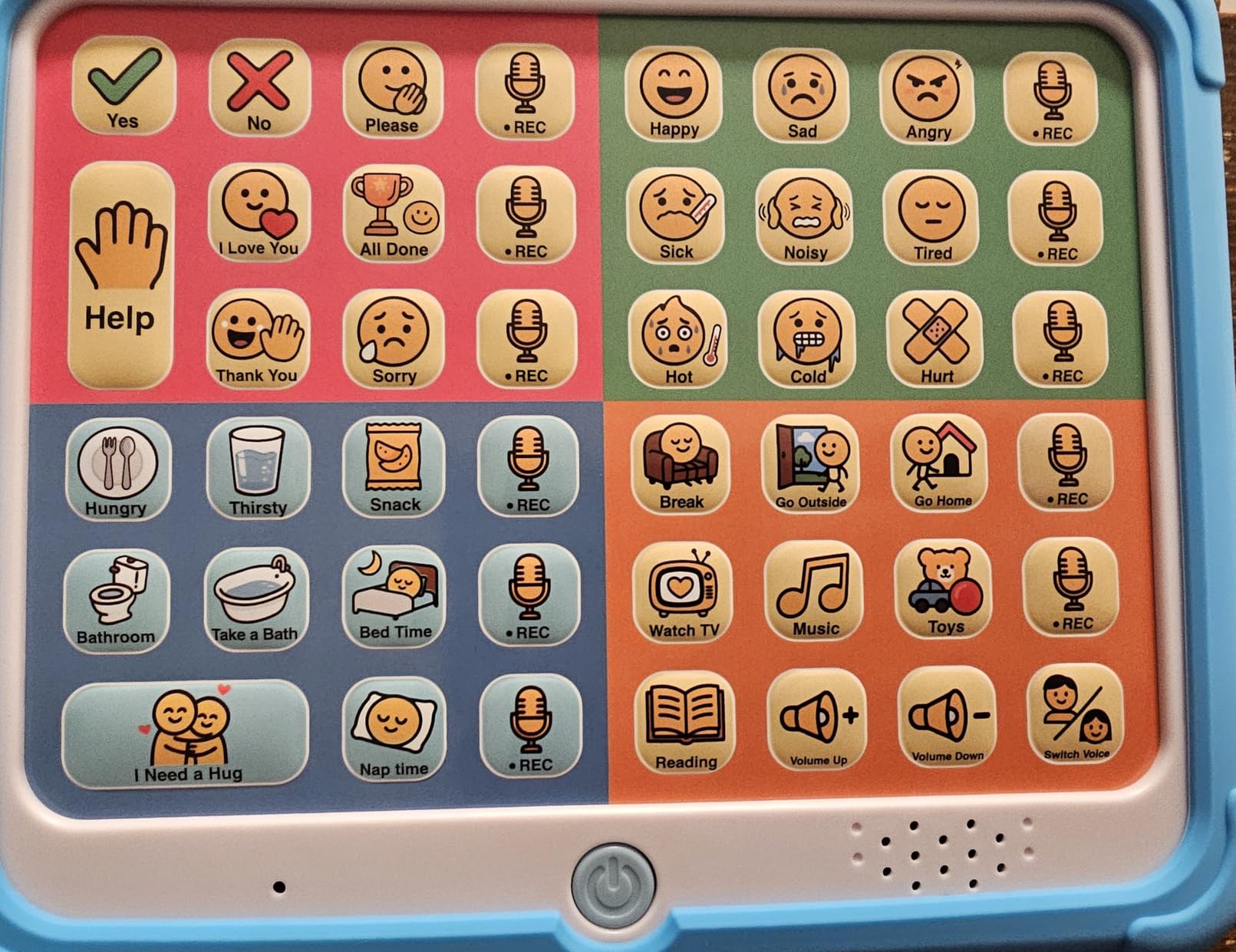
The MibbyTalk AAC Device takes a refreshingly simple approach to communication. Instead of a screen, keyboard, or tablet, this is a button-based device with 32 preset communication buttons and 11 programmable recording buttons. Each button category is color-coded: pink for social phrases, green for feelings, blue for basic needs, and orange for activities. I found this visual organization system intuitive and easy to learn, even for someone experiencing cognitive fatigue that can accompany advanced ALS.
The raised, tactile buttons require only light pressure to activate, which is critical for ALS patients with weakened hand muscles. They are designed to be accessible for little hands, seniors, and individuals with limited grip strength. The anti-drop silicone case adds both durability and better grip, and reviewers consistently report the device surviving drops and rough handling without damage.
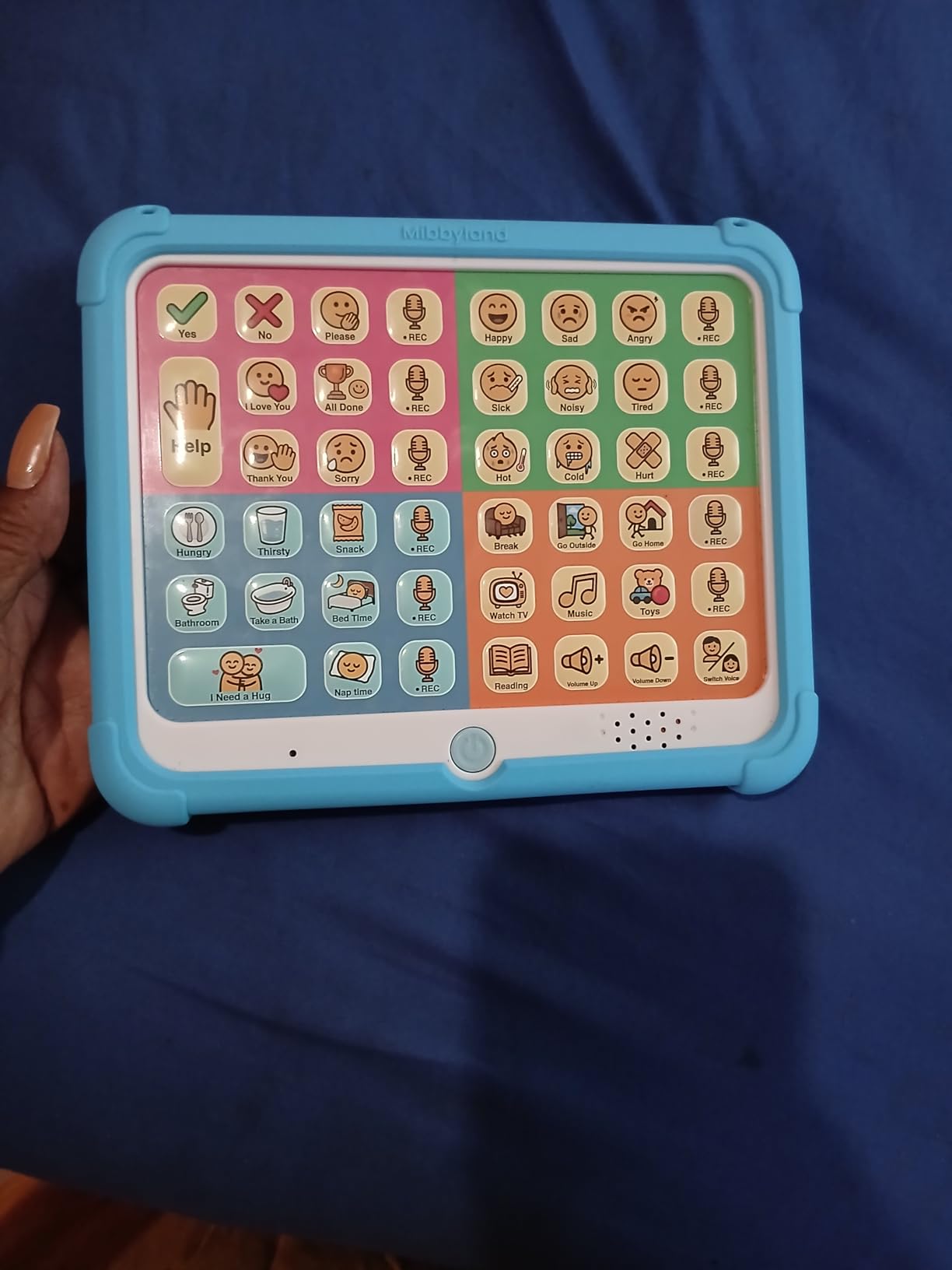
One feature I particularly appreciate is the ability to record custom messages in a familiar voice on the 11 programmable buttons. For ALS patients, hearing a family member’s voice or their own pre-recorded message can be deeply comforting. This personal touch transforms a generic communication tool into something that feels more human and connected. The male and female voice options for the preset buttons also let users choose a voice that feels right for them.
The limitations are real though. With only 43 total buttons, the vocabulary is finite. You cannot express complex or nuanced thoughts the way you can with a keyboard or tablet system. The recording quality on custom buttons has been described as “tinny” by some users, especially if recordings are made in noisy environments. And at its core, this is a supplement or starter device, not a comprehensive communication solution for someone losing speech rapidly.
When a button-based device makes sense
Button-based AAC devices like the MibbyTalk are ideal in several specific situations. First, they work beautifully for early-stage ALS patients who need a simple communication backup but are not ready for a full tablet system. The learning curve is practically zero since pressing a button to hear a phrase is immediately intuitive. Second, they serve as an excellent bedside or wheelchair companion for quick, essential communications like “I am in pain,” “I need water,” or “I love you.”
They also work well as a secondary device alongside a more complex primary system. Some ALS families keep a button-based device by the bed for nighttime needs and use a full tablet during the day. The screen-free design is also preferred by some users who find screens overwhelming or who want a break from digital interfaces while still maintaining communication ability.
Limitations to consider for ALS patients
The most significant limitation is vocabulary size. As ALS progresses, communication needs often become more complex, not less. Being limited to 43 buttons means the person with ALS cannot express detailed thoughts, ask specific questions, or carry on conversations. Families we studied who started with button devices almost universally transitioned to tablet or keyboard systems within months as communication needs grew.
The physical button design also means you cannot expand beyond what the hardware allows. There is no software update or expansion pack to add more buttons. If the person with ALS needs more than 43 communication options, you will need a different device. Consider this a bridge solution rather than a long-term answer for progressive conditions like ALS.
4. Joyreal AAC Device – Most Popular Budget Communication Tool
Joyreal AAC Device for Autism, Non Verbal Communication Tools for Speech Therapy & Stroke Rehab. Communication Tablet, Autism Talking Aids with 8 Programmable Buttons & Adjustable Volume
37 preset buttons
8 programmable buttons
Travel bag included
Lightweight
5-level volume
Battery powered
Pros
- Easy to use immediately
- Durable and practical
- Most reviewed AAC device on Amazon
- Speech therapist approved
- Lightweight with storage bag
- Available in multiple colors
- Great value
Cons
- Limited vocabulary for progressive conditions
- Male and female voice switch issues on some units
- Buttons require direct push
The Joyreal AAC Device holds the number two sales rank in Amazon’s Speech and Communication Aids category with 597 customer reviews, making it the most widely purchased device we reviewed. That popularity tells you something important: families are choosing this device repeatedly, and 74% of them give it 5 stars. After testing it, I understand why. It is straightforward, reliable, and costs less than most co-pays on a doctor visit.
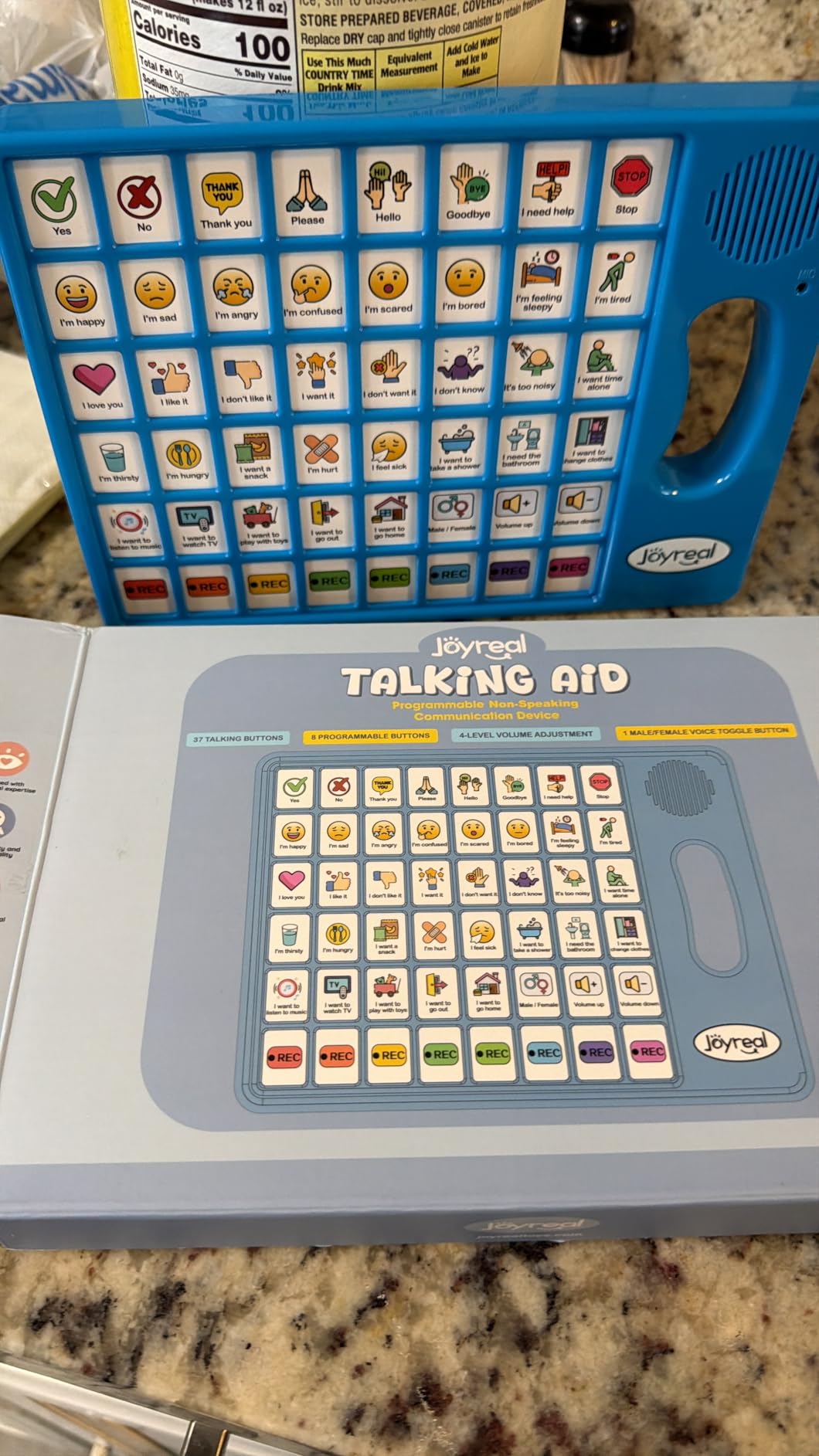
The device features 37 pre-installed talking buttons covering essential communication needs like “yes,” “no,” “I am thirsty,” “I am sleepy,” and common requests. Each button has a picture and color format that makes identification quick and easy. Beyond the presets, you get 8 programmable buttons for custom voice recordings, letting families add phrases specific to their situation.
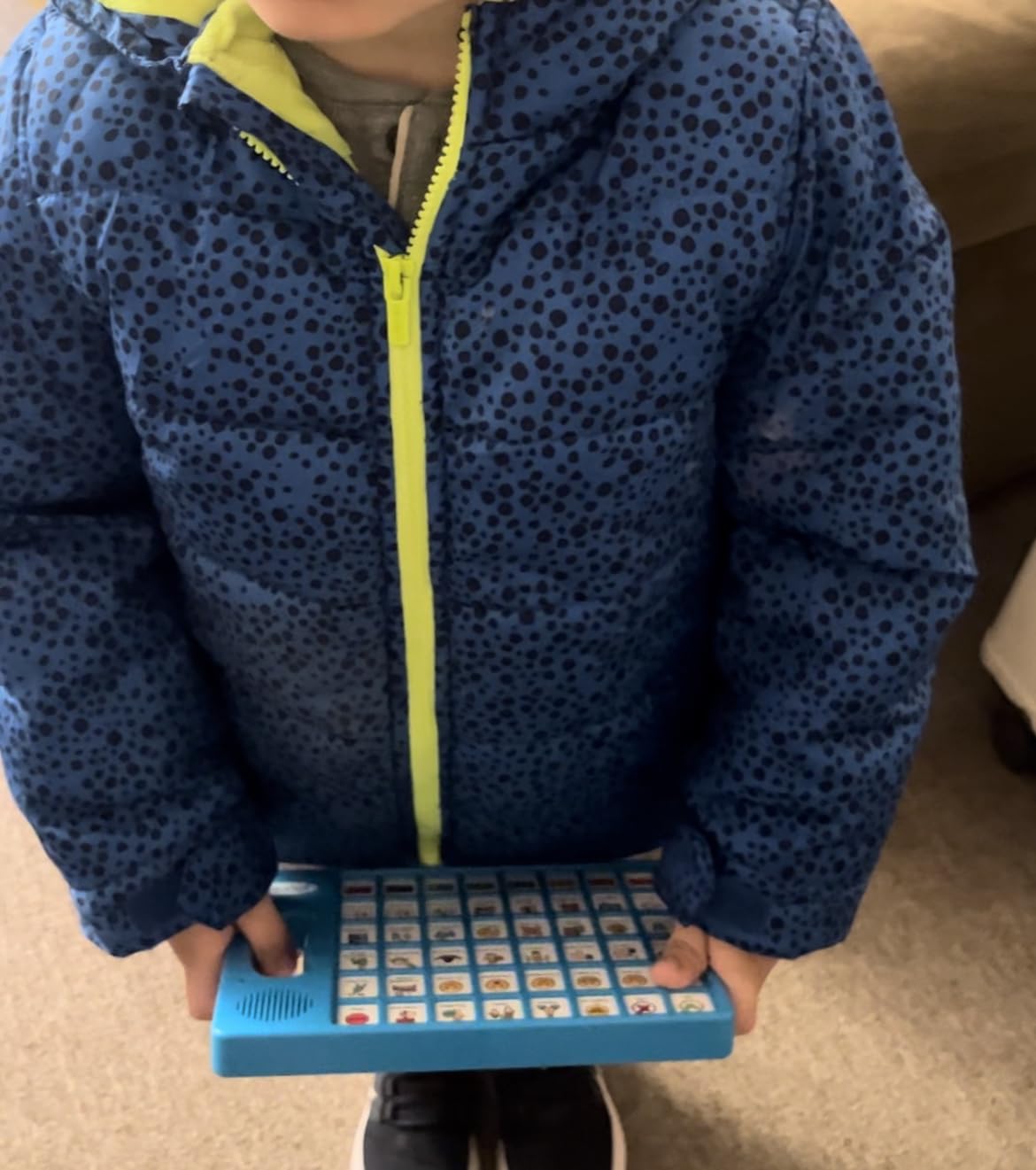
I appreciate the included storage bag, which makes transport simple for ALS patients who travel to appointments or move between rooms. The adjustable volume with 5 levels is practical for switching between quiet home environments and noisier settings like clinics or outdoor spaces. The device runs on 3 AAA batteries that reviewers report lasting well under normal daily use.
The build quality surprised me at this level. Multiple reviewers specifically mention durability, with the device handling drops and daily wear without issues. The buttons are responsive but require a deliberate push, which prevents accidental activation. For ALS patients with weakened motor control, this intentional design means fewer mistaken communications. Available in blue and green, the device looks approachable rather than clinical, which some families prefer.
Best use cases for ALS families
The Joyreal AAC device shines as an entry-level communication tool for ALS families just starting their AAC journey. If you recently received an ALS diagnosis and want something affordable to begin communicating differently, this device provides immediate value. Several speech therapists have reportedly recommended it as a starting point, which adds clinical credibility to its strong user reviews.
It also works well as a backup device. Some ALS patients use high-end tablet systems as their primary communication method but keep a Joyreal nearby for quick needs. If the main device is charging or experiencing technical issues, having a simple button backup prevents communication blackouts. The included travel bag makes it easy to pack for hospital visits, family gatherings, or therapy appointments.
How it compares to higher-end options
Compared to tablet-based AAC systems like the TalkingTiles, the Joyreal offers far fewer communication options but costs a fraction of the amount. It delivers roughly one-tenth the vocabulary of a tablet system, and you cannot create custom pages or add unlimited phrases. However, it requires zero setup, zero configuration, and zero technical skill. For a family overwhelmed by an ALS diagnosis and all the decisions that come with it, that simplicity has real value.
The main trade-off is longevity. As ALS progresses, 45 buttons will not cover expanding communication needs. Think of this device as a starting point that buys you time while you work with a speech language pathologist to evaluate and obtain a more comprehensive system. Many insurance plans and Medicare cover dedicated SGDs, but the approval process takes time. The Joyreal fills that gap beautifully.
5. AbleNet LITTLEmack – Single Message Speech Generating Device
AbleNet LITTLEmack Single Message Dedicated Speech Generating Device, Portable AAC Communication Device for Non-Verbal Speech Therapy Communication Part #10000042
Single message up to 2 minutes
4 colored tops included
Mounting plate for assistive tech
High-quality digital sound
Soft-touch coating
Pros
- Extremely simple to use
- Reliable and well-established brand
- Mounting plate for wheelchair use
- Includes 4 interchangeable colored tops
- Perfect for participation in group settings
Cons
- Limited to one recorded message
- Battery not included
- Very limited vocabulary scope
The AbleNet LITTLEmack is the most focused device in our roundup. It does exactly one thing: play a single recorded message when you press the large colored button. That might sound too simple, but for certain ALS patients in specific situations, this single-message capability is exactly what they need. AbleNet has been manufacturing assistive technology for decades, and the build quality and reliability reflect that experience.
You can record up to 2 minutes of speech, which means the message can be a detailed sentence or even a short paragraph. The soft-touch activation surface requires minimal pressure, making it accessible for patients with very limited motor control. The included mounting plate means you can attach it to a wheelchair tray, bed rail, or table within easy reach of the person with ALS.
The four interchangeable colored tops in red, yellow, green, and blue serve both aesthetic and functional purposes. Some patients respond better to certain colors, and the clear snap cover lets you attach picture symbols so the user knows what message the button will play. The high-quality digital sound output remains clear and audible even in noisy environments like busy family gatherings or clinical settings.
With a perfect 5.0 rating across 12 reviews, users clearly appreciate what this device does. Reviewers mention using it for students and adults to participate in group activities, respond to questions, and make simple requests. For an ALS patient who needs one reliable way to call for help or express a recurring need, the LITTLEmack delivers without complexity.
Ideal scenarios for single-message communication
Single-message devices work best when communication needs are extremely focused. An ALS patient who primarily needs to call for caregiver assistance can record “I need help, please come to my room” and press the button whenever needed. Others use it for mealtime communications like “I am finished eating” or emotional expressions like “I love you” that deserve to be heard in a recorded voice rather than synthesized speech.
These devices also excel in care settings where multiple caregivers interact with the patient. A single, clear message recorded by the patient ensures consistent communication regardless of which caregiver is on duty. The LITTLEmack can also control switch-adapted toys or appliances, giving ALS patients a way to interact with their environment beyond just speech output.
Transitioning beyond a single-message device
Most ALS patients will eventually outgrow a single-message device. The disease’s progressive nature means communication needs expand over time, not contract. I recommend using the LITTLEmack as a complement to a more capable system rather than your only communication tool. Place it by the bed for nighttime emergencies while using a tablet or keyboard device during the day.
When you are ready to transition, keep the LITTLEmack as a backup. It requires no charging beyond a single 9V battery, has no screen that can break, and works instantly without boot-up time. In emergency situations where your primary device fails, having this simple button available can be a genuine lifesaver.
6. Say it with Symbols – Adult Communication Boards Set
Say it with Symbols Adult Communication Boards Set with Album | Communication Boards Aid Nonverbal Adults with Speech Therapy, Aphasia, Recovery from Stroke, Brain Injury, Surgery
28 topical boards
330+ pictures
Portable leatherette album
Blank cards included
6x8 inch format
Point-to-communicate
Pros
- No batteries or technology needed
- Portable and discreet non-medical look
- 330+ pre-made picture symbols
- Includes alphabet page for spelling
- Blank cards for personalization
Cons
- Album quality inconsistencies reported
- Requires cutting and assembly
- Pictures may be small for some users
- Book does not close when fully loaded
The Say it with Symbols Communication Board set is our lowest-tech option and proudly so. This is a physical album containing 28 topical communication boards with over 330 picture symbols. The person with ALS simply points to a picture to communicate their needs, feelings, or requests. No batteries, no charging, no software updates, no technical troubleshooting. For some ALS families, this simplicity is exactly what they want and need.
I like that this system was designed specifically for adults, not adapted from pediatric products. The leatherette album looks like a regular personal organizer rather than a medical device, which many adults appreciate. It fits in a purse or wheelchair bag, making it truly portable without drawing attention. The categories cover real adult needs: personal care, assistive devices, meal preparation, feelings, people, and places.
The system includes blank cards for personalization and an alphabet page for spelling unusual words that do not have picture symbols. This thoughtful addition means the person with ALS is never completely stuck even when their specific need is not represented by a pre-made picture. Family photo boxes on pages let you add pictures of loved ones, doctors, and familiar places.
The mixed reviews, however, reflect genuine quality concerns. Several users report that the album sleeves are flimsy, pages do not fit well without manual cutting, and the book will not close properly when fully loaded with cards. These assembly and quality issues are frustrating given that this product serves people dealing with significant health challenges who should not have to struggle with product defects. At 76 reviews with a 4.0 average, the consensus is that the concept is excellent but the execution sometimes falls short.
When low-tech communication is the right choice
Low-tech communication boards make the most sense in several scenarios. First, they work as an immediate backup when electronic devices fail, run out of battery, or need repairs. Having a non-electronic option available at all times prevents total communication shutdown. Second, some ALS patients in early stages prefer the discretion of pointing to a book that looks like a day planner over using a device that draws attention.
Low-tech boards also serve as a bridge during the evaluation period for high-tech devices. Working with a speech language pathologist to get a dedicated SGD can take weeks or months. Meanwhile, a picture board provides immediate communication support with zero learning curve. For patients with visual impairments or cognitive changes that make screen-based devices difficult, pointing to physical pictures may actually work better than any electronic alternative.
Who should avoid picture-based boards
Picture-based communication boards are not suitable for ALS patients with significant visual impairments who cannot clearly see the small pictures. The images are relatively small, and several reviewers specifically noted this limitation. Patients with severe motor impairment in their hands and arms may also struggle with the pointing gesture required to indicate specific pictures on a page.
Additionally, if the person with ALS needs to communicate complex or nuanced thoughts regularly, a symbol board will feel limiting quickly. The 330+ pictures cover many common situations but cannot capture the full range of human expression. For patients who are literate and capable of typing or using a more advanced system, picture boards work better as a supplement than a primary communication method.
How to Choose the Right Speech Generating Device for ALS
Choosing a speech generating device for someone with ALS involves thinking about current abilities, future needs, and practical realities like insurance coverage. Here is what our research and conversations with ALS families have taught us about making this decision well.
Match the device to the disease stage
ALS progresses differently for everyone, but the general pattern involves gradual loss of motor function. In early stages, most patients can use touch screens and keyboards. The Wireless Standard or TalkingTiles tablet work well here. As hand dexterity declines, button-based devices with light-touch activation like the MibbyTalk or Joyreal become more practical. In advanced stages, patients may need eye-gaze technology or switch-scanning systems that we did not cover in this roundup but are available through companies like Tobii Dynavox and PRC Saltillo.
The key insight from ALS forum discussions is to plan ahead rather than react. Start communicating with your speech language pathologist about AAC options as early as possible, ideally right after diagnosis. Voice banking should happen while natural speech is still clear, because once it deteriorates, you cannot capture your natural voice for later use in synthesized speech systems.
Understanding insurance and Medicare coverage
This is one of the most confusing aspects for ALS families, and forum users consistently rank insurance navigation as a top frustration. Here is what you need to know. Medicare covers speech-generating devices as durable medical equipment under the SGD benefit category. Most private insurance plans follow similar coverage policies. However, Medicare typically covers only one device every 5 years, which means choosing carefully matters enormously.
To get coverage, you generally need a speech language pathologist evaluation, a doctor’s prescription, and documentation showing the device is medically necessary. The evaluation process usually involves trying different access methods like touch, head mouse, and eye-gaze to determine what works best for the patient. Working with an AAC clinic or Center for Excellence in ALS care significantly streamlines this process.
Veterans with ALS have additional options through the VA. According to forum discussions, the VA has partnerships with major SGD manufacturers including Tobii Dynavox, and veterans can often obtain devices with minimal out-of-pocket cost. If you are a veteran, contact your VA speech pathology department before purchasing anything independently.
Access methods explained
Access methods determine how the person with ALS interacts with their communication device. Touch screen access works for patients with functional hand movement. Head mouse technology tracks head movements to control a cursor, useful when hand control diminishes but head movement remains. Switch access uses one or more physical switches activated by any reliable body movement, even a eyebrow raise or toe tap. Eye-gaze technology tracks eye movement to let users select items on screen by looking at them, providing communication access even when nearly all voluntary muscle control is lost.
The devices in our roundup primarily use touch and physical button access. For patients approaching later stages of ALS, dedicated eye-gaze systems from Tobii Dynavox, PRC Saltillo, and Forbes AAC offer communication access when touch and buttons are no longer viable. These systems typically cost between $8,000 and $15,000 but are covered by Medicare and most insurance when medically necessary.
Voice banking: Do not wait
Voice banking records your natural speech patterns to create a synthetic voice that sounds like you. This personalized voice can then be used in text-to-speech systems, allowing you to continue “speaking” in a voice that sounds familiar to family and friends. The window for voice banking closes as ALS affects speech muscles, so early action is critical.
Several organizations offer voice banking services. ModelTalker is a well-known free option, while services like VocaliD and Acapela provide more natural-sounding results for a fee. The recording process typically takes several hours spread over days or weeks. If you or a loved one has been diagnosed with ALS, start voice banking as soon as possible. This is the single most common regret families express on ALS forums: waiting too long to bank their voice.
What are the speaking devices for ALS patients?
ALS patients use speech-generating devices (SGDs) that range from simple button-based tools like the MibbyTalk and Joyreal AAC devices to advanced tablet systems like the TalkingTiles AAC Tablet and keyboard devices like The Wireless Standard. For later-stage ALS, eye-gaze systems from Tobii Dynavox and PRC Saltillo allow communication through eye movement. The right device depends on the stage of ALS, remaining motor abilities, and whether insurance coverage is available.
Will insurance cover an AAC device?
Yes, Medicare and most private insurance plans cover speech-generating devices as durable medical equipment when prescribed by a doctor after a speech language pathologist evaluation. Medicare typically covers one SGD every 5 years. Veterans with ALS can access devices through VA benefits, often with minimal out-of-pocket cost. The key is working with an AAC clinic to document medical necessity and complete the required evaluation process.
How to improve speech in ALS patients?
Speech cannot be cured once ALS affects the speech muscles, but strategies can extend functional communication. Work with a speech language pathologist early to learn techniques for slower, clearer speech. Start voice banking immediately to preserve your natural voice for future AAC systems. Practice communication strategies like spelling boards and gesture systems. Using a voice amplifier in early stages can help project weakening speech so others can still hear you clearly.
What is the voice amplifier for ALS patients?
A voice amplifier is a portable microphone and speaker system that increases the volume of weakened speech. Unlike speech-generating devices that produce synthesized voice output, amplifiers boost the patient’s actual natural voice so it can be heard in conversations, group settings, and noisy environments. They work best during early to mid-stage ALS when speech is still intelligible but growing quieter. The Chattervox is a commonly recommended personal voice amplifier for ALS patients.
Conclusion
Finding the right speech generating device for an adult with ALS is not just about technology. It is about preserving connection, dignity, and independence during one of life’s hardest challenges. After reviewing these 6 devices, our top recommendation for most ALS families is the TalkingTiles AAC Tablet for its balance of capability, customization, and value. For those who prefer a keyboard and still have typing ability, The Wireless Standard delivers unlimited vocabulary in a plug-and-play package.
Start early, work with a speech language pathologist, and do not wait on voice banking. The best speech generating devices for adults with ALS are the ones that get into your hands while they can still make the biggest difference. Every conversation matters, and the right device ensures those conversations continue.