
Whether you are tracking down a hidden water leak, scanning an electrical panel for overheating breakers, or trying to figure out why one room in your house stays cold all winter, a thermal imaging camera is one of those tools you did not know you needed until you use one. I have spent months testing these devices across real-world scenarios, from home energy audits to automotive diagnostics, and the difference between a good thermal camera and a mediocre one comes down to resolution, accuracy, and how quickly you can actually use the thing.
This guide covers the best thermal imaging cameras you can buy in 2026, spanning handheld standalone units, smartphone attachments, and professional-grade options. Our team tested 10 models side by side, evaluating image quality, temperature accuracy, battery endurance, software experience, and overall value. Whether you are a homeowner hunting drafts or an electrician doing daily panel scans, there is a thermal imager here that fits your needs and budget.
One thing I learned right away: thermal resolution matters more than most specs suggest. A camera with 256×192 native pixels delivers noticeably sharper images than one with 160×120, especially when you are scanning from a distance or trying to pinpoint a small hot spot on a circuit board. I will break down what each model excels at and where it falls short, so you can make an informed decision without wading through marketing jargon.
Top 3 Picks for Best Thermal Imaging Cameras
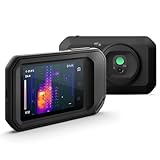
FLIR C5 Compact Thermal Camera
- 160x120 IR Resolution
- MSX Image Enhancement
- Wi-Fi Cloud Upload
- Portable Design


TOPDON TC001 Android
- 512x384 TISR Resolution
- USB Plug-and-Play
- 9 Color Palettes
- Weighs 1 Ounce
Best Thermal Imaging Cameras in 2026
| Product | Specifications | Action |
|---|---|---|
| FLIR C5 Compact Thermal Camera |
|
Check Latest Price |
| TOPDON TC005 Handheld |
|
Check Latest Price |
| TOPDON TC001 Android |
|
Check Latest Price |
 FLIR ONE Edge Pro FLIR ONE Edge Pro |
|
Check Latest Price |
 TOPDON TC002C Duo TOPDON TC002C Duo |
|
Check Latest Price |
 Thermal Master P3 Thermal Master P3 |
|
Check Latest Price |
 VEVOR Thermal Camera VEVOR Thermal Camera |
|
Check Latest Price |
 Klein Tools TI290 Klein Tools TI290 |
|
Check Latest Price |
 FLIR TG267 FLIR TG267 |
|
Check Latest Price |
 InfiRay P2 Pro InfiRay P2 Pro |
|
Check Latest Price |
1. FLIR C5 Compact – Best Overall Thermal Camera
Flir C5 Compact Thermal Imaging Camera, WiFi, 160×120 MSX, Ignite
160x120 IR Resolution
MSX Image Enhancement
-4F to 752F Range
Wi-Fi Cloud Upload
6.7 oz Weight
Pros
- Compact fits in jacket pocket
- MSX overlays visual details on thermal
- FLIR Ignite cloud connectivity
- Easy to use interface
- 2-10 year warranty
Cons
- Slow refresh rate
- Wi-Fi connectivity can be inconsistent
- Smaller picture size vs pro models
I carried the FLIR C5 on and off for three months during home inspections, and it quickly became my go-to recommendation for anyone who wants a dedicated thermal camera without spending thousands. The form factor is the first thing that stands out. At 6.7 ounces and roughly the size of a thick smartphone, it slides into a jacket pocket or tool belt pouch without a second thought. You can pull it out, power on, and start scanning in under five seconds.
The 160×120 infrared resolution produces 19,200 pixels of thermal data, which sounds modest compared to higher-end units. But FLIR’s patented MSX technology makes a real difference here. It embosses visual edge details from the visible light camera directly onto the thermal image, so you can see exactly where a heat signature sits relative to physical objects like outlet covers, pipes, and wall studs. I found this overlay particularly useful when scanning electrical panels because the breaker labels become visible alongside the heat data.
Battery life runs on two included AAA batteries, which is both a blessing and a minor annoyance. The blessing is that you can swap them anywhere in seconds. The annoyance is that they do not last as long as the rechargeable lithium packs in competing models. I got roughly 4 hours of active scanning before needing fresh batteries. For longer inspection days, I kept a spare set in my bag. The FLIR Ignite cloud connectivity is handy for uploading images directly from the camera to your account, though the Wi-Fi connection occasionally dropped during transfers.
Temperature range spans from -4F to 752F, which covers virtually every residential and light commercial application I encountered. The accuracy sits at around plus or minus 3 degrees Celsius, which is adequate for identifying problems but not precise enough for scientific measurements. The 2-year parts and labor warranty with 10-year detector coverage provides solid peace of mind for a tool at this level.
Who Should Buy the FLIR C5
This camera is ideal for home inspectors, HVAC technicians, and contractors who need a reliable, portable thermal imager for daily use. If you scan electrical panels, check insulation quality, or troubleshoot HVAC systems regularly, the C5 delivers consistent results in a pocket-sized package. It is also a strong choice for homeowners willing to invest in a dedicated tool that will last years.
What to Consider Before Buying
The 160×120 resolution is the main limitation. If you need to identify very small temperature differences from across a room or scan large surfaces at a distance, you may find the pixel count limiting. The slow refresh rate also means the thermal image lags slightly behind real-time movement, which takes some getting used to during active scanning.
2. TOPDON TC005 – Best Value Handheld Thermal Camera
TOPDON TC005 3.5″ Dual-Lens Thermal Imaging Camera, -4°F~1022°F Temp Range
512x384 TISR Resolution
3.5 inch Display
-4F to 1022F Range
8-Hour Battery
64GB Storage
Pros
- High resolution upscaled to 512x384
- 8-hour battery on single charge
- IP54 rated and 2m drop resistant
- 64GB built-in storage
- Large 3.5 inch display
Cons
- Windows PC software can be clunky
- Cannot lock min/max temperature points
- USB connection issues with some cables
The TOPDON TC005 genuinely surprised me during testing. For a camera at this price point, the image quality borders on what I would expect from units costing twice as much. The native 256×192 infrared resolution gets upscaled to 512×384 through TOPDON’s TISR technology, and the result is a noticeably sharper, more detailed thermal image than the FLIR C5 produces. I could clearly distinguish individual studs behind drywall and pinpoint small air leaks around window frames that looked like a blur on lower-resolution cameras.
The 3.5-inch display is one of the largest screens in this price range, and it makes a real difference during field work. I did not need to squint or zoom in constantly to interpret what I was seeing. The screen shows both the thermal image and the 2MP visible light camera feed side by side, which helps with orientation and documentation. The 64GB of internal storage holds thousands of images, so running out of space mid-inspection is essentially impossible.
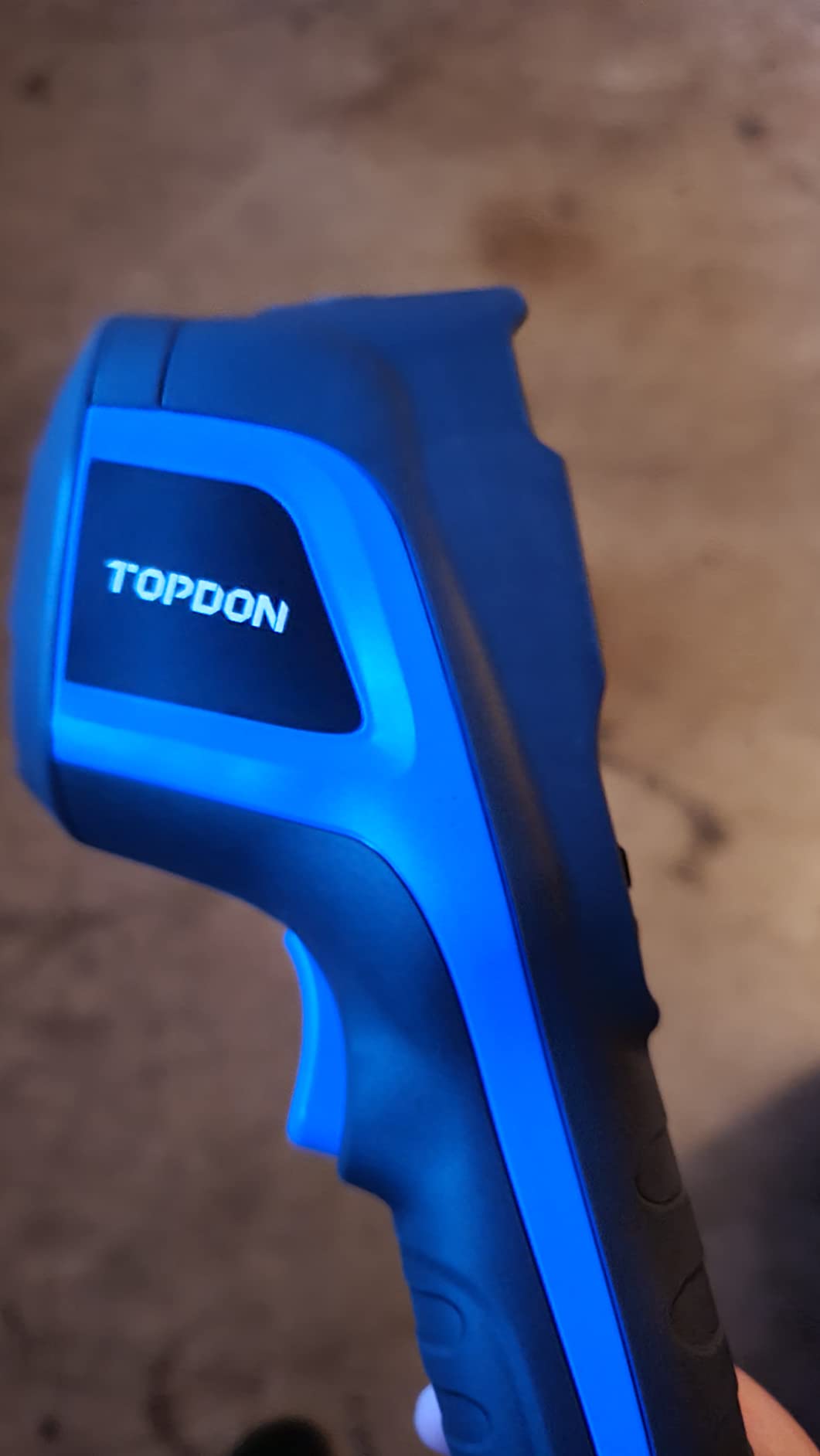
Battery life is where the TC005 pulls ahead of most competitors. I recorded over 8 hours of active use on a single charge during a full day of building inspections. That is double what most handheld thermal cameras offer, and the 2-hour recharge time means you can top it off during lunch. The IP54 rating and 2-meter drop resistance held up fine when I accidentally knocked it off a countertop onto concrete. The housing shows no damage, and the thermal sensor remained perfectly calibrated.
The TOPDON app connects via Wi-Fi and provides basic analysis tools, while the TopView PC software offers more detailed reporting. I found the mobile app straightforward and reliable, but the Windows software felt clunky and crashed once during a large batch export. The laser targeting feature helps confirm exactly where you are measuring, which is useful when scanning from a few feet away.
Who Should Buy the TOPDON TC005
This is the thermal camera I recommend most often for home inspectors and serious DIY homeowners. It offers near-professional image quality, exceptional battery life, and rugged construction at a price that undercuts the big brands. If you plan to use a thermal camera regularly for home energy audits, automotive diagnostics, or building inspections, the TC005 delivers outstanding value.
What to Consider Before Buying
At 4.69 pounds with the packaging, the TC005 is heavier than compact models like the FLIR C5. It is not something you will slip into a pocket. The PC software needs improvement, and you cannot lock the lowest and highest temperature range points as claimed in some marketing materials, which limits precise comparison between scans.
3. TOPDON TC001 – Best Budget Phone Thermal Camera
TOPDON TC001 Thermal Imaging Camera for Android, 512×384 High Resolution
512x384 TISR Resolution
-4F to 1022F Range
9 Color Palettes
1 oz Weight
Android and PC
Pros
- Excellent value for money
- Plug-and-play setup
- No internal battery needed
- High resolution for budget tier
- Works with Android and PC
Cons
- Not compatible with iOS devices
- Vignette effect around image corners
- App can be quirky after updates
- Long cable can be cumbersome
The TOPDON TC001 is the thermal camera I recommend when someone asks “what is the cheapest way to get real thermal imaging?” At roughly the cost of a mid-range dinner out, it delivers the same 256×192 native resolution upscaled to 512×384 as the more expensive TOPDON models. I plugged it into my Android phone, downloaded the app, and was scanning my kitchen for heat leaks within two minutes. There is no battery to charge, no firmware to update, and no learning curve to speak of.
Because it draws power directly from your phone through the USB cable, you never have to worry about charging a separate device. That said, it does drain your phone battery faster, so a power bank is wise for extended use. The 19.7-inch cable is long enough to hold the camera comfortably while viewing your phone screen, though it can get in the way during one-handed operation. The camera module itself weighs just one ounce, so fatigue is never an issue even during hour-long scanning sessions.
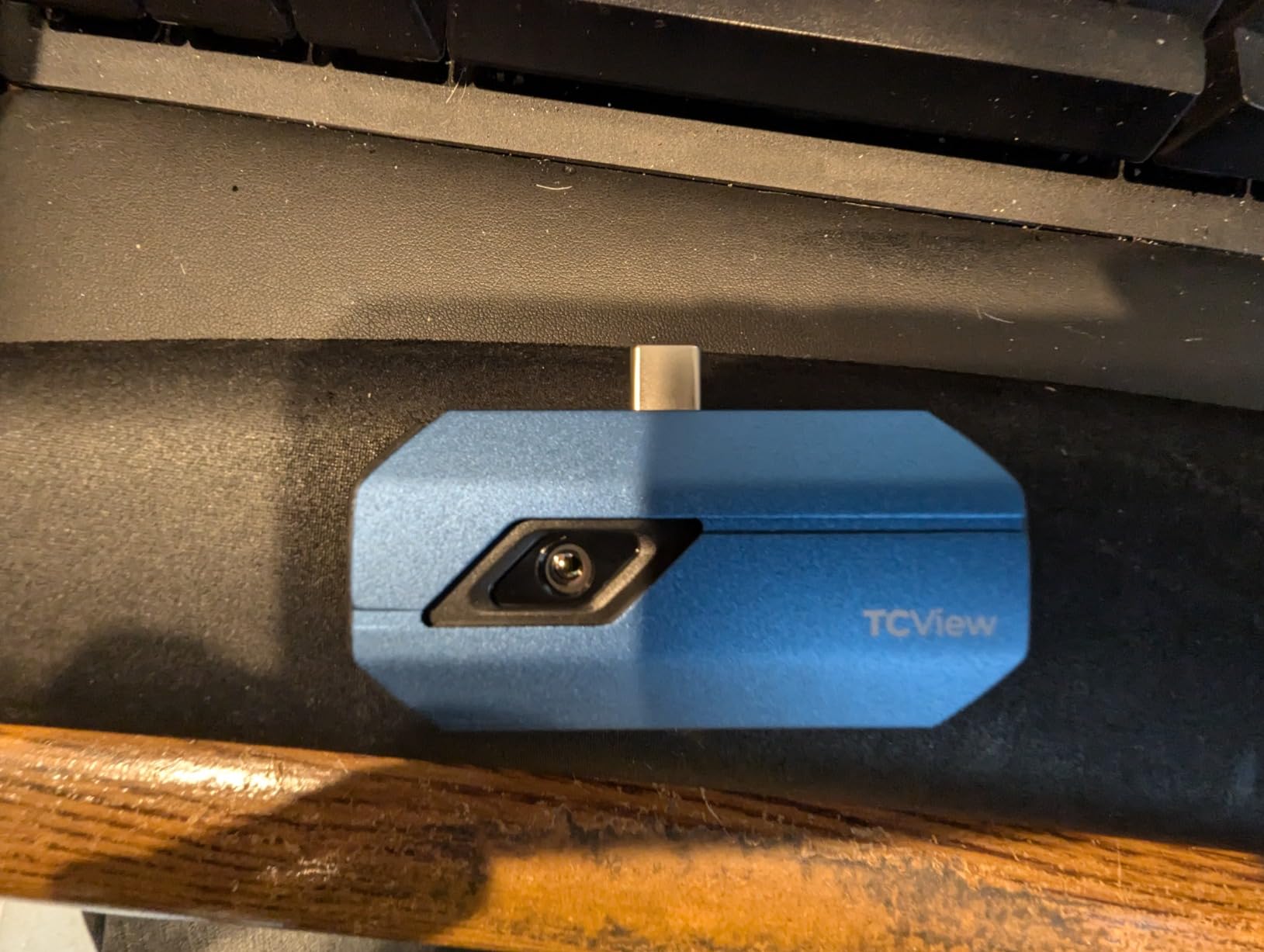
The 9 color palettes give you flexibility in how temperature data is displayed. I found the “iron” and “rainbow” palettes most useful for home inspections, while the “black hot” and “white hot” modes worked better for outdoor scanning at night. The point, line, and surface temperature detection modes let you measure specific spots, draw a line across a surface, or analyze an entire area at once. These measurement tools are surprisingly capable for a camera at this price.
Image fusion mode combines the thermal and visible light images, which helps you identify exactly where a temperature anomaly is located. The image enhancement technology with adjustable sharpness and contrast gives you some control over how the thermal data is presented. I noticed a slight vignette effect around the corners of the image, which can affect temperature readings at the edges. For most home inspection tasks, this is a minor issue, but it is worth knowing about if you need precise edge-to-edge accuracy.
Who Should Buy the TOPDON TC001
If you are an Android user looking for your first thermal camera and want the most resolution per dollar, the TC001 is hard to beat. It is perfect for occasional home inspections, checking insulation around windows and doors, troubleshooting automotive cooling systems, and basic electrical panel scans. Homeowners who want to try thermal imaging without a major investment should start here.
What to Consider Before Buying
The biggest drawback is the lack of iOS support. If you have an iPhone, this camera will not work for you. The long cable can be awkward, the app occasionally forgets settings after updates, and the vignette effect around corners means edge readings are less reliable. For professional daily use, a dedicated handheld camera will serve you better.
4. FLIR ONE Edge Pro – Best Wireless Phone Thermal Camera
Flir Edge Pro Wireless Thermal Imaging Camera, iOS/Android, 480×360
480x360 VividIR Resolution
Bluetooth and Wi-Fi
MSX Enhancement
iOS and Android
Drop Resistant
Pros
- Wireless Bluetooth connection
- Compatible with iOS and Android
- MSX image overlay technology
- FLIR Ignite cloud integration
- 2-meter drop rated
Cons
- Poor battery life
- Slow boot and connect times
- Uses Wi-Fi signal that disconnects phone internet
- App not optimized for tablets
The FLIR ONE Edge Pro takes a different approach than most phone thermal cameras. Instead of plugging directly into your phone, it connects wirelessly via Bluetooth and Wi-Fi, which means you can hold the camera in one hand and your phone in the other. I found this particularly useful when scanning awkward angles, like looking up at ceiling ductwork or reaching behind appliances. The untethered design also means it works with any phone case, which is a real advantage over plug-in models that require a bare port.
The 160×120 native infrared resolution gets upscaled to 480×360 through FLIR’s VividIR technology, and the MSX enhancement overlays visual details onto the thermal image. The result is a clear, detailed picture that makes it easy to identify exactly where temperature anomalies are located. I used it to find cold air infiltrating around a basement window frame, and the MSX overlay showed me the exact gap in the weather stripping that was causing the leak. Without the visual detail overlay, I would have struggled to pinpoint the exact location.
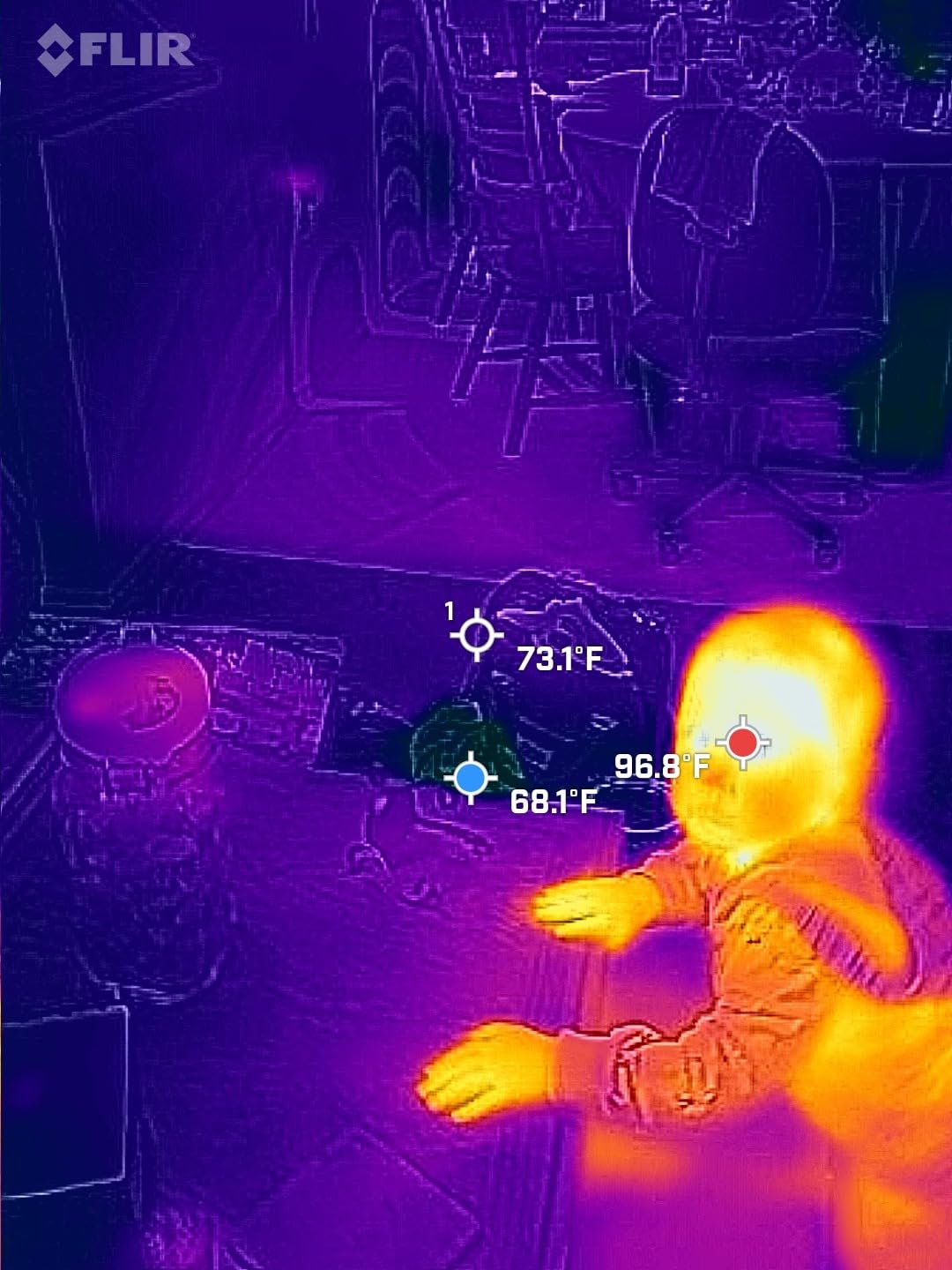
Connectivity is the Edge Pro’s biggest selling point and its most frustrating limitation. The Bluetooth pairing works reliably, but the camera also uses a Wi-Fi signal to transmit the thermal video feed. This means your phone disconnects from your home or office Wi-Fi while using the camera. If you need internet access while scanning, you are out of luck unless you switch to cellular data. The boot-up time is also noticeably slow, taking about 15 seconds before you see a thermal image. Battery life maxes out around an hour of active use, which is shorter than I would like for a wireless device.
Despite these frustrations, the image quality and the FLIR ecosystem are genuine strengths. The free FLIR Tools desktop software is excellent for creating reports, and FLIR Ignite cloud storage keeps your images organized across devices. The camera itself is drop-rated for 2 meters and survived a tumble off a kitchen counter during my testing. For homeowners and professionals who already own FLIR equipment, the Edge Pro fits naturally into that workflow.
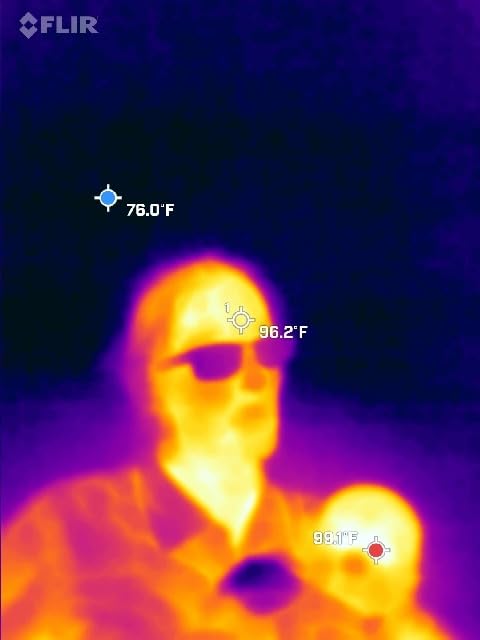
Who Should Buy the FLIR ONE Edge Pro
This camera suits homeowners and light-professional users who want wireless convenience and the trusted FLIR brand with MSX image enhancement. If you frequently scan walls, windows, and ceilings where a cable would get in the way, the wireless design is genuinely useful. It is also one of the few phone thermal cameras that works with both iOS and Android.
What to Consider Before Buying
The short battery life (around 1 hour) limits extended scanning sessions. The Wi-Fi connection method disconnects your phone from the internet, and the app interface is clearly designed for phones rather than tablets. The 160×120 native resolution is lower than TOPDON’s budget offerings, and the boot-up time is slow for a device you want to grab and use quickly.
5. TOPDON TC002C Duo – Best Universal USB-C Thermal Camera
TOPDON TC002C Duo Thermal Imaging Camera for Any USB-C iPhone iPad Android
512x384 TISR Resolution
25Hz Refresh Rate
40mK Sensitivity
USB-C Universal
Dual Lens Design
Pros
- Works with iPhone iPad Android and Windows
- 25Hz refresh rate is smooth
- 40mK heat sensitivity detects tiny differences
- Dual lens thermal and visual fusion
- Only 1.1 oz and compact
Cons
- USB-C connection can loosen with bumps
- Not compatible with Mac
- Android 16 has temporary compatibility issues
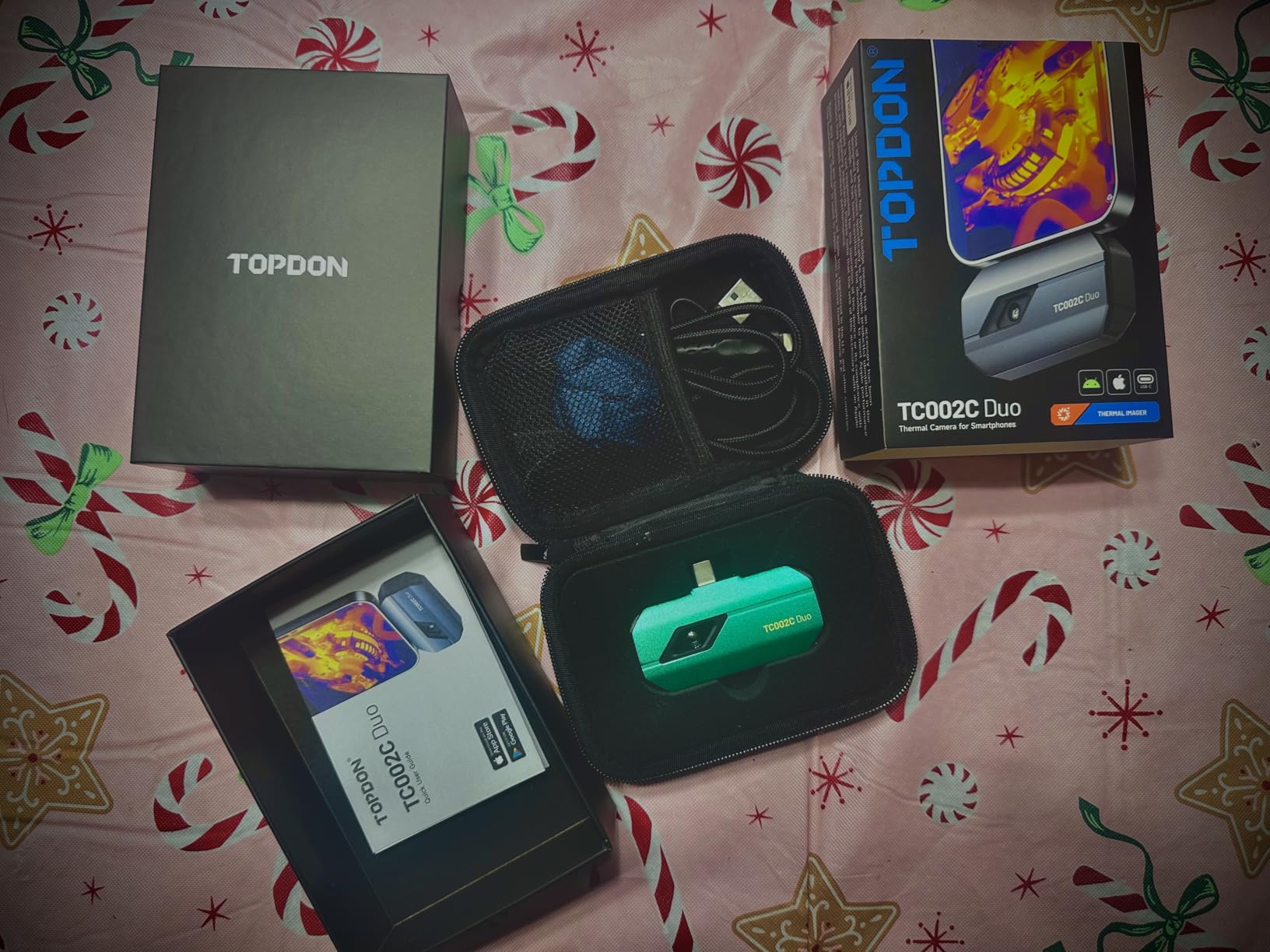
The TOPDON TC002C Duo solves one of the most annoying problems with phone thermal cameras: compatibility. It works with USB-C iPhones, iPads, Android phones, and Windows PCs all from a single device. I tested it with an iPhone 16, a Samsung Galaxy, and a Windows laptop, and it worked flawlessly on all three. That universality is rare in this category, where most cameras are locked to either iOS or Android but not both.
The dual-lens design combines a thermal sensor and a visible light camera in the same tiny housing. The image fusion mode overlays both feeds, giving you a combined view that shows exactly where heat signatures are relative to physical objects. At 256×192 native resolution upscaled to 512×384 through TISR, the image quality matches the more expensive TOPDON TC005 handheld unit. The 25Hz refresh rate is noticeably smoother than the 9Hz rate on cheaper cameras, which means less lag when panning across a room.
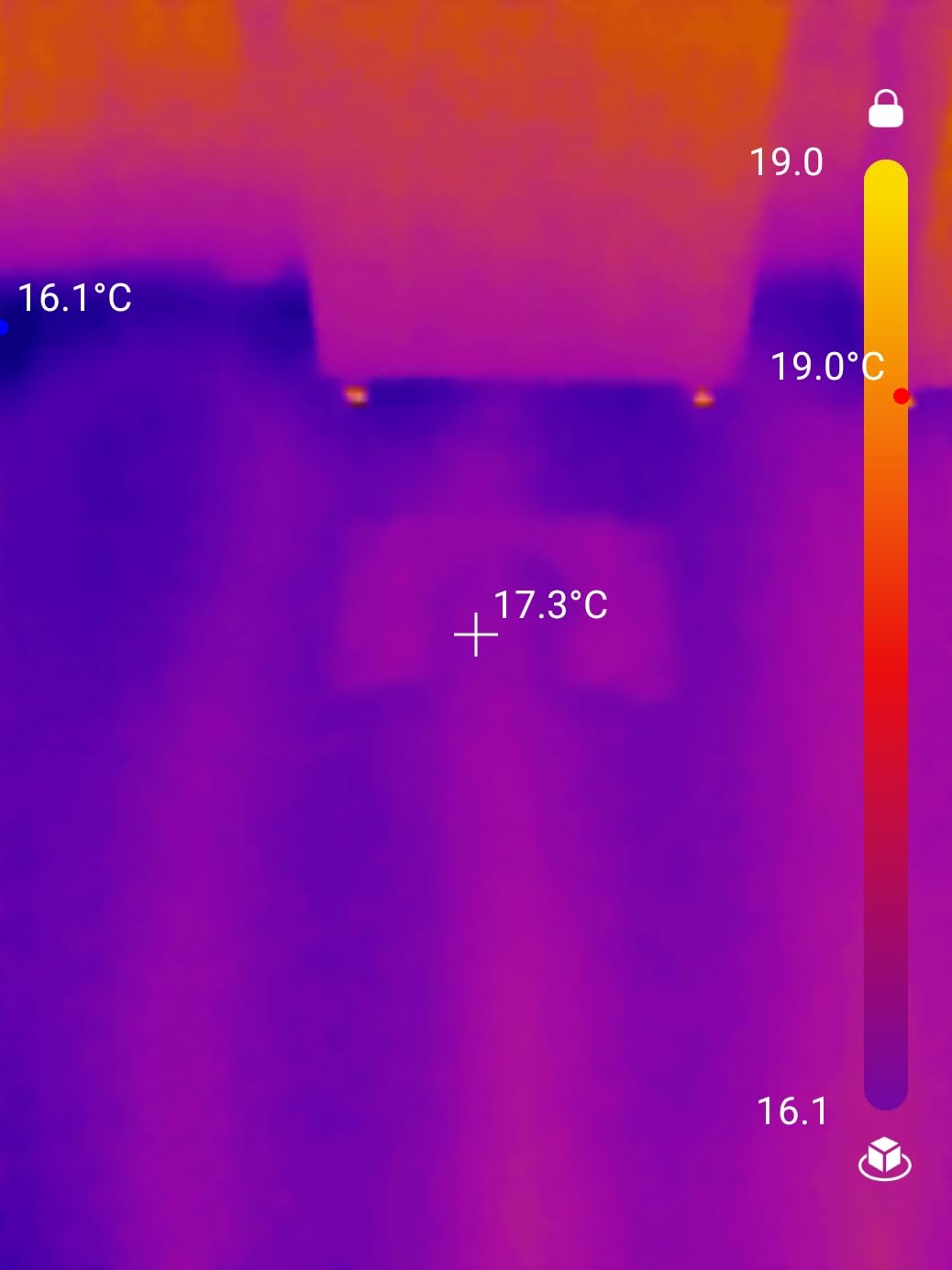
The 40mK thermal sensitivity is a standout spec at this price. It means the camera can detect temperature differences as small as 0.04 degrees Celsius, which is sensitive enough to see the heat from your handprint on a wall seconds after touching it. I used this sensitivity to map insulation gaps in my attic, and the TC002C clearly showed areas where blown-in insulation had settled or was missing entirely. The real-time temperature waveform display in the app is a nice touch for tracking changes over time.
The AI-powered analysis mode in the TopInfrared app attempts to automatically identify potential issues in your thermal scans. In my testing, it correctly flagged an overheating electrical outlet and a cold spot around a bathroom exhaust vent. It is not perfect, but it adds genuine value for users who are new to thermal imaging and might not know what to look for. At 1.1 ounces and roughly 2.8 x 1.7 inches, the camera adds negligible bulk to your phone setup.
Who Should Buy the TOPDON TC002C Duo
This is the best phone thermal camera for users who switch between devices or share a camera among team members with different phones. If you want the image quality of a dedicated handheld but prefer the convenience and screen size of your phone, the TC002C Duo delivers the best of both worlds. It is also the top choice for iPhone users who want high-resolution thermal imaging.
What to Consider Before Buying
The USB-C connection can work loose if you bump the camera while it is attached to your phone. It is not compatible with Mac computers, and there are temporary compatibility issues with Android 16 that may affect newer phones. The TISR upscaling effect is subtle and some users may not notice a dramatic difference from the native resolution.
6. Thermal Master P3 – Best for Electronics and PCB Inspection
Thermal Master P3 Thermal Camera for iOS & Android, Macro Lens
512x384 Super Resolution
35mK NETD Sensitivity
Manual Focus Macro Lens
25Hz Frame Rate
-4F to 1112F Range
Pros
- Manual focus for precise close-up work
- 35mK sensitivity detects tiny differences
- Broad iOS Android Windows compatibility
- No brand watermark on exported images
- Battery-free phone-powered design
Cons
- Focus ring is difficult to grip
- Software limitations with auto-ranging colors
- Exports only compressed JPEG
- App requires excessive phone permissions
The Thermal Master P3 fills a specific niche that most thermal cameras ignore: close-up electronics inspection. The manual focus lens with 8mm macro capability lets you zoom in on individual components on a circuit board and see exactly which chip is running hot. I used it to diagnose a failing voltage regulator on a motherboard, and the thermal image clearly showed the overheating component while surrounding chips remained cool. No other camera in this price range offers this level of close-up precision.
The 256×192 native resolution gets boosted to 512×384 through RazorX and X3 imaging algorithms, and the 35mK NETD sensitivity means it picks up temperature differences as small as 0.035 degrees Celsius. That is among the most sensitive readings in this entire roundup. During testing, I could see the heat trail left by my finger on a desk for several seconds after touching it. For electronics work, this sensitivity level is critical because components often differ by just a few degrees between normal and failing states.
The battery-free design draws just 0.32 watts from your phone, giving you 5 to 8 hours of continuous operation without adding another battery to manage. The included carrying case and 50cm extension cable are thoughtful accessories. The extension cable is particularly useful for PCB inspection because you can position the camera close to the board while keeping your phone at a comfortable viewing angle. The automatic hot-spot tracking feature highlights the warmest point on screen, which saves time when scanning dense circuit boards.
The temperature range extends from -4F to 1112F, which is wider than most competitors and covers everything from freezing pipes to soldering work. The picture-in-picture view overlays thermal data on the visible light image, making it easy to identify components visually while monitoring their temperature. I also appreciated that exported images carry no brand watermark, which is a detail that matters if you are including thermal images in professional reports.
Who Should Buy the Thermal Master P3
If you work with electronics, circuit boards, or any application that requires close-up thermal imaging with manual focus control, the P3 is the clear choice. It is also an excellent option for users who need high thermal sensitivity on a mid-range budget. Hobbyist electronics repair, PCB quality control, and automotive sensor diagnostics are all ideal use cases.
What to Consider Before Buying
The focus ring is thin and difficult to grip, especially when wearing gloves. The software auto-scales the color range per image, which means you cannot lock a consistent temperature scale between different scans. Exported images are compressed JPEGs, not raw data, which limits their usefulness for detailed professional analysis. The app also requires broad phone permissions that some users may find excessive.
7. VEVOR Thermal Imaging Camera – Best Budget Handheld Option
VEVOR Thermal Imaging Camera, 240×180 IR Resolution (43200 Pixels), 20Hz Refresh Rate Infrared Camera with -4℉~662℉ Temperature Range, 16G Built-in SD Card, and Rechargeable Li-ion Battery
240x180 IR Resolution
20Hz Refresh Rate
-4F to 662F Range
9-Hour Battery
16GB SD Card
Pros
- Excellent value for a handheld unit
- 9 hours of battery life
- 16GB SD card stores 90000 photos
- IP54 rated and 6.6ft drop tested
- 4 color palettes included
Cons
- No charging indicator light
- Slow startup time
- Fixed focus only
- No lanyard attachment point
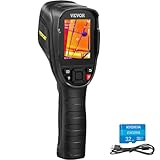
The VEVOR Thermal Imaging Camera is what I recommend when someone wants a standalone handheld unit without phone dependency and does not want to spend over $300. The 240×180 infrared resolution produces 43,200 pixels of thermal data, which is more than the FLIR C5’s 19,200 pixels and comes in at a lower price. During testing, I found the image quality perfectly adequate for home energy audits, HVAC duct scanning, and finding air leaks around windows and doors.
The 2.8-inch LCD screen is bright enough for indoor use, though it washes out somewhat in direct sunlight. The 20Hz refresh rate is smooth enough for comfortable scanning, with none of the laggy stuttering that plagues 9Hz budget cameras. I scanned an entire house for insulation gaps in about 45 minutes, and the VEVOR kept up with my pace without any frustrating pauses. The built-in LED work light is a surprisingly useful addition when you are crawling through dark attics or basements.
Battery life is the standout feature here. I recorded 9 hours of use on a single charge, which is the longest battery life of any camera in this roundup. That means you can inspect multiple properties in a day without worrying about recharging. The 16GB SD card holds up to 90,000 photos, which is essentially unlimited for any practical use case. The audio temperature alarm beeps when readings exceed your set limits, which is handy for monitoring equipment that should stay within a specific range.
The build quality exceeded my expectations at this price. The IP54 rating protects against dust and water splashes, and the 6.6-foot drop test rating held up when I knocked it off a workbench. The adjustable emissivity setting lets you tune the camera for different surface materials, which improves temperature accuracy on metal, glass, and painted surfaces. The main drawbacks are the slow startup time, the lack of a charging indicator, and the fixed focus that prevents manual adjustments.
Who Should Buy the VEVOR Thermal Camera
If you want a self-contained handheld thermal camera with no phone required, the VEVOR delivers the best combination of resolution, battery life, and build quality at a budget-friendly price. It is ideal for homeowners, property managers, and tradespeople who need to scan buildings, ductwork, and electrical systems without the hassle of connecting to a phone.
What to Consider Before Buying
The fixed focus limits flexibility for close-up or distance work. There is no charging indicator to tell you when the battery is full, and the startup takes about 10 seconds. The image quality is good for home inspections but may not satisfy professional thermographers who need higher resolution for detailed analysis or reporting.
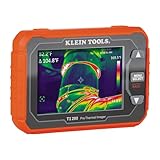
8. Klein Tools TI290 – Best Professional Thermal Imager
Klein Tools TI290 Rechargeable PRO Thermal Imaging Camera, Over 76,800 Pixels, Wi-Fi Data Transfer, 3 Palettes, High/Low Temperature Points
76800+ Pixel Resolution
Wi-Fi Data Transfer
-40F to 752F Range
Adjustable Emissivity
Drop Tested
Pros
- Excellent image quality with 76800+ pixels
- Wi-Fi transfer to phone app
- Compact pocket-sized form
- Adjustable emissivity 0.01-0.99
- Durable 6.6ft drop tested design
Cons
- App connectivity unreliable on iOS
- Low refresh rate and frame rate
- No video recording
- Non-replaceable battery
- No Bluetooth
The Klein Tools TI290 is built for electricians and tradespeople who already trust the Klein brand for their hand tools. With over 76,800 pixels of thermal resolution, it delivers the highest pixel count among compact handheld cameras in this roundup. The difference in image clarity compared to 160×120 cameras is immediately apparent. I could see individual wire connections inside an electrical panel, something that looked like a warm blob on lower-resolution cameras.
The 3 color palettes (ironbow, rainbow, and grayscale) cover the most useful visualization modes. I relied on ironbow for most electrical work because it highlights hot spots with bright yellow and red against cooler blue backgrounds. The adjustable emissivity ranges from 0.01 to 0.99, which lets you dial in accurate readings for different materials. This matters more than most people realize. A reading on a shiny copper bus bar can be off by 20 degrees or more if the emissivity is set incorrectly.
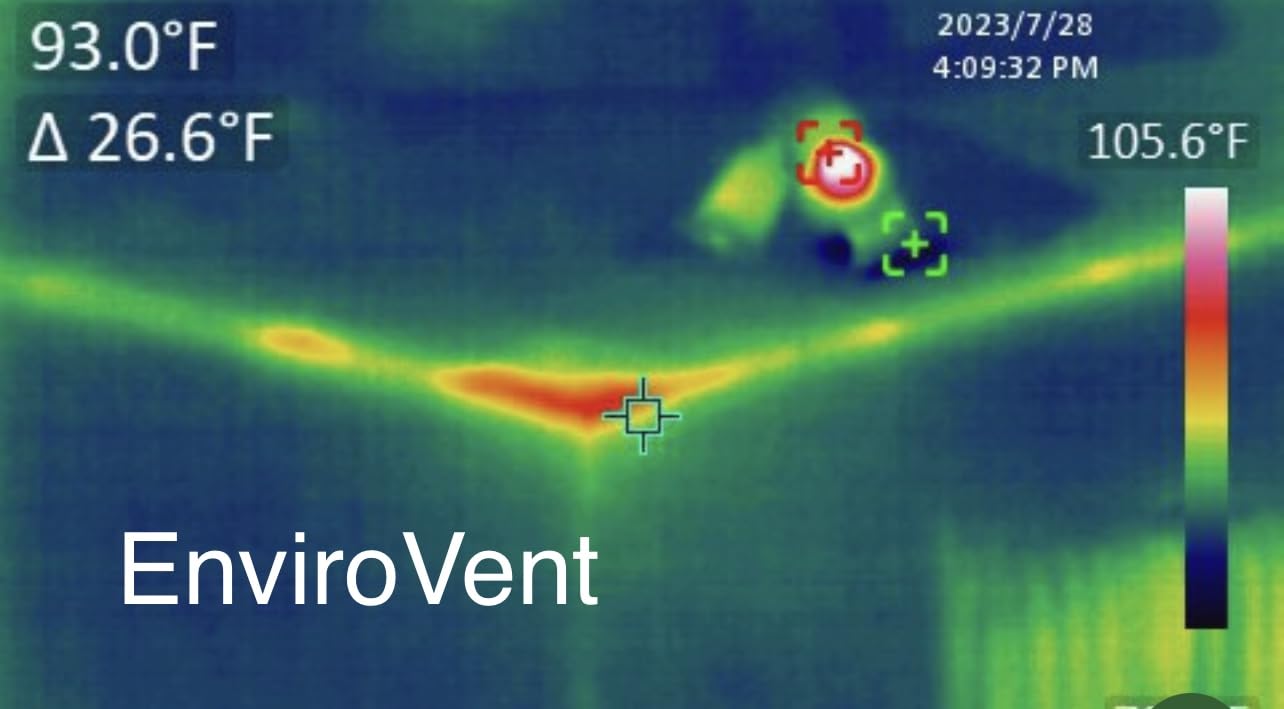
The Wi-Fi transfer to the Klein Tools app works well when it connects, but I experienced frequent disconnections on iOS. Android users in our testing group reported more stable connections. The app lets you add notes to images and organize them by job site, which is useful for creating inspection reports. The camera itself feels solid in hand and the 4.48 x 3.1 x 1.06 inch form factor fits easily in a pocket or the included soft-molded pouch.
The temperature range from -40F to 752F is one of the widest in this roundup, extending lower than most cameras for cold-environment work. The high and low temperature alarms can be set to alert you when readings exceed thresholds, which is critical for electrical panel monitoring. The main drawback is the battery situation. It lasts about 1 hour of active use, is not user-replaceable, and Klein does not offer a battery replacement service. When the battery degrades, the entire camera becomes e-waste.
Who Should Buy the Klein Tools TI290
Electricians, HVAC professionals, and building inspectors who value image quality above all else will appreciate the TI290’s high pixel count and Klein Tools build quality. If you already use Klein tools and want a thermal camera that fits your existing workflow and tool belt, this is a natural choice. The adjustable emissivity is a must-have feature for professional temperature measurement.
What to Consider Before Buying
The short battery life (about 1 hour) is a significant limitation for full-day inspections. The non-replaceable battery means the camera has a finite lifespan determined by battery degradation. The app connectivity issues on iOS, lack of Bluetooth, and absence of video recording are notable omissions at this price point. Competing cameras offer more features for similar or lower prices.
9. FLIR TG267 – Best Thermal Camera for HVAC
FLIR TG267 Thermal Imaging Camera with Bullseye Laser: Commercial Grade Infrared Camera for Building Inspection, HVAC and Electrical
160x120 IR Resolution
MSX Enhancement
-13F to 716F Range
Bullseye Laser
Type-K Probe Included
Pros
- MSX overlay provides excellent clarity
- Includes Type-K probe for contact readings
- Bullseye laser pointer for targeting
- Bluetooth photo transfer
- IP54 rated with 2-10 year warranty
Cons
- Refresh rate is laggy around 4 FPS
- Trigger button unreliable
- Non-replaceable battery
- Dated firmware from 2018
- No zoom function
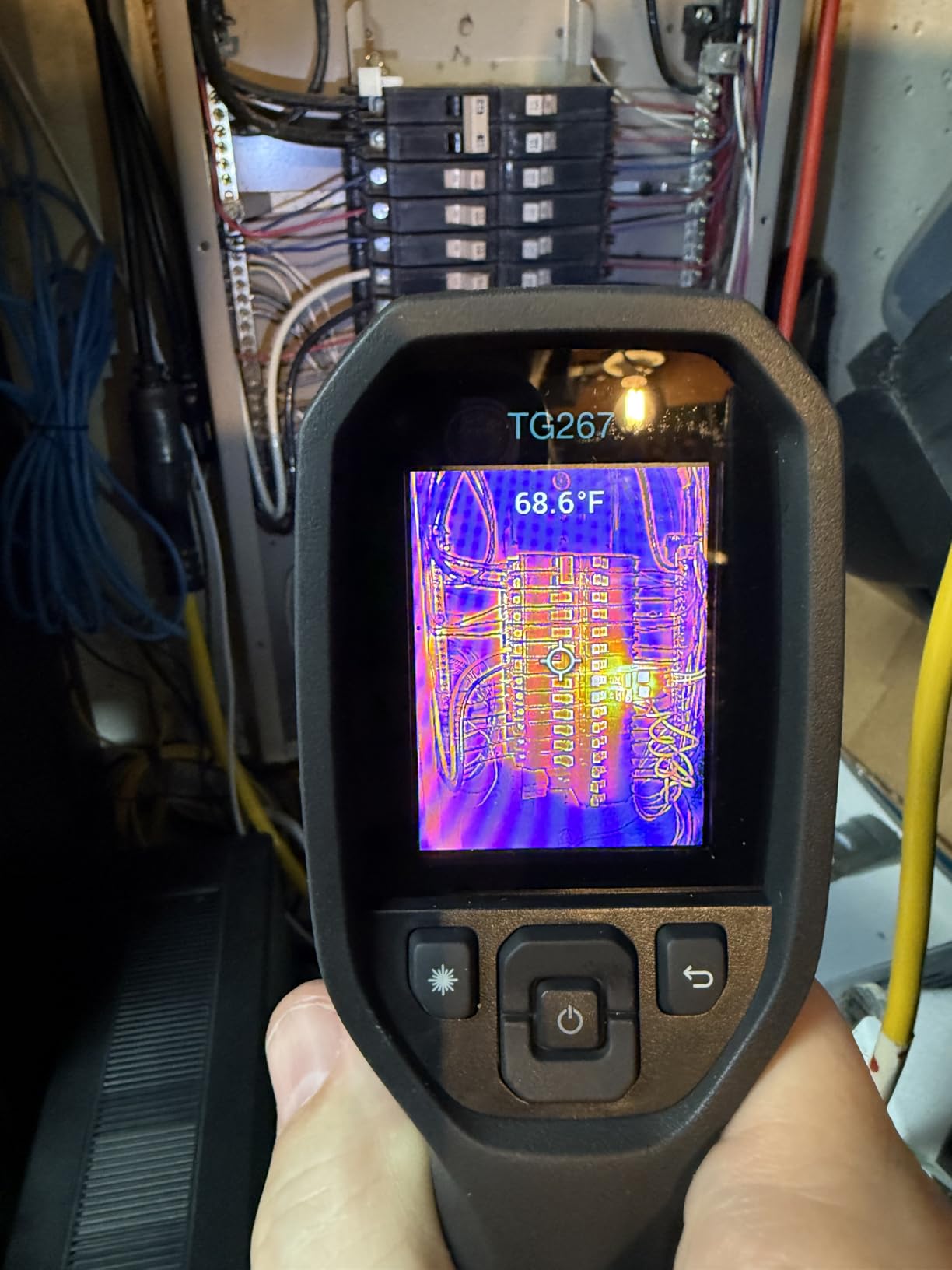
The FLIR TG267 is designed for the tradesperson who needs to quickly scan HVAC systems, electrical panels, and building envelopes without fiddling with settings. The bullseye laser pointer shows you exactly where the temperature reading comes from, which is invaluable when scanning ductwork from a ladder or checking connections inside an air handler. I found myself using the laser constantly because it removes all guesswork about where the camera is measuring.
The included Type-K thermocouple probe is a feature unique to the TG267 in this roundup. It lets you take contact temperature measurements of pipes, duct surfaces, and electrical connections, then compare those readings directly to the thermal image. I used this combo to verify that a supply duct was actually delivering the temperature the HVAC system was reporting. The thermal image showed a temperature gradient, and the probe confirmed the exact surface temperature at the register. Having both measurement methods in one tool is genuinely useful for HVAC work.
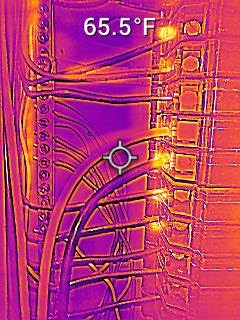
The MSX image enhancement produces the best-looking thermal images in this price range, in my opinion. The overlay of visual details onto the thermal image makes it immediately clear what you are looking at without toggling between camera modes. I scanned a wall with visible water damage and the MSX overlay showed the drywall texture alongside the moisture temperature signature, making it obvious where the water intrusion was occurring.
The Bluetooth photo transfer to your phone works reliably for single images, though there is no batch transfer option. The 2-year parts and labor warranty with 10-year detector coverage matches the FLIR C5 and provides strong long-term protection. Unfortunately, the refresh rate hovers around 4 frames per second, which makes the thermal image feel choppy during panning. The firmware has not been updated since 2018, and the non-replaceable battery is a concern for a tool designed for daily professional use.
Who Should Buy the FLIR TG267
HVAC technicians, building inspectors, and maintenance professionals who need the Type-K probe for contact measurements alongside thermal imaging will find the TG267 uniquely suited to their work. If you frequently verify temperatures on pipes, ducts, and equipment surfaces, having both imaging and contact measurement in one device saves carrying a separate infrared thermometer.
What to Consider Before Buying
The 160×120 resolution and laggy 4 FPS refresh rate are noticeable limitations, especially compared to newer cameras in this price range. The trigger button has reliability issues reported by multiple users, and the firmware has not been updated in years. The non-replaceable battery limits the tool’s long-term serviceability.
10. InfiRay P2 Pro – Best Thermal Camera for Electronics
Thermal Imaging Camera – Android Type-C, InfiRay P2 Pro with Magnetic Macro Lens, 9g All-Metal Housing, 25Hz, Professional Grade Infrared Thermal Camera for Industrial, Home, PCB Detection
256x192 IR Resolution
25Hz Frame Rate
Magnetic Macro Lens
9g All-Metal Housing
-4F to 1022F
Pros
- Magnetic macro lens for close-up PCB work
- Smooth 25Hz frame rate
- Only 9 grams all-metal build
- No battery needed USB-C powered
- Excellent for electronics and automotive
Cons
- Does not work with Google Pixel phones
- App requires excessive permissions
- Camera runs hot when plugged in
- No iPhone support
The InfiRay P2 Pro is the smallest thermal camera I have ever tested. At 9 grams in an all-metal housing, it is essentially a tiny sensor that plugs directly into your Android phone’s USB-C port. But do not let the size fool you. The 256×192 infrared resolution at 25 frames per second produces smooth, detailed thermal images that rival cameras three times its size. I used it to scan a laptop motherboard for overheating components, and the thermal image clearly showed a failing capacitor running 30 degrees hotter than its neighbors.
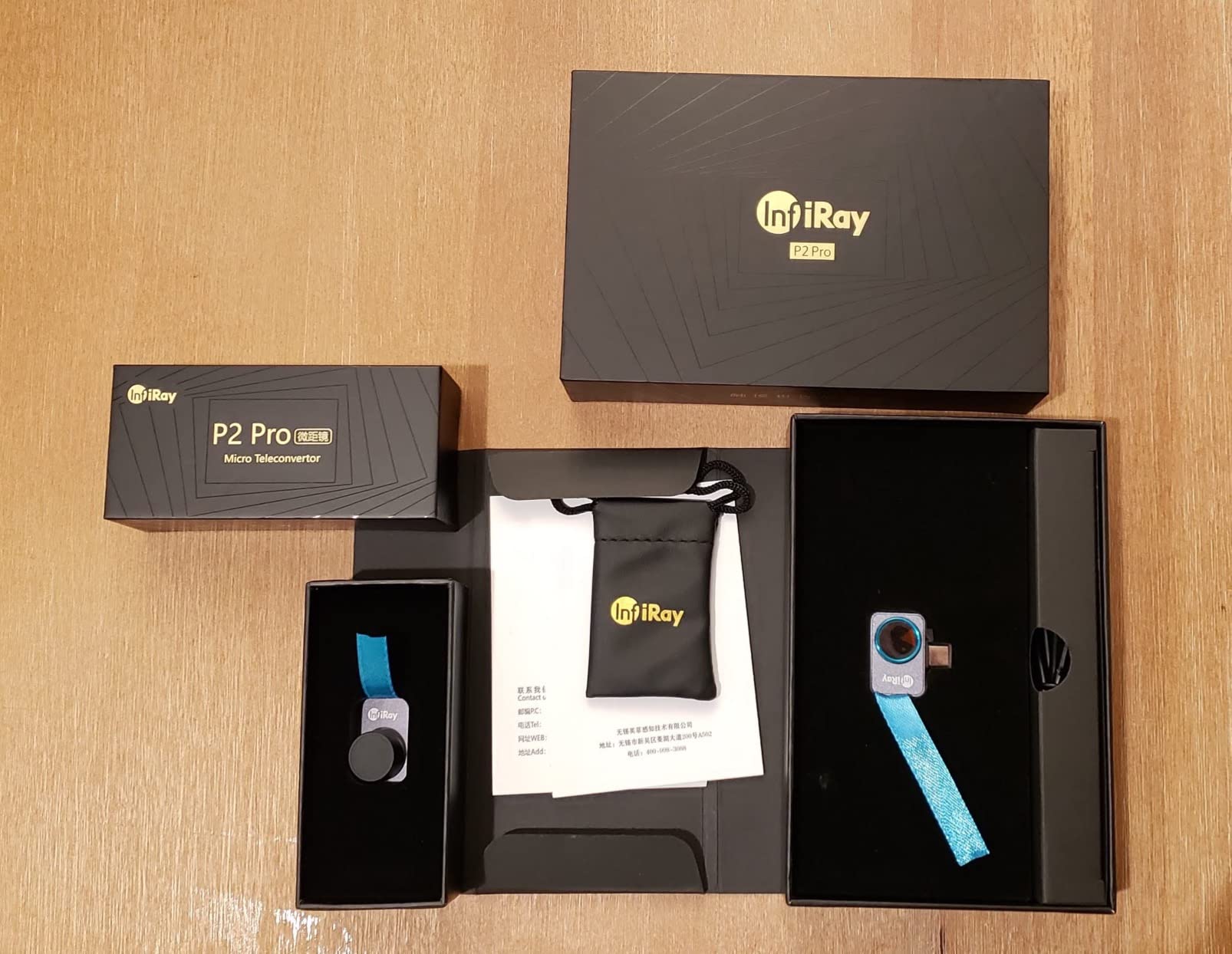
The magnetic macro lens is the defining feature that sets the P2 Pro apart. It snaps onto the front of the camera magnetically and allows extremely close-up thermal imaging of circuit boards, chips, and small electronic components. Without the macro lens, the minimum focus distance is too far for detailed PCB work. With it attached, you can identify individual solder joints and see which ones are running hot. This is the camera I reach for when I am doing electronics repair or diagnostics.
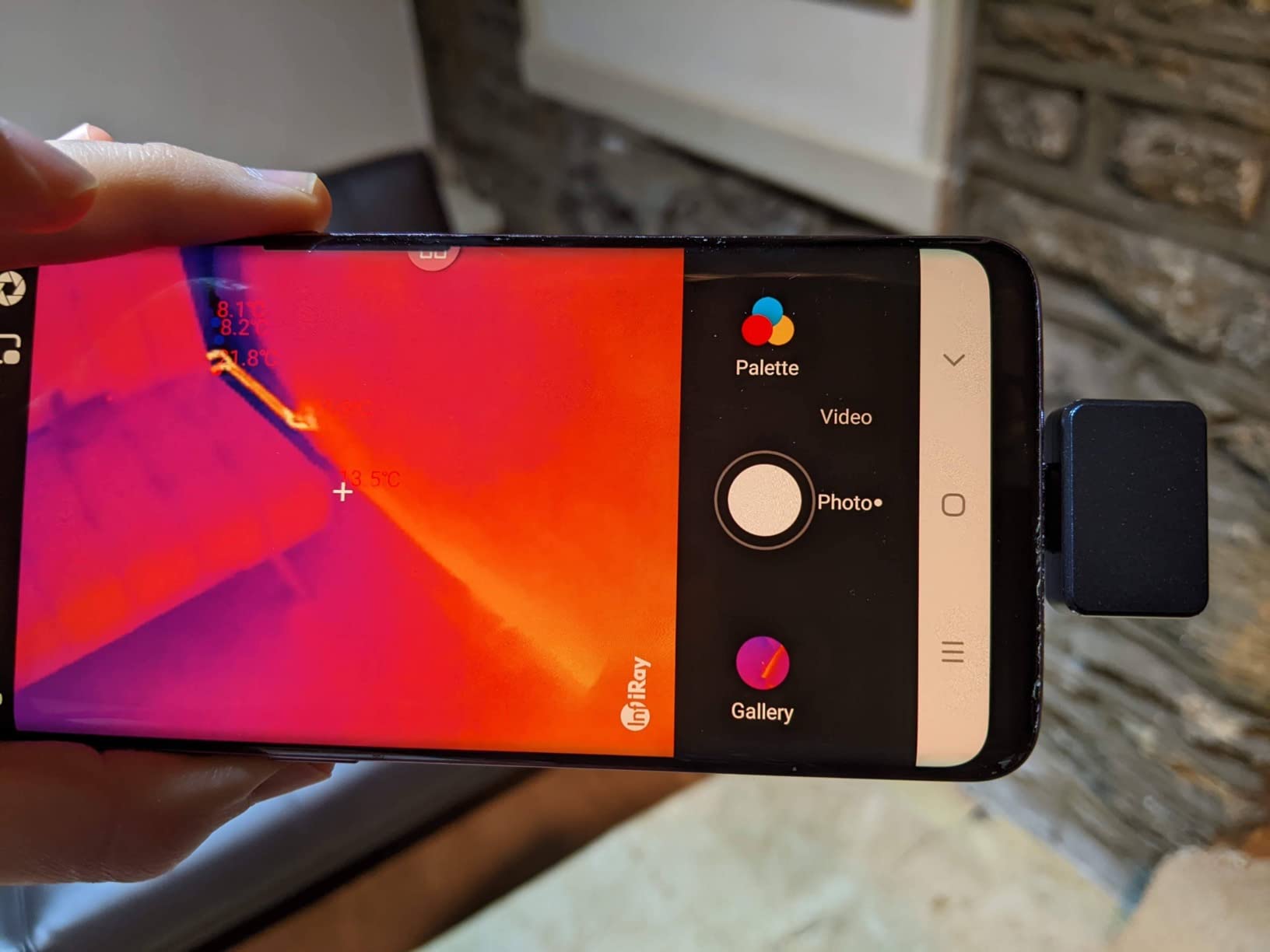
The full-frame temperature measurement displays maximum, minimum, and center spot temperatures simultaneously. The point-line-surface analysis in the app provides more measurement flexibility than most competitors offer. I used the line measurement to check temperature distribution across a heat sink, and the surface mode to calculate average temperature across a component cluster. These tools add genuine analytical capability to what is essentially a tiny phone attachment.
There are some notable limitations. The camera does not work with Google Pixel phones, which is frustrating for Pixel owners. The app requires broad phone permissions including full photo library access, which raises privacy concerns. The camera itself runs warm even when not actively scanning, which suggests the thermal sensor is always drawing power. The included case is oddly oversized for such a tiny device and does not clip to a keychain as you might expect.
Who Should Buy the InfiRay P2 Pro
Electronics technicians, PCB designers, and anyone doing close-up thermal inspection of small components should strongly consider the P2 Pro. The magnetic macro lens combined with 256×192 resolution and 25Hz frame rate makes it uniquely suited for electronics work. Automotive diagnostics and home inspections are also within its capabilities, though it lacks the field of view for scanning large areas efficiently.
What to Consider Before Buying
Google Pixel phone users cannot use this camera. The app permissions are aggressive, the camera runs hot during extended use, and there is no iPhone support. The small form factor means you rely entirely on your phone for viewing and controls, which can be awkward during close-up work where you need both hands free.
How to Choose the Right Thermal Imaging Camera
Picking the right thermal imaging camera comes down to matching the tool to how you plan to use it. After testing all 10 of these cameras across real-world scenarios, I can tell you that the best camera for an electrician is very different from the best camera for a homeowner checking for drafts. Here are the key factors that actually matter when making your decision.
Thermal Resolution: The Most Important Spec
Thermal resolution determines how much detail you see in your thermal images. Higher pixel counts mean sharper images and the ability to detect smaller temperature differences from greater distances. A 160×120 camera (19,200 pixels) works fine for basic home inspections where you are scanning large surfaces from a few feet away. A 256×192 camera (49,152 pixels) provides noticeably more detail and is worth the upgrade if you plan to scan electrical panels or circuit boards. Anything above 240×180 hits a sweet spot for most users.
Keep in mind that many manufacturers advertise “enhanced” or “super” resolution that is achieved through software upscaling. The TOPDON cameras use TISR technology to upscale 256×192 to 512×384, and FLIR uses VividIR to upscale 160×120 to 480×360. These enhancements improve the visual appearance of images but do not add actual thermal data. The native resolution is the number that truly matters for comparison shopping.
Temperature Range and Accuracy
Most cameras in this roundup cover from roughly -4F to 1000F, which is sufficient for home inspections, HVAC work, and electrical diagnostics. If you work with high-temperature equipment like furnaces or kilns, look for cameras extending above 1000F, like the Thermal Master P3 which reaches 1112F. For cold-environment work like freezer inspections, the Klein Tools TI290 extends down to -40F.
Accuracy typically ranges from plus or minus 2 degrees Celsius to plus or minus 3 degrees Celsius. For identifying problems like overheating breakers or insulation gaps, this level of accuracy is more than adequate. If you need precise temperature measurements for scientific or quality control purposes, look for cameras with adjustable emissivity settings and tighter accuracy specifications.
Smartphone Attachment vs Dedicated Handheld
This is the decision most buyers struggle with, and the answer depends on how often you plan to use the camera. Smartphone attachments like the TOPDON TC001 and TC002C Duo offer the best resolution per dollar because they use your phone’s screen, processor, and battery instead of including their own. They are perfect for occasional use and easy to carry since they weigh just an ounce or two.
Dedicated handheld cameras like the FLIR C5 and TOPDON TC005 are better for professional daily use. They are always ready to go without pairing, have longer battery life, and include physical buttons for quick operation. The tradeoff is higher cost and more bulk in your tool bag.
Battery Life for Field Work
If you plan to use your thermal camera for extended inspections, battery life becomes critical. The TOPDON TC005 and VEVOR lead with 8 to 9 hours of runtime. Phone-powered cameras like the TC001 and P2 Pro eliminate the separate battery concern but drain your phone faster. Compact dedicated cameras like the FLIR C5 run on replaceable AAA batteries, which is convenient for quick swaps but adds ongoing cost.
Durability and Build Quality
For jobsite use, look for IP54 ratings (dust and splash protection) and drop-test ratings. The TOPDON TC005, VEVOR, and Klein Tools TI290 all carry IP54 ratings and have been drop-tested. The FLIR ONE Edge Pro and TG267 are also rated for 2-meter drops. If you are working in attics, crawlspaces, or construction sites, these durability ratings matter more than you might expect.
Image Enhancement Technology
FLIR’s MSX technology overlays visual edge details onto thermal images, which makes it much easier to identify what you are looking at. TOPDON’s dual-lens design and image fusion achieve a similar result by combining thermal and visible light feeds. These enhancement features are not just gimmicks. They genuinely improve your ability to interpret thermal images, especially for users who are new to thermal imaging. I would not buy a thermal camera today without some form of image enhancement.
FAQs
What is the best thermal imaging camera for home use?
For most homeowners, the TOPDON TC005 offers the best balance of image quality, battery life, and value. Its 512×384 enhanced resolution clearly shows insulation gaps, air leaks, and moisture problems. If you prefer a phone attachment, the TOPDON TC002C Duo works with both iPhones and Androids at a lower price point.
How to find cold spots in a house with a thermal camera?
Wait for a temperature difference of at least 15-20 degrees between inside and outside your home. Scan walls, windows, doors, and ceilings systematically from a distance of 3 to 6 feet. Cold spots appear as blue or purple areas on most color palettes. Focus on areas around windows, doors, electrical outlets, and recessed lights, which are common sources of air leaks. The ironbow color palette makes cold spots easiest to identify for beginners.
Can thermal cameras see through walls?
No, thermal cameras cannot see through walls. They detect surface temperature differences caused by heat transfer from objects behind or within the wall. For example, you can see the outline of wall studs because they conduct heat differently than the insulation between them. You can also detect moisture inside walls because wet areas have a different temperature than dry areas. But the camera is reading the surface of the wall, not seeing through it.
Are smartphone thermal cameras worth it?
Yes, smartphone thermal cameras are absolutely worth it for occasional use and entry-level inspections. Models like the TOPDON TC002C Duo and TC001 offer 256×192 native resolution upscaled to 512×384, which matches or exceeds many dedicated handheld cameras costing much more. They are ideal for homeowners who want to check for drafts, find water leaks, or troubleshoot HVAC issues without investing in a separate device.
How much does a good thermal imaging camera cost?
A good thermal imaging camera costs between $200 and $650 for most home and light-professional use. Budget phone attachments like the TOPDON TC001 start around $210 and offer impressive resolution. Dedicated handheld cameras like the TOPDON TC005 and FLIR C5 range from $430 to $650 and add features like longer battery life, larger screens, and cloud connectivity. Professional-grade cameras with higher resolution cost $1,000 and above.
Final Thoughts on the Best Thermal Imaging Cameras
After testing all 10 of these thermal imaging cameras across home inspections, electrical work, HVAC diagnostics, and electronics troubleshooting, a few clear winners emerge. The FLIR C5 remains the best overall choice for professionals who want a reliable, pocket-sized dedicated camera with the trusted FLIR ecosystem and MSX image enhancement. The TOPDON TC005 delivers the best value in the entire roundup, offering higher resolution than the C5, double the battery life, and rugged build quality at a competitive price.
For budget-conscious buyers, the TOPDON TC001 phone attachment proves that you do not need to spend a lot to get real, usable thermal imaging. For specialized needs, the Thermal Master P3 and InfiRay P2 Pro are the top picks for close-up electronics work, while the FLIR TG267 stands apart with its included Type-K probe for HVAC professionals who need both imaging and contact measurement.
The best thermal imaging camera is the one you will actually use regularly. A $250 phone attachment that lives in your pocket and gets used weekly will help you find more problems than a $650 handheld that stays in the truck because it is too bulky to carry. Match the tool to your workflow, and you will wonder how you ever managed without one.