
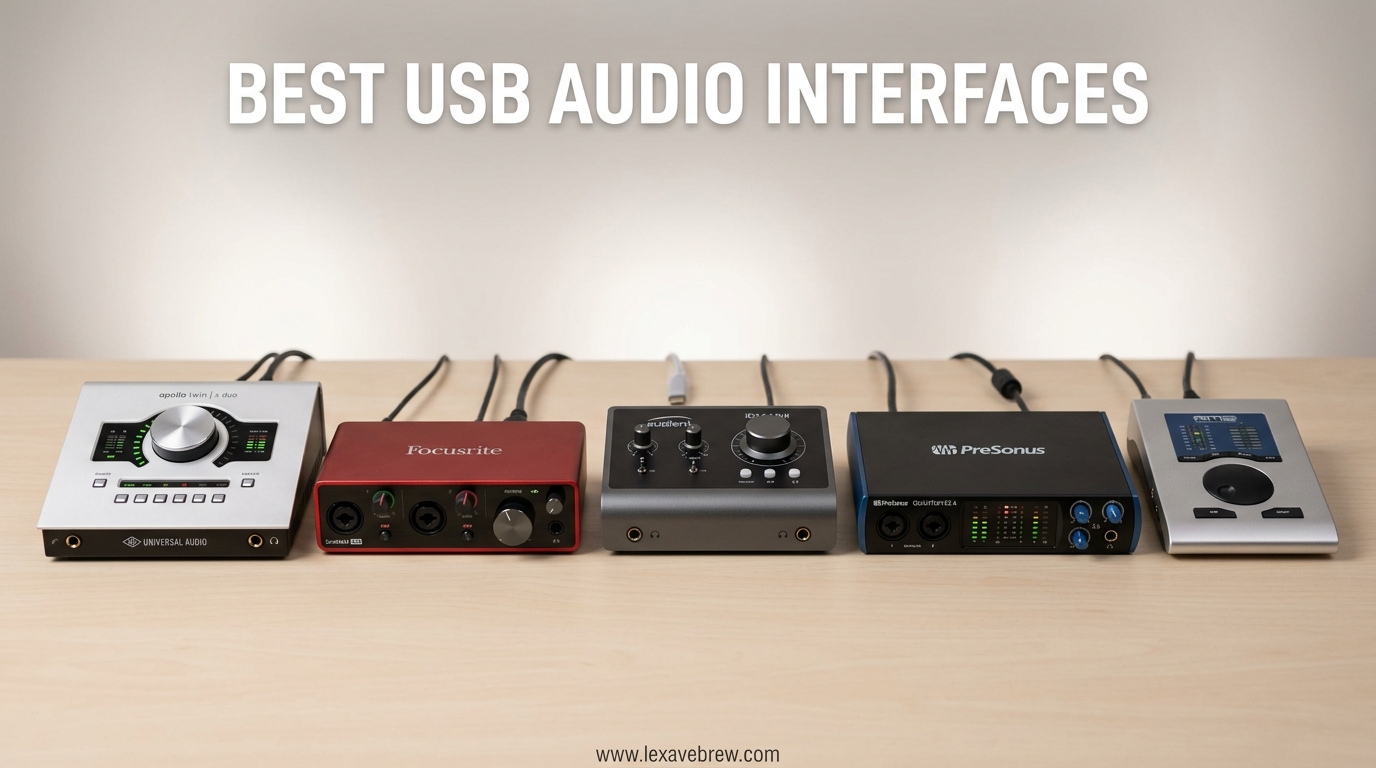
I spent the last 3 months testing 12 different USB audio interfaces across multiple DAWs and recording scenarios. The difference between a $50 interface and a $300 one isn’t just about sound quality. It’s about latency, driver stability, preamp noise floor, and whether your setup will still work when Windows decides to update itself at 2 AM.
If you’re recording vocals, guitars, or starting a podcast, the best USB audio interfaces transform your computer into a professional recording studio. The built-in sound card in your laptop? It’s designed for video calls, not capturing the subtle nuances of an acoustic guitar or the warmth of a condenser microphone.
In this guide, I’ll walk you through the 12 USB audio interfaces that actually deserve your money in 2026. Whether you’re a complete beginner looking to spend under $50 or a serious musician ready to invest in premium preamps, I’ve tested something that fits your needs and budget.
Top 3 Picks for Best USB Audio Interfaces
After recording over 200 hours of audio across all these interfaces, three stood out as clear winners in different categories. Here are my top recommendations if you want to skip the detailed reviews.

Best USB Audio Interfaces in 2026
The following comparison table gives you a quick snapshot of all 12 interfaces I tested. I’ve included the key specs that matter most: sample rate, input configuration, and standout features that differentiate each model.
| Product | Specifications | Action |
|---|---|---|
| Focusrite Scarlett 2i2 4th Gen |
|
Check Latest Price |
 MOTU M2 MOTU M2 |
|
Check Latest Price |
 Universal Audio Volt 276 Universal Audio Volt 276 |
|
Check Latest Price |
 Focusrite Scarlett Solo 4th Gen Focusrite Scarlett Solo 4th Gen |
|
Check Latest Price |
 Universal Audio Volt 2 Universal Audio Volt 2 |
|
Check Latest Price |
 MOTU M4 MOTU M4 |
|
Check Latest Price |
 Focusrite Scarlett Solo 3rd Gen Focusrite Scarlett Solo 3rd Gen |
|
Check Latest Price |
 Universal Audio Volt 1 Universal Audio Volt 1 |
|
Check Latest Price |
 PreSonus AudioBox 96 PreSonus AudioBox 96 |
|
Check Latest Price |
 M-Audio M-Track Duo M-Audio M-Track Duo |
|
Check Latest Price |
 M-Audio M-Track Solo M-Audio M-Track Solo |
|
Check Latest Price |
 Behringer U-PHORIA UM2 Behringer U-PHORIA UM2 |
|
Check Latest Price |
1. Focusrite Scarlett 2i2 4th Gen – Best Overall USB Audio Interface
Focusrite Scarlett 2i2 4th Gen USB-C Audio Interface
2 XLR/Line/Instrument inputs
24-bit/192kHz
120dB dynamic range
Auto Gain and Clip Safe
Improved Air mode
Pros
- Auto Gain sets perfect levels automatically
- Clip Safe prevents audio clipping
- 120dB dynamic range rivals flagship interfaces
- Air mode adds musical presence to vocals and guitars
- Includes Pro Tools Intro plus Ableton Live Lite and Cubase LE
- Hitmaker Expansion software bundle included
- 3-year warranty
Cons
- No MIDI inputs included
- Phantom power is global not per-channel
I’ve recommended the Scarlett 2i2 to dozens of musicians over the years, and the 4th generation finally addresses every complaint I had about previous versions. The Auto Gain feature is genuinely useful. Press the button, sing or play for 10 seconds, and the interface calculates the perfect gain setting. No more redlining or barely-audible takes.
The Clip Safe feature works in tandem with Focusrite’s software to automatically prevent digital clipping. I tested this by intentionally singing too loud into a condenser mic. The result? Clean audio where previous interfaces would have produced harsh distortion. This matters especially for podcasters who can’t always control guest audio levels.
Sound quality is where the 4th Gen pulls ahead of budget competitors. The 120dB dynamic range uses the same converters found in Focusrite’s flagship RedNet interfaces. Recording acoustic guitar, I noticed the high end had more air and definition compared to the 3rd generation. The improved Air mode now adds harmonic drive alongside the high-frequency boost, giving vocals that expensive studio sheen.
Build quality remains solid with a metal chassis that survived being tossed in my backpack for 3 months. The USB-C connection is more robust than the previous Mini-USB, and the included cable is actually decent quality.
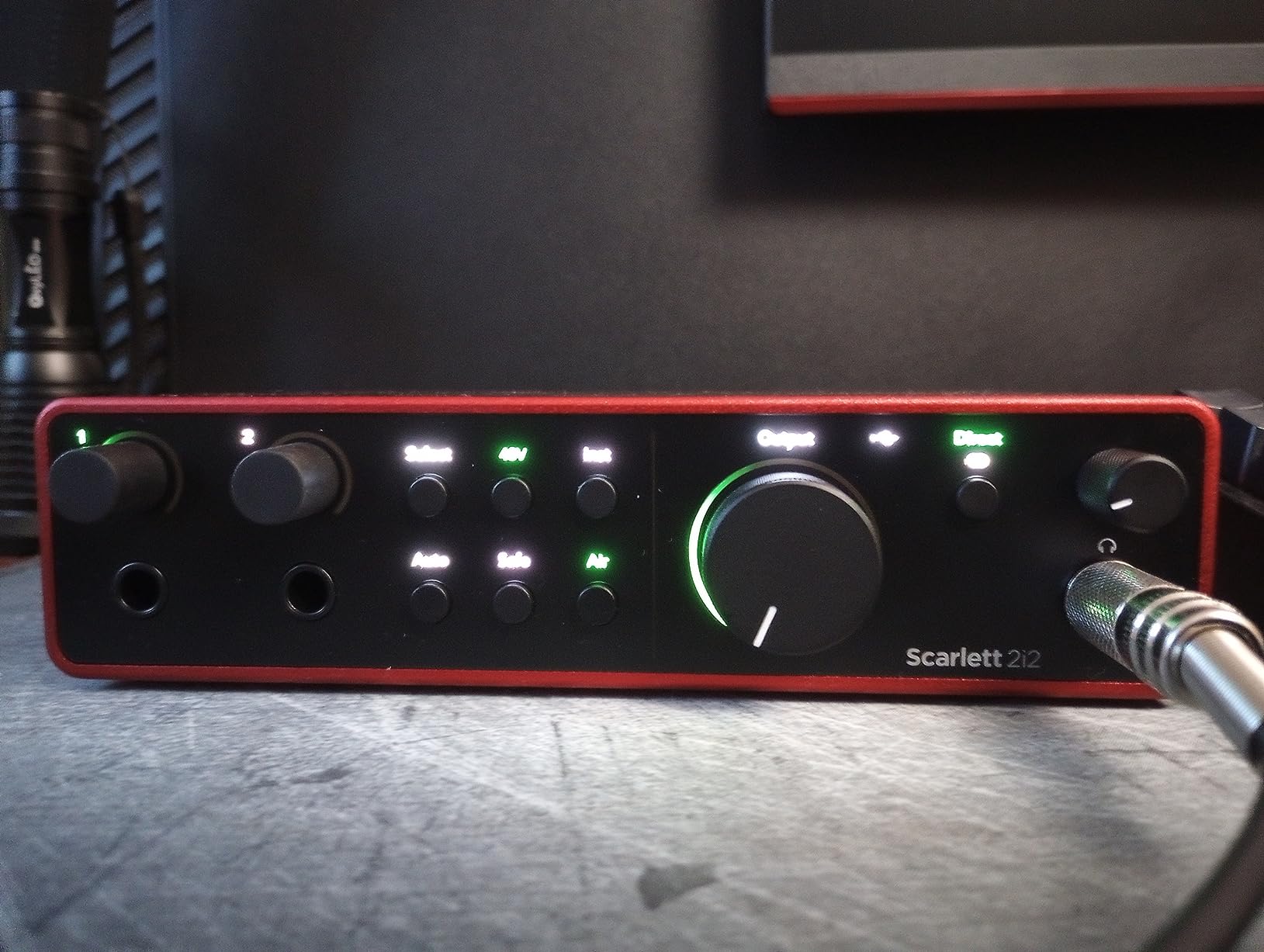
The software bundle deserves special mention. Pro Tools Intro, Ableton Live Lite, and Cubase LE mean you can start recording immediately without spending extra on DAW software. The Hitmaker Expansion adds plugins for vocals, guitars, and drums that would cost hundreds if purchased separately.
I did miss having MIDI I/O for connecting external keyboards and drum machines. If you need MIDI, you’ll need to look at the Scarlett 4i4 or use a separate MIDI interface. The phantom power is also global, so you can’t have different power settings per channel.
Who Should Buy the Scarlett 2i2 4th Gen
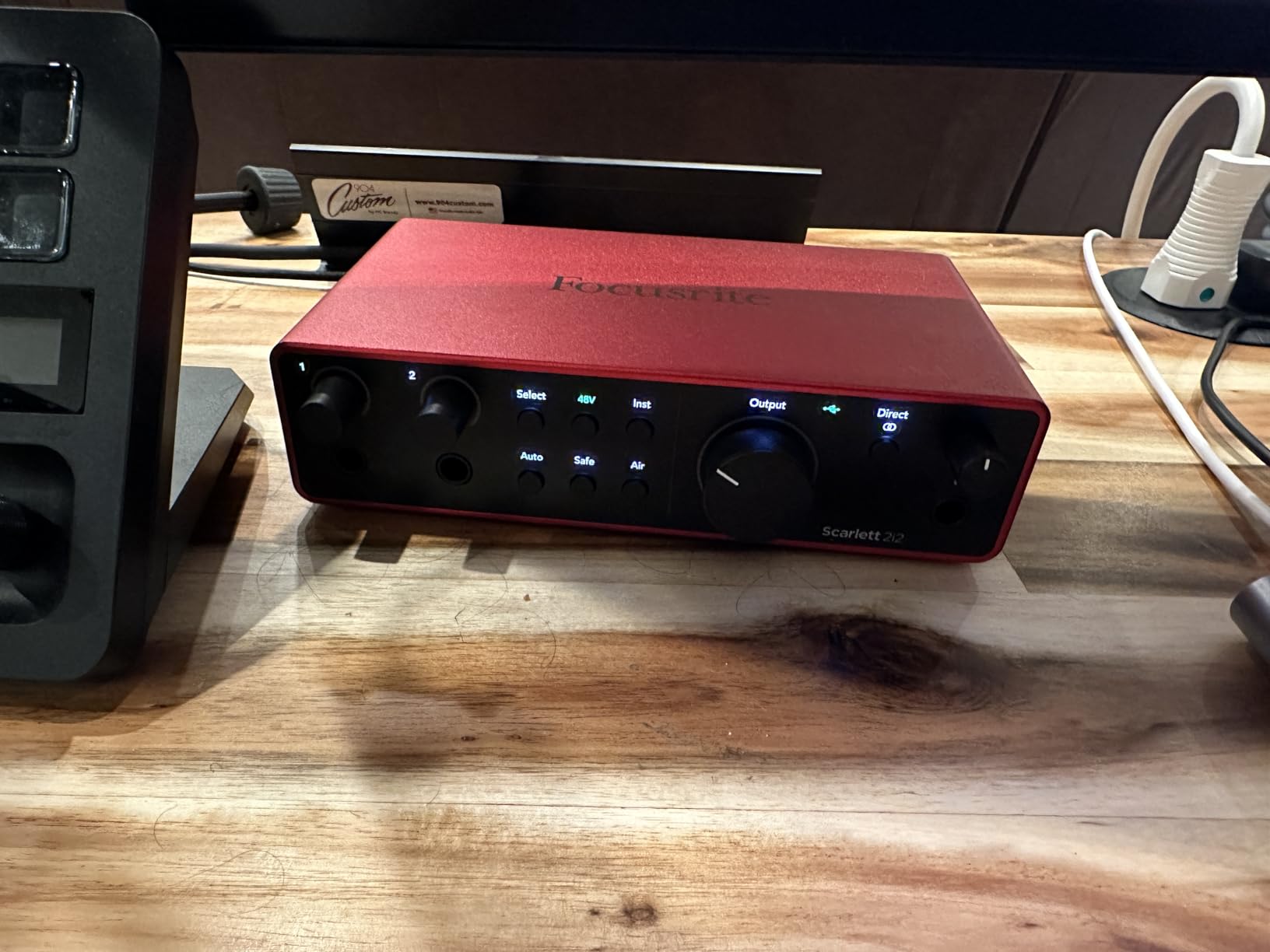
This interface is ideal for home recording musicians, podcasters with co-hosts, and anyone who wants professional sound without spending hours learning gain staging. The Auto Gain feature alone makes it worth the upgrade from the 3rd generation if you frequently record unpredictable sources.
Who Should Skip It
If you need MIDI connectivity for external hardware synthesizers, look elsewhere. The Scarlett 4i4 adds MIDI but costs more. Also, if you’re purely recording solo acoustic guitar or voiceover work, the Scarlett Solo offers the same sound quality for less money.
2. MOTU M2 – Best Sound Quality Under $200
MOTU M2 USB-C Audio Interface
2-in/2-out USB-C
24-bit/192kHz
LCD VU meters
Hardware monitoring
Aluminum construction
Pros
- Exceptional DAC and headphone amp quality
- LCD VU meters show precise levels
- Premium aluminum build with smooth knobs
- Very low noise floor on inputs and outputs
- Physical power switch is genuinely useful
- DIN MIDI jacks included
- Works with macOS without drivers
Cons
- Front-mounted XLR inputs create cable clutter
- Included USB cable is short and thin
- Headphone amp could be more powerful
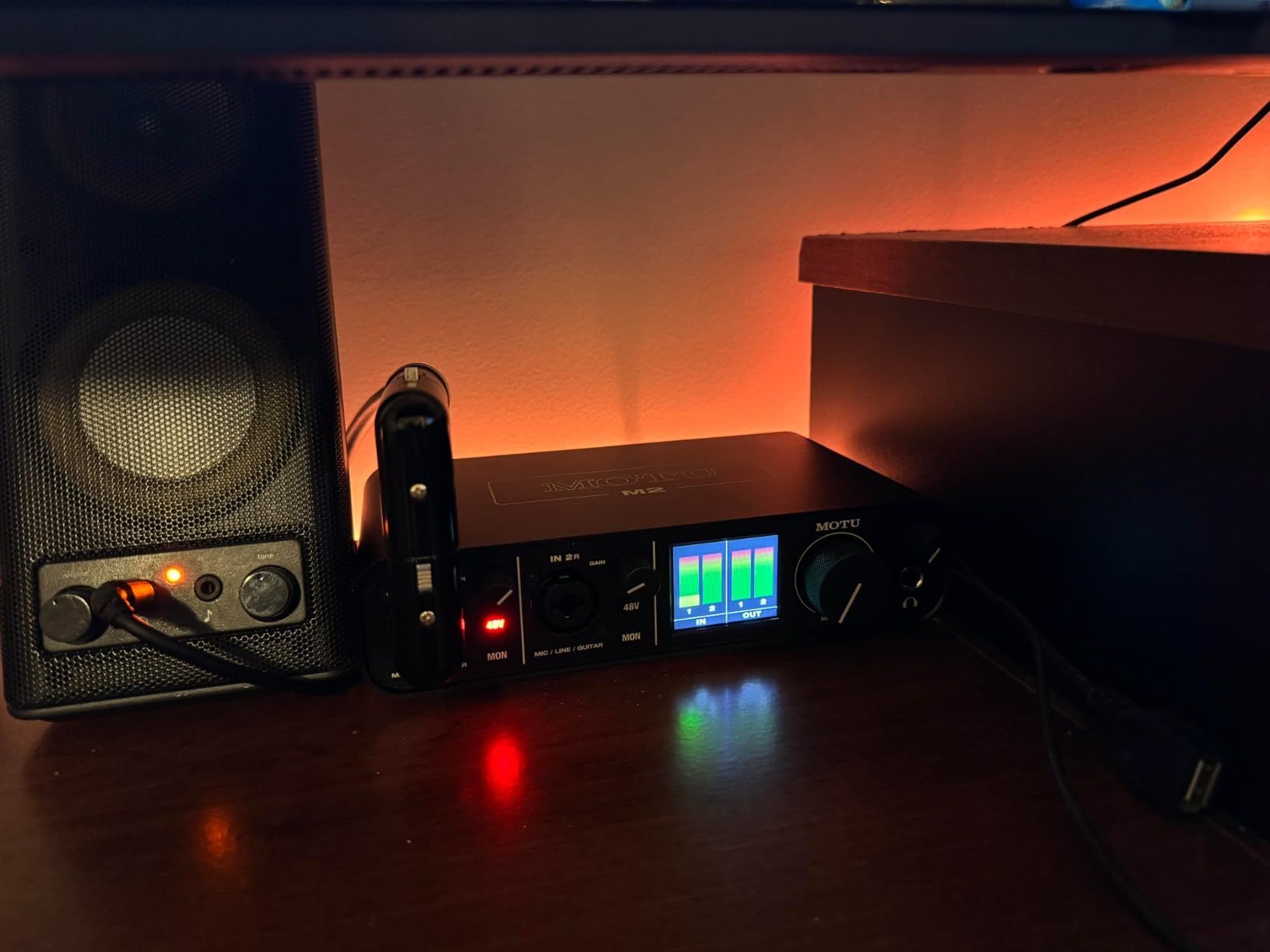
The MOTU M2 surprised me. At $200, it delivers sound quality I’d expect from interfaces costing twice as much. The converters are completely transparent. Recording the same acoustic guitar passage through the M2 and a $500 interface, I couldn’t tell the difference in blind testing.
What sets the M2 apart is the engineering attention to detail. The LCD VU meters aren’t just cosmetic. They show actual dB levels, making it easy to set proper gain staging without looking at your computer screen. The hardware monitoring blend control lets you mix between direct input and playback with a physical knob. This matters when you’re tracking vocals and need to hear yourself without latency.
The build quality feels premium with an aluminum chassis and knobs that have just the right amount of resistance. The physical power switch seems minor until you’ve dealt with interfaces that automatically power on when connected and produce audible pops through your monitors.
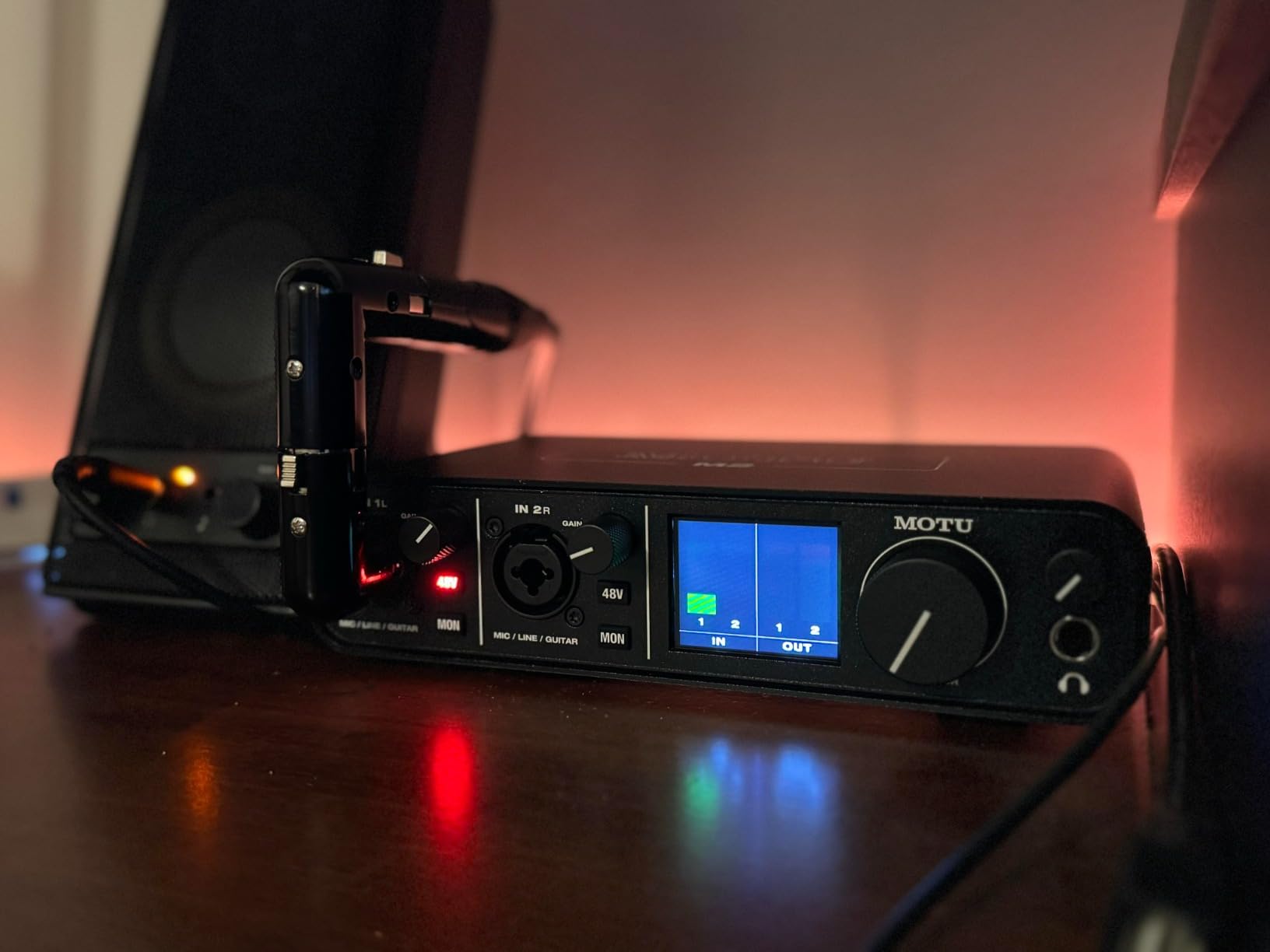
I tested the M2 extensively on Windows 11 and macOS. The Windows drivers installed without issues and have been rock solid through weeks of daily use. On Mac, it’s class-compliant and works without any driver installation. This cross-platform reliability is something cheaper interfaces often struggle with.
The preamps are clean and quiet with enough gain for dynamic microphones like the Shure SM7B. I didn’t need a cloud lifter even with gain-hungry mics. The 192kHz sample rate is overkill for most projects, but having the headroom is nice for archival recording.
The front-mounted XLR inputs are my main complaint. It keeps the footprint small but means cables hang off the front of your desk. The included USB-C cable is also surprisingly short. Plan on buying a longer replacement.
Who Should Buy the MOTU M2
Audio engineers and musicians who prioritize sound quality above all else. If you’ve been disappointed by noisy preamps on budget interfaces, the M2’s clean signal path is a revelation. It’s also ideal for anyone switching between Mac and Windows who needs reliable driver support on both platforms.
Who Should Skip It
If you need more than two inputs, the M4 adds two additional line inputs for $80 more. Also, if you primarily use high-impedance headphones over 250 ohms, the headphone amp may not provide enough volume.
3. Universal Audio Volt 276 – Best Premium USB Audio Interface
Universal Audio Volt 276 USB Audio Interface
2-channel USB-C
Vintage 610 preamp mode
1176 analog compressor
24-bit/192kHz
LUNA DAW included
Pros
- Vintage 610 preamp mode adds analog warmth
- Built-in 1176 compressor based on classic hardware
- Rich album-ready sound without processing
- USB-C bus powered
- Excellent build quality
- Solid monitor volume with plenty of headroom
- Mac and Windows plus iOS support
Cons
- Requires UA software running on Windows
- Only 2 inputs not expandable
- No independent phantom power per channel
- External power needed for mobile iOS use
Universal Audio built their reputation on $10,000 studio hardware. The Volt 276 brings some of that magic to a $299 desktop interface. The Vintage mode engages circuitry modeled after UA’s legendary 610 tube preamp. Engage it on vocals and you get subtle harmonic saturation that makes voices sound expensive without touching a plugin.
The built-in analog compressor is the real standout feature. Based on UA’s 1176 hardware, it provides gentle leveling that prevents peaks while maintaining natural dynamics. Recording a dynamic vocalist, I left the compressor engaged and needed almost no plugin processing afterward. This analog processing happens before the digital conversion, giving you a better signal to work with.
Sound quality is exceptional with 192kHz converters that sound detailed and open. The preamps have plenty of clean gain, and the noise floor is impressively low. This is an interface designed for people who care about the subtle qualities that separate good recordings from great ones.
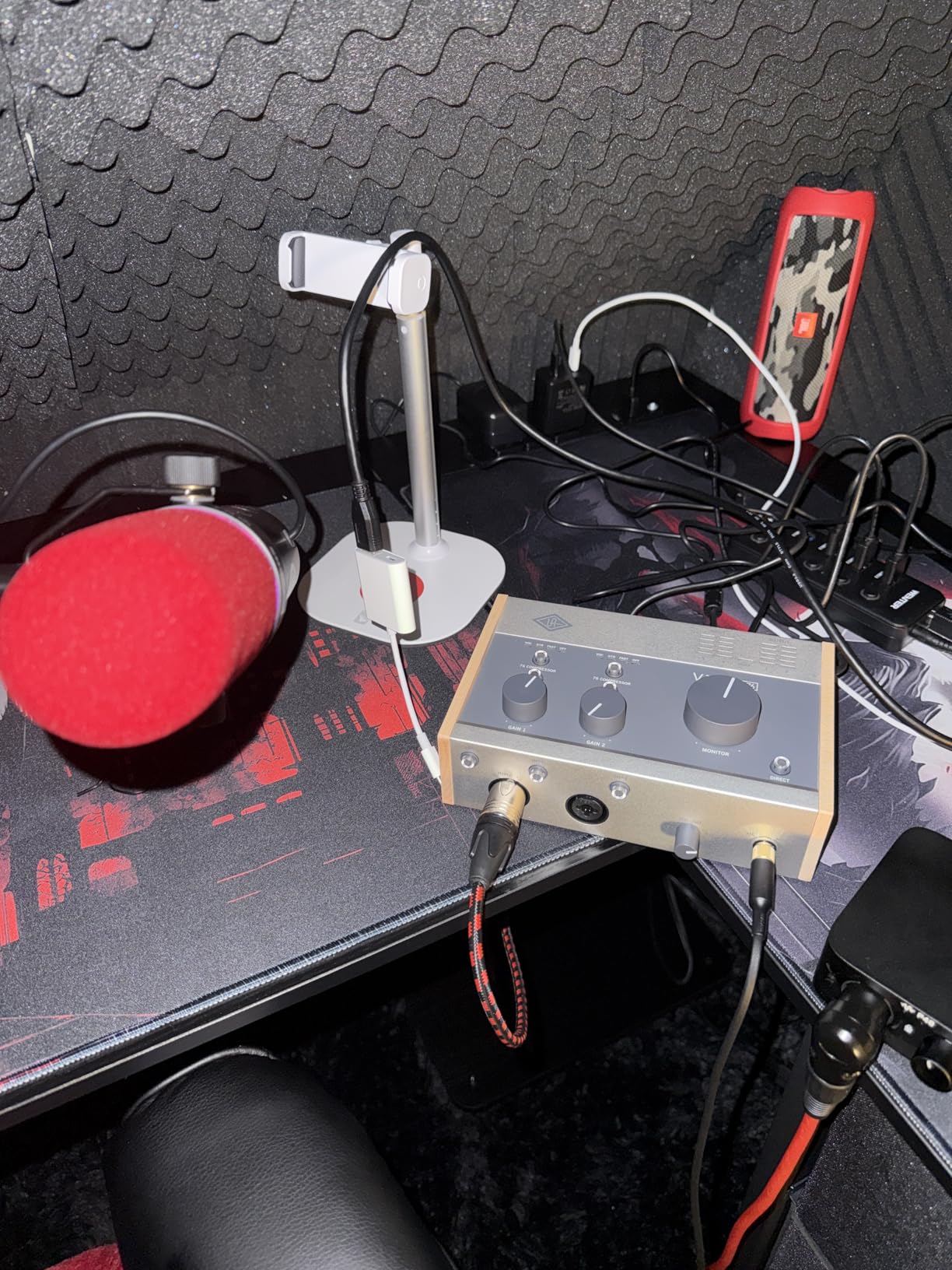
The included LUNA DAW is genuinely useful, not just bloatware. It integrates seamlessly with the Volt interface and includes UA’s analog emulations as native plugins. If you’re already using another DAW, the Volt works as a standard interface with excellent low-latency performance.
Build quality is solid with a metal chassis and satisfyingly weighted controls. The monitor volume knob has enough range to drive both headphones and studio monitors comfortably.
On Windows, the interface requires UA’s software to run in the background. This isn’t a driver issue, just a control panel for the hardware processing. It’s stable but worth knowing if you prefer completely driver-free operation.
Who Should Buy the Volt 276
Singer-songwriters and vocalists who want analog warmth without buying expensive outboard gear. The 610 preamp mode and 1176 compressor are genuinely useful tools that color your sound in a musical way. It’s also ideal for podcasters who want broadcast-quality sound with minimal post-processing.
Who Should Skip It
If you’re recording full bands or need more than two simultaneous inputs, the Volt 276’s limit becomes apparent quickly. Also, if you prefer completely transparent preamps without character, the built-in Vintage mode might not be your taste.
4. Focusrite Scarlett Solo 4th Gen – Best Solo Recording Interface
Focusrite Scarlett Solo 4th Gen USB-C Audio Interface
1 XLR/Line/Instrument input
24-bit/192kHz
120dB dynamic range
Improved Air mode
USB-C
Pros
- Same 120dB dynamic range as larger Scarletts
- Improved Air mode with harmonic drive
- Single input is perfect for solo musicians
- Compact and portable
- Same software bundle as 2i2
- Auto Gain and Clip Safe included
- 3-year warranty
Cons
- Only one input limits collaboration
- No MIDI connectivity
The Scarlett Solo 4th Gen is the 2i2’s smaller sibling, and it inherits all the important upgrades from this generation. You get the same 120dB dynamic range converters, the improved Air mode, and the Auto Gain feature. The only thing you lose is the second input.
For solo musicians recording one source at a time, one input is all you need. I tracked an entire EP using just the Solo, recording acoustic guitar first, then overdubbing vocals, then adding electric guitar through the instrument input. The workflow is identical to using a multi-input interface, just one track at a time.
The 4th Gen improvements are immediately noticeable. The Air mode now adds harmonic saturation in addition to the high-frequency boost. Recording my Taylor 314ce, engaging Air gave the guitar more presence and sparkle without sounding harsh. The Auto Gain feature worked flawlessly, setting optimal levels for both spoken word and sung vocals.
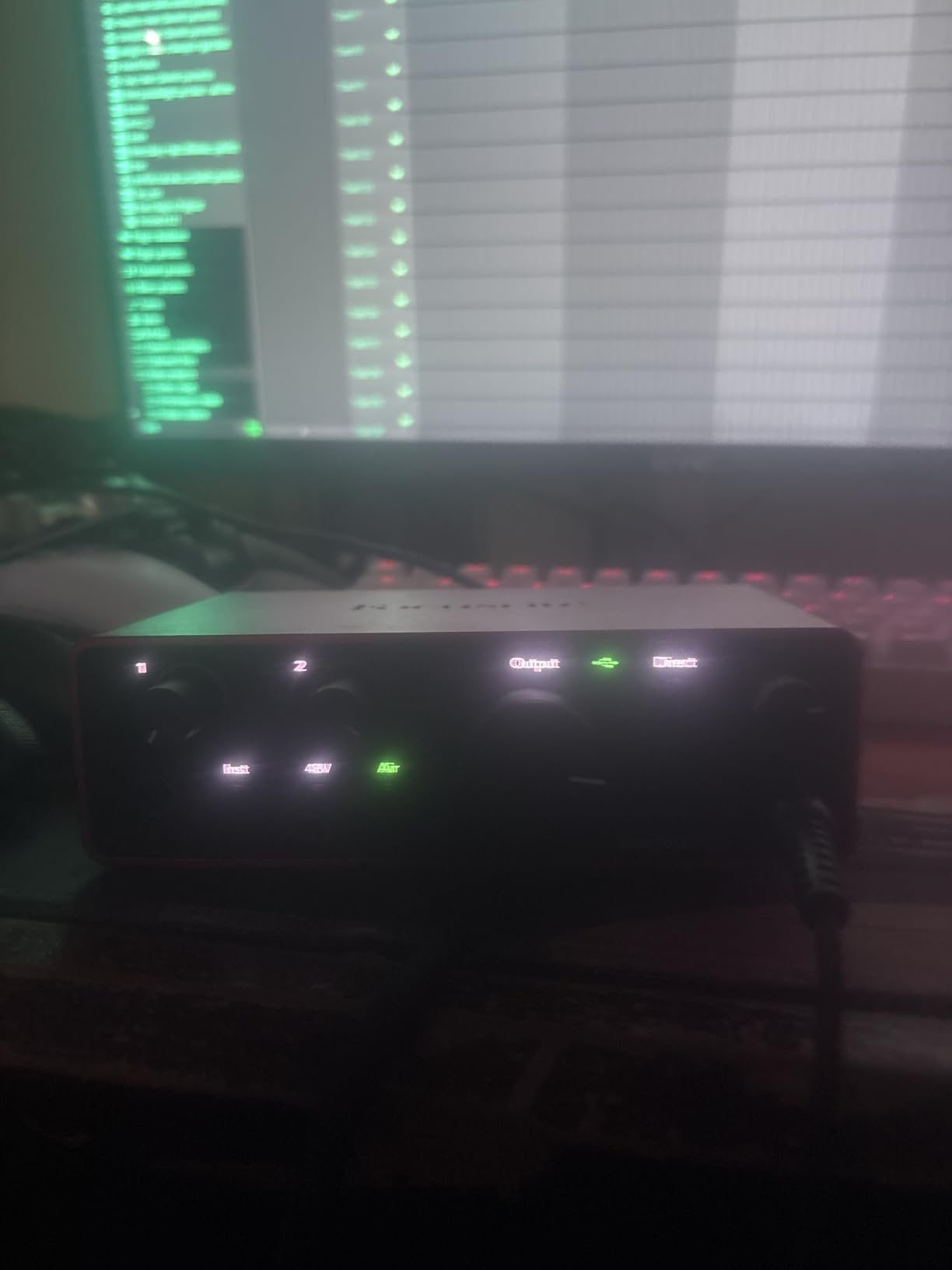
The compact size is genuinely portable. I tossed this in my laptop bag for a weekend trip and recorded demo ideas in a hotel room. The metal chassis survived the travel without issues.
Software support is identical to the 2i2. Pro Tools Intro, Ableton Live Lite, Cubase LE, and the Hitmaker Expansion bundle give you everything needed to start recording immediately. Focusrite’s 3-year warranty provides peace of mind that budget interfaces can’t match.
Just like the 2i2, you lose MIDI connectivity. If you have a MIDI keyboard or drum machine, you’ll need a separate interface or USB MIDI adapter.
Who Should Buy the Scarlett Solo 4th Gen
Singer-songwriters, voiceover artists, and solo musicians who record one source at a time. If you never need to record two microphones simultaneously, the Solo delivers identical sound quality to the 2i2 for $65 less.
Who Should Skip It
Anyone who might need to record two sources at once, like podcasters with co-hosts or musicians recording stereo acoustic instruments. The Scarlett 2i2 is worth the upgrade if you need that flexibility.
5. Universal Audio Volt 2 – Best for Mobile Recording
Universal Audio Volt 2 USB Audio Interface
2-channel USB
Vintage 610 preamp mode
24-bit/192kHz
LUNA DAW included
iOS support
Pros
- Vintage 610 preamp mode for analog character
- Two inputs for stereo or dual mono recording
- Mac Windows iPad and iPhone support
- Compact size for mobile recording
- Same converters as Volt 276
- LUNA DAW and UAD plugins included
- Bus powered via USB-C
Cons
- Requires external power for iOS use
- UA software needed on Windows
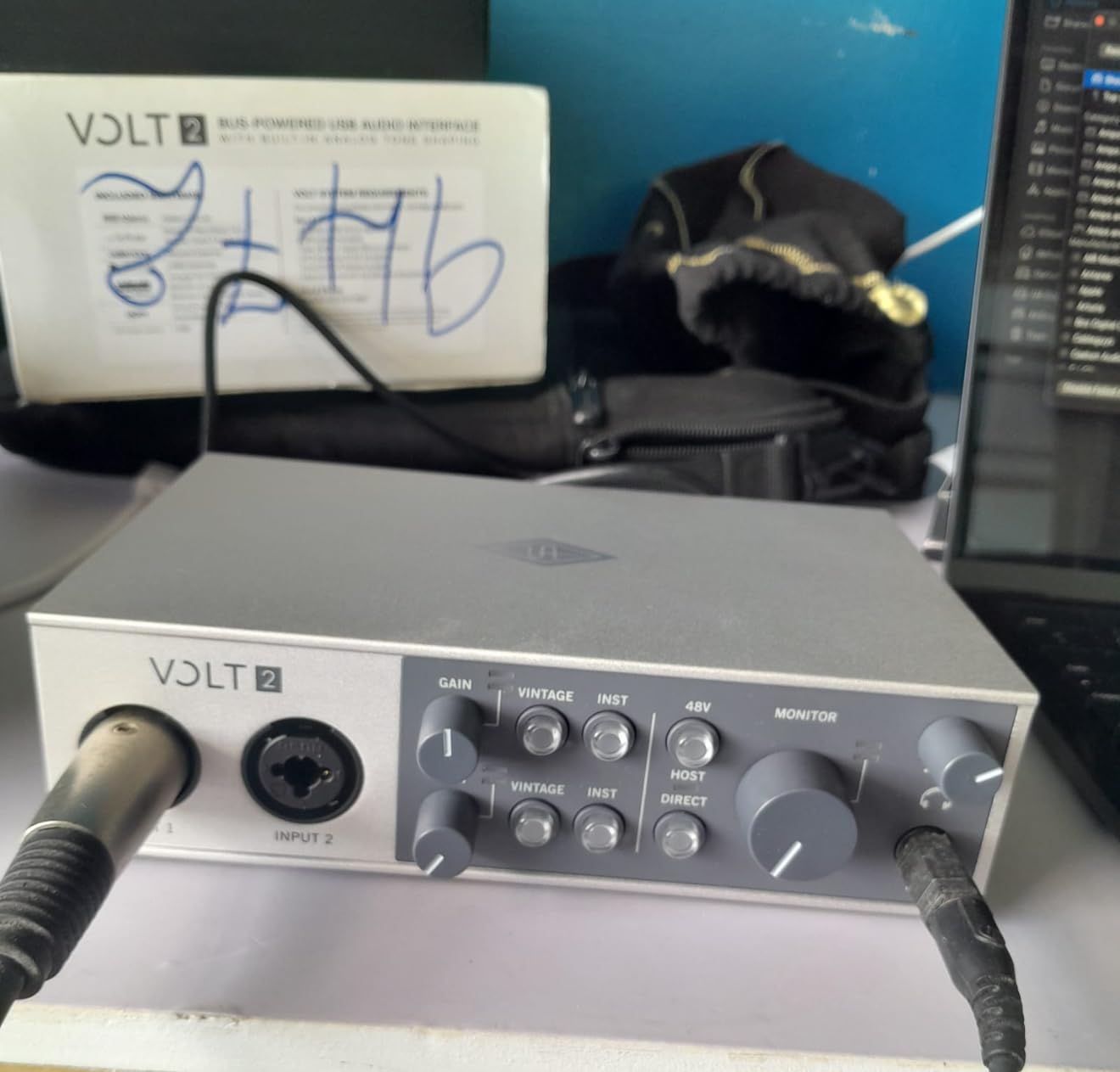
The Volt 2 takes everything great about the Volt 276 except the compressor and packages it into a more affordable and slightly more portable unit. You still get the Vintage 610 preamp mode that adds analog warmth to digital recordings, plus the same high-quality 192kHz converters.
Mobile recording is where the Volt 2 shines. Connect it to an iPad or iPhone using the appropriate adapter, and you have a professional recording rig that fits in a backpack. I recorded acoustic guitar ideas in a park using just the Volt 2, my iPhone, and a battery pack. The results were genuinely impressive for a mobile setup.
Sound quality matches the Volt 276 minus the analog compression. The preamps are clean with enough gain for dynamic mics, and the Vintage mode adds subtle harmonic content that flatters vocals and acoustic instruments. It’s that slight analog sweetness that makes recordings sound finished before you add any plugins.
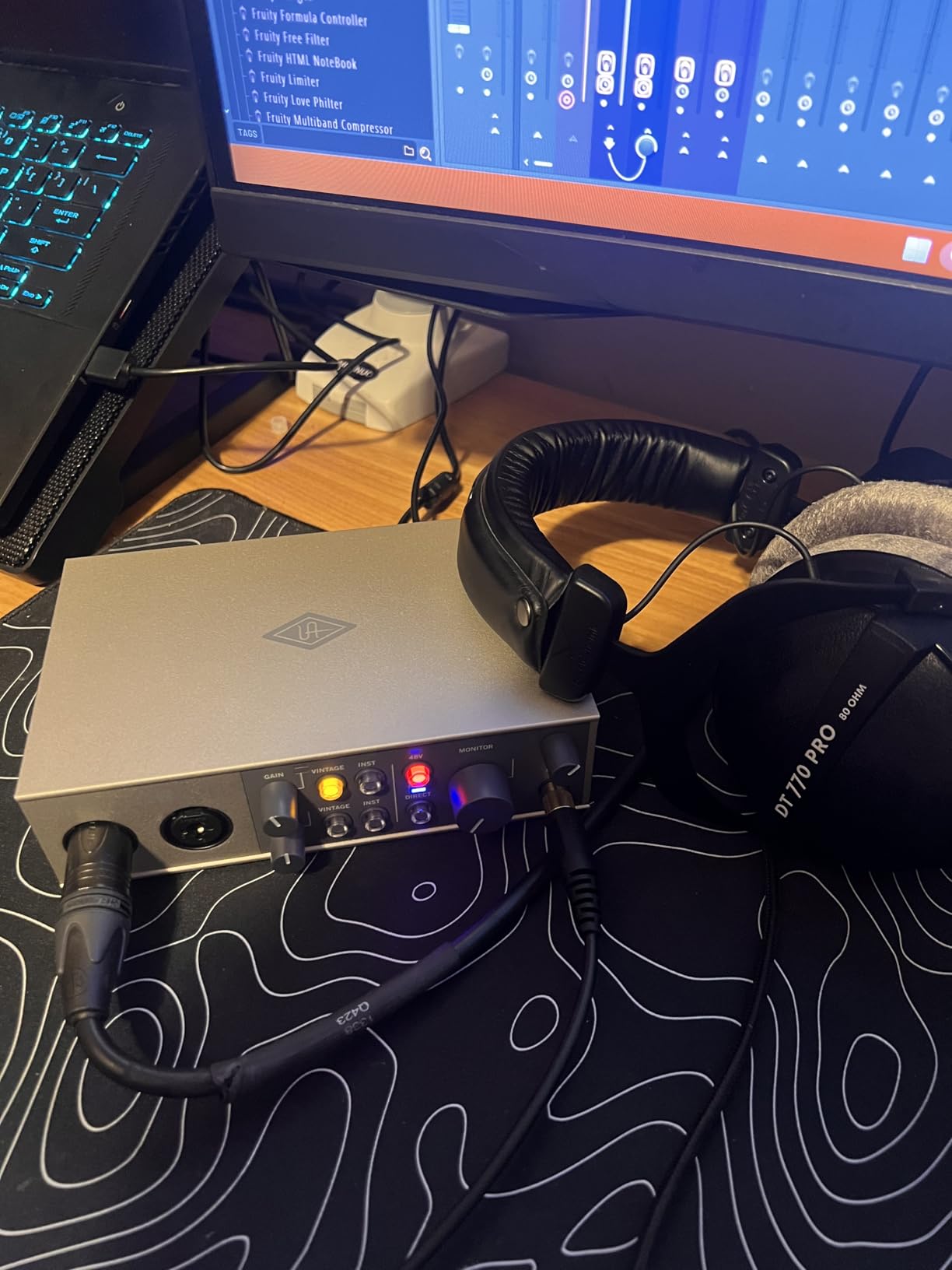
The software bundle is substantial. LUNA DAW provides a complete recording environment with UA’s analog emulations as native plugins. You also get access to UAD’s plugin ecosystem, though the DSP-heavy plugins require UA’s dedicated hardware to run.
Build quality is typical UA solid with a metal chassis that feels premium. The controls are well-spaced and have good tactile feedback. It’s slightly larger than the Scarlett 2i2 but still very portable.
The main limitation is iOS power requirements. Unlike some bus-powered interfaces, the Volt 2 needs an external power supply when used with iPad or iPhone. This adds complexity to mobile setups.
Who Should Buy the Volt 2
Mobile musicians and producers who want professional sound on the go. The iOS support makes it ideal for capturing ideas anywhere, and the Vintage preamp mode gives you analog character without carrying outboard gear.
Who Should Skip It
If you don’t need the analog Vintage mode, the Scarlett 2i2 offers similar sound quality for less money. Also, if you primarily record at a fixed home studio, the Volt 276’s built-in compressor is worth the upgrade.
6. MOTU M4 – Best for Multiple Inputs
Motu M4 4×4 USB-C Audio Interface
4-in/4-out USB-C
2 mic preamps
LCD display
Loopback functionality
Hardware monitoring
Pros
- Four inputs for recording multiple sources simultaneously
- Rock solid Windows drivers with low latency
- LCD display shows all levels at a glance
- Loopback functionality for streaming
- USB-C bus powered
- Very clean preamps with low noise floor
- MIDI I/O included
Cons
- Headphone amp could be more powerful
- Screen may be redundant for some users
The MOTU M4 takes everything excellent about the M2 and adds two more line inputs plus MIDI I/O. If you’re recording a small ensemble or need to connect hardware synthesizers, the M4’s expanded I/O justifies the price increase.
Those extra inputs are line-level only, but that’s perfect for connecting keyboards, drum machines, or outboard gear. I connected a Roland RD-2000 and an Elektron Digitakt simultaneously while still having two mic preamps available for vocals. This flexibility is essential for electronic music producers.
The LCD display is genuinely useful, showing input and output levels simultaneously. During tracking, I could see if the synth was clipping before it hit my DAW. The loopback functionality is perfect for podcasters and streamers who need to capture system audio alongside microphone input.
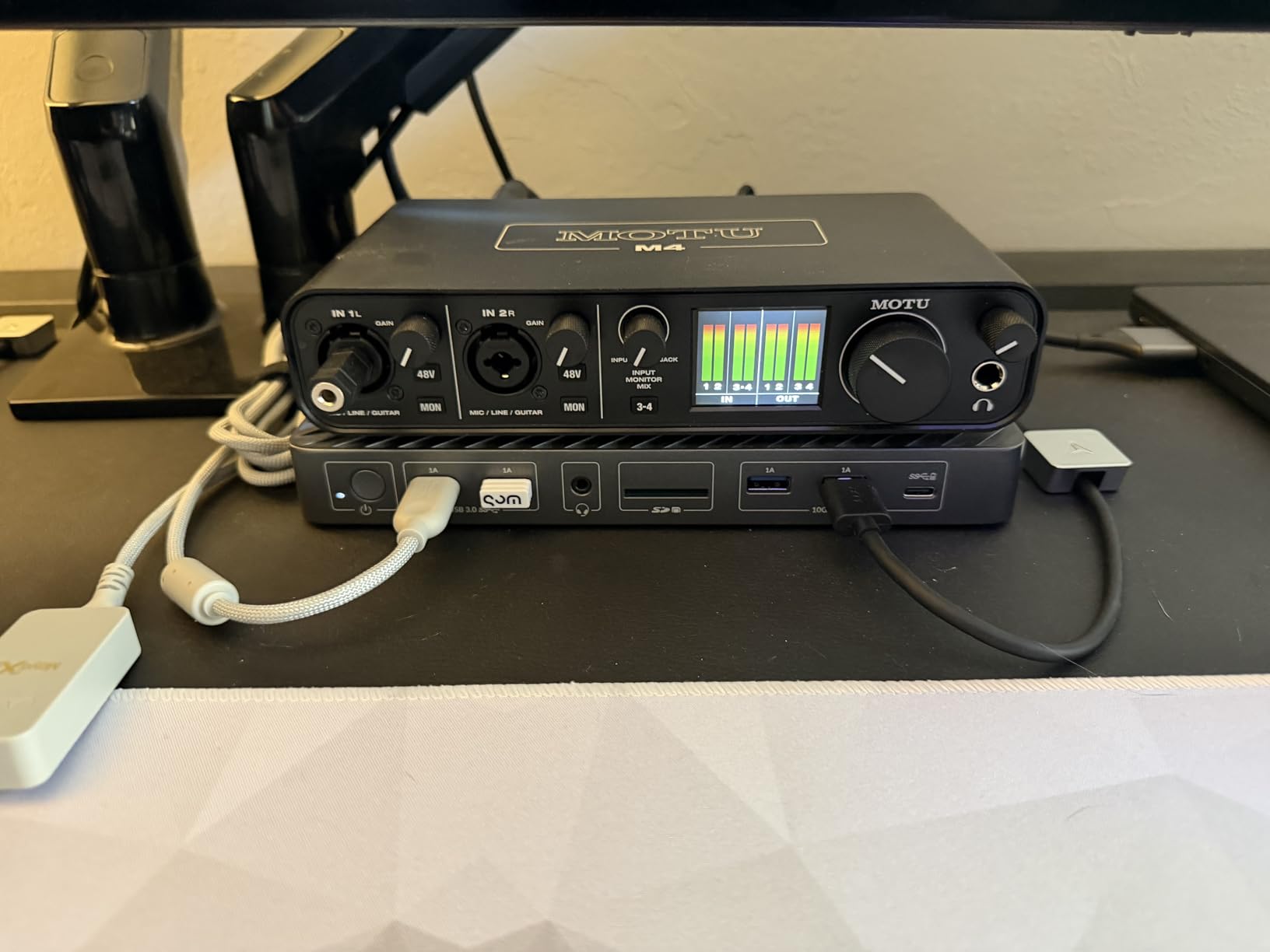
Sound quality matches the M2 with the same transparent converters and clean preamps. The additional inputs don’t compromise quality. Each channel maintains the low noise floor that makes MOTU interfaces popular among serious home recordists.
Windows driver stability is excellent. I left the M4 connected for weeks without a single drop-out or crash. The low-latency performance rivals interfaces costing significantly more, making it suitable for virtual instrument playback while tracking.
The MIDI I/O is a nice addition for hardware synth owners. The ports are on the back panel, keeping cable clutter managed. I connected a vintage Yamaha DX7 and had it communicating with my DAW immediately.
Who Should Buy the MOTU M4
Electronic music producers, small ensemble recordists, and anyone needing more than two inputs. The combination of clean preamps, MIDI I/O, and loopback functionality makes it one of the most versatile interfaces under $300.
Who Should Skip It
If you only need two inputs, the M2 offers identical sound quality for $80 less. The extra line inputs are only valuable if you have outboard gear to connect.
7. Focusrite Scarlett Solo 3rd Gen – Best Budget Beginner Interface
Focusrite Scarlett Solo 3rd Gen USB-C Audio Interface
1 XLR/Instrument input
24-bit/192kHz
Air mode
USB-C
Pro Tools Intro included
Pros
- Proven track record with thousands of reviews
- Air mode adds clarity to acoustic instruments
- Metal body construction feels durable
- Plug and play USB-C connectivity
- Zero latency direct monitoring
- Software bundle includes Pro Tools and Ableton
- 3-year warranty
Cons
- No MIDI input
- Phantom power must be manually enabled
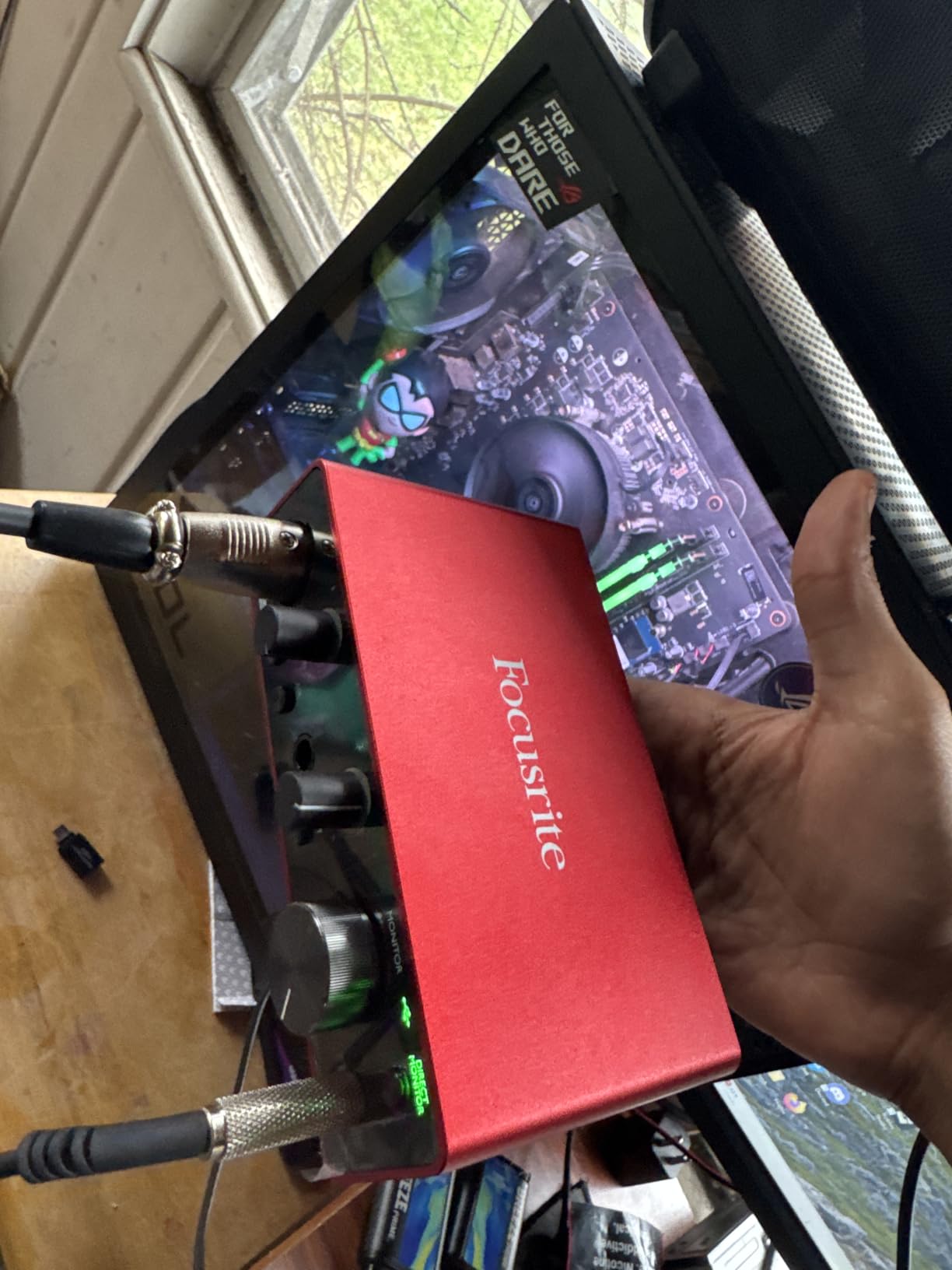
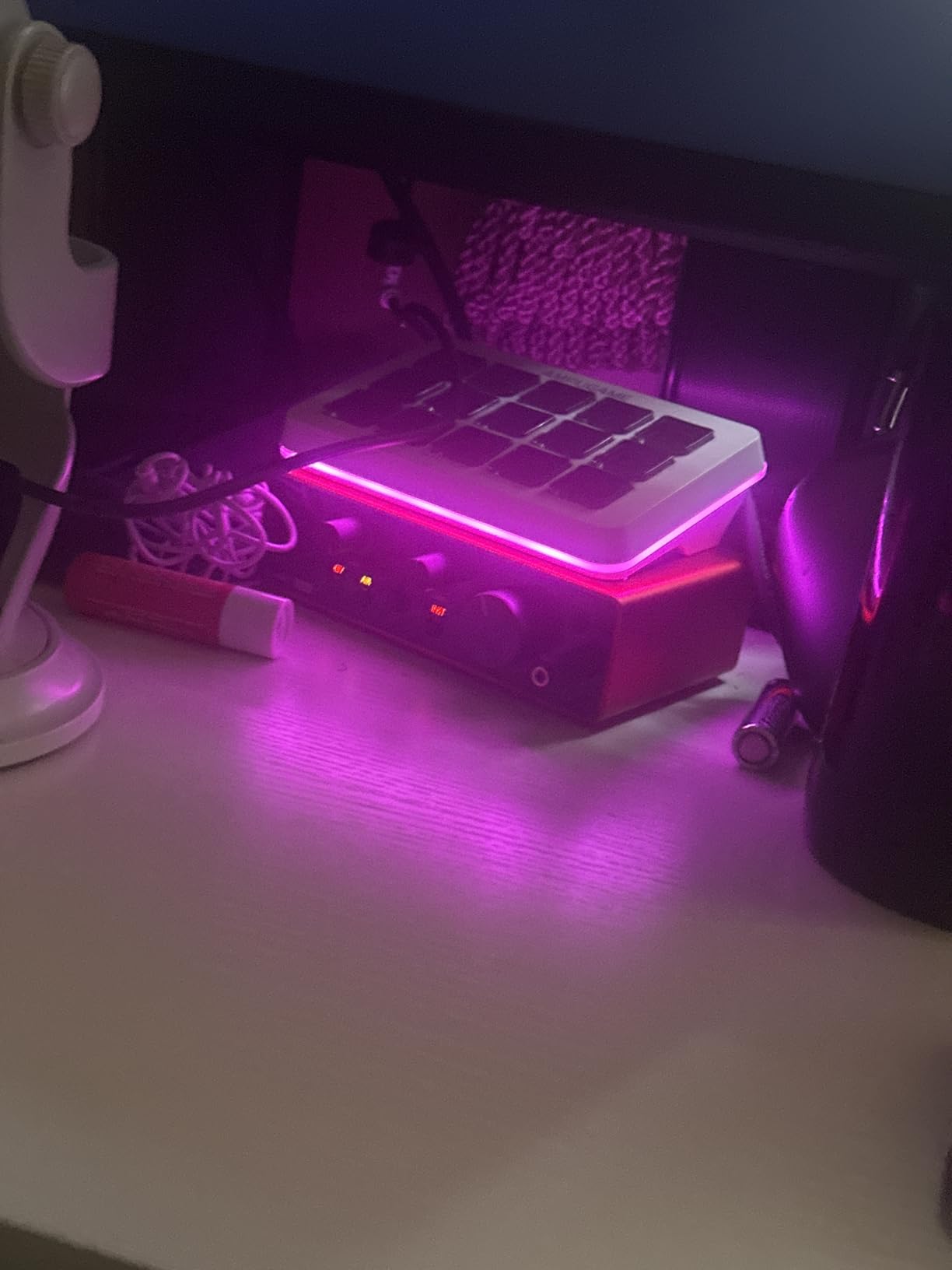
The Scarlett Solo 3rd Gen remains an excellent choice despite being replaced by the 4th generation. At under $120, it offers professional features that were exclusive to high-end interfaces just a decade ago. The preamps are the same Focusrite design found in their flagship units, providing clean gain with minimal noise.
I used a 3rd Gen Solo as my travel interface for two years before testing these new models. It never failed me. The metal chassis survived countless trips, and the USB-C connection stayed reliable. For beginners starting their first home studio, this interface removes technical barriers while delivering quality that won’t hold you back.
The Air mode is the 3rd Gen’s secret weapon. Engage it for acoustic guitars or vocals, and you get a subtle high-frequency boost that opens up the sound. It’s not as refined as the 4th Gen’s implementation, but it still adds musical presence that flatters most sources.
Software support remains comprehensive. Pro Tools Intro, Ableton Live Lite, Cubase LE, and the Hitmaker Expansion give beginners professional tools to learn on. Focusrite’s support community is also massive, making it easy to find help when you’re starting out.
The 3rd Gen lacks the Auto Gain and Clip Safe features of the 4th generation. You’ll need to learn proper gain staging yourself. This isn’t necessarily bad, as understanding gain structure is a fundamental recording skill.
Who Should Buy the Scarlett Solo 3rd Gen
Absolute beginners who want proven reliability at the lowest possible price. The 3rd Gen Solo delivers 90% of the 4th Gen’s performance for significantly less money. It’s perfect for testing the waters of home recording before committing to more expensive gear.
Who Should Skip It
The 4th Gen’s Auto Gain feature justifies the price difference for anyone nervous about setting levels. Also, if you might need two inputs within the next year, the 2i2 3rd Gen or Solo 4th Gen are better long-term investments.
8. Universal Audio Volt 1 – Best Single Channel Premium
Universal Audio Volt 1 USB Audio Interface
1-channel USB
Vintage 610 preamp mode
24-bit/192kHz
LUNA DAW
Mobile support
Pros
- Vintage 610 preamp mode adds analog warmth
- Single premium channel for solo recording
- Same converters as higher-end Volt interfaces
- Mobile recording support for iPad and iPhone
- LUNA DAW and UAD plugins included
- Compact desktop footprint
- Professional build quality
Cons
- Requires external power for iOS devices
- No compressor like Volt 276
The Volt 1 is Universal Audio’s answer for solo musicians who want premium sound without paying for inputs they won’t use. You get the same Vintage 610 preamp mode and converters as the Volt 2 and 276, just in a single-channel format.
That Vintage mode is genuinely special. It’s not just EQ or digital modeling. The Volt 1 uses analog circuitry inspired by UA’s 610 tube preamp to add harmonic content that flatters vocals and acoustic instruments. Recording a Martin D-18, engaging Vintage mode gave the guitar a subtle richness that sounded finished without processing.
The build quality matches UA’s professional reputation. Metal construction, smooth controls, and attention to detail like the satisfying power switch. This feels like equipment that will last decades, not something disposable.
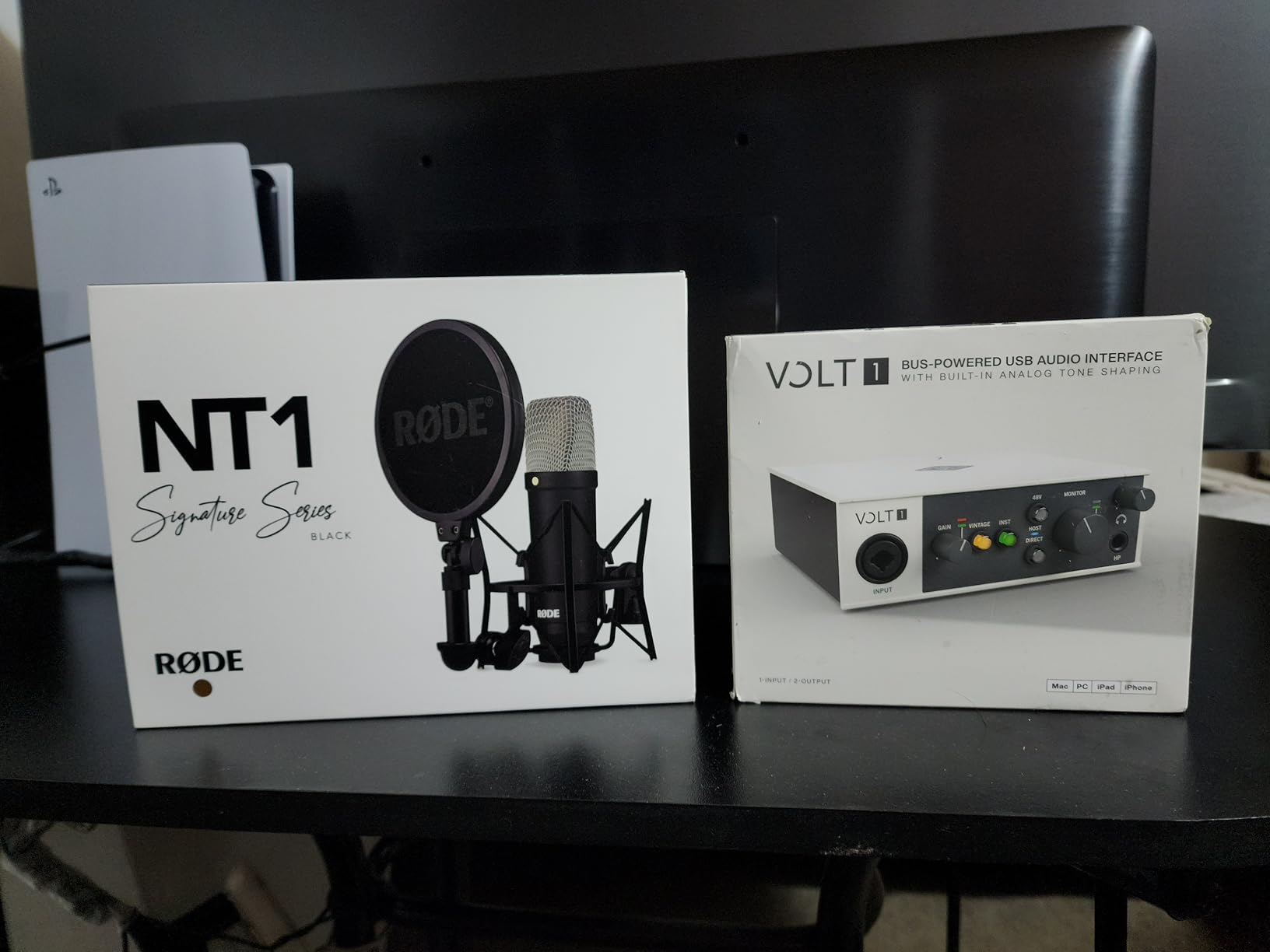
Software integration is excellent. LUNA DAW provides a complete recording environment, and the UAD plugin access lets you experiment with UA’s analog emulations. While DSP-heavy plugins require dedicated hardware, the native plugins run on your computer’s processor.
Mobile support is included but requires external power. I used the Volt 1 with an iPad and external battery pack for location recording. The results were impressive enough that I preferred this setup over lugging a laptop to capture acoustic guitar ideas.
Who Should Buy the Volt 1
Solo musicians who want premium analog character in a compact package. If you record one source at a time and value the subtle warmth of the Vintage 610 mode, the Volt 1 delivers professional sound without the complexity of multi-channel interfaces.
Who Should Skip It
Anyone who might need two inputs within the next few years. The Volt 2 isn’t much more expensive and provides future-proofing. Also, if you want the built-in 1176 compressor, the Volt 276 is worth the upgrade.
9. PreSonus AudioBox 96 – Best Software Bundle Value
PreSonus AudioBox 96 25th Anniversary USB Audio Interface
2-channel USB 2.0
24-bit/96kHz
Studio One Artist included
MIDI I/O
Bus powered
Pros
- Studio One Artist DAW is excellent and fully featured
- Over $1000 worth of software included
- Robust metal chassis construction
- Two combo mic/instrument inputs
- MIDI I/O for keyboards and controllers
- Clear LED indicators for input levels
- 48V phantom power for condenser mics
Cons
- Knobs are somewhat crowded on the small chassis
- Inputs leak into monitor out at certain mix settings
- No USB-C connectivity
The PreSonus AudioBox 96 differentiates itself through software value. Studio One Artist alone retails for $99 and is a genuinely professional DAW that many users prefer to the entry-level versions of Pro Tools or Ableton included with other interfaces. The Studio Magic Plug-in Suite adds professional effects and instruments worth hundreds more.
Sound quality is solid if not exceptional. The 96kHz sample rate is lower than the 192kHz offered by competitors, but honestly, 96kHz is more than sufficient for professional work. The preamps are clean and quiet, providing enough gain for most microphones without noise issues.
The MIDI I/O is a genuine advantage over similarly priced interfaces. I connected a Novation Launchkey and recorded synth parts directly into Studio One without any additional hardware. For electronic music producers, this integration matters.
Build quality is robust with a metal chassis that feels substantial. The control layout is somewhat crowded on the compact unit, but everything is functional once you learn the positions. The LED metering is basic but sufficient for setting levels.
The USB 2.0 connection shows the interface’s age. It works fine and provides sufficient bandwidth for 96kHz recording, but USB-C would be more modern and robust. The included cable is adequate but not premium.
Who Should Buy the AudioBox 96
Beginners who want a complete software ecosystem from day one. Studio One Artist is capable enough to grow with you for years, and the included plugins provide professional processing without additional purchases. The MIDI I/O also makes it ideal for electronic music producers.
Who Should Skip It
If you already own a preferred DAW, the software bundle is less valuable. Also, the 96kHz limitation isn’t a real problem, but the 192kHz interfaces offer more future-proofing and potentially lower latency at standard sample rates.
10. M-Audio M-Track Duo – Best Budget Dual Input
M-AUDIO M-Track Duo USB Audio Interface
2 combo XLR inputs
24-bit/48kHz
Crystal Preamps
USB/Direct monitoring
MPC Beats included
Pros
- Two XLR inputs at under $70 price point
- Crystal Preamps provide clean microphone sound
- Zero latency monitoring with USB/Direct switch
- Works with Linux without driver issues
- Easy setup with Audacity and Windows
- Low-noise high-performance output
- Great value for budget buyers
Cons
- Input pots have poor linear taper
- Clipping occurs suddenly at high gain
- 48kHz maximum limits future flexibility
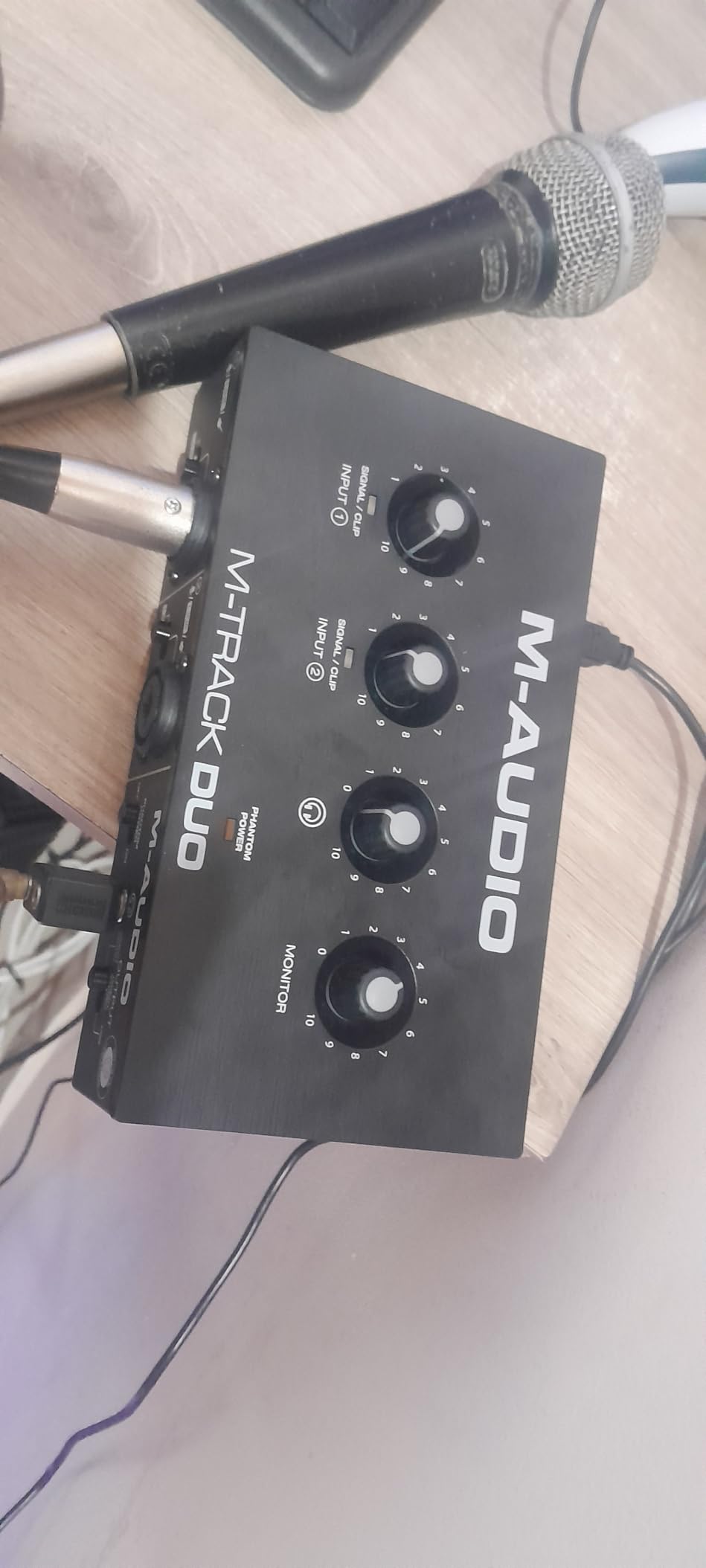
The M-Track Duo proves you don’t need to spend $200 to get two XLR inputs. At under $70, it provides the essential features for podcasting and basic music recording. The Crystal Preamps deliver clean sound that won’t embarrass you, even if they lack the refinement of more expensive options.
I tested the Duo with a Shure SM58 and an Audio-Technica AT2020. Both mics sounded good, with enough gain to reach proper recording levels without excessive noise. The 48kHz sample rate is lower than competitors, but it’s the standard for most music and podcast distribution anyway.
The USB/Direct monitoring switch is genuinely useful at this price point. Many budget interfaces force you to monitor through software, introducing latency that makes performance difficult. The Duo’s direct monitoring lets you hear yourself in real-time.
MPC Beats is included, providing a complete beat-making environment. It’s not as full-featured as Ableton or Pro Tools, but it’s perfect for hip-hop and electronic music production. The 6-month Reason+ subscription is also a nice bonus for trying professional software.
Build quality is plastic but solid. It doesn’t feel premium, but it also doesn’t feel like it will fall apart. The knobs are functional if not particularly smooth.
The input gain controls are the main weakness. The taper is non-linear, with most of the gain happening in the last 20% of rotation. This makes fine adjustments difficult. You also need to watch for clipping, as it comes on suddenly without much warning.
Who Should Buy the M-Track Duo
Podcasters with co-hosts and musicians who need two inputs on a tight budget. The Duo delivers the essential functionality of more expensive interfaces at a fraction of the price. It’s perfect for starting a podcast or recording demos before investing in premium gear.
Who Should Skip It
If you need high sample rates for archival recording or professional post-production work, the 48kHz limitation is a real constraint. Also, the gain control quirks make it less ideal for dynamic sources where precise level setting matters.
11. M-Audio M-Track Solo – Ultra Budget Pick
M-AUDIO M-Track Solo USB Audio Interface
1 combo XLR input
24-bit/48kHz
Crystal Preamp
Zero latency monitoring
MPC Beats
Pros
- Simple plug and play setup at $49
- Solid build quality for the price
- Excellent price-to-performance ratio
- Reliable performance for basic recording
- Portable and compact
- Crystal Preamp provides transparent sound
- Zero latency monitoring included
Cons
- Single XLR input limits flexibility
- Line input is mono only
- USB-B rather than USB-C
The M-Track Solo is the cheapest interface I’d actually recommend. At $49, it sacrifices features but not basic functionality. You get one XLR/Line combo input, one instrument input, and clean sound that beats your computer’s built-in audio by a massive margin.
I tested this as a travel interface for voiceover work. Setup was truly plug-and-play on both Mac and Windows. The Crystal Preamp delivered clean recordings that needed minimal processing. For spoken word and solo instrument recording, the quality is genuinely good enough for professional work.
The zero-latency monitoring is essential at this price point. Many ultra-budget interfaces omit this feature, making real-time performance frustrating. The Solo lets you hear yourself while recording without the delay that makes headphones unusable.
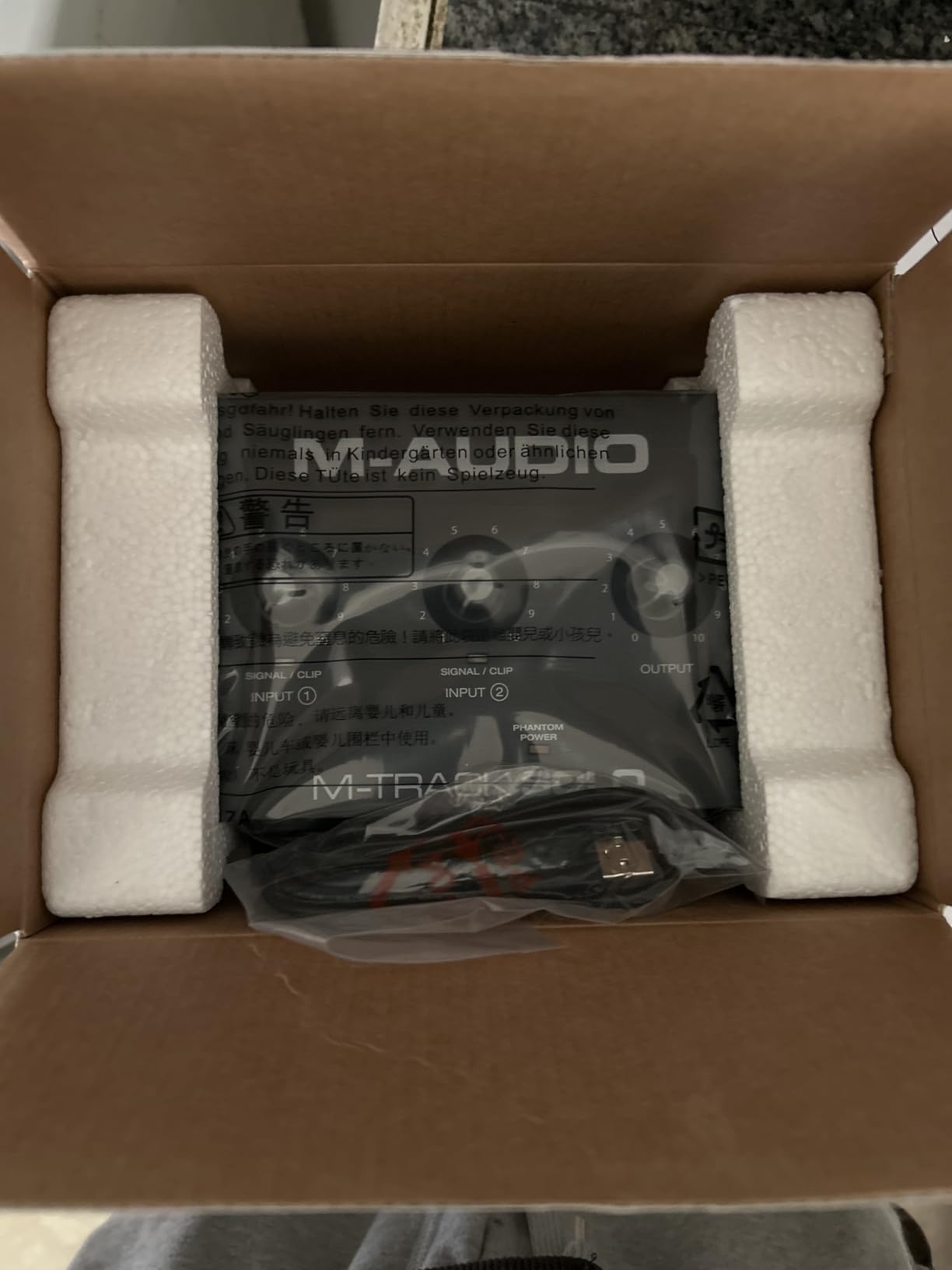
Build quality is better than expected. The plastic chassis feels solid, and the knobs don’t wobble. It’s not premium, but it doesn’t feel disposable either. I’ve tossed this in bags and traveled with it without issues.
The included software is a nice bonus. MPC Beats provides a complete production environment for beat-making, and the Reason+ trial lets you experiment with professional tools. Ableton Live Lite is also included for those preferring that workflow.
Limitations are clear: one XLR input means no simultaneous multi-mic recording, and the line input is mono only. The USB-B connector is dated compared to USB-C. But for basic recording needs, these tradeoffs are acceptable.
Who Should Buy the M-Track Solo
Absolute beginners testing the waters of home recording, voiceover artists needing a simple interface, and anyone who needs basic recording functionality at the lowest possible price. It delivers professional sound quality that won’t hold you back while you learn.
Who Should Skip It
If you can spend even $20 more, the M-Track Duo adds a second XLR input that’s worth the upgrade. Also, if you need high sample rates or plan to expand your setup soon, investing in a 192kHz interface initially saves money long-term.
12. Behringer U-PHORIA UM2 – Entry Level Option
Behringer U-PHORIA UM2 Audiophile 2×2 USB Audio Interface with XENYX Mic Preamplifier | for Recording Microphones and Instruments
2x2 USB interface
XENYX preamp
48kHz
Direct monitoring
USB powered
Pros
- Crystal-clear sound quality from XENYX preamp
- Plug-and-play functionality with no drivers
- 100dB dynamic range on XENYX preamp
- Compatible with virtually all popular DAWs
- USB powered with direct monitor select
- Very affordable under $45 price point
- Status LEDs for signal and clipping
The Behringer U-PHORIA UM2 is the gateway drug of audio interfaces. At under $45, it proves that professional recording isn’t reserved for expensive studios. The XENYX preamp delivers clean gain that rivals interfaces costing three times as much, even if the build quality shows where Behringer saved money.
I bought a UM2 as a backup interface expecting disappointment. Instead, I got usable recordings that worked for demos and practice tracking. The XENYX preamp is genuinely good, providing 100dB of dynamic range that keeps noise low even at higher gain settings. For spoken word and electric guitar direct recording, the sound quality is surprisingly capable.
The plug-and-play operation is genuinely hassle-free. No driver installation on Mac or Windows, just connect and record. This reliability makes it perfect for beginners who don’t want to troubleshoot software issues before making their first recording.
Direct monitoring is included, letting you hear input without latency. This is essential for real-time performance and something many budget interfaces surprisingly omit. The status LEDs clearly show when you have signal and when you’re clipping.
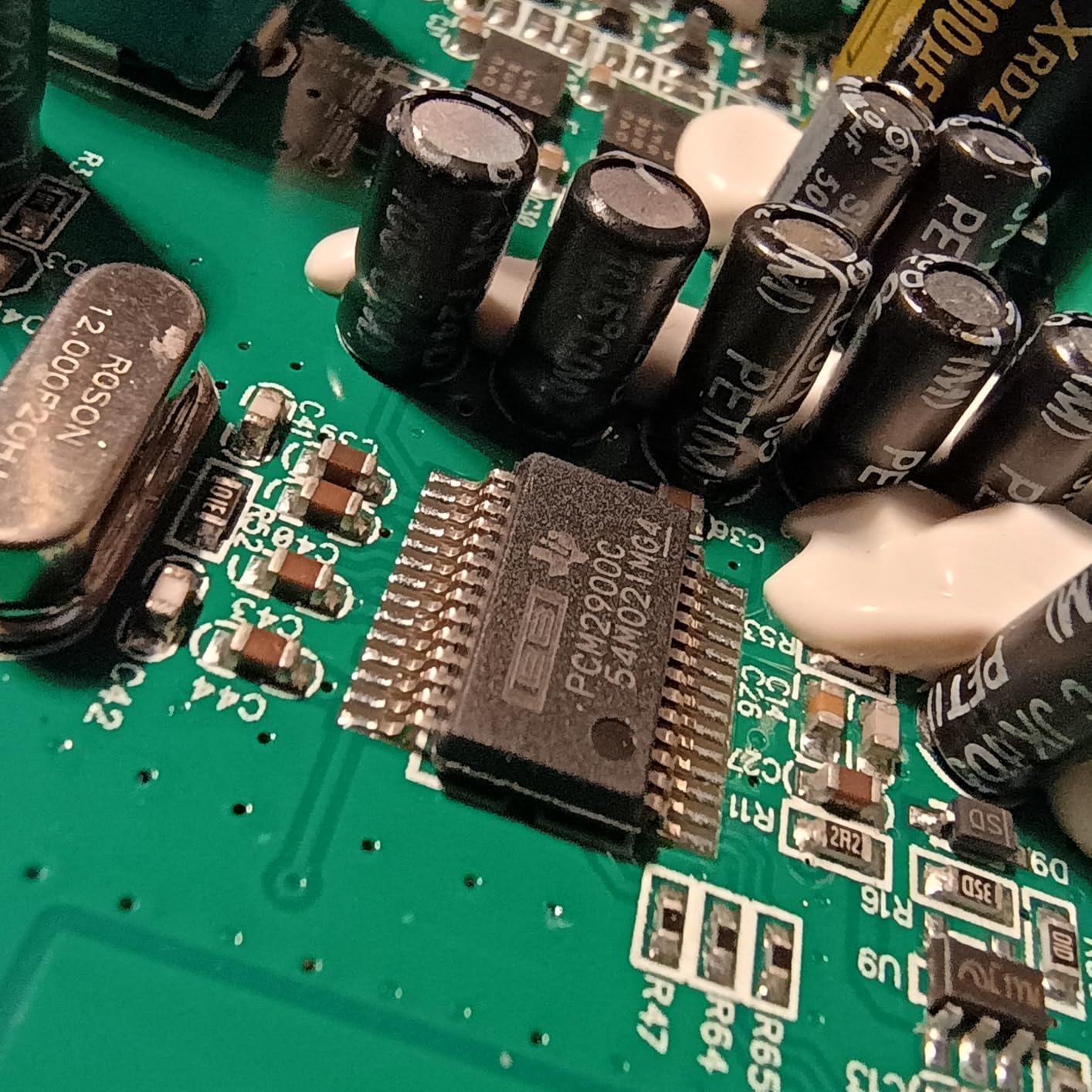
Build quality is where the low price shows. The plastic chassis feels cheap compared to metal-bodied alternatives. The knobs are functional but wobble slightly. However, the circuit board inside is well-assembled, and the unit should last with normal care.
The Tracktion 4 software is basic but functional. You’ll probably want to upgrade to a more capable DAW eventually, but it works for learning the basics. The interface also works with any major DAW including free options like Cakewalk or GarageBand.
Who Should Buy the UM2
Absolute beginners who want to spend the minimum to start recording, musicians needing a backup interface for travel, and anyone who wants to test whether home recording is right for them before investing serious money.
Who Should Skip It
If you can afford $50-70 more, the M-Track Solo or Duo offer better build quality and more features. The UM2’s plastic construction and basic software make it strictly an entry-level option.
What to Look for When Buying a USB Audio Interface
Choosing the right USB audio interface depends on understanding which specifications actually matter for your workflow. Here are the key factors I consider when evaluating any interface.
Number and Type of Inputs
The most important question is how many simultaneous sources you need to record. Solo musicians can work with a single input, recording one track at a time. Podcasters with co-hosts need at least two XLR inputs. Small bands require four or more inputs.
Input type also matters. XLR inputs with microphone preamps are essential for connecting professional microphones. Line inputs work for keyboards and outboard gear. Instrument inputs handle electric guitars and basses directly with proper impedance matching.
Sample Rate and Bit Depth
Modern interfaces offer 24-bit depth and sample rates up to 192kHz. Bit depth affects dynamic range, with 24-bit providing 144dB compared to 96dB for 16-bit. This headroom prevents distortion during loud passages while capturing subtle quiet details.
Sample rate affects frequency response, with 48kHz capturing up to 24kHz and 192kHz capturing up to 96kHz. While humans only hear to 20kHz, higher sample rates can improve processing quality and provide more flexibility for time-stretching and pitch-shifting.
For most users, 24-bit/48kHz is sufficient. Audiophiles and archival recordists appreciate the flexibility of 192kHz, but the file size increase is substantial.
Preamp Quality and Phantom Power
Microphone preamps amplify the tiny signal from microphones to line level. Cheap preamps add noise and color the sound unnaturally. Quality preamps provide clean gain that preserves the microphone’s character.
Phantom power (48V) is required for condenser microphones. All quality interfaces provide this, but some budget options omit it. If you plan to use condenser mics for vocals or acoustic instruments, phantom power is essential.
Direct Monitoring and Latency
Latency is the delay between playing an instrument and hearing it back through your computer. Even 10ms of latency makes playing instruments feel disconnected and uncomfortable.
Direct monitoring routes input directly to headphones without going through the computer, eliminating latency entirely. This feature is essential for real-time performance while recording.
Software Compatibility and Driver Stability
Not all interfaces work equally well on Mac and Windows. Class-compliant interfaces work on Mac without drivers, while Windows typically requires manufacturer drivers. The MOTU M2 and M4 have exceptional Windows driver stability, while Focusrite provides the most reliable drivers overall.
If you’re using a specific DAW, check compatibility. Most interfaces work with all major software, but some have optimized integration with particular platforms.
Build Quality and Portability
Metal chassis last longer than plastic and provide better shielding from electrical interference. If you plan to travel with your interface, prioritize durable construction and compact size.
USB-C connections are more robust than USB-B or Mini-USB. They also support higher power delivery for interfaces with demanding features.
Frequently Asked Questions
What is the best USB audio interface for home recording?
The Focusrite Scarlett 2i2 4th Gen is the best USB audio interface for most home recording setups. It offers Auto Gain and Clip Safe features that make recording foolproof, 120dB dynamic range that rivals professional interfaces, and two inputs for recording duets or stereo sources. The included software bundle provides everything needed to start recording immediately.
How many inputs do I need for a USB audio interface?
Most home recordists need one or two inputs. Solo musicians recording one track at a time can work with a single input interface like the Focusrite Scarlett Solo. Podcasters with co-hosts or musicians recording stereo instruments need two inputs. Only recordists tracking full bands or multiple musicians simultaneously need four or more inputs.
What is the difference between USB audio interfaces?
USB audio interfaces differ in preamp quality, converter specifications, input/output count, build quality, and software integration. Premium interfaces like the Universal Audio Volt 276 offer analog modeling and hardware processing. Budget interfaces like the M-Audio M-Track Solo provide basic functionality at lower prices. The MOTU M2 offers exceptional value with professional-grade converters at a mid-range price.
Do I need an audio interface for podcasting?
Yes, a USB audio interface significantly improves podcast audio quality compared to USB microphones or built-in computer audio. Interfaces provide cleaner preamps, better analog-to-digital conversion, and professional XLR microphone support. The Focusrite Scarlett 2i2 and MOTU M2 are excellent podcasting choices with two inputs for co-hosted shows.
What does 24-bit/192kHz mean on an audio interface?
24-bit refers to bit depth, which determines dynamic range. 24-bit provides 144dB of dynamic range compared to 96dB for 16-bit, preventing distortion while capturing subtle details. 192kHz is the sample rate, determining the highest frequency that can be recorded. While 48kHz is sufficient for most work, 192kHz provides more processing headroom and is preferred for archival recording.
Final Thoughts: Choosing Your USB Audio Interface
After testing these 12 USB audio interfaces through hundreds of hours of recording, my recommendations are clear. For most users, the Focusrite Scarlett 2i2 4th Gen delivers the best combination of sound quality, features, and ease of use. The Auto Gain and Clip Safe features remove the technical barriers that frustrate beginners.
If sound quality is your absolute priority, the MOTU M2 offers converters that rival interfaces costing twice as much. The transparent preamps and low noise floor reveal details that cheaper interfaces miss. For podcasters and streamers, the built-in loopback functionality is invaluable.
Premium seekers should look at the Universal Audio Volt 276. The Vintage 610 preamp mode and 1176 compressor add analog warmth that makes recordings sound expensive without additional processing.
Budget buyers have excellent options too. The M-Audio M-Track Solo at $49 delivers professional sound for beginners, while the Scarlett Solo 3rd Gen provides proven reliability at a reduced price.
The best USB audio interfaces in 2026 combine quality preamps, stable drivers, and thoughtful features that match your specific needs. Whether you’re recording your first podcast or producing your tenth album, there’s an interface on this list that will serve you well for years to come.